• Старая версия форума работает в архивном режиме www.old.nado.in

All mitsumi'1s Applications !! (updated daily)

  • Автор темы Автор темы mitsumi1
  • Дата начала Дата начала
Final Draft v11.1.3 Build 83 Portable

00e86ccb08998b30f52a6115bc3fdc7a.jpg


Final Draft v11.1.3 Build 83 Portable | 45 Mb​
For over twenty years now, Final Draft has shown itself to be the most vital tool available to the screenwriter. Final Draft has eclipsed all of its competitors because it is the best. It does everything you could possibly think of and then you can write and not think of it at all.

Advanced Brainstorming
With Final Draft 11, you can brainstorm, visualize, report, tag, collaborate and customize your writing environment like never before.

Refined Beat Board
Limitless space to organize your ideas in a customizable, visual way. Plan set pieces, store character research, and much more.

- Beats can be anything - Description points, character arcs, research, location ideas
- Beats can contain both stylized text and images
- Drag content to and from your script and Beat Board, preserving formatting
- Color code for easy reference with a vibrant color palette

New Story Map
Connect your Beat Board ideas to your script. Keep on track with visual guideposts to your story.

- Organize Beats and Structure Points from the Beat Board
- View Beat content easily while writing
- Visually plan milestones and Description points
- Easily navigate your script and Beat Board

Easier Formatting
Use your creative energy to focus on your story and characters - let Final Draft take care of the rest.

Title Page
All Final Draft templates come with industry standard title pages that are easy to customize.

Tab & Enter
Use just the Tab and Enter keys to write your script quickly and easily.

Format Assistant
Be confident your script is professionally formatted before you print or email it.

Reformat Tool
Speed through the reformatting process when importing different file types.

Automatic Backup Folder
Protect your work with automatic file backups.

Unicode Support
Final Draft 11 ships with fonts which support over 97 different languages. Users can also add their own fonts to type in additional languages.

Pagination & Page Management
Automatically format and paginate to industry standards. Meet page count requirements by using any of the Final Draft 11 custom formatting tools.

Keyboard Shortcuts
Customize your workflow and save time.

Home Page -
У Вас недостаточно прав для просмотра ссылок. Войдите или зарегистрируйтесь.


Download link:​
Код:
[center][b]rapidgator_net[/b]:
https://rapidgator.net/file/078fe6cb9875cfa9417f20b817e6cb13/8kuf2.Final.Draft.v11.1.3.Build.83.Portable.rar.html

[b]nitroflare_com[/b]:
https://nitroflare.com/view/42D3038B51230E0/8kuf2.Final.Draft.v11.1.3.Build.83.Portable.rar

[b]uploadgig_com[/b]:
http://uploadgig.com/file/download/EFf866e254c080a0/8kuf2.Final.Draft.v11.1.3.Build.83.Portable.rar[/center]

Links are Interchangeable - No Password - Single Extraction​
 
IDM UEStudio 20.00.0.48 + Portable

525ff2531437fa2ba879e8a7ac916da8.jpg


IDM UEStudio 20.00.0.48 + Portable | 206/204 Mb​
UEStudio is the powerful IDE (Integrated Development Environment) built on the chassis of UltraEdit, the world renowned text editor.

As a full integrated development environment, UEStudio includes all the features of the powerful UltraEdit text editor plus native support for over 30 popular compilers (including Microsoft Visual C++, Java, GNU C/C++, PHP, Perl and over 30 others).

UEStudio includes integrated debugging, VCS version control, built-in class browsing, language intelligence (like Intellisense), project conversion. It also includes the batch building features, as well as many other advanced features.

UEStudio is fast, stable, lightweight, and powerful and offers any UltraEdit user advanced programming functionality at a fantastic value! It has all the features of UltraEdit plus the power of an IDE. Designed to transform the way you work!

UEStudio builds upon the highly acclaimed UltraEdit, but goes even further to bring you a must-see interface that offers stunning new functionality, as well as an array of powerful new features - such as an integrated PHP debugger, updated version control, and so much more.

Powerful project/solution features:
Visual Studio project to UEStudio project conversion
Integrated compiler support (note: compilers not included with IDE)
Integrated CVS version control support
Auto-discovery of files under CVS
Integrated SVN support
Support for multiple SVN/CVS modules within a project
Integrated tag support
Powerful project manager
Compiler-specific project templates

Application building features:
Compile your projects from within program
Build/batch build
Debug
Integrated debugger support for WinDbg for Microsoft C/C++ applications
WinDbg can be downloaded in debugger configuration
Windows symbol packages can be downloaded in debugger configuration
Run your application from within program

Web development features:
Special PHP/Ruby scripting support
Run and test your PHP/Ruby scripts from within UEStudio
Integrated PHP debugging with XDebug
PHP syntax-checking
PHP IntelliTip support for PHP elements
Parse your PHP/Ruby documents
Strip comments
Highlight source
Integrated javascript lint

Enhanced workspace manager features:
Classviewer for open project
Resource editor
Integrated tags for symbols (functions, variables, etc.)
Goto symbol definition (will open file and position cursor at definition)
Find symbol in active document
Find symbol in project files
FTP account access in file tree view

Language intelligence (IntelliTips) features:
IntelliTips (like IntelliSense)
Quick tips
Function tips

Extended toolbars:
All standard UltraEdit toolbars are included in UEStudio
Build toolbar
HTML toolbar
IntelliTips toolbar
Resource editor toolbar
Tools toolbar
Style builder
GUID generator
Visual Studio project converter
XMLint support

Operating System: Windows 7, 8/8.1, 10

Home Page -
У Вас недостаточно прав для просмотра ссылок. Войдите или зарегистрируйтесь.


Download link:​
Код:
[center][b]rapidgator_net[/b]:
https://rapidgator.net/file/70b1f87f8d9cb1b80c03473afc99e47f/qbc7k.IDM.UEStudio.20.00.0.48.Portable.rar.html
https://rapidgator.net/file/ac9ce9323cb22395063866737e09d7c3/qbc7k.IDM.UEStudio.20.00.0.48.rar.html

[b]nitroflare_com[/b]:
https://nitroflare.com/view/81D7E88B9AD6BE3/qbc7k.IDM.UEStudio.20.00.0.48.Portable.rar
https://nitroflare.com/view/C7BBA5A47BA8716/qbc7k.IDM.UEStudio.20.00.0.48.rar

[b]uploadgig_com[/b]:
http://uploadgig.com/file/download/d182310A273518fc/qbc7k.IDM.UEStudio.20.00.0.48.Portable.rar
http://uploadgig.com/file/download/A9163cd57eDd586D/qbc7k.IDM.UEStudio.20.00.0.48.rar[/center]

Links are Interchangeable - No Password - Single Extraction​
 
IDM UltraEdit 27.00.0.82 Portable

3537fabf9c7dda72688ebdd2edd07a82.jpg


IDM UltraEdit 27.00.0.82 Portable | 173 Mb​
IDM UltraEdit is used across a diverse range of industries, from professional writers, researchers and journalists to advanced programmers, database managers and web developers. Scores of individuals use UltraEdit as a powerful replacement for windows notepad and even more use it as a text editor because of its ability to handle multiple documents at once, large file handling, powerful search/find/replace functionality, spell checking versatility and much more.

Replacing Notepad or looking for a powerful text editor? UltraEdit is what you're looking for. UltraEdit is the ideal text, HEX, HTML, PHP, Java, javascript, Perl, and Programmer's editor. It's versatile and easy to use. UltraEdit is specially designed for inputting and editing text and code, UltraEdit supports configurable syntax highlighting and code structuring for most any programming languages.

Key features:
* Code Folding
* Unicode support
* Disk based text editing and large file handling - supports files in excess of 4GB, minimum RAM used even for multi-megabyte files
* Mulitline find and replace dialogs for all searches (Find, Replace, Find in Files, Replace in Files)
* 100,000 word spell checker, with foreign languages support (American English, British English, Dutch, Finnish, French, German, Hungarian, Italian, Spanish and Swedish)
* Syntax highlighting - configurable, pre-configured for C/C++, VB, HTML, Java, and Perl, with special options for FORTRAN and LaTex. Multiple wordfiles available for download
* FTP client built in to give access to FTP servers with multiple account settings and automatic logon and save. (32-Bit Only) Includes support for SFTP (SSH2)
* SSH/Telnet window
* Project / workspace support
* Environment Selector - Provides predefined or user-created editing "environments" that remember the state of all of UltraEdit's dockable windows, toolbars and more for user convenience.
* Integrated scripting language to automate tasks
* Configurable keyboard mapping
* Column / block mode editing
* Hexadecimal editor allows editing of any binary file, shows binary and ASCII view
* Named templates
* HTML toolbar preconfigured for popular HTML function

Operating System:
UltraEdit supports 64-bit file handling on both 32-bit and 64-bit Windows platforms (Windows 7 and later).

Home Page -
У Вас недостаточно прав для просмотра ссылок. Войдите или зарегистрируйтесь.


Download link:​
Код:
[center][b]rapidgator_net[/b]:
https://rapidgator.net/file/25524ae1bb079e6a4a8cd10f9e31c964/h8imz.IDM.UltraEdit.27.00.0.82.Portable.rar.html

[b]nitroflare_com[/b]:
https://nitroflare.com/view/091C60B81680F26/h8imz.IDM.UltraEdit.27.00.0.82.Portable.rar

[b]uploadgig_com[/b]:
http://uploadgig.com/file/download/bf9C436506F45c33/h8imz.IDM.UltraEdit.27.00.0.82.Portable.rar[/center]

Links are Interchangeable - No Password - Single Extraction​
 
Luminar 4.3.0.6175 + Portable

44f5a84aae39668737113f667753db17.jpg


Luminar 4.3.0.6175 (x64) Multilingual + Portable | 634 MB | 436 MB​
Your Photography. Elevated. Revolutionary tools and AI technologies in Luminar 4 bring new heights to photo editing. Luminar 4 is the next generation of our all-in-one image editing and photo management software. Luminar 4 is designed to deliver professional results in less time and to help photographers unlock their best images.

All New in Luminar 4:

AI Sky Replacement
Replace the sky to change the mood of your photo - instantly. Thanks to intelligent algorithms, this challenging task is now automated.

AI Skin Enhancer & Portrait Enhancer
Enhance your portraits faster than ever with revolutionary human-aware technology. Get amazingly realistic results on portraits shot outdoors or in a studio.

AI Structure
Quickly reveal important parts of each image without spoiling the rest of the photo. This content-aware tool detects areas that could look richer and enhances them.

Sunrays
Create realistic light rays. Add a source of sunlight and move it around your image. Watch volumetric sunbeams magically seep between objects such as trees and buildings.

AI Enhance
AI Accent makes dozens of complex adjustments when you move just one slider. New human-aware technology recognizes people and applies adjustments selectively for ultra-realistic results.

Browse beautifully
Explore, rate, sort & enjoy images from all your folders with ease and pleasure.

Apply instant Looks
Immerse in more than 70 Looks, handcrafted by recognized photo artists. Divided into seven Categories. Create and share your own unique Looks.

Make your landscapes pop
With Landscape Enhancer toolset it takes few slides to add more charm to your landscapes. Apply Dehaze to restore depth and color. Add warm sunlight with Golden Hour. Works perfectly on landscapes or outdoor portraits. Improve colors of plants, trees or flowers with Foliage Enhancer.

Erase unwanted objects
Get rid of unwanted objects, strangers, and odd details - in a click, with Erase tool.

Boost creativity with Creative tools
- Use it for a gritty cinematic look. Often used in stylized fashion shoots and grungy athletic portraits.
- For an aged look with flat color and high contrast. Works great for both landscapes and portraits.
- Creates a dreamy look with increased contrast and a delicate glow.
- Remap the colors in an image for creative new options. LUTs can be used for color grading, B&W conversion, or digital film stocks.
- Textures give your photos a new appearance. They're especially great when you're trying to achieve a vintage or grungy look.
- Creates a lighting effect, especially around bright areas such as streetlights and sky.
- Emulates the structure of analog film stock by introducing a random, stylized texture into your image.
- Adds a strong softening or blurring effect to part of your photo, simulating fog.

Remove noise
Flawlessly remove digital noise from any type of photo. Get perfect images no matter the camera or shooting conditions.

Enhance details
Create more dramatic shots. Bring crystal-clear sharpness to your images. Enhance the clarity of small, medium or large details selectively.

System Requirements:
- Graphics: Open GL 3.3 or later compatible
- Processor: Intel Core i5 or better
- OS: Windows 7 or higher (only x64-bit OS)
- RAM: 8 GB or more
- Disk Space: 10 GB free space

Homepage -
У Вас недостаточно прав для просмотра ссылок. Войдите или зарегистрируйтесь.


Download link:​
Код:
[center][b]rapidgator_net[/b]:
https://rapidgator.net/file/ce2db994bfb669651b83cfcc3e5645cf/v5mup.Luminar.4.3.0.6175.Port.rar.html
https://rapidgator.net/file/4ffd6bd223c16409334325c066059b93/v5mup.Luminar.4.3.0.6175.rar.html

[b]nitroflare_com[/b]:
https://nitroflare.com/view/C2463BA4FE51C4E/v5mup.Luminar.4.3.0.6175.Port.rar
https://nitroflare.com/view/5607E04D9B1FB34/v5mup.Luminar.4.3.0.6175.rar

[b]uploadgig_com[/b]:
http://uploadgig.com/file/download/235253472720876d/v5mup.Luminar.4.3.0.6175.Port.rar
http://uploadgig.com/file/download/07C1db7c8f008A19/v5mup.Luminar.4.3.0.6175.rar[/center]

Links are Interchangeable - No Password - Single Extraction​
 
MediaHuman YouTube To MP3 Converter 3.9.9.41 (1507) Multilingual + Portable

6ebe4abe199782d749e985debcadd1d6.jpg


MediaHuman YouTube To MP3 Converter 3.9.9.41 (1507) Multilingual + Portable | 52.66/52.76 Mb​
You like to listen to music on YouTube or SoundCloud and want to save it for offline playing. Or you want to download soundtrack of a new movie. Then we recommend you to try out this software developed specifically for this purpose.

* Downloads all music from playlist or channel
* Downloads highest available quality up to 320 kbps
* Supports YouTube, Vimeo, SoundCloud, Dailymotion, VEVO, etc.
* Downloads simultaneously several tracks
* Includes simple tag editor with cover art image support
* Works on all modern platforms (macOS, Windows, Ubuntu)
* Exports to iTunes

Main Features:

Playlists and channels
The software supports downloading all videos of a playlist or a channel. And there is also an option for subscribing to and downloading only newly uploaded tracks.

iTunes support
In the preferences of the application you can select an option to add downloaded tracks into iTunes automatically. You can also specify iTunes playlist, where the converted track should be added.

Saves your time & traffic
The app detects audio track in YouTube video clip and downloads it, skipping the video part. As a result download speed increases dramatically, especially on HD-quality content.

Simple tag editor
Application automatically detects artist name and track title of the video and saves it in the downloaded file. But at the same time, you can easily change tags to whatever you want. You can even change a cover art image.

Original format, no conversions
You can save audio tracks in original quality without any conversion. It means that there will be no loss of quality and it greatly reduces the downloading time.

Free music
There is a great amount of music on YouTube. You can always find the one you like there. And YouTube to MP3 Converter allows you to save it on your computer for free. Just find the track you like and download it in the quality you need.

Not only YouTube
Vevo.com, Vimeo, DailyMotion, Soundcloud, Bandcamp, HypeMachine, MixCloud, UOL and many other sites are also supported. So you can download music as easy as from YouTube.

Clipboard tracking
The program tracks the content of the system clipboard. It means that you can easily add a video clip without switching from your favorite browser. Just copy an URL into the clipboard and it will be added to the download queue.

Multilingual interface
Localized to: Arabic, Armenian, Azerbaijani, Bulgarian, Catalan, Chinese (Taiwan), Croatian, Czech, Danish, Dutch, English, Esperanto, French, German, Greek, Hebrew (Israel), Hungarian, Indonesian, Italian, Japanese, Korean, Latvian, Lithuanian, Malay, Norwegian Bokmål, Polish, Portuguese, Portuguese (Brazil), Romanian, Russian, Spanish, Swedish, Turkish, Vietnamese

System Requirements: Windows 10, Windows 8, Windows 7, Windows Vista, Windows 2003, Windows XP for PC systems (32bit/64bit)

Home Page -
У Вас недостаточно прав для просмотра ссылок. Войдите или зарегистрируйтесь.


Download link:​
Код:
[center][b]rapidgator_net[/b]:
https://rapidgator.net/file/3b2f8598b43aacc7e139ad1408d0a351/bxnmm.MediaHuman.YouTube.To.MP3.Converter.3.9.9.41.Portable.rar.html
https://rapidgator.net/file/3a070fcade96e8382ac4b87e57a58b7f/bxnmm.YouTube.To.MP3.Converter.3.9.9.41.1507.rar.html

[b]nitroflare_com[/b]:
https://nitroflare.com/view/BA693B808566365/bxnmm.MediaHuman.YouTube.To.MP3.Converter.3.9.9.41.Portable.rar
https://nitroflare.com/view/5040BA0874C9BEA/bxnmm.YouTube.To.MP3.Converter.3.9.9.41.1507.rar

[b]uploadgig_com[/b]:
http://uploadgig.com/file/download/ccE3a28917833c38/bxnmm.MediaHuman.YouTube.To.MP3.Converter.3.9.9.41.Portable.rar
http://uploadgig.com/file/download/d4da02074239d677/bxnmm.YouTube.To.MP3.Converter.3.9.9.41.1507.rar[/center]

Links are Interchangeable - No Password - Single Extraction​
 
OfficeSuite Premium 4.50.3318933190 Multilingual + Portable

10dd4fd1452ca28f30605ed4c4364606.jpg


OfficeSuite Premium 4.50.33189/33190 (x86/x64) Multilingual + Portable (x64) | 178.7/183.3/166.9 Mb​
An office suite that includes a word processor, a PDF editor and reader, a spreadsheet editor, and a presentation creator, all of them with modern and clean interfaces. When talking about Office suites, many of you might only point to Microsoft's widely-known product. However, there are other alternatives that you can try out, especially if you are a home user. Very popular on mobile platforms, OfficeSuite has also shifted towards Windows, delivering a suite of office-related tools with a clean look and simple options.

Cross-platform
Synchronize between devices using your OfficeSuite account

Powerful PDF integration
- Convert PDF to Word, Excel, or ePub
- Scan your physical documents to PDF via your devices' camera
- Certification and markup include digital signatures support, permissions management, text to PDF, and annotations

Any cloud
Connect to the cloud using Box, Dropbox, Google Drive, OneDrive, Amazon Cloud Drive, SugarSync, and share over email, Bluetooth, and all messaging apps.

Any document format
- Full compatibility with all popular formats including DOC, DOCX, DOCM, XLS, XLSX, XLSM, PPT, PPTX, PPS, PPSX, PPTM, PPSM.
- Support for common formats like OpenDocument (ODT, ODS and ODP), RTF, CSV, and ZIP.

Modern-looking yet familiar suite of office tools
With a name that speaks out simplicity and ease of use, OfficeSuite tries to concentrate the most important features of applications that are usually included in such a suite. As such, it brings to the table a word processor, a spreadsheet editor, a presentation maker, and a PDF reader and editor.

Simplistic alternative to Microsoft Office
With standard functionality in all the applications, OfficeSuite delivers a good alternative to Microsoft Office, from whom it also borrows the GUI layout. It supports all the Office formats, so you don't have to worry about compatibility issues.

Home Page -
У Вас недостаточно прав для просмотра ссылок. Войдите или зарегистрируйтесь.


Download link:​
Код:
[center][b]rapidgator_net[/b]:
https://rapidgator.net/file/ac0898e0ec739b5933f73d1e34493c58/yr7qu.OfficeSuite.4.50.Portable.rar.html
https://rapidgator.net/file/9dacdb14aaf3d6e6c251f4973e304767/yr7qu.OfficeSuite.4.rar.html
https://rapidgator.net/file/654507c9a0275d3f61b4f933995f3cae/yr7qu.OfficeSuite.4.x64.rar.html

[b]nitroflare_com[/b]:
https://nitroflare.com/view/0769ADC1E9EF332/yr7qu.OfficeSuite.4.50.Portable.rar
https://nitroflare.com/view/027857C2112393F/yr7qu.OfficeSuite.4.rar
https://nitroflare.com/view/2C54FA84A2DFBF0/yr7qu.OfficeSuite.4.x64.rar

[b]uploadgig_com[/b]:
http://uploadgig.com/file/download/8afd0Dafa7527b44/yr7qu.OfficeSuite.4.50.Portable.rar
http://uploadgig.com/file/download/DA94d6dC06262383/yr7qu.OfficeSuite.4.rar
http://uploadgig.com/file/download/3425f4f421B01a99/yr7qu.OfficeSuite.4.x64.rar[/center]

Links are Interchangeable - No Password - Single Extraction​
 
Wondershare UniConverter 12.0.1.2 (x64) Multilingual + Portable

1e2b2811a6f74504c1d07e529b2ec7bc.jpg


Wondershare UniConverter 12.0.1.2 (x64) Multilingual + Portable | 155.4/171.9 Mb​
UniConverter - Best Video Converter Ultimate. Convert, Download, Compress, Edit, Burn Videos in 1000 formats and do more.

Easy-to-Use Video Editor, Makes Your Video Stand Out
You can customize home movies through advanced editing features and get professional-looking works in minutes.

Save Videos From Over 10,000 Sites With One Click
Download or record your favorite 4K/HD videos from popular video sharing sites for enjoyment without Internet connection; Or convert them to compatible formats for playback on TV, smartphone, or other devices.

A Flawless DVD & Blu-ray Experience Anywhere
Powerful DVD toolkit of UniConverter (originally Wondershare Video Converter Ultimate) helps you to create and edit DVD files in an easy way.

Transfer Videos to Devices & External Hard Drives
Transfer media files to Apple devices, Android devices, USB flash drives or external hard drivers easily. More importantly, all unsupported formats will be intelligently converted to compatible ones during the transfer.

All-Purpose Video Toolbox
Wondershare UniConverter (originally Wondershare Video Converter Ultimate) also offers a full set of optimized video tools which will come in handy sometime.

System requirements:
Supported OS: Windows 10/8/7/Vista/XP
Processor: > 750MHz Intel or AMD CPU
Free Hard Disk Space: 100MB or above
RAM: 256MB or above

Home Page -
У Вас недостаточно прав для просмотра ссылок. Войдите или зарегистрируйтесь.


Download link:​
Код:
[center][b]rapidgator_net[/b]:
https://rapidgator.net/file/a3a211512dd55bb6c38dd2560fc7064f/bsb89.UniConverter.12.Portable.rar.html
https://rapidgator.net/file/e7867c197d27eb5bdd6b4f7245ea94de/bsb89.UniConverter.12.rar.html

[b]nitroflare_com[/b]:
https://nitroflare.com/view/6B39776CC94DC7A/bsb89.UniConverter.12.Portable.rar
https://nitroflare.com/view/6FE6FCE8B7DFFE0/bsb89.UniConverter.12.rar

[b]uploadgig_com[/b]:
http://uploadgig.com/file/download/b916ab58dBdC5470/bsb89.UniConverter.12.Portable.rar
http://uploadgig.com/file/download/9e3bC2e6147e648d/bsb89.UniConverter.12.rar[/center]

Links are Interchangeable - No Password - Single Extraction​
 
WebAcappella Grid 1.6.13 + Portable

62cb19e01bac1c460c83eff6e47b0af1.jpg


WebAcappella Grid 1.6.13 Multilingual + Portable | 70.4/135 Mb​
Create a unique site that looks like you. The creation of a site, a complex, time-consuming and tedious work? No time to code in HTML and Javascript to adapt your site for all types of screens? Create a multilingual site and give real visibility to your business on the Internet without subscription or hidden costs. Pilot your website in complete autonomy.

No subscription or hidden fees
WebAcappella and its visual editor accompanies you since 2005 in the creation of your Internet site by forgetting the technique.

Google Friendly
An ALL RESPONSIVE site with no duplicate content and integrated SEO tools. Everything to follow Google's recommendations.

Go international
Expand your business worldwide with multilingual site management!

Follow the trends
One Page Scrolling or Multipage, Parallax Effect ...
Easy to create a trendy and optimized website!

Taste the unlimited
Create as many pages as you want!

Let your creativity speak for itself
- Contact forms and sending files
- Google Web Fonts integration
- Creation of reusable styles
- Navigation menu
- Text Zone
- Image
- Photo gallery and slideshow
- Integrate your HTML code
- Audio and video element
- Customization of meta title and description tags
- Publication in 1 click
- And a lot of other things...

Webacappella Grid
WebAcappella Grid is based on a grid layout (Bootstrap style) that requires more patience and learning but allows you to automate some layouts (cascading for mobile).

Requirements: Windows® 10

Home Page -
У Вас недостаточно прав для просмотра ссылок. Войдите или зарегистрируйтесь.


Download link:​
Код:
[center][b]rapidgator_net[/b]:
https://rapidgator.net/file/d0b4241814711df89ca99cba28d15374/2zm6a.WebAcappella.Grid.1.6.13.Port.rar.html
https://rapidgator.net/file/6d482e5a937a07bad8bece5afca328d7/2zm6a.WebAcappella.Grid.1.6.13.rar.html

[b]nitroflare_com[/b]:
https://nitroflare.com/view/35555327F4943A7/2zm6a.WebAcappella.Grid.1.6.13.Port.rar
https://nitroflare.com/view/7E88F7B9EDC9B43/2zm6a.WebAcappella.Grid.1.6.13.rar

[b]uploadgig_com[/b]:
http://uploadgig.com/file/download/6aDc25f897aeDf86/2zm6a.WebAcappella.Grid.1.6.13.Port.rar
http://uploadgig.com/file/download/140fb2Ba9522be29/2zm6a.WebAcappella.Grid.1.6.13.rar[/center]

Links are Interchangeable - No Password - Single Extraction​
 
Windows 7 SP1 Ultimate Multilingual Preactivated July 2020

66a23bf086f9a0c4874d05e10814373b.jpg


Windows 7 SP1 Ultimate (x86/x64) Multilingual Preactivated July 2020 | 2.9/3.8 Gb
Language:English,German,Greek,French,Spanish,Italian,Portuguese-Portuguese,Portuguese-Brazil,Turkish​
Windows 7 Ultimate is the most versatile and powerful edition of Windows 7. It combines remarkable ease-of-use with the entertainment features of Home Premium and the business capabilities of Professional, including the ability to run many Windows XP productivity programs in Windows XP Mode.For added security, you can encrypt your data with BitLocker and BitLocker To Go. And for extra flexibility, you can work in any of 35 languages. Get it all with Windows 7 Ultimate.

Features:
-64-bit versions Combines remarkable ease-of-use with the entertainment features of Home Premium and the business capabilities of Professional-get it all with with Windows 7 Ultimate
-Make the things you do every day easier with improved desktop navigation; start programs faster and more easily, and quickly find the documents you use most often
-Run many Windows XP productivity programs in Windows XP Mode; watch, pause, rewind, and record TV on your PC
-Easily create a home network and connect your PCs to a printer with HomeGroup; connect to company networks easily and more securely with Domain Join
-Recover your data easily with automatic backup to your home and business network; help protect data on your PC and portable storage devices against loss or theft with BitLocker.

Details:
Name ISO x86:WIN.7.SP1.Ultimate.Multilang.update.July.2020.x86
Name ISO x64:WIN.7.SP1.Ultimate.Multilang.update.July.2020.x64
Size x86:2,87 GB (3.082.080.691 bytes)
Size x64:3,81 GB (4.092.594.611 bytes)
SHA1 x86:9d42b3ac0133edb28f89b1acf8350177aedb3914
SHA1 x64:06d2efcbf3586f3e62c4cc059be0b4aae08bf99c
Languages:English,German,Greek,French,Spanish,Italian,Portuguese-Portuguese,Portuguese-Brazil,Turkish
Converted:install.wim
Setup:Based on Windows 10 Boot.wim
Architectures: (x86-x64)
Updated:15/07/2020
NetFramework 4.8 integrated
Activation: Preactivated Windows Loader 2.2.2 ( need restart after first log in)
Note:If you install it in GPT mode the activation will not work the activation dosnt support GPT only MBR

Drivers Integrated:
Alpine Ridge USB
AMD MISC(include all drivers usb 3.0 and chipset's)
NVidia MISC
Asmedia USB
Fresco Logic USB
Etron Technology USB
Renesas Electronics USB
Intel USB
VIA USB
Intel Chipset
Intel DPTF
Intel IO
Intel AHCI
Intel MEI
Intel NVMe
Micron NVMe
OCZ Toshiba NVMe
Plextor NVMe
Samsung NVMe

Notes:
1)This is full Setup Windows 7 and support all drivers usb 3.0/3.1
2)The Setup using windows 10 boot.wim setup For better support in Drivers
Warning:that maybe not work in some really old pcs.
3)Recommended Uses Rufus tool for burning.
4)About Windows loader That is only working on MBR mode and not in GPT ..
if you want you can use mbr for install your windows and do some search how change from MBR TO GPT online

What's New:
-KB971033-x64 from Windows Update is hidden during integration and installation on a working system (Windows 7 only)
-Added KB2864202-x86-x64 (Kernel-Mode Driver Framework, only for Boot and Recovery)
-Added KB3063109-x86-x64 (Hyper-V integration components, only for working system on Hyper-V)
-Added KB4565354-x86-x64 (replace KB4562030-x86-x64)
-Added KB4565524-x86-x64 with disabling telemetry and processor verification (replaces KB4561643-x86-x64)
-Added KB4565612-v2-x86-x64 (replace KB4552940-x86-x64)
-Certificate renewal similar to KB931125 and KB2917500 for July 2020
-Added / Boot = switch to integrate NVMe and USB3 support into boot.wim
-Added USB3 universal driver integration by daniel_k

Home Page -
У Вас недостаточно прав для просмотра ссылок. Войдите или зарегистрируйтесь.


Download link:​
Код:
[center][b]rapidgator_net[/b]:
https://rapidgator.net/file/221b87799dfc95d9de3aba6c6feb680a/zed9q.WIN.7.SP1.Ultimate.Multilang.update.July.2020.x64.iso.html
https://rapidgator.net/file/58420674aca518e69a8deda7862ad896/zed9q.WIN.7.SP1.Ultimate.Multilang.update.July.2020.x86.iso.html

[b]nitroflare_com[/b]:
https://nitroflare.com/view/7C86A60FF6DEE2E/zed9q.WIN.7.SP1.Ultimate.Multilang.update.July.2020.x64.iso
https://nitroflare.com/view/1995B81E385080E/zed9q.WIN.7.SP1.Ultimate.Multilang.update.July.2020.x86.iso

[b]uploadgig_com[/b]:
http://uploadgig.com/file/download/1fAc5627ffd339E9/zed9q.WIN.7.SP1.Ultimate.Multilang.update.July.2020.x64.iso
http://uploadgig.com/file/download/43f80900a0e0D47e/zed9q.WIN.7.SP1.Ultimate.Multilang.update.July.2020.x86.iso[/center]

Links are Interchangeable - No Password - Single Extraction​
 
Tipard PDF Converter Platinum 3.3.18 Multilingual

bade905006c7a832c2601ddb8cd43a12.jpg


Tipard PDF Converter Platinum 3.3.18 Multilingual | 120 Mb​
Tipard PDF converter Platinum is advanced and comprehensive PDF converter software which has the ability of converting PDF files to Microsoft Word (.doc), text (.txt) or multiple image formats freely. You have the right of defining conversion pages and previewing the conversion effect. Meanwhile, it supports more than ten language types, giving you professional service.

Convert PDF to Word/Text
Tipard PDF converter Platinum is capable of converting almost any PDF file to many other formats, including Microsoft Word (.doc) and text (.txt). The converted Word file is compatible with Microsoft Office 2010, 2007, and 2003. If PDF file is not supported by your PC or portable devices, you may choose to make conversion with this PDF converter Platinum. The converter has blazing conversion speed without losing any information of the original file. So don't worry about the conversion quality.

Convert PDF to Image
Tipard PDF converter Platinum can also convert PDF file to all popular image formats, like .jpeg, .jpg, .gif, .bmp etc. All the information of the original file, including the text, images and watermarks will be all kept. And when you convert PDF to image formats, you are allowed to adjust the output color and resolution as well. If it happens to be the .jpeg format, you may set the JPEG quality from 1% to 100% as you like.

Multiple Supported Language Types
More than ten language types can be recognized and supported by this PDF Converter Platinum: English, Turkish, Thai, Latin, Korean, Greek, Slavonic, Arabic, Japanese, and Chinese, covering all common languages. Therefore, almost any PDF document from all over the world can be converted through it.

Define and Preview
When using this converter to do some conversion, you are allowed to choose the part that need to be converted according to your own wish. You may choose "All page" or "Current page" or you could directly enter the page number and/or page ranges in Arabic numbers. Before you perform the conversion, you could preview the conversion result in the top right of the window to make sure that you will be satisfied with the output effect.

Operating System:
Windows® 10, Windows® 8 / 8.1, Windows® 7

Home Page -
У Вас недостаточно прав для просмотра ссылок. Войдите или зарегистрируйтесь.


Download link:​
Код:
[center][b]rapidgator_net[/b]:
https://rapidgator.net/file/7e238df3b01cbe5c279a8c5c20837129/n8m2l.Tipard.PDF.Converter.Platinum.3.3.18.Multilingual.rar.html

[b]nitroflare_com[/b]:
https://nitroflare.com/view/4E26CB96E3CA58D/n8m2l.Tipard.PDF.Converter.Platinum.3.3.18.Multilingual.rar

[b]uploadgig_com[/b]:
http://uploadgig.com/file/download/2bae55fbe0c44b4A/n8m2l.Tipard.PDF.Converter.Platinum.3.3.18.Multilingual.rar[/center]

Links are Interchangeable - No Password - Single Extraction​
 
Tetraface Inc Metasequoia 4.7.4d

b1f9ce487560361f5ff1a34e59967f95.jpg


Tetraface Inc Metasequoia 4.7.4d | 135.2 Mb​
Three-dimensional model design, especially the creation of human or animal-like characters, requires some knowledge in this area and, most importantly, a set of suitable tools for the job. For those who made some 3D creations using various specialized software solutions and need to work on them without having to install each program again, a utility like Metasequoia can be the right choice. This application manages to provide a strong set of features and make them available from a really friendly interface. There are several modes to operate Metasequoia, namely Beginner, Modeling (string), Modeling (icon) and Mapping.

Each of these styles comes with its commands for editing the loaded model, setting the appropriate lighting and more. There is a wide variety of objects that you can select and insert in the design, as well as some tools that are meant for modifying the model you are working on.

The editing function that Metasequoia is equipped with are rather basic, but, nonetheless, cover all the necessary actions for handling objects, material faces and vertices. Each selected portion of the design can be fixed, stored or restored when needed, as well as fit to view or set as center of rotation.

There are many customizations that can be made to the application from the 'Configuration' area, so you can assign, for instance, various actions to mouse buttons and key combinations. Texture rendering imperfections and some glitches that may occur can be avoided by adjusting the Direct3D and OpenGL preview options.

All things considered, Metasequoia seems to be a worthy alternative to more complex utilities of its kind, especially thanks to the ease of use coupled with a good support for a variety of formats this software is able to work with.

Operating System: Windows 7, 8/8.1, 10

Home Page -
У Вас недостаточно прав для просмотра ссылок. Войдите или зарегистрируйтесь.


Download link:​
Код:
[center][b]rapidgator_net[/b]:
https://rapidgator.net/file/55684539b1a2f5dda6dad7bfdb8d0961/wvmzq.Tetraface.Inc.Metasequoia.4.7.4d.rar.html

[b]nitroflare_com[/b]:
https://nitroflare.com/view/6C6A4F11817AC10/wvmzq.Tetraface.Inc.Metasequoia.4.7.4d.rar

[b]uploadgig_com[/b]:
http://uploadgig.com/file/download/0709896cb4be0636/wvmzq.Tetraface.Inc.Metasequoia.4.7.4d.rar[/center]

Links are Interchangeable - No Password - Single Extraction​
 
SimLab Composer 10.10 Ultimate Multilingual macOS

c7ceef66c691c5a35f07f22df53ba51b.jpg


SimLab Composer 10.10 Ultimate Multilingual macOS | 314 Mb​
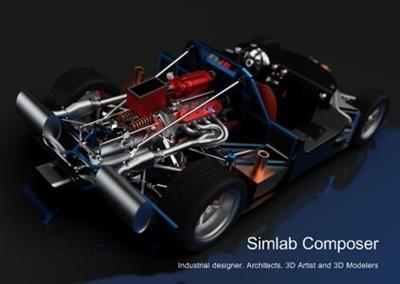
SimLab composer is a 3D scene building, rendering, sharing, and animation application. SimLab Composer is an easy to use application, yet a very powerful one. SimLab Composer is 3D FOR ALL!

Scene Building
SimLab Composer provides users with all the needed tools to build 3D senses from existing models, easily and fast.

3D Sharing
- SimLab Composer gives users different options to share 3D scenes, and models.
- 3D PDF, WebGL, Android/iPad.

Rendering
High quality real time renderer, suitable for interior and exterior scenes.

Animation
Create animations showing the motion of a designed machine, or a walkthrough of a house.

Automation
SimLab Composer automation workbench allows users to use Java scripting to automate processes in SimLab Composer.

Simlab Composer System Requirements
Mac OS X (10.5) Leopard on Intel Machines
Mac OS X (10.6) Snow Leopard on Intel Machines
Max OS X (10.7) Lion on Intel Machines

Home Page -
У Вас недостаточно прав для просмотра ссылок. Войдите или зарегистрируйтесь.


Download link:​
Код:
[center][b]rapidgator_net[/b]:
https://rapidgator.net/file/4a76f48f4e6c2214d624505ad43d39cf/c524u.SimLab.Composer.10.10.Ultimate.Multilingual.macOS.zip.html

[b]nitroflare_com[/b]:
https://nitroflare.com/view/93E8CB783A99475/c524u.SimLab.Composer.10.10.Ultimate.Multilingual.macOS.zip

[b]uploadgig_com[/b]:
http://uploadgig.com/file/download/feB7e2bEa268eC5e/c524u.SimLab.Composer.10.10.Ultimate.Multilingual.macOS.zip[/center]

Links are Interchangeable - No Password - Single Extraction​
 
Serif Affinity Photo 1.8.4.681 (x64) Beta Multilingual

ac42339926570e501dcc5b58138abee2.jpg


Serif Affinity Photo 1.8.4.681 (x64) Beta Multilingual | 491.9 Mb​
Five years in the making, Affinity Photo redefines the boundaries for professional photo editing software. With a meticulous focus on workflow it offers sophisticated tools for enhancing, editing and retouching your images in an incredibly intuitive interface, with all the power and performance you need.

Engineered for professionals
Built on rock solid foundations with principles of performance, stability and lack of bloat, Affinity Photo is a professional photography tool to the very core.

Comprehensive RAW editing
Develop camera RAW files in a dedicated built-in workspace with all the processing adjustments and corrections you need.

Unsurpassed file compatibility
We've got the best PSD support out there, plus all the standards you'd expect including PNG, JPG, TIFF, EPS, PDF, and SVG.

Work in any color space
RGB, CMYK, LAB, Grayscale. End-to-end CMYK workflow with ICC color management, and 32-bit per channel editing.

Dedicated RAW editing workspace
Compatible with all major camera file formats, the Develop persona offers a dedicated processing workspace offering incredibly accurate editing in an unbounded linear color space.

Complete digital darkroom
Affinity Photo includes all the tools you need from a professional photography application. Every tool has been painstakingly engineered for speed, power and accuracy-and they work in precisely the way you want them to.

Fast, customizable effects
Affinity Photo comes with a huge range of high-end filters including lighting, blurs, distortions, tilt-shift, shadows, glows and many more. Full control is given over every aspect of a filter's properties with incredibly precise controls-all the while seeing a real-time live preview of the result. Best of all, filters can be applied as live layers, enabling you to edit, erase away, or mask effects after they have been applied.

Advanced adjustment layers
Correct and enhance images with Levels, Curves, Black and White, White Balance, HSL, Shadows and Highlights and over a dozen other adjustments that are previewed instantly and can be edited any time. Adjust, readjust, and drag and drop onto any layer, group, mask, or in any place in a stack to control how they're applied.

Live blend modes
Remove trial and error from your workflow-see changes to blend modes live as you edit without having to click apply each time. Affinity Photo's 30 layer blends preview smoothly in real time while you scroll through them.

Sophisticated selection refinement
Accurate selections are critical, whether cutting out objects, creating masks or selectively applying adjustments. Our selection refinement algorithm is one of the most advanced available, making selections-even down to individual strands of hair-easier than ever before.

Precise photo stitching
Affinity Photo's stitching algorithm is one of the most advanced available. On top of accurate automatic alignment and perspective corrections, you get full control over each image and boundary in the composite to fine tune to perfection.

Extensive retouching tools
Whether you want to make quick corrections, or spend an hour on a detailed retouch, Affinity Photo has all the tools you need. That naturally includes dodge, burn, clone, patch, blemish, and red eye tools. But you'll also find an incredibly accurate inpainting brush, frequency separation capability, and a full set of liquify features built-in.

System Requirements:

Hardware
Windows-based PC with mouse or equivalent input device
DirectX 10-compatible Graphics Cards and above
2GB RAM minimum (4GB RAM recommended)
670MB of available space; more during installation
1280x768 display size or better

Operating systems (64 bit):
Windows 10 (1607 Anniversary update or higher)
Windows 8.1
Windows 7 (Service Pack 1; Aero enabled)

Home Page -
У Вас недостаточно прав для просмотра ссылок. Войдите или зарегистрируйтесь.


Download link:​
Код:
[center][b]rapidgator_net[/b]:
https://rapidgator.net/file/031c714e3a0d16c2ad9583dbda459fcb/xneaf.Serif.Affinity.Photo.1.8.4.681.x64.Beta.Multilingual.rar.html

[b]nitroflare_com[/b]:
https://nitroflare.com/view/EDFF497FC17988B/xneaf.Serif.Affinity.Photo.1.8.4.681.x64.Beta.Multilingual.rar

[b]uploadgig_com[/b]:
http://uploadgig.com/file/download/3dd3b572605e30cD/xneaf.Serif.Affinity.Photo.1.8.4.681.x64.Beta.Multilingual.rar[/center]

Links are Interchangeable - No Password - Single Extraction​
 
Serif Affinity Designer 1.8.4.681 (x64) Beta Multilingual

d7031202e8c87d7882223d8ded910c57.jpg


Serif Affinity Designer 1.8.4.681 (x64) Beta Multilingual | 483.1 Mb​
Affinity Designer is the fastest, smoothest, most precise vector graphic design software available. Whether you're working on branding, concept art, print projects, icons, UI, UX, or web mock ups, Affinity Designer will revolutionise how you work, on Windows.

Design tools redefined
All the tools you need in a professional vector design app, from an incredible precise pen tool to a super smooth gradient tool. All carefully considered and meticulously developed, they just work-in precisely the way you want them to.

Built for your workflow
With core principles of performance, stability and lack of bloat, Affinity Designer has been meticulously crafted for a professional workflow.

Cross platform performance
With a professional pedigree forged on Mac, and matched step for step on Windows, common file format delivers stunning results on either platform.

Unsurpassed speed and accuracy
Pan at 60fps and zoom to an eye-popping 10,000,000%, you'll see all adjustments, effects, transformations and brushes in real time.

Work in any color space
RGB, CMYK, LAB, Grayscale. End-to-end CMYK workflow with ICC color management, and 16-bit per channel editing.

Unsurpassed file compatibility
The best PSD import engine available and full support for SVG, EPS, PDF, PDF/X and FH files means injecting Affinity Designer into your workflow is painless.

Pixel perfect control
With real-time pixel preview in standard or retina resolution available with a single click, you can always see what you're going to get. Can't achieve the perfect result purely in vector? Just edit the pixels - Affinity Designer has a full suite of raster tools too.

Non-destructive effects and adjustments
With a huge library of adjustment layers, effects and blend modes-combined with full support for masks and clipping layers-Affinity Designer offers the most advanced layer controls available in any vector based app.

Flexible workspaces... and workflows
With a focused, fully customisable workspace, including docked and floating UI modes, Affinity Designer lets you work how you want. Add regular and custom 2D and isometric grids for flexible layouts, work on multiple designs at once, and use macOS features like Split Screen and Full Screen. Plus, with savable history, unlimited undo and non-destructive filters and adjustments you can always go back and change your mind.

Natural brushwork
Use Force Touch, stylus pressure, tilt and other controls for natural-looking artwork. Edit vector brush strokes as cleanly and easily as regular curves, and add raster brushwork-on its own or with vector art-to add depth and high quality organic textures. Rotate the canvas, blend colors, edit brush parameters, create your own brushes and nozzles, and import .abr brushes for complete control over your work.

Throw some shapes
Affinity Designer delivers a comprehensive set of shape primitives with easy controls for adjusting geometry with corner settings and smart snapping indicators. A full set of Boolean geometry operations, non-destructive compound shapes, and full node editing means you can create beautiful complex geometry in no time.

Just your type
Add artistic text for headlines, text frames of any shape, or text that follows any vector path. Apply sophisticated styling and ligatures, previewing all your available fonts and style sets in on-screen panels. All the controls you need are built in, including leading, kerning, baseline shift, tab stops - and now in version 1.5 you can create text styles across your document.

New professional print controls
Affinity Designer features full professional print output. Pantone® support, end-to-end CMYK and ICC color management are just part of it. You can also open, edit and output PDF/X files, set overprint controls, use spot colors, and add bleed area, trim and crop marks.

Powerful export
In export mode you get a complete workspace dedicated to image export. Select areas, layers or objects to export, controlling each item's output settings independently. For efficient web and UI design, you can automatically create new files whenever your design changes, in whatever resolution, file format and folder structure you wish.

Common Affinity file format
Affinity's shared file format makes mixed discipline design as smooth and simple as it should be. Open any native Affinity file in any Affinity app on any platform and just keep working - with shared history, unlimited undo and seamless switching. And for export, Affinity Designer takes all major file types in its stride.

Incredibly powerful artboards
In Affinity Designer you can create an unlimited number of different design variants, sizes and screens - laying them out in one document to see them all at once. When you come to export you get full control over what artboards to output and with what settings, dramatically simplifying your workflow for responsive and app design.

Operating systems (64 bit):
- Windows® 10
- Windows® 8.x
- Windows® 7 (Service Pack 1; Aero enabled)

Home Page -
У Вас недостаточно прав для просмотра ссылок. Войдите или зарегистрируйтесь.


Download link:​
Код:
[center][b]rapidgator_net[/b]:
https://rapidgator.net/file/340fc6347d1fbbe50ba8070ae8e89c8c/poubx.Serif.Affinity.Designer.1.8.4.681.x64.Beta.Multilingual.rar.html

[b]nitroflare_com[/b]:
https://nitroflare.com/view/6D948A548644C3B/poubx.Serif.Affinity.Designer.1.8.4.681.x64.Beta.Multilingual.rar

[b]uploadgig_com[/b]:
http://uploadgig.com/file/download/106eCa7592Ac3806/poubx.Serif.Affinity.Designer.1.8.4.681.x64.Beta.Multilingual.rar[/center]

Links are Interchangeable - No Password - Single Extraction​
 
Screaming Frog SEO Spider 13.1

0818ea722303193056a3d244e066e5ff.jpg


Screaming Frog SEO Spider 13.1 | 417.3 Mb​
Screaming Frog SEO Spider is a software application that was developed with Java, in order to provide users with a simple means of gathering SEO information about any given site, as well as generate multiple reports and export the information to the HDD.

Clear-cut GUI
The interface you come across might seem a bit cluttered, as it consists of a menu bar and multiple tabbed panes which display various information. However, a comprehensive User Guide and some FAQs are available on the developer's website, which is going to make sure that both power and novice users can easily find their way around it, without encountering any kind of issues.

View internal and external links, filter and export them
It is possible to analyze a specified URL, and view a list of internal and external links in separate tabs. The first come along with details such as address, type of content, status code, title, meta description, keywords, size, word count, level, hash and external out links, while the latter only reveals info such as address, content, status, level and inlinks.
Both can be filtered according to HTML, JavaScript, CSS, images, PDF, Flash or other coordinates, while it is possible to export them to a CSV, XLS or XLSX format.

View further details and graphs, and generate reports
In addition to that, you can check the response time of multiple links, view page titles, their occurrences, length and pixel width. It is possible to view huge lists with meta keywords and their length, headers and images.
Graphical representations of certain situations are also available in the main window, along with a folder structure of all SEO elements analyzed, as well as stats pertaining to the depth of the website and average response time.

It is possible to use a proxy server, create a site map and save it to the HDD using an XML extension and generate multiple reports pertaining to crawl overview, redirect chains and canonical errors.

Bottom line
To conclude, Screaming Frog SEO Spider is an efficient piece of software for those which are interested in analyzing their website from a SEO standpoint. The interface requires some getting used to it, the response time is good and we did not come by any errors or bugs.
CPU and memory usage is not particularly high, which means that the computer's performance is not going to be affected most of the times.

Operating System: Windows 7, 8/8.1, 10

Home Page -
У Вас недостаточно прав для просмотра ссылок. Войдите или зарегистрируйтесь.


Download link:​
Код:
[center][b]rapidgator_net[/b]:
https://rapidgator.net/file/98ad6e58e10fda7d1fa6cec5afb347f7/jei96.Screaming.Frog.SEO.Spider.13.1.rar.html

[b]nitroflare_com[/b]:
https://nitroflare.com/view/0BDE8CC55CDBC74/jei96.Screaming.Frog.SEO.Spider.13.1.rar

[b]uploadgig_com[/b]:
http://uploadgig.com/file/download/c3f9570e3983f17F/jei96.Screaming.Frog.SEO.Spider.13.1.rar[/center]

Links are Interchangeable - No Password - Single Extraction​
 
Reallusion Cartoon Animator 4.21.1908.1 Pipeline

4f55776bd85e6fda43ef1fbe065e3774.jpg


Reallusion Cartoon Animator 4.21.1908.1 (x64) Pipeline Multilingual | 673 Mb​
CrazyTalk Animator (CTA) brought the power of 2D face creation and facial animation from CrazyTalk to a full body 2D character with scenes, props, cameras and a stage to bring it all to life. Now CrazyTalk Animator is growing again and this next version is evolving the power into a robust 2D animation studio that deserves its own unique brand.

Reallusion now is ready to start unveiling the next exciting features to elevate 2D animation production with intuitive character creation, smart animation and live performance capture. Reallusion introduces, Cartoon Animator 4 (CrazyTalk Animator) with all the favorite crazy features and many new tools to easily approach animation or innovate existing pipelines.

All New in Cartoon Animator 4:

ENHANCED CHARACTER ANIMATION
This WIP 1 demonstrates how Reallusion made 2D Character Animation more precise, powerful, yet more intuitive. Say goodbye to foot sliding, sinking or floating problems, the new Smart IK/FK system not only switches automatically, it makes creating amazing cartoon animation so much easier. Posing with locking end effectors gives you power to precisely animate characters with scene interaction. In addition, you can perfectly adapt motion files with different body shapes from our motion library, even fine-tune the character's stride or alter its motion genre.

Smart IK (Inverse Kinematic)
Simple and functional design sets Cartoon Animator apart from other 2D Animation tools. The intuitive 2D in IK / FK system auto-switches invisibly so character posing for animation is a fluid, and logical process. Just lock the character feet to have perfect non-sliding foot contact, and lock the character's hand to get a precise interaction with props or scene.

Easy IK Editing
- Stretches, squatting, and hip rotation made simple by moving the hip bone.
- Easy-locking feet and hands for unlimited motion possibilities.
- Position character end effectors for precise IK interaction.
- Keep or Flip Joint Bend Direction during animation editing.

Intuitive Auto IK/FK Switch
- Drag-and-move end effectors for IK editing, directly rotate joins for FK editing.
- Intuitive pose-to-pose editing without switching IK and FK modes.
- One transform timeline track can keep End Effector Constraints and it's Effective Range.
- Set keys only to Selected Body Parts, or to Full Body motion layers.

Stretch Animation
- Freely extend any character's end segments - head, hands and feet.
- Rubber-band stretch midpoint segments like elbow, waist, knee.
- After releasing stretching, the segment can resume to its original length.
- Stretch neck and torso parts by locking hands and feet.
- Smoothly interpolate stretch animation, and add Motion Curve for timing control.

Precise Scene and Prop Interaction
- Lock hands and feet to precisely interact with scene objects.
- IK Constraints - use "Keep End Effort Rotation" to tip toe or bend wrist, or use "Keep End Effector Angle" to sustain feet angle on the skateboard or bicycle pedal.
- Use "Keep Bend Direction" to ensure character's elbow or knee always bend at the right direction.
- Lock hand and feet to make stable spider-like crawling movement.

Works with All Kinds of Cartoon Characters
- Correct backward knee bend animation for quadruped animals.
- Use Shift+drag to alter the bone length between two bone segments producing a uniform transform effect such as the gorilla arm movement.
- The same effect can apply to breathing or neck-stretching animation.
- Use End Effector Rotation to easily let the dog naturally sit down.

Smart Motion Retargeting
Unique animation feature translates motions automatically to various character styles with different body scale. Smart Motion Retargeting correctly applies the collected motion files to different body shapes, automatically aligns characters to the motion's pose regardless it's initial pose settings, innovatively creates different motion performance styles.

Adapt Motions to any Character Scale
- No more Foot Sliding, Sinking, or Floating problems caused by characters' bone scale difference.
- Library Animation applied perfectly to all types of template characters.
- Works with all Template-based Motion - human biped, quadruped, wings, spine bone.

Creative IK Motion Varieties
- Auto-align character bones to the Motion Data pose, regardless of the character's initial pose setting.
- Recalculate character's Initial Pose Offset for accurate animation editing.
- Change characters' foot stride, or arm reach distance by altering the overall Motion Data Scale.
- Adjust individual End Effector bone ratio for precise character to object interaction.

Create IK Rig
Generate IK-ready 2D animated characters, CTA4 provides standardized IK Controls for template-based characters. We've also added the Auto IK Rig for Photoshop Imported characters. For custom created free-bone characters, now users may create a custom GUI from the Custom Rig GUI.

Auto IK Rig
- Auto IK Rig for Imported Photoshop Template Characters (PSD).
- Works for All Character Templates - Human, Quadruped, Wings, Spine.
- Default Human End Effector Presets - Toe, Ankle, Finger and Wrist
- Free to add IK lock to selected bone segments
- Auto assign End Effectors to Free Bone Characters, allowing custom IK definition

Custom GUI
- Snapshot a Character with a Custom Pose to create a Character Rig GUI.
- Import an image file as a custom rig image.
- Move and place End Effector Locks for ideal layout.
- Specify Bone Size, Segment On/Off in the UI display.

360 Head Creation
This WIP 2 shows how Reallusion breaks through the limitations of 2D Art, and delivers a practical way for 2D animators to create characters with advanced animation along with vivid expressions. The 360 evolution streamlines the workflow for Head Creation, Expression Setup, and directly to the animation core with face key editing, puppeteering and the timeline system. Apart from introducing a set of 360 assets and new professional animation library, users also have the path to convert existing content into 360 heads with a full range of motion.

Quickly Transform a 2D Face into a 3D Head
3D Head Creator transforms 2D art into 3D styled characters with up to 360 degree of motion for deeply rich performances. Photoshop round trip integration for editing multi-angle character in and out of 3D Head Creator.

Anchor Nine Head Turn Directions
- Inherit basic angle settings from Quick Setup
- Transform and deform head sprites for perfect 3D turn
- Optional FFD resolution from 2x2 (perspective correction) to 5x5 (precise shape definition)
- Mask-out features outside the face to create the 3D illusion

Smart Designs to Speedup Multi-angle Settings
- Copy and paste the angle definition
- Mirror setup from one side to another, flip or replace sprites to match angle requirements
- Onion Skin - proper sprite placement with neighboring setup reference
- Average - average the angle setting value from two selected points

Add Additional Decorative Items
- Apart from main facial features, users can freely add other decorative elements
- The cat has whiskers and the nose stripe seamlessly blended with the parent turning head base
- The same techniques can be used to emphasize a 3D effect with highlight and shadow layers

Free Angle Definition - Up to 360°
- More than creating a turning head, you can give a full spin to a simple shaped creature, even a moody bird
- Freely add angle points to setup the character look as the head turns
- Each angle point contains data for sprites transformation, deformation, and sprite change
- A total of 25 optional angle points are provided and a perfect 360° character can be achieved by properly adding angle definition for horizontal and vertical turn

Designing 360 Heads with Photoshop Layers
- Complete PSD to CTA round-trip workflow for 360 Head Creation
- The PSD character template is extended with angle layers for sprite change
- Use several image layers to accentuate depth such like a hog's nose
- Build the layer hierarchy using a simple naming rule, eg. Parent > Child
- The 360 Head Creator can generate and send angle definitions back to Photoshop, new PSD layers are generated for the 360 angle adjustments

3D Expression Setup
- The Cartoon Animator Expression Setup is enhanced for new 360 Performance
- Transform and deform facial sprites to setup 3D-like Expressions
- Turn on Smooth Mode to achieve extremely smooth facial blendshape animation
- Easily Guide the Head Movement using Head Turn Gizmo
- Combine with the Face Key Editor for amazing results!

New Generation of 360 Creative Assets
- Mix and match facial features to create new 360 characters
- Dynamic hairstyles and accessories can also include multiple view angles
- Combine 360 Head with selected Body style for perfect Smart IK Animation

360 Animation Controls and Timeline Editing
- Head Turn Gizmo - Easily guide the head direction using mouse cursor, a quick way to layout the animation tempo
- Face Key Editor layers up precise facial expressions, detailed adjustment can be achieved by selecting facial features, choosing from an expression list, and customizing with muscle morph sliders
- Face Puppet is enhanced for generating expressions with dynamic head turns
- Use Transform and deform to exaggerate the cartoon performance

Recommended System Requirements:
* Windows 10 / Windows 8 / Windows 7 (64-bit).
* Dual core CPU or higher
* 4 GB RAM or higher recommended
* 10 GB free hard disk space or higher recommended
* Display Resolution: 1440 x 900 or higher
* Graphics Card: Nvidia GeForce 9800 GX2 or higher /ATI Radeon HD 4890 Series or higher
* Video Memory: 1 GB RAM or higher recommended

Home Page -
У Вас недостаточно прав для просмотра ссылок. Войдите или зарегистрируйтесь.


Download link:​
Код:
[center][b]rapidgator_net[/b]:
https://rapidgator.net/file/a2e03635031b8bd5329426daf37f1e6f/zbt19.Reallusion.Cartoon.Animator.4.21.1908.1.Pipeline.rar.html

[b]nitroflare_com[/b]:
https://nitroflare.com/view/8A97ACB26F64A3B/zbt19.Reallusion.Cartoon.Animator.4.21.1908.1.Pipeline.rar

[b]uploadgig_com[/b]:
http://uploadgig.com/file/download/f60D03f443273F63/zbt19.Reallusion.Cartoon.Animator.4.21.1908.1.Pipeline.rar[/center]

Links are Interchangeable - No Password - Single Extraction​
 
Qiplex Speedy Duplicate Finder 1.2.0 + Portable

0d5270f5a780baebc8e611ea7a6d5839.jpg


Qiplex Speedy Duplicate Finder 1.2.0 + Portable | 52.6/100 Mb​
Speedy Duplicate Finder - Find and remove duplicate files and free up disk space easily. Duplicates could become a considerable source of annoyances, especially if you have failed to address the issue for a large period of time. Fortunately, however, there are applications that could look into the problem and make sure there are no repercussions whatsoever, and one of them is Speedy Duplicate Finder.

Blazingly Fast
Scanning 10,000 files takes less than half a second!

Disk Support
You can search for duplicates not only in folders but on entire disk!

Smart Filters
Easily filter group of duplicates by Kind, by Extension or by Size

Intuitively Simple
It is so simple as 1 2 3. For all ages and for all users.

Requirements: Windows® 10, Windows® 8/8.1, Windows® 7 and below.

Home Page -
У Вас недостаточно прав для просмотра ссылок. Войдите или зарегистрируйтесь.


Download link:​
Код:
[center][b]rapidgator_net[/b]:
https://rapidgator.net/file/5d05b161bad026e0069f1f4a323dd717/i496u.Qiplex.Speedy.Duplicate.Finder.1.2.0.rar.html
https://rapidgator.net/file/72fb5bea17829ba9bbe25f3b8f89f8f7/i496u.Speedy.Duplicate.Finder.rar.html

[b]nitroflare_com[/b]:
https://nitroflare.com/view/B8C6B720C75DDA5/i496u.Qiplex.Speedy.Duplicate.Finder.1.2.0.rar
https://nitroflare.com/view/337C9E974EA71EB/i496u.Speedy.Duplicate.Finder.rar

[b]uploadgig_com[/b]:
http://uploadgig.com/file/download/041304c6ac7B7809/i496u.Qiplex.Speedy.Duplicate.Finder.1.2.0.rar
http://uploadgig.com/file/download/5ad8Fac3dCe9ac71/i496u.Speedy.Duplicate.Finder.rar[/center]

Links are Interchangeable - No Password - Single Extraction​
 
Pixelmator Pro 1.7 Multilingual macOS

8a1877d26a1e34ad9422d8d94aa912c6.jpg


Pixelmator Pro 1.7 Multilingual | macOS | 200 mb​
Pixelmator Pro is an incredibly powerful, beautiful, and easy to use image editor designed exclusively for Mac. With a wide range of professional-grade, nondestructive image editing tools, Pixelmator Pro lets you bring out the best in your photos, create gorgeous compositions and designs, draw, paint, apply stunning effects, design beautiful text, and edit images in just about any way you can imagine.

And thanks to its intuitive and accessible design, Pixelmator Pro is delightfully easy to use - whether you're just starting out with image editing or you're a seasoned pro.

New Interface
* The modern, single-window interface is designed exclusively for working with images on a Mac
* An intuitive and accessible design makes it easy for anyone to edit images - from complete beginners to design professionals

Compatibility
* Open and edit images in all the most popular image formats, including JPEG, TIFF, PNG, PSD, PDF, GIF, BMP, TGA, JPG-2000
* Open and edit Photoshop images with layers
* Import HEIF images
* Launch Pixelmator Pro directly from the Photos app and save edits back to the original image in your library
* Share your images to the Photos app, Twitter, Facebook, Flickr, and other locations right from Pixelmator Pro

Compatibility: macOS 10.13 or later 64-bit
Mac App Store:
У Вас недостаточно прав для просмотра ссылок. Войдите или зарегистрируйтесь.


Download link:​
Код:
[center][b]rapidgator_net[/b]:
https://rapidgator.net/file/5c3bbe03a124d7aae41b1295b890c7e1/owqff.Pixelmator.Pro.1.7.rar.html

[b]nitroflare_com[/b]:
https://nitroflare.com/view/697BB4EAE847A0F/owqff.Pixelmator.Pro.1.7.rar

[b]uploadgig_com[/b]:
http://uploadgig.com/file/download/de89f54a231db39d/owqff.Pixelmator.Pro.1.7.rar[/center]

Links are Interchangeable - No Password - Single Extraction​
 
PDFpen Pro 12.1.2 Multilingual macOS

610d4d3e865ae623c822c4d604c71b92.jpg


PDFpen Pro 12.1.2 Multilingual | macOS | 140 mb​
PDFpenPro allows users to edit PDF's easily. Add text, images and signatures. Fill out PDF forms. Merge or split PDF documents. Reorder and delete pages. Create fillable forms and tables of content with PDFpenPro! Even correct text and edit graphics!

The Pro version adds these additional features that the regular version does not:
* Create cross-platform fillable PDF forms
* Add interactive signature fields to forms
* Create and edit Table of Contents
* Convert websites into PDFs
* Correct typos in OCR text layer
* Add and edit document permissions
* Automatic form creation - detects text fields and check boxes in existing PDF and makes them fillable
More...

Features of PDFpenPro
* Add text, images and signatures to PDF
* Correct text in original PDF with editable text blocks
* Fill out interactive PDF forms and sign them
* Redact or erase text, including OCR text
* Search and redact text; search and replace text
* Export in Microsoft Word format
* Scan directly from Image Capture or TWAIN scanners
* Perform OCR (Optical Character Recognition) on scanned documents
* Viewable OCR layer for proofing OCR text from scanned pages
* Adjust resolution, color depth and contrast, skew, and size of an image or scanned document
* Sign PDF forms via interactive signature fields (not digital signatures)
* Insert and remove pages; re-order pages in a PDF by drag-and-drop; combine PDFs
* Move, resize, copy and delete images in original PDF
* Save PDFs directly to Evernote
More...

Compatibility: macOS 10.13 or later 64-bit
Homepage:
У Вас недостаточно прав для просмотра ссылок. Войдите или зарегистрируйтесь.


Download link:​
Код:
[center][b]rapidgator_net[/b]:
https://rapidgator.net/file/e441443cbcb4455e22ac3a1a0020b8a7/64429.PDFpen.Pro.12.1.2.rar.html

[b]nitroflare_com[/b]:
https://nitroflare.com/view/9EC984376A88CF8/64429.PDFpen.Pro.12.1.2.rar

[b]uploadgig_com[/b]:
http://uploadgig.com/file/download/30f50616Cf28ffb0/64429.PDFpen.Pro.12.1.2.rar[/center]

Links are Interchangeable - No Password - Single Extraction​
 
OfficeSuite Premium 4.50.33189 Multilingual Portable

baa42d672e249d67c280d8aa01de8d40.jpg


OfficeSuite Premium 4.50.33189 (x86) Multilingual Portable | 161 Mb​
An office suite that includes a word processor, a PDF editor and reader, a spreadsheet editor, and a presentation creator, all of them with modern and clean interfaces. When talking about Office suites, many of you might only point to Microsoft's widely-known product. However, there are other alternatives that you can try out, especially if you are a home user. Very popular on mobile platforms, OfficeSuite has also shifted towards Windows, delivering a suite of office-related tools with a clean look and simple options.

Modern-looking yet familiar suite of office tools
With a name that speaks out simplicity and ease of use, OfficeSuite tries to concentrate the most important features of applications that are usually included in such a suite. As such, it brings to the table a word processor, a spreadsheet editor, a presentation maker, and a PDF reader and editor.

OfficeSuite cannot work without you logging in to your account, which makes it possible for anyone to sync their profiles (and licenses, if that is the case) on all the devices.

All the applications feature the ribbon-based toolbox you are used to, and a clean and modern-looking GUI. All the settings are one-click away, and there are plenty of exporting and saving options.

Text and spreadsheet editors, a presentation maker, and a PDF reader
The word processor features basic text editing and formatting capabilities, with standard page setup options. You can insert images, tables, hyperlinks, and bookmarks into your documents, and export the result as a PDF, print it, or save it to the cloud.

Moving on to the presentation maker, it features simple tools to help you build compelling content, with graphics and transition effects. The spreadsheet editor also depicts a familiar environment, with support for all kinds of charts, a plethora of formulas and functions to help you process statistical data.

Last but not least, the PDF reader can use a two-sided viewer to display the text, enabling you to attach notes, take snapshots, and freely draw on the desktop. And while the application is a reader, without editing functionality, input PDF documents can be exported to Word, Excel, or ePub format.

Simplistic alternative to Microsoft Office
With standard functionality in all the applications, OfficeSuite delivers a good alternative to Microsoft Office, from whom it also borrows the GUI layout. It supports all the Office formats, so you don't have to worry about compatibility issues.

Nevertheless, you should know that it doesn't sport the same rich feature set you can find in Microsoft Office. Instead, it sticks to the basic set of options that should be enough for any home user.

Operating System: Windows 7, 8/8.1, 10

Home Page -
У Вас недостаточно прав для просмотра ссылок. Войдите или зарегистрируйтесь.


Download link:​
Код:
[center][b]rapidgator_net[/b]:
https://rapidgator.net/file/51676b1763ca540f1f3c938776866799/mcjzt.OfficeSuite.Premium.4.50.33189.Multilingual.Portable.rar.html

[b]nitroflare_com[/b]:
https://nitroflare.com/view/17CABA6E6BAD59E/mcjzt.OfficeSuite.Premium.4.50.33189.Multilingual.Portable.rar

[b]uploadgig_com[/b]:
http://uploadgig.com/file/download/5Cbb69ef2e624F64/mcjzt.OfficeSuite.Premium.4.50.33189.Multilingual.Portable.rar[/center]

Links are Interchangeable - No Password - Single Extraction​
 
Назад
Сверху