• Старая версия форума работает в архивном режиме www.old.nado.in

All mitsumi'1s Applications !! (updated daily)

  • Автор темы Автор темы mitsumi1
  • Дата начала Дата начала
Ashampoo Photo Optimizer 8.1.1 (x64) Multilingual

521818cefd31f66b60b0f8468b93cd8e.jpg


Ashampoo Photo Optimizer 8.1.1 (x64) Multilingual | 123.6 Mb​
Ashampoo Photo Optimizer 8 enhances your photos at the click of a button! The program fully automatically adjusts colors, contrasts and exposure settings to perfection for individual images or entire collections. Visual blemishes are detected and fixed through careful image analysis. But you can also make adjustments manually: Straighten slanted image horizons, fix perspective distortions or apply numerous affects. Minor blemishes like red eyes, skin imperfections or stains are also easily removable. The straightforward user interface saves you time and nerves on your path to stunning results!

Brilliant perspective corrections for natural lines
Significantly enhanced image auto-optimization
Super-fast feature access through Favorites
Manual color temperature adjustments
Tonal curve adjustments
Improved memory management for better stability and speed
64-bit optimized

A matter of perspective!
Taking shots of buildings often leads to unpleasant, and easily noticeable, perspective distortions, due to the position of the photographer. Buildings and other tall objects almost seem to fall over, putting an unintended comical spin on your photos. Other times, you forgot to bring your tripod and failed to keep your camera completely straight. Enter Photo Optimizer 8's new perspective correction! Fix horizontal or vertical distortions in just a few clicks and save shots that would have otherwise gone straight to the bin. Give your photos a second chance and get the right perspective, always!

More ease-of-use through favorites
We all have our favorite functions that we most frequently rely on. Now, you no longer have to navigate through various menus and categories to reach them. Ashampoo Photo Optimizer 8 features a customizable "Favorites" menu so you can bundle all your favorite functions in a single instantly accessible location. Need to quickly straighten the horizon after auto-optimization, fix the perspective or do some cropping? Now you can. Genius, right?

Unrivaled image auto-optimization
The secret of the new Photo Optimizer lies in its one-of-a-kind image optimization. Each individual image is meticulously analyzed for potential weaknesses and room for improvement. Shots hastily taken with a cellphone camera are now easily recoverable! Dull colors, unfavorable lighting or lack of contrast-Photo Optimizer's advanced algorithms detects it all! Once analyzed, your photos are recreated and now full of vibrancy and life-exactly what good photos should look like. We've gone through thousands of settings combinations to find the ones that offer the best results at a high hit ratio. After 2 years of development and countless hours in our test lab, we're proud to introduce the next level of image optimization with Ashampoo Photo Optimizer 8!

More fine-tuning options
However good auto-optimization may be, there comes a time when you'll want to make manual adjustments. Version 8 offers even more individual fine-tuning options, like color temperature adjustments that can completely change the nature of a shot-and energize those "cold" cellphone images we're all so familiar with. Tone curves are a sure-fire way to enhance shadows, mid-tones and highlights, especially when you're working with RAW shots! Feel free to experiment to your heart's delight, the integrated backup system can revert any changes you make and restore your original image in the blink of an eye.

Improved memory management
If needed, Ashampoo Photo Optimizer 8 utilizes all available system memory to benefit from the full power of your PC. This means, even super high-res images or gigantic collections are now optimizable at lightning speed. Experience the fastest and most robust Photo Optimizer of all time!

Enhance white balance and intensify contrast spreads
White balance is pivotal to the color temperature of your images. Digital cameras are particularly prone to the dreaded bluish cast and dull colors. This leads to photos that seem lifeless and completely devoid of the magic of the moment. Low-contrast images, often due to poor lighting, are another common issue. With the help of custom white balance and contrast spread settings, Photo Optimizer can breathe new life into these otherwise ruined shots! Both features are part of auto-optimization and will auto-enable whenever appropriate!

Photo editing in just a few clicks
The user interface in Photo Optimizer is truly self-explanatory. Functions are arranged into intuitively named categories and never more than two clicks away. Where other photo editors have you wade through manuals, Photo Optimizer gives you results instantly! Everything is simple and logical, there's practically no learning curve. Whether you're a beginner or an advanced user, or maybe you just don't want to spend hours with image tweaking, Ashampoo Photo Optimizer 8 is the program for you.

Versatile export features
Good photos deserve to be seen. That's why we're offering various ways in Photo Optimizer 8 to share your photos with others. This includes email, the free Ashampoo Web and even just setting photos as your desktop background image. If you'd rather go the traditional route and print your photos, you'll love the feature-rich print dialog that not only creates high-quality but also space-efficient print outs, if needed.

Features for perfectionists and creatives
Many sophisticated features are available to those seeking to go beyond auto-optimization. Whether you need to sharpen or soften individual portions, Photo Optimizer offers well-designed tools for every use case. Reduce irritating image noise, adjust color temperatures or crop your images. And for the artist in you, we've also included multiple effects like waves, swirls, even implosion and explosion. There's ample room to experiment.

Naturally-looking portrait enhancements
Faces are the focus of many photos, yet they seldom come out perfect! Enhance your portraits automatically or manually with Photo Optimizer. Fix red eyes and whiten teeth for that dazzling smile. Fix minor glitches with the clone tool and remove stains and other impurities like a pro. Create perfect yet naturally looking portraits in just a few clicks!

Add a little color!
You can't have great photos without great colors. That's where Photo Optimizer's highly efficient color correction comes in. Add a personal touch or a better sense of realism to your photos. It only takes a few sliders to enhance contrast, saturation and many other aspects. Observe your changes in real-time, thanks to the built-in live preview and take a trip down memory lane with the nostalgic sepia effect or apply a threshold for a nifty color reduction. Don't like what you see? Bring back the original at the click of a button!

Comfortable batch processing
Since Ashampoo Photo Optimizer 8 does so much fully automatically, we've included batch processing to save you time and nerves while the program processes your entire photo library in one go. Select individual images from various sources or entire folders and have Photo Optimizer work its magic. Every image is meticulously analyzed and its quality optimized according to its specific characteristics. Batch-process an entire vacation in one go, polish your wedding or birthday shots and put the fun back into photography.

Ample room for experiments
Thanks to its robust backup system, you're free to experiment in whatever way you see fit without ever losing your original images. Revert your images to their original states at the click of a button. And the built-in before-after view ensures there won't be any nasty surprises on your road to perfect photos. It's like you're looking into the future-and it is bright, colorful and vibrant!

System Requirements:
You need the 64-bit version for the following operating systems:
Windows® 10, Windows® 8, Windows® 7
Computer: Any computer that supports the above operating systems.
Other: Microsoft Visual C++ 2015 x86 Redistributable

Home Page -
У Вас недостаточно прав для просмотра ссылок. Войдите или зарегистрируйтесь.


Download link:​
Код:
[center][b]rapidgator_net[/b]:
https://rapidgator.net/file/cfb9f25f5c9fda762ba0b54a2a85b120/cx7by.Ashampoo.Photo.Optimizer.8.1.1.x64.Multilingual.rar.html

[b]nitroflare_com[/b]:
https://nitroflare.com/view/6D17B4AD3BE5D3D/cx7by.Ashampoo.Photo.Optimizer.8.1.1.x64.Multilingual.rar

[b]uploadgig_com[/b]:
http://uploadgig.com/file/download/5eef53a94532DD6e/cx7by.Ashampoo.Photo.Optimizer.8.1.1.x64.Multilingual.rar[/center]

Links are Interchangeable - No Password - Single Extraction​
 
Ashampoo Photo Optimizer 8.1.1 (x64) Multilingual Portable

caffebc2660a27747a1a96085d2b33de.jpg


Ashampoo Photo Optimizer 8.1.1 (x64) Multilingual Portable | 107.5 Mb​
Ashampoo Photo Optimizer 8 enhances your photos at the click of a button! The program fully automatically adjusts colors, contrasts and exposure settings to perfection for individual images or entire collections. Visual blemishes are detected and fixed through careful image analysis. But you can also make adjustments manually: Straighten slanted image horizons, fix perspective distortions or apply numerous affects. Minor blemishes like red eyes, skin imperfections or stains are also easily removable. The straightforward user interface saves you time and nerves on your path to stunning results!

Brilliant perspective corrections for natural lines
Significantly enhanced image auto-optimization
Super-fast feature access through Favorites
Manual color temperature adjustments
Tonal curve adjustments
Improved memory management for better stability and speed
64-bit optimized

A matter of perspective!
Taking shots of buildings often leads to unpleasant, and easily noticeable, perspective distortions, due to the position of the photographer. Buildings and other tall objects almost seem to fall over, putting an unintended comical spin on your photos. Other times, you forgot to bring your tripod and failed to keep your camera completely straight. Enter Photo Optimizer 8's new perspective correction! Fix horizontal or vertical distortions in just a few clicks and save shots that would have otherwise gone straight to the bin. Give your photos a second chance and get the right perspective, always!

More ease-of-use through favorites
We all have our favorite functions that we most frequently rely on. Now, you no longer have to navigate through various menus and categories to reach them. Ashampoo Photo Optimizer 8 features a customizable "Favorites" menu so you can bundle all your favorite functions in a single instantly accessible location. Need to quickly straighten the horizon after auto-optimization, fix the perspective or do some cropping? Now you can. Genius, right?

Unrivaled image auto-optimization
The secret of the new Photo Optimizer lies in its one-of-a-kind image optimization. Each individual image is meticulously analyzed for potential weaknesses and room for improvement. Shots hastily taken with a cellphone camera are now easily recoverable! Dull colors, unfavorable lighting or lack of contrast-Photo Optimizer's advanced algorithms detects it all! Once analyzed, your photos are recreated and now full of vibrancy and life-exactly what good photos should look like. We've gone through thousands of settings combinations to find the ones that offer the best results at a high hit ratio. After 2 years of development and countless hours in our test lab, we're proud to introduce the next level of image optimization with Ashampoo Photo Optimizer 8!

More fine-tuning options
However good auto-optimization may be, there comes a time when you'll want to make manual adjustments. Version 8 offers even more individual fine-tuning options, like color temperature adjustments that can completely change the nature of a shot-and energize those "cold" cellphone images we're all so familiar with. Tone curves are a sure-fire way to enhance shadows, mid-tones and highlights, especially when you're working with RAW shots! Feel free to experiment to your heart's delight, the integrated backup system can revert any changes you make and restore your original image in the blink of an eye.

Improved memory management
If needed, Ashampoo Photo Optimizer 8 utilizes all available system memory to benefit from the full power of your PC. This means, even super high-res images or gigantic collections are now optimizable at lightning speed. Experience the fastest and most robust Photo Optimizer of all time!

Enhance white balance and intensify contrast spreads
White balance is pivotal to the color temperature of your images. Digital cameras are particularly prone to the dreaded bluish cast and dull colors. This leads to photos that seem lifeless and completely devoid of the magic of the moment. Low-contrast images, often due to poor lighting, are another common issue. With the help of custom white balance and contrast spread settings, Photo Optimizer can breathe new life into these otherwise ruined shots! Both features are part of auto-optimization and will auto-enable whenever appropriate!

Photo editing in just a few clicks
The user interface in Photo Optimizer is truly self-explanatory. Functions are arranged into intuitively named categories and never more than two clicks away. Where other photo editors have you wade through manuals, Photo Optimizer gives you results instantly! Everything is simple and logical, there's practically no learning curve. Whether you're a beginner or an advanced user, or maybe you just don't want to spend hours with image tweaking, Ashampoo Photo Optimizer 8 is the program for you.

Versatile export features
Good photos deserve to be seen. That's why we're offering various ways in Photo Optimizer 8 to share your photos with others. This includes email, the free Ashampoo Web and even just setting photos as your desktop background image. If you'd rather go the traditional route and print your photos, you'll love the feature-rich print dialog that not only creates high-quality but also space-efficient print outs, if needed.

Features for perfectionists and creatives
Many sophisticated features are available to those seeking to go beyond auto-optimization. Whether you need to sharpen or soften individual portions, Photo Optimizer offers well-designed tools for every use case. Reduce irritating image noise, adjust color temperatures or crop your images. And for the artist in you, we've also included multiple effects like waves, swirls, even implosion and explosion. There's ample room to experiment.

Naturally-looking portrait enhancements
Faces are the focus of many photos, yet they seldom come out perfect! Enhance your portraits automatically or manually with Photo Optimizer. Fix red eyes and whiten teeth for that dazzling smile. Fix minor glitches with the clone tool and remove stains and other impurities like a pro. Create perfect yet naturally looking portraits in just a few clicks!

Add a little color!
You can't have great photos without great colors. That's where Photo Optimizer's highly efficient color correction comes in. Add a personal touch or a better sense of realism to your photos. It only takes a few sliders to enhance contrast, saturation and many other aspects. Observe your changes in real-time, thanks to the built-in live preview and take a trip down memory lane with the nostalgic sepia effect or apply a threshold for a nifty color reduction. Don't like what you see? Bring back the original at the click of a button!

Comfortable batch processing
Since Ashampoo Photo Optimizer 8 does so much fully automatically, we've included batch processing to save you time and nerves while the program processes your entire photo library in one go. Select individual images from various sources or entire folders and have Photo Optimizer work its magic. Every image is meticulously analyzed and its quality optimized according to its specific characteristics. Batch-process an entire vacation in one go, polish your wedding or birthday shots and put the fun back into photography.

Ample room for experiments
Thanks to its robust backup system, you're free to experiment in whatever way you see fit without ever losing your original images. Revert your images to their original states at the click of a button. And the built-in before-after view ensures there won't be any nasty surprises on your road to perfect photos. It's like you're looking into the future-and it is bright, colorful and vibrant!

System Requirements:
You need the 64-bit version for the following operating systems:
Windows® 10, Windows® 8, Windows® 7
Computer: Any computer that supports the above operating systems.
Other: Microsoft Visual C++ 2015 x86 Redistributable

Home Page -
У Вас недостаточно прав для просмотра ссылок. Войдите или зарегистрируйтесь.


Download link:​
Код:
[center][b]rapidgator_net[/b]:
https://rapidgator.net/file/87461d503fba5d52e684669c82e1c596/ozln5.Ashampoo.Photo.Optimizer.8.1.1.x64.Multilingual.Portable.rar.html

[b]nitroflare_com[/b]:
https://nitroflare.com/view/330B52BA90CBC01/ozln5.Ashampoo.Photo.Optimizer.8.1.1.x64.Multilingual.Portable.rar

[b]uploadgig_com[/b]:
http://uploadgig.com/file/download/4f9121d34Fe22886/ozln5.Ashampoo.Photo.Optimizer.8.1.1.x64.Multilingual.Portable.rar[/center]

Links are Interchangeable - No Password - Single Extraction​
 
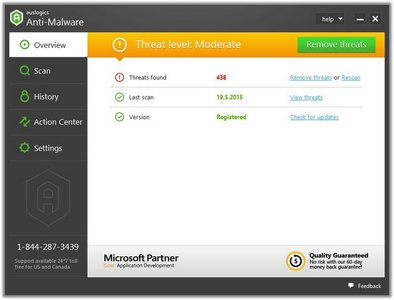
Auslogics Anti-Malware 1.21.0.4 Multilingual

01d90c9ebf7b01750e3e1a0e913582f7.jpg


Auslogics Anti-Malware 1.21.0.4 Multilingual | 12.8 Mb​
Top-notch protection against malware and data safety threats. It will help keep your PC secure and give you the peace of mind you want. Auslogics Anti-Malware is a product of Auslogics, certified Microsoft® Gold Application Developer. Microsoft confirms Auslogics' high expertise in developing quality software that meets the growing demands of PC users.

What you get with Auslogics Anti-Malware and what makes it different
Detects malicious items you'd never suspect existed
Flexible scheduling of automatic scans
Keeps your computer safe and secure, giving you the peace of mind you need
Easy to set up and run, very user-friendly interface
Designed not to conflict with your main antivirus, no matter what brand
Catches items your antivirus may miss, making your PC more secure

How Auslogics Anti-Malware Works
Auslogics Anti-Malware runs comprehensive analysis in the following areas:
Checks system memory for malicious programs that could be running
Detects cookies that track your activity and collect your personal data
Checks system and temporary folders for security issues
Analyzes auto-start items and suspicious entries in the registry
Checks the safety of programs set to auto-start in Task Scheduler
Scans browser extensions to prevent data leaks

Auslogics Anti-Malware features three types of PC checks:
Quick scan, which analyzes the most important areas where threats can be found
Deep scan, which scans your entire system for items that may pose a threat
Custom scan, where you can select specific folders and files to be analyzed

Customize Auslogics Anti-Malware to your needs:
Auslogics Anti-Malware lets you quarantine suspicious files so you can restore any of them later if needed
You can easily add files or folders to the Ignore List, so they will be excluded from future scans and cleanups
Lets you schedule automatic scans for continuous protection

Operating System: Windows XP, Vista, 7, 8.1, 10

Home Page -
У Вас недостаточно прав для просмотра ссылок. Войдите или зарегистрируйтесь.


Download link:​
Код:
[center][b]rapidgator_net[/b]:
https://rapidgator.net/file/1c9e9dec67db4f291b1194b8d5a1cf75/w555z.Auslogics.AntiMalware.1.21.0.4.Multilingual.rar.html

[b]nitroflare_com[/b]:
https://nitroflare.com/view/654EE23ADE723D6/w555z.Auslogics.AntiMalware.1.21.0.4.Multilingual.rar

[b]uploadgig_com[/b]:
http://uploadgig.com/file/download/856940De0aEe68f3/w555z.Auslogics.AntiMalware.1.21.0.4.Multilingual.rar[/center]

Links are Interchangeable - No Password - Single Extraction​
 
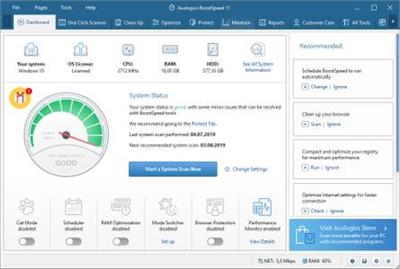
Auslogics BoostSpeed 11.5.0.1 Multilingual

a4665282cd2270fd3bd94b13150ecf4a.jpg


Auslogics BoostSpeed 11.5.0.1 Multilingual | 27.1 Mb​
BoostSpeed scans your computer to pinpoint the issues that may be responsible for the slowdown, and provides a safe and easy way to fix them along with a complete kit of powerful tools to enhance every aspect of your PC's performance. At a click of a button it does all of the following (or only parts you want done): cleans out junk, fixes the registry, tweaks Windows and Internet settings, defragments the hard drive - all to get your PC running fast and smooth again.

Diagnoses your Windows system
BoostSpeed runs a complete checkup of your entire system locating junk files, speed-reducing issues and causes of any system or application glitches or crashes. Through a lot of research and testing, we have worked out precise techniques that allow locating issues, which can be safely removed with no risk of damaging your operating system.

Cleans out junk files
We designed the cleaning module in BoostSpeed to sweep out all types of PC junk, such as unneeded system and user temporary files, web browser cache, unused error logs, leftover Windows Update files, temporary Sun Java files, unneeded Microsoft Office cache and a lot more. It helps reclaim gigabytes of hard disk space on an average PC.

Restores system stability
Like an experienced surgeon, BoostSpeed employs precision tools to carefully remove corrupt keys and invalid entries from the Windows registry taking care not to damage anything vital. We have tested our software ensuring that it repairs the causes of most glitches and crashes to restore smooth and stable performance with no side effects.

Improves computer speed
BoostSpeed tweaks non-optimal system settings to help most processes and operations go at a faster pace. It adjusts internet connection settings to ensure smooth browsing, faster downloads and better audio/video call quality. We want you to have a great PC experience, so we included tools to speed up every aspect of your PC's operation.

Protects your privacy
Most of us are concerned about personal information getting into the wrong hands. When you enter passwords or credit card details, this data is saved on your hard drive, invisible to you, but easy prey for a skilled hacker. We included privacy tools that help eliminate traces of your activity and safeguard your sensitive personal information.

Automates system maintenance
With BoostSpeed you can schedule automatic maintenance that detects and eliminates issues in real time protecting your performance and keeping your PC running at top speed. Knowing how busy your life can be, we created this functionality so you can set it once and have your PC auto-cleaned and accelerated on a convenient schedule.

Guards smooth performance
To boost the effect you get from complete optimization, we have added automatic memory and processor management, which ensures that your active applications always have maximum resources allocated to them. This protects smooth and fast performance in real time and lets you have a consistently great computer experience every day.

Operating System: Windows 7, 8/8.1, 10

Home Page -
У Вас недостаточно прав для просмотра ссылок. Войдите или зарегистрируйтесь.


Download link:​
Код:
[center][b]rapidgator_net[/b]:
https://rapidgator.net/file/7597582ce93caabbd398c5e89b076cae/92fl5.Auslogics.BoostSpeed.11.5.0.1.Multilingual.rar.html

[b]nitroflare_com[/b]:
https://nitroflare.com/view/BE54E3D48647D9E/92fl5.Auslogics.BoostSpeed.11.5.0.1.Multilingual.rar

[b]uploadgig_com[/b]:
http://uploadgig.com/file/download/9103C20ac30505aB/92fl5.Auslogics.BoostSpeed.11.5.0.1.Multilingual.rar[/center]

Links are Interchangeable - No Password - Single Extraction​
 
Auslogics BoostSpeed 11.5.0.1 Multilingual Portable

bae6f4be90fb1b9f128724fb7ba9cedd.jpg


Auslogics BoostSpeed 11.5.0.1 Multilingual Portable | 45.5 Mb​
BoostSpeed scans your computer to pinpoint the issues that may be responsible for the slowdown, and provides a safe and easy way to fix them along with a complete kit of powerful tools to enhance every aspect of your PC's performance. At a click of a button it does all of the following (or only parts you want done): cleans out junk, fixes the registry, tweaks Windows and Internet settings, defragments the hard drive - all to get your PC running fast and smooth again.

Diagnoses your Windows system
BoostSpeed runs a complete checkup of your entire system locating junk files, speed-reducing issues and causes of any system or application glitches or crashes. Through a lot of research and testing, we have worked out precise techniques that allow locating issues, which can be safely removed with no risk of damaging your operating system.

Cleans out junk files
We designed the cleaning module in BoostSpeed to sweep out all types of PC junk, such as unneeded system and user temporary files, web browser cache, unused error logs, leftover Windows Update files, temporary Sun Java files, unneeded Microsoft Office cache and a lot more. It helps reclaim gigabytes of hard disk space on an average PC.

Restores system stability
Like an experienced surgeon, BoostSpeed employs precision tools to carefully remove corrupt keys and invalid entries from the Windows registry taking care not to damage anything vital. We have tested our software ensuring that it repairs the causes of most glitches and crashes to restore smooth and stable performance with no side effects.

Improves computer speed
BoostSpeed tweaks non-optimal system settings to help most processes and operations go at a faster pace. It adjusts internet connection settings to ensure smooth browsing, faster downloads and better audio/video call quality. We want you to have a great PC experience, so we included tools to speed up every aspect of your PC's operation.

Protects your privacy
Most of us are concerned about personal information getting into the wrong hands. When you enter passwords or credit card details, this data is saved on your hard drive, invisible to you, but easy prey for a skilled hacker. We included privacy tools that help eliminate traces of your activity and safeguard your sensitive personal information.

Automates system maintenance
With BoostSpeed you can schedule automatic maintenance that detects and eliminates issues in real time protecting your performance and keeping your PC running at top speed. Knowing how busy your life can be, we created this functionality so you can set it once and have your PC auto-cleaned and accelerated on a convenient schedule.

Guards smooth performance
To boost the effect you get from complete optimization, we have added automatic memory and processor management, which ensures that your active applications always have maximum resources allocated to them. This protects smooth and fast performance in real time and lets you have a consistently great computer experience every day.

Operating System: Windows 7, 8/8.1, 10

Home Page -
У Вас недостаточно прав для просмотра ссылок. Войдите или зарегистрируйтесь.


Download link:​
Код:
[center][b]rapidgator_net[/b]:
https://rapidgator.net/file/5741a3ba5b5dc4af61265cffe8e8bcbd/y9sqc.Auslogics.BoostSpeed.11.5.0.1.Multilingual.Portable.rar.html

[b]nitroflare_com[/b]:
https://nitroflare.com/view/0C29CDBFD6A93E7/y9sqc.Auslogics.BoostSpeed.11.5.0.1.Multilingual.Portable.rar

[b]uploadgig_com[/b]:
http://uploadgig.com/file/download/9e53b65Cfd433c85/y9sqc.Auslogics.BoostSpeed.11.5.0.1.Multilingual.Portable.rar[/center]

Links are Interchangeable - No Password - Single Extraction​
 
Auslogics Disk Defrag Professional 9.5.0.1 Multilingual

6170d921a51127e8a7d7f2cf9cec7b65.jpg


Auslogics Disk Defrag Professional 9.5.0.1 Multilingual | 16.4 Mb​
The professional edition of your favorite defragmenter. Now delivers even more speed to your hard drive, thanks to new optimization algorithms and boot-time defrag technology.

Ultra-Fast Engine
One of the fastest defraggers in the world, Disk Defrag often takes less than 10 minutes to defragment an average-size hard drive.

Consolidates Free Space
Merges scattered pieces of free space into a contiguous block, preventing fragmentation of newly created files.

Lists Fragmented Files
You can see which files are the most fragmented, as well as the location of each fragment on the disk map.

Defrags Single File or Folder
Can save you time by defragmenting only the files or folders you want instead of the entire hard drive.

Works the Way You Want
You can use the default settings for convenient one-click defrags or customize program operation and appearance to fit your needs.

Industry-Acknowledged Quality
Exclusive Auslogics technology is proven safe and effective in multiple tests, used by PC manufacturers and recommended by experts.

Operating System: Windows 7, 8/8.1, 10

Home Page -
У Вас недостаточно прав для просмотра ссылок. Войдите или зарегистрируйтесь.


Download link:​
Код:
[center][b]rapidgator_net[/b]:
https://rapidgator.net/file/f8c94b82a224725bb3cf8a3967556197/zomcf.Auslogics.Disk.Defrag.Professional.9.5.0.1.Multilingual.rar.html

[b]nitroflare_com[/b]:
https://nitroflare.com/view/5E206FB6CAFF73B/zomcf.Auslogics.Disk.Defrag.Professional.9.5.0.1.Multilingual.rar

[b]uploadgig_com[/b]:
http://uploadgig.com/file/download/Bea60ecBb11ac51a/zomcf.Auslogics.Disk.Defrag.Professional.9.5.0.1.Multilingual.rar[/center]

Links are Interchangeable - No Password - Single Extraction​
 
Auslogics Disk Defrag Professional 9.5.0.1 Multilingual Portable

38d7d8f41b2e486a3b657aff91b90e1b.jpg


Auslogics Disk Defrag Professional 9.5.0.1 Multilingual Portable | 20.5 Mb​
The professional edition of your favorite defragmenter. Now delivers even more speed to your hard drive, thanks to new optimization algorithms and boot-time defrag technology.

Ultra-Fast Engine
One of the fastest defraggers in the world, Disk Defrag often takes less than 10 minutes to defragment an average-size hard drive.

Consolidates Free Space
Merges scattered pieces of free space into a contiguous block, preventing fragmentation of newly created files.

Lists Fragmented Files
You can see which files are the most fragmented, as well as the location of each fragment on the disk map.

Defrags Single File or Folder
Can save you time by defragmenting only the files or folders you want instead of the entire hard drive.

Works the Way You Want
You can use the default settings for convenient one-click defrags or customize program operation and appearance to fit your needs.

Industry-Acknowledged Quality
Exclusive Auslogics technology is proven safe and effective in multiple tests, used by PC manufacturers and recommended by experts.

Operating System: Windows 7, 8/8.1, 10

Home Page -
У Вас недостаточно прав для просмотра ссылок. Войдите или зарегистрируйтесь.


Download link:​
Код:
[center][b]rapidgator_net[/b]:
https://rapidgator.net/file/a0625bb5c6bb1eba17c7912d947007ee/6ukjs.Auslogics.Disk.Defrag.Professional.9.5.0.1.Multilingual.Portable.rar.html

[b]nitroflare_com[/b]:
https://nitroflare.com/view/A72389B22BE3195/6ukjs.Auslogics.Disk.Defrag.Professional.9.5.0.1.Multilingual.Portable.rar

[b]uploadgig_com[/b]:
http://uploadgig.com/file/download/e2399477Ddd0201f/6ukjs.Auslogics.Disk.Defrag.Professional.9.5.0.1.Multilingual.Portable.rar[/center]

Links are Interchangeable - No Password - Single Extraction​
 
Auslogics Disk Defrag Ultimate 4.11.0.7 Multilingual + Portable

24a2256f069533df2e565f884b35a226.jpg


Auslogics Disk Defrag Ultimate 4.11.0.7 Multilingual + Portable | 12.1/17 Mb​
Get your drives optimized for top speed and maximum efficiency with this powerful program's smart algorithms and boot-time defrag technology.

What does Disk Defrag Ultimate do?
The problem: You may be experiencing longer application startup times or a general slowdown and believe disk fragmentation may be behind it. You want more than just a simple defrag to ensure your drives' optimal performance.

The solution: Disk Defrag Ultimate lets you defrag files that are inaccessible during system operation, as well as optimize file placement on your hard drive to ensure faster access and most efficient operation. The multiple scheduling options let you easily maintain consistently high HDD speed.

Operating System: Windows XP, Vista, 7, 8.1, 10, Server 2008, 2012, 2016

Home Page -
У Вас недостаточно прав для просмотра ссылок. Войдите или зарегистрируйтесь.


Download link:​
Код:
[center][b]rapidgator_net[/b]:
https://rapidgator.net/file/a3a70b7d0b0fe2b452c2cf658a3565d5/sj1sa.Auslogics.Disk.Defrag.Ultimate.4.11.0.7.Portable.rar.html
https://rapidgator.net/file/22b69e8551dde339451e587a50e7c04c/sj1sa.Auslogics.Disk.Defrag.Ultimate.4.11.0.7.rar.html

[b]nitroflare_com[/b]:
https://nitroflare.com/view/9258222E7D94D8A/sj1sa.Auslogics.Disk.Defrag.Ultimate.4.11.0.7.Portable.rar
https://nitroflare.com/view/15191C4B0424DB4/sj1sa.Auslogics.Disk.Defrag.Ultimate.4.11.0.7.rar

[b]uploadgig_com[/b]:
http://uploadgig.com/file/download/b7Fd9bE17e1e3267/sj1sa.Auslogics.Disk.Defrag.Ultimate.4.11.0.7.Portable.rar
http://uploadgig.com/file/download/a84899206e98047b/sj1sa.Auslogics.Disk.Defrag.Ultimate.4.11.0.7.rar[/center]

Links are Interchangeable - No Password - Single Extraction​
 
Auslogics Driver Updater 1.24.0.1 Multilingual

d88aada6909333a6fb81f01dd8412dcf.jpg


Auslogics Driver Updater 1.24.0.1 Multilingual | 12.2 Mb​
Update all drivers on your PC in one click to prevent device conflicts and ensure smooth hardware operation! Driver updater is a safe, fast and intuitive tool.

What does Driver Updater do?

The problem: You may have hardware or devices in your system that throw up red flags now and then because of compatibility problems or outdated functionality. Some devices may not work at all or you may have trouble getting your printer, scanner or another external device to operate the way it is supposed to.

The solution: Driver Updater will check your computer for potential driver problems, give you a report on outdated or missing drivers it detects, and let you quickly update them to the latest manufacturer-recommended versions.

Why Driver Updater?

Saves you time
You can update all drivers in one click compared to manually searching the web for the right update for each of your drivers.

Ensures compatibility
Only official driver versions made specifically for your device type and model are downloaded and installed onto your PC.

Backs up for safety
Backups are created prior to updating drivers so you can always go back to the previous driver version if you don't like the updated one.

Industry-acknowledged quality
Exclusive Auslogics technology is proven safe and effective in multiple tests, used by PC manufacturers and recommended by experts.

System Requirements
Operating System: Win 10 (32 or 64 bit), Win 8/8.1 (32 or 64 bit), Win 7 (32 or 64 bit), Vista SP2 (32-bit only), XP SP3 (32-bit only)
Hard disk space: 15 MB
Memory: 256 MB
Recommended screen resolution: 1024x700

Home Page -
У Вас недостаточно прав для просмотра ссылок. Войдите или зарегистрируйтесь.


Download link:​
Код:
[center][b]rapidgator_net[/b]:
https://rapidgator.net/file/901eb1eb0e0cee4a47414440f6e92caa/2ql44.Auslogics.Driver.Updater.1.24.0.1.Multilingual.rar.html

[b]nitroflare_com[/b]:
https://nitroflare.com/view/218A70BFFC8A170/2ql44.Auslogics.Driver.Updater.1.24.0.1.Multilingual.rar

[b]uploadgig_com[/b]:
http://uploadgig.com/file/download/c8263b7F649d5ac0/2ql44.Auslogics.Driver.Updater.1.24.0.1.Multilingual.rar[/center]

Links are Interchangeable - No Password - Single Extraction​
 
Auslogics Driver Updater 1.24.0.1 Multilingual Portable

92b18be326255ed446eac6912512ce73.jpg


Auslogics Driver Updater 1.24.0.1 Multilingual Portable | 14.25 Mb​
Update all drivers on your PC in one click to prevent device conflicts and ensure smooth hardware operation! Driver updater is a safe, fast and intuitive tool.

What does Driver Updater do?

The problem: You may have hardware or devices in your system that throw up red flags now and then because of compatibility problems or outdated functionality. Some devices may not work at all or you may have trouble getting your printer, scanner or another external device to operate the way it is supposed to.

The solution: Driver Updater will check your computer for potential driver problems, give you a report on outdated or missing drivers it detects, and let you quickly update them to the latest manufacturer-recommended versions.

Why Driver Updater?

Saves you time
You can update all drivers in one click compared to manually searching the web for the right update for each of your drivers.

Ensures compatibility
Only official driver versions made specifically for your device type and model are downloaded and installed onto your PC.

Backs up for safety
Backups are created prior to updating drivers so you can always go back to the previous driver version if you don't like the updated one.

Industry-acknowledged quality
Exclusive Auslogics technology is proven safe and effective in multiple tests, used by PC manufacturers and recommended by experts.

System Requirements
Operating System: Win 10 (32 or 64 bit), Win 8/8.1 (32 or 64 bit), Win 7 (32 or 64 bit), Vista SP2 (32-bit only), XP SP3 (32-bit only)
Hard disk space: 15 MB
Memory: 256 MB
Recommended screen resolution: 1024x700

Home Page -
У Вас недостаточно прав для просмотра ссылок. Войдите или зарегистрируйтесь.


Download link:​
Код:
[center][b]rapidgator_net[/b]:
https://rapidgator.net/file/d1a60afe7e44627d969b10a85c81a41d/msgqm.Auslogics.Driver.Updater.1.24.0.1.Multilingual.Portable.rar.html

[b]nitroflare_com[/b]:
https://nitroflare.com/view/4F5951B7B744F08/msgqm.Auslogics.Driver.Updater.1.24.0.1.Multilingual.Portable.rar

[b]uploadgig_com[/b]:
http://uploadgig.com/file/download/De0b7Ac4c2354de2/msgqm.Auslogics.Driver.Updater.1.24.0.1.Multilingual.Portable.rar[/center]

Links are Interchangeable - No Password - Single Extraction​
 
Auslogics File Recovery Professional 9.5.0.1 Multilingual

77b1f4931811a85397d8bdbc04b3205b.jpg


Auslogics File Recovery Professional 9.5.0.1 Multilingual | 14.9 Mb​
Auslogics File Recovery - an effective and easy to use program that will recover accidentally deleted files and files deleted by virus attacks and software faults.

Recover Any File
Often we delete a file, then clear the Recycle Bin and the file is lost. Software programs sometimes crash during a transaction with a file and this can accidentally delete the file. Viruses are another common cause of data loss. This is where File Recovery comes to rescue. With this program you can recover deleted documents, music, digital photos, applications and all other files from your hard drive, USB memory sticks or digital camera memory cards.

Flexible Search System
You can take advantage of the flexible search options to minimize file recovery time. The program allows you to select the drives you want to scan for deleted files and specify the types of files you are searching for. If you remember when the deleted files were last modified, you can specify a date range. In addition to that, you can search deleted files by name

Restore Data from Lost Partitions
File Recovery can locate the information about deleted portions of the disk, so that you will be able to recover files from a lost partition. This even applies to deleted portions of the disk that got reallocated for other partitions. File Recovery also detects files that were on the disk before it got formatted. And if it was just a quick format of a partition, the program will be able to recover these files.

Securely Erase Files
File Shredder is a valuable feature that should be used by anyone who wishes to ensure immediate and complete deletion of a confidential file from the current disk drive. Few users realize that files deleted in a usual way can be restored by powerful recovery programs such as Auslogics File Recovery even when the Recycle Bin is emptied. Files deleted with File Shredder cannot be restored by any file recovery software.

Support for Any Types of Drives And Devices
Auslogics File Recovery guarantees professional recovery of all file types from all kinds of media. With the program you can recover files deleted from your PC, external hard drives and USB sticks in a quick and easy way. The program also supports all types of digital cameras' and camcorders' memory cards, so any recently deleted picture or movie from your digital camera can be restored as well.

Create an Image of Your Disk
Take advantage of the program's useful feature that allows you to create a complete disk image. The disk image file is the exact image of the logical drive along with all the information contained on the disk, including deleted files. This option allows you to recover files from the disk image later on while continuing working with the logical drive. Having an image of your drive is also an excellent way to back up all your data.

Preview Files Before Recovering
Another major benefit of Auslogics File Recovery is its advanced preview options. The program allows you to preview photos, videos, documents and PDF files right from the program, while browsing through the list of files found during the scan. This option will help you to quickly find files you are searching for and decide which of them need to be recovered.

Wipe Free Disk Space
Similar to File Shredder, Disk Wiper securely deletes files from your disk drive. The difference is that this wizard will wipe the free space on your drive, so that any traces of deleted files are gone for good. You don't have to select specific files to delete - the tool only affects files that have already been deleted. Use this feature to be sure that none of your previously deleted files can ever be restored.

Operating System: Windows 7, 8/8.1, 10

Home Page -
У Вас недостаточно прав для просмотра ссылок. Войдите или зарегистрируйтесь.


Download link:​
Код:
[center][b]rapidgator_net[/b]:
https://rapidgator.net/file/b299fb2141bca02496e91a0cdf9e5e8c/5b70i.Auslogics.File.Recovery.Professional.9.5.0.1.Multilingual.rar.html

[b]nitroflare_com[/b]:
https://nitroflare.com/view/82A71FA4B10B18E/5b70i.Auslogics.File.Recovery.Professional.9.5.0.1.Multilingual.rar

[b]uploadgig_com[/b]:
http://uploadgig.com/file/download/33A8637739d64777/5b70i.Auslogics.File.Recovery.Professional.9.5.0.1.Multilingual.rar[/center]

Links are Interchangeable - No Password - Single Extraction​
 
Auslogics File Recovery Professional 9.5.0.1 Multilingual Portable

b3ca3dbbf8fc67c5cfd9a26b590452e8.jpg


Auslogics File Recovery Professional 9.5.0.1 Multilingual Portable | 19.5 Mb​
Auslogics File Recovery - an effective and easy to use program that will recover accidentally deleted files and files deleted by virus attacks and software faults.

Recover Any File
Often we delete a file, then clear the Recycle Bin and the file is lost. Software programs sometimes crash during a transaction with a file and this can accidentally delete the file. Viruses are another common cause of data loss. This is where File Recovery comes to rescue. With this program you can recover deleted documents, music, digital photos, applications and all other files from your hard drive, USB memory sticks or digital camera memory cards.

Flexible Search System
You can take advantage of the flexible search options to minimize file recovery time. The program allows you to select the drives you want to scan for deleted files and specify the types of files you are searching for. If you remember when the deleted files were last modified, you can specify a date range. In addition to that, you can search deleted files by name

Restore Data from Lost Partitions
File Recovery can locate the information about deleted portions of the disk, so that you will be able to recover files from a lost partition. This even applies to deleted portions of the disk that got reallocated for other partitions. File Recovery also detects files that were on the disk before it got formatted. And if it was just a quick format of a partition, the program will be able to recover these files.

Securely Erase Files
File Shredder is a valuable feature that should be used by anyone who wishes to ensure immediate and complete deletion of a confidential file from the current disk drive. Few users realize that files deleted in a usual way can be restored by powerful recovery programs such as Auslogics File Recovery even when the Recycle Bin is emptied. Files deleted with File Shredder cannot be restored by any file recovery software.

Support for Any Types of Drives And Devices
Auslogics File Recovery guarantees professional recovery of all file types from all kinds of media. With the program you can recover files deleted from your PC, external hard drives and USB sticks in a quick and easy way. The program also supports all types of digital cameras' and camcorders' memory cards, so any recently deleted picture or movie from your digital camera can be restored as well.

Create an Image of Your Disk
Take advantage of the program's useful feature that allows you to create a complete disk image. The disk image file is the exact image of the logical drive along with all the information contained on the disk, including deleted files. This option allows you to recover files from the disk image later on while continuing working with the logical drive. Having an image of your drive is also an excellent way to back up all your data.

Preview Files Before Recovering
Another major benefit of Auslogics File Recovery is its advanced preview options. The program allows you to preview photos, videos, documents and PDF files right from the program, while browsing through the list of files found during the scan. This option will help you to quickly find files you are searching for and decide which of them need to be recovered.

Wipe Free Disk Space
Similar to File Shredder, Disk Wiper securely deletes files from your disk drive. The difference is that this wizard will wipe the free space on your drive, so that any traces of deleted files are gone for good. You don't have to select specific files to delete - the tool only affects files that have already been deleted. Use this feature to be sure that none of your previously deleted files can ever be restored.

Operating System: Windows 7, 8/8.1, 10

Home Page -
У Вас недостаточно прав для просмотра ссылок. Войдите или зарегистрируйтесь.


Download link:​
Код:
[center][b]rapidgator_net[/b]:
https://rapidgator.net/file/a2952d10474ba157ed416530724a5d46/zkakt.Auslogics.File.Recovery.Professional.9.5.0.1.Multilingual.Portable.rar.html

[b]nitroflare_com[/b]:
https://nitroflare.com/view/D5A5F1519B5DF57/zkakt.Auslogics.File.Recovery.Professional.9.5.0.1.Multilingual.Portable.rar

[b]uploadgig_com[/b]:
http://uploadgig.com/file/download/34c943c9d728eF7a/zkakt.Auslogics.File.Recovery.Professional.9.5.0.1.Multilingual.Portable.rar[/center]

Links are Interchangeable - No Password - Single Extraction​
 
Auslogics Registry Cleaner Professional 8.5.0.1 Multilingual

bfd8008b50435857c466e08e9179ba71.jpg


Auslogics Registry Cleaner Professional 8.5.0.1 Multilingual | 15.8 Mb​
Auslogics Registry Cleaner is a good choice for home users who have some familiarity with the Windows Registry. This no-nonsense application performs quickly and reliably, with good backup and restore features combined with user guidance.

Registry Cleaner will clean, repair and optimize your Windows registry to eliminate errors and crashes, and to restore smooth and stable operation, so your PC will stop giving you headaches and be usable once again.

Deletes uninstalled software leftovers
It may not be any of your fault, since oftentimes the reason is poorly written software code that does not ensure clean uninstalls. Auslogics Registry Cleaner is the best tool to clean out registry keys left by uninstalled applications.

Gives you full control
You can review the registry entries the program finds to be corrupt and exclude any that you may want to keep for whatever reason.

Industry-acknowledged quality
Exclusive Auslogics technology is proven safe and effective in multiple tests, used by PC manufacturers and recommended by experts.

Operating System: Windows 7, 8/8.1, 10

Home Page -
У Вас недостаточно прав для просмотра ссылок. Войдите или зарегистрируйтесь.


Download link:​
Код:
[center][b]rapidgator_net[/b]:
https://rapidgator.net/file/f14494f5e29652bcabe3a730be6167bf/a6acd.Auslogics.Registry.Cleaner.Professional.8.5.0.1.Multilingual.rar.html

[b]nitroflare_com[/b]:
https://nitroflare.com/view/F5E15FE0958020D/a6acd.Auslogics.Registry.Cleaner.Professional.8.5.0.1.Multilingual.rar

[b]uploadgig_com[/b]:
http://uploadgig.com/file/download/48d958C08f9Fb254/a6acd.Auslogics.Registry.Cleaner.Professional.8.5.0.1.Multilingual.rar[/center]

Links are Interchangeable - No Password - Single Extraction​
 
Auslogics Registry Cleaner Professional 8.5.0.1 Multilingual Portable

00ec682853cb3e4ddd6341cc115925b9.jpg


Auslogics Registry Cleaner Professional 8.5.0.1 Multilingual Portable | 18.8 Mb​
Auslogics Registry Cleaner is a good choice for home users who have some familiarity with the Windows Registry. This no-nonsense application performs quickly and reliably, with good backup and restore features combined with user guidance.

Totally safe
Registry Cleaner will clean, repair and optimize your Windows registry to eliminate errors and crashes, and to restore smooth and stable operation, so your PC will stop giving you headaches and be usable once again.

Deletes uninstalled software leftovers
It may not be any of your fault, since oftentimes the reason is poorly written software code that does not ensure clean uninstalls. Auslogics Registry Cleaner is the best tool to clean out registry keys left by uninstalled applications.

Gives you full control
You can review the registry entries the program finds to be corrupt and exclude any that you may want to keep for whatever reason.

Industry-acknowledged quality
Exclusive Auslogics technology is proven safe and effective in multiple tests, used by PC manufacturers and recommended by experts.

Operating System: Windows 7, 8/8.1, 10

Home Page -
У Вас недостаточно прав для просмотра ссылок. Войдите или зарегистрируйтесь.


Download link:​
Код:
[center][b]rapidgator_net[/b]:
https://rapidgator.net/file/2fab41b271a78e39368a305044b897a5/7ea8d.Auslogics.Registry.Cleaner.Professional.8.5.0.1.Multilingual.Portable.rar.html

[b]nitroflare_com[/b]:
https://nitroflare.com/view/1FF252605D87A70/7ea8d.Auslogics.Registry.Cleaner.Professional.8.5.0.1.Multilingual.Portable.rar

[b]uploadgig_com[/b]:
http://uploadgig.com/file/download/dab0bc246207bEa5/7ea8d.Auslogics.Registry.Cleaner.Professional.8.5.0.1.Multilingual.Portable.rar[/center]

Links are Interchangeable - No Password - Single Extraction​
 
Auslogics Windows Slimmer Professional 2.5.0.1 Multilingual

d0916447e8a1a553c3f1f6cfba0893ac.jpg


Auslogics Windows Slimmer Professional 2.5.0.1 Multilingual | 15.7 Mb​
Auslogics Windows Slimmer is a full-service option to clean up useless data, uninstall software including obsolete Windows versions. The goal here is to slim down non-essential data that is taking up precious space to help improve your machine's performance and speed. Over time your PC accumulates items that are no longer needed (or ever needed) including some non-optimal settings, unused system apps, in the background data transmitting options, etc., these take up space that waste resources and are detrimental to the overall efficiency of your machine.

The importance of cleaning
Even after running regular junk cleanup, your Windows may still have hundreds of unneeded system files, apps and other items that may be weighing down your PC. Things like old System Restore points, Windows Update files, outdated Windows libraries or disabled system components may take up a ton of disk space and reduce performance. Run a checkup with Auslogics Windows Slimmer and give your operating system a proper deep cleanup.

Safe and simple
Windows Slimmer gives you an easy way to remove unneeded Windows components, uninstall apps and tweak settings to make your operating system's footprint on your drive smaller, to reduce the amount of memory and CPU power it uses and to protect your privacy by preventing unnecessary data transmission.

Trusted product from
a trusted developer
Auslogics Windows Slimmer is a product of Auslogics Labs. Since 2008 the quality of Auslogics products has been recognized by major IT industry players, such as Intel and Microsoft, and highly rated by world-renowned IT experts.
Over 10,000,000 users worldwide are currently enjoying the benefits Auslogics software provides for their computers.

Operating System: Windows 7, 8/8.1, 10

Home Page -
У Вас недостаточно прав для просмотра ссылок. Войдите или зарегистрируйтесь.


Download link:​
Код:
[center][b]rapidgator_net[/b]:
https://rapidgator.net/file/61a139bddbfb1eb73637e9c554d915d7/tpvnx.Auslogics.Windows.Slimmer.Professional.2.5.0.1.Multilingual.rar.html

[b]nitroflare_com[/b]:
https://nitroflare.com/view/0A7CC2F731C3B4C/tpvnx.Auslogics.Windows.Slimmer.Professional.2.5.0.1.Multilingual.rar

[b]uploadgig_com[/b]:
http://uploadgig.com/file/download/02db378683Fc0cd2/tpvnx.Auslogics.Windows.Slimmer.Professional.2.5.0.1.Multilingual.rar[/center]

Links are Interchangeable - No Password - Single Extraction​
 
Auslogics Windows Slimmer Professional 2.5.0.1 Multilingual Portable

9810933c8b54b0288833757c40fb3b0f.jpg


Auslogics Windows Slimmer Professional 2.5.0.1 Multilingual Portable | 19.9 Mb​
Auslogics Windows Slimmer is a full-service option to clean up useless data, uninstall software including obsolete Windows versions. The goal here is to slim down non-essential data that is taking up precious space to help improve your machine's performance and speed. Over time your PC accumulates items that are no longer needed (or ever needed) including some non-optimal settings, unused system apps, in the background data transmitting options, etc., these take up space that waste resources and are detrimental to the overall efficiency of your machine.

The importance of cleaning
Even after running regular junk cleanup, your Windows may still have hundreds of unneeded system files, apps and other items that may be weighing down your PC. Things like old System Restore points, Windows Update files, outdated Windows libraries or disabled system components may take up a ton of disk space and reduce performance. Run a checkup with Auslogics Windows Slimmer and give your operating system a proper deep cleanup.

Safe and simple
Windows Slimmer gives you an easy way to remove unneeded Windows components, uninstall apps and tweak settings to make your operating system's footprint on your drive smaller, to reduce the amount of memory and CPU power it uses and to protect your privacy by preventing unnecessary data transmission.

Trusted product from
a trusted developer
Auslogics Windows Slimmer is a product of Auslogics Labs. Since 2008 the quality of Auslogics products has been recognized by major IT industry players, such as Intel and Microsoft, and highly rated by world-renowned IT experts.
Over 10,000,000 users worldwide are currently enjoying the benefits Auslogics software provides for their computers.

Operating System: Windows 7, 8/8.1, 10

Home Page -
У Вас недостаточно прав для просмотра ссылок. Войдите или зарегистрируйтесь.


Download link:​
Код:
[center][b]rapidgator_net[/b]:
https://rapidgator.net/file/561d9c2a994f84f2c99c8be4da009c30/7embl.Auslogics.Windows.Slimmer.Professional.2.5.0.1.Multilingual.Portable.rar.html

[b]nitroflare_com[/b]:
https://nitroflare.com/view/0A38B1A398E5DF8/7embl.Auslogics.Windows.Slimmer.Professional.2.5.0.1.Multilingual.Portable.rar

[b]uploadgig_com[/b]:
http://uploadgig.com/file/download/0773aA291E58Ba35/7embl.Auslogics.Windows.Slimmer.Professional.2.5.0.1.Multilingual.Portable.rar[/center]

Links are Interchangeable - No Password - Single Extraction​
 
Autodesk 3ds Max 2021.1 R1

7f9c0f3679a8b5c2fa6ae58f59a7b52a.jpg


Autodesk 3ds Max 2021.1 R1 | 6.4 Gb​
Autodesk has launched 3ds Max 2021.1 R1, the latest update to the 3D modelling and animation software, including a number of significant new features for game development and VFX work.

3ds Max 2021 introduces a number of features that should be significant for game and visual effects artists, including support for metalness/roughness and specular/glossiness PBR workflows.

The update adds support for PBR materials, plus a new PBR-compatible Bake to Texture tool; adds new OSL shaders and support for Substance .sbsar files; and makes Arnold the software's default renderer.

3ds Max 2021 | New Features and Updates

Autodesk. helps people imagine, design and create a better world. Everyone-from design professionals, engineers and architects to digital artists, students and hobbyists-uses Autodesk software to unlock their creativity and solve important challenges.

Product: Autodesk 3ds Max
Version: 2021.1 R1
Supported Architectures: x64
Website Home Page :
У Вас недостаточно прав для просмотра ссылок. Войдите или зарегистрируйтесь.

Language: multilanguage
System Requirements: PC *
Size: 6.4 Gb

Autodesk 3ds Max 2021 software is supported on the following 64-bit operating systems and at a minimum, requires a system with the following 64-bit hardware:

Operating System
Microsoft Windows 7 (SP1), Windows 8, Windows 8.1, and Windows 10 Professional operating system
Browser Autodesk recommends the latest version of the following web browsers for access to online supplemental content:
Microsoft Edge
Google Chrome
Microsoft Internet Explorer
Mozilla Firefox
Hardware
CPU 64-bit Intel or AMD multi-core processor with SSE4.2 instruction set
Graphics Hardware Refer to 3ds Max Certified Hardware for a detailed list of recommended systems and graphics cards
RAM 4 GB of RAM minimum (8 GB or more recommended)
Disk Space 9 GB of free disk space for install
Pointing Device Three-button mouse

Download link:​
Код:
[center][b]rapidgator_net[/b]:
https://rapidgator.net/file/f76def21f6030afc822c2c2152e3083b/9efzo.Autodesk.3ds.Max.2021.1.R1.part01.rar.html
https://rapidgator.net/file/0a784db93e580f3ffcb91bf7b23f4a39/9efzo.Autodesk.3ds.Max.2021.1.R1.part02.rar.html
https://rapidgator.net/file/a59ac16ffce59db301dda3db26a36981/9efzo.Autodesk.3ds.Max.2021.1.R1.part03.rar.html
https://rapidgator.net/file/6a31318952ef5dd2a12f376b4c273dcd/9efzo.Autodesk.3ds.Max.2021.1.R1.part04.rar.html
https://rapidgator.net/file/1c205482b94c3472458cf05685bd6c51/9efzo.Autodesk.3ds.Max.2021.1.R1.part05.rar.html
https://rapidgator.net/file/9bed8359ad8aa67348d46b12225c38de/9efzo.Autodesk.3ds.Max.2021.1.R1.part06.rar.html
https://rapidgator.net/file/d58db982d1b2bbe19f7a3203bfa65812/9efzo.Autodesk.3ds.Max.2021.1.R1.part07.rar.html
https://rapidgator.net/file/e36e9182bc12ff855821d5102e5fb8b7/9efzo.Autodesk.3ds.Max.2021.1.R1.part08.rar.html
https://rapidgator.net/file/fbc5af0c624bd2d742d5964f32cb017c/9efzo.Autodesk.3ds.Max.2021.1.R1.part09.rar.html
https://rapidgator.net/file/8d74f50407dc52ff0936d1229ea49143/9efzo.Autodesk.3ds.Max.2021.1.R1.part10.rar.html
https://rapidgator.net/file/98215da0ea71b767332f0e2e9b56f7b3/9efzo.Autodesk.3ds.Max.2021.1.R1.part11.rar.html
https://rapidgator.net/file/991c4d8ab8ca5b2b71a10cb6a153b587/9efzo.Autodesk.3ds.Max.2021.1.R1.part12.rar.html
https://rapidgator.net/file/fa1e566d538b4f3e9e0a87220a881607/9efzo.Autodesk.3ds.Max.2021.1.R1.part13.rar.html
https://rapidgator.net/file/b8543b8530fb5548c1c549ce7f1a804f/9efzo.Autodesk.3ds.Max.2021.1.R1.part14.rar.html

[b]nitroflare_com[/b]:
https://nitroflare.com/view/C81A76647A0BE27/9efzo.Autodesk.3ds.Max.2021.1.R1.part01.rar
https://nitroflare.com/view/21EB4FF7CF8D990/9efzo.Autodesk.3ds.Max.2021.1.R1.part02.rar
https://nitroflare.com/view/9DB3C876F0BE059/9efzo.Autodesk.3ds.Max.2021.1.R1.part03.rar
https://nitroflare.com/view/827467E1CAE733F/9efzo.Autodesk.3ds.Max.2021.1.R1.part04.rar
https://nitroflare.com/view/28B4F7D5012CAF1/9efzo.Autodesk.3ds.Max.2021.1.R1.part05.rar
https://nitroflare.com/view/E3A26595B88CA78/9efzo.Autodesk.3ds.Max.2021.1.R1.part06.rar
https://nitroflare.com/view/A6C2BEE993706B3/9efzo.Autodesk.3ds.Max.2021.1.R1.part07.rar
https://nitroflare.com/view/971897EEB836A42/9efzo.Autodesk.3ds.Max.2021.1.R1.part08.rar
https://nitroflare.com/view/472D04C062613B8/9efzo.Autodesk.3ds.Max.2021.1.R1.part09.rar
https://nitroflare.com/view/231DC32BD458B82/9efzo.Autodesk.3ds.Max.2021.1.R1.part10.rar
https://nitroflare.com/view/B851BC247802463/9efzo.Autodesk.3ds.Max.2021.1.R1.part11.rar
https://nitroflare.com/view/F78BA71AD1721DA/9efzo.Autodesk.3ds.Max.2021.1.R1.part12.rar
https://nitroflare.com/view/BE9D4C895A5058E/9efzo.Autodesk.3ds.Max.2021.1.R1.part13.rar
https://nitroflare.com/view/A4754346F983DC3/9efzo.Autodesk.3ds.Max.2021.1.R1.part14.rar

[b]uploadgig_com[/b]:
http://uploadgig.com/file/download/c224eFecbE9AfaaF/9efzo.Autodesk.3ds.Max.2021.1.R1.part01.rar
http://uploadgig.com/file/download/E60F98472Fe8f648/9efzo.Autodesk.3ds.Max.2021.1.R1.part02.rar
http://uploadgig.com/file/download/1bb01ab41E8fC19D/9efzo.Autodesk.3ds.Max.2021.1.R1.part03.rar
http://uploadgig.com/file/download/7F976d59a60dde3a/9efzo.Autodesk.3ds.Max.2021.1.R1.part04.rar
http://uploadgig.com/file/download/B8B4c372B9a4c641/9efzo.Autodesk.3ds.Max.2021.1.R1.part05.rar
http://uploadgig.com/file/download/dda127beBb1700b8/9efzo.Autodesk.3ds.Max.2021.1.R1.part06.rar
http://uploadgig.com/file/download/242554963d34272A/9efzo.Autodesk.3ds.Max.2021.1.R1.part07.rar
http://uploadgig.com/file/download/39863e6edb4e72E9/9efzo.Autodesk.3ds.Max.2021.1.R1.part08.rar
http://uploadgig.com/file/download/aDd38D19e1122a63/9efzo.Autodesk.3ds.Max.2021.1.R1.part09.rar
http://uploadgig.com/file/download/99B3D0c17Ea3f2Fc/9efzo.Autodesk.3ds.Max.2021.1.R1.part10.rar
http://uploadgig.com/file/download/C2b911120Aa44057/9efzo.Autodesk.3ds.Max.2021.1.R1.part11.rar
http://uploadgig.com/file/download/7a7B88adfC589a3F/9efzo.Autodesk.3ds.Max.2021.1.R1.part12.rar
http://uploadgig.com/file/download/dc8f56924b5292a7/9efzo.Autodesk.3ds.Max.2021.1.R1.part13.rar
http://uploadgig.com/file/download/537b837a6D1a9180/9efzo.Autodesk.3ds.Max.2021.1.R1.part14.rar[/center]

Links are Interchangeable - No Password - Single Extraction​
 
BrowseEmAll 9.6.2

74deb0a2e7764d308bb71892db717759.jpg


BrowseEmAll 9.6.2 Enterprise / Runtime / Studio / Manual Edition | 247.4 Mb​
On-Premises, Fast & Secure Cross Browser Testing - Live Testing, Screenshots and Code Analytics On Your Local Machine. Test without worrying about firewalls and data security. With BrowseEmAll everything runs on your machine. This makes testing normal websites, staging environments and localhost possible out of the box. And your data stays secure and never leaves your network.

Browser testing as swift as running a native browser
We run all browsers on your local machine so you get the same browsing experience as your users do. Of course all browsers come with their native developer tools for easy debugging.

Make your browser testing more efficient and less frustrating
BrowseEmAll provides all features you would expect from a modern cross browser testing solution. Speed up testing with Live-Testing, Screenshots, Side-By-Side Comparison, Code-Analytics and Selenium Testing.

Native Life-Testing Experience
Run 70+ browsers directly on your local machine.

Side-By-Side Browser Comparison
Get your input synchronized on up to 4 different browsers.

Full-Page Screenshots
Spot layout issues with full-page screenshots.

Page Analytics
Find potential errors and compatibility problems in the code.

Selenium Grid
Start a fully featured Selenium Grid with a single click.

Operating System: Windows 7, 8/8.1, 10

Home Page -
У Вас недостаточно прав для просмотра ссылок. Войдите или зарегистрируйтесь.


Download link:​
Код:
[center][b]rapidgator_net[/b]:
https://rapidgator.net/file/b435382d0baa9fc4ca619d8ef88b2f22/y9dy7.BrowseEmAll.9.6.2.rar.html

[b]nitroflare_com[/b]:
https://nitroflare.com/view/271E8DDA3BBFBE3/y9dy7.BrowseEmAll.9.6.2.rar

[b]uploadgig_com[/b]:
http://uploadgig.com/file/download/dB0ba1b615816945/y9dy7.BrowseEmAll.9.6.2.rar[/center]

Links are Interchangeable - No Password - Single Extraction​
 
BurnAware Professional / Premium 13.6 Multilingual + Portable

54a5834f8496a5b1651c75f6cd672581.jpg


BurnAware Professional / Premium 13.6 Multilingual + Portable | 22.6/20 Mb​
BurnAware is a family of full-featured and free burning software to create CD, DVD and Blu-ray discs of all types. Home users can easily burn bootable discs, multisession discs, high-quality audio CDs and video DVDs, make, copy and burn disc images. Power users will benefit from BurnAware's advanced options, including control of boot settings, UDF partition and versions, ISO levels and restrictions, session selection, CD text for tracks and discs, data recovering, disc spanning and direct copying.

Support of a wide range of optical disc data storage, including CD, DVD, Blu-ray discs, Double Layer discs, rewritable and extra large capacity DVD and Blu-ray media.

BurnAware covers all daily burning tasks such as disc burning, backup, verification, image creation, copying, erasing, data recovery, audio track extraction.

One of the most noticeable feature is an user interface - clean, effective, easy-to-use and multilingual. Another great benefits are low CPU usage while burning and very stable burning process.

Besides standard options, BurnAware offers many advanced options such as BOOT settings, UDF partition and versions, ISO levels and restrictions, session selection, CD-Text for track and disc, byte by byte verification, direct copying, disc spanning and many more.

BurnAware Features:
Burn your files to CD, DVD or Blu-ray DiscsBurnAware screenshot
Append or update Multisession discs
Create Bootable CD or DVD
Create Audio CDs and MP3 discs
Create DVD-Video and BDMV discs
Make standard or boot disc images
Copy disc to ISO image
Copy CD, DVD or Blu-ray Discs
Erase or format rewritable disc
Burn data across multiple discs (disc spanning)
Extract files from multisession or corrupted discs
Write ISO to multiple recorders simultaneously

BurnAware Additional Features:
Creates and burns standard / bootable Data CDs, DVDs, Blu-ray
Creates and burns Audio CDs, MP3 Discs, DVD-Videos, BDMV / AVCHD
Creates standard / bootable ISO Images, burns various Disc Images
Copies standard / multimedia CDs, DVDs, Blu-ray to Disc Images
Burns data across multiple CDs, DVDs, Blu-ray discs
Erases rewritable Discs, verifies Discs, displays Disc / Drive details
Copies from Disc to Disc, direct CD, DVD, Blu-ray copying
Extracts audio tracks in various formats from Audio CDs
Recovers files from unreadable Discs and separate sessions
Burns ISO Image to multiple drives simultaneously
Usage in commercial organizations or with commercial purposes

Supports Windows: XP, Vista, 7, 8, 8.1, 10 (32 and 64 bit) and does not require the .NET framework to operate.

Home Page -
У Вас недостаточно прав для просмотра ссылок. Войдите или зарегистрируйтесь.


Download link:​
Код:
[center][b]rapidgator_net[/b]:
https://rapidgator.net/file/0398a73b5ff0f129ad4d8fd86bd610db/74ljg.BurnAware.13.6.Portable.rar.html
https://rapidgator.net/file/de7323a7b777575a3cb2aacfd2166bce/74ljg.BurnAware.13.6.rar.html

[b]nitroflare_com[/b]:
https://nitroflare.com/view/8D779589A5EDBC8/74ljg.BurnAware.13.6.Portable.rar
https://nitroflare.com/view/00D43B5144EF7ED/74ljg.BurnAware.13.6.rar

[b]uploadgig_com[/b]:
http://uploadgig.com/file/download/B66e56Cd500d90e5/74ljg.BurnAware.13.6.Portable.rar
http://uploadgig.com/file/download/c36a3F93bccEfe0B/74ljg.BurnAware.13.6.rar[/center]

Links are Interchangeable - No Password - Single Extraction​
 
Chaos Group V-Ray 5.00.05 for 3ds Max

7148dc1071520386041df37992ee4c4c.jpg


Chaos Group V-Ray 5.00.05 for 3ds Max | 2.4 Gb​
The Chaos Group development team is pleased to announce the availability of V-Ray 5.00.05 for Autodesk 3ds Max. V-Ray 5 brings a modern and efficient material library workflow, faster look-development with material presets and flexible post-processing features that save you time and let you go beyond just rendering.

Modified features

New VFB
Max Script access for OCIO settings with vfbcontrol;
V-Ray scene converter
Converting CoronaBumpConverter to VRayColor2Bump;

Bug fixes
- An error is printed when rendering with disabled memory frame buffer option;
- Auto white balance renders differently when transferred to camera;
- Missing plugin error when loading scene saved with hotfix 1;
- More noise occurs with Blue noise sampling enabled for grid volumes;
- Crash with a specific scene upon opening in 3ds Max 2021, 2020, 2019;
- Matte objects' primary Visibility is not working correctly;
- The VRayEnvironmentFog parameters (which are last on the list) are applied to all fogs;
- Ambient + inner occlusion mode results are darker than they should be;
- An error is printed when rendering with disabled memory frame buffer option;
- Avoid IPR restart on zoom, resize and side panels collapse;
- Crash when opening old scene with empty New VFB OCIO settings;
- Window position can not be saved on a non-primary monitor;
- Window position is offset on rendering after every scene reset when the persistent settings are saved with collapsed history menu

Chaos Group released V-Ray 5 for 3ds Max, connecting its award-winning renderer to more parts of the visualization process. Artists and designers can now composite renders, enhance materials and interactively relight images without leaving the program, extending V-Ray's capabilities into new realms.

Two of V-Ray 5's most exciting additions - Layer Compositing and Light Mix - can be found in the new V-Ray Frame Buffer (VFB), which was also redesigned for efficiency and a cleaner look.

With Light Mix, artists can interactively explore different lighting scenarios without having to re-render an image. Users can now adjust the color and intensity of any light source right away, ensuring faster iterations when designing looks and moods.

The Layer Compositor offers a faster path to final images, helping users post-process shots in the new VFB without outside applications. Using this non-destructive workflow, artists can adjust different render elements and perform color corrections with ease.

V-Ray 5 adds seven features and improvements tailored to materials, including a new management system and over 500 readymade materials designed to cover most objects and spaces. New built-in presets can help dial-in everyday options like metal, glass and plastic, as well as common hair colors, helping artists achieve photorealism much faster.

With V-Ray 5's new randomization tools, artists can add slight variations to their materials, increasing believability across a scene. VRayMultiSubTex colors can now be shifted by hue, saturation and gamma, while a new VRayUVWRandomizer map will adjust the offset, rotation and scale of both textures and procedural materials. For repeating texture maps, artists now have Stochastic Texture Tiling, which automatically removes tiling artifacts.

Vray 5 Interior Rendering Tutorial (Photorealistic Render)

Chaos Group is a worldwide leader in computer graphics technology, helping artists and designers create photoreal imagery and animation for design, television, and feature films. Chaos Group specializes in physically-based rendering and simulation software used daily by top design studios, architectural firms, advertising agencies, and visual effects companies around the globe. Today, the company's research and development in cloud rendering, material scanning, and virtual reality is shaping the future of creative storytelling and digital design. Founded in 1997, Chaos Group is privately owned with offices in Sofia, Los Angeles, Baltimore, Seoul, and Tokyo.

Product: Chaos Group V-Ray
Version: 5.00.05
Supported Architectures: x64
Website Home Page :
У Вас недостаточно прав для просмотра ссылок. Войдите или зарегистрируйтесь.

Language: english
System Requirements: PC *
Software Prerequisites: *
Size: 2.4 Gb

The requirements listed here are for the latest version of V-Ray in 3ds Max. Please make sure that your system meets the requirements listed below before installing V-Ray.

Processor 1st Gen Intel Core or compatible processor with SSE4.2 support (x64)
RAM 4 GB RAM and 4 GB swap minimum - recommended 8 GB or more RAM, 8 GB or more swap file
Operating system Microsoft Windows 7 (SP1), Windows 8.1, or Windows 10 Professional operating system
Autodesk 3ds Max 3ds Max 2016, 2017, 2018, 2019, 2020 and 2021 (64-bit)
USB port Required for hardware lock, preferably USB 2.0
TCP/IP Only IPv4 is supported. IPv6 is currently not supported.
License Server 4.5.1 or later
GPU Support Maxwell-, Pascal-, Volta- and Turing-based NVIDIA card(s) with latest video driver or at least version 411.31

Download link:​
Код:
[center][b]rapidgator_net[/b]:
https://rapidgator.net/file/f3a2942cdfc60372b3d7453dd5784581/mj5r5.vrayadv50005max2016x64.rar.html
https://rapidgator.net/file/5dd9d244c9550ecf7733c3c9a105087c/mj5r5.vrayadv50005max2017x64.rar.html
https://rapidgator.net/file/d42715cd472bb45e72a664083dd2dc97/mj5r5.vrayadv50005max2018x64.rar.html
https://rapidgator.net/file/1f6f7a8d048bf351a3f8eb1cd7a49157/mj5r5.vrayadv50005max2019x64.rar.html
https://rapidgator.net/file/589f5a0d0995f3e7fd1dd1c83f373f49/mj5r5.vrayadv50005max2020x64.rar.html
https://rapidgator.net/file/6c42b333b952830ab1e078c3e45deaf0/mj5r5.vrayadv50005max2021x64.rar.html

[b]nitroflare_com[/b]:
https://nitroflare.com/view/64141C231EE052A/mj5r5.vrayadv50005max2016x64.rar
https://nitroflare.com/view/2C248A59945B309/mj5r5.vrayadv50005max2017x64.rar
https://nitroflare.com/view/AB6A0EDA531589A/mj5r5.vrayadv50005max2018x64.rar
https://nitroflare.com/view/A6A19AB36CD61E6/mj5r5.vrayadv50005max2019x64.rar
https://nitroflare.com/view/EBA35EC67642505/mj5r5.vrayadv50005max2020x64.rar
https://nitroflare.com/view/C1102E8A9F8F5AA/mj5r5.vrayadv50005max2021x64.rar

[b]uploadgig_com[/b]:
http://uploadgig.com/file/download/d8Eab6a7648Efb1f/mj5r5.vrayadv50005max2016x64.rar
http://uploadgig.com/file/download/31484398478feAb2/mj5r5.vrayadv50005max2017x64.rar
http://uploadgig.com/file/download/B98e95555110DAe7/mj5r5.vrayadv50005max2018x64.rar
http://uploadgig.com/file/download/d8e8ee14Dc690667/mj5r5.vrayadv50005max2019x64.rar
http://uploadgig.com/file/download/3313B234f42c5424/mj5r5.vrayadv50005max2020x64.rar
http://uploadgig.com/file/download/64A86ab105Dc0058/mj5r5.vrayadv50005max2021x64.rar[/center]

Links are Interchangeable - No Password - Single Extraction​
 
Назад
Сверху