• Старая версия форума работает в архивном режиме www.old.nado.in

All mitsumi'1s Applications !! (updated daily)

  • Автор темы Автор темы mitsumi1
  • Дата начала Дата начала
Tagr 5.3.0 macOS

6c3ecd4dca8d36c243b21a9bbe60680c.jpg


Tagr 5.3.0 | macOS | 9 mb​
Tagr is an application that helps you organize your music collection. With Tagr you can easily edit information such as a song's artist, title, or album cover. Tagr also allows you to control the way your files are named, numbered, and capitalized. There is no more need for having other tools dictate that for you!

Features
* Edit meta data of individual MP3, M4A/M4B, and FLAC files or
* Edit a list of files in bulk
* Supported tags: track number/count, title, artist, album artist, composer, album, disc number/count, genre, year, comment, compilation
* MP3 ID3 versions: v1, v2.3, and v2.4
* Embed cover art into your songs
* Apply uppercase, lowercase, and title case capitalization schemes
* Automatically generate track numbers
* Choose from predefined file naming schemes or define your own
* Extract tags from the file name using predefined or custom patterns
* Search discogs.com for album information and copy it to your songs
* Listen to songs through QuickLook
* Customize Tagr to your needs

Compatibility: OS X 10.10 or later 64-bit
Mac App Store:
У Вас недостаточно прав для просмотра ссылок. Войдите или зарегистрируйтесь.


Download link:​
Код:
[center][b]rapidgator_net[/b]:
https://rapidgator.net/file/d2a59a7d6905fa0149ea0425844eec02/lxdhm.Tagr.5.3.0.rar.html

[b]nitroflare_com[/b]:
https://nitroflare.com/view/DE0B2AB5711DE30/lxdhm.Tagr.5.3.0.rar

[b]uploadgig_com[/b]:
http://uploadgig.com/file/download/0616910d8a4272c0/lxdhm.Tagr.5.3.0.rar[/center]

Links are Interchangeable - No Password - Single Extraction​
 
VideoDuke 1.12 (286) macOS

d3d45f08b99ff98326264002decf4c67.jpg


VideoDuke 1.12 (286) | macOS | 27 mb​
Download movies on Mac with VideoDuke! It supports all popular video websites and will save your videos in various file formats. You can also download streaming videos on Mac at a pleasantly fast speed and with great quality.

You can download any video you like in a click! Simply paste the link to the video and VideoDuke will do the rest.
In Simple mode you are getting quick access to music videos, movies, TV shows, cartoons available from Vimeo, YouTube, and Dailymotion. Files can be saved as 3GP, MP4, M4V, FLV and in a preferred resolution: 360p, HD 720p, HD 1080p or other.

Download Full YouTube Playlists and Channels
With VideoDuke you'll be able to save complete channels and playlists off YouTube. Just as with separate videos, you can select quality for each video: 1440p, 1080p, 720p, 480p, 360p, 240p, or 180p.

MP3 Downloader
VideoDuke will also download YouTube videos as audio files. No conversion needed - you will simply get a soundtrack instead of the original YouTube clip. The app keeps the audio track title and album art and can save files as WebM, MP3 or other available formats.

Using VideoDuke is easy and intuitive - just type your search words in the app to find the videos you'll download from the web. You can also search for videos in the web browser - VideoDuke supports all popular video websites, such as YouTube, Dailymotion, Vimeo with quick access buttons.

In an advanced mode of VideoDuke you get more profound options when downloading content. For example, you can see all resources fetched from the web page, including video, audio, Flash animation, images, etc. Switch to a needed tab to see exactly the types of files you need to download.

Compatibility: OS X 10.10 or later 64-bit
Homepage:
У Вас недостаточно прав для просмотра ссылок. Войдите или зарегистрируйтесь.


Download link:​
Код:
[center][b]rapidgator_net[/b]:
https://rapidgator.net/file/2f6de00ff22a8e2393fa60e5bb316f23/xr7uh.VideoDuke.1.12.286.rar.html

[b]nitroflare_com[/b]:
https://nitroflare.com/view/1ACD42DB42ED2AE/xr7uh.VideoDuke.1.12.286.rar

[b]uploadgig_com[/b]:
http://uploadgig.com/file/download/E350e37f31605b93/xr7uh.VideoDuke.1.12.286.rar[/center]

Links are Interchangeable - No Password - Single Extraction​
 
WebScraper 4.12.1 macOS

ec3c3008dd1b5af6136e7a1d22e76f88.jpg


WebScraper 4.12.1 | macOS | 6 mb​
WebScraper uses the Integrity v8 engine to quickly scan a website, and can output extracted data (currently) as CSV or JSON. Plus download images to a folder.

- Easy to scan a site - just enter the starting URL and press "Go"
- Easy to export - choose the columns you want
- Plenty of extraction options, including HTML elements with certain classes or IDs, regular expressions, or entire content in a number of formats (html, plain text, markdown)
- Since v4.1 can download to a folder all images discovered
- Configuration of various limits on the crawl and the output file size
More...

Homepage:
У Вас недостаточно прав для просмотра ссылок. Войдите или зарегистрируйтесь.


Compatibility: OS X 10.8 or later 64-bit
Download link:​
Код:
[center][b]rapidgator_net[/b]:
https://rapidgator.net/file/8747ec768d325be98b1018dad8b69032/u6j61.WebScraper.4.12.1.rar.html

[b]nitroflare_com[/b]:
https://nitroflare.com/view/11CBFAAD0ECB885/u6j61.WebScraper.4.12.1.rar

[b]uploadgig_com[/b]:
http://uploadgig.com/file/download/6a8bbB486f2Da45e/u6j61.WebScraper.4.12.1.rar[/center]

Links are Interchangeable - No Password - Single Extraction​
 
PCmover Professional 11.2.1013.431 Multilingual

6fddef3888ac4eee58a6ee65d40f7b73.jpg


PCmover Professional 11.2.1013.431 Multilingual | 281.2 Mb​
PCmover Professional is the ONLY software that automatically moves or restores all selected files, settings, user profiles, and even programs from an old PC to a new one, or old operating system to a new one. And because most transferred applications are installed ready-to-use on the new PC, there's usually no need to find old CDs, previously downloaded programs, serial numbers or license codes.

PCmover Professional is the easiest way to restore or move to a new PC without leaving anything behind, even when there are different versions of Windows on the old and new PC. Nothing is changed on the old PC and nothing is overwritten on the new PC.

Step 1: Install
Simply install PCmover Professional on both your old and new computers and go!

Step 2: Transfer
Click through the easy-to-use wizard to select which type of transfer you want to do.

Step 3: Done!
Your new computer has the same personality and functionality as your old PC. No need to reinstall programs because PCmover did it for you.

Easy to use
Install PCmover on both of your computers and follow the simple setup to start transferring everything you select to your new PC or upgraded operating system.

Quick Setup
Quickly set up your new PC with the help of a certified PC migration expert, over the phone or remotely.

Keep Everything
Automatically transfer the programs, files, and settings you choose to your new PC. Programs are installed and ready to use right away.

Set it and forget it!
You start the transfer and walk away. PCmover does the rest!

System Requirements:
- Windows 10 | 8.1 | 8 | 7 | Vista | XP
- 200 MB of hard disk space

Home Page -
У Вас недостаточно прав для просмотра ссылок. Войдите или зарегистрируйтесь.


Download link:​
Код:
[center][b]rapidgator_net[/b]:
https://rapidgator.net/file/6b1b7dd8928ae682cece54448ca17c4c/cj5u2.PCmover.Professional.11.2.1013.431.Multilingual.rar.html

[b]nitroflare_com[/b]:
https://nitroflare.com/view/9DA31DB931D825C/cj5u2.PCmover.Professional.11.2.1013.431.Multilingual.rar

[b]uploadgig_com[/b]:
http://uploadgig.com/file/download/9d7A6e321c34FdCD/cj5u2.PCmover.Professional.11.2.1013.431.Multilingual.rar[/center]

Links are Interchangeable - No Password - Single Extraction​
 
ProPresenter 7.1.3 (117506823)

1eae959bbcc124174d89cefd6c8a7d77.jpg


ProPresenter 7.1.3 (117506823) | 95.2 Mb​
ProPresenter is a cross-platform (Mac and Windows) presentation & production application for live events. It seamlessly displays lyrics, slides, and media, making high-quality live productions easy. It is the indispensible tool for worship gatherings, sporting events, conferences, trade shows, and studio broadcasts.

ProPresenter operators control presentations on one screen, while dynamically presenting to an audience on one or more additional screens.
- No separate edit and present modes
- Outputs are always live
- Completely non-linear flexibility
- On demand Scripture lookup
- Separate Outputs, for lobby, auditorium, and stage displays
- Volunteer friendly
- On the fly run-of-show changes

Tell Your Story. Extraordinarily
Whatever the story you want to tell, ProPresenter has the tools to help you tell it in the most engaging way possible. With a completely revamped video engine that is equally suitable for powering presentations in a room of 100 people or 100,000, the quality and professionalism of ProPresenter's output is unprecedented.

High quality video output
The ability to create high-quality video is becoming increasingly easy, making the use of videos in productions more prevalent than ever. The ProPresenter video engine (the same as is at the heart of PVP3) is the perfect way to present your final edit.

You can import and play videos instantly in ProPresenter. It also includes the ability to set in and out points dynamically, effect color, brightness, and volume, and crop/scale videos dynamically. Video effects empower you to leverage your video library to create limitless new looks for your pre-produced content. In addition, these same effects and manipulations can also be used on live video sources.

MULTI-LAYERED ARCHITECTURE
A multi-layered architecture allows for backgrounds, live video layers, slides, props, and masks to be controlled independently.

- High-quality transistions
- Announcements layer to show rolling announcements on one screen while rehearsing on another
- Individual slide settings for transitions and object builds
- Scale and cropping of media
- Data-driven text boxes (such as current time and countdown timers)
- Dynamically overlaid content
- Context driven visibility (clear a timer when it reaches the end)

Advanced Features - Now included!
ProPresenter 7 has a number of advanced features previously sold separately in Pro6 as add-on, paid for "modules" that offered additional features and capabilities beyond what your typical church needed. The typical church these days, however, has grown more sophisticated in their productions. We love seeing this and want to see more of it so Renewed Vision is now including these advanced features in Pro7 at no additional cost (a $2,593 value if all were purchased separately)!

Multi-Screen
Output to multiple displays with different combinations of content all at once, including multiple stage displays

Alpha Keyer
Output Broadcast-quality key and fill channels

Edge Blending
Project onto wide screens with multiple projectors and blend their edges to create one seemless, extra wide image

Master Control
Control multiple ProPresenter machines from a single computer (coming soon)

Communications
Control ProPresenter's functions from MIDI, DMX, or broadcast video

SDI / NDI
Send video out over SDI (coaxial cable) or over your network (Ethernet).

Stage Display
A sophisticated Stage Display output empowers you to communicate information to the people on stage. Show the content your stage talent needs to see including clocks, timers, current slide, next slide, slide notes, and stage announcements. Maintain flexibility of your Stage Display layouts using our advanced editor. With the output capabilities of ProPresenter you can use any layout on as many stage displays that you have available.

You deserve software that's easy to use
Regardless of how powerful a tool is, its value is determined by how easy it is to access that power. ProPresenter was designed from the beginning to allow beginners to feel confident in running the software with only a few minutes of training. We make all of our training available online via free video tutorials you can access before you even purchase the software. Here are just some of the ways that we make it easy for you to create the presentations that tell your story.

System Requirements:
- Windows 10: Version 1903 (build 18362) or newer
- GPU: If you are outputting to more than 4 HD screens, you should have a dedicated (meaning, not integrated) GPU.
- Video compression: H264 or H265 (HEVC) at 30mbps or less for HD, 50mbps for 4K; For videos with Alpha channels, ProRes 4444 is recommended.

Homepage -
У Вас недостаточно прав для просмотра ссылок. Войдите или зарегистрируйтесь.


Download link:​
Код:
[center][b]rapidgator_net[/b]:
https://rapidgator.net/file/bb134cc53092c07e32f96ef2dcadcbf3/ka5xg.ProPresenter.7.1.3.117506823.rar.html

[b]nitroflare_com[/b]:
https://nitroflare.com/view/E8B9757E7E0F206/ka5xg.ProPresenter.7.1.3.117506823.rar

[b]uploadgig_com[/b]:
http://uploadgig.com/file/download/5a86e17B32f5e02e/ka5xg.ProPresenter.7.1.3.117506823.rar[/center]

Links are Interchangeable - No Password - Single Extraction​
 
Softany WordToHelp 3.24

c1ff30463012115822370e0657e3f5ca.jpg


Softany WordToHelp 3.24 | 6.4 Mb​
Softany WordToHelp is an extremely easy-to-use help authoring tool. You only need to write documents in Microsoft Word, Softany WordToHelp will help you generate a variety of help files( HTML help(.chm), Web-based help and PDF). Softany WordToHelp provide up to 20 professional templates, so that you can produce professional-looking help documents without any knowledge of HTML and page design.

Key features:
Uses Word documents as source - with the most powerful word processor in the world, nothing cannot be imagined.
Provides over 20 professional templates - without any design skills, you can make good-looking help files.
Supports importing CHM file - convert existing CHM file to Word document so that you can transfer your previous works on other help authoring tools to Softany WordToHelp.
Visual CHM designer - the easiest way to set the properties of your chm files. (e.g. menu, toolbar, navigation, window size, default position, etc).

Operating System: Windows XP/Vista/7/8/10

Home Page -
У Вас недостаточно прав для просмотра ссылок. Войдите или зарегистрируйтесь.


Download link:​
Код:
[center][b]rapidgator_net[/b]:
https://rapidgator.net/file/458ec22c2070dd5e42fe998a8ca7b795/ccqai.Softany.WordToHelp.3.24.rar.html

[b]nitroflare_com[/b]:
https://nitroflare.com/view/87CD942B23B7FE0/ccqai.Softany.WordToHelp.3.24.rar

[b]uploadgig_com[/b]:
http://uploadgig.com/file/download/Dbf93bBA8f4390ab/ccqai.Softany.WordToHelp.3.24.rar[/center]

Links are Interchangeable - No Password - Single Extraction​
 
Topaz DeNoise AI 2.2.4 (x64)

c72fd0638d52cc5b0ab12cdb3daed9e2.jpg


Topaz DeNoise AI 2.2.4 (x64) | 951.6 Mb​
Shoot anywhere in any light with no reservations. Eliminate noise and recover crisp detail in your images with the first AI-powered noise reduction tool. You may be surprised at the results you get.

Shoot anywhere in any light
Great noise reduction is like a lens upgrade. You'll be able to get much higher-quality results when you're shooting fast action shots, night images, or any other situation that requires a high ISO. Use DeNoise AI to help you create a pixel-perfect photo in any situation.

Groundbreaking technology
Noise reduction technology has basically been the same for a decade, with only minor incremental improvements here and there. (We would know - we made one!) DeNoise AI is different: we fed an algorithm millions of noisy/clear images until it actually learned what noise is and how best to remove it.

Recover true detail
DeNoise AI examines the whole image and holistically determines the difference between detail and noise in that photo. (Other NR tools only look at pixel-level detail.) After understanding what noise vs detail looks like for that specific image, DeNoise AI recovers a surprising amount of detail from noise.

Lightroom vs DeNoise AI
When you need pixel-level perfection in your results, DeNoise AI offers the absolute best quality currently available anywhere. Existing noise reduction tools like Lightroom give you a choice: keep some noise or remove some detail. DeNoise AI's technology allows you to get the best of both worlds: to remove noise while actually strengthening detail. The original noisy image (© Luis Garena) is on the left; we compare the Lightroom vs DeNoise AI results on the right. Pay special attention to the increased definition in the image, especially in the car wheels and center signs.

- Enhance real detail
- Remove noise naturally with no smudging
- Best for moderate to ultra-high ISOs

Any noise reduction tool can remove noise - the really tricky part is to tell the difference between noise and detail. DeNoise AI helps you get the best quality at 100% by removing noise while recovering original image detail. Give it a try to see the difference for yourself!

Operating System Version:
- Windows 7 x64
- Windows 8/8.1 x64
- Windows 10 x64

Hardware Requirements:
- System RAM: 8GB / 16GB recommended
- GPU VRAM: 2GB / 4GB recommended

Graphics Card Requirements:
- NVIDIA: GeForce GTX 770 2GB / GeForce GTX 960 4GB recommended
- AMD: Radeon HD 8570 2GB / Radeon R9 270 4GB recommended
- Intel: HD Graphics 5000 / Iris Plus Graphics 640 recommended

Home Page -
У Вас недостаточно прав для просмотра ссылок. Войдите или зарегистрируйтесь.


Download link:​
Код:
[center][b]rapidgator_net[/b]:
https://rapidgator.net/file/cffb70fcedf90df93fd468f5e951e5de/3ox1l.Topaz.DeNoise.AI.2.2.4.x64.rar.html

[b]nitroflare_com[/b]:
https://nitroflare.com/view/82EDDE99F06C430/3ox1l.Topaz.DeNoise.AI.2.2.4.x64.rar

[b]uploadgig_com[/b]:
http://uploadgig.com/file/download/946776d0a1BB51c0/3ox1l.Topaz.DeNoise.AI.2.2.4.x64.rar[/center]

Links are Interchangeable - No Password - Single Extraction​
 
TuneFUSION Prime R1.4 v1.4.0.1

5b3dc783a9d7115f97f277a8769130ee.jpg


TuneFUSION Prime R1.4 v1.4.0.1 | 27.1 Mb​
Automatic synchronization to USB removable flash drives, Mobile foobar2000, Network Shares. TuneFUSION has one purpose: automatically synchronize your audio collection to various devices.

TuneFUSION has one purpose: automatically synchronize your audio collection to various devices:
- USB removable flash drives,
- Mobile foobar2000,
- Network Shares,

When synchronizing a music collection for your car, you might want to choose a favorite subset of your music, create a new album selection, change the audio format and normalize all tracks to the same volume, TuneFUSION can do all this with ease. TuneFUSION can also automatically sync when the device appears on the system. Customize TuneFUSION once to meet your requirements, set and forget.

For Windows 10, 8.1, 7, Vista or newer. Unicode and 64-bit compatible. TuneFUSION is free from spyware, malware and Trojans, our installer does not bundle other programs.

Home Page -
У Вас недостаточно прав для просмотра ссылок. Войдите или зарегистрируйтесь.


Download link:​
Код:
[center][b]rapidgator_net[/b]:
https://rapidgator.net/file/9975516e1e605ea3e4b454ae066d163f/mij16.TuneFUSION.Prime.R1.4.v1.4.0.1.rar.html

[b]nitroflare_com[/b]:
https://nitroflare.com/view/C00C2077C66C146/mij16.TuneFUSION.Prime.R1.4.v1.4.0.1.rar

[b]uploadgig_com[/b]:
http://uploadgig.com/file/download/fF0f81661456ce46/mij16.TuneFUSION.Prime.R1.4.v1.4.0.1.rar[/center]

Links are Interchangeable - No Password - Single Extraction​
 
Kiwi for Gmail 2.0.504 (x64) Portable

96e7a92a3116c29c9829ee108759d456.jpg


Kiwi for Gmail 2.0.504 (x64) Portable | 117.7 Mb​
Kiwi for Gmail integrates all of G Suite (formerly Google Apps) with Gmail as the centerpiece. We turn Gmail and the rest of G Suite into a full-powered desktop client that takes everything you know and love about Gmail and apps such as Docs, Sheets and Slides, and add great new features - including the ability to simplify your life by seamlessly managing multiple Gmail accounts. Finally a solution for office productivity that competes with Microsoft Office 365.

Kiwi for Gmail with G Suite revolutionizes Gmail by transforming not only the functionality and interface of Gmail itself, but also how it works with Google Apps. By providing multiple windows, desktop integration, and a simple, intuitive interface that allows you to quickly access each application, open new documents, and get back to recent documents with a single click, Kiwi for Gmail 2.0 now gives you all the great functionality of G Suite apps in a better way.

KEY FEATURES:
* Use Gmail as a desktop app, freed from the browser
* Reliable Multiple Accounts - Use up to 6 Gmail accounts simultaneously using an architecture that's more reliable than traditional Gmail
* Ability to use Google Docs, Sheets, and Slides as native, windowed desktop applications within Kiwi for Gmail
* Ability to open documents in their own windows so you can multi-task like never before using documents across applications and accounts
* Ability to open recent documents and quickly access Google Drive files across multiple accounts
* Intuitive new toolbar on the left side of the traditional Gmail interface provides quick access to all G Suite applications
* Saves all open document windows on exit and restores on relaunch, preserving window size, location, and account in the process
* Ability to open various file types directly within Kiwi for Gmail, including gsheet, gform, gdoc, gslides, gdraw, glink and gnote
* Offline access for Google Docs, Sheets, and Slides is in development
* Boomerang plugin fully supported
* Huge attachments - Send giant files using Google Drive, which is now so quick to do, it's even simpler than Dropbox.
* Powerful Keyboard Shortcuts - let you get to your email in a second.
* Important-Only Notifications - a desktop email first; use this optional feature and filter the noise right out of your email effortlessly.
* The Zen Switch™ - shut off all email notifications so you can focus, without shutting out the whole world.

* NOTE: Kiwi for Gmail does not have *offline support*, which is incompatible with serving all Gmail's features.
* NOTE: Kiwi for Gmail does not support Google's Inbox.

* Gmail as a Polished Desktop Experience - Windows for new messages, the calendar, Google Drive; Attach photos, documents, or whatever you want by just dragging them on; An inbox that works like a desktop application and not a strange menubar dropdown hybrid - we've thought of everything.
* Gmail as your Default Email Client - It really works. Replace Mail and Outlook completely with Kiwi for Gmail - click an email in Contacts or the browser and it'll open one of our beautiful new email windows.
* Dock icon, Menubar dropdown, and full Inbox window.
* Gorgeous, simple New Message windows - Vastly improved over the browser.

Operating System: Windows® 10, Windows® 8 / 8.1, Windows® 7

Home Page -
У Вас недостаточно прав для просмотра ссылок. Войдите или зарегистрируйтесь.


Download link:​
Код:
[center][b]rapidgator_net[/b]:
https://rapidgator.net/file/d11aaa8385caa7d09885bb6e55478cdb/gpbem.Kiwi.for.Gmail.2.0.504.x64.Portable.rar.html

[b]nitroflare_com[/b]:
https://nitroflare.com/view/4436B0CE4CC0FE4/gpbem.Kiwi.for.Gmail.2.0.504.x64.Portable.rar

[b]uploadgig_com[/b]:
http://uploadgig.com/file/download/8037EEAa3668a066/gpbem.Kiwi.for.Gmail.2.0.504.x64.Portable.rar[/center]

Links are Interchangeable - No Password - Single Extraction​
 
Abelssoft ScreenVideo 2020 v3.05.66 Multilingual

491e109593fe0ffe9740e85805cc6d46.jpg


Abelssoft ScreenVideo 2020 v3.05.66 Multilingual | 34.7 Mb​
With ScreenVideo, you can create videos with just one click, of everything that can be seen on your screen. You decide if you want to take the whole screen or just part of it. Optically and technically the best screen recorder on the market.

The best screen recorder
With ScreenVideo, you can create videos with just one click, of everything that can be seen on your screen. You decide if you want to take the whole screen or just part of it. Optically and technically the best screen recorder on the market.

For beginners and professionals
Whether you're already a screencast professional or creating a video from your desktop for the first time, ScreenVideo gives you intuitive controls and just the right features for demanding shots.

Show yourself with the moderator function
To explain something to someone, a video is ideal. The handy moderator feature uses picture-in-picture technology to integrate you directly into the corner of your video. You only need a webcam and off you go!

5 quality levels
Video recorded? Perfect! Decide in which quality you want to publish your videos. You have the choice: from SD up to 4K quality!

Edit individual
If you like, then optimize your video with great features like slow motion, cropping, drawing and many more!

Options
Use many customization options: quality, frame rate, cursor size, bit rate or much more. You have full control!

Intuitive operation
You have never worked with a screen recorder? No problem! ScreenVideo helps you a lot and puts a lot of emphasis on easy operation.

Operating System: Windows 7, 8/8.1, 10

Home Page -
У Вас недостаточно прав для просмотра ссылок. Войдите или зарегистрируйтесь.


Download link:​
Код:
[center][b]rapidgator_net[/b]:
https://rapidgator.net/file/58fee5244698576ab18763eb9e69592d/vm1o4.Abelssoft.ScreenVideo.2020.v3.05.66.Multilingual.rar.html

[b]nitroflare_com[/b]:
https://nitroflare.com/view/84929E8DF795FCC/vm1o4.Abelssoft.ScreenVideo.2020.v3.05.66.Multilingual.rar

[b]uploadgig_com[/b]:
http://uploadgig.com/file/download/7b569c97336B9FAf/vm1o4.Abelssoft.ScreenVideo.2020.v3.05.66.Multilingual.rar[/center]

Links are Interchangeable - No Password - Single Extraction​
 
Adobe Fresco 1.8.1.205 (x64) Multilingual

b846ff9c1efce57b64581b96f20b5a5e.jpg


Adobe Fresco 1.8.1.205 (x64) Multilingual | 529.9 Mb​
Designed for the latest touch and stylus devices, Adobe Fresco contains the largest collection of raster and vector brushes in the world, in addition to the revolutionary new live brushes, to ensure a completely natural drawing and painting experience. For artists, illustrators, designers and animation creators and for anyone who wants to discover - or rediscover - the joy of drawing and painting.

A thousand touches of skill.
Work with watercolors and oils that bloom and blend with your touch, use vector and raster brushes together on the same canvas and choose your favorites from the thousands of resources available from Photoshop and the famous master Kyle T. Webster. With Adobe Fresco you will have at your fingertips the widest and most exclusive selection of brushes in the world.

Make real masterpieces. Now with a lot less work.
We have rethought the essential tools for illustrators that are faster and more efficient on pen and touch devices. To draw you can now take advantage of a modernized selection and masking process that allows you to isolate parts of a layer and transform selections into masks. Customize the user interface to facilitate drawing with your right or left hand and switch to full screen mode to eliminate any distraction from the canvas.

The world is your study.
Start your project on iPad and end it on your PC: all your work is automatically synchronized in the cloud and your PSDs are exactly the same, regardless of the device in use. Furthermore, thanks to the integration with Creative Cloud, it will take you a few clicks to access your brushes, fonts and content from Adobe Stock and Libraries.

Artwork. Now a lot less work.
We've reimagined essential tools for illustrators that are faster and better for stylus and touch devices. Draw using a modernized selection and masking process that lets you isolate parts of a layer and turn selections into masks. Customize your UI to make it easier for left- or right-handed drawing. And switch to full-screen mode to clear your canvas of distractions.

System Requirements:
OS:Windows 10 version 1809 or later
CPU:Multicore Intel processor with 64-bit support (Recommended: Intel Core i5 or i7, or equivalent)
Memory:4 GB
Space:8 GB of available hard-disk space for installation.
GPU:Intel or Nvidia GPU with Direct X Feature Level 12.1

Home Page -
У Вас недостаточно прав для просмотра ссылок. Войдите или зарегистрируйтесь.


Download link:​
Код:
[center][b]rapidgator_net[/b]:
https://rapidgator.net/file/3be55ce32926c00e1113da1d26eb8df2/2beia.Adobe.Fresco.1.8.1.205.x64.Multilingual.rar.html

[b]nitroflare_com[/b]:
https://nitroflare.com/view/45498773E3FC400/2beia.Adobe.Fresco.1.8.1.205.x64.Multilingual.rar

[b]uploadgig_com[/b]:
http://uploadgig.com/file/download/35d1428e335086fd/2beia.Adobe.Fresco.1.8.1.205.x64.Multilingual.rar[/center]

Links are Interchangeable - No Password - Single Extraction​
 
Adobe Illustrator 2020 v24.2.3.521 (x64) Multilingual

af3b6b188c8024e86edfb76c2ad26daf.jpg


Adobe Illustrator 2020 v24.2.3.521 (x64) Multilingual REPACK | 1.29 Gb​
Illustrator is all around you. The industry-standard vector graphics software is used by millions of designers and artists to create everything from gorgeous web and mobile graphics to logos, icons, book illustrations, product packaging, and billboards.

Iconic work at any size.
Get all the drawing tools you need to turn simple shapes and colors into sophisticated logos, icons, and graphics. Illustrator is vector-based design software, so your artwork can scale down for mobile screens and up to billboard size - and always look crisp and beautiful.

Draw attention everywhere.
Create freehand drawings, or trace and recolor graphics to turn them into works of art. Use your illustrations anywhere, including on printed pieces, presentations, websites, blogs, and social media.

Gorgeous typography that says it all.
Incorporate a company name into a logo, create a flyer, or mock up a website design with the best type tools out there. Add effects, manage styles, and edit individual characters to create typographic designs that perfectly express your messages.

Pro power comes standard.
Illustrator launches, saves, and renders effects faster than ever before. Reuse your vector graphics and quickly access unlimited fonts. Work seamlessly with other Creative Cloud apps like Photoshop, InDesign, XD, and After Effects. Your documents, graphics, styles, and text are stored in the cloud and always up to date, so you can work anywhere.

See what new can do.
Illustrator is always bringing you amazing new features so you can create with precision and control just about anywhere.

Cloud documents
Track your version history and revert as needed using cloud documents. They save automatically - faster than files saved to your hard drive - and you can access them right from the Home screen.

100X canvas
Create large-format projects like bus wraps and outdoor signage on a canvas that gives you room to design to scale.

Real-time rendering
Preview your designs as you work now that changes render instantly.

Copy and paste artboards
Quickly duplicate an artboard and place it in another document or within the same document to create an alternate version or jump-start a new project.

System Requirements:
- Multicore Intel processor (with 64-bit support) or AMD Athlon 64 processor
- Microsoft Windows 7* (64-bit) with Service Pack 1 or Windows 10** (64-bit)
- 8 GB of RAM (16 GB recommended)
- 2 GB of available hard-disk space for installation; additional free space required during installation; SSD recommended
- 1024 x 768 display (1920 x 1080 recommended)
- OpenGL 4.x

Home Page -
У Вас недостаточно прав для просмотра ссылок. Войдите или зарегистрируйтесь.


Download link:​
Код:
[center][b]rapidgator_net[/b]:
https://rapidgator.net/file/be91a26abe5309112b1eb270f524619a/m6nnt.Adobe.Illustrator.2020.v24.2.3.521.x64.Multilingual.rar.html

[b]nitroflare_com[/b]:
https://nitroflare.com/view/36C5896419FFA50/m6nnt.Adobe.Illustrator.2020.v24.2.3.521.x64.Multilingual.rar

[b]uploadgig_com[/b]:
http://uploadgig.com/file/download/BF64F453809ef214/m6nnt.Adobe.Illustrator.2020.v24.2.3.521.x64.Multilingual.rar[/center]

Links are Interchangeable - No Password - Single Extraction​
 
Altair Flux 2020.0.1 HotFix

077fa527a047e6d5b7ad1dd9cf6ea619.jpg


Altair Flux 2020.0.1 HotFix | 214.4 mb​
Altair has released an small hotfix to Flux 2020.0 . Release 2020 includes several enhancements including those for modeling iron losses and skew type motors.

Fixed Issues of Flux 2020.0.1

FX-13741 For security and licensing reasons, we have updated the version of JRE and modified the distribution. We have exchanged the Oracle JRE 1.8.0_101 for the ojdkbuild JRE 1.8.0_252

Flux captures the complexity of electromechanical equipment to optimize their performance, efficiency, dimensions, cost or weight with precision, bringing better innovation and value products to end users. Flux simulates magneto static, steady-state and transient conditions, along with electrical and thermal properties.

For over 35 years, Flux simulation software has been the reference worldwide within leading industries. With its continuously improving technology, Flux has become a versatile, efficient and user-friendly tool that helps designers to generate optimized and high-performance products, in less time and with fewer prototypes.

With strong coupling to the Altair HyperWorks multiphysics optimization platform, Flux evaluates subsystems' dynamic interactions and streamlines the entire design process.

"Designing an e-Motor has never been a simple task. Altair Flux, the solution for accurate electromagnetic detailed design, not only enables to quickly generate 2D and 3D motor models with its Overlays. Its new module now produces efficiency maps and automatic reports in the same appreciated FluxMotor supportive environment. Flux captures the complexity of electric motors and electromechanical equipment to optimize their performance, efficiency, dimensions, cost or weight with precision, bringing better innovation and value products to end users. Flux simulates magneto static, steady-state and transient conditions, along with electrical and thermal properties."

Altair is a global technology company that provides software and cloud solutions in the areas of product development, high performance computing (HPC) and data analytics. Altair enables organizations across broad industry segments to compete more effectively in a connected world while creating a more sustainable future.

Product: Altair Flux
Version: 2020.0 Build 1708
Supported Architectures: x64
Website Home Page :
У Вас недостаточно прав для просмотра ссылок. Войдите или зарегистрируйтесь.

Language: english
System Requirements: PC *
Software Prerequisites: Altair Flux 2020.0
Size: 214.4 mb
Supported Operating Systems

This section presents the operating systems supported by Flux 2020.

The Flux installation is for 64-bit Microsoft Windows.

The supported Windows versions are:

- Windows 7
- Windows 10

Download link:​
Код:
[center][b]rapidgator_net[/b]:
https://rapidgator.net/file/43327569844d7ae3c214cb23a5602e2c/cvfqe.Altair.Flux.2020.0.1.HotFix.rar.html

[b]nitroflare_com[/b]:
https://nitroflare.com/view/5073CBB0CFA6BCA/cvfqe.Altair.Flux.2020.0.1.HotFix.rar

[b]uploadgig_com[/b]:
http://uploadgig.com/file/download/70f09914C7681e0e/cvfqe.Altair.Flux.2020.0.1.HotFix.rar[/center]

Links are Interchangeable - No Password - Single Extraction​
 
Autodesk Alias Concept 2021.1

b37accf378d7374af65e3c052474c66c.jpg


Autodesk Alias Concept 2021.1 | 2.9 Gb​
The Alias Products development team is pleased to announce the availability of Concept 2021.1 is conceptual Automotive design software that provides sketching, fast concept modelling and visualisation tools. This update introduces several new features, fixes, and improvements, and addresses many customer reported crashes and issues.

Reference Manager additions
- You can now pick several layers and change their color at the same time just like you can in the Object Lister.
- FBX files can now be imported as references files.

c3a1490efa9ea256a88f2e00eb8b8d55.jpg

Modeling enhancements

Surface Fillet Tool
- We've added a third selection color to surface fillet inputs to indicate when more than two sets of surfaces have been picked. Now, when you select a third input set, the picked surfaces display in white. This way, it's easier for you to modify the selection to create two sets, or confirm the creation of multiple fillets. Use the selection options to add or remove surfaces from the individual sets.

db374e39943d0ebb51dbf42948c77c41.jpg

In previous versions of Alias, multiple input sets displayed in the secondary surface color (yellow), which made it difficult to distinguish between second and third input sets.
- When the Section Type is set to G2 Curvature/Arc, enabling the Bezier Surfaces option now builds three degree-5 Bézier surfaces in the V direction.

Profile Tool
We've improved the Profile Tool so that it now highlights the input profile curves correctly in situations where they do not touch the rail.

Import and export improvements
You can now use the FBX file format to load and save subdivision bodies. Subdivision material assignments are supported.

Note: Creases are not supported when transferring subdivision bodies between Alias 2021.1 and Maya 2020 or Maya 2018 using the FBX format. In Fusion 360, subdivision bodies import as a mesh with a subdivision cage.

- When using File > Export > Screen or File > Export > Current Window, you can now output the PNG file with or without alpha information.

Data translation
Alias now supports the following:
- Importing and exporting CATIA V5 V5-6R2020 files.
- Importing NX 1899 Series files.

Alias API
- We've added a new argument to the AlReferenceFileSet::nextReferenceFileD method, which allows you to traverse only the top level of the reference structure as opposed to traversing the whole assembly tree.
General
- Alias no longer crashes when you rename a newly created layer in the Canvas Layer Editor. ALS-10219
- The Locators and Visual Sections transparency slider in the Control Panel now works correctly when adjusting transparency on curvature combs (Locators > Curve Curvature Tool) created from cross-sections. ALS-9546
- Fixed an issue that caused in-canvas feedback from tools, such as locators, to not be positioned properly when working with small-scale models in Perspective projection view mode. ALS-5188
- Fixed an issued that caused the Alias prompt line to show rotation as linear values. ALS-8894
- Alias no longer hangs if you Print (File > Print) to a printer that is unavailable or offline. ALS-2073
- The API function AlPixFile::openForWrite() now writes out a correct JPEG image. ALS-10414
- The Tool Locator tool (Help > Tool Locator) now opens a tool's option window when the tool is double-clicked. ALS-10402
- Alias no longer hangs if you start an Alias session with the Multi-lister collapsed, and then select Workspaces > Import Workspace or Workspaces > AliasClassic. ALS-10496
- Alias no longer saves multiple stages using the same name when you save a stage after a lost connection to the license server is re-established. ALS-10863
- Alias no longer hangs or crashes when saving a file using a file path that consists of more than 260 characters. ALS-10686
- We've renamed the Toggle Tool Window option in the Hotkey/Menu Editor to Open Tool Window to better describes what the option does. To access this option, choose Preferences > Interface > Hotkey/Menu Editor then select Special > General Useful Functions. ALS-10506
- Alias now displays a message warning you when the ALIAS_PREFS_LOCATION environment variable points to an illegal path, such as to a non-existent directory, an incomplete path, or a path restricted by write permissions. ALS-10754
- Alias no longer crashes when loading a plug-in while it's in text mode. ALS-10708
Modeling
- Fixed an issue with the Extend tool (Palette > Object Edit > Extend) that caused the manipulator to be misaligned. ALS-4173
- Resolved an issue that caused the Surface Fillet tool to fail to achieve G1 continuity between two surfaces. ALS-1480
- Boolean operations applied to shells, such as Surface Edit > Shells > Shell Subtract, now work correctly on stitched objects. ALS-1344
- The output of a Surface Fillet no longer generates incorrect results when you change the Flow Control End option from Default to Edge Align. ALS-7893
- Fixed an issue that caused deleted construction planes to remain visible in the Construction Plane Editor ( Windows > Editors > Construction Plane Editor). ALS-9177
- The Construction Plane Editor now updates as expected when you create a 3 Pt construction plane and attached it to an object. ALS-8929
- Fixed an issue that caused picking templated objects (Pick > Template) to fail in specific cases. ALS-10568
- The Keypoint Drag Tool (Keypoint Curve Tool > Keypoint Drag Tool) now transforms keypoints on circles or ellipses as expected. ALS-10108
- Fixed an issue that caused objects and instances to move after being grouped (Edit > Group) when an active construction plane is in the view, even when Preserve Position is on in the Group Options window. ALS-10140
- Aligned surfaces are no longer altered when untrimming a parent surface. Alias now detects instances when an untrim operation affects aligned surfaces and prompts you to cancel the Untrim (Surface Edit > Untrim) operation or delete the construction history. (ALS-8479)
- When selecting multiple objects for display in the History Visualizer, the objects' nodes no longer display stacked on top of each other. ALS-9916, ALS-9620
- Clicking the Translation Error icon now removes files with translation errors from the Translated file list of the Reference Manager. ALS-8342
- Center Pivot (Palette >Transform>Local > Center Pivot) now works with reference files. ALS-10084
- Fixed point of interest (POI) issues in referenced files with layer symmetry enabled. These include:
. When the file has transformations applied, the normals for the POI now get drawn in the correct direction on the symmetric and original side.
. Setting a POI on the symmetric side now works as expected.
. The POI now follows the cursor when it's moved away from the surface. ALS-10193
- Fixed an issue with the Multi-Surface Draft Tool (Surfaces > Multi-Surface Draft) that caused a draft surface to twist when inserting additional shape vectors on the input curve chain. ALS-6391
- Blend curves (BlendCrv Tools > Blend Curve Create) now work correctly when applied to the natural edges of a surface. ALS-9036
- Objects with history no longer get transformed when moved to a group that has transformations. ALS-10162
- Fixed an issue which caused the symmetrical halves of an object to display after using Transform > Center Pivot even when Layer symmetry is disabled on the layer. ALS-6766
- Continuity is now maintained when you offset a chain of multiple surfaces using the Surface Offset tool (Surfaces > Surface Offset). ALS-10525
- Fixed an issue with the Surface Fillet tool (Surfaces > Multi-Surface Fillet > Surface Fillet) where the Bézier Surfaces option did not create Bézier patches when the Selection Type is G2 Curvature/Arc. ALS-9485
- Using Delete CoS with History in the Untrim command now correctly deletes the CoS when you untrim a surface. ALS-10353
- Fixed an issue that caused objects in a group to move when ungrouped (Edit > Ungroup) even when Preserve Position is on in the Ungroup Options window. ALS-7913
- The Control Panel now displays the correct picked object information when two stacked subdivision CVs are box-selected. ALS-10202
- Fixed an issue where curves-on-surfaces (CoS) were incorrectly created by the Surface Evaluation Diagnostic Shader when the Surface Evaluation Type is set to Draft Angle. ALS-6213
- Turning off the display of subdivision CVs using the Cv/Hull toggle in the Control Panel Display settings now works as expected. ALS-6891
- Fixed a symmetrical modelling issue with subdivision bodies that stopped Weld from working on the mirror side. ALS-9363
- The Subdiv Align To Curve Tool no longer generates unpredictable results when aligning CVs to 180-degree curves (or greater) when the Projection Type is set to Uniform and Distribution Type is set to Arc Length. ALS-9917
- Fixed an issue where faces extracted from a subdivision body, using the Subdivision Extract tool with Keep original on, continued to display in a hidden layer. ALS-10136
- Fixed issues with shading assignment on subdivision objects when the object is on a layer with symmetry turned on. ALS-8957
- Fixed problems with subdivision bodies which occur after two Extract tool operations (with Keep original on) on subdivision objects with an aligned surface (Subdivision Align to Surface). ALS-10068
Visualization
- Fixed an issue that caused the Multi-lister > Picked diagnostic shade color picker to affect active shaders. ALS-5135
- Variants shaded with BoxMode now appear as expected when opened in the Variant Lister. ALS-9468
- Alias no longer renames imported materials that have hyphens in their name. ALS-10161
- Fixed an issue that caused custom shaders to be deselected as the default shader after a copy-and-paste operation. ALS-9011
- Reloaded textures now correctly update in the viewport after a lost connection to a server is re-established. ALS-10448
Data Transfer
- Multi-span 1-degree curves now export correctly to CATIA files. ALS-9967
- EDF file imports no longer fail due to empty trimmed edges. ALS-9832
- Fixed performance issues with IGES file translation. ALS-9007
- Fixed an issue that caused curves from CATIAPart files to import incorrectly. ALS-9527
- Improved the performance of the SaveLayers plug-in when exporting objects by layer. ALS-9672
- Fixed an issue that caused NX 12 file imports to fail in specific cases. ALS-9384
Dynamo
- Dynamo no longer crashes after Alias sends (Send to Dynamo) large subdivision models to it. ALS-8496

About Autodesk Alias product family. Autodesk Alias Design, Autodesk Alias Surface, Autodesk Alias AutoStudio, Autodesk Alias SpeedForm and Autodesk Alias Concept software-support concept visual communication, design modeling, technical surfacing, reverse engineering, real-time design visualization, and engineering development collaboration.

Autodesk Alias products, part of the Autodesk solution for Digital Prototyping, power your creative design process with advanced sketching, modeling, and visualization tools.

Autodesk Alias Concept software offers a powerful tool set supporting the end to end creative design process. This software bundle combines sketching and conceptual modeling with design surface modeling and visualization capabilities, enabling designers and concept modelers to quickly define, explore and communicate large numbers of design proposals, thus increasing the decision-base for picking the next winning design.

Alias 2020 WhatsNew Subdiv Long Intro

Autodesk helps people imagine, design and create a better world. Everyone-from design professionals, engineers and architects to digital artists, students and hobbyists-uses Autodesk software to unlock their creativity and solve important challenges.

Product: Autodesk Alias Concept
Version: 2021.1
Supported Architectures: x64
Website Home Page :
У Вас недостаточно прав для просмотра ссылок. Войдите или зарегистрируйтесь.

Language: english
System Requirements: PC *
Size: 2.9 Gb

Operating system
- Microsoft Windows 10 (64-bit)
- Microsoft Windows 8.1 Professional (64-bit)

Browser
Autodesk recommends the latest version of the following Web browsers for access to online supplemental content:
- Apple Safari Web browser
- Google Chrome Web browser
- Microsoft Internet Explorer Web browser
- Mozilla Firefox Web browser

CPU: 2 GHz 64-bit Intel or AMD multi-core processor

Graphics hardware:
- Alias General: Supported NVIDIA or AMD graphics card with a minimum of 256 MB dedicated texture memory and DirectX 11 compatible.
- Alias VR: Any NVIDIA or AMD graphics card that is VR Ready certified.

RAM: 8 GB (16 GB recommended)

Disk space:
Free hard disk space required for installation:
- Autodesk Alias AutoStudio: 10 GB
- Autodesk Alias Surface: 5 GB
- Autodesk Alias Concept: 7 GB
- Autodesk Alias Design: 5 GB

Pointing device:
- Three-button mouse
- Wacom graphics tablet for sketching (optional)

Optional Hardware: HTC Vive, Oculus Rift, Windows Mixed Reality devices

.NET Framework: .NET Framework Version 4.6 for Windows

Download link:​
Код:
[center][b]rapidgator_net[/b]:
https://rapidgator.net/file/485009738ba2d2d95a1f62cdf2a57780/zsypm.Autodesk.Alias.Concept.2021.1.part01.rar.html
https://rapidgator.net/file/c949b9ecec69456df42c43a69d339dc1/zsypm.Autodesk.Alias.Concept.2021.1.part02.rar.html
https://rapidgator.net/file/ec5bb93b48b2882daa995bbb1dfd20f4/zsypm.Autodesk.Alias.Concept.2021.1.part03.rar.html
https://rapidgator.net/file/02ad43a9b25545c292b0ac4b3e724e31/zsypm.Autodesk.Alias.Concept.2021.1.part04.rar.html
https://rapidgator.net/file/44775ffc9e9824539cc385f813c490b4/zsypm.Autodesk.Alias.Concept.2021.1.part05.rar.html
https://rapidgator.net/file/273fd3f9b4918fcca853a44c195626e3/zsypm.Autodesk.Alias.Concept.2021.1.part06.rar.html
https://rapidgator.net/file/0757c81c2433dafd463820add9080862/zsypm.Autodesk.Alias.Concept.2021.1.part07.rar.html
https://rapidgator.net/file/c307e10ee916c48e33440f5982c12311/zsypm.Autodesk.Alias.Concept.2021.1.part08.rar.html
https://rapidgator.net/file/2a9130549c395106bfa574c270806902/zsypm.Autodesk.Alias.Concept.2021.1.part09.rar.html

[b]nitroflare_com[/b]:
https://nitroflare.com/view/BE5E92803523B7D/zsypm.Autodesk.Alias.Concept.2021.1.part01.rar
https://nitroflare.com/view/D3266A9103C22E2/zsypm.Autodesk.Alias.Concept.2021.1.part02.rar
https://nitroflare.com/view/440E5247F494C33/zsypm.Autodesk.Alias.Concept.2021.1.part03.rar
https://nitroflare.com/view/2493FDC01C6287B/zsypm.Autodesk.Alias.Concept.2021.1.part04.rar
https://nitroflare.com/view/CD6B67788A87CD8/zsypm.Autodesk.Alias.Concept.2021.1.part05.rar
https://nitroflare.com/view/32B4CD987C70C57/zsypm.Autodesk.Alias.Concept.2021.1.part06.rar
https://nitroflare.com/view/F9D8A84678E168A/zsypm.Autodesk.Alias.Concept.2021.1.part07.rar
https://nitroflare.com/view/BE5834B2F83FA65/zsypm.Autodesk.Alias.Concept.2021.1.part08.rar
https://nitroflare.com/view/ABC791E1B8D8443/zsypm.Autodesk.Alias.Concept.2021.1.part09.rar

[b]uploadgig_com[/b]:
http://uploadgig.com/file/download/CfE42Ebb261aAcef/zsypm.Autodesk.Alias.Concept.2021.1.part01.rar
http://uploadgig.com/file/download/47b8c12573b8A98B/zsypm.Autodesk.Alias.Concept.2021.1.part02.rar
http://uploadgig.com/file/download/41bbde7bd441Ee76/zsypm.Autodesk.Alias.Concept.2021.1.part03.rar
http://uploadgig.com/file/download/AE6B68c91bcb0731/zsypm.Autodesk.Alias.Concept.2021.1.part04.rar
http://uploadgig.com/file/download/3085129f7f4D797b/zsypm.Autodesk.Alias.Concept.2021.1.part05.rar
http://uploadgig.com/file/download/d0003391151745D0/zsypm.Autodesk.Alias.Concept.2021.1.part06.rar
http://uploadgig.com/file/download/fa6965f2097bB020/zsypm.Autodesk.Alias.Concept.2021.1.part07.rar
http://uploadgig.com/file/download/16599f9806254972/zsypm.Autodesk.Alias.Concept.2021.1.part08.rar
http://uploadgig.com/file/download/6e3c41D2a0f4d2e9/zsypm.Autodesk.Alias.Concept.2021.1.part09.rar[/center]

Links are Interchangeable - No Password - Single Extraction​
 
Autodesk Alias Surface 2021.1

b6b46c1813baf29956094acf848679e0.jpg


Autodesk Alias Surface 2021.1 | 2.9 Gb​
The Alias Products development team is pleased to announce the availability of Surface 2021.1. This software offer tools for industrial area and vehicle design to handle class A surfaces. Update introduces several new features, fixes, and improvements, and addresses many customer reported crashes and issues.

Reference Manager additions
- You can now pick several layers and change their color at the same time just like you can in the Object Lister.
- FBX files can now be imported as references files.

dccd033ab0126af82700e413e63c4ff5.jpg

Modeling enhancements

Surface Fillet Tool
- We've added a third selection color to surface fillet inputs to indicate when more than two sets of surfaces have been picked. Now, when you select a third input set, the picked surfaces display in white. This way, it's easier for you to modify the selection to create two sets, or confirm the creation of multiple fillets. Use the selection options to add or remove surfaces from the individual sets.

366a7f68692cf3ec4b959d87ab290a01.jpg

In previous versions of Alias, multiple input sets displayed in the secondary surface color (yellow), which made it difficult to distinguish between second and third input sets.
- When the Section Type is set to G2 Curvature/Arc, enabling the Bezier Surfaces option now builds three degree-5 Bézier surfaces in the V direction.

Profile Tool
We've improved the Profile Tool so that it now highlights the input profile curves correctly in situations where they do not touch the rail.

Import and export improvements
You can now use the FBX file format to load and save subdivision bodies. Subdivision material assignments are supported.

Note: Creases are not supported when transferring subdivision bodies between Alias 2021.1 and Maya 2020 or Maya 2018 using the FBX format. In Fusion 360, subdivision bodies import as a mesh with a subdivision cage.

- When using File > Export > Screen or File > Export > Current Window, you can now output the PNG file with or without alpha information.

Data translation
Alias now supports the following:
- Importing and exporting CATIA V5 V5-6R2020 files.
- Importing NX 1899 Series files.

Alias API
- We've added a new argument to the AlReferenceFileSet::nextReferenceFileD method, which allows you to traverse only the top level of the reference structure as opposed to traversing the whole assembly tree.
General
- Alias no longer crashes when you rename a newly created layer in the Canvas Layer Editor. ALS-10219
- The Locators and Visual Sections transparency slider in the Control Panel now works correctly when adjusting transparency on curvature combs (Locators > Curve Curvature Tool) created from cross-sections. ALS-9546
- Fixed an issue that caused in-canvas feedback from tools, such as locators, to not be positioned properly when working with small-scale models in Perspective projection view mode. ALS-5188
- Fixed an issued that caused the Alias prompt line to show rotation as linear values. ALS-8894
- Alias no longer hangs if you Print (File > Print) to a printer that is unavailable or offline. ALS-2073
- The API function AlPixFile::openForWrite() now writes out a correct JPEG image. ALS-10414
- The Tool Locator tool (Help > Tool Locator) now opens a tool's option window when the tool is double-clicked. ALS-10402
- Alias no longer hangs if you start an Alias session with the Multi-lister collapsed, and then select Workspaces > Import Workspace or Workspaces > AliasClassic. ALS-10496
- Alias no longer saves multiple stages using the same name when you save a stage after a lost connection to the license server is re-established. ALS-10863
- Alias no longer hangs or crashes when saving a file using a file path that consists of more than 260 characters. ALS-10686
- We've renamed the Toggle Tool Window option in the Hotkey/Menu Editor to Open Tool Window to better describes what the option does. To access this option, choose Preferences > Interface > Hotkey/Menu Editor then select Special > General Useful Functions. ALS-10506
- Alias now displays a message warning you when the ALIAS_PREFS_LOCATION environment variable points to an illegal path, such as to a non-existent directory, an incomplete path, or a path restricted by write permissions. ALS-10754
- Alias no longer crashes when loading a plug-in while it's in text mode. ALS-10708
Modeling
- Fixed an issue with the Extend tool (Palette > Object Edit > Extend) that caused the manipulator to be misaligned. ALS-4173
- Resolved an issue that caused the Surface Fillet tool to fail to achieve G1 continuity between two surfaces. ALS-1480
- Boolean operations applied to shells, such as Surface Edit > Shells > Shell Subtract, now work correctly on stitched objects. ALS-1344
- The output of a Surface Fillet no longer generates incorrect results when you change the Flow Control End option from Default to Edge Align. ALS-7893
- Fixed an issue that caused deleted construction planes to remain visible in the Construction Plane Editor ( Windows > Editors > Construction Plane Editor). ALS-9177
- The Construction Plane Editor now updates as expected when you create a 3 Pt construction plane and attached it to an object. ALS-8929
- Fixed an issue that caused picking templated objects (Pick > Template) to fail in specific cases. ALS-10568
- The Keypoint Drag Tool (Keypoint Curve Tool > Keypoint Drag Tool) now transforms keypoints on circles or ellipses as expected. ALS-10108
- Fixed an issue that caused objects and instances to move after being grouped (Edit > Group) when an active construction plane is in the view, even when Preserve Position is on in the Group Options window. ALS-10140
- Aligned surfaces are no longer altered when untrimming a parent surface. Alias now detects instances when an untrim operation affects aligned surfaces and prompts you to cancel the Untrim (Surface Edit > Untrim) operation or delete the construction history. (ALS-8479)
- When selecting multiple objects for display in the History Visualizer, the objects' nodes no longer display stacked on top of each other. ALS-9916, ALS-9620
- Clicking the Translation Error icon now removes files with translation errors from the Translated file list of the Reference Manager. ALS-8342
- Center Pivot (Palette >Transform>Local > Center Pivot) now works with reference files. ALS-10084
- Fixed point of interest (POI) issues in referenced files with layer symmetry enabled. These include:
. When the file has transformations applied, the normals for the POI now get drawn in the correct direction on the symmetric and original side.
. Setting a POI on the symmetric side now works as expected.
. The POI now follows the cursor when it's moved away from the surface. ALS-10193
- Fixed an issue with the Multi-Surface Draft Tool (Surfaces > Multi-Surface Draft) that caused a draft surface to twist when inserting additional shape vectors on the input curve chain. ALS-6391
- Blend curves (BlendCrv Tools > Blend Curve Create) now work correctly when applied to the natural edges of a surface. ALS-9036
- Objects with history no longer get transformed when moved to a group that has transformations. ALS-10162
- Fixed an issue which caused the symmetrical halves of an object to display after using Transform > Center Pivot even when Layer symmetry is disabled on the layer. ALS-6766
- Continuity is now maintained when you offset a chain of multiple surfaces using the Surface Offset tool (Surfaces > Surface Offset). ALS-10525
- Fixed an issue with the Surface Fillet tool (Surfaces > Multi-Surface Fillet > Surface Fillet) where the Bézier Surfaces option did not create Bézier patches when the Selection Type is G2 Curvature/Arc. ALS-9485
- Using Delete CoS with History in the Untrim command now correctly deletes the CoS when you untrim a surface. ALS-10353
- Fixed an issue that caused objects in a group to move when ungrouped (Edit > Ungroup) even when Preserve Position is on in the Ungroup Options window. ALS-7913
- The Control Panel now displays the correct picked object information when two stacked subdivision CVs are box-selected. ALS-10202
- Fixed an issue where curves-on-surfaces (CoS) were incorrectly created by the Surface Evaluation Diagnostic Shader when the Surface Evaluation Type is set to Draft Angle. ALS-6213
- Turning off the display of subdivision CVs using the Cv/Hull toggle in the Control Panel Display settings now works as expected. ALS-6891
- Fixed a symmetrical modelling issue with subdivision bodies that stopped Weld from working on the mirror side. ALS-9363
- The Subdiv Align To Curve Tool no longer generates unpredictable results when aligning CVs to 180-degree curves (or greater) when the Projection Type is set to Uniform and Distribution Type is set to Arc Length. ALS-9917
- Fixed an issue where faces extracted from a subdivision body, using the Subdivision Extract tool with Keep original on, continued to display in a hidden layer. ALS-10136
- Fixed issues with shading assignment on subdivision objects when the object is on a layer with symmetry turned on. ALS-8957
- Fixed problems with subdivision bodies which occur after two Extract tool operations (with Keep original on) on subdivision objects with an aligned surface (Subdivision Align to Surface). ALS-10068
Visualization
- Fixed an issue that caused the Multi-lister > Picked diagnostic shade color picker to affect active shaders. ALS-5135
- Variants shaded with BoxMode now appear as expected when opened in the Variant Lister. ALS-9468
- Alias no longer renames imported materials that have hyphens in their name. ALS-10161
- Fixed an issue that caused custom shaders to be deselected as the default shader after a copy-and-paste operation. ALS-9011
- Reloaded textures now correctly update in the viewport after a lost connection to a server is re-established. ALS-10448
Data Transfer
- Multi-span 1-degree curves now export correctly to CATIA files. ALS-9967
- EDF file imports no longer fail due to empty trimmed edges. ALS-9832
- Fixed performance issues with IGES file translation. ALS-9007
- Fixed an issue that caused curves from CATIAPart files to import incorrectly. ALS-9527
- Improved the performance of the SaveLayers plug-in when exporting objects by layer. ALS-9672
- Fixed an issue that caused NX 12 file imports to fail in specific cases. ALS-9384
Dynamo
- Dynamo no longer crashes after Alias sends (Send to Dynamo) large subdivision models to it. ALS-8496

About Autodesk Alias product family. Autodesk Alias Design, Autodesk Alias Surface, Autodesk Alias AutoStudio, Autodesk Alias SpeedForm and Autodesk Alias Concept software-support concept visual communication, design modeling, technical surfacing, reverse engineering, real-time design visualization, and engineering development collaboration.

Autodesk Alias products, part of the Autodesk solution for Digital Prototyping, power your creative design process with advanced sketching, modeling, and visualization tools.

Autodesk Alias Surface software, part of the Autodesk solution for Digital Prototyping, offers a full set of dynamic 3D surface modelling capabilities. The software enables digital modellers to evolve design concepts into production surface models for consumer product design and high-quality Class-A surfaces for automotive design and styling. Alias Surface software also supports advanced reverse engineering capabilities enabling digital modellers to quickly go from mesh data to high-quality Class-A surfaces ready for engineering detail design.

Alias 2020 WhatsNew Subdiv Long Intro

Autodesk helps people imagine, design and create a better world. Everyone-from design professionals, engineers and architects to digital artists, students and hobbyists-uses Autodesk software to unlock their creativity and solve important challenges.

Product: Autodesk Alias Surface
Version: 2021.1
Supported Architectures: x64
Website Home Page :
У Вас недостаточно прав для просмотра ссылок. Войдите или зарегистрируйтесь.

Language: english
System Requirements: PC *
Size: 2.9 Gb

Operating system
- Microsoft Windows 10 (64-bit)
- Microsoft Windows 8.1 Professional (64-bit)

Browser
Autodesk recommends the latest version of the following Web browsers for access to online supplemental content:
- Apple Safari Web browser
- Google Chrome Web browser
- Microsoft Internet Explorer Web browser
- Mozilla Firefox Web browser

CPU: 2 GHz 64-bit Intel or AMD multi-core processor

Graphics hardware:
- Alias General: Supported NVIDIA or AMD graphics card with a minimum of 256 MB dedicated texture memory and DirectX 11 compatible.
- Alias VR: Any NVIDIA or AMD graphics card that is VR Ready certified.

RAM: 8 GB (16 GB recommended)

Disk space:
Free hard disk space required for installation:
- Autodesk Alias AutoStudio: 10 GB
- Autodesk Alias Surface: 5 GB
- Autodesk Alias Concept: 7 GB
- Autodesk Alias Design: 5 GB

Pointing device:
- Three-button mouse
- Wacom graphics tablet for sketching (optional)

Optional Hardware: HTC Vive, Oculus Rift, Windows Mixed Reality devices

.NET Framework: .NET Framework Version 4.6 for Windows

Download link:​
Код:
[center][b]rapidgator_net[/b]:
https://rapidgator.net/file/62212c57fd81abd052583dcc48485a90/ervjm.Autodesk.Alias.Surface.2021.1.part01.rar.html
https://rapidgator.net/file/1981bee781cf0294d4d3f46b06e784f2/ervjm.Autodesk.Alias.Surface.2021.1.part02.rar.html
https://rapidgator.net/file/d6676e34a622fac9329fb593decbde7f/ervjm.Autodesk.Alias.Surface.2021.1.part03.rar.html
https://rapidgator.net/file/e60b97bc900a7edf2e12f47a0b417ab8/ervjm.Autodesk.Alias.Surface.2021.1.part04.rar.html
https://rapidgator.net/file/39cccaaf54963b3082bccb57b546f5b5/ervjm.Autodesk.Alias.Surface.2021.1.part05.rar.html
https://rapidgator.net/file/122a0e06b897e176c8bd1ec521a71bca/ervjm.Autodesk.Alias.Surface.2021.1.part06.rar.html
https://rapidgator.net/file/1edb97f545db35603a0bd4f9d88f3a68/ervjm.Autodesk.Alias.Surface.2021.1.part07.rar.html
https://rapidgator.net/file/a2d984dcb682801cffab1ec067a3381b/ervjm.Autodesk.Alias.Surface.2021.1.part08.rar.html
https://rapidgator.net/file/031ed1a68fd8104df8d569c696ddc778/ervjm.Autodesk.Alias.Surface.2021.1.part09.rar.html

[b]nitroflare_com[/b]:
https://nitroflare.com/view/7772C4A3EA9FCDA/ervjm.Autodesk.Alias.Surface.2021.1.part01.rar
https://nitroflare.com/view/200E3597A743CA8/ervjm.Autodesk.Alias.Surface.2021.1.part02.rar
https://nitroflare.com/view/C32A3D5B3A37D74/ervjm.Autodesk.Alias.Surface.2021.1.part03.rar
https://nitroflare.com/view/E083A07E2B7A781/ervjm.Autodesk.Alias.Surface.2021.1.part04.rar
https://nitroflare.com/view/E27CF0EA5EC895C/ervjm.Autodesk.Alias.Surface.2021.1.part05.rar
https://nitroflare.com/view/7926ECD5DA845E6/ervjm.Autodesk.Alias.Surface.2021.1.part06.rar
https://nitroflare.com/view/5810F57F836589C/ervjm.Autodesk.Alias.Surface.2021.1.part07.rar
https://nitroflare.com/view/38A8E74A4F13B76/ervjm.Autodesk.Alias.Surface.2021.1.part08.rar
https://nitroflare.com/view/E8F762B7E3DEBCA/ervjm.Autodesk.Alias.Surface.2021.1.part09.rar

[b]uploadgig_com[/b]:
http://uploadgig.com/file/download/83b278edEe3d3027/ervjm.Autodesk.Alias.Surface.2021.1.part01.rar
http://uploadgig.com/file/download/3e3bEDEac4965297/ervjm.Autodesk.Alias.Surface.2021.1.part02.rar
http://uploadgig.com/file/download/9746D966425d53Be/ervjm.Autodesk.Alias.Surface.2021.1.part03.rar
http://uploadgig.com/file/download/97c6e40Bc80fCd6B/ervjm.Autodesk.Alias.Surface.2021.1.part04.rar
http://uploadgig.com/file/download/2723c8dc16512eCe/ervjm.Autodesk.Alias.Surface.2021.1.part05.rar
http://uploadgig.com/file/download/d986a54660012A64/ervjm.Autodesk.Alias.Surface.2021.1.part06.rar
http://uploadgig.com/file/download/FBac81c3cf666767/ervjm.Autodesk.Alias.Surface.2021.1.part07.rar
http://uploadgig.com/file/download/d4D9B43e126f1a23/ervjm.Autodesk.Alias.Surface.2021.1.part08.rar
http://uploadgig.com/file/download/534D5a49e35d1144/ervjm.Autodesk.Alias.Surface.2021.1.part09.rar[/center]

Links are Interchangeable - No Password - Single Extraction​
 
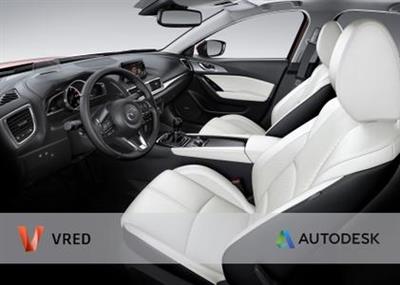
Autodesk VRED Design 2021.1

17810d242edd08137bc3006c0226ce14.jpg


Autodesk VRED Design 2021.1 | 1.7 Gb​
Autodesk Inc. is pleased to announce the availability of VRED Design 2021.1 is an innovative software solution for interactive design reviews. Equipped with a variety of features, this software enables users to evaluate and present their design ideas. Design experts can ground difficult decisions regarding the look & feel of their model at an early stage in the development process

Features
- GPU Raytracing: Added normal and albedo buffer support to denoiser
- General: Added new features and improved the UV Editor
- Rendering: Added an option to only use the light spectrum for ray files
- Rendering: Using Quasi-Monte Carlo (QMC) for random numbers in raytracing, now
- VR: Added support for the Varjo XR-1
- Web Interface: Allowed the configuring of users and passwords for the Web Server
- Web Interface: Created a new web interface UI
Improvements
- General: Fixed the online documentation from the Help menu to open and respect the selected language
- General: Improved performance by removing Woven Cloth from the Genesis example car dataset
- General: Renamed, grouped, and reordered file types in the Windows Import dialog
- General: Retired JT legacy loader
- Raytracing: Added support for AVX2 instructions on AMD Systems
- Sceneplates: Added the option to enable/disable web stream for sceneplates
- Scripting: Added getRaytracingDownscale, isRaytracingDownscaleEnabled, and getRaytracingDownscaleFactor()
- UV Editor: Added the "Select All" shortcut (Ctrl-A) for island, edge, and vertex selection in the UV view
- UV Editor: Added a "Sew on Unfold" checkbox for sewing islands
- UV Editor: Added Fly to selection within the 3D Viewport
- UV Editor: Added UV Editor colors to the Selection preferences
- UV Editor: Added UV preferences
- UV Editor: Added a new Layout function to fit UV islands to the UV grid (pack with margin and spacing)
- UV Editor: Added a progress bar when running an unfold operation
- UV Editor: Added an option for horizontal/vertical edge constraint
- UV Editor: Added an option to copy UVs/paste UVs for geometries with the same vertex count
- UV Editor: Added an option to keep UVs after re-tesselation
- UV Editor: Added an option to optimize UVs with Unfold3D
- UV Editor: Added an option to rotate selected UV island clock- /counter clockwise around a certain angle
- UV Editor: Added improved Unfold with Unfold3D
- UV Editor: Added material texture switching
- UV Editor: Added an option to load custom checkerboard
- UV Editor: Added rotation handles for planar mapping manipulator
- UV Editor: Added support for Fill Shading to visualize overlapping UVs in the UV view
- UV Editor: Allowed exporting a snapshot of the UV layout (with alpha) as an image
- UV Editor: Enabled edge selection based on the angle
- UV Editor: Enabled the display of the current selection mode in the Viewport
- UV Editor: Improved the Pivot manipulator
- UV Editor: Added instant edge selection while using the "Shortest Path" tool
- UV Editor: Moved Vertex display mode to the Visualize tab and Toolbar
- UV Editor: Retired the Texture Editor and moved functions to the UV Editor
- VR: Enabled switching between VR, MR, and Clear views
- VRED GO: Removed 4GB maximum size limitation
- Web Interface: Added a Terminal message when devices disconnect from stream
- Web Interface: Added persistent connections
- Web Interface: Added support to create self-signed Web Certificates
- Web Interface: Enabled customers to set a password for web interface access
- Webinterface: Improved the VRED Stream App stream management
Bugfixes
- Animations: Fixed incorrect lighting image for one frame during animation rendering
- Camera Editor: Camera Aim and Up is no longer broken after saving as a VPB file
- Cluster Manager: Fixed crash when ending session in the cluster manager
- Cluster: Fixed the crash when offline pass rendering with RT and AI Denoiser on.
- Cluster: Fixed the crash during Cluster pass rendering with camera Postprocess on.
- Cluster: Fixed the display cluster stereo modes
- Cluster: Fixed render options activation in cluster mode
- FileIO: Fixed STEP file import
- GPU RT: Displacement in multipass materials works now
- GPU RT: Failed to initialize on machines with TCC mode GPUs only
- GPU RT: For materials, "Use Local Environment" now works
- GPU RT: Renderlayer Material Override works now
- GPU RT: Skylight sun scale is now evaluated correctly
- GPU RT: Use Cutout Transparency for materials works now
- GPU Raytracing: Fixed the issue of Repeat/Offset/Rotate not working on Triplanar and Reflective Triplanar materials
- GPU Raytracing: Fixed the brightness of precomputed indirect illumination
- GPU Raytracing: Fixed the crash when running out of GPU memory
- General: Closing VRED is no longer very slow when a large scene is opened with NURBS data
- General: Fixed the CER infinite loop when VRED crashes on exit
- General: Fixed the crash when changing Space Mouse settings on runtime
- General: Render presets no longer capture "Enable Photometric Parameters"
- General: The "Default" VRED layout has been updated
- Geometry Editor: Fixed Decore's polygon removal functionality
- Light Editor: A duplicated light in the Light Editor now respect the existent hierarchy
- Light Editor: Fixed several changes of lights not updating the intensity value
- Light Editor: A RAY file is no longer mistakenly unloaded if "Open RAY File" is selected, then the dialog is cancelled
- Localization: Localized many tooltips in the main toolbar for CHS/KOR
- Localization: The tooltips for bottom icons now display correctly in CHS/KOR
- Material Editor: The correct file dialog appears when saving image sequences
- Raytracing: Fixed the see through issue for stacked up transparent local arealights in specular reflections
- Raytracing: Fixed woven cloth moire removal affecting noise scale
- Raytracing: Fixed woven cloth not attached to object
- Raytracing: Fixed wrong illumination and reflections on shadow material
- Rendering: Fixed and improved light generation for Skylight material
- Rendering: Fixed rounded edges for mirrored geometries in CPU RT
- Rendering: Photontracing of photons with only 1 wavelength now works
- Scripting: Fixed the crash after New Scene is selected when pausing the Python interpreter
- Scripting: Fixed examples external-connection-receiver.py and external-connection-sender.py
- Scripting: Render Settings "Supersampling" state now correctly reflected in the Python interface
- Touch Sensors: Touch sensors now work after alt+tab
- UV Editor: "Select Islands" no longer behaves strangely when geometry contains B-Sides
- UV Editor: "Show All Vertices" is now applied to all 3D render windows
- UV Editor: Added the missing hover effect on controls for Cylindrical manipulator
- UV Editor: Fixed UV cylindrical projection manipulator issues
- UV Editor: Fixed issue with Zoom to (key F) in UV view
- UV Editor: The hover effect on border edges is no longer missing in 3D view
- UV Editor: Optimize "Remove Degenerate Polygons" no longer splits a mesh into many small UV islands
- UV Editor: Toggle "Show All Vertices" and "Show Borders" are now sync'd instantly to the 3D viewport
- UV Editor: The toolclip for the quick access bar button has been fixed
- UV Editor: UV selection is no longer lost when minimizing VRED
- UV Editor: Unfold, and other UV operations, are now running on only one instance of cloned geometry
- UV Editor: Using Apply World Scale on a selected UV Island no longer applies world scale to all UVs of the object
- VR collaboration: Render Queue no longer shows up as a camera track in the VR Menu
- VR: Stillframe anti-aliasing now works after a VR collaboration
- VRED GO: CTRL+Enter "Toggle Dock Mode" & closing un-docked window no longer breaks the session
- VRED GO: No prompting dialog "Do you want to save changes" after publishing a VRED Go file
- Web Interface: Web Stream no longer stops working after 5 minutes
- Webinterface: Fixed performance issue of Navigation app
- Webinterface: Screen size is now scaled automatically when a new user connects with different resolution

Autodesk VRED (that's Virtual Reality Editor) covers advanced visualisation, rendering and design review. VRED is a visualisation system, but it's one that combines the progressive, physically based rendering available in other systems (such as KeyShot or V-Ray) with a set of tools to allow you to bake those visualisation properties (materials, textures, lightings, shadows and so on) into highly efficient datasets that support design review, collaboration, large-scale visualisation and increasingly, virtual reality.

VRED Design enables users to create compelling imagery and animations for exploring, presenting, and communicating design ideas for efficient decision making and for further general communications. Teams can benefit from real-time design reviews, interactive aspects for design selection, and tools for exploring alternatives (material variations, shape, look, etc.).

VRED What's New 2021

Autodesk helps people imagine, design and create a better world. Everyone-from design professionals, engineers and architects to digital artists, students and hobbyists-uses Autodesk software to unlock their creativity and solve important challenges.

Product: Autodesk VRED
Version: Design 2021.1
Supported Architectures: x64
Website Home Page :
У Вас недостаточно прав для просмотра ссылок. Войдите или зарегистрируйтесь.

Language: english
System Requirements: PC *
Size: 1.7 Gb

Operating system
- Microsoft Windows 10 (64-bit)
- Microsoft Windows 8.1 Professional (64-bit)

Browser
Autodesk recommends the latest version of the following Web browsers for access to online supplemental content:
- Apple Safari Web browser
- Google Chrome Web browser
- Microsoft Internet Explorer Web browser
- Mozilla Firefox Web browser

CPU: 2 GHz 64-bit Intel or AMD multi-core processor

Graphics hardware:
- Alias General: Supported NVIDIA or AMD graphics card with a minimum of 256 MB dedicated texture memory and DirectX 11 compatible.
- Alias VR: Any NVIDIA or AMD graphics card that is VR Ready certified.

RAM: 8 GB (16 GB recommended)

Pointing device:
- Three-button mouse
- Wacom graphics tablet for sketching (optional)

Optional Hardware: HTC Vive, Oculus Rift, Windows Mixed Reality devices

.NET Framework: .NET Framework Version 4.6 for Windows

Download link:​
Код:
[center][b]rapidgator_net[/b]:
https://rapidgator.net/file/bb2f3606b4e156a9d606072bf6e78656/m89dv.Autodesk.VRED.Design.2021.1.part1.rar.html
https://rapidgator.net/file/b8e6487f04631487bd75c3ba9e5c02be/m89dv.Autodesk.VRED.Design.2021.1.part2.rar.html
https://rapidgator.net/file/7339c9ad7f247f1beb185c6be0354cdc/m89dv.Autodesk.VRED.Design.2021.1.part3.rar.html
https://rapidgator.net/file/59fea4a0b1184f4350cea3fb0484c665/m89dv.Autodesk.VRED.Design.2021.1.part4.rar.html
https://rapidgator.net/file/f4fde42bfcd1955a8a4389371b3f5615/m89dv.Autodesk.VRED.Design.2021.1.part5.rar.html
https://rapidgator.net/file/048c13c3c1b42c2f6114d00bef64f177/m89dv.Autodesk.VRED.Design.2021.1.part6.rar.html

[b]nitroflare_com[/b]:
https://nitroflare.com/view/C56F77EE564900B/m89dv.Autodesk.VRED.Design.2021.1.part1.rar
https://nitroflare.com/view/CBB9D9971E55321/m89dv.Autodesk.VRED.Design.2021.1.part2.rar
https://nitroflare.com/view/691D47E29A835AD/m89dv.Autodesk.VRED.Design.2021.1.part3.rar
https://nitroflare.com/view/5816EA1C8F57219/m89dv.Autodesk.VRED.Design.2021.1.part4.rar
https://nitroflare.com/view/0BCC8300980FA7E/m89dv.Autodesk.VRED.Design.2021.1.part5.rar
https://nitroflare.com/view/BD678139B011D2F/m89dv.Autodesk.VRED.Design.2021.1.part6.rar

[b]uploadgig_com[/b]:
http://uploadgig.com/file/download/fac00A27bc8749f1/m89dv.Autodesk.VRED.Design.2021.1.part1.rar
http://uploadgig.com/file/download/f53ff278c8323286/m89dv.Autodesk.VRED.Design.2021.1.part2.rar
http://uploadgig.com/file/download/aa6cfBe711B6F230/m89dv.Autodesk.VRED.Design.2021.1.part3.rar
http://uploadgig.com/file/download/0cd90aaAe5520949/m89dv.Autodesk.VRED.Design.2021.1.part4.rar
http://uploadgig.com/file/download/c68ac78046a9c898/m89dv.Autodesk.VRED.Design.2021.1.part5.rar
http://uploadgig.com/file/download/f613ab8e9bF597cf/m89dv.Autodesk.VRED.Design.2021.1.part6.rar[/center]

Links are Interchangeable - No Password - Single Extraction​
 
Autodesk VRED Presenter 2021.1 (x64) Multilingual

60521a5798044a06c6aba61f7de6691e.jpg


Autodesk VRED Presenter 2021.1 (x64) Multilingual | 710.5 Mb​
Autodesk® VRED™ Presenter software is part of the Autodesk solution for Digital Prototyping and an independent viewer application for Autodesk® VRED™ data files that can also be used in the area of 3D product presentation. It includes the Autodesk® VRED™ Raytracing and OpenGL engine for photorealistic quality at interactive speed.

It can act as a perfect technology base for point-of-sale systems or interactive product experiences. The customer's 3D data is always protected by rock-solid security features, such as file encryption and secured network traffic. Autodesk VRED Presenter can be controlled by external devices like tablet computers or mobile phones to enable easy navigation.

System Requirements:
-Microsoft® Windows® 10 (64-bit)
-Microsoft Windows 8.1 Professional (64-bit)
-Microsoft Windows 7 (64-Bit) SP1 or higher
CPU:64-bit Intel® processor with Intel® EM64T-capable or AMD® Athlon 64®, AMD Opteron® processor
Memory:1 GB RAM, 8 GB or more recommended

Home Page -
У Вас недостаточно прав для просмотра ссылок. Войдите или зарегистрируйтесь.


Download link:​
Код:
[center][b]rapidgator_net[/b]:
https://rapidgator.net/file/c298c9400661185d4d7889a301910e91/9s50y.Autodesk.VRED.Presenter.2021.1.x64.Multilingual.iso.html

[b]nitroflare_com[/b]:
https://nitroflare.com/view/B5FC0520DC9CDE2/9s50y.Autodesk.VRED.Presenter.2021.1.x64.Multilingual.iso

[b]uploadgig_com[/b]:
http://uploadgig.com/file/download/6803c942e7f1f48a/9s50y.Autodesk.VRED.Presenter.2021.1.x64.Multilingual.iso[/center]

Links are Interchangeable - No Password - Single Extraction​
 
Autodesk VRED Render Node 2021.1

0859dc8a1a650e66f33cdb113a0eabbe.jpg


Autodesk VRED Render Node 2021.1 | 1.0 Gb​
Autodesk Inc. is pleased to announce the availability of VRED Render Node 2021.1 is an optional add-on for VRED Professional that provides real-time rendering using cluster processors.

Autodesk VRED (that's Virtual Reality Editor) covers advanced visualisation, rendering and design review. VRED is a visualisation system, but it's one that combines the progressive, physically based rendering available in other systems (such as KeyShot or V-Ray) with a set of tools to allow you to bake those visualisation properties (materials, textures, lightings, shadows and so on) into highly efficient datasets that support design review, collaboration, large-scale visualisation and increasingly, virtual reality.

VRED Render Node (aka VRED Raytracing Cluster) is an optional add-on for VRED Professional that provides real-time rendering using cluster processors. To speed up interactive presentations while enjoying high-quality ray tracing output, use multiple workstations or clustered server hardware to distribute the rendering. All rendering modes available in ray cast mode are supported.

VRED What's New 2021

Autodesk helps people imagine, design and create a better world. Everyone-from design professionals, engineers and architects to digital artists, students and hobbyists-uses Autodesk software to unlock their creativity and solve important challenges.

Product: Autodesk VRED Render Node
Version: 2021.1
Supported Architectures: x64
Website Home Page :
У Вас недостаточно прав для просмотра ссылок. Войдите или зарегистрируйтесь.

Language: english
System Requirements: PC *
Size: 1.0 Gb

Operating system
- Microsoft Windows 10 (64-bit)
- Microsoft Windows 8.1 Professional (64-bit)

Browser
Autodesk recommends the latest version of the following Web browsers for access to online supplemental content:
- Apple Safari Web browser
- Google Chrome Web browser
- Microsoft Internet Explorer Web browser
- Mozilla Firefox Web browser

CPU: 2 GHz 64-bit Intel or AMD multi-core processor

Graphics hardware:
- Alias General: Supported NVIDIA or AMD graphics card with a minimum of 256 MB dedicated texture memory and DirectX 11 compatible.
- Alias VR: Any NVIDIA or AMD graphics card that is VR Ready certified.

RAM: 8 GB (16 GB recommended)

Pointing device:
- Three-button mouse
- Wacom graphics tablet for sketching (optional)

Optional Hardware: HTC Vive, Oculus Rift, Windows Mixed Reality devices

.NET Framework: .NET Framework Version 4.6 for Windows

Download link:​
Код:
[center][b]rapidgator_net[/b]:
https://rapidgator.net/file/3f7d3bd95cd31855ff54f7c88cbb6706/kun4w.Autodesk.VRED.Render.Node.2021.1.rar.html

[b]nitroflare_com[/b]:
https://nitroflare.com/view/F1F1784B5F8AC86/kun4w.Autodesk.VRED.Render.Node.2021.1.rar

[b]uploadgig_com[/b]:
http://uploadgig.com/file/download/052098987d33a8a4/kun4w.Autodesk.VRED.Render.Node.2021.1.rar[/center]

Links are Interchangeable - No Password - Single Extraction​
 
BackToCAD CADdirect 2021 v9.2n

9bebaca76e7a2a9f8c7b9ff301947665.jpg


BackToCAD CADdirect 2021 v9.2n (x64) Multilingual | 278.4 Mb
BackToCAD CADdirect a Professional Grade 2D/3D CAD Program for "Viewer Price".​

Fair Affordable Pricing and Permanent Licensing
With Standard LISP, Script, and C++ Interface
Easy to Learn for and compatible with ACAD Users
Based on the New IntelliCAD 9.2
.dwg, .dxf as Native File Fromat
DGN, SAT, PDF, DWF, COLLADA Import/Export

Key features:
CAD for .dwg/.dxf (Versions 12-2020)
Provides All Normal CAD Drawing Functions
Based on New IntelliCAD® 9.2 Engine
2D/3D Editing, Viewing, Rendering, 4K Screens Ready
ACAD Program Compatible (Patterns, Line Types,...)
Easy to Learn for ACAD Users, Similar Commands
Supports Lisp, .NET and C++. DWG, DXF Reader
Available as Permanent License, No Subscription
Full Dimensioning and Styling, Express Tools
DGN Import und Export, SAT Import, ACIS Light Modeling
1/10 of the Price of Similar CAD Systems
700 Pages Reference Manual as PDF or EPUB
Modern Ribbon Menu
Ready for 4K Screens
Including .dwg version, .dgn Batch Converter
Supports English, German and Polish Interfaces

System Requirements:
OS: 64bit Windows 10, Windows 8, Windows 7 (SP1), Windows Vista® (SP1), Windows 7 (SP1)

RAM:
10: 4 GB RAM (for TIFF, JPEG or scanned PDF Vectorization)
8: 4 GB RAM (for TIFF, JPEG or scanned PDF Vectorization)
7: 4 GB RAM (for TIFF, JPEG or scanned PDF Vectorization)
Vista: 2 GB RAM (for TIFF, JPEG or scanned PDF Vectorization)

Home Page -
У Вас недостаточно прав для просмотра ссылок. Войдите или зарегистрируйтесь.


Download link:​
Код:
[center][b]rapidgator_net[/b]:
https://rapidgator.net/file/29c5132f535e46bedfd87e207b3e1b36/xs0aw.BackToCAD.CADdirect.2021.v9.2n.rar.html

[b]nitroflare_com[/b]:
https://nitroflare.com/view/342122D1EF7EE53/xs0aw.BackToCAD.CADdirect.2021.v9.2n.rar

[b]uploadgig_com[/b]:
http://uploadgig.com/file/download/f8444efcce51f142/xs0aw.BackToCAD.CADdirect.2021.v9.2n.rar[/center]

Links are Interchangeable - No Password - Single Extraction​
 
BackupAssist Desktop 10.5.4

7aac0a77835d35d976a9e180fa17689e.jpg


BackupAssist Desktop 10.5.4 | 106.2 Mb​
BackupAssist is built for your growing small to medium business.Choose the Windows backup software that keeps your data safe. Backup Software That Saves Your Servers From Ruin. Never suffer from data loss ever again. Use BackupAssist to perform onsite and offsite backups to safeguard your servers.

Backup Anything
- Full Systems
- Virtual or Physical
- Files, Folders, Apps
- Backup to Onsite, Cloud
- Incremental Backups

Data Restoration
- Select File Restore
- Powerful Search Tool
- Boot off Backup Media
- Point-In Time SQL
- Individual Mail Items

Disaster Recovery
- Bare Metal Recovery
- Instant VM Recovery
- Hardware Agnostic
- Customize Boot Tools
- Low RPOs and RTOs

Manage Your Sites
- Single Screen Control
- Remote Backup, Restore
- Global Reports
- Easy Web App
- Remote Deployment

Ransomware Defense
- Ransomware Protection
- Ransomware Detection
- SMS & Email Alerts
- Manual Scanning
- Easy Rollout Features

System Specification:

Microsoft Server Operating Systems:
- Microsoft Windows Server 2016 family
- Microsoft Windows Server 2012 R2 family
- Microsoft Windows Server 2012 family
- Microsoft Windows Server 2008 R2 family
- Microsoft Windows Server 2008 family (64 bit)
- Microsoft Windows Small Business Server 2011 (Standard, Essentials & Premium)
- Microsoft Windows Essential Business Server 2011 (Standard & Premium)
- Microsoft Windows Small Business Server 2008 (Standard, Essentials & Premium)
- Microsoft Windows Essential Business Server 2008 (Standard & Premium)
- Microsoft Windows Storage Server 2008 R2
- Microsoft Windows Storage Server 2008

Microsoft Client Operating Systems:
- Windows 10 (Professional, Enterprise) (32-bit/64-bit)
- Windows 8/8.1 (Professional, Enterprise) (32-bit/64-bit)
- Windows 7 (Professional, Enterprise & Ultimate) (32-bit/64-bit)

Microsoft VSS Applications:
- Microsoft Exchange Server 2016
- Microsoft Exchange Server 2013
- Microsoft Exchange Server 2010
- Microsoft Exchange Server 2007
- Microsoft SQL Server 2016
- Microsoft SQL Server 2014
- Microsoft SQL Server 2012
- Microsoft SQL Server 2008 R2
- Microsoft SQL Server 2008
- Microsoft SQL Server 2005
- Microsoft SharePoint 2010
* All Microsoft VSS-aware Applications supported

Microsoft Virtual Environments:
- Microsoft Hyper-V 2016
- Microsoft Hyper-V 2012
- Microsoft Hyper-V 2012 R2
- Microsoft Hyper-V 2008
- Microsoft Hyper-V 2008 R2

Home Page -
У Вас недостаточно прав для просмотра ссылок. Войдите или зарегистрируйтесь.


Download link:​
Код:
[center][b]rapidgator_net[/b]:
https://rapidgator.net/file/aab3e5aa63bd90847b7008523b7fbe53/g8ei4.BackupAssist.Desktop.10.5.4.rar.html

[b]nitroflare_com[/b]:
https://nitroflare.com/view/4850670E8261A08/g8ei4.BackupAssist.Desktop.10.5.4.rar

[b]uploadgig_com[/b]:
http://uploadgig.com/file/download/366A45d337363Bbf/g8ei4.BackupAssist.Desktop.10.5.4.rar[/center]

Links are Interchangeable - No Password - Single Extraction​
 
Назад
Сверху