• Старая версия форума работает в архивном режиме www.old.nado.in

All mitsumi'1s Applications !! (updated daily)

  • Автор темы Автор темы mitsumi1
  • Дата начала Дата начала
Permute 3.5.1 Multilingual macOS

3dffd098e2852dd2ca5a5046ce895f62.jpg


Permute 3.5.1 Multilingual | macOS | 58 mb​
Video, audio and image files come in many different kinds and shapes, but sometimes you need a specific format since your iPad or DVD player won't play that video. That is what Permute is for - easily convert your media files to various different formats.

Key Features

Easy to Use - built from the ground up, Permute is a perfect example of what a Mac app should be. With a gorgeous interface and drag & drop simplicity no need for complicated options.

Insanely Fast - Permute was engineered to be incredibly fast. Let us take care of the hard stuff. Just select the video format you want and it'll be done faster than you can say "hardware acceleration" - MP4 and HEVC presets now take advantage of your machine's hardware acceleration capabitlities, speeding up HEVC conversions more than 3 times over previous versions of Permute!

PDF Support - Permute 3 now includes support for stitching multiple images into a single PDF.

Everything Included - It doesn't matter if you're converting home movies or processing images. Permute can do it all. We support nearly every format and have plenty of device presets to choose from.

Looks Amazing - Whether you use dark mode or not, Permute will look amazing. Taking advantage of the modern technologies, Permute will even change its icon in dark mode.

Keep the Schedule - Video re-encoding is quite demanding on computer resources. This is why you can now schedule Permute to convert videos e.g. at night when you're not using your computer.

And so much more! - There are so many other great features in Permute - adjust volume of an audio file or an audio track in a video. Batch-resize, rotate and flip images and videos. And more!

Compatibility: OS X 10.11 or later 64-bit
Homepage:
У Вас недостаточно прав для просмотра ссылок. Войдите или зарегистрируйтесь.


Download link:​
Код:
[center][b]rapidgator_net[/b]:
https://rapidgator.net/file/900f74f697b7dc334b440242c21b2d05/5kclg.Permute.3.5.1.rar.html

[b]nitroflare_com[/b]:
https://nitroflare.com/view/A3651DDF0E6C7B1/5kclg.Permute.3.5.1.rar

[b]uploadgig_com[/b]:
http://uploadgig.com/file/download/C6239802b8e7fc9F/5kclg.Permute.3.5.1.rar[/center]

Links are Interchangeable - No Password - Single Extraction​
 
Prism 8.4.3 macOS

faf7e5cccfabe9b901ec19837f5d37a6.jpg


Prism 8.4.3 | macOS | 40 mb​
Prism is a powerful combination of biostatistics, curve fitting (nonlinear regression) and scientific graphing in one comprehensive program. Easily organize, analyze and graph repeated experiments; pick appropriate statistical tests and interpret the results.

Prism introduces brand new ways to organize, analyze, and graph your data, all while making the process easier and more intuitive. Powerful new analyses and graph styles provide more ways than ever to process and present your data, while familiar features have received comprehensive improvements to enhance and streamline your work. Despite all the changes, Prism is still Prism so you can be productive right away.

Compatibility: OS X 10.9 or later 64-bit
Homepage:
У Вас недостаточно прав для просмотра ссылок. Войдите или зарегистрируйтесь.


Download link:​
Код:
[center][b]rapidgator_net[/b]:
https://rapidgator.net/file/bf13526705d79a968f84e4782b7938e9/inv6s.Prism.8.4.3.rar.html

[b]nitroflare_com[/b]:
https://nitroflare.com/view/E5C84EE7EE66922/inv6s.Prism.8.4.3.rar

[b]uploadgig_com[/b]:
http://uploadgig.com/file/download/99ba938b3B319ef9/inv6s.Prism.8.4.3.rar[/center]

Links are Interchangeable - No Password - Single Extraction​
 
Prizmo Pro 4.0.4 Multilingual macOS

a1db81f1804bf46f93fde1c3c27eddb2.jpg


Prizmo Pro 4.0.4 Multilingual | macOS | 32 mb​
Prizmo 4 is a scanning application with optical character recognition (OCR) in over 40 languages with powerful editing capability, text-to-speech, and iCloud support.

No matter what capture device is at hand, Prizmo is the key for scanning and performing OCR. It works with pictures taken with your iPhone, iPad, or digital camera; with documents coming from connected or Wi-Fi scanners; even with screenshots! It will help you easily scan any documents (invoices, receipts, boards, giant advertisements...) of any sizes (US Letter, US Legal, A4, and custom)...

Compatibility: OS X 10.10 or later 64-bit
Homepage:
У Вас недостаточно прав для просмотра ссылок. Войдите или зарегистрируйтесь.


Download link:​
Код:
[center][b]rapidgator_net[/b]:
https://rapidgator.net/file/117804a16fa49d0ac2b1c505f6b6d278/fb7wr.Prizmo.Pro.4.0.4.rar.html

[b]nitroflare_com[/b]:
https://nitroflare.com/view/0FFC61A540F0FB9/fb7wr.Prizmo.Pro.4.0.4.rar

[b]uploadgig_com[/b]:
http://uploadgig.com/file/download/4C0126d9Cf98936c/fb7wr.Prizmo.Pro.4.0.4.rar[/center]

Links are Interchangeable - No Password - Single Extraction​
 
QuarkCopyDesk 2020 v16.0.1 Multilingual

69a7d87e4b6a7654c0fafd2b4ebccf89.jpg


QuarkCopyDesk 2020 v16.0.1 Multilingual | 639 Mb​
QuarkCopyDesk provides the ability to edit content without altering the layout. Using components designated as editable, authors can amend text, place photos, and precisely fit copy.QuarkCopyDesk® can help writers and reviewers fit copy precisely to the final QuarkXPress layout, eliminating extra keystrokes and risk of errors - resulting in a more efficient production environment.

QuarkCopyDesk
Do you struggle with an editorial workflow and review process that involves handwritten comments, manually applied changes, and double or triple-checking to make sure changes are made properly?

QuarkCopyDesk® can help writers and reviewers fit copy precisely to the final QuarkXPress layout, eliminating extra keystrokes and risk of errors - resulting in a more efficient production environment.

Is Your Workflow Broken?
Your publishing process involves different types of contributors, such as writers, editors, reviewers, designers, and production managers. While some contributors use word processing tools, your designers and production managers use QuarkXPress. If your workflow consists of sending files back and forth through e-mail and manually updating word processor files in your layouts, then you're slowing down your publishing process.

Streamline Your Workflow with QuarkCopyDesk
You can streamline your publishing process by introducing QuarkCopyDesk to your production environment. QuarkCopyDesk is a desktop application that integrates with Quark Publishing Platform. QuarkCopyDesk lets writers, editors, reviewers, and other non-designers create, edit, and review their content from the page designer's perspective, which allows everyone to see the final layout.

Using QuarkCopyDesk, writers can compose copy to fit the layout precisely, which eliminates numerous cycles of copy and design adjustments. QuarkCopyDesk users can view and edit content that resides in the QuarkXPress layout. Notes and tracked changes travel with each QuarkCopyDesk article and are visible to everyone, which improves communication among team members. QuarkCopyDesk users also can edit images.

QuarkCopyDesk users check in and check out files from Quark Publishing Platform or their content management system, which provides a central repository for all content, while managing your creative process, file routing, and version control. By integrating writers, editors, and other non-designers into the layout and production workflow in a single system, you can speed up the entire publishing process, reduce errors, and meet deadlines.

Stand-alone Version
QuarkCopyDesk is an integral part of Quark Publishing Platform as the Quark Publishing Platform Client. However, it can also be used separately as a stand-alone text editor for writers, editors, and reviewers in smaller production environments that use QuarkXPress for page design.

Features:

Multiple Views
View articles in Galley, Full Screen, or WYSIWYG view, or all three at the same time using Split view. Content edited in one view updates in the other views simultaneously. Each view shows how your copy fits in the layout, as well as line counts, line breaks, and column breaks. Split view supports working with two monitors. QuarkCopyDesk continuously displays under-set or overset amounts, word and line counts, and column depths, along with previews of images anchored in a text component.

Import and Edit Images in Any Format Supported by QuarkXPress
Import images in a variety of formats, including native Photoshop® (.psd) and Adobe® Illustrator® (.ai) files. And use the same image-editing features as in QuarkXPress to apply cropping, scaling, and rotation.

Notes and Redlining
Place electronic notes directly in article text. Notes travel with the article, even when it's checked into Quark Publishing Platform and imported into QuarkXPress. Use redlining to track revisions and provide production teams and others with a record of changes. You can even view insertions and deletions made to an article, along with the details of who made each change.

Compatible with Industry-standard Word Processors
QuarkCopyDesk contains filters for exchanging text with Microsoft® Word and other common word processing formats.

Language Support
QuarkCopyDesk supports 12 user interface languages: Dutch, International English, U.S. English, French, German, Swiss-German, Italian, Japanese, Polish, Russian, Spanish, and Swedish.

A menu selection allows users to choose the user interface (UI) language displayed in their specific regional edition. All UI languages are included in the QuarkCopyDesk® Plus edition. Users can choose among dictionaries and hyphenation in more than 30 languages.

Dual Activation / Dual Platform
You can install your single-user license of QuarkCopyDesk on a secondary computer (either a Mac OS® or Windows® computer) for concurrent use only. To activate dual licensing on the second computer, simply install QuarkCopyDesk on that computer.

Requirements: Windows: 8.1 and 10 (64bit only, with latest updates)

Home Page -
У Вас недостаточно прав для просмотра ссылок. Войдите или зарегистрируйтесь.


Download link:​
Код:
[center][b]rapidgator_net[/b]:
https://rapidgator.net/file/4183965aa2d013fa35c88439123a3398/bggrt.QuarkCopyDesk.2020.v16.0.1.Multilingual.rar.html

[b]nitroflare_com[/b]:
https://nitroflare.com/view/2C9339811F06C79/bggrt.QuarkCopyDesk.2020.v16.0.1.Multilingual.rar

[b]uploadgig_com[/b]:
http://uploadgig.com/file/download/c8bd0c5D89fBc86E/bggrt.QuarkCopyDesk.2020.v16.0.1.Multilingual.rar[/center]

Links are Interchangeable - No Password - Single Extraction​
 
Robin YouTube Video Downloader Pro 5.24.2

7fe095d536896286d7ba8c09c00d5bfd.jpg


Robin YouTube Video Downloader Pro 5.24.2 | 25.48 Mb​
YouTube Video Downloader Pro is a professional Windows app for downloading and converting videos from YouTube, Facebook, Dailymotion, and thousands of other video sharing sites. It accelerates your downloads by up to 5 times. YouTube Video Downloader Pro allows you to download multiple videos at a time. It also allows you to pause, resume, and cancel downloads at anytime.

Easy-to-use
Just copy and paste video URL to start download. You can also directly drag and drop video link/URL from your browser to the Drop Box to add a download. YouTube Video Downloader Pro can download UHD 4K, QHD 2K, FHD 1080p, HD 720p, and 3D videos from YouTube if they are available. YouTube Video Downloader Pro allows you to download only audio stream from YouTube, without downloading the entire video file.

Playlist download
Just enter a YouTube playlist ID, YouTube Video Downloader Pro will download all or selected videos in the playlist from YouTube for you.

Speed up your downloads
YouTube Video Downloader Pro features an advanced download acceleration engine that lets you download videos up to 5 times faster than normal speed.
YouTube Video Downloader Pro allows you to download multiple videos at a time. It also allows you to pause, resume, and cancel downloads at anytime.
While downloading, you can click "Preview" button to play incomplete video and make sure it is really the video of your choice.

Convert to any format for any device
YouTube Video Downloader Pro can automatically convert downloaded file to any format for any device. It supports MP4, FLV, WMV, MOV, AVI, MPG, VOB, WEBM, DVD, VCD, and many other formats.
YouTube Video Downloader Pro can also extract audio stream from video, and save it as MP3, WAV, WMA, AC3, AAC, OGG, FLAC, MP2, or any other audio format.

iTunes compatible
Optionally, YouTube Video Downloader Pro can automatically add downloaded video/music files to your iTunes library, so you can easily synchronize your videos and music to your iPhone, iPad, iPod, etc.

Operating System: Windows 10/8/7/Vista/XP/2000

Home Page -
У Вас недостаточно прав для просмотра ссылок. Войдите или зарегистрируйтесь.


Language: English

Download link:​
Код:
[center][b]rapidgator_net[/b]:
https://rapidgator.net/file/1942d5ea7d3ca57d65ce52fd64ef512f/bc4d6.Robin.YouTube.Video.Downloader.Pro.5.24.2.rar.html

[b]nitroflare_com[/b]:
https://nitroflare.com/view/7AC9EC882560513/bc4d6.Robin.YouTube.Video.Downloader.Pro.5.24.2.rar

[b]uploadgig_com[/b]:
http://uploadgig.com/file/download/3aa3555757c9e7b3/bc4d6.Robin.YouTube.Video.Downloader.Pro.5.24.2.rar[/center]

Links are Interchangeable - No Password - Single Extraction​
 
Serif Affinity Designer 1.8.4.693 (x64) Multilingual

cbbb510915fdbd3e04370f97a2481a4d.jpg


Serif Affinity Designer 1.8.4.693 (x64) Final Multilingual | 498.6 Mb​
Affinity Designer is the fastest, smoothest, most precise vector graphic design software available. Whether you're working on branding, concept art, print projects, icons, UI, UX, or web mock ups, Affinity Designer will revolutionise how you work, on Windows.

Design tools redefined
All the tools you need in a professional vector design app, from an incredible precise pen tool to a super smooth gradient tool. All carefully considered and meticulously developed, they just work-in precisely the way you want them to.

Built for your workflow
With core principles of performance, stability and lack of bloat, Affinity Designer has been meticulously crafted for a professional workflow.

Cross platform performance
With a professional pedigree forged on Mac, and matched step for step on Windows, common file format delivers stunning results on either platform.

Unsurpassed speed and accuracy
Pan at 60fps and zoom to an eye-popping 10,000,000%, you'll see all adjustments, effects, transformations and brushes in real time.

Work in any color space
RGB, CMYK, LAB, Grayscale. End-to-end CMYK workflow with ICC color management, and 16-bit per channel editing.

Unsurpassed file compatibility
The best PSD import engine available and full support for SVG, EPS, PDF, PDF/X and FH files means injecting Affinity Designer into your workflow is painless.

Pixel perfect control
With real-time pixel preview in standard or retina resolution available with a single click, you can always see what you're going to get. Can't achieve the perfect result purely in vector? Just edit the pixels - Affinity Designer has a full suite of raster tools too.

Non-destructive effects and adjustments
With a huge library of adjustment layers, effects and blend modes-combined with full support for masks and clipping layers-Affinity Designer offers the most advanced layer controls available in any vector based app.

Flexible workspaces... and workflows
With a focused, fully customisable workspace, including docked and floating UI modes, Affinity Designer lets you work how you want. Add regular and custom 2D and isometric grids for flexible layouts, work on multiple designs at once, and use macOS features like Split Screen and Full Screen. Plus, with savable history, unlimited undo and non-destructive filters and adjustments you can always go back and change your mind.

Natural brushwork
Use Force Touch, stylus pressure, tilt and other controls for natural-looking artwork. Edit vector brush strokes as cleanly and easily as regular curves, and add raster brushwork-on its own or with vector art-to add depth and high quality organic textures. Rotate the canvas, blend colors, edit brush parameters, create your own brushes and nozzles, and import .abr brushes for complete control over your work.

Throw some shapes
Affinity Designer delivers a comprehensive set of shape primitives with easy controls for adjusting geometry with corner settings and smart snapping indicators. A full set of Boolean geometry operations, non-destructive compound shapes, and full node editing means you can create beautiful complex geometry in no time.

Just your type
Add artistic text for headlines, text frames of any shape, or text that follows any vector path. Apply sophisticated styling and ligatures, previewing all your available fonts and style sets in on-screen panels. All the controls you need are built in, including leading, kerning, baseline shift, tab stops - and now in version 1.5 you can create text styles across your document.

New professional print controls
Affinity Designer features full professional print output. Pantone® support, end-to-end CMYK and ICC color management are just part of it. You can also open, edit and output PDF/X files, set overprint controls, use spot colors, and add bleed area, trim and crop marks.

Powerful export
In export mode you get a complete workspace dedicated to image export. Select areas, layers or objects to export, controlling each item's output settings independently. For efficient web and UI design, you can automatically create new files whenever your design changes, in whatever resolution, file format and folder structure you wish.

Common Affinity file format
Affinity's shared file format makes mixed discipline design as smooth and simple as it should be. Open any native Affinity file in any Affinity app on any platform and just keep working - with shared history, unlimited undo and seamless switching. And for export, Affinity Designer takes all major file types in its stride.

Incredibly powerful artboards
In Affinity Designer you can create an unlimited number of different design variants, sizes and screens - laying them out in one document to see them all at once. When you come to export you get full control over what artboards to output and with what settings, dramatically simplifying your workflow for responsive and app design.

Operating systems (64 bit):
- Windows® 10
- Windows® 8.x
- Windows® 7 (Service Pack 1; Aero enabled)

Home Page -
У Вас недостаточно прав для просмотра ссылок. Войдите или зарегистрируйтесь.


Download link:​
Код:
[center][b]rapidgator_net[/b]:
https://rapidgator.net/file/0dc9297fb361a6f8434b2e55cdd5a32f/5kg4r.Serif.Affinity.Designer.1.8.4.693.x64.Multilingual.rar.html

[b]nitroflare_com[/b]:
https://nitroflare.com/view/D9CA759598F8D0B/5kg4r.Serif.Affinity.Designer.1.8.4.693.x64.Multilingual.rar

[b]uploadgig_com[/b]:
http://uploadgig.com/file/download/4F9f9a40df225D0b/5kg4r.Serif.Affinity.Designer.1.8.4.693.x64.Multilingual.rar[/center]

Links are Interchangeable - No Password - Single Extraction​
 
Serif Affinity Photo 1.8.4.693 (x64) Multilingual

cfaa3c7bcc2cb5633d3c28da0d661756.jpg


Serif Affinity Photo 1.8.4.693 (x64) Final Multilingual | 507.8 Mb​
Five years in the making, Affinity Photo redefines the boundaries for professional photo editing software. With a meticulous focus on workflow it offers sophisticated tools for enhancing, editing and retouching your images in an incredibly intuitive interface, with all the power and performance you need.

Engineered for professionals
Built on rock solid foundations with principles of performance, stability and lack of bloat, Affinity Photo is a professional photography tool to the very core.

Comprehensive RAW editing
Develop camera RAW files in a dedicated built-in workspace with all the processing adjustments and corrections you need.

Unsurpassed file compatibility
We've got the best PSD support out there, plus all the standards you'd expect including PNG, JPG, TIFF, EPS, PDF, and SVG.

Work in any color space
RGB, CMYK, LAB, Grayscale. End-to-end CMYK workflow with ICC color management, and 32-bit per channel editing.

Dedicated RAW editing workspace
Compatible with all major camera file formats, the Develop persona offers a dedicated processing workspace offering incredibly accurate editing in an unbounded linear color space.

Complete digital darkroom
Affinity Photo includes all the tools you need from a professional photography application. Every tool has been painstakingly engineered for speed, power and accuracy-and they work in precisely the way you want them to.

Fast, customizable effects
Affinity Photo comes with a huge range of high-end filters including lighting, blurs, distortions, tilt-shift, shadows, glows and many more. Full control is given over every aspect of a filter's properties with incredibly precise controls-all the while seeing a real-time live preview of the result. Best of all, filters can be applied as live layers, enabling you to edit, erase away, or mask effects after they have been applied.

Advanced adjustment layers
Correct and enhance images with Levels, Curves, Black and White, White Balance, HSL, Shadows and Highlights and over a dozen other adjustments that are previewed instantly and can be edited any time. Adjust, readjust, and drag and drop onto any layer, group, mask, or in any place in a stack to control how they're applied.

Live blend modes
Remove trial and error from your workflow-see changes to blend modes live as you edit without having to click apply each time. Affinity Photo's 30 layer blends preview smoothly in real time while you scroll through them.

Sophisticated selection refinement
Accurate selections are critical, whether cutting out objects, creating masks or selectively applying adjustments. Our selection refinement algorithm is one of the most advanced available, making selections-even down to individual strands of hair-easier than ever before.

Precise photo stitching
Affinity Photo's stitching algorithm is one of the most advanced available. On top of accurate automatic alignment and perspective corrections, you get full control over each image and boundary in the composite to fine tune to perfection.

Extensive retouching tools
Whether you want to make quick corrections, or spend an hour on a detailed retouch, Affinity Photo has all the tools you need. That naturally includes dodge, burn, clone, patch, blemish, and red eye tools. But you'll also find an incredibly accurate inpainting brush, frequency separation capability, and a full set of liquify features built-in.

System Requirements:

Hardware
Windows-based PC with mouse or equivalent input device
DirectX 10-compatible Graphics Cards and above
2GB RAM minimum (4GB RAM recommended)
670MB of available space; more during installation
1280x768 display size or better

Operating systems (64 bit):
Windows 10 (1607 Anniversary update or higher)
Windows 8.1
Windows 7 (Service Pack 1; Aero enabled)

Home Page -
У Вас недостаточно прав для просмотра ссылок. Войдите или зарегистрируйтесь.


Download link:​
Код:
[center][b]rapidgator_net[/b]:
https://rapidgator.net/file/bfd459a235798705236adf073fbb5a1d/on1py.Serif.Affinity.Photo.1.8.4.693.x64.Multilingual.rar.html

[b]nitroflare_com[/b]:
https://nitroflare.com/view/441DE940FFF3CE2/on1py.Serif.Affinity.Photo.1.8.4.693.x64.Multilingual.rar

[b]uploadgig_com[/b]:
http://uploadgig.com/file/download/b5e7D82Af677c491/on1py.Serif.Affinity.Photo.1.8.4.693.x64.Multilingual.rar[/center]

Links are Interchangeable - No Password - Single Extraction​
 
Serif Affinity Publisher 1.8.4.693 (x64) Multilingual

99075ae0cfd3f68e0544ccba24b48af4.jpg


Serif Affinity Publisher 1.8.4.693 (x64) Final Multilingual | 494.6 Mb​
Fluid publishing powerhouse. Bring your vision to life with Affinity Publisher, the next generation of professional publishing software. From magazines, books, brochures, posters, reports and stationery to other creations, this incredibly smooth, intuitive app gives you the power to combine your images, graphics and text to make beautiful layouts ready for publication.

Engineered for advanced technology
Engineered with the same no-compromise vision as our acclaimed photo editing and graphic design apps, thousands of global professionals have contributed to the development of Affinity Publisher to meet the demands of the 21st century designer.

Pioneering performance
Superpower your layouts with the latest and greatest publishing technology. The refreshing lack of unnecessary or obsolete features in Affinity Publisher means it runs like the sweetest dream, even on the most content-heavy documents.

Spectacular layouts
With essentials like master pages, facing page spreads, grids, tables, advanced typography, text flow, full professional print output and other amazing features, Affinity Publisher has everything you need to create the perfect layout - whatever your project.

Text to match the power of your words
Free yourself from the constraints of tired, traditional text layouts. Let Affinity Publisher help you visualise your text in creative new ways and flow it seamlessly through your document.

Text styles
Link the style of your text across all pages in your document

OpenType support
Open up all stylistic features of the latest OpenType fonts

Text decorations
Add lines and borders to elements of your typography

Drop caps
Add drop capitals to any paragraph

Text on a path
Draw any curve and type along it

Artistic text
Gain creative control over titling and other stand out text

Flow options
Avoid orphaned or widowed lines, among many other features

Baseline grid
Ensure the baseline of your text is aligned across all columns and spreads

Perfect graphics
Whatever the brief calls for, you can rely on Affinity Publisher to handle all the standard file types you'd expect, leaving you free to create the most ambitious, content-rich combination designs, pulling in raster or vector assets from multiple sources.

Fine tune your images
Ensure your images match the brilliance of your layout. Affinity Publisher comes with a full collection of powerful, non-destructive adjustment layers to make crucial image corrections right there in your document.

Advanced design tools
Create and edit vector graphics in your layout using the powerful pen, node and comprehensive shape tools - all with fine control over gradients and transparency.

Unrivalled compatibility
Import and export to all major raster and vector files, including layered PSD, PDF and EPS formats.

Full colour control
Affinity Publisher can handle RGB, LAB, greyscale and CMYK colour spaces, with advanced control over professional colour requirements for print.

Professional Output
Pantone support, end-to-end CMYK and ICC colour management are just part of it. You can also open, edit and output PDF/X files, set overprint controls and add bleed, trim and crop marks for press-ready output.

And so much more...
Here are just some of the other capabilities built into this incredible app...

Instant undo history
Instantly scrub through hundreds of undo steps with the history slider. Plus, save your history with your document.

Rotate canvas
Rotate your whole document by 90, 180 and 270 degrees.

Smart colour picker
Dedicated colour picker tool to accurately pick a colour, including single point or averaged sampling over an area.

Asset management
Create sets of regularly used assets which can be instantly accessed and dragged onto your project.

Transform panel
Precisely adjust an object's position, size, rotation and shear.

Transparency tool
Drag a transparency gradient over any object, with support for linear, radial, elliptical and conical types.

Glyph browser
Browse the full set of available glyphs for any font.

Stroke panel
Offering full control over dashed line styles, arrowheads and pressure properties.

Customisable keyboard shortcuts
Affinity Publisher comes loaded with default keyboard shortcuts, but you can tailor to your own muscle memory.

Add noise
Apply noise to colour fills for a textured look to your work.

Preview mode
Instantly switch from viewing grids, guides, bleed and margins to a completely clean preview of your document.

Blistering performance
Pan, zoom and scroll through documents at 60fps.

Organisational tools
Organise your documents with the section manager and automatically generate indexes and a table of contents.

System Requirements:
- Windows® 10 (1607 Anniversary update or higher)
- Windows® 8.1
- Windows® 7 (Service Pack 1; Aero enabled)
- Windows-based PC (64 bit) with mouse or equivalent input device
- DirectX 10-compatible Graphics Cards and above
- 4GB RAM
- 593MB of available space; more during installation
- 1280x768 display size or better

Home Page -
У Вас недостаточно прав для просмотра ссылок. Войдите или зарегистрируйтесь.


Download link:​
Код:
[center][b]rapidgator_net[/b]:
https://rapidgator.net/file/70422723888a2edd003c967d50d5ca30/laik7.Serif.Affinity.Publisher.1.8.4.693.x64.Multilingual.rar.html

[b]nitroflare_com[/b]:
https://nitroflare.com/view/226E2F4746385F5/laik7.Serif.Affinity.Publisher.1.8.4.693.x64.Multilingual.rar

[b]uploadgig_com[/b]:
http://uploadgig.com/file/download/f50acc1851badD86/laik7.Serif.Affinity.Publisher.1.8.4.693.x64.Multilingual.rar[/center]

Links are Interchangeable - No Password - Single Extraction​
 
Shadows Pro 4.5.8614 (x64) Multilingual

70fc6b4da9d9d79c4c8b7ea1b7beac8a.jpg


Shadows Pro 4.5.8614 (x64) Multilingual | 23.87 Mb​
Shadows Pro is a software package for designing sundials and astrolabes, developed by a French amateur astronomer François Blateyron. Shadows allows you to easily create a sundial customized for your location and then to build it thanks to printouts to scale. Shadows is free in its base level. It is used by thousands of users around the world. Discover the world of sundials on this web site through educational pages and photo galleries.

Features :

Planispheric astrolabe, universal astrolabe
Vertical declining analemmatic sundial
Bifilar sundials
Drawing of azimuth and altitude lines on the sundial
Sidereal hours, unequal hours
Solar graph (azimuth-altitude) with horizon mask
Colored background outside solstice arcs
Export of drawing layout in DXF (AutoCAD)
Export of animations in AVI
Tool for the calculation of sundial parameters from a photo
Efficiency graph of a solar pannel

Plane sundials with polar style (horizontal, vertical declining, equatorial, polar, meridian)
Sundial drawn to scale 1, of any size and any orientation or reclination
Compatible with any location on Earth, in northern or southern hemisphere (5100 locations installed)
Style drawn to scale 1
Tables of coordinates of hour line points and declination arcs
Drawing of solar or mean hours, with or without longitude correction
Text frames that can be moved and resized on the sundial, with preinstalled list of mottoes
Equation of time drawn in various forms
Drawing of a protractor and azimuth circle
Export of data in Excel format
Copy-paste of images in bitmap format
Fully illustrated 130-page user manual
User interface translated in 17 languages

Inclined and declining sundial, declining polar sundial, spider sundial
Analemmatic sundials
Cylindrical sundials
Ephemeris tables
Italic hours, Babylonic hours,
Insertion of image frames on the sundial
Export and copy-paste of drawing layout in EMF (vector format)
Drawing of the construction layout of a sundial
Simulation of the roof's shadow on the sundial
Change of orientation and reclination of a sundial
Tool for the determination of the wall's declination
Direction rose, map of the sky
Mariner's astrolabe
Stars finder map

Home Page:
У Вас недостаточно прав для просмотра ссылок. Войдите или зарегистрируйтесь.


Language: Multilingual

Download link:​
Код:
[center][b]rapidgator_net[/b]:
https://rapidgator.net/file/5fd9c20809145b488c2117918aadcd64/rzoh7.Shadows.Pro.4.5.8614.x64.Multilingual.rar.html

[b]nitroflare_com[/b]:
https://nitroflare.com/view/367B2DF0E9C4360/rzoh7.Shadows.Pro.4.5.8614.x64.Multilingual.rar

[b]uploadgig_com[/b]:
http://uploadgig.com/file/download/dec7Ac50ee83cF0a/rzoh7.Shadows.Pro.4.5.8614.x64.Multilingual.rar[/center]

Links are Interchangeable - No Password - Single Extraction​
 
ABBYY Lingvo X6 Professional 16.2.2.133 + Portable

5990ebb4b66f7487b1cdd44fae0bcda9.jpg


ABBYY Lingvo X6 Professional 16.2.2.133 Multilingual + Portable | 1.3/1.1 GB​
ABBYY Lingvo х6 is a dictionary application with the largest up-to-date dictionary base in 19 languages: English, German, French, Italian, Spanish, Portuguese, Greek, Finnish, Chinese, Turkish, Ukrainian, Kazakh, Tatar, Polish, Hungarian, Danish, Norwegian, Latin and Russian. The 220 general, specialized encyclopedic and explanatory dictionaries featured in Lingvo are the most trusted and up-to-date publications in their respective areas.

ABBYY Lingvo is a great tool for learning new languages. Entries contain a lot of useful information, including multiple translations, usage examples, phonetic transcriptions, accents, and inflected forms. Lingvo even includes Lingvo Tutor Words, an application that helps you memorize new words and phrases by completing various exercises.

Advantages of ABBYY Lingvo
- 19 languages: English, German, French, Italian, Spanish, Portuguese, Greek, Finnish, Chinese, Turkish, Ukrainian, Kazakh, Tatar, Polish, Hungarian, Danish, Norwegian, Latin and Russian
- 226 dictionaries with over 10.2 million entries
- Detailed entries with many translations, usage examples, synonyms and phonetic transcriptions
- Explanatory dictionaries from world-renowned publishers: Oxford Dictionary of English and Collins Cobuild Advanced Learner's Dictionary
- Listen to pronunciations of 10000 German words, 5000 French words and 10000 Spanish words by native speakers as well as 15000 English words with pronunciations by both British and American speakers.
More on pronunciations
- Phrasebooks with recorded pronunciations for 6 languages: English, French, German, Italian, Spanish and Chinese.

More on phrasebooks
- ABBYY Tutor helps learn new languages
More on learning languages
- Pop-up translations for words in text documents and images
More on pop-up translations
- Examples from existing translations where the word you're looking for has been translated according to its meaning in a particular context.
More on examples from existing translations Lingvo Online website

Translate words into 19 languages
Translate from English, German, French, Spanish, Italian, Portuguese, Greek, Finnish, Chinese, Turkish, Ukrainian, Kazakh, Tatar, Polish, Hungarian, Danish, Norwegian and Latin into Russian and back.

New transparent interface
Get meanings of words in seconds via the new interface. The window with entries now has its own search bar, which works just like that one of popular search engines: it offers autocompletion suggestions when you misspell a word.

Trusted dictionaries
Take advantage of general translation and specialized dictionaries, phrasebooks and dictionaries of phraseology and slang in 19 languages. Get translations of words, synonyms, and antonyms, and grasp meanings of idioms and set expressions. Usage examples will help you choose the best translation option.

ABBYY Lingvo also contains the Oxford Dictionary of English and the Collins Cobuild Advanced Learners Dictionary with up-to-date English vocabulary.

Specialized dictionaries
Get the correct translation of industry-specific terms by looking up specialized dictionaries of law, economics, finances, marketing, banking, business, mechanical engineering, construction and architecture, oil and gas, chemistry, medicine, biology and other areas.

Pop-up translations
Get pop-up translations by aiming the pointer at words on websites, images, in e-mail messages, video subtitles and PDF files. The pop-up translation window has a button that lets you quickly add this word to ABBYY Tutor, a vocabulary building app.

Grammar lessons from Oxford
Improve your English with Oxford "Test it, Fix it" grammar lessons for pre-intermediate and intermediate learners. Based on learning from fixing your own mistakes, they are especially well-suited for independent study. You choose a theme, complete a lesson of multiple-choice questions and then check your answers. Every lesson comes with a handy grammar reference, allowing you to fix any incorrect answer and progress from your mistakes.

Vocabulary building app
Expand your vocabulary by regularly completing quick exercises with ABBYY Tutor. These lessons can help you memorize meaning, spelling and pronunciation of new words. Make your studies more effective by setting up your own exercise schedule. ABBYY Tutor offers ready-to-use vocabulary lists containing frequently used words in English, German, French, Spanish, Italian and Portuguese. These learning lists cover a wide range of topics, including business, sight-seeing and shopping. .

Other features for learning languages
Listen to pronunciations of words recorded by native speakers of English, French, German, Spanish and Russian. Check verb tenses using tables of inflected forms. Look up words in the Collins Cobuild Advanced Learner's Dictionary, which contains usage examples and additional information on grammar, usage frequency, and synonyms. Use the English grammar reference.

System Requirements:
- Windows XP, Vista, 7, 8, 10
- Interface languages: English, Russian, Ukranian, Kazakh

HomePage -
У Вас недостаточно прав для просмотра ссылок. Войдите или зарегистрируйтесь.


Download link:​
Код:
[center][b]rapidgator_net[/b]:
https://rapidgator.net/file/c9d02607d9b6d7146d921b5b317ee3e7/lnq5t.ABBYY.Lingvo.X6.Professional.16.2.2.133.rar.html
https://rapidgator.net/file/548d61f855a23c08bc1ee0a45a410866/lnq5t.ABBYY.Lingvo.X6.Professional.v16.2.2.133.Portable.rar.html

[b]nitroflare_com[/b]:
https://nitroflare.com/view/235703E419B810D/lnq5t.ABBYY.Lingvo.X6.Professional.16.2.2.133.rar
https://nitroflare.com/view/CF5EE72FCA6183E/lnq5t.ABBYY.Lingvo.X6.Professional.v16.2.2.133.Portable.rar

[b]uploadgig_com[/b]:
http://uploadgig.com/file/download/d7c66Bc02714ca8c/lnq5t.ABBYY.Lingvo.X6.Professional.16.2.2.133.rar
http://uploadgig.com/file/download/6a031D31A92d5750/lnq5t.ABBYY.Lingvo.X6.Professional.v16.2.2.133.Portable.rar[/center]

Links are Interchangeable - No Password - Single Extraction​
 
IDM UltraEdit 27.00.0.94 Portable

1dd823c77fbc86d68933b68515ffac31.jpg


IDM UltraEdit 27.00.0.94 (x86/x64) Portable | 174.7 Mb​
IDM UltraEdit is used across a diverse range of industries, from professional writers, researchers and journalists to advanced programmers, database managers and web developers. Scores of individuals use UltraEdit as a powerful replacement for windows notepad and even more use it as a text editor because of its ability to handle multiple documents at once, large file handling, powerful search/find/replace functionality, spell checking versatility and much more.

Replacing Notepad or looking for a powerful text editor? UltraEdit is what you're looking for. UltraEdit is the ideal text, HEX, HTML, PHP, Java, javascript, Perl, and Programmer's editor. It's versatile and easy to use. UltraEdit is specially designed for inputting and editing text and code, UltraEdit supports configurable syntax highlighting and code structuring for most any programming languages.

Key features:
* Code Folding
* Unicode support
* Disk based text editing and large file handling - supports files in excess of 4GB, minimum RAM used even for multi-megabyte files
* Mulitline find and replace dialogs for all searches (Find, Replace, Find in Files, Replace in Files)
* 100,000 word spell checker, with foreign languages support (American English, British English, Dutch, Finnish, French, German, Hungarian, Italian, Spanish and Swedish)
* Syntax highlighting - configurable, pre-configured for C/C++, VB, HTML, Java, and Perl, with special options for FORTRAN and LaTex. Multiple wordfiles available for download
* FTP client built in to give access to FTP servers with multiple account settings and automatic logon and save. (32-Bit Only) Includes support for SFTP (SSH2)
* SSH/Telnet window
* Project / workspace support
* Environment Selector - Provides predefined or user-created editing "environments" that remember the state of all of UltraEdit's dockable windows, toolbars and more for user convenience.
* Integrated scripting language to automate tasks
* Configurable keyboard mapping
* Column / block mode editing
* Hexadecimal editor allows editing of any binary file, shows binary and ASCII view
* Named templates
* HTML toolbar preconfigured for popular HTML function

Operating System:
UltraEdit supports 64-bit file handling on both 32-bit and 64-bit Windows platforms (Windows 7 and later).

Home Page -
У Вас недостаточно прав для просмотра ссылок. Войдите или зарегистрируйтесь.


Download link:​
Код:
[center][b]rapidgator_net[/b]:
https://rapidgator.net/file/922caeb36600c8b17ce3e64ebaf3d08a/imyq9.IDM.UltraEdit.27.00.0.94.Portable.rar.html

[b]nitroflare_com[/b]:
https://nitroflare.com/view/11D1B3C7870C086/imyq9.IDM.UltraEdit.27.00.0.94.Portable.rar

[b]uploadgig_com[/b]:
http://uploadgig.com/file/download/206f87b65869BD65/imyq9.IDM.UltraEdit.27.00.0.94.Portable.rar[/center]

Links are Interchangeable - No Password - Single Extraction​
 
JixiPix Chromatic Edges v1.0.21 (x64) Portable

e8f814f915e245f6618b9fd9eea5fc62.jpg


JixiPix Chromatic Edges v1.0.21 (x64) Portable | 487 Mb​
JixiPix takes vintage to a whole new extreme. Gone are the days of having a few tiny choices when it comes to adding flare to your imagery. Chromatic Edges brings back the subtle magic of photo processing with glass, silver and paper plates all with a few taps and your unique photo.

It's all about the edge! There is something artistic about the old days of plate photography. The silky smooth images and fabulously artistic edges are just amazing to look at.

Before the days of digital or film photography, photographers had to process their images using glass plates, metal plates, and paper to get their final image. These processes took tremendous skill and passion to produce the final product. Some of the processing techniques even required the processing of the glass plate within minutes of taking the photograph. Boy have times changed!

Until today you had only a few choices if you wanted to recreate some of the old-style photo art. You would pick a stock photo and blend it into your photography. And since there are only a few choices you were left with your artwork starting to look oh-so-familiar. Chromatic Edges changes all that and gives you unlimited artistic photography styles while only taking a few steps to create.

NOTE: This portable release supported Win7, Win8/8.1, Win10 (64-bit ONLY)

Home Page -
У Вас недостаточно прав для просмотра ссылок. Войдите или зарегистрируйтесь.


Download link:​
Код:
[center][b]rapidgator_net[/b]:
https://rapidgator.net/file/55d004efdb12a7d902c81ba2395d5210/io9z5.JixiPix.Chromatic.Edges.v1.0.21.x64.Portable.part1.rar.html
https://rapidgator.net/file/8435e0722d47bcf065241320e51d1b53/io9z5.JixiPix.Chromatic.Edges.v1.0.21.x64.Portable.part2.rar.html

[b]nitroflare_com[/b]:
https://nitroflare.com/view/B198B7609F2C128/io9z5.JixiPix.Chromatic.Edges.v1.0.21.x64.Portable.part1.rar
https://nitroflare.com/view/2B6BDDC7B04831C/io9z5.JixiPix.Chromatic.Edges.v1.0.21.x64.Portable.part2.rar

[b]uploadgig_com[/b]:
http://uploadgig.com/file/download/42F4b3A7eF50db88/io9z5.JixiPix.Chromatic.Edges.v1.0.21.x64.Portable.part1.rar
http://uploadgig.com/file/download/13F50856B2f9b3ce/io9z5.JixiPix.Chromatic.Edges.v1.0.21.x64.Portable.part2.rar[/center]

Links are Interchangeable - No Password - Single Extraction​
 
LC Technology RescuePRO Deluxe v7.0.0.7 Multilingual Portable

86d79c1f4431e2bc1737258fe823bb86.jpg


LC Technology RescuePRO Deluxe v7.0.0.7 Multilingual Portable | 35 Mb​
RescuePRO Deluxe is a software application that helps users recover images, documents, audio and video files, or other type of files that were accidently deleted, lost, or formatted. It sports a clean and straightforward interface that gives you the possibility to select the recovery method: images, audio or video files, or all types of items. It offers step-by-step assistance, so even rookies can master the process with minimum effort.

The program doesn't allow you to select the directories to be scanned, and in order to carry out the recovery process you need to upload IMG files that store raw disk images of floppy disks, hard drives, or optical discs. At the end of the scanning operation you can view a list with the recovered items, preview the selected files, and analyse their properties.

Other important options worth mentioning enable users to create backups which can be saved to IMG file format and erase data securely from the computer, so it cannot be recovered with dedicated tools. During our testing we have noticed that RescuePRO Deluxe carries out a task very quickly and without errors throughout the entire process. It doesn't eat up a lot of CPU and memory, so it doesn't burden the overall performance of the computer.

All things considered, RescuePRO Deluxe offers an intuitive layout and handy parameters for helping you recover lost data. Thanks to its straightforward approach, this tool is suitable for beginners and professionals alike.

Key Features:
- Recovers images, documents, mail, video, music or just about anything
- Featuring innovative media recovery algorithms, RescuePRO displays previews of the recoverable data, Including MPEG audio and video
- The user-friendly graphic interface makes it easy to recover your files with just a few mouse clicks
- Secure media wiping is included for permanent deletion of data on your Digital Media
- Imaging utility that will allow you to create an image of your media for recovery at a later time

Home Page -
У Вас недостаточно прав для просмотра ссылок. Войдите или зарегистрируйтесь.


Download link:​
Код:
[center][b]rapidgator_net[/b]:
https://rapidgator.net/file/e6e9d0f302ef70d5383121ad6166db5d/kit6d.LC.Technology.RescuePRO.Deluxe.v7.0.0.7.Multilingual.Portable.rar.html

[b]nitroflare_com[/b]:
https://nitroflare.com/view/F7E5A9139C651FF/kit6d.LC.Technology.RescuePRO.Deluxe.v7.0.0.7.Multilingual.Portable.rar

[b]uploadgig_com[/b]:
http://uploadgig.com/file/download/5fFfd72a0caF9d08/kit6d.LC.Technology.RescuePRO.Deluxe.v7.0.0.7.Multilingual.Portable.rar[/center]

Links are Interchangeable - No Password - Single Extraction​
 
PhotoLine v22.03 (x86x64) Multilingual Portable

6c5e2e6e53e058682cac5a19473438be.jpg


PhotoLine v22.03 (x86/x64) Multilingual Portable | 38 Mb​
PhotoLine is a full featured image editor with support for text, vector and image layers. In addition to the standard editing features, it supports 16 bits per channel, CMYK and Lab as well as color management with ICC profiles. The include image browser supports IPTC and EXIF data display and editing, batch conversion, HTML gallery output, batch renaming and more.

Professional image processing - In spite of its low price PhotoLine 32 offers every function needed for professional image processing: 16 bit per color channel; CMYK and Lab color space; Color management with ICC profiles. Lossless image processing - Lossless image processing is made possible by adding functions to an image without changing the original data. This way we loose no information and have access to the unmodified image data every time we want to.

PhotoLine offers every function for working with digital photos, such as: PhotoLine can import the raw image data - the so-called raw-files - of nearly every digital camera. In addition, PhotoLine 32 offers many functions for enhancing photos: Light/Shadow adjusts brightness errors. Connect Images can be used to combine two differently exposed photos to a single better one. White Point corrects the white point of an image automatically or manually. The Color Temperature can be set or adjusted. Chromatic Aberration corrects color distortions at edges. Image Noise reduces the color and brightness noise in an image. Red Eyes removes red pupils caused by the flash of the camera. Lenses Correction corrects the distortions caused by the curvature of the lenses. Perspective distortions can easily be fixed by using the layer tool or the rectangular lasso.

PhotoLine can save documents as PDF. On doing that text and vector graphic is - if possible - not reduced to pixel graphics. On saving optionally all color information in a document can be converted to CMYK. PhotoLine can also import PDF files. The import keeps the structure of the document intact, this means, text is read as text layers and vector graphics is read as vector layers. PhotoLine is able to work with documents containing more than one page. This allows the creation of booklets and flyers. In contrast to classic image processing PhotoLine can create empty pages (pages without a background image) which can be used to place images, text and vector graphics.

Features:
* 16 bit per channel, support of CMYK and Lab
* Color management with ICC profiles
* Lossless imaging
* Process digital photos
* Retouch, correct etc.
* IPTC and EXIF data handling
* Rotate images lossless
* Rename images and create catalogues
* Create HTML galleries
* Add and edit keywords
* Powerful search capabilities
* "Real" PDF Import and Export (not just a big image)
* Multipage documents
* Calendar and barcode creation
* Rich text functions
* Create Flash and GIF animations
* Web Export
* Tile images, create buttons and image maps
* Batch conversion
* Create slideshows
* Record actions
* Print multipage documents, flyers and labels
* USB-Stick support
* Multiprocessor support

Home Page -
У Вас недостаточно прав для просмотра ссылок. Войдите или зарегистрируйтесь.


Download link:​
Код:
[center][b]rapidgator_net[/b]:
https://rapidgator.net/file/c918d124f9557726d2c0d642a24e3c9d/63e3x.PhotoLine.v22.03.x86x64.Multilingual.Portable.zip.html

[b]nitroflare_com[/b]:
https://nitroflare.com/view/6066378881587E8/63e3x.PhotoLine.v22.03.x86x64.Multilingual.Portable.zip

[b]uploadgig_com[/b]:
http://uploadgig.com/file/download/6e4Bf806C3b501ea/63e3x.PhotoLine.v22.03.x86x64.Multilingual.Portable.zip[/center]

Links are Interchangeable - No Password - Single Extraction​
 
2BrightSparks SyncBackPro 9.4.0.5 Beta Multilingual

741f9a9c11c2f94cdf5ff8eca65290ef.jpg


2BrightSparks SyncBackPro 9.4.0.5 Beta Multilingual | 72.1 Mb​
SyncBackPro is a professional and advanced backup, restore and Synchronization utility with lots of advanced features. With this backup utility you can copy any file whether it is locked or it is open which is normally not possible to copy in these conditions. But this feature work only on window XP or higher version of window. Taking backup with SyncBackPro is a very fast process and it can process an unlimited number of files. It always keep your files of old versions as it support versioning and incremental backup to save the time and reduce the burden on the resources.

Main Features:
* Copy locked or open files
* Processes an unlimited number of files
* Works with SyncBack Touch
* Versioning (keep previous backup versions)
* Incremental Backups
* Cloud support: Google Drive, Dropbox etc.
* Backup of emails stored on a POP3/IMAP4 server
* Notification about profiles runs, creation, etc.
* New script functions, calls, and example scripts
* Powerful FTP engine & AES encryption
* Automatic scheduling
* SyncBack Management Service Integration
* Superb feature set and customization
* Extensive Help Documentation

Operating System: Windows 10, 8, 7 & Vista, 2003 and newer (32/64-bit)

Home Page -
У Вас недостаточно прав для просмотра ссылок. Войдите или зарегистрируйтесь.


Download link:​
Код:
[center][b]rapidgator_net[/b]:
https://rapidgator.net/file/74be5c878b863d171fcca0c5bad990c7/zrfjq.2BrightSparks.SyncBackPro.9.4.0.5.Beta.Multilingual.rar.html

[b]nitroflare_com[/b]:
https://nitroflare.com/view/4961672A7E81398/zrfjq.2BrightSparks.SyncBackPro.9.4.0.5.Beta.Multilingual.rar

[b]uploadgig_com[/b]:
http://uploadgig.com/file/download/f48e3006e2304d45/zrfjq.2BrightSparks.SyncBackPro.9.4.0.5.Beta.Multilingual.rar[/center]

Links are Interchangeable - No Password - Single Extraction​
 
AnyTrans for Android 7.3.0.20200722

b4aec1eb224727825611facb0b9e8f2c.jpg


AnyTrans for Android 7.3.0.20200722 | 118 Mb​
Your All-Powerful Android Manager. From data management to cross-device transfer, take complete control of your Android mobile content from one convenient place and in every way you'll enjoy.

The Beautifully Organized Android Life, Come with Ease and Free from Cords
AnyTrans is designed to make your data management experience more instant, more convenient, and more delightful. Now, free yourself from USB cables, and take care of your whole Android content on computer instantly via Wi-Fi. Get ready to spend less time managing and more time enjoying your colorful Android life.

Media Collections, Controlled
Your phone is crowded with growing media, and AnyTrans keeps them under control to save you from mess. A single click backs up photos and albums to preserve your memories. So you can make space for more life moments. Want to bring your music collection wherever you go, or enjoy videos you shot on phone from computer's big screen? It's a tap away.

Personal Connections, Secured
As contacts and messages connect you with everyone you care about, AnyTrans makes sure your connections are secure. You can back up contacts as your preferred format for future use. Browse messages and attachments from computer, and safely save precious conversations. Or, move them to a new phone at one go. Your connections are always at your fingertips.

Apps and All Your Files, Handled
AnyTrans handles almost all types of files on your phone. It lets you batch install, uninstall, and back up a bunch of apps in a blink of an eye. Easily explore files by category. Quickly spot what you want by searching keywords. Categorize scattered files into folders to keep neat. You will experience the most comprehensive and comfortable content management ever.

In-depth Management for Whole Content
Whether you want to transfer, organize or back up your phone, AnyTrans is here for you. No matter you want to manage photos, music, contacts, messages or any other data and files, AnyTrans gets there easily. It's just a few clicks away from keeping your content rich, organized and secure.

Instant Transfer with Lighter Experience
Need to add new songs or videos to your phone or export photos you took to computer? AnyTrans gives you lighter experience. Don't have to install any program on PC/Mac. No need of a USB cable. Skip tedious process. Simply scan a QR code, and you can start transferring files instantly.

Direct File Sharing Between Phones
AnyTrans makes file sharing easy peasy. Just install AnyTrans Android app on two phones and they'll communicate directly. Whether you want to share photos with family, share fun videos with friends, or send documents to your colleague, the files will fly fast to your wanted destination.

Take Precious Memories with You to The New Phone
Switching to a new phone doesn't necessarily mean to leave your precious memories behind. With AnyTrans, you can move over all your essentials seamlessly, safely, and speedily. Contacts of friends and family, photos of life highlights, messages you want to keep, songs you like to listen to, even the apps you need to use everyday. Everything you love is there on your new phone - no matter it's from an old Android phone or iPhone, or even iTunes and iCloud.

Move Between Android Phones
Covering literally all Android mobiles out there, AnyTrans enables you to migrate data freely between any phones - or from a tablet if you like. It breaks the boundaries of brands, models and Android versions. So you can bring everything important with you and move around smoothly.

From iOS to Android, One Seamless Switch
Switching from iOS to Android doesn't have to be a scary or tedious process. Actually, AnyTrans makes it a breeze. With one simple click, you can seamlessly transfer all essential content from iPhone, iTunes, and iCloud to your new Android phone. You'll never worry about the compatibility issues, since every file and data will be automatically converted to an Android friendly format on the fly.

A World of Videos & Music, Right in Your Hand
You like watching videos and listening to music, so AnyTrans brings the world of entertainment into your hand. You can download movies, TV shows, and songs you like, from YouTube, SoundCloud, and other 1000+ sites. Pick your preferred format and quality, and save it straight to your phone. Don't worry about compatibility issues, as all incompatible videos and music will be automatically converted to widely supported MP4 or MP3. Now, you'll always have something great to enjoy during your daily commute to work, long flight, or whenever you feel bored.

System Requirements:
- Windows OS: Windows 10, 8, 7, both 32bit and 64bit
- Android Version: Android 5.0 and above
- Resolution: 1024x768 display or above
- CPU: Pentium IV 2.4 GHz or above
- RAM: 512MB system memory
- Display Card: Accelerated 3D graphics - 64MB RAM
- Sound Card: Windows-compatible sound card
- Hard Disk: 100 MB and above free space
- Others: USB Driver and ADB Device Driver

Home Page -
У Вас недостаточно прав для просмотра ссылок. Войдите или зарегистрируйтесь.


Download link:​
Код:
[center][b]rapidgator_net[/b]:
https://rapidgator.net/file/af3f07475a919e51fa62a629a3703687/8ec9h.AnyTrans.for.Android.7.3.0.20200722.rar.html

[b]nitroflare_com[/b]:
https://nitroflare.com/view/872C194AACFC051/8ec9h.AnyTrans.for.Android.7.3.0.20200722.rar

[b]uploadgig_com[/b]:
http://uploadgig.com/file/download/da17476906266a3b/8ec9h.AnyTrans.for.Android.7.3.0.20200722.rar[/center]

Links are Interchangeable - No Password - Single Extraction​
 
ApowerEdit 1.6.3.7 Multilingual

a6f02a022ac6fbf34586e4fc75cd0338.jpg


ApowerEdit 1.6.3.7 Multilingual | 85.97 Mb​
ApowerEdit makes it a breeze to create your own professional videos or entertaining home movies of any complexity involving various visual and audio effects. Videos created with this tool can be used for teaching, presentation, sharing and just plain fun. It takes a pinch of fantasy to trim, cut, split, merge, rotate, mix video clips, apply stylish video effects, accelerate/slow down your video speed, and many more.

Transform Your Everyday Videos/Photos into Final Creation
What you can see is what you can create. This video editing program facilitates you to import any media files from PC disk or videos shot by camcorders, DV cameras, vidicons, webcams, cell phones, etc. That being said, every element in your daily life can be turned into the personal masterpiece. Those fantastic and memorable moments will be recorded frame by frame.

Make Your Own Edits with Fantasy, Make Magic
Add clarity and style to your story with vivid titles. Simply make text animations, choose cool text background, set stylish fonts, rotate captions and much more as per your need.

Bring Your Personal Creation to Life
This movie editor allows you to create video contents for different situations. You are free to make education content, software program overviews, class training material, publicity film, marketing videos and more. Simply choose from classic and creative visual effects to apply color and motion filters to your video.

Show off Your Masterpiece to Friends, Family, World
After you finish editing videos, you can create and share your video masterpieces with all your family and friends. Simply let them feel what it was like to be in life. The video editing software offers the option to export the edited movie to any format so as to be played in iPhone 7s, iPhone 7, iPad, Samsung Galaxy, HTC or other devices. You can also burn videos to DVD or directly upload your video to YouTube, Facebook, Twitter, etc.

Operating System:
Windows® 10, Windows® 8 / 8.1, Windows® 7

Homepage-
У Вас недостаточно прав для просмотра ссылок. Войдите или зарегистрируйтесь.


Language: Multilingual

Download link:​
Код:
[center][b]rapidgator_net[/b]:
https://rapidgator.net/file/f4fc1dbb63bc82ea7c21f5206c31e40e/obnyv.ApowerEdit.1.6.3.7.Multilingual.rar.html

[b]nitroflare_com[/b]:
https://nitroflare.com/view/311F89A00956E3F/obnyv.ApowerEdit.1.6.3.7.Multilingual.rar

[b]uploadgig_com[/b]:
http://uploadgig.com/file/download/637Ccf85ecDdecc0/obnyv.ApowerEdit.1.6.3.7.Multilingual.rar[/center]

Links are Interchangeable - No Password - Single Extraction​
 
ARES Commander 2020.2 Build 20.2.1.3032

383ea3eb025731dcf67ade269ffeacb7.jpg


ARES Commander 2020.2 Build 20.2.1.3032 (x64) Multilingual | 449 Mb​
Experience the flexibility of ARES Commander Edition, the powerful CAD software for day-to-day work as well as complex projects. Leverage the productive tools and intelligent features for drafting and design that you have come to expect from top CAD products, at a significant cost savings. Create 3D objects using the ACIS® 3D Solid Modeler which is tightly integrated within the software.

Get Started with ARES Commander
ARES Commander is a switch made easy - providing a familiar look & feel that is intuitive for any experienced CAD user. Much more than a cost-effective alternative for DWG-editing, ARES Commander is making no compromises in features and innovations.

New Features in ARES Commander 2020:
The ARES CAD Software offers you more than a cost-effective alternative to create or modify drawings in DWG. Discover below some of the latest and greatest innovations for ARES Commander

Modern DWG Editing for Desktop, Mobile and Cloud
Discover the unrivaled agility of our Trinity of CAD concept. With ARES Commander you keep enjoying the comfort and performance of fully-installed CAD software for your daily work. Yet, the close interaction with our mobile and cloud versions bring your productivity to the next level.

Drawing Compare
- Compare two versions of a drawing to display the differences with colors
- The new Drawing Compare palette allows you to compare the current drawing with another one.
- E.g.: Understand modifications made by a colleague, compare two options for the same project, show before and after... etc.

Data Extraction
- Extract information from entities or blocks
to a table or a CSV file
- The Data Extraction wizard enables you to quickly create a bill of materials or to extract other types of information from your drawings.
- Select entities and filter only the data you want to extract. You can further insert it as a table in the drawing or generate a file that can be imported in a spreadsheet.

Custom Blocks Improvements
Equivalent to the dynamic blocks in other CAD software, you can use the custom blocks to create smarter entities, which size and look will adapt parametrically with additional grips. You may also include a dropdown menu to switch between different types and options for the same block.

Convert dynamic blocks into custom blocks
You can use dynamic blocks created with AutoCAD as they are. They will keep their intelligence and parameters in ARES Commander. But now you may alternatively use the CBCONVERT command to convert them into custom blocks which definition can be further modified with ARES Commander.

Grip Editing of Hatches and Gradients
Manipulate the contour of your hatch or gradient hatch like if it was a Polyline. Select any hatch entity and you will see grips that will help you to manipulate directly the shape. Hovering over a grip point displays also a contextual menu with editing options.

Associative Patterns
Array copies of the same entity along multiple lines and columns and modify the pattern as you wish. Patterns allow you to replicate an entity following a linear or circular organization or along a path. These patterns are now associative. You can now edit them using grips or by a double-click on the associative pattern.

Lasso Selection
New selection method to save time! Use the lasso selection method to specify entities within an irregularly formed contour specified by dragging the cursor.

PCX Print Configuration Files
Equivalent to the PC3 format in other CAD software. Import PC3 files or create and save new printer configuration files in PCX format. It makes it easy to reuse and share with colleagues the same configuration for successive printings.

Work Faster in 3D
New OFFSETEDGES and CONVERTEDGES commands. These new commands help you to extract 2D entities from the edges of 3D solids or surfaces. This is in particular useful to extract construction entities you will use as a reference to create other 3D shapes combining with boolean operations or Push/pull actions.

Customize Your Workspaces
New CAD General workspace. The CAD General workspace offers an alternative ribbon to the default "Drafting & Annotation" workspace of ARES Commander. Icons are reorganized to facilitate the switch from AutoCAD or other similar CAD software.. Easily create and save your workspaces. Reorganize the user interface of ARES Commander as you wish and save your configuration as a new workspace.

New Markup Features
The new markup features let you share comments and feedback with a new type of annotation features. Unlike other annotation tools such as text or dimensions, markups do not insert any entity in the drawing, they are like a collaboration layer on top of the drawing. Markups can be created from ARES Commander, ARES Touch, and ARES Kudo. They are synchronized in real-time across all the ARES users and their devices. For that reason, it is a service operated in the cloud. To use markups it is therefore required to use ARES Commander's Cloud storage palette to save the drawing in Cloud storage.

New BIM Features
The version 2020 represents the first step of Graebert's revolutionary roadmap to build the best-in-class CAD platform to document BIM projects.

Requirements: Windows 8 or 10 (64-bit)

Home Page -
У Вас недостаточно прав для просмотра ссылок. Войдите или зарегистрируйтесь.


Download link:​
Код:
[center][b]rapidgator_net[/b]:
https://rapidgator.net/file/7f33bd82d9d039f4b821f8fb24efa534/rry6z.ARES.Commander.2020.2.Build.20.2.1.3032.rar.html

[b]nitroflare_com[/b]:
https://nitroflare.com/view/DDF4374D76F1F52/rry6z.ARES.Commander.2020.2.Build.20.2.1.3032.rar

[b]uploadgig_com[/b]:
http://uploadgig.com/file/download/C1466bEbB93f7acC/rry6z.ARES.Commander.2020.2.Build.20.2.1.3032.rar[/center]

Links are Interchangeable - No Password - Single Extraction​
 
Axure RP 9.0.0.3712 macOS

dee4d359e1022568e7db1332be8cece1.jpg


Axure RP 9.0.0.3712 Pro / Team / Enterprise Edition macOS | 69 Mb​
Design the right solution. Create simple click-through diagrams or highly functional, rich prototypes with conditional logic, dynamic content, animations, math functions, and data-driven interactions without writing a single line of code.

Easy to share
Click a button, and Axure RP will publish your diagrams and prototypes to Axure Share on the cloud or on-premises. Just send a link (and password) and others can view your project in a browser. On mobile devices, use a browser or the Axure Share App for iOS and Android.

Diagramming and Documentation
Create flowcharts, wireframes, mockups, user journeys, personas, idea boards and more. Quickly drag and drop elements from built-in or custom libraries to create your diagrams. Then, style it with fills, gradients, line styles, and text formatting. Annotate your diagrams and prototypes to specify functionality, keep track of tasks, or store project information. Organize your notes into separate fields for different audiences. Choose which notes to present in the HTML or in an auto-generated Word document that includes screenshots.

Easier Team Collaboration
Axure RP allows multiple people to work on the same file at the same time, making it easier for your team to work together. Create a team project on Axure share or SVN and use a check-in and check-out system to manage changes. Team projects also keep a history of changes with notes for each check-in.

System Requirements:
- Windows 7 SP1, 8, or 10
- 2 GB memory (RAM) minimum, 4 GB recommended
- 1 GHz processor
- 5 GB disk space
- For Word documentation: Microsoft Office Word 2000,
- XP, 2003, 2007, 2010. 2013, or 2016
- For generated HTML: IE/Edge, Firefox, or Chrome

macOS 10.9+

Home Page -
У Вас недостаточно прав для просмотра ссылок. Войдите или зарегистрируйтесь.


Download link:​
Код:
[center][b]rapidgator_net[/b]:
https://rapidgator.net/file/45de46ac49d7ee49ab17eb7d922ce7ad/l1r47.Axure.RP.9.0.0.3712.macOS.zip.html

[b]nitroflare_com[/b]:
https://nitroflare.com/view/C233DCB00A25FA6/l1r47.Axure.RP.9.0.0.3712.macOS.zip

[b]uploadgig_com[/b]:
http://uploadgig.com/file/download/d16ede74Ecb4Ff3b/l1r47.Axure.RP.9.0.0.3712.macOS.zip[/center]

Links are Interchangeable - No Password - Single Extraction​
 
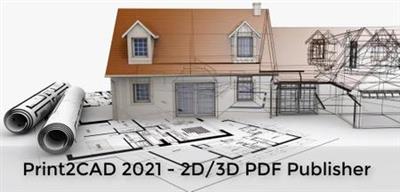
BackToCAD Print2CAD 2021 v21.64 (x64)

d02c6cab6945dd47756849d9db541f39.jpg


BackToCAD Print2CAD 2021 v21.64 (x64) | 141.5 Mb​
Print2CAD is able to convert PDF files into a DWG or DXF file, which can then be imported into any CAD system where it can be edited. Print2CAD is an autonomous and CAD system-independent program. Print2CAD also converts DWG/DXF into PDF, TIFF/JPEG into DWG, DWF into DWG/DXF and HPGL into DWG/DXF.

Print2CAD 2021:
PDF to 2D DWG Conversion as Fully Editable Drawing
Vectorization on PDF Raster Images and OCR of Raster Text
DWG to 2D/3D PDF Publishing
PDF to CAD Import with OCR and Raster 2 Vector
PDF to CAD Conversion With Text and Symbol Recognition
PDF to DWG or DXF Conversion with Calibration of Coordiantes
Recognition of Layers, Walls, Corners, and Linetypes
Safe PreView of Suspecting PDF Files

Prepare
View Input, Cleanup Raster Pictures, choose the right threshold for the color black, markup the text areas and inclination.

Convert Vectors
Convert all PDF vectors and native PDF text, recognize circles and arcs, recognize right corners, frames, crosses, and recognize layers.

OCR of Text
OCR of not native text - text can be as raster, lines, or solid hatches. Normalize the text heights. Use Fuzzy Login for Symbol Recognition.

Raster 2 Vector
Separate parts of a raster picture and apply appropriate raster to vector method. Vectorize as lines, arcs, circles, Recognize layers and line weight. Recognize corners and symbols.

Coordinates Calibration
Calibrate the CAD coordinates using arbitrary calibration points. Use dimensions as reference points. Automatic calculate correct scale factors.

Post Processing
Calibrate the Coordinates. Change Colors and Text Heights. Recognize the Line Types. Clean up the vertex of polylines. Optimize the Coordinates.

All Functions at a Glance
PDF to DWG or DXF Converter
DWG to 2D/3D PDF Publishing
TIFF, JPEG Vectorization to DWG or DXF Converter
HPGL and DWF to DWG or DXF Converter
Based on Open Design Alliance CAD Equalizer
Native 64 bit App, no PDF Size Restrictions
Vectorization of PDF Raster Pictures
PDF Text Recognition (OCR of Drawing)
PDF Line Type Recognition
PDF Coordinates Scaling (Calibration Points)
DWF to DWG or DXF Converter
3D PDF to PRC or U3D Converter
Free Access To AI Cloud Converter
PDF Layer Recognition
PDF Frame, Right Corner, Symbol Recognition
PDF (Architectural Scan) to DWG or DXF
PDF (Contour Lines Scan) to DWG or DXF
PDF (Digital Photo) to DWG or DXF
PDF (OCR of Text Page) to DWG or DXF
Supports DWG 2000-2020
Product of a US Based Company
Works With All CAD Systems
Top AutoCAD PDFin Extender with Raster To Vector
New Feature! Static View of Suspicious PDF Files
Incl. DeepView - Structure Viewer and Post Processor

OCR Recognition of Inclined Text
Automatic Separation of OCR Areas
Automatic Markup of Text Inclination
Editing of Recognized PDF Text
Recognition of Text as Raster, Line, or Solid Hatches
Automatic Spelling Check (English, Spanish, Italian, French, German)
Check and Correction of OCR Recognized Text
OCR Recognition of Symbols
Normalization of Text Heights

Raster To Vector and Recognition of CAD Elements
Vectorization of PDF Raster Pictures (Scanned Drawings)
Raster Image Vectorization as Lines
Raster Image Vectorization as Outlines
Raster Image Vectorization as Solids
Raster Image Coordinates Calibration
OCR of PDF Raster Pictures (Text Recognition)
Line Type Recognition (binding of small dashes to a line with line type)
Frames and Rectangle Recognition
Symmetry Recognition in Raster Pictures
Circle and Arc Recognition in Raster Pictures
Right Corner Recognition in Raster Pictures
Coordinates Calibration in Raster Pictures

System Requirements:
System: 64bit Windows 10, Windows 8, Windows 7 (SP1), Windows Vista® (SP1)
Print2CAD™ Software is a stand alone Windows (64 bit) program based on Autodesk Trusted DWG that works independently with all CAD systems (and with all AutoCAD® versions including AutoCAD® AI).

RAM:
Windows 10: 4 GB RAM (for TIFF, JPEG or scanned PDF Vectorization)
Windows 8: 4 GB RAM (for TIFF, JPEG or scanned PDF Vectorization)
Windows 7: 4 GB RAM (for TIFF, JPEG or scanned PDF Vectorization)
Windows Vista: 2 GB RAM (for TIFF, JPEG or scanned PDF Vectorization)

Home Page -
У Вас недостаточно прав для просмотра ссылок. Войдите или зарегистрируйтесь.


Download link:​
Код:
[center][b]rapidgator_net[/b]:
https://rapidgator.net/file/b91e7ed3bf1af98412f01b66f64d2288/300c1.BackToCAD.Print2CAD.2021.v21.64.x64.rar.html

[b]nitroflare_com[/b]:
https://nitroflare.com/view/D338F2067206EC7/300c1.BackToCAD.Print2CAD.2021.v21.64.x64.rar

[b]uploadgig_com[/b]:
http://uploadgig.com/file/download/9C817313faF3e13e/300c1.BackToCAD.Print2CAD.2021.v21.64.x64.rar[/center]

Links are Interchangeable - No Password - Single Extraction​
 
Назад
Сверху