• Старая версия форума работает в архивном режиме www.old.nado.in

All mitsumi'1s Applications !! (updated daily)

  • Автор темы Автор темы mitsumi1
  • Дата начала Дата начала
TunesKit Video Repair v1.0.0 Portable

f2d8532719ee398bced55c0122b3e7f1.jpg


TunesKit Video Repair v1.0.0 Portable | 25 Mb​
TunesKit Repair for Video is a powerful yet easy-to-use video repair tool for Mac and Windows. It can help you fix any corrupted or damaged videos caused during the shooting, editing, transferring or opening. When your important videos are truncated, not playable in QuickTime or Windows Media Player, flickering or grainy, audio not in sync, etc. due to some reason, you can try TunesKit Video Repair software to fix them automatically.

Features:

Highest success rate

Super high recovery rate thanks to the advanced technologies.

Secure recovery
The program is 100% safe and secure download, no ads or virus.

Fast video recovery
Your corrupted videos can be repaired in a few seconds.

Support win and mac
The tool is compatible with the latest Win 10 and Catalina 10.15 systems.

Easy to use
The interface is user-friendly, very easy to operate.

Home Page -
У Вас недостаточно прав для просмотра ссылок. Войдите или зарегистрируйтесь.


Download link:​
Код:
[center][b]rapidgator_net[/b]:
https://rapidgator.net/file/19a306affb900eb9370a9b593b0db824/hpyqw.TunesKit.Video.Repair.v1.0.0.Portable.zip.html

[b]nitroflare_com[/b]:
https://nitroflare.com/view/A3CF86FE815AEA3/hpyqw.TunesKit.Video.Repair.v1.0.0.Portable.zip

[b]uploadgig_com[/b]:
https://uploadgig.com/file/download/fab77f840fb5D737/hpyqw.TunesKit.Video.Repair.v1.0.0.Portable.zip[/center]

Links are Interchangeable - No Password - Single Extraction​
 
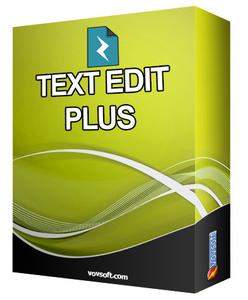
VovSoft Text Edit Plus 7.5 + Portable

7625046f46ef05cbb7cbf7da8280aea5.jpg


VovSoft Text Edit Plus 7.5 + Portable | 9.1.8 Mb​
Text Edit Plus is a lightweight tool that enables users to easily create new text documents or to modify existing ones. The application is designed as an alternative to Notepad, by offering a wider set of features.

Some of the features: Adding date and time. Changeability of background color and font properties. Encode and decode text. Combine lines. Command system for extracting the desired text. Delete empty lines. Delete same lines. Filter lines. Find and Replace. Full screen view. Generate e-mail list. Generate quick stats. Generate word list. Import picture as text (ASCII art). Insert numbers. Insert text into beginning or end of lines. Lowercase and uppercase conversion. Randomize lines. Reverse lines. Sort lines. Trim lines.

Operating System: Windows XP, Vista, 7, 8/8.1, 10

Home Page -
У Вас недостаточно прав для просмотра ссылок. Войдите или зарегистрируйтесь.


Download link:​
Код:
[center][b]rapidgator_net[/b]:
https://rapidgator.net/file/de2fe0400b68660dc243a1b82e729634/9rrze.Text.Edit.Plus.7.5.rar.html
https://rapidgator.net/file/129f6fccaa7229ca54bbd972ffcf5478/9rrze.VovSoft.Text.Edit.Plus.7.5.Portable.rar.html

[b]nitroflare_com[/b]:
https://nitroflare.com/view/11AEEEB2D5EA62C/9rrze.Text.Edit.Plus.7.5.rar
https://nitroflare.com/view/9C36BD10BB5FF7B/9rrze.VovSoft.Text.Edit.Plus.7.5.Portable.rar

[b]uploadgig_com[/b]:
https://uploadgig.com/file/download/79ea80B26d0a59f3/9rrze.Text.Edit.Plus.7.5.rar
https://uploadgig.com/file/download/158f3dfbF017cEeB/9rrze.VovSoft.Text.Edit.Plus.7.5.Portable.rar[/center]

Links are Interchangeable - No Password - Single Extraction​
 
Splash Sound Ukulele KONTAKT

4fadca2eb6d410a449b7acb7e03acc16.jpg


Splash Sound Ukulele KONTAKT | 980 Mb​
When it comes to bright, light and positive music you can be sure - it's all about Ukulele. It's not just another library, this is a complete instrument which you can write a full track with from the beginning till the end. Are you searching for any inspiration? No trouble, use built-in rhythmic patterns to find your own way.

Two stereo pairs of condenser and dynamic microphones- it's up to you what to choose. Maybe you decide to use them at the same time as double track - how you wish. 5 RR layers, perfect dynamics, built-in effects and presets, maximally natural sound, strum, solo, mute and percussion patches... this is all about "UKULELE" library.

INSTRUMENTS:
4 Instrument patches
Made for KONTAKT 5.6.8 or higher (not compatible with free KONTAKT PLAYER)

Strum
Sustain
Mute
Percussion

FEATURES:
Built-in 24 strum patterns with auto time-stretch
Single key chord selection in Strum mode
Volume and pan controls of two stereo pair of condenser and dynamic microphones
Built-in FX: Reverb, Delay, Compressor

ARTICULATION:
Sustain patch: Forte; Mezzo; Slide-in (velocity selection)
Mute patch: Single notes
Strum patch: Down; Up; Chord Palm mute; Open strings down mute; Open strings up mute; Body hit
Percussion patch: Wide stomp; Stomp; Low body hit; Mid body hits; Wide claps; Claps; Shaker; Snaps

Round Robin:
Sustain patch: 4 layers
Mute patch: 4 layers
Strum patch: 5 layers
Percussion patch: 8 layers

Samples:
2946 WAV format samples
44.1kHz / 24bit, stereo
Total samples size: 2624 mb

Download link:​
Код:
[center][b]rapidgator_net[/b]:
https://rapidgator.net/file/4ad020be65712ce5613d9fca6f18081e/b8i1j.Splash.Sound.Ukulele.KONTAKT.rar.html

[b]nitroflare_com[/b]:
https://nitroflare.com/view/0632459DDC26715/b8i1j.Splash.Sound.Ukulele.KONTAKT.rar

[b]uploadgig_com[/b]:
https://uploadgig.com/file/download/aA28739300c8a493/b8i1j.Splash.Sound.Ukulele.KONTAKT.rar[/center]

Links are Interchangeable - No Password - Single Extraction​
 
NextLimit Maxwell 5 version 5.1.0.0 for FormZ

3b94066a8e88de63672c5df337a7a6d0.jpg


NextLimit Maxwell 5 version 5.1.0.0 for FormZ | 1.5 Gb​
The Next Limit development team is pleased to announce the availability of Maxwell 5 version 5.1.0.0 for Form·Z. This product has been designed for rendering in Form·Z with a Maxwell toolbar. It brings you advanced Maxwell Render technology in a simple package.

Version 5.1.0.0 - 13 May 2020

COMPATIBILITY:
- Built for Maxwell Render 5.1.0.29.
FIXES:
- Embedded texture swatches created by Renderzone procedural materials for the "Shaded" renderer now also render in Maxwell (formZ 9 only).
- Plugin Roundover Modifier is now working again.

Maxwell Render is an unbiased spectral ray-tracing designed to simulate light and materials exactly as they behave in real world. Maxwell Render makes perfect images, films and animations from 3D models and scenes. It is the complete solution for anyone who demands immaculate results on a deadline. Maxwell Render offers maximum quality, speed, and compatibility for architects, designers and VFX artists.

Maxwell 5 includes several new features and improvements: procedural textures, multi-GPU rendering, Maxwell Cloud, 4K compatibility and much more.

Maxwell | Form·Z offers seamless integration, allowing you to work comfortably within the form·Z interface. This product has been specifically designed for rendering in Maya with a simple yet comprehensive Maxwell toolbar. It brings you advanced Maxwell Render technology in a simple, self-contained package.

Check in this video how the new GPU fire feature works in Maxwell 5

Next Limit was founded in 1998 by engineers Victor Gonzalez and Ignacio Vargas with a common vision of developing cutting edge simulation tecnologies. RealFlow was the first product released. In the following years new products came to life, such as: Maxwell Render, CaronteFX and XFlow CFD. In 2018 Victor Gonzalez became the sole owner of the group, expanding the company portfolio toward new markets and industries. Since then the portfolio has been updated with three new solutions: Anyverse, BeGraph and RoomBox.

Product: Next Limit Maxwell 5
Version: 5.1.0.0
Supported Architectures: x64
Website Home Page :
У Вас недостаточно прав для просмотра ссылок. Войдите или зарегистрируйтесь.

Language: english
System Requirements: PC *
Software Prerequisites: Form·Z 8.x / Form·Z 9.x
Size: 1.5 Gb

The minimum system requirements for Maxwell Render are as follows:

- Windows Server 2008 R2 SP1, Windows 7, 8, 8.1, Windows Server 2012, Windows 10 or Windows Server 2016.
- 2 GHz Intel Core2 processor, AMD Athlon 64 or better
- 1GB RAM minimum. 16 GB of RAM memory is highly recommended
- 1.7 GB available hard disk space for installation
- Accelerated OpenGL drivers
- 3 button mouse recommended

Download link:​
Код:
[center][b]rapidgator_net[/b]:
https://rapidgator.net/file/2706370c4f8b7809c02e19f0476b392c/t81cd.weMal5100forformZ8.rar.html
https://rapidgator.net/file/4c3b08093cf086139d3721cf813ffe88/t81cd.weMal5100forformZ9.rar.html

[b]nitroflare_com[/b]:
https://nitroflare.com/view/75FCEE42C0E2E8A/t81cd.weMal5100forformZ8.rar
https://nitroflare.com/view/FAF73AE3757DB20/t81cd.weMal5100forformZ9.rar

[b]uploadgig_com[/b]:
https://uploadgig.com/file/download/b9Bf50B51eca3665/t81cd.weMal5100forformZ8.rar
https://uploadgig.com/file/download/31dA294Fbb10509B/t81cd.weMal5100forformZ9.rar[/center]

Links are Interchangeable - No Password - Single Extraction​
 
Avanquest Photo Explosion Deluxe 5.09.31339

123eb6ce5634d16ec4d8b6ead76ed612.jpg


Avanquest Photo Explosion Deluxe 5.09.31339 Multilingual | 167 Mb​
Photo Explosion has the distinction of being the very first software of its kind to deliver powerful editing features, spectacular special effects and professional-quality photo projects all together in one program.

Photo Explosion 5 Deluxe makes creating with digital photography easier than ever with a brand new user interface, 10,000+ photo projects & graphics and an improved workflow for editing, archiving and sharing with friends and family. What's more, Photo Explosion 5 is packed with over 200 exciting new features - all designed to let you get the most out of your digital camera and mobile phone photos! Photo Explosion Deluxe 5 - it's the next generation in photo editing software and the only digital photo studio suite you'll ever need.

Capture From Multiple Sections
Easily use photos from your digital camera, mobile phone, scanner, photo CDs or the Internet.capture

Organize For Fast Searching
Put your photos into albums with easy to use photo organizing software. Add keywords and ratings to find photos fast.

Print multiples to save ink and paper.
Print your photos with layouts for instant passport, wallet, 4x6, 5x7 and 8x10 prints and much more.

Share Photos on YouTube, Facebook & Flickr
Automatically send photos to social networking sites and friends and family via email.

Share Photos Keepsakes
Turn your photographs into calendars, greeting cards, scrapbooks and other keepsakes for friends and family. Photo Explosion includes 3,000+ ready-made design templates in every project category imaginable!

Scrapbooks
Turn photos into lasting memories with unique custom layouts for scrapbooks and photo albums.

Over 3,000 Photo Projects
Turn photographs into greeting cards, photo cards, calendars, newsletters, family trees and more. With 3,000 + designs to choose from, you'll capture the excitement of any occasion or event.

Edit Videos & Burn Slideshows
Create movies and slideshows using simple but powerful editing tools. Capture video from cell phones, digital cameras and camcorders, then edit, enhance and share online with friends and family across the miles. Or burn photo slideshows onto CDs that play on most DVD players.

Customize your slideshows with menus, backgrounds, transitions and background music.
Photo Explosion owners receive special discount offers on professionally printed greeting cards, announcements, photo canvases and more!

Capture & Organize
* Capture photos from mobile phones, digital cameras, scanners, photo CDs, camcorders, the Internet and more.
* Guaranteed compatible with all types of digital cameras including Point & Shoot, Compact, SLRs, Mobile Phones, Camcorders, Web Cams and more.
* Multimedia file browser/viewer to organize files into on-screen albums.
* Add keywords and ratings to find photos fast.
* New easy-to-use interface with drag and drop simplicity.

Editing Features
* Automatically straighten, crop, adjust brightness & contrast, hue & saturation or focus with one click.
* Trim photos into unique shapes.
* Adjust focus, lighting and color balance.
* Remove red-eye or change eye color.
* Cut out parts of photos to insert/combine with other photos.
* Easily clone parts of one photo onto another.
* Use paint tools with edge and transparency options to accent photos.
* Make any portrait picture perfect with easy-to-use retouching tools.

Photo Enhancement
* View photo effects in the preview display before applying them; easily undo changes.
* Use automatic or advanced manual control for photo effects.
* Apply artistic effects such as sepia, water color, cubism, monochrome, pixelate, blur background and more.
* 2,000+ Photo frames, props and scrapbook embellishments
* Powerful drawing and freehand tools to create vector objects, shapes, lines and text.

Sensational Text Effects
* Add captions to photos with colorful eye-catching text.
* Transform text into different shapes and perspectives.
* Apply special effects like ripple, clouds, fire, glow, balloon and more.
* Apply drop shadows and gradients to text.

Spectacular Panoramas
* Easily transform a series of photos into 360° or wide-angle panoramas.
* Automatic photo stitching, alignment and color blending tools.
* Post your panoramas online or e-mail them and allow the viewer to "walk through" the scene.

Morph One Photo Into Another
* A "Before" and "After" shot is all you need to create morphs.
* Easily save morphs in popular formats to add to videos or upload to social networking sites.

Share
* Instantly print contact sheets or thumbnail CD covers for photo albums.
* Easily print multiple photo sizes; choose from layouts for instant passport, wallet size, 4x6, 5x7 and 8x10 and more.
* Turn photographs into greeting cards, posters, scrapbooks, calendars and other memorable keepsakes with over 3,000+ ready-made project templates.
* Send photos - or entire albums - to family and friends with no special software required to viewing.
* Create albums and slideshows with music and animation. Send them via e-mail or post them to social networking sites.
* Share photos on your mobile phone. Save photos in formats compatible with virtually all handheld devices.
*

Video Editing & CD Slideshows
* Create movies & slideshows with simple but powerful editing features.
* Import video from cell phones, digital cameras and camcorders.
* Edit and enhance videos with easy to use features.
* Customize with music, sound effects and titles.
* Enhance with eye catching special effects and transitions.
* Share on mobile phones, tablets or online.
* Burn photo slideshows onto CDs playable on most DVD players.

Photo Cards & Gifts
* Photo Explosion owners receive special discount offers on professionally printed greeting cards, announcements, photo canvases and more.

System Requirements:
* Windows 10, 8, 7, Vista and XP
* 2.2 GHz dual-core processor or faster
* 1 GB of RAM
* Supported Graphics File Formats: JPG, PNG, BMP, GIF, TIFF, RAW, PSD, and over 60 other file formats

Home Page -
У Вас недостаточно прав для просмотра ссылок. Войдите или зарегистрируйтесь.


Download link:​
Код:
[center][b]rapidgator_net[/b]:
https://rapidgator.net/file/f38b9caa5b611df8d299a8972ac049b1/fyqps.Avanquest.Photo.Explosion.Deluxe.5.09.31339.rar.html

[b]nitroflare_com[/b]:
https://nitroflare.com/view/7BEC4EC5CE2965E/fyqps.Avanquest.Photo.Explosion.Deluxe.5.09.31339.rar

[b]uploadgig_com[/b]:
https://uploadgig.com/file/download/b7c5bE75a6764C79/fyqps.Avanquest.Photo.Explosion.Deluxe.5.09.31339.rar[/center]

Links are Interchangeable - No Password - Single Extraction​
 
Bricsys BricsCAD 20.2.10.1 (x64) All Editions

c4b3322b2ff1acd8f113f0316e05b8ad.jpg


Bricsys BricsCAD 20.2.10.1 (x64) | 456.7 Mb​
A powerful CAD platform, with features familiar to you from native .dwg applications. BricsCAD® unifies advanced 2D design with the intelligence of 3D direct modeling. For Windows. BricsCAD offers CAD features familiar from other .dwg programs, and then adds timesaving tools and 3D direct modeling. With BricsCAD, you get more for less.

Familiar Interface
The powerful features that you know and love in a clean and consistent user experience.

2D Drafting
Create 2D technical drawings, floor plans, and other layouts quickly and accurately.

3D Modeling
BricsCAD performs 3D direct modeling with assemblies in the standard .dwg format.

The Quad cursor
Speed up your workflow with our context-sensitive Quad™ cursor.

Cloud Connectivity
Collaborate and annotate projects, all in the cloud.

Applications
BricsCAD's application developers create innovative solutions for a broad range of industries.

And there's more
BricsCAD supports solutions for sheet metal design, Building Information Modeling, and 3D data exchange. All stored in standard .dwg files.

BricsCAD Features:
- Powerful CAD functions
- 2D constraints solving
- Full support of LISP
- Chapoo connectivity
- Direct 3D modeling
- Rendering, materials, and lighting
- VBA1 & BRX
- 3D constraints solving
- BricsCAD Communicator 2
- 3D constraint creation
- Design intent recognition
- Assembly modeling
- Sheet Metal
- BIM

Operating System: Windows® 10, Windows® 8 / 8.1, Windows® 7

Home Page -
У Вас недостаточно прав для просмотра ссылок. Войдите или зарегистрируйтесь.


Download link:​
Код:
[center][b]rapidgator_net[/b]:
https://rapidgator.net/file/468e4e4255b08d5deca692464c9c5d74/53uul.Bricsys.BricsCAD.20.2.10.1.x64.All.Editions.rar.html

[b]nitroflare_com[/b]:
https://nitroflare.com/view/6A22AC5BD6F0549/53uul.Bricsys.BricsCAD.20.2.10.1.x64.All.Editions.rar

[b]uploadgig_com[/b]:
https://uploadgig.com/file/download/bce58FE4bc8ac8A2/53uul.Bricsys.BricsCAD.20.2.10.1.x64.All.Editions.rar[/center]

Links are Interchangeable - No Password - Single Extraction​
 
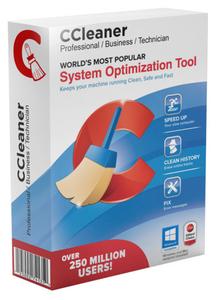
CCleaner Professional / Technician 5.71.7971 Multilingual

d04d9415ed361835a1598f80d28fda8f.jpg


CCleaner Professional / Technician 5.71.7971 Multilingual | 25/25 MB​
CCleaner is our system optimization, privacy and cleaning tool. It removes unused files from your system - allowing Windows to run faster and freeing up valuable hard disk space. It also cleans traces of your online activities such as your Internet history. Additionally it contains a fully featured registry cleaner.

Cleans the following:

Internet Explorer
Temporary files, history, cookies, super cookies, Autocomplete form history, index.dat files.

Firefox
Temporary files, history, cookies, super cookies, download history, form history.

Google Chrome
Temporary files, history, cookies, super cookies, download history, form history.

Opera
Temporary files, history, cookies, super cookies, download history.

Safari
Temporary files, history, cookies, super cookies, form history.

Other Supported Browsers
K-Meleon, Rockmelt, Flock, Google Chrome Canary, Chromium, SeaMonkey, Chrome Plus, SRWare Iron, Pale Moon, Phoenix, Netscape Navigator, Avant.

Windows
Recycle Bin, Recent Documents, Temporary files, Log files, Clipboard, DNS Cache, Error Reporting, Memory Dumps, Jump Lists.

Registry Cleaner
Advanced features to remove unused and old entries, including File Extensions, ActiveX Controls, ClassIDs, ProgIDs, Uninstallers, Shared DLLs, Fonts, Help Files, Application Paths, Icons, Invalid Shortcuts and more...

Third-party applications
Removes temp files and recent file lists (MRUs) from many apps including Windows Media Player, eMule, Google Toolbar, Microsoft Office, Nero, Adobe Acrobat, WinRAR, WinAce, WinZip and many more...

System Requirements
Windows 10, 8.1, 7, Vista and XP. Including both 32-bit and 64-bit versions.

Home Page -
У Вас недостаточно прав для просмотра ссылок. Войдите или зарегистрируйтесь.


Download link:​
Код:
[center][b]rapidgator_net[/b]:
https://rapidgator.net/file/d1203f4688f5696b45bf6b35af576206/mub0x.CCleaner.Professional.5.71.7971.rar.html
https://rapidgator.net/file/775d1ccc58a2c9f0df79059c7cb8a068/mub0x.CCleaner.Technician.5.71.7971.rar.html

[b]nitroflare_com[/b]:
https://nitroflare.com/view/EDBAAA9C8C45F0C/mub0x.CCleaner.Professional.5.71.7971.rar
https://nitroflare.com/view/FC4271178C637E2/mub0x.CCleaner.Technician.5.71.7971.rar

[b]uploadgig_com[/b]:
https://uploadgig.com/file/download/E8d15A537e817735/mub0x.CCleaner.Professional.5.71.7971.rar
https://uploadgig.com/file/download/0596Ea2E49f78ba4/mub0x.CCleaner.Technician.5.71.7971.rar[/center]

Links are Interchangeable - No Password - Single Extraction​
 
CodeLobster IDE Professional 1.10.2 Multilingual

aa16998d0d4f82ffea86e791319c7f31.jpg


CodeLobster IDE Professional 1.10.2 Multilingual | 150.2 Mb​
Designed as a cross-platform source code editor and compiler, CodeLobster IDE supports multiple frameworks for helping programmers work on code in a user-friendly interface. Its functionality can be enhanced with plugins, such as AngularJS, Symfony, Joomla or Drupal.

Easy-to-use source code editor and compiler
During the setup operation, you can make file associations and pick the preferred color scheme, interface language, and extra components (plugins). In addition to the previously mentioned tools, you can extend support for CakePHP, CodeIgniter, Backbone, Ember JS, JQuery, Laravel, Magento, Meteor JS, Perl, Phalcon, Python, Ruby, Twig, WordPress, and Yii. Of course, all these settings can be later changed to your liking.

The default theme adopted by CodeLobster IDE has a dark theme and can be swapped for light mode. It has a file explorer, map and dynamic helper, along with panes for search results, call stacks, locals, bookmarks, or errors.

FTP/SFTP support, templates, autocomplete, and more
You can establish connections to FTP/SFTP servers, keep multiple tabs opened at once, change the encoding mode, and edit templates for CSS, HTML, JS, LESS, Perl, PHP, Python, Ruby, SCSS, Twig, Volt, text, XML, XSL and YAML. The language is autodetected by the application to activate syntax highlights.

Thanks to Intellisense, the IDE makes code suggestions based on the selected language, offering to automatically complete it. You can manage the lines of code like moving the cursor, changing the case or duplicating lines, find and replace text across multiple files at the same time, or switch to fullscreen mode to eliminate distractions and focus on work.

Bonus tools to help code faster
As far as extra tools are concerned, it's possible to use a code validator for inspecting any errors, edit code snippets and change the code format, sort text by various criteria, make code conversions (e.g. HTML to PHP, 7-bit encoding to chars), and synchronize scrolls between two side-by-side panes.

These are just part of the features provided by CodeLobster IDE. It worked smoothly on Windows 10 in our tests, having minimal impact on system resources consumption. Thanks to its intuitive interface and plethora of features, the IDE should meet the requirements of many programmers.

Supported interface languages: English, German, French, Italian, Spanish, Russian, Chinese, Japanese, Portuguese, Hungarian, Czech, Slovak, Turkish, Persian

Operating System: Windows 7, 8/8.1, 10

Home Page -
У Вас недостаточно прав для просмотра ссылок. Войдите или зарегистрируйтесь.


Download link:​
Код:
[center][b]rapidgator_net[/b]:
https://rapidgator.net/file/3cc656f84775187b4f178e5dc7a325ee/74276.CodeLobster.IDE.Professional.1.10.2.Multilingual.rar.html

[b]nitroflare_com[/b]:
https://nitroflare.com/view/7126BACC579D794/74276.CodeLobster.IDE.Professional.1.10.2.Multilingual.rar

[b]uploadgig_com[/b]:
https://uploadgig.com/file/download/ca64f0e319c88E06/74276.CodeLobster.IDE.Professional.1.10.2.Multilingual.rar[/center]

Links are Interchangeable - No Password - Single Extraction​
 
CrossFTP Enterprise 1.99.5

ee82c46438c05228af0720c3842b1c1a.jpg


CrossFTP Enterprise 1.99.5 | 86.1 Mb​
CrossFTP Enterprise is a powerful FTP, FTPS, SFTP, FXP, WebDav, Amazon S3, Amazon Glacier, Microsoft Azure, and Google Storage client for Windows. Compared with CrossFTP Pro, it further features CrossFTP Commander, site-local-site transfer and Email notifications to automate your data sync/migration between any sites and protocols.

Classic interface
It comes wrapped in a very simple user interface that presents the remote and local file repositories in a classical manner.
Getting to any location is achieved quickly and there is the possibility to store favorite paths as bookmarks for reaching them fast. On the same note, the program keeps a history of the recently accessed locations and includes tab support for working with multiple folders at the same time.

Plenty of options under the hood
Unlike other FTP clients, CrossFTP Pro is capable of scheduling transfer operations for a list of selected entries; furthermore, the process can be set to run recurrently. This way should there be any modifications in the target locations they are immediately uploaded to the remote folder.
The application brings to the table a hefty set of tools and among them is the possibility to run a synchronization routine between a remote and a local folder. Also available are options for splitting and merging files as well as verifying the CRC checksums of the selected items.
The list of features present in the product is pretty impressive as apart from connecting to FTP servers it can also be used to get files from Amazon S3 on-demand storage, Google Cloud Storage or Amazon Glacier.
There are encryption options for the data to be protected before it leaves the client in order to keep it safe from prying eyes.

Conclusion
As expected, CrossFTP Pro includes all the basic functionality a regular user requires from such software but it also combines powerful features so that experienced users can use it for advanced operations.

Operating System: Windows 98/ME/NT/2000/XP/Vista/7/8/10

Home Page -
У Вас недостаточно прав для просмотра ссылок. Войдите или зарегистрируйтесь.


Download link:​
Код:
[center][b]rapidgator_net[/b]:
https://rapidgator.net/file/53ef6a975e2abed8d7435dffa7713a4b/te9v2.CrossFTP.Enterprise.1.99.5.rar.html

[b]nitroflare_com[/b]:
https://nitroflare.com/view/FED5AA376DCBA88/te9v2.CrossFTP.Enterprise.1.99.5.rar

[b]uploadgig_com[/b]:
https://uploadgig.com/file/download/e95E5a8744802718/te9v2.CrossFTP.Enterprise.1.99.5.rar[/center]

Links are Interchangeable - No Password - Single Extraction​
 
CyberLink PowerDVD Ultra 20.0.2101.62

96e190004bacd307a2bd95cbfb663a2c.jpg


CyberLink PowerDVD Ultra 20.0.2101.62 Multilingual REPACK | 546 MB​
PowerDVD is more than just a Blu-ray and DVD player - it's an all-in-one, premium multimedia app that allows you to get the most out of your viewing experience. In addition to the highest quality media playback available, PowerDVD allows you to organize all of your content in one place. From your full collection of video, music, and photos, PowerDVD gives you complete control and even gives you on-demand access to your media library from any device or screen, wirelessly!

Your Personal Media Center
Unleash your media collection with new seamless playback, enjoy and share movies, TV shows, and photos anywhere, on any device.

Seamless Playback (NEW!)
Continue watching from the exact point where you left off, in any room, seamlessly on any device.

Watch On-The-Go (NEW!)
Take your Movies and TV Shows anywhere with the CyberLink cloud. No internet? No problem! You can even download to your mobile device to resume watching offline.

Share with Family & Friends
It's easier than ever to share your favorite movies or shows. With CyberLink's new cloud space, upload your video, copy the link, then share!

All Your Entertainment Across Devices & Screens
Redefine your entertainment experience with the ability to view wirelessly, cast to TV devices, or stream on-the-go. Watch your videos on-demand, from any device, in any place.

Unparalleled Video & Audio Quality
Bring your favorite Ultra HD movies and high-quality videos to life with PowerDVD's exclusive cinematic TrueTheater video and audio enhancements, including extended GPU support for HDR 10.

TrueTheater for Video
Videos enhanced with brighter, richer colors, deeper blacks, and unbeatable dynamic range.

TrueTheater for Audio
Crisper, more balanced sound, and the highest digital audio quality for every movie.

Surround & Lossless Sound
Professional digital audio, now with added DTS-X pass through for multichannel, lossless sound.

Your Favorite All-in-One Multimedia Player
Whether you're watching Ultra HD Blu-ray discs, HDR content on your PC, or video favorites on your mobile device, PowerDVD gives you a truly seamless solution for all your entertainment needs.

View Movie and TV Media Info (NEW!)
Access detailed information about movies and TV shows with PowerDVD's new, extensive content database.

Organize Your Movies and TV Shows
Easily search and view your favorite videos, photos or music. Browse media by year of release, or by genre - it's under your control.

Minimum System Requirements:
The below-listed system requirements for PowerDVD are the recommended minimum for an optimum viewing experience. System requirements for PowerDVD vary depending on the media content you are viewing. CyberLink PowerDVD will optimize its performance by selecting the most appropriate media algorithm for the available processing and graphics power.

Operating System:
- Microsoft Windows 10, 8.1, 7 with Service Pack 1
- Ultra HD Blu-ray: Microsoft Windows 10 (64-bit with Fall Creators Update 2017 Oct. updates)
- HDR10: Windows 10 (64-bit with October 2018 Update)
- 8K Video Playback: Microsoft Windows 10 (64-bit with Fall Creators Update 2017 Oct. updates)
- 4K Video Playback with TrueTheater: Microsoft Windows 10 (64-bit with Fall Creators Update 2017 Oct. updates)
- Blu-ray Disc and DVD: Microsoft Windows 10, 8.1, 7 with Service Pack 1
- VR Mode: Windows 10/8.1/7 with Service Pack 1

Language Support:
- English
- French
- German
- Italian
- Spanish (European)
- Chinese Simplified
- Chinese Traditional
- Japanese
- Korean
- Russian
- Portugese (Brasil)

Home Page -
У Вас недостаточно прав для просмотра ссылок. Войдите или зарегистрируйтесь.


Download link:​
Код:
[center][b]rapidgator_net[/b]:
https://rapidgator.net/file/66f1ee42b623afa79f33864b0d385139/wpnjg.CyberLink.PowerDVD.Ultra.20.0.2101.62.rar.html

[b]nitroflare_com[/b]:
https://nitroflare.com/view/7A289C1D718FD16/wpnjg.CyberLink.PowerDVD.Ultra.20.0.2101.62.rar

[b]uploadgig_com[/b]:
https://uploadgig.com/file/download/7639906144030aA0/wpnjg.CyberLink.PowerDVD.Ultra.20.0.2101.62.rar[/center]

Links are Interchangeable - No Password - Single Extraction​
 
Dropzone 4 Pro 4.0.7 macOS

255b20c94b6ca3d215ba728081f4dcce.jpg


Dropzone 4 Pro 4.0.7 | macOS | 40 mb​
Dropzone makes it faster and easier to copy and move files, open applications and share files with many different services. Dropzone is a unique and amazing app that's like nothing you've ever used before. We've paid fanatical attention to every detail and built an app that looks and feels like an integral part of macOS.

Dropzone ships with a powerful scripting API and with a little programming knowledge you can modify any of your actions or even create entirely new ones. This gives Dropzone unlimited extendability and utility. We're always thinking up new actions so Dropzone will become even more useful over time.

Dropzone also includes Drop Bar - Drop Bar makes it easy to stash files you know you'll need later. Just drop files on the Drop Bar icon in the grid and they will stick there until you're ready to use them.

Features

* Open applications, move and copy files faster than ever before.
* Shorten URLs quickly using Tinyurl shortener. Just select a URL to shorten and press Ctrl+Option+Cmd+S and the shortened URL is automatically copied to the clipboard.
* AirDrop integration lets you drop files or folders from any app and share them with your other Macs over the network.
* Imgur integration lets you share images fast and get a link for pasting.
* Upload files to Amazon S3 (Dropzone Pro feature).
* Upload files to your FTP server (Dropzone Pro feature).
* Upload files to your Google Drive (Dropzone Pro feature).
* Download and install add-on actions that let you upload to services like Google Drive, YouTube and many others (Dropzone Pro feature).
* Powerful multi-tasking engine allows you to run multiple tasks at once and track the progress of each one through the in-grid task status area.
* See how tasks are progressing at a glance in the animated menu item.
* Launch Dropzone actions with the newly added keyboard shortcuts feature (Dropzone Pro feature).
* Add applications, folders or actions to your grid easily by dragging and dropping them on the Add to Grid area.
* Develop your own actions using the updated and massively improved Ruby or Python API (Dropzone Pro feature).

In-App Purchases: Dropzone 4 Pro

Compatibility: OS X 10.10 or later 64-bit
Mac App Store:
У Вас недостаточно прав для просмотра ссылок. Войдите или зарегистрируйтесь.


Download link:​
Код:
[center][b]rapidgator_net[/b]:
https://rapidgator.net/file/32a84e6ada4915ef132bf7e17a057994/tej2j.Dropzone.4.Pro.4.0.7.rar.html

[b]nitroflare_com[/b]:
https://nitroflare.com/view/86A08B920691360/tej2j.Dropzone.4.Pro.4.0.7.rar

[b]uploadgig_com[/b]:
https://uploadgig.com/file/download/1F46c3a58534348c/tej2j.Dropzone.4.Pro.4.0.7.rar[/center]

Links are Interchangeable - No Password - Single Extraction​
 
DtSearch Desktop / Engine 7.97.8683

51d0b2b4207c1fd27a777a5c0ee1eb00.jpg


DtSearch Desktop / Engine 7.97.8683 | 75.8/141.5 Mb​
DtSearch Desktop provides instant searching of desktop-accessible files. dtSearch can instantly search terabytes of text because it builds a search index that stores the location of words in documents. Indexing is easy - simply select folders or entire drives to index and dtSearch does the rest. Once dtSearch has built an index, it can automatically update it using the Windows Task Scheduler to reflect additions, deletions and modifications to your document collection. Updating an index is even faster, since dtSearch will check each file, and only reindex files that have been added or changed.

The dtSearch indexer automatically recognizes and supports all popular file formats, and never alters original files. The dtSearch product line can instantly search terabytes of text across a desktop, network, Internet or Intranet site. dtSearch products also serve as tools for publishing, with instant text searching, large document collections to Web sites or CD/DVDs.

Features:
* A scrolling word list, for instant feedback as you type in a search.
* A look-up word feature, detailing the effect of fuzzy, phonic, wildcard, stemming and thesaurus search options.
* Browse and customize thesaurus options.
* A field button, showing all indexed document fields.
* A search history display.
* Search reports, showing hits in retrieved documents, along with the requested amount of context.
* Clipboard options, file launching, and other tools for working with retrieved data.
* Exporting of search results in various data formats, for easy use with other programs.
* Special forensic indexing and searching tools

DtSearch Engine Text Retrieval Engine lets developers quickly add dtSearch's proven, "industrial-strength" text search and retrieval to applications. The dtSearch Engine is in use in hundreds of commercial applications. See Case Studies & 3rd Party Solutions for over a hundred developer case studies. Typical uses of the dtSearch Engine include: publishing and searching database-driven Web sites, incorporation into information management applications, searching of technical documentation, incorporation into forensics applications, email filtering usage, and incorporation into a broad range of vertical-market applications (legal, medical, financial, recruiting and staffing, etc.). The dtSearch product line can instantly search terabytes of text across a desktop, network, Internet or Intranet site. dtSearch products also serve as tools for publishing, with instant text searching, large document collections to Web sites or CD/DVDs.

Features:
* The dtSearch Engine provides developer access to indexed, unindexed, full-text and fielded data search options, including support for hundreds of international languages through Unicode
* The dtSearch Engine also provides developer access to dtSearch's integrated file parser and file format support
* File format support includes dtSearch's WYSIWYG hit highlighted search display of web-ready files
* File format support includes proprietary built-in HTML converters for non-web-ready files (like OpenOffice and MS Office documents)
* Developer file format support also works in connection with distributed or federated searching, including integrated relevancy ranking and hit-highlighted display of local and remote content
* The dtSearch Engine for Win & .NET supports C++, Java and .NET
* For example, the dtSearch Engine for Win & .NET includes a choice of an ADO.NET API, a Java API, a C++ API and a COM API for indexing and searching SQL-type databases, along with associated BLOB data
* The dtSearch Engine also supports search filters and other data classification options
* A .NET Spider API makes the full dtSearch Spider functionality accessible to developers
* The dtSearch Engine for Linux provides C++ and Java APIs to developers

Operating systems supported
Supported: Windows 10, Windows Server 2016, Windows Server 2012, Windows Server 2008, Windows Server 2003, Windows 8.1, Windows 8, Windows 7, Windows Vista, Windows XP Service Pack 3.
In Windows 8, 8.1, and10 dtSearch runs as a desktop application only (it does not run in the "Metro" user interface). Windows RT is not supported.
Both 32-bit x86 and 64-bit versions of Windows are supported. (Under 64-bit versions of Windows, the 64-bit executables are installed in the dtSearch bin64 folder.)
Web Browser
dtSearch Desktop also requires that Internet Explorer is installed. Internet Explorer does not have to be your default browser (you can still use Netscape, Opera, or any other browser). dtSearch just needs certain components that are only available if Internet Explorer is installed on the computer.

Home Page -
У Вас недостаточно прав для просмотра ссылок. Войдите или зарегистрируйтесь.


Download link:​
Код:
[center][b]rapidgator_net[/b]:
https://rapidgator.net/file/8c7c498009427e197ddf8e98771a2f8b/b6v74.DtSearch7Desktop.rar.html
https://rapidgator.net/file/a1d803ab2bd0e7a1af83cef0eefaa6bf/b6v74.DtSearch7Engine.rar.html

[b]nitroflare_com[/b]:
https://nitroflare.com/view/F690F14DBC09173/b6v74.DtSearch7Desktop.rar
https://nitroflare.com/view/E5C5D3D27A2D358/b6v74.DtSearch7Engine.rar

[b]uploadgig_com[/b]:
https://uploadgig.com/file/download/c8399d0739c8eD24/b6v74.DtSearch7Desktop.rar
https://uploadgig.com/file/download/664EC423b1fac418/b6v74.DtSearch7Engine.rar[/center]

Links are Interchangeable - No Password - Single Extraction​
 
FoneLab FoneTrans for iOS 9.0.22 Multilingual

ae1d0f18062b0310a7ea67265be42553.jpg


FoneTrans for iOS 9.0.22 Multilingual | 73 Mb​
Tired of a slow and bloated iTunes? Lost your files due to computer repair or system reinstall? You have come to the right place. Compared to iTunes, FoneTrans is an easier, smarter and faster way to transfer and move content from your iOS device to your iTunes library, computer or another iOS device, and vice versa.

With FoneTrans for iOS, it's easy and efficient to manage your iPhone contacts and SMS.
- Backup or export your iPhone's contacts into a vCard, CSV file on your computer, Outlook or Windows Address Book.
- Import contacts to iPhone from vCard file(s), CSV file(s), Outlook and Windows Address Book.
- Add, delete, edit and group iPhone's contacts.
- Save iPhone messages as a HTML, TXT or CSV file.

No longer lose anything when you sync music and videos.
FoneTrans for iOS lets you transfer music and video between your iOS devices and computer without data loss. It makes it easy to copy playlists from iTunes and your computer to your iOS device because it automatically make your music and videos compatible with iOS devices before transfer.

Operating System: Windows 10/8.1/8/ 7/ Vista/ XP

Home Page -
У Вас недостаточно прав для просмотра ссылок. Войдите или зарегистрируйтесь.


Download link:​
Код:
[center][b]rapidgator_net[/b]:
https://rapidgator.net/file/1f2a3094733c80cc0d0d6fc148bb83f2/z8xcd.FoneLab.FoneTrans.for.iOS.9.0.22.Multilingual.rar.html

[b]nitroflare_com[/b]:
https://nitroflare.com/view/A1A9BDCFDB96DF3/z8xcd.FoneLab.FoneTrans.for.iOS.9.0.22.Multilingual.rar

[b]uploadgig_com[/b]:
https://uploadgig.com/file/download/Eb5627f979f1f621/z8xcd.FoneLab.FoneTrans.for.iOS.9.0.22.Multilingual.rar[/center]

Links are Interchangeable - No Password - Single Extraction​
 
FonePaw iOS Transfer 3.7.0 Multilingual

a891f7df4943cb07d31ab0f4a2d1f5dd.jpg


FonePaw iOS Transfer 3.7.0 Multilingual | 71.4 Mb​
FonePaw iOS Transfer can not only do the same job as iTunes, it can also easily manage your music including selectively moving songs, playlists between iOS devices and PC/iTunes without restrictions. Just connect your iDevice to computer and start transferring videos, movies, podcasts, voice memos, photos, books, contacts, and more from iPhone, iPad and iPod to PC/Mac/iTunes/iDevice or back. Moreover, you can directly move SMS from iPhone to computer in a click.

Transfer Almost Everything of your iPhone, iPad and iPod
Getting started with FonePaw iOS Transfer to transfer media files, photos, contacts, SMS, Books, etc. from iPhone, iPad and iPod to computer/iTunes with ease.

Music and Videos
Change another computer? You can use FonePaw iOS Transfer to re-create your iTunes library.With this powerful iOS Transfer, you can sync all or partial music, movies, TV shows, music videos, podcasts, iTunes U, ringtones, audio book and even voice memos between Apple iOS device and PC/iTunes library in a click.

Contacts
FonePaw iOS Transfer enables you to import contacts from Gmail or export contacts as CSV or vCard format. You can also quickly add, edit, group contacts and find and merge your duplicate contacts in this program. In addition, with the assistance of the transfer tool, you can back up or restore your contacts.

Playlists
Having spending much time customizing your playlists on computer and don't want to manually re-create these playlists on your device? You can now transfer it to your iPhone, iPad or iPod touch. Moreover, adding or deleting playlists is just a piece of cake by using FonePaw iOS Transfer.

Books
If you purchase some audiobooks, ePub, PDF, etc. and want to transfer them to computer or other iDevice or share them to your friends, you can't miss FonePaw iOS Transfer, which provides you with an effective way to transfer books with a fast speed and high quality.

Photos
FonePaw iOS Transfer is capable of exporting your photos or albums from iPhone/iPad/iPod to computer so that you can back them up or edit photos on PC. And moving new pictures back to devices is fairly easy.

SMS
SMS text messages are supported to be accessed and transferred safely from iPhone to computer/Mac as CSV, HTML and TXT file. Then you can back up your important messages or print them.

System requirements:
iOS: Supports devices in iOS 6-iOS 11
Windows OS: Windows 10/8.1/8/7/Vista/XP (32 bit or 64 bit)
CPU: 1GHz Intel/AMD CPU or above
RAM: 512 MB or more (1024 MB Recommended)
Resolution: 1024x768 display or above
Hard Disk Space: 1G and above free space
Others: Apple Device Driver and iTunes pre-installed
Note: For Windows XP users, please install it before making sure that your iTunes can detect the iOS devices.

Home Page -
У Вас недостаточно прав для просмотра ссылок. Войдите или зарегистрируйтесь.


Download link:​
Код:
[center][b]rapidgator_net[/b]:
https://rapidgator.net/file/5e5b4d3999b9fd8fce13b1b1df7476b3/a5zwy.FonePaw.iOS.Transfer.3.7.0.Multilingual.rar.html

[b]nitroflare_com[/b]:
https://nitroflare.com/view/9199826C2A25501/a5zwy.FonePaw.iOS.Transfer.3.7.0.Multilingual.rar

[b]uploadgig_com[/b]:
https://uploadgig.com/file/download/79c8b77ac4e27059/a5zwy.FonePaw.iOS.Transfer.3.7.0.Multilingual.rar[/center]

Links are Interchangeable - No Password - Single Extraction​
 
FonePaw iPhone Data Recovery 7.8.0 Multilingual

9a9eb1fb2f4339115f96344db36e8e08.jpg


FonePaw iPhone Data Recovery 7.8.0 (x86/x64) Multilingual | 97.6 Mb​
Accidentally delete important iPhone files? Jailbreak failure of iOS devices? Hardware or system Malfunction? iPhone Data Recovery is specially designed to help you recover deleted photos, videos, messages, contacts, call history, notes, etc. from iPhone directly or extract backup files from iTunes & iCloud to restore deleted files, so that you can save them on your computer or Mac with one easy click.

3 Options Enable You To Recover Lost Data
Don't be afraid to lose data, iPhone Data Recovery helps you get them back. This mobile expert offers 3 recovery modes to recover deleted files from iPhone, iPad and iPod touch.

Recover from iDevice Directly
Just plug iPhone/iPad/iPod touch into computer/Mac and launch this terrific software, you can directly recover contacts, photos, messages and more from your iOS device, even if your device is damaged or dropped into water.

Recover from iTunes Backup
Every time you connect your iDevice to computer, iTunes will automatically create a backup for your device. Whenever you want to restore data from iTunes, you can count on iPhone Data Recovery, which can recover all types data from iTunes backup files in a few clicks.

Recover from iCloud Backup
Since iCloud will back up photos, contacts, messages, etc. when your device is connected to Wi-Fi, you can also extract iCloud backup files to recover what you want. You just need to sign in iCloud with Apple ID and password in this software, and iPhone Data Recovery will do the rest for you.

System Requirements
Windows OS: Windows 10/8.1/8/7/Vista/XP (32 bit or 64 bit)
CPU: 1GHz Intel/AMD CPU or above
RAM: 512 MB or more (1024MB Recommended)
Resolution: 1024x768 display or above
Hard Disk Space: 1G and above free space

Home Page -
У Вас недостаточно прав для просмотра ссылок. Войдите или зарегистрируйтесь.


Download link:​
Код:
[center][b]rapidgator_net[/b]:
https://rapidgator.net/file/02f38037f5a5f03c2f7e9d213a352a03/u2d00.FonePaw.iPhone.Data.Recovery.7.8.0.Multilingual.rar.html

[b]nitroflare_com[/b]:
https://nitroflare.com/view/E8130A617A7750C/u2d00.FonePaw.iPhone.Data.Recovery.7.8.0.Multilingual.rar

[b]uploadgig_com[/b]:
https://uploadgig.com/file/download/bFf733adb9c8C2e8/u2d00.FonePaw.iPhone.Data.Recovery.7.8.0.Multilingual.rar[/center]

Links are Interchangeable - No Password - Single Extraction​
 
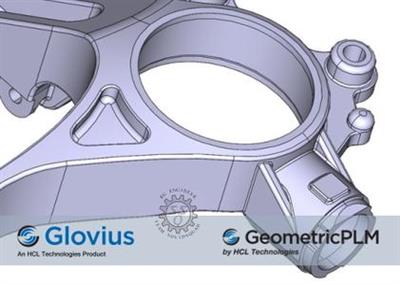
Geometric Glovius Pro 5.1.0.847

296efe228a78501001c9d3905e491a10.jpg


Geometric Glovius Pro 5.1.0.847 | 260.7 mb​
Geometric Limited is pleased to announce the availability of Glovius Pro 5.1.0.847 is a modern CAD viewer with support for all popular 3D CAD file formats. Using Glovius tools and functions, users can view and quickly analyze 3D CAD parts and assembly components.

Glovius for Windows v5.1.0.847 (14th September, 2020))

- Calculate angle among three points.
- Install Glovius without Administrator user roles.
- Redesigned Help tab to reach us faster.

Glovius. is viewer with an add-on based architecture, and operates on the industry standard JT file format. Its add-ons allow users to import CAD files from multiple platforms like CATIA V5, NX, Pro/ENGINEER, Creo, SolidWorks, Autodesk Inventor, STEP and IGES. Many more out of the box add-ons for implementing industry standard use cases are in the pipeline, including visualization with markup and collaboration, drawing-less manufacturing, etc. Glovius is also available as a toolkit along with rich Application Programming Interfaces (APIs) for building custom solutions.

Salient features of Glovius:
- Interactively view 3D models using Zoom/Pan/Rotate
- Hide/Show Components and PMI data
- Perform simple sections and see section profile
- Measure point to point distance
- Export to a mobile optimized format, and transfer it to your smart phones and tablets

Geometric Ltd. specializes in engineering solutions, services and technologies. The company's portfolio of Global Engineering services and Digital Technology solutions for Product Lifecycle Management (PLM) enables companies to formulate, implement, and execute global engineering and manufacturing strategies aimed at achieving efficiency in product realization lifecycle. Incorporated in 1994, the company is based in Mumbai.

On April 1st 2016, Geometric got into an agreement with HCL Technologies to transfer of its business to HCL Tech by way of demerger, except for its 58% share in the joint venture with Dassault Systèmes (3DS) (3DPLM Software Solutions Limited (3DPLM)). The transition has become effective on March 2nd 2017, after seeking all statutory approvals.

Product: Geometric Glovius
Version: Pro 5.1.0.847 *
Supported Architectures: 32bit / 64bit
Website Home Page :
У Вас недостаточно прав для просмотра ссылок. Войдите или зарегистрируйтесь.

Language: english
System Requirements: PC **
Size: 260.7 mb
Glovius supports all popular 3D and 2D formats.
- CATIA V4, V5, V6 (.catpart and .catproduct) Parts & Assemblies
- NX (.prt) and Parasolid (.x_t) files
- STEP (.step and .stp) and IGES (.iges and .igs) files
- Pro/ENGINEER & Creo files (.prt and .asm files)
- SolidWorks Parts and Assemblies (.sldprt and .sldasm)
- Autodesk Inventor (.ipt and .iam) files
- Solid Edge (.par, .asm, .pwd, .psm) files
- 2D Formats - CATIA CATDrawings, DWG, DXF
- Other formats - STL, Rhino, VRML
- Windows 7, 8, 8.1 and 10
- 1280 X 1024 or higher display resolution with support for 32-bit color
- 4GB RAM or more

Download link:​
Код:
[center][b]rapidgator_net[/b]:
https://rapidgator.net/file/f9820acc58247fc1ab7c9a15757ef5f9/p558r.eomGoP510847x64.rar.html
https://rapidgator.net/file/3f045e9345a3ed043df6e32c6fe509d8/p558r.eomGoP510847x86.rar.html

[b]nitroflare_com[/b]:
https://nitroflare.com/view/BCBE8F3BE355D33/p558r.eomGoP510847x64.rar
https://nitroflare.com/view/61A14014357F197/p558r.eomGoP510847x86.rar

[b]uploadgig_com[/b]:
https://uploadgig.com/file/download/c9222Fb6ac1262CC/p558r.eomGoP510847x64.rar
https://uploadgig.com/file/download/36e9ebF50b97eea0/p558r.eomGoP510847x86.rar[/center]

Links are Interchangeable - No Password - Single Extraction​
 
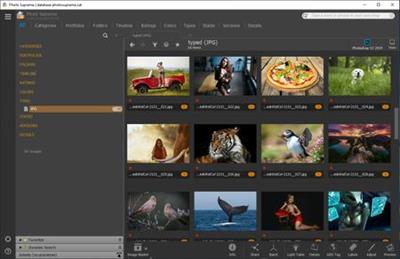
IDimager Photo Supreme 5.5.1.3126 Multilingual

8a7274d54bfd8db3d3537cfb973ced9e.jpg


IDimager Photo Supreme 5.5.1.3126 Multilingual | 111 Mb​
Do you own a digital camera or do you have a large collection of images to manage? Then in no time finding that one image you're looking for becomes a chore. But Photo Supreme can change all that. Photo Supreme's integrated cataloging and management features will help you quickly find and work with your desired image.

Highlights

Advanced search capabilities
When looking for that one image, Photo Supreme will help you with deep text searches, tag searches, duplicate detection, similarity detection, dynamic search combinations and advanced filtering.

Limit access to those who need it
The Server Edition allows you to control who can access your Catalog. You control who can add or delete. You control who sees what in their screen.

Multi tab browsing
Photo Supreme brings tabbed browsing to your image archive. Take advantage of having multiple sets open at the same time.

Import & ingest images
Import your images in your Catalog the way you want. You can define naming conventions, apply metadata on import, version rules, and of course copy files.

Keyword tagging
Tagging your images has never been easier. GEO tagging, parent cascading, face tagging, and automatic metadata enrichment are just a few of many features.

Get organized
Organize your images in Portfolios and Collections.

Multi version control
Logically hold your pictures together so you can find them again more easily.

Features
Advanced search capabilities
Multi tab browsing
Import & ingest images
Side-by-side comparison (up to 6 images)
Keyword tagging
Advanced GEO tagging
Image organization in portfolios
Duplicate detection
Share images with Flickr, Smugmug, Zenfolio, Google+ (former Picasaweb), FTP, EMail
Dual monitor support
Creative Commons support
Lossless image editing
Supports Darwin Core metadata
Dynamic collections
Face detection
Area tagging
Extensible metadata with custom field definitions
Take your previews with you while travelling
Color managed
Fully scriptable
English, German, French, Italian, and Dutch locale
Full HD, 2K, 4K, 5K, Retina screen resolutions supported

Operating System: Windows Vista or higher

Home Page -
У Вас недостаточно прав для просмотра ссылок. Войдите или зарегистрируйтесь.


Download link:​
Код:
[center][b]rapidgator_net[/b]:
https://rapidgator.net/file/5ffde08b60e1d9f527226ce4979cfd5e/dj061.IDimager.Photo.Supreme.5.5.1.3126.Multilingual.rar.html

[b]nitroflare_com[/b]:
https://nitroflare.com/view/906D1F9B6679634/dj061.IDimager.Photo.Supreme.5.5.1.3126.Multilingual.rar

[b]uploadgig_com[/b]:
https://uploadgig.com/file/download/3eAA37104892e411/dj061.IDimager.Photo.Supreme.5.5.1.3126.Multilingual.rar[/center]

Links are Interchangeable - No Password - Single Extraction​
 
jv16 PowerTools 5.0.0.786 Multilingual

74cedfc4cb14d14bb08ffda6990286f7.jpg


jv16 PowerTools 5.0.0.786 Multilingual | 54.3 Mb​
jv16 PowerTools is a PC System Utilities software that works by cleaning out unneeded files and data, cleaning the Windows registry, automatically fixing system errors and applying optimization to your system.

System Cleaner
System Cleaner is designed to scan your computer for temporary files, left-over files from software you have already uninstalled and even unnecessary system files that may clutter your system.
This system utility is also designed to do comprehensive registry sweeping. A common cause for computers running slow after extended use periods, which makes it a good practice to perform on a regular basis.
Common issues found on most systems include but are not limited to registry errors, file system issues, start menu and desktop items as well as temporary files.
During the scanning phase, no changes are made to your system. Everything found is collected into an easily read user interface that gets populated with all issues found.
Once the scan is completed, in the second part of this utility's operation, users take the matter into their own hands and decide either to clean all the recommended files or to edit what gets removed.

Internet Optimizer
There are many factors which can affect the speed of your Internet connection.
Luckily, with the help of Internet Optimizer, you can see improvements in just a few minutes, with little effort required.
Simply set the process off with a single click.
Once the tool has finished performing necessary benchmarks for your current Internet connection, a results overview will be displayed.
Before deciding if you would like to apply the suggested settings, our software will show the average DNS query speed improvement that can be obtained. then simply select your preferred DNS and apply.
In most cases, you can expect a speed improvement of 20% or more, however, this is highly susceptible on your Internet connection type, geographical positioning as well as overall hardware and software running on the benchmarked machine.

Software Uninstaller
Software Uninstaller does not just list the same software listed in the Windows Control Panel.
The tool digs even further by scanning your Windows registry and all your hard drives for data related to currently installed software and left-over traces of software you thought you had already uninstalled.
During the scanning process, no changes are made to your system.
The following screen displays the results and allows you to choose what you want to do about each particular piece of software.

Operating System: Windows Vista, 7, 8 and Windows 10

Home Page -
У Вас недостаточно прав для просмотра ссылок. Войдите или зарегистрируйтесь.


Download link:​
Код:
[center][b]rapidgator_net[/b]:
https://rapidgator.net/file/9d31021302a002d41ab996a359de42b8/02f2b.jv16.PowerTools.5.0.0.786.Multilingual.rar.html

[b]nitroflare_com[/b]:
https://nitroflare.com/view/421C8F69A2C86AF/02f2b.jv16.PowerTools.5.0.0.786.Multilingual.rar

[b]uploadgig_com[/b]:
https://uploadgig.com/file/download/bD982A462a91218d/02f2b.jv16.PowerTools.5.0.0.786.Multilingual.rar[/center]

Links are Interchangeable - No Password - Single Extraction​
 
Lightkey Business Edition 22.57.20200723.1418

94f4bb33fdd8d15f745cad4a34f4eb16.jpg


Lightkey Business Edition 22.57.20200723.1418 Multilingual | 238 Mb​
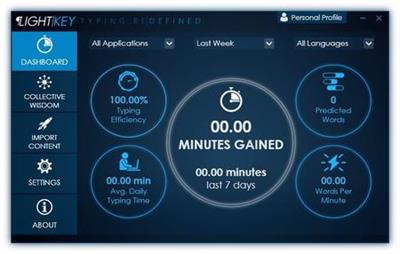
Boost your productivity by turning to this application that lets you auto-complete your words by using a comprehensive suggestion database. If your job mainly revolves around text editors and word processors, you probably want to find an effective way to boost your productivity. One of the most efficient solutions would be turning to third-party applications such as Lightkey that can improve your speed by auto-completing your text.

Helps you auto-complete your texts
This application can help you save time typing by suggesting potential completions for your words based on your typing behavior. That means that the application studies the way you work and develops a profile so that it can fit your needs as efficiently as possible. When you launch the application, you are prompted to input your name, select a typing style, specify prediction languages and choose from a broad range of prediction categories and subcategories. Typing styles indicate whether you're focusing on the screen or keyboard while you're typing.

Integrates with several text editors
Although this application comes with its own text editor, called the "Lightkeypad", you can also use its capabilities with other text editing applications. Lightkey integrates its functions well with products from the Microsoft Office suite, including Word, Outlook and PowerPoint, boosting its overall efficiency by extending your possibilities.

Comes with a user-friendly interface
This application's interface is a smooth one, and consists of various intuitive functions, making it possible that even novices can benefit from its features without significant efforts. After you configure its initial parameters, you can access a handy tutorial that offers you information regarding shortcut usage. The main window of the Control Center component lets you toggle app integration on or off, according to your needs. Therefore, you can choose not to use this utility with Word, PowerPoint and Outlook or use it with all of them.

Lightkey. Type At The Speed Of Your Mind
Express yourself faster, avoid spelling and grammar mistakes, save energy and gain time.

Being Creative Has Never Been More Productive
Whether it's a casual email, blog-post, legal document, or a research paper, Lightkey helps you get it done.

Increase Your Typing Efficiency
Save up to 70% of your keystrokes using Lightkey's inline prediction technology.

Sharpen Your Message. Instantly
Avoid spelling and grammar mistakes while typing in more than 80 languages.

Lightkey. Anywhere
Increase your typing efficiency, in any text field and any desktop application.

Unlock Your Key Productivity Metrics
Follow your typing speed (WPM), time gained and overall productivity improvement.

System Requirements:
Lightkey supports the following MS Windows OS versions: 7, 8, 8.1 and 10.

Homepage -
У Вас недостаточно прав для просмотра ссылок. Войдите или зарегистрируйтесь.


Download link:​
Код:
[center][b]rapidgator_net[/b]:
https://rapidgator.net/file/53085031554aa33597f4e27f61908941/1upfh.Lightkey.Business.Edition.22.57.20200723.1418.rar.html

[b]nitroflare_com[/b]:
https://nitroflare.com/view/2B368D5E0B4F5E5/1upfh.Lightkey.Business.Edition.22.57.20200723.1418.rar

[b]uploadgig_com[/b]:
https://uploadgig.com/file/download/a08a38af938EEb10/1upfh.Lightkey.Business.Edition.22.57.20200723.1418.rar[/center]

Links are Interchangeable - No Password - Single Extraction​
 
Master PDF Editor 5.6.49 Multilingual

5f4e3d9fe62b670fd4a0e7d9e1ddbf46.jpg


Master PDF Editor 5.6.49 Multilingual | 44.5 Mb​
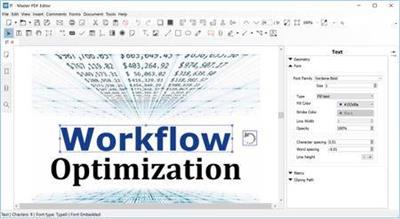
Master PDF Editor is straightforward, easy to use application for working with PDF documents equipped with powerful multi-purpose functionality. With Master PDF Editor you can easily view, create and modify PDF documents. The application enables you to merge several files into one, split a source document into multiple documents, and also to comment, sign and encrypt PDF files.

Modify text and objects
With Master PDF Editor you can add text with any formatting to a PDF document or edit existing text. You can also insert images to the document, select and move objects, change the size of objects, save images to a file and copy objects them to the clipboard.

Annotate PDF documents
Powerful annotation tools such as Sticky Note, Measuring tools and Shapes, as well as the enhanced editing capabilities provided by the Strikethrough, Underline, and Highlight functions will make your work easier than ever. Create unique Stamps and use them when reviewing the document or making a note of its status.

Create and fill in PDF forms
With Master PDF Editor it is very simple to edit the various elements of interactive PDF forms such as buttons, text fields, checkboxes and more, as well as implement event handlers for predefined user actions. Automatic calculation and data validation with JavaScript is supported.

Optical character recognition
Optical character recognition allows the ability to search for text fast and efficiently, as well as to edit scanned documents and documents containing images.

Operations on pages
Master PDF Editor supports both the merging and spiting of PDF files. It enables you to easily move, remove, insert and rotate pages in PDF documents as well as change their size.

Bookmarks
Create, edit and remove bookmarks. Add bookmarks for specified pages or paragraphs to allow fast document navigation and efficiently look up information.

Virtual PDF printer
Master PDF Editor is installed as a virtual PDF printer, allowing you to easily print any documents from different applications supporting printing (e.d. Microsoft Word / Excel, OpenOffice).

Digital signatures
Check digital signatures, create new ones and sign documents with digital certificate. For PDF documents, a digital signature is the equivalent of the handwritten signature on paper documents, so the recipient of the signed document may be confident about its authenticity.

Create PDF documents
PDFs can be created straight from paper documents using a scanner. Master PDF Editor allows you to create documents from existing files, create empty documents or insert empty pages into an existing document .

Operating System: Windows XP(SP 3), 2003, 2008 , Vista, 7, 8 and Windows 10

Home Page -
У Вас недостаточно прав для просмотра ссылок. Войдите или зарегистрируйтесь.


Download link:​
Код:
[center][b]rapidgator_net[/b]:
https://rapidgator.net/file/7a538a002aebd72f5795515cbc11dcbe/ufsfy.Master.PDF.Editor.5.6.49.Multilingual.rar.html

[b]nitroflare_com[/b]:
https://nitroflare.com/view/4C0748EA1BAEF5B/ufsfy.Master.PDF.Editor.5.6.49.Multilingual.rar

[b]uploadgig_com[/b]:
https://uploadgig.com/file/download/b355248f1735c0a3/ufsfy.Master.PDF.Editor.5.6.49.Multilingual.rar[/center]

Links are Interchangeable - No Password - Single Extraction​
 
Назад
Сверху