• Старая версия форума работает в архивном режиме www.old.nado.in

All mitsumi'1s Applications !! (updated daily)

  • Автор темы Автор темы mitsumi1
  • Дата начала Дата начала
Alfa eBooks Manager Pro / Web 8.4.45.1 Multilingual + Portable

0bcc7675a4891ecb1d9db05caab4d270.jpg


Alfa eBooks Manager Pro / Web 8.4.45.1 Multilingual + Portable | 32 Mb / 55.6 Mb​
Alfa eBooks Manager - The most powerful and easy-to-use Book Organizer. Alfa is a PC software that allows to organize your electronic and paper books in a single e-Library. Alfa eBooks Manager is the top choice for book lovers, collectors, students, academicians and business libraries.

Create e-Library
Get your paper, electronic and audio-books in single e-library.

Catalog books
Catalog any book data. Add tags and custom fields.

Customize design
Customize look and feel of your e-Library.

Scan computer for ebooks
Scan your computer for ebooks, parse metadata.

Read e-Books
Built-in ebook reader supports all popular e-book formats.

Update from the Web
Update books from Amazon, Google and other sites.

Edit ebook metadata
All popular formats are supported: EPUB, MOBI, FB2, PDF, AZW.

Ebook converter
Convert ebooks for your Kindle, iPhone or Android reader.

View books in 3D
Play with realistic 3D-models of your favorite books.

Import from Calibre
Alfa is the best Calibre alternative for those who like comfort.

Web Interface
Access you library in local network even from mobile devices.

Manage audio books
Quickly add, organize audio books. Built-in audiobook player.

System Requirements:
The program works on Windows 7/8/10 and you need .Net Framework 4.6 (or later) installed

Homepage-
У Вас недостаточно прав для просмотра ссылок. Войдите или зарегистрируйтесь.


Download link:​
Код:
[center][b]rapidgator_net[/b]:
https://rapidgator.net/file/574f771758f7f18484ba31a33fc038b1/8yfe8.8.4.45.1.rar.html
https://rapidgator.net/file/25584c6544a93b9eff20459879c66f97/8yfe8.Alfa.eBooks.8.4.45.1.Portable.rar.html

[b]nitroflare_com[/b]:
https://nitroflare.com/view/EF8F90E7F67FAED/8yfe8.8.4.45.1.rar
https://nitroflare.com/view/DE675ECC58ED152/8yfe8.Alfa.eBooks.8.4.45.1.Portable.rar

[b]uploadgig_com[/b]:
https://uploadgig.com/file/download/7EaCC02F0076062c/8yfe8.8.4.45.1.rar
https://uploadgig.com/file/download/28326760ff416F93/8yfe8.Alfa.eBooks.8.4.45.1.Portable.rar[/center]

Links are Interchangeable - No Password - Single Extraction​
 
3D-Coat 4.9.61 (x64) Multilingual

b641074495c9b3100ff6e53cee858f9e.jpg


3D-Coat 4.9.61 (x64) Multilingual | 961.5 Mb​
3DCoat is the one application that has all the tools you need to take your 3D idea from a block of digital clay all the way to a production ready, fully textured organic or hard surface model.

Key Features:
- Possibility to attach Smart Materials to layers! Materials managing becomes even easier.
- Improved Curvature calculation. This is crucial for Smart Materials to be looking even more realistic.
- New Primitives in Retopo room: cylinder, torus, cube, ellipse, spiral, etc. We are getting closer and closer to a low-poly modeling!
- Possibility to change resolution of textures, attached materials will automatically be re-sampled!
- Smart Materials usage history.
- Render scene in Renderman. Yep, you heard it right!
- Proxy Slider. Set your proxy degree with an easy slider movement.
- Baking Scan. Paint baking depth with brush. Now you can define with an ease of a brush stroke how big the depth of scanning will be.
- 4K monitors support. Now UI elements and font size will automatically fit your screen resolution.
- Rotation mode quick switch - around Y or free rotation. See navigation panel.

Operating System: Windows Vista, 7, 8/8.1, 10 (64-bit only)

Home Page -
У Вас недостаточно прав для просмотра ссылок. Войдите или зарегистрируйтесь.


Download link:​
Код:
[center][b]rapidgator_net[/b]:
https://rapidgator.net/file/108f4e171dac332a997a164b3a20e1d9/5n6wf.3DCoat.4.9.61.x64.Multilingual.rar.html

[b]nitroflare_com[/b]:
https://nitroflare.com/view/5AAF75B70A921D8/5n6wf.3DCoat.4.9.61.x64.Multilingual.rar

[b]uploadgig_com[/b]:
https://uploadgig.com/file/download/C470df167E88d078/5n6wf.3DCoat.4.9.61.x64.Multilingual.rar[/center]

Links are Interchangeable - No Password - Single Extraction​
 
4K Video Downloader 4.13.1 macOS

e71dfd4a8852a59a153baa7299eebcb0.jpg


4K Video Downloader 4.13.1 Multilingual | macOS | 115 mb​
4K Video Downloader allows to download video, audio and subtitles from YouTube in high-quality and as fast as your computer and connection will allow. If you want that video on your iPad, iPhone or other device we've got you covered. Downloading is simple and straightforward: just copy the video link from your browser and click 'Paste Url'. Done!

Compatibility: OS X 10.10 or later 64-bit
Homepage:
У Вас недостаточно прав для просмотра ссылок. Войдите или зарегистрируйтесь.


Download link:​
Код:
[center][b]rapidgator_net[/b]:
https://rapidgator.net/file/f17f8537174336c5fa6e83e159123479/vtu3v.4K.Video.Downloader.4.13.1.rar.html

[b]nitroflare_com[/b]:
https://nitroflare.com/view/C775BE5E63D9EFC/vtu3v.4K.Video.Downloader.4.13.1.rar

[b]uploadgig_com[/b]:
https://uploadgig.com/file/download/10a430dbcc9d6d8F/vtu3v.4K.Video.Downloader.4.13.1.rar[/center]

Links are Interchangeable - No Password - Single Extraction​
 
4Media iPad Max Platinum 5.7.32 Build 20200917 Multilingual

3596e8f504b5d207853f335403b55eaf.jpg


4Media iPad Max Platinum 5.7.32 Build 20200917 Multilingual | 78.1 Mb​
An ideal tool to backup iPad files, convert and transfer multimedia files to iPad in a convenient way. With fast transferring speed, 4Media iPad Max Platinum helps you to backup iPad music / movies / photos / books / ringtones / SMS/contacts to computer or iTunes, and transfer files from local machine to iPad.

The versatile conversion engine lets you to convert audios/videos in popular formats to iPad compatible music/movies; the advanced CD/DVD decryption utility can transfer any CD/DVD to iPad; powerful video downloader and converter can grasp online videos from popular video broadcasting websites; great video/audio clipping function enables you to create customized iPhone ringtones and so on.

Support connecting multiple devices simultaneously, you can easily transfer files even applications between different devices including all iPad/iPod/iPhone models. Propelled by NVIDIA GPU acceleration technology, 4Media iPad Max Platinum can give you the fastest transfer speed and the best conversion experience. With this ultimate iPad manager, iPad management wouldn't be so easier ever!

System Requirements
OS: Microsoft® Windows XP (SP2 or later), Windows Vista, Windows 7, Windows 8, Windows 10
Processor: 1GHz Intel/AMD processor or above
RAM: 256MB RAM (512MB or above recommended)
Free Hard Disk: 50MB space for installation
Graphic :Card Super VGA (800x600) resolution, 16-bit graphics card or higher
Others: iTunes 9.1 or above; DVD-ROM drive; Internet connection

Home Page -
У Вас недостаточно прав для просмотра ссылок. Войдите или зарегистрируйтесь.


Download link:​
Код:
[center][b]rapidgator_net[/b]:
https://rapidgator.net/file/9795e7f0688e5a4ec8748204d7da4ed3/18xw1.4Media.iPad.Max.Platinum.5.7.32.Build.20200917.Multilingual.rar.html

[b]nitroflare_com[/b]:
https://nitroflare.com/view/B814E030CF5EC57/18xw1.4Media.iPad.Max.Platinum.5.7.32.Build.20200917.Multilingual.rar

[b]uploadgig_com[/b]:
https://uploadgig.com/file/download/222169656Fa522e5/18xw1.4Media.iPad.Max.Platinum.5.7.32.Build.20200917.Multilingual.rar[/center]

Links are Interchangeable - No Password - Single Extraction​
 
Adobe Master Collection CC 09.2020 (x64) Multilingual

8cce088858c8cc86211eff0f7061137c.jpg


Adobe Master Collection CC 09.2020 (x64) Multilingual | 17.1 Gb​
As I hope you know, Adobe Master Collection CC 2020 does not exist in nature, Adobe has never released it. But, nevertheless, he is in front of you! And it is assembled on the basis of a modern installer, manufactured by Adobe, the transition to which was made possible through joint efforts, both by mine and by many of the famous PainteR. We both did our best to bring this package to life.

Adobe Master Collection CC 2020 is a collection of applications from the Creative Cloud 2020 line and a number of junior version programs combined by a single installer with the ability to select the installation path and the language of the installed programs.In terms of functionality, everything is very similar to the well-proven Adobe Master Collection CS6 in the past. Only here, the installer interface has changed, the current package includes significantly more programs than its namesake Creative Suite 6, and the versions of the programs themselves are mostly fresher.

The contents of the package:
Adobe Acrobat Pro DC 2020.012.20043
Adobe After Effects 2020 v17.1.4.37
Adobe Animate 2020 v20.5.1.31044
Adobe Audition 2020 v13.0.10.32
Adobe Bridge 2020 v10.1.1.166
Adobe Character Animator 2020 v3.3.1.6
Adobe Dimension 2020 v3.3.0
Adobe Dreamweaver 2020 v20.2.0.15263
Adobe Fresco 1.9.1.276
Adobe Illustrator CC 2020 v24.3.0.569
Adobe InCopy 2020 v15.1.2.226
Adobe InDesign 2020 v15.1.2.226
Adobe Media Encoder 2020 v14.4.0.35
Adobe Photoshop 2020 21.2.3.308
Adobe Photoshop Lightroom Classic 2020 v9.4.0.10
Adobe Prelude 2020 v9.0.1.64
Adobe Premiere Pro 2020 14.4.0.38
Adobe Premiere Rush 1.5.20.571
Adobe XD 33.0.12

Home Page -
У Вас недостаточно прав для просмотра ссылок. Войдите или зарегистрируйтесь.


Operating System: Windows® 10

Download link:​
Код:
[center][b]rapidgator_net[/b]:
https://rapidgator.net/file/bfc5300f8ba12482e8b64b1802be2cde/t756i.Adobe.Master.Collection.CC.09.2020.x64.Multilingual.part1.rar.html
https://rapidgator.net/file/f548201fece3c26bee3cab5e9a551718/t756i.Adobe.Master.Collection.CC.09.2020.x64.Multilingual.part2.rar.html
https://rapidgator.net/file/f35634981da47d591531bffc4dd122ce/t756i.Adobe.Master.Collection.CC.09.2020.x64.Multilingual.part3.rar.html
https://rapidgator.net/file/e80699bfadeb499e4f81a0af05631877/t756i.Adobe.Master.Collection.CC.09.2020.x64.Multilingual.part4.rar.html
https://rapidgator.net/file/5ece0cbf6952600899da5a0320f62ff1/t756i.Adobe.Master.Collection.CC.09.2020.x64.Multilingual.part5.rar.html
https://rapidgator.net/file/18cce5eb28e3fabb85cc528adbf73109/t756i.Adobe.Master.Collection.CC.09.2020.x64.Multilingual.part6.rar.html

[b]nitroflare_com[/b]:
https://nitroflare.com/view/B793BFBA765BF2B/t756i.Adobe.Master.Collection.CC.09.2020.x64.Multilingual.part1.rar
https://nitroflare.com/view/D8B0FE8257963CC/t756i.Adobe.Master.Collection.CC.09.2020.x64.Multilingual.part2.rar
https://nitroflare.com/view/3AE2270E911CF43/t756i.Adobe.Master.Collection.CC.09.2020.x64.Multilingual.part3.rar
https://nitroflare.com/view/E11CA77EAB87E6F/t756i.Adobe.Master.Collection.CC.09.2020.x64.Multilingual.part4.rar
https://nitroflare.com/view/1DCBEDB5AEFA070/t756i.Adobe.Master.Collection.CC.09.2020.x64.Multilingual.part5.rar
https://nitroflare.com/view/02DE865773DA7C5/t756i.Adobe.Master.Collection.CC.09.2020.x64.Multilingual.part6.rar

[b]uploadgig_com[/b]:
https://uploadgig.com/file/download/c8354E046dCB8c90/t756i.Adobe.Master.Collection.CC.09.2020.x64.Multilingual.part1.rar
https://uploadgig.com/file/download/1889Ab24b250dd3d/t756i.Adobe.Master.Collection.CC.09.2020.x64.Multilingual.part2.rar
https://uploadgig.com/file/download/2adbaD5Ac131f316/t756i.Adobe.Master.Collection.CC.09.2020.x64.Multilingual.part3.rar
https://uploadgig.com/file/download/02f8F7ab5d12946d/t756i.Adobe.Master.Collection.CC.09.2020.x64.Multilingual.part4.rar
https://uploadgig.com/file/download/8e0ad99746e85f34/t756i.Adobe.Master.Collection.CC.09.2020.x64.Multilingual.part5.rar
https://uploadgig.com/file/download/c5C9458Cd2dfB13a/t756i.Adobe.Master.Collection.CC.09.2020.x64.Multilingual.part6.rar[/center]

Links are Interchangeable - No Password - Single Extraction​
 
Aiseesoft Burnova 1.3.72 Multilingual

29f05b38c01d60cf8e4bd88fcbf72572.jpg


Aiseesoft Burnova 1.3.72 (x86/x64) Multilingual | 133 Mb​
Burnova is the professional DVD, which creates local videos from computer or downloads and makes online movies from YouTube, Vimeo, etc. to DVD disc/ISO/folder. Aiseesoft Burnova is easy and capable of so much!

Burn video to DVD disc/folder/ISO file
Burnova is the DVD maker which can create DVD disc/folder/ISO file from local or downloaded video. You can make movies to various DVD types, like DVD-R, DVD+R, DVD-RW, DVD+RW, DVD+R DL, DVD-R DL, DVD-5, DVD-9,etc. and play them on any player. Moreover, you can use this DVD converter to burn ISO file or DVD folder to DVD disc, or make ISO file/DVD folder from various videos.

Create video to Blu-ray disc/folder/ISO file (Coming soon)
Want to put your HD video from camcorder into Blu-ray disc for a gift for your lovers? Wish to burn your Blu-ray file or ISO folder into Blu-ray disc for a long preservation? Burnova can do you a great favor. This Blu-ray burner aims at burning movies to Blu-ray-25 and Blu-ray-50, so you can play it on your PS3, Sony, LG, Samsung, Philips Blu-ray player. And it also can burn the movies into Blu-ray folder/ISO file to play on your portable Blu-ray player.

Burn DVD with various menu templates
If editing functions is to fulfill your video content, then menu editing will be necessary to string together all content. Burnova provides you various templates (holiday, family, travel, wedding and more styles) to specify your different type movies or videos. You can also add your own images as the background to tell your own story for the video. For the title, menu and play button, you are allowed to edit or drag the buttons to the place where you want them put. For the opening film, you are capable of importing your favorite video clips.

Edit videos before burning DVD
You can edit your DVD before you burning it with built-in editor. For your sideways video from iPad or iPhone camera, you can rotate or flip it. For those unwanted video, just clip it. The movies with annoyed letterboxing? Crop them. You could adjust the video brightness and contrast to get the ideal video, and watermark the video to give your mark. For the blur, sharpen, gray, sketch, canvas, mirror, sculpture, emboss and pixelate effects, you can also realize in the video with Burnova.

Make DVD from various video formats
Burnova is compatible with almost all video formats for DVD making. You are able to import video from MP4, AVI, WMV, MKV, M4V, MOV, M2TS/MTS, 3GP, VOB, FLV, MPEG, MPG, DV, RMVB, TOD, ASF, etc., even HD MPEG2, HD MPEG4, HD WMV, HD TS, HD MTS, HD TRP, and HD TP video files. It lets you add external audio track from MP3, AAC, AIFF, FLAC, WAV, WMA, OGG, AC3, MPA, MP2, etc. to make your own video.

Download and burn video from YouTube, Facebook
If you think it troublesome to go to YouTube to find and watch your favorite movie, then just burn the online video into DVD for long playback and preservations. Apart from burning the local video from your computer, Burnova also enables you to download and create online videos from YouTube, Facebook, Vimeo, Vevo, Yahoo, Dailymotion, youku, and more online video sites for playback and DVD making. It allows you download 3D video, high-definition (720p, 1080p and 4K) video, and music for your any player in simple steps.

System Requirements
Supported OS: Windows 10, Windows 8, Windows 7, Windows Vista, Windows XP (SP2 or later)Processor: 800MHz Intel or AMD CPU or above for DVD/BD creatingRAM: 512MB RAM or more for DVD/BD creating

Home Page -
У Вас недостаточно прав для просмотра ссылок. Войдите или зарегистрируйтесь.


Download link:​
Код:
[center][b]rapidgator_net[/b]:
https://rapidgator.net/file/9998e3481b793460b319388994b350a0/wzvr9.Aiseesoft.Burnova.1.3.72.Multilingual.rar.html

[b]nitroflare_com[/b]:
https://nitroflare.com/view/E00C495E190EC69/wzvr9.Aiseesoft.Burnova.1.3.72.Multilingual.rar

[b]uploadgig_com[/b]:
https://uploadgig.com/file/download/0E09dfB6C98c8A7d/wzvr9.Aiseesoft.Burnova.1.3.72.Multilingual.rar[/center]

Links are Interchangeable - No Password - Single Extraction​
 
Aiseesoft Screen Recorder 2.2.26 Multilingual

4161e514bf7f5cb645fc7f843edd0f24.jpg


Aiseesoft Screen Recorder 2.2.26 Multilingual | 53.2 Mb​
Aiseesoft Screen Recorder is an easy-to-use screen capture tool to record any video or audio on your computer and save them in high quality. This powerful video screen recording app can help you grab online movies and radio, capture games, make video tutorials, record webcam videos, take screenshot, etc. on Windows 10/8/7.

Record screen video with high quality
The screen capture software helps you to record almost any screen video you want. You can use it to screencast online videos, games, podcast, webinars, lectures, presentations, Skype calls, online conference, webcam videos, etc. in full screen or customized screen size with ease.
For capturing your own operation screen, you can also highlight the cursor movement to make it easier to track. Moreover, the "Blue-light" real-time HD video encoding technology will ensure your excellent image and sound quality. The recorded screen video can be saved in MP4 or WMV file for you to easily watch in your VLC player or share to your friends for free.

Advanced settings for screen recorder
With this screen recorder, you can choose to record screen with system audio or microphone audio or both. Moreover, you can also record your computer screen and webcam at the same time. If you have more than one screen devices, you can also select which screen you would like to record.
You can also use the capture time option to pick when you want to stop recording the computer screen. With cursor option, you can also highlight the cursor and the click with the color you choose. All those advanced functions can assist you to make a professional screen recording on Windows.

Record screen audio only
Apart from videos, Aiseesoft Screen Recorder can also record screen audio only on your computer. This function enables you to record various music, radio or online audio instead of downloading them. You can save the audio recording on your computer in MP3/WMA/AAC/M4A for easy playback.

System Requirements of Screen Recorder
Supported OS: Windows 10, Windows 8, Windows 7
Processor: 1GHz Intel/AMD CPU or above
RAM: 1G RAM or more

Home Page -
У Вас недостаточно прав для просмотра ссылок. Войдите или зарегистрируйтесь.


Download link:​
Код:
[center][b]rapidgator_net[/b]:
https://rapidgator.net/file/e90651572708da554740f77619e42d90/ss6oa.Aiseesoft.Screen.Recorder.2.2.26.Multilingual.rar.html

[b]nitroflare_com[/b]:
https://nitroflare.com/view/07C3DBD24D5539D/ss6oa.Aiseesoft.Screen.Recorder.2.2.26.Multilingual.rar

[b]uploadgig_com[/b]:
https://uploadgig.com/file/download/b1492Aab16f4fEb2/ss6oa.Aiseesoft.Screen.Recorder.2.2.26.Multilingual.rar[/center]

Links are Interchangeable - No Password - Single Extraction​
 
Algoriddim djay Pro 2.2.6 + Complete FX Pack macOS

82c31c9985921c1a7ed9a4695c52b555.jpg


Algoriddim djay Pro 2.2.6 + Complete FX Pack | Multilingual | macOS | 273 mb​
djay Pro provides a complete toolkit for performing DJs. Its unique modern interface is built around a sophisticated integration with iTunes and Spotify, giving you instant access to millions of tracks. Pristine sound quality and a powerful set of features including high-definition waveforms, four decks, audio effects, video mixing and hardware integration give you endless creative flexibility to take your sets to new heights.

FEATURES OVERVIEW

Powerful DJ Interface

* Turntables
* Waveforms
* Four Decks
* Sampler
* Video

Spotify Integration

* Instant access to over 20 million songs
* Playlists, Songs, Charts, Browse
* Match: cloud-based song recommendations
* Instant access to BPM and Key information through the cloud
* On-the-fly playlist editing and song saving
* Drag & Drop from Spotify app
* Powerful audio streaming technology: ultra-low latency, advanced effects, on-the-fly analysis

Video Integration

* Video library with pre-bundled content
* Video mixing and scratching
* Transitions
* Music Visualizers
* Visual FX
* Title & image overlays
* A/V recording
* Support for external displays and Airplay

Pioneer CDJ/XDJ Integration

* Native support for Pioneer CDJ and XDJ lineup
* Guided plug & play setup
* Full hardware control including slip mode, scratching, pitch bending, looping, cueing, master tempo
* Library navigation including Spotify + iTunes, waveforms, and cue point display on the CDJ/XDJ screens
* Connect up to 4 CDJs/XDJs

Four Deck Mixing

* Horizontal / vertical layouts
* Crossfader assignments (left, right, thru)

Music Library

* Spotify + iTunes
* Video library
* File system integration
* History and Queue
* Instant preview
* Light / dark mode
* Expanded mode

Waveform Layouts

* Horizontal / vertical
* Two deck / four deck
* Variable zoom level

Sampler

* Live sampling and preset editing
* Pre-bundled content by Loopmasters
* Pre-bundled scratch samples by DJQbert

Recording

* AAC / WAV
* iTunes export

Automix

* Automatic, beat-matched mixes
* Queue and Playlist automation
* Automatic transitions
* Automix Radio powered by Spotify

Advanced DJ Tools

* Sync
* Cue Points
* Looping
* Skipping
* Scrubbing
* Slip Mode
* Beat grid editing

Audio FX

* Over 30 state-of-the-art audio effects powered by Sugar Bytes (available via In-App Purchase)
* Up to three chain-able audio effects per deck
* XY-Pad and Instant FX

Audio Processing

* Advanced time-stretching (up to +- 75%)
* Pitch shifting (up to +- 1 octave)
* Audio mixing with adjustable crossfader curves
* EQ, panning, and highpass/lowpass filtering
* Audio Limiter
* Support for Audio Unit plug-ins

Audio Analysis

* BPM and beat detection
* Flexible beat grids with support for dynamic tempo
* Frequency-based colored waveforms
* Key detection
* Auto-gain / Normalize
* Multi-core batch analysis

Hardware Integration

* Native support for over 50 MIDI controllers
* Native support for Pioneer CDJ and XDJ lineup, and all Pioneer DDJ controllers
* Advanced MIDI Learn
* External Mixer Mode
* Support for multi-channel USB audio interfaces
* Support for external audio input and microphones

Built for OS X

* Support for Touch Bar
* Native 64-bit application
* 60 frames per second graphics engine
* Optimized for MacBook Pro with Retina Display
* Optimized for iMac with Retina 5K Display
* Multi-core analysis (up to 24 processing threads on 12-core Mac Pro)
* Extensive keyboard shortcuts
* Multi-touch trackpad control

In-App Purchases: Complete FX Pack Collection - included

Compatibility: OS X 10.11 or later 64-bit
Homepage:
У Вас недостаточно прав для просмотра ссылок. Войдите или зарегистрируйтесь.


Download link:​
Код:
[center][b]rapidgator_net[/b]:
https://rapidgator.net/file/6833c0c48a3f954164fd4d05c8d1b384/w7l5f.Algoriddim.djay.Pro.2.2.6..Complete.FX.Pack.rar.html

[b]nitroflare_com[/b]:
https://nitroflare.com/view/5509EE5BB6FDC49/w7l5f.Algoriddim.djay.Pro.2.2.6..Complete.FX.Pack.rar

[b]uploadgig_com[/b]:
https://uploadgig.com/file/download/a61C98Db3ff2de4c/w7l5f.Algoriddim.djay.Pro.2.2.6..Complete.FX.Pack.rar[/center]

Links are Interchangeable - No Password - Single Extraction​
 
Altair EDEM Professional 2020.3

a1321097bddfbd2c310ab896a054b174.jpg


Altair EDEM Professional 2020.3 | 527.7 mb​
Altair, a global technology company providing solutions in product development, high-performance computing and data analytics, has released updated release of Altair EDEM 2020, the market leading Discrete Element Method (DEM) software for bulk and granular material simulation.

EDEM 2020.3 Release Notes

Key Features
HyperMesh Data Export for Finite Element Analysis: Geometry contact export
HyperMesh Export dialog has been expanded to include an additional option based on the Particle-Geometry contact points. This option provides exporting of the force at the contact points rather than the existing capability which takes the forces per triangle element. This removes any mesh dependency but may result in a significantly larger data file.

Material Database reworked to allow multiple dependency groups
A new material database system has been created. This allows users to save information on a per simulation basis. Entries in the database include particle shape, material properties, interactions, Meta-Particles, contact model settings and material blocks. This functionality addresses missing components in the previous material database.
Current databases will be merged into the new database format.

EDEM API includes Geometry Deformation
Functionality has been added to the API to allow for geometries to be deformed during the simulation. This replicates the existing functionality in the Coupling Interface and makes it available for use with EDEM Contact Models. This functionality is available on the CPU initially and allows direct editing of node positions.

EEPA Model updated to include Particle-Geometry interactions
The Edinburgh Elasto-Plastic Adhesive (EEPA) contact model has been updated to include particle-geometry interactions, as well as speed improvements and minor bug fixes. The results for the particle to particle contacts remain consistent with previous versions; however, the particle-geometry interactions will be affected. These changes will give more realistic physics behavior than the previous version of the model.
Creator

Meta-Particles: add transfer material capability
Meta-particles have been added to the database transfer window and can be saved in the same way as materials, particles etc.

Support JT CAD Files
Intergraph JT CAD files (*.jt *.xml) are now supported for Geometry import.

Meta-Particles: add size distribution option
Meta-particles can now be generated with a size distribution. Meta-particles can have fixed, lognormal, normal and random distributions. Meta-particles will be scaled according to these settings when generated by the particle factories. NB. Physics model values remain unchanged during scaling.

Add Replace Geometry capability to command line
-rg -replace-geometry has been added to the Command Line. This replicates the behavior of the EDEM Creator > Replace Geometry option which replaces a geometry section but retains all attributes from the previous geometry. Options normally selected in the GUI for geometry import are replaced by a config file.

Reset the camera when Sphere Fitting Tool finishes generating particle
When generating a Particle Prototype using the Sphere Fitting Tool the camera view will update to zoom to the extents of the particle.

Support inventor CAD Files
AutoDesk Inventor CAD files (*.ipt *.iam) are now supported for Geometry import.

Analyst

Improve Contact rendering
Updates have been made to the OpenGL engine to improve contacts visualization and analyst performance (up to 70x speed improvement).

Coupling Interface

Add Replace Geometry capability to Coupling Interface
replaceGeometry() has been added to the EDEM Coupling Interface. This replicates the behavior of the EDEM Creator > Replace Geometry option which replaces a geometry section but retains all attributes from the previous geometry. Options normally selected in the GUI for ge metry import are replaced by a config file.

Add Save command to Coupling Interface
save() has been added to the EDEM Coupling Interface. This allows the simulation deck to be saved once changes have been made by the coupling interface without needing to advance the timestep.

Installer

EDEM Cal installed by default on Windows
EDEM Cal is now always installed during the installation of EDEM on Windows, allowing easier access to the software without re-running the installer.

Miscellaneous

Add micrometer option to units
Micrometers have been added as a Length unit to the interface. Micrometer based units have also been added for Acceleration, Velocity and Volume. Units can be selected through Tools > Options > Units.

EDEM is high-performance software for bulk and granular material simulation. Powered by state-of-the-art Discrete Element Modeling (DEM) technology, EDEM quickly and accurately simulates and analyzes the behavior of granular materials such as coal, mined ores, soils, fibers, grains, tablets, and powders.

EDEM simulation provides engineers with crucial insight into how those materials will interact with their equipment during a range of operation and process conditions.

EDEM is used for virtual testing of equipment that handles or processes bulk materials in the mining, equipment manufacturing and process industries. Companies worldwide use EDEM to optimize equipment design, increase productivity, reduce operational costs, shorten product development cycles and drive product innovation.

The 2020 release includes new coupling solutions with multi-body dynamics software Altair MotionSolve and open source, computational fluid dynamics (CFD) software OpenFOAM.

EDEM Applications Across Industries

Altair is a global technology company that provides software and cloud solutions in the areas of product development, high performance computing (HPC) and data analytics. Altair enables organizations across broad industry segments to compete more effectively in a connected world while creating a more sustainable future.

Product: Altair EDEM
Version: Pro 2020.3 (6.3.0) Build 32856
Supported Architectures: x64
Website Home Page :
У Вас недостаточно прав для просмотра ссылок. Войдите или зарегистрируйтесь.

Language: english
System Requirements: PC *
Size: 527.7 mb

System requirements
Get the best performance from EDEM software by choosing the right hardware.

NOTES:
Windows 7 End Of Life (EOL): Microsoft has announced that support from Windows 7 will officially end 14th January 2020. EDEM will not be able to continue to offer support on this platform beyond this date so users are advised to migrate to a newer operating system on or before this date.

Download link:​
Код:
[center][b]rapidgator_net[/b]:
https://rapidgator.net/file/b66f3b9787c6110cc57aa330189514f4/ryedz.Altair.EDEM.Professional.2020.3.rar.html

[b]nitroflare_com[/b]:
https://nitroflare.com/view/44AA9AE6852ED1D/ryedz.Altair.EDEM.Professional.2020.3.rar

[b]uploadgig_com[/b]:
https://uploadgig.com/file/download/3F48a087c48EfFE5/ryedz.Altair.EDEM.Professional.2020.3.rar[/center]

Links are Interchangeable - No Password - Single Extraction​
 
Altium Designer 20.2.4 Build 192

8027107878c52cf6ebf1edbbd8503d25.jpg


Altium Designer 20.2.4 Build 192 | 2.5 Gb​
The Altium development team is pleased to announce the availability of Altium Designer 20.2.4 (Update 1) Build 192 - the most powerful, modern, easy-to-use release to date.

Version 20.2.4 (Update 1) Build 192 - Date: 17 September 2020

Schematic
37426 Crash occurred when Fonts were not selected for Pin names or Designators in the Schematic Library.
38385 Placing a specific violation ERC on a net also suppressed all other violations on the net. (BC:13511)
PCB
40257 Output option of "Merge Net-Tie Nets" failed for specific Footprint rotations and gaps between Pads. (BC:14014)
40440 Crash occurred during Differential Pair Routing when the Routing Layer rule was not defined for the layer.
Draftsman
40267 The total board thickness of some placed Board Assembly Views did not match when compared in the Layer Stack Manager and Draftsman document.
40313 Error message appeared during PDF exportation when file was previously opened.
Platform
39450 Local files did not recognize that a project in Altium 365 had been updated.
39695 Symbols did not appear in the preview pane of the Explorer panel.
40389 Opening Output jobs resulted in unresponsive software. (BC:14219)
40399 LayerType settings were not saved after editing a managed footprint.
Data Management
39248 PartsSync plugin has been added to load data from Excel or similar sources to the software.
39982 Removed 'Output Jobs' type from Edit Folder dialog for Altium 365 Standard users.
40160 Improved hard-deleted projects handling by removal of the link from Version Control and link to the server project.
40382 "Unable to cast object of type" error message when editing PCL for cloned component.
40414 Commit messages highlighted and deleted during 'Commit' in Commit to Version Control dialog.
40617 Project templates still appeared in the Create Project dialog after they were soft-deleted.

Altium Designer 20 provides electronic designers and engineers with a single, unified application that incorporates all the technologies and capabilities necessary for complete electronic product development. Altium Designer integrates board- and FPGA-level system design, embedded software development, and PCB layout, editing, and manufacturing within a single design environment.

Altium Designer 20 continues its focus on delivering new, easy-to-use and productivity enhancing PCB design tools as part of a single, unified application. Leveraging feedback and suggestions from the design community, Altium Designer 20 features capability updates and performance optimizations to significantly enhance user experience and productivity.

The next generation of leading PCB design software, Altium Designer 20, will be of interest to all engineering, electronics and embedded design departments.

These updates will allow designers to increase their design speed and task execution, and also provide more flexibility and control, simplifying the overall design process.

Overview of Altium Designer 20

Altium Ltd. is a multinational software corporation headquartered in San Diego, California, that focuses on electronics design systems for 3D PCB design and embedded system development. Altium products are found everywhere from world leading electronic design teams to the grassroots electronic design community. Founded in 1985, Altium has offices worldwide, with US locations in San Diego, Boston and New York City, European locations in Karlsruhe, Amersfoort, Kiev, Munich, Markelo and Zug, and Asia Pacific locations in Shanghai, Tokyo and Sydney.

Product: Altium Designer
Version: 20.2.4 Build 192
Supported Architectures: x64
Website Home Page :
У Вас недостаточно прав для просмотра ссылок. Войдите или зарегистрируйтесь.

Language: english
System Requirements: PC *
Size: 2.5 Gb

Below are the recommended and minimum system requirements to install and run Altium Designer.

Recommended System Requirements

- Windows 7 SP1 (64-bit only), Windows 8 (64-bit only), or Windows 10 (64-bit only) Intel Core i7 processor or equivalent
- 16GB RAM
- 10GB hard disk space (Install + User Files)
- SSD
- High performance graphics card (supporting DirectX 10 or better), such as GeForce GTX 1060/Radeon RX 470
- Dual monitors with 2560x1440 (or better) screen resolution
- 3D mouse for 3D PCB design, such as the Space Navigator
- Adobe Reader (version XI or later for 3D PDF viewing)
- Internet Connection
- Up to date Web browser
- Microsoft Office 32-bit or 64-bit (Microsoft Excel required for BOM, Microsoft Access required for DbLibs). 64-bit Microsoft Access Database Engine 2010 (required for DbLibs) - this is included in Microsoft Office 64-bit, but not included in Microsoft Office 32-bit). If you are running 32-bit and 64-bit versions of Altium Design software, see Using Database Libraries with 32-bit and 64-bit Altium Design Software on the same Computer.

Download link:​
Код:
[center][b]rapidgator_net[/b]:
https://rapidgator.net/file/7a809686dc869c82231847079606afcf/yaofk.Altium.Designer.20.2.4.Build.192.part1.rar.html
https://rapidgator.net/file/f231431face59e65708158c3c9c5efcd/yaofk.Altium.Designer.20.2.4.Build.192.part2.rar.html
https://rapidgator.net/file/1329e87e8c441b96b2989067e6beb5e4/yaofk.Altium.Designer.20.2.4.Build.192.part3.rar.html
https://rapidgator.net/file/af6c7f2dddbaa8102dcf4334366ade0f/yaofk.Altium.Designer.20.2.4.Build.192.part4.rar.html
https://rapidgator.net/file/1e38fc16fc78f39c77b09f571c183187/yaofk.Altium.Designer.20.2.4.Build.192.part5.rar.html
https://rapidgator.net/file/af06dc64d6bd08af4d274617a8524e75/yaofk.Altium.Designer.20.2.4.Build.192.part6.rar.html
https://rapidgator.net/file/43b44f4f79ccdecac4b569a7f771f164/yaofk.Altium.Designer.20.2.4.Build.192.part7.rar.html
https://rapidgator.net/file/e75fbb72bd11d1e21ea658981a2e29ec/yaofk.Altium.Designer.20.2.4.Build.192.part8.rar.html

[b]nitroflare_com[/b]:
https://nitroflare.com/view/A58FA8A0AB4D7D7/yaofk.Altium.Designer.20.2.4.Build.192.part1.rar
https://nitroflare.com/view/66B18DE448B0BA1/yaofk.Altium.Designer.20.2.4.Build.192.part2.rar
https://nitroflare.com/view/D6353FCE2A556FD/yaofk.Altium.Designer.20.2.4.Build.192.part3.rar
https://nitroflare.com/view/9454B521C17F4A2/yaofk.Altium.Designer.20.2.4.Build.192.part4.rar
https://nitroflare.com/view/640B9905F99D107/yaofk.Altium.Designer.20.2.4.Build.192.part5.rar
https://nitroflare.com/view/979A415ED0F43A3/yaofk.Altium.Designer.20.2.4.Build.192.part6.rar
https://nitroflare.com/view/48FB5D864ACA94A/yaofk.Altium.Designer.20.2.4.Build.192.part7.rar
https://nitroflare.com/view/8F158D4ADCE84E0/yaofk.Altium.Designer.20.2.4.Build.192.part8.rar

[b]uploadgig_com[/b]:
https://uploadgig.com/file/download/9a4ccad516F038d3/yaofk.Altium.Designer.20.2.4.Build.192.part1.rar
https://uploadgig.com/file/download/243d4723829a7612/yaofk.Altium.Designer.20.2.4.Build.192.part2.rar
https://uploadgig.com/file/download/0913008D21828f8e/yaofk.Altium.Designer.20.2.4.Build.192.part3.rar
https://uploadgig.com/file/download/bcaeb6C716514529/yaofk.Altium.Designer.20.2.4.Build.192.part4.rar
https://uploadgig.com/file/download/ffCFf74804EA6954/yaofk.Altium.Designer.20.2.4.Build.192.part5.rar
https://uploadgig.com/file/download/81ec0418D60b2F77/yaofk.Altium.Designer.20.2.4.Build.192.part6.rar
https://uploadgig.com/file/download/0e19029b98d89de2/yaofk.Altium.Designer.20.2.4.Build.192.part7.rar
https://uploadgig.com/file/download/8df1093db1F287cF/yaofk.Altium.Designer.20.2.4.Build.192.part8.rar[/center]

Links are Interchangeable - No Password - Single Extraction​
 
Altium NEXUS 3.2.4 build 63

4b56a60abb21ef37ce5f59da0d263633.jpg


Altium NEXUS 3.2.4 build 63 | 3.3 Gb​
The Altium NEXUS development team is pleased to announce the availability of NEXUS 3.2.4 (Update 1) Build: 63. This latest update continues to deliver new features and enhancements to the software's core technologies, while also addressing many issues raised by customers through the AltiumLive Community's BugCrunch system.

Version 3.2.4 (Update 1) Build: 63 - Date: 17 September 2020

Schematic
37426 Crash occurred when Fonts were not selected for Pin names or Designators in the Schematic Library.
38385 Placing a specific violation ERC on a net also suppressed all other violations on the net. (BC:13511)
PCB
40257 Output option of "Merge Net-Tie Nets" failed for specific Footprint rotations and gaps between Pads. (BC:14014)
40440 Crash occurred during Differential Pair Routing when the Routing Layer rule was not defined for the layer.
Draftsman
40267 The total board thickness of some placed Board Assembly Views did not match when compared in the Layer Stack Manager and Draftsman document.
40313 Error message appeared during PDF exportation when file was previously opened.
Platform
39450 Local files did not recognize that a project in Altium 365 had been updated.
39695 Symbols did not appear in the preview pane of the Explorer panel.
40389 Opening Output jobs resulted in unresponsive software. (BC:14219)
40399 LayerType settings were not saved after editing a managed footprint.
Data Management
39248 PartsSync plugin has been added to load data from Excel or similar sources to the software.
39982 Removed 'Output Jobs' type from Edit Folder dialog for Altium 365 Standard users.
40160 Improved hard-deleted projects handling by removal of the link from Version Control and link to the server project.
40382 "Unable to cast object of type" error message when editing PCL for cloned component.
40414 Commit messages highlighted and deleted during 'Commit' in Commit to Version Control dialog.
40617 Project templates still appeared in the Create Project dialog after they were soft-deleted.

Altium NEXUS is an easy to implement, team-based PCB workflow solution designed to provide the transparency needed for engineering teams to collaborate with confidence. Even though Altium NEXUS includes all the various industry leading PCB domain editors required to create a circuit board, its core DNA is enabling design teams to work together.

Design collaboration is enabled through user roles and managed data (library and design), while providing process automation and a framework to configure common electronic design activities and workflows. This provides organizational transparency to design data changes and workflow states through role based notification. By using Altium NEXUS, companies will have the ability to manage their PCB data, improve communication as it relates to multidisciplinary engineering, and configure and automate workflows replacing existing manual processes - resulting in the reduction of design respins and delivery of higher quality products in a shorter period of time.

Altium NEXUS introduces new technology in PCB data management, design collaboration, and process and workflow control, making it the most comprehensive circuit board design solution, while taking the risk out of integration and deployment. Altium NEXUS includes server technology to support collaboration, process management, and data management, hosted either on-premise (same as Altium Vault), or cloud (option not available previously) environments. The core schematic and PCB design technology of Altium NEXUS is identical to that of Altium Designer 18.0, sharing 100% of the design capabilities - now and always.

What's this Vault, AVS, NEXUS, Concord Pro all about

Altium LLC. is a multinational software corporation headquartered in San Diego, California, that focuses on electronics design systems for 3D PCB design and embedded system development. Altium products are found everywhere from world leading electronic design teams to the grassroots electronic design community. Founded in 1985, Altium has offices worldwide, with US locations in San Diego, Boston and New York City, European locations in Karlsruhe, Amersfoort, Kiev, Munich, Markelo and Zug, and Asia Pacific locations in Shanghai, Tokyo and Sydney.

Product: Altium Nexus
Version: 3.2.4 (Update 1) Build: 63
Supported Architectures: x64
Website Home Page :
У Вас недостаточно прав для просмотра ссылок. Войдите или зарегистрируйтесь.

Language: english
System Requirements: PC *
Supported Operating Systems: *
Size: 3.3 Gb

Below are the recommended system requirements to install and run Altium NEXUS.

Recommended System Requirements

- Windows 7 SP1 (64-bit only), Windows 8 (64-bit only), or Windows 10 (64-bit only) Intel Core i7 processor or equivalent
- 16GB RAM
- 10GB hard disk space (Install + User Files)
- SSD
- High performance graphics card (supporting DirectX 10 or better), such as GeForce GTX 1060/Radeon RX 470
- Dual monitors with 2560x1440 (or better) screen resolution
- 3D mouse for 3D PCB design, such as the Space Navigator
- Adobe Reader (version XI or later for 3D PDF viewing)
- Internet Connection
- Up to date Web browser
- Microsoft Office 32-bit or 64-bit (Microsoft Excel required for BOM, Microsoft Access required for DbLibs). 64-bit Microsoft Access Database Engine 2010 (required for DbLibs) - this is included in Microsoft Office 64-bit, but not included in Microsoft Office 32-bit).

Download link:​
Код:
[center][b]rapidgator_net[/b]:
https://rapidgator.net/file/6d5b04a8796aeaffa77ad1f425f3fcf3/cov3b.Altium.NEXUS.3.2.4.build.63.part01.rar.html
https://rapidgator.net/file/4dec83d40ec4b9674ecf7daa0a6f7a3b/cov3b.Altium.NEXUS.3.2.4.build.63.part02.rar.html
https://rapidgator.net/file/8db0fa7ab7f571d35f7dbcd0059797de/cov3b.Altium.NEXUS.3.2.4.build.63.part03.rar.html
https://rapidgator.net/file/bbf27e2ad002d237c32061da5d8d2c1d/cov3b.Altium.NEXUS.3.2.4.build.63.part04.rar.html
https://rapidgator.net/file/2002b0b2d05340e8fb64ad86e8db0a4b/cov3b.Altium.NEXUS.3.2.4.build.63.part05.rar.html
https://rapidgator.net/file/a6589fa4b9e253b36123816e1876ad6e/cov3b.Altium.NEXUS.3.2.4.build.63.part06.rar.html
https://rapidgator.net/file/033cbefd92e6e9401c157dbe94db84b9/cov3b.Altium.NEXUS.3.2.4.build.63.part07.rar.html
https://rapidgator.net/file/cc8b40cf1e532ab686dbb0543dcbcbb9/cov3b.Altium.NEXUS.3.2.4.build.63.part08.rar.html
https://rapidgator.net/file/4a8ae654c2c22a1d460b4d492398561a/cov3b.Altium.NEXUS.3.2.4.build.63.part09.rar.html
https://rapidgator.net/file/1cfa2c979d82db91909098b394622532/cov3b.Altium.NEXUS.3.2.4.build.63.part10.rar.html

[b]nitroflare_com[/b]:
https://nitroflare.com/view/FB07F5274D9A8EC/cov3b.Altium.NEXUS.3.2.4.build.63.part01.rar
https://nitroflare.com/view/7BE13914AC5704D/cov3b.Altium.NEXUS.3.2.4.build.63.part02.rar
https://nitroflare.com/view/A97FAC0FEC4160D/cov3b.Altium.NEXUS.3.2.4.build.63.part03.rar
https://nitroflare.com/view/063744CA110A382/cov3b.Altium.NEXUS.3.2.4.build.63.part04.rar
https://nitroflare.com/view/4E4988CCA5191AF/cov3b.Altium.NEXUS.3.2.4.build.63.part05.rar
https://nitroflare.com/view/3B68C171878E524/cov3b.Altium.NEXUS.3.2.4.build.63.part06.rar
https://nitroflare.com/view/F911931EE72C334/cov3b.Altium.NEXUS.3.2.4.build.63.part07.rar
https://nitroflare.com/view/12828BC24E0EC85/cov3b.Altium.NEXUS.3.2.4.build.63.part08.rar
https://nitroflare.com/view/D2B0700E755A36A/cov3b.Altium.NEXUS.3.2.4.build.63.part09.rar
https://nitroflare.com/view/506F244DCE2A7BD/cov3b.Altium.NEXUS.3.2.4.build.63.part10.rar

[b]uploadgig_com[/b]:
https://uploadgig.com/file/download/6fb53e0D7CC1076D/cov3b.Altium.NEXUS.3.2.4.build.63.part01.rar
https://uploadgig.com/file/download/5325ce58dc5315ee/cov3b.Altium.NEXUS.3.2.4.build.63.part02.rar
https://uploadgig.com/file/download/2e390513f2f0FE76/cov3b.Altium.NEXUS.3.2.4.build.63.part03.rar
https://uploadgig.com/file/download/d11822c4e495f5c6/cov3b.Altium.NEXUS.3.2.4.build.63.part04.rar
https://uploadgig.com/file/download/274673a6b951C86f/cov3b.Altium.NEXUS.3.2.4.build.63.part05.rar
https://uploadgig.com/file/download/1852eA545efCe673/cov3b.Altium.NEXUS.3.2.4.build.63.part06.rar
https://uploadgig.com/file/download/faa7b515776DBCb1/cov3b.Altium.NEXUS.3.2.4.build.63.part07.rar
https://uploadgig.com/file/download/8dcCeCb5d794f27E/cov3b.Altium.NEXUS.3.2.4.build.63.part08.rar
https://uploadgig.com/file/download/5CF618b72c4Dd1bf/cov3b.Altium.NEXUS.3.2.4.build.63.part09.rar
https://uploadgig.com/file/download/EEb699db2beD3407/cov3b.Altium.NEXUS.3.2.4.build.63.part10.rar[/center]

Links are Interchangeable - No Password - Single Extraction​
 
AnyMP4 Blu-ray Ripper 8.0.20 Multilingual

c5a51ec65e4d6cadb37c334eec49354e.jpg


AnyMP4 Blu-ray Ripper 8.0.20 Multilingual | 142.6 Mb​
Blu-ray disc has the large storage to allow us to store high-definition movie, movie menus, graphics and special features. Thus, Blu-ray movie is much more popular than ever, and we prefer to watch Blu-ray movie stay at home rather than go to cinema and save time.

To save Blu-ray disc on the local hard disk or other portable device and to look comfortable, AnyMP4 Blu-ray Ripper offers a simple solution. The software is a multifunctional Blu-ray Converter, and can convert Blu-ray to various video and audio formats, such as MP4, AVI, WMV, MKV, FLV, and SWF as well as rip Blu-ray to 4K/1080p videos. The Blu-ray Ripper offers perfect sound and picture quality.

Convert Blu-ray to 2D/3D videos
With this powerful Blu-ray Ripper, you can rip Blu-ray (2D/3D) to 2D video and even 3D video with unparalleled speed and quality. The software offers five 3D modes: Anaglyph (Red/Cyan), Side-by-Side (Full/Half-Picture), Top/Bottom (Full/Half Picture).
It owns the ability to convert Blu-ray (2D/3D) to video and audio like MP4, MKV, AVI, WMV, FLV, MOV, VOB, DivX, MPEG, MP3, FLAC, ALAC, M4A, and more, and even HD videos like HD MP4, HD MKV, HD MOV. At the same time, it features a new function of ripping Blu-ray to 3D video formats with super high converting speed and excellent output quality.

Rip Blu-ray movie for playback on digital device
If you want to watch your Blu-ray movies on your smartphone or tablet, the Blu-ray Ripper can help you. The software has many predefined profiles for popular digital devices such as iPhone (iPhone X/8/7/6s/6/SE), iPad (iPad Pro/Air/mini 4), iPod touch, Samsung Galaxy Tab, Surface, Google Nexus, HTC, Nokia Lumia, Motorola, Xbox 360, Wii, PS3, PSP, and more. This software allows you to conveniently rip your Blu-ray movies for the desired device, and then watch them wuth high quality.

Edit video and enhance video quality before ripping
Before conversion, the Blu-ray Ripper provides that some parameters can be set for the selected video format. The video resolution, video bitrate, framerate, video encoder, audio channels, sample rate, audio encoder and audio bitrate can be customized to your requirements. And it helps you crop video frame to remove the black edges; adjust the video effect like Brightness, Saturation, Contrast, and Hue; add text/image watermark to the video; and rotate video position. Also adjusting the audio volume is available in editing window. And you can clip one or more segments from a Blu-ray movie.

Easy to use Blu-ray Ripping and intuitive interface
With the advanced acceleration technology, the software offers you faster speed than other Blu-ray ripper software. With the unique design and intuitive interface, you can finish all the ripping processes only in a few clicks. And it supports the upgrade automically, once connected to the Internet, the software will automatically detect if there are new upgrades available. Moreover, adopting the newest accelerating technology, AMD APP and NVIDIA® CUDA™ acceleration, this Blu-ray Ripper would provide 6x faster speed than before.

System requirements:
Supported systems: Windows 10, Windows 8/8.1, Windows 7, Windows Vista, Windows XP (SP2 or later)
RAM: 2 GB RAM or more recommended
CPU: Intel® Core ™ 2 Duo Processor or AMD Athlon ™ processor, 2 GHz or faster processor

Home Page -
У Вас недостаточно прав для просмотра ссылок. Войдите или зарегистрируйтесь.


Download link:​
Код:
[center][b]rapidgator_net[/b]:
https://rapidgator.net/file/83ffee1ad76acb99dfa8b9f5ced884e8/ieq89.AnyMP4.Bluray.Ripper.8.0.20.Multilingual.rar.html

[b]nitroflare_com[/b]:
https://nitroflare.com/view/17B2D1D575A4431/ieq89.AnyMP4.Bluray.Ripper.8.0.20.Multilingual.rar

[b]uploadgig_com[/b]:
https://uploadgig.com/file/download/4993a1cAd53c31EF/ieq89.AnyMP4.Bluray.Ripper.8.0.20.Multilingual.rar[/center]

Links are Interchangeable - No Password - Single Extraction​
 
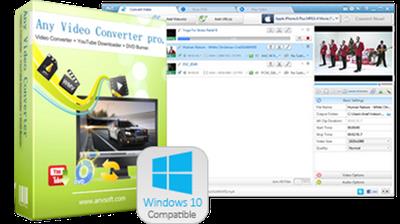
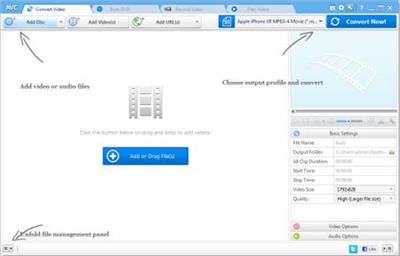
Any Video Converter Professional 7.0.5 Multilingual + Portable

14324b2f85078f5df88e5f26c782cb02.jpg


Any Video Converter Professional 7.0.5 Multilingual + Portable | 69.1/91 Mb​
Any Video Converter Professional is an All-in-One video converting tool with easy-to-use graphical interface, fast converting speed and excellent video quality. It can convert video files from mpg, avi, divX, mpg, vob, wmv (Windows Media Video formats), 3gp (mobile phone format), asf, mov, rmvb and more into mp4, avi, mpeg and wmv files. If you have iPod, iPhone, Zune, PSP, Apple TV, PS3, Archos, Walkman, Sandisk Sansa, iRiver PMP, Creative Zen, Wii or Xbox 360, Any Video Converter is right for you! You can also download and convert YouTube videos and Google Videos.

Any Video Converter Pro. makes batch file conversion simple. Create a batch list of any different formats and convert them all to a single selected format. The converted files will be saved to a pre-selected directory folder and the original files will remain untouched.

Any Video Converter Pro. is a YouTube Video Converter which can download video from YouTube.com and convert YouTube videos to other formats. With the "downloading + converting" one-step solution, Any DVD Converter Pro. easily downloads and converts YouTube videos to play on your iPod, iPhone, PSP, Zune, 3GP mobile phone, Apple TV, etc.

You could use Any Video Converter to download FLV videos from YouTube.com or Google Video to your computer. You are also able to download and convert FLV files on YouTube or Google Video to other videos formats, such as AVI, MPEG, MP4, WMV, 3GP, H.264/MPEG-4 AVC, H.264/PSP AVC, MOV, RM, ASF, FLV, SWF, etc.

Any Video Converter is also the best iPhone converter software to convert all video files such as MOV, MP4, RM, RMVB, DivX, ASF, VOB, 3GP, WMV, MPEG, AVI to iPhone movies. Any DVD Converter helps you watch music video, movies on your iPhone and computer easily with great quality.

As iPhone music converter software, Any Video Converter can convert iPhone music MP3, WAV, M4A from popular music files, such as WMA, MP2, OGG, RA, AC3, APE, CDA. It can also extract audio from movies or music video; convert to iPhone music MP3, WAV, M4A.

System Requirements
Supported OS: 2000 SP4*, XP, Vista (32bit & 64bit), Windows 7 (32bit & 64bit), Windows 8 and Windows 10
Processor: 1GHz Intel/AMD processor or above
RAM: 256MB RAM (512MB or above recommended)
Free Hard Disk: 70MB for installation

Home Page -
У Вас недостаточно прав для просмотра ссылок. Войдите или зарегистрируйтесь.


Download link:​
Код:
[center][b]rapidgator_net[/b]:
https://rapidgator.net/file/08daf86c7abc25c64197c9ceb2bae21d/mq49q.Video.Converter.Professional.7.0.5.Portable.rar.html
https://rapidgator.net/file/d79a235bb07ba72591e30e4db8e73c23/mq49q.VideoConverterProfessional7.rar.html

[b]nitroflare_com[/b]:
https://nitroflare.com/view/4B78EC9404E7B51/mq49q.Video.Converter.Professional.7.0.5.Portable.rar
https://nitroflare.com/view/11DC49875E679E8/mq49q.VideoConverterProfessional7.rar

[b]uploadgig_com[/b]:
https://uploadgig.com/file/download/7dE50872d401e768/mq49q.Video.Converter.Professional.7.0.5.Portable.rar
https://uploadgig.com/file/download/d76d97cEe06eb1C4/mq49q.VideoConverterProfessional7.rar[/center]

Links are Interchangeable - No Password - Single Extraction​
 
Any Video Converter Ultimate 7.0.5 Multilingual + Portable

c23e41471cefd7b7ca3182a871a682a0.jpg


Any Video Converter Ultimate 7.0.5 Multilingual + Portable | 69.2/91 Mb​
Any Video Converter Ultimate will provide users with an All-in-One DVD ripper, video converter and DVD creator that will help you rip DVD and convert all kinds of video formats including MP4, AVI, RM, RMVB, QT, MOV, 3GP, 3G2, FLV, MPEG-1, MPEG-2, DVR-MS, VOB, MKV, ASF, DivX, OGM to MP4, AVI, WMV, 3GP, 3G2, FLV, MPG and SWF with fast converting speed and excellent video quality, HD AVI, HD MP4 and HD WMV output formats are also available and you can create DVD movie with beautiful and customizable DVD menu directly from various video formats.

Any Video Converter Ultimate
* Record videos on website like Netflix with screen capture tool.
* Rip DVD &Convert Videos to mobile devices.
* Download Youtube videos with built-in Youtube downloader.
* Integrated Video to DVD Burner to create DVDs easily.
* Edit videos with video clip/crop/special effects.

System Requirements
Supported OS: 2000 SP4*, XP, Vista (32bit & 64bit), Windows 7 (32bit & 64bit), Windows 8 and Windows 10
Processor: 1GHz Intel/AMD processor or above
RAM: 256MB RAM (512MB or above recommended)
Free Hard Disk: 70MB for installation

Home Page -
У Вас недостаточно прав для просмотра ссылок. Войдите или зарегистрируйтесь.


Download link:​
Код:
[center][b]rapidgator_net[/b]:
https://rapidgator.net/file/62efcdd9de298a92b9cf80b283e3a1a4/agrjq.Any.Video.Converter.Ultimate.7.0.5.Portable.rar.html
https://rapidgator.net/file/ef8817d4e5b1dbe86acc63cb7c8d2cd9/agrjq.AnyVideoConverterUltimate7.rar.html

[b]nitroflare_com[/b]:
https://nitroflare.com/view/2C3F79FEB4364D2/agrjq.Any.Video.Converter.Ultimate.7.0.5.Portable.rar
https://nitroflare.com/view/59A68D7EFA54A20/agrjq.AnyVideoConverterUltimate7.rar

[b]uploadgig_com[/b]:
https://uploadgig.com/file/download/D020d197f937056E/agrjq.Any.Video.Converter.Ultimate.7.0.5.Portable.rar
https://uploadgig.com/file/download/31fc04cbF64e7DF1/agrjq.AnyVideoConverterUltimate7.rar[/center]

Links are Interchangeable - No Password - Single Extraction​
 
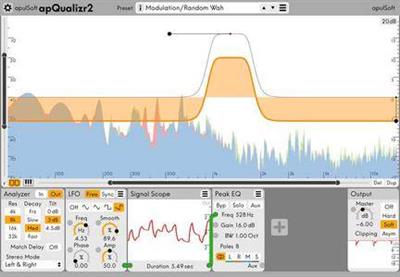
apulSoft apQualizr 2 v2.3.0 WiN / OSX

c09a89189b3b2fc3617e05ba9cb263bf.jpg


apulSoft apQualizr 2 v2.3.0 WiN / OSX | 6 Mb / 15 Mb​
apulSoft apQualizr2 is an audio plugin based on a multiband equalizer layered on top of a fre- quency analyzer with elements of a modular effects system. It features graphical editing of top quality low latency filters and modular modulation of various filter parameters. It can be used for all standard EQ applications and can produce many modulation and dynamics effects thanks to the dynamics and lfo modules included.

apQualizr2's filters are based on a unique method to match ideal frequency response curves over the entire frequency spectrum while maintaining minimal latency. Applicable filter types have adjustable steepness (adjustable number of poles) and can be individually switched to Mid-Side processing.

Features:
High quality minimal latency vari-slope filters modelled perfectly over the full frequency spectrum.
Graphical editing of filter parameters.
Unlimited number of filter bands.
Zoomable FFT-based frequency analyzer displayed beneath the filter curves.
Frequency band solo feature: hold Alt to solo frequencies in mouse proximity at any time.
Filter parameters can be modulated by a configurable network of modules.
Current module selection: LFO, Dynamics Detector, Signal Scope, Mix, Split.
Mid-Side / Left-Right processing per filter band.
Comb filter.
Output clipper with gain reduction graph.
Interactive piano ruler.

Download link:​
Код:
[center][b]rapidgator_net[/b]:
https://rapidgator.net/file/60dc506ac2e0206bd6ee45fc740b72c5/6p3ic.apulSoft.apQualizr.2.v2.3.0.Incl.KeygenR2R.rar.html
https://rapidgator.net/file/847c527bd8e80c392b31f0019e019547/6p3ic.apulSoft.apQualizr.2.v2.3.0.MacOSX.Incl.KeygenR2R.rar.html

[b]nitroflare_com[/b]:
https://nitroflare.com/view/F967849226A4414/6p3ic.apulSoft.apQualizr.2.v2.3.0.Incl.KeygenR2R.rar
https://nitroflare.com/view/42384B824554176/6p3ic.apulSoft.apQualizr.2.v2.3.0.MacOSX.Incl.KeygenR2R.rar

[b]uploadgig_com[/b]:
https://uploadgig.com/file/download/0D30c8aD3c8f54e2/6p3ic.apulSoft.apQualizr.2.v2.3.0.Incl.KeygenR2R.rar
https://uploadgig.com/file/download/ee5eF93d9A803289/6p3ic.apulSoft.apQualizr.2.v2.3.0.MacOSX.Incl.KeygenR2R.rar[/center]

Links are Interchangeable - No Password - Single Extraction​
 
Autodesk Alias Concept 2021.2

a946e8919e4863ce8bc85d2b90812881.jpg


Autodesk Alias Concept 2021.2 | 3.0 Gb​
The Alias Products development team is pleased to announce the availability of Concept 2021.2 is conceptual Automotive design software that provides sketching, fast concept modelling and visualisation tools. This update introduces several new features, fixes, and improvements, and addresses many customer reported crashes and issues.

What's New in Alias 2021.2

Introducing Dynamo Player for Alias

Alias 2021.2 Update includes Dynamo Player, which lets you run Dynamo scripts from a dedicated window in Alias. With Dynamo Player, you can leverage Dynamo's visual programming platform to create parametric designs or generate geometry without knowing how to create Dynamo scripts.

Load a Dynamo script into the player, select the Alias geometry inputs and run it to quickly generate or modify complex geometry. Use slider controls to adjust the script's parameter values and see the updates in the Alias viewport right away.

Script makers can easily make your Dynamo scripts more adaptable to Dynamo Player by grouping input nodes as a way of organizing how they appear in the player, adding labels for the parameters, and setting maximum and minimum value ranges.

Alias provides several new Dynamo scripts for subdivision and NURBS geometry that are set up and ready to be run in Dynamo Player.

Improved Select from Alias input node

An improved Select from Alias node lets you specify the type of geometry the node uses as an input. When you predefine the geometry inputs, Dynamo Player automatically activates the selection filters for each input. This can simplify the process of setting up and running the script for Dynamo Player users.


Alias 2021.2 Update introduces subdivision (Sub-D) surface modeling in Create VR. You can now start shaping and sculpting conceptual designs with new patch, volume, and disc Sub-d primitives. Each Sub-d creation tool has the ability to move CVs, and extrude and welding components embedded in the tool, so you can begin shaping primitives as you create them.

In addition there is an extensive Sub-d modeling tool-kit that lets you:

- Extrude faces and edges using three different selection modes.
- Weld vertices, faces, and edges.
- Insert and crease edges.
- Bridge gaps between source and target edges.
- Shape primitives by cutting and rebuilding edges.

Subdivision geometry provides smooth continuous surfaces for creating objects and organic shapes. Create VR Sub-d bodies comply with standard Catmull-Clark subdivision surfaces. This means when you export your sub-d creations to the Autodesk FBX file format, you can continue working on the designs in Alias or other content creation applications, such as Autodesk Maya and Autodesk 3ds Max.

Other Create VR additions and improvements include a new Quick Menu attached to the Global hand, which displays tools that are relevant to your current selected tool and task. This means you don't need to switch between the workspace and the Tool menu to activate commonly used tools.

New Planarize Edge tool
A new Subdiv Planarize Edge tool planarizes subdivision edges and edge loops by projecting the edges to a best fit, view based plane, or perpendicular to the X, Z, or Y axis. Use this tool to quickly clean up uneven patterns in edges of the subdivision control cage. Like the Planarize Hull tool for NURBS surfaces, you can choose plane types based on current view, the X, Y, and Z axis, as well as a best fit plane. Each plane type displays a yellow preview plane in the viewport showing the orientation of the alignment. The distance and direction of the affected CVs' movement displays as yellow lines.

New Subdivision Thicken tool
A new Subdiv Thicken tool lets you quickly add thickness to subdivision bodies by uniformly offsetting the distance between the subdivision CVs. When you thicken closed subdivision bodies, the subdivision body gets duplicated and offset by the Distance amount.

Retopo tool improvements
- You can now create new geometry in all perspective views. For example, when you create geometry that's not snapped to a reference mesh, the tool now snaps to the view-based ground plane rather than automatically snapping to the Bottom ground plane.
- The ground plane for the Retopo Tool is now infinite. Previously, the ground plane had a preset size.

Other subdivision tool enhancements
- We've added a new Edge Flow option to the Subdivision Insert Edges and Subdivision Retopo tools. Edge Flow adjusts the placement of the new edges so they best fit the curvature of the neighboring edges to maintain the shape of the subdivision body. Edge Flow works when inserting perpendicular and parallel edges.

We've added a Merge Subdiv option to the Duplicate > Mirror Options, which automatically merges the source and duplicate subdivision bodies when symmetrical copies are made. For best results, ensure the source object is on the symmetry plane as the tool merges the CVs that are aligned to the symmetry plane.

Modeling improvements

New Tubular Offset tool manipulator
An enhanced in-canvas manipulator for the Tubular Offset tool has been designed to increase the speed and efficiency of your tube and groove surface workflows. The new manipulator improvements include:

- Lets you input radius, tangent, and normal values directly in-canvas for primary manipulators as well as radius values for secondary manipulators.
- Ability to toggle between Tube and Groove surface types.
- Ability to manipulate the normal and tangent of the offset.
- Lets you add and remove manipulators using Shift + LMB.

Skin tool improvements

Improvements to the Skin tool include:

- A new Explicit option in the Explicit Controls lets you specify the number of U spans to insert in the output skin surface. When selected, use the U span control to specify the exact number of U spans to insert. Use the Max U Spans and option and control slider for setting the maximum number of spans.

- Short-Edge Tolerance has been renamed to Min Span Length for surfaces and Min Edge Length for Bezier surfaces (when Bezier surfaces is turned on).

Reference Manager improvements
- We've improved the reference data workflow when working with CATIA reference assemblies. If you import a CATIA assembly as a reference, Alias creates referenced files for each file contained in the assembly. This way, each part now maintains its connection to the external reference. When the external files change, only the affected reference files need to be updated in the Reference Manager. This new workflow improvement saves translation time. In previous versions, each CATIA part in an assembly would be imported as a node rather than as an individual file. If an external file was changed, the entire assembly needed to be re-translated.

- Setting a Point of Interest (POI) on referenced objects now works the same as it does with source objects. For example, you can set a POI on either a face or wireframe if the object is not shaded. For shaded objects, you can set a POI on the face. Ensure that Face selection is on in the Selection Options ( Preferences > Selection Options).

Other modeling enhancements

- Trimming controls have been added to the Freeform Blend tool (Surface > Freeform Blend). Choose to trim the source surface using Automatic or CoS Trim Types.
- You can now use Box select when picking curves for the Duplicate Curve and Rebuild Curve tools.
- You can now add an item to a selection set by dragging it from a Layer onto an existing selection set.
- You can now use Transform > Zero to reset any scaling, translation, and rotation applied to objects that are in folders or layers that use symmetry. Previously, you had to turn off layer symmetry before Transform > Zero could be applied to these objects.
- We've improved how the E single hotkey is used to rotate objects. Now, when the Single Hot Keys preference is on (Preferences > Interface > Toggle Single Hotkeys) after pressing E, you can use the LMB, MMB, and RMB to rotate objects in the X, Y, and Z axis respectively. This makes the E single hotkey behave similar to the W (Move) hotkey.
- The Transform tool manipulator now includes a Global and Pivot mode toggle, which lets you switch between the modes in-canvas. Previously, you had to open the Universal Transform Options window to switch between Global and Pivot modes.

- Improvements to the Tool Locator now make it faster and easier for you to locate tools in Alias. As you begin typing in the Find area, the Tool Locator window automatically populates with results based on your query, narrowing the search as you type more of the tool name. Hovering over a result displays the tool's ToolClip, which provides a brief description of the tool.

- New options in the Variant Lister let you copy-and-paste camera views from one stage to another. Choose Edit from the Variant Lister menu to access the new Copy Variant Views and Paste Variant Views options.

- A new Apply ViewCube Home preference lets you configure a hotkey to return the canvas to the set Home view. To do this, choose Preferences > Interface > Hotkey/ Menu Editor, then scroll to and expand Special > Viewing. Beside Apply ViewCube Home, type the hotkey you want to use for returning to the Home view.
- We increased the color variations used by the Random Layer Colors (Layers > Custom Colors > Random Layer Colors) option for layers.

Visualization

Replace Shader by Name additions

The Replace Shader by Name feature has been extended to include the following:
- Added a Replace Shader by Name option to the File Import Options for .wire files. Now, when importing shaders along with your CAD files using Keep Shaders, an additional Replace Shaders option lets you choose to use the replace by name.

- When copying and pasting contents between stages, a new Replace Shader by Name option in the Paste Options lets you use the replace the shaders when pasting.

Other visualization improvements

- We've updated the diagnostic shading icons to make them more readable in both the Light and Dark UI color themes.

Data translation

- Import and Export options for DWG and DXF files are now available in the Import File Options, Open File Options, and Save Active/As Options windows.

- You can now import .tss T-Spline files into Alias as subdivision surface control meshes.
- Alias now generates intermediate files during file translations of all supported formats. The intermediate files have a 'Translating_' prefix and appear in a temporary directory until the translation operation completes.

About Autodesk Alias product family. Autodesk Alias Design, Autodesk Alias Surface, Autodesk Alias AutoStudio, Autodesk Alias SpeedForm and Autodesk Alias Concept software-support concept visual communication, design modeling, technical surfacing, reverse engineering, real-time design visualization, and engineering development collaboration.

Autodesk Alias products, part of the Autodesk solution for Digital Prototyping, power your creative design process with advanced sketching, modeling, and visualization tools.

Autodesk Alias Concept software offers a powerful tool set supporting the end to end creative design process. This software bundle combines sketching and conceptual modeling with design surface modeling and visualization capabilities, enabling designers and concept modelers to quickly define, explore and communicate large numbers of design proposals, thus increasing the decision-base for picking the next winning design.

Alias 2020 WhatsNew Subdiv Long Intro

Autodesk helps people imagine, design and create a better world. Everyone-from design professionals, engineers and architects to digital artists, students and hobbyists-uses Autodesk software to unlock their creativity and solve important challenges.

Product: Autodesk Alias Concept
Version: 2021.2
Supported Architectures: x64
Website Home Page :
У Вас недостаточно прав для просмотра ссылок. Войдите или зарегистрируйтесь.

Language: english
System Requirements: PC *
Size: 3.0 Gb

Operating system
- Microsoft Windows 10 (64-bit)
- Microsoft Windows 8.1 Professional (64-bit)

Browser
Autodesk recommends the latest version of the following Web browsers for access to online supplemental content:
- Apple Safari Web browser
- Google Chrome Web browser
- Microsoft Internet Explorer Web browser
- Mozilla Firefox Web browser

CPU: 2 GHz 64-bit Intel or AMD multi-core processor

Graphics hardware:
- Alias General: Supported NVIDIA or AMD graphics card with a minimum of 256 MB dedicated texture memory and DirectX 11 compatible.
- Alias VR: Any NVIDIA or AMD graphics card that is VR Ready certified.

RAM: 8 GB (16 GB recommended)

Disk space:
Free hard disk space required for installation:
- Autodesk Alias AutoStudio: 10 GB
- Autodesk Alias Surface: 5 GB
- Autodesk Alias Concept: 7 GB
- Autodesk Alias Design: 5 GB

Pointing device:
- Three-button mouse
- Wacom graphics tablet for sketching (optional)

Optional Hardware: HTC Vive, Oculus Rift, Windows Mixed Reality devices

.NET Framework: .NET Framework Version 4.6 for Windows

Download link:​
Код:
[center][b]rapidgator_net[/b]:
https://rapidgator.net/file/30e16b1cd090d123b97ad8f08aac965d/uaoi3.Autodesk.Alias.Concept.2021.2.part01.rar.html
https://rapidgator.net/file/d4ebdbc429a2bf4624c70ed955d0565c/uaoi3.Autodesk.Alias.Concept.2021.2.part02.rar.html
https://rapidgator.net/file/8550073b8e46feb922d8f99e355473bc/uaoi3.Autodesk.Alias.Concept.2021.2.part03.rar.html
https://rapidgator.net/file/f52bb2023d1423d2a0788feb988b3724/uaoi3.Autodesk.Alias.Concept.2021.2.part04.rar.html
https://rapidgator.net/file/d4e38117e18b2c9cccc8ce668adcf1db/uaoi3.Autodesk.Alias.Concept.2021.2.part05.rar.html
https://rapidgator.net/file/fb796e545820af616cdf55357ddf0566/uaoi3.Autodesk.Alias.Concept.2021.2.part06.rar.html
https://rapidgator.net/file/7f51607a57858025671f27e47a6b15f0/uaoi3.Autodesk.Alias.Concept.2021.2.part07.rar.html
https://rapidgator.net/file/2a00796e988522cb012f79796234f5ce/uaoi3.Autodesk.Alias.Concept.2021.2.part08.rar.html
https://rapidgator.net/file/8fe10bddae682082d692c40234569f60/uaoi3.Autodesk.Alias.Concept.2021.2.part09.rar.html

[b]nitroflare_com[/b]:
https://nitroflare.com/view/4F71E6D550E2B0B/uaoi3.Autodesk.Alias.Concept.2021.2.part01.rar
https://nitroflare.com/view/7FE20CC997F0266/uaoi3.Autodesk.Alias.Concept.2021.2.part02.rar
https://nitroflare.com/view/5AC8295A787E9EC/uaoi3.Autodesk.Alias.Concept.2021.2.part03.rar
https://nitroflare.com/view/7BB9EF36D3FD8B6/uaoi3.Autodesk.Alias.Concept.2021.2.part04.rar
https://nitroflare.com/view/332288E9BC81275/uaoi3.Autodesk.Alias.Concept.2021.2.part05.rar
https://nitroflare.com/view/112EFFB4689CB15/uaoi3.Autodesk.Alias.Concept.2021.2.part06.rar
https://nitroflare.com/view/CCD89C0C7131D8C/uaoi3.Autodesk.Alias.Concept.2021.2.part07.rar
https://nitroflare.com/view/CEA7CC3F16690AC/uaoi3.Autodesk.Alias.Concept.2021.2.part08.rar
https://nitroflare.com/view/83D5CADC641CAD0/uaoi3.Autodesk.Alias.Concept.2021.2.part09.rar

[b]uploadgig_com[/b]:
https://uploadgig.com/file/download/2c30464f7225d599/uaoi3.Autodesk.Alias.Concept.2021.2.part01.rar
https://uploadgig.com/file/download/22f912aae2a86cdb/uaoi3.Autodesk.Alias.Concept.2021.2.part02.rar
https://uploadgig.com/file/download/f1def5dD39D25bb8/uaoi3.Autodesk.Alias.Concept.2021.2.part03.rar
https://uploadgig.com/file/download/785570C0c4afB323/uaoi3.Autodesk.Alias.Concept.2021.2.part04.rar
https://uploadgig.com/file/download/89Cd8E5fd376b371/uaoi3.Autodesk.Alias.Concept.2021.2.part05.rar
https://uploadgig.com/file/download/60c33dDBf72Ca7E3/uaoi3.Autodesk.Alias.Concept.2021.2.part06.rar
https://uploadgig.com/file/download/0c576e1169e7c260/uaoi3.Autodesk.Alias.Concept.2021.2.part07.rar
https://uploadgig.com/file/download/408FFF330005283c/uaoi3.Autodesk.Alias.Concept.2021.2.part08.rar
https://uploadgig.com/file/download/fe33f097c2c0079b/uaoi3.Autodesk.Alias.Concept.2021.2.part09.rar[/center]

Links are Interchangeable - No Password - Single Extraction​
 
Autodesk Alias Surface 2021.2

5f46dbbafdfc2cc2ce4ac590535e0ef0.jpg


Autodesk Alias Surface 2021.2 | 3.0 Gb​
The Alias Products development team is pleased to announce the availability of Surface 2021.2. This software offer tools for industrial area and vehicle design to handle class A surfaces. Update introduces several new features, fixes, and improvements, and addresses many customer reported crashes and issues.

What's New in Alias 2021.2

Introducing Dynamo Player for Alias

Alias 2021.2 Update includes Dynamo Player, which lets you run Dynamo scripts from a dedicated window in Alias. With Dynamo Player, you can leverage Dynamo's visual programming platform to create parametric designs or generate geometry without knowing how to create Dynamo scripts.

Load a Dynamo script into the player, select the Alias geometry inputs and run it to quickly generate or modify complex geometry. Use slider controls to adjust the script's parameter values and see the updates in the Alias viewport right away.

Script makers can easily make your Dynamo scripts more adaptable to Dynamo Player by grouping input nodes as a way of organizing how they appear in the player, adding labels for the parameters, and setting maximum and minimum value ranges.

Alias provides several new Dynamo scripts for subdivision and NURBS geometry that are set up and ready to be run in Dynamo Player.

Improved Select from Alias input node

An improved Select from Alias node lets you specify the type of geometry the node uses as an input. When you predefine the geometry inputs, Dynamo Player automatically activates the selection filters for each input. This can simplify the process of setting up and running the script for Dynamo Player users.

Alias 2021.2 Update introduces subdivision (Sub-D) surface modeling in Create VR. You can now start shaping and sculpting conceptual designs with new patch, volume, and disc Sub-d primitives. Each Sub-d creation tool has the ability to move CVs, and extrude and welding components embedded in the tool, so you can begin shaping primitives as you create them.

In addition there is an extensive Sub-d modeling tool-kit that lets you:

- Extrude faces and edges using three different selection modes.
- Weld vertices, faces, and edges.
- Insert and crease edges.
- Bridge gaps between source and target edges.
- Shape primitives by cutting and rebuilding edges.

Subdivision geometry provides smooth continuous surfaces for creating objects and organic shapes. Create VR Sub-d bodies comply with standard Catmull-Clark subdivision surfaces. This means when you export your sub-d creations to the Autodesk FBX file format, you can continue working on the designs in Alias or other content creation applications, such as Autodesk Maya and Autodesk 3ds Max.

Other Create VR additions and improvements include a new Quick Menu attached to the Global hand, which displays tools that are relevant to your current selected tool and task. This means you don't need to switch between the workspace and the Tool menu to activate commonly used tools.

New Planarize Edge tool
A new Subdiv Planarize Edge tool planarizes subdivision edges and edge loops by projecting the edges to a best fit, view based plane, or perpendicular to the X, Z, or Y axis. Use this tool to quickly clean up uneven patterns in edges of the subdivision control cage. Like the Planarize Hull tool for NURBS surfaces, you can choose plane types based on current view, the X, Y, and Z axis, as well as a best fit plane. Each plane type displays a yellow preview plane in the viewport showing the orientation of the alignment. The distance and direction of the affected CVs' movement displays as yellow lines.

New Subdivision Thicken tool
A new Subdiv Thicken tool lets you quickly add thickness to subdivision bodies by uniformly offsetting the distance between the subdivision CVs. When you thicken closed subdivision bodies, the subdivision body gets duplicated and offset by the Distance amount.

Retopo tool improvements
- You can now create new geometry in all perspective views. For example, when you create geometry that's not snapped to a reference mesh, the tool now snaps to the view-based ground plane rather than automatically snapping to the Bottom ground plane.
- The ground plane for the Retopo Tool is now infinite. Previously, the ground plane had a preset size.

Other subdivision tool enhancements
- We've added a new Edge Flow option to the Subdivision Insert Edges and Subdivision Retopo tools. Edge Flow adjusts the placement of the new edges so they best fit the curvature of the neighboring edges to maintain the shape of the subdivision body. Edge Flow works when inserting perpendicular and parallel edges.

- The Align to Curve tool now supports degree-4 and degree-5 curves for driving alignment. Select Degree 4 or Degree 5 from the Approximation settings.

- We've improved the way history works with the subdivision tools. Now, you can choose which tool to query edit when your object has history from more than one subdivision tool.

- Short-Edge Tolerance has been renamed to Min Span Length for surfaces and Min Edge Length for Bezier surfaces (when Bezier surfaces is turned on).

Reference Manager improvements
- We've improved the reference data workflow when working with CATIA reference assemblies. If you import a CATIA assembly as a reference, Alias creates referenced files for each file contained in the assembly. This way, each part now maintains its connection to the external reference. When the external files change, only the affected reference files need to be updated in the Reference Manager. This new workflow improvement saves translation time. In previous versions, each CATIA part in an assembly would be imported as a node rather than as an individual file. If an external file was changed, the entire assembly needed to be re-translated.

- Setting a Point of Interest (POI) on referenced objects now works the same as it does with source objects. For example, you can set a POI on either a face or wireframe if the object is not shaded. For shaded objects, you can set a POI on the face. Ensure that Face selection is on in the Selection Options ( Preferences > Selection Options).

Other modeling enhancements

- Trimming controls have been added to the Freeform Blend tool (Surface > Freeform Blend). Choose to trim the source surface using Automatic or CoS Trim Types.
- You can now use Box select when picking curves for the Duplicate Curve and Rebuild Curve tools.
- You can now add an item to a selection set by dragging it from a Layer onto an existing selection set.
- You can now use Transform > Zero to reset any scaling, translation, and rotation applied to objects that are in folders or layers that use symmetry. Previously, you had to turn off layer symmetry before Transform > Zero could be applied to these objects.
- We've improved how the E single hotkey is used to rotate objects. Now, when the Single Hot Keys preference is on (Preferences > Interface > Toggle Single Hotkeys) after pressing E, you can use the LMB, MMB, and RMB to rotate objects in the X, Y, and Z axis respectively. This makes the E single hotkey behave similar to the W (Move) hotkey.
- The Transform tool manipulator now includes a Global and Pivot mode toggle, which lets you switch between the modes in-canvas. Previously, you had to open the Universal Transform Options window to switch between Global and Pivot modes.

- Improvements to the Tool Locator now make it faster and easier for you to locate tools in Alias. As you begin typing in the Find area, the Tool Locator window automatically populates with results based on your query, narrowing the search as you type more of the tool name. Hovering over a result displays the tool's ToolClip, which provides a brief description of the tool.

- A new Apply ViewCube Home preference lets you configure a hotkey to return the canvas to the set Home view. To do this, choose Preferences > Interface > Hotkey/ Menu Editor, then scroll to and expand Special > Viewing. Beside Apply ViewCube Home, type the hotkey you want to use for returning to the Home view.
- We increased the color variations used by the Random Layer Colors (Layers > Custom Colors > Random Layer Colors) option for layers.

Visualization

Replace Shader by Name additions

The Replace Shader by Name feature has been extended to include the following:
- Added a Replace Shader by Name option to the File Import Options for .wire files. Now, when importing shaders along with your CAD files using Keep Shaders, an additional Replace Shaders option lets you choose to use the replace by name.

Data translation

- Import and Export options for DWG and DXF files are now available in the Import File Options, Open File Options, and Save Active/As Options windows.


- You can now import .tss T-Spline files into Alias as subdivision surface control meshes.
- Alias now generates intermediate files during file translations of all supported formats. The intermediate files have a 'Translating_' prefix and appear in a temporary directory until the translation operation completes.

About Autodesk Alias product family. Autodesk Alias Design, Autodesk Alias Surface, Autodesk Alias AutoStudio, Autodesk Alias SpeedForm and Autodesk Alias Concept software-support concept visual communication, design modeling, technical surfacing, reverse engineering, real-time design visualization, and engineering development collaboration.

Autodesk Alias products, part of the Autodesk solution for Digital Prototyping, power your creative design process with advanced sketching, modeling, and visualization tools.

Autodesk Alias Surface software, part of the Autodesk solution for Digital Prototyping, offers a full set of dynamic 3D surface modelling capabilities. The software enables digital modellers to evolve design concepts into production surface models for consumer product design and high-quality Class-A surfaces for automotive design and styling. Alias Surface software also supports advanced reverse engineering capabilities enabling digital modellers to quickly go from mesh data to high-quality Class-A surfaces ready for engineering detail design.

Alias 2020 WhatsNew Subdiv Long Intro

Autodesk helps people imagine, design and create a better world. Everyone-from design professionals, engineers and architects to digital artists, students and hobbyists-uses Autodesk software to unlock their creativity and solve important challenges.

Product: Autodesk Alias Surface
Version: 2021.2
Supported Architectures: x64
Website Home Page :
У Вас недостаточно прав для просмотра ссылок. Войдите или зарегистрируйтесь.

Language: english
System Requirements: PC *
Size: 3.0 Gb

Operating system
- Microsoft Windows 10 (64-bit)
- Microsoft Windows 8.1 Professional (64-bit)

Browser
Autodesk recommends the latest version of the following Web browsers for access to online supplemental content:
- Apple Safari Web browser
- Google Chrome Web browser
- Microsoft Internet Explorer Web browser
- Mozilla Firefox Web browser

CPU: 2 GHz 64-bit Intel or AMD multi-core processor

Graphics hardware:
- Alias General: Supported NVIDIA or AMD graphics card with a minimum of 256 MB dedicated texture memory and DirectX 11 compatible.
- Alias VR: Any NVIDIA or AMD graphics card that is VR Ready certified.

RAM: 8 GB (16 GB recommended)

Disk space:
Free hard disk space required for installation:
- Autodesk Alias AutoStudio: 10 GB
- Autodesk Alias Surface: 5 GB
- Autodesk Alias Concept: 7 GB
- Autodesk Alias Design: 5 GB

Pointing device:
- Three-button mouse
- Wacom graphics tablet for sketching (optional)

Optional Hardware: HTC Vive, Oculus Rift, Windows Mixed Reality devices

.NET Framework: .NET Framework Version 4.6 for Windows

Download link:​
Код:
[center][b]rapidgator_net[/b]:
https://rapidgator.net/file/51c725ab3fa3ae825774b91797131f80/gjnax.Autodesk.Alias.Surface.2021.2.part01.rar.html
https://rapidgator.net/file/dbec028386c411e2fd474445d0de3e0f/gjnax.Autodesk.Alias.Surface.2021.2.part02.rar.html
https://rapidgator.net/file/32e35919754ff69961978dd0d51c30f2/gjnax.Autodesk.Alias.Surface.2021.2.part03.rar.html
https://rapidgator.net/file/863025694cdca3dbcd5be86ceafff13a/gjnax.Autodesk.Alias.Surface.2021.2.part04.rar.html
https://rapidgator.net/file/6263b95ce5bbc0fc981fb6472f4f73df/gjnax.Autodesk.Alias.Surface.2021.2.part05.rar.html
https://rapidgator.net/file/ee7a1f1ac9125411022c5f72c619a7e1/gjnax.Autodesk.Alias.Surface.2021.2.part06.rar.html
https://rapidgator.net/file/05faa41d623f02f1a6adc7eb058cdc8e/gjnax.Autodesk.Alias.Surface.2021.2.part07.rar.html
https://rapidgator.net/file/dec56a42690edaeaad7876396da45b8f/gjnax.Autodesk.Alias.Surface.2021.2.part08.rar.html
https://rapidgator.net/file/b14a44a6cd4f83b95e1d4ad9cc1a97ea/gjnax.Autodesk.Alias.Surface.2021.2.part09.rar.html

[b]nitroflare_com[/b]:
https://nitroflare.com/view/3505A91CB254FFB/gjnax.Autodesk.Alias.Surface.2021.2.part01.rar
https://nitroflare.com/view/B515AD8C83D6FB1/gjnax.Autodesk.Alias.Surface.2021.2.part02.rar
https://nitroflare.com/view/09946D84F50CFA6/gjnax.Autodesk.Alias.Surface.2021.2.part03.rar
https://nitroflare.com/view/3AFB840FAE833F0/gjnax.Autodesk.Alias.Surface.2021.2.part04.rar
https://nitroflare.com/view/CEC0B777CE7AD15/gjnax.Autodesk.Alias.Surface.2021.2.part05.rar
https://nitroflare.com/view/DCC4B20C1BE1590/gjnax.Autodesk.Alias.Surface.2021.2.part06.rar
https://nitroflare.com/view/80C9294F8B6E688/gjnax.Autodesk.Alias.Surface.2021.2.part07.rar
https://nitroflare.com/view/0731DD27BD94124/gjnax.Autodesk.Alias.Surface.2021.2.part08.rar
https://nitroflare.com/view/5072C6F86B0CA2F/gjnax.Autodesk.Alias.Surface.2021.2.part09.rar

[b]uploadgig_com[/b]:
https://uploadgig.com/file/download/772704aaDfab9E40/gjnax.Autodesk.Alias.Surface.2021.2.part01.rar
https://uploadgig.com/file/download/Baf58666beaEca8b/gjnax.Autodesk.Alias.Surface.2021.2.part02.rar
https://uploadgig.com/file/download/c2e9aa607f38E4bE/gjnax.Autodesk.Alias.Surface.2021.2.part03.rar
https://uploadgig.com/file/download/f81db329ecab75bb/gjnax.Autodesk.Alias.Surface.2021.2.part04.rar
https://uploadgig.com/file/download/11A320F726de6c24/gjnax.Autodesk.Alias.Surface.2021.2.part05.rar
https://uploadgig.com/file/download/9020Ee7cae88cFf1/gjnax.Autodesk.Alias.Surface.2021.2.part06.rar
https://uploadgig.com/file/download/1EcFbd8a63c1435f/gjnax.Autodesk.Alias.Surface.2021.2.part07.rar
https://uploadgig.com/file/download/0aAb078eEe3AC281/gjnax.Autodesk.Alias.Surface.2021.2.part08.rar
https://uploadgig.com/file/download/c5Eba07919afD25F/gjnax.Autodesk.Alias.Surface.2021.2.part09.rar[/center]

Links are Interchangeable - No Password - Single Extraction​
 
Blue-Cloner Diamond 9.50 Build 836

17a3dd30012be8dc7fab63ed056985c2.jpg


Blue-Cloner Diamond 9.50 Build 836 (x86/x64) | 187.3 Mb​
Blue-Cloner Diamond is powerful Blu-ray copy/burn/decryption/conversion software. It has all the features of Blue-Cloner plus the ability to burn data/video files to DVD or Blu-ray discs and rip Blu-ray movies to various video and audio formats for enjoying on popular media devices.

It enables you to copy Blu-ray/4K UHD movies to blank Blu-ray discs or to the hard disk and convert 2D movies to 3D format. Besides, you can convert video files to DVD/Blu-ray video format for playback on various DVD/Blu-ray players. Give it a try and you'll find your ideal multimedia solution!

Blue-Cloner 2020 is all new Blu-ray copy/backup/burn/decryption software which can copy Blu-ray movies, including 3D, to blank Blu-ray/DVD/AVCHD discs or hard disk as Blu-ray folders and ISO image files with just one or a few clicks. In addition, Blue-Cloner 2020 has been enhanced to copy 4K UHD Blu-ray to a blank Blu-ray disc with an UHD friendly drive, with 4K and HDR supported.

Key features:
Express interface and Expert interface: The Express interface is for novices to copy Blu-ray movies with just one click and the Expert interface is for advanced users to copy Blu-ray movies with various customized copy modes.
As a Blu-ray decrypter, Blue-Cloner can remove various Blu-ray copy protections including AACS, BD+, UOPs, Cinavia, etc.
Copy a Blu-ray movie to a blank BD-R/RE (DL) in 1:1 ratio.
Compress one Blu-ray movie to a blank BD-R/RE, keeping menus and special features.
Copy the main movie from a Blu-ray disc, omitting menus and unwanted special features such as audio tracks and subtitles.
Split one Blu-ray movie (50G) to two blank BD-R/REs (25G), including menus and special features.
Copy only a certain range of chapters, audio tracks and subtitles.
Integrated the 4K UHD Blu-ray copy function, which enables you to copy 4K UHD Blu-ray movies with only one click.
5 diverse copy modes for 4K UHD Blu-ray.
Added the function of customizing audio tracks and subtitles when copying Blu-ray to DVD, removing unwanted sections.
Create multiple Blu-ray copies without having to repeat the entire process again.
Compatible with more models and brands of Blu-ray drives and burners.
Improved HST feature for saving lots of time of UHD encoding.
"NVIDIA" and "INTEL QSV" GPUs are supported.
Select whether to delete temporary files when copy is finished.
Select whether to cache files to the hard disk when compressing UHD.

System requirements:
Recommended configuration:
Intel i5 or a faster processor
8GB of RAM
200GB free hard disk space (NTFS partition)
A Blu-ray burner
Windows 10
A UHD friendly drive

Home Page -
У Вас недостаточно прав для просмотра ссылок. Войдите или зарегистрируйтесь.


Download link:​
Код:
[center][b]rapidgator_net[/b]:
https://rapidgator.net/file/10041f37a6e5c1ee15135728f9c7c8be/4961v.BlueCloner.Diamond.9.50.Build.836.rar.html

[b]nitroflare_com[/b]:
https://nitroflare.com/view/5CFC6CE963F282B/4961v.BlueCloner.Diamond.9.50.Build.836.rar

[b]uploadgig_com[/b]:
https://uploadgig.com/file/download/c1363Ac45625bbF3/4961v.BlueCloner.Diamond.9.50.Build.836.rar[/center]

Links are Interchangeable - No Password - Single Extraction​
 
CyberLink PowerDirector Ultimate 19.0.2108.0 (x64) Multilingual

92a735f3decc010b8b028e34e5825691.jpg


CyberLink PowerDirector Ultimate 19.0.2108.0 (x64) Multilingual | 911 Mb​
Limitless Capabilities, Made Simple. Cut, refine, add effects, and publish - PowerDirector 365 offers best-in-class editing tools with an intuitive workflow. Create compelling content with powerful new effects, a streamlined user interface, and ever-growing resource libraries. No matter your level of proficiency, you can achieve spectacular results.

Integrate Complete Video Editing Capabilities Into Your Creative Workflow
Get the best of both worlds with still images and video in your production. PowerDirector works seamlessly with PhotoDirector to integrate edited photographs, graphics, or animated images. Refine your assets in PhotoDirector and add them right into your PowerDirector project or send out production stills and animated clips for a complete roundtrip workflow.

Powerful Tools, Infinite Possibilities, Inspiration Included
Unleash your creativity with the high-end performance and precision of PowerDirector 365. Harness the power of professional editing tools with an intuitive user interface, take advantage of a massive stock library, and bring your video ideas to life with monthly design packs.

Mask Designer (Enhanced!)
Create hyper-realistic image composites or expressive surrealist shots with our new advanced mask tools. Cut and combine images from different clips with unparalleled precision.

Dynamic Keyframe Controls (Enhanced!)
We've enhanced keyframing to provide more control over anchor points enabling dynamic motion as well as a new hold interpolation mode to apply your effects where you want them when you want them.

Customizable Motion Graphic Titles (Enhanced!)
Introduce every scene with an epic title. Use one of our stunning, ready-to-use motion graphic titles and customize the text and shape color to match your style.

Sketch Animation Overlays (New!)
Create the perfect tutorial video with animated sketch templates. Customize the size and color to match your style.

Refine and Match Colors, Fast (Enhanced!)
Set the tone. Keep color consistent across clips with one click or manually adjust the hue, saturation and brightness to match your look.

Add Customized Shape Objects
Insert customizable vector shapes with auto-fit text and precise keyframe controls. Choose from a wide range of text bubbles and callouts.

Dynamic Title Reveals
Get complete control over title animations and appearance with advanced tools to mask and reveal titles.

Green Screen Editing
Perform Hollywood-style green screen editing thanks to an improved chroma key engine and multi-key color sampling.

Intuitive Motion Tracking
Ensure 100% object tracking accuracy in your video clips with frame-by-frame motion tracking for both shapes and titles.

Stunning videos in a few clicks.
Pick from a huge range of ready-made templates complete with effects, titles and transitions in Express Projects. From there, it's simply a matter of adding your clips and clicking 'Produce'!

Easily Apply Speed Effects & One-Click Enhancements
Our Action Camera Center gives you everything you need to make quick edits, correct and enhance footage, as well as adjust frames, motion and more. Create the story you want, in just a few clicks!

Exceed Expectations
PowerDirector is renowned for being the world's fastest, most comprehensive video editing software. And with support for the latest video, photo, and audio formats, you'll be ready to tackle projects of any size.

Fast, by Design (Enhanced!)
Don't waste time waiting for your software to respond! Experience a superior editing performance with Intel 10th gen CPU optimization.

Professional Grade Support (New!)
Import and edit video shot on professional-grade cameras and in HEVC & VP9 10bit HDR10 & HLG, ProRes 10bit 4:2:2, XAVC 8bit 4:2:0 and MXF AVC 8bit 4:2:0 video compatibility. As well as support for AAC 5.1ch sound output.

Streamlined Workflow for YouTubers, Vloggers & Instagrammers
PowerDirector streamlines the workflow to make routine video production easier than ever - making it the best video editing software for Windows video creators!

Seamless Integration (New!)
Export your entire audio mix from PowerDirector directly into AudioDirector to deliver polished, pristine sound.

Nested Projects as PiP
Repurpose previous project files inside your new ones, and use keyframes to fully control the PiP object.

Audio Scrubbing
Hear audio while dragging the playhead through a project to quickly find a scene you need.

Video Pre-cut
Pre-cut long clips into short, reusable segments that you can use repeatedly throughout multiple projects.

Library Preview Window
Split-window mode for previewing clips, trimming, & inserting onto your timeline.

4K Preview
Preview your projects in 4K quality, and see how your video will look before you produce.

Minimum System Requirements:
- Microsoft Windows 10, 8/8.1, 7 (64 bit OS only)
- Intel Core™ i-series or AMD Phenom® II and above
- Standard Video: 128 MB VGA VRAM or higher
- 360-video: DirectX 11 compatible
- 4GB memory required (6GB or above recommended)
- 7GB hard disk space
- Burning drive is required for disc burning purpose
- Windows compatible sound card is required
- 1024 x 768, 16-bit color or above

Language Support:
- English
- French
- German
- Italian
- Spanish (European)
- Chinese Simplified
- Chinese Traditional
- Japanese
- Korean
- Dutch

Home Page -
У Вас недостаточно прав для просмотра ссылок. Войдите или зарегистрируйтесь.


Download link:​
Код:
[center][b]rapidgator_net[/b]:
https://rapidgator.net/file/2ceeaba7a05f031d7b01a45f93ca9406/j63vm.CyberLink.PowerDirector.Ultimate.19.0.2108.0.x64.Multilingual.rar.html

[b]nitroflare_com[/b]:
https://nitroflare.com/view/5C3DFF6A851A4CC/j63vm.CyberLink.PowerDirector.Ultimate.19.0.2108.0.x64.Multilingual.rar

[b]uploadgig_com[/b]:
https://uploadgig.com/file/download/7386be17e7759f15/j63vm.CyberLink.PowerDirector.Ultimate.19.0.2108.0.x64.Multilingual.rar[/center]

Links are Interchangeable - No Password - Single Extraction​
 
CyberLink Screen Recorder Deluxe 4.2.4.10672

3a2e8d7bdbb9f33eb8122f2d3abe9430.jpg


CyberLink Screen Recorder Deluxe 4.2.4.10672 (x64) REPACK Multilingual | 343 Mb​
CyberLink Screen Recorder 4 delivers robust desktop capture and video streaming in a single application. No longer do game casters and online content creators need to juggle multiple applications or services for multistreaming video, or editing desktop capture to publish on YouTube or Facebook.

Screen Recorder couples the easy-to-use editing features of PowerDirector - The No.1 Choice for Video Editors - with responsive, high-quality screen casting and capturing technology, making it the all-in-one solution for recording or streaming gameplay, vlogging, or sharing screen content with an online audience.

For Gamers & Streamers
Go beyond just streaming in-game action and start creating content that engages with your followers on Twitch, YouTube or Facebook. Integrate webcam commentary into livestreams, or record and edit gameplay to focus on the best bits.

For YouTubers & Vloggers
Powered by CyberLink's industry-leading video editing tools Screen Recorder is more than just screen capturing software. Record & edit content to provide your audience with videos that are detailed, high-quality, and informative.

For Work & Business
Make presentations more interactive with screen sharing through livestreams. Record video conferences, or create more effective training material by recording your presentations and editing them quickly with easy-to-use tools.

Livestream to Twitch, YouTube and Facebook (Enhanced!)
Using Screen Recorder you can connect directly to the platform of your choice and stream video in up to Full HD quality. Livestreaming gameplay to Twitch, YouTube or Facebook is a great way to share your love of gaming with the world.

Use a Custom Streaming Server (NEW!)
Not only does Screen Recorder let you stream to your favorite platforms like Twitch, Facebook & YouTube Live, it also lets you use custom streaming servers to reach your audience.

Multistream to Twitch, YouTube, Facebook and Custom Servers (NEW!)
Screen Recorder lets you multistream to up to five different services. This means you can simultaneously livestream to Twitch, YouTube, and Facebook, plus up-to two additional custom servers. It's an easy to reach a wider audience without the need for additional relay servers.

Reduced System Footprint
We understand that CPU and GPU processing power is vital for smooth gameplay and streaming. While other screen capturing solutions consume far too much of the precious processing power that gamers require, we've taken every step possible to ensure Screen Recorder minimizes CPU & GPU load as much as possible for your gameplay.

Integrate Your Webcam into Livestreams (Enhanced!)
Share more than just your gameplay. Share your gaming secrets, reactions and commentary with your viewers by integrating webcam & microphone audio and video on top of your in-game footage, even when you're streaming from a gaming console. You can also use chroma key to apply a custom background.

Record with Chroma Key (NEW!)
Get creative when adding webcam footage to your screen recordings. Remove the background from your webcam footage thanks to a powerful chroma key engine, and replace it with your own cool, creative background image.

Add Overlay Objects to Recordings (NEW!)
Overlay objects to your desktop and webcam recordings. It's an easy way to brand your videos, promote a sponsor, or add a unique watermark to your recordings.

Customizable Hotkey Support (Enhanced!)
Get recordings started quicker, mute and unmute instantly, pause without having to touch your mouse, and quicklt take screenshots by setting customized hotkeys for recording and streaming.

Record from PC or Connected Device
Whether you're a vlogger, gamer, or how-to expert, Screen Recorder will have you producing high-quality, detailed videos in next to no time. Record your whole screen, just a window, or lock to a specific app. For gamers, you can record gameplay from your PC even in exclusive mode, and also capture directly from your gaming console!

Easy-to-use Editing Tools (Enhanced!)
Don't spend hours figuring out how to edit your footage. Screen Recorder comes with a remarkably simple editing interface that allows you to quickly import and trim your footage, add titles and transitions, and also now add two unique audio tracks.

Real-time Webcam & Mic Preview (NEW!)
Setup recordings faster with real-time webcam & mic previews. See exactly what you'll look like before you hit record using the preview window, and quickly adjust resolution and settings. The microphone preview allows you to quickly adjust volume and preview audio levels.

Record & edit presentations
Allow staff to review presentations by recording, editing, and publishing them online. Perfect for visually explaining things to collegues, creating tutorials or interactive visual training guides for your teams.

Livestream directly to your audience
It's the easiest way to hold interactive presentations and connect with customers and staff.

System Requirements:
- Microsoft Windows 10, 8.1, 7 SP1 (Windows 10 64-bit recommended)
- Intel Core™ i-series or AMD Phenom® II and above
- Desktop recording: 1GB VGA VRAM or higher
- Game recording: 3GB VGA VRAM or higher
- 2GB Memory
- 600MB for product installation
- Windows compatible sound card is required

Home Page -
У Вас недостаточно прав для просмотра ссылок. Войдите или зарегистрируйтесь.


Download link:​
Код:
[center][b]rapidgator_net[/b]:
https://rapidgator.net/file/844a1b392c2038a57ee682acc5bae162/z6k33.CyberLink.Screen.Recorder.Deluxe.4.2.4.10672.rar.html

[b]nitroflare_com[/b]:
https://nitroflare.com/view/39ADB972B5D50AA/z6k33.CyberLink.Screen.Recorder.Deluxe.4.2.4.10672.rar

[b]uploadgig_com[/b]:
https://uploadgig.com/file/download/231eCd95c12Cfd34/z6k33.CyberLink.Screen.Recorder.Deluxe.4.2.4.10672.rar[/center]

Links are Interchangeable - No Password - Single Extraction​
 
Назад
Сверху