• Старая версия форума работает в архивном режиме www.old.nado.in

All mitsumi'1s Applications !! (updated daily)

  • Автор темы Автор темы mitsumi1
  • Дата начала Дата начала
Axure RP 9.0.0.3719

dd64e78ec3f0d9e7923cbfc73c027aea.jpg


Axure RP 9.0.0.3719 Pro / Team / Enterprise Edition | 109.8 Mb​
Design the right solution. Create simple click-through diagrams or highly functional, rich prototypes with conditional logic, dynamic content, animations, math functions, and data-driven interactions without writing a single line of code.

Easy to share
Click a button, and Axure RP will publish your diagrams and prototypes to Axure Share on the cloud or on-premises. Just send a link (and password) and others can view your project in a browser. On mobile devices, use a browser or the Axure Share App for iOS and Android.

Diagramming and Documentation
Create flowcharts, wireframes, mockups, user journeys, personas, idea boards and more. Quickly drag and drop elements from built-in or custom libraries to create your diagrams. Then, style it with fills, gradients, line styles, and text formatting. Annotate your diagrams and prototypes to specify functionality, keep track of tasks, or store project information. Organize your notes into separate fields for different audiences. Choose which notes to present in the HTML or in an auto-generated Word document that includes screenshots.

Easier Team Collaboration
Axure RP allows multiple people to work on the same file at the same time, making it easier for your team to work together. Create a team project on Axure share or SVN and use a check-in and check-out system to manage changes. Team projects also keep a history of changes with notes for each check-in.

System Requirements:
- Windows 7 SP1, 8, or 10
- 2 GB memory (RAM) minimum, 4 GB recommended
- 1 GHz processor
- 5 GB disk space
- For Word documentation: Microsoft Office Word 2000,
- XP, 2003, 2007, 2010. 2013, or 2016
- For generated HTML: IE/Edge, Firefox, or Chrome

Home Page -
У Вас недостаточно прав для просмотра ссылок. Войдите или зарегистрируйтесь.


Download link:​
Код:
[center][b]rapidgator_net[/b]:
https://rapidgator.net/file/f783d6c3725c4bdad9b4fe6369088e3a/r7phy.Axure.RP.9.0.0.3719.rar.html

[b]nitroflare_com[/b]:
https://nitroflare.com/view/9453D795DCA4ADE/r7phy.Axure.RP.9.0.0.3719.rar

[b]uploadgig_com[/b]:
https://uploadgig.com/file/download/f68958c650aa72B6/r7phy.Axure.RP.9.0.0.3719.rar[/center]

Links are Interchangeable - No Password - Single Extraction​
 
Boris FX Continuum Complete 2020.5 v13.5.1.1378

907ce8d1d1defb2df2436d2eda092f1a.jpg


Boris FX Continuum Complete 2020.5 v13.5.1.1378 (x64) | 245.8/240.2 Mb​
The film and television industry's busiest editors and artists choose Boris FX Continuum. The powerful, timesaving plugins streamline post workflows with seventeen creative effect, titling, and quick fix plug-in categories. Includes over 250 effects and 4000+ presets. One collection that fits every project need.

WHAT'S NEW IN CONTINUUM 2020:
- New! Corner Pin Studio: Simplify screen inserts and more with built-in Mocha planar tracking and integrated color correction, light wrap, and drop shadow
- New! Reflection Effect: Quickly generate mirror surface reflections
- New! Cast Shadow Effect: Easily generate true 3D cast shadows with a built-in 3D camera and light system
- New! Curl Effect: Instantly create auto-animating heat haze, surface drops, and curlycue distortions
- New! Transitions: Add 6 more slick auto-animating transitions with on-screen controls to your toolkit New in Continuum 2020: Curl Dissolve, Colorize Glow Dissolve, RGB Displacement Dissolve, RGB Blur Dissolve, Kaleidoscope Dissolve, and Prism Dissolve.
- New! Mocha Area Brush: Track and mask faster using paint-like gestural strokes
- New! Particle Illusion: updates include new professionally-designed emitter, improved search, and tons of new time-saving functionality
- New! Title Studio: updates include new professionally-designed preset templates, new materials & shaders, and overall interface improvements to work faster

Continuum 2020 is the latest major release of the post-production industry's most comprehensive plugin collection. Key new features include 4 effects, 6 transitions, and nearly 100 professionally-designed presets. You'll work even more efficiently with Particle Illusion and Title Studio's new functionality and updated interfaces. And tracking and masking takes seconds with the addition of an Area Brush tool to integrated Mocha.

NEW! CORNER PIN STUDIO
Corner pinning and compositing inserts just got a lot easier. Corner Pin Studio's next-gen workflow makes replacing screens/billboards/devices a cinch with a single Mocha planar tracker that targets the surface and four offset pins to accurately position the source shot onto the target. Includes post-processing options for foreground color correction, edge chokes, drop shadow, light wrap, and 27 unique blend modes.

NEW! REFLECTION
Need to add a reflection to an element or titles? The Reflection effect instantly generates a planar reflection using a filtered source image. Reflections can be easily tweaked with options for blurring, shimmering, scaling, repositioning, and independent animation. Includes a built-in animatable 3D camera system to fill the gap if your host application doesn't offer native cameras. After Effects artists have the option to use AE's native cameras.

NEW! CAST SHADOW
Throw a shadow onto your shot! The Cast Shadow effect generates true 3D shadows using an integrated point or parallel light source positioned in 3D space. Includes options to control the intensity, color, and length of a shadow blur, plus a ripple feature if you're casting a shadow over water. Use the built-in animatable 3D camera system to reposition the source as needed. After Effects artists have the option to use AE's native cameras and lights.

NEW! CURL
Curl is a warp effect that's perfect for creating heat haze, underwater distortions, and smoky effects. Users can easily tweak the number, speed, and angle of curls. Includes the integrated Beat Reactor to make your effect bounce to music.

NEW TRANSITIONS FOR 2020
Continuum 2020 features 6 brand new drag and drop transitions for editors looking to spice up their sequences.

- Curl Dissolve - Based on the new Curl effect, the Curl Dissolve transition adds a psychedelic look to projects. Simply drag-and-drop the dissolve in between clips, use one of the included presets, or customize.
- Colorize Glow Dissolve - The Colorize Glow Dissolve transition pumps up projects with a slick stylized dose of color between shots. Easily control the color glow with the included gradient generator.
- RGB Displacement Dissolve - The RBG Displacement Dissolve transition separates color channels then adds warp displacements. Perfect for music videos or highly-stylized looks.
- RGB Blur Dissolve - The RGB Blur Dissolve transition gives editors even more options to play with the RBG color channels between two clips. Includes a master level blur control, separate horizontal and vertical scale controls, or individual blur level by color channel.
- Kaleidoscope Dissolve - Remember how much fun you had using a kaleidoscope as a kid? You can now apply those geometric designs between clips! The Kaleidoscope Dissolve transition includes two independent tile controls that come with their own set of presets as well as an undistort option.
- Prism Dissolve - The Prism Dissolve transition adds a subtle chromatic aberration with prismatic color separation that dissolves between clips.

MOCHA IMPROVEMENTS - NEW AREA BRUSH
If you're not a fan of working with splines, you'll love Mocha's new Area Brush tool with Quick Mask mode. Track and mask even faster by painting over track search areas. Includes full support for Wacom tablets. Paint strokes automatically convert into splines for a simple new workflow.

PARTICLE ILLUSION IMPROVEMENTS
Particle Illusion's fast and easy-to-use real-time particle and motion graphics generator gets a major update with new functionality and UI improvements. Highlights include:

- New professionally-designed emitters
- New high-resolution thumbnails for all emitters
- Particle sprites can now be selected from any emitter library
- New Preview Window toolbar with ability to choose background color
- Motion blur enable / disable in emitter preview window
- List and grid views for emitter library
- Resizable thumbnails in the grid view
- Improved visible emitter tagging and emitter search function
- Emitters can now be renamed, modified, saved, deleted

TITLE STUDIO IMPROVEMENTS
Title Studio's Cinema 4D integration results in the best and most accurate renders of any 3D model plugin for NLE and compositing systems - and now includes more shaders and materials than ever before. Highlights include:

- New preset templates added and updates to earlier ones to help you work faster
- New Vertex and Pixel shaders allow users to create 3D warps for 3D titles and imported 3D models or map real-world materials (sand, stone, marble, metals) independently over any 3D object surface
- New Texture Specular Bump Reflection and Texture Specular Reflection materials makes adding reflections simple

System Requirements:
- Windows: Windows 7 or higher
- Processor: 64-bit Intel or AMD CPU with four or more cores
- Memory: 8 GB or more
- Disk: High-speed disk array or SSD storage
- Graphics Card: Most modern graphics cards from ATI, Nvidia and Intel are supported.

Home Page -
У Вас недостаточно прав для просмотра ссылок. Войдите или зарегистрируйтесь.


Download link:​
Код:
[center][b]rapidgator_net[/b]:
https://rapidgator.net/file/eca6a400a2ee7980971f9021a05de203/9p1zp.BCC.13.5.1.1378.Adobe.rar.html
https://rapidgator.net/file/51aaf34103196480ad6f3c01f73996d0/9p1zp.BCC.13.5.1.1378.OFX.rar.html

[b]nitroflare_com[/b]:
https://nitroflare.com/view/6BA2C19728C1424/9p1zp.BCC.13.5.1.1378.Adobe.rar
https://nitroflare.com/view/9C3BF9689A27B86/9p1zp.BCC.13.5.1.1378.OFX.rar

[b]uploadgig_com[/b]:
https://uploadgig.com/file/download/9d6fC165ebc3Efc1/9p1zp.BCC.13.5.1.1378.Adobe.rar
https://uploadgig.com/file/download/787765772daBE793/9p1zp.BCC.13.5.1.1378.OFX.rar[/center]

Links are Interchangeable - No Password - Single Extraction​
 
Bulk Image Downloader 5.83.0 Multilingual

014def03310ab54d38342b07b85046bd.jpg


Bulk Image Downloader 5.83.0 (x86) Multilingual | 14.7 Mb​
Bulk Image Downloader is a specialized tool designed to automatically download and save images from thumbnailed image galleries, bypassing all annoying popups and adverts. It can also extract image information from regular text files (such as saved html pages or plain text files containing links) and web pages where image links are listed as plain text.

Almost all popular image hosting sites are supported and the built in image locator AI can locate the full sized image in most web pages no matter what the layout. It integrates with Internet Explorer, Firefox and Opera via the right click context menu for even easier downloading.

Features
Image Host Support - BID works with almost all popular image hosting sites, such as flickr, imagevenue, imagefap, imageshack, imagebam, etc.
Social Networking Sites - BID supports album downloading from sites such as facebook, myspace, and twitter related hosts like tweetphoto.com, twitpic.com, yfrog.com
Full Sized Images - BID uses an advanced heuristic scoring method to locate full sized images. This means BID can work on most galleries automatically, with no user configuration necessary.
Batch Downloading - Automatically download from huge lists of gallery URLs via the integrated Queue Manager.
Web Browser Integration - BID integrates with IE, Opera, FireFox and Chrome. Just right click inside your browser window and select "Open current page with BID"
Web Forum Support - BID can scan multi page forum threads and quickly extract all image links
Multi Page Gallery Downloads - BID can detect and download from most popular multi page web galleries out of the box.
Password Protected Websites - BID will prompt for user names and passwords if the web site requires them.
Video Downloading - It's not just for images - BID also supports VIDEO downloading from directly linked video files (.avi, .wmv, .mpeg, .mov, .flv, .mp4, etc)
Embedded images - Apart from locating and downloading full sized imaged, BID can also download images embedded on a page
Sequenced image filenames (fusker) - BID supports 'ranged' URLs for sequenced image downloading. e.g. mysite/pics/image[001-100].jpg
Image Validation - BID checks every image to make sure it's been downloaded correctly. Invalid images are retried automatically.
Resume Downloads - BID will resume downloads from the point at which the connection was broken.
Multi Threaded Downloading - BID can download up to 50 images at once. Download those galleries quickly!
Redirection Resolution -Some sites use image redirection "services" like imagecash, urlcash etc. to display adverts before redirecting to the imagehost. BID automatically resolves these types of links.
File name unmangling - BID will retrieve the correct file name from image hosts that scramble filenames (where possible), such as imagevenue, imagefap.
Generate File names - Optionally create your own sequenced file names for image hosts that scramble the file names,
Export Galleries to HTML or BB Code - Quickly generate gallery code suitable for pasting into web forums.
Advanced Configuration - BID has many advanced settings for things like Javascript processing, redirection handling, and more for those tricky galleries that thwart BID's download attempts. We're happy to help out with these settings if you get stuck - just contact us.

Operating System: Windows 10, 8, 7, Vista, XP & 2000

Home Page -
У Вас недостаточно прав для просмотра ссылок. Войдите или зарегистрируйтесь.


Download link:​
Код:
[center][b]rapidgator_net[/b]:
https://rapidgator.net/file/a5fb4c988cc67bc2a1f867efd3820a89/3ymow.Bulk.Image.Downloader.5.83.0.Multilingual.zip.html

[b]nitroflare_com[/b]:
https://nitroflare.com/view/B3FF73F315D2CB4/3ymow.Bulk.Image.Downloader.5.83.0.Multilingual.zip

[b]uploadgig_com[/b]:
https://uploadgig.com/file/download/71726de183eB4b70/3ymow.Bulk.Image.Downloader.5.83.0.Multilingual.zip[/center]

Links are Interchangeable - No Password - Single Extraction​
 
Commander One PRO 2.5.1 macOS

f182f23f0830532a0cc232006e540f92.jpg


Commander One PRO 2.5.1 Multilingual | macOS | 45 mb​
New version of Commander One PRO has finally arrived carrying an exciting update: support for more connections, encryption of online data, ability to work with "Shared with me" section on Google Drive, etc.

Commander One PRO is a revolutionary file manager for Mac with dual-panel interface. Completely developed in Swift, it provides multiple advanced tools for efficient work with your files, folders, documents, archives, remote servers and computer processes.

New version of Commander One PRO has finally arrived carrying an exciting update: support for more connections, encryption of online data, ability to work with "Shared with me" section on Google Drive, etc.

Commander One PRO is a revolutionary file manager for Mac with dual-panel interface. Completely developed in Swift, it provides multiple advanced tools for efficient work with your files, folders, documents, archives, remote servers and computer processes.

"This app is everything OS X Finder wants to be"
Cultofmac.com

"I'd describe it more as a handy Finder "enhancer" that's great for Mac OS X "power users"; "If you consider yourself a "power user" and want the ability to tweak and fiddle with the functions on your Mac, you'll find it very handy - especially the pro version."
Appleworld.today

Besides the basic OS X file manager features, Commander One PRO also has a number of handy optimizations to your workflow
- Create, delete, open, move, and rename files and folders;
- Use regular expressions in file search;
- Various view modes;
- Unlimited tabs;
- Operations queue;
- Customizable hotkeys;
- History, Favorites;
- Select the program to open the file;
- All computers over network are detected and displayed in the list.

FTP Client
- Access remote servers via FTP, SFTP or FTPS;
- Two panels are for sure more efficient than one;
- Keep an eye on file operations with convenient queueing;
- Change files permissions.

WebDAV client
- Connect to WebDAV servers. You can connect to as many servers as you need at the same time in Commander One.
- Work directly with your files stored on the server, as if they are stored in a local folder on your Mac.
- Transfer files from one WebDAV server to another, without downloading them to your Mac.

Amazon S3 Browser
- Work with files of entire Amazon S3 account or only specific buckets;
- Set custom endpoint to access your S3-based server.

Compatibility: OS X 10.10 or later 64-bit
Mac App Store:
У Вас недостаточно прав для просмотра ссылок. Войдите или зарегистрируйтесь.


Download link:​
Код:
[center][b]rapidgator_net[/b]:
https://rapidgator.net/file/db28991a12f74e3aaf93ea2970761d2c/gebbz.Commander.One.PRO.2.5.1.rar.html

[b]nitroflare_com[/b]:
https://nitroflare.com/view/8FF6C48E1FF4F62/gebbz.Commander.One.PRO.2.5.1.rar

[b]uploadgig_com[/b]:
https://uploadgig.com/file/download/64aFe4552e2775aA/gebbz.Commander.One.PRO.2.5.1.rar[/center]

Links are Interchangeable - No Password - Single Extraction​
 
DataNumen Access Repair 3.1.0.0

667f0d5a73c0a5c4c594983fbab34ca8.jpg


DataNumen Access Repair 3.1.0.0 | 13.6 Mb​
DataNumen Access Repair is the best Access repair and recovery tool in the world. It can repair the corrupt Access .mdb and .accdb databases and recover as much of your data as possible, thereby minimizing the loss in file corruption.

Features :
Support for Windows 95/98/ME/NT/2000/XP/Visa/7/8/8.1/10 and Windows Server 2003/2008/2012/2016.
Support to repair Microsoft Access 95, 97, 2000, 2002(XP), 2003, 2007, 2010, 2013, 2016, 2019 and Access for Office 365 databases.
Support to recover the structure and records of the tables in Access databases.
Support to recover MEMO and OLE fields.
Support to recover deleted tables and records in Access databases.
Support to recover autonumber fields and indexes.
Support to recover relations.
Support to recover queries.
Support to recover password encrypted Access databases.
Can be used as a computer forensic tool and electronic discovery (or e-discovery, eDiscovery) tool.
Support to fix Access mdb and accdb files on corrupted media, such as floppy disks, Zip disks, CDROMs, etc.
Support to find and select the Access mdb and accdb files to be repaired on the local computer, according to some criteria.
Support to repair a batch of Access mdb and accdb files.
Support integration with Windows Explorer, so you can repair mdb and accdb file with the context menu of Windows Explorer easily.
Support drag & drop operation.
Support command line (DOS prompt) parameters.

Home Page:
У Вас недостаточно прав для просмотра ссылок. Войдите или зарегистрируйтесь.


Language: English

Download link:​
Код:
[center][b]rapidgator_net[/b]:
https://rapidgator.net/file/fa7ff339fd78e9575f738c0b997cddfb/xwu3n.DataNumen.Access.Repair.3.1.0.0.rar.html

[b]nitroflare_com[/b]:
https://nitroflare.com/view/1298F88EDCCBDBA/xwu3n.DataNumen.Access.Repair.3.1.0.0.rar

[b]uploadgig_com[/b]:
https://uploadgig.com/file/download/45d04f6dC2B3d9ee/xwu3n.DataNumen.Access.Repair.3.1.0.0.rar[/center]

Links are Interchangeable - No Password - Single Extraction​
 
DigitalOfficePro HTML5Point 4.1.51

fd71b2ec22fd2ac381ab2484eb3ee29f.jpg


DigitalOfficePro HTML5Point 4.1.51 | 96.8 Mb​
HTML5Point - is the world's first PowerPoint to HTML5 converter that lets you to convert your PowerPoint presentation into an interactive HTML5 content that can be viewed on iPads, iPhones, other mobile devices and on all modern browsers - all in a Single click!

PowerPoint to HTML5 Converter:
- Convert PPT to HTML5 in a single click
- Say goodbye to expensive programmers
- Flexible publishing / delivery options

Accurate Conversion
Output works exactly like PowerPoint retaining all the special effects

High Speed Conversion
HTML5 output done 5X quicker than in other converters

SCORM /AICC Support
SCORM / AICC compliant interactive HTML5 output support

View Converted HTML5 presentations on iPad, iPhone and other devices
Develop interactive presentations for desktops, laptops, Android tablets, iPads & iPhone with a single click. HTML5Point accurately converts your PowerPoint content to HTML5 preserving all the animations, transitions and other special effects associated with the original PowerPoint presentation. Developing an e-Learning package with support on all devices is now very easy with HTML5Point.

HTML5 slideshows support on all modern browsers
Converted HTML5 output works flawlessly on almost all modern browsers without any additional plugins (unlike flash which requires additional plugins) installed on your machine. It is due to this cross platform compatible nature that publishers recommend the new HTML5 format over any other conventional formats.

Animations and Transitions in HTML5
HTML5Point PPT to HTML5 converter completely retains the animations and transition effects of original PowerPoint presentation. The superior plug-in also has the capability to support auto timing feature associated with the presentation.

Compatible with SCORM
With HTML5Point PowerPoint to HTML5 conversion tool you can create SCORM [SCORM 2004 (2nd, 3rd and 4th edition)] compatible presentation that can be uploaded to any SCORM compliant LMS (Learning Management System) on the cloud.

Installed to right within PowerPoint
PPT to HTML5 converter called HTML5Point is downloaded as a PowerPoint add-in. The HTML5Point installer places a tab to your PowerPoint ribbon, and you can access all its functions from this tab. We have updated this plugin with the latest features to get your work done quickly and accurately.

HTML5Point Key Features:
- YouTube & Video Support
- Narration & Continuous Audio
- Animated Gifs
- Hyperlinks
- Optimize compression of images
- Animations & Transitions
- No Additional Plugins
- Cross browser compatibility
- Consistency
- Search Engine friendly
- Improved Semantics
- Improved Accessibility

System & Software Requirements:
- Windows 10, 8, 7, Vista, XP
- Office 2019, 2016, 2013, 2010, 2007

Home Page -
У Вас недостаточно прав для просмотра ссылок. Войдите или зарегистрируйтесь.


Download link:​
Код:
[center][b]rapidgator_net[/b]:
https://rapidgator.net/file/6a89af59f24c33bd535462e89ad0579b/6gbye.DigitalOfficePro.HTML5Point.4.1.51.rar.html

[b]nitroflare_com[/b]:
https://nitroflare.com/view/D48C158E3537A0A/6gbye.DigitalOfficePro.HTML5Point.4.1.51.rar

[b]uploadgig_com[/b]:
https://uploadgig.com/file/download/Ae7D274e281043af/6gbye.DigitalOfficePro.HTML5Point.4.1.51.rar[/center]

Links are Interchangeable - No Password - Single Extraction​
 
Microsoft Azure DevOps Server / Express 2020

c213d8386b06382b3a43211d59ed3d0c.jpg


Microsoft Azure DevOps Server / Express 2020 | 3.7 Gb​
The Microsoft Azure development team is pleased to announce the availability of Azure DevOps Server 2020 RTW. This release includes is a roll up of bug fixes and also all features in the Azure DevOps Server 2020 RC2 previously released.

Summary of What's New in Azure DevOps Server 2020

Azure DevOps Server 2020 introduces many new features. Some of the highlights include:

- Multi-stage pipelines
- Continuous deployment in YAML
- Track the progress of parent items using Rollup on Boards backlog
- Add "Parent Work Item" filter to the task board and sprint backlog
- New Web UI for Azure Repos landing pages
- Cross-repo branch policy administration
- New Test Plan page
- Rich editing for code wiki pages
- Pipeline failure and duration reports

Azure DevOps Server 2020 RTW Release Notes - Date: October 6, 2020

Azure DevOps Server 2020 is a roll up of bug fixes. It includes all features in the Azure DevOps Server 2020 RC2 previously released.

Note: Azure DevOps 2020 Server has an issue with installing one of the assemblies used by the Git Virtual File System (GVFS).

Previously known as Team Foundation Server (TFS), Azure DevOps Server is a set of collaborative software development tools, hosted on-premises. Azure DevOps Server integrates with your existing IDE or editor, enabling your cross-functional team to work effectively on projects of all sizes.

Azure DevOps includes developer collaboration tools which can be used together or independently, including Azure Boards (Work), Azure Repos (Code), Azure Pipelines (Build and Release), Azure Test Plans (Test), and Azure Artifacts (Packages). These tools support all popular programming languages, any platform (including macOS, Linux, and Windows) or cloud, as well as on-premises environments. Like with TFS, you control where you install Azure DevOps Server and when you apply updates. If you prefer to let us manage, use Azure DevOps Services which is available in more geographic regions than any other cloud hosted developer collaboration service.

In this video, Abel talks to Dipendra Namdeo to find out about the Azure DevOps Wiki - an online wiki solution built into Azure DevOps. In a software project, there is a need to share information and document knowledge about the project, have an easy way to create and edit the documentation and be able to quickly search through the docs. The Azure DevOps Wiki gives us all these things.

Microsoft Corporation, leading developer of personal-computer software systems and applications. The company also publishes books and multimedia titles, offers e-mail services, and sells electronic game systems, computer peripherals (input/output devices), and portable media players. It has sales offices throughout the world.

Product: Microsoft Azure
Version: DevOps Server / Express 2020
Supported Architectures: x64
Website Home Page :
У Вас недостаточно прав для просмотра ссылок. Войдите или зарегистрируйтесь.

Language: english
System Requirements: PC *
Size: 3.7 Gb

Server or client installation
- Runs on either a Windows Server operating system or a Windows client operating system.
- Azure DevOps Server 2020 run only on a 64-bit operating system.

Server operating systems
- Windows Server 2019
- Windows Server 2016
- Windows Server 2020

Note: The Server Core installation option is supported only for Azure DevOps Server 2020

Client operating systems
- Windows 10 (Enterprise) Version 1803
- Windows 10 (Professional, Enterprise) 1809 or later

Azure SQL Database and SQL Server
- Azure SQL Database
- SQL Server 2019
- SQL Server 2017
- SQL Server 2016 (minimum SP1)

Download link:​
Код:
[center][b]rapidgator_net[/b]:
https://rapidgator.net/file/b4d6aa67b6f2cc5db32e5a295b8c3535/p9bw6.devops.2020.part1.rar.html
https://rapidgator.net/file/2e9e72beac71ca7db3011d7901a95763/p9bw6.devops.2020.part2.rar.html
https://rapidgator.net/file/d47788d92e486389307c6daeeb7db9b3/p9bw6.devops.2020.part3.rar.html
https://rapidgator.net/file/7f65fa9e5d48fc80021a80f38653ac9c/p9bw6.devops.2020.part4.rar.html
https://rapidgator.net/file/25ed71c8f065305118e37a0e079c3070/p9bw6.devops.2020.express.part1.rar.html
https://rapidgator.net/file/ee964a50ca9169f128af8160791b74ed/p9bw6.devops.2020.express.part2.rar.html
https://rapidgator.net/file/d4b3baef24ca652ea6b4e034221c8367/p9bw6.devops.2020.express.part3.rar.html
https://rapidgator.net/file/5650658877276bc904a56a28e5a9e619/p9bw6.devops.2020.express.part4.rar.html
https://rapidgator.net/file/62ab17d68eac003d79acd411eba4428d/p9bw6.devops.server.2020.part1.rar.html
https://rapidgator.net/file/fcfa1e6021d7c8a75f01c9b7a6d21d82/p9bw6.devops.server.2020.part2.rar.html
https://rapidgator.net/file/d3b09d83ab9414c01a0bdf5797e9408a/p9bw6.devops.server.2020.part3.rar.html
https://rapidgator.net/file/d4b7603013006e9e31c35166a3492270/p9bw6.devops.server.2020.part4.rar.html

[b]nitroflare_com[/b]:
https://nitroflare.com/view/958B15F42586FE3/p9bw6.devops.2020.part1.rar
https://nitroflare.com/view/EE4C9F071ACFB78/p9bw6.devops.2020.part2.rar
https://nitroflare.com/view/6D72F0F14C27F41/p9bw6.devops.2020.part3.rar
https://nitroflare.com/view/136AF12BB2E58E5/p9bw6.devops.2020.part4.rar
https://nitroflare.com/view/FDA84CC50D6971E/p9bw6.devops.2020.express.part1.rar
https://nitroflare.com/view/DC2DF8DAA6C778B/p9bw6.devops.2020.express.part2.rar
https://nitroflare.com/view/33480EFF3590171/p9bw6.devops.2020.express.part3.rar
https://nitroflare.com/view/B059A5F518B09CD/p9bw6.devops.2020.express.part4.rar
https://nitroflare.com/view/1C15794F6A52F38/p9bw6.devops.server.2020.part1.rar
https://nitroflare.com/view/C615E772A0972CA/p9bw6.devops.server.2020.part2.rar
https://nitroflare.com/view/F87CCCAD87451AD/p9bw6.devops.server.2020.part3.rar
https://nitroflare.com/view/1E552F0301040E9/p9bw6.devops.server.2020.part4.rar

[b]uploadgig_com[/b]:
https://uploadgig.com/file/download/Ba8F13394695059c/p9bw6.devops.2020.part1.rar
https://uploadgig.com/file/download/9c0E199404EbE7cf/p9bw6.devops.2020.part2.rar
https://uploadgig.com/file/download/5017886811f295dd/p9bw6.devops.2020.part3.rar
https://uploadgig.com/file/download/7B70e8C5f610327d/p9bw6.devops.2020.part4.rar
https://uploadgig.com/file/download/0967102ecBbd7C51/p9bw6.devops.2020.express.part1.rar
https://uploadgig.com/file/download/923Fe6Af119Bb2fc/p9bw6.devops.2020.express.part2.rar
https://uploadgig.com/file/download/07b9c059235F9247/p9bw6.devops.2020.express.part3.rar
https://uploadgig.com/file/download/bcadb183A197a244/p9bw6.devops.2020.express.part4.rar
https://uploadgig.com/file/download/651284335e4442b1/p9bw6.devops.server.2020.part1.rar
https://uploadgig.com/file/download/a6952923d5B9c86a/p9bw6.devops.server.2020.part2.rar
https://uploadgig.com/file/download/D72c38047c348ed8/p9bw6.devops.server.2020.part3.rar
https://uploadgig.com/file/download/6460f5df70F2b720/p9bw6.devops.server.2020.part4.rar[/center]

Links are Interchangeable - No Password - Single Extraction​
 
DigitalOfficePro PowerFlashPoint 6.0.24

a8dcf4d544ffdbac4ca9e38d737c8814.jpg


DigitalOfficePro PowerFlashPoint 6.0.24 | 18.3 Mb​
PowerFlashPoint automatically converts your PowerPoint XP/2002, 2003, 2007, 2010, 2013, 2016 & 2019 presentations into a highly compressed interactive content in Flash format. Easily distribute and share converted Flash with worldwide audience. It's the worlds most accurate PowerPoint to Flash converter.

PowerPoint to Flash Converter:
- Convert presentations to video at one go
- Retains all the special effects in a presentation
- Add Video Narration to presentation via webcam

Create Interactive Presentations
Create flash based presentations leveraging the power of PowerPoint without any programming knowledge - all within a single click. PowerFlashPoint converter allows you to create interactive eLearning courses for your online training. It is rated as the coolest eLearning authorware available in the market.

Keep animation effects of PowerPoint
PowerFlashPoint PowerPoint to Flash converter accurately retains the animation effects of PowerPoint. This comes handy while creating quick flash demos from PowerPoint. Apart from normal animation effects, PowerFlashPoint also retains transition effects associated with a presentation to perfection.

Record and Sync Audio & Video Narrations
Give a professional touch to your flash presentations by recording narrations. Apart from Importing existing audios and videos our inbuilt recorder helps user to record audio and video narrations into course.

SCORM & AICC Support
PowerFlashPoint allows you to create SCORM and AICC compliant content, and free to deliver & track content for your Learning Management System.

Publishing to multiple formats
With flexible options on board, users can publish presentation as a single SWF output or separate SWF files for each slide. User can also generate HTML and EXE files of presentation.

Swift Delivery of your presentation
Now you can easily deliver your PowerPoint content anytime, anywhere with a single click. That means you can publish to CD, LMS, FTP and SlideServe.

Professional and attractive players
PowerFlashPoint allows you to choose one of six attractive players depending on your requirements.

Create SCORM/AICC Compliant output
Converted presentations are compatible with virtually all Learning Management Systems, including Moodle, CourseMill, BlackBoard, etc.

Embed Flash and YouTube Videos
Make your presentation more interesting and dynamic by inserting third party content via Flash files and YouTube videos.

Create SCORM/AICC Compliant output
Upload your presentation to SlideServe: A presentation sharing portal. Publish your presentation to SlideServe Share, Discover, View PowerPoint presentations Online.

Retains Special effects
- Narration & Continuous Audio
- Video
- Animated Gifs
- Animations & Transitions
- Hyperlinks

Benefits of Flash
- Reduced Output file size
- A secure and tamper proof format
- Streaming technology
- Optional single file output
- Viewing Capabilities with or without Player

Delivery & Tracking
- SCORM/AICC compliant Ouput
- On Facebook Via SlideServe
- On Twitter Via SlideServe
- On Google Plus Via SlideServe

System & Software Requirements:
- Windows 10, 8, 7, Vista, XP
- Office 2019, 2016, 2013, 2010, 2007

Home Page -
У Вас недостаточно прав для просмотра ссылок. Войдите или зарегистрируйтесь.


Download link:​
Код:
[center][b]rapidgator_net[/b]:
https://rapidgator.net/file/b6c26b2e7c1b4849beb414f62fdda07f/4jls9.DigitalOfficePro.PowerFlashPoint.6.0.24.rar.html

[b]nitroflare_com[/b]:
https://nitroflare.com/view/CF622B0C7F98029/4jls9.DigitalOfficePro.PowerFlashPoint.6.0.24.rar

[b]uploadgig_com[/b]:
https://uploadgig.com/file/download/2e63DD9c675A9b60/4jls9.DigitalOfficePro.PowerFlashPoint.6.0.24.rar[/center]

Links are Interchangeable - No Password - Single Extraction​
 
DJ Swivel Spread v1.0

9daac689df0e26b8f95939339a0d4195.jpg


DJ Swivel Spread v1.0 WiN | 17 Mb​
Spread is an intuitive all in one multi-band stereo imaging plugin that will take your audio and spread it to widest and most accurate stereo image possible, correct balance and low end phase issues, while still maintaining excellent mono compatibility. Happy Spreading!

Spread was designed for ease of use. With all features centered around a simple one knob design, Spread quickly gets you to the sound you want without any unnecessary complexity.

FEATURES
One Knob design
Frequency Band Offsets
Frequency Band Mute / Solo
3 band crossover
Side Roll Off (M/S filter) with Audition
Stereo balancing

Download link:​
Код:
[center][b]rapidgator_net[/b]:
https://rapidgator.net/file/9b19d22111818c790911134c7bd1246e/hg268.DJ.Swivel.Spread.v1.0.WiN.rar.html

[b]nitroflare_com[/b]:
https://nitroflare.com/view/3C04CB2E8DF0418/hg268.DJ.Swivel.Spread.v1.0.WiN.rar

[b]uploadgig_com[/b]:
https://uploadgig.com/file/download/daaec27aEbc8Ba3B/hg268.DJ.Swivel.Spread.v1.0.WiN.rar[/center]

Links are Interchangeable - No Password - Single Extraction​
 
DJ Swivel The Sauce v1.2

c981d3dcb77b20f561f1ba3ba8909547.jpg


DJ Swivel The Sauce v1.2 WiN | 85 Mb​
The Sauce brings you all the essential ingredients you need to creatively transform your vocals in one simple plugin. Oh, and it sounds great on drums and instruments too. Find your flavor with The Sauce now!

FLAVOR
Sculpt & shift the pitch and formant modulation of both mono and polyphonic audio in real time. These effects are commonly used to manipulate vocals, giving that "vocal chop" sound heard in countless Pop, Dance, and Hip-Hop hits. But if you're feeling adventurous try it on drums, you won't be disappointed!

SUGAR & SPICE
Every sauce needs a little sugar and spice. Add your choice of harmonic saturation or overdrive distortion on the Spice knob, and chorus or flanger effects on the sugar knob.

Download link:​
Код:
[center][b]rapidgator_net[/b]:
https://rapidgator.net/file/6f000e8f8f09e65d216443b54eac3acf/m0569.DJ.Swivel.The.Sauce.v1.2.WiN.rar.html

[b]nitroflare_com[/b]:
https://nitroflare.com/view/FFA0B03FD6D33BB/m0569.DJ.Swivel.The.Sauce.v1.2.WiN.rar

[b]uploadgig_com[/b]:
https://uploadgig.com/file/download/d122828A97e62775/m0569.DJ.Swivel.The.Sauce.v1.2.WiN.rar[/center]

Links are Interchangeable - No Password - Single Extraction​
 
Exposure Software Blow Up 3.1.4.341 macOS

63190fb560a235403556dffb1a45ea2a.jpg


Exposure Software Blow Up 3.1.4.341 | macOS | 33 mb​
Blow Up keeps photos crystal clear during enlargement. Especially in large prints hung on a wall, the difference between Blow Up and Photoshop is astounding. Version 3 makes pictures even sharper without computer artifacts.

Blow Up keeps photos crystal clear during enlargement. Especially in large prints hung on a wall, the difference between Blow Up and Photoshop is astounding. Version 3 makes pictures even sharper without computer artifacts.
If you understand Photoshop's resize command then you already know how to use Blow Up. Our large library of standard paper sizes makes it even easier. With Lightroom and CMYK support, Blow Up fits into a professional workflow.

We thoroughly test and support this product on the systems listed below. This product may also work in other configurations, but we do not guarantee it.

Host Requirements
Blow Up 3 is a plug-in and requires one of the following host applications:
* Exposure X or newer
* Adobe Photoshop CS6 or Adobe Photoshop CC 2015 or newer
* Adobe Lightroom 6 or Adobe Lightroom CC 2015 or newer

Compatibility: OS X 10.10 or later 64-bit
Homepage:
У Вас недостаточно прав для просмотра ссылок. Войдите или зарегистрируйтесь.


Download link:​
Код:
[center][b]rapidgator_net[/b]:
https://rapidgator.net/file/a0b65e5273ba17309e9f1137df326d6f/zsi8t.Exposure.Software.Blow.Up.3.1.4.341.rar.html

[b]nitroflare_com[/b]:
https://nitroflare.com/view/623F862EB556889/zsi8t.Exposure.Software.Blow.Up.3.1.4.341.rar

[b]uploadgig_com[/b]:
https://uploadgig.com/file/download/2007dd96d3d6E201/zsi8t.Exposure.Software.Blow.Up.3.1.4.341.rar[/center]

Links are Interchangeable - No Password - Single Extraction​
 
Exposure Software Snap Art 4.1.3.331 macOS

132219a00db138fb9a9e7937f625d0d9.jpg


Exposure Software Snap Art 4.1.3.331 | macOS | 40 mb​
Transforming your photographs into beautiful works of art has never been easier than with Snap Art 4. By analyzing the visual elements and techniques of artists through the centuries, we have designed Snap Art to produce images that look they were made by a human, not a computer.

Snap Art 4 lets you experiment with multiple artistic styles via a simple, sleek user interface. The refreshed design and layout reduces distractions and provides fast visual browsing of a wide array of presets so you can achieve perfect results quicker than ever. Snap Art works everywhere you do, including as a standalone application that provides easy batch processing.

Forget about buying a pen tablet and taking classes to learn how to use complicated painting software. Snap Art expertly applies thousands of brush strokes. You simply show where you want more detail. This improved level of control makes it easy to render stunning portraits.

Quickly start by choosing from hundreds of new styles and ten natural media, such as oil paint, watercolor, and pencil sketch. Then customize anything from brush size to paint thickness to make your signature look. Snap Art's wide range of control lets you make your work completely unique.

Whatever your workflow, Snap Art 4 will blend right in. It integrates seamlessly with Photoshop, Photoshop Elements, Lightroom and now Aperture. Snap Art now works as a standalone application too. This helps you quickly batch process multiple images and supports workflows that don't use plug-ins.

Host Requirements
Snap Art 4 may be used as a standalone program or a plug-in. When Snap Art is used as a plug-in it requires one of these host applications:
* Alien Skin Exposure X or newer
* Adobe Photoshop CS6 or Adobe Photoshop CC 2015 or newer
* Adobe Lightroom 6 or Adobe Lightroom CC 2015 or newer

Compatibility: OS X 10.10 or later 64-bit
Homepage:
У Вас недостаточно прав для просмотра ссылок. Войдите или зарегистрируйтесь.


Download link:​
Код:
[center][b]rapidgator_net[/b]:
https://rapidgator.net/file/739b4c5b9e74f3c5e5dea7b3c1d13e6b/gn5us.Exposure.Software.Snap.Art.4.1.3.331.rar.html

[b]nitroflare_com[/b]:
https://nitroflare.com/view/BC0B25E6E0028C0/gn5us.Exposure.Software.Snap.Art.4.1.3.331.rar

[b]uploadgig_com[/b]:
https://uploadgig.com/file/download/d677603e733f1856/gn5us.Exposure.Software.Snap.Art.4.1.3.331.rar[/center]

Links are Interchangeable - No Password - Single Extraction​
 
Exposure X6 6.0.0.68 macOS

4861930a2ba7ee5747bcbb8ce139f54f.jpg


Exposure X6 6.0.0.68 | macOS | 473 mb​
Exposure is the best photo editor for creative photographers who want to create artistic images. Its large library of gorgeous looks provides inspiring starting points that you can customize. Unique creative tools not found in other photo editors help your photos stand out. And Exposure's efficient workflow keeps you in the creative zone. Use Exposure as a complete photo editor to master your full workflow, or as a Lightroom or Photoshop plug-in for your creative edits.

Additional enhancements include the following:
New light and airy presets
New season inspired presets
New complementary color presets - Orange/Teal, Red/Green, and Purple/Yellow
More black & white films - Ilford FP4 Plus, Ilford Pan F Plus, Kodak Recording 2475, and Polaroid Chocolate
New image flip options
Support for grayscale TIFF and JPEG images
Multiple user interface language options - English, French, and German

Exposure X6 is a complete photo editing and organizing solution. It can also be used as a creative editing plug-in. The plug-in requirements are as follows:
Adobe Photoshop CS6 or Adobe Photoshop CC 2015 or newer
Adobe Lightroom 6 or Adobe Lightroom CC 2015 or newer

Compatibility: OS X 10.11 or later 64-bit
Homepage:
У Вас недостаточно прав для просмотра ссылок. Войдите или зарегистрируйтесь.


Download link:​
Код:
[center][b]rapidgator_net[/b]:
https://rapidgator.net/file/7c91d07278f61397ca854f49be98d148/xiwzo.Exposure.X6.6.0.0.68.rar.html

[b]nitroflare_com[/b]:
https://nitroflare.com/view/568423FB22414DD/xiwzo.Exposure.X6.6.0.0.68.rar

[b]uploadgig_com[/b]:
https://uploadgig.com/file/download/29Dff303847B50c9/xiwzo.Exposure.X6.6.0.0.68.rar[/center]

Links are Interchangeable - No Password - Single Extraction​
 
Exposure X6 Bundle 6.0.0.66 macOS

2e64668ce200420cc731add6daec17f0.jpg


Exposure X6 Bundle 6.0.0.66 | macOS | 510 mb​
The Exposure X Bundle is a photo editor and organizer that integrates all of Alien Skin's award-winning photo editing apps into a single product.. The centerpiece of the bundle is Exposure X, the editing app that streamlines your workflow and provides a rich set of creative tools. Two additional apps expand the creative possibilities: Blow Up 3 enlarges your photos into large prints with the sharpest resizing technology available, and Snap Art 4 transforms your photos into gorgeous, handcrafted paintings.

* Exposure X6 non-destructive RAW photo editor
* Integrated Snap Art natural media
* Integrated Blow Up high-quality photo enlargement
* Exposure X6, Snap Art, and Blow Up plug-ins for Lightroom and

Exposure X6 is a complete photo editing and organizing solution. It can also be used as a creative editing plug-in. The plug-in requirements are as follows:

- Adobe Photoshop CS6 or Adobe Photoshop CC 2015 or newer
- Adobe Lightroom 6 or Adobe Lightroom CC 2015 or newer

Compatibility: OS X 10.11 or later 64-bit
Homepage:
У Вас недостаточно прав для просмотра ссылок. Войдите или зарегистрируйтесь.


Download link:​
Код:
[center][b]rapidgator_net[/b]:
https://rapidgator.net/file/e95fda3e39edfcf0167d1a03bbb9d04d/tf6h5.Exposure.X6.Bundle.6.0.0.66.rar.html

[b]nitroflare_com[/b]:
https://nitroflare.com/view/6D8DF3D03689656/tf6h5.Exposure.X6.Bundle.6.0.0.66.rar

[b]uploadgig_com[/b]:
https://uploadgig.com/file/download/f82B2E04eee6C5ef/tf6h5.Exposure.X6.Bundle.6.0.0.66.rar[/center]

Links are Interchangeable - No Password - Single Extraction​
 
Feeder 3.7.5 macOS

bf9fb43356239e0356ca88847d13c21d.jpg


Feeder 3.7.5 | macOS | 11 mb​
Feeder is a full-featured application for creating, editing, and publishing RSS and iTunes podcast feeds. Features include quick and easy feed editing with auto-complete, templates, HTML tags, Markdown, an HTML preview and more.

For podcasters there is drag-and-drop episode creation, automatic tagging of audio and video files with artwork, and an iTunes Store preview. Feeder can publish feed, images, and media files with FTP, SFTP, WebDAV, or Amazon S3, post to a blog when publishing, and announce new content on Twitter and Facebook once everything is online.

Compatibility: macOS 10.13 or later 64-bit
Homepage:
У Вас недостаточно прав для просмотра ссылок. Войдите или зарегистрируйтесь.


Download link:​
Код:
[center][b]rapidgator_net[/b]:
https://rapidgator.net/file/0696764e5973334b06f62fde425c2a89/ri57c.Feeder.3.7.5.rar.html

[b]nitroflare_com[/b]:
https://nitroflare.com/view/98D65CC18D3FDA6/ri57c.Feeder.3.7.5.rar

[b]uploadgig_com[/b]:
https://uploadgig.com/file/download/e5630188d933eEC9/ri57c.Feeder.3.7.5.rar[/center]

Links are Interchangeable - No Password - Single Extraction​
 
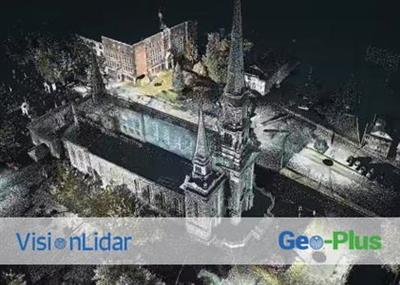
Geo-Plus VisionLidar 2020 version 30.0.01.116.20

79b9d1796edb7443f38d8fe8bae05e91.jpg


Geo-Plus VisionLidar 2020 version 30.0.01.116.20 | 1.4 Gb​
The Geo-Plus development team is pleased to announce the availability of VisionLidar 2020 is the best software made by surveyors for surveyors and civil engineers.

VisionLiDAR is designed to simplify and automate work for LiDAR point cloud and 3D image processing in the air, on the ground and in motion. Import your data from any scanner and get qualitative and intelligent point cloud skimming, intelligent complex volume calculation with tetrahedrons (for overhangs) and many others.

With VisionLiDAR, you now have a new and better way to acquire field data directly into your office. It offers many productivity and time saving tools like processing effectively over 100 billion points. Quickly and precisely calculate the volume between two surfaces, sections or complex volumes (overhangs), recognizing objects in a point cloud.

Classify your points intelligently to avoid losing the original data. Its unique object classification method facilitates virtual land surveying. Accurately calculate the size and circumference of a pipe from a point cloud, making your land surveys from a vectorized point cloud. Process your land, mobile and air points with the same software and easily share your site surveys from the point cloud to your CAD and vice versa and many more. With VisionLiDAR, you now have a new and better way to acquire field data directly into your office. Work in the comfort of your office!

New 2020 release is possible to visualize, process, classify, segment, animate, and edit Point Clouds in one single software : VisionLiDAR. No more restriction based on a maximum number of points; VisionLiDAR can read and process an infinite number of points to allow you to work with your massive Point Clouds in one single file. Process Point Clouds from ALS, TLS, and MLS for all your civil engineering, land surveying, architecture, BIM, transportation, mines, quarry, and forestry projects.

New version 2020 of VisionLidar point cloud and imagery processing software

In this pre-recorded Webinar, which took place on February 19, you will learn more about our company, you will have a summary of VisionLidar as well as its exclusive new features for the 2020 version.

Geo-Plus is widely known in the International software technology market in AEC (architecture, engineering, construction). Since the beginning of the business in 1987, thousands of worldwide clients have used our products and services.

Our Vision suite includes more than 16 3D measurement, 3D structure, geometry, cadastre and document management software related to the territories. Most of our software are fully integrated with AutoCAD, Civil3D, MicroStation, PowerDraft and Bricscad platforms. Our line of solutions is consistently at the forefront of CAD/GIS technology.

Product: Geo-Plus VisionLidar
Version: 2020 Ultimate (version 30.0.01.116.20)
Supported Architectures: x64
Website Home Page :
У Вас недостаточно прав для просмотра ссылок. Войдите или зарегистрируйтесь.

Language: english
System Requirements: PC *
Size: 1.4 Gb

Hardware/Software requirements

RAM [GB] 16
HD [GB] 100
Use of GPU Y
Stereo Display N
List software environment, e.g. Microstation AutoCAD, BricsCAD, MicroStation, Powerdraft
Processor I7
Supported Systems ALS, MLS, TLS
Source of Point Clouds Airborne Lidar, Indoor TLS, Outdoor TLS, Photogrammetric, Radar

Download link:​
Код:
[center][b]rapidgator_net[/b]:
https://rapidgator.net/file/73f608cb165f889d199a705695db7e16/3sl01.GeoPlus.VisionLidar.2020.version.30.0.01.116.20.part1.rar.html
https://rapidgator.net/file/5a23234c59f674c7a58322cbddf57a83/3sl01.GeoPlus.VisionLidar.2020.version.30.0.01.116.20.part2.rar.html
https://rapidgator.net/file/26502f30c8f14f28aa0e758f7ce8c401/3sl01.GeoPlus.VisionLidar.2020.version.30.0.01.116.20.part3.rar.html
https://rapidgator.net/file/92ad0f896727b35108bcb0f485517272/3sl01.GeoPlus.VisionLidar.2020.version.30.0.01.116.20.part4.rar.html
https://rapidgator.net/file/a9fb3bf7cb1642f23131372bd588435c/3sl01.GeoPlus.VisionLidar.2020.version.30.0.01.116.20.part5.rar.html

[b]nitroflare_com[/b]:
https://nitroflare.com/view/F07D194F720B24E/3sl01.GeoPlus.VisionLidar.2020.version.30.0.01.116.20.part1.rar
https://nitroflare.com/view/0997DFBF20486A4/3sl01.GeoPlus.VisionLidar.2020.version.30.0.01.116.20.part2.rar
https://nitroflare.com/view/0DBE41CC12CED77/3sl01.GeoPlus.VisionLidar.2020.version.30.0.01.116.20.part3.rar
https://nitroflare.com/view/DD0A2E0E0987D28/3sl01.GeoPlus.VisionLidar.2020.version.30.0.01.116.20.part4.rar
https://nitroflare.com/view/8E643A1358AB484/3sl01.GeoPlus.VisionLidar.2020.version.30.0.01.116.20.part5.rar

[b]uploadgig_com[/b]:
https://uploadgig.com/file/download/1b241436D7677d37/3sl01.GeoPlus.VisionLidar.2020.version.30.0.01.116.20.part1.rar
https://uploadgig.com/file/download/eb3F11a500d33f17/3sl01.GeoPlus.VisionLidar.2020.version.30.0.01.116.20.part2.rar
https://uploadgig.com/file/download/371606A26B921c4f/3sl01.GeoPlus.VisionLidar.2020.version.30.0.01.116.20.part3.rar
https://uploadgig.com/file/download/f13DBdFd1972c533/3sl01.GeoPlus.VisionLidar.2020.version.30.0.01.116.20.part4.rar
https://uploadgig.com/file/download/418dF21578067836/3sl01.GeoPlus.VisionLidar.2020.version.30.0.01.116.20.part5.rar[/center]

Links are Interchangeable - No Password - Single Extraction​
 
Icecream PDF Editor Pro 2.34 Multilingual

3df5a8003fdeca1c6e2d793b4260ce73.jpg


Icecream PDF Editor Pro 2.34 Multilingual | 21.2 Mb​
Icecream PDF Editor - software that enables you to edit PDF files easier than ever before. Get access to all the tools and PDF editing modes you need with the help of smart tools panel. You can edit text, add notes, redact, protect files, manage pages and much more with the PDF editor. Learn how to edit a PDF document in a hassle-free way!

Edit text
Edit any text in a PDF document with ease.

Manage pages
Visually combine and reorder PDF pages, split and merge PDF files.

Edit objects
Edit PDF objects: move, resize, rotate, etc.

Protect PDF
Set password or limit editing/copying rights for document protection purposes.

Annotate PDF
Add notes, highlight areas, strike through or highlight text, add comments and more.

Add stamps
Create custom stamps for better and quicker PDF proofreading.

System Requirements:
OS: Windows 10, Windows 8.1, Windows 8, Windows 7
2.33Ghz Intel®, AMD or any other compatible processor / faster processor for netbooks;
2GB of RAM (4GB for better performance); 200MB to 2GB of free disk space

Home Page -
У Вас недостаточно прав для просмотра ссылок. Войдите или зарегистрируйтесь.


Download link:​
Код:
[center][b]rapidgator_net[/b]:
https://rapidgator.net/file/1489471295025023e369c975db6b181c/03uj4.Icecream.PDF.Editor.Pro.2.34.Multilingual.rar.html

[b]nitroflare_com[/b]:
https://nitroflare.com/view/9F6B576F826A5F5/03uj4.Icecream.PDF.Editor.Pro.2.34.Multilingual.rar

[b]uploadgig_com[/b]:
https://uploadgig.com/file/download/5a48e8362b9f8801/03uj4.Icecream.PDF.Editor.Pro.2.34.Multilingual.rar[/center]

Links are Interchangeable - No Password - Single Extraction​
 
InPixio Photo Eraser 10.4.7584.16558 Multilingual

58828081d7093f376901e9d47aa41e23.jpg


InPixio Photo Eraser 10.4.7584.16558 Multilingual | 62.3 Mb​
Tired of taking pictures with all those unwanted background images? Have you ever wanted to just get rid of that sign behind your or those people walking by? Well now you can erase anything in your picture that you don't want there with Photo Eraser for PC. All you need to do is decide which image you want to erase, select it, and click! If there are any slight marks left behind, use the clone tool to blend the colours back in for smooth, seamless appearance. No one will ever know you erased anything and you will have that perfect picture you were trying to capture in the first place.

Remove unwanted elements like magic!
So often we spend too much time trying to get that ultimate family photo. Or, we want to take the most spectacular pictures from our trip to show our friends. It seems almost impossible to get exactly what we want out of our pictures and we end up having to just settle for what we take. With Photo Eraser for PC there is no need to worry anymore about background images ruining our photos and waiting and waiting for people to pass so we can get only our family in the picture and not a bunch of strangers. You can now easily erase things like people, signs, wires, shadows, and numbers or dates.

Don't lose the magic in your photos
Don't let people roaming in the background of your shots spoil your vacation photos. Erase them easily and maintain a natural look in the backgrounds of your images.

Once in a lifetime moment
Its difficult enough to capture that special moment let alone have an unwanted object in the shot. Don't let it happen, quickly remove the object with just a few clicks.

Ordinary into extraordinary
Take an existing photo and erase objects that take away from the mood of the occasion. Sometimes even the smallest changes can enhance the beauty of a landscape or romantic setting.

The perfect shot
No need to worry about waiting for that perfect picture in a tourist hotspot during your vacation. Just quickly take your picture, and then take out all the other tourists when you get home using Photo Eraser.

Pixel by pixel
Photo Eraser erases the unwanted object and restores your picture pixel by pixel.

Everyday objects
Completely remove unwanted objects from your picture. Things like, signs, wires, people, or any image that distracts you from what you are trying to capture are gone.

A natural look
The technical features of Photo Eraser automatically identify the sections of an image that need to be filled in and make your new photo look natural and seamless.

No need to be exact
Take the hassle out of trying to carefully cut out images that take time and concentration. Other image processing programs require you to be exact and it can be quite noticeable that you have altered your picture in some way.

System Requirements:
- Windows 10, Windows 8, Windows 7
- 1 GHz Intel® Pentium® processor or equivalent
- 1 GB RAM CD/DVD ROM drive
- 100 MB hard disk space, mouse and keyboard

Home Page -
У Вас недостаточно прав для просмотра ссылок. Войдите или зарегистрируйтесь.


Download link:​
Код:
[center][b]rapidgator_net[/b]:
https://rapidgator.net/file/76b25d8bfe4ce992f80ebd7b9e7cbd4d/lk4wn.InPixio.Photo.Eraser.10.4.7584.16558.Multilingual.rar.html

[b]nitroflare_com[/b]:
https://nitroflare.com/view/BBCB9087E729BE1/lk4wn.InPixio.Photo.Eraser.10.4.7584.16558.Multilingual.rar

[b]uploadgig_com[/b]:
https://uploadgig.com/file/download/A062f3a759c480be/lk4wn.InPixio.Photo.Eraser.10.4.7584.16558.Multilingual.rar[/center]

Links are Interchangeable - No Password - Single Extraction​
 
InPixio Photo Focus Pro 4.11.7584.16641 Multilingual

edae7a327f47fb733a11c8c786bd83be.jpg


InPixio Photo Focus Pro 4.11.7584.16641 Multilingual | 64.8 Mb​
Improve sharpness! Getting sharp photos is not always easy - especially with spontaneous snapshots. InPixio Photo Focus solves this problem in a flash and creates clear, high-resolution images.

Improve the sharpness of your photos
- Improve the sharpness of your photos
- Simple 1-click sharpening tool
- Reinforce & accentuate the focus
- Includes Tilt-Shift & Artistic Blur effects that bring the subject of the photo to life!

ONLY IN THE PRO VERSION:
- Create professional looking photos with oval frames (vignetting)
- Add customised artistic blur to achieve the perfect finish
- Save personal presets that can be used in a single click for future projects

Improve sharpness
Getting sharp photos is not always easy - especially with spontaneous snapshots. InPixio Photo Focus solves this problem in a flash and creates clear, high-resolution images.

Increase focus
You can add sharpness, soft focus and blurred areas to your images. This helps you to further accentuate the difference between the background and the sharp centre of the image.

Refocus
Not all images are always correctly centred. Redefine the centre of your images and focus the attention towards the centre of the image.

Impressive effects with tilt-shift and soft focus functions
Add horizontal soft focus (tilt-shift) to your images. This creates fantastic miniature effects that allow the focal object of your image to look like miniature!

Create structure and details
Emphasise the finest details in your images. Manage contrast and clarity - for impressive and detailed photos!

Resharpening
You can get so much more from all your photos! Even the sharpest photos can be resharpened - for perfect prints or an extremely sharp impression!

Simple
During the development stage of InPixio Photo Focus, particular attention was given to making sure the software is easy to use. The programme is intuitive and helps you through with the various 1-Click Assistants. If you need help when using the software, there are tool tips offering brief explanations next to each function.

Only in the Professional Version:

MORE! Creative Blur
Add a selected blurred area to your image through iris blurring (only available with PRO version). In photography, this effect is achieved through maximum fade-in.

MORE! Add Presets
Store your personal optimisation settings (presets) Create and save your own presets with 1 click for future use.

MORE! Vignetting module
Add oval picture frame to your photos to (vignetting) Create atmospheric shots from your photos with an oval picture frame in black or white. You can select the transparency of the frame to suit your taste and choose sharp or blurred transitions.

What's New in Version 4:

NEW! Advanced cropping module with rotation and horizon correction
Crop your photos manually or choose from the suggested crop formats: 1/1; 16/9; 3/4 etc. You can also rotate your images and adjust the angle.

NEW! Tone Curves Module
Play with the tone curves to obtain light or dark hues and adjust the RGB (Red, Green, Blue) curves one by one.

IMPROVED! interface and workspace
The new version has an attractive, ultra-modern user interface designed for even easier use.

NEW! Find tutorial videos for each Photo Focus module
To get the most out of Photo Focus features, mini videos have been added to each of the software program's modules in the form of tooltips, making it easier and more effective to use.

System Requirements:
- Windows 7, Windows 8 and Windows 10 (32-bit & 64-bit)
- Intel® Pentium® 1 GHz processor or equivalent
- 2 GB of RAM - (4 recommended)
- 500 MB of free disk space, mouse and keyboard

Home Page -
У Вас недостаточно прав для просмотра ссылок. Войдите или зарегистрируйтесь.


Download link:​
Код:
[center][b]rapidgator_net[/b]:
https://rapidgator.net/file/d673495e9687412a242593cc4c2d2225/oydzr.InPixio.Photo.Focus.Pro.4.11.7584.16641.Multilingual.rar.html

[b]nitroflare_com[/b]:
https://nitroflare.com/view/3443D89948617D4/oydzr.InPixio.Photo.Focus.Pro.4.11.7584.16641.Multilingual.rar

[b]uploadgig_com[/b]:
https://uploadgig.com/file/download/1d1ea98767EfA558/oydzr.InPixio.Photo.Focus.Pro.4.11.7584.16641.Multilingual.rar[/center]

Links are Interchangeable - No Password - Single Extraction​
 
iSpring Suite 10.0.0 Build 580 (x64)

871872f035c7a08f8e6a21e8cdfec60c.jpg


iSpring Suite 10.0.0 Build 580 (x64) | 255 Mb​
iSpring Suite simply adds a tab to the PowerPoint banner and provides access to all the advanced e-Learning features right in the familiar PowerPoint environment. Create compelling courses, video lectures, quizzes and assessments. Using a wide variety of e-Learning materials, your presentations will make the learning process far more effective for your students.

Perfect Integration with PowerPoint
Developing e-Learning content has never been so fast and easy! With iSpring Suite, you can turn your PowerPoint presentations into supercharged e-courses in a snap.

Supercharged to Develop e-Learning Fast and Easy
Take advantage of the most powerful e-Learning toolkit for PowerPoint to develop quality courses, video lectures and assessments that will work on any desktop, laptop and mobile platform.

Convert PowerPoint into E-Learning Courses
Convert your existing presentations into e-Learning courses. Use your PowerPoint skills to create tons of quality e-Learning content fast and easy without special training.

Create Video Lectures
Synchronize your video with your PowerPoint slides and publish it into a video presentation format to reach millions of viewers online.

Build Interactive Assessments
Use state-of-the art iSpring tools to create interactive assessments with rich media, video, drag-n-drops, branching, and flexible scoring and testing rules.

Record Screencasts and Teach Through Video
Now you can record screencasts right in iSpring Suite without using any 3rd-party tools. Capture all or part of your screen with the built-in Screen Recorder tool and paste the video on your slides, or use it as standalone training material.

Develop Conversation Skills
Create conversation simulations to practice your team's communication skills. The built-in TalkMaster tool includes a library of backgrounds and characters to develop realistic dialogue simulations with branching and assessments.

Create E-Learning Interactions
Make your learning materials more visual with iSpring e-Learning interactions that you can create fast and easy with iSpring Suite. Use a set of ready-made templates for creating 3D books, timelines, references, glossaries, catalogs, and FAQs.

Use Characters in Your Courses
iSpring Suite provides a Character Library for use in your training materials. The library includes characters of different ages and professions in dozens of different poses. You can also create your own characters and add them to the Character Library.

Extensive LMS Compatibility
iSpring produces content that will work well with virtually any LMS. iSpring tools perfectly support all classic and new e-Learning standards: SCORM 1.2, SCORM 2004, AICC, and xAPI (Tin Can)..

System Requirements:
Operating System: Microsoft Windows 7/8/10 (64-bit)
Microsoft PowerPoint: Microsoft PowerPoint 2007/2010/2013/2016/2019/365 (64-bit) (ISO (Non-Windows Store) versions)
Microsoft Word: Microsoft Word 2007/2010/2013/2016/2019/365 (64-bit) (ISO (Non-Windows Store) versions)
Internet Explorer: Internet Explorer 11.0

Home Page -
У Вас недостаточно прав для просмотра ссылок. Войдите или зарегистрируйтесь.


Download link:​
Код:
[center][b]rapidgator_net[/b]:
https://rapidgator.net/file/3d03faa1511fe4a54916fe9afbdf6423/8s524.iSpring.Suite.10.0.0.Build.580.x64.rar.html

[b]nitroflare_com[/b]:
https://nitroflare.com/view/FFF819F1E495264/8s524.iSpring.Suite.10.0.0.Build.580.x64.rar

[b]uploadgig_com[/b]:
https://uploadgig.com/file/download/64A6fd513dcbeA49/8s524.iSpring.Suite.10.0.0.Build.580.x64.rar[/center]

Links are Interchangeable - No Password - Single Extraction​
 
Назад
Сверху