• Старая версия форума работает в архивном режиме www.old.nado.in

All mitsumi'1s Applications !! (updated daily)

  • Автор темы Автор темы mitsumi1
  • Дата начала Дата начала
Serif Affinity Publisher 1.9.0.798 (x64) Beta Multilingual

6d989ac3dea65454b7f638e8fdc80647.jpg


Serif Affinity Publisher 1.9.0.798 (x64) Beta Multilingual | 525.4 Mb​
Fluid publishing powerhouse. Bring your vision to life with Affinity Publisher, the next generation of professional publishing software. From magazines, books, brochures, posters, reports and stationery to other creations, this incredibly smooth, intuitive app gives you the power to combine your images, graphics and text to make beautiful layouts ready for publication.

Engineered for advanced technology
Engineered with the same no-compromise vision as our acclaimed photo editing and graphic design apps, thousands of global professionals have contributed to the development of Affinity Publisher to meet the demands of the 21st century designer.

Pioneering performance
Superpower your layouts with the latest and greatest publishing technology. The refreshing lack of unnecessary or obsolete features in Affinity Publisher means it runs like the sweetest dream, even on the most content-heavy documents.

Spectacular layouts
With essentials like master pages, facing page spreads, grids, tables, advanced typography, text flow, full professional print output and other amazing features, Affinity Publisher has everything you need to create the perfect layout - whatever your project.

Text to match the power of your words
Free yourself from the constraints of tired, traditional text layouts. Let Affinity Publisher help you visualise your text in creative new ways and flow it seamlessly through your document.

Text styles
Link the style of your text across all pages in your document

OpenType support
Open up all stylistic features of the latest OpenType fonts

Text decorations
Add lines and borders to elements of your typography

Drop caps
Add drop capitals to any paragraph

Text on a path
Draw any curve and type along it

Artistic text
Gain creative control over titling and other stand out text

Flow options
Avoid orphaned or widowed lines, among many other features

Baseline grid
Ensure the baseline of your text is aligned across all columns and spreads

Perfect graphics
Whatever the brief calls for, you can rely on Affinity Publisher to handle all the standard file types you'd expect, leaving you free to create the most ambitious, content-rich combination designs, pulling in raster or vector assets from multiple sources.

Fine tune your images
Ensure your images match the brilliance of your layout. Affinity Publisher comes with a full collection of powerful, non-destructive adjustment layers to make crucial image corrections right there in your document.

Advanced design tools
Create and edit vector graphics in your layout using the powerful pen, node and comprehensive shape tools - all with fine control over gradients and transparency.

Unrivalled compatibility
Import and export to all major raster and vector files, including layered PSD, PDF and EPS formats.

Full colour control
Affinity Publisher can handle RGB, LAB, greyscale and CMYK colour spaces, with advanced control over professional colour requirements for print.

Professional Output
Pantone support, end-to-end CMYK and ICC colour management are just part of it. You can also open, edit and output PDF/X files, set overprint controls and add bleed, trim and crop marks for press-ready output.

And so much more...
Here are just some of the other capabilities built into this incredible app...

Instant undo history
Instantly scrub through hundreds of undo steps with the history slider. Plus, save your history with your document.

Rotate canvas
Rotate your whole document by 90, 180 and 270 degrees.

Smart colour picker
Dedicated colour picker tool to accurately pick a colour, including single point or averaged sampling over an area.

Asset management
Create sets of regularly used assets which can be instantly accessed and dragged onto your project.

Transform panel
Precisely adjust an object's position, size, rotation and shear.

Transparency tool
Drag a transparency gradient over any object, with support for linear, radial, elliptical and conical types.

Glyph browser
Browse the full set of available glyphs for any font.

Stroke panel
Offering full control over dashed line styles, arrowheads and pressure properties.

Customisable keyboard shortcuts
Affinity Publisher comes loaded with default keyboard shortcuts, but you can tailor to your own muscle memory.

Add noise
Apply noise to colour fills for a textured look to your work.

Preview mode
Instantly switch from viewing grids, guides, bleed and margins to a completely clean preview of your document.

Blistering performance
Pan, zoom and scroll through documents at 60fps.

Organisational tools
Organise your documents with the section manager and automatically generate indexes and a table of contents.

System Requirements:
- Windows 10 (1607 Anniversary update or higher)
- Windows 8.1
- Windows 7 (Service Pack 1; Aero enabled)
- Windows-based PC (64 bit) with mouse or equivalent input device
- DirectX 10-compatible Graphics Cards and above
- 4GB RAM
- 593MB of available space; more during installation
- 1280x768 display size or better

Home Page -
У Вас недостаточно прав для просмотра ссылок. Войдите или зарегистрируйтесь.


Download link:​
Код:
[center][b]rapidgator_net[/b]:
https://rapidgator.net/file/9d5fe95887ae6ec44bbb9620078875a8/d1fj6.Serif.Affinity.Publisher.1.9.0.798.x64.Beta.Multilingual.rar.html

[b]nitroflare_com[/b]:
https://nitroflare.com/view/9353EAC121F677D/d1fj6.Serif.Affinity.Publisher.1.9.0.798.x64.Beta.Multilingual.rar

[b]alfafile_net[/b]:
http://alfafile.net/file/8Q5gi/d1fj6.Serif.Affinity.Publisher.1.9.0.798.x64.Beta.Multilingual.rar[/center]

Links are Interchangeable - No Password - Single Extraction​
 
Topaz DeNoise AI 2.3.2

44e412d4cde7eeb0f5f0dc5ceda77fe6.jpg


Topaz DeNoise AI 2.3.2 (x64) | 1.3 Gb​
Shoot anywhere in any light with no reservations. Eliminate noise and recover crisp detail in your images with the first AI-powered noise reduction tool. You may be surprised at the results you get.

Shoot anywhere in any light
Great noise reduction is like a lens upgrade. You'll be able to get much higher-quality results when you're shooting fast action shots, night images, or any other situation that requires a high ISO. Use DeNoise AI to help you create a pixel-perfect photo in any situation.

Groundbreaking technology
Noise reduction technology has basically been the same for a decade, with only minor incremental improvements here and there. (We would know - we made one!) DeNoise AI is different: we fed an algorithm millions of noisy/clear images until it actually learned what noise is and how best to remove it.

Recover true detail
DeNoise AI examines the whole image and holistically determines the difference between detail and noise in that photo. (Other NR tools only look at pixel-level detail.) After understanding what noise vs detail looks like for that specific image, DeNoise AI recovers a surprising amount of detail from noise.

Lightroom vs DeNoise AI
When you need pixel-level perfection in your results, DeNoise AI offers the absolute best quality currently available anywhere. Existing noise reduction tools like Lightroom give you a choice: keep some noise or remove some detail. DeNoise AI's technology allows you to get the best of both worlds: to remove noise while actually strengthening detail. The original noisy image (© Luis Garena) is on the left; we compare the Lightroom vs DeNoise AI results on the right. Pay special attention to the increased definition in the image, especially in the car wheels and center signs.

- Enhance real detail
- Remove noise naturally with no smudging
- Best for moderate to ultra-high ISOs

Any noise reduction tool can remove noise - the really tricky part is to tell the difference between noise and detail. DeNoise AI helps you get the best quality at 100% by removing noise while recovering original image detail. Give it a try to see the difference for yourself!

Operating System Version:
- Windows 7 x64
- Windows 8/8.1 x64
- Windows 10 x64

Hardware Requirements:
- System RAM: 8GB / 16GB recommended
- GPU VRAM: 2GB / 4GB recommended

Graphics Card Requirements:
- NVIDIA: GeForce GTX 770 2GB / GeForce GTX 960 4GB recommended
- AMD: Radeon HD 8570 2GB / Radeon R9 270 4GB recommended
- Intel: HD Graphics 5000 / Iris Plus Graphics 640 recommended

Home Page -
У Вас недостаточно прав для просмотра ссылок. Войдите или зарегистрируйтесь.


Download link:​
Код:
[center][b]rapidgator_net[/b]:
https://rapidgator.net/file/54d705e25736a6ac06e32001a7377aa1/8k9zp.Topaz.DeNoise.AI.2.3.2.rar.html

[b]nitroflare_com[/b]:
https://nitroflare.com/view/E443D3E325941C3/8k9zp.Topaz.DeNoise.AI.2.3.2.rar

[b]alfafile_net[/b]:
http://alfafile.net/file/8Q5Ln/8k9zp.Topaz.DeNoise.AI.2.3.2.rar[/center]

Links are Interchangeable - No Password - Single Extraction​
 
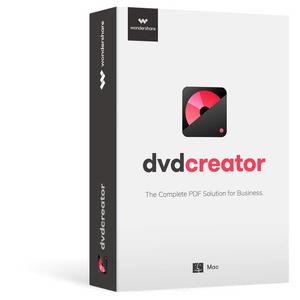
Wondershare DVD Creator 6.5.3.191 Multilingual Portable

aeb08c93b71860017e8979ed374434f6.jpg


Wondershare DVD Creator 6.5.3.191 Multilingual Portable | 82.2 Mb​
Whatever's on Your Computer, Watch It Now on DVD! Want to make your own movies? Or maybe you just want to finally burn that film collection on your computer to DVD. Whatever you want to watch, Wondershare DVD Creator does it all. Simply drag your favorite feature film into DVD Creator for Win (Windows 10 supported), adjust the quality and click burn. Or use DVD Creator's powerful built-in editor to combine your own photos, videos and music into home movies, slideshow, really whatever your imagination can handle.

Create DVDs With Any Video
Burn videos in 150 formats to DVD/Blu-ray DVD folder/ISO/Blu-ray disc, like MP4 to DVD, MKV to DVD, AVI to DVD, and more.
Support all popular disc types: DVD-9 and DVD-5; DVD-R/RW, DVD+R/RW, DVD+R DL, DVD-R DL, DVD-RAM; BD-R, BD-RE, BD-25, BD-50, BD-100.

Burn DVDs Easily and Neatly
Directly burn multiple videos of different formats to a DVD at one time.
Create a DVD project file allowing you to quickly resume editing anytime.

Edit DVD Video With Built-in Video Editor
Trim: Trim unwanted part of your home movies.
Crop: Crop video to the proper size to fit your screen or remove the blank edge.
Enhance: Adjust video brightness/contrast/saturation, and apply special effects for a better visual experience.
Watermark: Add image/text watermark to video for copyright protection.
Subtitle: Add subtitles to your DVD movies, including .srt, .ass and .ssa extensions.

Smart Slideshow Maker to Create Photo Slideshow with Music
Adjust transition settings, add background music or text, set photo duration to personalize your photo slideshow.
Add, delete, rotate, and arrange as many photos as you need, and adjust photo order.
Burn your favorite photos and videos into one DVD.

System requirements:
OS: Windows 10/8/7/Vista/XP
Processor: >750MHz Intel or AMD CPU
Free Hard Disk Space: 100MB or above
RAM: 256MB or above

Home Page -
У Вас недостаточно прав для просмотра ссылок. Войдите или зарегистрируйтесь.


Download link:​
Код:
[center][b]rapidgator_net[/b]:
https://rapidgator.net/file/691c931158dfae4e5a5a5163cb966cbc/1sz2m.Wondershare.DVD.Creator.6.5.3.191.Multilingual.Portable.rar.html

[b]nitroflare_com[/b]:
https://nitroflare.com/view/0CBC7431D2E0EBB/1sz2m.Wondershare.DVD.Creator.6.5.3.191.Multilingual.Portable.rar

[b]alfafile_net[/b]:
http://alfafile.net/file/8Q5Fz/1sz2m.Wondershare.DVD.Creator.6.5.3.191.Multilingual.Portable.rar[/center]

Links are Interchangeable - No Password - Single Extraction​
 
XnView 2.49.4 Complete Multilingual + Portable

0e0d4b9ed73c2c1dc389dc5c4b0d15ae.jpg


XnView 2.49.4 Complete Multilingual + Portable | 20.9/22.2 Mb​
XnView, a software to view and convert graphic files, really simple to use. Support of more than 400 graphics formats. XnView exists for Windows, MacOS X, Linux x86, Linux ppc, FreeBSD x86, OpenBSD x86, NetBSD x86, Solaris sparc, Solaris x86, Irix mips, HP-UX, AIX. The most important features are: Import about 400 graphic file formats and Export about 50 graphic file formats.

Features :
- Import about 400 graphic file formats
- Export about 50 graphic file formats
- Multipage TIFF, Animated GIF, Animated ICO support
- IPTC, EXIF
- Resize
- Copy/Cut/Crop
- Adjust brigthness, contrast...
- Modify number of colors
- Apply filters (blur, average, emboss, ...)
- Apply effects (lens, wave, ...)
- Fullscreen mode
- Slide show
- Picture browser
- Batch convert
- Thumbnail create
- Screen capture
- Contact Sheet create
- Multi-page file create (TIFF, DCX, LDF)
- TWAIN support (Windows only)
- Print support (Windows only)
- Drag & Drop support (Windows only)
- 44 languages support (Windows only)
And many many other things...

Operating System: Windows 7, 8/8.1, 10

Home Page -
У Вас недостаточно прав для просмотра ссылок. Войдите или зарегистрируйтесь.


Download link:​
Код:
[center][b]rapidgator_net[/b]:
https://rapidgator.net/file/9c9ca940e42e01cdf5f2bf187b2d804c/c0bjc.XnView.2.49.4.Portable.rar.html
https://rapidgator.net/file/576c80dc3b9a855457192afae556e338/c0bjc.XnView.2.49.4.rar.html

[b]nitroflare_com[/b]:
https://nitroflare.com/view/B635A6E2D1735E7/c0bjc.XnView.2.49.4.Portable.rar
https://nitroflare.com/view/2E69D593AD653A6/c0bjc.XnView.2.49.4.rar

[b]alfafile_net[/b]:
http://alfafile.net/file/8Q5gg/c0bjc.XnView.2.49.4.Portable.rar
http://alfafile.net/file/8Q5gS/c0bjc.XnView.2.49.4.rar[/center]

Links are Interchangeable - No Password - Single Extraction​
 
XYplorer 21.20.0000 Multilingual + Portable

87b764f153eaf8cc23b32d9df4f6b4d5.jpg


XYplorer 21.20.0000 Multilingual + Portable | 4.8/9.7 Mb​
XYplorer is a file manager for Windows. It features tabbed browsing, a powerful file search, a versatile preview, a highly customizable interface, optional dual pane, and a large array of unique ways to efficiently automate frequently recurring tasks. It's fast, light, and portable.

It's Tabbed
Tabs let you switch between folders most easily. Drag them around, hide them, lock them, name them, or drop files onto them. The tabs remember their configuration individually and across sessions. On top of this you get tabsets and dual pane.

t's Functional
XYplorer has been designed to make you faster. Numerous usability enhancements in an attractive interface help to streamline your workflow and increase your efficiency. You will definitely save a lot of time.

It's Scriptable
Yes, you can program this app. Individual solutions for individual tasks. No plugins needed, scripts run out-of-the-box. Even beginners can benefit from this feature since many ready-to-use scripts are available in the forum.

It's Fast
Speed has always been a major design goal with XYplorer. The code is constantly optimized for performance, zero tolerance for slowness. On top of that the app uses very little RAM, the executable is light (7 MB), and it loads almost instantly.

It's Reliable and Robust
You can trust XYplorer. It works as intended and expected, and is very hard to destroy. Any issues are immediately attended and usually fixed within hours. A large community is closely watching the development and permanently testing the frequent beta versions.

It's Customizable
You can fine-tune the app to look and behave exactly as you want it. This ranges from fonts and colors to custom toolbar buttons and even file icons and program associations. And every bit of it is fully portable. Even the dark mode.

It's Responsive
Your customer voice is listened to and taken seriously, most of the time you get instant feedback, and your wish might actually get implemented sooner than you'd think.

Operating System: Windows XP, Vista, 7, 8, 8.1, 10

Home Page -
У Вас недостаточно прав для просмотра ссылок. Войдите или зарегистрируйтесь.


Download link:​
Код:
[center][b]rapidgator_net[/b]:
https://rapidgator.net/file/a0d9de7d1f5aa2106130ee7dfdacca11/71582.XYplorer.21.20.Portable.rar.html
https://rapidgator.net/file/494973b615db4c31dbecfdf554a2a376/71582.XYplorer21.rar.html

[b]nitroflare_com[/b]:
https://nitroflare.com/view/AEE5EB1E636F6DF/71582.XYplorer.21.20.Portable.rar
https://nitroflare.com/view/579D4EB8A69A538/71582.XYplorer21.rar

[b]alfafile_net[/b]:
http://alfafile.net/file/8Q53z/71582.XYplorer.21.20.Portable.rar
http://alfafile.net/file/8Q53G/71582.XYplorer21.rar[/center]

Links are Interchangeable - No Password - Single Extraction​
 
Abelssoft WashAndGo 21 v25.9.73 Multilingual

ba469d9bc890a3a70691d0c0ce597a2a.jpg


Abelssoft WashAndGo 21 v25.9.73 Multilingual | 28.6 Mb​
WashAndGo is a virtual scrubbing brush for your PC. Our award-winning application provides an easy means of cleaning your whole system. WashAndGo removes garbage files within seconds and helps you to keep a clean and fast Windows system. Optimizing your PC couldn't be easier.

Removes unnecessary waste data
WashAndGo cleans up your system and increases the system speed.

Repairs system errors
Your system becomes more stable and faster.

Removes traces
WashAndGo removes internet traces, e.g. browser caches, cookies or unnecessary waste data.

Operating System: Windows 7, 8/8.1, 10

Home Page -
У Вас недостаточно прав для просмотра ссылок. Войдите или зарегистрируйтесь.


Download link:​
Код:
[center][b]rapidgator_net[/b]:
https://rapidgator.net/file/2faf1e983ea75d0bffbf8fc44c620a2e/5nlqx.Abelssoft.WashAndGo.21.v25.9.73.Multilingual.rar.html

[b]nitroflare_com[/b]:
https://nitroflare.com/view/C520A9E296A0324/5nlqx.Abelssoft.WashAndGo.21.v25.9.73.Multilingual.rar

[b]alfafile_net[/b]:
http://alfafile.net/file/8Q533/5nlqx.Abelssoft.WashAndGo.21.v25.9.73.Multilingual.rar[/center]

Links are Interchangeable - No Password - Single Extraction​
 
Ablebits Ultimate Suite for Excel Business Edition 2020.1.2494.701

5b1905f98c6f2bd9c35a3647768c1cde.jpg


Ablebits Ultimate Suite for Excel Business Edition 2020.1.2494.701 | 26.06 Mb​
With this collection of 60+ professional tools, you can accomplish any task impeccably without errors or delays. It's 15 years of experience with Office development embodied in the perfect code of solutions that work flawlessly on all Excel versions and all datasets.

Make your text data as perfect as numbers
Microsoft Excel is not all about numbers and formulas, but also text. Regrettably, it doesn't provide that many ways for managing text content. Luckily, Ultimate Suite makes up for that omission with a selection of lovely utilities to remove excess spaces, get rid of extra blanks, extract substrings, change case, delete or replace unwanted characters, clear formatting and convert text to numbers.

Manage formulas and selections with a click
The Ultimate Suite offers 9 beautiful tools to manage formulas and select cells that meet certain criteria. Using these features you can swiftly replace formulas with their values, count and sum cells by color, filter by selected cells, recalculate ranges, select cells of a certain type, all with a single button click!

Little time-savers that make a big difference
The Ultimate Suite was designed to address the needs of all users that work with Excel on a daily basis. So, why don't we add a few more tools to make your life a little easier and your work a bit more comfortable? Just think of them as a nice bonus to help you manage your workbooks, watermarks, comments and blanks.

Combine data from different sources in no time
If you deal with large worksheets, hundreds or thousands of rows in each, matching and merging data is always a nightmare... unless you have a few specialized wizards at your fingertips. From joining individual cells to consolidating multiple workbooks, the Ultimate Suite covers all of the merging tasks you perform in Excel.

Slice and dice your tables the easy way
The Ultimate Suite will revolutionize the way you manage and analyze data in Excel. With the ability to combine entries from multiple rows, ignoring duplicates and skipping empty cells, you can make your tables compact and clear. Or look at your data from different viewpoints with a set of splitting tools.

Elegant solutions to remove duplicates and find uniques
Duplicates may crawl into your worksheets in so many ways. The Ultimate Suite delivers three essential tools to eliminate them. Powerful and versatile, they will help you quickly find duplicate and unique entries within a table or compare two different worksheets.

Rearrange ranges effortlessly
Data in an Excel file may be arranged in a way that simply doesn't work. With multipurpose range transformation capabilities, you can reshape your worksheets on the fly. A number of simple-yet-beautiful solutions enable you to transpose, unpivot, rebuild, convert, flip and swap your ranges to adjust the layout to your liking.

Fill blanks and get random data sets in a flash
Empty cells in your worksheets can be troublesome, if not downright destructive. The Ultimate Suite protects the integrity of your data by offering a quick way to fill blanks with values from adjacent cells, upwards or downwards.

Keep your data accurate, consistent and up-to-date
Maintaining data accuracy in large worksheets is increasingly difficult as your data evolves. But who says it has to be that way? Leverage handy at-a-glance options to find and fix broken links, fuzzy matches, typos and similar entries. Use the advanced find capabilities to search and replace in several workbooks at a time.

Ultimate Suite Features:

Merge and Consolidate
- Merge two tables and add missing columns and rows.
- Match and merge two tables based on key columns.
- Summarize data from several ranges into one sheet.
- Copy data from the selected ranges to one worksheet.
- Turn workbooks to worksheets and place the resulting sheets to one file.
- Combine identically named worksheets into one.
- Copy the selected worksheets to one workbook.
- Merge the selected rows or columns.
- Join several cells keeping all data.

Dedupe and Compare
- Compare two tables for duplicate and unique values.
- Find unique values in one table.
- Find and delete, select, color, copy or move duplicates in one Excel table.
- Find and process duplicates and their 1st occurrences.

Combine and Split
- Combine duplicate rows and paste unique data to one line.
- Split a big table into separate lists by values in the selected column.
- Split multi-part names into several columns.

Transform and Reshape
- Convert summary table to a flat list.
- Transform your table into label cards.
- Swap two ranges in your sheet or workbook.
- Flip the selected range vertically or horizontally.
- Convert rows to columns and vice versa.

Randomize and Fill
- Generate unique random numbers.
- Get random dates and Booleans.
- Save custom lists with values to get random data from them.
- Generate strong passwords, codes, and testing data.
- Shuffle cells in rows, columns, or in the selected range.
- Select certain number or percentage of data at random.
- Fill empty cells with value above or below.

Find and Check
- Find partial duplicates, typos and misspelled words.
- Search and replace data in values, formulas, hyperlinks, and comments.
- Search and export or select the found values.
- Find and fix broken references to other workbooks.

Trim and Clean
- Trim extra leading, trailing, in-between spaces, and .
- Add text to the selected cells by position.
- Split a column with text to several columns.
- Change text case in your Excel table.
- Convert numbers stored as text to numbers.
- Extract text.
- Remove characters by position.
- Clear formatting in your table.
- Remove non-printing, numeric, text characters, symbols and punctuation marks.
- Convert line break and other characters to any custom symbol.

Select and Calculate
- Count and sum cells based on their color.
- Select certain color to count or sum cells.
- Apply Average/Max/Min functions to the colored data.
- Select cells by type.
- Select cells by value.
- Keep the same selection when switching between sheets.
- Select any value in your list to filter your table.
- Search cells based on their value or color.
- Apply basic calculations to the selected cells.

Quick Utilities
- Delete empty rows, columns and sheets.
- See all open workbooks and sheets on one pane.
- Instantly move columns in your table.
- Insert a watermark in Excel
- Add a Table of Contents
- Get cell or range address to Clipboard.
- Convert formulas to relative or absolute.
- Insert a picture comment in 2 clicks.
- Change a comment shape.
- Manage comments.
- Replace formulas with values.

Supported Windows versions:
- Windows 10
- Windows 8.1
- Windows 8
- Windows 7
- 32-bit and 64-bit

Supported Excel versions:
- Excel 2019
- Excel 2016
- Excel 2013
- Excel 2010
- Excel 2007
- 32-bit and 64-bit
- Desktop Excel included in Office 365 / Office 365 ProPlus

Homepage -
У Вас недостаточно прав для просмотра ссылок. Войдите или зарегистрируйтесь.


Download link:​
Код:
[center][b]rapidgator_net[/b]:
https://rapidgator.net/file/5f49756a8087d33f56051c135e1f6a8a/6lr85.Ablebits.Ultimate.Suite.for.Excel.Business.Edition.2020.1.2494.701.rar.html

[b]nitroflare_com[/b]:
https://nitroflare.com/view/1283DB6E847B5B1/6lr85.Ablebits.Ultimate.Suite.for.Excel.Business.Edition.2020.1.2494.701.rar

[b]alfafile_net[/b]:
http://alfafile.net/file/8Q53c/6lr85.Ablebits.Ultimate.Suite.for.Excel.Business.Edition.2020.1.2494.701.rar[/center]

Links are Interchangeable - No Password - Single Extraction​
 
Audiobook Builder 2.1.1 macOS

e8c84d187df5e10c29b614a82f12bcd9.jpg


Audiobook Builder 2.1.1 Multilingual | macOS | 22 mb​
Audiobook Builder makes it easy to turn your audio CDs, MP3s, M4As, and other audio files into audiobooks for your iPhone, iPod or iPad. Join audio, create enhanced chapter stops, adjust quality settings and let Audiobook Builder handle the rest. When it finishes you get one or a few audiobook tracks in iTunes® instead of hundreds or even thousands of music tracks!

Key Features

* Audio file joining: Already ripped your CDs? There's no need to suffer through it again.
* Enhanced chapter stops: Custom artwork you specify will appear in iTunes and on iPods with a color display.
* Adjustable quality settings: Start with the included presets, but feel free to customize each project's audio settings to suit your personal taste.
* iTunes integration: Drag and drop straight from iTunes to your Audiobook Builder projects. Audiobook Builder can also send its output directly to a special playlist in iTunes.
* Quite a memory: Each Audiobook Builder project's audio data is contained in the project document file, so you are free to start a project now, take a break and return to finish your project later. You can even move projects between Macs, if necessary.

Compatibility: OS X 10.11 or later 64-bit
Mac App Store:
У Вас недостаточно прав для просмотра ссылок. Войдите или зарегистрируйтесь.


Download link:​
Код:
[center][b]rapidgator_net[/b]:
https://rapidgator.net/file/db8675af41d300234641988f605fce98/wre7u.Audiobook.Builder.2.1.1.rar.html

[b]nitroflare_com[/b]:
https://nitroflare.com/view/44D05B8A022EAD3/wre7u.Audiobook.Builder.2.1.1.rar

[b]alfafile_net[/b]:
http://alfafile.net/file/8Q5ze/wre7u.Audiobook.Builder.2.1.1.rar[/center]

Links are Interchangeable - No Password - Single Extraction​
 
Yate 6.0.2.1 macOS

3d0b5365d191270636f1e55603788774.jpg


Yate 6.0.2.1 | macOS | 15 mb​
Yate was developed for people who want complete control over their tagging experience. Supports audio in AIFF, DFF, DSF, FLAC, M4A, M4B, MP3, MP2, MP4, STEM.MP4 and WAV files. Supports video in M4V and MP4.

Yate has a long list of features; most importantly, an innovative scripting system called actions. Actions can be used to update all of an album's tags with a single operation. Yate also supports integration with AcouticBrainz, AcoustID, Beatport, Discogs, iTunes, MusicBrainz and TMDb. All changes can be easily reverted and individual changes can be undone in any order. Whether you want to automatically or manually tag your files, Yate can do it all!

Compatibility: OS X 10.10 or later 64-bit
Homepage:
У Вас недостаточно прав для просмотра ссылок. Войдите или зарегистрируйтесь.


Download link:​
Код:
[center][b]rapidgator_net[/b]:
https://rapidgator.net/file/8f335d2a4e6ced8847c2393c500aa7e7/nbmwt.Yate.6.0.2.1.rar.html

[b]nitroflare_com[/b]:
https://nitroflare.com/view/4746A6316327C89/nbmwt.Yate.6.0.2.1.rar

[b]alfafile_net[/b]:
http://alfafile.net/file/8Q5if/nbmwt.Yate.6.0.2.1.rar[/center]

Links are Interchangeable - No Password - Single Extraction​
 
Wondershare Repairit 2.0.0.43 (x64) Multilingual

e794844a97e6396623a36c41b75dc4e3.jpg


Wondershare Repairit 2.0.0.43 (x64) Multilingual | 124.7 Mb​
Wondershare Repairit- Reliable repair is done right! Repairs multiple corrupt or not playing videos in one go, supports popular formats including MOV, MP4, M4V, MKV, etc. Supports preview of repaired video files before saving them, ensures high success rate with powerful repair technology.

Your One-Stop Solution to Repair Corrupt Videos
Wondershare Repairit is one of the best video repair software worldwide for repairing video files in different formats like MOV, MP4, M4V, M2TS, MKV, MTS, 3GP, AVI and FLV.

Repair Corrupted Video In Any Scenarios
Being a fully-functional video repair tool, Repairit ensures instant and effective repair irrespective of the videos corrupted while shooting, recording, transferring, editing, converting, or processing.

Repair Videos of Any File Format
Wondershare Repairit supports a wide variety of file formats such as MOV, MP4, M2TS, MKV, MTS, 3GP, AVI, FLV, and M4V. It even supports the latest INSV video format.

Repairs Videos from Any Cameras
Use Wondershare Repairit to fix broken/unplayable videos recorded from videos shot with all leading camera brands such as Canon, Nikon, Sony, GoPro, DJI,etc. or mobile phone.

Operating System: Windows 7, 8/8.1, 10 (64-bit only)

Home Page -
У Вас недостаточно прав для просмотра ссылок. Войдите или зарегистрируйтесь.


Download link:​
Код:
[center][b]rapidgator_net[/b]:
https://rapidgator.net/file/eb2a11646ab7b6f348f7254b0470ec1e/ysggg.Wondershare.Repairit.2.0.0.43.x64.Multilingual.rar.html

[b]nitroflare_com[/b]:
https://nitroflare.com/view/A42E0A6CE549D9A/ysggg.Wondershare.Repairit.2.0.0.43.x64.Multilingual.rar

[b]alfafile_net[/b]:
http://alfafile.net/file/8Q5uw/ysggg.Wondershare.Repairit.2.0.0.43.x64.Multilingual.rar[/center]

Links are Interchangeable - No Password - Single Extraction​
 
Wondershare DVD Creator 6.5.3.191 Multilingual

c751d9bcfccead4693d9ec1e8d5b79b8.jpg


Wondershare DVD Creator 6.5.3.191 Multilingual | 81.1 Mb​
Whatever's on Your Computer, Watch It Now on DVD! Want to make your own movies? Or maybe you just want to finally burn that film collection on your computer to DVD. Whatever you want to watch, Wondershare DVD Creator does it all. Simply drag your favorite feature film into DVD Creator for Win (Windows 10 supported), adjust the quality and click burn. Or use DVD Creator's powerful built-in editor to combine your own photos, videos and music into home movies, slideshow, really whatever your imagination can handle.

Create DVDs With Any Video
Burn videos in 150 formats to DVD/Blu-ray DVD folder/ISO/Blu-ray disc, like MP4 to DVD, MKV to DVD, AVI to DVD, and more.
Support all popular disc types: DVD-9 and DVD-5; DVD-R/RW, DVD+R/RW, DVD+R DL, DVD-R DL, DVD-RAM; BD-R, BD-RE, BD-25, BD-50, BD-100.

Burn DVDs Easily and Neatly
Directly burn multiple videos of different formats to a DVD at one time.
Create a DVD project file allowing you to quickly resume editing anytime.

Edit DVD Video With Built-in Video Editor
Trim: Trim unwanted part of your home movies.
Crop: Crop video to the proper size to fit your screen or remove the blank edge.
Enhance: Adjust video brightness/contrast/saturation, and apply special effects for a better visual experience.
Watermark: Add image/text watermark to video for copyright protection.
Subtitle: Add subtitles to your DVD movies, including .srt, .ass and .ssa extensions.

Smart Slideshow Maker to Create Photo Slideshow with Music
Adjust transition settings, add background music or text, set photo duration to personalize your photo slideshow.
Add, delete, rotate, and arrange as many photos as you need, and adjust photo order.
Burn your favorite photos and videos into one DVD.

System requirements:
OS: Windows 10/8/7/Vista/XP
Processor: >750MHz Intel or AMD CPU
Free Hard Disk Space: 100MB or above
RAM: 256MB or above

Home Page -
У Вас недостаточно прав для просмотра ссылок. Войдите или зарегистрируйтесь.


Download link:​
Код:
[center][b]rapidgator_net[/b]:
https://rapidgator.net/file/ab41af0db9935148ede72b6fe6e87a5c/g48hn.Wondershare.DVD.Creator.6.5.3.191.Multilingual.rar.html

[b]nitroflare_com[/b]:
https://nitroflare.com/view/9492EB46AB1E1B3/g48hn.Wondershare.DVD.Creator.6.5.3.191.Multilingual.rar

[b]alfafile_net[/b]:
http://alfafile.net/file/8Q5hq/g48hn.Wondershare.DVD.Creator.6.5.3.191.Multilingual.rar[/center]

Links are Interchangeable - No Password - Single Extraction​
 
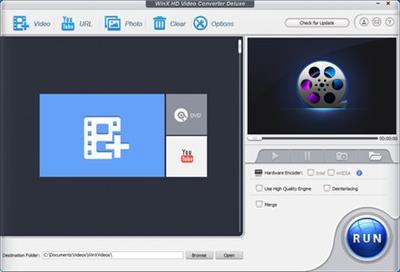
WinX HD Video Converter Deluxe 5.16.1.332 Multilingual

71444d7e05695de15dd7fa1dc765efc4.jpg


WinX HD Video Converter Deluxe 5.16.1.332 Multilingual | 46.6 Mb​
WinX HD Video Converter Deluxe, all-in-one video software as an UHD video converter/compressor, (YouTube) video downloader, and video editor, gives you an ultimate control over any SD, HD and 4K resolution video files on your PC. With Level-3 Hardware Acceleration tech, it makes the utmost of Intel QSV and Nvidia CUDA/NVENC to encode and decode videos, which can speed up video processing 16x over software acceleration!

This software perfectly supports SD, 1080p multi-track HD and 4K UHD videos HEVC, H.264, MPEG-4, MKV, M2TS, AVCHD, MOD, Blu-ray videos, content filmed by various camcorders / drones, MP4, AVI, MPEG, WMV, MOV, VOB, FLV, RMVB, WebM, Google TV, etc. It has 420+ preset profiles to convert SD/HD/UHD movies and videos (e.g. MKV to MP4) for playing on Apple (iPhone, iPad, Apple TV, iTunes), Android (Samsung, Huawei, LG), Microsoft (Xbox, Surface), Chromecast, Sony device, etc offline anywhere anytime.

New! 47x Real-time Faster Driven by Level-3 Hardware Acceleration
Because of WinX-built level-3 hardware acceleration, Video Audio Passthrough (Auto Copy), Hyper-threading and AMD 3DNow! Tech, WinX HD Video Converter Deluxe has defeated the absolute majority of competitors for over 47x real-time fast speed, stutter-free video conversion, and minimum CPU usage / temperature control. Besides, the exclusive video transcoding process delivers over 90% compression ratio for resizing large video footages smoothly.

Input: Support 370+ Built-in Video Audio Codecs
WinX HD Video Converter Deluxe enfolds nearly all types of videos and audios, ranging from ISO images, HEVC, H.264, MPEG-4, AVI, MKV, MOV, M2TS, MOD camcorder videos to 1080p multi-track HD videos and 4K @60fps videos from GoPro, DJI, DSLRs, Blu-ray, Apple iPhone XS and Android smartphones. Both mainstream and niche videos can be converted, edited and adjusted at one go for easier playback and sharing.

Output: 420+ Profiles for Apple Android Devices
Not all videos can be accepted by all of your media players and devices. Besides converting between video formats like multi-track MKV to MP4, this 4K video converter for Windows (10) can make any incompatible videos friendly with SNS, game consoles, HDTV and portable players to share them to YouTube, Vlog, or enjoy on iPhone, iPad, Xbox, PSP, Android tablets, smartphones, etc.

Edit/Trim/Merge/Subtitle Videos at Ease
A desktop video editor: it allows you to trim video clips, crop to remove black edges, merge multiple video files, choose a desired language and subtitle track and attach the external SRT subtitles downloaded online before conversion. It auto fixes incorrect data and guarantees a stable video conversion process.

Get Highest Quality Video at Smallest Size
The embedded High Quality Engine, "Yadif Double Frames" De-interlacing Engine and Auto Copy tech can optimize image quality dynamically, reduce noise and adjust definition to make the output video clearer. Thanks to cutting-edge GPU acceleration and video compression algorithm, the file size of a video with high resolution and bitrate can be reduced largely without compromise in quality at all.

Online Downloader and Video Converter
With advanced Online Video Download Engine, it enables you to download sharp 2160p/4K videos and pop music video/audio files from YouTube, Yahoo, Facebook, DailyMotion, Vimeo, Vevo, SoundCloud etc. over 1000 video sites in 30 sec, and convert them to AVI, MPEG, WMV, MOV etc. for offline playback, further editing or DVD creation.

Make & Convert Photo Picture Slideshow Video
This HD video converter also has a bonus feature to create slideshow from your JPG/PNG/BMP photos images in a flash. With photo slideshow maker, you can share moving slideshow with friends via Email, or put it onto the internet. You can customize the image slideshow with background music and convert it to AVI, MP4, MKV, FLV, etc.

Operating System: Windows 7, 8/8.1, 10

Home Page -
У Вас недостаточно прав для просмотра ссылок. Войдите или зарегистрируйтесь.


Download link:​
Код:
[center][b]rapidgator_net[/b]:
https://rapidgator.net/file/52734a8c0c489bdfbde6019ddc865a57/kswbx.WinX.HD.Video.Converter.Deluxe.5.16.1.332.Multilingual.rar.html

[b]nitroflare_com[/b]:
https://nitroflare.com/view/BC2A1BAAE0F2129/kswbx.WinX.HD.Video.Converter.Deluxe.5.16.1.332.Multilingual.rar

[b]alfafile_net[/b]:
http://alfafile.net/file/8Q5Nh/kswbx.WinX.HD.Video.Converter.Deluxe.5.16.1.332.Multilingual.rar[/center]

Links are Interchangeable - No Password - Single Extraction​
 
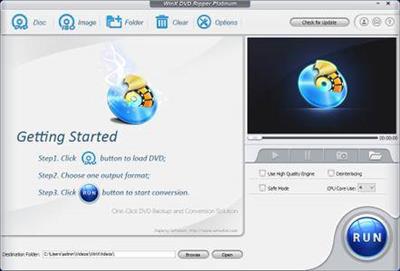
WinX DVD Ripper Platinum 8.20.4.245 Multilingual

4a7352e24c0ed84f78f7d362fd149936.jpg


WinX DVD Ripper Platinum 8.20.4.245 Multilingual | 33 Mb​
WinX DVD Ripper Platinum can rip the content of DVDs to all popular video formats such as AVI, MOV, FLV, WMV, MPEG, MP4, 3GP, etc. What's more, it also owns the ability of ripping different DVDs (including encrypted DVDs) to Sony PSP, Apple iPhone, iPod, iPad, iTouch, Apple TV, Zune, Mobile phone, etc.

This DVD ripper software supports multi-core CPU and is fully compatible with Windows 7. We promise WinX DVD Ripper Platinum is the fastest DVD ripping solution in the market. Besides converting DVD to regular video formats, 1:1 DVD copy enables you to backup your DVD with original video, audio and subtitles within only 5 minutes (the processing time also depends on your CPU and DVD driver speed).

WinX DVD Ripper Platinum fully supports normal DVDs, CSS protected DVDs, Sony ArccOS DVDs and all region 1-6 DVDs. Moreover, we are so proud to tell you that WinX DVD Ripper Platinum is the unique DVD ripping program which supports decrypting DVDs with the latest copy protection technology such as Transformers 2, Star Trek 2009, The Dark Knight, UP, WALL-E, The Proposal, District 9 etc.

Powerful Functions
Support ripping DVD video, extracting audio, grabbing screenshot and enable users to fully control output video quality or size by freely adjusting parameters.

Advanced Technology
Build in powerful and high speed encoding engine, support multi-core CPU, automatically detect and connect converted videos to portable devices and fully compatible with Windows 7.

Easy and Fast
WinX DVD Ripper Platinum is a one-click solution for DVD ripping. It is suitable for all levels of experienced users or even novices. And we promise it owns the fastest ripping speed.

Key Features

Unique features:
1. 1:1 DVD Copy without Quality Loss: Decrypt & copy DVD to PC with 100% original video, audio and subtitles within only 5 minutes - new!
2. If your original DVD's audio is out of sync with movie, the Intelligent A/V Synchronizer can help you solve the problem - new!
3. To avoid any kind of problems during conversion process, we offer you safe mode which can skip the problems and finish the whole conversion process more smoothly - new!
4. Enable to change interlaced scanning DVD movie to progressive scanning, make converted video with clearer image - new!
5. Multi-core CPU supported, which makes your conversion process much faster - new!
6. Batch rename all clips easily with "Renaming Template" before converting - new!

Ripping features:
1. Rip DVD to popular video formats, e.g. DVD to MOV, DVD to AVI, DVD to FLV, DVD to WMV, DVD to MPEG, DVD to MP4, etc
2. Rip DVD to popular portable devices including DVD to iPhone, DVD to iPod, DVD to iPad, DVD to PSP, DVD to Zune, DVD to Mobile phone, etc
3. Rip DVD audio into MP3 music file
4. Support grabbing screenshot from DVD video to JPG & BMP

Extra features:
1. All video/audio parameters are adjustable for users to optimize video quality
2. Automatically disable subtitles but enable users to choose
3. Trim any segment of DVD to convert
4. With powerful and high speed encoding engine inside, Platinum Edition enables users to rip and convert DVD video with much better video/audio quality
5. Support automatically detecting, connecting and transferring converted videos to portable devices

Operating System: Windows 2000, 2003, XP, Vista, Windows 7, Windows 8/8.1, Windows 10 | (32 & 64 bit)

Home Page -
У Вас недостаточно прав для просмотра ссылок. Войдите или зарегистрируйтесь.


Download link:​
Код:
[center][b]rapidgator_net[/b]:
https://rapidgator.net/file/c437cdaacc2ce23a915ea418777e9772/bvq36.WinX.DVD.Ripper.Platinum.8.20.4.245.Multilingual.rar.html

[b]nitroflare_com[/b]:
https://nitroflare.com/view/5D0E8CACEE0B65A/bvq36.WinX.DVD.Ripper.Platinum.8.20.4.245.Multilingual.rar

[b]alfafile_net[/b]:
http://alfafile.net/file/8Q5gL/bvq36.WinX.DVD.Ripper.Platinum.8.20.4.245.Multilingual.rar[/center]

Links are Interchangeable - No Password - Single Extraction​
 
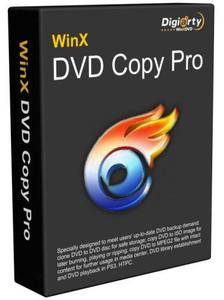
WinX DVD Copy Pro 3.9.4

6c4f887eb242f34cef8caf66f11f1337.jpg


WinX DVD Copy Pro 3.9.4 | 14 Mb​
WinX DVD Copy Pro is specially designed to meet users' up-to-date DVD backup demand in Windows: clone DVD to DVD disc for safe storage; copy DVD to ISO image for later burning, playing or ripping; copy DVD to MPEG2 file with intact content for further usage in media center, DVD library establishment and DVD playback in PS3, HTPC. Equipped with ISO mounter and DVD burner, it can also help mount ISO to a virtual drive and burn DVD to DVD.

Without any third party DVD decrypter, WinX DVD Copy Pro has unlimited access to all region codes and read-only DVDs. It does the trick for extremely scratched DVDs, and faultlessly supports Disney's Fake, Sony ARccOS bad sector, while these obstacles beat most of DVD copy software in the current market. The sector-by-sector disc duplication mode ensures a 100% original copy in quality, structure and content.

Full DVD to DVD Backup with 1:1 Ratio
1:1 Clone DVD to blank DVD discs for safe storage without any quality degradation. WinX DVD Copy Pro allows you to copy D9 to D9 (8.5 GB), copy D5 to D5 (4.7 GB), or clone intact DVD video audio data to blank DVD-/+R (DL), DVD-/+RW (DL), DVD RAM.

1:1 Clone DVD to ISO or VIDEO_TS Folder
Clone DVD to ISO image and DVD to VIDEO_TS folder at 1:1 ratio while preserving all Menus, Subtitles & Languages. With enhanced DVD to ISO copy engine, this DVD backup software can obviate unnecessary procedure, so as to consume less time but produce better outcome.

Flexible DVD Title/Chapter Copy
Copy original DVD Audio/Video data and remux to single MPEG-2 file which can be played back on PS3, Xbox, Wii and TVs from USB flash drive, even further edit in Windows Media Center. Support DVD Title / Chapter backup, Extract Video / Audio for particular use.

Constantly Support Latest DVDs
One tool makes all sorts of DVDs accessible which has perfect compatibility with any Region Codes, CSS, RCE, UOPs (FBI warnings), Sony ARccOS, APS as well as Disney X-project DRM tricks. Disney Fake checking feature entitles WinX DVD Copy Pro one of the best DVD cloning software capable of successfully copying the latest DVD with 99 titles.

DVD Burner & ISO Mounter
With built-in ISO image mounter and DVD burner, WinX DVD Copy Pro can mount DVD ISO image and burn ISO image or VIDEO_TS folder to DVD disc. While mounting ISO, it creates a virtual drive so that the cloned DVD ISO image is virtualized as a real disc loaded in the drive.

Repair Corrupted/ARccOS Bad Sectors
Advanced bad sector recover engine repairs corrupted sectors to the greatest degree while backing up old scratched DVDs, dirty, worn and minor cracked DVDs. It can also clone DVD with Sony ARccOS bad sectors deliberately created on the DVD to crash ordinary DVD cloning tools.

Low CPU Cost, Fast Speed, High Quality
With an average CPU cost of less than 1%, its source-efficient DVD backup process is effective enough to produce a 1:1 DVD Copy within 12-17 minutes (also depending on CPU and DVD drive speed). Every copy created by WinX DVD Copy Pro is exactly the replica of origin DVD with crystal clear image and hi-fi sound.

Easy-to-use DVD Copy Software
WinX DVD Copy Pro is an easy-to-use DVD backup solution for all user level. It is designed with an straightforward interface that makes a DVD copy as easy as 1-2-3 routine. For advanced users, this DVD copy software offers flexible settings for DVD backup, for example, it allows you to choose the exact type of DVD protection you want to remove and choose the number of sectors to be read and jumped while backing up copy-protected DVD movies.

Operating System: Windows 7, 8/8.1, 10

Home Page -
У Вас недостаточно прав для просмотра ссылок. Войдите или зарегистрируйтесь.


Download link:​
Код:
[center][b]rapidgator_net[/b]:
https://rapidgator.net/file/df6b77b434c9383bc4f92190aa89616d/degbk.WinX.DVD.Copy.Pro.3.9.4.rar.html

[b]nitroflare_com[/b]:
https://nitroflare.com/view/8173EA3EAC2DF4F/degbk.WinX.DVD.Copy.Pro.3.9.4.rar

[b]alfafile_net[/b]:
http://alfafile.net/file/8Q5g8/degbk.WinX.DVD.Copy.Pro.3.9.4.rar[/center]

Links are Interchangeable - No Password - Single Extraction​
 
WebAcappella Grid 1.6.17 Multilingual

edb5d06c1940040090e64a3a30c4acdb.jpg


WebAcappella Grid 1.6.17 Multilingual | 70 Mb​
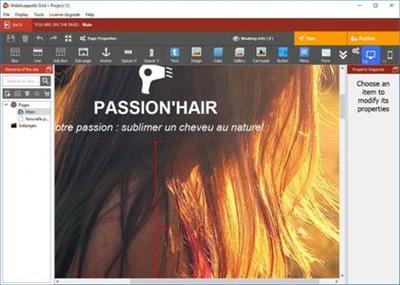
Create a unique site that looks like you. The creation of a site, a complex, time-consuming and tedious work? No time to code in HTML and Javascript to adapt your site for all types of screens? Create a multilingual site and give real visibility to your business on the Internet without subscription or hidden costs. Pilot your website in complete autonomy.

No subscription or hidden fees
WebAcappella and its visual editor accompanies you since 2005 in the creation of your Internet site by forgetting the technique.

Google Friendly
An ALL RESPONSIVE site with no duplicate content and integrated SEO tools. Everything to follow Google's recommendations.

Go international
Expand your business worldwide with multilingual site management!

Follow the trends
One Page Scrolling or Multipage, Parallax Effect ...
Easy to create a trendy and optimized website!

Taste the unlimited
Create as many pages as you want!

Let your creativity speak for itself
- Contact forms and sending files
- Google Web Fonts integration
- Creation of reusable styles
- Navigation menu
- Text Zone
- Image
- Photo gallery and slideshow
- Integrate your HTML code
- Audio and video element
- Customization of meta title and description tags
- Publication in 1 click
- And a lot of other things...

Webacappella Grid
WebAcappella Grid is based on a grid layout (Bootstrap style) that requires more patience and learning but allows you to automate some layouts (cascading for mobile).

Requirements: Windows® 10

Home Page -
У Вас недостаточно прав для просмотра ссылок. Войдите или зарегистрируйтесь.


Language: Multilingual

Download link:​
Код:
[center][b]rapidgator_net[/b]:
https://rapidgator.net/file/86c5de1c6f75cb4ea2d66c4b9a621444/po7nu.WebAcappella.Grid.1.6.17.Multilingual.rar.html

[b]nitroflare_com[/b]:
https://nitroflare.com/view/A3592C6CC66A814/po7nu.WebAcappella.Grid.1.6.17.Multilingual.rar

[b]alfafile_net[/b]:
http://alfafile.net/file/8Q5cy/po7nu.WebAcappella.Grid.1.6.17.Multilingual.rar[/center]

Links are Interchangeable - No Password - Single Extraction​
 
VideoProc 3.9 macOS

f29c503b0878f74fc63b7826e33fb6c1.jpg


VideoProc 3.9 Multilingual | macOS | 50 mb​
New video processing software designed to cut, trim, merge, adjust, transcode, edit 4k video with full hardware acceleration VideoProc achieves the record-setting "FIRST" in video processing industry - crafting the easiest video editor, together with DVD video converter, downloader, and recorder at the core. All engineered for the 4K UHD era, it is your must-have video toolbox to handle even the most demanding tasks from HD to 3D, UHD 4K, 5K and 8K, no matter it is from iPhone, GoPro, Dji, Samsung, YouTube, DVD disc or other sources. Process your media files to fit YouTube, Facebook, Instagram, iPhone, iPad, TV, PS4, etc, edit raw footages flexibly into more engaging stories, backup and rip a full DVD in 5 minutes, all finished at world's fastest speed, without compromising quality.

Compatibility: OS X 10.8 or later 64-bit
Homepage:
У Вас недостаточно прав для просмотра ссылок. Войдите или зарегистрируйтесь.


Download link:​
Код:
[center][b]rapidgator_net[/b]:
https://rapidgator.net/file/8af6c609533867770e7dc28edd2f0c3e/0ps8s.VideoProc.3.9.rar.html

[b]nitroflare_com[/b]:
https://nitroflare.com/view/4BA89300BF99D90/0ps8s.VideoProc.3.9.rar

[b]alfafile_net[/b]:
http://alfafile.net/file/8Q5FB/0ps8s.VideoProc.3.9.rar[/center]

Links are Interchangeable - No Password - Single Extraction​
 
VideoProc 3.9.0 Multilingual

7c036a4573149299283305c7d398c4c3.jpg


VideoProc 3.9.0 Multilingual | 47.7 Mb​
As the greatly enhanced successor, VideoProc integrates UHD video converter/compressor, (YouTube) video downloader with video editor, giving you an ultimate control over any multi-track, SD, HD and 4K video files on your PC. With Level-3 Hardware Acceleration tech, it makes the utmost of Intel QSV, NVIDIA CUDA/NVENC and AMD to encode and decode videos, which can averagely speed up video processing 64x faster than real time!

VideoProc is skilled at editing oversized videos recorded from GoPro, DJI, 4K cameras for stabilizing, denoising, cutting, filtering, splitting, merging and subtitling. In parallel, it is a video converter and compressor whiz that helps transcode HEVC / H.264 videos, convert any videos, audios and DVDs, such as MKV to MP4, M4A to MP3, and DVD to MP4, and make such media content playable on large TV screens or portable devices. Besides, it is one part video audio downloader and one part screen / webcam video recorder.

64x Real-time Faster Driven by Level-3 Hardware Acceleration
Because of WinX-built level-3 hardware acceleration, Video Audio Passthrough (Auto Copy), Hyper-threading and AMD 3DNow! Tech, VideoProc has defeated the absolute majority of competitors for over 64x real-time fast speed, stutter-free video conversion, and minimum CPU usage / temperature control. Besides, the exclusive video processing delivers over 90% compression ratio for resizing large video footage smoothly.

Input: Support 370+ Built-in Video Audio Codecs
VideoProc enfolds nearly all types of videos, audios and DVDs, ranging from ISO images, HEVC, H.264, MPEG-4, AVI, MKV, MOV, M2TS, MOD camcorder videos to 1080p multi-track HD videos and 4K @60fps videos from GoPro, DJI, DSLRs, Blu-ray, Apple iPhone X and Android smartphones. Both mainstream and niche videos can be converted, edited and adjusted at one go for easier playback and sharing.

Output: 420+ Profiles for Apple Android Devices
Not all videos can be accepted by all of your media players and devices. Besides converting between video formats like multi-track MKV to MP4, this HD video converter for Windows (10) can make any incompatible videos friendly with SNS, game consoles, HDTV and portable players to share them to YouTube, Vlog, or enjoy on iPhone, iPad, Xbox, PSP, Android tablets, smartphones, etc.

Strongest Edit/Cut/Merge/Subtitle Features
Strongest desktop video editor: It allows you to cut, split, crop, rotate, flip, subtitle, merge video clips, mix multiple video audio subtitle tracks to an MKV, add watermark, apply off-the-shelf filters and adjust video color effects such as image brightness, contrast, hue, gamma and saturation. Better still, you can remove or lessen shakiness and noise in GoPro videos, fix fisheye distortion, make GIFs, take snapshots, transform 3D video to 2D or convert video to M3U8 at one click.

Get Highest Quality Video at Smallest Size
The embedded High Quality Engine, "Yadif Double Frames" De-interlacing Engine and Auto Copy tech can optimize image quality dynamically, reduce noise and adjust definition to make the output video clearer. Thanks to cutting-edge GPU acceleration and video compression algorithm, the file size of a video with high resolution and bitrate can be reduced largely without compromise in quality at all.

Download Videos, Music, Playlist
With advanced Video Download Engine, it enables you to download any sharp 1080p/4K video (also playlist or channel) and 5.1 surround audio from YouTube, Yahoo, Facebook, DailyMotion, Vimeo, Vevo, SoundCloud etc. over 1000 UGC sites in about 20 sec. You can preset time to record live videos, search subtitles online, add videos to Watch Later Playlist for batch download, etc.

Record Videos from Screen or Webcam
VideoProc allows you to record videos from screen or webcam in standard or full HD 1080p quality in MP4, FLV, MOV, MKV, TS formats. It is a go-to tool to record gameplay, webinars, online courses, and make video tutorials, Vlogs or software reviews for ultimate livestreaming, editing, interaction, uploading and sharing.
Widgets: #PaintTool #Adjustable recording window #Record in picture-in-picture mode #Show mouse and key input during recording

Operating System:Windows 7, 8/8.1, 10

Home Page -
У Вас недостаточно прав для просмотра ссылок. Войдите или зарегистрируйтесь.


Language: Multilingual

Download link:​
Код:
[center][b]rapidgator_net[/b]:
https://rapidgator.net/file/bd05ca211af649dab2f5c1506547204f/sq7b9.VideoProc.3.9.0.Multilingual.rar.html

[b]nitroflare_com[/b]:
https://nitroflare.com/view/7E4C388FD7534F8/sq7b9.VideoProc.3.9.0.Multilingual.rar

[b]alfafile_net[/b]:
http://alfafile.net/file/8Q5ce/sq7b9.VideoProc.3.9.0.Multilingual.rar[/center]

Links are Interchangeable - No Password - Single Extraction​
 
UUByte WintoUSB Pro 4.7.2 Multilingual

877365ad5402aa5f1ce65bd890fa2ee3.jpg


UUByte WintoUSB Pro 4.7.2 Multilingual | 8.39 Mb​
Still looking for a way to carry a portable version of Windows or simply run Windows on a Mac instead of virtual machine? The answer is UUByte WintoUSB Pro, one of the most powerful tools for creating Windows To Go (WTG) USB drive. Once completing the task.

Features:

Easy Set-Up:
Download and installation is simple and super fast. Easily to get access to user manual from menu bar.

Smart Analyzing Engine:
Automatically detect and analyze the USB drive and imported Windows ISO image to make the best recommendation for user.

Lighting Fast Speed:
Copying Windows OS files to USB drive much faster due to optimized data writing engine. Save you numerous time from waiting.

Download Windows Drive for Mac:
Download Windows driver automatically in order to run Windows To Go from USB on Mac. No additional step involved.

Seamless Integration:
All apps are running seamlessly on external USB drive no matter it is from a Windows PC or Apple Mac.

Home Page:
У Вас недостаточно прав для просмотра ссылок. Войдите или зарегистрируйтесь.


Language: Multilingual

Download link:​
Код:
[center][b]rapidgator_net[/b]:
https://rapidgator.net/file/01de48dd60bc68482d6bd61f111c171f/5j5no.UUByte.WintoUSB.Pro.4.7.2.Multilingual.rar.html

[b]nitroflare_com[/b]:
https://nitroflare.com/view/C105822AAC95158/5j5no.UUByte.WintoUSB.Pro.4.7.2.Multilingual.rar

[b]alfafile_net[/b]:
http://alfafile.net/file/8Q53F/5j5no.UUByte.WintoUSB.Pro.4.7.2.Multilingual.rar[/center]

Links are Interchangeable - No Password - Single Extraction​
 
Typinator 8.5 macOS

98347ba392ab6e548628110012dfa66e.jpg


Typinator 8.5 macOS | 7 MB​
We've all faced projects that require repetitive typing tasks. With Typinator, you can store commonly used text and images in quick keywords and abbreviations. From email templates to code snippets to website URLs, there's no easier way to recreate repetitive text at a moment's notice.

You can use Typinator to:
- quickly type greeting phrases,
- set up a list of standard text fragments to be used in e-mail replies,
- insert the current date and/or time in arbitrary formats with a few keystrokes,
- auto-correct your most frequent typos in all applications system-wide,
- predefined sets for auto-correction, HTML, Filemaker functions,
- import snippets from other typing utilities, including Textpander,
- TextExpander, and TypeIt4Me,
- insert pictures, such as smilies or bullets,
- insert Unicode symbols by typing a few special regular characters (e.g., type -> to insert an arrow symbol),
- define shorthands for frequently used Unix commands,
- quickly create templates for code fragments, if you are a programmer, and more

System Req:Mac OS X 10.6 or newer

Home Page -
У Вас недостаточно прав для просмотра ссылок. Войдите или зарегистрируйтесь.


Download link:​
Код:
[center][b]rapidgator_net[/b]:
https://rapidgator.net/file/fc668a9e0c4beaa00c7bc78c50fd1eb5/ywnr6.Typinator.8.5.macOS.zip.html

[b]nitroflare_com[/b]:
https://nitroflare.com/view/D80B63724638940/ywnr6.Typinator.8.5.macOS.zip

[b]alfafile_net[/b]:
http://alfafile.net/file/8Q5uL/ywnr6.Typinator.8.5.macOS.zip[/center]

Links are Interchangeable - No Password - Single Extraction​
 
Telestream Wirecast Pro 14.0.4

557070521574f265836529a03d5ab8c9.jpg


Telestream Wirecast Pro 14.0.4 (x64) Multilingual | 249.8 MB​
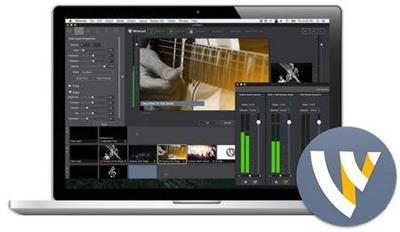
Everything you need to stream live video from your desktop to the world! Wirecast lets you capture an unlimited number of input devices from live camera feeds, iOS cameras (coming soon), computer desktop, Web feeds, and more. Then add polish and professionalism to your broadcast with live switching, transitions, titles, lower thirds, and more.

Capture your content.
- Capture unlimited number of input devices from live camera feeds
- NEW! iOS 8 cameras, computer desktop, web feeds and more.

Produce your show.
Add polish and professionalism to your broadcast with live switching, transitions, titles, lower thirds and more.

Stream it live.
Use the built in multiformat encoding capabilities and easily stream to integrated streaming services and CDNs.

Live Events / Entertainment
Live stream conferences, concerts, interviews and more. Wirecast provides everything you need to stream professional live events. Add multiple cameras, including iOS devices; create composite shots with graphics and transitions; and live encode and stream to your favorite streaming destination.

News / Sports
For a fraction of the cost of traditional broadcast hardware, Wirecast allows you to quickly and easily broadcast breaking news and live sports. Carry Wirecast on a laptop for remote newsgathering and production. For sports, use integrated scoreboards and replay for high quality live streams.

Education
Live stream your lectures, interviews, workshops for professional development or student instruction. Using Wirecast, anyone can now create professional live streamed broadcasts for sharing live or on-demand via the web with just a camera, a computer and an internet connection.

Houses of Worship
Engage and expand your remote congregation with live streams of your services and events. Easily train volunteers to use Wirecast to switch between multiple cameras, add graphics and even record a version for on-demand viewing. Wirecast is a flexible software solution that can be used on existing hardware.

What's New in Wirecast Pro:

Faster Perfomance
- GPU-accelerated encoding - Take advantage of powerful, cost-efficient hardware encoding capabilities for better performance. (Requires Intel QuickSync or nVidia NVENC hardware).
- Lower CPU Usage - Wirecast 7 uses less of your CPU overall than any previous version due to performance optimizations.
- Tools for monitoring - Graphic representations of System CPU usage, memory, framerate, bitrate, and RTMP Queue size help you see the strength of your stream or diagnose problems.

Dynamic Editor
Resize, position, crop, flip rotate, add color correction filters and more. Use Wirecast's powerful graphic editing features to compose picture-in-picture shots or layer up to 250 different sources on screen at the same time!

Output Statistics
Displays the statistics window for your broadcast. You can select to display: Framerate, System CPU Usage, and System Memory Usage.

Video Sync
Delay the video and/or audio of an incoming source to better sync. Save thousands of dollars on expensive hardware.

Global Hotkey Manager
With our new Global Hotkey Management System, you can now create your own hotkeys for switching shots, Replay/ISO shot creation and mark-in points in Wirecast.

Audio Mixing
Our built-in audio mixer allows for better control over any audio source. Mix-minus, panning, solo, mute and audio playout device selection are some of the powerful new audio features we've added.

ISO Recording (Pro only)
Create high-resolution recordings of your individual (isolated) cameras or audio sources. Isolate clean shots (no titling or lower thirds) that can be used later for editing offline or for live replay during an event. (Note: must have valid license to use this feature; this is a Pro feature only.)

New Ways to Configure Text
Add text to your broadcast from a variety of sources: typed in text, from a file, or from an RSS feed. Type in text and display it instantaneously. Use file-based text monitoring to read data from an external .txt file. The RSS feed feature allows you to have a running ticker built into your shots through the text widget.

Color Correction
Adjust the brightness, contrast, gamma, hue and saturation for all of your video and graphic sources.

And many more new features and improvements, including...

Updated, streamlined User Interface
Our new streamlined User Interface (UI) enables quicker access to shot editing features and more control over every aspect of your broadcast. This includes a new Shot Editor panel, with control sliders for modifying properties, in-shot toggles for turning off and on video and audio sources; plus an all-inclusive source dropdown; playlist tabs and more.

Audio Monitor/Mix Minus
With the new mix minus feature, you can now take out specific audio sources from your output monitoring. This lets you monitor the full stream audio output while turning off the monitoring of your own voice.

Audio Playout Device Selection
Choose where you want Wireacast to play out its audio. Select any available system audio device in the Wirecast Preferences to route all Wirecast audio to for more precise monitoring.

Redesigned Audio Mixer
Let's you control every audio source within your document from the specialized audio mixer window. Mix minus, panning, source selection, muting and individual source volume controls are all now beautifully packaged in one spot for easy audio control. This minimizes the need for external hardware and keeps your stream organized.

Redesigned Screen Capture
Replaces Local Desktop Presenter as an easy way to bring in your computer screen, or application window. Great for adding Keynote or PowerPoint slides into your broadcast.

Solid Color Generator
Add in a solid color as a source. Great for use as a background, or in lower thirds.

System Requirements:
- Windows 7, 8, 10 (64-bit).
- i5 dual-core @ 2.3GHz
- 4GB RAM
- 2GB2, 7200 RPM for record to disk
- Intel HD3, DirectX 11 capable

Languages Supported:
- English
- Brazilian Portuguese
- Chinese (Simplified)
- Czech
- Dutch
- French
- German
- Italian
- Japanese
- Korean
- Spanish
- Swedish

Home Page -
У Вас недостаточно прав для просмотра ссылок. Войдите или зарегистрируйтесь.


Download link:​
Код:
[center][b]rapidgator_net[/b]:
https://rapidgator.net/file/6a34d78c5ee09d0dd4d2dc74aa5cfd20/1md72.Telestream.Wirecast.Pro.14.0.4.rar.html

[b]nitroflare_com[/b]:
https://nitroflare.com/view/72DBA4FD818D956/1md72.Telestream.Wirecast.Pro.14.0.4.rar

[b]alfafile_net[/b]:
http://alfafile.net/file/8Q5Fo/1md72.Telestream.Wirecast.Pro.14.0.4.rar[/center]

Links are Interchangeable - No Password - Single Extraction​
 
Назад
Сверху