• Старая версия форума работает в архивном режиме www.old.nado.in

All mitsumi'1s Applications !! (updated daily)

  • Автор темы Автор темы mitsumi1
  • Дата начала Дата начала
Exposure Software Blow Up 3.1.4.348 macOS

2109d0746dc6250a117df6a3be051a5c.jpg


Exposure Software Blow Up 3.1.4.348 | macOS | 33 mb​
Blow Up keeps photos crystal clear during enlargement. Especially in large prints hung on a wall, the difference between Blow Up and Photoshop is astounding. Version 3 makes pictures even sharper without computer artifacts.
If you understand Photoshop's resize command then you already know how to use Blow Up.

We thoroughly test and support this product on the systems listed below. This product may also work in other configurations, but we do not guarantee it.

Host Requirements
Blow Up 3 is a plug-in and requires one of the following host applications:
* Exposure X or newer
* Adobe Photoshop CS6 or Adobe Photoshop CC 2015 or newer
* Adobe Lightroom 6 or Adobe Lightroom CC 2015 or newer

Compatibility: OS X 10.10 or later 64-bit
Homepage:
У Вас недостаточно прав для просмотра ссылок. Войдите или зарегистрируйтесь.


Download link:​
Код:
[center][b]rapidgator_net[/b]:
https://rapidgator.net/file/edf7ece2167f01ccff2afeb712e51c58/jtzav.Exposure.Software.Blow.Up.3.1.4.348.rar.html

[b]nitroflare_com[/b]:
https://nitroflare.com/view/8CBD705431AF568/jtzav.Exposure.Software.Blow.Up.3.1.4.348.rar

[b]alfafile_net[/b]:
http://alfafile.net/file/8xVvU/jtzav.Exposure.Software.Blow.Up.3.1.4.348.rar[/center]

Links are Interchangeable - No Password - Single Extraction​
 
Exposure Software Blow Up 3.1.4.348 (x64)

3bdd3724f6086301340d6ca1936cf47c.jpg


Exposure Software Blow Up 3.1.4.348 (x64) | 37.7 Mb​
Sharp Photo Enlargement at Any Size. Blow Up keeps photos crystal clear during enlargement. Especially in large prints hung on a wall, the difference between Blow Up and Photoshop is astounding. Version 3 makes pictures even sharper without computer artifacts.

Image Quality
In Blow Up 3 we found ways to make edges even sharper without introducing computery artifacts. The images below show the difference between Blow Up 3 and the traditional bicubic photo resizer used by Photoshop and other image editors.

New! Simplicity
Blow Up's interface is deceptively simple. Just set your paper size as you would in Photoshop and optionally set a crop region. In version 3 we kept all the rocket science under the hood.

New! Speed
Blow Up 3 runs faster on both Macintosh and Windows computers.

Huge Images
You can resize up to 300,000 pixels per side, the maximum Photoshop can handle. Of course, Photoshop would choke on a square image that big, but if you are making a billboard that Photoshop can handle, so can Blow Up!

CMYK
Blow Up can handle CMYK images used in offset printing and 16-bit/channel images used by professional photographers.

Presets
Blow Up has presets for common paper sizes, including photo papers and standard US, European, and Japanese sizes.

Output Sharpening
Just choose your paper type and Blow Up sharpens the right amount to compensate for ink diffusion.

System Requirements:
- Microsoft Windows: Windows 7 64-bit or newer
- An Intel Core 2 processor or compatible
- A monitor with 1280x768 resolution or greater

Home Page -
У Вас недостаточно прав для просмотра ссылок. Войдите или зарегистрируйтесь.


Download link:​
Код:
[center][b]rapidgator_net[/b]:
https://rapidgator.net/file/443f2256b743687425be7ddd85b756ed/316xp.Exposure.Software.Blow.Up.3.1.4.348.x64.rar.html

[b]nitroflare_com[/b]:
https://nitroflare.com/view/62C135CB4DDF001/316xp.Exposure.Software.Blow.Up.3.1.4.348.x64.rar

[b]alfafile_net[/b]:
http://alfafile.net/file/8xVUX/316xp.Exposure.Software.Blow.Up.3.1.4.348.x64.rar[/center]

Links are Interchangeable - No Password - Single Extraction​
 
Exposure Software Snap Art 4.1.3.339 macOS

316f0982eb96c836a716ec151f87be11.jpg


Exposure Software Snap Art 4.1.3.339 | macOS | 40 mb​
Transforming your photographs into beautiful works of art has never been easier than with Snap Art 4. By analyzing the visual elements and techniques of artists through the centuries, we have designed Snap Art to produce images that look they were made by a human, not a computer.

Snap Art 4 lets you experiment with multiple artistic styles via a simple, sleek user interface. The refreshed design and layout reduces distractions and provides fast visual browsing of a wide array of presets so you can achieve perfect results quicker than ever. Snap Art works everywhere you do, including as a standalone application that provides easy batch processing.

Forget about buying a pen tablet and taking classes to learn how to use complicated painting software. Snap Art expertly applies thousands of brush strokes. You simply show where you want more detail. This improved level of control makes it easy to render stunning portraits.

Quickly start by choosing from hundreds of new styles and ten natural media, such as oil paint, watercolor, and pencil sketch. Then customize anything from brush size to paint thickness to make your signature look. Snap Art's wide range of control lets you make your work completely unique.

Whatever your workflow, Snap Art 4 will blend right in. It integrates seamlessly with Photoshop, Photoshop Elements, Lightroom and now Aperture. Snap Art now works as a standalone application too. This helps you quickly batch process multiple images and supports workflows that don't use plug-ins.

Host Requirements
Snap Art 4 may be used as a standalone program or a plug-in. When Snap Art is used as a plug-in it requires one of these host applications:
* Alien Skin Exposure X or newer
* Adobe Photoshop CS6 or Adobe Photoshop CC 2015 or newer
* Adobe Lightroom 6 or Adobe Lightroom CC 2015 or newer

Compatibility: OS X 10.10 or later 64-bit
Homepage:
У Вас недостаточно прав для просмотра ссылок. Войдите или зарегистрируйтесь.


Download link:​
Код:
[center][b]rapidgator_net[/b]:
https://rapidgator.net/file/23161fa040e3eb77f8066b8d9a2a1ae5/h00w6.Exposure.Software.Snap.Art.4.1.3.339.rar.html

[b]nitroflare_com[/b]:
https://nitroflare.com/view/45D76FA3D8CFE90/h00w6.Exposure.Software.Snap.Art.4.1.3.339.rar

[b]alfafile_net[/b]:
http://alfafile.net/file/8xVv7/h00w6.Exposure.Software.Snap.Art.4.1.3.339.rar[/center]

Links are Interchangeable - No Password - Single Extraction​
 
Exposure Software Snap Art 4.1.3.339 (x64)

1bff2e3253c83c169d56a3e150cb23af.jpg


Exposure Software Snap Art 4.1.3.339 (x64) | 43.8 Mb​
Expand your palette of creative tools with Snap Art. Transforming your photographs into beautiful works of art has never been easier than with Snap Art 4. By analyzing the visual elements and techniques of artists through the centuries, we have designed Snap Art to produce images that look they were made by a human, not a computer.

Snap Art 4 lets you experiment with multiple artistic styles via a simple, sleek user interface. The refreshed design and layout reduces distractions and provides fast visual browsing of a wide array of presets so you can achieve perfect results quicker than ever. Snap Art works everywhere you do, including as a standalone application that provides easy batch processing.

Artistic Expression Made Simple
With Snap Art, no hand-eye coordination or technical training is required. You make the creative choices to turn your artistic vision into reality and leave the brushwork to Snap Art.

Select a style from one of Snap Art's many presets such as oil painting, pencil sketch, crayon and watercolor, and Snap Art will take care of everything for you. You can then use Snap Art's detail mask to hone and refine the individual nuances of specific areas of interest on your canvas. The end product is a finished piece of art worthy of printing on canvas and hanging in a gallery.

Find Your Own Style
Snap Art comes loaded with a wide variety of presets, but they are just starting points for your own unique style. If you discover a preset that sparks an idea, it's easy to mold it to fit your needs. Save your new look as a preset with a name, category, and even include notes. Later, you can apply it to a photo (or batches of photos) with a single click.

New in Snap Art 4:

The Right Looks in a Flash
Choosing your look is the focus of Snap Art, so the preset browser now uses thumbnails for a more visual experience. You can quickly filter by categories like Impasto, Crayon or Watercolor. Find specific styles with fast searching by name or description. In Snap Art you can tag your favorites so you can get back to them later. Your most recently applied effects are automatically remembered too.

Snap Art 4 User Interface
Snap Art's updated user interface lets you work with fewer distractions. The darker theme helps you focus on your image and matches other tools in a professional workflow. The new Lightroom-style collapsible panels allow you to see only the controls you care about. Tools that get out of the way provide more space for your image. Snap Art now provides support for Apple Retina Displays and other HiDPI screens so your image previews look even better!

Quick On The Draw
Snap Art 4 renders your images quicker than ever so you can get the desired look in the minimum amount of time. The entire user experience has been streamlined so you can get back to taking photos rather than sitting in front of a computer screen.

System Requirements:
- Microsoft Windows: Windows 7 64-bit or newer
- An Intel Core 2 processor or compatible
- A monitor with 1280x768 resolution or greater

Home Page -
У Вас недостаточно прав для просмотра ссылок. Войдите или зарегистрируйтесь.


Download link:​
Код:
[center][b]rapidgator_net[/b]:
https://rapidgator.net/file/e9e45e7742700d2674e3c6bd35091777/17wn5.Exposure.Software.Snap.Art.4.1.3.339.x64.rar.html

[b]nitroflare_com[/b]:
https://nitroflare.com/view/61D1668F571F32D/17wn5.Exposure.Software.Snap.Art.4.1.3.339.x64.rar

[b]alfafile_net[/b]:
http://alfafile.net/file/8xVUk/17wn5.Exposure.Software.Snap.Art.4.1.3.339.x64.rar[/center]

Links are Interchangeable - No Password - Single Extraction​
 
FlixGrab 5.1.3.1027 Premium

90d4bebc0b209290e055f438a4d51c5d.jpg


FlixGrab 5.1.3.1027 Premium | 55 Mb​
FlixGrab is an unique application for downloading entire NetFlix serials, TV shows, documentaries, movies. With the FlixGrab you can download and watch any NetFlix video offline on any device without spending internet traffic and without disrupting NetFlix limitations!

Top features:
- Totally new, nice and user-friendly interface! We hope you'll enjoy it!
- Support downloading HD NetFlix video! FlixGrab allows you to choose the original quality video from Low Quality (240p) up to High Definition (HD - 1080p or 720p)!
- Support downloading Dolby Digital Surround Audio 5.1!
- Support downloading subtitles in TTML format!
- Support fast multi-stream downloading! FlixGrab is able to download multiple videos at the same time!
- Automatic selection of the optimal voice quality and language!
- Loading lists from a file!
- Managing the download priority! You can easily stop and resume the downloading process, choose video's original language and much more!
- Easy to use! Just copy any NetFlix video URL, paste it, click the 'Download' button, wait for a little and enjoy it!

Premium:
- It supports downloading the HD quality Netflix video. Moreover it lets you choose the original quality video from low resolution (240p) to high definition (1080p) (*).
- You can even download the Dolby Digital Surround Audio 5.1 using this software (*).
- A user can download multiple videos at same time using this awesome tool as it supports batch downloading (*).
- The tool selects the optimal voice quality and language for the download.
- The download process can easily be stopped and resumed from the point you left it (*).
- Also it supports subtitles in TTML format. So you can even watch other language videos with this new subtitle feature (*).
- Easy to use! Just copy any NetFlix video URL, paste it, click the 'Download' button, wait for a little and enjoy it.

Operating System: Windows 7, 8/8.1, 10

Home Page -
У Вас недостаточно прав для просмотра ссылок. Войдите или зарегистрируйтесь.


Download link:​
Код:
[center][b]rapidgator_net[/b]:
https://rapidgator.net/file/44bb9be3bd75d5d5be88662fa3589612/fpv18.FlixGrab.5.1.3.1027.Premium.rar.html

[b]nitroflare_com[/b]:
https://nitroflare.com/view/887A5E7F13315A2/fpv18.FlixGrab.5.1.3.1027.Premium.rar

[b]alfafile_net[/b]:
http://alfafile.net/file/8xVvp/fpv18.FlixGrab.5.1.3.1027.Premium.rar[/center]

Links are Interchangeable - No Password - Single Extraction​
 
Folx Pro 5.23 (13963) macOS

697d109a78fdba7b1e0d4f59aff79b12.jpg


Folx Pro 5.23 (13963) Multilingual | macOS | 36 mb​
Folx is download manager for Mac OS X with a true Mac-style interface. It offers convenient downloads managing, flexible settings, etc. Folx has a unique system of sorting and keeping the downloaded content.

PRO version of Folx enables torrents search directly from the application. With Folx PRO you don't need to browse through multiple torrent trackers to find what you need. Enter a keyword in Folx, and it will search for it in its extensive list of torrent trackers and display a list of relevant results.

Folx Downloader Features

Fast downloading PRO
Folx PRO can split the downloads in up to twenty threads, which can dramatically increase the download speed.

Speed control PRO
Gain full control over the downloading speed by either adjusting it manually or allowing Folx to do that automatically for optimal traffic allocation.

Scheduling of downloads PRO
You can choose the most suitable time for starting the download and set up how Folx will behave upon finishing the download: shut down the system, switch to sleeping mode, or simply quit Folx.

iTunes integration PRO
All music and videos downloaded with Folx can automatically go to iTunes playlists with the names as the tags assigned to downloads.

Remember login and password PRO
When starting new downloads from websites requiring authentication, you can ask Folx to remember login and password. Next time Folx is downloading from this website, you won't need to enter login and password. You can also keep passwords for FTP and HTTP websites in Folx. Free version of Folx lets you save two entries. Websites requiring web authentication are also supported.

Download videos from Internet PRO
Download videos from the web with Folx with the possibility to set the format for the downloaded video. You can also download age-restricted and private videos. When you don't actually need the video and only want to have a soundtrack from it, Folx is of great help! Downloads can be performed manually, immediately upon the video discovery or at a certain schedule.

Compatibility: OS X 10.9 or later 64 bit
Homepage:
У Вас недостаточно прав для просмотра ссылок. Войдите или зарегистрируйтесь.


Download link:​
Код:
[center][b]rapidgator_net[/b]:
https://rapidgator.net/file/05967a89bb8bcd98a23042f0d56a613d/6r2p4.Folx.Pro.5.23.13963.rar.html

[b]nitroflare_com[/b]:
https://nitroflare.com/view/49342A66902CF19/6r2p4.Folx.Pro.5.23.13963.rar

[b]alfafile_net[/b]:
http://alfafile.net/file/8xVUg/6r2p4.Folx.Pro.5.23.13963.rar[/center]

Links are Interchangeable - No Password - Single Extraction​
 
Free Disney Plus Download Premium 5.0.0.1021 Beta

1737318cdcc8f261290e796834c897ff.jpg


Free Disney Plus Download Premium 5.0.0.1021 Beta | 57.7 Mb​
FreeGrabApp Team proudly presents absolutely new Free Disney Plus Download application! With our magnificent application, you can download and watch the best of Disney, Pixar, Marvel, Star Wars and National Geographic videos offline on any device without spending internet traffic.

How It Works
Copy a video link from your browser to the clipboard
Paste a link to the application by clicking "Paste" button.
Click "Download" button.
Enjoy video.

Interface
Free Disney Plus got totally new and user-friendly interface! We hope you'll enjoy it.

HD Quality
Free Disney Plus Download support downloading HD (1080p) videos.

Great Sound
Support downloading Dolby Digital Surround Audio 5.1.

Load Control
You can easily stop, resume the downloading process and much more.

Optimal settings
Automatic selection of the optimal voice quality and language.

Multi-Stream
Free Disney Plus Download is able to download multiple videos at the same time.

Operating System: Windows 7, 8/8.1, 10

Home Page -
У Вас недостаточно прав для просмотра ссылок. Войдите или зарегистрируйтесь.


Download link:​
Код:
[center][b]rapidgator_net[/b]:
https://rapidgator.net/file/3b04d29bd4d8a3ceab431abc9ce4d4b5/1iuy1.Free.Disney.Plus.Download.Premium.5.0.0.1021.Beta.rar.html

[b]nitroflare_com[/b]:
https://nitroflare.com/view/2C973E53C9C8ED6/1iuy1.Free.Disney.Plus.Download.Premium.5.0.0.1021.Beta.rar

[b]alfafile_net[/b]:
http://alfafile.net/file/8xVUV/1iuy1.Free.Disney.Plus.Download.Premium.5.0.0.1021.Beta.rar[/center]

Links are Interchangeable - No Password - Single Extraction​
 
FreeGrabApp Free Hulu Download 5.0.1.918 Premium

7632fb822776e66d1598c043654e3c28.jpg


FreeGrabApp Free Hulu Download 5.0.1.918 Premium | 57.7 Mb​
Hulu has a lot of great movies, serials and TV shows to stream and watch. However, sometimes you might be in a location where there is not a reliable internet connection. With our new unique application, you can download and watch any Hulu video offline on any device without spending internet traffic.

How It Works
Copy a video link from your browser to the clipboard
Paste a link to the application by clicking "Paste" button.
Click "Download" button.
Enjoy video.

Optimal settings
Automatic selection of the optimal voice quality and language.

Load Control
You can easily stop, resume the downloading process and much more.

Multi-Stream
Free Hulu Download is able to download multiple videos at the same time.

Operating System: Windows 7, 8/8.1, 10

Home Page -
У Вас недостаточно прав для просмотра ссылок. Войдите или зарегистрируйтесь.


Download link:​
Код:
[center][b]rapidgator_net[/b]:
https://rapidgator.net/file/fe5f3852c1187d5c11a9e06ea2b685b5/0zlfk.FreeGrabApp.Free.Hulu.Download.5.0.1.918.Premium.rar.html

[b]nitroflare_com[/b]:
https://nitroflare.com/view/27012DA15D02F80/0zlfk.FreeGrabApp.Free.Hulu.Download.5.0.1.918.Premium.rar

[b]alfafile_net[/b]:
http://alfafile.net/file/8xVUQ/0zlfk.FreeGrabApp.Free.Hulu.Download.5.0.1.918.Premium.rar[/center]

Links are Interchangeable - No Password - Single Extraction​
 
FreeGrabApp Free Twitter Download 5.0.2.129 Premium

a1d15d2342c1463639628941235155c7.jpg


FreeGrabApp Free Twitter Download 5.0.2.129 Premium | 51 Mb​
FreeGrabApp Team proudly presents Free Twitter Download application for downloading twitter videos and GIFs to your computer for free. Twitter videos and Twitter GIFs are embedded in the tweet, so to download twitter videos you need to copy the tweet URL. Free Twitter Download will extract the twitter to mp4 link from the tweet and you can download and watch any Twitter video and GIFs offline on any device without spending internet traffic.

How It Works
Copy a video link from your browser to the clipboard
Paste a link to the application by clicking "Paste" button.
Click "Download" button.
Enjoy music and video.

Interface
Free Twitter Download got totally new and user-friendly interface!

Load Control
You can easily stop, resume the downloading process and much more.

Multi-Stream
Free Twitter Download is able to download multiple videos at the same time.

No login required
You can download Twitter videos and GIFs without registering.

Optimal settings
Automatic selection of the optimal video quality.

HD Quality
Support downloading HD Twitter videos.

Operating System: Windows 7, 8/8.1, 10

Home Page -
У Вас недостаточно прав для просмотра ссылок. Войдите или зарегистрируйтесь.


Download link:​
Код:
[center][b]rapidgator_net[/b]:
https://rapidgator.net/file/7d13ad29bd14c655e51ef934339a9e0c/415gi.FreeGrabApp.Free.Twitter.Download.5.0.2.129.Premium.rar.html

[b]nitroflare_com[/b]:
https://nitroflare.com/view/92A590D2C45EE6F/415gi.FreeGrabApp.Free.Twitter.Download.5.0.2.129.Premium.rar

[b]alfafile_net[/b]:
http://alfafile.net/file/8xVU4/415gi.FreeGrabApp.Free.Twitter.Download.5.0.2.129.Premium.rar[/center]

Links are Interchangeable - No Password - Single Extraction​
 
MacBreakZ 5.40 macOS

10dc1f5915fd3727bca2bbdc4ad6c6cd.jpg


MacBreakZ 5.40 | macOS | 31 mb​
MacBreakZ is a sophisticated Personal Ergonomic Assistant designed to promote healthy and productive computer use. It offers a unique way of acquiring ergonomic skills that can save you a lot of discomfort, and shield you from serious health and career-threatening disorders.

MacBreakZ features sophisticated keyboard and mouse monitoring (without invading your privacy) that allows it to react to the way you are using your computer. What's more MacBreakZ provides you with instant feedback on how you are doing and thus lets you find out more about your work practices. Based on your actual keyboard and mouse use and the time you have spent in front of the screen, MacBreakZ suggests rest and microbreaks at appropriate intervals. MacBreakZ includes a set of 30 fully illustrated stretching exercises that are designed to reduce muscular tension, improve posture and strengthen appropriate muscle groups. It also features dozens of great ergonomic tips.

MacBreakZ adapts to how and where you work. A sophisticated setup assistant makes sure that you start off with a configuration that suits you and your workplace. An extensive array of preferences allow you to customize everything from how activity is measured to the way information is presented on the screen. And it isn't rude, and doesn't interrupt you in the middle of something important. Through its innovative interface using transparency and sound, it keeps you informed without stealing your focus and gives you plenty of warning before a break is due and even then respectfully waits until you have stopped working.

Compatibility: OS X 10.10 or later, 64-bit processor

Download link:​
Код:
[center][b]rapidgator_net[/b]:
https://rapidgator.net/file/ac677f2b36b5845500bfacd3cc6f89f1/c0p6y.MacBreakZ.5.40.rar.html

[b]nitroflare_com[/b]:
https://nitroflare.com/view/D3B6D3A63A62CFD/c0p6y.MacBreakZ.5.40.rar

[b]alfafile_net[/b]:
http://alfafile.net/file/8xVUz/c0p6y.MacBreakZ.5.40.rar[/center]

Links are Interchangeable - No Password - Single Extraction​
 
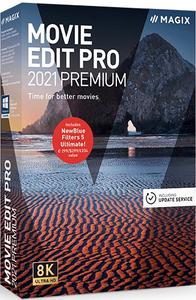
MAGIX Movie Edit Pro 2021 Premium 20.0.1.73 (x64) Multilingual

6da894c8ae29ebb063af5263d2767ff6.jpg


MAGIX Movie Edit Pro 2021 Premium 20.0.1.73 (x64) Multilingual | 846 Mb​
Movie Edit Pro Premium turns your camera footage into high-quality movies. And with access to the best tools and features money can buy, you can edit and optimize your videos with confidence whether you're a pro or just getting started.

One of a kind. Fast.
Featuring a range of automatic program wizards Import, optimize, edit - the fastest way to start making your own movies. Generate movies automatically or manually create your own. High-speed results, each and every time.

One of a kind.
Easy. Bring your vision to life Set the order you want your footage to appear in and keep only the best scenes. With storyboard or timeline mode.

One of a kind. Deluxe.
With up to 1,500 effects The right effects for every occasion, from family party videos to travel vlogs. High-quality effects designed to bring out the best in your movies.

Special effects
Put your videos in the spotlight with a selection of impressive lens flares and lighting effects.

Plus effects package
Get access to the latest effects in the Movie Edit Pro store and keep your footage on the cutting edge.

Image stabilization
Easily turn even the shakiest of footage into perfectly stable shots. With proDAD Mercalli V2 image stabilization.

Smooth proxy editing
Easily edit high-resolution footage up to 4K with super smooth proxy editing.

Multicam editing
Edit footage using up to 4 different camera angles to ensure you capture the best side of each shot. Now featuring simultaneous editing.

Shot match
Apply the look of your best scenes to all your footage for an automatic visual upgrade. Fully automatic functionality with a single click.
Release Notes:
MAGIX Movie Edit Pro 2019 Premium - New Features

System Requirements:
- You need a 64-bit version for the following operating systems:
- Windows 10, Windows 8, Windows 7
- Processor: 2.4 GHz (Quad-core processor with 2.8 GHz or better recommended*)
- RAM: 2 GB or higher (8 GB recommended*)
- Graphics card: Onboard, minimum resolution 1280x768. (Dedicated, at least 512 MB VRAM recommended)
- Hard drive space: 2 GB for program installation

Home Page -
У Вас недостаточно прав для просмотра ссылок. Войдите или зарегистрируйтесь.


Download link:​
Код:
[center][b]rapidgator_net[/b]:
https://rapidgator.net/file/a1f1506b53dfc1c93433a06c03a64a5b/qmca2.MAGIX.Movie.Edit.Pro.2021.Premium.20.0.1.73.x64.Multilingual.rar.html

[b]nitroflare_com[/b]:
https://nitroflare.com/view/4DBB38DF60F771F/qmca2.MAGIX.Movie.Edit.Pro.2021.Premium.20.0.1.73.x64.Multilingual.rar

[b]alfafile_net[/b]:
http://alfafile.net/file/8xVet/qmca2.MAGIX.Movie.Edit.Pro.2021.Premium.20.0.1.73.x64.Multilingual.rar[/center]

Links are Interchangeable - No Password - Single Extraction​
 
MAGIX Photostory 2021 Deluxe 20.0.1.62 (x64) Multilingual

fc016b047f9eaa324e8a97843e65ee67.jpg


MAGIX Photostory 2021 Deluxe 20.0.1.62 (x64) Multilingual | 1.03 GB​
Lights, camera, action! Get ready to share your photos with the world. With the new Photostory Deluxe, excitement is added to your best shots with camera movement, zooms and music in an incredible photo slideshow. Watch a wave of excitement come over your family and friends as you share your photo story!Watch a wave of excitement come over your family and friends as you share your photo story!

NEW! Huge selection of effects
Our templates help you create entertaining slideshows in no time at all. Included: New photo looks, 1,500 effects and music. Plus, get the even more effects in the Photostory Store!

NEW! Effect Wizard
Fun for your viewers, fun for you: Start creating a slideshow today. Work with the intuitive Effect Wizard for a simplified workflow.

Slideshows without limits.
Discover endless design possibilities: With stunning effects that work perfectly with high-resolution photos, the new, ultra-fast program engine makes it all possible! Discover now

The world's fastest retouching:
Automatic image editing Create truly stunning images in record time. The program's automatic image editing completes the optimizations so you don't have to. New: Transform your recordings with popular photo looks in a single click!

Full face lift:
Advanced image editing Sometimes, simple photo corrections and enhancements just aren't enough - you need expert tools in order to achieve the best look for a photo. Photostory Deluxe offers a new curves tool for precisely modifying color values and brightness.

Replicate your favorite image:
Shot match A single event. Multiple beautiful images. The innovative shot match feature lets you select your favorite image and transfer its style to other images.

Attention grabber:
Animated intros & outros First and last impressions are everything. Start and end your slideshow on a high note. Use the included high-quality animated intro and outro templates to lead your viewers to your most exciting shots.

Stay right in the action:
Breathtaking transitions Keep the excitement going - even when you're just switching from one image to the next. Exciting transitions add further creative touches to your slideshows.

Lights, camera, action:
Tracking shots & zooms Every picture counts. Each and every image tells a tale. Breathtaking camera tracking shots and zooms let you dive right into an image to show specific details and tell the story behind them.

Add emotion at the push of a button:
Film music & sound effects Mountains, birdsong or church bells from a distant valley. The dramatic music starts to play as the images of mountain face looms above. The images then switch to the view from the peak with relaxed instrumental music. Amazing music and sound effects are all included in Photostory!

Something for everyone:
Decorative elements Bam! Boom! Splash! Add fun and exciting details to images with decorative elements. It's the perfect way to enhance any image!

The perfect mix:
Beautiful picture collages Picture-in-picture, not picture follows picture. For more variety and more dynamics, it's the perfect way to present similar photos in a single picture collage.

More than just a wizard:
The Photostory Wizard You can set the integrated Photostory Wizard to design your slideshow for you from start to finish. Just choose the photos and the wizard does the rest!

Exciting borders:
Creative effects for portrait pictures Every single one of your photos can be used in your slideshows. There's even a creative solution for portrait photos with black borders.

Choose your storage media:
Photos on DVD And there you have it - a finished slideshow ready for sharing with family and friends. On DVD, Blu-ray, or USB stick. The Export Wizard is ideal for sharing your slideshow with others quickly.

Display your travel route:
Animations on map Take your viewers on a trip and display your travel route on an animated map!

System Requirements:
- You need a 64-bit version for the following operating systems:
- Windows 10, Windows 8, Windows 7
- Processor: 2 GHz (Quad-core processor with 2.8 GHz or better recommended)
- RAM: 2 GB (4 GB recommended)
- Graphics card: Onboard, minimum resolution 1280 x 1024 (Dedicated, at least 512MB VRAM recommended)
- Sound card: Onboard
- Hard drive space: 2 GB for program installation

Home Page -
У Вас недостаточно прав для просмотра ссылок. Войдите или зарегистрируйтесь.


Download link:​
Код:
[center][b]rapidgator_net[/b]:
https://rapidgator.net/file/51039cf2d18d9b8044fd8f96ea04c0ce/xsfld.MAGIX.Photostory.2021.Deluxe.20.0.1.62.x64.Multilingual.rar.html

[b]nitroflare_com[/b]:
https://nitroflare.com/view/A480DA742925888/xsfld.MAGIX.Photostory.2021.Deluxe.20.0.1.62.x64.Multilingual.rar

[b]alfafile_net[/b]:
http://alfafile.net/file/8xVB5/xsfld.MAGIX.Photostory.2021.Deluxe.20.0.1.62.x64.Multilingual.rar[/center]

Links are Interchangeable - No Password - Single Extraction​
 
MAGIX Video Pro X12 v18.0.1.89 (x64) Multilingual

ebe839959dbbcbf95111536871f2291f.jpg


MAGIX Video Pro X12 v18.0.1.89 (x64) Multilingual | 725.5 Mb​
Video Pro X is the only video editing software that makes professional video production accessible for everyone. With intuitive editing tools and workflows, getting started with Video Pro X is easier than with any other professional video editor. The new video engine allows for seamless, uninterrupted editing of high-resolution 4K Ultra HD material on any PC.

No matter how complex your film project, you can accomplish it fast. Enjoy an efficient workflow and innovative functions such as flexible track handling on a multi-format timeline. Access 3- & 4-point editing, multicam editing or 1-click tools such as "split & trim". A real-time audio mixer and audio cleaning tool are included for optimizing video sound.

Precise optimization
Comprehensive color grading with gradation curves or fast application of lookup tables - discover optimal color matching at the level of detail you need. proDAD Mercalli V5 Suite is now included for stabilizing choppy or distorted footage - in realtime and at a high level of precision.

High image quality in 8K Ultra HD
Video Pro X has always stood for technological innovation above and beyond industry standard. Discover resolutions in up to 8K UltraHD, HDR color space and latest film studio effects, and achieve professional results. The powerful video engine means that video editing is absolutely smooth, even for complex multi-track projects.

New in this version:

INFUSION Engine 2
Exclusive to Video Pro X: Seamless editing of video projects in up to 8K*. This is made possible by wide-ranging support for Intel, AMD and NVIDIA graphics card for decoding AVC and HEVC material.

HiDPI editing interface
Exclusive to Video Pro X: The high-resolution interface guarantees optimal contrast and readability, even on 4k monitors. The new icon design is state of the art and allows for a faster, more streamlined workflow.

Real-time video stabilization
Exclusive to Video Pro X: Fix distorted film material directly without long analysis and rendering times. Real-time image stabilization from proDAD Mercalli V5 Suite now makes it possible.

System Requirements:
- You need a 64-bit version for the following operating systems:
- Windows 10, Windows 8
- Processor: Double core processor with 2.4 GHz (recommended: Intel quad-core processor with 2.8 GHz or better)
- RAM: 4 GB (8 GB recommended)
- Graphics card: Onboard, min. resolution 1280 x 1024, 512 MB VRAM and DirectX 11 support INFUSION Engine 2 supports video acceleration for AVC and HEVC* on Intel, NVIDIA or AMD GPUs with 1GB VRAM or higher Example: Intel Graphics HD 630, NVIDIA Geforce GTX 1050, AMD Radeon RX470
- Sound card: Onboard (multi-channel sound card recommended for surround sound editing)
- Optical drive: DVD drive (only for installation of the box version)
- Program languages: English, Deutsch, Français, Nederlands

Home Page -
У Вас недостаточно прав для просмотра ссылок. Войдите или зарегистрируйтесь.


Download link:​
Код:
[center][b]rapidgator_net[/b]:
https://rapidgator.net/file/ae006889ed8ef8e0039a7c9930e306e0/l53vi.MAGIX.Video.Pro.X12.v18.0.1.89.x64.Multilingual.rar.html

[b]nitroflare_com[/b]:
https://nitroflare.com/view/A8B96F67F63856F/l53vi.MAGIX.Video.Pro.X12.v18.0.1.89.x64.Multilingual.rar

[b]alfafile_net[/b]:
http://alfafile.net/file/8xVvk/l53vi.MAGIX.Video.Pro.X12.v18.0.1.89.x64.Multilingual.rar[/center]

Links are Interchangeable - No Password - Single Extraction​
 
ManyCam 7.7.0.33 Multilingual

f18d4a91327d5a209169060ef7f492b3.jpg


ManyCam 7.7.0.33 Multilingual | 94.6 Mb​
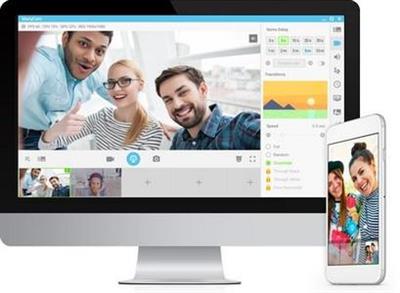
Your Live Streaming Experience Enhanced.Create exciting videos while adding fun using ManyCam's simple and intuitive features. ManyCam is a webcam software and video switcher that allows you to enhance your video chats and create amazing live streams on multiple platforms at the same time. With ManyCam, you'll be able to create professional-looking broadcasts on your favorite platforms, record your screen, add many effects and much more.

The fastest and easiest to use ManyCam version yet!
- Amazing performance with higher resolution
- New features and customizable layout
- New 3D Face Masks, effects and filters

Create an amazing learning experience to help your students learn the most. Enhance teaching while enjoying the flexibility of working from home. Manage effects, digital props and masks with the organization folders.

- Customizable Effects Panel
- Screen Sharing
- Text & Draw

Performance
Every feature has been carefully designed to perform at its best. The overall performance of ManyCam has also been enhanced to give the most to our users. Now, ManyCam-ers can benefit from an even faster software to create:

- High quality live video
- Webcasts & Live Streaming
- Screen & Video Recording

ManyCam Gaming
Be the best game streamer you can be! Stream or record your PC & Console games, display your webcam with any background using the Chroma Key feature and easily control your game stream with the ManyCam overlay.

- Game Streaming Software
- Chroma Key (Green Screen)
- Twitch Integration

3D Face Masks & Effects
Get access to our Effects Gallery with hundreds of effects, objects, overlays, and 3D Face Masks to create fun online video chats and live streams. Get creating with your video calls and add your own effects to the gallery.

Multiple Channel Broadcasting
Broadcast to multiple channels simultaneously. Use ManyCam to live stream on multiple platforms at the same time.

Microphone Audio Effects
Change your voice and apply microphone effects to your videos and broadcasts.

Multiple-Tier Lower Thirds
Highlight important information, add your name, location and observations to your broadcasts.

Webcam Effects
Choose between many amazing effects or create new ones to add to your videos.

Screencasting
Broadcast your desktop screen live or record them before hand to present demonstrations, tutorials and online courses.

Custom Watermark
Display different watermarks during your broadcasts and video chats.

System Requirements:
- Windows 10
- Windows 8
- Windows 7

Home Page -
У Вас недостаточно прав для просмотра ссылок. Войдите или зарегистрируйтесь.


Download link:​
Код:
[center][b]rapidgator_net[/b]:
https://rapidgator.net/file/444798c8ac041e1e46fa4aa7ef673905/fshpu.ManyCam.7.7.0.33.Multilingual.rar.html

[b]nitroflare_com[/b]:
https://nitroflare.com/view/CD3F2419DF9BB09/fshpu.ManyCam.7.7.0.33.Multilingual.rar

[b]alfafile_net[/b]:
http://alfafile.net/file/8xVvn/fshpu.ManyCam.7.7.0.33.Multilingual.rar[/center]

Links are Interchangeable - No Password - Single Extraction​
 
MassTube Plus 14.0.1.401 + Portable

4ca0b52b904b859fe96ba1cbf0718b93.jpg


MassTube Plus 14.0.1.401 + Portable | 32.4/30.8 Mb​
MassTube is a small-sized software utility esigned to help users grab their favorite video files from YouTube in the easiest way possible, and download them to the local disk for offline playback. It can be used to create a collection of video tutorials, for example.

Plain and simple interface
Aesthetically, it's not very impressive, as it sports a simplistic interface and just a few options for downloading videos. This is a simple-to-use tool built specifically with a single goal in mind: to grab video files from YouTube. Therefore, it doesn't come equipped with other noteworthy features, such as a built-in YouTube browser or audio extraction mode.

Straightforward video converter with history mode
Some video details are shown after introducing a YouTube link in the dedicated box, namely the resolution and audio parameters. MassTube supports multiple output formats (FLV, MP4, WebM, 3GP), which means that it gives you the possibility to convert the downloaded files to other types, as well as to select a preferred quality if there are multiple options available.

On task completion, it offers to open the downloaded clips with an external video player. It also integrates a history window that shows all the videos you have downloaded from YouTube, which can be cleared, exported to file, and imported at a later time.

Other program settings
MassTube's window can be placed on top of other frames, and it can be asked to remember the current window position whenever opening a new instance. Furthermore, it's possible to disable the internal download engine and switch to an external one, modify the default destination folder for all grabbed videos, as well as apply a proxy configuration for connecting to the Internet.

Evaluation and conclusion
The app worked smoothly in our evaluation and didn't prompt any errors. Although MassTube doesn't have an impressive skill set, it's an efficient software solution for downloading clips and converting them into other formats on the go. CPU and RAM consumption was minimal in our tests.

Operating System: Windows XP/Vista/7/8/8.1/10

Home Page -
У Вас недостаточно прав для просмотра ссылок. Войдите или зарегистрируйтесь.


Download link:​
Код:
[center][b]rapidgator_net[/b]:
https://rapidgator.net/file/5888b0f561776e7c90cd5eab250774df/x2xzd.MassTube.Plus.14.Portable.rar.html
https://rapidgator.net/file/cd1d9238190b136e2a427c844639da6e/x2xzd.MassTubePlus14.rar.html

[b]nitroflare_com[/b]:
https://nitroflare.com/view/EB92202DF73A190/x2xzd.MassTube.Plus.14.Portable.rar
https://nitroflare.com/view/C792B796995DC99/x2xzd.MassTubePlus14.rar

[b]alfafile_net[/b]:
http://alfafile.net/file/8xVBy/x2xzd.MassTube.Plus.14.Portable.rar
http://alfafile.net/file/8xVBE/x2xzd.MassTubePlus14.rar[/center]

Links are Interchangeable - No Password - Single Extraction​
 
MUA Retouch Panel for Adobe Photoshop 1.0

36a5340d74fbd69b6c502d393d121588.jpg


MUA Retouch Panel for Adobe Photoshop 1.0 | 33.6 Mb​
The MUA Retouch Panel is a smart Photoshop extension designed for delicate, intuitive, campaign-level retouching created with the Makeup Artist in mind. Developed by beauty photographer & retoucher Julia Kuzmenko McKim and makeup artist, photographer & retoucher Jordan Liberty over the years working in the Beauty Industry, the panel scripts are now available exclusively to the MUA Retouch panel users.

MUA Retouch Panel Features:
You don't have to be a Photoshop expert to be able to successfully use it - our free exclusive Photoshop Basics video course will introduce you to the software and our video tutorials will help you get to know the panel's functions.

Most buttons use common makeup names and imitate the effects of the actual makeup products so you can quickly navigate the panel's sections and easily determine each buttons' purpose.

Who Is This Panel For?
Whether you are a professional makeup artist or just a beauty lover looking to perfect your portfolio or social media images - the MUA Retouch panel will help you do that with professional results.

New Tool For Your Makeup Kit
Makeup artists, now more than ever, are creating content and photographing their work to meet the ever-increasing demands of social media. However, campaign-quality results simply cannot be achieved through face-editing apps, and Photoshop can be daunting for beginners.

The MUA Retouch Panel was born out of necessity, combining familiar makeup techniques and terminology with powerful pro-level retouching scripts. Beauty retouching can now be achieved in a delicate and thoughtful way by those who know beauty best.

Requirements: Compatible with Adobe® Photoshop® CC and up.

Home Page -
У Вас недостаточно прав для просмотра ссылок. Войдите или зарегистрируйтесь.


Download link:​
Код:
[center][b]rapidgator_net[/b]:
https://rapidgator.net/file/6d9fce0237f8346fee20268f3b8339cf/n0msi.MUA.Retouch.Panel.for.Adobe.Photoshop.1.0.rar.html

[b]nitroflare_com[/b]:
https://nitroflare.com/view/07ED58F18A7A078/n0msi.MUA.Retouch.Panel.for.Adobe.Photoshop.1.0.rar

[b]alfafile_net[/b]:
http://alfafile.net/file/8xVvL/n0msi.MUA.Retouch.Panel.for.Adobe.Photoshop.1.0.rar[/center]

Links are Interchangeable - No Password - Single Extraction​
 
Nitro Pro 13.29.2.566 Enterprise / Retail

eead8fbcb80c2da62b084c1efa5a6bfd.jpg


Nitro Pro 13.29.2.566 Enterprise / Retail | 395/400 Mb​
Nitro Pro gives you everything you need to create, convert, edit, sign, and share standard PDF files. It's simple, straightforward, and intuitive to use - so you can work more productively, your way. With Nitro Pro you can share your files with others, no matter what platform or device they are on, and Nitro Pro makes conversion easy. Convert one or more files to PDF with just a click or two.

Reuse and repurpose PDF-based content with greater accuracy. With Nitro Pros industry-leading conversion technology and array of extraction tools you can easily repurpose text and images from reports, presentations, and more for reuse in any other application. Share files with the peace of mind, knowing almost anyone on almost any machine can open, view, and review - every time.

Directly edit your PDF files more easily. Just click, and edit. Nitro Pro enables you to edit entire paragraphs with ease, automatically reflowing text as you type - like you would in a word processor.

Nitro Pro gives you a powerful set of easy-to-use tools that make working with digital documents simple, straightforward, and more cost-effective. Nitro Pro, the complete Adobe Acrobat alternative, enables you to do more with PDF through powerful tools to create, convert, edit, combine, secure, annotate, form-fill, and save 100% industry-standard PDF files. Recipient of multiple best product awards, Nitro Pro is specifically designed for the business user and makes working with PDF faster and easier than ever before!

System requirements
OS Desktop: Windows Vista, 7, 8, 8.1, 10
OS Server: Windows Server 2008 SP1, 2008 R2, 2012, 2012 R2 (Terminal Server and
Citrix XenApp / Access Essentials configurations supported)
RAM: 512MB,1GB system memory recommended
Storage: 300MB of available hard drive space
CPU: Intel Pentium® 4 and above.
Display: 1024x768 screen resolution
Additional requirements:
Microsoft .NET Framework 2.0 (or above)
Microsoft Office 2007 or newer (for Office integrated features)
Web Browser integration supported in IE 7 and above
Preview and Thumbnail handlers supported only in Windows Vista and above

Home Page -
У Вас недостаточно прав для просмотра ссылок. Войдите или зарегистрируйтесь.


Download link:​
Код:
[center][b]rapidgator_net[/b]:
https://rapidgator.net/file/b31014b4f7a2e74456ed0345ab86f830/e4mu9.Nitro.Pro.13.29.2.566.Ent.rar.html
https://rapidgator.net/file/75a4b476084b19aaee16d7529afb439c/e4mu9.Nitro.Pro.13.29.2.566.Retail.rar.html

[b]nitroflare_com[/b]:
https://nitroflare.com/view/0E269F6DDE0FA97/e4mu9.Nitro.Pro.13.29.2.566.Ent.rar
https://nitroflare.com/view/7260F1AA0113C0C/e4mu9.Nitro.Pro.13.29.2.566.Retail.rar

[b]alfafile_net[/b]:
http://alfafile.net/file/8xVvP/e4mu9.Nitro.Pro.13.29.2.566.Ent.rar
http://alfafile.net/file/8xVvJ/e4mu9.Nitro.Pro.13.29.2.566.Retail.rar[/center]

Links are Interchangeable - No Password - Single Extraction​
 
Nitro Pro Enterprise 13.29.2.566 (x64) Portable

2d7c775cd839826fda2333be4aef21d6.jpg


Nitro Pro Enterprise 13.29.2.566 (x64) Portable | 172.2 Mb​
Nitro Pro gives you everything you need to create, convert, edit, sign, and share standard PDF files. It's simple, straightforward, and intuitive to use - so you can work more productively, your way. With Nitro Pro you can share your files with others, no matter what platform or device they are on, and Nitro Pro makes conversion easy. Convert one or more files to PDF with just a click or two.

Reuse and repurpose PDF-based content with greater accuracy. With Nitro Pros industry-leading conversion technology and array of extraction tools you can easily repurpose text and images from reports, presentations, and more for reuse in any other application. Share files with the peace of mind, knowing almost anyone on almost any machine can open, view, and review - every time.

Directly edit your PDF files more easily. Just click, and edit. Nitro Pro enables you to edit entire paragraphs with ease, automatically reflowing text as you type - like you would in a word processor.

Nitro Pro gives you a powerful set of easy-to-use tools that make working with digital documents simple, straightforward, and more cost-effective. Nitro Pro, the complete Adobe Acrobat alternative, enables you to do more with PDF through powerful tools to create, convert, edit, combine, secure, annotate, form-fill, and save 100% industry-standard PDF files. Recipient of multiple best product awards, Nitro Pro is specifically designed for the business user and makes working with PDF faster and easier than ever before!

System requirements
OS Desktop: Windows 7, 8, 8.1, 10 (64-bit only)
OS Server: Windows Server 2008 SP1, 2008 R2, 2012, 2012 R2 (Terminal Server and
Citrix XenApp / Access Essentials configurations supported)
RAM: 512MB,1GB system memory recommended
Storage: 300MB of available hard drive space
CPU: Intel Pentium® 4 and above.
Display: 1024x768 screen resolution
Additional requirements:
Microsoft .NET Framework 2.0 (or above)
Microsoft Office 2007 or newer (for Office integrated features)
Web Browser integration supported in IE 7 and above
Preview and Thumbnail handlers supported only in Windows Vista and above

Home Page -
У Вас недостаточно прав для просмотра ссылок. Войдите или зарегистрируйтесь.


Download link:​
Код:
[center][b]rapidgator_net[/b]:
https://rapidgator.net/file/be97475d6cda2be92085c4dbdd4e6e7f/0b85e.Nitro.Pro.Enterprise.13.29.2.566.x64.Portable.rar.html

[b]nitroflare_com[/b]:
https://nitroflare.com/view/17D7D55CF666CFF/0b85e.Nitro.Pro.Enterprise.13.29.2.566.x64.Portable.rar

[b]alfafile_net[/b]:
http://alfafile.net/file/8xVU9/0b85e.Nitro.Pro.Enterprise.13.29.2.566.x64.Portable.rar[/center]

Links are Interchangeable - No Password - Single Extraction​
 
O&O SafeErase Workstation / Server 15.10 Build 79

f18cc669f22b8f5550e832a0631774e6.jpg


O&O SafeErase Workstation / Server 15.10 Build 79 (x86/x64) | 102.5 Mb​
Your personal photos and confidential documents can easily fall into the wrong hands when you sell, give away or dispose of your old PC or hard drives. Identity theft is now a widespread security threat. This is because clicking on "Delete" does not mean your files are permanently deleted. Even formatting the hard disk is not enough to permanently delete data. O&O SafeErase permanently deletes your confidential files using recognized methods so that a recovery is never possible, not even when using the best file recovery software.

There is a good chance your personal photos or business data will easily fall into the wrong hands whenever you want to sell, give away or dispose of your old computer. This is because clicking on "Delete" doesn't automatically mean your data is irrevocably destroyed. Even formatting the hard disk is not enough to completely destroy your data. O&O SafeErase allows you to permanently delete your data using recognized methods so that a recovery is never possible, not even when using specialized software.

New and enhanced functions
In addition to many minor enhancements, O&O SafeErase includes an analytical tool that scans your computer for temporary and unsafely deleted files. With just a few clicks, you can clean your computer so that unauthorized parties never have a chance to spy out old files for possible misuse. SSDs can also be detected, and deletions made on them will be done sparing resources. Advanced and improved management of reports make using O&O SafeErase even more convenient.

Internet security
When surfing the Internet, your browser usually stores Internet files unnoticed on your hard drive. These files can provide information about websites you've visited or the passwords you've entered. It makes no difference whether it involves cookies, data entered on forms, or browsing history - O&O SafeErase lists all the information saved for each browser you use, and you can then delete them individually or together. Once deleted, nobody will be able to detect your Internet traces and your online accounts are protected from data thieves or hackers. Version 15 supports Microsoft Edge, the successor to Internet Explorer, as well as Internet Explorer, Google Chrome and Firefox.

Safe erase your entire computer
Deleting the entire computer allows you to permanently delete all confidential files before you dispose of, sell, or give your computer away. All files, settings, applications and the operating system itself are deleted so that a file recovery is impossible. You can be sure that nobody will ever restore your confidential information and misuse it, protecting yourself against identity theft. With O&O SafeErase you can even delete your entire computer without a start medium (e.g. a Boot CD).

Six deletion methods for maximum security
O&O SafeErase allows you to choose from among six different deletion methods. The methods of deletion differ in the number of runs and the type of overwriting process. These methods ensure maximum security, whatever your requirements. In addition to standardized deletion methods of the U. S. Department of Defense (DoD) and the German Federal Office for Information Security (BSI) you can also select a complex mathematical method (the Gutmann method), which complies with the highest security levels. In this scientifically approved method of data deletion, corresponding areas of the hard disk are overwritten 35 times using precisely defined rules along with fixed and random values. In this way, O&O SafeErase exceeds even the requirements of the DoD and the BSI. Quick deletion can also be made by just overwriting data with zeros.

SolidErase
As of version 12.3, O&O SafeErase includes the feature SolidErase, which was developed especially for the deletion of SSDs. SolidErase uses resources sparingly and thoroughly so that the data is not recoverable and the SSD is exposed to the least possible strain.

Product features:
"Instant Erase": Selecting files over the context menu prompts a mini-dialog from where deletion can immediately take place
Permanent deletion of files, folders, Memory cards and USB sticks
Delete an entire computer, no boot medium necessary
Delete internet traces and temporary program files
Six methods to permanently delete confidential data
Detailed reports as proof of deletion
Analysis tool to search for unsafe deleted files
Adapted deletion method for SSDs (Solid State Disks) with SolidErase (link to paragraph with further infos)
Enhanced report and activity management
.Net Framework 4.7.1

Operating System: Windows 10, Windows 8.1 and Windows 8

Home Page -
У Вас недостаточно прав для просмотра ссылок. Войдите или зарегистрируйтесь.


Download link:​
Код:
[center][b]rapidgator_net[/b]:
https://rapidgator.net/file/234edf76fe65168e9f4426b6d8a9c8a1/qvpnx.OO.SafeErase.Workstation..Server.15.10.Build.79.rar.html

[b]nitroflare_com[/b]:
https://nitroflare.com/view/47D69E6B811B666/qvpnx.OO.SafeErase.Workstation..Server.15.10.Build.79.rar

[b]alfafile_net[/b]:
http://alfafile.net/file/8xVeE/qvpnx.OO.SafeErase.Workstation..Server.15.10.Build.79.rar[/center]

Links are Interchangeable - No Password - Single Extraction​
 
Postbox 7.0.35 Multilingual

f0d4e55f46df624c2c33f490424f7125.jpg


Postbox 7.0.35 Multilingual | 45.7 Mb​
Postbox is a powerful application that aims to provide you with all the tools for keeping in touch with your friends and business partners. It can handle multiple email accounts and allows you to subscribe to RSS feeds in order to read the latest news. Take control of your day with Postbox's clean and super-customizable interface. Make your email work for you, just the way you need it to.

Account Groups
Juggle multiple accounts like a pro. Separate or blend work and personal, job A and job B, your account and your boss' account - or mix and match to suit your needs.

Favorites Bar
Keep your go-to folders and accounts accessible at all times with a single click from the favorites bar.

Tabs
Reduce clutter with tabs, just like a web browser. Keep multiple messages, folders, contacts or topics open to easily switch between them.

Power Through Your Day
Get it done, fast. Whatever your day throws at you, cut through it with ease using Postbox's best-in-class tools and integrations.

Dropbox, One Drive and Box Integration
Big files, small files, lots of files - whatever you have, send it quickly and seamlessly by adding Postbox's cloud file-sharing capabilities.

File and Image Search
Attachments at your fingertips. Postbox lets you find and use files and images hiding in your mail - even while you're composing a new message.

Pre-Made Responses
Sending the same thing over and over? Streamline your work with pre-made responses that you can reuse as often as needed.

Real-Time Tracking
Time flies when you're composing emails. Keep yourself on task with time and word-count trackers.

Focus Pane
Tackle what's important right now using the real-time filters of Postbox's innovative focus pane. Just want to see all unread messages from your team from today? Done.

Attributes
Instantly view unread messages, or those with attachments. Scan your reminders, subscriptions, or social updates with a single click.

Topics
Break your work into small, manageable chunks with custom topics for projects, events, or however organize your work. Create and delete topics, and reorder them to reflect your goals.

System requirements:
Windows 7, 8, and 10
Pentium 4 or newer processor that supports SSE2
4 GB of RAM (8 GB recommended)
100 MB hard drive space for application files (excluding local message data)
Postbox runs in 32-bit mode on 32-bit and 64-bit versions of Windows

Home Page -
У Вас недостаточно прав для просмотра ссылок. Войдите или зарегистрируйтесь.


Download link:​
Код:
[center][b]rapidgator_net[/b]:
https://rapidgator.net/file/59f92b997066ce268e39bc32f5dd7c23/2sws1.Postbox.7.0.35.Multilingual.rar.html

[b]nitroflare_com[/b]:
https://nitroflare.com/view/E56762452809A81/2sws1.Postbox.7.0.35.Multilingual.rar

[b]alfafile_net[/b]:
http://alfafile.net/file/8xVUC/2sws1.Postbox.7.0.35.Multilingual.rar[/center]

Links are Interchangeable - No Password - Single Extraction​
 
Назад
Сверху