• Форум работает в архивном режиме www.old.nado.in

All mitsumi'1s Applications !! (updated daily)

  • Автор темы Автор темы mitsumi1
  • Дата начала Дата начала
App Builder 2021.38 (x64)

fb10508d7b437ca6051f1817fadbc146.jpeg

File Size: 151.8 MB​
If you want to create modern desktop and mobile apps you're in the right place! DecSoft App Builder is a professional visual development environment to create HTML5 apps, WebApps, Progressive WebApps, Web Extensions and Hybrid apps for the modern mobile and desktop browsers, as well platforms like Google Android, Apple iOS and Microsoft Windows.

Languages
The DecSoft App Builder apps are based in HTML, CSS and Javascript. These are the languages that you must know (more or less) in order to create modern apps that run in all the mobile and desktop browsers, as well platforms like Android, iOS and Microsoft Windows. All with the same base code! This is a big reason to choose DecSoft App Builder.

Visual designer
App Builder provide us dozens of visual and non visual controls ready to be placed in the application's designer. Simply drag and drop the control that you need into the designer and then place it where you wanted.

Contextual help
DecSoft App Builder has a contextual help that point you exactly to the control, property, event reference, etc. Just press the F1 key where you are in the IDE. For your convenience, the help is also available online in: getappbuilderhelp.com

Apache Cordova
DecSoft App Builder is integrated with Apache Cordova and prepares for your app the right config file, platform icons, splash screens, batch files, shell files and JSON files. DecSoft App Builder integrates also the officials Apache Cordova plugins.

Quick code list
The DecSoft App Builder code editors provides the Quick code list for your convenience. The Quick code list helps you to write Javascript code more faster, providing all the available controls properties, methods and more.

App Files manager
The DecSoft App Builder IDE incorporates the right Files manager for your app, so you can link Javascript and stylesheet files, but also add images, other files (like JSON files) and even entire directories, to be available in your app at runtime.

User Functions
In addition to the available app methods and the methods provided by the app views, app dialogs, app frames, the Apache Cordova plugins methods, and, all the possible controls that you can use, its also possible to setup your own User Functions in order to be available for your app at runtime.

Auto scale apps
There are many themes availables for your app, and, you can also set the fixed and scaled styles, even at runtime. The auto scale style made the app properly show in different screen sizes.

Whats New:
* Add a new "Use the modern WKWebView" checkbox in the app's options, under the Apache Cordova -> iOS options, which is checked by default. With this option checked (remember, it's checked by default for all the apps) we place in the Apache Cordova configuration file the right stuff in order to use the modern WKWebView for our iOS apps, instead the old WebView, which is no more accepted by the Apple Store. In some cases you may want to use the old WebView, then just uncheck this option.

Download link:​
Код:
[center][b]rapidgator_net[/b]:
https://rapidgator.net/file/9f695d62e2927e47035cd9ced2d3f9bd/vum39.App.Builder.2021.38.x64.rar.html

[b]uploadgig_com[/b]:
https://uploadgig.com/file/download/6A488bac28B8FCdc/vum39.App.Builder.2021.38.x64.rar

[b]nitroflare_com[/b]:
https://nitroflare.com/view/9BC00EF8E197DE0/vum39.App.Builder.2021.38.x64.rar[/center]

Links are Interchangeable - No Password - Single Extraction​
 
Artifact Interactive Garden Planner 3.7.85

feea20bbe638b4c5023ff5e03ea588a4.jpeg

File size: 193.5 MB​
Design your dream garden with this very easy to use program. Arrange plants, trees, buildings and objects using an easy to use 'drag and drop' interface. Use tools to quickly create paving, paths and fences. Then produce a high quality color print out of your design.

Features:
- Very easy to use interface
- Save and Load your own designs.
- Use a wide range of generic plant shapes to design your garden, so you dont need to be a botanist to use it
- Produce a professional looking print out of your plan
- Use tools to quickly create paving, fences and paths.
- Generate a report of all the plants and objects in your garden
- Create a library of custom plants

Whats New:
Updates: official site does not provide any info about changes in this version

Download link:​
Код:
[center][b]rapidgator_net[/b]:
https://rapidgator.net/file/8d1320e08eb41c50ce5ada81485e2d85/r35aa.Artifact.Interactive.Garden.Planner.3.7.85.rar.html

[b]uploadgig_com[/b]:
https://uploadgig.com/file/download/0d94ED350e05b417/r35aa.Artifact.Interactive.Garden.Planner.3.7.85.rar

[b]nitroflare_com[/b]:
https://nitroflare.com/view/8DDF79ACD1EDDE9/r35aa.Artifact.Interactive.Garden.Planner.3.7.85.rar[/center]

Links are Interchangeable - No Password - Single Extraction​
 
Canvas X Draw 7.0.2 macOS

ffa6ec707ac3cf0aea2b34c3d71d8fb8.jpeg

File size: 190 MB​
Canvas Draw is a powerful software specifically designed to make it possible for small business owners, designers, illustrators, and professionals to advertise and communicate with confidence. It helps you to visualize your workflow with a diverse content creation tool able to combine adaptable text, image, object, and effect elements in a single document.

Canvas Draw 5 services the creation of mechanical documentation, including assembly, maintenance, and repair instructions.
Rapidly illustrate complicated procedures, processes, and workflows with the convenient application of built-in templates and over 2000 symbols. Designed for business professionals and creatives alike, Canvas Draw 5's comprehensive set of vector object and advanced raster image editing tools make it easy to take your operation to the next level. Visual Communication for Professionals Quickly create, customize, and add to tables with no fuss or learning curve. Copy data directly into your tables from Excel or other sources. Tailor cell borders, size, and look and feel to your needs, or make them invisible. Branding & Vector Illustration Canvas Draw makes your creative marketing efforts easy and dynamic with an integrated design environment. With an extensive collection of symbols, a wide range of file compatibility, and advanced editing tools, you can paint, draw, select, retouch, color correct, and clone your way to seamless designs, typography, and branding. Real Estate & Computer-aided Design Communicate the characteristics of a space by blowing up specific areas, creating 3D vector and text objects, tracing out features and converting them to paths, and much more. Reach your audience by creating composites, touching up images, using transparency effects, and a variety of industry-leading tools and filters. Blueprints & Technical Illustration Create blueprints, floor plans, scale drawings, architectural designs, and other technical drawings with measured definitude and placement. Snap objects into exact positions relative to each other, draw from center points, define scale, systematically align, display sizes, add labels, callouts, or comments, create flowchart diagrams.
Release Notes
Release notes were unavailable when this listing was updated.

Supported Operation Systems:
macOS 10.13 or later

Download link:​
Код:
[center][b]rapidgator_net[/b]:
https://rapidgator.net/file/2884202a377f18047f80c7ec9c344991/sagr7.Canvas.X.Draw.7.0.2.macOS.rar.html

[b]uploadgig_com[/b]:
https://uploadgig.com/file/download/A498b29c0d377a44/sagr7.Canvas.X.Draw.7.0.2.macOS.rar

[b]nitroflare_com[/b]:
https://nitroflare.com/view/43A6D850234C1CE/sagr7.Canvas.X.Draw.7.0.2.macOS.rar[/center]

Links are Interchangeable - No Password - Single Extraction​
 
EPTAR Architerra Plus v2.0.0 for Archicad 24

cf66d221086cf776f8d1020f10b54171.jpeg

File size: 58.4 MB​
ArchiTerra is the solution for ArchiCAD users to create and manage 3D terrain models. It is a useful tool especially if you need to work with large sites, allowing the insertion of other elements such as roads, plateaus, buildings and others.

ArchiTerra was developed and created to solve a particular problem for ArchiCAD users: the creation and management of tridimensional land models.ArchiTerra helps to create solutions for terrains by drawing your own site or importing data from different types of files, like DXF, Text or Shape files and allows you to work and visualize the morphology in 2D and 3D.

MAIN FEATURES:
- Railway
- Railway crossing
- Railway bridge option in the existing bridge tool
- Bridge tool: the possibility to place bridges and overpasses
- Redesigned road: expanded with curbs and bisecting lines
- License borrowing: get for limited time (7 days) the activation key offline. After this time period the key become online again. This option is but permanent, and you can use it at any time. It can be ordered for your existing license, too.
- Color Slopes of the morphology and contour lines in 2D and 3D
- Management of the terrain using polyline or fill
- Creation of plateaus, roads, sidewalks and cross sections with the earthmoving icon
- Insertion of street furniture such as trees, buildings and other elements
- Insertion of the heights and objects
- Creation of a more lifelike environment for the project
- The camera tool allows you to walk in the terrain
- Controlling the project's environmental impact while still in the planning stage
- Export in Text (txt) file

What's New :
Updates: official site does not provide any info about changes in this version.

Download link:​
Код:
[center][b]rapidgator_net[/b]:
https://rapidgator.net/file/0f1f9002128870f41a785915aa9720f5/xilwg.EPTAR.Architerra.Plus.v2.0.0.for.Archicad.24.rar.html

[b]uploadgig_com[/b]:
https://uploadgig.com/file/download/7b4fbdFa8aa0c564/xilwg.EPTAR.Architerra.Plus.v2.0.0.for.Archicad.24.rar

[b]nitroflare_com[/b]:
https://nitroflare.com/view/E53BBECE4BDC8D6/xilwg.EPTAR.Architerra.Plus.v2.0.0.for.Archicad.24.rar[/center]

Links are Interchangeable - No Password - Single Extraction​
 
Fast Video Downloader 4.0.0.8 Multilingual

d1ffa51132b2f2cdabd7c117aacf4a4b.jpeg

File Size: 48.1 MB​
Fast Video Downloader is software, which allows you to download videos from youtube, dailymotion, vimeo, metacafe, facebook, bing and many more video sites and convert them to iPhone, iPad, iPod, Android, psp device compatible format. You may schedule your download list.

Download from
Download videos from Youtube, Dailymotion, Vimeo, Metacafe, Facebook, Bing & more video sites.

Multiple download
Download one or more video simultaneously on same time.

Download HD Video
Download high resolution, Full HD (1080p), HD(720p) videos from YouTube and other videos sites (if video site supports High Definition Videos).

Download schedule
Schedule your download video.

Video Search
This is very smart feature. You may search videos & add to download list in a single click.

Paste Video URL
Automatically paste video URL which you copied.

Convert Videos
Convert downloaded videos to Iphone, Ipad, Ipod, Android, psp device compatible format. You can also convert videos to 3gp, AVI format.

Convert Video Resolution
Change resolution of the video without changing format.

Convert Video Format
Automatic convert videos when download complete. Convert for iPhone, iPad, iPod, Android, PSP device compatible format. You can also convert videos to 3GP, AVI format.

Fast Speed
Application does not apply any restriction on download speed of the videos. So video download will complete in less time.

Proxy Setting
If you use proxy for connecting to internet then you can specify that proxy to download videos.

Submit Feedback
Send and share your using experience for improvement also report video URL, if have any error.

Whats New:
official site does not provide any info about changes in this version.

Download link:​
Код:
[center][b]rapidgator_net[/b]:
https://rapidgator.net/file/343e84932d501adb7eb29886d001ad77/cmldb.Fast.Video.Downloader.4.0.0.8.Multilingual.rar.html

[b]uploadgig_com[/b]:
https://uploadgig.com/file/download/0CFa3286a058F857/cmldb.Fast.Video.Downloader.4.0.0.8.Multilingual.rar

[b]nitroflare_com[/b]:
https://nitroflare.com/view/1C77B29ECBF6E92/cmldb.Fast.Video.Downloader.4.0.0.8.Multilingual.rar[/center]

Links are Interchangeable - No Password - Single Extraction​
 
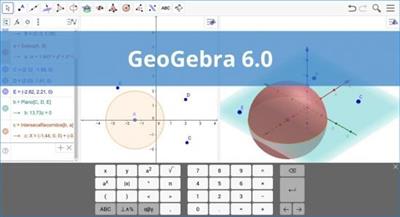
GeoGebra 6.0.639.0 Multilingual

3c96275df98f57e4cb31a6a93047f0f0.jpeg

File size: 100 MB​
GeoGebra is an open-source utility built specifically for helping users design mathematical objects of several types used for calculus, algebra and geometry. Since this is a Java-based application, you should make sure you have previously installed the working environment on the computer.

User-friendly interface with clear-cut options
It sports a clean interface that allows users to create mathematical objects by using dedicated tools or commands. The application offers quick access to different drawing tools that can be inserted in the working pane pretty easily.
GeoGebra gives you the possibility to add points and vectors, and perform calculations with them (for example, you can measure the length of a vector), as well as include lines and axes, conic sections and arcs, curves, inequalities, intervals, and functions.

Take advantage of a wide array of math functions
The app provides features for number creation and you can use the π and Euler constants for expressions and calculations, as well as work with angles, Boolean variables, matrix operations (addition, subtraction, multiplication), embedded text messages and images.

Customize object properties
The inserted objects can be hidden or revealed in the graphical representation, filled with a color, as well as fixed to a certain position so you cannot move, redefine or delete them. Plus, it is possible to change the name of an object, label it with its value, create animations with numbers, angles or points, and enable the tracing mode for viewing an object's position.

GeoGebra offers support for two scripting languages (GGBScript and Javascript), so you can create a sequence of commands for designing or modifying the objects. What's more, you may record the values for each object in a spreadsheet list, namely numbers, points, and vectors.
The generated projects can be saved to a file (e.g. HTML, PNG, EPS, GIF), uploaded on the developer's website, or printed.

Conclusion
All in all, GeoGebra comes packed with many dedicated parameters for helping you learn or teach various mathematical objects and operations.

Download link:​
Код:
[center][b]rapidgator_net[/b]:
https://rapidgator.net/file/65d509c6dca6eba481c668e2d1c081b7/v9loj.GeoGebra.6.0.639.0.Multilingual.rar.html

[b]uploadgig_com[/b]:
https://uploadgig.com/file/download/787Cb1297db800ce/v9loj.GeoGebra.6.0.639.0.Multilingual.rar

[b]nitroflare_com[/b]:
https://nitroflare.com/view/4F1F4BFF3BA2157/v9loj.GeoGebra.6.0.639.0.Multilingual.rar[/center]

Links are Interchangeable - No Password - Single Extraction​
 
Live Home 3D Pro Edition 4.0.2 macOS

24a926eb9742e0cf91b701162d1cec0d.jpeg

Language: Multilingual | File size: 439 MB​
Live Home 3D Pro is the most intuitive and feature packed home design app suitable for homeowners and professional designers, a successor of Live Interior 3D. Besides offering advanced home design tools, Pro edition provides superior export quality and Elevation View mode.

General
* Create detailed 2D floor plans.
* Beautiful real-time 3D rendering.
* Unlimited floor levels. (Pro edition only)
* A collection of in-depth video tutorials.
* Built-in Help Assistant and free, quick tech support service.
* Project Gallery with house projects and sample rooms.
* Native Support for Live Interior 3D Projects.

Floor Plan Tools
* Draw complete rooms using Room tool.
* Use Arc and Straight Wall tools for drawing walls.
* Elevation view. (Pro edition only)
* 'Auto outline' vector-based 2D representation for furniture.
* View real-time measurements for walls, ceilings, and floors when drawing in 2D Plan view.
* Select the necessary measurement units (inches, feet, meters, etc).
* Use smart Dimension tool to set the distance between underlying objects or walls.
* Precise positioning thanks to smart guides and object snapping.

Real-Time 3D Environment
* Adjust the lighting, add and move objects, apply materials, and more right in 3D.
* All changes, made in 3D or 2D, are rendered in 3D in real time.
* Walk through your 3D interior.
* FOV (field of view) and parallel camera projection. (Pro edition only)
* Set multiple cameras to see the house from different point of views.
* Achieve natural lighting by setting up true Geo position, daytime and overcast.
* Adjust light fixtures throughout your project to get realistic lighting scene.
* Light editor helps to add a light source to an imported objects. (Pro edition only)
* Create corner windows and complex openings using the program advanced technology.
* Level of details tool allows to optimize 3D object and speed up the project.
* Professional Shadow Map technique makes shadows look soft and natural.

3D Models and Materials
* 2,000+ furniture and other models.
* Import models seamlessly from Trimble 3D Warehouse™ (previously Google 3D Warehouse™).
* Edit furniture in SketchUp. (Pro edition only)
* 2,100+ supplied materials.
* Drag and drop any image from the Finder to apply it to any surface as custom material.
* Advanced material editor. (Pro edition only)
* Set the exact size of a material tile to know how much of the material is needed for your house renovation project.
* Import objects in SketchUp, COLLADA, KMZ, FBX, OBJ or 3DS formats by simply dragging and dropping them into your project.
* Polygonal-based Block tool for drawing balconies, porches, and more. (Pro edition only)

Roofs and Dormers
* Roof Assistant with 12 customizable roof templates.
* Custom shaped roofs. (Pro edition only)
* Add custom segments to fully customize your roof.
* 16 customizable dormers.

Export and Share the Result
* Share the result to Facebook, Twitter, Vimeo or YouTube.
* Export 3D views to JPEG, TIFF, PNG, and BMP (up to 16000 x 16000).
* Share 360° Panorama JPEG images (up to Ultra HD) to Facebook.
* Render a realistic video walkthrough (up to Ultra HD).
* Create Stereo 3D Video, 360° Video and even Stereo 3D 360° Video.
* Quickly send a copy of your project via Mail, Messages or AirDrop.
* Export the entire project or selected objects to COLLADA, Trimble SketchUp™, VRML Version 2.0 or X3D format.
* Export to 3DS, FBX, USDZ and OBJ formats. (Pro edition only)
Release Notes
Release notes were unavailable when this listing was updated

Supported Operation Systems:
macOS 10.14 or later

Download link:​
Код:
[center][b]rapidgator_net[/b]:
https://rapidgator.net/file/41a9f45d6998491fcde719f9940248c7/mw0se.Live.Home.3D.Pro.Edition.4.0.2.macOS.rar.html

[b]uploadgig_com[/b]:
https://uploadgig.com/file/download/a78ab8D48f0cdBd6/mw0se.Live.Home.3D.Pro.Edition.4.0.2.macOS.rar

[b]nitroflare_com[/b]:
https://nitroflare.com/view/9004C57D01391EA/mw0se.Live.Home.3D.Pro.Edition.4.0.2.macOS.rar[/center]

Links are Interchangeable - No Password - Single Extraction​
 
MiniTool Video Converter 3.0.2

2bcbef4998b5b063723355d74858cc72.jpeg

File Size : 93.8 Mb​

MiniTool Video Converter is one of the best free file converters. Its fast conversion speed, various format support, optional output quality, and other features make it an ideal choice for people who want to convert video or audio files. It is also capable of downloading YouTube content.

Convert to Audio, Video and Device
MiniTool Video Converter is the most direct solution to convert audio and videos files to multiple formats. This free video converter is available to turn audio to video and convert video to audio.
Convert Between 1000+ Formats
This free video converter supports 1000+ conversion formats including 4K/FHD/HD MP4, MOV, MKV, AVI, WMV, M4V files and video formats like high quality MP3, WAV, M4A, WMA, AAC, FLAC, AC3.
Batch Video Conversion
MiniTool Video Converter enables you to convert batch files at once. Simply select the files to convert, set up the output format for each file or for the whole files, and then you can convert all of them in bulk.
Fast Converting Speed & High Video Quality
Enjoy both faster converting speed and higher video quality! MiniTool Video Converter can quickly convert multiple videos and deliver significantly high video/audio quality.

Whats New:
Updates: official site does not provide any info about changes in this version

Download link:​
Код:
[center][b]rapidgator_net[/b]:
https://rapidgator.net/file/2bf5a1d4acb9718c1cf30df18405070c/fu9pp.MiniTool.Video.Converter.3.0.2.rar.html

[b]uploadgig_com[/b]:
https://uploadgig.com/file/download/f3Be6d3e3C7D643c/fu9pp.MiniTool.Video.Converter.3.0.2.rar

[b]nitroflare_com[/b]:
https://nitroflare.com/view/304CD559C9B5979/fu9pp.MiniTool.Video.Converter.3.0.2.rar[/center]

Links are Interchangeable - No Password - Single Extraction​
 
Navicat Essentials Premium 15.0.25

c53935b6c5cf6771cdd4efb66c7b288b.jpeg

File size: 121 MB​
Navicat Essentials is a compact version of Navicat which provides the basic and necessary features you will need to perform simple database development. Navicat Essentials is for commercial use and is available for MySQL, MariaDB, SQL Server, PostgreSQL, Oracle, and SQLite databases. If you need to administer all aforementioned database servers at the same time, there is also Navicat Premium Essentials which allows you to access multiple servers from a single application.

Features:
The All-New Engine
We focus strongly on improving responsiveness, usability, and performance. We engineered an entirely new mechanism and applied multithreading, so you can run certain tasks in parallel to increase the overall efficiency of your database development.

Cloud Database Navigation
Manage both on-premises and cloud databases such as Amazon RDS, Amazon Aurora, Amazon Redshift, SQL Azure, Oracle Cloud, and Google Cloud. Just simply establish connection using the pertinent information that your cloud databases provide.

Effortless Deployment Toolkit
Add your favorite tabs to On Startup and have them open automatically when Navicat launches, and use MacBook Pro Touch Bar to easily access Navicat features and controls.

Diversified Manipulation Tool
Use Import/Export Wizard to have data conversion from plain text formats such as TXT, CSV, XML and JSON. Add, modify, and delete records with our spreadsheet-like Grid View together with an array of data editing tools to facilitate your edits. Navicat Essentials gives you the tools you need to manage your data efficiently and ensure a smooth process.

Make Collaboration Easy
Synchronize your connection settings and queries to our Navicat Cloud service so you can get real-time access to them, and share them with your coworkers anytime and anywhere. With Navicat Cloud, you can leverage every minute of your day to maximize your productivity.

Advanced Secure Connection
Establish secure connections through SSH Tunneling and SSL ensure every connection is secure, stable, and reliable. Support different authentication methods of database servers such as PAM authentication for MySQL and MariaDB, and GSSAPI authentication for PostgreSQL. Navicat 12 provides more authentication mechanisms and high-performance environments so you never have to worry about connecting over an insecure network.

Download link:​
Код:
[center][b]rapidgator_net[/b]:
https://rapidgator.net/file/3062b7194d43c8d4ee2b4eb323e9bac3/17wtq.Navicat.Essentials.Premium.15.0.25.rar.html

[b]uploadgig_com[/b]:
https://uploadgig.com/file/download/c4dA913E91294d24/17wtq.Navicat.Essentials.Premium.15.0.25.rar

[b]nitroflare_com[/b]:
https://nitroflare.com/view/9A69E704FB38335/17wtq.Navicat.Essentials.Premium.15.0.25.rar[/center]

Links are Interchangeable - No Password - Single Extraction​
 
Navicat for MariaDB 15.0.25

bea9d83b5e0654605bfcb2fd47b483cb.jpeg

File size: 76 MB​
Navicat for MariaDB provides a native environment for MariaDB database management and development. Connect to local/remote MariaDB servers and compatible with Amazon RDS. Navicat for MariaDB supports most of the additional features like new storage engines, microseconds, virtual columns, and more.

Features:
Seamless Data Migration
Data Transfer, Data Synchronization and Structure Synchronization help you migrate your data easier and faster for less overhead. Deliver detailed, step-by-step guidelines for transferring data across databases. Compare and synchronize databases with Data and Structure Synchronization. Set up and deploy the comparisons in seconds, and get the detailed script to specify the changes you want to execute.

Diversified Manipulation Tool
Use Import Wizard to transfer data into a database from diverse formats, or from ODBC after setting up a data source connection. Export data from tables, views, or query results to formats like Excel, Access, CSV and more. Add, modify, and delete records with our spreadsheet-like Grid View together with an array of data editing tools to facilitate your edits. Navicat gives you the tools you need to manage your data efficiently and ensure a smooth process.

Easy SQL Editing
Visual SQL Builder will help you create, edit and run SQL statements without having to worry about syntax and proper usage of commands. Code fast with Code Completion and customizable Code Snippet by getting suggestions for keywords and stripping the repetition from coding.

Intelligent Database Designer
Create, modify and manage all database objects using our professional object designers. Convert your databases into graphical representations using a sophisticated database design and modeling tool so you can model, create, and understand complex databases with ease.

Increase your Productivity
Our powerful local backup/restore solution guides you through the backup process and reduces the potential for errors. Compile professional high-quality reports in minutes using an interactive design interface and efficient workflow, and set an automation for repeatable deployment process like report generation, database backup, and script execution at a specific time or day. No matter where you are, you can always get the job done.

Make Collaboration Easy
Synchronize your connection settings, models, queries and virtual groups to our Navicat Cloud service so you can get real-time access to them, and share them with your coworkers anytime and anywhere. With Navicat Cloud, you can leverage every minute of your day to maximize your productivity.

Advanced Secure Connection
Establish secure connections through SSH Tunneling and SSL ensure every connection is secure, stable, and reliable. Support different authentication methods of database servers such as PAM authentication. Navicat 12 provides more authentication mechanisms and high-performance environments so you never have to worry about connecting over an insecure network.

Download link:​
Код:
[center][b]rapidgator_net[/b]:
https://rapidgator.net/file/2eebba92f7b7c4e816bb01a7f6a306f3/vuml6.Navicat.for.MariaDB.15.0.25.rar.html

[b]uploadgig_com[/b]:
https://uploadgig.com/file/download/95240eeF6699922B/vuml6.Navicat.for.MariaDB.15.0.25.rar

[b]nitroflare_com[/b]:
https://nitroflare.com/view/5797614DFA91E0E/vuml6.Navicat.for.MariaDB.15.0.25.rar[/center]

Links are Interchangeable - No Password - Single Extraction​
 
Navicat for MongoDB 15.0.25

6ad476b7d7eebe3124cb2f964b43f648.jpeg

File size: 84 MB​
Navicat for MongoDB gives you a highly effective GUI interface for MongoDB database management, administration and development. Connect to local/remote MongoDB servers with MongoDB Atlas and Huawei Cloud compatibility. Navicat for MongoDB offers remarkable features for managing, monitoring, querying, and visualizing your data. You can easily increase productivity of routine MongoDB operations.

Features:
Seamless Data Migration
Data Transfer and Data Synchronization help you migrate your data easier and faster for less overhead. Deliver detailed, step-by-step guidelines for transferring data across databases. Compare and synchronize databases with Data Synchronization. Set up and deploy the comparisons in seconds, and get the detailed script to specify the changes you want to execute.

Diversified Manipulation Tool
Use Import Wizard to transfer data into a database from diverse formats, or from ODBC after setting up a data source connection. Export data from collections, views, or query results to formats such as Excel, Access, CSV and more. Add, modify, and delete documents with our built-in editors and MongoDB 4 Transaction support, you can facilitate your edits in Tree View, JSON View, and the classic spreadsheet-like Grid View. With MongoDB 4 Transaction support, Navicat gives you the tools you need to manage your data efficiently and ensure a smooth process.

Easy Query Editing
Visual Query Builder will help you create, edit and run queries without having to worry about syntax and proper usage of commands. Code fast with Code Completion and customizable Code Snippet by getting suggestions for keywords and stripping the repetition from coding.

Intelligent Object Designer
Create, modify, and manage all database objects using our professional object designers. Preview results on each step and debug the sampled data before running your MapReduce jobs. Store and retrieve files from your MongoDB databases using our well-designed GridFS form that allows parallel upload/download process.

Increase Your Productivity
Our intuitive GUI for MongoDBDump Utility guides you through the backup process and minimizes potential errors. Set an automation for repeatable deployment process like MapReduce job and script execution at a specific time or day. No matter where you are, you can always get the job done.

Smart Schema Analyzer
Discover and explore your schema with our built-in schema visualization tool. Analyze your documents and displays rich structures within your collections, so you can understand your data's schema, find schema anomalies, and inspect outliers easily.

Make Collaboration Easy
Synchronize your connection settings, queries and virtual groups to our Navicat Cloud service so you can get real-time access to them, and share them with your coworkers anytime and anywhere. With Navicat Cloud, you can leverage every minute of your day to maximize your productivity.

Advanced Secure Connection
Establish secure connections through SSH Tunneling and SSL ensure every connection is secure, stable, and reliable. Support different authentication methods of database servers such as Kerberos and X.509 authentication. Navicat 12 provides more authentication mechanisms and high-performance environments so you never have to worry about connecting over an insecure network.

Download link:​
Код:
[center][b]rapidgator_net[/b]:
https://rapidgator.net/file/3485b842ba02ef050e99a56e5c7d0064/7jeqn.Navicat.for.MongoDB.15.0.25.rar.html

[b]uploadgig_com[/b]:
https://uploadgig.com/file/download/6cE2fc2444a04f98/7jeqn.Navicat.for.MongoDB.15.0.25.rar

[b]nitroflare_com[/b]:
https://nitroflare.com/view/E64D70037F16161/7jeqn.Navicat.for.MongoDB.15.0.25.rar[/center]

Links are Interchangeable - No Password - Single Extraction​
 
Navicat for MySQL 15.0.25

c77c077ecbba3dfe3df0e7b9e6aad43b.jpeg

File size: 77 MB​
Navicat for MySQL is the ideal solution for MySQL/MariaDB administration and development. It is a single application that allows you to connect to MySQL and MariaDB databases simultaneously. Compatible with cloud databases like Amazon RDS, Amazon Aurora, Oracle Cloud and Google Cloud. This all-inclusive frontend provides an intuitive and powerful graphical interface for database management, development, and maintenance.

Features:
Seamless Data Migration
Data Transfer, Data Synchronization and Structure Synchronization help you migrate your data easier and faster for less overhead. Deliver detailed, step-by-step guidelines for transferring data across databases. Compare and synchronize databases with Data and Structure Synchronization. Set up and deploy the comparisons in seconds, and get the detailed script to specify the changes you want to execute.

Diversified Manipulation Tool
Use Import Wizard to transfer data into a database from diverse formats, or from ODBC after setting up a data source connection. Export data from tables, views, or query results to formats like Excel, Access, CSV and more. Add, modify, and delete records with our spreadsheet-like Grid View together with an array of data editing tools to facilitate your edits. Navicat gives you the tools you need to manage your data efficiently and ensure a smooth process.

Easy SQL Editing
Visual SQL Builder will help you create, edit and run SQL statements without having to worry about syntax and proper usage of commands. Code fast with Code Completion and customizable Code Snippet by getting suggestions for keywords and stripping the repetition from coding.

Intelligent Database Designer
Create, modify and manage all database objects using our professional object designers. Convert your databases into graphical representations using a sophisticated database design and modeling tool so you can model, create, and understand complex databases with ease.

Increase your Productivity
Our powerful local backup/restore solution guides you through the backup process and reduces the potential for errors. Compile professional high-quality reports in minutes using an interactive design interface and efficient workflow, and set an automation for repeatable deployment process like report generation, database backup, and script execution at a specific time or day. No matter where you are, you can always get the job done.

Make Collaboration Easy
Synchronize your connection settings, models, queries and virtual groups to our Navicat Cloud service so you can get real-time access to them, and share them with your coworkers anytime and anywhere. With Navicat Cloud, you can leverage every minute of your day to maximize your productivity.

Advanced Secure Connection
Establish secure connections through SSH Tunneling and SSL ensure every connection is secure, stable, and reliable. Support different authentication methods of database servers such as PAM authentication. Navicat provides more authentication mechanisms and high-performance environments so you never have to worry about connecting over an insecure network.

Download link:​
Код:
[center][b]rapidgator_net[/b]:
https://rapidgator.net/file/b73ecd1932a934fc2bd4311c0d987830/w0ld6.Navicat.for.MySQL.15.0.25.rar.html

[b]uploadgig_com[/b]:
https://uploadgig.com/file/download/B9E3449bd4962a2c/w0ld6.Navicat.for.MySQL.15.0.25.rar

[b]nitroflare_com[/b]:
https://nitroflare.com/view/5B3BC713EC9A889/w0ld6.Navicat.for.MySQL.15.0.25.rar[/center]

Links are Interchangeable - No Password - Single Extraction​
 
Navicat for Oracle 15.0.25

eadf32a52411be7a533bbf08bfa43baa.jpeg

File size: 95 MB​
Navicat for Oracle improves the efficiency and productivity of Oracle developers and administrators with a streamlined working environment. Optimizing your Oracle development - create, organize, access, and share information quickly and securely. Navicat for Oracle is compatible with cloud databases like Amazon RDS and Oracle Cloud, and supports local/remote Oracle servers.

Features:
Seamless Data Migration
Data Transfer, Data Synchronization and Structure Synchronization help you migrate your data easier and faster for less overhead. Deliver detailed, step-by-step guidelines for transferring data across databases. Compare and synchronize databases with Data and Structure Synchronization. Set up and deploy the comparisons in seconds, and get the detailed script to specify the changes you want to execute.

Diversified Manipulation Tool
Use Import Wizard to transfer data into a database from diverse formats, or from ODBC after setting up a data source connection. Export data from tables, views, or query results to formats like Excel, Access, CSV and more. Add, modify, and delete records with our spreadsheet-like Grid View together with an array of data editing tools to facilitate your edits. Navicat gives you the tools you need to manage your data efficiently and ensure a smooth process.

Easy SQL Editing
Visual SQL Builder will help you create, edit and run SQL statements without having to worry about syntax and proper usage of commands. Code fast with Code Completion and customizable Code Snippet by getting suggestions for keywords and stripping the repetition from coding.

Intelligent Database Designer
Create, modify and manage all database objects using our professional object designers. Convert your databases into graphical representations using a sophisticated database design and modeling tool so you can model, create, and understand complex databases with ease.

Increase your Productivity
Our powerful local backup/restore solution guides you through the backup process and reduces the potential for errors. Compile professional high-quality reports in minutes using an interactive design interface and efficient workflow, and set an automation for repeatable deployment process like report generation, database backup, and script execution at a specific time or day. No matter where you are, you can always get the job done.

Make Collaboration Easy
Synchronize your connection settings, models, queries and virtual groups to our Navicat Cloud service so you can get real-time access to them, and share them with your coworkers anytime and anywhere. With Navicat Cloud, you can leverage every minute of your day to maximize your productivity.

Advanced Secure Connection
Establish secure connections through SSH Tunneling and SSL ensure every connection is secure, stable, and reliable. Support different authentication methods of database servers such as PAM authentication. Navicat 12 provides more authentication mechanisms and high-performance environments so you never have to worry about connecting over an insecure network.

Download link:​
Код:
[center][b]rapidgator_net[/b]:
https://rapidgator.net/file/14e95689ad01be5a6aff903d146fcac9/zew2y.Navicat.for.Oracle.15.0.25.rar.html

[b]uploadgig_com[/b]:
https://uploadgig.com/file/download/2093501D192571fC/zew2y.Navicat.for.Oracle.15.0.25.rar

[b]nitroflare_com[/b]:
https://nitroflare.com/view/D5AA1097AE04DB8/zew2y.Navicat.for.Oracle.15.0.25.rar[/center]

Links are Interchangeable - No Password - Single Extraction​
 
Navicat for PostgreSQL 15.0.25

5b37fca4c1dc503735f7e4aca46a5ce7.jpeg

File size: 75 MB​
Navicat for PostgreSQL is an easy-to-use graphical tool for PostgreSQL database development. From writing simple SQL queries to developing complex databases, Navicat for PostgreSQL is designed to accommodate a wide range of users, from PostgreSQL beginners to seasoned developers. Connect to local/remote PostgreSQL servers and compatible with cloud databases like Amazon Redshift, Amazon Aurora, Amazon RDS and Google Cloud, and all PostgreSQL database objects.

Features:
Seamless Data Migration
Data Transfer, Data Synchronization and Structure Synchronization help you migrate your data easier and faster for less overhead. Deliver detailed, step-by-step guidelines for transferring data across databases. Compare and synchronize databases with Data and Structure Synchronization. Set up and deploy the comparisons in seconds, and get the detailed script to specify the changes you want to execute.

Diversified Manipulation Tool
Use Import Wizard to transfer data into a database from diverse formats, or from ODBC after setting up a data source connection. Export data from tables, views, or query results to formats like Excel, Access, CSV and more. Add, modify, and delete records with our spreadsheet-like Grid View together with an array of data editing tools to facilitate your edits. Navicat gives you the tools you need to manage your data efficiently and ensure a smooth process.

Easy SQL Editing
Visual SQL Builder will help you create, edit and run SQL statements without having to worry about syntax and proper usage of commands. Code fast with Code Completion and customizable Code Snippet by getting suggestions for keywords and stripping the repetition from coding.

Intelligent Database Designer
Create, modify and manage all database objects using our professional object designers. Convert your databases into graphical representations using a sophisticated database design and modeling tool so you can model, create, and understand complex databases with ease.

Increase your Productivity
Our powerful local backup/restore solution guides you through the backup process and reduces the potential for errors. Compile professional high-quality reports in minutes using an interactive design interface and efficient workflow, and set an automation for repeatable deployment process like report generation, database backup, and script execution at a specific time or day. No matter where you are, you can always get the job done.

Make Collaboration Easy
Synchronize your connection settings, models, queries and virtual groups to our Navicat Cloud service so you can get real-time access to them, and share them with your coworkers anytime and anywhere. With Navicat Cloud, you can leverage every minute of your day to maximize your productivity.

Advanced Secure Connection
Establish secure connections through SSH Tunneling and SSL ensure every connection is secure, stable, and reliable. Support different authentication methods of database servers such as PAM authentication. Navicat 12 provides more authentication mechanisms and high-performance environments so you never have to worry about connecting over an insecure network.

Download link:​
Код:
[center][b]rapidgator_net[/b]:
https://rapidgator.net/file/ed24280d6f222ef86123da2cc7396629/5jf7j.Navicat.for.PostgreSQL.15.0.25.rar.html

[b]uploadgig_com[/b]:
https://uploadgig.com/file/download/9ca51Df6edd6D986/5jf7j.Navicat.for.PostgreSQL.15.0.25.rar

[b]nitroflare_com[/b]:
https://nitroflare.com/view/E1C1431561B34BD/5jf7j.Navicat.for.PostgreSQL.15.0.25.rar[/center]

Links are Interchangeable - No Password - Single Extraction​
 
Navicat for SQLite 15.0.25

330e3980ff37a5271c167bba007800c4.jpeg

File size: 74 MB​
Navicat for SQLite is a powerful and comprehensive SQLite GUI that provides a complete set of functions for database management and development. Optimizing your SQLite workflow and productivity - you can quickly and securely create, organize, access, and share information.

Features:
Seamless Data Migration
Data Transfer, Data Synchronization and Structure Synchronization help you migrate your data easier and faster for less overhead. Deliver detailed, step-by-step guidelines for transferring data across databases. Compare and synchronize databases with Data and Structure Synchronization. Set up and deploy the comparisons in seconds, and get the detailed script to specify the changes you want to execute.

Diversified Manipulation Tool
Use Import Wizard to transfer data into a database from diverse formats, or from ODBC after setting up a data source connection. Export data from tables, views, or query results to formats like Excel, Access, CSV and more. Add, modify, and delete records with our spreadsheet-like Grid View together with an array of data editing tools to facilitate your edits. Navicat gives you the tools you need to manage your data efficiently and ensure a smooth process.

Easy SQL Editing
Visual SQL Builder will help you create, edit and run SQL statements without having to worry about syntax and proper usage of commands. Code fast with Code Completion and customizable Code Snippet by getting suggestions for keywords and stripping the repetition from coding.

Intelligent Database Designer
Create, modify and manage all database objects using our professional object designers. Convert your databases into graphical representations using a sophisticated database design and modeling tool so you can model, create, and understand complex databases with ease.

Increase your Productivity
Our powerful local backup/restore solution guides you through the backup process and reduces the potential for errors. Compile professional high-quality reports in minutes using an interactive design interface and efficient workflow, and set an automation for repeatable deployment process like report generation, database backup, and script execution at a specific time or day. No matter where you are, you can always get the job done.

Make Collaboration Easy
Synchronize your connection settings, models, queries and virtual groups to our Navicat Cloud service so you can get real-time access to them, and share them with your coworkers anytime and anywhere. With Navicat Cloud, you can leverage every minute of your day to maximize your productivity.

Advanced Secure Connection
Establish secure connections through SSH Tunneling and SSL ensure every connection is secure, stable, and reliable. Support different authentication methods of database servers such as PAM authentication. Navicat 12 provides more authentication mechanisms and high-performance environments so you never have to worry about connecting over an insecure network.

Download link:​
Код:
[center][b]rapidgator_net[/b]:
https://rapidgator.net/file/310f6a48e86c3318d4d74aadfb34eba7/19l4l.Navicat.for.SQLite.15.0.25.rar.html

[b]uploadgig_com[/b]:
https://uploadgig.com/file/download/4c04d539fe396527/19l4l.Navicat.for.SQLite.15.0.25.rar

[b]nitroflare_com[/b]:
https://nitroflare.com/view/0D87EB8648040F0/19l4l.Navicat.for.SQLite.15.0.25.rar[/center]

Links are Interchangeable - No Password - Single Extraction​
 
Navicat for SQL Server 15.0.25

e3b01cea38af48665071e1fe7d23f648.jpeg

File size: 85 MB​
Navicat for SQL Server gives you a fully graphical approach to database management and development. Quickly and easily create, edit, and delete all database objects, or execute SQL queries and scripts. Connect to any local/remote SQL Server, and compatible with cloud databases like Amazon RDS and SQL Azure.

Features:
Seamless Data Migration
Data Transfer, Data Synchronization and Structure Synchronization help you migrate your data easier and faster for less overhead. Deliver detailed, step-by-step guidelines for transferring data across databases. Compare and synchronize databases with Data and Structure Synchronization. Set up and deploy the comparisons in seconds, and get the detailed script to specify the changes you want to execute.

Diversified Manipulation Tool
Use Import Wizard to transfer data into a database from diverse formats, or from ODBC after setting up a data source connection. Export data from tables, views, or query results to formats like Excel, Access, CSV and more. Add, modify, and delete records with our spreadsheet-like Grid View together with an array of data editing tools to facilitate your edits. Navicat gives you the tools you need to manage your data efficiently and ensure a smooth process.

Easy SQL Editing
Visual SQL Builder will help you create, edit and run SQL statements without having to worry about syntax and proper usage of commands. Code fast with Code Completion and customizable Code Snippet by getting suggestions for keywords and stripping the repetition from coding.

Intelligent Database Designer
Create, modify and manage all database objects using our professional object designers. Convert your databases into graphical representations using a sophisticated database design and modeling tool so you can model, create, and understand complex databases with ease.

Increase your Productivity
Our powerful local backup/restore solution guides you through the backup process and reduces the potential for errors. Compile professional high-quality reports in minutes using an interactive design interface and efficient workflow, and set an automation for repeatable deployment process like report generation, database backup, and script execution at a specific time or day. No matter where you are, you can always get the job done.

Make Collaboration Easy
Synchronize your connection settings, models, queries and virtual groups to our Navicat Cloud service so you can get real-time access to them, and share them with your coworkers anytime and anywhere. With Navicat Cloud, you can leverage every minute of your day to maximize your productivity.

Advanced Secure Connection
Establish secure connections through SSH Tunneling and SSL ensure every connection is secure, stable, and reliable. Support different authentication methods of database servers such as PAM authentication. Navicat 12 provides more authentication mechanisms and high-performance environments so you never have to worry about connecting over an insecure network.

Download link:​
Код:
[center][b]rapidgator_net[/b]:
https://rapidgator.net/file/5ba95da1d1cebe0873255aecff532dbb/ycp4p.Navicat.for.SQL.Server.15.0.25.rar.html

[b]uploadgig_com[/b]:
https://uploadgig.com/file/download/3689b1C4e7c99673/ycp4p.Navicat.for.SQL.Server.15.0.25.rar

[b]nitroflare_com[/b]:
https://nitroflare.com/view/9340F2F9BE6A28A/ycp4p.Navicat.for.SQL.Server.15.0.25.rar[/center]

Links are Interchangeable - No Password - Single Extraction​
 
Navicat Premium 15.0.25

6646d4f3405ebe39683fb80238025afa.jpeg

File size: 123 MB​
Navicat Premium is a database development tool that allows you to simultaneously connect to MySQL, MariaDB, SQL Server, Oracle, PostgreSQL, and SQLite databases from a single application. Compatible with cloud databases like Amazon RDS, Amazon Aurora, Amazon Redshift, SQL Azure, Oracle Cloud and Google Cloud. You can quickly and easily build, manage and maintain your databases.

Features:
Seamless Data Migration
Data Transfer, Data Synchronization and Structure Synchronization help you migrate your data easier and faster for less overhead. Deliver detailed, step-by-step guidelines for transferring data across various DBMS. Compare and synchronize databases with Data and Structure Synchronization. Set up and deploy the comparisons in seconds, and get the detailed script to specify the changes you want to execute.

Diversified Manipulation Tool
Use Import Wizard to transfer data into a database from diverse formats, or from ODBC after setting up a data source connection. Export data from tables, views, or query results to formats like Excel, Access, CSV and more. Add, modify, and delete records with our spreadsheet-like Grid View together with an array of data editing tools to facilitate your edits. Navicat gives you the tools you need to manage your data efficiently and ensure a smooth process.

Easy SQL Editing
Visual SQL Builder will help you create, edit and run SQL statements without having to worry about syntax and proper usage of commands. Code fast with Code Completion and customizable Code Snippet by getting suggestions for keywords and stripping the repetition from coding. Quickly locate and correct PL/SQL and PL/PGSQL coding errors using our debugging component such as setting breakpoints, stepping through the program, viewing and modifying variable values, and examining the call stack.

Intelligent Database Designer
Create, modify and manage all database objects using our professional object designers. Convert your databases into graphical representations using a sophisticated database design and modeling tool so you can model, create, and understand complex databases with ease.

Increase your Productivity
Our powerful local backup/restore solution and intuitive GUI for Oracle Data Pump/SQL Server Backup Utility guides you through the backup process and reduces the potential for errors. Set an automation for repeatable deployment process like database backup and script execution at a specific time or day. No matter where you are, you can always get the job done.

Make Collaboration Easy
Synchronize your connection settings, models, queries and virtual groups to our Navicat Cloud service so you can get real-time access to them, and share them with your coworkers anytime and anywhere. With Navicat Cloud, you can leverage every minute of your day to maximize your productivity. Learn more >

Advanced Secure Connection
Establish secure connections through SSH Tunneling and SSL ensure every connection is secure, stable, and reliable. Support different authentication methods of database servers such as PAM authentication for MySQL and MariaDB, and GSSAPI authentication for PostgreSQL. Navicat 12 provides more authentication mechanisms and high-performance environments so you never have to worry about connecting over an insecure network.

Download link:​
Код:
[center][b]rapidgator_net[/b]:
https://rapidgator.net/file/1fe18bf82e22bb6139526688528344b6/vrt58.Navicat.Premium.15.0.25.rar.html

[b]uploadgig_com[/b]:
https://uploadgig.com/file/download/79606956E2349deD/vrt58.Navicat.Premium.15.0.25.rar

[b]nitroflare_com[/b]:
https://nitroflare.com/view/23CA8BDBD7F19F6/vrt58.Navicat.Premium.15.0.25.rar[/center]

Links are Interchangeable - No Password - Single Extraction​
 
NirLauncher Package 1.23.44

c1e6f4979ee4d6e0377bd311bf8bf3e8.jpeg

File Size: 31.5 MB​
NirLauncher is a package of more than 180 portable freeware utilities for Windows, all of them developed for NirSoft Web site during the last few years.

NirLauncher Features
NirLauncher can be used from USB flash drive without need of any installation.
NirLauncher and all the utilities in the package are completely freeware, without any Spyware/Adware/Malware. This package doesn't contain any 3-party software, toolbars, Web browser plugins, or other unwanted surprises. It will not install any software on your system and it will not change your Web browser homepage or other settings on your system.
NirLauncher package includes variety of tools that you may need for your daily computer use, including utilities to recover lost passwords, to monitor your network, to view and extract cookies, cache, and other information stored by your Web browser, to search files in your system, and more...
For every utility in the package, you can easily run it, view the help file, or jump to the Web page of the utility.
When using it from USB flash drive, the configuration of every utility is saved into .cfg file on the flash drive.
On x64 systems, NirLauncher automatically run the x64 version of the utility, when there is a separated x64 version.
NirLauncher also allows to add more software packages in additional to the main NirSoft package.
NirLauncher allows you generate plugin files for BartPE (Launcher -> Generate BartPE Plugin Files), so you can easily use the utilities of NirSoft from a bootable live windows CD.

Whats New:
official site does not provide any info about changes in this version

Download link:​
Код:
[center][b]rapidgator_net[/b]:
https://rapidgator.net/file/ff1e5904b95e6765dbea9b39f161544a/l4jxy.NirLauncher.Package.1.23.44.rar.html

[b]uploadgig_com[/b]:
https://uploadgig.com/file/download/76dC948d46722483/l4jxy.NirLauncher.Package.1.23.44.rar

[b]nitroflare_com[/b]:
https://nitroflare.com/view/2E9633CDFB73BE0/l4jxy.NirLauncher.Package.1.23.44.rar[/center]

Links are Interchangeable - No Password - Single Extraction​
 
Opera 75.0.3969.243 Multilingual

b2b5b96a4bc7dc153417a18e12f6cf5b.jpeg

File Size: 63.3/67.2 MB​
Opera is a fast and free alternative web browser, that includes tabbed browsing, pop-up blocking, integrated searches. Opera web browser is based on Chromium and Blink (the rendering engine used by Chromium). It has come up with bigger guns to enter the race for the most popular web browser, as the current leading role is played between Google Chrome, Firefox and Internet Explorer. The web browser has one intuitive, powerful location for searching and navigating the web. Search using multiple providers and view site suggestions as you type. The Discover feature gives you top-quality news and entertainment from around the globe. Opera also has the advanced functions such as Opera Mail program, the lightweight, customizable mail client that refines your email experience.

Features:
Now it comes with an innovative anti-Bitcoin mining tool. It also displays security badges, which give you a quick glance at the security of a page. If the browser's Fraud and Malware Protection detects anything potentially dangerous, it will display a popup to warn you.

Bookmarks. Now you can quickly enable or disable the bookmarks bar by selecting Show bookmark bar. If you want to bookmark a page, click the HEART icon.

Integrated PDF viewer. In addition, Opera has integrated a fast PDF Viewer directly into the browser so you can keep reading without changing applications.

Support for H.264 and MP3. H.264 video and MP3 Audio is widely used on the internet. Therefore, with Opera Browser you will have native access to such content.

Syncing Bookmarks with Android. If you install Opera browser for Android mobile and for Desktop on your computer, you can see cross-device syncing in action. Make some bookmarks on your computer and see them appear on your Android phone.

Sync open tabs between computers. In Opera for computers, you can now sync your open tabs.

MSE + MP3. MSE Audio now works from within Opera, enabling playback from Google Play Music and similar services.

Custom ad-blocking list support. Users have the possibility to load your own files in the block-list form. Use extra button in Preferences, where you can add/remove any extra block-list files you'd like to load.

Video pop out. Allows you to shift your video frame to the side of your screen, so you can truly multitask. Browse, shop online or do the research without missing out on the video action.

RSS in personal news. RSS support makes the built in newsreader even more customizable.

Download link:​
Код:
[center][b]rapidgator_net[/b]:
https://rapidgator.net/file/43ba155fe34be8108e844e5cc60c0c13/sttth.Opera75.0.3969.243Setup.rar.html
https://rapidgator.net/file/35ac415db04613ddf3cc27d508fe02ac/sttth.Opera75.0.3969.243Setupx64.rar.html

[b]uploadgig_com[/b]:
https://uploadgig.com/file/download/39581fbdF1eab5D5/sttth.Opera75.0.3969.243Setup.rar
https://uploadgig.com/file/download/591420FCa255042f/sttth.Opera75.0.3969.243Setupx64.rar

[b]nitroflare_com[/b]:
https://nitroflare.com/view/F5060BCC3BCE429/sttth.Opera75.0.3969.243Setup.rar
https://nitroflare.com/view/7B8DE6420808066/sttth.Opera75.0.3969.243Setupx64.rar[/center]

Links are Interchangeable - No Password - Single Extraction​
 
PanFone Manager 1.1.5 Multilingual

3f317d39b047eebcff2cfa4c7a990cf9.jpeg

Languages: Multilingual | File size: 162 MB
Utility Android/iOS data management tool! Freely manage, transfer, backup, restore and delete mobile photo data on Windows PC​
.

Features :
Transfer music, photos, videos, contacts, and more between PC and mobile phone.
Manage music, edit song details, and deduplicate tracks on iOS/Android devices.
Sort photos with customizable filters, and delete photos in batch, convert HEIC photos to JPG format and compress camera pictures.
Export SMS, call history & contacts to HTML, CSV files for previewing or printing.
View, export and import iOS app document.
One-click to back up and restore data on iPhone/iPad/iPod/Android phone.
Thoroughly access your Android and iOS device under Disk Mode.
Fully compatible with Android 11 and the latest iOS 14.

Download link:​
Код:
[center][b]rapidgator_net[/b]:
https://rapidgator.net/file/842c93985e65296471e8ca3a99d8fb46/esv8i.PanFone.Manager.1.1.5.Multilingual.rar.html

[b]uploadgig_com[/b]:
https://uploadgig.com/file/download/f92541f1b3369229/esv8i.PanFone.Manager.1.1.5.Multilingual.rar

[b]nitroflare_com[/b]:
https://nitroflare.com/view/09F1CAE7F599C6C/esv8i.PanFone.Manager.1.1.5.Multilingual.rar[/center]

Links are Interchangeable - No Password - Single Extraction​
 
Назад
Сверху