• Форум работает в архивном режиме www.old.nado.in

All mitsumi'1s Applications !! (updated daily)

  • Автор темы Автор темы mitsumi1
  • Дата начала Дата начала
Universal USB Installer 2.0.0.3

1a8cb0f491b4cc1a3946b5899fe37cde.jpeg

File Size : 1.7 Mb​

Universal USB Installer is a Live Linux USB Creator that allows you to choose from a selection of Linux Distributions to put on your USB Flash Drive. The Universal USB Installer is easy to use. Simply choose a Live Linux Distribution, the ISO file, your Flash Drive and, Click Install.

Other features include; Persistence (if available), and the ability to fat32 format the flash drive (recommended) to ensure a clean install. Upon completion, you should have a ready to run bootable USB Flash Drive with your select Linux version installed.

System Requirements:
Windows XP/Vista/7 to create the USB (Win 98/2K WILL NOT Work!)
Fat32 Formatted Flash Drive
PC with a BIOS that can boot from USB
Your Favorite Linux ISO

Download link:​
Код:
[center][b]rapidgator_net[/b]:
https://rapidgator.net/file/c76be401da5d31a28b9a221e3e371bc4/cctvt.Universal.USB.Installer.2.0.0.3.rar.html

[b]uploadgig_com[/b]:
https://uploadgig.com/file/download/13933E863f5a9f8f/cctvt.Universal.USB.Installer.2.0.0.3.rar

[b]nitroflare_com[/b]:
https://nitroflare.com/view/677199A295A50E8/cctvt.Universal.USB.Installer.2.0.0.3.rar[/center]

Links are Interchangeable - No Password - Single Extraction​
 
WAU Manager (Windows Automatic Updates) 2.9.0.0

2972e6d75bbb12ea7f86e9c43ab1f167.jpeg

File size: 1.0 MB​
WAU Manager (Windows Automatic Updates Manager) is a fully featured replacement for the built in Windows Updating interface. This tool gives you full control of the Windows Updates, such as when and how they are installed, and has full uninstall and maintenance support for Windows updates.

Features:
Update manually when desired with just one click on a dedicated desktop shortcut
Update automatically with the desired frequency. Once a day, once a month or once a year, or whatever you decide.
You get to choose whether the available updates are automatically downloaded and installed or not.
Easily uninstall several updates at once.

Modules:
The Install updates module, which searches for available updates, and installs the desired ones. You can also hide updates from this module. Hidden updates are not displayed as available for install.
The Uninstall Updates module, which lets you uninstall or hide updates that were previously installed.
The Unhide Updates module, which lets you view hidden updates and unhide the desired ones.
The View update history module, which displays the Windows Update history and lets you perform maintenance actions related to Windows Update.

Whats New:
Updates: official site does not provide any info about changes in this version.

Download link:​
Код:
[center][b]rapidgator_net[/b]:
https://rapidgator.net/file/0eecc680f10699fd22763346fbe05b32/cmcfa.WAU.Manager.Windows.Automatic.Updates.2.9.0.0.rar.html

[b]uploadgig_com[/b]:
https://uploadgig.com/file/download/bcCe6a3f2d56aab8/cmcfa.WAU.Manager.Windows.Automatic.Updates.2.9.0.0.rar

[b]nitroflare_com[/b]:
https://nitroflare.com/view/02471FC0B2F40FD/cmcfa.WAU.Manager.Windows.Automatic.Updates.2.9.0.0.rar[/center]

Links are Interchangeable - No Password - Single Extraction​
 
Win10 All Settings 2.0.3.27 Multilingual

a77bddca1b950795f6bdcc8502ca0891.jpeg

File Size: 0.5 MB​
Win10 All Settings is a utility software that enables the use of different system settings. The main aim of the application is to help users customize Windows 10 in all circumstances with alternative configuration interfaces, and it can also perform some hidden settings.

The software grants access to Windows Master Control Panel (God Mode), and categorizes the built-in settings of Windows 10.
The settings set by Win10 All Settings work based on the information published on Microsoft's websites. The operations that are often complex, involve several steps and require system level knowledge can be easily performed by anyone with Win10 All Settings.
Win10 All Settings primarily supports Windows 10 operating system. It works with limited functions on Windows 7/8 operating systems.

Advantages of Win10 All Settings:
Enables basic personalization options in all circumstances.
Provides easy access to God Mode.
Enables setting the color of Inactive Title Bar.
Provides easy access to the built-in settings of Windows 10.
Can start with the operating system (Autostart).
Supports Windows 10 operating system (partial Windows 7/8 support).
Doesn't require installation, free to use.

Download link:​
Код:
[center][b]rapidgator_net[/b]:
https://rapidgator.net/file/9c47bf3470deaa692509b42ef6e9db64/z7igq.Win10.All.Settings.2.0.3.27.Multilingual.rar.html

[b]uploadgig_com[/b]:
https://uploadgig.com/file/download/051ef0edAF1749bC/z7igq.Win10.All.Settings.2.0.3.27.Multilingual.rar

[b]nitroflare_com[/b]:
https://nitroflare.com/view/E6CC4466F611D4C/z7igq.Win10.All.Settings.2.0.3.27.Multilingual.rar[/center]

Links are Interchangeable - No Password - Single Extraction​
 
3D-Tool 15.00 (x64) Multilingual

d392bbec89d780ba7ab49c2b34d8889c.jpeg

File size: 355 MB​
3D-Tool is a viewer for 3D and 2D CAD files; importing many common 3D and 2D CAD File Formats. 3D-Tool gives you the ability to visualize, analyze, and mark-up, and collaborate your CAD projects.

- Read/Convert
Read and write to/from many CAD data exchange formats, and some native CAD file formats. See our File Types page.

- Visualize
The simple user interface allows anybody, without special CAD knowledge, to view your models and drawings, zoom in on details or simply look inside your models using dynamic cross sections. Views from any angle can be easily printed or saved as pictures.
Make design reviews successful with Exploded views, Animations, Complex custom saved views, 3D-Notes and dimensions.

- Analyze
Various analysis functions such as draft, wall thickness, volume, and measurments, help the mechanical designer understand complex geometry and develop solutions.

- Collaborate
With 3D-Tool you can produce zipped self-viewing executable files of your CAD projects, which can be e-mailed and displayed on any PC without installation or additional licensing.
Dimensions and 3D-Notes can be attached to any geometry item to fully convey your thoughts and requirements.

Homepage
Код:
https://www.3d-tool.com/

Download link:​
Код:
[center][b]rapidgator_net[/b]:
https://rapidgator.net/file/1db57d4c24bd0da8394ec201e00262f4/b5y96.3DTool.15.00.x64.Multilingual.rar.html

[b]uploadgig_com[/b]:
https://uploadgig.com/file/download/A77a701c9D7aafCa/b5y96.3DTool.15.00.x64.Multilingual.rar

[b]nitroflare_com[/b]:
https://nitroflare.com/view/F84CD74F0EFC4D1/b5y96.3DTool.15.00.x64.Multilingual.rar[/center]

Links are Interchangeable - No Password - Single Extraction​
 
3D-Tool 15.00 (x64) Multilingual Portable

874cb0bfedfca913d0f880603dca561d.jpeg

File size: 365 MB​
The 3D-Tool CAD-Viewer is a universal and user-friendly tool for evaluating and coordinating 3D designs throughout the company. The 3D-NativeCAD Converter is part of 3D-Tool Premium and a professional interface for converting and exchanging 3D data with customers and suppliers.

3D-Viewer
With 3D-Tool you can check 3D models without an expensive CAD system.
The intuitive operation and user-friendly program interface do not require any special CAD knowledge.
Simple mouse actions allow you to zoom and rotate models, show and hide parts and assemblies, and create cross-sections and exploded views.

2D-Viewer
With 3D-Tool you print drawings true to scale, edit or delete drawing elements and add dimensions and markups.
3D-Tool supports 2D drawings in the formats DXF, DWG, HPGL and, in the Premium version, also drawings from CATIA and SolidWorks.

Teamwork / Collaboration
Use 3D-Tool to coordinate constructions in the company as well as with customers and suppliers.
3D-Tool publishes models as directly executable EXE files or as DDD files for the 3D-Tool Free Viewer. Both EXE files and the Free Viewer have the 3D-Tool tool palette.
3D-Tool also creates 3D PDF files for the widely used Adobe Acrobat Reader. In this way, 3D models also reach users who do not want or are not allowed to install special software.

Presentation and Documentation
With just a few clicks you can create and save detailed 3D views of your models for presentations and meetings as well as for printouts and images.
Parts and assemblies can be hidden, made transparent or shown in different render modes. Cross-sections and exploded views can be combined and even animated.

Information
With 3D-Tool you accelerate and simplify the estimation of manufacturing costs and the creation of offers.
The model information tool with material database provides dimensions, surface, volume and weight of parts and assemblies quickly and easily. 3D-Tool Premium also supports the display of product manufacturing information (PMI).

Measure and Markup
You do not need any CAD knowledge or lengthy training for the detailed measurement of constructions.
An intelligent preselection of suitable measurement references helps you with all measurements when you move the mouse pointer over the model.
3D-Tool offers measuring tools for distances, angles, radii, wall thicknesses and free spaces. The viewer also calculates the size of faces and cut faces and the minimum bounding box of parts.

Analysis
With 3D-Tool you do not need an expensive CAD workstation to estimate the production costs, e.g. in toolmaking.
The Tooling Analysis shows draft angles and mold cavities and calculates undercuts and the projected area of ​​your models.
The Wall Thickness Analysis shows wall thicknesses as a color scale and the model comparison makes differences between models visible.

The 3D-Tool Premium Interfaces
3D-Tool Premium offers professional and powerful interfaces for the most common 3D CAD exchange formats and for the most important large CAD systems.
With the optional access to the graphic visualization data in native CAD formats, the 3D-Tool Viewer also opens very large assemblies of these CAD systems on common workstation computers.

Software Requirements:
All 3D-Tool versions require graphics drivers that support at least OpenGL 1.2.
3D-Tool Premium requires Microsoft Visual C++ 2015 [x86/x64] Redistributable or Microsoft Visual C++ 2017 [x86/x64] Redistributable to read the CAD data. If none of these is available, this software is automatically installed when 3D-Tool is installed.

Minimum Hardware Requirements
3D-Tool Basic, Advanced, Premium and the 3D-Tool FreeViewer can run on a Desktop PC, laptop oder tablet PC with a main memory of 4GB or more and a screen resolution of 1024 x 768 pixel or more.
No special or dedicated graphics card is required. 3D-Tool also works with onboard graphics cards.

Recommended Hardware
For 3D-Tool Advanced, we recommend a Desktop PC or laptop with a main memory of 8GB or more.
For 3D-Tool Premium, we recommend a Desktop PC or laptop with a main memory of 16GB or more.
We recommend a Full-HD screen resolution. A special CAD graphics card is not necessary, however, we recommend a dedicated graphics card that supports OpenGL 3.3. or higher, such as the current Nvidia GeForce or AMD Radeon cards.

Windows 10 (64bit)

Homepage
Код:
https://www.3d-tool.com/

Download link:​
Код:
[center][b]rapidgator_net[/b]:
https://rapidgator.net/file/77e6303604cd54b694cd1d2389910ad1/spr3h.3DTool.15.00.x64.Multilingual.Portable.rar.html

[b]uploadgig_com[/b]:
https://uploadgig.com/file/download/34CB29a3dCdd6b53/spr3h.3DTool.15.00.x64.Multilingual.Portable.rar

[b]nitroflare_com[/b]:
https://nitroflare.com/view/B7FBF0714368A79/spr3h.3DTool.15.00.x64.Multilingual.Portable.rar[/center]

Links are Interchangeable - No Password - Single Extraction​
 
AYVY 1.12.1 MAS

f785972931aa486068ba0c80013697fc.jpeg

File size: 113.17 MB​
Nice and cute media viewer. Made with LOVE :)
With AYVY you can finally stop your search for nice, simple, fast and convenient media viewer. We've covered all you need!

Key features:
* Nice and cute design
* Lightning fast even for folders with thousands of files
* Export images to JPEG/PGN with custom resolution adjustment

Supported image formats:
* PNG, JPG, SVG, TIFF, GIF, BMP, WEBP, ICNS, PSD

Supported video formats:
* MP4, WEBM

Supported document formats:
* PDF

Supported RAW formats:
* Apple (HEIC, HEIF, ProRAW)
* Fuji (RAF)
* Canon (CR2, CR3, CRW)
* Nikon (NEF, NRW)
* Leica (DNG, RWL)
* Hasselblad (3FR, PPM, FFF)
* Panasonic (RW2)
* Pentax (PEF)
* Samsung (SRW)
* Sony (ARW, SRF, SR2)
* Minolta (MRW)
* Olympus (ORF)
* Epson (ERF)
* Kodak (RAW, KDC, DCR)
* Leaf (MOS)
* Mamiya (MEF)
Release Notes

- Improved speed of creating thumbnails for "heavy" formats such as HEIC/HEIF and different RAW camera formats
- Introduced image information semi-transparent panel in addition to full image information sidebar
- Eliminated flickering in image information sidebar when navigating through images
- Improved usability of FIT/FILL and Zooming modes
- Added ability to open other images from the same folder when using AYVY as file association viewer

Supported Operation System:
* 64-bit processor
* OS X 10.10 or later

Download link:​
Код:
[center][b]rapidgator_net[/b]:
https://rapidgator.net/file/8dace4b925e88b232bc204f6fa7d4711/vnm6y.AYVY.1.12.1.MAS.rar.html

[b]uploadgig_com[/b]:
https://uploadgig.com/file/download/1a0aef1eA2f5ce7d/vnm6y.AYVY.1.12.1.MAS.rar

[b]nitroflare_com[/b]:
https://nitroflare.com/view/908409FE0088298/vnm6y.AYVY.1.12.1.MAS.rar[/center]

Links are Interchangeable - No Password - Single Extraction​
 
Big Sur Cache Cleaner 16.1.4 macOS

de2f8e52588a342483bfc58cf9ebf411.jpeg

File size: 140 MB​
Big Sur Cache Cleaner is an award winning general purpose tool for macOS. BSCC makes system maintenance simple with an easy point and click interface to many macOS X functions. Novice and expert users alike will appreciate the powerful toolset BSCC provides. Big Sur Cache Cleaner is one of the world's leading maintenance tools with millions of downloads around the globe.

Maintenance
Big Sur Cache Cleaner is a one stop solution for all of your macOS X maintenance needs. Intel or PPC, Tiger or Big Sur, BSCC has the tools to keep your system running at its best. BSCC Documents and the BSCC Engine maintain system health by providing full automation of common maintenance chores including virus scanning of internet downloads. The BSCC Engine can even repair permissions automatically after software installations. With the BSCC Engine, powerful system maintenance and antivirus can be completely transparent or as close as your menu bar.

Optimization
Big Sur Cache Cleaner can improve system performance by tuning internet and file cache settings, implementing ram disks, and cleaning out various cached and stale data. BSCC includes tools to help optimize files and memory. BSCC can recover wasted disk space by eliminating language localization files and slimming Universal Binaries.

Customization
Big Sur Cache Cleaner lets you control your macOS experience. Turn off Spotlight or Dashboard, or turn on a Login Items Folder. BSCC can tweak many macOS features to suit your tastes. All without permanently altering or harming your system.

Disaster Planning
Big Sur Cache Cleaner lets you create a bootable Installer USB drive from your Big Sur download that will boot and install Big Sur on any supported machine. Big Sur Cache Cleaner lets you create bootable Emergency Disks that include system repair utilities and BSCC's powerful cache cleaning functions. If disaster strikes, the power of Big Sur Cache Cleaner is available at the command prompt in Single User Mode. Registered users of BSCC can install a portable version on a flash drive or iPod. Big Sur Cache Cleaner Portable runs on any supported Mac and is a great tool for testing hard drives, screen pixels, batteries, ram, and more before buying a machine.

Antivirus
Big Sur Cache Cleaner helps protect your system from malware. BSCC adds three additional layers of malware protection to Big Sur, and ships with the powerful ClamAV antivirus built in. BSCC can scan your downloads on the fly providing industrial strength virus protection from Mac and Windows threats.

System Requirements
Big Sur Cache Cleaner requires Mac OS X 10.4 through 11.x.
Release Notes
Release notes were unavailable when this listing was updated.

Download link:​
Код:
[center][b]rapidgator_net[/b]:
https://rapidgator.net/file/e0ccf37b5a8c478e3a1806053cc83399/ri4ce.Big.Sur.Cache.Cleaner.16.1.4.macOS.zip.html

[b]uploadgig_com[/b]:
https://uploadgig.com/file/download/571a63594fee8f2f/ri4ce.Big.Sur.Cache.Cleaner.16.1.4.macOS.zip

[b]nitroflare_com[/b]:
https://nitroflare.com/view/B07E3981F9033A5/ri4ce.Big.Sur.Cache.Cleaner.16.1.4.macOS.zip[/center]

Links are Interchangeable - No Password - Single Extraction​
 
BitRecover MBOX to PDF Wizard 8.7

e5ad2ec0e6b36f2b5fbf24bbe695d1fd.jpeg

File size: 54 MB​
Award winning MBOX emails to PDF Conversion software is an efficient tool to export MBOX files to PDF Adobe documents. It is specially developed to convert MBOX files of Mozilla Thunderbird, SeaMonkey, Apple Mail, Google Takeout, Claws Mail, Opera Mail, Mutt, Cone, Sylpheed, Eudora Mail, Entourage, Evolution etc. Many MVPs recommend BitRecover MBOX to PDF Wizard for collecting hard copies from MBOX emails after printing MBOX mailbox to PDF.

Convert MBOX Emails to PDF with its Variants
MBOX to PDF File converter is capable to save MBOX mailbox to PDF (Portable Document File). The software provides 2 unique option to browse MBOX files into the software : Select Files & Select Folders. The Select Files enables you to browse & load .mbox file along with other variant files of same family such as mbs, .mbx, .eml, .sbd & maildir directories & convert these mailbox files into PDF documents. The Select Folder mode allows to select & convert multiple MBOX files into PDF at once. It allows any user to Create separate PDF document for each MBOX email in original folder structure.

Batch Convert MBOX Files to PDF
This MBOX to PDF Converter Tool is specially launched for professional users to browse multiple MBOX File or a complete profile / Identity such that it can load multiple MBOX files present in multiple folders in same hierarchy as original. It is capable to load multiple folders such as .eml, .sbd, maildir directories of Thunderbird Profile or .mbs files of OperaMail, Apple Mail mbox files or Entourage .mbx files, It is authorized to convert MBOX emails to PDF (Portable Document Format) in bulk so that users can save their valuable time and efforts. It is a lab tested software that was successfully tested with large sized (Up to 3TB) MBOX files.

Thunderbird Mailbox to PDF
BitRecover MBOX to PDF Converter Tool is the world's leading conversion software as it enables conversion in most simplest ways. This software helps users to convert mailbox files & folders of Thunderbird Profile. For this users can browse MBOX files from default location of Thunderbird : C:\Users\UserName\AppData\Roaming\ Thunderbird\Profiles\ You can either browse selective MBOX files manually or browse multiple Thunderbird Profiles in one shot. This software is capable to load Thunderbird data , even if your message store type for new accounts is set as file per folder (maildir). It easily detects cur, temp directories & export mailbox emails to PDF Files.

Multiple File Naming Options Available
The MBOX mailbox to PDF conversion tool gives multiple options to name the converted data from MBOX to Portable Document Format. User can choose any pattern for naming the output PDF files like Subject + Date (dd-mm-yyyy), From + Subject + Date (yyyy-mm-dd),From + Subject + Date (dd-mm-yyyy), Date (dd-mm-yyyy) + From + Subject, Date (yyyy-mm-dd hh:mm:ss) + From + Subject,Date (yyyy-mm-dd hhmm), From +Date (yyyy-mm-dd hhmm), Date (mm-dd-yyyy) +Subject + From, Date (yyyy-mm-dd) +From + Subject, AutoIncrement. All these naming filters allows to export each MBOX email with subject name as mentoned in multiple file naming options. This helps any user to sort all the PDF & search any email eaily on local system.

Convert MBOX to PDF with Attachments
An in-built feature of the program easily converts all MBOX mailbox to PDF along with its attachments. Software allows you to convert or embeds the email attachments within the PDF document itself. If the attachment is an MS Office file, PDF document, Image files like .jpg, gif, .png, .bmp etc., and then software converts same attachment as PDF document too.

Retains Original Data Integrity
Original structure, formatting, content and properties of emails and other mailbox items are kept unchanged during export email files to PDF. Folder hierarchy of the mailbox folders is also preserved. This application preserves original folder and sub-folder structure so that users can easily understand the resultant Adobe documents.

Whats New:
Updates: official site does not provide any info about changes in this version.

Download link:​
Код:
[center][b]rapidgator_net[/b]:
https://rapidgator.net/file/f6a74ffb05ad39c7e8e6f7c588e6a172/3ghpo.BitRecover.MBOX.to.PDF.Wizard.8.7.rar.html

[b]uploadgig_com[/b]:
https://uploadgig.com/file/download/779acfd83d746D95/3ghpo.BitRecover.MBOX.to.PDF.Wizard.8.7.rar

[b]nitroflare_com[/b]:
https://nitroflare.com/view/D04DC7E07093AA8/3ghpo.BitRecover.MBOX.to.PDF.Wizard.8.7.rar[/center]

Links are Interchangeable - No Password - Single Extraction​
 
Carbon Copy Cloner 5.1.26 macOS

c02e531493b553429fd46f24b6b8ebc4.jpeg

File size: 49.46 MB​
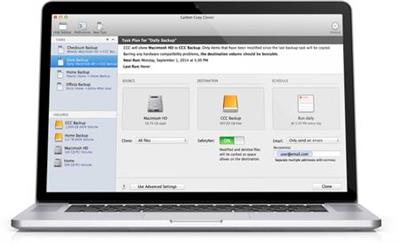
Carbon Copy Cloner 5 - The smarter, easier CCC. The first bootable backup solution for the Mac is better than ever. When disaster strikes your hard disk, you can boot from your backup and keep working. Troubleshoot the problem disk when you have time to spare.

→ FUNCTIONALITY

Snapshots
Bring back files that you thought you'd lost forever! CCC can capture all your files exactly as they are at a moment in time. Restore files you accidentally deleted, or turn back the clock on your whole computer.

Smart Updates
Update only the files that have been added or modified.

Backups Anywhere
Create a backup on your external drive, or back up your files to a networked drive.

Task Grouping and Sorting
Collect your tasks into groups to visually organize them. Run a group of tasks with a single click, or schedule a group all at once. Tasks can also be sorted by name, exit status, last run date, next run date, or manually.

Backup Notifications
In addition to keeping you posted with the macOS Notification Center, CCC can email you the results of your backup tasks. It couldn't be easier - configure your email account settings once and use them across multiple tasks!

Task Scheduling
CCC can back up your data hourly, daily, weekly, monthly, or whenever you connect to your backup drive. You can tell CCC to back up only on weekdays, weekends, or only during certain times of day. You can also craft a more sophisticated backup strategy with task chaining and scheduled task groups.

Smarter Safety Net
Afraid you might accidentally select the wrong destination? It happens, we're human! SafetyNet protects the content on your destination from configuration mistakes. SafetyNet is smarter than ever: if you run out of space during a backup, CCC can free up space automatically and resume your backup.

Task History
Quickly view when your tasks have run and if they were successful. Restrict the list by task name, source volume, destination volume, or run date. Receive detailed information and advice on tasks that resulted in errors.

Disk Center
Quickly learn more about your volumes, enable and manage volume snapshot support, and see a list of tasks that involve the selected volume.

Menu Bar App
Keep tabs on currently running backup tasks, create a new task, or run a scheduled task.

→ INTERFACE

Intuitive and Efficient
We have fine-tuned CCC's interface and it is easier to use than ever! Schedule, group and sort tasks; run a backup; and access the disk center - all from a single window.

Guided Setup and Restore
If you boot your Mac from a CCC backup, CCC will open and offer to help you with a guided restore. In the guided restore, CCC will create a new restore task, select the startup disk as the source, then present coaching tips that guide you through selecting the destination and (optionally) excluding items from the restore task.

Tips
Need help getting yourself oriented? Can't remember where to find something? Handy interface tips are a click away!

Cloning Coach
We're backup experts and we want to help you craft a reliable and functional backup strategy. We've built over 15 years of experience into CCC's Cloning Coach, which proactively alerts you to configuration concerns about your tasks and offers helpful advice on how to address those concerns. Even better, our professional support team is just a click away in the Cloning Coach window if you have questions or concerns about what to do.

Task Outlook
CCC 5's task groups makes coordinating the schedules of multiple tasks easy with an upcoming tasks outlook chart. Grouped tasks can be scheduled individually, or you can run all of the tasks sequentially by scheduling the group.

Simple Mode
Simple interface mode allows you to clear the visual clutter and clone in three clicks. Source > Destination > Clone.

→ ADVANCED FEATURES

Advanced File Filtering
Excluding a folder or two from a backup task has always been trivial with CCC, and now it's even easier to precisely define what should and should not be backed up. You can also now visualize the effects of custom filter rules, and now CCC will report how much data is going to be backed up. A QuickLook panel shows you a preview of your files, and you can sort your file list based on name, size, or modification date.

Simplified Remote Mac Setup
The setup procedure for backing up to a remote Macintosh has been greatly simplified. SafetyNet pruning is now available for remote Mac destinations, and CCC can now show you the content of a remote Mac source. Remote Mac backups have never been simpler!

Task History Trends
Our new trend chart shows how your tasks are performing over time, and how many files/how much data gets copied each time your task runs.

Backup Health Check
Have you ever worried that your backup might fail when you need it? CCC has you covered. CCC can run a special monthly or weekly corruption check to identify damaged files in your backup - and automatically replace them.

Other Goodies
The bundled ccc command line application allows pros to incorporate CCC backup tasks into larger and more complex workflows. Pre- and postflight scripts bring that same level of customization into existing CCC task workflows. Task and individual task filters can be imported and exported, allowing you to manage exclusion lists across tasks and to duplicate tasks to other Macs. A visual disk usage indicator shows you the space remaining on your destination volume, and CCC's menubar application can now check for updates without CCC being open.

Features:
* Run backups automatically on a schedule - even if you're not logged in
* Snapshots
* Guided setup
* Guided restore
* Smart updates - back up only new or changed files
* Menubar application
* SafetyNet - archive of changed and deleted items
* Back up to locally attached volumes or another Mac
* Backup notifications via Notification Center or email
* Cloning coach with timely troubleshooting advice
* Task sorting by name, last status, last run, next run or manually
* Import and export tasks
* Backup task collision detection
* Restrict backup tasks to weekdays or weekends, or when connected to a power source
* One-time task scheduling - schedule tasks to run once in the future
* Hourly runtime limits - restrict backup tasks to certain times of day
* Chain individual backup tasks
* Organize backup tasks into groups
* Schedule and run task groups
* Task outlook - for task groups
* Task history
* Task history trend charts - task performance and amount of data copied
* Custom task filters - control exactly what is included in your backup
* Expanded and improved task filter interface
* Import and export task filters
* Preview total data to be copied
* Automatic update checking without launching CCC application
* Pre- and post-flight scripts
* Command line application
* Qualified for Yosemite (10.10) through Catalina (10.15)
* Designed for APFS

Supported Operation System:
* 64-bit processor
* OS X 10.10 or later

Download link:​
Код:
[center][b]rapidgator_net[/b]:
https://rapidgator.net/file/9f4b06c304441d03fcc0820b628a4f02/bwafe.Carbon.Copy.Cloner.5.1.26.macOS.zip.html

[b]uploadgig_com[/b]:
https://uploadgig.com/file/download/346ff7018BAb6a99/bwafe.Carbon.Copy.Cloner.5.1.26.macOS.zip

[b]nitroflare_com[/b]:
https://nitroflare.com/view/713F318982D9B96/bwafe.Carbon.Copy.Cloner.5.1.26.macOS.zip[/center]

Links are Interchangeable - No Password - Single Extraction​
 
Chaos Vantage v1.2.1 (x64)

dd06b6eb65266e2f55da6cc3b049f505.jpeg

x64 | File Size: 260 MB​
Description:
Explore your most complex 3D production scenes ray traced in real-time. With Chaos Vantage, there are no time-consuming conversions. Simply drag and drop your complete V-Ray scene into Vantage and start exploring. There's also a direct live link available from 3ds Max, so you can use it just like a viewport.

Chaos Vantage requires an NVIDIA RTX series GPU.

Features

Zero setup
Drag and drop your V-Ray scene into Chaos Vantage and start exploring. Unlike other real-time solutions, there's no geometry to optimize, UVs to unwrap, or lighting to bake.

Go big!
Chaos Vantage is built to handle huge scenes and billions of polygons. It's the fastest way for you to see your most detailed V-Ray scenes in real-time.

Easy to navigate
Navigating your scene is easy. Use controls similar to your 3D app, or move around just like playing a game. Walk up stairs and avoid walking through walls with automatic collision detection.

100% ray-traced quality
With fully raytraced and real-time rendering, Chaos Vantage uses physically based cameras, lights, materials, and global illumination for the most realistic results.

Simple and fast animation
Perfect for previsualization, you can create, edit, and render animation right from Chaos Vantage. Easily animate between cameras, apply transitions, arrange your sequence in the Animation Editor.

Live link
Get a live raytraced view of your scene with a live link from 3ds Max. Changes you make in your 3ds Max scene will instantly appear in Chaos Vantage.

System Requirements:
OS:Microsoft® Windows® 10 RS5 (version 1809), update from October 2018, build 17763 or later
-DXR compatible GPU: NVIDIA RTX® series GPU with NVIDIA® driver 436.02 or newer; recommended version 457.09 or 452.57
-System memory should exceed GPU memory (minimum 8 GB RAM)
Whats New

-Added support for the "Double-sided" option in the V-Ray Material
-Added support for the "Reflect on back side" option in the V-Ray Material
-Fixed incorrect glossy Fresnel when Fresnel IOR is less than 1
-Fixed refract IOR affecting reflections when Fresnel IOR is unlocked
-Fixed wrong scaling of Cosmos objects when imported to a scene with non-centimeter scale
-Improved UX - Enabled focus picker while in Live Link

330465332c41a71bd5298f662f66bc3a.jpeg

Homepage
Код:
https://www.chaosgroup.com/

Download link:​
Код:
[center][b]rapidgator_net[/b]:
https://rapidgator.net/file/1140973aea90858ebe6019472532309b/876d8.Chaos.Vantage.v1.2.1.x64.rar.html

[b]uploadgig_com[/b]:
https://uploadgig.com/file/download/0a792AEcfeae7774/876d8.Chaos.Vantage.v1.2.1.x64.rar

[b]nitroflare_com[/b]:
https://nitroflare.com/view/309AC82E833BED2/876d8.Chaos.Vantage.v1.2.1.x64.rar[/center]

Links are Interchangeable - No Password - Single Extraction​
 
Dropbox 121.4.4267

8ac1663105f7d48317710023be8d816e.jpeg

File Size : 121 Mb​

Dropbox is a free service that lets you bring all your videos, photos and docs anywhere and share them easily. This means that any file you save to your Dropbox will automatically save to all your computers, phones and even the Dropbox website. The program also makes it super easy to share with others, whether you're a student or professional, parent or grandparent. Even if you accidentally spill a latte on your laptop, have no fear! You can relax knowing that Dropbox always has you covered, and none of your stuff will ever be lost. The application works just like any other folder on your computer, but with a few differences. Any files or folders inside Dropbox will get synchronized to Dropbox's servers and any other computer linked to your account.

Features:
Synchronization:
Once installed, any file you drop into your Dropbox folder will synchronize and be available on any other computer you've installed Dropbox on, as well as from the web. Also, any changes you make to files in your Dropbox will sync to your other computers, instantly.

Backup:
Let's say you accidentally delete that 8 page report that you were supposed to have for a meeting tomorrow. A handy Dropbox feature is the ability to undelete files or pull up any previous versions of it.

Sharing:
You can also share files and folders with whomever you choose, whether it be music with buddies, docs with colleagues or photos with grandma, even if they're not Dropbox users.

Speed:
We obsess over speed, and it shows. Dropbox is very smart about the way it handles files. For example, if you make a change to a huge file, dropbox will only update the piece of the file that changed.

Security:
All files are transported over SSL and encrypted using AES-256 (banks use this too)

Download link:​
Код:
[center][b]rapidgator_net[/b]:
https://rapidgator.net/file/d88e096480e6f7e8c54ae9e54121e8e8/9fhzm.Dropbox.121.4.4267.rar.html

[b]uploadgig_com[/b]:
https://uploadgig.com/file/download/14ef955c44aD5821/9fhzm.Dropbox.121.4.4267.rar

[b]nitroflare_com[/b]:
https://nitroflare.com/view/CA477FBA900696C/9fhzm.Dropbox.121.4.4267.rar[/center]

Links are Interchangeable - No Password - Single Extraction​
 
EazyDraw 10.5.1 macOS

c30755be6768bf248212ca1a6349b8cd.jpeg

File size: 132.70 MB​
EazyDraw is a vector drawing application. For the full journey from Jaguar to El Capitan, EazyDraw has been the trail-blazing app for the new vector-drawing paradigm on the Mac.

EazyDraw provides a balanced feature set that includes tools needed for technical drawing, Web and app graphic design, print publishing, logos, page -- text layout and more. Easy enough for everyone, but with the depth your project will need.

Includes comprehensive support for bitmap and vector graphic formats. Import and ungroup for editing PDF and EPS. Import and export SVG and now DXF. Preview and publish to EPS and TIFF with RGB or CMYK process colors. Exchange scaled CAD drawings with DXF. Publish Web graphics. Create Mac, iPhone, and iPad app-development graphics and icons.

Supported Operation System:
* 64-bit processor
* macOS 10.13 or later

Download link:​
Код:
[center][b]rapidgator_net[/b]:
https://rapidgator.net/file/adcb18742dbd5e3b267d04ccff1f854b/mwbu9.EazyDraw.10.5.1.macOS.rar.html

[b]uploadgig_com[/b]:
https://uploadgig.com/file/download/e2703554140328be/mwbu9.EazyDraw.10.5.1.macOS.rar

[b]nitroflare_com[/b]:
https://nitroflare.com/view/A86A5AE1547D318/mwbu9.EazyDraw.10.5.1.macOS.rar[/center]

Links are Interchangeable - No Password - Single Extraction​
 
Gillmeister Automatic Email Processor 2.15.0 Ultimate

ee66a62404fa509c7288421efe61e446.jpeg

Languages: English | File size: 37.1 MB​
Automatic Email Processor is the complete solution for Outlook to store and print incoming emails and their attachments automatically. For this, various filters, flexible configuration options, such as individually definable storage folders and the possibility of subsequent processing are available. For example, the path of the location where you want Automatic Email Processor to save certain emails or email attachments, can be assembled dynamically from individual properties of an email.
For storing email messages, inter alia, the output format can be specified (for example, PDF, RTF, or HTML). The Outlook message format (MSG files) is for example particularly suitable to back up e-mails. The program supports the creation of an unlimited number of rules to allow separate settings for different email accounts. Rules can be additionally applied to emails of a specific time period or to any previously received emails of an Outlook folder.

WITH AUTOMATIC EMAIL PROCESSOR, YOU CAN:
Automatically store respectively archive email attachments
Save emails automatically (as PDF file or in the original format)
Automatically print emails and email attachments (PDF files, Office documents etc.)
Monitor an unlimited number of Outlook folders
Create custom rules for different tasks
Filter by subject, sender, recipient, attachment file name ...
Receive information about the processing status via email
Create storage folders dynamically from properties of an email
Perform subsequent actions such as start a program with parameters, mark the message as read, or move the email into another Outlook folder
Re-process all emails (with certain criteria) of an Outlook email folder
Archive emails from any Outlook folder and period (e.g. as MSG files)

Download link:​
Код:
[center][b]rapidgator_net[/b]:
https://rapidgator.net/file/7c7d93a684bf1918409e629fe99cdbf3/3nh7q.Gillmeister.Automatic.Email.Processor.2.15.0.Ultimate.rar.html

[b]uploadgig_com[/b]:
https://uploadgig.com/file/download/aa3C92e0f16Abaa4/3nh7q.Gillmeister.Automatic.Email.Processor.2.15.0.Ultimate.rar

[b]nitroflare_com[/b]:
https://nitroflare.com/view/D2B0A7AD9DDAA1B/3nh7q.Gillmeister.Automatic.Email.Processor.2.15.0.Ultimate.rar[/center]

Links are Interchangeable - No Password - Single Extraction​
 
Golaem Crowd 7.3.10 for Maya

7218ccc5c6ecaf0f475e0443e333add5.jpeg

File size: 111 MB​
GOLAEM - POPULATION TOOLS FOR MAYA. Golaem makes it easy and affordable to populate worlds with smart & directable digital characters, from a few to thousands.

FEATURE FILM QUALITY ON A TV BUDGET
Golaem helps you to populate shots in a short amount of time and with limited budget.
Built with the artist in mind, Golaem automates repetitive and cumbersome tasks to let them focus on their art.
The Golaem workflow is built so that although it relies on AI, artists always get their last word to say and can keep total control of the results.

CREATE BELIEVABLE CHARACTERS
Golaem makes your shots more realistic by generating variations for you:
Visual variations
Animation variations
Behavioral variations

AVOID REPETITIVE WORK
Having characters walking around in your scenes is a piece of cake. It takes only a few minutes.
They can be influenced by simple triggers like zone, time, distance, collision...

USE GOLAEM ASSETS OR YOUR OWN
Start rendering shots today thanks to the Golaem Assets, a set of ready-to-use character models and motions for stadiums, city street or medieval battles.
Use your custom characters and motions with Golaem. Animate any type of characters: humans, horses & riders, insects, bicycles, robots...
The Golaem workflow is so flexible that you can even start with Golaem assets and replace them by your own later.

SAVE ASSETS PRODUCTION TIME
Golaem reduces the amount of motion capture you need to carry out for your project.
Re-use motions from previous productions. Customize them by simply mixing them with a new simple animation. Adjust them with procedural animation.

FROM 1 TO 100 000 CHARACTERS
Do not bother about the number of people in your viewport. Whatever the number of characters you are dealing with, you can keep working comfortably, with an interactive viewport, full previsualization and a small scene file.

KEEP ARTISTIC CONTROL
Although it relies on AI to save you an unbelievable amount of time, Golaem always lets you have the final say.
Achieve precise control over placement, shading, navigation... with the Paint Tool or even modify simulation results with the Layout tool.

EASY SCENE SHARING & RETAKES
Golaem Layout is included with your Golaem license.
Visualize simulation results. Take full control to get a shot from good to perfect. Create a whole scene without even running a simulation.
Easily share scenes with other departments or other studios. Optimize the production workflow (e.g. senior artists in charge of simulations, juniors in charge of layout and retakes).

QUICK LEARNING CURVE
Because it is so user-friendly, Golaem is very fast to learn.
We have heard stories of runners contributing to crowd shots for feature films after a few days.

CHECK YOUR SHOT BEFORE RENDERING
No need to wait long hours for a render only to realize you have made a mistake. Golaem provides an advanced previsualization mode, keeping the viewport interactive while displaying skinned mesh on all your characters.
Instantly inspect what a character is doing by selecting him. Display information in the viewport, check motion blending in the Visual Debug panel, or open the Behavior Editor to see running behaviors and triggers.

PIPELINE FRIENDLY
Golaem is very well integrated in Maya. It is natively compatible with major renderers in Maya, 3ds Max + V-Ray, Katana, Softimage + Arnold. FBX or Alembic exports are also available.
All parts of Golaem are scriptable using MEL or Python. A C/C++ API enables you to read the exported simulation cache.
For your FX team, Golaem can generate locators and/or colliders

WORLD CLASS SUPPORT
We have the best customer support you will ever find. And we mean it.
We cannot count the number of thank you notes from customers telling us that our support is the best one they have dealt with.

Compatibility:Maya 2017-2020

Download link:​
Код:
[center][b]rapidgator_net[/b]:
https://rapidgator.net/file/596b0ffdab553178cc3464cf0fe7531c/c44yr.Golaem.Crowd.7.3.10.for.Maya.rar.html

[b]uploadgig_com[/b]:
https://uploadgig.com/file/download/c9e5eEa07da47a27/c44yr.Golaem.Crowd.7.3.10.for.Maya.rar

[b]nitroflare_com[/b]:
https://nitroflare.com/view/5A320C61EFA8353/c44yr.Golaem.Crowd.7.3.10.for.Maya.rar[/center]

Links are Interchangeable - No Password - Single Extraction​
 
iReal Pro 2020.9 macOS

70e008379e7b64c5578548138a82c438.jpeg

File size: 50 MB​
Practice makes perfect. iReal Pro offers an easy-to-use tool to help musicians of all levels master their art. It simulates a real-sounding band that can accompany you as you practice. The app also lets you create and collect chord charts of your favorite songs for reference.

Used by thousands of music students, teachers and some of the world's top music schools such as Berklee College of Music and Musicians Institute.

"It's the perfect technology for a practicing musician: high-quality digital audio, mixable, transposable into any key and completely mobile. Now every aspiring musician has a backup band in their pocket." - Tim Westergren, Pandora Founder
* It's a Book:
Create, edit, print, share and collect chord charts of your favorite songs for reference while practicing or performing.
* It's a Band:
Practice with a realistic sounding piano (or guitar), bass and drum accompaniments for any downloaded or user-created chord chart.

FEATURES:
Have a virtual band accompany you as you practice
* Choose from the included 50 different accompaniment styles (Swing, Ballad, Gypsy Jazz, Bluegrass, Country, Rock, Funk, Reggae, Bossa Nova, Latin,...) and 12 blues styles available as a one-time In-App purchase
* Personalize each style with a variety of sounds including piano, Fender Rhodes, acoustic and electric guitars, acoustic and electric basses, drums, vibraphone, organ, and more
* Record yourself playing or singing along with the accompaniment

Play, edit, and download any songs you want
* 1000s of songs can be downloaded from the forums in a few simple steps
* Edit existing songs or create your own with the Editor
* The Player will play any song that you edit or create
* Create multiple editable playlists

Improve your skills with the included chord diagrams
* Display guitar, ukulele tabs and piano fingerings for any of your chord charts
* Look up piano, guitar and ukulele fingerings for any chord
* Display scale recommendations for each chord of a song to help with improvisations

Practice in the way, and at the level, that you choose
* Includes 50 exercises for practicing common chord progressions

* Transpose any chart to any key or to number notation
* Loop a selection of measures of a chart for focused practicing
* Advanced practice settings (automatic tempo increase, automatic key transposition)
* Global Eb, Bb, F and G transposition for horn players
Share, print, and export - so your music follows you wherever you need it!
* Share individual charts or whole playlists with other iReal Pro users via email and the forums
* Export charts as PDF and MusicXML
* Export audio as WAV, AAC and MIDI
* Upload your songs and playlists to iCloud for safekeeping and for synchronization across any of your iCloud enabled devices such as iPhone, iPad or Mac

Always backup your songs!

*** You need to disable the System Integrity Protection (SIP) to perform the selected Application.
Release Notes
Bug fixes and performance improvement

Supported Operation Systems:
OS X 10.11 or later

Download link:​
Код:
[center][b]rapidgator_net[/b]:
https://rapidgator.net/file/be024f26cc25f9d73a99a23a091b1a53/60nvs.iReal.Pro.2020.9.macOS.rar.html

[b]uploadgig_com[/b]:
https://uploadgig.com/file/download/245f75768ac59A4d/60nvs.iReal.Pro.2020.9.macOS.rar

[b]nitroflare_com[/b]:
https://nitroflare.com/view/E20B4F3C2377F1E/60nvs.iReal.Pro.2020.9.macOS.rar[/center]

Links are Interchangeable - No Password - Single Extraction​
 
Mirillis Action! 4.17.1 Multilingual

51cd70941373f5fd17cb3ed06392c94b.jpeg

File size: 98.7 MB​
Action! allows real-time recording/capture of Windows Aero desktop in a superb HD video quality. With Action! you can record web player videos, your gameplay, display game framerates, add live audio commentary to create high quality tutorials, record music, capture screenshots... and more!

The most user friendly and stylish interface of all screen recorders!
Action! is compact, stylish and user friendly. Built-in screen and gameplay recording manager allows to browse, delete selected items and export recordings to popular formats and devices. Action! screen recorder defines new standard of user experience for games benchmarking, gameplay and Windows desktop real-time recording software.

Greenscreen Mode
Action! gives you Greenscreen Mode. Now you can cut out the background, while recording with your webcam, from your video recording. You don't need to have special camera for that - all you need is Action! screen recorder and any solid color background, what is much cheaper solution and gives the same, if not better, results.

Record webcam or USB/HDMI Capture Devices
Select device recording mode to capture video from gaming consoles, other PC, TV broadcasts, webcams or camcorders. Add your own logo, webcam, microphone commentary and record video to your local disk or live stream to popular services.

Try screen recording with Selected Application recording option.
This brand new recording mode allows you to record your Windows desktop screen in complete privacy! Record only the application you want to show to others on your screen recording, while the rest of your desktop screen will be blackened-out and not recorded on your video.

Record gameplay in HD. Benchmark games performance.
Outstanding screen and gameplay recording performance and GPU utilization allows the smoothest real-time HD gameplay recording ever! Display current and average game framerate (FPS) during gameplay and save your benchmark results.

The outstanding screen recording performance!
Action! defines a new standard of performance for gameplay and desktop recording software. It uses Mirillis ultra-fast, multicore optimized, proprietary video codec (FICV - Fast Intra Compression Video standard) which together with highly optimized application engine provides the ultimate performance of real-time HD video recording. Action! screen recorder also captures video directly to MP4 format utilizing NVIDIA NVENC, AMD APP or Intel Quick Sync Video hardware acceleration.

Live stream gameplay and desktop activity to popular services!
Action! LIVE Streaming service allows to stream all your gameplays, videos or desktop activity to popular streaming services like Twitch.tv, YouTube, Smashcast (hitbox), Ustream, Livestream, Facebook, Aliez and more! With Action! screen recorder live streaming is easy and fun!

Download link:​
Код:
[center][b]rapidgator_net[/b]:
https://rapidgator.net/file/83a8335816f13ce768da6b5f06977228/7d2ns.Mirillis.Action.4.17.1.Multilingual.rar.html

[b]uploadgig_com[/b]:
https://uploadgig.com/file/download/4BF7c793b1a0181b/7d2ns.Mirillis.Action.4.17.1.Multilingual.rar

[b]nitroflare_com[/b]:
https://nitroflare.com/view/81206532262A832/7d2ns.Mirillis.Action.4.17.1.Multilingual.rar[/center]

Links are Interchangeable - No Password - Single Extraction​
 
ProPresenter 7.5 (117768207)

5f1e5e207b591654648537918dbb37d0.jpeg

Windows (x64) | Languages: English | File Size: 99.5 MB​
ProPresenter is a cross-platform (Mac and Windows) presentation & production application for live events. It seamlessly displays lyrics, slides, and media, making high-quality live productions easy. It is the indispensible tool for worship gatherings, sporting events, conferences, trade shows, and studio broadcasts.

ProPresenter operators control presentations on one screen, while dynamically presenting to an audience on one or more additional screens.
- No separate edit and present modes
- Outputs are always live
- Completely non-linear flexibility
- On demand Scripture lookup
- Separate Outputs, for lobby, auditorium, and stage displays
- Volunteer friendly
- On the fly run-of-show changes

Tell Your Story. Extraordinarily
Whatever the story you want to tell, ProPresenter has the tools to help you tell it in the most engaging way possible. With a completely revamped video engine that is equally suitable for powering presentations in a room of 100 people or 100,000, the quality and professionalism of ProPresenter's output is unprecedented.

High quality video output
The ability to create high-quality video is becoming increasingly easy, making the use of videos in productions more prevalent than ever. The ProPresenter video engine (the same as is at the heart of PVP3) is the perfect way to present your final edit.

You can import and play videos instantly in ProPresenter. It also includes the ability to set in and out points dynamically, effect color, brightness, and volume, and crop/scale videos dynamically. Video effects empower you to leverage your video library to create limitless new looks for your pre-produced content. In addition, these same effects and manipulations can also be used on live video sources.

MULTI-LAYERED ARCHITECTURE
A multi-layered architecture allows for backgrounds, live video layers, slides, props, and masks to be controlled independently.

- High-quality transistions
- Announcements layer to show rolling announcements on one screen while rehearsing on another
- Individual slide settings for transitions and object builds
- Scale and cropping of media
- Data-driven text boxes (such as current time and countdown timers)
- Dynamically overlaid content
- Context driven visibility (clear a timer when it reaches the end)

Advanced Features - Now included!
ProPresenter 7 has a number of advanced features previously sold separately in Pro6 as add-on, paid for "modules" that offered additional features and capabilities beyond what your typical church needed. The typical church these days, however, has grown more sophisticated in their productions. We love seeing this and want to see more of it so Renewed Vision is now including these advanced features in Pro7 at no additional cost (a $2,593 value if all were purchased separately)!

Multi-Screen
Output to multiple displays with different combinations of content all at once, including multiple stage displays

Alpha Keyer
Output Broadcast-quality key and fill channels

Edge Blending
Project onto wide screens with multiple projectors and blend their edges to create one seemless, extra wide image

Master Control
Control multiple ProPresenter machines from a single computer (coming soon)

Communications
Control ProPresenter's functions from MIDI, DMX, or broadcast video

SDI / NDI
Send video out over SDI (coaxial cable) or over your network (Ethernet).

Stage Display
A sophisticated Stage Display output empowers you to communicate information to the people on stage. Show the content your stage talent needs to see including clocks, timers, current slide, next slide, slide notes, and stage announcements. Maintain flexibility of your Stage Display layouts using our advanced editor. With the output capabilities of ProPresenter you can use any layout on as many stage displays that you have available.

You deserve software that's easy to use
Regardless of how powerful a tool is, its value is determined by how easy it is to access that power. ProPresenter was designed from the beginning to allow beginners to feel confident in running the software with only a few minutes of training. We make all of our training available online via free video tutorials you can access before you even purchase the software. Here are just some of the ways that we make it easy for you to create the presentations that tell your story.

System Requirements:
- Windows 10: Version 1903 (build 18362) or newer
- GPU: If you are outputting to more than 4 HD screens, you should have a dedicated (meaning, not integrated) GPU.
- Video compression: H264 or H265 (HEVC) at 30mbps or less for HD, 50mbps for 4K; For videos with Alpha channels, ProRes 4444 is recommended.

Download link:​
Код:
[center][b]rapidgator_net[/b]:
https://rapidgator.net/file/d37f2427937ba03e9fb86ba6bdee65d9/0jrjx.ProPresenter.7.5.117768207.rar.html

[b]uploadgig_com[/b]:
https://uploadgig.com/file/download/74a0f4f41Ef1f6d9/0jrjx.ProPresenter.7.5.117768207.rar

[b]nitroflare_com[/b]:
https://nitroflare.com/view/4CFD134F61E0B25/0jrjx.ProPresenter.7.5.117768207.rar[/center]

Links are Interchangeable - No Password - Single Extraction​
 
RadioBOSS Advanced 6.0.5.3 Multilingual

bc1f9b39a6601f8781832eba6e87f2f4.jpeg

File Size: 57.4 MB​
RadioBOSS radio automation software provides professional radio programming engineering and automation at a fraction of what other applications cost. If you're creating programming for a terrestrial or Internet radio station, RadioBOSS lets you build sophisticated playlists with the professional features you need. RadioBOSS is also a simple to use solution to create background music for a wide range of venues: clubs, bars, restaurants, gyms and health clubs. With RadioBOSS, you can quickly create the right background music for your business and RadioBOSS will run unattended and trouble-free for months at a time.

RadioBOSS is used at radio stations, clubs, hotels, shops and casinos all over the world. You're in good company when you choose DJSoft.Net products!

RadioBOSS includes:
An extremely stable Player application that controls when and how playlists are played.
Support for all popular audio formats, use the audio assets you already have on disk or hard drive.
A simple-to-use music library to locate, track, annotate and manage your audio assets.
A robust playlist generator with professional functionality including playlist templates and more.
An advertisement scheduler to easily create and schedule commercial breaks.
A report generator to create detailed reports of what songs were played.

The components of RadioBOSS:

The Playeris the central component of RadioBOSS. With it you can:
Launch and edit playlists.
Schedule various events. Events can be launched at a set time or by a DTMF signal.
For advertising, specify volume increase.
Automatically create teasers from songs
Automatic volume leveling, crossfading and silence trimming.
Use the automatic playlist generation to create sophisticated multi-hour audio programming.
Easily create random playlists.
Include Internet streams (HTTP, MMS and FTP) and podcasts in your playlists.
Automatically insert jingles before music tracks
Use the microphone and linear input
Improve the quality of any given audio asset with RadioBOSS' 12-band equalizer and sound compressor.
Use your WinAMP and VST plugins for even more sophisticated audio engineering.
Use the cart wall for instant audio playback
Take advantage of the multichannel card installed in your PC (4.0, 5.1, 7.1, etc.) output multiple channels.
Export metadata: upload to FTP, send HTTP request, save to text or XML file.
Broadcast using integrated Internet streaming support: Shoutcast, Icecast, Windows Media servers, and an integrated streaming server.
Create playlists with prerecorded voice tracks.
Use individual user profiles.
Configure User Access Control.
RadioBOSS supports ASIO and WASAPI low-latency input and output
RadioBOSS offers remote control API for advanced usage scenarios

The Playlist Generatorcreates playlists.
Automatically generate playlists for a given duration.
Generates playlists quickly using and reusing playlist templates.
Supports multiple generation options.
Create playlists with rotations.
Create playlists with jingles.
Create playlists with hour markers and commercials.

The Music Libraryorganizes your audio assets.
Batch process audio tracks: normalize, detect BPM, trim silence.
Use Track Tags for filtering and search purposes.
Automatic indexing supports quick searches.
Filter and sort to work with just records you want.
Automatically tracks usage statistics.
Tag any audio asset, regardless of format.
Tag mutiple audio assets.
Add comments to any audio asset.

The Advertisement Scheduler
Create and schedule commercial breaks
Automatic playlist and event generation to schedule commercial breaks in RadioBOSS
Remote ads management over a network
Use custom intros and outros
Specify the Start and End dates for commercials

The Report Generator
View and print reports for the custom date range
Customizable report fields
Filters to exclude unneeded items
Export reports in various formats: XLS, PDF and others

Download link:​
Код:
[center][b]rapidgator_net[/b]:
https://rapidgator.net/file/24d3b599783fbdf357af29712bd2993d/5vxx7.RadioBOSS.Advanced.6.0.5.3.Multilingual.rar.html

[b]uploadgig_com[/b]:
https://uploadgig.com/file/download/AE2De55d17725ecf/5vxx7.RadioBOSS.Advanced.6.0.5.3.Multilingual.rar

[b]nitroflare_com[/b]:
https://nitroflare.com/view/7BA7EE6C6861CED/5vxx7.RadioBOSS.Advanced.6.0.5.3.Multilingual.rar[/center]

Links are Interchangeable - No Password - Single Extraction​
 
Richardson RazorSQL 9.4.1

55808e834324f0f770719e0323800662.jpeg

File size: 136 MB​
RazorSQL is a unversal database query tool, SQL editor, and database navigator. It includes a relational database engine that requires no configuration. Some of the main features contained in RazorSQL are visual tools for creating, editing, describing, altering, dropping, and viewing tables; tools for importing and exporting data; a database browser for the viewing of database objects and structures; and a robust programming editor with support for SQL, PL/SQL, TransactSQL, SQL PL, Java, XML and many other programming languages.

Advanced Connection Features:
* Built-in support for DB2, Derby / JavaDB, Firebird, FrontBase, HSQLDB, Informix, MySQL, OpenBase, Oracle, PostgreSQL, SQLite, SQL Server, Sybase Adaptive Server Enterprise, and Sybase SQL Anywhere. Also can connect to any database that supports JDBC or ODBC (Windows only) such as Access, Daffodil, H2, Ingres, Interbase, Mimer SQL, Mckoi, Paradox, Pervasive, Pointbase, Solid, and Teradata.
* MySQL, PostgreSQL, and MS SQL Server PHP bridges for connecting to MySQL, PostgreSQL, and SQL Server databases via PHP. Allows remote access to MySQL, PostgreSQL or SQL Server databases /running behind PHP enabled web servers
* A MS SQL Server ASP bridge for connecting to SQL Server databases via ASP. Allows remote access to SQL Server databases running behind ASP enabled web servers
* A RazorSQL JDBC Bridge for connecting to databases via a JEE/J2EE Application Server or Servlet Container

Database and SQL Tools:
* Create, Alter, and Drop Tables and Views
* *Create and Drop Indexes and Sequences
* *Create and Drop Stored Procedures, Functions, Packages, and Triggers
* *Create and Drop Databases and Users
* Edit Table Tool
* *Edit Stored Procedures, Functions, Packages, and Triggers
* Describe Tables and Views
* Generate DDL Tool for generating table, view, and index DDL.
* View contents of Tables and Views
* *View contents of Stored Procedures, Functions, Packages, and Triggers
* SQL Query Builder for Select, Insert, Update, and Delete Statements
* Export Data in text, HTML, XML, Excel, delimited file format or as insert statements
* Import Data into tables from delimited files, Excel files, or fixed width files
* Execute Stored Procedures
* *SQL Explain Plan Tool
* SQL Query Scheduler
* Compare Table Data or Query Results
* File Compare Tool
* Zip Utility for viewing/extracting Zip and Jar files
* File System Browser
* Database Meta Data Viewer (Functions, Types, etc.)
* Command Line Interface for running RazorSQL tools from the command line.

SQL Editor:
* Syntax Highlighting for SQL, PL/SQL, TransactSQL, SQL PL, Batch, C, COBOL, CSS, C++, C#, Java, javascript, JSP, HTML, PHP, Perl, Python, Ruby, Shell Script, and XML
* Auto Completion for tables and columns
* Automatic Column Lookup
* Automatic Table Lookup
* SQL Formatter
* Support for parameterized queries
* Execute, Execute Fetch All, and Execute Batch functions
* Multi-Tabular Display of Query Results
* Sortable Query Results
* Filterable Query Results
* Searchable Query Results
* SQL History for All Queries, and Query Logging Per Connection
* Auto-function lookup for all supported programming languages and auto-method lookup for Java and JSP
* Query List, Tag List, and Function / Method List options for clickable display of queries, tags, or functions / methods contained in the editor
* File tools such as head, tail, get section, search / regex search, move, copy, rename, delete, size, and get info.
* Key Ahead functionality for one-click population of user-defined text
* Regular Expression Find, Find/Replace, Find/Replace in Files
* Bracket Matching, Tag Matching, and Goto Line commands
* Printing Support for Editor Content and Query Results
* Support for dozens of file encodings
* Built-in and Custom User Templates
* Connection Keep-Alive
* Plugin API (Allows users to add custom functionality to RazorSQL)

Database Browser:
* A tree structure to navigate database objects
* Use RazorSQL provided database specific system queries or user supplied queries for database navigation, or navigate the database structures using the default JDBC/ODBC driver settings.
* Single click content viewing on tables, views, etc.
* Column information including column name, keys, data type, nullable information, etc.
* *Displays information on objects such as procedures, functions, triggers, indexes, constraints, sequences, etc.
* Single-click generation of DDL for tables, views, and indexes.
* Search tables and view data.
* Single-click generation of SQL select, insert, update, and delete queries.

Built in Database:
* Requires no end-user configuration
* Get connected to a robust database right out of the box
* Uses the powerful HSQLDB database engine

Download link:​
Код:
[center][b]rapidgator_net[/b]:
https://rapidgator.net/file/c4845d99b37de761fd323f8953ff3bac/6tjbs.Richardson.RazorSQL.9.4.1.rar.html

[b]uploadgig_com[/b]:
https://uploadgig.com/file/download/e25A0Fb7B41eD1db/6tjbs.Richardson.RazorSQL.9.4.1.rar

[b]nitroflare_com[/b]:
https://nitroflare.com/view/C935A2D4375DEE0/6tjbs.Richardson.RazorSQL.9.4.1.rar[/center]

Links are Interchangeable - No Password - Single Extraction​
 
R-Wipe & Clean 20.0 Build 2315

2a943da790c95a1820708dab66095e23.jpeg

File size: 24.9 MB​
R-Wipe and Clean is a complete R-Tools solution to remove useless files, free up your disk space, and clean various privacy-compromising information on your online and offline activity. This includes internet history and cookies, lists of downloaded files and opened documents, various data caches, temporary files, and many more items, created by the operating system, most contemporary internet browsers and communication programs, and by hundreds of third-party applications.

It is also possible to create specific lists of traces to be cleaned for unsupported applications. All small computer cleaning and file erasing jobs can be combined into large computer cleaning tasks that can be started immediately, or at scheduled time/events.

Computer Cleaning
Traces Selection helper: a tool to quickly select some of the most common traces to clean.
Cleaning Internet activity: removing traces from most contemporary browsers and communication programs.
Cleaning personal traces: removing various lists, logs, caches, temporary files, and other traces of your activity.
Cleaning system traces: removing registry traces, temp files, system history, and various log files.
Cleaning traces from various third-party programs: removing various caches, logs, temporary files, recent file lists, and other traces left by applications.
Cleaning can be performed as a background task and computer can be turn off upon its completion.

Wiping
Support for SSD devices: R-Wipe and Clean correctly recognizes SSD devices and by default wipes only necessary data on the disk preventing them from additional wear.
Strong or fast erase algorithms, including DoD-approved, for wiping files and free disk space.
Support for FAT/exFAT and NTFS file systems.
Wiping files' alternate data streams and cluster "tips", or free parts of file clusters.
Wiping files directly from File Explorer.
Wiping free space on a single disk directly from its shortcut menu.
Wiping unused space of several disks through one single wipe task.
Wipe records of small files stored directly in the NTFS Master File Table.
Predefined wipe lists of files, folders, and Registry keys to be wiped through a single task. Files or folders can be added to a current wipe list directly from File Explorer.

Advanced Features
All separate cleaning and wiping actions can be combined into large wipe and clean tasks to launch them manually or at scheduled times or events (user log-on/log-off, system start-up/shutdown, closing any or all browsers, etc.)
Detailed representation of all trace items on your computer.
Detailed logging of all wipe and clean operations.
Customization: R-Wipe and Clean can hide those items you will never want to clean.
Full system integration: Most wipe and clean operations can be performed directly from Windows.
Password protection.
R-Wipe and Clean Smart: an advanced tool to create and manage very complex wipe lists.
Cleaning and wiping task can be started from a command line.
Boss Key to close a web-browser in emergency.
Stealth mode to hide computer cleaning.
Standby/hibernate control: Your computer will not hibernate until R-Wipe and Clean finishes its long job.
Startup Renaming for files/folders locked by Windows and other programs. They will be renamed and cleaned during the next start-up.

Download link:​
Код:
[center][b]rapidgator_net[/b]:
https://rapidgator.net/file/bdafb4a711b07c13a31e8b6478f6b52a/l0uda.RWipe..Clean.20.0.Build.2315.rar.html

[b]uploadgig_com[/b]:
https://uploadgig.com/file/download/0CA6ffc86b8c16c0/l0uda.RWipe..Clean.20.0.Build.2315.rar

[b]nitroflare_com[/b]:
https://nitroflare.com/view/EFDDBF96BB22EFC/l0uda.RWipe..Clean.20.0.Build.2315.rar[/center]

Links are Interchangeable - No Password - Single Extraction​
 
Назад
Сверху