• Форум работает в архивном режиме www.old.nado.in

All mitsumi'1s Applications !! (updated daily)

  • Автор темы Автор темы mitsumi1
  • Дата начала Дата начала
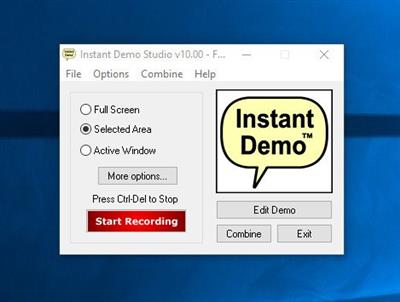
NetPlay Instant Demo 11.00.12

8db77faf4d0645ae79e34caa207affb3.jpeg

File Size: 30.7 MB​
Screen Recorder Software for Presentations, Training and Support. Using a very simple interface you can create animated Flash demos quickly and easily. Most controls to edit and annotate are contained in just one window! Using our unique smart capture technology, you can record smooth mouse movement and visual changes to any application on your desktop.

Screen Recorder Software for Presentations, Training and Support
- Record your Windows desktop activity in real time.
- Screen recorder is quick, simple and easy to use.
- Ideal for web based product demonstrations.
- Enhance your on-line help documentation.
- Add a professional edge to your customer support.
- Create effective training material in minutes.

Instant Demo Main Features
- Create interactive presentations in HTML5 and Adobe Flash formats.
- Automatically creates HTML5 web pages for your presentation.
- SCORM 1.2 compliant for use with E-Learning management systems.
- Record all visual and audio activity on your computer in real time.
- Capture the entire screen, a selected region or an individual window.
- Zoom and Pan the captured video with TrakMouse(TM).
- Automatically records mouse movement and appearance.
- Record live sound during capture.
- Export your movie to any popular video format including HTML5, YouTube, Flash, AVI and MP4.
- Record or insert sound files when editing.
- Add customized playback controls to your demo.
- Simple yet powerful editing using only two windows.
- Add callouts and headings.
- Add mouse hotspots for interactive non-linear demonstrations and tutorials.
- Add in-movie hyperlinks for full integration with your website.
- Add individual frame effects: fade-in/out, cross fade and highlight.
- Combine multiple recording sessions into one project.

Download link:​
Код:
[center][b]rapidgator_net[/b]:
https://rapidgator.net/file/805a47d30faa6be003a048ff090c189d/kggsn.NetPlay.Instant.Demo.11.00.12.rar.html

[b]uploadgig_com[/b]:
https://uploadgig.com/file/download/53Cb8b7c7a9fc78A/kggsn.NetPlay.Instant.Demo.11.00.12.rar

[b]nitroflare_com[/b]:
https://nitroflare.com/view/91C5E1C980675AB/kggsn.NetPlay.Instant.Demo.11.00.12.rar[/center]

Links are Interchangeable - No Password - Single Extraction​
 
NetPlay Instant Demo 11.00.12 Portable

c1304f817ca4fec5e1f674a84e1a258c.jpeg

File size: 30.2 MB​
Screen Recorder Software for Presentations, Training and Support. Using a very simple interface you can create animated Flash demos quickly and easily. Most controls to edit and annotate are contained in just one window! Using our unique smart capture technology, you can record smooth mouse movement and visual changes to any application on your desktop.

Screen Recorder Software for Presentations, Training and Support
- Record your Windows desktop activity in real time.
- Screen recorder is quick, simple and easy to use.
- Ideal for web based product demonstrations.
- Enhance your on-line help documentation.
- Add a professional edge to your customer support.
- Create effective training material in minutes.

Instant Demo Main Features
- Create interactive presentations in HTML5 and Adobe Flash formats.
- Automatically creates HTML5 web pages for your presentation.
- SCORM 1.2 compliant for use with E-Learning management systems.
- Record all visual and audio activity on your computer in real time.
- Capture the entire screen, a selected region or an individual window.
- Zoom and Pan the captured video with TrakMouse(TM).
- Automatically records mouse movement and appearance.
- Record live sound during capture.
- Export your movie to any popular video format including HTML5, YouTube, Flash, AVI and MP4.
- Record or insert sound files when editing.
- Add customized playback controls to your demo.
- Simple yet powerful editing using only two windows.
- Add callouts and headings.
- Add mouse hotspots for interactive non-linear demonstrations and tutorials.
- Add in-movie hyperlinks for full integration with your website.
- Add individual frame effects: fade-in/out, cross fade and highlight.
- Combine multiple recording sessions into one project.

Operating System: Windows 2000, XP, Vista, 7, 8 and Windows 10

Download link:​
Код:
[center][b]rapidgator_net[/b]:
https://rapidgator.net/file/cc179e314820ad66c1997631b20cea4d/90uda.NetPlay.Instant.Demo.11.00.12.Portable.rar.html

[b]uploadgig_com[/b]:
https://uploadgig.com/file/download/619d640cbf9477d7/90uda.NetPlay.Instant.Demo.11.00.12.Portable.rar

[b]nitroflare_com[/b]:
https://nitroflare.com/view/B636D1E91A76A6F/90uda.NetPlay.Instant.Demo.11.00.12.Portable.rar[/center]

Links are Interchangeable - No Password - Single Extraction​
 
n-Track Studio Suite 9.1.4.3904 Multilingual

93b1dbb4dc3c2be2ca9d5d3bb739c276.jpeg

File size: 135 MB​
n-Track Studio 9 turns your PC into an easy to use multitrack audio recording studio. It is the perfect tool for professional quality audio recording, encoding, mixing and editing. Record, edit, overdub your audio tracks, apply effects, process audio live input, mix and then burn audio CDs or create mp3 files. n-Track Studio is an Audio and MIDI Digital Multitrack Recorder that transforms your computer into a powerful audio recording studio. You can record, playback, overdub your audio tracks exploiting the flexibility and power of today's PCs for applying effects, realtime input processing, automated aux channels sends and returns, destructive and non-destructive wave editing. The program supports 24bit-192 khz recording, 64 bit mixing, multiple channels soundcards, live input processing, CD burning, mp3 encoding and more.

Main n-Track Studio features:
* Records and plays back a virtually unlimited number of audio and MIDI tracks
* DirectX, VST and ReWire effects can be added to each channel/track
* Built-in effects include Reverb, Compression, Parametric and Graphic EQ, Echo, Auto-volume, Pitch Shift, Chorus, Multiband Compression, Spectrum analyzer
* Supports 16 and 24 bit single and multichannel soundcards at sampling frequencies up to 192 Khz using Asio, WaveRT, WDM, MME and DirectSound
* Is compatible with multichannel Asio, WaveRT, WDM and MME audio drivers, which means that n-Track can work with almost any soundcard available today with the lowest possible latency
* Supports VST Instruments and DirectX Instruments synth plug-ins. Sample-accurate MIDI tracks can be sent to VSTi/DXi software MIDI synths, without the need of expensive hardware MIDI synths.
* Adjust the effect settings and listen to the result in real time.
* Built-in effects include Reverb, Compression, Parametric and Graphic EQ, Echo, Auto-volume, Pitch Shift, Chorus, Multiband Compression, Spectrum analyzer.
* Supports third party DirectX, VST 2.0 and ReWire plug-ins.
* Realtime Audio effects can be added to each channel.
* Supports 16 and 24 bit single and multichannel soundcards at sampling frequencies up to 192 Khz using Asio, WaveRT, WDM, MME and DirectSound.
* Input processing allows to process with plug-ins live signals. Record the 'dry' (unprocessed) signal while processing and reprocess the recording later - i.e. Play a guitar through a distortion plug-in then change the distortion after the recording!

More Features:
* Supports surround mixing for creating DVD audio projects using 5.1, 6.1 and 7.1 channels surround formats
* Each audio track includes a 20 bands parametric EQ with graphical frequency response view, a full spectrum analyzer and an automatic instrument tuner. Up to 32 aux channels with fully automated sends and returns.
* Supports multiple input and output soundcards or more than one soundcard. You can record multiple tracks at a time and output to more than one stereo output. Each output channels has its own master channel effects and volume control.
* Supports technology by Propellerhead Software AB. Mix signals in realtime with n-Track's own channels from other programs (such as Reason, Ableton Live, Fruityloops and many others).
* Import and export .wav, .mp3, .wma, .mid, .ogg, .flac, .aiff, .cda, .sng, .sgw audio files
* Import and export EDL multitrack song files for exchanging songs with other multitrack programs
* Sync to other programs or external devices using SMPTE/MTC or MIDI Clock sync, acting either as master or slave
* Loads and saves MIDI tracks to standard MIDI files
* Play Videos (AVI, MPEG) in sync with the song in a dedicated video playback window
* Automated volume, pan, aux sends and returns and effects parameters. You can "program" fade-in/outs, cross fades, boost the volume of a track when there is a solo etc.

Homepage
Код:
https://ntrack.com

Download link:​
Код:
[center][b]rapidgator_net[/b]:
https://rapidgator.net/file/d8d1e3022028a205230c682073c8bf98/qrb6q.nTrackStudioSuite9.1.4.3904x64Multilingual.rar.html
https://rapidgator.net/file/23761c0a17037abe6fb8e52e3d3a9148/qrb6q.nTrackStudioSuite9.1.4.3904x86Multilingual.rar.html

[b]uploadgig_com[/b]:
https://uploadgig.com/file/download/A3582fec5E11fa76/qrb6q.nTrackStudioSuite9.1.4.3904x64Multilingual.rar
https://uploadgig.com/file/download/20f6e09a1942D847/qrb6q.nTrackStudioSuite9.1.4.3904x86Multilingual.rar

[b]nitroflare_com[/b]:
https://nitroflare.com/view/C7EEDC0B2AD1EBA/qrb6q.nTrackStudioSuite9.1.4.3904x64Multilingual.rar
https://nitroflare.com/view/ED675523A89E9EC/qrb6q.nTrackStudioSuite9.1.4.3904x86Multilingual.rar[/center]

Links are Interchangeable - No Password - Single Extraction​
 
O&O DiskImage Professional / Server 16.1 Build 213

38d8b92afa9a1b097606a692f29c7492.jpeg

File Size: 230.6 MB​
O&O DiskImage lets you back up an entire computer or single files whenever you want - even while the computer is being used. In the event you should lose your personal data it can be quickly restored with just a few mouse clicks - even when Windows is no longer able to start. It also supports SSD drives and the latest UEFI System. O&O DiskImage lets you carry out a system restore and to duplicate or clone an entire PC or hard drive. You can even restore this backup onto a computer whose hardware is different from the original machine, for instance, where you have changed a motherboard on the target machine or have bought a brand new PC and want to restore an old backup onto it.

Features:
Backup an entire computer with the push of a button
Backup system and hard drives, clone drives and entire disks
Brand new file-based backup: now twice as fast as ever before - backup and restore individual files and/or folders
Direct creation of VHDs
Monitoring and warning of security risks
Incremental/differential backup: back up only the changes
Easily restore files, folders, drives and disks
System restore onto different hardware (M.I.R.)
Create a Windows Boot system directly from within the program with driver integration
Plug-and-play: Selected files and folders are automatically backed up and synchronized
Variable pixel density settings: adjusts to the selected DPI setting of the connected monitor
New and enhanced functions Control via Command Lines
Supports Windows 10, Windows 8.1 and Windows 7

O&O DiskImage Server Benefits:
M.I.R. Restoration onto different hardware
One-click imaging
E-mail notification of activities
Additional information bar
TrayIcon to provide information on service and job status
Also creates system partition images during operation
1:1 copies of drives (cloning)
Advanced burning functions to CD/DVD/Blu-Ray/HD-DVD
Works with Microsoft Virtual PC Disks (VHD)
Start CD with base operating system and system rescue tools
Detailed reports
Control and management of the local network possible (Only valid in combination with the O&O Enterprise Management Console)

A regular backup is still something that many users prefer to avoid. At least that is until they suffer their first loss of important files as a result of software, hardware or user error: that's when it becomes crystal clear just how valuable a reliable and up-to-date backup really is!

New in v16:
O&O have made two big new additions to DiskImage 16, these are the built-in recovery partition and the "DiskImage To Go" feature which helps make recovery media automatically available.

As can be seen in the image above, one of the big improvements in version 16 is the automatic building of a recovery partition on the main system drive when DiskImage is installed. Because this is all done automatically there is less chance that you will forget to manually create recovery media when configuring the software and once configured means there will always be a recovery partition to boot into should your PC not boot up as normal for any reason. As such, thanks to the automatic nature of this feature, recovery becomes much simpler in the event that you ever require it.

The other big new feature is the "Disk Image To Go" tool which will automatically detect which external drives are being used by DiskImage and will, in-turn, add the recovery media onto said drives. This approach, along with the above recovery partition, means users will never forget to create recovery media and if PC recovery is ever needed then such recovery media will always be available.

Whilst these two new features might seem small on the surface, I think how they operate actually makes them both very useful additions to DiskImage. The reality is many users of backup software will forget or simply put off making recovery media until it is too late, as such having it made available automatically for you is a simple but very throughout addition the this offering, so far very impressive!

What's New:
official site does not provide any info about changes in this version.

Download link:​
Код:
[center][b]rapidgator_net[/b]:
https://rapidgator.net/file/fb773d3dcf5950b9837b5ab2c609864d/oxjre.OO.DiskImage.Professional..Server.16.1.Build.213.rar.html

[b]uploadgig_com[/b]:
https://uploadgig.com/file/download/E0e3c48492187Ec1/oxjre.OO.DiskImage.Professional..Server.16.1.Build.213.rar

[b]nitroflare_com[/b]:
https://nitroflare.com/view/0658A40370838D3/oxjre.OO.DiskImage.Professional..Server.16.1.Build.213.rar[/center]

Links are Interchangeable - No Password - Single Extraction​
 
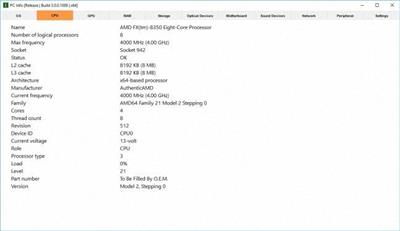
PC Info 3.8.4.320 Multilingual

95344e55c21758f9acb97a5961be4611.jpeg

File Size : 24.7 Mb​

If you really want to call yourself a responsible user, you must first and foremost know everything about your computer, starting from hardware and ending with software.PC Info is a software solution that centralizes all the necessary data belonging to the former category in order to make users aware of their machine's capabilities as well as how they could exploit it more efficiently.

New PC Info was redesigned and improved to get the best possible experience. It will quickly scan your PC and get you access to a variety of services and programs.
PC Info has many features:
Quick scan of your PC
Access to a variety of services/programs directly from the program
You can change the theme of the program
You can add the program to the system tray
The program is localized in three languages: English, Русский, Українська
Gets information about all system processes

The application not only gets you precious information about your computer's hardware configuration but also gives you access to a series of controls you frequently use.

Download link:​
Код:
[center][b]rapidgator_net[/b]:
https://rapidgator.net/file/c638c25c2cf2ff879019dfd76715a9db/7dwqg.PC.Info.3.8.4.320.Multilingual.rar.html

[b]uploadgig_com[/b]:
https://uploadgig.com/file/download/84f91d9ab5750ff7/7dwqg.PC.Info.3.8.4.320.Multilingual.rar

[b]nitroflare_com[/b]:
https://nitroflare.com/view/2ADF824762D358E/7dwqg.PC.Info.3.8.4.320.Multilingual.rar[/center]

Links are Interchangeable - No Password - Single Extraction​
 
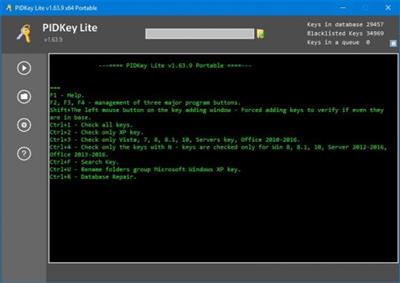
PIDKey Lite 1.64.4 b15 Multilingual

b3653495aea8eee4745d5c3a84f80cf0.jpeg

File Size: 5.5 MB​
PIDKey Lite The program is intended to show the renovation and conservation in the database of key information products to M $.It allows you to replace PIDKey by Ratiborus and VAMT. Program PIDKey LiteIt is the successor of PIDKey. and I took out of it the best program ideas (Allowing you to add new keys to the two modes of adding key modes).

Program Usage:
Run PIDKey.exe, select the desired configuration, insert the key into the input field then click GO!. Identifying the key configuration will be checked against all configurations starting at the beginning of the list until correct data is retrieved.
The program has several built-in configurations, but also you can create your custom configuration. If you put your config file in the program folder, the file will be saved in a relative path and the program can work with it from any location folder with the program.
When you select a custom configuration a button becomes available to remove it.
You can check the key from a file. You can use any file in text format containing a key mixed with any number of other keys so they will be correctly extracted.

Whats New:
Added definition of new office keys 21.

Download link:​
Код:
[center][b]rapidgator_net[/b]:
https://rapidgator.net/file/1e98e3d70b542d82de9dee88e802af9a/5x176.PIDKey.Lite.1.64.4.b15.Multilingual.rar.html

[b]uploadgig_com[/b]:
https://uploadgig.com/file/download/48c24050153Eebeb/5x176.PIDKey.Lite.1.64.4.b15.Multilingual.rar

[b]nitroflare_com[/b]:
https://nitroflare.com/view/22B285F23BE8E5F/5x176.PIDKey.Lite.1.64.4.b15.Multilingual.rar[/center]

Links are Interchangeable - No Password - Single Extraction​
 
Quick Access Popup 11.3.0 Multilingual

1e44332bd54831bb3469fec088010e57.jpeg

File Size : 2.8 Mb​

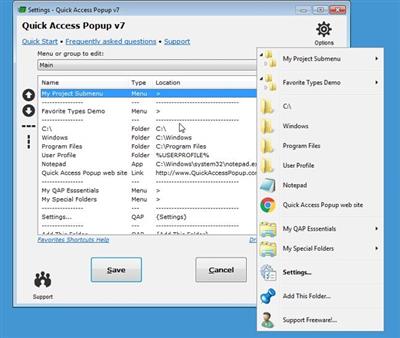
Quick Access Popup (QAP) lets you move like a breeze between your frequently used FOLDERS, DOCUMENTS, APPLISave thousands of clicks while browsing your favorite folders in Windows Explorer or file dialog boxes. Launch your most used applications, documents or web sites instantly with this easy popup menu and mouse/keyboard shortcuts manager. Gather related favorites in SUBMENUS. Assign favorites or submenus to keyboard or mouse SHORTCUTS. Or GROUP favorites and launch them in one click.

To launch the popup menu, click the QAP icon in the Notification zone, hit the Middle Mouse Button or press Windows+W (these triggers can be changed in Options). In the SETTINGS window, customize your QAP menu. Review shortcuts assigned to favorites or submenus in the HOTKEYS window.

To quickly ADD a new favorite FOLDER to your popup menu: 1) go to a frequently used folder, 2) click the QAP hotkey and choose ADD THIS FOLDER, 3) give the folder a short name ans save it.

In the MY QAP ESSENTIALS menu, choose the SWITCH menu to switch to any other running Explorer or application window. Use the REOPEN A FOLDER menu to reopen one of the folders already open in an Explorer window (very useful in file dialog boxes). Choose the RECENT FOLDERS menu to show an updated list of the Windows recent folders. Access the files or URLs in your Clipboard with the CLIPBOARD menu. Click the DRIVES menu to see the list of drives with current disk space.

In the OPTIONS dialog box, choose your preferred language, menu icons size, windows colors. Select the number of recent folders to display, add numeric keyboard shortcuts to the folders menu or shortcut reminders. Pin the popup menu at a fix position or remember the Settings window position.

All this for free in very intuitive app. Quick Access Popup is available on Windows 7 and more recent. Works with Windows Explorer, Directory Opus, Total Commander and 15 other file managersCATIONS, WEB PAGES and much more!

Download link:​
Код:
[center][b]rapidgator_net[/b]:
https://rapidgator.net/file/df5eb169ffe5c7d910734ff9acb4c29b/vrdkt.Quick.Access.Popup.11.3.0.Multilingual.rar.html

[b]uploadgig_com[/b]:
https://uploadgig.com/file/download/5aea02ad5b56dDc5/vrdkt.Quick.Access.Popup.11.3.0.Multilingual.rar

[b]nitroflare_com[/b]:
https://nitroflare.com/view/4B3EBF3A7A7B63B/vrdkt.Quick.Access.Popup.11.3.0.Multilingual.rar[/center]

Links are Interchangeable - No Password - Single Extraction​
 
QuickImageComment 4.42

201786534914390b4e9db6ffd3dd6afd.jpeg

File Size : 31 Mb​

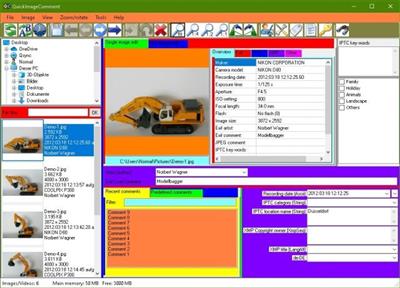
QuickImageComment displays EXIF, IPTC, and XMP properties of digital images (e.g. JPEG and TIFF) and allows to edit them. Especially editing of user comment and artist (author) is supported by using the last entered or predefined values. These attributes are read from the EXIF, IPTC, and XMP properties of the image and are stored there. Metadata (XMP) in video files are displayed.

Overview of features:

Display of all EXIF, IPTC and XMP properties of images, as well as some other file properties such as modification date.
Display of metadata (XMP) of video files as well as (depending on the Windows version and, if necessary, installed components) display a frame of the video.
Images or videos can be searched via their properties or recording location on map.
In addition to the full lists of EXIF, IPTC and XMP properties a list of properties is displayed, which is configurable.
In addition to user comment and artist further EXIF, IPTC and XMP properties can be changed. The list of modifiable properties can be configured.
Data templates can be defined to set several properties in one step.
Via placeholder it is possible to copy values of properties in others.
Changes can be carried out simultaneously for two or more files.
EXIF, IPTC and XMP properties can be deleted, thereby exceptions can be defined. Single properties can be deleted selectively.
Files can be renamed using Exif, IPTC and XMP properties.
The EXIF, IPTC and XMP properties contained in the files can be compared.
A special mask is used to synchronize the recording time of a set of images taken with different cameras. Images are grouped by properties (mostly camera model). For each group, a shift of the recording time can be entered. Then the images are immediately sorted in order to check whether the images are then in the correct timely order.
Selected image properties of all images/videos in a folder (including any subfolders) can be exported to a text file.
All image properties of selected images/videos can be exported to text files (one file per image).
Display of image details with graphical and numerical representation of brightness and RGB values.
Display recording location in a map using the GPS coordinates; change of coordinates by selecting a position on the map.

Download link:​
Код:
[center][b]rapidgator_net[/b]:
https://rapidgator.net/file/583006d9ef19f1967ba1d326c713190a/yca5l.QuickImageComment.4.42.rar.html

[b]uploadgig_com[/b]:
https://uploadgig.com/file/download/2160882D842894A4/yca5l.QuickImageComment.4.42.rar

[b]nitroflare_com[/b]:
https://nitroflare.com/view/27F792472818986/yca5l.QuickImageComment.4.42.rar[/center]

Links are Interchangeable - No Password - Single Extraction​
 
Reboot Restore Rx Pro 11.3 Build 2706604790 Multilingual

5901bd8c8e6a744daf98926925c4c0dd.jpeg

File Size: 52.6 MB​
Reboot Restore Rx Pro (formerly Drive Vaccine) ro prevents any and all changes made on your drive(s) making those PC's bulletproof and unbreakable. It is designed for public access computing environments such as schools, computer labs, kiosks, hotels, Internet cafes, and libraries.

We understand it takes a certain fortitude to service PC's in the public domain where users are not always careful and computer usage is high. That is why we built Reboot Restore Rx Pro to be fast, effective and efficient. Regardless of what a user does (including erasing files, installing software or even hacking the system registry) Reboot Restore Rx Pro will automatically restore the PC to your desired system state on a schedule you set.

Reboot on Restore
Instantly reset to the baseline on startup or hard reset.

One-Click Instant Update
Update the baseline without restarting your computer.

Reduce Maintenance Cost
Drastically reduces computer maintenance, and can be used to protect tier one public access computing environments..

Reboot Restore Rx Pro Features:
- VMWare Support
- Protects the MBR
- Mini OS Access
- Access Control & Data Security
- Stealth Mode
- Restore On Any Schedule
- Remote Management
- Back Out From Baseline Update
- Automate Updates
- Exclusion Drive / Registry Exclusion

Download link:​
Код:
[center][b]rapidgator_net[/b]:
https://rapidgator.net/file/c3caa34e7c67917e626a69dcf4e2b1b7/88haq.Reboot.Restore.Rx.Pro.11.3.Build.2706604790.Multilingual.rar.html

[b]uploadgig_com[/b]:
https://uploadgig.com/file/download/5e38b0F0c7A1B65e/88haq.Reboot.Restore.Rx.Pro.11.3.Build.2706604790.Multilingual.rar

[b]nitroflare_com[/b]:
https://nitroflare.com/view/09187476A670FEA/88haq.Reboot.Restore.Rx.Pro.11.3.Build.2706604790.Multilingual.rar[/center]

Links are Interchangeable - No Password - Single Extraction​
 
Rhinoceros 7.6.21127.19001 (x64)

88ec871e24b746d60e1ab566d722a2f7.jpeg

File Size: 283.8 MB​
Rhino 7 is the most significant upgrade in our history. You can create organic shapes with our new SubD tools. Run Rhino and Grasshopper as a Revit® Add-On with Rhino.Inside.Revit. Use the robust QuadRemesh algorithm to create a beautiful quad mesh from NURBS geometry or meshes. With this release, we've unlocked completely new modeling workflows and refined many steadfast features.

New in Rhino 7:

SubD
For designers who need to explore organic shapes quickly, SubD is a new geometry type that can create editable, highly accurate shapes. Unlike other geometry types, SubD combines free-form accuracy while still allowing quick editing.

Rhino.Inside.Revit
Rhino.Inside.Revit brings the power of Rhino and Grasshopper to the Autodesk Revit® environment.

QuadRemesh
Quickly create a quad mesh from existing surfaces, solids, meshes, or SubDs-ideal for rendering, animation, CFD, FEA, and reverse-engineering.

Presentation
In Rhino 7, we've improved the presentation tools, streamlining the workflow with a major update to the Rhino Render engine, so the same look you get in your Raytraced viewport can be rendered without any changes. We've added support for PBR materials, a LayerBook command, and more...

Rhino Refined
In Rhino 7, we've fixed hundreds of bugs, but we've also added workflow improvements like Named Selections, Mold Making tools, a Single-Line font for engraving, and improved interoperation with third-party file formats...

Display
We are always refining Rhino's display pipeline to keep up with modern graphics hardware. In Rhino 7, some models will display significantly faster on both Windows and Mac. We've also made several refinements to the Display Modes to make them even more eye-popping while you work...

Documentation
Modeling is just one part of the design process; you also need to show how to build what is on the screen. We've improved many parts of the documentation workflow while also focusing on the more graphically-rich illustration tools like transparency and gradient hatches...

Grasshopper
Grasshopper seems to be everywhere lately. As usual, we're having a hard time keeping up (you might even see that familiar canvas in other applications). In Rhino 7, we've added some new components, but we've also made it easier to turn your programs into plugins...

Development Platform
Rhino 7 brings major improvements to our free SDKs, with API refinements, better documentation, and some major new features that broaden and deepen the foundations of the geometry development platform...

System Requirements:

Hardware:
- 64-bit Intel or AMD processor (Not ARM)
- No more than 63 CPU Cores.
- 8 GB memory (RAM) or more is recommended.
- 600 MB disk space.
- OpenGL 4.1 capable video card is recommended.
- 4 GB Video RAM or more recommended.
- A Multiple-button mouse with a scroll wheel is recommended.
- SpaceNavigator optional
- Apple Intel hardware with Boot Camp optional.
- (Boot Camp is not supported on Apple Silicon. M1 Macs.)

Windows Operating Systems:
- Windows 10 or 8.1.

Download link:​
Код:
[center][b]rapidgator_net[/b]:
https://rapidgator.net/file/b23f88c14c515c416405ae7e66cbaa3f/70u33.Rhinoceros.7.6.21127.19001.x64.rar.html

[b]uploadgig_com[/b]:
https://uploadgig.com/file/download/BD5a7b9814d1b52c/70u33.Rhinoceros.7.6.21127.19001.x64.rar

[b]nitroflare_com[/b]:
https://nitroflare.com/view/6A175D041A83798/70u33.Rhinoceros.7.6.21127.19001.x64.rar[/center]

Links are Interchangeable - No Password - Single Extraction​
 
Richardson RazorSQL 9.4.2

59144fbf4e6c865935021da3eee48077.jpeg

File size: 136 MB​
RazorSQL is a unversal database query tool, SQL editor, and database navigator. It includes a relational database engine that requires no configuration. Some of the main features contained in RazorSQL are visual tools for creating, editing, describing, altering, dropping, and viewing tables; tools for importing and exporting data; a database browser for the viewing of database objects and structures; and a robust programming editor with support for SQL, PL/SQL, TransactSQL, SQL PL, Java, XML and many other programming languages.

Advanced Connection Features:
* Built-in support for DB2, Derby / JavaDB, Firebird, FrontBase, HSQLDB, Informix, MySQL, OpenBase, Oracle, PostgreSQL, SQLite, SQL Server, Sybase Adaptive Server Enterprise, and Sybase SQL Anywhere. Also can connect to any database that supports JDBC or ODBC (Windows only) such as Access, Daffodil, H2, Ingres, Interbase, Mimer SQL, Mckoi, Paradox, Pervasive, Pointbase, Solid, and Teradata.
* MySQL, PostgreSQL, and MS SQL Server PHP bridges for connecting to MySQL, PostgreSQL, and SQL Server databases via PHP. Allows remote access to MySQL, PostgreSQL or SQL Server databases /running behind PHP enabled web servers
* A MS SQL Server ASP bridge for connecting to SQL Server databases via ASP. Allows remote access to SQL Server databases running behind ASP enabled web servers
* A RazorSQL JDBC Bridge for connecting to databases via a JEE/J2EE Application Server or Servlet Container

Database and SQL Tools:
* Create, Alter, and Drop Tables and Views
* *Create and Drop Indexes and Sequences
* *Create and Drop Stored Procedures, Functions, Packages, and Triggers
* *Create and Drop Databases and Users
* Edit Table Tool
* *Edit Stored Procedures, Functions, Packages, and Triggers
* Describe Tables and Views
* Generate DDL Tool for generating table, view, and index DDL.
* View contents of Tables and Views
* *View contents of Stored Procedures, Functions, Packages, and Triggers
* SQL Query Builder for Select, Insert, Update, and Delete Statements
* Export Data in text, HTML, XML, Excel, delimited file format or as insert statements
* Import Data into tables from delimited files, Excel files, or fixed width files
* Execute Stored Procedures
* *SQL Explain Plan Tool
* SQL Query Scheduler
* Compare Table Data or Query Results
* File Compare Tool
* Zip Utility for viewing/extracting Zip and Jar files
* File System Browser
* Database Meta Data Viewer (Functions, Types, etc.)
* Command Line Interface for running RazorSQL tools from the command line.

SQL Editor:
* Syntax Highlighting for SQL, PL/SQL, TransactSQL, SQL PL, Batch, C, COBOL, CSS, C++, C#, Java, javascript, JSP, HTML, PHP, Perl, Python, Ruby, Shell Script, and XML
* Auto Completion for tables and columns
* Automatic Column Lookup
* Automatic Table Lookup
* SQL Formatter
* Support for parameterized queries
* Execute, Execute Fetch All, and Execute Batch functions
* Multi-Tabular Display of Query Results
* Sortable Query Results
* Filterable Query Results
* Searchable Query Results
* SQL History for All Queries, and Query Logging Per Connection
* Auto-function lookup for all supported programming languages and auto-method lookup for Java and JSP
* Query List, Tag List, and Function / Method List options for clickable display of queries, tags, or functions / methods contained in the editor
* File tools such as head, tail, get section, search / regex search, move, copy, rename, delete, size, and get info.
* Key Ahead functionality for one-click population of user-defined text
* Regular Expression Find, Find/Replace, Find/Replace in Files
* Bracket Matching, Tag Matching, and Goto Line commands
* Printing Support for Editor Content and Query Results
* Support for dozens of file encodings
* Built-in and Custom User Templates
* Connection Keep-Alive
* Plugin API (Allows users to add custom functionality to RazorSQL)

Database Browser:
* A tree structure to navigate database objects
* Use RazorSQL provided database specific system queries or user supplied queries for database navigation, or navigate the database structures using the default JDBC/ODBC driver settings.
* Single click content viewing on tables, views, etc.
* Column information including column name, keys, data type, nullable information, etc.
* *Displays information on objects such as procedures, functions, triggers, indexes, constraints, sequences, etc.
* Single-click generation of DDL for tables, views, and indexes.
* Search tables and view data.
* Single-click generation of SQL select, insert, update, and delete queries.

Built in Database:
* Requires no end-user configuration
* Get connected to a robust database right out of the box
* Uses the powerful HSQLDB database engine

Download link:​
Код:
[center][b]rapidgator_net[/b]:
https://rapidgator.net/file/ffe620cf47c601015692606e34f547f8/y67xx.Richardson.RazorSQL.9.4.2.rar.html

[b]uploadgig_com[/b]:
https://uploadgig.com/file/download/160d28A230C9b06e/y67xx.Richardson.RazorSQL.9.4.2.rar

[b]nitroflare_com[/b]:
https://nitroflare.com/view/B780C2A3E4244B5/y67xx.Richardson.RazorSQL.9.4.2.rar[/center]

Links are Interchangeable - No Password - Single Extraction​
 
Rollback Rx Pro 11.3 Build 2706604806 Multilingual

b6e11e79da26328ceb33b4acf1dad565.jpeg

File Size: 55.3 MB​
RollBack Rx™ is an instant time machine for your PC. A Comprehensive Windows System Restore solution that empowers users and IT administrators to easily restore their PC's to any previous state within seconds! RollBack Rx offers a fresh approach to managing PC's. Any unforeseen incidents such as user errors, viruses or even botched software installations can be easily and absolutely reversed in a fast and efficient way.

Instant Restore
Restore the system to any snapshot within seconds.

Disaster Recovery
Restore files and folders from any snapshot or crashed system state.

Instant Snapshots
Take a snapshot of the system within seconds (no reboot required)

RollBack Rx Pro Features:
- Go back to any previous point in time within seconds.
- Go back minutes, hours, days, weeks, or even months - to any previous snapshot.
- Does not affect computer performance, uses minimal system resources
- Supports virtually unlimited snapshots
- Creates a complete system snapshot without having to restart the system
- Reverse any system crash within seconds (even if Windows can't startup)
- Back out of any failed program and OS updates and, botched updates etc.
- Recover from any malware or virus attack within seconds
- Works with VMWare and Virtual Machines, both as a host or within the virtual machine as a client
- Supports Multi-boot, Multi OS workstations.
- Lock snapshots to prevent deletion
- Intuitive GUI based snapshot manager - manage snapshot resources
- Explore, browse and retrieve files and folders from any snapshot. Drag and drop them into your active system.
- Roll backward as well as forward to any available system snapshot
- Allows users to safely test any software. Fast, 100% complete uninstaller
- Retrieve files from a crashed PC, even if Windows cannot boot
- Access control - manage levels of multiple user and administrative privileges.
- Manually take snapshot on demand
- Automatically schedule snapshots to be taken on a fixed schedule or upon execution of specific files (ie. setup.exe)
- 256 bit AES snapshot encryption. ie. Prevent unauthorized data theft in case of stolen laptop
- Group Management and Enterprise Network Administration Control (FREE utility)
- Stealth Mode - Hide the RollBack Rx tray icon and splash screen (seen during boot up)
- Change the start up hot-key for sub-console access (default is HOME)
- Built in snapshot defragger - optimize system resources and recover free space
- Option to keep files and folders unchanged when you roll-back
- Advanced setup configuration wizard - for system administrators; set deployment options and Product Sheetpredefine RollBack Rx settings.
- Offers detailed program operation logging.
- Supports all industry standard deployment options including silent installations and pre-installation configuration

Download link:​
Код:
[center][b]rapidgator_net[/b]:
https://rapidgator.net/file/69830276fb9dd447d7738d3daa9d4e13/soxaz.Rollback.Rx.Pro.11.3.Build.2706604806.Multilingual.rar.html

[b]uploadgig_com[/b]:
https://uploadgig.com/file/download/3033db6c73dEbC14/soxaz.Rollback.Rx.Pro.11.3.Build.2706604806.Multilingual.rar

[b]nitroflare_com[/b]:
https://nitroflare.com/view/42A7C9D573F8425/soxaz.Rollback.Rx.Pro.11.3.Build.2706604806.Multilingual.rar[/center]

Links are Interchangeable - No Password - Single Extraction​
 
SoundSwitch 5.9.4

ceb7969d4aed6bb1ccdfa2ebee02d32f.jpeg

File Size : 23 Mb​

SoundSwitch allows you to easily switch between the different playback devices that are currently connected to your machine via hotkeys.

SoundSwitch is simple to configure; all you need to do is right-click on the systray icon to open up the settings. From there, you can select your preferred hotkey as well as select/deselect devices so that only the correct ones are available for switching. Once you are satisfied, it will run silently in the background. All selections made will be saved, so they are ready to go upon the restarting of the app.

It will permit you to quickly select/switch your preferred playback devices (sound cards) by merely using hotkeys. With SoundSwitch, you only need to configure once between which playback devices you want to switch between and then press Ctrl+Alt+F11 to toggle automatically.

Download link:​
Код:
[center][b]rapidgator_net[/b]:
https://rapidgator.net/file/be32e72fc3d96a4fbcd0a3da54c8e255/l27g3.SoundSwitch.5.9.4.rar.html

[b]uploadgig_com[/b]:
https://uploadgig.com/file/download/272E7799095eeDa3/l27g3.SoundSwitch.5.9.4.rar

[b]nitroflare_com[/b]:
https://nitroflare.com/view/416F4EC550972C4/l27g3.SoundSwitch.5.9.4.rar[/center]

Links are Interchangeable - No Password - Single Extraction​
 
Trisun PC WorkBreak 10.1 Build 038 Multilingual

38074cc7244fd9006bccae8186888afc.jpeg

Languages: Multilingual | File size: 3.30 MB​
PC WorkBreak provides proper reminders to reduce your RSI (Repetitive Strain Injury) risk. It offers multi-type break reminders such as micro-break, stretch, eye exercises and walk, based on your PC usage model. Compliance rates are also provided.

Follow a good break setting will help heavy PC user to release body pain induced by long sitting or frequent keyboard/mouse usage. All break settings are configurable, and you can use your favorite picture or animation (gif).

Download link:​
Код:
[center][b]rapidgator_net[/b]:
https://rapidgator.net/file/244deb2f94cbb49440d4083a24fe9227/k1txc.Trisun.PC.WorkBreak.10.1.Build.038.Multilingual.rar.html

[b]uploadgig_com[/b]:
https://uploadgig.com/file/download/5B908681bAa2ba24/k1txc.Trisun.PC.WorkBreak.10.1.Build.038.Multilingual.rar

[b]nitroflare_com[/b]:
https://nitroflare.com/view/69B290E492F04EA/k1txc.Trisun.PC.WorkBreak.10.1.Build.038.Multilingual.rar[/center]

Links are Interchangeable - No Password - Single Extraction​
 
VirtualDJ 2021 Pro Infinity 8.5.6444 Multilingual

bbad9398d8a46c30b6be248d25350a68.jpeg

Windows x64 | Languages: Multilingual | File Size: 715.14 MB​
VirtualDJ 2021 uses advanced technology and the power of modern computers to revolutionize what DJs can do. With this new version you can mix in real-time the various components of your tracks (vocals, instruments, kicks, hihats, etc). This opens the door to new ways of mixing that were simply not possible before, and will forever change the way DJs mix.

With real-time stem separation on any track, perfect live mashups and seamless transitions are now the new normal:
- ModernEQs can achieve a much more accurate separation than traditional frequency-based equalizers, and help achieve perfect transitions like never before.
- The new Stem pads will let you create live mash-ups and remixes in real-time easily. Let your creativity fly free.
- The new waveforms give a clearer than ever view of your tracks, where you can easily see beats and vocals to avoid clashes and breaks.

#1 Most Popular DJ Software
VirtualDJ is by far the most used DJ software on the planet, with over 100,000,000 downloads. There's a reason why everybody starts with VirtualDJ.

Powerful, yet easy to use
Packing the most advanced smart DJ technology, and intuitive features, VirtualDJ is easy to learn and master for any starter DJ. And it's free for non-professional use.

Empower Your Controller
For professional DJs, by using VirtualDJ instead of the limited software that comes with your controller, you will have the most advanced technology at your fingertips and perform even better mixes.

Stand-Alone DJ Mixer
VirtualDJ lets you start mixing as a DJ right away, with just your computer. To practice & learn, or prepare sets & playlists. VirtualDJ works for for every type of DJ, with or without hardware.

Library Management
Superior song library management with fast search, smart folders, playlists, and more. And with AI-suggestions, requests, and online catalogs.

Video & Audio Mixing
VirtualDJ supports a multitude of audio-, video- and karaoke formats. Entertain your guests with stunning visuals, video mixing or host karaoke events.

Effects & Samples
Built-in professional audio- and video- effects to enhance your sound and mix. And unlimited sampler with easy control of sound and/or video loops.

Rock Solid Performance
Independent studies show that VirtualDJ has the lowest crash-ratio in the industry! Using highly optimized, reliable, and well-tested code, VirtualDJ runs smoother and faster than any competitor's software, and can be trusted for your gigs.

Extensive Hardware Support
VirtualDJ supports more DJ controllers and hardware than any other software. With plug & play support for over 300+ controllers, the choice of gear is all yours. From easy to use entry-level controllers to advanced club mixers, simply connect your controller and you are ready to mix. Detection and setup is automatic, and the powerful built-in mapper lets you customize everything easily to set your controller to work exactly as you want it to.

Stream Millions of Songs
VirtualDJ lets you stream tracks from our partner catalogs directly within the software. Play anything from the millions of songs available, discover new tracks from tailored charts, and create your own playlists with ease. From mainstream to underground, everything is available right at your fingertips. All in high-quality formats.

Industry Leading Feature Set
VirtualDJ stacks more features than any other software, and new ground-breaking technology comes in VirtualDJ first. With VirtualDJ you are always ahead of the curve with the latest technology and innovative features.
Release Notes
- Support for Pioneer DJM-S7

- Support for Numark Partymix MKII and Partymix Live
- Bug fixes for CDJ Export
- New Export dialog for playlists and virtual folders
- Empty fields available in group by filter folders

Supported Operating systems:
- Windows 7*
- Windows 8*
- Windows 8.1*
- Windows 10

Recommended Hardware requirements:
- Intel® i5™ or better
- Windows 10
- Multi-channel soundcard
- 4 GB RAM
- 200MB free on the hard drive

Additional for Video mixing:
- AMD™, ATI™ or NVIDIA® video card
- Dual-screen output for second monitor

Additional for stems isolation:
- Windows 10 64-bit
- NVIDIA® video card (9xx or above)
Homepage
Код:
https://www.virtualdj.com/

Download link:​
Код:
[center][b]rapidgator_net[/b]:
https://rapidgator.net/file/993ee9d142889c7db8e359096fa1f5d3/ih24d.VirtualDJ.2021.Pro.Infinity.8.5.6444.Multilingual.rar.html

[b]uploadgig_com[/b]:
https://uploadgig.com/file/download/96558afb20172cd4/ih24d.VirtualDJ.2021.Pro.Infinity.8.5.6444.Multilingual.rar

[b]nitroflare_com[/b]:
https://nitroflare.com/view/584532E693955D1/ih24d.VirtualDJ.2021.Pro.Infinity.8.5.6444.Multilingual.rar[/center]

Links are Interchangeable - No Password - Single Extraction​
 
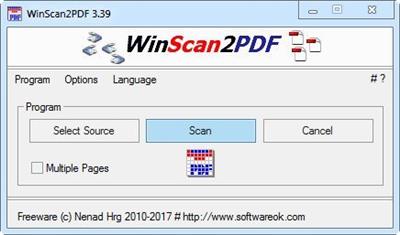
WinScan2PDF 7.07 Multilingual

a6534c0e8558c29ecddf27c278e587e3.jpeg

File Size : 0.1 Mb​

WinScan2PDF is a very small and portable program that allows you to scan documents and save them on your computer as a PDF by using any installed scanner.

Why WinScan2PDF:
Are you one of those who only occasionally has to send a signed document to someone by e-mail?
So you don't need a PDF printer driver or some other complex program.

With WinScan2PDF it is no longer necessary!
Simply save the scanned documents into PDF and save them to a file on your computer.
The program is very simple to use.

Features:
# Direct scan the documents and save them as a pdf
# PDF multiple pages support
# Change the quality of your scanned PDF file!
# Save the Scans as JPEG file
# Optional translation feature
# Suitable for many scanner
# Very small scan program
# Low CPU usage
# Portable
# Multilingual

# Operating systems:
WinScan2PDF is suitable for:Windows 10, Windows 10 Pro, Windows 10 Enterprise, Windows 10 Home, Windows 8.1, Windows 8.1 Enterprise, Windows 8.1 Pro, Windows 8, Windows 8 Enterprise, Windows 8 Pro, Windows 7, Windows 7 Enterprise, Windows 7 Home Basic, Windows 7 Home Premium, Windows 7 Professional, Windows 7 Starter, Windows 7 Ultimate, Windows Vista Enterprise 64-bit edition, Windows Vista Ultimate 64-bit edition, Windows Vista Business, Windows Vista Business 64-bit edition, Windows Vista Enterprise, Windows Vista Ultimate, Windows XP Home and Pro, X64 and x32 all Windows, Windows Server 2000-2008,Windows Server 2012,Windows Server 2016, Windows 98.

Download link:​
Код:
[center][b]rapidgator_net[/b]:
https://rapidgator.net/file/023376bbf89dc5408fac9dd81e4fdabe/w6uuv.WinScan2PDF.7.07.Multilingual.zip.html

[b]uploadgig_com[/b]:
https://uploadgig.com/file/download/4ef28373e532fD0d/w6uuv.WinScan2PDF.7.07.Multilingual.zip

[b]nitroflare_com[/b]:
https://nitroflare.com/view/4313288453EB2E7/w6uuv.WinScan2PDF.7.07.Multilingual.zip[/center]

Links are Interchangeable - No Password - Single Extraction​
 
XAMPP 8.0.6 (x64)

ad7599d11575dd24b6088d4b1d4f3bf1.jpeg

File Size : 157 Mb​

XAMPP is a cross-platform Apache distribution enriched with third-party applications, namely MySQL, PHP and Perl. It was designed as a web server that can be a friendly assistant in website creation and maintenance. XAMPP provides developers with an easy and comfortable way to test dynamic webpages without access to the Internet. It also includes the newest versions of Mercury and Tomcat.

With XAMPP, you can manage MySQL and SQLite databases and you can create a remote host using FileZilla FTP server (also included in the package). This is useful for the administration of large Content Management Systems (CMS).

The installation process requires user intervention only to ask if the components should be installed as Windows services too. You don't have to decide now, seeing how this is configurable from XAMPP's control panel. This is also the only interface with the user and only from here you can perform server configurations.

By default, all services are stopped; therefore, you need to manually start the ones you need and administer them at the same time. In Service Settings you can choose for the XAMPP Control Panel to run as service, and automatically make specific modules active at startup. In addition, you can set up an account and password for secure access.

XAMPP receives regular updates in order to keep up with the latest version of the included components. Its developers are successful in their attempt to provide an up-to-date web server that can be used for website testing and maintenance.

Download link:​
Код:
[center][b]rapidgator_net[/b]:
https://rapidgator.net/file/642f54dfab368bd7a39b5edaa36d316f/8ruu1.XAMPP.8.0.6.x64.part1.rar.html
https://rapidgator.net/file/0f700b87f187b33b437d2e34bed3f2c9/8ruu1.XAMPP.8.0.6.x64.part2.rar.html

[b]uploadgig_com[/b]:
https://uploadgig.com/file/download/88C85c359864E78e/8ruu1.XAMPP.8.0.6.x64.part1.rar
https://uploadgig.com/file/download/78996F2c387e41f5/8ruu1.XAMPP.8.0.6.x64.part2.rar

[b]nitroflare_com[/b]:
https://nitroflare.com/view/3AD3106EB56EDE1/8ruu1.XAMPP.8.0.6.x64.part1.rar
https://nitroflare.com/view/CF5DAED4E1AF6C9/8ruu1.XAMPP.8.0.6.x64.part2.rar[/center]

Links are Interchangeable - No Password - Single Extraction​
 
3D Modeling for Advertising with Cinema 4D and OctaneRender

78ac1fe86b3fe8ccc838596a6e328e30.jpeg

MP4 | Video: h264, yuv420p, 960x540 | Audio: aac, 44100 Hz | Duration: 4h:47mins | Size File: 741 MB
Genre: eLearning | Language: English​

Learn how to create visually stunning compositions in 3D to highlight a product's features
For advertisers, CGI and 3D modeling are often a cost-effective way to inject a visual wow factor into a campaign. By placing products in otherwise impossible settings, you can better highlight their features and convey their concept. Yonito Tanu is an expert at just that, having designed 3D advertising pieces for Pringles, Mahou, Red Bull, Absolut, and more.

In this course, learn the basics of 3D modeling. Discover shading, texturing, lighting, and rendering using Cinema 4D and OctaneRender. Finally, apply your knowledge to an advertising still life based on a unique theme proposed by Yonito.

83d28930ea5f50e8f4de3cf1e5168d0c.jpeg


Download link:​
Код:
[center][b]rapidgator_net[/b]:
https://rapidgator.net/file/01bf40aa77a900a1205d2ff5610e7969/vx674.3D.Modeling.for.Advertising.with.Cinema.4D.and.OctaneRender.rar.html

[b]uploadgig_com[/b]:
https://uploadgig.com/file/download/11a28617294e6963/vx674.3D.Modeling.for.Advertising.with.Cinema.4D.and.OctaneRender.rar

[b]nitroflare_com[/b]:
https://nitroflare.com/view/4A6C307943C1C21/vx674.3D.Modeling.for.Advertising.with.Cinema.4D.and.OctaneRender.rar[/center]

Links are Interchangeable - No Password - Single Extraction​
 
Account management in Linux

b52b156898ce36bbc88ed6e1d4812266.jpeg

MP4 | Video: h264, 1280x720 | Audio: AAC, 44.1 KHz, 2 Ch
Genre: eLearning | Language: English | Duration: 5 Lessons (52m) | Size: 339.9 MB
​

In this course, we discuss account management, commands and users.

This course covers critical concepts in account management. These include commands, skeletons, groups and special commands to add and remove users and groups.

Screenshots

b10fe082894dbdd4514d35f229eb89a1.jpeg


Download link:​
Код:
[center][b]rapidgator_net[/b]:
https://rapidgator.net/file/1402cc084c6339518273591a90ca9661/grtib.Account.management.in.Linux.rar.html

[b]uploadgig_com[/b]:
https://uploadgig.com/file/download/777eA9a4B00a2185/grtib.Account.management.in.Linux.rar

[b]nitroflare_com[/b]:
https://nitroflare.com/view/E4A324CA579C8EA/grtib.Account.management.in.Linux.rar[/center]

Links are Interchangeable - No Password - Single Extraction​
 
Additive Manufacturing: Troubleshoot 3D Prints (2021)

e113da9f7d7766fbaad4459e26176b2a.jpeg

Duration: 2h 27m | MP4 | Video: AVC, 1280x720 30 fps | Audio: AAC, 48 KHz, 2 Ch | Size: 0.98 GB
Skill Level: Intermediate | Genre: eLearning | Language: English​

3D printing has come a long way, but there are still many things that can derail the printing process. This course helps you avoid problems in advance and solve them when they do come up. Rich Cameron and Joan Horvath of Nonscriptum LLC-the maker tech training company-review the most common hardware, filament, part geometry, and software issues and show how to fix them by making changes to the model, orientation, or printer settings. Learn what to do when your print doesn't stick to the print bed; when you see pimples, dimples, or stringing; when your filament jams or nozzle clogs; when you have cooling issues; or when the walls of your print are too thin. Joan and Rich also help identify and fix software-related issues with your host and slicer programs and troubleshoot problems with multiple causes via systematic debugging.

7d3db3e355877c66e58eb6bb7edcd74b.jpeg


Download link:​
Код:
[center][b]rapidgator_net[/b]:
https://rapidgator.net/file/ccbab729330a140f1ade326f014ab77b/u58pt.Additive.Manufacturing.Troubleshoot.3D.Prints.2021.rar.html

[b]uploadgig_com[/b]:
https://uploadgig.com/file/download/17f96cec700453b8/u58pt.Additive.Manufacturing.Troubleshoot.3D.Prints.2021.rar

[b]nitroflare_com[/b]:
https://nitroflare.com/view/0CA713F49B6B377/u58pt.Additive.Manufacturing.Troubleshoot.3D.Prints.2021.rar[/center]

Links are Interchangeable - No Password - Single Extraction​
 
Назад
Сверху