• Старая версия форума работает в архивном режиме www.old.nado.in

All mitsumi'1s Applications !! (updated daily)

  • Автор темы Автор темы mitsumi1
  • Дата начала Дата начала
Derivative TouchDesigner Pro 2022.32660 (x64)


6df6be364d1b85e7853db56f39acf985.jpeg


Derivative TouchDesigner Pro 2022.32660 (x64)
File Size: 1.95 GB​

TouchDesigner is a visual development platform that equips you with the tools you need to create stunning realtime projects and rich user experiences. Whether you're creating interactive media systems, architectural projections, live music visuals, or simply rapid-prototyping your latest creative impulse, TouchDesigner is the platform that can do it all.

INTEROPERABILITY
TouchDesigner works well with the world around it. Whether it is other software, protocols, hardware devices, or the web, extensive options for interoperability let you integrate TouchDesigner into any environment.
APPLICATION BUILDING
TouchDesigner allows both application engine and interface to be built in one integrated environment. Create anything from simple functional prototypes right up to complete polished applications.
HIGH PERFORMANCE MEDIA SYSTEMS
TouchDesigner is the highest performance video playback software available today. It will let you play more movies, at higher resolution or at higher frame rates, to maximize your hardware's potential.
REALTIME 3D AND COMPOSITING
Realtime 3D rendering combined with high resolution realtime compositing create a pixel playground that lets you discover entirely new ways of creating content.
PROJECTION MAPPING
Projection mapping involves custom solutions to every job, no two projection setups are the same. TouchDesigner's suite of features and customization options ensure any projection project is possible.
LIGHTING AND LIVE SHOWS
TouchDesigner technology can communicate with lighting equipment, audio systems, input and output devices, and show control systems used in all types of live show performances.
VR SUPPORT
All of TouchDesigner's other features work seamlessly with the built-in VR tools letting anyone get started quickly and easily with virtual reality.
EXTENSIBILITY AND CUSTOMIZATION
TouchDesigner offers the tools required to build completely customizable systems and extend functionality to meet the needs of your project.
Код:
https://docs.derivative.ca/Release_Notes/2022.32660

Homepage:
Код:
https://derivative.ca/

Download link

rapidgator.net:
Код:
https://rapidgator.net/file/fc6fc5ca1b250752b696d44e77edf119/nfnat.Derivative.TouchDesigner.Pro.2022.32660.x64.rar.html
uploadgig.com:
Код:
https://uploadgig.com/file/download/024fD109b87f3d07/nfnat.Derivative.TouchDesigner.Pro.2022.32660.x64.rar
nitroflare.com:
Код:
https://nitroflare.com/view/5D23F69B33A9F41/nfnat.Derivative.TouchDesigner.Pro.2022.32660.x64.rar
1dl.net:
Код:
https://1dl.net/n50qp7ru3zkp/nfnat.Derivative.TouchDesigner.Pro.2022.32660.x64.rar

 
Emurasoft EmEditor Professional 22.2.8 Multilingual


b1abfe9b8822b281731ed1cf195a7511.jpeg


Emurasoft EmEditor Professional 22.2.8 Multilingual
File Size: 48.3 MB​

EmEditor Professional - professional version of the powerful text editor for programmers, Web developers and ordinary users with the illumination of syntax and Unicode support. Editor features such as search and replace in files using regular expressions, auto-detection coding, highlighting the links and email addresses, block selection mode, configure the button bar, menu, font and color elements. For each language, you can create a separate configuration. The program also has the support of powerful macros written in javascript or VBScript, allowing you to capture virtually any action, used often or occasionally.

This editor is an ideal tool for editing HTML, PHP, JSP and XML files. When you specify a web browser as an external application, you will be able to view HTML files during editing. Supports syntax highlighting ASP, C, CSS, HTML, Java, javascript, JSP, Pascal (Delphi), Perl, Python, PHP, SQL, VBScript and other programming languages, function Drag and Drop, opening files size up to 248 GB the possibility of connecting additional external applications and plug-ins. In addition, the program allows to work with macros written in javascript or VBScript, and based on the Windows Scripting Host (WSH) engine, allows you to automate virtually any action. Adjustable backlight HTML and scripting languages makes it easy to detect spelling errors and typos.
Features
• Support for file sizes up to 248 GB
• Edit binary files
• Optimized search and relocation
• Improved design plug-ins
• Ability to display panel functions
• Optimized speed when each row has a greater length
• Auto-panning by clicking the mouse wheel
• Supports Drag and drop
• Specify the temporary folder in the program settings
• Import INI files in the registry
• Unicode
• Syntax highlighting for ASP, C, CSS, HTML, javascript, JSP, Pascal, Perl, Python, PHP, SQL, VBScript and other
• User-friendly interface with customizable toolbar
EmEditor Professional Features List
- Large File Support
- Unicode Support
- Macros
- Vertical Selection Editing
- Tabbed Windows, Drag and Drop
- Lightweight Design
- Regular Expressions
- Binary Editing
- Crash Recovery
- Grab Text
Код:
https://www.emeditor.com/emeditor-core/emeditor-v22-2-8-released/

Homepage:
Код:
https://www.emeditor.com

Download link

rapidgator.net:
Код:
https://rapidgator.net/file/eae9118a2a9ffc215d5f1dc487875ea2/crdmr.Emurasoft.EmEditor.Professional.22.2.8.Multilingual.rar.html

uploadgig.com:
Код:
https://uploadgig.com/file/download/db3056470178A694/crdmr.Emurasoft.EmEditor.Professional.22.2.8.Multilingual.rar

nitroflare.com:
Код:
https://nitroflare.com/view/640B62E5C9C3A17/crdmr.Emurasoft.EmEditor.Professional.22.2.8.Multilingual.rar

1dl.net:
Код:
https://1dl.net/0wkhun1yleyc/crdmr.Emurasoft.EmEditor.Professional.22.2.8.Multilingual.rar
 
Fotor v4.5.8 (x64)


145c6484c9995a48d8299f395dffb00e.jpeg


Fotor v4.5.8 (x64)
File Size : 747 Mb​

Fotor is a simplified suite of powerful editing tools for your images. Fotor's fast and intuitive design, brings advanced photo editing techniques to anyone who wants to try. With just a few click you can achieve impressive results that will let you push your creativity without having to learn some of the confusing ins and outs of other graphics editors.

When you start the program you are asked to either being to edit a photo or create a collage.

Collage is meant for layouts of your post-processed, edited pictures into a cool format you can either print or share. Edit is where all the fun stuff is, like adding tone, effects, etc. - so let's start there.

The interface is clean. Even if you know nothing of photography or photo editing, you can quickly start tweaking up an image to make it more pleasing to your needs. Here, I picked a simple photo of an eagle to see what I could make from it.

The scenes mode works a little bit like a scene mode on a camera, making predetermined software decisions for you based on you scene or lighting situation you pick. The AUTO option works nice, but feel free to click all of the options to see if there is something else you like. There's no wrong choice . Just what you like.

You next option is CROP. You don't have follow the menu steps in order, but for the sake of a walk though it is necessary. I prefer to crop once I have my final edits in place. The function itself is very nice. You can free form if you like, type in the exact pixel dimensions or simply chose from a number of presets and the program will do the rest for you. There is a nice overlay of a 3x 3 grid layout. This makes centering is as well as abiding by the rules of the Rule of Thirds rather easy. I made a 4x6 crop which is pretty standard for printing. Grabbing the edges I moved the crop to place the eye of the bird in the upper center of the grid until it felt more balance.

Next is ADJUST. Here you can straighten a crooked images (This is why I crop last.) apply effects like red eye removal and vignette as well as adjust the exposure contrast, saturation etc of the image. Don't worry if you don't know what any of that is. The program uses sliders so you can move around things as much as you like until you are happy. If you get lost, just hit the undo button to continuously undo edits you have made under a tab. If you hate everything, just click the reset button at the bottom of the program. Here, I added a slight bit of contrast and brightness and decreased the saturation a tad - trying to make the bird pop out a bit.

EFFECTS, is where most of you will jump straight to. This is where you can take your photo from nice to yowza in a hurry. You will find over 60 preset edits to give your photo a very unique look and feel that your literally take an hour to do in something like Photoshop - without a whole bunch of plug ins. You cannot stack edits though. Meaning, if you wanted to chose a "Classic Real-Illusion" filter, as I have here, and then decide you want to add one of the other artsy choices as well, the program will undo the first filter. To use multiple filters, you will need to save your file, and reopen the image and add the new effect. That seems a tad bulky. Perhaps that can be addressed in future builds.

The next tab is the Tilt-Shift. In short, I love it. I own Phorotshop CS5, and yes you can achieve this effect with the blur tool, gradients and layers - but it's nowhere near as easy. A real tilt shift lens will set you back about $1000 and a good lens with a 1.4 apeture will set you back a good penny as well. Although, if you are looking for a hardware solution, you could probably do a lot of this with a the new Lensbaby Compser for about $380. OR - You can use Fotor and get a great result for free. You make the call.

You have two options to chose from: Radial and Linear. The linear effect is more the tradition sort of "tilt-shift" that is used by creative types to make real life stills appear to be miniaturized scenes. The radial option is more like accentuating the bokah that you would get in high end lens. You will see options for F/22 to F/1.4 -- this denotes the aperture of the lens simulation. For the purpose of this article, F/22 will have less of an effect on your final image and F/1.4 will have the greatest.

Here, I used the radial option as the original image was slightly out of focus anyway and I wanted to accent the eye. With this tool, what is in the center will remain sharp or in focus. The next circle slightly blurred and the outer circle even more so. You can move these around as needed to create the effect you like. This blurring draws the eye of the viewer to the sharpest part of the photo. For the eagle I used the F/8 setting but I edited one up of a butterfly at F/1.4 to show the difference.

And there you have it. Click save and you are done. The start to finish time I spent on this image was about 3 minutes, so be kind. Cool, huh? I dig it. It has a old school vibe to it that like. There is a nice SHARE button as well that can dump your photo straight to Flicker / Facebook /Twitter with a couple clicks.

One other note. There is a button at the bottom of this section that I nearly missed called, "Compare". This is very handy. If you click and hold that button it will show you the original image. Release it and you are back to your edit. Toggling between the two is a great way to see if you are on the right track.

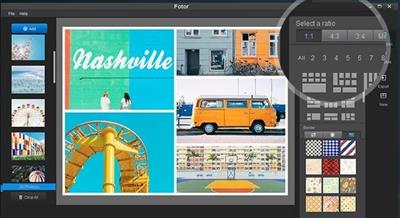
Ok, now click home to get to the main screen and you'll see the Collage option. That is just that; a fast, flexible ability to make a bunch of collages very quickly. When opening, you can choose from hundreds of layouts of go freestyle. You can change some other options as well, like Border Color and Roundness, to taste. I was surprised you could not simply drag a photo in from Windows into place though. You have to click The ADD button to select an image. It will then show on the left menu and you can then drag it from there. Collages are a great way to share a few vacation photos quickly for in this case I added multiple perspectives of Niagara Falls which gives a more comprehensive impression of the falls than image or series of images could convey.

Ok, no Fotor is not Photoshop or GIMP. It's not meant to be. It is however a fast and impressive editor that is a ton of fun. I was able to teach my 6 year old how to use Fotor in about ten minutes. I literally have a rocket scientist friend that I haven't been able to teach how to use Photoshop in years, so.....Photoshop and and GIMP are not for everyone, but Fotor could be. I definitely recommend having this app in your tool box. It will save you time and bring out your creativity with almost no learning curve and zero cost... What's not to like.

rapidgator.net:
Код:
https://rapidgator.net/file/27996083167bd2cc6725ccba3d8e436b/qgjzo.Fotor.v4.5.8.x64.rar.html

uploadgig.com:
Код:
https://uploadgig.com/file/download/6b2023f3D66Eb787/qgjzo.Fotor.v4.5.8.x64.rar

nitroflare.com:
Код:
https://nitroflare.com/view/48B4FD46857FF17/qgjzo.Fotor.v4.5.8.x64.rar

1dl.net:
Код:
https://1dl.net/qijseky1lfrg/qgjzo.Fotor.v4.5.8.x64.rar
 
Icecream Photo Editor 1.25 Multilingual


b67b4f5482355dcc46c08968e9a3c825.jpeg


Icecream Photo Editor 1.25 Multilingual
File size: 26 MB​

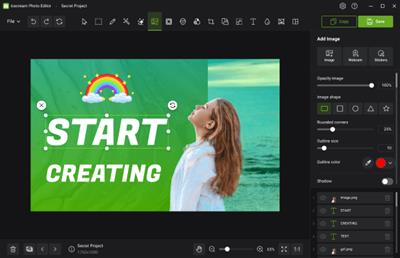
Meet Icecream Photo Editor - the best free photo editor and photo manager for Windows. Edit your pictures like a pro: add text and images, crop and resize, add filters, create collages and more with ease.

Photo Editor's main features
Completely free photo editor
Icecream Photo Editor is 100% free. No ads, no subscription, no limited features. Draw, add stickers, enhance, blur, add frames, flip and rotate, etc. All at your service at no cost.
Supported image formats
With Icecream Photo Editor one can edit photos and pictures of the most popular formats: JPG, JPEG, PNG, GIF, TIFF and BMP.
Photo manager
With Icecream Photo Editor you can easily organize the photos on your computer. Quickly browse through images in folders, rotate them if necessary, or delete unwanted ones.
Simple photo editor
One of the main advantages of our image editor is its amazing ease of use. Everything you need is always at your fingertips, nothing unnecessary. There is no need to study manuals.
Windows 11 supported
This program works on all major Windows systems, including 11 and 10. Combined with its features and simplicity, this makes it the best photo editor for Windows
Add text to photo
Adding text is easy when you use the Icecream Photo Editor. You can control all the basic parameters - font, size, weight, colors, opacity, etc.
Код:
https://icecreamapps.com/Photo-Editor/changelog.html

Homepage:
Код:
https://icecreamapps.com/Photo-Editor/

Download link

rapidgator.net:
Код:
https://rapidgator.net/file/6c7fb4fccac292c6e959a7efb5efeda9/dclmv.Icecream.Photo.Editor.1.25.Multilingual.rar.html

uploadgig.com:
Код:
https://uploadgig.com/file/download/db74095752fd5675/dclmv.Icecream.Photo.Editor.1.25.Multilingual.rar

nitroflare.com:
Код:
https://nitroflare.com/view/CAA4ED11640E499/dclmv.Icecream.Photo.Editor.1.25.Multilingual.rar

1dl.net:
Код:
https://1dl.net/1zrxem2b4ubh/dclmv.Icecream.Photo.Editor.1.25.Multilingual.rar
 
iCompta 6.0.65 macOS


dc5fb23b9c0392dd4345831907a78ab2.jpeg


iCompta 6.0.65 macOS
Language: Multilingual | File size: 28 MB​

iCompta is an application that lets you manage your accounts with ease. Keep track of your income and expense, schedule your bills, stay in line with your budget and finally know where all your money goes thanks to beautiful charts.

MAIN FEATURES
• Manage multiple accounts with multiple currencies
• Sort and filter your transactions to make statistics on your income and expense
• Keep track of your income and expense thanks to budgets
• Monitor your portfolio
• Manage shared expenses : you can finally know who owes what to who
• Beautiful reports and charts
• Transfers
•Download your transactions from your bank in just one click if your bank supports OFX direct download or with just a few more clicks using the embedded browser
• Easy import / export of transactions in QIF, OFX, CSV, XML and JSON formats
• Full synchronization between iCompta 6 on Mac and iCompta 6 on iPhone / iPad using iCloud, Dropbox or local network
• Modify many transactions at once using batch editing or the powerful rules engine
• Professional features : handle taxes, manage clients and make invoices
• Check transactions on your bank statements to avoid mistakes
• Password protection
Release Notes
Updates: official site does not provide any info about changes in this version

Supported Operation Systems
macOS 10.10 or later

Homepage:
Код:
https://www.icompta-app.com/?language=en

Download link

rapidgator.net:
Код:
https://rapidgator.net/file/8fc0e3d2c9fe375cd6b449c4c03245f1/ozqkd.iCompta.6.0.65.macOS.dmg.html

uploadgig.com:
Код:
https://uploadgig.com/file/download/629Ac5460a584c01/ozqkd.iCompta.6.0.65.macOS.dmg

nitroflare.com:
Код:
https://nitroflare.com/view/D90407A3B8AAC83/ozqkd.iCompta.6.0.65.macOS.dmg

1dl.net:
Код:
https://1dl.net/1zcrieltxnqd/ozqkd.iCompta.6.0.65.macOS.dmg
 
Infuse Pro 7.5.1 macOS


d74a3dc788f48fe7db0dac1aa95bfc66.jpeg


Infuse Pro 7.5.1 macOS
Language: Multilingual | File size: 71 MB​

Ignite your video content with Infuse - the beautiful way to watch almost any video format on your iPhone, iPad, Apple TV, and Mac. No need to convert files! Infuse is optimized for macOS 12, with powerful streaming options, Trakt sync, and unmatched AirPlay & subtitle support.

Gorgeous interface. Precise controls. And silky-smooth playback.
- PLAY MORE VIDEO TYPES
A powerful video player that plays just about anything, including the standard MP4, M4V and MOV - plus MKV, AVI, WMV, MTS, ISO, VIDEO_TS, FLV, OGM, OGV, ASF, 3GP, DVR-MS, WebM, and WTV. Includes fully certified Dolby® Digital Plus (AC3/E-AC3), DTS® and DTS-HD® audio.
Top In-App Purchases: Full Version - included.

*** You need to disable the System Integrity Protection (SIP) to perform the selected Application.

Release Notes
Код:
https://geo.itunes.apple.com/app/id1136220934

Supported Operation Systems
macOS 10.10 or later

Homepage:
Код:
https://geo.itunes.apple.com/app/id1136220934

Download link

rapidgator.net:
Код:
https://rapidgator.net/file/9c613b481d115619bd036405c9eced09/veyss.Infuse.Pro.7.5.1.macOS.dmg.html

uploadgig.com:
Код:
https://uploadgig.com/file/download/61C33f53Cab929dd/veyss.Infuse.Pro.7.5.1.macOS.dmg

nitroflare.com:
Код:
https://nitroflare.com/view/F0949DBDBB824EF/veyss.Infuse.Pro.7.5.1.macOS.dmg

1dl.net:
Код:
https://1dl.net/ybflms13sosq/veyss.Infuse.Pro.7.5.1.macOS.dmg
 
Money Pro - Personal Finance 2.8.12 macOS


8f0834f4f6921c8ab94bdfd831146953.jpeg


Money Pro - Personal Finance 2.8.12 macOS
Language: Multilingual | File size: 41 MB​

Manage money like a pro. Сhange your spending behavior for good. Money Pro is the one place for bill planning, budgeting and keeping track of your accounts. Money Pro works great for home budgeting and even for business use. Easy sync with iPhone/iPad versions. Money Pro is the next generation of Money app

Release Notes
Код:
https://geo.itunes.apple.com/app/id972572731

Supported Operation Systems
macOS 10.12

Homepage:
Код:
https://geo.itunes.apple.com/app/id972572731

Download link

rapidgator.net:
Код:
https://rapidgator.net/file/2256928953ab25055fcbd31003c94031/ovznd.Money.Pro..Personal.Finance.2.8.12.macOS.dmg.html

uploadgig.com:
Код:
https://uploadgig.com/file/download/0235388777313704/ovznd.Money.Pro..Personal.Finance.2.8.12.macOS.dmg

nitroflare.com:
Код:
https://nitroflare.com/view/2AA33A15AB3C9D3/ovznd.Money.Pro..Personal.Finance.2.8.12.macOS.dmg

1dl.net:
Код:
https://1dl.net/3d639ildn47f/ovznd.Money.Pro..Personal.Finance.2.8.12.macOS.dmg
 
PCDJ DEX Pro 3.20.4 macOS


1b2c2ef76cdaa029d6c918ace34d45da.jpeg


PCDJ DEX Pro 3.20.4 macOS
File size: 284 MB​

DEX 3 is professional DJ Software for MAC that allows you to go far beyond simple DJing. The most versatile do-it-all DJ software available, DEX 3 enables you to intuitively mix music, music videos and host karaoke with precision.

Why settle for a product that has only one function or use multiple products? DEX 3 is the only DJ software with all the features you require to make any every gig a total success.
With our beat-grid based automatic beat mixing and key detection it's easy to blend tracks, allowing you to focus on the other aspects of your mix. Your audience will enjoy superior sound quality made possible by DEX 3's industry-leading custom sound engine whether your mixing live or using automix. Since DEX 3 offers no-latency playback and support for today's hottest DJ controllers; loops, hot cues, and all playback features are ultra-responsive. DEX 3 allows you to create mixes from your own music and music video library and/or iTunes using just a keyboard or mouse, or one of the 100+ supported DJ controllers.
Release Notes
Updates: official site does not provide any info about changes in this version

Supported Operation Systems
macOS 10.14 or later

Homepage:
Код:
https://www.pcdj.com

Download link

rapidgator.net:
Код:
https://rapidgator.net/file/c2c95b71c63dfeb7ed0cb1d9772b9a1e/tthva.PCDJ.DEX.Pro.3.20.4.macOS.dmg.html

uploadgig.com:
Код:
https://uploadgig.com/file/download/51F771eEbe198bA8/tthva.PCDJ.DEX.Pro.3.20.4.macOS.dmg

nitroflare.com:
Код:
https://nitroflare.com/view/0E8708B90A6B9EF/tthva.PCDJ.DEX.Pro.3.20.4.macOS.dmg

1dl.net:
Код:
https://1dl.net/7ch5tkg0vofd/tthva.PCDJ.DEX.Pro.3.20.4.macOS.dmg
 
Screen Recorder by Omi 1.2.5 macOS


a417b8488f884411b621b090479f860b.jpeg


Screen Recorder by Omi 1.2.5 macOS
File size: 22 MB​

Screen Recorder for Mac is a powerful tool that allows you to quickly and easily capture your computer screen in high-quality video format. With just one click, you can record the full screen, a designated area, or footage from your camera. Your recordings will be saved in MP4 format, making it easy to share with others.

Key Features
* Full Screen Recording
* Area Recording
* Camera Recording
* Window Recording
* Voice Recording
* Camera Picture-in-Picture
* Camera Virtual Background (for macOS 12.0 and above)
* System Sound Recording (with separate sound driver plugin download and installation required)
* Mouse Click Event Recording
* Customizable Recording Screen Size
* Selectable Frame Rate
* Adjustable Recording Resolution
* Specified Recording Duration
* Built-In Video Editor
* Customizable Shortcut Keys
Top In-App Purchases: Full (PRO) Version - included
Release Notes
Код:
https://geo.itunes.apple.com/app/id1592987853

Supported Operation Systems
macOS 10.13 or later

Homepage:
Код:
https://geo.itunes.apple.com/app/id1592987853

Download link

rapidgator.net:
Код:
https://rapidgator.net/file/a533fc09cc2e52542e70cf7390b1da17/bbnaz.Screen.Recorder.by.Omi.1.2.5.macOS.dmg.html

uploadgig.com:
Код:
https://uploadgig.com/file/download/Ef385E79c47165B5/bbnaz.Screen.Recorder.by.Omi.1.2.5.macOS.dmg

nitroflare.com:
Код:
https://nitroflare.com/view/43B6E886426C2D1/bbnaz.Screen.Recorder.by.Omi.1.2.5.macOS.dmg

1dl.net:
Код:
https://1dl.net/bigxivfxfnqg/bbnaz.Screen.Recorder.by.Omi.1.2.5.macOS.dmg
 
System Dashboard Pro 1.2.0 macOS


d89791ed8476da1789fe21c7e51b8d25.jpeg


System Dashboard Pro 1.2.0 macOS
File size: 6 MB​

The System Dashboard Pro is a modern reinterpretation of the System Dashboard and offers more information than ever. The app has been completely redeveloped and optimized for the latest systems.

System Dashboard Pro offers the following features
• General System Information
Get an overview of the most important parameters of your system. This includes, for example, the macOS version used or details about your computer.
• Processor Usage
The processor panel shows important details about processor usage. The current load is displayed as well as that of the last few seconds. A list of processes that have the highest processor utilization is also displayed.
• Memory Usage
The Memory panel shows data related to memory. The current load is displayed as well as that of the last few seconds. A list of processes using the most memory is also displayed.
• Network Information
Basic network information such as the local and external IP address or the transfer rate of the WLAN connection is displayed on this panel.
• Network Usage
The network category shows the current download and upload speed and the number of open connections.
• Internal Battery
This panel is available if the app is running on a MacBook and displays basic battery parameters. Among others information, it displays the number of charging cycles and the health of the battery.
• Hard Disk
The computer's hard drive can be kept under control with this panel. It shows how much space is used and how much is free. The current speed is also displayed.
• External Drives
SD cards and USB sticks are displayed here. The devices can also be ejected - either individually or all at once.
Release Notes
Код:
https://geo.itunes.apple.com/app/id1672838414

Supported Operation Systems
macOS 13.0 or later

Homepage:
Код:
https://geo.itunes.apple.com/app/id1672838414

Download link

rapidgator.net:
Код:
https://rapidgator.net/file/a7474abb8ade81196725387820c0c5aa/loytl.System.Dashboard.Pro.1.2.0.macOS.dmg.html

uploadgig.com:
Код:
https://uploadgig.com/file/download/95d346a592b6De68/loytl.System.Dashboard.Pro.1.2.0.macOS.dmg

nitroflare.com:
Код:
https://nitroflare.com/view/C5B713D014B552F/loytl.System.Dashboard.Pro.1.2.0.macOS.dmg

1dl.net:
Код:
https://1dl.net/nt2qiqlnd4ev/loytl.System.Dashboard.Pro.1.2.0.macOS.dmg
 
JRiver Media Center 30.0.87 (x64) Multilingual


5793aa6c28c5eb5d8bf28fd82575dd66.jpeg


JRiver Media Center 30.0.87 (x64) Multilingual
File size: 40.5 MB​

JRiver Media Center - all-in-one media management app turns any Windows PC into an entertainment hub for complete control of your digital media: Audio, Video, Images, and Television. It connects PC to stereo, TV, remote control devices, digital cameras, scanners, and portable MP3 players. It plays all media, rips, burns, and organizes all your music, images, and video. MC encodes and plays all popular media formats. Powerful utilities include Media Server for streaming music and images to remote PCs. Media Center is more than a world class player. It's also a Media Network, a whole house music, movie, TV, and photo solution. The leader in audiophile quality sound. The most powerful media database available; an essential tool for large collections.

Features
Audio
* Native support of DirectShow DSP filters
* Audiophile - WASAPI exclusive output using high-end USB DACs
* Audiophile - Added ability to play files from memory instead of disk
* Audiophile - Support for high end USB DAC's with WASAPI
* Headphone DSP makes listening more natural and comfortable.
* SoundcardSwitch command for the launcher, allows soundcard selection
* 3D album view adjusts text size to display more tracks when necessary
* 3D album view allows playing, adding, shuffling, and adding as next to play
Images
* Image Preview allows zoom from a thumbnail to rotate, delete, compare, edit, and more
* Image thumbnail frames (optional)
* Photoshop PSD file support
* Single command copy / send to an editor like Photoshop, and stack new image with original
Video
* Video tagging using sidecar files
* Chapter Support for MKV and MP4
* Chapters added to On Screen Display
* Info Panel displays metadata
Television
* Added new "watched" column to metadata
* EPG can automatically retrieve XMLTV data
* Automatic correlation of XML channel names and MC channel names
* Info Panel displays metadata, including TV program art
* TV program art from YADB
Theater View
* Watch Hulu and YouTube from Theater View
* Customizable nested views in Theater View
* Customizable File Info panel to display metadata
* Speed and quality enhancements
* Custom backgrounds
* Touch screen support
* On screen clock
Remotes and Servers
* Wiki articles: Remotes and Servers
* Remote Relay using IR transceivers for controlling a set top box or receiver
* Remote Setup Wizard
* Media Center Remote learning and blasting
* Media Center can connect to another Media Center to act as a remote (TRemote)
* New HID remote control plug-in - supports shortcuts with keyboard, mouse, & gamepad
* Remote control with REST based Web Service Interface in Library Server
* Library Server supports read and write to allow for shared, multi-user database access
* DLNA added to the UPnP Server
* Library Server clients can write changes back to server
* Library Server connections allow playback on server as Playing Now zones
Код:
https://yabb.jriver.com/interact/index.php/topic,135519.0.html

Homepage:
Код:
http://www.jriver.com/

Download link

rapidgator.net:
Код:
https://rapidgator.net/file/5c9c2e324881fea54645d19f0dbb3fec/ifvxg.JRiver.Media.Center.30.0.87.x64.Multilingual.rar.html

uploadgig.com:
Код:
https://uploadgig.com/file/download/08B84fe8556D2002/ifvxg.JRiver.Media.Center.30.0.87.x64.Multilingual.rar

nitroflare.com:
Код:
https://nitroflare.com/view/EC72FE5DB85BFFE/ifvxg.JRiver.Media.Center.30.0.87.x64.Multilingual.rar

1dl.net:
Код:
https://1dl.net/15dt7mfyg2cw/ifvxg.JRiver.Media.Center.30.0.87.x64.Multilingual.rar
 
Microsoft Support and Recovery Assistant 17.00.9941.009


9fc3a49ee319e0aef15d84d9eb7792e8.jpeg


Microsoft Support and Recovery Assistant 17.00.9941.009
File Size : 81.4 Mb​

Microsoft Support and Recovery Assistant (SaRA) is a desktop client that enables Microsoft customers to troubleshoot and diagnose their issues.

Many issues today can be resolved using troubleshooters, including in Windows 10, but not everything.
Microsoft Support and Recovery Assistant can help you fix problems, install, uninstall, activate, and more. Open the app, and click on the Microsoft product you need help with.
Microsoft Support and Recovery Assistant can help with
Teams
Office
OneDrive
Dynamics 365
Outlook on the web
Advanced diagnostic
Windows
Outlook
Skype
Mobile devices
Outlook for Mac
Whats New
Updates: official site does not provide any info about changes in this version

Homepage:
Код:
https://www.microsoft.com

Download link

rapidgator.net:
Код:
https://rapidgator.net/file/51c2666cdefa0ce87e3afae4dc12b55e/ximlu.Microsoft.Support.and.Recovery.Assistant.17.00.9941.009.zip.html

uploadgig.com:
Код:
https://uploadgig.com/file/download/Db94c67D6E056286/ximlu.Microsoft.Support.and.Recovery.Assistant.17.00.9941.009.zip

nitroflare.com:
Код:
https://nitroflare.com/view/F4524E0AC2702D6/ximlu.Microsoft.Support.and.Recovery.Assistant.17.00.9941.009.zip

1dl.net:
Код:
https://1dl.net/xmqqbrwg9jm7/ximlu.Microsoft.Support.and.Recovery.Assistant.17.00.9941.009.zip
 
My Notes Keeper 3.9.4.2231


9127a106804c8372def706ad17c4cd8a.jpeg


My Notes Keeper 3.9.4.2231
File size: 9.2 MB​

My Notes Keeper is the premier notes/outliner application for Windows It allows you to store all of your notes and information in an easy-to-use outline, where you can quickly find what you need. My Notes Keeper is a 'swiss-army-knife' PIM program, powerful yet easy to use ... With My Notes Keeper, creating your own freeform database and getting organized couldn't be easier.

Why My Notes Keeper?
My Notes Keeper is a free-form notes/outliner application for Windows XP/Vista/7/8/10. It allows you to store all of your notes and information in an easy-to-use outline, where you can quickly find what you need. My Notes Keeper is a 'swiss-army-knife' PIM program, powerful yet easy to use ... With My Notes Keeper, creating your own freeform database and getting organized couldn't be easier...
Many Uses
Knowledge Base, eBook Creator, Customer Data Management, Contact Manager, Notes Manager, Document Manager, Address Book, Phone Book, Password Keeper, Photo Album and much more!
icoIncrease Efficiency
Convenient tabbed + tree-structured form of notes representation. Locate needed information in seconds, using MyNoteskeeper's easy to navigate tree-structure. Unlimited notes size and number of notes in notebook.
icoEasy to Use
MyNotesKeeper has an extremely easy to use
interface that requires no technical knowledge
whatsoever. The installation takes less than 10
seconds, and even a non-technical novice can
get MyNotesKeeper up-and-running in minutes.
icoPowerful Text Editor
Powerful Text Editor has all of the standard Text and Paragraph Editing functions that MS Word has (font, color, size, background color, tables, images, symbols, etc.)
icoFully Compatible with MSOffice
Full compatible with Microsoft Office(Word, Excel), like import and export(or paste from and paste to) from *.txt, *.wri, *.rtf, *.doc, *.html and more...
icoKeep your Data Safe
High reliability, repair file in case of hardware failure or operating system error caused by another application. Advanced file encryption and password protection.
Код:
http://www.mynoteskeeper.com/Whatsnew.txt

Homepage:
Код:
http://www.mynoteskeeper.com/

Download link

rapidgator.net:
Код:
https://rapidgator.net/file/c4f274156f7439a3dac734ce79b3834c/fxlcf.My.Notes.Keeper.3.9.4.2231.rar.html

uploadgig.com:
Код:
https://uploadgig.com/file/download/0bD13185158a54Fe/fxlcf.My.Notes.Keeper.3.9.4.2231.rar

nitroflare.com:
Код:
https://nitroflare.com/view/78B3FA5D97955DE/fxlcf.My.Notes.Keeper.3.9.4.2231.rar

1dl.net:
Код:
https://1dl.net/ribs7xpuitkk/fxlcf.My.Notes.Keeper.3.9.4.2231.rar
 
Native Instruments Komplete Kontrol 2.9 (x64)


bc5679e2ad0ba5cfb40f2fb04359436d.jpeg


Native Instruments Komplete Kontrol 2.9 (x64)
File Size: 189.6 MB​

KOMPLETE KONTROL is a easy-to-use tool that cleans up your workflow. It organizes all your instruments, effects, presets, loops, and samples, smartly mapping everything to your hardware so you can find, play, and tweak all your sounds in one place. This free plug-in runs in any DAW and works seamlessly with any MIDI controller - or your trusty mouse and keyboard.

INTUITIVE INTEGRATION HUB
- Unite all your instruments, effects, loops, and samples with one powerful, free plug-in
- Browse, tweak, and preview all your sounds
- Easily play hundreds of scales, chords, arpeggios, and more with Smart Play
- Maps everything perfectly to KOMPLETE KONTROL keyboards - and other controllers can be set up in seconds
Platform: WiN64 - EXE/VST/AAX(MODiFiED)
Whats New
ADDED AAX plug-in running natively on Apple Silicon
FIXED Crash in Logic Pro when closing plug-in UI with speech engine enabled
FIXED Handling of MIDI program change messages with VST3 plug-ins
FIXED AAS plug-ins UI are blank after reopening UI in Live
FIXED ScanApp crashes

Homepage:
Код:
https://www.native-instruments.com/en/products/komplete/bundles/komplete-kontrol/

Download link

rapidgator.net:
Код:
https://rapidgator.net/file/84e4d906fa0cdbb506c80dd8d5b775c4/dmeli.Native.Instruments.Komplete.Kontrol.2.9.x64.rar.html

uploadgig.com:
Код:
https://uploadgig.com/file/download/f9ecCdeA51543b86/dmeli.Native.Instruments.Komplete.Kontrol.2.9.x64.rar

nitroflare.com:
Код:
https://nitroflare.com/view/C8C9A9CA4A55055/dmeli.Native.Instruments.Komplete.Kontrol.2.9.x64.rar

1dl.net:
Код:
https://1dl.net/as1zg1r6s33q/dmeli.Native.Instruments.Komplete.Kontrol.2.9.x64.rar
 
Native Instruments Maschine v2.17.0 (x64)


b6adee65213bec23b0a49780766af077.jpeg


Native Instruments Maschine v2.17.0 (x64)
File Size: 299 MB​

MASCHINE lets you effortlessly produce beats, melodies, and harmonies with powerful drum synths, premium sounds, an integrated sampler, and more - cutting-edge software meets intuitive hardware for ultra-smooth workflow.

What News?
2.17.0 - 2023-03-22
Minimum OS requirements: Windows: 10 (latest Service Pack), Intel Core i5 or equivalent CPU, Windows 11.
ADDED Accessibility for Maschine MK3 and Maschine+ in Controller Mode
For full accessibility support, please install the NI Accessibility Helper separately
ADDED AAX plug-in running natively on Apple Silicon
FIXED Selection of VST3 plug-in presets
FIXED Handling of MIDI program change messages with VST3 plug-ins
FIXED AAS plug-ins UI are blank after reopening UI in Live
FIXED ScanApp crashes

Homepage:
Код:
https://www.native-instruments.com/en/catalog/maschine/

Download link

rapidgator.net:
Код:
https://rapidgator.net/file/a5919d202b042ac3fe8d963eefa0c152/hgnbt.Native.Instruments.Maschine.v2.17.0.x64.rar.html

uploadgig.com:
Код:
https://uploadgig.com/file/download/042F1345a09681aF/hgnbt.Native.Instruments.Maschine.v2.17.0.x64.rar

nitroflare.com:
Код:
https://nitroflare.com/view/8668B479858E40A/hgnbt.Native.Instruments.Maschine.v2.17.0.x64.rar

1dl.net:
Код:
https://1dl.net/nbz3obs9sa61/hgnbt.Native.Instruments.Maschine.v2.17.0.x64.rar
 
Nemetschek Allplan 2022.1.10 (x64)


94c18475528f6d3a99c5d60e6c0d65d0.jpeg


Nemetschek Allplan 2022.1.10 (x64)
File size: 3.8 GB​

Allplan 2022 stands for the consistent way architects, engineers and building contractors work on a common platform, from the first draft to successful implementation on the construction site. Seamlessly integrated workflows help to shorten coordination processes, increase efficiency and increase added value - for buildability at its best.

Allplan 2022: easy to use right from the start
The tooltips have been expanded to make it easier to get started with Allplan: If you move the mouse button over an icon, a brief explanation of the function is now automatically displayed. In addition, developments to standardize the user interface have continued: Property palettes have been added for other object types such as openings and steel connections. There is now a common login for Allplan Connect and Bimplus to simplify the use of cloud services. Also new is the ability to rotate around a selected object in the animation.
Optimizations during installation and project import
With the new Windows Installer, you can now get started even faster. The user interface has also been redesigned and simplified. The download and installation process has been accelerated. If you have a larger number of workstations, you can save all the settings and then have the installation run completely automatically. In addition, projects can now be imported from any source directly in the project selection dialog. Allplan Workgroup Manager can be activated or deactivated at any time.
Scripting is getting easier and easier
A number of visual scripting improvements make creating customer-specific scripts even easier and faster. With the new palette designer, parameters can be specifically placed on several tabs. Tooltips have been improved and sliders are now supported. It is also possible to access other components such as columns and beams and to control the IFC export. Actions can also be undone or redone with just one click.
Work together faster and more securely with Allplan Share
Numerous optimizations have been made for cross-location work with Allplan Share. This means that data is uploaded without waiting in the background. There is also a new backup with which revisions of drawing files and plans can be saved automatically. If there is no internet or the internet is disrupted, you can access the data in your computer's cache and simply continue working.
Код:
https://www.allplan.com/at/produkte/allplan-aec-2022-features/

Homepage:
Код:
https://www.allplan.com/

Download link

rapidgator.net:
Код:
https://rapidgator.net/file/b146a93d8543bfb3378216e177eff0da/qhxwh.Nemetschek.Allplan.2022.1.10.x64.part1.rar.html
https://rapidgator.net/file/850bbd312e4c9d69447930fb231c534b/qhxwh.Nemetschek.Allplan.2022.1.10.x64.part2.rar.html

uploadgig.com:
Код:
https://uploadgig.com/file/download/D91500e5d69879e1/qhxwh.Nemetschek.Allplan.2022.1.10.x64.part1.rar
https://uploadgig.com/file/download/9B73b9ee7cE8a19E/qhxwh.Nemetschek.Allplan.2022.1.10.x64.part2.rar

nitroflare.com:
Код:
https://nitroflare.com/view/BF439E68B6DA0D8/qhxwh.Nemetschek.Allplan.2022.1.10.x64.part1.rar
https://nitroflare.com/view/97430ECC0F4F0F4/qhxwh.Nemetschek.Allplan.2022.1.10.x64.part2.rar

1dl.net:
Код:
https://1dl.net/mrqd1lq3wxnw/qhxwh.Nemetschek.Allplan.2022.1.10.x64.part1.rar
https://1dl.net/y916e5kaug19/qhxwh.Nemetschek.Allplan.2022.1.10.x64.part2.rar
 
PCDJ DEX 3.20.4 (x64)


4740d73e21f157872a4bf0bfd5fce63f.jpeg


PCDJ DEX 3.20.4 (x64)
File size: 225.3 MB​

PCDJ DEX 3 is professional DJ Software for Windows that allows you to seamlessly mix music, music videos and host karaoke shows. DEX 3 gives you full control over your media, allowing for more creative freedom while mixing than ever before. With our beat-grid based automatic beat mixing it's easy to blend tracks, allowing you to focus on the other aspects of your mix.

Since DEX 3 offers no-latency playback; loops, hot cues, and all playback features are ultra-responsive. Use DEX 3 with a keyboard or mouse, or use one of the 65+ supported DJ controllers for tactile hands-on control. So download DEX 3, import you tunes, and cue up your imagination - DEX 3 is the complete DJ mixing software solution.
Transport And DJ Mixer Controls
DEX 3 makes it easy to mix everything. The DEX 3 user interface and transport controls work much like CD Decks and include advanced mixer controls much like you find on high-end physical DJ mixers.
Use a traditional 2-Deck interface (skin) with or without video mixing controls, or layer in your mix with one of the included 4-Deck DEX 3 skins (or Download A DEX 3 Skin). BPM grid-based beat-sync, smart looping, key-lock, hot-cue points, filters and effects all work flawlessly whether you're mixing only music or performing a music video mix for your audience.
Advanced Media File Browser With Search, Playlists And Automix
DEX 3 includes an advanced media file browser for all your music, music videos and karaoke files. iTunes playlists are also imported automatically so you can start mixing immediately.
The included library filters allow you to view only the file type you want to work with, and the fast search feature displays results as you type. Create custom playlists or generate lists from directories on your hard drive. The 'History' list can be filtered by date so you can go back and re-use a previous mix set. Album art and color coding makes it easy to find the song/s you're looking for. New "List Mode" allows for a more traditional column-style layout. Playlist playback automation is built right in; engage Automix or Shuffle Play if you need a break.
100+ Compatible DJ Controllers
DJ Controllers provide hands-on tactile control over DEX 3, allowing for more creativity while mixing. Over 100 DJ controllers from popular DJ equipment manufacturers are supported, which means zero-configuration required so you can get into the mix right away. Use multiple DJ controllers at once - DEX 3 will even detect when a controller is connected in real-time. Your DJ controller isn't included in our supported list? Use LEARN to map it easily yourself.
When you press a button, twist a knob or scratch a platter on your DJ controller DEX 3 will react immediately, without latency.
Party Tyme Karaoke Subscription
In-App Access To High-Quality Karaoke | Online Or Offline Use
DEX 3 + Party Tyme Karaoke provides you with the most modern solution to host karaoke with ease and precision whether your a KJ or karaoke venue!
The Party Tyme Karaoke Subscription Service ($99.99-A-Month) is now available directly in the DEX 3 Browser! Subscribe, login and access a commercially-legal library of pitch-perfect karaoke songs without ever leaving DEX 3. Stream songs while connected to the internet, or download the entire karaoke catalog for offline use.
The Party Tyme Karaoke Subscription library currently comes with over 15,300 songs, with new karaoke songs added all the time at no additional cost to you. Just right-click the PT logo in the DEX 3 browser to create an account and start a karaoke subscription.
NEW: Built-in Karaoke.net Karaoke Store
A recent addition to DEX 3 is the integrated Karaoke.net Store for in-app karaoke song purchases, providing DJs and karaoke hosts a quick-and-seamless method to browse, search, purchase, and download karaoke songs on-the-fly from within the DEX 3 browser.
Preview karaoke tracks first by loading to a deck, add them to the shopping cart, and buy on the go. Individual karaoke tracks are priced at $2.49 USD and are downloaded to your hard drive. The Karaoke.net store means you can fill every singers song request!
Karaoke Rotation List and Singer/Song History
So they wanna sing some karaoke? No problem, DEX 3 has you covered there, too. The karaoke singer rotation list will manage the singer rotation for you - whether you have 3 or 40+ singers in rotation on your karaoke night. Use the "Load Singer" button to quickly load and play songs from the rotation list.
For each singer you have DEX 3 will automatically create a singer/song history for them so you can easily search a singer and add them, and the song they want to sing, back to rotation.
Use the "filler music player" to easily play regular music in between singers and sets.
Built-In Effects And Sample Player
The included audio "effects grid" in DEX 3 will further enhance your sets by providing the ability to apply Echo, Delay, Reverb, Phaser, Flanger and Autopan - either one at a time, or layered in to create brand new sounds. The effect controls DJs have come to expect are present, including wet/dry, BPM sync, and varied parameters per effect.
The effects section can be swapped out with the press of a button for a Sample Player, which allows you to load up 8 sound clips of your choice that can be triggered and played over-top the mix. Choose to BPM sync your samples to the master player for seamlessly drops.
and more...
Код:
http://www.pcdj.com/support/dex-3-support/

Homepage:
Код:
http://www.pcdj.com/

Download link

rapidgator.net:
Код:
https://rapidgator.net/file/b78c7639f0e8c54c0bc274e6888ae6bf/xaqce.PCDJ.DEX.3.20.4.x64.rar.html

uploadgig.com:
Код:
https://uploadgig.com/file/download/88f1432Fbaee83Df/xaqce.PCDJ.DEX.3.20.4.x64.rar

nitroflare.com:
Код:
https://nitroflare.com/view/F5110EE19374207/xaqce.PCDJ.DEX.3.20.4.x64.rar

1dl.net:
Код:
https://1dl.net/2t11zzio6li8/xaqce.PCDJ.DEX.3.20.4.x64.rar
 
Plex Media Server 1.31.2.6810


5f82f3b26903937528a38ebaa3087136.jpeg


Plex Media Server 1.31.2.6810
File Size : 93.1 Mb​

Plex Media Server is an application that allows you to make your PC media server. After installing the program and make the necessary settings, you'll be able to access multimedia files with other computer devices. It is very convenient, for example, if you have several computers at home and want to listen to music or watch a movie, being on another PC. There is no need to transfer files with an external drive. When using Plex Media Server, access to all available information is provided directly.

The program has a nice user interface, which also affects the convenience of its use. a separate folder can be selected for each type of media content to which will have access to other members of your small network. Configure all necessary configuration is performed via a web interface. In addition, special plug-ins can be supplied if you wish, you can connect to a computer anywhere in the world using the internet. The application is cross-platform - runs on the operating systems Windows, Linux, Mac OS and Android.
Key Features
available for different platforms;
It allows access to the contents of the computer, not only over a local network, but also via the Internet;
It makes it easy to view videos stored on your computer hard drive with SMART TV;
It has an attractive user interface.
Whats New
NEW
(MacOS) This is the last release to support MacOS 10.11-10.12
(Windows) This is the last release to support Windows 7-8.1
FIXES
(CreditsDetection) Improve temporary directory clean-up (#14169)
(NativeSeriesScanner) Addressed an issue where certain filenames could falsely register as an episode range. (#14154)
(Scanner) Certain episode filenames could lead to excessive memory usage (#14215)
(Transcoder) Converting certain files could be unreliable when using Nvidia GPUs with certain driver versions (#14069)

Homepage:
Код:
https://www.plex.tv

Download link

rapidgator.net:
Код:
https://rapidgator.net/file/55f3bc9fbac5bc4816ab9ae223a4e80c/vgbjr.Plex.Media.Server.1.31.2.6810.rar.html

uploadgig.com:
Код:
https://uploadgig.com/file/download/43314c34753aa85b/vgbjr.Plex.Media.Server.1.31.2.6810.rar

nitroflare.com:
Код:
https://nitroflare.com/view/AB15C0D898DDB0B/vgbjr.Plex.Media.Server.1.31.2.6810.rar

1dl.net:
Код:
https://1dl.net/idva9k0rrm9v/vgbjr.Plex.Media.Server.1.31.2.6810.rar
 
ReaConverter Pro 7.780 Multilingual Portable


77771fdc72b038ed3d6ff6f7e7729dc6.jpeg


ReaConverter Pro 7.780 Multilingual Portable
File size: 391 MB​

A Better Way to Handle Your Images. Flexible, Smart and Very Fast. Understandable on a hunch, reaConverter makes batch conversion and oft-recurring image editing simple. Every year thousands of users around the world save thousands of hours using reaConverter!

Versatility
As well as handling every conceivable format you may encounter, reaConverter also provides a command line utility allowing you to process images automatically.

Power
And of course, we've added all the most useful features, such as image editing and the most efficient batch processing in any software of this type.

Add Images
Load files you want to process.

Apply Editing
Select from a variety of editing actions.

Save the Result
Choose output format and folder, tune saving options.

Automate
All the actions are available in an automatized way.

Widest Range of Supported Formats
- Highly efficient software that makes it easy to convert millions of files and folders in a single operation.
- Convert between a great number of file formats, including archaic and rare ones.

Ample Scope for Image Editing
- Understandable on a hunch, reaConverter makes oft-recurring image editing simple.
- Touch up, transform, apply editing and effects to any number of images at the same time.

Version 7 puts the functionality to the whole new level
Ultra-fast multi-threaded conversion
entirely reworked user interface
image editing options and graphic filters
formats support including CAD and MS Office documents
ways to save the conversion result
Watch Folders feature to monitor folders and automatically apply processing
command-line tool for simple integration to server-side and third-party solutions
Release Notes
• official site does not provide any info about changes in this version

Homepage
Код:
https://anonymz.com/...aconverter.com/

rapidgator.net:
Код:
https://rapidgator.net/file/2bdc59922ca567d4b290f9e0f7fe6eb8/alqme.ReaConverter.Pro.7.780.Multilingual.Portable.rar.html

uploadgig.com:
Код:
https://uploadgig.com/file/download/dcC17d032eDb93AB/alqme.ReaConverter.Pro.7.780.Multilingual.Portable.rar

nitroflare.com:
Код:
https://nitroflare.com/view/8A3B23B94F51559/alqme.ReaConverter.Pro.7.780.Multilingual.Portable.rar

1dl.net:
Код:
https://1dl.net/5vooi8g0a94g/alqme.ReaConverter.Pro.7.780.Multilingual.Portable.rar
 
Roxio Creator NXT Pro 9 v22.0.186.0 SP1


97ab90466c801e8492342b6d897181bc.jpeg


Roxio Creator NXT Pro 9 v22.0.186.0 SP1
Languages: Multilingual
File Size: 3.17 GB​

Roxio Creator NXT Pro 9 - Complete CD/DVD disc burner and multimedia suite. Roxio Creator® NXT Pro 9 delivers more value and more versatility than ever before. Combining 25+ Roxio products into one, Creator NXT Pro 9 can handle all of your creative and digital needs. Record your screen and capture video from multiple cameras.

New Roxio Creator NXT Pro 9 Complete CD/DVD disc burner and multimedia suite
- Capture and edit video, audio, photo, and data
- Burn, copy, author and encrypt discs
- NEW Customize & create original new menus and themes with Template Designer
- NEW Easily convert media files with the new file converter

EDIT
Capture* video and audio from your PC, discs, or older devices. Enjoy advanced options to record your screen and video from multiple cameras simultaneously with MultiCam Capture. NXT Pro is loaded with advanced photo, video, and audio editing as well as graphic design and photo animation tools so you can make all your media look and sound its best.

CREATIVELY.
With the industry-leading media suite.

ORGANIZE & CONVERT
Convert audio and video to popular file formats for easy upload to YouTube, Facebook, or other social media sites to stay connected with your audience. Save projects to share via your favorite devices or burn them to discs.

INTUITIVELY.
With industry-leading technology.

BURN
Get industry-leading drag-and-drop tools to copy or burn your media. Create audio CDs or custom DVDs. Author DVDs with customizable menus, templates, and disc labelling options to give your media polished packaging. Secure and encrypt your files with protective tools available in Creator NXT Pro 9.

EASILY.
With industry-leading burning tools.

The most complete multimedia creativity suite
Includes 25+ popular Roxio products in one!

Burn
- Disc burning
- Ripping from discs
- NEW Template Designer in Roxio MyDVD for disc authoring
- Blu-ray disc authoring*
- Label creator

Utility
- Roxio Genie utility software
- Video Playback
- File backup
- File archive
- Media import

Photo
- Highlight Reel, smart slideshow and movie creator
- Photo editor
- 3D photo creator
- Panorama creator

Video
- Roxio VideoWave editor
- Video capture and screen recorder
- Multi-Camera editor
- Slideshow & movie creator
- NEW easy file converter

Audio
- Capture audio
- Advanced Audio editing features including Noise reduction, Time stretching, Pitch scaling, and Multi-channel mixing
- Convert audio
- LP and tape digitizer
- Audiobook creator
- Burn audio discs
Release Notes
Код:
https://www.roxio.com/en/products/creator/pro/#whats-new
System Requirements
- Microsoft Windows 11, Microsoft Windows 10, 64-bit required for some functionality
- Hard drive with at least 4 GB free space for installation
- Multi-core processor highly recommended
- For data burning and copy, audio capture, and editing: Intel® 1.6GHz Pentium 4 Processor or AMD equivalent, 1GB RAM
- For video or photo editing, conversion, and playback: Intel Pentium 4 2GHz processor or AMD equivalent and 2GB RAM
- 1024x768 DirectX 9.0c compatible graphics card with at least 16-bit color setting, sound card, DVD-ROM drive

For burning and disc copy
- MyDVD video disc authoring requires 64-bit OS
- DVD and BD copy, as well as video editing and authoring, may require a large amount of free disk space, up to 10's of GB

For video capture
- MultiCam Capture requires 64-bit OS
- OHCI compliant IEEE 1394 FireWire card for use with DV cameras or Roxio Video Capture USB for analog sources

Supported Languages
English, French, Italian, German, Spanish, Dutch, Japanese

Homepage
Код:
https://www.roxio.com

rapidgator.net:
Код:
https://rapidgator.net/file/a471c7b2df0b09cb78b2a562ec3503b9/fncan.Roxio.Creator.NXT.Pro.9.v22.0.186.0.SP1.part1.rar.html
https://rapidgator.net/file/cae4a0d3bddc230e7c3deb57031b458d/fncan.Roxio.Creator.NXT.Pro.9.v22.0.186.0.SP1.part2.rar.html
https://rapidgator.net/file/29747d96050c0edaa48157095a1fc401/fncan.Roxio.Creator.NXT.Pro.9.v22.0.186.0.SP1.part3.rar.html
https://rapidgator.net/file/2d57ea4e304eef13f0c8918edf90bf90/fncan.Roxio.Creator.NXT.Pro.9.v22.0.186.0.SP1.part4.rar.html

uploadgig.com:
Код:
https://uploadgig.com/file/download/6cc3f36b209b8ac8/fncan.Roxio.Creator.NXT.Pro.9.v22.0.186.0.SP1.part1.rar
https://uploadgig.com/file/download/ef127992940b86bb/fncan.Roxio.Creator.NXT.Pro.9.v22.0.186.0.SP1.part2.rar
https://uploadgig.com/file/download/631449c5e33330Ab/fncan.Roxio.Creator.NXT.Pro.9.v22.0.186.0.SP1.part3.rar
https://uploadgig.com/file/download/Daf5a28fd478976D/fncan.Roxio.Creator.NXT.Pro.9.v22.0.186.0.SP1.part4.rar

nitroflare.com:
Код:
https://nitroflare.com/view/E5E4A9CD92250F5/fncan.Roxio.Creator.NXT.Pro.9.v22.0.186.0.SP1.part1.rar
https://nitroflare.com/view/52371FFA714088C/fncan.Roxio.Creator.NXT.Pro.9.v22.0.186.0.SP1.part2.rar
https://nitroflare.com/view/007A4FF5F860BCE/fncan.Roxio.Creator.NXT.Pro.9.v22.0.186.0.SP1.part3.rar
https://nitroflare.com/view/D4D4D4700BA4535/fncan.Roxio.Creator.NXT.Pro.9.v22.0.186.0.SP1.part4.rar

1dl.net:
Код:
https://1dl.net/94ypvae1b6cv/fncan.Roxio.Creator.NXT.Pro.9.v22.0.186.0.SP1.part1.rar
https://1dl.net/6822septwhna/fncan.Roxio.Creator.NXT.Pro.9.v22.0.186.0.SP1.part2.rar
https://1dl.net/wgal2f4h461q/fncan.Roxio.Creator.NXT.Pro.9.v22.0.186.0.SP1.part3.rar
https://1dl.net/9ry2dskfq1qz/fncan.Roxio.Creator.NXT.Pro.9.v22.0.186.0.SP1.part4.rar
 
Назад
Сверху