• Форум работает в архивном режиме www.old.nado.in

All mitsumi'1s Applications !! (updated daily)

  • Автор темы Автор темы mitsumi1
  • Дата начала Дата начала
Hetman Linux Recovery 2.4


171fd8ca98cda13b0f69e3c233db02e6.jpeg


Hetman Linux Recovery 2.4
File size: 41 MB​

This is the utility developed specially to recover data from volumes with Ext2/3/4, ReiserFS, XFS, UFS file systems. Surprisingly, but formatting a disk, removing partitions or emptying the Recycle Bin doesn't delete information permanently, and it can be restored with Linux Recovery™. This program supports hard disks and solid-state drives, memory cards and USB pen drives, which makes it a versatile solution in the field of data security.

The algorithm of the program extracts the data lost after formatting or partitioning a storage device with commands rm, fdisk, mkfs. Linux Recovery™ is only available for Windows, that is why you need to connect the disk to a Windows computer in order to access your data.
This utility comes in handy after
The program recovers data after formatting, accidental removing, storage device issues, file system or operating system failures.
Reinstalling the operating system
Data is often lost because the operating system was reinstalled: Linux, Unix, FreeBSD, OpenBSD, Debian, Ubuntu, CentOs, SUSE or Solaris, you name it. Sometimes, not only changing to another operating system, but even upgrading your current OS requires backing up important data. However, just a single mistake (like removing the wrong partition, or forgetting to include another folder into your backup) can turn this routine operation into a complete disaster. Linux Recovery™ is there for you to protect valuable data against permanent loss.
Formatting a USB pen drive or memory card
Formatting a USB pen drive or memory card, or changing their file system usually means that all the files they contain will be deleted. If you don't have a backup copy of your photos or videos stored on such media, you will find Linux Recovery™ useful.
Removing data from NAS
The vast majority of network storage facilities use one of these file systems - Ext2, Ext3, Ext4. Our utility lets you recover data from any NAS manufactured by: HP, Dell, WD, Synology, LenovoEMC, Buffalo, QNAP, StoneFly, Seagate and others. Connect the NAS drives to the computer and scan them with this utility.
Deleting files from a video recorder
Autonomous video recorders which don't use a computer to write video files to the hard disk often run on Linux. That is why FAT/exFAT or Ext2/Ext3/Ext4 file systems are usually chosen for saving video files. Our program is compatible both with car-mounted video recorders, and multi-channel devices by the following manufacturers: BlackVue, TrendVision, Xiomi, Falcon, Gazer, Hikvision, Dahua, AHD, NVR and others.
Trying to access data in Windows
Windows doesn't provide access to disks with Ext2/3/4, ReiserFS, XFS, UFS file systems. To read data from such disks, additional software has to be installed. Not only does Linux Recovery™ provide access to such file systems in Windows, but it also lets you recover files after they were removed, or after the storage device was formatted or suffered from a hardware failure.
Surviving a virus attack
Although Linux operating systems are less vulnerable to virus attacks than Windows, some viruses may still cause a data loss. Just like in Windows, antivirus products may overreact and remove an important file when they think it's infected. Our program lets you recover files both after virus attacks and after antivirus actions.
Whats New
Updates: official site does not provide any info about changes in this version.

Homepage:
Код:
https://hetmanrecovery.com/

Download link

rapidgator.net:
Код:
https://rapidgator.net/file/a7eebc56f59aa7c795a1796ebdda7e6e/xnbfo.Hetman.Linux.Recovery.2.4.rar.html

uploadgig.com:
Код:
https://uploadgig.com/file/download/2c54d8Eed973140b/xnbfo.Hetman.Linux.Recovery.2.4.rar

nitroflare.com:
Код:
https://nitroflare.com/view/4B0AD84D45A7D2F/xnbfo.Hetman.Linux.Recovery.2.4.rar

1dl.net:
Код:
https://1dl.net/phd613kst47j/xnbfo.Hetman.Linux.Recovery.2.4.rar
 
Hetman macOS Recovery 2.4


a95c06efb52ae6dde2c245a91c5d26d3.jpeg


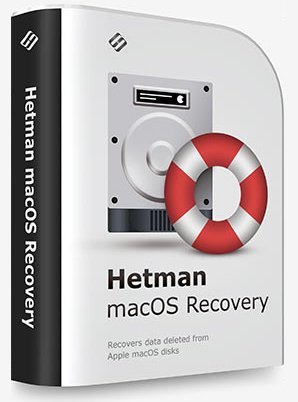
Hetman macOS Recovery 2.4
File size: 42 MB​

This program recovers deleted data from any storage devices formatted in Apple macOS. It supports all versions of APFS and HFS+ file systems, and restores files deleted with the command ⌘Cmd + Delete, as well as files lost after cleaning the Trash Bin or removed without using the Bin, by merely pressing ⌥Option (Alt) + ⌘Cmd + Delete.

Accidental erasing or formatting a disk, USB pen drive or memory card doesn't destroy the information permanently. Algorithms integrated into MACOS Recovery™ provide access to data lost after repartitioning the disk or reinstalling macOS. All you need is to connect the disk to a Windows computer, and the program will be able to access all files on the disk, both deleted and still existing. You can also install this program to a Boot Camp partition or Parallels virtual machine.
Quick start
The program will analyze any devices with APFS and HFS+ file systems used by macOS Catalina, Mojave, Sierra, Capitan, Yosemite, Mavericks, Lion, Leopard, Tiger, Panther, etc.
This utility comes in handy after
Are you looking for a data recovery tool for Mac computers or laptops? Have you accidentally removed files, formatted an external hard disk, a memory card or a USB pen drive?
Facing a power failure or a MacOS error
Any power interruptions on a MacBook, iMac or Mac Pro while the computer is working with the disk may cause loss of files, various file system errors or boot issues. Our program can read the file system and recover data even if MacOS can't boot at all.
Encountering a failed MacOS or APFS update
Looping installation (which prevents the operating system from booting), changing from HFS to APFS, installing updates to upgrade your operating system to High Sierra or Mojave - any of these actions may result in losing access to user data such as documents, photos, archives etc. Before any update, remember to back up your data just in case, and even if there is no backup file to rely on, you can still use MACOS Recovery™.
Whats New
Updates: official site does not provide any info about changes in this version.

Homepage:
Код:
https://hetmanrecovery.com/

Download link

rapidgator.net:
Код:
https://rapidgator.net/file/2835535ca19c3c7c6d19d0715dca9a7b/rtuhd.Hetman.macOS.Recovery.2.4.rar.html

uploadgig.com:
Код:
https://uploadgig.com/file/download/d75Ac56155e7205c/rtuhd.Hetman.macOS.Recovery.2.4.rar

nitroflare.com:
Код:
https://nitroflare.com/view/854911F25BF62F1/rtuhd.Hetman.macOS.Recovery.2.4.rar

1dl.net:
Код:
https://1dl.net/t42cj7p75205/rtuhd.Hetman.macOS.Recovery.2.4.rar
 
Hetman NTFS / FAT Recovery 4.7


56f4f4ca3b20a18b4f2fd4a1378cfccd.jpeg


Hetman NTFS / FAT Recovery 4.7
File size: 83 MB​

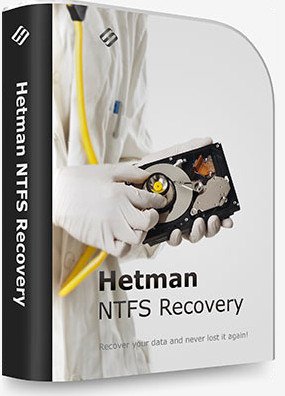
NTFS / FAT Disk Recovery SoftwareLooking for a tool to recover an NTFS or FATvolume? Formatted the disk or deleted partitions? Boot disk or SSD drive no longer recognized by the system? Hetman NTFS Recovery will recover data even if the disk was repartitioned and formatted afterwards!

Hetman NTFS Recovery restores information that goes missing after a storage accident. Formatted and repartitioned hard drives, deleted partitions, inaccessible disks or simply a bunch of deleted files and folders - Hetman NTFS Recovery can recover everything as long as the problem concerns an NTFS volume.
Key Features
Recoverable Files
Hetman NTFS Recovery can successfully recover files of any type. However, for certain types of files it can go one step further in case of serious problems. The tool can identify files such as documents (DOC, DOCX, RTF, PDF,...), spreadsheets (XLS, XLSX,...), presentations (PPT, PPTX,...), compressed archives (ZIP, RAR,...), digital pictures (JPEG, GIF, PNG, TIFF, PSD,...), video and audio files (AVI, DAT, MKV, MPG, VOB, MP3, ...) and many other popular formats by scanning the entire disk surface for characteristic file signatures. Once a recognizable signature is encountered, Hetman NTFS Recovery will be able to determine the file's exact physical location on the disk and recover the file.
Supported Storage Devices
- Hetman NTFS Recovery can recover information from hard drives of all types and makes, as long as they are (or were) formatted with the NTFS file system.
- The tool supports USB pen drives, all types of memory types and most external storage devices connected via a USB cable, recovering NTFS volumes only.
- Information from SSD drives can be recoverable if the disk is corrupted or inaccessible, or in a case the TRIM functionality was not enabled. Otherwise, the combined actions of TRIM and garbage collection may render deleted information permanently inaccessible.
Ease of Use
Recovering data with Hetman NTFS Recovery is easy as 1-2-3. Literally, it takes just three easy steps in the File Recovery Wizard to scan the disk and locate all the recoverable data. The recovery process is completely safe, as all operations are performed strictly in read-only mode. The files to be recovered will be saved onto a separate disk or external media in order to prevent possible damage to the rest of the files. The user interface is similar to Windows Explorer, providing familiar browsing experience for deleted files and folders. Deleted files are displayed along with existing ones, distinguished by a distinctive icon.
Data Recovery Engine
Hetman NTFS Recovery makes use of a highly sophisticated and well-refined data recovery engine also available in Hetman's top of the line tool, Hetman Partition Recovery. The recovery engine can either scan just the file system in a matter of seconds, or perform a thorough, comprehensive analysis of the entire disk surface. Its content-aware analysis can reliably identify and recover files located on damaged, formatted and inaccessible media. Combining information gathered from the file system and obtained with content-aware comprehensive analysis, Hetman NTFS Recovery can successfully recover a great deal of data while re-creating the original folder structure. Effectively, using Hetman NTFS Recovery results in about the same number of recovered files as weeks' worth efforts of a well-equipped forensic lab.
Pre-Recovery Preview
Previewing the content of a deleted file is extremely simple. Just click on a file, and Hetman NTFS Recovery will immediately display its preview. The built-in viewer is completely stand-alone, and does not use any third-party or external applications. Preview is available for more than two hundred formats such as office documents, spreadsheets, images, movies, music, backups and archives. If the correct preview is displayed, then the file can be successfully recovered for sure.
Supported File Systems and System Requirements
Hetman NTFS Recovery supports all versions of the NTFS file system (abbr. New Technology File System, including NTFS 3, 4, and 5) including alternative data streams (ADS), compressed and encrypted files. The tool can be used in Windows XP / 2003 and 2008 Server / Vista / Windows 7 / Windows 8 and Windows 10. Hetman NTFS Recovery readily supports both 32-bit and 64-bit editions of Windows. Please note that you must have Administrator's privileges on your computer in order to install and use Hetman NTFS Recovery.
Whats New
Updates: official site does not provide any info about changes in this version.

Homepage:
Код:
https://hetmanrecovery.com/

Download link

rapidgator.net:
Код:
https://rapidgator.net/file/ea420737cc22813e146ecd8306b470be/ntpfj.Hetman.NTFS..FAT.Recovery.4.7.rar.html

uploadgig.com:
Код:
https://uploadgig.com/file/download/83a7eDe89155aB26/ntpfj.Hetman.NTFS..FAT.Recovery.4.7.rar

nitroflare.com:
Код:
https://nitroflare.com/view/07975D552E32AC2/ntpfj.Hetman.NTFS..FAT.Recovery.4.7.rar

1dl.net:
Код:
https://1dl.net/wg0aupbuclv7/ntpfj.Hetman.NTFS..FAT.Recovery.4.7.rar
 
Hetman Office Recovery 4.5


763e8fcc36b4546fb74e4de9fdc44498.jpeg


Hetman Office Recovery 4.5
File size: 17 MB​

Hetman Office Recovery is designed to help when your office documents go missing. Implementing a range of highly sophisticated low-level disk analysis algorithms, Hetman Office Recovery can retrieve the missing documents even if the disk is corrupted, inaccessible, or does not appear as a drive letter. A special extra-safe recovery more is available for heavily worn and physically unstable devices.

Using Hetman Office Recovery is just as easy as installing it. A step by step wizard guides you through the entire recovery process, helping you choose the right options to achieve maximum recovery rates. From simple undelete to heavy duty recovery, Hetman Office Recovery solves all your data recovery needs when it comes to office documents.
Heavy Duty Recovery Engine
Hetman Office Recovery features a true heavy-duty data recovery engine. The very same engine is used in Hetman's top of the line partition recovery tool used by system administrators, service centers and data recovery specialists. Thanks to this powerful engine, Hetman Office Recovery can easily recover documents other tools won't.
Recovers Documents and Spreadsheets
Hetman Office Recovery is designed to recover documents saved by Microsoft Office 97, 2000, XP, 2003, 2007, 2010, and 2013, as well as OpenOffice. The following types of files are supported
DOC - Microsoft Word 97-2003 Document (*.doc);
DOCX - Microsoft Word Document (*.docx);
DOT - Document Template (*.dot);
XLS - Microsoft Excel 97-2003 Spreadsheet (*.xls);
XLSX - Microsoft Excel Spreadsheet (*.xlsx);
In addition to Microsoft Word and Excel documents, Hetman Office Recovery natively supports the OpenDocumet Format. This document format is employed by Open Office, Libre and Star Office applications. The following file types are supported
ODT - OpenDocument Text Document (*.odt);
ODS - OpenDocument Spreadsheet (*.ods);
Finally, Hetman Office Recovery supports the following file formats
PDF - Adobe Portable Document Format (*.pdf);
PDB - Document File (*.pdb);
RTF - Rich Text Format File (*.rtf);
WPD - WordPerfect Document (*.wpd);
WRI - Windows Write Document (*.wri);
Whats New
Updates: official site does not provide any info about changes in this version.

Homepage:
Код:
https://hetmanrecovery.com/

Download link

rapidgator.net:
Код:
https://rapidgator.net/file/37283d14060a36da43f2d860a684c98c/wgxdn.Hetman.Office.Recovery.4.5.rar.html

uploadgig.com:
Код:
https://uploadgig.com/file/download/55339ffBBd00d522/wgxdn.Hetman.Office.Recovery.4.5.rar

nitroflare.com:
Код:
https://nitroflare.com/view/A1AAC0BA5DFA2C9/wgxdn.Hetman.Office.Recovery.4.5.rar

1dl.net:
Код:
https://1dl.net/ykjp9sebbhge/wgxdn.Hetman.Office.Recovery.4.5.rar
 
Hetman Partition Recovery 4.7


a8093ac34d67c4e9647354ec173f5ad9.jpeg


Hetman Partition Recovery 4.7
File size: 43 MB​

Hetman Partition Recovery is designed to reliably recover information and fix all types of issues with healthy, damaged, corrupted, formatted and inaccessible hard drives. This hard drive data recovery software offers a complete, all-in-one solution to take care of typical problems you're your computer's storage. The This hard drive data recovery software will help you recover lost and deleted files, recover missing documents, photos, audio and video files.

In addition, Hetman Partition Recovery comes with a comprehensive set of tools to fix corrupted volumes, recover deleted partitions, unformat formatted disks, and repair all types of damage to your disk system structures.
Hetman Partition Recovery can recover partition tables and MBR records, FAT and NTFS file systems complete with alternative data streams, recovering the entire hard drive complete with all volumes, files and original folder structure. All 32-bit and 64-bit versions of Windows are supported including the latest Windows.
Key features
- Recover all types of deleted files including documents, compressed archives, photos, music and videos;
- Recover files and folders from formatted, repartitioned, corrupted and inaccessible disks;
- Unformat formatted partitions and restore original volumes from repartitioned hard drives;
- Fix corrupted file systems, partition tables, master boot records (MBR) and other system information;
- Recover files and folders from built-in and external hard disks, USB flash drives, and all types of memory cards.
Whats New
Updates: official site does not provide any info about changes in this version.

Homepage:
Код:
https://hetmanrecovery.com/

Download link

rapidgator.net:
Код:
https://rapidgator.net/file/a50a5eb48f7e2db1eda5cb62989ca510/rjreu.Hetman.Partition.Recovery.4.7.rar.html

uploadgig.com:
Код:
https://uploadgig.com/file/download/09B14b102f1C53c7/rjreu.Hetman.Partition.Recovery.4.7.rar

nitroflare.com:
Код:
https://nitroflare.com/view/9C7A2E1E55E19AD/rjreu.Hetman.Partition.Recovery.4.7.rar

1dl.net:
Код:
https://1dl.net/dj93kf1hwe1k/rjreu.Hetman.Partition.Recovery.4.7.rar
 
Hetman Photo Recovery 6.5


6d25511a6dd2fb34996d9bf167dd59b3.jpeg


Hetman Photo Recovery 6.5
File size: 16 MB​

Looking for a tool to recover deleted photos? Corrupted memory card made last shooting session inaccessible? Formatted a memory card full of pictures and want to get them back, or simply deleted a photo album from your hard drive? Look no further! Hetman Photo Recovery will restore pictures no matter what!

Hetman Photo Recovery recovers digital pictures from all types of storage media. Undelete photos from hard disks, recover from USB drives, or restore from formatted, corrupted or inaccessible memory cards - Hetman Photo Recovery can do all this, and more. The tool can even recover pictures directly from the smartphones, tablets and many digital camera models. Simply connect your device to the computer via a USB cord and run Hetman Photo Recovery.
Using Hetman Photo Recovery is easy as 1-2-3. You'll run a step-by-step wizard guiding you through the entire recovery process from choosing the device that has your files to selecting pictures to recover and finally saving them onto another disk.
Whats New
Updates: official site does not provide any info about changes in this version.

Homepage:
Код:
https://hetmanrecovery.com/

Download link

rapidgator.net:
Код:
https://rapidgator.net/file/368d2d3eea6aaaf335054007f84baade/rymwn.Hetman.Photo.Recovery.6.5.rar.html

uploadgig.com:
Код:
https://uploadgig.com/file/download/633Fd924a37f8058/rymwn.Hetman.Photo.Recovery.6.5.rar

nitroflare.com:
Код:
https://nitroflare.com/view/AB9D79344A26276/rymwn.Hetman.Photo.Recovery.6.5.rar

1dl.net:
Код:
https://1dl.net/wfza6mro2vfr/rymwn.Hetman.Photo.Recovery.6.5.rar
 
Hetman RAID Recovery 2.4


0ea38ffc51e94a292dc24230aeedc3d2.jpeg


Hetman RAID Recovery 2.4
File size: 43 MB​

This program recovers data from non-operational RAID systems or from disks within such systems. It reads all the information about the controller, the motherboard or the software used to create a disk array. Our product can rebuild the crashed RAID and it lets you copy all critical information from there.

The integrated constructor wizard helps you recover a failing RAID in a step-by-step mode. You can use one of the presets or chose the required data in the damaged array, and RAID Recovery™ will collect the disks together to provide you with access to the data.
Why RAID gets damaged
Recover software or hardware RAID of any type: JBOD, RAID 0, RAID 1, RAID 10, RAID 5, RAID 50, RAID 6, RAID 60, etc.
Hard disk failure
Both hard disk types, HDD and SSD, have a limited operational life. Certainly, server-type NAS or SCSI disks can last longer than their SATA counterparts intended for home use only, but there is no such thing as a hard disk that works endlessly. For most RAID arrays, the day when one or two disks fail means loss of all information, from all disks within this array. Reliability of the entire array decreases with every disk which is added to it.
Accidental array rebuilding
Mistakes when replacing one of the disks within the storage system, accidental "rebuilding" of the array instead of "restoring" it, disconnecting and reconnecting the disks in a wrong order, incorrect RAID initialization or rebuild - any of these things will certainly result in the loss of information. After such errors, RAID can't restore itself automatically.
A controller bug or failure
A controller is the element containing information of critical importance which is vital for building a disk array and gaining access to all of the files stored on the disks. A controller failure may both result in losing service data and cause several disks to fail. The most expensive controllers use an additional battery and non-volatile memory. Such elements improve the whole system's reliability and are supposed to help save data even if a power interruption occurs.
A motherboard failure
Creating a RAID based on specific motherboard features is a cheaper (though less reliable) solution in comparison with buying an expensive controller. Motherboard failures, botched BIOS updates, low CMOS battery, power surges, disconnecting or reconnecting disks - all these things may cause your RAID to crash. As the entire system is very sensitive to all kinds of power issues, problems with your power supply unit may cause crashes as well.
A system crash
Software RAID systems based on the functionality offered by an operating system - Windows, macOS, Linux, FreeBSD, Ubuntu - depend largely on the health of that operating system. Upgrading your hardware, or updating other software may cause errors that prevent the computer from booting and make the data inside such array inaccessible.
Unlike hardware RAID systems, the software-based arrays are made of logical partitions rather than physical disks. Operations that involve formatting or removing partitions can easily destroy such array.
Whats New
Updates: official site does not provide any info about changes in this version.

Homepage:
Код:
https://hetmanrecovery.com/

Download link

rapidgator.net:
Код:
https://rapidgator.net/file/0ec20bb60e3d9698bb381d9a7225b549/hpmph.Hetman.RAID.Recovery.2.4.rar.html

uploadgig.com:
Код:
https://uploadgig.com/file/download/0Efd46a44D01c5Ff/hpmph.Hetman.RAID.Recovery.2.4.rar

nitroflare.com:
Код:
https://nitroflare.com/view/277D050D2441BB3/hpmph.Hetman.RAID.Recovery.2.4.rar

1dl.net:
Код:
https://1dl.net/rn1mz5revzjk/hpmph.Hetman.RAID.Recovery.2.4.rar
 
Hetman Uneraser 6.7


1587a3aab3a0c937fa0307624a487023.jpeg


Hetman Uneraser 6.7
File size: 43 MB​

Software for Recovering Deleted Files and Folders. Looking for a tool to quickly recover deleted files? Need to undelete erased documents or recover a bunch of deleted folders? Deleted a bunch of files with Shift + Delete or cleared up the Recycle Bin? Hetman Uneraser will help you get everything back in a matter of minutes!

Hetman Uneraser quickly recovers deleted files and folders from just about any kind of storage media. Hard drives, memory cards, external storage, USB drives - you name it! The tool will reliably recover accidentally deleted files even if you used the "permanent delete" function with Shift + Delete, and restore data cleared from the Recycle Bin.
We made Hetman Uneraser as comfortable to use as at all possible. The interface is designed in the familiar "My Computer" fashion, allowing you to browse through deleted data just as you would browse files and folders in Windows Explorer. Recovering deleted files and folders is just as easy: simply pick a file to undelete and click the "Recover" button. It's just that easy.
Key Features in Hetman Uneraser
Quick Start
Start using Hetman Uneraser immediately after watching the video. This narrated tutorial will help you learn using the tool and make you familiar with all the features in a few short minutes. And bear in mind that all files that you can successfully preview in the demo version can be fully recovered after you purchase the unlock key!
Undeleting Files: The Easy Way
Hetman Uneraser safely recovers files and folders deleted from all popular types of storage media. Supporting both FAT and NTFS file systems, the tool supports desktop and laptop hard drives, solid-state media, external storage devices as well as certain models of digital point-and-shoots and audio/video players.
Recoverable File Formats
Hetman Uneraser can successfully recover files of all formats with no exceptions. However, for certain data it can go one extra step, offering an even better chance of recovering essential information such as Office documents, PDF files, pictures and videos including RAW files and Photoshop designs, email messages, archives and backups, and many other types of data you would rather not lose. For these formats, Hetman Uneraser can do a context-aware analysis of the entire disk surface, looking for deleted files by their unique signatures. Such files can be recovered even if there is no record about them left in the file system.
Easy to Learn and to Use
We made Hetman Uneraser safe and easy to use. The fully guided, step-by-step wizard will help you through the entire recovery process. In fact, you can start using the tool by simply selecting the disk with deleted files on it and clicking the "Next" button. The tool will then perform the analysis blazing fast, presenting you with a view of the missing data - exactly the way you would see it in Windows Explorer if only those files were not deleted.
Pre-Recovery Preview
The preview is an essential feature of all Hetman recovery tools. Pre-recovery preview allows peeking inside deleted files before you decide whether it's worth recovering. The preview supports hundreds of file formats including all popular document and image formats, a bunch of video formats, compressed archives, backups, emails, text and HTML data. You can even preview information about executable files or use the built-in HEX editor for low-level access. Finally, for every recoverable file you can see its exact physical location on the disk.
System Requirements and Compatibility
Hetman Uneraser works with all versions and revisions of FAT and NTFS, including VFAT, FAT 12 / 16 / 32 as well as NTFS 3, 4, 5. It can correctly recover information from compressed and encrypted volumes as well as all crypto containers (as long as you know the original password). Hetman Uneraser is compatible with all 32-bit and 64-bit versions of Windows including Windows XP, 2003 and 2008 Server, Vista, Windows 7, Windows 8 and Windows 10. The tool requires you to have Administrative privileges on the system you're about to recover.
Whats New
Updates: official site does not provide any info about changes in this version.

Homepage:
Код:
https://hetmanrecovery.com/

Download link

rapidgator.net:
Код:
https://rapidgator.net/file/9082434de2273571fd0447e2a72c2878/hjuej.Hetman.Uneraser.6.7.rar.html

uploadgig.com:
Код:
https://uploadgig.com/file/download/766A6a8ACEaceac7/hjuej.Hetman.Uneraser.6.7.rar

nitroflare.com:
Код:
https://nitroflare.com/view/B6CF78C2B5F1A5F/hjuej.Hetman.Uneraser.6.7.rar

1dl.net:
Код:
https://1dl.net/uplj9x9xeg6g/hjuej.Hetman.Uneraser.6.7.rar
 
Hetman Word Recovery 4.5


e030e163da3b22efdc774c9c65023e22.jpeg


Hetman Word Recovery 4.5
File size: 18 MB​

Hetman Word Recovery recovers lost and deleted documents in Microsoft Word and Open Office formats, Adobe PDF files and many types of plain text files. Supporting all types of storage media, Hetman Word Recovery can extract documents from FAT and NTFS volumes.

Using Hetman Word Recovery could not be made easier. The convenient step by step wizard guides you through the recovery process one little step after another. The built-in viewer and automated pre- recovery check deliver a 100% success guarantee. If a document appears in the list of recoverable files, itll be recovered with no ifs and buts.
Whats New
Updates: official site does not provide any info about changes in this version.

Homepage:
Код:
https://hetmanrecovery.com/

Download link

rapidgator.net:
Код:
https://rapidgator.net/file/a2d45894c22d3457bdd9d4e56cf5c4cc/eytlp.Hetman.Word.Recovery.4.5.rar.html

uploadgig.com:
Код:
https://uploadgig.com/file/download/8f158e441768c311/eytlp.Hetman.Word.Recovery.4.5.rar

nitroflare.com:
Код:
https://nitroflare.com/view/E0D3C7ED4AF9C17/eytlp.Hetman.Word.Recovery.4.5.rar

1dl.net:
Код:
https://1dl.net/rg55mnelga7j/eytlp.Hetman.Word.Recovery.4.5.rar
 
iTunes 12.12.8.2


c5a36ad6b199a4309d6dfda5d02eb984.jpeg


iTunes 12.12.8.2
File Size: 171.6/201.2 MB​

Apple iTunes is a media player, media library and mobile device management program to play, download, and organize digital audio and video. iTunes is the easiest way to organize and enjoy the music, movies, TV shows, apps, and books you already have. Moreover you can shop for the ones you want to get. You can even listen to free streaming radio stations with iTunes Radio. iTunes Store component is also available on the iPod Touch, iPhone, and iPad. You'll find more than 37 million high-quality songs. Thousands of movies to buy or rent. Your favorite TV shows. Also hundreds of thousands of apps, games, and podcasts.

Complete My Album makes it possible to buy a few songs to try an album out. Then get the rest for the original album price minus what you've already spent.
Buy on any device and your songs are instantly accessible in your iTunes library on your Mac or PC. Or use iTunes Radio to create and play streaming radio stations based on your favorite songs, artists, or genres.
iCloud makes this app even better. Because your music, movies, TV shows, apps, books, and more live not just on your computer, but on all your other devices, too. Even music you haven't purchased from iTunes can be stored in and played from iCloud.
With iTunes Match, all your music can be stored in iCloud. Even songs you've imported from CDs. You can access your music from all your devices and listen to your entire library wherever you are. Subscribe to iTunes Match on your Mac, PC, or iOS device and listen to music ad-free on iTunes Radio for just $24.99 per year.
It's easy to keep your iPod touch, iPod classic, iPod nano, and iPod shuffle ready to rock. Open the app, click Settings for your iPod, and choose a category like music or movies to see a list of what's already there. To add something, click Add To, and your entire iTunes library appears next to the list of what's on your iPod. Drag and drop. And you're done.
Apple TV lets you choose from thousands of current and classic movies and TV shows - many in stunning 1080p HD - on your widescreen TV. You can also play your music collection, view your photos, listen to podcasts, stream iTunes Radio, and purchase songs right from the big screen.
iTunes Radio has streaming radio stations you'll love from day one, from the best selection of songs online. It lets you easily create stations that evolve based on the music you play or download. And you can hear them all on your iPhone, iPad, iPod touch, Mac, PC, and Apple TV. For free.
Give as gift the apps, games, music, and more.
Send friends and family an iTunes Gift Card or iTunes Gift from your iOS device or computer. You can buy gift cards in a range of denominations, and recipients can choose whatever they want from the iTunes Store, 2 App Store, iBooks Store, and Mac App Store.
Whats New
official site does not provide any info about changes in this version.

Homepage:
Код:
https://www.apple.com/itunes

Download link

rapidgator.net:
Код:
https://rapidgator.net/file/b46bb92b93bab209430293d338172dad/xajjz.iTunes64Setup.rar.html
https://rapidgator.net/file/0fa97902f384b9f68583f2443fa08e41/xajjz.iTunesSetup.rar.html

uploadgig.com:
Код:
https://uploadgig.com/file/download/7d071ce42F2ef55F/xajjz.iTunes64Setup.rar
https://uploadgig.com/file/download/45c1970A6b266477/xajjz.iTunesSetup.rar

nitroflare.com:
Код:
https://nitroflare.com/view/CA60E481D7A3D2A/xajjz.iTunes64Setup.rar
https://nitroflare.com/view/EE02106BBE42A50/xajjz.iTunesSetup.rar

1dl.net:
Код:
https://1dl.net/8fo659lg89e9/xajjz.iTunes64Setup.rar
https://1dl.net/cn8j7zukx9gx/xajjz.iTunesSetup.rar
 
Jangafx EmberGen Enterprise 1.0.1


bf8461803c1e4f1415e58e15a49989b3.jpeg


Jangafx EmberGen Enterprise 1.0.1
File size: 71 MB​

We're proud to say that EmberGen is currently used in over 200 leading game studios. Our games specific workflow has been battle-tested in production for years. From fire and explosions, to energy and magical effects, realistic or stylized, EmberGen can do it. Not only does EmberGen allow for real-time iteration, but its ease of use and built-in texture export features are unparalleled.

Whats New
Updates: official site does not provide any info about changes in this version.

Homepage:
Код:
https://jangafx.com/software/embergen/

Download link

rapidgator.net:
Код:
https://rapidgator.net/file/7bed40b8c04f5e5b72df1d98996b0c4b/iaudt.Jangafx.EmberGen.Enterprise.1.0.1.rar.html

uploadgig.com:
Код:
https://uploadgig.com/file/download/4a125a3bd82baBd0/iaudt.Jangafx.EmberGen.Enterprise.1.0.1.rar

nitroflare.com:
Код:
https://nitroflare.com/view/9899F806C5F1E4B/iaudt.Jangafx.EmberGen.Enterprise.1.0.1.rar

1dl.net:
Код:
https://1dl.net/qsbkyybngidd/iaudt.Jangafx.EmberGen.Enterprise.1.0.1.rar
 
JangaFX VectorayGen Enterprise 1.04.1


a54da6d84467041e749f68777e826e57.jpeg


JangaFX VectorayGen Enterprise 1.04.1
File size: 3.0 MB​

If you're wanting to take your particle motion to the next level, and it just so happens that you're looking into vector fields as the solution, VectorayGen has you covered. With VectorayGen you can import objects to compute particle flows around them, create noise and turbulence with ease, and use a myriad of nodes to create both mathematical and artistic movement.

Whats New
- Add support for more license types
- No longer freeze and show a white screen when encountering an unknown license issue.

Homepage:
Код:
https://jangafx.com/software/vectoraygen/

Download link

rapidgator.net:
Код:
https://rapidgator.net/file/0146c1f910c5aabac326b04901207fb6/oemay.JangaFX.VectorayGen.Enterprise.1.04.1.rar.html

uploadgig.com:
Код:
https://uploadgig.com/file/download/810992E607A9c6ac/oemay.JangaFX.VectorayGen.Enterprise.1.04.1.rar

nitroflare.com:
Код:
https://nitroflare.com/view/F7B23B75E13E052/oemay.JangaFX.VectorayGen.Enterprise.1.04.1.rar

1dl.net:
Код:
https://1dl.net/y4b4j1b0tanx/oemay.JangaFX.VectorayGen.Enterprise.1.04.1.rar
 
Microsoft PC Manager 1.2.9.2 Beta


c111191a3eb297105864fbc0bed703c0.jpeg


Microsoft PC Manager 1.2.9.2 Beta
File Size : 3.8 Mb​

Microsoft PC Manager is a maintenance app that offers super fast virus removal, one-click speed boost and full system security check.

Microsoft PC Manager is designed to keep your PC running smooth through several maintenance and security features.
Cleanup
The Boost feature cleans your temporary files and improves your memory usage.
Health Check allows you to clear system logs and recent files and you can also disable unwanted startup apps to save resources.
Store Management has four options
Deep cleanup - Perform a full cleanup scan
Manage large files - Look for large files in your drive
Manage apps - Remove rarely used apps to save space
Storage Senes - Automatically clean up temporary files
Process Manangement - End unused processes to make your system run faster
Startup Apps - Manage apps the run automatically at log in
Security
Scan for threats
Manage Windows Updates
Browser Protection

OS:Windows 11 and Windows 10 64 bit

Whats New
Updates: official site does not provide any info about changes in this version

rapidgator.net:
Код:
https://rapidgator.net/file/80eef23fbd3ece9b6c43e51808649471/ayrit.Microsoft.PC.Manager.1.2.9.2.Beta.rar.html

uploadgig.com:
Код:
https://uploadgig.com/file/download/36bD50b0b9cad245/ayrit.Microsoft.PC.Manager.1.2.9.2.Beta.rar

nitroflare.com:
Код:
https://nitroflare.com/view/43CF59AFC4F8E65/ayrit.Microsoft.PC.Manager.1.2.9.2.Beta.rar

1dl.net:
Код:
https://1dl.net/ecvhlay9821s/ayrit.Microsoft.PC.Manager.1.2.9.2.Beta.rar
 
MiMU The Jellyfish v1.0.4.367


3273effa968c55a5d09a6912e0288deb.jpeg


MiMU The Jellyfish v1.0.4.367
MOCHA | 29 March 2023 | VST3 SAL | 224 MB​

The Jellyfish is a live-input granular synthesis engine. The Jellyfish allows musicians to live-record their voice or instruments and to re-purpose that audio using to create drones, soundscapes and pulses in real-time.

You can also drag-and-drop your favourite sounds on to The Jellyfish to use them as the basis for new audio experiments.
Key features
Granular synthesis engine: create new sounds from real audio.
Live record your voice or instrument and turn it into a soundscape.
Drag and drop your favourite sounds to use them as source audio.
MIDI-map to audio markers to create new instruments.
Save your patches to presets and use the built-in audio library.
Audio Unit, VST3 and standalone. MacOS 10.13+ (Apple M1 or intel) and Windows 10+.
Whats new in this version
Official site does not provide any info about changes in this version.
System Requirements
Audio Unit, VST3 and standalone. MacOS 10.13+ (Apple M1 or intel) and Windows 10+

Homepage:
Код:
https://mimugloves.com/plugins/the-jellyfish

Download link

rapidgator.net:
Код:
https://rapidgator.net/file/2db291f36051826ef03424119a386e7c/uadei.MiMU.The.Jellyfish.v1.0.4.367.rar.html

uploadgig.com:
Код:
https://uploadgig.com/file/download/fcB486bf939a93d6/uadei.MiMU.The.Jellyfish.v1.0.4.367.rar

nitroflare.com:
Код:
https://nitroflare.com/view/B38433EEA372DF9/uadei.MiMU.The.Jellyfish.v1.0.4.367.rar

1dl.net:
Код:
https://1dl.net/s6hmfkhue0kh/uadei.MiMU.The.Jellyfish.v1.0.4.367.rar
 
Native Instruments Kontakt 7.2.0


cb7a8e6d1ad8f43106d939c60fc67fbe.jpeg


Native Instruments Kontakt 7.2.0
File size: 585 MB​

With KONTAKT 7, you can sound like a snare drum, a symphony orchestra, or anything in between, from a universe of sampled instruments. It's a simple sampler when you want it to be, and a deep sonic scripting laboratory when you need something more. The next generation of the world's favorite sampling platform gives you new instruments and new features under the hood - so you can layer, link, stretch, and shape your sounds any way you can imagine.

THREE NEW INSTRUMENTS
KONTAKT 6 introduces the KONTAKT Play Series: Sonically rich sample libraries that combine powerful sound design with simple playability. Each offers eight intelligently mapped macro knobs giving you a wide-sweeping, intuitive range of control. They all showcase KONTAKT's new wavetable module, each offering two blendable sound sources and a unique take on a speciality style.
ANALOG DREAMS
Iconic 20th century hardware synthesizers captured with an intricate level of detail, and creatively processed with seminal outboard effects. This hybrid analog/digital instrument utilizes blendable sound sources to deliver a modern take on classic electro and synthwave, which have seen a resurgence in recent cinema.
ETHEREAL EARTH
Hybrid organic/electronic instrument that takes myriad acoustic instruments from around the world, and combines it with digital synthesis, organic foley layers, and effects processing. The result fuses traditional and digital, with basses, strings (bowed and plucked), wind instruments, tuned percussion, bells/metals, pads/drones, leads, and textural ambiences.
HYBRID KEYS
A contemporary, creative, and ultimately new take on keys and piano sounds. HYBRID KEYS moves away from conventional sampling processes and instead focuses on inventive techniques such as re-amping, creative mic positioning in interesting spaces, and vari-speed experiments with tape.
NEW FEATURES FOR BUILDERS
KONTAKT has long since grown beyond its origins as a software sampler, and now provides a solid foundation for building advanced sample-based instruments. We've been supporting this platform, and the people who use it, with continuous updates to KONTAKT 5, and KONTAKT 6 builds on this strategy with some big additions for you builders out there.
NEW EFFECTS
Replika Delay: Based on the dedicated Native Instruments plug-in REPLIKA XT, it offers multiple delay modes, each with a vastly different sound character.
Room Reverb: A new high-quality algorithmic room reverb that offers options for real time modulation.
Hall Reverb: Another high-quality algorithmic reverb, tuned for hall sounds.
Plate Reverb: Emulates a plate reverberator for for classic vintage metallic sounds.
Cry Wah: Wah-wah effect module, based on the most popular wah pedal of all time.
WAVETABLE MODULE
The latest version of KONTAKT adds wavetable synthesis to the ever expanding KONTAKT toolset. All three of the new Play Series instruments incorporate this new module, and we're looking forward to hearing what you create with this powerful new building block. With our 6.1 update, a new Inharmonic mode was added that stretches partials away from the harmonic series, for more bell-like tones.
CREATOR TOOLS
Creator Tools is a standalone application designed to improve the workflows of library builders and instrument creators. It consists of three elements: A Debugger, for identifying and fixing problems in KONTAKT script; an Instrument Editor, which can load and run Lua scripts to automap samples, duplicate and batch rename groups, and copy settings from one part of an instrument to another; and a GUI Designer, which allows creators to assemble, customize, and reuse KONTAKT performance views and controls without the need to write code.
Whats New
Compatibility.
FIXED Kontakt is now macOS Ventura compatible
IMPROVED Minor graphical internal improvements for Instrument building

Homepage:
Код:
https://www.native-instruments.com

Download link

rapidgator.net:
Код:
https://rapidgator.net/file/2fc634592b07633e6f40ed1b00244fa0/khjpg.Native.Instruments.Kontakt.7.2.0.rar.html

uploadgig.com:
Код:
https://uploadgig.com/file/download/cdF1092a7B65Bedb/khjpg.Native.Instruments.Kontakt.7.2.0.rar

nitroflare.com:
Код:
https://nitroflare.com/view/2029C69DA5E7549/khjpg.Native.Instruments.Kontakt.7.2.0.rar

1dl.net:
Код:
https://1dl.net/benllijzufx6/khjpg.Native.Instruments.Kontakt.7.2.0.rar
 
NEWT Professional 2.5.369


8c83532bfffdfe76a94bde95bb08d173.jpeg


NEWT Professional 2.5.369
File size: 9 MB​

NEWT Pro is a fast, multi-threaded network inventory application for Microsoft Windows, compatible with the latest operating systems, including Windows 10 and Windows 2016 Server. While many competing products still have issues with WMI errors or other security-related failures, NEWT uses hybrid network scanning methods and auto-dissolving clients to greatly reduce scan errors, so you get the PC inventory you need. We've recently been able to narrow the requirement down to only needing remote ADMIN$ share read/write access. All this in addition to detecting what others don't, such as CPU temperature, hard drive temperature, and the most comprehensive installed software inventory available.

And we don't stop there. We also gather other useful information not available in other network auditing software, and continue to look for new ways to make IT network management even easier.
Free for Small Networks with 25 PCs or less
Starting with version 1.0, we've allowed small 10 PC networks to use NEWT Professional for free. In 2008 we increased this amount to 25 PCs or devices. At the time, competing software would prevent it from working after 30 days, forcing an angry uninstall by the user, while some tried to match our previous free 10 device license. We're committed to helping users with smaller networks save money and build their companies. Our software never expires, just as it should be.
Windows Software Inventory
Accurately detecting installed Windows software is more difficult than it seems. Over the years, we've made sure that software audits match not only what's shown in Windows Programs and Features, formerly known as Add/Remove Programs, but we've also greatly improved accuracy in other areas. Competing software can have missing install dates, or incorrect dates altogether. NEWT Professional attempts to prevent this by looking at least 5 different areas to detect the install date, more than any other software we've tried. Because of this, we feel NEWT Professional is the solution for total network inventory.
NEWT® Professional Features
Fully multithreaded IP Discovery provides virtually unlimited number of IP ranges, reliable IP detection and identification of PC and non-PC devices such as network printers, routers through an internal database.
NEW multithreaded network inventory methods allow over 200 items to be retrieved accurately from 100 machines in less than 5 minutes from the first installation. Only read & write access to a Windows PC's ADMIN$ share is required. Subsequent scans are faster, and Scan Speed settings allow even faster inventory. The unique status display provides satisfying feedback of the scan progress.
Extreme low network bandwidth usage- less than 25 kilobytes/sec in each direction, allowing scanning of the slowest WANs.
Takes advantage of multiple CPUs and cores to spread out the work during scans.
Interface is 100% available during scans, increasing productivity.
Clients are updated automatically for new versions. There is no need to ever visit a remote machine.
Autonomous removal of clients - all Newt-related files are automatically removed after a specified number of days, even if the machine is removed from the network or moved to another network. Competitors who use clients may leave services and files installed on all PCs indefinitely.
NEW! More serial numbers and license keys - The latest version includes support for many Adobe Creative Suite (CS), Photoshop and AutoCAD license keys and serial numbers. Currently CS6 is unsupported.
More detailed information than pure agentless systems, such as hard drive temperature, true Internet IP, detailed RAM Slots info, default printer, network adapter connection speed, detailed antivirus info, USB version (1.1/2.0) and more.
Custom credentials feature provides a unique username and password for each machine.
NEW! Unlimited Default Credentials - Enter as many different usernames and passwords as you like and Newt will try them all on each machine until successful. When Newt finds one that allows access, it remembers by adding that credential to Custom Credentials for that particular machine.
Scan only the items you need using scan properties.
View all machines at once with a unique tabbed interface, eliminating the need to drill down through data.
Conveniently view a single machine with the Detail View.
Efficiently explore domains and workgroups, showing operating system and comments in real-time with a Fully integrated Network Browser
Count occurrences of any item with a powerful itemization tool.
Ability to include machines in the Active Directory.
Load Machine lists from simple text files or Add Machines Manually
Export data to a fully relational Microsoft Access (MDB), HTML, CSV (Comma Separated Value, importable into MS Excel) or plain fixed-spaced text files.
Time Elapsed and Estimated Time Remaining displayed during scans.
Tab Manager allows quick and easy manipulation and access to columnar data.
Perfect for network consultants who don't have time to set up solutions taking hours or days.
At less than a 5MB download, NEWT® Pro is extremely lightweight.
No reboot necessary after install.
Код:
https://www.komodolabs.com/network-inventory/history/

Homepage:
Код:
https://www.komodolabs.com/

Download link

rapidgator.net:
Код:
https://rapidgator.net/file/e63b6d847320ee51b2fee06e341d3044/cujok.NEWT.Professional.2.5.369.rar.html

uploadgig.com:
Код:
https://uploadgig.com/file/download/00834c3C22126A28/cujok.NEWT.Professional.2.5.369.rar

nitroflare.com:
Код:
https://nitroflare.com/view/BFDC1B1FA599029/cujok.NEWT.Professional.2.5.369.rar

1dl.net:
Код:
https://1dl.net/f03zllzlh0ss/cujok.NEWT.Professional.2.5.369.rar
 
Perfectly Clear Video 4.4.0.2467 (x64)


630a5811d0f3109bedc6cea73db02ba2.jpeg


Perfectly Clear Video 4.4.0.2467 (x64)
File size: 58.97 MB

Power Your Video with Perfectly Clear's AI Automatic Video Enhancement.​

Say goodbye to camera limitations and bad lighting.
Open the possibilities of using AI enhanced video in your business. This automatic AI video enhancement technology is revolutionizing the industry by using artificial intelligence to increase the quality of your video frame by frame.
Simple, real-time automatic video enhancement
If you're going to enhance video with AI, it needs to be done right. We took care of the complicated part so your business can benefit from a simple, easy solution.
Perfectly Clear Video will automatically
• Bring your video to life with light and color correction
• Remove tint
• Powerfully recover highlights
• Create better contour, depth, and color tone on faces
• Vividly enhance skies and foliage
• Provide an exceptional exposure correction on any backlit videos
Implement AI video enhancement anywhere
No matter what industry you're in, businesses have one thing in common when it comes to video: it can be a challenge. The quality of video has always been reliant on lighting, until now.
Perfectly Clear Video is an automatic AI video enhancement solution that can be implemented wherever you need it. This groundbreaking technology can be used in real time or on pre recorded videos. Whether you're looking to put video quality enhancement in your app or directly into a phone, you can with this AI video enhancer. We created Perfectly Clear Video so you can use video anywhere, any way.
What makes our AI video enhancement unique?
The AI video enhancer system uses deep learning video enhancement to reproduce the corrections that professional manual editors made. The AI technology imitates light to locally light up specific areas of the shot and adds other corrections such as color vibrancy and tint correction. These corrections are then applied to the video, resulting in an AI-enhanced video that mimics professional work.
Bye tedious editing, hello automatic!
This technology was built for your business to license to your customers. Consumers no longer have to worry about how to color grade or adjust- they just use the slider bar or an automatic button. Our AI video enhancer is simple- we make video look its best, automatically.
Release Notes
• Release notes were unavailable when this listing was updated.

Supported Operation System
• Windows 8, 10 and 11 (64-bit only)

Homepage:
Код:
http://eyeq.photos/business/automatic-ai-video-enhancement

Download link

rapidgator.net:
Код:
https://rapidgator.net/file/e8edd4d25b01ed05c11b0f6b3adfa9bf/mlxhz.Perfectly.Clear.Video.4.4.0.2467.x64.rar.html

uploadgig.com:
Код:
https://uploadgig.com/file/download/58C4E17028cf52D4/mlxhz.Perfectly.Clear.Video.4.4.0.2467.x64.rar

nitroflare.com:
Код:
https://nitroflare.com/view/41050E689D240D8/mlxhz.Perfectly.Clear.Video.4.4.0.2467.x64.rar

1dl.net:
Код:
https://1dl.net/u4m33y0602hi/mlxhz.Perfectly.Clear.Video.4.4.0.2467.x64.rar
 
O&O DeskInfo 1.2.1346.272


f38f874160fbf3fe8d12d8a6fc29e6b5.jpeg


O&O DeskInfo 1.2.1346.272
File Size: 1.6 MB

O&O DeskInfo - all important system information directly on the desktop.​

CPU, RAM, drives, network...
With O&O DeskInfo you always have all the relevant system information at a glance, right on your desktop! You can also customize the ad yourself to just see exactly what you are interested in! Whether CPU or memory usage or network information - everything is presented in a compact and understandable way.

Simply pass on all information
Do you need this information for a support request? No problem! Simply save all data to the clipboard via the context menu in the info area and easily send it by email or via a web form!

Not the right color? Not in the right place?
You'd like O&O DeskInfo to be somewhere else on the desktop? Or is the font too small or in the wrong color? No problem! Simply select from the context menu. Even choose the right monitor - if you have more than one!

Download, start, done
Are you looking for the installation file? No need, there isn't one! O&O DeskInfo is completely portable. Simply download, start, done. And if you want, O&O DeskInfo will start automatically the next time you want it!

rapidgator.net:
Код:
https://rapidgator.net/file/32b40fe740ccd65eb744b2e338d6762c/iaqde.OO.DeskInfo.1.2.1346.272.rar.html

uploadgig.com:
Код:
https://uploadgig.com/file/download/Ab1C414632e27B9c/iaqde.OO.DeskInfo.1.2.1346.272.rar

nitroflare.com:
Код:
https://nitroflare.com/view/EC42B9D37929EF4/iaqde.OO.DeskInfo.1.2.1346.272.rar

1dl.net:
Код:
https://1dl.net/zykzivx6de6n/iaqde.OO.DeskInfo.1.2.1346.272.rar
 
O&O DiskImage Professional / Server 18.3.281


801b7a7b9ef1fce0198e926edac8498a.jpeg


O&O DiskImage Professional / Server 18.3.281
File size: 203 MB​

O&O DiskImage lets you back up an entire computer or single files whenever you want - even while the computer is being used. In the event you should lose your personal data it can be quickly restored with just a few mouse clicks - even when Windows is no longer able to start. It also supports SSD drives and the latest UEFI System.

O&O DiskImage lets you carry out a system restore and to duplicate or clone an entire PC or hard drive. You can even restore this backup onto a computer whose hardware is different from the original machine, for instance, where you have changed a motherboard on the target machine or have bought a brand new PC and want to restore an old backup onto it.
A regular backup is still something that many users prefer to avoid. At least that is until they suffer their first loss of important files as a result of software, hardware or user error: that's when it becomes crystal clear just how valuable a reliable and up-to-date backup really is!
New in O&O DiskImage 18: Comprehensive VHD / VHDX functionality
With the new version 18 it's possible to convert image files made with O&O DiskImage into Microsoft Virtual Hard Disc (VHDX as well as VHD) image files. This can be especially useful if someone wants to first "rehearse" migrating from Windows 10 to Windows 11 because it can be done using a virtual machine created on the current system.
The new O&O DiskImage 18 can also create incremental and differential images of virtual drives. Combining or mounting these images is also possible. Whenever there's a backup available, it only takes a few seconds to access any files that are needed. Work on the computer can then be continued without any loss of time or important data.
O&O DiskImage 18 with its own recovery partition
Normally with a backup or imaging program you need to create a boot medium (USB) to boot up your system if something goes awry. This you have to either carry around or store somewhere safe in case disaster strikes.
Thanks to the integration into the system, the O&O DiskImage RecoveryPartition can be accessed immediately so that the last system image can be restored directly. If the Windows operating system does not start or if faulty drivers have to be uninstalled - with the integrated recovery environment, all O&O tools are available to make the system operational again as easily as possible. Not only is this much more comfortable and quicker for the user, it also provides them with an extra level of security as this medium cannot get lost or damaged as easily as a "portable", external one.
O&O DiskImage To Go
Previously, in addition to regularly backing up your machine, you also had to separately create an O&O DiskImage boot media to restore that backup. Everything is easier now! The new O&O DiskImage To Go function automatically turns an external hard drive (or USB flash drive with enough storage space) into an O&O DiskImage boot medium and marks this disk as the preferred storage medium for future system backups. As soon as you then connect this external USB hard disk to your computer, O&O DiskImage 18 automatically creates a backup. This makes it easy to create a recent backup. And if something really happens to your computer or you want to transfer your system and all your data to a new computer, then with the O&O DiskImage boot medium you can restore the backup stored on it with just one touch of a button. Without the hassle of searching for the boot medium and the external hard drive with the backup.
It has never been so easy to ensure the security of your data!
Код:
https://www.oo-software.com/en/diskimage-backup-your-data

Homepage:
Код:
https://www.oo-software.com

Download link

rapidgator.net:
Код:
https://rapidgator.net/file/f5ba2044cb2406dd45008520767d164b/frnyt.OO.DiskImage.Professional..Server.18.3.281.rar.html

uploadgig.com:
Код:
https://uploadgig.com/file/download/718dD52724BB108c/frnyt.OO.DiskImage.Professional..Server.18.3.281.rar

nitroflare.com:
Код:
https://nitroflare.com/view/FE07201155DBAB8/frnyt.OO.DiskImage.Professional..Server.18.3.281.rar

1dl.net:
Код:
https://1dl.net/bbvk8igc2eg5/frnyt.OO.DiskImage.Professional..Server.18.3.281.rar
 
Paint.NET 5.0.3 Multilingual (x64)


020874256e5366df045d942d9c4ab3c7.jpeg


Paint.NET 5.0.3 Multilingual (x64)
File Size : 61 Mb​

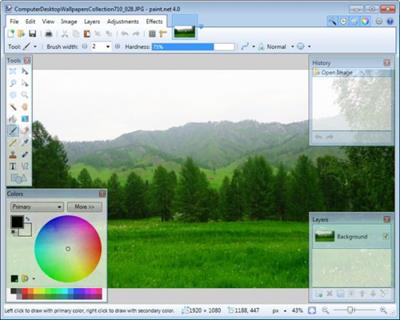
Paint.NET is free image editing and photo manipulation software designed to be used on computers that run Windows. It supports layers, unlimited undo, special effects, and a wide variety of useful and powerful tools. It started development as an undergraduate college senior design project mentored by Microsoft, and is currently being maintained by some of the alumni that originally worked on it. Originally intended as a free replacement for the MS Paint software that comes withWindows, it has grown into a powerful yet simple tool for photo and image editing. The programming language used to create Paint.NET is C#, with a small amount of C++ for installation and shell-integration related functionality.

Paint.NET can be used to enhance and clean up your photographs. Using the Clone Stamp tool, the power lines that criss-crossed in front of the Space Needle were carefully removed. Other operations were performed that had the effect of smoothing out theimage without blurring it, adding some "bloom" (glow), and increasing the contrast.

Features

Simple, intuitive, and innovative user interface
Every feature and user interface element was designed to be immediately intuitive and quickly learnable without assistance. In order to handle multiple images easily, Paint.NET uses a tabbed document interface. The tabs display a live thumbnail of theimage instead of a text description. This makes navigation very simple and fast.
Layers
Usually only found on expensive or complicated professional software, layers form the basis for a rich image composition experience. You may think of them as a stack of transparency slides that, when viewed together at the same time, form oneimage.
Active Online Community
Paint.NET has an online forum with a friendly, passionate, and ever-expanding community. Be sure to check out the constantly growing list of tutorials and plugins!
Frequently Updated
Updates usually come about every 4 to 8 weeks, and contain new features, performance improvements, and bug fixes. Upgrading to the latest version is very simple, requiring only two clicks of the mouse.
Код:
https://blog.getpaint.net/

Homepage:
Код:
https://www.getpaint.net

Download link

rapidgator.net:
Код:
https://rapidgator.net/file/4070390c4e05fb07147b4ea170350a1c/hupyp.Paint.NET.5.0.3.Multilingual.x64.zip.html

uploadgig.com:
Код:
https://uploadgig.com/file/download/96f130B6d684E4B7/hupyp.Paint.NET.5.0.3.Multilingual.x64.zip

nitroflare.com:
Код:
https://nitroflare.com/view/E12DF036AAD6B45/hupyp.Paint.NET.5.0.3.Multilingual.x64.zip

1dl.net:
Код:
https://1dl.net/fxa253dxe90j/hupyp.Paint.NET.5.0.3.Multilingual.x64.zip
 
Назад
Сверху