• Форум работает в архивном режиме www.old.nado.in

All mitsumi'1s Applications !! (updated daily)

  • Автор темы Автор темы mitsumi1
  • Дата начала Дата начала
Microsoft PowerToys for Windows 10 v0.69.0

ccacdd6676542c6b12b7dc3ea020b6ad.jpeg


Microsoft PowerToys for Windows 10 v0.69.0
File Size : 206.4 Mb​

Microsoft PowerToys is a set of utilities for power users to tune and streamline their Windows experience for greater productivity. Inspired by the Windows 95 era PowerToys project, this reboot provides power users with ways to squeeze more efficiency out of the Windows 10 shell and customize it for individual workflows.

Microsoft revealed earlier this year that PowerToys were coming back to Windows 10. PowerToys used to be useful little utilities that would let you further customize Windows. Microsoft's first PowerToys for Windows 10 are now available.
Current PowerToy Utilities
• FancyZones
FancyZones is a window manager that makes it easy to create complex window layouts and quickly position windows into those layouts.
• File Explorer Add-ons (Preview Panes)
File Explorer add-ons right now are just limited to Preview Pane additions for File Explorer. Preview Pane is an existing feature in the File Explorer. To enable it, you just click the View tab in the ribbon and then click "Preview Pane".
PowerToys will now enable two types of files to be previewed: Markdown (.md) & SVG (.svg).
• Image Resizer
Image Resizer is a Windows Shell Extension for quickly resizing images. With a simple right click from File Explorer, resize one or many images instantly.
• Keyboard Manager
Keyboard Manager allows you to customize the keyboard to be more productive by remapping keys and creating your own keyboard shortcuts. This PowerToy requires Windows 10 Version 1903 (Build 18362) or newer.
• PowerRename
PowerRename is a Windows Shell Extension for advanced bulk renaming using search and replace or regular expressions. PowerRename allows simple search and replace or more advanced regular expression matching. While you type in the search and replace input fields, the preview area will show what the items will be renamed to. PowerRename then calls into the Windows Explorer file operations engine to perform the rename. This has the benefit of allowing the rename operation to be undone after PowerRename exits.
• PowerToys Run
PowerToys Run is a new toy in PowerToys that can help you search and launch your app instantly with a simple alt-space and start typing! It is open source and modular for additional plugins. Window Walker is now inside too! This PowerToy requires Windows 10 Version 1903 (Build 18362) or newer.
• Shortcut Guide
Windows key shortcut guide appears when a user holds the Windows key down for more than one second and shows the available shortcuts for the current state of the desktop.
Код:
https://github.com/microsoft/PowerToys/releases

Homepage:
Код:
https://github.com/microsoft/PowerToys

Download link

rapidgator.net:
Код:
https://rapidgator.net/file/5ccf330d8a7433ca4459fbcb6c52b672/nsqyj.Microsoft.PowerToys.for.Windows.10.v0.69.0.rar.html

uploadgig.com:
Код:
https://uploadgig.com/file/download/ac3c4F2800eCb6a1/nsqyj.Microsoft.PowerToys.for.Windows.10.v0.69.0.rar

nitroflare.com:
Код:
https://nitroflare.com/view/3C3FE901ABE21A7/nsqyj.Microsoft.PowerToys.for.Windows.10.v0.69.0.rar
1dl.net:
Код:
https://1dl.net/1mxftoun9o4a/nsqyj.Microsoft.PowerToys.for.Windows.10.v0.69.0.rar

 
MOTU Digital Performer 11.22.93087


24fdb5a830c4cc8fb57b686c8be8a49c.jpeg


MOTU Digital Performer 11.22.93087
File size: 1.1 GB​

Introducing Digital Performer - artistry and engineering in elegant counterpoint. Exciting new plug-in processors, a powerful synth and many workflow enhancements headline this major new upgrade. Spark your creativity, then refine your mix - all in a singular workflow. DP version 10 delivers exciting new features like the Clips window and Stretch Audio, plus hundreds of included virtual instruments and dozens of workflow enhancements requested by DP users.

Trigger loops and phrases from your laptop or controller
The new Clips window brings loop triggering to Digital Performer. Drag and drop audio and MIDI clips from DP's new Content Browser into the Clips window and trigger them in real time, interactively, for live performance or on-the-fly inspiration while creating new material. Trigger individual clips, multi-track clip groups (a partial row) or the entire row (clips across all tracks). DP's unique clip queue lets you stack clip sequences ahead of time, so you don't have to manually trigger each one. Dynamically add and remove clips from the queue, as inspiration strikes, from your laptop or any MIDI controller. The Clips window makes DP a live performance powerhouse, combining clip triggering with linear, track-based playback and live mixing. DP is now your one stop shop for creative studio production and live performance.

Manipulate audio like never before
From precision editing of individual beats to global tempo changes, Stretch audio lets you manipulate audio faster and easier, with more control than ever before. Grab an individual audio beat to adjust its timing. The new Stretch Edit layer lets you precisely control anchor points to achieve exactly the feel you want. For global tempo control, simply enable Stretch mode and the entire audio track instantly conforms to your project tempo and time line, even with smooth tempo changes over time. ZTX PRO™ technology from Zynaptiq™ ensures the highest possible audio quality throughout.

Ultimate tempo and beat control
Like magic, DP10's Beat Detection finds the beats in your rhythmic audio, from individual loops to multi-channels stems to full mixes. Once beats are detected, you can fully manipulate them with DP's new Stretch Audio feature and industry-leading tempo adjustment features. Instantly conform your audio to the project's tempo and timeline. Apply tempo changes, even gradual ones that change over time. Drop loops into the Clips window, all completely in time with the rest of your music.

Instant access to everything
Get instant access to all of the resources you use to empower your creativity: virtual instruments, loops, clips, plug-ins... Whatever you need, it's now right at your fingertips, just a drag and drop away. Use Search to quickly find material by name or text strings. The Content Browser will speed your workflow by tenfold.

Enhanced control for your mix
As with classic analog consoles of years past, VCA faders will revolutionize how you mix in DP. A single VCA fader can control any number of tracks, precisely maintaining their relative volume. Create as many VCA groups as you want. Control VCAs with other VCAs, to create multiple nested sub-groups. Apply mix automation to VCAs and sub-fader automation is maintained and scaled throughout. Achieving the perfect mix has never been faster or easier.

Edit audio waveforms with clarity and precision
Digital Performer's Waveform Editor is your all-in-one environment for down-to-the-sample waveform editing, precision beat editing, elastic audio stretching, pitch correction, embedded tempo maps and more. Choose an Edit Layer and go: menus and tools follow you. Zooming shortcuts abound. Revel in the precision and clarity the Waveform Editor affords your engineering eye.

Whats New
Код:
http://www.motu.com/products/software/dp/
Homepage
Код:
https://anonymz.com/...ts/software/dp/

rapidgator.net:
Код:
https://rapidgator.net/file/da92edb75b55f49b045cb56c1310499e/ikfjq.MOTU.Digital.Performer.11.22.93087.rar.html

uploadgig.com:
Код:
https://uploadgig.com/file/download/C9Cc9b27fdC877bc/ikfjq.MOTU.Digital.Performer.11.22.93087.rar

nitroflare.com:
Код:
https://nitroflare.com/view/1ADBB019FE4279E/ikfjq.MOTU.Digital.Performer.11.22.93087.rar

1dl.net:
Код:
https://1dl.net/a9xqzrrmxt2y/ikfjq.MOTU.Digital.Performer.11.22.93087.rar
 
Mountain Duck 4.13.7.21182 (x64) Multilingual


a5c24fda6dc8c6901deb6de73f8d20a0.jpeg


Mountain Duck 4.13.7.21182 (x64) Multilingual
File size: 65 MB​

Mountain Duck lets you mount server and cloud storage as a disk on your desktop. Open remote files with any application and work like on a local volume without synchronising files. Based on the solid open source foundation of Cyberduck, all major protocols are supported to connect to just about any server you want, including FTP, SFTP, WebDAV, Azure Cloud Storage, Amazon S3, Google Cloud Storage, Google Drive, Dropbox, Backblaze B2 & OpenStack Swift. Transfer files using Finder to remote servers, fast.

Mountain Duck is a nifty app that can make it a lot easier to manage your cloud storage accounts and FTP, SFTP or WebDAV servers, as it enables you to mount them as local volumes and transfer files using Finder.
The application is very easy to use and runs in your menu bar, allowing you to quickly connect and disconnect from various storage services.
Mount remote storage servers as standard Finder volumes, for easy browsing and file transfers
Mountain Duck is especially useful if you need to manage multiple servers or cloud storage services at once, as switching between several interfaces can become confusing and hinder your workflow.
Once you have added them as bookmarks in Mountain Duck, however, they can be accessed just like any other local volume, so that Finder can be used whenever you want to browse their contents or copy files.
Useful tool that supports numerous popular file transfer protocols
Mountain Duck does not limit you to a single connection, as you can add as many servers or cloud storage accounts as you wish. It supports FTP, SFTP, WebDav, Amazon S3, Microsoft Azure, Google Cloud and OpenStack Swift.
Configuring each bookmark is not at all difficult, provided you know the server address and the required username and password.
Unobtrusive menu bar app that is always close by when you need it
Your bookmarks can be configured and accessed from Mountain Duck's menu bar icon whenever you want to disconnect from a server, open its volume in Finder or remove it altogether.
Moreover, the app displays a detailed history of all past connections, and allows you to enable or disable Bonjour notifications.
All in all, Mountain Duck is a handy utility that could prove to be invaluable for users who commonly manage multiple remote storage servers, as it enables you to mount them as local volumes, and browse their contents or transfer files using Finder.
Код:
https://mountainduck.io/changelog/

Homepage:
Код:
https://mountainduck.io/

Download link

rapidgator.net:
Код:
https://rapidgator.net/file/808e99176d912efdde409b77236129a9/njfqh.Mountain.Duck.4.13.7.21182.x64.Multilingual.rar.html

uploadgig.com:
Код:
https://uploadgig.com/file/download/abD11aa0189e5750/njfqh.Mountain.Duck.4.13.7.21182.x64.Multilingual.rar

nitroflare.com:
Код:
https://nitroflare.com/view/08B399579544C64/njfqh.Mountain.Duck.4.13.7.21182.x64.Multilingual.rar

1dl.net:
Код:
https://1dl.net/vsz57ge2dnkz/njfqh.Mountain.Duck.4.13.7.21182.x64.Multilingual.rar
 
MP04 for Siemens Solid Edge 2023 (x64)


1a7e4bf58cfa69d21772c6b2b5579423.jpeg


MP04 for Siemens Solid Edge 2023 (x64)
File Size: 363.4 MB​

Create. Connect. Collaborate. Solid Edge 2023 adds a host of new functionality to streamline your product design. Experience seamless collaboration between teams and systems with new interoperability enhancements. A new look and feel suits the way you work, allowing you to do more with fewer clicks. Do more with mesh models with new simulation capabilities. Save time and money in manufacturing by eliminating errors during inspection. Experience it with new licensing options that give you the features you want when you need them.

New in Solid Edge 2023
Solid Edge SaaS: Cloud-connected, with anywhere access and exclusive benefits
The product development tools you rely on - now available as an Xcelerator Cloud and Software-as-a-Service (SaaS) subscription. Solid Edge SaaS gives you a connection to the cloud and the opportunity to access software and services based on your needs.
Lower your IT overhead, manage costs, and easily scale your business.
Get access to exclusive extra features, capabilities and included tools.
Store your data securely in the cloud and easily share it with your teams, anywhere, anytime, on any device.
Leverage Augmented Reality (AR) capabilities to look at your product in the context of the real world.
Collaborate easily with Xcelerator Share, included with your subscription.
Instantly access add-on capabilities with new Value-Based Licensing to take your design data further.
Get the features you want, when you need them, with flexible licensing options
Value-Based Licensing allows you to choose the add-on capabilities you want when you need them. This new flexible licensing option available through a Solid Edge SaaS subscription gives you instant access to integrated add-on products: Generative Design Pro, Point Cloud Visualization, Electrical Routing, PCB Collaboration, Advanced PMI, Simulation, and Solid Edge XpresRoute. Easily mix and match add-on products with a flexible token system.
Click less, do more
A new look and feel gives the Solid Edge user interface (UI) a modern update to match the way you work. Updates include intuitive command bars and toolbars, updated personalization options, and improved modeling workflows. Improvements to Ordered Part and Sheet Metal modeling workflows bring Synchronous tools to Ordered users, further increasing productivity while speeding up onboarding for first-time users.
Go further with your design data
New interoperability enhancements unlock the power of your design data while future-proofing your work. Transfer Solid Edge data to and from other products within the Xcelerator portfolio with ease, including NX Mechatronics Concept Designer (MCD) and Process Simulate. Insert SolidWorks, JT, STEP, and Parasolid files (part or assembly) directly into Solid Edge assemblies without translation.
MBD with Advanced PMI: Seamlessly leverage design and manufacturing intent
Model Based Definition (MBD) enhancements give you the tools to detail 3D models faster and easier than ever before. With improved workflows and automatic assistance, your productivity is increased significantly. A new Solid Edge Advanced PMI add-on delivers high-quality consistent dimensioning for downstream PMI applications.
Automatically identify, label, and extract critical design characteristics
Introducing Solid Edge Inspector - save time and money in manufacturing by eliminating errors in inspection. Solid Edge Inspector automatically generates high-quality inspection data and reports users can trust, while enabling seamless communication in the downstream manufacturing process.
Make the most of your mesh - optimized simulation for all your models
Enhanced capabilities now allow for simulation on convergent models (models created using generative design or obtained from 3D scans) without the need for conversion to b-rep. Body Mesh functionality has been expanded to include assembly and sheet metal simulation, which reduces meshing errors and accelerates the speed of simulation studies.
Build the impossible with new manufacturing capabilities
New Multi-Axis Roughing for 5-Axis Machining in Solid Edge CAM Pro provides more efficient material removal while saving you time. A new Rotary Machining Add-on for 4-Axis machining and new Wire EDM functionality improves your ability to create shapes, even those that would otherwise be too expensive or even impossible. The Smart Machine Kits library provides easy access to standardized, professionally built machine simulation kits.
and more...
System Requirements:pre-installed Siemens Solid Edge 2023.
Whats New
official site does not provide any info about changes in this version.

Homepage:
Код:
https://www.plm.automation.siemens.com/

Download link

rapidgator.net:
Код:
https://rapidgator.net/file/53fedfdfc4dae7db103f770c47993fbe/xqidj.MP04.for.Siemens.Solid.Edge.2023.x64.rar.html

uploadgig.com:
Код:
https://uploadgig.com/file/download/6F0645251Ac7b94a/xqidj.MP04.for.Siemens.Solid.Edge.2023.x64.rar

nitroflare.com:
Код:
https://nitroflare.com/view/D4E437D01A77BCE/xqidj.MP04.for.Siemens.Solid.Edge.2023.x64.rar

1dl.net:
Код:
https://1dl.net/n5mobd1tagwk/xqidj.MP04.for.Siemens.Solid.Edge.2023.x64.rar
 
Notepad++ 8.5.2 Multilingual


cb80742da4509295e9db1ef3de5b2a69.jpeg


Notepad++ 8.5.2 Multilingual
File Size: 8.7 MB​

Notepad++ has all the same great features of Notepad++ including support for multiple languages and an extensive plugin system, but there's nothing to install.

Syntax Highlighting and Syntax Folding
Supported languages
C C++ Java C# XML HTML
PHP CSS makefile ASCII art (.nfo) doxygen ini file
batch file Javascript ASP VB/VBS SQL Objective-C
RC resource file Pascal Perl Python Lua TeX
TCL Assembler Ruby Lisp Scheme Properties
Diff Smalltalk Postscript VHDL Ada Caml
AutoIt KiXtart Matlab Verilog Haskell InnoSetup
CMake YAML WYSIWYG
If you have a colour printer, print your source code (or whatever you want) in colour.
User Defined Syntax Highlighting
It allows user to define his own language : not only the syntax highlighting keywords, but also the syntax folding keywords, comment keywords and the operators. ( screenshot1, screenshot2, screenshot3, screenshot4 ).
Auto-completion
For most supported languages, user can make his/her own API list (or download the api files from dowload section). Once the api file is ready, type Ctrl+Space to launch this action (see screenshot). For more information about Auto-completion, please see Auto-completion HOWTO.
Multi-Document
You can edit several documents at the same time.
Multi-View
You have two views at same time. That means you can visualize (edit) 2 different documents at the same time (screenshot). You can visualize (edit) in the 2 views one document at 2 different positions as well. The modification of document in one view will carry out in another view (i.e. you modify the SAME document when you are in clone mode).
Regular Expression Search/Replace supported
You can search and replace one string in the document by using the regular expression.
Full Drag 'N' Drop supported
You can open a document by drag & drop. You can also move your document from a position (or even a view) to another by drag & drop.
Dynamic position of Views
The user can set the position of the views dynamically (only in 2 views mode : the splitter can be set in horizontal or in vertical), see screenshot.
File Status Auto-detection
If you modify or delete a file which opened in Notepad++, you will be notified to update your document (reload the file or remove the file).
Zoom in and zoom out
That's another fantastic function of Scintilla component. Just see screenshot.
Multi-Language environment supported
The Chinese, Japanese, Korean, Arabic and Hebrew Windows environments are supported. See Notepad++ under the Chinese Windows , under the Arabic Windows and under the Hebrew Windows in action screenshot.
Bookmark
User can just click on the bookmark margin (located right side of line number margin) or type Ctrl+F2 to toggle a book mark. To reach the bookmark, type just F2 (Next bookmark) or Shift+F2 (Previous bookmark). To clear all bookmarks, click the Menu Search->Clear All bookmarks. See screenshot.
Brace and Indent guideline Highlighting
When the caret stay beside of one of those symbol { }[ ] ( ) , the symbol beside of caret and its symmetric opposite symbol will be highlighted, as well as the indent guideline (if any) in order to locate the block more easily. See screenshot1, screenshot2 .
Macro recording and playback
You can save several macros and edit their keyboard shorcuts for the next use.
Код:
https://notepad-plus-plus.org/news/

Homepage:
Код:
https://notepad-plus-plus.org

Download link

rapidgator.net:
Код:
https://rapidgator.net/file/01232078a788a68d033d42803f10b69b/qgpwp.Notepad.8.5.2.Multilingual.rar.html

uploadgig.com:
Код:
https://uploadgig.com/file/download/a4bbFcd12559B971/qgpwp.Notepad.8.5.2.Multilingual.rar

nitroflare.com:
Код:
https://nitroflare.com/view/CEE393FE50EFF41/qgpwp.Notepad.8.5.2.Multilingual.rar

1dl.net:
Код:
https://1dl.net/wpu2emk728bv/qgpwp.Notepad.8.5.2.Multilingual.rar
 
Office Timeline 7.00.15.00


2354afd06e1e576939f29ae3f4f88fc2.jpeg


Office Timeline 7.00.15.00
File size: 109.29 MB​

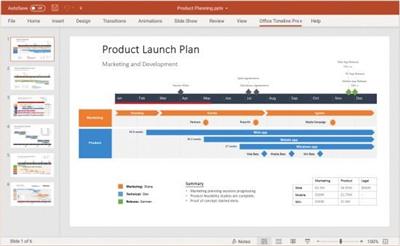
The #1 PowerPoint Timeline Maker for Windows and Office. Create PowerPoint timelines or roadmaps as fast as clients and executives need them. Simple but powerful PowerPoint add-in that anyone can use to quickly make and manage impressive timelines.

Beauty trumps complexity.
Build stunning PowerPoint timelines without the effort and cost.
Free yourself from manually building and managing visual project plans.
Office Timeline helps you make timelines, Gantt charts and Swimlanes in PowerPoint almost instantly. Customize them with just a few clicks to create clear, elegant high-level presentations that everyone will understand.
User-friendly PowerPoint timeline generator. Works the way clients and colleagues do.
Office Timeline works with all versions of PowerPoint. Give them stunning PowerPoint slides that can be viewed, edited and shared by anyone who has Microsoft Office.
Manage and change data with ease.
The plugin's powerful Data wizard and drag & drop Visual Editor make timeline management agile and intuitive. Updating timelines when projects and plans change is quick and easy.
PowerPoint timelines made easy.
No complex steps. No learning curve. No hassle!
Start from scratch or pick a template.
The timeline wizard was designed to make it simple. It all starts by selecting the type of timeline you want to make.
Enter your data and click Create.
Once you've selected a timeline template, enter or import your key milestones and tasks. Set their dates, click the Create button, and voilà! Timeline created.
Arrange and style to impress.
Use Drag & Drop to instantly rearrange or update your visual. Then customize it your way - colors, shapes, date formats, task duration, percent complete. change any detail, anyway you want.
Enjoy more freedom with Plus Edition.
While the Free edition is fully functional, Office Timeline Plus brings more! Plus Edition unlocks predesigned templates and gives you the freedom to add as much data as needed, so you can create detailed, unique PowerPoint timelines and Gantt charts.
See the power of Pro Edition.
Office Timeline Pro gives you everything you get with the Plus add-in, but adds powerful extra features. Pro Edition creates impressive Swimlanes and roadmaps, so you can manage complex projects with big-picture visuals that anyone can understand.
Код:
https://www.officetimeline.com/updates
System Requirements
- Microsoft Windows Vista, Windows 7 (SP1), Windows 8, or Windows 10 (LTSB, CBB and CB). Office Timeline does not run on Windows 10 S. The add-in is functional on Windows XP and Windows Server but unsupported.
- 32-bit versions of Microsoft Office 2007 (SP3), 2010, 2013, or 2016. Although Office Timeline works with 64-bit versions of Office, we do not formally test or support it on 64-bit. The vast majority of the Office install base is the 32-bit version of Office. 32-bit is recommended by Microsoft unless you have very specific needs for 64-bit.
- .NET Framework 4.5.2 or greater.
License Type: Basic, Pro, Pro+

Homepage:
Код:
https://www.officetimeline.com

Download link

rapidgator.net:
Код:
https://rapidgator.net/file/73ad9ca4ef88d387c7f20eab49bef9d0/vvnef.Office.Timeline.7.00.15.00.rar.html

uploadgig.com:
Код:
https://uploadgig.com/file/download/67b03a3a39619e1e/vvnef.Office.Timeline.7.00.15.00.rar

nitroflare.com:
Код:
https://nitroflare.com/view/0F0C9DDE6E23D1E/vvnef.Office.Timeline.7.00.15.00.rar

1dl.net:
Код:
https://1dl.net/ywg7p5mscgzi/vvnef.Office.Timeline.7.00.15.00.rar
 
PDF-XChange Editor Plus 9.5.368.0 Multilingual


a0e723b8e3c0580ca3da478df3d4dc7a.jpeg


PDF-XChange Editor Plus 9.5.368.0 Multilingual
Windows x86/x64 | File size: 428.78 MB​

The smallest, fastest, most feature-rich PDF editor/viewer available! Create, View, Edit, Annotate, OCR and Digitally Sign PDF files plus much more.. Designed for anyone from home users to large corporate environments that wish to View/Edit/Modify and even OCR Image based PDF files on their Windows PC's.

The PDF-XChange Editor is smaller, faster and more feature rich than any other FREE PDF Reader/ PDF Viewer/ PDF Editor available on the market. This free pdf editor download also allows users to try the extended functionality offered by the licensed PDF-XChange Editor in evaluation mode - for free. No PDF reader or Viewer offers more features than PDF-XChange - or does so without compromising performance, quality or security. Checkout the feature list below and save $100's in unnecessary expenditure on your PDF software solution today.
Advanced features
. PDF-XChange Editor Plus only) Create and Edit Fillable PDF Forms
. PDF-XChange Editor Plus only) Create and Edit Dynamic Stamps
. Convert PDF to MSPowerPoint. format
. Reduce PDF file size by Image compression/downsampling & embed/unembed Font, PDF Optimization
. Advanced PDF Bookmark creation and management
. Direct Content Editing (Paths & Images)
. Combine PDFs open/closed pdfs
. Import Directly from XPS and other support formats
. Header & Footer Support
. Bates Numbering
. Delete Pages
. Move Pages - By Drag&drop in Thumbnails View.
. Insert/Import Pages (from existing PDF files)
. Extract pages to a new file (PDF or Image format - 15 formats supported)
. Crop Pages/Files
. Flatten Annotations/Comments
. Insert Blank page
. Summarize Comments
. Export Comments
. Scan Direct to PDF (now with inline OCR option during scanning process)
. Create PDF documents from text and RTF files
. Convert 15 supported image formats to PDF
. Extended Digital Signature Support (incl. Time Stamps)
. Security Profiles (for adding security to documents conveniently)
. Improved Browser Plug-ins to reduce compatibility issues
. and much more...
Код:
https://www.tracker-software.com/product/pdf-xchange-editor/history
Operating System:All current versions of MS Windows operating systems

Homepage:
Код:
https://www.tracker-software.com/

Download link

rapidgator.net:
Код:
https://rapidgator.net/file/f18b06486f1ef4cb32ec6034e1aa4ad8/uuxaj.PDFXChange.Editor.Plus.9.5.368.0.Multilingual.rar.html

uploadgig.com:
Код:
https://uploadgig.com/file/download/028D8dF5070fb529/uuxaj.PDFXChange.Editor.Plus.9.5.368.0.Multilingual.rar

nitroflare.com:
Код:
https://nitroflare.com/view/7C66F7B7F3E48B4/uuxaj.PDFXChange.Editor.Plus.9.5.368.0.Multilingual.rar

1dl.net:
Код:
https://1dl.net/i9eh8mgami9p/uuxaj.PDFXChange.Editor.Plus.9.5.368.0.Multilingual.rar
 
Postbox 7.0.60 Multilingual


381bf0b107a4fe729377c9471274f7fa.jpeg


Postbox 7.0.60 Multilingual
File Size: 46 MB​

Postbox is a powerful application that aims to provide you with all the tools for keeping in touch with your friends and business partners. It can handle multiple email accounts and allows you to subscribe to RSS feeds in order to read the latest news. Take control of your day with Postbox is clean and super-customizable interface. Make your email work for you, just the way you need it to.

Account Groups
Juggle multiple accounts like a pro. Separate or blend work and personal, job A and job B, your account and your boss account - or mix and match to suit your needs.

Favorites Bar
Keep your go-to folders and accounts accessible at all times with a single click from the favorites bar.

Tabs
Reduce clutter with tabs, just like a web browser. Keep multiple messages, folders, contacts or topics open to easily switch between them.

Power Through Your Day
Get it done, fast. Whatever your day throws at you, cut through it with ease using Postbox's best-in-class tools and integrations.

Dropbox, One Drive and Box Integration
Big files, small files, lots of files - whatever you have, send it quickly and seamlessly by adding Postbox's cloud file-sharing capabilities.

File and Image Search
Attachments at your fingertips. Postbox lets you find and use files and images hiding in your mail - even while you're composing a new message.

Pre-Made Responses
Sending the same thing over and over? Streamline your work with pre-made responses that you can reuse as often as needed.

Real-Time Tracking
Time flies when you're composing emails. Keep yourself on task with time and word-count trackers.

Focus Pane
Tackle what's important right now using the real-time filters of Postbox's innovative focus pane. Just want to see all unread messages from your team from today? Done.

Attributes
Instantly view unread messages, or those with attachments. Scan your reminders, subscriptions, or social updates with a single click.

Topics
Break your work into small, manageable chunks with custom topics for projects, events, or however organize your work. Create and delete topics, and reorder them to reflect your goals.

rapidgator.net:
Код:
https://rapidgator.net/file/4fc4f15a8cb8e8d40d8c90a94daa9da8/zfsum.Postbox.7.0.60.Multilingual.rar.html

uploadgig.com:
Код:
https://uploadgig.com/file/download/Ba51988486d90ceF/zfsum.Postbox.7.0.60.Multilingual.rar

nitroflare.com:
Код:
https://nitroflare.com/view/010F4DF1F0E1B6F/zfsum.Postbox.7.0.60.Multilingual.rar

1dl.net:
Код:
https://1dl.net/rtx0zsocvfsc/zfsum.Postbox.7.0.60.Multilingual.rar
 
QuarkXPress 2023 v19.1.55782 Multilingual


3b38036869936f6898d266ca73daef63.jpeg


QuarkXPress 2023 v19.1.55782 Multilingual
Windows x64 | File size: 1.11 GB​

Page layout software for print and digital design. Unleash your creativity and maximize productivity with QuarkXPress.

Graphic design and desktop publishing processes were long overdue for innovation and disruption, so enter QuarkXPress. Since its market debut in 1987, thousands of creative professionals have come to depend on its power, speed and reliability for content design - on its own or alongside other graphic design tools. Such functionality as native-object conversion, conditional styles, synchronized content and automatic backups makes workflows dramatically faster to deliver projects as promised, on time and within budget.

Its digital publishing capabilities are unmatched for quickly and easily converting documents into flex websites and other interactive, digital experiences. Brilliant print and digital content design begins with QuarkXPress, the original desktop publishing software for creative professionals.

Page Layout
Produce stunning page layouts for any medium.

Graphics & Illustrations
Refine graphics and illustrations on the digital canvas.

Photo Editing
Correct, enhance and fine-tune images right up to the deadline.

Digital Publishing
Convert print publications to responsive digital layouts, with no HTML-coding skills required.

Long Document Support
The number of pages in a project has been increased from 2,000 to 10,000 in QuarkXPress 2023 to support long document creation. Users can also import long documents up to 10,000 pages from Adobe InDesign in IDML or INDD file
formats.

Hunspell Spell Checker Integration
QuarkXPress 2023 now offers the Hunspell spell checking engine in addition to the Dieckmann one. A user can select either of these two spell checking engines from Preferences and see the selected dictionary in the spell check palette.

Convert a Book to an ePub
In QuarkXPress 2023, users can merge all print layout projects and export a Book as a Reflow ePub, while also having the option to generate a Table of Contents for the ePub using either Reflow Article Names or the List.

What's new
Код:
https://www.quark.com/documentation/quarkxpress/2023/english/release_notes.pdf
Homepage
Код:
https://anonymz.com/.../www.quark.com/

rapidgator.net:
Код:
https://rapidgator.net/file/79d2c2c288e587579e499f857bd11f72/fbphl.QuarkXPress.2023.v19.1.55782.Multilingual.part1.rar.html
https://rapidgator.net/file/e83163f9414bad81195f60fb8b8283bc/fbphl.QuarkXPress.2023.v19.1.55782.Multilingual.part2.rar.html

uploadgig.com:
Код:
https://uploadgig.com/file/download/71028c40A258224e/fbphl.QuarkXPress.2023.v19.1.55782.Multilingual.part1.rar
https://uploadgig.com/file/download/A0B3bccce7fa8fe1/fbphl.QuarkXPress.2023.v19.1.55782.Multilingual.part2.rar

nitroflare.com:
Код:
https://nitroflare.com/view/DDB9250494A6278/fbphl.QuarkXPress.2023.v19.1.55782.Multilingual.part1.rar
https://nitroflare.com/view/45241BE854D6C60/fbphl.QuarkXPress.2023.v19.1.55782.Multilingual.part2.rar

1dl.net:
Код:
https://1dl.net/r70daf3wpqjw/fbphl.QuarkXPress.2023.v19.1.55782.Multilingual.part1.rar
https://1dl.net/2oegbndf4kj2/fbphl.QuarkXPress.2023.v19.1.55782.Multilingual.part2.rar
 
Radiant Photo 1.1.1.266 Multilingual


96d3b5be9600d6c79ee9063184ff3c4d.jpeg


Radiant Photo 1.1.1.266 Multilingual
Windows x64 | Addons | File size: 166.72 MB​

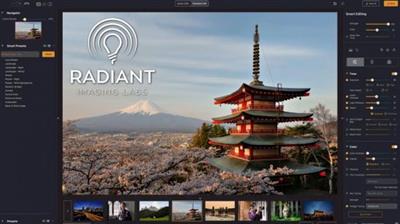
Your photos deserve to be radiant. Get superior quality finished photos with perfect color rendition, delivered to you in record time.*Your photos - simply RADIANT.*The way they are meant to be.

Amazing images. No sweat.
Getting great results with Radiant Photo couldn't be easier!
The Radiant Photo image pipeline - Enhancement Tools
- Graduated Filter
A linear or a radial gradient can apply adjustments to only part of your image.
- Portrait Tools
Enhance the beauty of your subject with natural edits that enhance eyes, skin, and much more.
- Color Grading
LOOKs offer intelligent style recipes for your photos. Quickly editable for a personal style.
- Finishing Tools
Fine-tuning adjustments that can be applied last in the image pipeline.
The Radiant Photo image pipeline - Quick Edit
- Scene Detection
AI recognizes the content of the photo, as well as analyzes each pixel and chooses the ideal starting point.
- Smart Presets
A starting edit is applied to the photo from our collection, or use your own AI presets. Smart tools automatically adapt to every photo.
- Quick Edit Controls
Refine the edit quickly with seven essential controls - for most, the image is ready to print or share.
The Radiant Photo image pipeline - Detailed Edit
- Radiant Tone
Enhance the dynamic range of the scene without clipping. Get perfect exposure every time.
- Radiant Color
Photo color correction that matches how the human eye sees color - true to life.
- Radiant Details
Enhance sharpness, reveal lost details, and eliminate noise with smart tools. The Radiant Photo image pipeline - Enhancement Tools
What's new
• official site does not provide any info about changes in this version
System requirements
Hardware: Windows-based hardware PC with mouse or similar input device
Processor: CPU Intel® Core™ i5 or better
OS version: Windows®*10 or Windows® 11 (64-bit editions)
RAM: 8 GB RAM or more (minimum) / 16+ GB RAM (recommended)
Disk space: 1 GB free space; SSD for best performance
Display: 1280 x 800 display (minimum) / 1920 x 1080 display (recommend)
Plugin hosts: Photoshop CS6 or Photoshop Creative Cloud, Lightroom 6 or Lightroom Classic, Corel PaintShop Pro X6, X7, X8, or X9 V22

Homepage:
Код:
https://radiantimaginglabs.com/

Download link

rapidgator.net:
Код:
https://rapidgator.net/file/2630728f6cf1ee229c8ab294f39029b0/plahr.Radiant.Photo.1.1.1.266.Multilingual.rar.html

uploadgig.com:
Код:
https://uploadgig.com/file/download/0d22aad7753dF7a6/plahr.Radiant.Photo.1.1.1.266.Multilingual.rar

nitroflare.com:
Код:
https://nitroflare.com/view/7EA504960D0109C/plahr.Radiant.Photo.1.1.1.266.Multilingual.rar

1dl.net:
Код:
https://1dl.net/lh8u2gnsdo5j/plahr.Radiant.Photo.1.1.1.266.Multilingual.rar
 
RdpGuard 8.5.5


5e3bfed7dc470337fe575bcac507592e.jpeg


RdpGuard 8.5.5
File size: 7.0 MB​

RdpGuard is a host-based intrusion prevention system (HIPS) that protects your Windows Server from brute-force attacks on various protocols and services (RDP, FTP, IMAP, POP3, SMTP, MySQL, MS-SQL, IIS Web Login, ASP.NET Web Forms, MS Exchange, RD Web Access, VoIP/SIP, etc).

It monitors the logs on your server and detects failed logon attempts. If the number of failed logon attempts from a single IP address reaches a set limit, the attacker's IP address will be blocked for a specified period of time.
Why do you need it?
Many Windows Server machines are under constant attack. Network scanners and RDP brute-force tools work 24/7. Eventually they may find a password to access your server! Moreover, RDP brute-force attacks abuse server resources (CPU, RAM, Disk Space and Network Bandwidth).
Take a look at your server's Security EventLog. How many failed login attempts do you see? The log may note thousands of failed login attempts from a single IP address. This means that someone is trying to find a password to access your server.
How can you protect your server from brute-force password-guessing attacks on RDP? The answer is RdpGuard - powerful tool that allows you to protect your Remote Desktop from brute-force attacks.
RdpGuard works as a Windows Service. Your Windows Server will be protected even if nobody is logged in.
Код:
https://rdpguard.com/news.aspx

Homepage:
Код:
http://rdpguard.com/

Download link

rapidgator.net:
Код:
https://rapidgator.net/file/7c23878e1e82f1c34f6bddf39546b83f/zvano.RdpGuard.8.5.5.rar.html

uploadgig.com:
Код:
https://uploadgig.com/file/download/8Ee08ad098050560/zvano.RdpGuard.8.5.5.rar

nitroflare.com:
Код:
https://nitroflare.com/view/DFCD1769D5C7D39/zvano.RdpGuard.8.5.5.rar

1dl.net:
Код:
https://1dl.net/zpjxusza9tnw/zvano.RdpGuard.8.5.5.rar
 
Sandboxie 5.63.3 Multilingual


8ec1d4d536dc0220e6f6ae69af51c295.jpeg


Sandboxie 5.63.3 Multilingual
File Size : 5.2 Mb​

When you browse the Web, changes occur to your computer system. Some of these might be harmful, like the unsolicited installation of malware. When you use Sandboxie to protect your browsing session, it catches all these changes just as the browser is about to apply them into your computer system. Sandboxie does record these changes on behalf of the browser, but it records them in a special isolated folder, called the sandbox.

Thus, with Sandboxie, you can browse the Web securely while still keeping all your browser's functionality for active and dynamic content, such as javascript and ActiveX. All undesired side effects can be easily undone.
Stay safe on the Internet with Sandboxie
- Run programs in a sandbox to prevent rogue software, unwanted programs, spyware, viruses, worms, and other malware from making permanent changes to your machine
- Protect yourself or your company from a wide variety of attacks - ranging from botnets to banking Trojans and ransomware to run of the mill viruses
- Configure your own sandboxes to meet your specific needs
- Trial the Sandboxie Free version, buy the Sandboxie Pro version or upgrade to an enterprise grade product with Invincea FreeSpace™ to take advantage of invisible protection, central management, behavioral based malware detection & reporting, malware forensics capture, threat intelligence feeds
Trusted for more than 10 years by hundreds of thousands of individuals and more than 1,100 organizations around the globe.
- Secure Web Browsing: Run your web browser in Sandboxie - preventing any malicious software downloaded by the browser from harming your machine
- Enhanced Privacy: Keep browsing history, cookies and cached temporary files in the sandbox - not on your machine
- Safe Social Networking: Click on Twitter links and Facebook updates without the fear of social networking worms infecting your machine
- Secure e-mail: Viruses and other malicious software that might be hiding in your e-mail attachments can't break out of the sandbox and infect your machine
- Keep your system running smoothly: Prevent wear-and-tear in Windows by installing software in the isolated container
Код:
https://github.com/sandboxie-plus/Sandboxie/releases

Homepage:
Код:
https://www.sandboxie.com

Download link

rapidgator.net:
Код:
https://rapidgator.net/file/24ee4dcf7f31720817849b1b802fa319/lolhq.Sandboxie.5.63.3.Multilingual.rar.html

uploadgig.com:
Код:
https://uploadgig.com/file/download/33cdcA49c396d5cB/lolhq.Sandboxie.5.63.3.Multilingual.rar

nitroflare.com:
Код:
https://nitroflare.com/view/6A6C2E80B7590E9/lolhq.Sandboxie.5.63.3.Multilingual.rar

1dl.net:
Код:
https://1dl.net/tq1gk058o0jo/lolhq.Sandboxie.5.63.3.Multilingual.rar
 
SAPIEN PowerShell Studio 2023 v5.8.220 (x64)


fabe423264ab989b41fd0947d556f7fe.jpeg


SAPIEN PowerShell Studio 2023 v5.8.220 (x64)
File size: 495 MB​

PowerShell Studio is the premier editor and tool-making environment for PowerShell. This single tool will meet all your scripting needs. Work the way YOU want with PowerShell.

Create graphical tools using PowerShell with the easy to use GUI designer. Eliminate the need to write hundreds of lines of code manually. Utilize PowerShell Studio's templates and pre-wired controls to create advanced GUIs in no time. Create PowerShell script modules in minutes with PowerShell Studio. Easily convert your existing functions to a distributable module. PowerShell Studio features a robust editor with syntax coloring, reference highlighting, bookmarking, code formatting, and code completion. Create, edit, and manage code snippets to enhance your script development.
The script packager offers advanced options and platform selections to deliver solutions targeted at specific environments. You can restrict packages by domain, machine, user, platform, and MAC address to avoid unauthorized script execution. Create MSI installers to distribute your scripts, executables, and modules. Use custom actions to handle special instances such as open files after install.
PowerShell Studio's Performance Monitor visually tracks the performance of your script by displaying real-time memory and CPU usage. Console, Scripts, Script Modules or GUI Forms-PowerShell Studio will meet all your Windows PowerShell scripting needs.
Fully-featured PowerShell editor.
Visually create PowerShell GUI tools.
Convert scripts into executable (.exe) files.
Create MSI installers.
Create modules from your existing functions or help files.
Create advanced functions using the Function Builder.
Create windows services using PowerShell.
Monitor script performance and memory usage.
Script with cmdlets from a remote machine.
Universal Version Control with Git integration.
Integrated PowerShell consoles (32-bit & 64-bit).
Comprehensive script debugger.
Remote debugging.
Multi-file and module debugging.
32-bit and 64-bit PowerShell integration.
Built-in PowerShell help.
Supports Windows PowerShell and PowerShell 7.
Code Formatting.
Prevent loss of work with the File Recovery feature.
Код:
https://www.sapien.com/software/version_history

Homepage:
Код:
https://www.sapien.com/software/powershell_studio

Download link

rapidgator.net:
Код:
https://rapidgator.net/file/da6c91fc8557b01dbfb8531e5c42e9fe/ruudk.SAPIEN.PowerShell.Studio.2023.v5.8.220.x64.rar.html

uploadgig.com:
Код:
https://uploadgig.com/file/download/37345eA713d007de/ruudk.SAPIEN.PowerShell.Studio.2023.v5.8.220.x64.rar

nitroflare.com:
Код:
https://nitroflare.com/view/AE7E5B0E886B0A8/ruudk.SAPIEN.PowerShell.Studio.2023.v5.8.220.x64.rar

1dl.net:
Код:
https://1dl.net/54tzk7upprge/ruudk.SAPIEN.PowerShell.Studio.2023.v5.8.220.x64.rar
 
Siemens Simcenter FEMAP 2301.1 (x64) with NX Nastran


3f8875cb338d3c5772a8342fe27593fe.jpeg


Siemens Simcenter FEMAP 2301.1 (x64) with NX Nastran
File Size: 3.5 GB​

s an engineer, you should demand software that is not only cost effective and easy to use, but with the power to model the toughest problem. Femap delivers just that - affordable high performance FEA modeling for the engineering desktop. Femap is recognized as the world's leading CAD-independent Windows-native pre- and post- processor for advanced engineering finite element analysis.

Femap version provides a number of interactive visualization and user interface updates facilitating model viewing and improving ease-of-use. There are also numerous enhancements to geometry modeling, pre- and postprocessing functionality and extended solver support. New solution capabilities include support for NX Nastran multi-step nonlinear analyses as well as topology optimization with extended design optimization functionality.
Femap with NX Nastran
Femap provides comprehensive functionality in an independent environment for modeling, simulation and review of product performance results.
Код:
https://www.ata-plmsoftware.com/news/

Homepage:
Код:
https://www.plm.automation.siemens.com/en/products/femap

Download link

rapidgator.net:
Код:
https://rapidgator.net/file/1a6c1f3c72e738dc7f9e892b88026106/drjri.Siemens.Simcenter.FEMAP.2301.1.x64.with.NX.Nastran.part1.rar.html
https://rapidgator.net/file/a59057b39422e3f6c39f9fcbdd8bbdb8/drjri.Siemens.Simcenter.FEMAP.2301.1.x64.with.NX.Nastran.part2.rar.html

uploadgig.com:
Код:
https://uploadgig.com/file/download/12C50717CF30B930/drjri.Siemens.Simcenter.FEMAP.2301.1.x64.with.NX.Nastran.part1.rar
https://uploadgig.com/file/download/094Be67d851e7087/drjri.Siemens.Simcenter.FEMAP.2301.1.x64.with.NX.Nastran.part2.rar

nitroflare.com:
Код:
https://nitroflare.com/view/D5746AA4B63A8CF/drjri.Siemens.Simcenter.FEMAP.2301.1.x64.with.NX.Nastran.part1.rar
https://nitroflare.com/view/E61CF26A905ABBB/drjri.Siemens.Simcenter.FEMAP.2301.1.x64.with.NX.Nastran.part2.rar

1dl.net:
Код:
https://1dl.net/v388scmq0oy7/drjri.Siemens.Simcenter.FEMAP.2301.1.x64.with.NX.Nastran.part1.rar
https://1dl.net/80so7fii97wc/drjri.Siemens.Simcenter.FEMAP.2301.1.x64.with.NX.Nastran.part2.rar
 
Simlab Composer 11.0.46 (x64) Multilingual


383bfc0f7cf0f4e8fbf5211cc7eff856.jpeg


Simlab Composer 11.0.46 (x64) Multilingual
File size: 344 MB​

Simlab Composer is a complete, easy, affordable and feature-rich 3D software having all the tools you need for importing your models then creating dynamic visualization, rendering, all into creating fully interactive VR training sessions.

Features
Import/Export
Import and Export from a wide range of 3D files formats.
Cloud Sharing
Share your visualization outputs into your devices and with other users.
3D PDF
Export your interactive 3D models into 3D PDF Files and show options and animations.
Integration with CAD
Connect your CAD software directly to SimLab Composer and have great visualization outputs.
CADVRter
Stand-Alone 3D/CAD/VR Conversion Tool.
Scene Building
Intuitive and fast tools to build and organize your scenes the way you want.
Animation
Add life to your scene by creating and controlling animations on all elements.
Simulation
Simulate your designs with an easy work-flow, create solids, add joints, run simulations, plot data, and much more.
3D Rendering
Smartest, easiest and fastest way to create premium high quality renders.
360
Give immersive views by rendering your scenes into 360 images and 360 grids.
Texture/Light Baking
Give your 3D scenes and models a realistic look on all devices.
VR Creation
Create, view, share, and bring your VR experiences to life very fast and without writing a single line of code.
VR Catalogs
Build and access catalogs of 3D models while in VR experience.
Visual Scripting
Automate massive workflows without a single line of code.
Scripting
Automate your repetitive workflow with a few lines of code.
Command Line
Automatically trigger certain tasks at certain conditions on a daily-basis.
Код:
https://www.simlab-soft.com/3d-products/simlab-composer-whats-new.aspx

Homepage:
Код:
http://www.simlab-soft.com/

Download link

rapidgator.net:
Код:
https://rapidgator.net/file/771e7e3e8e94065b62fe22e681a478c5/ypmbk.Simlab.Composer.11.0.46.x64.Multilingual.rar.html

uploadgig.com:
Код:
https://uploadgig.com/file/download/ebc6b63e24Ae5d87/ypmbk.Simlab.Composer.11.0.46.x64.Multilingual.rar

nitroflare.com:
Код:
https://nitroflare.com/view/B432F118741302C/ypmbk.Simlab.Composer.11.0.46.x64.Multilingual.rar

1dl.net:
Код:
https://1dl.net/tzxs4v0nz3l2/ypmbk.Simlab.Composer.11.0.46.x64.Multilingual.rar
 
Sonible Smart Pure True Bundle v2023.04


2a9fcdf6426977416892b01ba4fa9836.jpeg


Sonible Smart Pure True Bundle v2023.04
664.4 MB​

Sonible Audio Hard & Software engineered in Austria. From mixing engineers, FOH engineers, and music producers to AI experts, software developers, DJs and musicians - the sonible team is an eclectic mix of highly skilled engineers and creative individuals. We put all of our vast audio experience and user-oriented focus into developing AI-assisted audio plug-ins, designing and implementing 3D audio systems and building audio hardware - sound in all its complexity is our passion. We transform technological possibilities into tools for audio production that are characterized by their incredible sound, intuitive usability and workflow-enhancing features - in short, tools that inspire creativity.

smartcomp2 v1.0.2
smartlimit v1.1.4
purecomp v1.0.1
purelimit v1.0.1
truelevel v1.0.2
truebalance v1.0.2
Changelog
Updates: official site does not provide any info about changes in this version.

Homepage:
Код:
https://www.sonible.com/

Download link

rapidgator.net:
Код:
https://rapidgator.net/file/40fe82735cb7d1b38f9399c2d9e8f3c3/klywb.Sonible.Smart.Pure.True.Bundle.v2023.04.iso.html

uploadgig.com:
Код:
https://uploadgig.com/file/download/11ef82F7ce52F7c4/klywb.Sonible.Smart.Pure.True.Bundle.v2023.04.iso

nitroflare.com:
Код:
https://nitroflare.com/view/AF577678A2FA800/klywb.Sonible.Smart.Pure.True.Bundle.v2023.04.iso

1dl.net:
Код:
https://1dl.net/rd163xt52itd/klywb.Sonible.Smart.Pure.True.Bundle.v2023.04.iso
 
Stepok Recomposit Pro 8.0.0.1 Build 22774


72db91282a07d2c94a5acc79fee665f5.jpeg


Stepok Recomposit Pro 8.0.0.1 Build 22774
Windows x86/x64 | File size: 23.33 MB​

The Stepok Recomposit is state-of-the art photo composite software to assist photographers of all types. It allows you to cut an object from its background while maintaining all detail and transparency.

Cutting out an object, masking an object or extracting an object from the background can be difficult task for many users but, Recomposit makes it easy. Providing advanced, professional methods such as one click chromakey masking, stroke based masking and inside/outside edge masking or trimap matting, Recomposit makes quality photo composition a breeze. The software also includes a complete environment for photo composing with expert, easy to use editing functions and tools. Recomposit supports Photoshop as a plugin too.

QUICK and EASY
Recomposit save you time. You can drastically reduce the usual time spent on a masking job. Easy to use, easy to understand, our software will have you extracting objects in no time.

CREATIVITY
Once you mask and separate the image you can let your creativity run free.

MAJOR FEATURES

Multiple Ways of Masking
Chromakey masking, inside/outside masking, stroke based masking and manually drop-keep brush...

What You See Is What You Get
Supports 4 ways -gray block, BW block, alpha channel and pure colour- of previewing plus on "push-to-show original" mode.

Full Editing Supported
Support layers, areas and a full-set of tools for photo compositing. Powerful image filters are included too.

Functions After Masking
Special 'smart erase' function and 'lens blurring' function allow you do more creative.

Professional Kernel
16 bits loss-less editing kernal plus on direct RAW supporting.

Work with Photoshop
Providing standard Photoshop filters in ".8bf" format, for masking mode.

What's new
• official site does not provide any info about changes in this version

rapidgator.net:
Код:
https://rapidgator.net/file/eeeddbc97132fcb262159181e6187655/kyzpr.Stepok.Recomposit.Pro.8.0.0.1.Build.22774.rar.html

uploadgig.com:
Код:
https://uploadgig.com/file/download/2be955EdC0acBcD6/kyzpr.Stepok.Recomposit.Pro.8.0.0.1.Build.22774.rar

nitroflare.com:
Код:
https://nitroflare.com/view/0F1790467120454/kyzpr.Stepok.Recomposit.Pro.8.0.0.1.Build.22774.rar

1dl.net:
Код:
https://1dl.net/e5cxnzbmcglm/kyzpr.Stepok.Recomposit.Pro.8.0.0.1.Build.22774.rar
 
Tixati 3.17.1


1461f51d035294d8d0e56f5f780e511d.jpeg


Tixati 3.17.1
File Size : 31.5 Mb​

Tixati is a peer-to-peer file sharing program that uses the popular BitTorrent protocol. This protocol allows many peers to form a cooperative swarm and download very large files with great efficiency.

How does it work?
Once the Tixati software is installed, starting a download is easy.
First, the user finds a .torrent file on the web. A .torrent file is very small, and contains meta-data describing the much larger file that is to be downloaded from a swarm of other peers. These .torrent files can be easily found by using Google, or one of hundreds of Torrent Sites which also feature organized categories for the user to browse.
Once the user has chosen and downloaded a .torrent file from the web, they simply open it from within Tixati by clicking the 'Add' button. After the .torrent is opened, Tixati connects to other peers in the swarm and downloads the desired files automatically, leaving them in a convenient 'Downloads' folder on the user's desktop.
Why choose Tixati?
Tixati is one of the most advanced and flexible BitTorrent clients available. And unlike many other clients, Tixati contains NO SPYWARE, NO ADS, and NO GIMMICKS.
Tixati has the following features
detailed views of all aspects of the swarm, including peers, pieces, files, and trackers
support for magnet links, so no need to download .torrent files if a simple magnet-link is available
super-efficient peer choking/unchoking algorithms ensure the fastest downloads
peer connection encryption for added security
full DHT (Distributed Hash Table) implementation for trackerless torrents, including detailed message traffic graphs and customizable event logging
advanced bandwidth charting of overall traffic and per-transfer traffic, with separate classification of protocol and file bytes, and with separate classification of outbound traffic for trading and seeding
highly flexible bandwidth throttling, including trading/seeding proportion adjustment and adjustable priority for individual transfers and peers
bitfield graphs that show the completeness of all downloaded files, what pieces other peers have available, and the health of the overall swarm
customizable event logging for each download, and individual event logs for all peers within the swarm
expert local file management functions which allow you to move files to a different partition even while downloading is still in progress
100% compatible with the BitTorrent protocol
Код:
https://www.tixati.com/news/

Homepage:
Код:
https://www.tixati.com/

Download link

rapidgator.net:
Код:
https://rapidgator.net/file/97074231e976fd5c08721dfc34a16e5e/fkmwj.Tixati.3.17.1.rar.html

uploadgig.com:
Код:
https://uploadgig.com/file/download/9537cdeDf0792Eca/fkmwj.Tixati.3.17.1.rar

nitroflare.com:
Код:
https://nitroflare.com/view/4F9D94FCDFB8C43/fkmwj.Tixati.3.17.1.rar

1dl.net:
Код:
https://1dl.net/lbq4bn5grd1r/fkmwj.Tixati.3.17.1.rar
 
Togu Audio Line TAL-Sampler 4.4.4


1f92d7d34bc572125207ead17477aa1c.jpeg


Togu Audio Line TAL-Sampler 4.4.4
File size: 21 MB​

TAL-Sampler is not just a sample player. It's a full featured analog modeled synthesizer with a sampler engine as sound source, including a powerful modulation matrix and a high quality self-oscillating 24/12/6 dB low pass filter. Don't expect a 40GB piano sample library with samples for every velocity or something similar. The idea is to bring back the fun sampling was in the good old times with small samples, fast loading times and an intuitive work-flow to create your own sample presets without getting lost in the settings.

It's possible to choose between different digital analog converters (DAC's) to get the vintage sound of different hardware samplers inside your DAW. We don't make cheap bit crushing or decimation on the output signal. We really down-sample the sample to the desired sampling frequency, then process the data depending on the chosen DAC and up-sample it to the desired pitch. Most DAC modes offer a LEVEL slider. This feature allows the user to reduce the volume of the recorded sample and decreases the sample quality. Load your favorite high quality sample and make it sound vintage and noisy. The 24dB low pass filter will like it!
The plug-in has four layers an can play four samples simultaneous. There is also a simple SFZ import for samples that imports the mapping and sample paths, but the plug-in also contains an easy to use mapping editor.
TAL-Sampler is available in the VST, Audio Unit and AAX plug-in format. You can load and play your own samples in every common sample format (*.wav, *.aiff, *.aif, *.mp3, *.ogg, *.flac). Import samples with drag & drop from finder or explorer. There is also an intuitive sample browser that helps to find samples fast.
Some nice additions like a vintage real-time time stretcher and the possibility to modulate or automate the sample loop positions.
Features
Vintage DAC modes (Emu II, AM6070, S1000, Sample Hold, Linear, Clean).
Steep 96dB low-pass reconstruction filter (Emu II and AM6070 F).
Variable sample rate.
Powerful MOD-Matrix.
Four sample layers.
Three AHDSR envelopes with vintage Digital / RC mode.
Three LFO's (Triangle, Saw, Rectangle, Random, Noise).
High Quality effects (Reverb, EQ, Delay).
Self resonating zero feedback delay filter (24/12/6 dB LP, HP, BP, AP, Notch).
Wide range of audio formats supported (*.wav, *.aiff, *.aif, *.mp3, *.ogg, *.flac).
Scalable high resolution user interface.
The possibility to change font and background colour.
Fast sample and preset loading.
Load SFZ presets (mappings and samples up to 4 layers).
SF2 sample import (mappings and samples up to 4 layers).
Microtuning support (tun file import and MTS Client).
More than 100 presets available as download (on the right).
Requirements
Windows: Windows 7 or higher (64 bit)
AAX: Pro Tools 10.3.6 or higher
Код:
https://tal-software.com/products/tal-sampler

Homepage:
Код:
https://tal-software.com/

Download link

rapidgator.net:
Код:
https://rapidgator.net/file/e09c6d6ac760ae7040b7ce149d9bd241/mwcbd.Togu.Audio.Line.TALSampler.4.4.4.rar.html

uploadgig.com:
Код:
https://uploadgig.com/file/download/bB85d50dD59ffCd4/mwcbd.Togu.Audio.Line.TALSampler.4.4.4.rar

nitroflare.com:
Код:
https://nitroflare.com/view/2AC72BEAA283BA1/mwcbd.Togu.Audio.Line.TALSampler.4.4.4.rar

1dl.net:
Код:
https://1dl.net/v0pjetd6wh9j/mwcbd.Togu.Audio.Line.TALSampler.4.4.4.rar
 
uJAM Finisher Bundle 2023.4 (x64)


bd2566a32e906979e9256c1638b6e57d.jpeg


uJAM Finisher Bundle 2023.4 (x64)
File size: 494.2 MB​

Finisher is a brand-new type of effect plug-in by UJAM. It is designed to combine the power of an entire effect rack with the ease-of-use and instant gratification of a single plug-in. Finisher is your musical companion that will keep inspiring you, and protects you from recording or mixing a bland and boring track ever again.

Focus on Music
At ujam, we want you to focus on the only important thing: Your music! The super-simplified interface guarantees sound design inspiration without headaches. A dash of fresh inspiration for musicians, producers, sound designers and even podcasters.
Never Again a Boring Audio Track
Know that feeling when you got a great basic track laid down, but you just can't get it to sound interesting? Sure you do, we do too, and that's why we designed the Finisher series. You are freed from the pressure to know what's going on. Trust your ears to be inspired - and make your tracks more beautiful, interesting, bigger, tougher, or change them entirely - while your focus remains on your music.
Keep it Simple, Stupid
We've designed Finisher to be hyper-simplified at surface level. No complicated setup, no armada of knobs and buttons, no learning curve. Just browse through the ready-made Modes (scripted and automated multi-effect chains under the hood) and enjoy the - probably - most straight-forward and delightful sound-design process ever.
Special FX
It's not just an effect. It is the solution to not having to use a plethora of effects. You could think of a Finisher as a channel strip with virtually unlimited slots for effect processors, all of which can be switched on and off at the change of the Mode.
Included
Finisher BOOST v1.2.1
Finisher DYNAMO v1.2.0
Finisher FLUXX v1.2.0
Finisher MICRO v1.2.0
Finisher NEO v1.2.0
Finisher RETRO v1.2.0
Finisher VOODOO v1.2.0
Whats New
Updates: official site does not provide any info about changes in this version.

Homepage:
Код:
https://www.ujam.com/finisher

Download link

rapidgator.net:
Код:
https://rapidgator.net/file/f0b1848f849e028db5c1bbc5779e9061/itmeh.uJAM.Finisher.Bundle.2023.4.x64.rar.html

uploadgig.com:
Код:
https://uploadgig.com/file/download/4861B1b517f352e3/itmeh.uJAM.Finisher.Bundle.2023.4.x64.rar

nitroflare.com:
Код:
https://nitroflare.com/view/0333A4991E51D80/itmeh.uJAM.Finisher.Bundle.2023.4.x64.rar

1dl.net:
Код:
https://1dl.net/7fofuq6ezixq/itmeh.uJAM.Finisher.Bundle.2023.4.x64.rar
 
Назад
Сверху