• Форум работает в архивном режиме www.old.nado.in

All mitsumi'1s Applications !! (updated daily)

  • Автор темы Автор темы mitsumi1
  • Дата начала Дата начала
Ableton Live 11 Suite v11.3.11 WiN

25afe4524fa10a9957501ec7aad6cad4.jpeg


Ableton Live 11 Suite v11.3.11 WiN
2.91 GB​

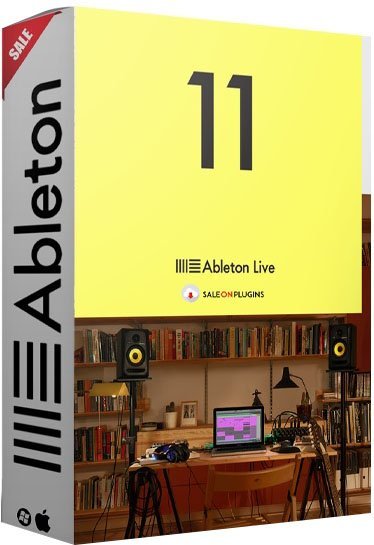
Live is fast, fluid and flexible software for music creation and performance. It comes with effects, instruments, sounds and all kinds of creative features-everything you need to make any kind of music. Create in a traditional linear arrangement, or improvise without the constraints of a timeline in Live's Session View. Move freely between musical elements and play with ideas, without stopping the music and without breaking your flow.

All new features and updates in Live 11
Comping
Live organizes multiple passes of an audio or MIDI performance into individual takes. Combine the best of many takes or find creative new combinations.
Linked-track editing
Link two or more audio or MIDI tracks to edit or comp their content simultaneously.
MPE compatibility
Add bends, slides and pressure for each individual note in a chord. Add subtle expression variations, morph between chords and create evolving sonic textures.
Expression View
Add and edit pitch, timbre and pressure variations of individual notes directly in a new tab in the Clip Detail View.
MPE-capable native devices
Wavetable, Sampler and Arpeggiator now support MPE. Use Push's pad pressure to control parameters per note.
Hybrid Reverb
Combines convolution and algorithmic reverbs, making it possible to create any space, from accurate real-life environments to those that defy physical reality.
Spectral Resonator
Breaks the spectrum of an incoming audio signal into partials, then stretches, shifts and blurs the result by a frequency or a note in subtle or radical ways. Play it like an instrument with MIDI.
Spectral Time
Transforms sound into partials and feeds them into a frequency-based delay, resulting in metallic echoes, frequency-shifted and reverb-like effects. The Freeze function captures and holds audio.
Inspired by Nature
Six playful instruments and effects that use natural and physical processes as their inspiration. Created in collaboration with Dillon Bastan.
PitchLoop89
Based on an early digital effects processor, this device creates jittery glitch effects, delayed digital shimmers and outlandish vibrato to add character to sounds in the studio or onstage. Created in collaboration with Robert Henke.
Chorus-Ensemble
The updated version of Chorus now has a wider range of sound shaping capabilities - add vibrato, spread the left and right channels of the signal across the stereo field, and add thick 3-delay line chorus.
Redux
Redux adds a wider range of sounds from vintage digital gear including harsh distortion, digital and aliasing artifacts, as well as warm and saturated 8-bit textures.
Phaser-Flanger
Phaser and Flanger have been combined and now feature a new, lusher sound with increased frequency and modulation ranges, expressive improvements on existing modes, and a new Doubler mode for short modulatable delay.
Macro Variations
Store the state of Macros for later recall - this is a fast way to create instant variations to sounds, or builds and drops during a performance.
Flexible Macro Configuration
Set your Racks up to have between 1 and 16 Macros.
Randomized Macro values
Randomize the state of your Macros or map the randomization button to MIDI.
Tempo following
Live listens to and adjusts its tempo based on incoming audio in real time, making it a dynamic part of the band instead of the tempo source that everyone has to follow.
Note chance
Set the probability that a note or drum hit will occur and let Live generate surprising variations to your patterns that change over time.
Velocity chance
Define ranges for velocity probability for subtle, humanized variations in the dynamics of your patterns.
Follow Actions
Live 11 adds Scene Follow Actions for evolving arrangements. Follow Actions can now jump to specific clips and enable and disable Follow Actions globally.
Voice Box
A comprehensive collection of contemporary vocal samples from multiple voices, a set of playable vocal instruments, and Effect Racks designed for vocal processing.
Mood Reel
Evocative layered instruments that combine organic and synthetic sounds with textural elements to add mood, space and movement to productions.
Drone Lab
Sustained tonal and textural samples, generative noise, multisampled instruments, plus devices and Effect Racks designed for experimentation.
Upright Piano
Upright Piano is close-recorded for an intimate feel - a classic sound that is at home in many styles of music. Created in collaboration with Spitfire Audio.
Brass Quartet
This instrument highlights the natural breathiness, range of expression and broad tonality of the brass quartet. Created in collaboration with Spitfire Audio.
String Quartet
This combination of two violins, viola and cello has a sound that is immediately intimate, and is also a great starting point for sonic exploration. Created in collaboration with Spitfire Audio.
Updated Core Library
Live's Core Library is expanded with a focus on contemporary music production, including new drum kits, Instrument Racks, Audio Effect Racks, Grooves, loops and MIDI clips. Plus, improved browsing makes sounds easier to find.
Updates to AAS instrument interfaces
The user interfaces of all instruments made in collaboration with Applied Acoustic Systems have been updated.
Updated Packs
Drum Booth features a new MIDI drum library and mix-ready presets. Grand Piano and Electric Keyboards now come with MIDI licks, phrases and progressions. MIDI drum grooves and instrumental parts have been added to Chop and Swing, Skitter and Step, Drive and Glow.
Refined clip editing
Edit loops of multiple clips simultaneously, focus on a single clip in context and easily transpose entire arrangements from one piano roll.
Improved Clip Detail View
New tabs for Note Parameters, Follow Actions, Envelopes and MPE provide a clearer overview of and access to parameters and properties of a Clip.
Improved CPU metering
An updated master display can now show current and average CPU usage, plus per-track CPU meters show which tracks in a set use the most processing power.
Keys and scales
Use scales directly in Live's MIDI editor as a guide or reference - this is linked to Push, and can be changed per clip.
Visualizations for new devices
See visualizations of key parameters in Hybrid Reverb, Spectral Resonator and Spectral Time on Push's color display and control them directly from the hardware.
Key and Scale sync
The Key and Scale feature in Live 11 is linked to Push and can be changed per clip.
Polyphonic aftertouch support
Apply different levels of aftertouch to individual notes when using Wavetable, Sampler, Arpeggiator and supported VSTs for more nuanced and dynamic performances on Push.
See up to 16 Macros
In Live 11, access Macros 9-16 from a second page after the Rack page with Macros 1-8. The second page appears automatically once you map more than eight Macros.
New API additions
A redesigned, MPE-compatible note API gives Max for Live access to Live 11's new note features: probability, velocity deviation, and release velocity. You can also now access slices of a sample loaded in Simpler, a clip or sample's warp markers, and much more.
MIDI Channel Routings
It is now possible to route MIDI to and from Max for Live audio effects and instruments. Inputs and outputs are routable and show up in a track's MIDI From and MIDI To choosers.
Improvements for Device creators
A new live.scope object adds an oscilloscope to the object library. Double-clicking an error in the Max Console jumps the cursor to the device causing the error. A new Max for Live category in the Inspector Window allows developers to more clearly indicate which systems their devices can be used on, and much more.
Performance improvements
A complete overhaul of Max for Live's user interface integration means a smoother experience when working with Max for Live devices, including improvements to focus, positioning, scrolling behaviour, and performance.
What's new
System Requirements
- Windows 10 (Build 1909 and later) 64-bit
- Intel® Core™ i5 processor or an AMD multi-core processor.
- 8 GB RAM
- 1366x768 display resolution
- ASIO compatible audio hardware for Link support (also recommended for optimal audio performance)
- Approximately 3 GB disk space on the system drive for the basic installation (8 GB free disk space recommended)
- Up to 76 GB disk space for additionally available sound content
Changelog
Updates: official site does not provide any info about changes in this version.

Homepage
Код:
https://www.ableton.com/

Download link

rapidgator.net:
Код:
https://rapidgator.net/file/25fea293d24b0e1ad4b9c2ff74b16457/vghuf.Ableton.Live.11.Suite.v11.3.11.WiN.part1.rar.html
https://rapidgator.net/file/0964a5497661bf9cbeb1222049cade6d/vghuf.Ableton.Live.11.Suite.v11.3.11.WiN.part2.rar.html
https://rapidgator.net/file/dd1eaa21826aeafe8a6dc08003da97a6/vghuf.Ableton.Live.11.Suite.v11.3.11.WiN.part3.rar.html
https://rapidgator.net/file/d9703ffeac5faa9d417b43d65f75ba8b/vghuf.Ableton.Live.11.Suite.v11.3.11.WiN.part4.rar.html

uploadgig.com:
Код:
https://uploadgig.com/file/download/cC84248afb90e837/vghuf.Ableton.Live.11.Suite.v11.3.11.WiN.part1.rar
https://uploadgig.com/file/download/c1e2d31c9c100125/vghuf.Ableton.Live.11.Suite.v11.3.11.WiN.part2.rar
https://uploadgig.com/file/download/eD78e0ed74a4C893/vghuf.Ableton.Live.11.Suite.v11.3.11.WiN.part3.rar
https://uploadgig.com/file/download/5EeFA68f31803e0d/vghuf.Ableton.Live.11.Suite.v11.3.11.WiN.part4.rar

nitroflare.com:
Код:
https://nitroflare.com/view/BA964C44D751236/vghuf.Ableton.Live.11.Suite.v11.3.11.WiN.part1.rar
https://nitroflare.com/view/FDC1B05EA7084D8/vghuf.Ableton.Live.11.Suite.v11.3.11.WiN.part2.rar
https://nitroflare.com/view/4AA02C74840235F/vghuf.Ableton.Live.11.Suite.v11.3.11.WiN.part3.rar
https://nitroflare.com/view/BBE2593BE219B4A/vghuf.Ableton.Live.11.Suite.v11.3.11.WiN.part4.rar

 
Adobe Fresco 5.0.0.1331 (x64) Multilingual


e4bbe4399cf21d514e45e6c12a1025e9.jpeg


Adobe Fresco 5.0.0.1331 (x64) Multilingual
File size: 863 MB​

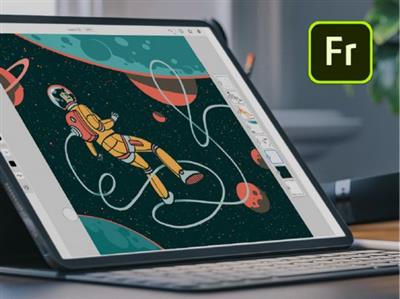
Designed for the latest touch and stylus devices, Adobe Fresco contains the largest collection of raster and vector brushes in the world, in addition to the revolutionary new live brushes, to ensure a completely natural drawing and painting experience. For artists, illustrators, designers and animation creators and for anyone who wants to discover - or rediscover - the joy of drawing and painting.

A thousand touches of skill.
Work with watercolors and oils that bloom and blend with your touch, use vector and raster brushes together on the same canvas and choose your favorites from the thousands of resources available from Photoshop and the famous master Kyle T. Webster. With Adobe Fresco you will have at your fingertips the widest and most exclusive selection of brushes in the world.
Make real masterpieces. Now with a lot less work.
We have rethought the essential tools for illustrators that are faster and more efficient on pen and touch devices. To draw you can now take advantage of a modernized selection and masking process that allows you to isolate parts of a layer and transform selections into masks. Customize the user interface to facilitate drawing with your right or left hand and switch to full screen mode to eliminate any distraction from the canvas.
The world is your study.
Start your project on iPad and end it on your PC: all your work is automatically synchronized in the cloud and your PSDs are exactly the same, regardless of the device in use. Furthermore, thanks to the integration with Creative Cloud, it will take you a few clicks to access your brushes, fonts and content from Adobe Stock and Libraries.
Artwork. Now a lot less work.
We.ve reimagined essential tools for illustrators that are faster and better for stylus and touch devices. Draw using a modernized selection and masking process that lets you isolate parts of a layer and turn selections into masks. Customize your UI to make it easier for left- or right-handed drawing. And switch to full-screen mode to clear your canvas of distractions.
Код:
https://helpx.adobe.com/fresco/using/whats-new.html

Homepage
Код:
https://adobe.com/

Download link

rapidgator.net:
Код:
https://rapidgator.net/file/ca8bb14bdbed06081e403b18fa3dfc74/pabca.Adobe.Fresco.5.0.0.1331.x64.Multilingual.rar.html

uploadgig.com:
Код:
https://uploadgig.com/file/download/cAd634e6fce85C6d/pabca.Adobe.Fresco.5.0.0.1331.x64.Multilingual.rar

nitroflare.com:
Код:
https://nitroflare.com/view/9944C2C5B797118/pabca.Adobe.Fresco.5.0.0.1331.x64.Multilingual.rar
 
Aescripts BRAW Studio v3.1.3 (WiN)


9386af3150e5701e55c5a925d6c6544d.jpeg


Aescripts BRAW Studio v3.1.3 (WiN)
WiN x64 | After Effects 2023, 2022, 2021, 2020, CC 2019 | File size: 50 MB​

After Effects, Premiere Pro and Media Encoder native Blackmagic RAW (.braw) importer, with advanced Premiere Pro features in our BRAW Studio Panel as well as customizable RAW Settings with our Layer Settings After Effects filter.

Main Features
The missing piece in your workflow

Premiere Pro and Media Encoder : import, edit, re-encode, create proxies for your .BRAW footages directly and natively with BRAW Studio !
Our BRAW Studio Panel will also help your daily workflow with awesome features such as : Source Settings Panel, Batch changes, Trimming, Toolbox tab etc.
After Effects : import your .BRAW and modify / experience the color grading in real time with our BRAW Studio Layer Settings filter, directly within AEfx interface
Access the same RAW color parameters than in DaVinci Resolve, using the official BMD Color Science and BMD BRAW SDK
A brand new Desktop App
Play and Color Grade your .BRAW directly with our new Desktop Player App by opening it from your Finder/Explorer
Save your settings on sidecar: it will be automatically applied inside any NLE (DVR, PPro, AEfx, AME)
Find the same tools than in our plugins: White Balance Color Picker, Custom A/B, Presets, Custom LUT etc.
Remove unused frames and keep the BRAW Codec with the same quality by using the Trim Tool
Get easily all Metadata from your .BRAW
Fully featured
White Balance Color Picker to automatically make your footages neutral in a few clicks !
Custom A/B to quickly compare your different RAW Parameters set
20 Global Presets to store your RAW Params across Projects and Premiere Pro / After Effects / Desktop Player
Custom LUT with our new feature "Add LUT To Sidecar"
Note : BRAW Studio doesn't import .dng files
What's New
3.1.3 (Current version) - Sep 18, 2023
* BRAW 3.4
- Adds support for Blackmagic Cinema Camera 6K
- Adds support for Fujifilm GFX100 II Blackmagic RAW clips captured by Blackmagic Video Assist
* Fixed internal issues introduced in 3.1.0 which could slightly decrease performances of Layer Settings in After Effects and introduce rare issues

Homepage
Код:
https://aescripts.com/braw-studio/

Download link

rapidgator.net:
Код:
https://rapidgator.net/file/5f8d05809ffa7a92c2a476d2d28e9b30/twjki.Aescripts.BRAW.Studio.v3.1.3.WiN.rar.html

uploadgig.com:
Код:
https://uploadgig.com/file/download/8E024fdef9D78Dee/twjki.Aescripts.BRAW.Studio.v3.1.3.WiN.rar

nitroflare.com:
Код:
https://nitroflare.com/view/448262581140D74/twjki.Aescripts.BRAW.Studio.v3.1.3.WiN.rar
 
Astute Graphics Plug-ins Elite Bundle 3.6.4


aacc880eaa0f570efc635277a49ed73e.jpeg


Astute Graphics Plug-ins Elite Bundle 3.6.4
Languages: English
File Size: 644.94 MB​

Makers of award winning, time saving and creative tools such as Phantasm, VectorScribe, WidthScribe and many more. Get the complete set of plug-ins and transform your workflow in Illustrator. Add speed, ease and precision with all of our plug-ins and become an Astute Graphics Plug-ins Elite Bundle!

AstuteBuddy
Keyboard shortcut panel
Autosaviour
Autosave, backups + reminders
DirectPrefs
Nudge distance, angles + guides
ColliderScribe
Precise alignment + selection
DynamicSketch
Intuitive vector sketching
FindReplace
Instantly locate + modify objects
InkFlow
Drawing + lettering in one tool
InkQuest
Pre-press controls and checks
InkScribe
Precise path creation
MirrorMe
Instant symmetry
Phantasm
Instant color control + halftone
Rasterino
Image crop + editing
Stipplism
Live stipple effect
Stylism
Live effects made easy
SubScribe
Create accurate artwork
Texturino
Textures + opacity brush
VectorFirstAid
Clean up vector documents
VectorScribe
Editing, shapes, corners + measure
WidthScribe
Variable stroke width effects
Reform
Shape + manipulate
Randomino
Randomize in Illustrator
Texturino Texture Packs - Pro
- High quality repeating and non-repeating textures
- Import your own textures
- Quickly and naturally brush an opacity mask
- Organize your textures in the texture manager
Release Notes
Код:
https://astutegraphics.com/support/technical-updates

System Requirements
- Windows 11/10 (64 bit)
- Adobe Illustrator 2023
Incl. Texturino Texture Packs - Pro

Homepage
Код:
https://astutegraphics.com

Download link

rapidgator.net:
Код:
https://rapidgator.net/file/4dc88e6cb09fb1abe4a0135a8e467ffe/cjzti.Astute.Graphics.Plugins.Elite.Bundle.3.6.4.rar.html

uploadgig.com:
Код:
https://uploadgig.com/file/download/88Cfa8A1fc6eE463/cjzti.Astute.Graphics.Plugins.Elite.Bundle.3.6.4.rar

nitroflare.com:
Код:
https://nitroflare.com/view/BD2C7A9F2B91FB0/cjzti.Astute.Graphics.Plugins.Elite.Bundle.3.6.4.rar
 
ASUS GPU Tweak III 1.6.8.2


5020f3c40558e0218a7d7a2d5569f430.jpeg


ASUS GPU Tweak III 1.6.8.2
File Size : 69 Mb​

Years of enthusiast feedback and developer dedication have made the third iteration of GPU Tweak even more intuitive and feature-rich. Its revamped interface offers greater accessibility by putting core functions at the forefront, and the VF Tuner has been overhauled to make manual overclocking much easier. And exclusive features like 0dB fan technology are now joined by automatic profile swapping and logging of monitoring sessions.

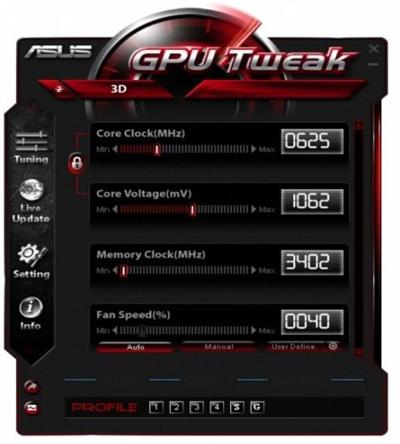
GPU Tweak allows you to optimize clock speeds, voltage and fan speeds on up to four graphics cards independently or simultaneously, you can also select between GPU Tweak's Standard or Advanced modes depending on your level of experience.
ASUS makes serious hardware for die-hard overclockers who want to squeeze every ounce of performance out of their gear and never back down from a challenge.This experience is enhanced further with the all new and intuitive ASUS exclusive GPU Tweak utility - allowing you to monitor and optimize settings for ultimate performance on any graphics cards.
ASUS GPU Tweak was introduced back in the summer of 2011 as the ASUS homegrown application software for overclocking graphics card adapters. Since then, it received more than twenty-five updates focused on increased compatibility and extended support for the newly introduced series while constantly trying to infiltrate the community by competing with the mogul: MSI Afterburner.
It is now utilized in the overclocking process of ASUS cards that are being reviewed by most of the popular and well-established websites and it seems to be doing a fairly accurate job in the tedious task of tinkering with not one but many characteristics.
As an actual example, it helped an ASUS GTX 660 DirectCU II achieve a GPU clock frequency of 1098 MHz over the stock clock of 1020 MHz and a Top GPU Boost of 1228 MHz over 1150 MHz. In terms of memory frequency, ASUS GPU Tweak made it possible for the overclocker to reach 6608 MHz, thus squeezing 600 MHz and add them to the stock clock.
ASUS GPU Tweak features a pretty neat interface, although it may seem a bit quirky at first. It does not take much for you to get accustomed to it, though and you can find yourself immersed into its depth as the overclocking process gets underway. We believe that, as long as you spend the time to download and install ASUS GPU Tweak, you are aware of all the risks this operation involves and proceed with caution and good use of a solid knowledge.
This particular application allows you to modify the GPU Clock according to the GPU Voltage or even separately, the Memory Clock as well as the Fan Speed. You can also set the fan speed by linking it to the temperature, thus creating a customized graph, make use of the 2D / 3D switcher, sync all the available cards as well as set up profiles.
All in all, ASUS GPU Tweak has come a long way since its release and started making a name for itself as a reliable companion for a far from risk-free operation. While many would still recommend MSI Afterburner to be used with any graphics adapter, ASUS GPU Tweak can prove to be a worthy alternative, especially when the card at hand is, indeed, an ASUS.
Whats New
Updates: official site does not provide any info about changes in this version

Homepage
Код:
https://rog.asus.com/

Download link

rapidgator.net:
Код:
https://rapidgator.net/file/d025b7dc772a0feed8c0ecd234e5c99d/vsvqv.ASUS.GPU.Tweak.III.1.6.8.2.zip.html

uploadgig.com:
Код:
https://uploadgig.com/file/download/8C72a6d4cDB69305/vsvqv.ASUS.GPU.Tweak.III.1.6.8.2.zip

nitroflare.com:
Код:
https://nitroflare.com/view/5D7567D194AD913/vsvqv.ASUS.GPU.Tweak.III.1.6.8.2.zip
 
Autodesk AutoCAD Civil 3D 2024.1.1 Update Only (x64)


7c6b2696d7a1ddc8a14958595547bf58.jpeg


Autodesk AutoCAD Civil 3D 2024.1.1 Update Only (x64)
x64 | Languages:English | File Size: 528 MB​

Description
AutoCAD Civil 3D is the software of choice for anyone who is active in civil engineering. For each phase of a project is within AutoCAD Civil 3D to find a suitable job. Whether it is about the process of surveying inwinningen or the design of roads, sewers, embankments and other volume objects (wells, dykes etc.), AutoCAD Civil 3D provides the right features to make this happen.

AutoCAD Civil 3D is a comprehensive solution within the civil sector, where both a software design and documentation, 2D and 3D data and powerful tools for BIM in processes are.
AutoCAD Civil 3D provides the functionality of both AutoCAD and AutoCAD Map3D and complements this with intelligent and dynamic models, an object oriented environment and functionalities, and reporting and presentation tools for civil draftsman or designer.
System Requirements
OS:Microsoft® Windows® 10 (64-bit only) (version 1803 or higher)
CPU:Minimum: 2.5-2.9 GHz or faster processor / Recommended: 3+ GHz or faster processor
Memory:16 GB
Display
-Conventional Displays:1920 x 1080 with True Color
-High Resolution & 4K Displays:Resolutions up to 3840 x 2160 supported on Windows 10, 64 bit systems (with capable display card)
Display Card
Minimum:1 GB GPU with 29 GB/s Bandwidth and DirectX 11 compliant
Recommended:4 GB GPU with 106 GB/s Bandwidth and DirectX 11 compliant
Brower:Google Chrome (for AutoCAD web app)
Space:16 GB
Код:
https://help.autodesk.com/view/CIV3D/2024/ENU/?guid=civil_3d_2024_1_1_release_notes

Homepage
Код:
https://www.autodesk.com/

Download link

rapidgator.net:
Код:
https://rapidgator.net/file/e0a6d8e35c56222ead2bd83acd3391c8/kompv.Autodesk.AutoCAD.Civil.3D.2024.1.1.Update.Only.x64.rar.html

uploadgig.com:
Код:
https://uploadgig.com/file/download/05d4363DB5bd08f7/kompv.Autodesk.AutoCAD.Civil.3D.2024.1.1.Update.Only.x64.rar

nitroflare.com:
Код:
https://nitroflare.com/view/FA0CEB5C6EDD686/kompv.Autodesk.AutoCAD.Civil.3D.2024.1.1.Update.Only.x64.rar
 
Avast Ransomware Decryption Tools 1.0.0.680


15b6002685c3179f556fa691513e8656.jpeg


Avast Ransomware Decryption Tools 1.0.0.680
File Size : 93.6 Mb​

Avast Ransomware Decryption Tools contains all 20 available ransomware decrypters available from Avast.

Currently, Avast has free tools to unlock (decrypt) computers infected with the following ransomware.
AES_NI
Alcatraz Locker
Apocalypse
BadBlock
Bart
BTCWare
Crypt888
CryptoMix (Offline)
CrySiS
EncrypTile
FindZip
Globe HiddenTear
Jigsaw
Legion NoobCrypt
Stampado
SZFLocker
TeslaCrypt
XData
Whats New
Updates: official site does not provide any info about changes in this version

Homepage
Код:
https://www.avast.com

Download link

rapidgator.net:
Код:
https://rapidgator.net/file/2dbe49514f8f076715d705d3dbfac06b/zfeon.Avast.Ransomware.Decryption.Tools.1.0.0.680.rar.html

uploadgig.com:
Код:
https://uploadgig.com/file/download/c89C8dbcf3a54368/zfeon.Avast.Ransomware.Decryption.Tools.1.0.0.680.rar

nitroflare.com:
Код:
https://nitroflare.com/view/53D887104CE65E2/zfeon.Avast.Ransomware.Decryption.Tools.1.0.0.680.rar
 
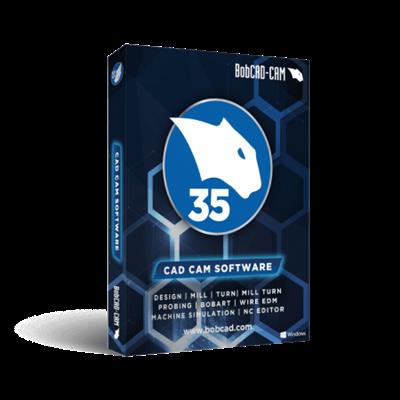
BobCAD-CAM v36 build 5009 (x64)


5c919c27d5777211d7e3b26b3edab057.jpeg


BobCAD-CAM v36 build 5009 (x64)
x64 | File Size: 1.20 GB​

Description
BobCAD-CAM's Version 36 release has brought with it some incredibly powerful tools to add to your CAD-CAM arsenal. We have made some amazing improvements on geometry selection, how to program your part, and now, even give you a Toolpath Editor to give you the control to edit anything you want about the whole operation, a portion of the operation, or even a single entity of the overall operation.

CAD PICKING
Updates have been made to many of the CAD functions that require the selection of other geometry. Many of the CAD functions require picking other geometry to perform the function; Subtract this from that, or, use this as my Attachment Point, this as my Sweep Profile, and this as my Sweep path are examples. In either case, the order of the selections plays a big role in the result, and, in the past, getting the order wrong would usually result in canceling the function and reopening the function, just to try again. With our new and improved interface, we have eliminated these issues with list boxes for the selected geometry. These list boxes have controls to delete geometry or even reverse chains and adjust the order of the selected geometry when necessary. This gives you an unprecedented amount of control over selection of geometry and the result of the function. The Sweep and Cross Section functions are used as examples below.

One of the huge benefits of the new selection aspect of these functions is being able to try different things to see how they affect the preview of the result before finalizing. The Sweep function, for instance, will give different results depending on the Attachment Point being used. With the new selection functionality, you could pick the Attachment Point, Sweep Profile, and Sweep Path to see the Preview, and then, delete only the Attachment Point, in order to pick a different Attachment Point to test another result. The functions with updated picking are as follow

Surfaces- Planar, Extrude Curve, Extrude Surface, Revolve, Sweep, Cross Section, Skin, Offset, 3 Edge, 4 Edge, Multisided Patch, Fillet, Intersection Curves, Break Surface, Swung, Ruled
Solids- Fillet, Add, Subtract, Intersect, Extrude Boss, Extrude Cut, Split, Shell, Imprint

SCALE SKETCH HANDLE
The Translate function has a handy new feature to use when scaling. In some cases, scaling is needed without a specific value in mind, an adjustment for aesthetics for instance. It is in cases like these, entering different scale values and checking the resulting preview can be a little frustrating, and in situations like these, the Scale Sketch Handle is the perfect solution. Simply click on the scale sketch handle and drag your mouse to adjust the scale where you want it. Click again to set the scale value.

System Requirements
Operating System: Windows 10 x64 or later
CPU: 2.0 GHz multi-core processor or higher
Memory: 6 GB RAM or higher
Available Hard Disk Storage: 2 GB or higher
Video: 1 GB *graphics card that supports OpenGL 1.1

Homepage
Код:
https://bobcad.com/

rapidgator.net:
Код:
https://rapidgator.net/file/5a491daa1984ead5e2c28cb9a11dfebd/nzsqx.BobCADCAM.v36.build.5009.x64.part1.rar.html
https://rapidgator.net/file/591e4dae9fbdf27f83d276078c922ec5/nzsqx.BobCADCAM.v36.build.5009.x64.part2.rar.html

uploadgig.com:
Код:
https://uploadgig.com/file/download/54766d3719635426/nzsqx.BobCADCAM.v36.build.5009.x64.part1.rar
https://uploadgig.com/file/download/018F1Bf40eaccbd2/nzsqx.BobCADCAM.v36.build.5009.x64.part2.rar

nitroflare.com:
Код:
https://nitroflare.com/view/65E108B2AE03AF9/nzsqx.BobCADCAM.v36.build.5009.x64.part1.rar
https://nitroflare.com/view/942771CEF612D0F/nzsqx.BobCADCAM.v36.build.5009.x64.part2.rar
 
BobCAM v11 SP0 Build 5009 for Solidworks (x64)


2002a5a3c0a3f2ea91b4346cbfb5cc9c.jpeg


BobCAM v11 SP0 Build 5009 for Solidworks (x64)
x64 | File Size: 1.06 GB​

Description
The NEW Machine Simulation PRO Add-on offers state of the art toolpath simulation technology for BobCAD-CAM CNC programming software. The Machine Simulation PRO Add-on can be easily added to any of the latest BobCAD-CAM & BobCAM for SOLIDWORKS™ core CAD-CAM products giving you full advantage of all the NEW advanced simulation technology benefits!

BobCAD-CAM now offers probing cycles with the new Probing module! Everything in the machine shop is about precision, and because of this probing is becoming an indispensable part of machine shop. Being able to verify work and tool offsets with 100% accuracy, check tools for breakage, and even inspect finished parts can save and enormous amount of time and money, and now BobCAD-CAM has everything you need to bring your shop to the next level.

CAD PICKING
Updates have been made to many of the CAD functions that require the selection of other geometry. Many of the CAD functions require picking other geometry to perform the function; Subtract this from that, or, use this as my Attachment Point, this as my Sweep Profile, and this as my Sweep path are examples. In either case, the order of the selections plays a big role in the result, and, in the past, getting the order wrong would usually result in canceling the function and reopening the function, just to try again. With our new and improved interface, we have eliminated these issues with list boxes for the selected geometry. These list boxes have controls to delete geometry or even reverse chains and adjust the order of the selected geometry when necessary. This gives you an unprecedented amount of control over selection of geometry and the result of the function. The Sweep and Cross Section functions are used as examples below.

One of the huge benefits of the new selection aspect of these functions is being able to try different things to see how they affect the preview of the result before finalizing. The Sweep function, for instance, will give different results depending on the Attachment Point being used. With the new selection functionality, you could pick the Attachment Point, Sweep Profile, and Sweep Path to see the Preview, and then, delete only the Attachment Point, in order to pick a different Attachment Point to test another result. The functions with updated picking are as follow

Surfaces- Planar, Extrude Curve, Extrude Surface, Revolve, Sweep, Cross Section, Skin, Offset, 3 Edge, 4 Edge, Multisided Patch, Fillet, Intersection Curves, Break Surface, Swung, Ruled
Solids- Fillet, Add, Subtract, Intersect, Extrude Boss, Extrude Cut, Split, Shell, Imprint

CNC Software Machine Simulation
-Use Your Machines Kinematics to Simulate Using Your Machine
-Calculate Cycle Times & Gain Toolpath/Operation/Sequence Analytics
-Eliminate Costly Programming Mistakes, Gouges & Collision Errors
-Visualize the Machining Process, Fixture Orientation & Machine Movements
-Machined Part Deviation Analysis
-Much More!

System Requirements
-SolidWorks Version: SolidWorks 2018 or later Recommended:SolidWorks Version: SolidWorks 2022
-Operating System: Windows 8
-CPU: 2.0 GHZ processor
-Memory: 3 GB RAM
-Available Hard Disk Storage: 2 GB or higher

Video: 256 MB graphics card that supports OpenGL 1.1
homepage
Код:
https://bobcad.com/

rapidgator.net:
Код:
https://rapidgator.net/file/8c628a5ee1b77874318c3d7e9a802ed1/jskwp.BobCAM.v11.SP0.Build.5009.for.Solidworks.x64.rar.html

uploadgig.com:
Код:
https://uploadgig.com/file/download/33d9a0651fD0c34b/jskwp.BobCAM.v11.SP0.Build.5009.for.Solidworks.x64.rar

nitroflare.com:
Код:
https://nitroflare.com/view/1E4FA33B16CDC32/jskwp.BobCAM.v11.SP0.Build.5009.for.Solidworks.x64.rar
 
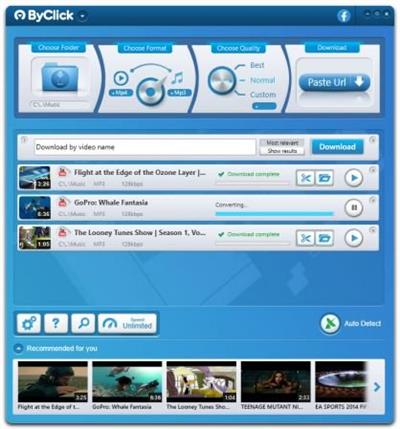
By Click Downloader 2.3.45 Multilingual


b4bef21d60697f2ab8ac57a31201df4a.jpeg


By Click Downloader 2.3.45 Multilingual
File size: 17.8 MB​

By Click Downloader is a tool designed to help you grab media from various websites, including, but not limited to YouTube, Facebook, Vimeo, Dailymotion, Instagram, Twitter, so on and so forth.

Supports all sites
Download from YouTube, Facebook, Instagram, Twitter, Vimeo, Dailymotion, YouKu and many more!
Download YouTube Playlists
Download entire YouTube Playlists and channels. Download entire Instagram pages. All at once within 1 click!
HD & 4K quality
Download videos in 720p, 1080p, 4K and 8K. Convert to MP3, MP4, AVI, FLV, WMV, 3GP, WEBM, MKV, WAV, AAC and M4A.
Whats New
Updates: official site does not provide any info about changes in this version

Homepage
Код:
https://www.byclickdownloader.com/

Download link

rapidgator.net:
Код:
https://rapidgator.net/file/197b6b71e1282e9f6bd846d127996f2d/cwcta.By.Click.Downloader.2.3.45.Multilingual.rar.html

uploadgig.com:
Код:
https://uploadgig.com/file/download/7c38d26274c128E5/cwcta.By.Click.Downloader.2.3.45.Multilingual.rar

nitroflare.com:
Код:
https://nitroflare.com/view/E5DF998992DD368/cwcta.By.Click.Downloader.2.3.45.Multilingual.rar
 
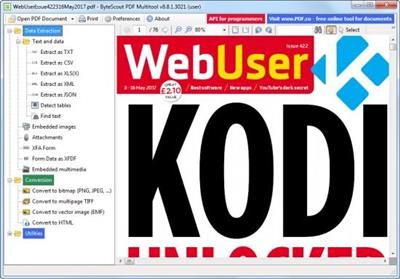
ByteScout PDF Multitool 13.4.1.4843


9149c347c26c6a93b7a9135ca3e2c991.jpeg


ByteScout PDF Multitool 13.4.1.4843
File Size: 283 MB​

Convert PDF files to multiple document and image formats, read damaged text, extract data from documents and more, with this versatile application. ByteScout PDF Multitool is an easy to use and powerful conversion suite created to help users save their PDF files to other common formats, such as TXT, CSV, HTML and even images.

Learn more about the features of ByteScout PDF Multitool for Businesses
PDF transformation and conversion of its scanned images into text searchable PDF files;
Reading of text on scanned files (English, German, Spanish, French and more are supported) with features of HTML PDF Viewer afterward;
PDF to CSV conversion, PDF to XML and XLS, PDF to XLSX and PDF To HTML conversions;
Ability to automatically find tables within a PDF document;
Extra options to Split, Merge, Extract pages from PDF;
Performing of regular expressions search within a PDF document;
Extract attached files and inside data from PDF, XFA and XFDF;
Convert PDF to TIFF, PDF to PNG, PDF to BMP, PDF to HTML;
Print PDF documents;
Whats New
official site does not provide any info about changes in this version.

Homepage
Код:
https://bytescout.com

Download link

rapidgator.net:
Код:
https://rapidgator.net/file/90b1ef6137d2a18b2b663e307f79741d/fgagr.ByteScout.PDF.Multitool.13.4.1.4843.rar.html

uploadgig.com:
Код:
https://uploadgig.com/file/download/1aAcd14Aa6b6560F/fgagr.ByteScout.PDF.Multitool.13.4.1.4843.rar

nitroflare.com:
Код:
https://nitroflare.com/view/398F6E0995606F5/fgagr.ByteScout.PDF.Multitool.13.4.1.4843.rar
 
Capture One 23 Pro / Enterprise 16.2.5.1588 Multilingual


ae0b1d0d6df0462a863f2da604c9ee9f.jpeg


Capture One 23 Pro / Enterprise 16.2.5.1588 Multilingual
Windows x64 | File size: 643.83 MB​

Capture One Pro - Powerful photo editing on desktop. Superior image quality and true-to-life colors thanks to tailored profiles for nearly 600 camera models and lenses. Lightning-fast tethered shooting and precise photo editing tools. An interface you can personalize for a faster workflow.

True-to-life colors and superb image quality
Get incredible color accuracy and image quality right from the start. Our powerful RAW converter is customized for nearly 600 camera profiles and over 700 lenses. Thanks to this, our true-to-life color processing gives you even more vibrant images - so you can spend less time tweaking and deliver even better results.
Lightning-fast tethered shooting
Shoot directly into your computer with lightning-fast tethering for a quick and more efficient workflow. Get a full screen view of your images within seconds, letting you quality control shots in the moment with teams or clients and make the changes you need on set right then and there. With Live View, you can see what your camera sees from your screen, have full control of your camera settings from your computer, and organize images immediately from the get-go.
Get even more space to create with no cords holding you back with Wireless Tethering - available for select Canon and Nikon cameras.
Work quicker with speedy tools
Cull quickly by browsing images with zero delay. Easily choose your top selects by getting an overview of similar shots that are automatically grouped together. Edit with tools that do the work for you. Features like Smart Adjustments let you cut down on editing time with AI-driven adjustments that give you a similar look across photos shot under different lighting conditions by auto adjusting Exposure and White Balance specific to each photo.
Make rapid changes and set your own shortcut keys with Speed Edit, meaning you never need to take your eyes off your image to adjust sliders, letting you edit a single image or make batch edits even faster.
Collaborate quickly with clients around the world
Remote collaboration is made easier with Capture One Live, our timesaving collab tool that lets you get instant feedback from teams and clients anywhere. By sharing images from your photoshoot with a simple link, they can view, comment, rate, and color tag photos directly on any device without needing to download a single file - no third-party software or emailing large files back and forth needed.
The power of Capture One for a studio photographer
Lagos-born, Atlanta-based photographer Daniella Almona works to highlight blackness in all forms in her work. Playing with highly saturated tones in backdrops, clothes, and make-up to bring out her subjects' features, Capture One Pro is key to Daniella's workflow, including her culling and editing processes, control of color, and more.
New in Capture One Pro 23
Faster Culling
Cull your images even faster. Rate and tag images directly in the importer or using the dedicated cull view once your images are already in Capture One Pro. Get an easier overview of similar images with automatic group view, letting you choose your top selects even quicker. Plus, instant browsing allows you to click through your images with zero delay.
Smart Adjustments
Reduce editing time massively with Smart Adjustments. Get a similar look across photos that are shot under different lighting conditions by automatically adjusting Exposure and White Balance - optimized for portraits, weddings, or other jobs featuring people.
Layers In Styles
Have more control over editing and full flexibility over your Style workflow with the ability to include Layers in Styles. Apply your edits to multiple Layers from a single Style, allowing for easy opacity control and versatility. Save your own Styles with Layers in them or get layered versions of Capture One Style Packs.
Change Capture Time
Ensure accurate order of photos for easier culling by changing capture time. When shooting with two or more cameras that are out of sync or capture time is set to the wrong time zone, easily adjust the time on each image so they appear chronologically. Culling is made easier by being presented with all images from certain moments or similar shots in the right order.
Variants in Albums
Easily sort different variants of the same image into separate albums, allowing for more efficient photo organization.
Код:
https://support.captureone.com/hc/en-us/categories/360000430178-Release-Notes
System Requirements
- Intel® Core™ i3 (1st generation) / AMD Jaguar family
- 8 GB of RAM
- 10 GB of free hard disk space
- Calibrated monitor with 1280x800, 24-bit resolution at 96dpi
- Windows 8.1® 64-bit or Windows 10® 64-bit* or Windows 11® (64-bit)
* Windows 10 is supported for builds from 1607 through to build 22H2.

Homepage
Код:
https://captureone.com/

Download link

rapidgator.net:
Код:
https://rapidgator.net/file/2e811c0305e589f2dc9e8f473b88f6d5/lbovk.Capture.One.23.Pro..Enterprise.16.2.5.1588.Multilingual.rar.html

uploadgig.com:
Код:
https://uploadgig.com/file/download/b0628433f05bFf61/lbovk.Capture.One.23.Pro..Enterprise.16.2.5.1588.Multilingual.rar

nitroflare.com:
Код:
https://nitroflare.com/view/114914C3D4948F3/lbovk.Capture.One.23.Pro..Enterprise.16.2.5.1588.Multilingual.rar
 
CoffeeCup Responsive Bootstrap Builder 2.5.350


c0112f89c789871656bb240231f55d4c.jpeg


CoffeeCup Responsive Bootstrap Builder 2.5.350
Languages: English
File Size: 171.64 MB​

Prototype. Build. Design. With Bootstrap Builder. Create authentic digital experiences using the most famous front-end framework in the industry. Accelerate production time by working in a real-time browser environment. With no code to worry about, exploring design alternatives is both faster and easier, resulting in killer sites.

Cool Interactive components
Drag in customizable prebuilt components like menus, accordions, alerts, tab panels, modal dialogs, and more. Visually create your own too. Combine elements, add click-action through data attributes and some CSS to create your own off-screen navigations, flex-cards, info-pop-ups, or galleries.

Harmonize common components
Symbols keep identical elements like logos, headings, menus the same across the project. Editing a symbol item globally updates all instances. Yup, update all footers, with one edit! Flexibility rules. Which is why you can easily unlink an individual instance from the bunch if different content is needed.

Battle sameness. Unleash. Design creativity.
Responsive sites tend to suffer from 'sameness'. Creating responsive sites manually is hard, and flexible creation tools scarce. Therefore framework code or templates are often tweaked just enough to create a moderately fitting site. But these sites lack personality and authenticity. They all feel the same. But not any more! With Bootstrap Builder you can tweak everything and transform the Bootstrap framework into a one of a kind creation that supports the unique business case.

Breakpoints when and where you need them. Design or layout changes need to be based upon the actual content for an optimal user experience. Breakpoint management is key for creating truly device-agnostic designs.

CSS controls
Harness the full design power of CSS through simple clickable controls.

Use the P for <picture> and performance
The Picture element serves device specific images.

Positioning Controls
Everything from display and absolute positioning, clear or float, to the amazing Flexbox controls.

Multiple background
Layer multiple backgrounds for ultra creativity.

Color Palette Management
Grab the colors from anywhere on screen and and organize them into reusable palettes.

Typographic perfection
Google fonts, fallbacks, inline editing, viewport related sizing and every other typographic style control you can think of.

Easy Layout Management
Add, delete, merge and move rows and columns. Adjust span widths, offsets and push & pull settings too.

Hand-tweaking is an option too!
Bootstrap Builder is a visual app, but any code-connoisseurs who want the ability to dive into the backend have that option too. Export to any code editor to manually edit the crisp and clean markup. Sweet: linked in custom stylesheets, will not get overwritten when re-exporting!

Release Notes
- Like every other MacOS program, you can now use the backspace key as another way to delete elements!

- Projects that contained a styled address element would stay stuck on the loading screen. After some tinkering all projects should now load normally.

System Requirements
Windows 11, 10, 8/8.1, 7, Vista

Homepage
Код:
https://www.coffeecup.com

rapidgator.net:
Код:
https://rapidgator.net/file/6a7bd27a266481daa0f02995a8e8a69d/lhlsl.CoffeeCup.Responsive.Bootstrap.Builder.2.5.350.rar.html

uploadgig.com:
Код:
https://uploadgig.com/file/download/30381c88E5807c6e/lhlsl.CoffeeCup.Responsive.Bootstrap.Builder.2.5.350.rar

nitroflare.com:
Код:
https://nitroflare.com/view/BFD10B383079DAB/lhlsl.CoffeeCup.Responsive.Bootstrap.Builder.2.5.350.rar
 
CoffeeCup Responsive Foundation Framer 2.5.550


ac0ca83a80343fb1938b2cadc697ca39.jpeg


CoffeeCup Responsive Foundation Framer 2.5.550
Languages: English
File Size: 183.65 MB​

All the power of Foundation 6. Without coding. Front-end frameworks provide a solid grid system and a well-tested library of predefined styles. JavaScript modules allow for the creation of interactive website components such as dropdowns and responsive navigation patterns. We like Bootstrap, but we totally love Foundation because.

Customize Prebuilt Components
Choose from navigation menus, accordions, cool tab panels, modal dialogs, drop ups, and much, much more.
Create your own Interactive Components
Visually combine HTML elements, (predefined & custom) CSS. Then mixin interactive scripts to create off-screen navigations, flex-cards, info-pop-ups, or galleries. Really, there's no limit to what you can build!
Link Elements or Entire Components
Symbols represent linked elements or groups of elements. A change to a symbol item will globally update all instances of that symbol. Content such as text, images, and even component structures such as navigation menus, only need to be updated once.
Unchained Flexibility
Easily browse symbols with the preview function and navigate to specific instances with the click of a button. In case a variation of a symbol is needed, simply unlink an instance and it will stop being affected by global updates.
It's Minimal and Modular
Combine elements, create styles and add scripts. It's like playing with technic lego (instead of duplo.)
Has the Toggler
Which really rocks! Create all types of interactive elements by swapping out classes or revealing hidden items.
Includes Motion UI
This library helps to create flexible UI transitions and animations through the use of simple data attributes.
Battle sameness. Unleash. Design creativity.
Why do so many responsive websites look so similar? Restructuring the layout and predefined breakpoints in a mobile-first workflow can be a pain when hand coding. Foundation Framer features all the controls for visually creating unique designs, from XS to XXXL screens! Not having to worry about code allows for more experimentation and stimulates creativity. The snazzy interface and intuitive style controls guarantee unique designs that are out of this world.
A case for flexibility and designing with real content.
When we mapped out how our responsive apps would function, we focussed on the core of a device-agnostic design: custom breakpoints with a fully adaptable layout. After all, fanciness can only be built upon solid grounds. Curious why that is? Let's take a look at a real design case.
By default, Foundation 6 comes with 2 breakpoints.
These are the blue dots on the image below. Now look at the layout. The two column design looks great at the current width, but at smaller screens a single column might be preferred. However, using the default breakpoints, it would need to be one or the other; either a single column or a two column for every screen smaller than 640px.
Add breakpoints with a click.
The ability to easily add custom breakpoints to adapt the layout, while working with real content, leads to more flexibility and better design decisions. In this case, a custom breakpoint (the white dot) is added that changes the layout from a single column into a two column structure at 450px. Different spacing often leads to changes to font sizes; this and other design changes can be applied at breakpoints as well.
Design for extra large devices with no pain.
A similar case can be made when designing for (very) large screens. What about pulling up two columns and creating a six column row? With Foundation Framer, It's a decision the designer can now make with limited effort. Ultimately this will create better user experiences on all devices. Breakpoints when and where you need them. As seen from the examples, defining breakpoints without layout and content is meaningless. Design or layout changes need to be based upon the actual content for an optimal user experience. Breakpoint management is key for creating truly device-agnostic designs.
Automagically design with CSS.
Use the full layout power of CSS simply by selecting options, pressing buttons and specifying dimensions. It will not just be imaginative, it will be ingenious!
Use the P forand performance
Rescue mobile viewers from downloading heavy, slow-loading image files. Using the Picture element you can serve a friendlier size to every viewer.
Paramount Positioning Controls
Place content where you want it. Choose your display, absolute positioning, set to clear or float, or simplify your life by using the incredible, visual Flexbox controls.
Multiple background capabilities
Don't limit yourself to a single backdrop. Layer multiple backgrounds for extra dimensions to get a truly immersive look.
Color Palette Management
Use the precise picker to grab the colors from anywhere on screen. Keep them organized and reuse them by saving them to your palette.
Tasty Typography
Clickable controls make it a breeze to set and style your message. It's loaded with customizable Google fonts too. With the inline editor you can personalize special text with its own appearance.
Easy Layout Management
Click through the Layout pane to structure your layout. Add, delete, and merge rows and columns to hold content. Adjust span widths, offsets and push & pull settings too!
Hand-tweaking is an option too!
Foundation Framer is a visual app, but any code-connoisseurs who want the ability to dive into the backend have that option too. Export to any code editor to manually edit the crisp and clean markup. Sweet: linked in custom stylesheets, will not get overwritten when re-exporting!
Release Notes
- Like every other MacOS program, you can now use the backspace key as another way to delete elements!
- Projects that contained a styled address element would stay stuck on the loading screen. After some tinkering all projects should now load normally.

System Requirements
Windows 11, 10, 8/8.1, 7, Vista

Homepage
Код:
https://www.coffeecup.com

Download link

rapidgator.net:
Код:
https://rapidgator.net/file/d3a0d117da2564aec47e4cc3288d0d7f/xvoph.CoffeeCup.Responsive.Foundation.Framer.2.5.550.rar.html

uploadgig.com:
Код:
https://uploadgig.com/file/download/fe13B5568853De86/xvoph.CoffeeCup.Responsive.Foundation.Framer.2.5.550.rar

nitroflare.com:
Код:
https://nitroflare.com/view/42DBE65DAECC044/xvoph.CoffeeCup.Responsive.Foundation.Framer.2.5.550.rar
 
DropCompress 1.2.6


20520cf5c8aee93f4cba541e55fbdbff.jpeg


DropCompress 1.2.6
File size: 50.32 MB​

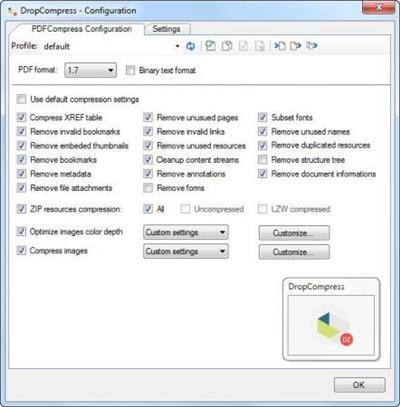
DropCompress makes it possible to reduce and optimize several PDF documents at once directly by drag & drop or via a monitored folder. DropCompress is an executable MS Windows application that can be started automatically. Optimizes and compresses existing PDF files many times over, depending on the initial situation and settings.

One of the main features of the PDFCompressor component, in addition to the reduction of the resolution, is that PDFs can be created with the latest and best compression methods - JPEG-2000 and JBIG-2 which are not supported by most PDF applications.
It may make sense to unify all PDF files in the company in terms of compression and resolution in order to obtain a uniform standard for all received, processed and archived PDF documents, regardless of where the PDF files came from.
KEY FEATURES
PDFCompressor overview
Compress
Compresses existing PDF files many times depending on the initial situation and settings. Removes - unused pages, unused names, invalid bookmarks, invalid links, etc. ZIP compression of all PDF resources.
Images
Optimizing the color depth of images. Change Image Compression - Color, Grayscale, Black & White - LZW, RLE, JPEG, ZIP, JPEG-2000, TIFF Gr.4, JBIG-2. Reduce Images - Convert Images to New Target Resolution Separated for Color, Grayscale, Black & White configurable.
Processing
All settings can be managed via profiles (XML files) - Profile: New, Copy, Change Name, Delete, Export, Import. Parallel processing with configurable number of processes.
Settings
Many setting options for JPEG, JPEG-2000, JBIG-2 compression. Lossless and lossy compression on JPEG-2000 and JBIG-2 configurable.
What's new
• official site does not provide any info about changes in this version

Homepage
Код:
https://www.smallestpdf.com/

Download link

rapidgator.net:
Код:
https://rapidgator.net/file/f62687f087c8c1ca073a8e3bba0e6c5c/xwwnz.DropCompress.1.2.6.rar.html

uploadgig.com:
Код:
https://uploadgig.com/file/download/08d51b892e743a65/xwwnz.DropCompress.1.2.6.rar

nitroflare.com:
Код:
https://nitroflare.com/view/F90DD9D474E25F6/xwwnz.DropCompress.1.2.6.rar
 
Flownex Simulation Environment 2023 v8.15.0.5222 (x64)


fae4fe1f8aa263f79ce0a1ca3e1651eb.jpeg


Flownex Simulation Environment 2023 v8.15.0.5222 (x64)
x64 | Languages:Multilanguage | File Size: 1.68 GB​

Description
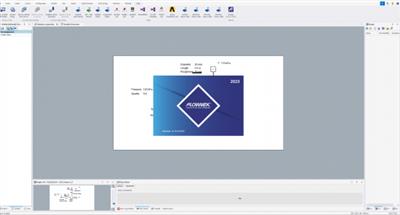
Flownex® Simulation Environment delivers technology that enables you to study how systems will behave in the real world, where fluid is the driving factor. Flownex® system simulation relays the overall effect of changing specific properties on components, allowing clients to examine extensively all possible variations of a system in the design and optimization of systems.

Flownex® SE provides turbomachinery engineers with an easy to use, off-the-shelf tool for modelling combustion chambers, secondary air systems, blade cooling flows, lubrication systems with oil-air mixtures, as well as overall cycle integration and operation.
Blade Cooling
By coupling 1D flow Flownex® models with 3D heat transfer models in ANSYS Mechanical or CFX, a
detailed turbine blade cooling simulation can be conducted. Flownex® contains industry-standard pressure drop and heat transfer correlations for typical turbine blade features such as turbulator strips and pedestals. This allows designers to rapidly see the effects of their design changes on the maximum blade temperatures and cooling airflow rate.
COMBUSTION CHAMBER
Preliminary combustor design requires that an extensive number of geometrical and operational conditions be evaluated and compared. Especially during this phase, Flownex® is an essential tool for combustor design engineers as it accurately captures important parameters such as the mass flow rate distribution through air admission holes,
associated pressure losses as well as liner wall temperatures.
Networks can be easily configured and solved within a few seconds. This result in substantial development cost savings because of the reduction in the number of detailed 3D simulations and rig tests required. A further advantage is the ability to use the Flownex® results as boundary conditions for subsequent localized 3D models.
LUBRICATION SYSTEM
The primary use of Flownex® in lubrication systems is used to determine optimum drain line sizes given the limited space inside the engine. This requires two-phase pressure drop calculations in lines with oil-air mixtures. In parallel with this engineers can determine whether or not scavenge pumps are required for fluid transportation in the drain lines and, if so, what the pumping requirement will be.
SECONDARY & COOLANT FLOW
Flownex® includes a comprehensive rotating component library for analysing the secondary air system of a gas turbine engine. This enables engineers to quantify the bleed air consumption and flow distribution through the entire system. Furthermore, coupling Flownex® with Ansys Mechanical enables engineers to perform detailed thermal studies of critical rotating components. Flownex® includes
-Real gas models
-Windage power calculation
-Choking calculations
-User-defined HTCs
SYSTEM SPECIFICATIONS
CPU:Quad Core i7
RAM:16GB
OS:Windows 7/10
5GB free hard drive space
Код:
https://flownex.com/news/flownex-se-2023/

Screenshots

e04fa06ab80362175c14f7ea4b572749.jpeg

Homepage
Код:
https://flownex.com/

Download link

rapidgator.net:
Код:
https://rapidgator.net/file/422da5daad4e2f44ff6fd910dd2e37c4/qspcx.Flownex.Simulation.Environment.2023.v8.15.0.5222.x64.part1.rar.html
https://rapidgator.net/file/03af10d36a1530bc0b5185cd28cb65bb/qspcx.Flownex.Simulation.Environment.2023.v8.15.0.5222.x64.part2.rar.html

uploadgig.com:
Код:
https://uploadgig.com/file/download/d01947a1d4c6Edad/qspcx.Flownex.Simulation.Environment.2023.v8.15.0.5222.x64.part1.rar
https://uploadgig.com/file/download/0c3113A9Dca92127/qspcx.Flownex.Simulation.Environment.2023.v8.15.0.5222.x64.part2.rar

nitroflare.com:
Код:
https://nitroflare.com/view/E4EDB524A5A1ACC/qspcx.Flownex.Simulation.Environment.2023.v8.15.0.5222.x64.part1.rar
https://nitroflare.com/view/07D2827507FF698/qspcx.Flownex.Simulation.Environment.2023.v8.15.0.5222.x64.part2.rar
 
GiliSoft Audio Toolbox Suite 10.7 Multilingual


8e7f9366701bbc6d6eeea3a88b753aa2.jpeg


GiliSoft Audio Toolbox Suite 10.7 Multilingual
File size: 54.5 MB​

9 powerful and useful audio program in one pack, which including Audio Recorder , Audio Cutter, Audio Joiner, Audio Converter, Video to Mp3,ID3 Tag Editor,Transfer to iTunes,CD Ripper,CD Burner. #1 Audio Toolkit Suite is able to do almost every audio ripping, converting, burning, and editing imaginable. With it, you can easily convert and edit any audio files, rip, create and copy CD, convert audio files, burn music to CD, rip CD/DVD to different audio files, etc.

In conclusion, you can convert, copy, create, rip, burn and deal with your CD/audios/by #1 Audio Toolkit Suite with much enjoyment. Just free download and experience it now!
Audio Recorder
A nice tool that can enrich your music entertainment. It allows you to record streaming audio from music sites, video platforms, radio stations or capture sound from audio chats effortlessly. The software provides lots of output audio formats including MP3, AAC, FLAC, WMA, etc. for playing on any music players and portable devices smoothly..
Audio Cutter
A perfect tool for all your audio Mp3 Wav Wma cutting needs as create ringtones, make mash-ups, music clips and more. Cut your favorite part from a video or audio, save the result as a .MP3 file or ringtone for your mobile phone. Our app can be used to make an audio track fade in and out smoothly..
Audio Joiner
Audio Joiner has a very simple interface. Add your file, pick a start and finish time and press Cut, or find the file you want to merge with and press Join. The timescale slider is easier than usual to use, and you'll have the option to preview your work before making any final changes.
Audio Converter
The built-in audio converter offers lots of functions including cut, merge, mix and add effects to audio. Using it, you could re-create the audio and make ringtone without hassle. Except convert audio files , you can adust audio speed, change voice.
Video to MP3
Video to MP3 extract audio from video files to MP3 and WAV Lossless Audio. You can save audio in high, standard and economy quality. Video to MP3 Converter automatically fills the title tag and the artwork, taking a snapshot from the middle of video, which can be seen in iTunes, Winamp or just a Windows Explorer folder.
ID3 Tag Editor
ID3 Tag Editor is designed to be easy and intuitive to use. Just load the file you want to edit, enter the new information, and then add or edit tag metadata, including genre, title, artist, album, year, track number and more
Add your own comments to a music file, Edit wav, mp3 and ogg music file metadata.
Transfer to iTunes
Transfer Music on your PC Into iTunes, if you add video file, it will convert and transfer Into iTunes. If you want to listen to recorded music on Apple devices, the "Transfer Music to iTunes" function is the right option. It converts audio in any formats to iTunes compatible format and add them to iTunes library in one-stop way.
CD Ripper
A powerful software for ripping audio CD tracks to WMA, MP3, OGG, VQF, FLAC, APE and WAV formats. The interface is user-friendly and includes ID3 tag support. It supports multiple CD/DVD drivers and includes audio playback controls.
CD Burner
It's a nice add-on for you to burn your audio to blank CD for listening within CD player in your house or in the car. You may also share your songs with others via CD disc.
Whats New
Updates: official site does not provide any info about changes in this version.

Homepage
Код:
http://www.gilisoft.com

Download link

rapidgator.net:
Код:
https://rapidgator.net/file/0ee7f9cceab6966f562470d6c2ae793f/rleol.GiliSoft.Audio.Toolbox.Suite.10.7.Multilingual.rar.html

uploadgig.com:
Код:
https://uploadgig.com/file/download/afc4aec4B8268c81/rleol.GiliSoft.Audio.Toolbox.Suite.10.7.Multilingual.rar

nitroflare.com:
Код:
https://nitroflare.com/view/4E188A66D973D9A/rleol.GiliSoft.Audio.Toolbox.Suite.10.7.Multilingual.rar
 
IsMyHdOK 3.93 Multilingual


0f959fbff9ea0fe9a8105aa94b540d63.jpeg


IsMyHdOK 3.93 Multilingual
File Size : 0.2 Mb​

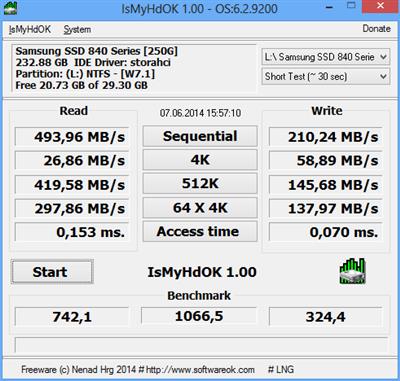
IsMyHdOK is A small program but effective solutionl for a SSD, HDD, SD card, USB stick quick test. Suitable for SSD and HD and other drives.

# Features
Very small program
Suitable for SSD and HD and other drives
Benchmark
Arbitrary Test Time
- Quick Test (~ 15 sec)
- Short Test (~ 30 sec)
- Long test (~ 60 sec)
- Very long test (~ 4 min)
Код:
http://www.softwareok.com/?seite=Microsoft/IsMyHdOK/History

Homepage
Код:
http://www.softwareok.com/

Download link

rapidgator.net:
Код:
https://rapidgator.net/file/d5f8205965bd685e4ab0996e5c29697e/vxstz.IsMyHdOK.3.93.Multilingual.rar.html

uploadgig.com:
Код:
https://uploadgig.com/file/download/5feb52654fA79433/vxstz.IsMyHdOK.3.93.Multilingual.rar

nitroflare.com:
Код:
https://nitroflare.com/view/AA3F0F0D5E0B11D/vxstz.IsMyHdOK.3.93.Multilingual.rar
 
iZotope VocalSynth Pro 2.6.1 (x64)


ae9c45d4d997cca5411fd5f475252943.jpeg


iZotope VocalSynth Pro 2.6.1 (x64)
File size: 39.2 MB​

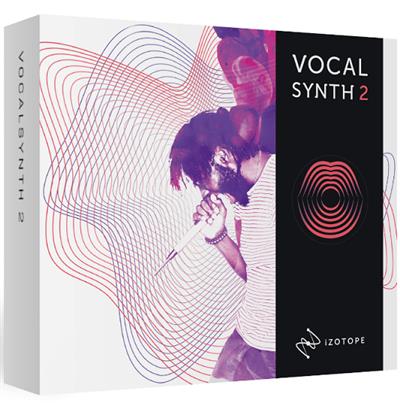
Elevate your vocal productions with iZotope's most unique plug-in experience for vocals. Quickly get old-school sounds you need, or create a new school of vocal sounds. Get lost in layers, textures, effects, blending, and morphing in an experimental vocal playground, and finally find that secret something that makes your vocals stand out. Choose and meld five unique vocal tools, or pick from hundreds of presets for quick impact.

VocalSynth has been reimagined to get you a better sound, faster than ever. With improvements across nearly every aspect of the plug-in, you'll have no trouble finding your unique sound, no matter your chosen genre! Further enhance your production with a custom drag-and-drop vocal effects chain. VocalSynth 2's effects section now lets you change the order of the modules! Meet the Anemone, VocalSynth 2's colorful animation that moves and grows with the shape of your audio signal. Driven by an advanced spectral analysis that reacts to the sonic characteristic of vowels, the Anemone blends fun interaction with a unique metering experience
Feature
Auto mode
Lock your vocals into key with real-time pitch correction, generate additional voices and harmonies, and seamlessly blend your module settings with VocalSynth's intuitive mix panel.
MIDI mode
Use MIDI data to control your pitch and effortlessly create custom vocal harmonies as you play. Recreate the experience of playing a classic vocoder or talkbox!
Sidechain mode
Pipe your own audio into VocalSynth 2 to use as your "carrier" signal. This lets you make any audio "talk" or create new outlandish sounds that would be impossible otherwise.
Код:
https://www.izotope.com/en/products/downloads/vocalsynth/vs-release-notes.html

Homepage
Код:
https://www.izotope.com/en/products/create-and-design/vocalsynth.html

Download link

rapidgator.net:
Код:
https://rapidgator.net/file/35d0b5db1a1750f2a721c50ba41e0934/jgwwq.iZotope.VocalSynth.Pro.2.6.1.x64.rar.html

uploadgig.com:
Код:
https://uploadgig.com/file/download/053E5d6efef13128/jgwwq.iZotope.VocalSynth.Pro.2.6.1.x64.rar

nitroflare.com:
Код:
https://nitroflare.com/view/DAB9266750C59A7/jgwwq.iZotope.VocalSynth.Pro.2.6.1.x64.rar
 
Mipony Pro 3.3.0 Multilingual


0bf39f5c89add2089af582858d9ae5cf.jpeg


Mipony Pro 3.3.0 Multilingual
File size: 21 MB​

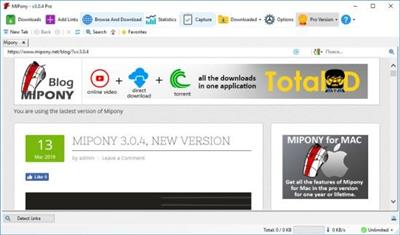
Mipony is a download manager that gives you access to content on a wide variety of sites, so you can save it to your computer or mobile device. Through the app's intuitive interface and built-in browser, you can quickly find the items you're looking for and begin the downloading process.

Features
Continuous download
· Once the link has been added to the download list, the files will be downloaded while you navigate and if you close the download program, the downloads will be restarted when you start the program again.
· Possibility to give priority to files in the waiting list
· Control how many files can be downloaded simultaneously from each server..
· Many of the files hosted in free servers are divided into parts, Mipony has the option to join the downloaded files (HJSplit).
· Mipony can capture from the clipboard individual links or any text that contains any number of links.
Download attempts
· If by any chance the file shows an error during the download, Mipony will be in charge of performing the necessary attempts automatically until the file is downloaded.
Browser
· It has an embedded browser from where the download links are detected.
· Automatic update of the data base with the sites supported. Mipony updates automatically to keep working with files download sites and it is constantly adding new sites to the supported websites.
· Mipony can analyze full sites looking for links, indicating if they are still available in the server to be downloaded or if they have been erased.
· It allows the configuration of Flashgot to send links to Mipony
Plug-in
· In a bar format to launch downloads from Firefox and Explorer directly to Mipony or to open the site that is being viewed in the browser of Mipony.
Remote control
· Mipony has a web interface to control it remotely. With the web interface you can view the downloads and manipulate them, and also you can enter the captcha codes remotely. The web interface design is adapted for both desktops and mobile clients.
Captcha Trader Plugin
· With this plugin, you will have access to the captchas decoding system developed by captchatrader.com. CaptchaTrader solve captchas for you so you don't have to. If you earn credits by solving captchas then you can spend them later when you need them.
Код:
https://www.mipony.net/en/download

Homepage
Код:
https://mipony.net/

Download link

rapidgator.net:
Код:
https://rapidgator.net/file/06dfb2177df60fa74ff078380cdf4a70/ttcui.Mipony.Pro.3.3.0.Multilingual.rar.html

uploadgig.com:
Код:
https://uploadgig.com/file/download/7D5d33e6714557d5/ttcui.Mipony.Pro.3.3.0.Multilingual.rar

nitroflare.com:
Код:
https://nitroflare.com/view/33ABAE74702B1F9/ttcui.Mipony.Pro.3.3.0.Multilingual.rar
 
Назад
Сверху