• Форум работает в архивном режиме www.old.nado.in

All mitsumi'1s Applications !! (updated daily)

  • Автор темы Автор темы mitsumi1
  • Дата начала Дата начала
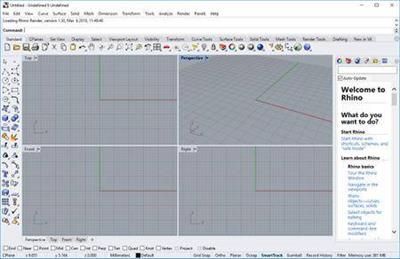
Rhinoceros 6.24.20079.23341 (x64)

76c81e27663f4d65cb75e586c96deffa.jpg


Rhinoceros 6.24.20079.23341 (x64) | 271.4 Mb​
In Rhino 6 for Windows, we've fully embraced Grasshopper - the wildly popular visual programming language - by "baking it in." Grasshopper is no longer beta; it's a stable development environment. We've also rewritten some features and renovated workflows that needed fundamental overhauls to make them truly productive.

Grasshopper
The long beta period is over: Grasshopper, the world's most beautiful programming language, is now a full-fledged part of Rhino. Used in some of the most ambitious design projects of the past decade, Grasshopper, like Rhino, has become a robust development platform. Grasshopper provides the solid foundation for many incredible third-party components ranging from environmental analysis to robotic control.

Presentation
Presentation is key: during nearly every phase of design, you need to communicate, getting "buy-in" from clients, customers, collaborators, or the public at large. We've improved Rhino with the aim of helping you present your work: be it "quick and dirty" or "high-res glossy." With major changes to Rendering, Materials, or just plain capturing the viewport, it's now easier and faster to present, discuss, make decisions, and iterate.

Display
Rhino's new display pipeline is faster, more stable, and uses features found on modern graphics hardware, like GPU sensitive shaders and memory optimizations. This results in fewer GPU-specific display glitches and more consistent, beautiful, and frequent frames, even with large models. In some conditions, display speed can be up to 300% faster.

Documentation
Modeling is just one part of the design process; you also need to show how to build what is on the screen. We've refined many parts of the documentation workflow, from a completely reworked annotation-style interface, to better DWG support, and RichText throughout. It's now easier to convey accurately and clearly the what and the how of your design.

Licensing & Administration
We have worked hard to make Rhino easier to install, license, and configure. There's a great new option to license Rhino using the Cloud Zoo.

Make2D
Make2D has been completely rewritten to provide faster, better, cleaner, more customizable results.

Rhino Refinements
Small quirks add up to painful paper cuts over the course of a prolonged modeling session. In Rhino 6, we've fixed hundreds of minor bugs and consolidated disparate - but similar - features into single commands, making Rhino much more refined.

Development Platform
Rhino is more than just a modeler. With a rich ecosystem of plugins and an open set of development tools, Rhino is quickly becoming the development platform for those seeking to push the envelope of design. Rhino 6 brings major improvements to our free SDKs, with API refinements, better documentation, and more access to Rhino commands from Grasshopper.

Serengeti
We're constantly improving Rhino. Rhino 6 users have access to the Serengeti community and our Work-In-Progress (WIP) builds. The WIP builds are where we are developing future features like SubD support, Grasshopper 2, a new real-time rendering engine, and much more.

System Requirements:
- Windows 10, 8.1, or 7
- 8 GB memory (RAM) or more is recommended.
- 600 MB disk space.
- OpenGL 4.1 capable video card is recommended.
- No more than 63 CPU Cores.
- Multiple-button mouse with scroll wheel is recommended.
- The SpaceNavigator is supported.
- Apple hardware is supported with Bootcamp.

Not supported:
Windows 8
Windows XP 64-bit
Windows Vista, NT, 95, 98, ME, or 2000
Windows 32-bit all versions

Home Page -
У Вас недостаточно прав для просмотра ссылок. Войдите или зарегистрируйтесь.


Download link:​
Код:
[center][b]rapidgator_net[/b]:
https://rapidgator.net/file/1f3a4f7639a9976eabfbddab013c2271/aqqgf.Rhinoceros.6.24.20079.23341.x64.rar.html

[b]nitroflare_com[/b]:
https://nitroflare.com/view/5DD1236E859FF9E/aqqgf.Rhinoceros.6.24.20079.23341.x64.rar

[b]uploadgig_com[/b]:
http://uploadgig.com/file/download/cd3148521980Ee3d/aqqgf.Rhinoceros.6.24.20079.23341.x64.rar[/center]

Links are Interchangeable - No Password - Single Extraction​
 
Valentina Studio Pro 10.1.0 Multilingual macOS

653a6240f8a210b1dfa6f18fd8b8e53b.jpg


Valentina Studio Pro 10.1.0 Multilingual | macOS | 69 mb​
Valentina Studio is the ultimate data management tool for database administrators. Valentina Studio includes a wealth of database administration tools. Valentina Studio PRO to unlock advanced data modeling tools, report design and editing and more. The Best Database Management GUI for SQLite, MS SQL Server, MariaDB, mySQL, PostgreSQL and Valentina databases.

* Report Editor - visual editor of Valentina Reports that can be saved into Valentina Project file (.vsp). Reports can use as datasource MS SQL, MySQL, PostgreSQL, SQLite, Valentina DB, ODBC.
* Form Editor - visual editor of Valentina Forms that can be saved into Valentina Project file (.vsp). Forms can use all supported databases as the datasource.
* Data Editor - enables go to parent record function.
* Data Editor Layouts - save columns and their order as a named layout
* Data Editor Multiple Update - update few records at once.
* Data Transfer - copy data between different databases
* Diagram Editor - enables forward engineering - i.e. generation of SQL scripts for new/changed database objects.
* Dump Wizard - enables filter for tables to select them for a dump.
* Error Lookup - search for error description by its code.
* Keyboard Shortcuts - enables the ability to redefine the shortcuts and create own shortcut sets.
* Object Colors - enables marking objects with specific colors.
* Query Editor - enables the ability to copy the generated query.
* Schema Cache - save and reuse the schema cache.
* Schema Editor - copy one or few schema objects using drag&drop mechanism.
* Schema Editor - expanding and collapsing the tree items with subitems using OPTION + click
* Schema Snapshot - save and load schema in structured format.
* Source Control - develop database using any VCS.
* SQLDiff - find differences between two states of a databases and generate SQL script to move between these states.
* SQL Search - search of schema objects.
* SQL Editor - enables autocompletion for table aliases.
* SQL Editor - format SQL queries.
* SQL Editor - edit the result of SQL queries.

Compatibility: macOS 10.12 or later 64 bit
Homepage:
У Вас недостаточно прав для просмотра ссылок. Войдите или зарегистрируйтесь.


Download link:​
Код:
[center][b]rapidgator_net[/b]:
https://rapidgator.net/file/1cd40603730e905f9afae87508302f5d/3ujyl.Valentina.Studio.Pro.10.1.0.rar.html

[b]nitroflare_com[/b]:
https://nitroflare.com/view/CD6E5A497E355AC/3ujyl.Valentina.Studio.Pro.10.1.0.rar

[b]uploadgig_com[/b]:
http://uploadgig.com/file/download/c463B0eFc8a9e8c4/3ujyl.Valentina.Studio.Pro.10.1.0.rar[/center]

Links are Interchangeable - No Password - Single Extraction​
 
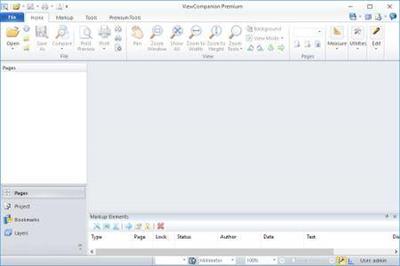
ViewCompanion Premium 12.32

652ce663396475a400c6b0e476f0a26d.jpg


ViewCompanion Premium 12.32 | 69.28 Mb​
ViewCompanion Premium® is the most powerful member of the ViewCompanion family. ViewCompanion Premium can view, print and convert PLT Description files, Adobe PDF, Autodesk DWF, Postscript, CGM, TIFF, CALS and many other formats. ViewCompanion Premium support PLT Descriptionter files using HPGL, HPGL/2, HP-RTL and Calcomp formats.

If you need to distribute drawings, e.g. on the Internet, you can convert your drawings to Autodesk Drawing Web Format (DWF), Scalable Vector Graphics (SVG) or Adobe PDF. All these formats are very popular for distributing drawings.
You can convert multiple files of different formats to a single multi-page PDF, DWF or TIFF file.
ViewCompanion can split a multi-page PDF, PDF or DWF files into several single paged files.

Your PLT, PDF, CGM and DWF files can be converted to Autodesk DXF format, which can be read by almost all CAD application, e.g.: Autodesk AutoCAD and Microstation.

Both batch conversion and printing is included. The software can be configured to monitor a user selected folder, and all files copied to that folder will be automatically printed.

ViewCompanion gives you advanced functions for zooming and panning, and you can view your files fast and accurate.

Use Viewcompanion's precise tools to measure dimension lengths and areas. You can measure using snap to drawing geometry for highest accuracy. Calibration of the measurement tools is available to make sure you get correct results if your drawings are not 1:1. The measurement results may be exported to csv, which can be loaded into Excel or any other spreadsheet application.

With ViewCompanion Premium you can add markups to the loaded file. Supported markup elements include rectangles, lines, dimension lines, area measurements, ellipses, polygons, text, arrows, stamps and images.
You can select one of the predefined stamps or create your own. User defined symbol libraries makes it easy to add frequently used symbols as markups. Hyperlinks can be added to markup elements, and a hyperlink can either open another drawing inside ViewCompanion, or open an Internet location (URL) using the default browser.

All markup elements are stored in a separate file and the original file will be left unmodified.
The markup elements can optionally be included when the viewed file is printed or converted.
You can export markup elements as Autodesk DXF, Autodesk DWF, CGM and other formats.

Supported Operating Systems
Windows Vista, 32 and 64 bit.
Windows 7, 32 and 64 bit.
Windows 8, 32 and 64 bit.
Windows 8.1, 32 and 64 bit.
Windows 10, 32 and 64 bit.
Windows Server 2003
Windows Server 2008
Windows Server 2012
Supports Terminal Server and Citrix.

Home Page-
У Вас недостаточно прав для просмотра ссылок. Войдите или зарегистрируйтесь.


Language: English

Download link:​
Код:
[center][b]rapidgator_net[/b]:
https://rapidgator.net/file/65931e67ac6ec109993f83d4efcc3924/ez7md.ViewCompanion.Premium.12.32.rar.html

[b]nitroflare_com[/b]:
https://nitroflare.com/view/DC6D77AD858CD18/ez7md.ViewCompanion.Premium.12.32.rar

[b]uploadgig_com[/b]:
http://uploadgig.com/file/download/0A358dbf6a76f08f/ez7md.ViewCompanion.Premium.12.32.rar[/center]

Links are Interchangeable - No Password - Single Extraction​
 
Visualizing Data Using Stata

6358b88e298d072b5b72d03de1facf63.jpg


Visualizing Data Using Stata
.MP4, AVC, 1920x1080, 30 fps | English, AAC, 2 Ch | 3h 44m | 1.95 GB
Instructor: Najib Mozahem​

An introduction to graphs

Learn

Understand how to visualize group differences in a single variable
Produce graphs that help you understand the association between two variables
Investigate whether the distribution of a variable is symmetric or whether it follows a normal distribution
Visualize group differences when more than one group division is involved
Customize how the graphs look with the two-way command

About

This course introduces you to the graphical capabilities of Stata. It is designed to guide you through the logic of extracting meaning from datasets using visualization tools. This is accomplished by using a single dataset from the start of the course up until the very end.

You will get up to speed with histograms, quantile Descriptions, and symmetry Descriptions, and even understand how to use these tools to investigate whether group differences exist. The course then introduces you to bar graphs, box Descriptions, and dot Descriptions, and demonstrates how these graphs can be used to study differences in groups that are divided along more than one dimension. You will later learn how to decide which type of Description is best suited for your needs. Finally, the course will get you hands-on with producing graphs that describe the relationship between two variables. All along, you will explore how to customize the colors and shapes used in the graphs.

By the end of this course, you will have learned how to effectively visualize data using Stata.

Features

Use the if qualifier with the two way command
Customize the look and feel of univariate data graphs

Download link:​
Код:
[center][b]rapidgator_net[/b]:
https://rapidgator.net/file/1d86b010f21be6e0cb926e3774920033/u7nt9.Visualizing.Data.Using.Stata.part1.rar.html
https://rapidgator.net/file/a1d309551658ce1551e95d5b71ced7b5/u7nt9.Visualizing.Data.Using.Stata.part2.rar.html
https://rapidgator.net/file/f06c71c994bcc7c303c6a5c71d12858b/u7nt9.Visualizing.Data.Using.Stata.part3.rar.html

[b]nitroflare_com[/b]:
https://nitroflare.com/view/2C63358098D0E2B/u7nt9.Visualizing.Data.Using.Stata.part1.rar
https://nitroflare.com/view/F8A8FFF90A51766/u7nt9.Visualizing.Data.Using.Stata.part2.rar
https://nitroflare.com/view/FC583A48F2F669C/u7nt9.Visualizing.Data.Using.Stata.part3.rar

[b]uploadgig_com[/b]:
http://uploadgig.com/file/download/86f7bD46c7530049/u7nt9.Visualizing.Data.Using.Stata.part1.rar
http://uploadgig.com/file/download/1a725D8126a68B27/u7nt9.Visualizing.Data.Using.Stata.part2.rar
http://uploadgig.com/file/download/8FcdB3b3fCce578f/u7nt9.Visualizing.Data.Using.Stata.part3.rar[/center]

Links are Interchangeable - No Password - Single Extraction​
 
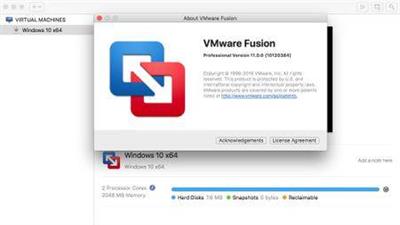
VMware Fusion Pro 11.5.3 Build 15870345 macOS

860f9f25e32fe3df8a01183c9ba98c9e.jpg


VMware Fusion Pro 11.5.3 Build 15870345 macOS | 516 Mb​
VMware Fusion gives Mac users the power to run Windows on Mac along with hundreds of other operating systems side by side with Mac applications, without rebooting. Fusion is simple enough for home users and powerful enough for IT professionals, developers and businesses.

Run Nearly Any Operating System on a Mac
Running Windows on Mac is only the beginning. VMware Fusion lets you choose from hundreds of supported operating systems, from lesser-known Linux distributions to the latest Windows 10 release.

Connect to VMware vSphere
Securely connect with vSphere, ESXi and Workstation servers to launch, control and manage both virtual machines (VMs) and physical hosts. Thanks to the common VMware platform, VMs can be easily transferred from the vSphere data center to the Mac desktop and then run in Fusion.

Develop and Test for Any Platform
Fusion makes it simple to test nearly any OS and app on a Mac. Build and test apps in a sandbox while securely sharing local source files and folders. Fusion Pro now includes a RESTful API to integrate with modern development tools like Docker, Vagrant, Ansible, Chef, and others to fit the power of VMware into today's Agile and DevOps-oriented production pipelines.

Design and Demo Complex Solutions
With the ability to run an entire virtual cloud stack on a single Mac, solution architects can demonstrate their entire software solution in real time, with safe rollback points to return to known configurations. Fully express the story of your software journey by running all of its components on a single notebook to show the world.

WHAT'S NEW :

Professionals Run Windows on Mac with Fusion Pro

Fusion 8 Pro lets Mac users take advantage of Windows 10 features like the all new Edge browser, or strike up a conversation with Cortana, the all-new personal digital assistant, even while Fusion is running in the background. With support for over 200 operating systems including Windows 10, Fusion 8 Pro delivers unsurpassed platform compatibility and integration with the VMware ecosystem.

Expiring Virtual Machines

For workers assigned to short-term projects, temporary employees, or for a software evaluation, create restricted virtual machines that expire at a predefined date and time. When powered on, the virtual machine will query the server at specified time intervals, storing the current system time in the restricted virtual machine's policy file as the last trusted timestamp. An expired virtual machine will automatically suspend and will not restart without administrator intervention.

Minimum System Requirements

Any 64-bit capable Intel® Mac® (Compatible with Core 2 Duo, Xeon, i3, i5, i7 processors or better)
Minimum 4GB of RAM
750MB free disk space for VMware Fusion and at least 5GB for each virtual machine
Mac OS X 10.9.0 or later
Operating system installation media (disk or disk image) for virtual machines
Microsoft Windows is not included with VMware Fusion
Recommended graphics hardware for Windows DirectX 10 or OpenGL 3.3 includes NVIDIA 8600M or better and ATI 2600 or better

Homepage -
У Вас недостаточно прав для просмотра ссылок. Войдите или зарегистрируйтесь.


Download link:​
Код:
[center][b]rapidgator_net[/b]:
https://rapidgator.net/file/9cc0d8c6f52848103169caeb4ced3e9d/5rotw.VMware.Fusion.Pro.11.5.3.Build.15870345.macOS.zip.html

[b]nitroflare_com[/b]:
https://nitroflare.com/view/206AC6BB0174343/5rotw.VMware.Fusion.Pro.11.5.3.Build.15870345.macOS.zip

[b]uploadgig_com[/b]:
http://uploadgig.com/file/download/09a6E1c34E29cc85/5rotw.VMware.Fusion.Pro.11.5.3.Build.15870345.macOS.zip[/center]

Links are Interchangeable - No Password - Single Extraction​
 
VueScan Pro 9.7.26 Multilingual Portable

1ec2adda50b100e316f30200d151c32b.jpg


VueScan Pro 9.7.26 Multilingual Portable | 28 Mb​
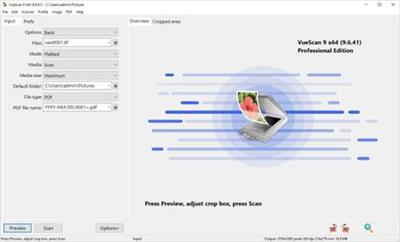
VueScan, the world's most popular scanner software, is used extensively by photographers, home users, scanning services and corporations. VueScan is a scanning program that works with most high-quality flatbed and film scanners to produce scans that have excellent color fidelity and color balance. It is very easy to use, and also has advanced features for restoring faded colors, batch scanning and other features used by professional photographers.

VueScan Pro 9.7.26 Multilingual Portable | 28 Mb
VueScan, the world's most popular scanner software, is used extensively by photographers, home users, scanning services and corporations. VueScan is a scanning program that works with most high-quality flatbed and film scanners to produce scans that have excellent color fidelity and color balance. It is very easy to use, and also has advanced features for restoring faded colors, batch scanning and other features used by professional photographers.

VueScan changes nothing on your system, installs nothing in your operating system and all other scanner software will continue to function. VueScan increases your productivity and saves you money. VueScan has advanced scanning options, powerful features, and greatly improves your scans with superior color accuracy and better color balance. VueScan supports more than 700 scanners and 209 digital camera raw files and takes about 5 minutes to download and install.

Features:
* Works with 1200 flatbed and film scanners
* Runs on Mac OS X, Windows and Linux
* Improves your productivity and quality of scans
* Has been downloaded more than 5 million times
* Create raw scan files
* ICC profiles and color spaces
* IT8 color calibration

Operating System: Windows 10, 8, 7, Vista, XP

Home Page -
У Вас недостаточно прав для просмотра ссылок. Войдите или зарегистрируйтесь.


Download link:​
Код:
[center][b]rapidgator_net[/b]:
https://rapidgator.net/file/9322f7c1b2efd8dd5c8207b65f44be4a/efbu5.VueScan.Pro.9.7.26.Multilingual.Portable.rar.html

[b]nitroflare_com[/b]:
https://nitroflare.com/view/6A8B03F39AD972E/efbu5.VueScan.Pro.9.7.26.Multilingual.Portable.rar

[b]uploadgig_com[/b]:
http://uploadgig.com/file/download/6A6d51027b8c860c/efbu5.VueScan.Pro.9.7.26.Multilingual.Portable.rar[/center]

Links are Interchangeable - No Password - Single Extraction​
 
Writing Articles

8c62b3d62e85abbc42fb5bb4bfc9c7d3.jpg


Writing Articles
.MP4, AVC, 1280x720, 30 fps | English, AAC, 2 Ch | 29m | 271 MB
Instructor: Starshine Roshell​

Articles are an effective tool for communicating complex ideas and stories in a friendly, credible, and easy-to-follow way. In this course, you can learn how to write and publish an article of your own. Journalist and communications consultant Starshine Roshell explains how to determine your writing approach, pitch your story to a publication, research your subject matter, and write and polish your article. She also discusses how to submit a thorough package to editors-complete with headlines and photos-and promote your article online. By the end, you should have the skills you need to write a well-crafted article that really connects with readers.

Download link:​
Код:
[center][b]rapidgator_net[/b]:
https://rapidgator.net/file/47be50cacb2e02be76a4a5f4853c893d/x2xug.Writing.Articles.rar.html

[b]nitroflare_com[/b]:
https://nitroflare.com/view/802E3AC1090567E/x2xug.Writing.Articles.rar

[b]uploadgig_com[/b]:
http://uploadgig.com/file/download/f4E21afae16eaFdE/x2xug.Writing.Articles.rar[/center]

Links are Interchangeable - No Password - Single Extraction​
 
Yamicsoft Windows 10 Manager 3.2.4 Multilingual + Portable

274befaff7632f66841d7e7a42287322.jpg


Yamicsoft Windows 10 Manager 3.2.4 Multilingual + Portable | 31/13.8 Mb​
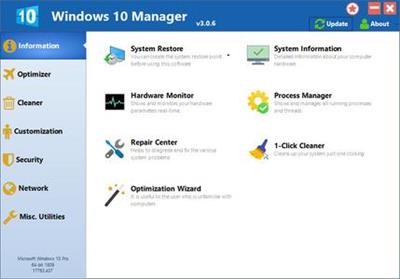
Yamicsoft Windows 10 Manager is a system utility that helps you optimize, tweak, repair and clean up Windows 10. It will increase your system speed, eliminate system fault, improve system security, and meet all of your expectations. Windows 10 Manager is a system utility that helps you optimize, tweak, repair and clean up Windows 10. It will increase your system speed, eliminate system fault, improve system security, and meet all of your expectations.

Information:
Get detailed system and all hardware information on your system; help you find out the installation key of Windows, Office products; show all detailed information of running processes and threads on your machine; Windows 10 Manager offers 1-clicking Cleaner cleans your system automatically; Repair Center helps you to fix various system problems.

Optimizer:
Tweak your system to improve windows startup and shutdown speed, tweak your hardware to increase system speed and performance; Control what is started on Windows startup, check and repair the advanced starup items to restore the malicious change by viruses; Tune up and optimize system services and Task Schedule, turn off smartly some unnecessary system services and tasks to improve system performance.

Cleaner:
Find out which files or folders engross your disk space and shown with chart; Smart Uninstaller can fully delete programs from your system without residual files and Registry entries; Find and clean junk files to increase Hard Disk space; Duplicate Files Finder can scan your computer for files with the same size, name and modification time; Registry Cleaner checks and repair incorrectly linked Registry entries; Registry Defrag rebuilds and re-indexes your Registry to reduce registry access time and therefore improve application responsiveness; Desktop Cleaner can clean useless icons and files on Desktop easily.

Customization:
Customize the look of your system by tweaking system Explorer, Desktop, Start Menu, Taskbar and notification area; Manage the pinned items and can pin any files or folders to Taskbar and Start Screen; Create the quick startup items on Taskbar with the Jump List launcher; Tune up Windows 10 boot menu; Edit context menus of mouse Right-Clicking; Edit easily the Win + X menu that shown when right-click on Desktop bottom-left corner or Win + X keyboard shortcut ; Create the shortcut that executed quick on run dialog box. Visual Customizer can change system and file type icons, change the lock screen image automatically.

Security:
Improve system security by tweaking system components, UAC and login settings; Tune up System Restore options; Hide and restrict to access drives and programs; Encrypt/decrypt files, move system folders to safe locations; Undelete the files that accidentally deleted or formatted on disk; Privacy Protector can maintain your personal privacy by eliminating the tracks that you leave behind; Hide, add or delete the Control Panel entries.

Network:
Optimize your Internet connection speed, manage all shares items; Tweak the Microsoft Edge and Internet Explorer easily; IP Switcher can switch your IP address easily on different networks; Edits the Hosts file to speed up surfing internet and permit only to access the specified Hosts.

Misc. Utilities:
Show the collection of Windows utilities and pin system items to Start Screen and Taskbar; split and merge any files; Automatically back up files regularly using Super Copy. Registry Tools help you to operate Registry easily.

Operating System: Windows 10

Home Page -
У Вас недостаточно прав для просмотра ссылок. Войдите или зарегистрируйтесь.


Download link:​
Код:
[center][b]rapidgator_net[/b]:
https://rapidgator.net/file/5bbef176e383004a47fd18c940589491/utpnv.Windows.10.Manager.3.2.4.Portable.rar.html
https://rapidgator.net/file/82a73a84476fdff68640a41926fca09a/utpnv.Yamicsoft.Windows.10.Manager.3.2.4.rar.html

[b]nitroflare_com[/b]:
https://nitroflare.com/view/2804EBB5A77FA5D/utpnv.Windows.10.Manager.3.2.4.Portable.rar
https://nitroflare.com/view/7D77C9B0AA3E790/utpnv.Yamicsoft.Windows.10.Manager.3.2.4.rar

[b]uploadgig_com[/b]:
http://uploadgig.com/file/download/6D7431b018ed895B/utpnv.Windows.10.Manager.3.2.4.Portable.rar
http://uploadgig.com/file/download/b213e9ce58aBEb01/utpnv.Yamicsoft.Windows.10.Manager.3.2.4.rar[/center]

Links are Interchangeable - No Password - Single Extraction​
 
3-Heights PDF Desktop Repair Tool 6.5.1.8 (x64)

a516dc0c5d37dee96cd0ad18caffa6b1.jpg


3-Heights PDF Desktop Repair Tool 6.5.1.8 (x64) | 9.2 Mb​
The 3-Heights PDF Analysis & Repair component detects and repairs corrupted PDF documents in automated processing procedures. It repairs defective or illegible PDF documents or restores them as far as possible.

Incorrect PDF creation or manipulation, faulty FTP transfers, system crashes during creation, network interruptions or incomplete copying can all render PDF documents illegible. This can result in the loss of important data and, as a consequence, the loss of information or production downtimes.

The 3-Heights™ PDF Analysis & Repair component analyses PDF documents with regard to PDF specifications and repairs them where indicated. It extracts legible content such as images or page fragments from irreparable documents and saves the data as a new document.

Properties and benefits
Firstly, 3-Heights™ PDF Analysis & Repair restores files that do not meet PDF specifications. Secondly, it can read out elements such as pages or images from illegible PDF documents and save them as a new document.

The 3-Heights™ PDF Analysis & Repair tool guarantees the quality and legibility of PDF documents in all business processes. The component is characterized by its high speed, comprehensive mechanisms for analysis and repair and its suitability for a variety of operating systems.

Performance characteristics
High sensitivity in corruption detection
Comprehensive repair functions
Restoration of available data from illegible documents
High restoration speed
Definition of customized repair profiles for different output documents
Platform independent

Operating System: Windows 7, 8/8.1, 10 (64-bit only)
Windows 95, Windows 98, Windows ME, Windows XP, Windows Vista, Windows NT 4, Windows 2000 are no longer supported as of Release Version 4.7
Windows Server 2008 - (64 bit), Windows Server 2008 R2 (64-bit), Windows Server 2012 (64-bit), Windows Server 2012 R2 (64-bit)
Windows Server 2003 (including R2) are no longer supported as of Release Version 4.7

Home Page -
У Вас недостаточно прав для просмотра ссылок. Войдите или зарегистрируйтесь.


Download link:​
Код:
[center][b]rapidgator_net[/b]:
https://rapidgator.net/file/308f94410f595dfbc5486b055a6056bd/ea8qp.3Heights.PDF.Desktop.Repair.Tool.6.5.1.8.x64.rar.html

[b]nitroflare_com[/b]:
https://nitroflare.com/view/663FE5D74770687/ea8qp.3Heights.PDF.Desktop.Repair.Tool.6.5.1.8.x64.rar

[b]uploadgig_com[/b]:
http://uploadgig.com/file/download/113d09b89e2Da7Ac/ea8qp.3Heights.PDF.Desktop.Repair.Tool.6.5.1.8.x64.rar[/center]

Links are Interchangeable - No Password - Single Extraction​
 
Autodesk 3ds Max 2021 (x64)

a89155a0417c016b0c4cb4c3e0d90989.jpg


Autodesk 3ds Max 2021 (x64) | 6.8 Gb​
Autodesk has launched 3ds Max 2021, the latest update to the 3D modelling and animation software, including a number of significant new features for game development and VFX work.

What's New in 3ds Max 2021

Highlights

Bake to Texture:
- New tool for baking maps and surfaces offers faster performance in a new streamlined workflow
- Extensive renderer support including Arnold
- Error validation and compatible map filtering
- Support for OSL texture maps and Blended Box map
- MikkT normal mapping support.
PBR Materials:
- New PBR materials make the interaction of light with surfaces physically accurate
- The two types of maps, PBR Material (Metal/Rough) and PBR Material (Spec/Gloss), ensure compatibility with any real-time engine workflow
- Drag and drop downloaded PBR maps straight from Windows Explorer into the Material/Maps Browser.
Weighted Normals Modifier:
- The Weighted Normals modifier improves the shading of models by altering the vertex normals to be perpendicular to larger flat polygons
- Generates explicit normals for meshes better and faster than ever
- Weight options include: Area, Angle, and Largest Face
- Full control over smoothing and blending values.
New OSL Shaders:
New shaders include:
- HDRI Environment controls the positioning and final look of the environment both in the viewport and the final render
- HDRI Lights lets you place HDR photos of real-world lightsources that dynamically update the scene
- Uber Noise adds complex types of noise such as Perlin, Fractal, Cell, fBm, and Worley
- Other new and updated shaders include Color Correction, Float and Color Curves, plus Camera, Object, and Spherical Projections.
Arnold renderer as default:
- 3ds Max 2021 includes Arnold 6.0 as the default renderer, instead of the Scanline Renderer. This gives you a modern, high-end rendering experience.
- Supports the new Bake to Texture workflows.
- New AOV workflows.
- Includes new Scene Converter scripts for converting V-Ray and Corona Materials to the Physical Material.
New Substance2 Map:
- Substance2 map is faster than the legacy Substance map.
- Utilizes updates to the latest Substance engine for native sbar loading. You no longer need to export maps from Substance Designer.
- Supports up to 8k textures.
- Supports the renderers included with 3ds Max: Arnold, ART, Scanline and Quicksilver.
- Scripted tools to quickly set up Substances with a particular type of material or to back maps to files.

Installation
The online and offline installation has been overhauled for a simpler and faster experience.

Scene Converter
The Scene Converter's new and improved workflow makes creating custom conversion rules easy. Presets are locked and cannot be saved over, and you are reminded of unsaved changes before closing the Scene Converter.

Improved Viewport Settings and Quality
Improvements include:

- Viewport Settings can now be saved as presets
- Ambient Occlusion (AO) is now always visible when working in the viewport
- Progressive Skylight toggles full shadow-casting skylights, providing accurate skylight shadows when enabled or reducing viewport flicker and visual problems in interior scenes when disabled.
- Progressive Fade-in Time sets the speed at which certain effects in the viewport such as Progressive Skylight, area light, and depth-of-field are progressively rendered
- Roughness support for the Physical Material
- Shadows for lights now on by default.

Python 3
Take advantage of the rich set of Python extension libraries and the ability of Python 3 to handle all your algorithms, as Python 3.7.6 is now the default. As it doesn't support MaxPlus python API, we recommend using the pymxs python API instead. pymxs now supports an improved way of passing arguments by reference to various APIs, a more flexible callback registration mechanism, and better interoperability with MAXScript.

Faster file saving
Saving scene files with a very large number of assets is now significantly faster. Autobackup (Autosave) and Hold are faster also. The more assets a file has, the greater the improvement.

ProSound improvements
Support added for 24-bit WAV files, 88.2kHz and 96kHz sample rates, as well as support for an unlimited numbers of audio clips (previous maximum of 100). An issue was also fixed that caused audio to plat at 50% volume after frame 100.

Chamfer modifier updates
- Recent Editable Poly options such as Uniform, Radial, and Patch mitering types can now be set directly from the Chamfer modifier.
- Support also extends to the Edge Depth, End Bias, and Radial Bias controls.

Sketchup import improvements
New Sketchup importation options include ignoring hidden elements and preserving layer information.

Over 80+ defects fixed
Over 80 defects that directly affect you were fixed in this release, as well as a large number of defects that affect internal processes.

MAXX:Animation
FBX: Bones with animated scale on one axis were being scaled incorrectly. MAXX-55701
Saving Trackbar layout no longer breaks Close button. MAXX-53564
Fixed a crash when selecting multiple objects with TrackView open. MAXX-53248
Fixed addEaseCurve MAXScript crash. MAXX-52595
ProSound now supports 24-bit wav files. MAXX-52580
Fixed key tangents not being updated on GetKey only GetValue. MAXX-52364
CAT rigs with references to CatParentTrans and CatClipRoot no longer prevents animation layer creation. MAXX-51757
Improved selection performance issue with TrackView open. MAXX-50669
Fixed inverted Hands Anchors icons. MAXX-50575
Fixed issue importing FBX without UI not correctly applying scene scaling. MAXX-50484
Fixed Create Preview frame overlay on first run. MAXX-50287
Fixed ProSound issue causing audio to play at 50% volume after frame 100. MAXX-28464
Removed 100 audio clip limit with ProSound. MAXX-14058
Removed ProSound popup dialog when changing animation range. MAXX-10976
MAXX:Animation, MAXX:Modeling
Removed an unnecessary Spline IK error dialog with XRef'd rig. MAXX-36782
MAXX:Core
Added ability to modify scripted attribute definitions during scene file load. MAXX-55756
Fixed Matrix3 AffineTranspose handling of translation row. MAXX-55527
Fixed a crash in the Material Browser. MAXX-55482
Fixed a crash when loading scenes that have missing plugins that werr defined as scripted plugins when the scene was saved, after loading a scene where the same missing plugin was defined via dll when the scene was saved. MAXX-55298
Scripted parameter's plugin names can now be customized by specifying the optional localizedName:string property for the parameter in question. MAXX-55280
Fixed a crash when opening a scene when MaxInstallRoot\dlcomponents\DlComponentList_x64 file is 0Kb in size. MAXX-55028
Fixed a crash when a MAXScript function with a string by-reference parameter with default value was being called. One example of such as function is LoadSaveAnimation.loadAnimation, where its mapFileName parameter is defined as having a default value, and it's expected to be passed by reference. MAXX-54477
Disabling an Xref Scene will now prompt the user to save the current scene when closing 3ds Max, reseting the current scene or loading a new one. MAXX-46845
MAXX:Interop
Fixed an issue that occurred when using the Station Placement tool. In some cases the process would be blocked and the viewport would become unresponsive. MAXX-54758
Fixed a crash when importing old JT Files with dummy nodes or a mixture of mesh and body object nodes. MAXX-54515
Fixed an inconsistency between original JT file hierarchy and hierarchy created in Max after importing JT file. MAXX-54411
Fixed an issue where some parts of a SolidWorks import were not being imported when the mesh option was unchecked in the import dialog. MAXX-54261
Fixed a case where 3ds Max crashed upon OBJ export. MAXX-53379
MAXX:MAXScript
Fixed a crash when iterating over nodes in MAXScript, and deleting some of those nodes. MAXX-55488
Fixed an issue with MAXScript where the "on resized" event was no longer working on rollouts in a rollout floater window. MAXX-55171
Fixed MAXScript rollout visibility issues by adding the visibility property to rollout. This is similar to rolloutFloater.visible. MAXX-55048
Fixed a crash when specifying 'undefined' as an argument to colorman interface methods that take a string as an argument. MAXX-54571
Fixed expression window in script and expression controller dialogs so that text size scales with dpi scaling. Also fixed access violation in script controller if evaluation error occurs on first evaluation of expression. MAXX-54300
Fixed parsing of Double literal values. MAXX-54001
Calling the quitMax MAXScript command will stop executing remaining scripted commands that could have unexpected side-effects. Callback scripts will continue to execute as expected. MAXX-53366
When executing the exportFile MAXScript command with the PhysX_and_APEX_Exporter plugin, it is now possible to suppress the prompts of said plugin using the #noprompt option. MAXX-51627
MAXX:MAXScript, MAXX:SDK
Fixed issue with caching of MAXScript .Net values for .Net objects that point to the same underlying object but with different types. MAXX-54043
MAXX:MaterialEditors
Material Editor preferences and Assign Renderer are correctly saved if UAC is at Windows default level. MAXX-52412
MAXX:Modeling
The triangulation of the chamfer output has been updated to produce better non-concave results when applied to faces with concave/collinear vertices. MAXX-55418
If you set your own default preset and name it "Default", you could end up with two presets named "Default" that you could not remove with the Chamfer modifier. Now you can set your own new "Default" preset, which will remain in effect until you remove it (at which point the original default will be restored and used). MAXX-55191
Algorithm will now process corners with enhanced triangulation for faces with concave or co-linear corners, so that we do not collapse triangles when performing mesh triangulation. This will improve the quality output of the chamfer operation so that it does not display the faces incorrectly. MAXX-55186
When the Tension Deform UI is displayed in the DMC, the "Use Morph Target" checkbox will now properly update the pick button target for morphing to be enabled or disabled. MAXX-55164
When using TextPlus and the Bevel Profile modifier, the presets for "Half Circle" and "Engrave" bevel contained duplicate vertices in their curve definitions that resulted in degenerate faces. New scenes created with this option will no longer have this problem. MAXX-54992
In the past vertex painting could provide a result that looked like mosaic tiles, this was caused by an incorrect parallelization of the function with multi-threading. Vertex painting should now apply its results as expected when applied to your 3d model. MAXX-54986
"Don't Affect Children" option in the Hierarchy tab can now be toggled on/off again without needing to use the workaround of switching to another tab in the Command Panel and then back to Hierarchy. MAXX-54839
We have improved the distribution of Vertex Paint, improved the efficiency of the calculation, and apply blending between approaches when a brush overlaps only some of the vertices of a particular face. This should now allow vertex painting to be applied more consistently to an object. MAXX-54748
Resolved an issue with Swift Loop where in some cases it was possible for the tool to have improper hit detection on which edge it should function on when using a Perspective view. MAXX-54359
Fixed chamfer mitering types caddie not cycling when clicking. MAXX-54092
Added additional code to better support the chamfering of corner point position with straight through chamfers and provide expected results. MAXX-53982
3ds Max should now retain crease weight values when performing a chamfer on any edge on the model. In the past there was a chance that these values would be reset to 0. MAXX-53814
Chamfer issue causing unwanted seams when using inset flow loops was fixed. MAXX-53357
Fixed snapping to open edge vertices when backface cull is enabled. MAXX-53328
Fixed a vertex chamfer crash with box object. MAXX-53291
Fixed a crash when merging across hidden edges that created more than a single bounding loop, or if a vertex appeared more than once on the polygon boundary, when you are performing a UV face map command on any mesh object or primative. MAXX-53158
Fixed performance issue with Snap in scenes with Body Objects. MAXX-53121
When using a chamfer operation in 3DS Max the existing UV data should now be better respected, utilized, and maintained when performing this action for the new mitering types that have been introduced to 3ds Max. MAXX-53066
Zoom Extents for UnwrapUVW respects geometry when nothing selected. MAXX-50438
Quadify no longer leaves invisible invalid edges. MAXX-48662
Fixed TextPlus performance with lots of text. MAXX-39705
EditablePoly and EditPoly modifier now preserves explicit normals when attaching, detaching, and cloning. MAXX-27111
EditPoly now preserves explicit normals. MAXX-21797
MAXX:Modeling, MAXX:UVW
Fixed an issue with invalid UVs that were provided on the default box and pyramid shapes that we provide with 3ds Max. UVs for faces on opposite sides of these objects were joined together, which they should not be since two non-shared edges should not be glued together. All faces for these primitives now have their own texture vertices. MAXX-53204
MAXX:Performance
Fixed performance issue when selecting Compound Object creation category. MAXX-53884
Improve viewport perfomance by 5% in scenes with many procedural instances. MAXX-53821
Multithreaded intersectray when casting on Mesh and Edit Poly. The first raycast is not accelerated, it creates an acceleration structure. In following raycasts, we measured up to a 3x performance gain. Results will vary according to your CPU thread count and the complexity of your mesh. The heavier the mesh, the greater the speedup. Also fixed long-lasting Edit Poly intersectray bug which would report false hits behind the raycast. MAXX-49617
MAXX:Python
When executing Python code from a named (saved) file in the Script Editor, the file variable can now be used to refer to this file. MAXX-55232
Pressing F1 for Help in the Script Listener Window now opens the Python Help if the Listener was in Python mode. MAXX-54948
Fixed issues when calling functions, accessing variables and properties of Python objects imported into MAXScript through a python.import MAXScript command. This was related to the fact that MAXScript is case insensitive, while Python is case sensitive. MAXX-53376
MAXX:Rendering
Per Pixel Camera map will now display correct aspect ratios based on custom, image ratio, or legacy. MAXX-53636
Paths in OSL shaders can now be edited in Asset Tracker. MAXX-53509
OSL vector2 types will now display in viewport as expected. MAXX-53337
Fixed typo for Incandescent in Exposure Settings panel. MAXX-50904
MAXX:RenderingMentalRay
Mental Ray utility removed from utility panel. MAXX-50903
MAXX:SoftwareSecurity
All links within 3ds Max now open their HTTPS counterparts. MAXX-54178
MAXX:UI
Main menu bar contents no longer appear white and inconsistent with dark UI styling. MAXX-55458
Default keyboard shortcuts for Quad menus now work in localized versions. MAXX-55192
Fixed issues where SteeringWheels and ViewCube action hotkeys could conflict with Main UI ones. MAXX-51302
Fixed issue where opening the UV Editor would result in the Unwrap UVW modifier icon from the command panel to change position and overlap with other UI elements or icons, mostly happening at some custom monitor scaling values, such as 190%. MAXX-50877
A key can be used to activate a Quad and its content action by double-clicking (activating the quad hotkey first, then content action Alt Navigation key). MAXX-49305
MAXX:UVW
Bitmap sampling for the Edit UV window has been made to run in parallel to help improve bitmap file loading times. MAXX-54954
Resolved an issue with LSCM UV mapping where the mapping action would not resolve and would crash 3ds max. MAXX-54386
MAXX:Viewports
Diffuse lighting will now update in viewport when changing HDR map in an OSL Bitmap map. MAXX-54418
Objects in viewport are lit correctly when using a map in environment slot together with Skylight as Ambient. MAXX-54417
MAXX:ViewportsMaterials
DirectX .fx files with spinners containing an int param are using the correct range. MAXX-49906
Known issues and workarounds
MAXX:Install
Issue: License information did not propogate through install during single product deployment. Workaround: Have the administrator ensure the share drive containing the deployment image (and the MSI installer) is writable. MAXX-56110
Issue: Modify workflow can't find installer when launched through ARP or IPM, resulting in "Some files are missing" error message. Workaround: Navigate to the product's DLM image download location and launch setup.exe to start the modify workflow directly. MAXX-56279
MAXX:Interop
Issue: The new ATF-based Sketchup importer doesn't always assign edge visibility correctly. This may cause conversions of imported meshes to Editable Poly to produce bad geometry if edges between non-coplanar triangles are hidden. The Revit importer also sometimes hides edges on curved surfaces, which can lead to problems when converting the meshes to Editable Polys. Workaround: Enable edge visibility for all edges of a mesh prior to converting to poly. MAXX-56132
MAXX:FileIO
Issue: WRL and ASE exporters have improved support for changes to Windows' decimal separator symbol. MAXX-51077
MAXX:Interop
Issue: The new ATF-based Sketchup importer doesn't always assign edge visibility correctly. This may cause conversions of imported meshes to Editable Poly to produce bad geometry if edges between non-coplanar triangles are hidden. The Revit importer also sometimes hides edges on curved surfaces, which can lead to problems when converting the meshes to Editable Polys. Workaround: Enable edge visibility for all edges of a mesh prior to converting to poly. MAXX-56132
MAXX:Python
Issue: NumPy tests will fail when executed within the 3ds Max process, but can be run directly from 3ds Max's distribution of Python as a workaround (found at maxroot/Python37/python.exe). MAXX-53548
Issue: Dichotomies should be accounted for when accessing MAXScript properties that reference index values (Example: pymxs.runtime.activeMeditSlot), as Python uses a zero-based index system, whereas MAXScript uses a one-based index system. MAXX-52780
MAXX:RealTimeWorkflows
Issue: File Merging does not include Bake to Texture maps. MAXX-56173
Issue: Enabling the MacroRecorder may have a significant performance impact on the Bake to Texture tool performance. MAXX-56170
Issue: Sub-objects are not supported in Bake to Texture Projected-From workflow. MAXX-56167
Issue: Output-To settings are not exposed to Maxscript. MAXX-56157
Issue: Multiple line editing of the Output-To column for Objects is not functional. MAXX-56156
Issue: Multiple line editing of the Output-To column for Maps is not functional. MAXX-56155
Issue: When using Map Override with Scanline, the map will not be shown in the Bake to Texture window if the scene is closed and re-opened. Workaround: Use Map Override with Arnold, or perform bake operations prior to saving and re-opening. MAXX-56118
Issue: When dealing with large numbers of objects with bake to texture maps, performance may be degraded. MAXX-55972
Issue: 3ds Max may experience stability issues when baking advanced lights. MAXX-44842
MAXX:Rendering
Issue: FBX Material Attribute Animation is not imported into 3ds Max. Workaround: To import animated materials via FBX, open the 3dsMax.ini file in a text editor. (%LocalAppData%\Autodesk\3dsMax\2021 - 64bit\ENU\3dsMax.ini). Set the key "StandardMtlFBXImport" to 1. This will import your FBX file with a Legacy Standard material and ensure that your animated materials come into 3ds Max as before. MAXX-55307
MAXX:Viewports
Issue: Animation playback performance may be reduced when MikkT normal bump mode is enabled. Workaround: Enable 3ds Max native normal bump mode. MAXX-56175

3ds Max 2021 introduces a number of features that should be significant for game and visual effects artists, including support for metalness/roughness and specular/glossiness PBR workflows.

The update adds support for PBR materials, plus a new PBR-compatible Bake to Texture tool; adds new OSL shaders and support for Substance .sbsar files; and makes Arnold the software's default renderer.

Autodesk. helps people imagine, design and create a better world. Everyone-from design professionals, engineers and architects to digital artists, students and hobbyists-uses Autodesk software to unlock their creativity and solve important challenges.

Product: Autodesk 3ds Max
Version: 2021 (23.0-23.0.0.915) .iso
Supported Architectures: x64
Website Home Page :
У Вас недостаточно прав для просмотра ссылок. Войдите или зарегистрируйтесь.

Language: multilanguage
System Requirements: PC *
Supported Operating Systems: *
Size: 6.8 Gb

Autodesk 3ds Max 2021 software is supported on the following 64-bit operating systems and at a minimum, requires a system with the following 64-bit hardware:

Operating System
Microsoft Windows 7 (SP1), Windows 8, Windows 8.1, and Windows 10 Professional operating system
Browser Autodesk recommends the latest version of the following web browsers for access to online supplemental content:
Microsoft Edge
Google Chrome
Microsoft Internet Explorer
Mozilla Firefox
Hardware
CPU 64-bit Intel or AMD multi-core processor with SSE4.2 instruction set
Graphics Hardware Refer to 3ds Max Certified Hardware for a detailed list of recommended systems and graphics cards
RAM 4 GB of RAM minimum (8 GB or more recommended)
Disk Space 9 GB of free disk space for install
Pointing Device Three-button mouse

Download link:​
Код:
[center][b]rapidgator_net[/b]:
https://rapidgator.net/file/1169b617fcc9a60df6366205435ece0a/3tw22.Autodesk.3ds.Max.2021.part01.rar.html
https://rapidgator.net/file/000b88928e1b9db516f8533d7c4e096a/3tw22.Autodesk.3ds.Max.2021.part02.rar.html
https://rapidgator.net/file/edc386df7616cf2c582988c0d29cad30/3tw22.Autodesk.3ds.Max.2021.part03.rar.html
https://rapidgator.net/file/c06f39c21ccb7c319e57b24ee6d352cc/3tw22.Autodesk.3ds.Max.2021.part04.rar.html
https://rapidgator.net/file/1ccd6443446f14496e958af8e5effe50/3tw22.Autodesk.3ds.Max.2021.part05.rar.html
https://rapidgator.net/file/61cd9d051ed2ca26951ce9a5c80539cd/3tw22.Autodesk.3ds.Max.2021.part06.rar.html
https://rapidgator.net/file/e2132d1bddb6ccb854de24e2b417daf1/3tw22.Autodesk.3ds.Max.2021.part07.rar.html
https://rapidgator.net/file/d684fbfe30635bdc444298ef97e5c2f1/3tw22.Autodesk.3ds.Max.2021.part08.rar.html
https://rapidgator.net/file/9fb57df28e6faa6307eda03bbe9f9724/3tw22.Autodesk.3ds.Max.2021.part09.rar.html
https://rapidgator.net/file/62c36aecb2be08e432f6fe7854ad3ce2/3tw22.Autodesk.3ds.Max.2021.part10.rar.html
https://rapidgator.net/file/5fd6f6d2c733db77afd30d65228a30cc/3tw22.Autodesk.3ds.Max.2021.part11.rar.html
https://rapidgator.net/file/a9e4174b98ae7579d51f7a40fd8f2e2c/3tw22.Autodesk.3ds.Max.2021.part12.rar.html
https://rapidgator.net/file/9a4dbf21b4d1e9761cad9e967ef59338/3tw22.Autodesk.3ds.Max.2021.part13.rar.html
https://rapidgator.net/file/aa404b959ff1985348cfe74ae4fef5f9/3tw22.Autodesk.3ds.Max.2021.part14.rar.html
https://rapidgator.net/file/497f7a9f2c38f9fedf89b29d7518374d/3tw22.Autodesk.3ds.Max.2021.part15.rar.html

[b]nitroflare_com[/b]:
https://nitroflare.com/view/F55134B555F3B04/3tw22.Autodesk.3ds.Max.2021.part01.rar
https://nitroflare.com/view/5BAC6A612BCD278/3tw22.Autodesk.3ds.Max.2021.part02.rar
https://nitroflare.com/view/7F4D96662A24CCC/3tw22.Autodesk.3ds.Max.2021.part03.rar
https://nitroflare.com/view/1EFEB77858B7D13/3tw22.Autodesk.3ds.Max.2021.part04.rar
https://nitroflare.com/view/41DEC335E879884/3tw22.Autodesk.3ds.Max.2021.part05.rar
https://nitroflare.com/view/E79DB6EDB88CF61/3tw22.Autodesk.3ds.Max.2021.part06.rar
https://nitroflare.com/view/874C826EE2D478D/3tw22.Autodesk.3ds.Max.2021.part07.rar
https://nitroflare.com/view/D664C7C15A10E29/3tw22.Autodesk.3ds.Max.2021.part08.rar
https://nitroflare.com/view/8DE21A5F77F50F7/3tw22.Autodesk.3ds.Max.2021.part09.rar
https://nitroflare.com/view/F9FEAFFC1598783/3tw22.Autodesk.3ds.Max.2021.part10.rar
https://nitroflare.com/view/0D6F2695BBE7202/3tw22.Autodesk.3ds.Max.2021.part11.rar
https://nitroflare.com/view/B5D8AADA574155C/3tw22.Autodesk.3ds.Max.2021.part12.rar
https://nitroflare.com/view/D70236179FD253B/3tw22.Autodesk.3ds.Max.2021.part13.rar
https://nitroflare.com/view/0A36BDCD78380CC/3tw22.Autodesk.3ds.Max.2021.part14.rar
https://nitroflare.com/view/90E1E51B1A21D6F/3tw22.Autodesk.3ds.Max.2021.part15.rar

[b]uploadgig_com[/b]:
http://uploadgig.com/file/download/d074E0f55f0a0F39/3tw22.Autodesk.3ds.Max.2021.part01.rar
http://uploadgig.com/file/download/6F7df7Fad4d65C87/3tw22.Autodesk.3ds.Max.2021.part02.rar
http://uploadgig.com/file/download/82fB45Cc87D5bf74/3tw22.Autodesk.3ds.Max.2021.part03.rar
http://uploadgig.com/file/download/a1056972cfdb0912/3tw22.Autodesk.3ds.Max.2021.part04.rar
http://uploadgig.com/file/download/b76d947BE0Bbb100/3tw22.Autodesk.3ds.Max.2021.part05.rar
http://uploadgig.com/file/download/a9363B0586072060/3tw22.Autodesk.3ds.Max.2021.part06.rar
http://uploadgig.com/file/download/93fD150acdA528c8/3tw22.Autodesk.3ds.Max.2021.part07.rar
http://uploadgig.com/file/download/30D04b689e142bbe/3tw22.Autodesk.3ds.Max.2021.part08.rar
http://uploadgig.com/file/download/7339696eBD6f42e7/3tw22.Autodesk.3ds.Max.2021.part09.rar
http://uploadgig.com/file/download/54c33b999a30Ea17/3tw22.Autodesk.3ds.Max.2021.part10.rar
http://uploadgig.com/file/download/784da90342e3efa9/3tw22.Autodesk.3ds.Max.2021.part11.rar
http://uploadgig.com/file/download/6d22e8599f705c5f/3tw22.Autodesk.3ds.Max.2021.part12.rar
http://uploadgig.com/file/download/e908A5183f0ced04/3tw22.Autodesk.3ds.Max.2021.part13.rar
http://uploadgig.com/file/download/5A550315558d7d1d/3tw22.Autodesk.3ds.Max.2021.part14.rar
http://uploadgig.com/file/download/fcFa7f73c389a99C/3tw22.Autodesk.3ds.Max.2021.part15.rar[/center]

Links are Interchangeable - No Password - Single Extraction​
 
Better JPEG 3.0.4.0 Portable

562f2e7d4bd465e488115b780e6939ed.jpg


Better JPEG 3.0.4.0 Portable | 5.6 Mb​
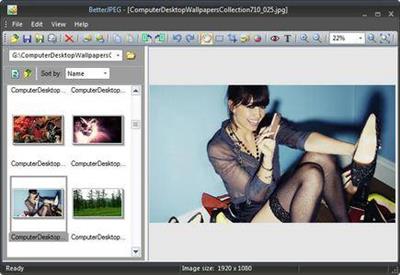
Edit JPEG photos without losing quality. The JPEG image format is inherently lossy. Because of this, each edit and subsequent recompression of JPEG photos in general purpose image editors, such as Adobe Photoshop, results in a progressive degradation of image quality.

Fortunately there is, in most cases, a way to avoid this unnecessary recompression. If all you need is to quickly process a group of JPEG photos from your latest vacation - rotate, crop, remove red-eye, correct color and brightness, imprint date or comment - you do not need to compromise on quality of photo editing. Better JPEG is a batch JPEG photo editor that can do all of this editing without loss of image quality.

Get better result by editing your photos with Better JPEG photo editor:
- Rotate, Flip photos (lossless)
- Crop photos (lossless) - predefined and user-defined aspect ratios and sizes, composition guidelines
- Add Margins to your photos (lossless)
- New Correct Brightness (lossless)
- New Correct Color (lossless)
- Add Date / EXIF Info / Text to photos (lossless) - adjustable position, font, size, color, background, language, format, etc.
- Remove Red Eyes from photos (lossless) - anti-aliasing, adjustable size, sensitivity, darkening
- Copy/Paste to and from an external editor for local retouching without full recompression (lossless)
- Resize photos
- New Convert to Black & White (Grayscale) (lossless)
- New Remove JPEG artifacts from photos
- E-mail photos to friends and relatives
- Batch process photos
- Combine actions (Macro)
- Undo/Redo editing
- Preserve Metadata
- Optimize JPEG Compression

Operating System: Windows 7, 8/8.1, 10

Home Page -
У Вас недостаточно прав для просмотра ссылок. Войдите или зарегистрируйтесь.


Download link:​
Код:
[center][b]rapidgator_net[/b]:
https://rapidgator.net/file/6c428d3ab8e8218ab02d526860bc7731/oge8l.Better.JPEG.3.0.4.0.Portable.rar.html

[b]nitroflare_com[/b]:
https://nitroflare.com/view/7F3048971EC9F25/oge8l.Better.JPEG.3.0.4.0.Portable.rar

[b]uploadgig_com[/b]:
http://uploadgig.com/file/download/21f38fb23049ea95/oge8l.Better.JPEG.3.0.4.0.Portable.rar[/center]

Links are Interchangeable - No Password - Single Extraction​
 
BetterTouchTool 3.346 macOS

30b07bd24a876a504d90365b808d3090.jpg

BetterTouchTool 3.346 | macOS | 22 mb
BetterTouchTool adds many new, fully customizable gestures to the Magic Mouse, Multi-Touch MacBook trackpad, and Magic Trackpad.

Currently BetterTouchTool supports:
- 
Macbook Trackpad
Magic Trackpad 1 & 2

- Magic Mouse 1 & 2

- Touch Bar customization

- Siri/Apple Remote

- Normal Mouse Gestures

- Normal Mouse Buttons
- 
Keyboard Shortcuts

- Key Sequences / Text Triggers

- BTT Remote (iOS) Triggers

Compatibility: macOS 10.10 or later 64 bit
Homepage:
У Вас недостаточно прав для просмотра ссылок. Войдите или зарегистрируйтесь.


Download link:​
Код:
[center][b]rapidgator_net[/b]:
https://rapidgator.net/file/88460ee2925db2578a05d8aa0a89986b/wyaim.BetterTouchTool.3.346.rar.html

[b]nitroflare_com[/b]:
https://nitroflare.com/view/4D65145028C70F5/wyaim.BetterTouchTool.3.346.rar

[b]uploadgig_com[/b]:
http://uploadgig.com/file/download/afFE0e560CeaE6ca/wyaim.BetterTouchTool.3.346.rar[/center]

Links are Interchangeable - No Password - Single Extraction​
 
e-World Tech ASP.NET Maker 2020.0.6

0c5eae41cc91d08fa16f06c3538e985b.jpg


e-World Tech ASP.NET Maker 2020.0.6 | 47.6 Mb​
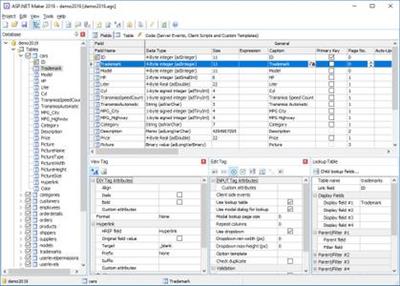
ASP.NET Maker is a powerful automation tool that can quickly generate an ASP.NET Core 2.1 (or 2.2) MVC web application in C# from a SQL Server, MySQL, PostgreSQL, Oracle, SQLite or Microsoft Access database. Using ASP.NET Maker, you can instantly create websites that allow users to view, edit, search, add and delete records.

ASP.NET Maker is designed for high flexibility, numerous options enable you to generate web applications that best suits your needs. The generated codes are clean, straightforward and easy-to-customize. ASP.NET Maker can save you tons of time and is suitable for both beginners and experienced developers alike.

Highlights
ASP.NET Core 2.1/2.2
Advanced Security
User registration system
Export to CSV/HTML/Excel/Word/XML/PDF/Email
File uploading to database or folder
Master/Detail-Add/Edit/View
Custom template

System Requirements:
Windows 2008/2012/2016/7/8/10

Home Page -
У Вас недостаточно прав для просмотра ссылок. Войдите или зарегистрируйтесь.


Download link:​
Код:
[center][b]rapidgator_net[/b]:
https://rapidgator.net/file/cf12f7d276fb3cdac3ce2cf2898f98d9/fo56d.eWorld.Tech.ASP.NET.Maker.2020.0.6.rar.html

[b]nitroflare_com[/b]:
https://nitroflare.com/view/5470471BF2CA918/fo56d.eWorld.Tech.ASP.NET.Maker.2020.0.6.rar

[b]uploadgig_com[/b]:
http://uploadgig.com/file/download/4aCdd8ec7fecFd4E/fo56d.eWorld.Tech.ASP.NET.Maker.2020.0.6.rar[/center]

Links are Interchangeable - No Password - Single Extraction​
 
IObit Smart Defrag Pro 6.5.0.89 Multilingual

fc24b274825a09c7faa5ed19db453d40.jpg


IObit Smart Defrag Pro 6.5.0.89 Multilingual | 15.8 Mb​
IObit Smart Defrag is a Disk Defragmenter, that accelerates the whole system with fast and efficient disk defragment. Based on IObit latest disk defrag engine and "Boot Time Disk Defrag" technology, Smart Defrag is created with the world's leading defragmentation ability. It not only provides defragmentation, but also intelligently streamlines your files based on using frequency, thus accelerating disk speed and the whole system for top performance!

Smart Defrag works fast, automatically and quietly in the background and is suitable for large hard drives. IObit Smart Defrag helps defragment your hard drive more efficiently than any other product on the market - free or not. It is known that disk fragments has been a primary cause of slow and unstable PC performance.

Features:
- Higher File Access Speed
- Disk fragmentation is generally the main cause of slow and unstable computer performance. In order to accelerate hard drive for faster data access and outstanding disk performance, Smart Defrag 5 provides efficient defragmentation to hard drives by optimizing file placement and consolidating free space. Then you can enjoy higher game launching speed, and copy files with only half of the time as before, etc.
- Up to 100% Faster PC Startup
- The Boot-time Defrag feature can defrag the system disk, in which some files cannot be safely moved while Windows is running, before the operating system is fully loaded. In this way, Smart Defrag 5 will boost your startup speed and enable your computer to run at top speed with the most stability.
- Safe & Automatic Disk Defrag
- Smart Defrag 5 not only provides disk defragmentation as any other tool does, but also optimizes it by intelligently streamlining your files based on using frequency. With IObit latest disk defrag engine, it is just as safe for your files as using Windows. And you just need to install & forget it. Smart Defrag 5 will automatically work for you with no data lost.

Operating System: Windows 7, 8/8.1, 10

Home Page -
У Вас недостаточно прав для просмотра ссылок. Войдите или зарегистрируйтесь.


Download link:​
Код:
[center][b]rapidgator_net[/b]:
https://rapidgator.net/file/568e477a5c7951540831e5ad0a39d28e/9g5cu.IObit.Smart.Defrag.Pro.6.5.0.89.Multilingual.rar.html

[b]nitroflare_com[/b]:
https://nitroflare.com/view/EE2A92BEF0C8059/9g5cu.IObit.Smart.Defrag.Pro.6.5.0.89.Multilingual.rar

[b]uploadgig_com[/b]:
http://uploadgig.com/file/download/430d8b07d5c0f8F1/9g5cu.IObit.Smart.Defrag.Pro.6.5.0.89.Multilingual.rar[/center]

Links are Interchangeable - No Password - Single Extraction​
 
Macsome iTunes Converter 2.5.1 Multilingual macOS

3169a279fe4e924f736cec8ef2baeaab.jpg


Macsome iTunes Converter 2.5.1 Multilingual | macOS | 36 mb​
Macsome iTunes Converter can easily convert DRM-protected music and various audio files to unprotected MP3, AAC formats playable on any iPod, iPod Touch, iPhone, Zune, PSP, Creative Zen, and other MP3 players at high speed and CD quality. Convert M4P to MP3, AA to MP3 or AAC in 5X-fast speed, with ID tags preserved. iTunes M4P-to-MP3 converter, Audible AA-to-MP3 or -AAC converter.

Moreover, it is also a professional Apple Music Converter, which can convert all the downloaded files from M4P to MP3, and remove DRM protections so you can play Apple Music files without limitations any more. The iTunes Converter is used to convert all the iTunes music or other audio files which could be played on iTunes. The conversion is 20X speed faster, and the output could be CD quality. It's all-in-one tool to convert M4P to MP3, convert protected or unprotected audiobook, convert iTunes Match Music to MP3 , convert Apple Music to MP3 and convert AAC to MP3. It is a powerful, yet simple audio conversion tool to bypass DRM control with 5X recording and encoding to MP3 method. With batch conversion, the software plays protected music tracks silently in the background and records audio files with top digital quality at speeds up to 5x.

Compatibility: OS X 10.9 or later 64-bit
Homepage:
У Вас недостаточно прав для просмотра ссылок. Войдите или зарегистрируйтесь.


Download link:​
Код:
[center][b]rapidgator_net[/b]:
https://rapidgator.net/file/16a20f82d7a46e0ecf6a3a07bbfe7c72/4sxjl.Macsome.iTunes.Converter.2.5.1.rar.html

[b]nitroflare_com[/b]:
https://nitroflare.com/view/8A1D2E789B114FA/4sxjl.Macsome.iTunes.Converter.2.5.1.rar

[b]uploadgig_com[/b]:
http://uploadgig.com/file/download/A2176696E5c4df86/4sxjl.Macsome.iTunes.Converter.2.5.1.rar[/center]

Links are Interchangeable - No Password - Single Extraction​
 
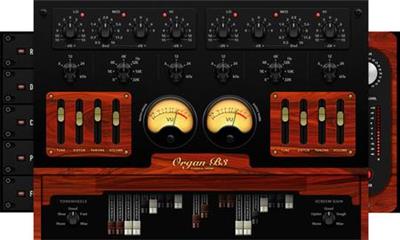
Muze Organ B3 KONTAKT

42e9e89f48d56e1b2ac388f3512fedc0.jpg


Muze Organ B3 KONTAKT | 11.2 Gb​
Drawbar style organ with additional synthetic sounds. Main interface: You have an organ with 20 drawbars and an additional 130 sounds to explore, combine and create your own.

- Based on the sounds of the vintage classic organ Hammond B3
- Leslie speaker effect (rotator) is included
- Distortion & Screamer effects for more dirty sound

RACK
An additional package of effects on the output: compressor, cabinet, saturation and limiter

- Compressor controls: attack, ratio threshold and output level
- Cabinet controls: treble, bass and cabinet size, out level
- Saturation controls: saturation and output level
- Limiter controls: release level and master level

SEND EFFECTS
Instrument Send Effects: delay, chorus algorithmic reverb, phaser, gainer and flanger.

- Reverb controls: predelay, size (of the simulated room), colour, stereo and damping
- Delay controls: time, damping, pan feedback and gain
- Chorus control: depth, phase, speed and gain
- Phaser controls: depth, speed, phase, feedback & gain
- Flanger control: speed, phase, depth, feedback, color and gain

Download link:​
Код:
[center][b]rapidgator_net[/b]:
https://rapidgator.net/file/2f608fc359ee20d0efe7f84bdfb29669/1eyzd.Muze.Organ.B3.KONTAKT.part01.rar.html
https://rapidgator.net/file/2c020d9600810a915de88baa43ca432e/1eyzd.Muze.Organ.B3.KONTAKT.part02.rar.html
https://rapidgator.net/file/be48eed566898a3d93396a72c48a3108/1eyzd.Muze.Organ.B3.KONTAKT.part03.rar.html
https://rapidgator.net/file/1298a5d61352420056ad3a702dbdcf65/1eyzd.Muze.Organ.B3.KONTAKT.part04.rar.html
https://rapidgator.net/file/c960afb159e2b3dbb14549780fd7a452/1eyzd.Muze.Organ.B3.KONTAKT.part05.rar.html
https://rapidgator.net/file/37a97bf5b27bd4a49e6458493fe55c7a/1eyzd.Muze.Organ.B3.KONTAKT.part06.rar.html
https://rapidgator.net/file/f27ed7795e446662b51b7596bd3517bc/1eyzd.Muze.Organ.B3.KONTAKT.part07.rar.html
https://rapidgator.net/file/72e7c0217c0208e2888deaa27ec86cef/1eyzd.Muze.Organ.B3.KONTAKT.part08.rar.html
https://rapidgator.net/file/4beb32c1323a207e03f2d6b8fdfa294d/1eyzd.Muze.Organ.B3.KONTAKT.part09.rar.html
https://rapidgator.net/file/8be639c4996b5af9931adc0203ac5c5b/1eyzd.Muze.Organ.B3.KONTAKT.part10.rar.html
https://rapidgator.net/file/d5f91c4ef773a93437726ded709331eb/1eyzd.Muze.Organ.B3.KONTAKT.part11.rar.html
https://rapidgator.net/file/92c57ddff7b274fd5fcb3b638e4c94a8/1eyzd.Muze.Organ.B3.KONTAKT.part12.rar.html

[b]nitroflare_com[/b]:
https://nitroflare.com/view/D52DC056690532D/1eyzd.Muze.Organ.B3.KONTAKT.part01.rar
https://nitroflare.com/view/D376A40D1CE459D/1eyzd.Muze.Organ.B3.KONTAKT.part02.rar
https://nitroflare.com/view/719E1D77F879581/1eyzd.Muze.Organ.B3.KONTAKT.part03.rar
https://nitroflare.com/view/972BD40EFAFBB41/1eyzd.Muze.Organ.B3.KONTAKT.part04.rar
https://nitroflare.com/view/56D65001A27391A/1eyzd.Muze.Organ.B3.KONTAKT.part05.rar
https://nitroflare.com/view/E46DC02EB2DE077/1eyzd.Muze.Organ.B3.KONTAKT.part06.rar
https://nitroflare.com/view/4B7674CB2AE4131/1eyzd.Muze.Organ.B3.KONTAKT.part07.rar
https://nitroflare.com/view/EA11A8BA12ED1D5/1eyzd.Muze.Organ.B3.KONTAKT.part08.rar
https://nitroflare.com/view/726B12126A390FA/1eyzd.Muze.Organ.B3.KONTAKT.part09.rar
https://nitroflare.com/view/C994D67361DA6BE/1eyzd.Muze.Organ.B3.KONTAKT.part10.rar
https://nitroflare.com/view/2568A2CEE753C4C/1eyzd.Muze.Organ.B3.KONTAKT.part11.rar
https://nitroflare.com/view/B6353A4332F76E9/1eyzd.Muze.Organ.B3.KONTAKT.part12.rar

[b]uploadgig_com[/b]:
http://uploadgig.com/file/download/377138fd75547fB5/1eyzd.Muze.Organ.B3.KONTAKT.part01.rar
http://uploadgig.com/file/download/dbdfDf94a24e3d16/1eyzd.Muze.Organ.B3.KONTAKT.part02.rar
http://uploadgig.com/file/download/938f67Ca286e4f5e/1eyzd.Muze.Organ.B3.KONTAKT.part03.rar
http://uploadgig.com/file/download/3BaF0d0124ef03dc/1eyzd.Muze.Organ.B3.KONTAKT.part04.rar
http://uploadgig.com/file/download/409C0cceda9B1c58/1eyzd.Muze.Organ.B3.KONTAKT.part05.rar
http://uploadgig.com/file/download/3402f06166A822b1/1eyzd.Muze.Organ.B3.KONTAKT.part06.rar
http://uploadgig.com/file/download/55fa7817269c2809/1eyzd.Muze.Organ.B3.KONTAKT.part07.rar
http://uploadgig.com/file/download/73eAbedb77232aB0/1eyzd.Muze.Organ.B3.KONTAKT.part08.rar
http://uploadgig.com/file/download/c7727919F60bedbe/1eyzd.Muze.Organ.B3.KONTAKT.part09.rar
http://uploadgig.com/file/download/aad85Ef504f0a848/1eyzd.Muze.Organ.B3.KONTAKT.part10.rar
http://uploadgig.com/file/download/455e0718dff8F135/1eyzd.Muze.Organ.B3.KONTAKT.part11.rar
http://uploadgig.com/file/download/7862736BE7f3d865/1eyzd.Muze.Organ.B3.KONTAKT.part12.rar[/center]

Links are Interchangeable - No Password - Single Extraction​
 
Passper for RAR 3.5.0.2 Multilingual

f62aaf99cc6f4173e072bd072945fee3.jpg


Passper for RAR 3.5.0.2 Multilingual | 34.9 Mb​
Simply recover forgotten passwords for RAR archives created by RAR, WinRAR, and other compressed software regardless of the password complexity.

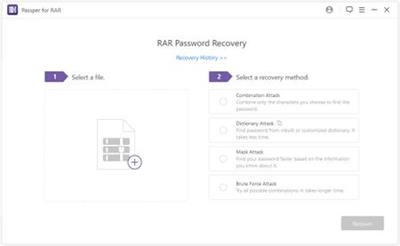
4 Attack Methods Ensuring a High Success Rate
Choose the most suitable one to shorten the password recovery process.

Dictionary Attack
Recover the password based on the built-in or self-created dictionary. It is highly recommended.

Combination Attack
Identify your password by combining all the characters you choose, such as numbers, symbols, lowercase/uppercase letters, etc.

Mask Attack
If you remember some information about the password, you can set the password length, characters, numbers to reduce the recovery time.

Brute-Force Attack
Try all the possible password combinations to get the password if you don't have any information of the password.

System Requirements:
OS: Windows XP, Vista, 7, 8/8.1, 10
RAR Version: 3/2/1.5/1.3
WinRAR: 5.70/5.50/5.40/4.2/4.1/4.0/3.9/3.8/3.7/3.6/2.9
CPU: 1GHz or more
RAM: 512 MB or more
GPU: VIDIA G80+ (GT8600 to GTX1080 TI)
Hard Disk Space: 200 MB free space and above

Home Page -
У Вас недостаточно прав для просмотра ссылок. Войдите или зарегистрируйтесь.


Download link:​
Код:
[center][b]rapidgator_net[/b]:
https://rapidgator.net/file/110b2c56c398941c6576da6e2caeb95b/cjdhr.Passper.for.RAR.3.5.0.2.Multilingual.rar.html

[b]nitroflare_com[/b]:
https://nitroflare.com/view/18D3012B4F2B894/cjdhr.Passper.for.RAR.3.5.0.2.Multilingual.rar

[b]uploadgig_com[/b]:
http://uploadgig.com/file/download/68Cfc3f5816b915e/cjdhr.Passper.for.RAR.3.5.0.2.Multilingual.rar[/center]

Links are Interchangeable - No Password - Single Extraction​
 
Rhinoceros 6.24.20079 Multilingual macOS

cfcc5843b46ca55f263375b7f21ed9c5.jpg


Rhinoceros 6.24.20079 Multilingual | macOS | 388 mb​
Rhinoceros - Versatile 3D modeler. Rhinoceros can create, edit, analyze, document, render, animate, and translate NURBS* curves, surfaces, and solids, point clouds, and polygon meshes. There are no limits on complexity, degree, or size beyond those of your hardware.

Special features include:
- Uninhibited free-form 3-D modeling tools like those found only in products costing 20 to 50 times more. Model any shape you can imagine.
- Accuracy needed to design, prototype, engineer, analyze, and manufacture anything from an airplane to jewelry.
- Compatibility with all your other design, drafting, CAM, engineering, analysis, rendering, animation, and illustration software.
- Read and repair meshes and extremely challenging IGES files.
- Accessible. So easy to learn and use that you can focus on design and visualization without being distracted by the software.
- Fast, even on an ordinary laptop computer. No special hardware is needed.
- Affordable. Ordinary hardware. Short learning curve. Affordable purchase price. No maintenance fees.

Compatibility: macOS 10.13 or later 64-bit
Homepage:
У Вас недостаточно прав для просмотра ссылок. Войдите или зарегистрируйтесь.


Download link:​
Код:
[center][b]rapidgator_net[/b]:
https://rapidgator.net/file/ca357ee83467970b7defffecd208cb10/7qhle.Rhinoceros.6.24.20079.part1.rar.html
https://rapidgator.net/file/388821ff96f687ac167edfc7403bde71/7qhle.Rhinoceros.6.24.20079.part2.rar.html
https://rapidgator.net/file/44fb86e1b597307d9bc402f3b55cb7e1/7qhle.Rhinoceros.6.24.20079.part3.rar.html
https://rapidgator.net/file/6e4b91b20c90c2882a32632658f7e234/7qhle.Rhinoceros.6.24.20079.part4.rar.html

[b]nitroflare_com[/b]:
https://nitroflare.com/view/FD765280D4F29FC/7qhle.Rhinoceros.6.24.20079.part1.rar
https://nitroflare.com/view/13CFB50ED4B3343/7qhle.Rhinoceros.6.24.20079.part2.rar
https://nitroflare.com/view/F80A7EA62FDCF86/7qhle.Rhinoceros.6.24.20079.part3.rar
https://nitroflare.com/view/FEB02E3644527D3/7qhle.Rhinoceros.6.24.20079.part4.rar

[b]uploadgig_com[/b]:
http://uploadgig.com/file/download/e32aC8E1165b8059/7qhle.Rhinoceros.6.24.20079.part1.rar
http://uploadgig.com/file/download/486e59c7229360e7/7qhle.Rhinoceros.6.24.20079.part2.rar
http://uploadgig.com/file/download/72A50C0d3a9Ee82a/7qhle.Rhinoceros.6.24.20079.part3.rar
http://uploadgig.com/file/download/78DcFcf70545A97b/7qhle.Rhinoceros.6.24.20079.part4.rar[/center]

Links are Interchangeable - No Password - Single Extraction​
 
Vinitysoft Vehicle Fleet Manager 2020.3.24.0 Multilingual

2313b0d570e428c45209ed650c5009cd.jpg


Vinitysoft Vehicle Fleet Manager 2020.3.24.0 Multilingual | 36.7 Mb​
Your fleet of vehicles is the lifeblood of your organization. Why trust the management of that fleet to fleet management software that hasn't been designed with your specific needs in mind? We are proud to present one of the most comprehensive and detailed vehicle fleet management software suites available today - Vinity Soft's Vehicle Fleet Manager.

With a list of features more comprehensive than anything we've ever produced, Vehicle Fleet Manager 4.0 delivers a complete fleet management experience.

Track vehicle expenses, create maintenance programs and service schedules, monitor fuel consumption, track vehicle values and depreciation, and manage driver records all from the same interface. Start your day with a daily email from Vehicle Fleet Manager telling you what's due and what's past due. Run in-depth reports and dive deep into your data to find ways that your fleet excels at efficiency and where there may be room for improvement.

This is the life of a fleet manager who has the power of high-quality fleet management software behind them.

Operating System: Windows 7, 8/8.1, 10

Home Page -
У Вас недостаточно прав для просмотра ссылок. Войдите или зарегистрируйтесь.


Download link:​
Код:
[center][b]rapidgator_net[/b]:
https://rapidgator.net/file/5f40f937c68ff15cae676369cc8cb67a/8vn2m.Vinitysoft.Vehicle.Fleet.Manager.2020.3.24.0.Multilingual.rar.html

[b]nitroflare_com[/b]:
https://nitroflare.com/view/F47335AC59F4B56/8vn2m.Vinitysoft.Vehicle.Fleet.Manager.2020.3.24.0.Multilingual.rar

[b]uploadgig_com[/b]:
http://uploadgig.com/file/download/51f9adc1CCbbf9b2/8vn2m.Vinitysoft.Vehicle.Fleet.Manager.2020.3.24.0.Multilingual.rar[/center]

Links are Interchangeable - No Password - Single Extraction​
 
WinCam 1.9 Multilingual

32d8c2a959fd5e33678366ba939ca5a7.jpg


WinCam 1.9 Multilingual | 11 Mb​
WinCam is a powerful and extremely easy-to-use screen recorder for Windows. It can deal with a given application, a region or the entire screen - and record everything that goes on in there. With the ability to capture up to 60 frames per second, WinCam makes sure your recording doesn't miss a tiny thing, while hardware acceleration renders and encodes video in real time and truly effortless.

Designed as simple as possible, WinCam is packed with functions that allow for almost any use: recording video tutorials, saving Skype calls, capturing various media in real time and creating visual content in a hit of a button.

Choose the desired video source and effects, click the Record button and proceed as usual: work in any application, watch video or play games. When you're done, click WinCam icon or press a hotkey, and the video of your activity is ready for sharing.

Live Preview
WinCam incorporates the same design philosophy as WinSnap (our screenshot creator). On the right pane, you can adjust the video source, the frame rate and post-processing effects, and preview these changes immediately without starting recording.

Cursor Zoom, Highlight and Click Animation
Creating a tutorial, you can make your cursor pop by adjusting its size, adding the highlight effect and mouse click animations. Alternatively, when recording a live-stream video, you might want to hide the disturbing cursor at all.

System Audio and Microphone
With WinCam, you can record system audio, microphone or both simultaneously. The selected audio signals are automatically resampled to achieve the best possible quality, mixed together and encoded in real time alongside the video.

Basic Video Editing
When recording is done, you can preview it and do some basic editing directly in WinCam. Double-click the timeline or use the corresponding toolbar buttons to set the start and end times of the video. Then click the Save button to save your clip as a copy or overwrite the original video.

WinCam is Super Easy!!!
Stripped from anything beyond screen recording, WinCam brings this one function to perfection. Less talk, more action: hit the hotkey and start recording the screen the next minute after you download WinCam. No other software is THAT easy!

WinCam runs only on Windows 10 and 8, older versions of Windows are not supported. Native 64-bit executables are included in the setup package and installed automatically.

Operating System: Windows 8/8.1, 10

Home Page -
У Вас недостаточно прав для просмотра ссылок. Войдите или зарегистрируйтесь.


Download link:​
Код:
[center][b]rapidgator_net[/b]:
https://rapidgator.net/file/bd36ba7e2e03d13e13f7543d26a6b9f6/keqw5.WinCam.1.9.Multilingual.rar.html

[b]nitroflare_com[/b]:
https://nitroflare.com/view/9669C8972B88862/keqw5.WinCam.1.9.Multilingual.rar

[b]uploadgig_com[/b]:
http://uploadgig.com/file/download/D163D7989382f079/keqw5.WinCam.1.9.Multilingual.rar[/center]

Links are Interchangeable - No Password - Single Extraction​
 
Назад
Сверху