• Форум работает в архивном режиме www.old.nado.in

All mitsumi'1s Applications !! (updated daily)

  • Автор темы Автор темы mitsumi1
  • Дата начала Дата начала
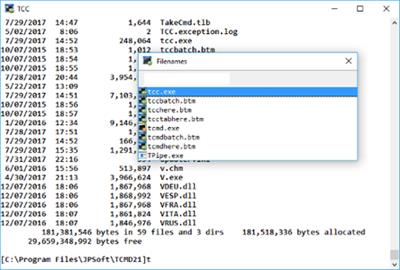
JP Software Take Command 26.00.36 (x64) Multilingual
487afefe557ca3dc4822bafd8242c020.jpg


JP Software Take Command 26.00.36 (x64) Multilingual | 36.93 Mb​
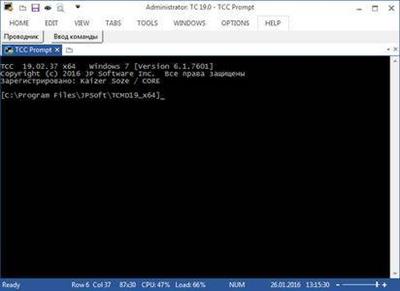
Take Command is a comprehensive interactive GUI and command line environment that makes using the Windows command prompt and creating batch files easy and far more powerful. Take Command displays your command line applications in tabbed windows, with optional Explorer-style integration for a visual look at your folders. Take Command includes hundreds of major enhancements to CMD commands such as COPY, DEL, and DIR, and adds more than 160 new commands, 620 internal variables and functions, a batch file IDE / debugger, advanced command line editing and completion, and thousands of other features.

In addition, Take Command is a powerful batch file programming tool, including an integrated IDE with a sophisticated editor and batch debugger. Take Command offers extensions such as DO loops, SWITCH statements, error and exception handling, system monitoring, third-party plugins, and more than 680 built-in variables and functions.

Features
You can run multiple command prompts and GUI applications simultaneously in tabbed windows, including our own Take Command Console (TCC), CMD, bash and PowerShell.
The integrated file explorer allows you to examine directories and drag and drop files to the tabbed command prompt windows.
The programmable tabbed toolbar lets you create up to 20 tabs with up to 50 toolbar buttons on each. Toolbar buttons can start new tabs or windows, or send commands or text to existing tabs.
The TCC scripting language is a massive superset of the CMD command prompt commands, with 238 internal commands, 388 internal functions, and 298 system variables. Almost all of the CMD command prompt commands (e.g. DIR, COPY, DEL, DIR, START, etc.) are enhanced with hundreds of additional options, and TCC adds more than 190 new commands. Take Command can usually do in one or two lines what requires dozens of lines with Windows CMD commands (if it can do it at all).
Most interactive commands (such as COPY, DIR, DEL, MOVE, etc.) have command dialogs that allow you to select filenames and options and see your command line before executing it. The most powerful Windows command processor is also the easiest to use!
Take Command includes the best text and binary file viewer available for Windows, including bidirectional scrolling, hex listings, fixed and floating rulers, grid lines, extensive searching and printing features, and much more.
Select or exclude files by date, time, size, owner, description, and extended wildcards or regular expressions for extraordinary flexibility in file management.
Specify multiple filenames for most file processing command prompt commands (i.e., COPY, DEL, DIR, MOVE, etc.). (COPY even supports multiple targets as well as multiple sources.)
The scripting language includes a complete set of flow control structures including IF-Then-Else, DO and FOR loops, SWITCH, subroutines, batch libraries, etc.
Create and debug your batch scripts with the integrated graphical IDE. The IDE includes tabbed edit windows and a sophisticated debugger with single stepping, breakpoints, syntax coloring, tooltips, bookmarks, tabbed variable and watch windows. Windows batch file programming has never been easier or more powerful!
The built-in screen scrollback buffer lets you review or print command line output from past commands, and find text in any tabbed window.
You have multiple types of redirection, including redirecting and piping to STDERR, "here-document" and "here-string" redirection, and TEE and Y pipe fittings.
Browse command line and directory history, filename and directory completion, and use numerous cut and paste options (even with Windows command line applications that have no internal cut and paste support) with the advanced line editor.
Customize filename completion for any internal or external command or alias. This allows Take Command to intelligently select and display filenames based on the command line you are entering.
The optional command prompt input window (with full undo/redo) allows you to create and edit commands before sending them to the active tabbed command line windows.
Send keystrokes to tabbed windows, command prompt windows, or GUI windows .
Find any directory on your system by entering only part of its name with extended directory searches.
You can access FTP, TFTP and HTTP (including SSL and SSH) directories and files in all command line file-handling commands (COPY, DEL, MOVE, etc.).
Send SMTP, SMPP, and SNPP messages from your batch files or the command line.
Take Command includes internal compression and extraction commands and variables for BZIP2, GZIP, JAR, TAR, ZIP, and 7ZIP files.
Monitor your system's hardware and software events, and execute commands when an event is triggered. You can monitor the clipboard, directory changes event logs, network connections, processes, services, and USB and Firewire connections.
Easily query the WMI (Windows Management Interface) to retrieve system configuration information.
Expand your scripts with the internal support for PowerShell, Lua, Perl, REXX, Python, Tcl/tk, and any Active Scripting language. You can even combine multiple languages in your batch scripts.
Create your own variables or commands with plugins, or use one of the many third-party plugin libraries.

Operating System:
Take Command is compatible with any 32 or 64-bit version of Microsoft Windows 7, 2008R2, Windows 8 and 2012, and Windows 10 and 2016.

Home Page -
У Вас недостаточно прав для просмотра ссылок. Войдите или зарегистрируйтесь.


Language: Multilingual

Download link:​
Код:
[center][b]rapidgator_net[/b]:
https://rapidgator.net/file/9b18d78e857217227c1b9586443237fa/pyzpn.JP.Software.Take.Command.26.00.36.x64.Multilingual.rar.html

[b]nitroflare_com[/b]:
http://nitroflare.com/view/AFA89C8AA139D30/pyzpn.JP.Software.Take.Command.26.00.36.x64.Multilingual.rar

[b]uploadgig_com[/b]:
https://uploadgig.com/file/download/263575AC08d2d67F/pyzpn.JP.Software.Take.Command.26.00.36.x64.Multilingual.rar[/center]

Links are Interchangeable - No Password - Single Extraction​
 
JP Software TCC 26.00.36 (x64)

64294229b2dcd3da707c23daac40badf.jpg


JP Software TCC 26.00.36 (x64) | 29.36 Mb​
TCC is our console mode Windows command shell (formerly known as 4NT). TCC is a replacement for the CMD command line (the default Windows command prompt). TCC is a superset of CMD, with 246 internal commands (CMD has fewer than 40), 695+ internal variables and functions, and hundreds of enhancements to existing CMD commands.

TCC works with your existing command line applications and batch files, but offers major improvements in command line and batch file capabilities, and adds thousands of new features to your command prompt windows.

TCC is a CMD replacement command processor that is compatible with your existing CMD commands and batch files, while adding thousands of new features. You're immediately more productive, and you can learn and add TCC's new features at your own pace.
Create and debug your batch scripts in a fraction of the time with the integrated editor and batch file debugger.
The integrated and familiar environment means you are immediately more productive with your interactive command prompt and batch file development tasks.
The consistent syntax reduces your learning and development time.
The comprehensive help (including context-sensitive popup help for command line syntax), speeds your development time and reduces syntax errors.

System requirements:
TCC is compatible with any version of Microsoft Windows 7, Server 2008R2, Windows 8, Server 2012, Windows 10, and Server 2016, including 64-bit Windows. TCC is available in both 32-bit and 64-bit versions.

Home Page -
У Вас недостаточно прав для просмотра ссылок. Войдите или зарегистрируйтесь.


Language: English

Download link:​
Код:
[center][b]rapidgator_net[/b]:
https://rapidgator.net/file/00b561c630c06d3a219922fdf13bc2f7/kgi13.JP.Software.TCC.26.00.36.x64.rar.html

[b]nitroflare_com[/b]:
http://nitroflare.com/view/036223AEBDAD1A3/kgi13.JP.Software.TCC.26.00.36.x64.rar

[b]uploadgig_com[/b]:
https://uploadgig.com/file/download/33e8F97938f2d8dE/kgi13.JP.Software.TCC.26.00.36.x64.rar[/center]

Links are Interchangeable - No Password - Single Extraction​
 
Adobe Audition 2020 Beta v13.0.6.33 (x64) Multilingual

8310a1ea7c2ec2c00172fa22e94748dd.jpg


Adobe Audition 2020 Beta v13.0.6.33 (x64) Multilingual RePACK | 396.36 MB​
Adobe Audition software is a powerful and professional audio editor is actually a digital audio workstation (Digital Audio Workstation) is. This software before Khrydaryshdn by Adobe, called Cool Edit Pro was recognized, the ability to perform a variety of editing operations on the different audio files. Remove excess air and noise, Afktgzary and change the sound recording and sound quality ... the key features of this software.

Facilities and software features of Adobe Audition:
-User interface is nice and easy
-blending sounds together with high precision and advanced sound design
-Apply sound effects on a variety of different formats
-Convert different formats to each other
-Coordination with video editing software like Adobe Premiere Pro
-Ability to remove all kinds of noise and additional noise to improve sound quality
-the possibility of a very high quality audio recording
-Support for various input ports
-Export of software as audio disc or audio formats
-support and compatibility with the latest audio technologies and multi-channel audio

What's New in Audition CC 2019:

DeReverb & DeNoise effects [NEW]
Reduce or remove reverb and background noise from recordings without noise prints or complicated parameters with these efficient real-time effects or through the Essential Sound panel.

Improved playback and recording performance [NEW]
Playback over 128 audio tracks or record over 32 tracks, at low latencies, on common workstations and without expensive, proprietary, single-purpose acceleration hardware.

Improved multitrack UI [NEW]
Playback over 128 audio tracks or record over 32 tracks, at low latencies, on common workstations and without expensive, proprietary, single-purpose acceleration hardware.

On-clip gain control and waveform scaling [NEW]
Adjust your audio without moving your eyes or mouse cursor away from your content with on-clip gain adjustments. Use your eyes and ears to match clip loudness to neighboring clips with a waveform that smoothly scales in real-time to amplitude adjustments.

Add tracks and delete empty tracks [NEW]
Quickly add multiple audio or bus tracks of any channelization at once, or clean up all unused audio tracks in a session, with these commands.

Zoom to time [NEW]
Zoom to specific durations with customizable presets. No more guesswork or small adjustments needed to see an exact length of time.

Effects and presets migration [NEW]
When upgrading, Audition can import all 3rd party effects already scanned by a previous version of Audition, as well as custom effect presets and more.

System Requirements:
OS:Microsoft® Windows 10 (64 bit) version 1703 or higher.
CPU:Multicore processor with 64-bit support
Memory:4GB of RAM
Space:4GB of available hard-disk space for installation; plus additional free space required during installation (cannot install on removable flash storage devices)
Display:1920x1080 or larger display
OpenGL:OpenGL 2.0 capable system

Home Page:
У Вас недостаточно прав для просмотра ссылок. Войдите или зарегистрируйтесь.


Language: Multilingual

Download link:​
Код:
[center][b]rapidgator_net[/b]:
https://rapidgator.net/file/00436437405bcd0130a30acc4aedaf68/u86ur.Adobe.Audition.2020.Beta.v13.0.6.33.x64.Multilingual.rar.html

[b]nitroflare_com[/b]:
http://nitroflare.com/view/0695B611630E220/u86ur.Adobe.Audition.2020.Beta.v13.0.6.33.x64.Multilingual.rar

[b]uploadgig_com[/b]:
https://uploadgig.com/file/download/35aA2ce8b8152Df2/u86ur.Adobe.Audition.2020.Beta.v13.0.6.33.x64.Multilingual.rar[/center]

Links are Interchangeable - No Password - Single Extraction​
 
Adobe Media Encoder 2020 Beta v14.2.0.31 (x64) Multilingual

e7833bcc6bb2e5dc49210c8ba6d0193a.jpg


Adobe Media Encoder 2020 Beta v14.2.0.31 (x64) Multilingual REPACK | 911 MB​
Media Encoder CC. Your go-to application for all media processing. Ingest, transcode, create proxies, and output any format you can imagine. This powerful media management tool allows you to work with media in a unified way across applications. Tight integration with Adobe Premiere Pro CC, After Effects CC, and other applications provides a seamless media processing workflow.

Such video and audio formats are characterized by an increased degree of compression. Using this program, you can export video to formats supported by various devices, from DVD players and websites to mobile phones,portable media players and standard and high definition TVs.

It is also important that the Adobe Media Encoder SS 2018 allows you to process several video and audio clips in batch mode; in environments where video is a significant part of the content,batch processing speeds up the workflow. During the encoding of video files, the program can add,reorder and change the parameters for encoding files in the batch queue.

Adobe Media Encoder CC 2019 supports a variety of video export formats, depending on theAdobe applications installed with this program. In particular, it is the core of coding for Adobe Premiere Pro, Adobe After Effects and Adobe Prelude. However, the program can also be used as a standalone coding tool.

Benefits of Adobe Media Encoder CC 2019:
- Select a channel when publishing on YouTube and in Vimeo
- Select a playlist when publishing to YouTube
- Select a page when publishing to Facebook
- Add your own title when published on YouTube, Facebook and Vimeo
- Add your own thumbnail of the video when you publish on YouTube
- Notification of missing positions in the queue before encoding
- Adaptive H.264 transmission rate settings that automatically select the optimal output
speed based on the size and frame rate of the original video
- Support for exporting GIF animations to Mac and Wi ndows
- Improved Time Tuner effect
- New optimized list of H.264 settings
- Support for encoding / decoding in RF64 WAV format, decoding for Sony X-OCN and
intelligent rendering of QuickTime DNx
- Warning when importing QuickTime sources of other format
- Changing the time code for multimedia content with 720p resolution 59.94

System Requirements:
CPU:Intel 6thGen or newer CPU
OS:Microsoft Windows 10 (64-bit), version 1703 or later (required)
RAM:16 GB of RAM
Hard disk space:4GB of available hard-disk space; additional free space required during installation (cannot install on removable flash storage devices)
Monitor resolution:1920 x 1080 or greater display resolution
GPU:Adobe-recommended GPU card for GPU-accelerated performance (see Premiere Pro System Requirements)

Home Page -
У Вас недостаточно прав для просмотра ссылок. Войдите или зарегистрируйтесь.


Language: Multilingual

Download link:​
Код:
[center][b]rapidgator_net[/b]:
https://rapidgator.net/file/bdbcdd66db88e9ef2d12632e1d3a9d67/5tw4t.Adobe.Media.Encoder.2020.Beta.v14.2.0.31.x64.Multilingual.rar.html

[b]nitroflare_com[/b]:
http://nitroflare.com/view/60FE749C081797D/5tw4t.Adobe.Media.Encoder.2020.Beta.v14.2.0.31.x64.Multilingual.rar

[b]uploadgig_com[/b]:
https://uploadgig.com/file/download/8d4a960a88a4219f/5tw4t.Adobe.Media.Encoder.2020.Beta.v14.2.0.31.x64.Multilingual.rar[/center]

Links are Interchangeable - No Password - Single Extraction​
 
Adobe Premiere Pro 2020 Beta v14.2.0.33 (x64) Multilingual

4ce5dcf49935b53db558d835b5305302.jpg


Adobe Premiere Pro 2020 Beta v14.2.0.33 (x64) Multilingual REPACK | 1.44 GB​
Video editing that's always a cut above. Premiere Pro is the leading video editing software for film, TV, and the web. Creative tools, integration with other Adobe apps and services, and the power of Adobe Sensei help you craft footage into polished films and videos in one seamless workflow. And Premiere Rush, our new app, is included with your subscription so you can capture footage and start editing on all your devices, anywhere.

Smart tools. Better storytelling.
Premiere Pro is used by Hollywood filmmakers, TV editors, YouTubers, videographers - anyone with a story to tell, including you.

Stay in your creative flow.
Premiere Pro is the industry leader for editing everything from fast-turn TV series to feature films. Integrated, efficient workflows let you polish your work without leaving your timeline. And automated tools powered by Adobe Sensei speed up time-consuming tasks, so you can focus on your story.

Any camera. Any format. Any platform.
Edit footage in any modern format, from 8K to virtual reality. Broad native file support and simple proxy workflows make it easy to work with your media, even on mobile workstations. Delivering content that's optimized for any screen or platform is faster than ever.

Everything you need. Right where you need it.
Along with tools for color, audio, and graphics, Premiere Pro works seamlessly with other apps and services, including After Effects, Adobe Audition, and Adobe Stock. Open a Motion Graphics template from After Effects or download one from Adobe Stock and customize it - all without leaving the app. And Premiere Pro integrates with hundreds of partner technologies.

Precise and simple color grading
Take the guesswork out of curve adjustments with innovative Lumetri Color tools. Each curve has two axes with paired values, making selective color grading easy and accurate.

Improve audio instantly
New sliders in the Essential Sound panel let you dial down or remove background noise and reverb for incredible results.

Infographics with Motion Graphics templates
Drag and drop spreadsheets into new infographics Motion Graphics templates to quickly generate visualizations of your data. Any updates to your spreadsheets are automatically updated in your infographic.

End-to-end VR 180
Jump into immersive video with support for VR 180, including optimized ingest and effects.

System Requirements:
- Processor: Intel® Intel 6thGen or newer CPU
- Operating system: Microsoft Windows 10 (64-bit) version 1703 or later (required)
- RAM: 16 GB of RAM (32 GB recommended)
- 4 GB of GPU VRAM
- Hard disk space
- Fast internal SSD (recommended) for app installation and cache - plus provisional space for media
- Monitor resolution 1920 x 1080 or greater display resolution
- Video card 32-bit video card

Languages: English, Deutsch, Español, Français, Italiano, Português (Brasil), Русский, 日本語, 한국어, 简体中文

Home Page -
У Вас недостаточно прав для просмотра ссылок. Войдите или зарегистрируйтесь.


Language: Multilingual

Download link:​
Код:
[center][b]rapidgator_net[/b]:
https://rapidgator.net/file/737efb41d458d0e799330964908a683e/frdo6.Adobe.Premiere.Pro.2020.Beta.v14.2.0.33.x64.Multilingual.rar.html

[b]nitroflare_com[/b]:
http://nitroflare.com/view/2F7F92AE3B9E118/frdo6.Adobe.Premiere.Pro.2020.Beta.v14.2.0.33.x64.Multilingual.rar

[b]uploadgig_com[/b]:
https://uploadgig.com/file/download/ebbdf8f893DaE157/frdo6.Adobe.Premiere.Pro.2020.Beta.v14.2.0.33.x64.Multilingual.rar[/center]

Links are Interchangeable - No Password - Single Extraction​
 
Noteastic Premium 2.8.0

b3b10946c91310ec0c14439333cb7cb7.jpg


Noteastic Premium 2.8.0 | 417.3 Mb​
The Noteastic Notepad is a clean notepad app for your Windows device. It was developed to work great on desktops, tablets and smaller handsets. It was designed to clean lightweight simple and easy to use. Noteastic Notepad has a virtually limitless note taking capacity and will work great on most devices.

Noteastic is a good looking application with basic features. It's simple and easy to use and in case you either don't like the original app that came with your OS, or simply don't have it, Noteastic Notepad could prove to be a suitable replacement. The app performs like any other basic virtual notepad. It allows text editing, importing, saving and printing.

Awesome features include:
- Organize your notes by color
- Printing capabilities
- Export/Import notes

Though there are tons of other notepad apps you can choose from, so I would like to make Noteastic the best it can be. I will continually improve the app based on your suggestions and feedback. This app is for you guys. I know that note taking is one of the most important features on your device, so you deserve to have the best possible notepad!

Minimum system requirements:
- Your device must meet all minimum requirements to open this product.
- OS: Windows 10 version 16299.0 or higher
- Architecture: x64, x86

Home Page -
У Вас недостаточно прав для просмотра ссылок. Войдите или зарегистрируйтесь.


Download link:​
Код:
[center][b]rapidgator_net[/b]:
https://rapidgator.net/file/e0ad9bdc674245c7d97b2becef35ead6/514es.Noteastic.Premium.2.8.0.rar.html

[b]nitroflare_com[/b]:
http://nitroflare.com/view/443984178706D16/514es.Noteastic.Premium.2.8.0.rar

[b]uploadgig_com[/b]:
https://uploadgig.com/file/download/Db321795A78D0e85/514es.Noteastic.Premium.2.8.0.rar[/center]

Links are Interchangeable - No Password - Single Extraction​
 
CAMWorks ShopFloor 2020 SP2

2a52317d31d4ca67154953c9958d7ae2.jpg


CAMWorks ShopFloor 2020 SP2 | 1.1 Gb
Languages: 中文 Simplified, 中文 Traditional, Français, Deutsch, Italiano, 日本語, Polski,
Português-Brazilian, Русский, Español, Türkçe, 한국어, Čeština​
GeometricPLM is pleased to announce the availability of CAMWorks ShopFloor 2020 SP2.0 is the latest Industry 4.0/Smart Manufacturing tool specifically designed for the CNC machinist on the shop floor and promotes digital manufacturing by providing 3D models with MBD & PMI data and CNC programming information to the shop floor in a single, compact digital format.

What's new in CAMWorks ShopFloor 2020 SP2.0

CAMWorks ShopFloor is a newly introduced application in the CAMWorks suite of software products. CAMWorks ShopFloor is an independent standalone application. It serves as a collaboration tool between CAM Programmers (who use the CAMWorks application to generate CAM data for part models and/or assemblies to be machined) and the Machine ShopFloor (where actual machining of the concerned part models/assemblies take place).

CAMWorks ShopFloor is designed to help accelerate the transition to digital manufacturing and to boost manufacturing efficiency by allowing the shop floor to view programmed parts and associated manufacturing data digitally.

About CAMWorks ShopFloor

GeometricPLM by HCL Technologies a specialist in the domain of engineering solutions, services and technologies. Its portfolio of Global Engineering services, Product Lifecycle Management (PLM) solutions, Embedded System solutions, and Digital Technology solutions enables companies to formulate, implement, and execute global engineering and manufacturing strategies aimed at achieving greater efficiencies in the product realization lifecycle.

On April 1st 2016, Geometric got into an agreement with HCL Technologies to transfer of its business to HCL Tech by way of demerger, except for its 58% share in the joint venture with Dassault Systèmes (3DS) (3DPLM Software Solutions Limited (3DPLM)). The transition has become effective on March 2nd 2017, after seeking all statutory approvals.

Product: CAMWorks ShopFloor
Version: 2020 SP2 build 2020/0413 (16-April-2020)
Supported Architectures: x64
Website Home Page :
У Вас недостаточно прав для просмотра ссылок. Войдите или зарегистрируйтесь.

Language: english
System Requirements: PC *
Supported Operating Systems: *
Software Prerequisites: *
Size: 1.1 Gb

Before installing CAMWorks ShopFloor 2020, ensure that the following system requirementsare fulfilled:

Supported Microsoft Windows Operating Systems

- 64-bit version of Windows 10
- 64-bit version of Windows 8.1
- 64-bit version of Windows 7 (SP1 or higher)

Hardware Requirements

RAM: 8 GB or more recommended
Video Card: Certified cards and drivers
Processor: Intel or AMD processors with SSE2 support. 64-bit operating system required.
USB port: If you choose to have CAMWorks ShopFloor licensing via a USB dongle (key),then access to an USB port is required to plug in the CAMWorks Hardware Dongle(key)into the USB port.
Network: Microsoft's Windows Networking and Active Directory network environments.
Install Media: Broadband Internet Connection

Supported Platforms:

Compatible

CAMWorks versions:

- All CAMWorks 2020 x64 versions up to CAMWorks 2020 SP2
- CAMWorks 2019 x64 SP4
- CAMWorks 2019x64 SP3

Compatible CAD Platforms:

- SOLIDWORKS 2020
- SOLIDWORKS 2019
- CAMWorks Solids 2020
- CAMWorks Solids 2019

Note:To view ShopFloor files in the CAMWorks ShopFloor 2020 x64 SP2 application, a compatible CAMWorks version needs to be loaded as an Add-In in one of the above-listed CAD platforms. This will ensure successful publishing of ShopFloor files from programmed part models/assemblies.

Download link:​
Код:
[center][b]rapidgator_net[/b]:
https://rapidgator.net/file/1c80a54936cc381debccb59fbca4fca3/f8g2f.CAMWorks.ShopFloor.2020.SP2.part1.rar.html
https://rapidgator.net/file/2989b57a0d5b70b487fbc662dd31b66b/f8g2f.CAMWorks.ShopFloor.2020.SP2.part2.rar.html
https://rapidgator.net/file/70f064751db269d816c0ffadd878bc04/f8g2f.CAMWorks.ShopFloor.2020.SP2.part3.rar.html
https://rapidgator.net/file/e31c32d9ddaa7fd4c2c2b21cc385e260/f8g2f.CAMWorks.ShopFloor.2020.SP2.part4.rar.html

[b]nitroflare_com[/b]:
http://nitroflare.com/view/2AB7452E3740937/f8g2f.CAMWorks.ShopFloor.2020.SP2.part1.rar
http://nitroflare.com/view/4550EBB046F1E89/f8g2f.CAMWorks.ShopFloor.2020.SP2.part2.rar
http://nitroflare.com/view/5206DAC7F296909/f8g2f.CAMWorks.ShopFloor.2020.SP2.part3.rar
http://nitroflare.com/view/697A6B8ADE00F0F/f8g2f.CAMWorks.ShopFloor.2020.SP2.part4.rar

[b]uploadgig_com[/b]:
https://uploadgig.com/file/download/de222b90cFf65353/f8g2f.CAMWorks.ShopFloor.2020.SP2.part1.rar
https://uploadgig.com/file/download/43C1a3b500A6a3b4/f8g2f.CAMWorks.ShopFloor.2020.SP2.part2.rar
https://uploadgig.com/file/download/8aa84c9640621a60/f8g2f.CAMWorks.ShopFloor.2020.SP2.part3.rar
https://uploadgig.com/file/download/2d5C868d1841ab01/f8g2f.CAMWorks.ShopFloor.2020.SP2.part4.rar[/center]

Links are Interchangeable - No Password - Single Extraction​
 
form-Z Pro 9.0.0.3 Build A123 (x64) Multilingual

9a44fc8530b9c6ed2369d88858dde998.jpg


form-Z Pro 9.0.0.3 Build A123 (x64) Multilingual | 433.7 Mb​
form-Z pro is a powerful 3D design application featuring a variety of modeling personalities and tools with an easy to use interface to express and communicate your imagination. It is based on advanced 3D solid and surface modeling methods that maintain accurate representations as you progress from design to visualization, layout, animation and fabrication.

form-Z pro includes all of the features found in form-Z Jr plus many advanced modeling tools, STEP and IGES translators, animation, layout, network rendering and interface customization.

form-Z pro 8 is the latest version that introduces subdivision modeling as yet another modeling personality that enables the quick design and exploration of organic forms that originate from basic shapes. These forms are easily manipulated using a suite of subdivision tools that empower this new personality.

System requirements:
OS: Windows 7, Windows 8/8.1 or Windows 10 (64-bit only)
Memory: Minimum: 1 GB, Recommended: 4 GB+
Hard Disk Space: Minimum: 2 GB, Recommended: 5 GB+
OpenGL: A video card that supports OpenGL version 3.2 or later is required. For best results, a video card with a minimum benchmark score of ~1500 is recommended, and for larger files, ~3500 or better is preferred.

Home Page -
У Вас недостаточно прав для просмотра ссылок. Войдите или зарегистрируйтесь.


Download link:​
Код:
[center][b]rapidgator_net[/b]:
https://rapidgator.net/file/b76fda2b8836b74dd873bed1896495e0/slz0v.formZ.Pro.9.0.0.3.Build.A123.x64.Multilingual.rar.html

[b]nitroflare_com[/b]:
http://nitroflare.com/view/03C6379242F468B/slz0v.formZ.Pro.9.0.0.3.Build.A123.x64.Multilingual.rar

[b]uploadgig_com[/b]:
https://uploadgig.com/file/download/e309e1F1d5803591/slz0v.formZ.Pro.9.0.0.3.Build.A123.x64.Multilingual.rar[/center]

Links are Interchangeable - No Password - Single Extraction​
 
Icecream Slideshow Maker Pro 4.0 Multilingual Portable

7ffc957feefc70ec3381af07ad8e1254.jpg


Icecream Slideshow Maker Pro 4.0 Multilingual Portable | 19.8 Mb​
Meet Icecream Slideshow Maker, a software that you can use to create beautiful slideshows from your favorite photos. Breathe life into them by adding fancy transition effects and background audio. You don't need to be tech savvy to create a multimedia slideshow with music in a few minutes; just add photos, configure slides transitions and durations, add a suitable music file, preview the project and simply press the "Create" button to enjoy the end result!

Program features:

Controls
Control time and transition effects for each image in your slideshow.
Preview
Preview your slideshow prior to creating it for better results.
History
Never lose your creative work. You can always continue from where you stopped.

What else makes Icecream Slideshow Maker so special?

Your music
Choose a favorite music file as a background score for your slideshow. Offset and fade settings available too.
Transitions
Wide variety of transition effects: pixelate, mosaic, zoom in and zoom out, vertical stretch and more.
Full HD slideshow
Create HD slideshows with up to 1920x1080 resolution.
Youtube
Upload your slideshow to YouTube and share it with friends.

Operating System: Windows 10, 8.1, 8, 7, 2003, 2000, Vista, XP, Server 2008

Home Page -
У Вас недостаточно прав для просмотра ссылок. Войдите или зарегистрируйтесь.


Download link:​
Код:
[center][b]rapidgator_net[/b]:
https://rapidgator.net/file/1f6c8b745e5b5b74a1c7cb3777e899d9/ehvgx.Icecream.Slideshow.Maker.Pro.4.0.Multilingual.Portable.rar.html

[b]nitroflare_com[/b]:
http://nitroflare.com/view/8DFA27CE65A0532/ehvgx.Icecream.Slideshow.Maker.Pro.4.0.Multilingual.Portable.rar

[b]uploadgig_com[/b]:
https://uploadgig.com/file/download/5Eac8eFfb256Efb9/ehvgx.Icecream.Slideshow.Maker.Pro.4.0.Multilingual.Portable.rar[/center]

Links are Interchangeable - No Password - Single Extraction​
 
TweakShot Screen Capture 1.0.0.10024

60a8d24a4861d40ad137830dc9592dd0.jpg


TweakShot Screen Capture 1.0.0.10024 | 5.5 Mb​
The fastest way to capture your screen, edit images, and deliver results. TweakShot Screen Capture allows you to take screenshots of an active window, full screen or any rectangular area as a graphics file. It endorses some basic editing features like cropping, highlighting and resizing.

Snapshot Full Screen
Allows you to capture a screenshot of your current browsing page in full screen.

Capture Window
Take a screenshot of a single window on your screen in case multiple windows are open.

Image Editor
Create images of your own and get a full suite of rich image editing tools to edit screenshots.

Capture Video
Record screen activities including onscreen changes and mouse movements in just a click.

Area Selection
Select a particular region or area from the active window, which you want to capture.

Capture Scrolling Window
Just scroll the web page or window and grabs it all with just a single click!

Screen Color Picker
Pick colors from images and screen, or copy color code making designing easier

Active Window Screenshot
Capture a specific active window of your choice and leave rest to the app.

System Requirements:
Windows-based hardware PC with mouse or similar input device
Processor Intel Core i3 or better
Memory 4GB RAM or more
Operating System Windows 7, Windows 8.1, Windows 10
Hard disk 2 GB free space, SSD for best performance
Display 1280x768 size or better

Home Page -
У Вас недостаточно прав для просмотра ссылок. Войдите или зарегистрируйтесь.


Download link:​
Код:
[center][b]rapidgator_net[/b]:
https://rapidgator.net/file/43a71f632c90f2b87d9103fa10bc57c6/5xb6j.TweakShot.Screen.Capture.1.0.0.10024.rar.html

[b]nitroflare_com[/b]:
http://nitroflare.com/view/4D8C45BCD92048B/5xb6j.TweakShot.Screen.Capture.1.0.0.10024.rar

[b]uploadgig_com[/b]:
https://uploadgig.com/file/download/782f0B67d65b2ff5/5xb6j.TweakShot.Screen.Capture.1.0.0.10024.rar[/center]

Links are Interchangeable - No Password - Single Extraction​
 
Isotropix Clarisse iFX 4.0 SP6b (x64)

c0dac8ea07b8591f583df5a7bc0989ec.jpg


Isotropix Clarisse iFX 4.0 SP6b (x64) | 565.6 Mb​
Clarisse iFX is a new breed of high-end 2D/3D animation software which is the fusion of an animation package, a compositing software and a 3d rendering engine. It has been designed to streamline the workflow of CG artists to let them work and constantly interact on their final image with full effects on.

A workflow from a better perspective.
Clarisse provides tons of high-end features all designed to be consistent and intuitive. Its workflow scales nicely with massive complexity while keeping things easy to manage. By simplifying the way CG artists work, Clarisse revolutionizes the daily work of Digimatte and Environment artists, Look development and lighting artists working in VFX and Animation studios.

Minimum system requirements
CPU: Intel or AMD based x86-64 CPU supporting SSE2
RAM: 2 GB
Hard-Drive: 500 MB disk space available
64-bit Operating System: Windows 7
Graphics Card: OpenGL 4.0 compliant graphics card
Network Card: Wifi and/or Ethernet
Display: 1280 x 1024 pixel resolution in 24 bit color
Mouse: Three-button mouse

Home Page -
У Вас недостаточно прав для просмотра ссылок. Войдите или зарегистрируйтесь.


Download link:​
Код:
[center][b]rapidgator_net[/b]:
https://rapidgator.net/file/e72e0a761e5d35ba89bae58c2d81f2e2/fsuwc.Isotropix.Clarisse.iFX.4.0.SP6b.x64.rar.html

[b]nitroflare_com[/b]:
http://nitroflare.com/view/2204A1BC9CF1EE0/fsuwc.Isotropix.Clarisse.iFX.4.0.SP6b.x64.rar

[b]uploadgig_com[/b]:
https://uploadgig.com/file/download/35e17623756b2dd7/fsuwc.Isotropix.Clarisse.iFX.4.0.SP6b.x64.rar[/center]

Links are Interchangeable - No Password - Single Extraction​
 
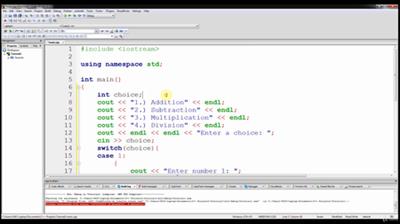
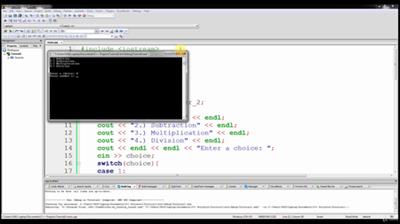
Udemy - C++ Programming for Absolute Beginners. Newbie C++ Guide

dfee565abd32a0c5e5365cb131592a18.jpg


Udemy - C++ Programming for Absolute Beginners. Newbie C++ Guide
WEBRip | English | MP4 | 1280 x 720 | AVC ~1419 kbps | 30 fps
AAC | 128 Kbps | 44.1 KHz | 2 channels | Subs: English (.srt) | ~4 hours | 2.47 GB
Genre: eLearning Video / Development, Programming
Ace your next Javascript coding interview by mastering data structures and algorithms.​

What you'll learn

The fundamentals of C++
Understand how C++ features help you write compact and efficient code
Learn best practices and avoid pitfalls via useful Do's and Don'ts
Test your knowledge and expertise with exercises
Write fast and powerful C++ programs, compile the source code, and create executable files
Learn C++ features that allow you to program compact and high-performance C++ applications
Learn how to use the standard library to build robust programs quickly, and get comfortable with high-level programming

Requirements
A computer running Windows, Mac OS X or Linux

Description
C++ is one of the most widely used programming languages today. The language itself is object-oriented, offering you the utmost control over data usage, interface, and resource allocation.

This course covers the fundamentals of programming in C++. Created for the novice programmer, this course assumes no prior knowledge of computer programming. The main elements of the language are introduced step by step in a logical, gradient manner. This approach will give you a solid foundation for writing useful, correct, maintainable, and efficient code.

At the end of this course you'll have all the skills you need to begin programming in C++. With this complete tutorial, you'll quickly master the basics, and then move on to more advanced features and concepts.

What you'll learn in this course:

· The fundamentals of C++

· Understand how C++ features help you write compact and efficient code

· Use concepts such as lambda expressions, move constructors, and assignment operators

· Learn best practices and avoid pitfalls via useful Do's and Don'ts

· Test your knowledge and expertise with exercises

· Write fast and powerful C++ programs, compile the source code, and create executable files

· Learn C++ features that allow you to program compact and high-performance C++ applications

· Learn how to use the standard library to build robust programs quickly, and get comfortable with high-level programming

Who this course is for:
Anyone that wants to learn how to code using C++.

General
Complete name : 006 Understanding C - Part 2.mp4
Format : MPEG-4
Format profile : Base Media
Codec ID : isom (isom/iso2/avc1/mp41)
File size : 152 MiB
Duration : 13 min 41 s
Overall bit rate : 1 556 kb/s
Writing application : Lavf58.12.100

Video
ID : 1
Format : AVC
Format/Info : Advanced Video Codec
Format profile : Main@L3.1
Format settings : CABAC / 4 Ref Frames
Format settings, CABAC : Yes
Format settings, RefFrames : 4 frames
Format settings, GOP : M=4, N=60
Codec ID : avc1
Codec ID/Info : Advanced Video Coding
Duration : 13 min 41 s
Bit rate : 1 419 kb/s
Nominal bit rate : 3 000 kb/s
Width : 1 280 pixels
Height : 720 pixels
Display aspect ratio : 16:9
Frame rate mode : Constant
Frame rate : 30.000 FPS
Color space : YUV
Chroma subsampling : 4:2:0
Bit depth : 8 bits
Scan type : Progressive
Bits/(Pixel*Frame) : 0.051
Stream size : 139 MiB (91%)
Writing library : x264 core 148
Encoding settings : cabac=1 / ref=3 / deblock=1:-1:-1 / analyse=0x1:0x111 / me=umh / subme=6 / psy=1 / psy_rd=1.00:0.15 / mixed_ref=1 / me_range=16 / chroma_me=1 / trellis=1 / 8x8dct=0 / cqm=0 / deadzone=21,11 / fast_pskip=1 / chroma_qp_offset=-3 / threads=22 / lookahead_threads=3 / sliced_threads=0 / nr=0 / decimate=1 / interlaced=0 / bluray_compat=0 / constrained_intra=0 / bframes=3 / b_pyramid=2 / b_adapt=1 / b_bias=0 / direct=1 / weightb=1 / open_gop=0 / weightp=2 / keyint=60 / keyint_min=6 / scenecut=0 / intra_refresh=0 / rc_lookahead=60 / rc=cbr / mbtree=1 / bitrate=3000 / ratetol=1.0 / qcomp=0.60 / qpmin=0 / qpmax=69 / qpstep=4 / vbv_maxrate=3000 / vbv_bufsize=6000 / nal_hrd=none / filler=0 / ip_ratio=1.40 / aq=1:1.00

Audio
ID : 2
Format : AAC
Format/Info : Advanced Audio Codec
Format profile : LC
Codec ID : mp4a-40-2
Duration : 13 min 40 s
Bit rate mode : Constant
Bit rate : 128 kb/s
Channel(s) : 2 channels
Channel positions : Front: L R
Sampling rate : 44.1 kHz
Frame rate : 43.066 FPS (1024 SPF)
Compression mode : Lossy
Stream size : 12.5 MiB (8%)
Default : Yes
Alternate group : 1

Screenshots

04ecc1d1c77cfcc4f1842c96006565f1.jpg


e9f96c6d3d8182b400beb7f524fe1630.jpg


Download link:​
Код:
[center][b]rapidgator_net[/b]:
https://rapidgator.net/file/ca67eec869c2660ca7e7c68e58fb450b/rik14.Udemy..C.Programming.for.Absolute.Beginners..Newbie.C.Guide.part1.rar.html
https://rapidgator.net/file/69aa5d137672209aea90c6e14b1d5331/rik14.Udemy..C.Programming.for.Absolute.Beginners..Newbie.C.Guide.part2.rar.html
https://rapidgator.net/file/3c43f0584567e6d5790bda1bb2135abe/rik14.Udemy..C.Programming.for.Absolute.Beginners..Newbie.C.Guide.part3.rar.html

[b]nitroflare_com[/b]:
https://nitroflare.com/view/3D3E85ED437456A/rik14.Udemy..C.Programming.for.Absolute.Beginners..Newbie.C.Guide.part1.rar
https://nitroflare.com/view/2464264684819B1/rik14.Udemy..C.Programming.for.Absolute.Beginners..Newbie.C.Guide.part2.rar
https://nitroflare.com/view/BCC7648690D723B/rik14.Udemy..C.Programming.for.Absolute.Beginners..Newbie.C.Guide.part3.rar

[b]uploadgig_com[/b]:
http://uploadgig.com/file/download/dF89e3670Af963cF/rik14.Udemy..C.Programming.for.Absolute.Beginners..Newbie.C.Guide.part1.rar
http://uploadgig.com/file/download/86FAabe99f7ca4cf/rik14.Udemy..C.Programming.for.Absolute.Beginners..Newbie.C.Guide.part2.rar
http://uploadgig.com/file/download/0813c4ad5f32B4b4/rik14.Udemy..C.Programming.for.Absolute.Beginners..Newbie.C.Guide.part3.rar[/center]

Links are Interchangeable - No Password - Single Extraction​
 
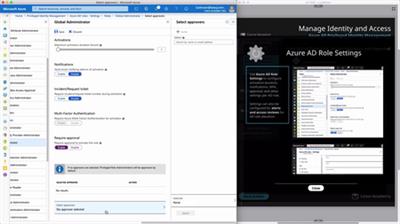
Linuxacademy - AZ-500 Microsoft Azure Security Technologies (2020)

01e97fae6ae6f8d635228bce7153901b.jpg


Linuxacademy - AZ-500: Microsoft Azure Security Technologies (2020)
WEBRip | English | MP4 | 1920 x 1080 | AVC ~1058 kbps | 30 fps
AAC | 160 Kbps | 44.1 KHz | 2 channels | 20:07:29 | 4.46 GB
Genre: eLearning Video / Networking & Security​
This course is designed to help you master the requisite skills required for the Microsoft Azure AZ-500 certification exam.

The AZ-500 exam is an associate level exam which tests candidates for advanced security knowledge and experience working with various aspects of Microsoft Azure.

Throughout this course you will progressively build and expand upon both your security knowledge, and hands-on experience working with Azure technologies including, but not limited to: identity and security, hybrid cloud, monitoring, encryption, database security, and securing apps and services for the cloud.

Includes:

Course Introduction
00:02:39
About the Training Architect
00:01:16
Using the AZ-500 Guide
00:01:33
Managing Identity and Access
Configuring Azure Active Directory for Workloads
Azure AD Users
00:14:39
Azure AD Groups
00:13:41
App Registrations, Permissions, Scopes, and Consent
00:11:23
Working with Azure AD Connect
00:38:24
Azure AD Connect Authentication Methods Explained
00:21:51
Multi-Factor Authentication: Part I
00:13:48
Multi-Factor Authentication: Part II
00:21:37
Conditional Access: Part I
00:11:22
Conditional Access: Part II
00:18:22
Conditional Access: Part III
00:15:24
Azure AD Identity Protection: Part I
00:17:41
Azure AD Identity Protection: Part II
00:14:03
Azure AD Privileged Identity Management
AD PIM Overview and Activation
00:12:40
PIM Configuration, Access Requests and Approval: Part I
00:16:37
PIM Configuration, Access Requests and Approval: Part II
00:10:08
Reviewing Access in PIM
00:12:37
Azure Tenant Security
Transferring Azure Subscriptions Between Tenants
00:07:03
Platform Protection
Network Security
Virtual Networks [Review]
00:02:32
Network Security Groups [Review]
00:01:40
Application Security Groups
00:09:57
Azure Firewall
00:16:16
Resource Firewalls
00:11:53
Hands-On Lab:
Creating a Network Security Group with Inbound and Outbound Rules in Azure
00:45:00
Hands-On Lab:
Securing a Virtual Network with Azure Firewall
01:00:00
Hands-On Lab:
Configuring an Azure VNet-to-VNet VPN Gateway (v2)
01:30:00
Host Security
VM Endpoint Security
00:09:41
VM System Updates in Azure
00:05:28
Securing Azure Resources
Role-Based Access Control (RBAC) [Review]
00:03:10
Managed Identities [Review]
00:02:06
Azure Resource Locks
00:08:47
Azure Management Groups
00:06:36
Azure Policies
00:11:24
Hands-On Lab:
Ensuring Compliance with Azure Policies
02:00:00
Container Security
Container Registry Security
00:11:39
Configuring Instance Security
00:09:34
Container Groups
00:07:52
Container Vulnerability Management
00:01:38
AKS Security
00:09:09
Security Operations
Configuring Security Services
Microsoft Azure Monitor [Review]
00:02:19
Diagnostic Logging and Log Retention
00:05:36
Security Policies
Just in Time VM Access Using Microsoft Azure Security Center
00:07:50
Security Alerts
Reviewing and Responding to Alerts and Recommendations
00:05:29
Microsoft Azure Security Center Playbooks
00:04:13
Secure Data and Applications
Managing Data
Data Classification Using Azure Information Protection
00:13:57
Storage Analytics Data Retention Policies
00:04:05
Data Sovereignty with Azure Policy
00:04:14
Azure Key Vault
Working with Azure Key Vault
00:13:37
Hands-On Lab:
Working with Azure Key Vault
02:00:00
Security for Data Infrastructure
Database Authentication and Auditing
00:11:40
Azure SQL Database Threat Detection
00:02:02
Managing Access Control and Keys for Storage Accounts [Review]
00:01:59
Security for HDInsight
00:02:28
Security for Cosmos DB
00:04:01
Security for Microsoft Azure Data Lake
00:03:10
Hands-On Lab:
Configuration and Security of Azure Storage Accounts
01:30:00
Encryption for Data at Rest
Microsoft Azure SQL Database Always Encrypted
00:06:21
Database Encryption
00:01:12
Storage Service Encryption
00:02:34
Disk Encryption
00:08:30
Backup Encryption
00:06:02
Hands-On Lab:
Enabling Always Encrypted in Azure SQL
00:45:00
Security for Application Delivery
Implementing Security Validations for Application Development
00:05:44
Synthetic Security Transactions
00:06:35
SSL/TLS Certificates
00:06:43
Protecting Web Apps
00:05:14
Course Conclusion
Final Steps
Course Completion and How to Prepare for the Exam

Screenshots

14ac2bfb0b9a4c995f94f9cfa40aa3b8.jpg


e9d42fd58c2e22724e67e81c53d61741.jpg


Download link:​
Код:
[center][b]rapidgator_net[/b]:
https://rapidgator.net/file/a9a0c6fdac0bca2b638bec49d5aead0e/px0z4.Linuxacademy..AZ500.Microsoft.Azure.Security.Technologies.2020.part1.rar.html
https://rapidgator.net/file/5445c5dcacd9d38e2caaeb103337b767/px0z4.Linuxacademy..AZ500.Microsoft.Azure.Security.Technologies.2020.part2.rar.html
https://rapidgator.net/file/3e98a39c94da0a447212a35b67deb642/px0z4.Linuxacademy..AZ500.Microsoft.Azure.Security.Technologies.2020.part3.rar.html
https://rapidgator.net/file/ec10e7ab073651803db6bbc7ce139bb6/px0z4.Linuxacademy..AZ500.Microsoft.Azure.Security.Technologies.2020.part4.rar.html
https://rapidgator.net/file/fa18edb43f761055fe6addb06352515a/px0z4.Linuxacademy..AZ500.Microsoft.Azure.Security.Technologies.2020.part5.rar.html

[b]nitroflare_com[/b]:
https://nitroflare.com/view/7BA2E118D4BF445/px0z4.Linuxacademy..AZ500.Microsoft.Azure.Security.Technologies.2020.part1.rar
https://nitroflare.com/view/9B092CA24185945/px0z4.Linuxacademy..AZ500.Microsoft.Azure.Security.Technologies.2020.part2.rar
https://nitroflare.com/view/1C0A341FF4F4BF0/px0z4.Linuxacademy..AZ500.Microsoft.Azure.Security.Technologies.2020.part3.rar
https://nitroflare.com/view/EE9110C39E6C823/px0z4.Linuxacademy..AZ500.Microsoft.Azure.Security.Technologies.2020.part4.rar
https://nitroflare.com/view/43B296C475D3106/px0z4.Linuxacademy..AZ500.Microsoft.Azure.Security.Technologies.2020.part5.rar

[b]uploadgig_com[/b]:
http://uploadgig.com/file/download/F6212197a829bcaB/px0z4.Linuxacademy..AZ500.Microsoft.Azure.Security.Technologies.2020.part1.rar
http://uploadgig.com/file/download/20512Cf435E4fab0/px0z4.Linuxacademy..AZ500.Microsoft.Azure.Security.Technologies.2020.part2.rar
http://uploadgig.com/file/download/Df7323185B71535b/px0z4.Linuxacademy..AZ500.Microsoft.Azure.Security.Technologies.2020.part3.rar
http://uploadgig.com/file/download/263843F1552e99fc/px0z4.Linuxacademy..AZ500.Microsoft.Azure.Security.Technologies.2020.part4.rar
http://uploadgig.com/file/download/bB32326e38d7818d/px0z4.Linuxacademy..AZ500.Microsoft.Azure.Security.Technologies.2020.part5.rar[/center]

Links are Interchangeable - No Password - Single Extraction​
 
Advanced XLS Converter 6.87

7980bb20b68141bc9c0d969feb5cca09.jpg


Advanced XLS Converter 6.87 | 6.1 Mb​
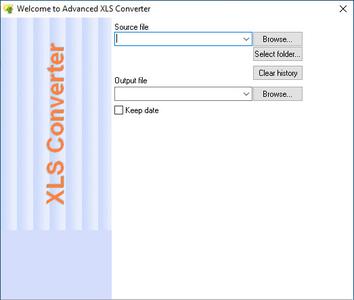
Advanced XLS Converter provides a the quickest, easiest and affordable way to convert Excel (XLS, XLSX, XLSM) files to a great variety of database formats, including DBF, TXT, HTML, XML, CSV, SQL, RTF - all with a few clicks of the mouse!

It's Easy
Advanced XLS Converter is a quick and easy tool for converting XLS right out of the box. Just upload a source file, choose the output format and destination and voila! You have the file in the new format in a few seconds or less! Convert XLS to DBF, Office RTF format, or HTML for posting the database to the Web or intranet.

It's Quick
Unique to Advanced XLS Converter is a super fast conversion algorithm that has been optimized to handle large XLS files quickly, without disruptions and slowdowns. Basically, it'll take a few seconds for the program to handle the job for you. And not only single files, it will handle bunches of XLS files at the same time in one quick go!

It's Smart
Advanced XLS Converter is smart. It knows how to output XLS to other formats, porting the structure and data correctly to a new file. Prior to conversion, you can preview the uploaded file, sort data by columns, use filters, edit name, size, type of columns and set the tool to skip duplicates.

Convert Excel to 10+ Formats
Convert XLS to over 10 file types, including dBase III/IV, Visual FoxPro, Text files, HTML, Clipper/Foxpro PRG, XML, Excel, CSV, SQL, RTF. If you need to output XLS to other formats, Advanced XLS Converter is a way to go, as it'll let you export to many popular formats, saving money on buying separate database packages. Isn't it cool, or what?

Convert Multiple Excel Files As One
If you often need to convert dozens of XLS/XLSX files to various database formats, you'll definitely appreciate Advanced XLS Converter's ability to process multiple documents. Simply open all files you want to convert, select a destination format and execute the conversion!

Advanced Conversion through Command Line Support
You can use the user interface to convert Excel files. However Advanced XLS Converter also lets advanced users do the conversion via command line.

Works Anywhere
Advanced XLS Converter does not require any external drivers such as ODBC or BDE to connect to a excel tables. Excel Converter runs on Windows XP/Vista/2012/Windows 7/8/10 (32/64-bit)

Operating System: Windows 95/98/NT4/2000/XP/2003/Vista/2008/7/8/10

Home Page -
У Вас недостаточно прав для просмотра ссылок. Войдите или зарегистрируйтесь.


Download link:​
Код:
[center][b]rapidgator_net[/b]:
https://rapidgator.net/file/c5a41ec65e125368bd9d0e832c45b617/qekw8.Advanced.XLS.Converter.6.87.rar.html

[b]nitroflare_com[/b]:
https://nitroflare.com/view/BA8F27CA8E67233/qekw8.Advanced.XLS.Converter.6.87.rar

[b]uploadgig_com[/b]:
http://uploadgig.com/file/download/6b913716AB7626f5/qekw8.Advanced.XLS.Converter.6.87.rar[/center]

Links are Interchangeable - No Password - Single Extraction​
 
FabulaTech USB for Remote Desktop 6.0.0.6

f3426c5d683ef17f30e616da28cedff3.jpg


FabulaTech USB for Remote Desktop 6.0.0.6 | 55.1 Mb​
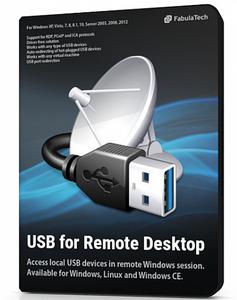
USB for Remote Desktop. Access local USB devices in remote Windows session. When you work in a remote desktop environment, getting access to your locally plugged USB devices can be quite problematic. In some cases you still can use some workarounds like plugging the USB device into the remote machine directly but in the most cases it's not a solution.

Challenge of USB redirection to Remote Desktop
When you work in a remote desktop environment, getting access to your locally plugged USB devices can be quite problematic. In some cases you still can use some workarounds like plugging the USB device into the remote machine directly but in the most cases it's not a solution.

FabulaTech solution
USB for Remote Desktop is a software allowing redirection of locally plugged USB devices to you remote desktop session. It appears like the USB device is plugged directly to the remote side.

The program consists of Server and Workstation parts. The Workstation part is installed on the local computer or thin client where USB devices are physically plugged. The Server part is installed on the remote side you are connecting to via Microsoft RDP, Teradici PCoIP or Citrix ICA. The Server part makes redirected USB devices available for remotely logged users.
The program supports a wide range of USB hardware and does not require any special configuration.

Supports Windows and Linux as a remote desktop in different configurations
USB for Remote Desktop supports Windows and Linux remote desktops. It does not matter what protocol is used for accessing the remote side - Microsoft RDP, Teradici PCoIP, Citrix ICA. It does not matter what environment is used - Microsoft Azure, Microsoft Terminal Services, Hyper-V, Citrix XenApp, Citrix XenDesktop, VMware View, Amazon Workspaces and others.

Any compatible Windows and Linux Client software can be used for accessing remote Windows and Linux side. And there is no need to change firewall settings.

Works with any USB devices
The program is not limited to some specific models of USB devices. It is compatible with any of them. So, it is really universal solution for USB device redirection. Even the most exotic USB devices can be redirected to your remote desktop environment.

Auto-redirecting of hot-plugged USB devices
Using the Administrative Utility, USB for Remote Desktop can be configured to redirect any newly plugged USB device immediately and automatically. You don't have even to divert your attention away from the working process. The program will redirect the USB devices automatically every time you plug them in.

USB port redirection
In some cases it is really convenient to use some dedicated USB port for redirection. In such case any USB device being plugged to that port will be redirected to remote side. All other devices will be for local use only.

Ready for Enterprise
For large installations, it's possible to configure the program for local and domain users remotely. The configuration can be done via Active Directory allowing to pre-set needed settings or even disable USB redirection for specified users or just for specific types of USB devices.

System Requirements:
Windows 10
Windows 8 and 8.1
Windows 7
Windows Vista
Windows Server 2019
Windows Server 2016
Windows Server 2012 and 2012 R2
Windows Server 2008 and 2008 R2

Home Page -
У Вас недостаточно прав для просмотра ссылок. Войдите или зарегистрируйтесь.


Download link:​
Код:
[center][b]rapidgator_net[/b]:
https://rapidgator.net/file/17826437fffc1389c60db22ae43f549c/vqu7l.FabulaTech.USB.for.Remote.Desktop.6.0.0.6.rar.html

[b]nitroflare_com[/b]:
http://nitroflare.com/view/91B6A838810C6FF/vqu7l.FabulaTech.USB.for.Remote.Desktop.6.0.0.6.rar

[b]uploadgig_com[/b]:
https://uploadgig.com/file/download/dcDa00fA75dA1460/vqu7l.FabulaTech.USB.for.Remote.Desktop.6.0.0.6.rar[/center]

Links are Interchangeable - No Password - Single Extraction​
 
FabulaTech USB over Network 6.0.1.6

781b51b3117b18a391f7f010961d40d3.jpg


FabulaTech USB over Network 6.0.1.6 | 34.7 Mb​
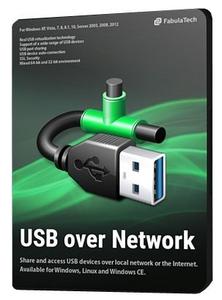
USB over Network allows to use remote USB devices shared over a local network or the Internet. It does not matter if you are located in another office or even country, now you can use any USB device remotely as if it was attached to your computer locally.

How it works
The program consists of two parts - Server and Client. The Server part is installed on a PC where USB devices are physically plugged in, making it possible to share the devices for remote connection. The Client should be installed on computers where you need to get access to remote shared USB devices.

When you connect remote USB device using a Client part on your PC, it appears as if the device was attached directly to your computer.

Real USB virtualization technology
Thanks to many years of research and development we were able to release unique USB virtualization technology. It fully emulates the USB stack of remote USB devices on the client side creating the exact virtual copy of each shared hardware USB device.

Works with any USB devices
The program is not limited to some specific models of USB devices. It is compatible with any of them. So, it is really universal solution for the remote access to USB devices. Even the most exotic USB devices can be accessed over network or the Internet.

Support for both Windows and Linux
USB over Network supports both WIndows and Linux on both sides. Any compatible Windows and Linux distribution can be used on Client side for accessing remote USB devices shared on Windows or Linux Servers.

Driver-free solution
USB over Network does not require USB device drivers on the Server side. This feature really simplifies everything, since it allows to share USB devices even when their drivers was not installed locally (or in case if the device is not supported by Server side OS). Keep in mind, that USB device drivers are required on the Client side anyway.

USB port sharing
In some cases it is really convenient to use some dedicated USB port for device sharing. So any USB device being plugged into it becomes shared automatically. This won't affect other USB devices plugged into other USB ports.

SSL Security
Secure Sockets Layer (SSL) is a standard security technology for establishing an encrypted link between a server and a client. This layer protects your private information and keeps the data safe.

Password protection
In order to provide more security, it's possible to protect USB devices or the whole USB server by password. So, only authorized users will be able to access specified USB devices remotely.

Reversed device connections
Sometimes it's needed to initiate device connection from Server side to Client side. So instead of connecting remote USB device, end user can "push" the local USB device to the remote computer. The call-back connection feature is especially useful in case if the Server is behind a firewall or on a NAT network.

Per-interface sharing
There is a possibility of per-interface sharing for composite devices that usually contain several USB devices. For example, if you use the webcam with built-in speaker, it's no problem to share the webcam for remote access but leave the speakers for local use only.

System Requirements:
Windows 10
Windows 8 and 8.1
Windows 7
Windows Vista
Windows Server 2019
Windows Server 2016
Windows Server 2012 and 2012 R2
Windows Server 2008 and 2008 R2

Home Page -
У Вас недостаточно прав для просмотра ссылок. Войдите или зарегистрируйтесь.


Download link:​
Код:
[center][b]rapidgator_net[/b]:
https://rapidgator.net/file/483e5b411dbbab2b5c961ef619ca0e2c/mx9b4.FabulaTech.USB.over.Network.6.0.1.6.rar.html

[b]nitroflare_com[/b]:
http://nitroflare.com/view/410768F73D58F8D/mx9b4.FabulaTech.USB.over.Network.6.0.1.6.rar

[b]uploadgig_com[/b]:
https://uploadgig.com/file/download/665c8b6fb643b408/mx9b4.FabulaTech.USB.over.Network.6.0.1.6.rar[/center]

Links are Interchangeable - No Password - Single Extraction​
 
Apeaksoft Android Toolkit 2.0.52 Multilingual

393c4a5d321439577e9eda6565b1402f.jpg


Apeaksoft Android Toolkit 2.0.52 Multilingual | 45.3 Mb​
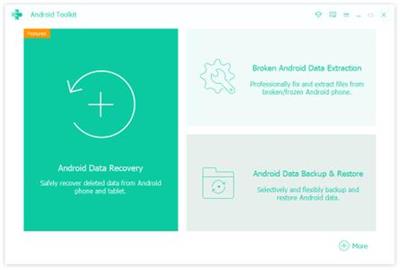
Apeaksoft Android Toolkit can help you to recover deleted or lost photos, videos, contacts, messages, call logs, apps and documents from your Android phones, tablets and SD cards. It is compatible with 5000+ Android portable devices.

Recover deleted files
Recover and export deleted or lost data from Android phones and tablets including Samsung, HTC, LG, Sony, Motorola, Huawei, Google, Sharp, etc.;
Retrieve your lost or deleted files including contacts, text messages, contacts, call history and documents from Android devices or SD card;
Restore deleted or lost photos, music, videos and WhatsApp file and get them back from your Android with this android data recovery tool;
Backup and manage your Android data (including lost or deleted files) on your Windows computer or Mac easily with the USB cable;
Recover deleted files on Android from many situations including files deleting, system crashing, forgotten password, rooting error, etc.

System requirements:
Windows OS: Windows 10, Windows 8.1, Windows 8, Windows 7, Windows Vista, Windows XP
CPU: 1GHz Intel/AMD CPU or above
RAM: 1GB RAM or more
Hard Disk Space: 200 MB and above free space

Home Page -
У Вас недостаточно прав для просмотра ссылок. Войдите или зарегистрируйтесь.


Download link:​
Код:
[center][b]rapidgator_net[/b]:
https://rapidgator.net/file/c091b1a265392c23a11fe6d2e5fe1191/3fu8y.Apeaksoft.Android.Toolkit.2.0.52.Multilingual.rar.html

[b]nitroflare_com[/b]:
http://nitroflare.com/view/AF01CA7B39C56F9/3fu8y.Apeaksoft.Android.Toolkit.2.0.52.Multilingual.rar

[b]uploadgig_com[/b]:
https://uploadgig.com/file/download/3d563c8D18d44186/3fu8y.Apeaksoft.Android.Toolkit.2.0.52.Multilingual.rar[/center]

Links are Interchangeable - No Password - Single Extraction​
 
Screenshot Studio 1.9.98.97.2

1eb5eed71ebb73dc7b77d8f2a2245b0e.jpg


Screenshot Studio 1.9.98.97.2 | 2 Mb​
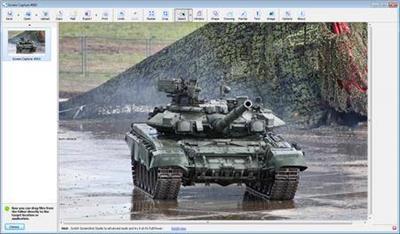
Screenshot Studio is a tool which allows you to easily take screenshot, annotate it and quickly share. With its many basic and advanced features Screenshot Studio also offers quick annotation instruments and fast and reliable publish technology that make it a powerful tool. This tool is ideal for program testers and developers for bugs documentation.

A brief list of features:
* All-in-one Tool: create, edit, save and load screenshots from one place in a few clicks
* Grab Everything: you can take screenshots from standard, Direct3D and OpenGL modes. Some videoplayers are also supported
* Powerful Annotation System: you will need just a couple of seconds to highlight important fragments of your screenshot. Screenshot Studio is extremely recommended for those who spend hours annotating pictures using standard applications like MS Paint and other ones. Standard instruments palette includes: Text Fields, Freeform Drawings, Vector Lines, Rectangles and Ellipses with alpha blending support
* Different output formats including: PNG, JPEG, BMP, HTML, MHT, ZIP, etc. In case of using PNG you can load screenshot to the program back and continue editing from the point you finished previously Native File Format lets you creating of screenshot projects to maintain and modify required screenshots
* Fast and Free Publication Engine: it takes just a few seconds to upload your screen captures onto specially designed screenshot site and get a FREE link for their distribution over WWW. Image link is secure and you can be sure you the only person who can make it public.
* Quick Export into external editors: need more image processing instruments? Quickly export screenshots into external editor and do what you need

Operating System: Windows 7, 8/8.1, 10

Home Page -
У Вас недостаточно прав для просмотра ссылок. Войдите или зарегистрируйтесь.


Download link:​
Код:
[center][b]rapidgator_net[/b]:
https://rapidgator.net/file/6de6eeeeedef21a83dfd62d7fb8c1cb9/3zfv9.Screenshot.Studio.1.9.98.97.2.rar.html

[b]nitroflare_com[/b]:
http://nitroflare.com/view/7C7F6271CE0461F/3zfv9.Screenshot.Studio.1.9.98.97.2.rar

[b]uploadgig_com[/b]:
https://uploadgig.com/file/download/4ba1784a4510Ff9f/3zfv9.Screenshot.Studio.1.9.98.97.2.rar[/center]

Links are Interchangeable - No Password - Single Extraction​
 
Coursera - Virology II How Viruses Cause Disease

e5cdda6d4eb613cbc649cb5904362ea0.jpg


Coursera - Virology II: How Viruses Cause Disease
WEBRip | English | MP4 | 960 x 540 | VP8 ~670 kbps | 25 fps
Vorbis | 128 Kbps | 48.0 KHz | 2 channels | 04:12:58 | 2 GB
Genre: eLearning Video / Science, Biology and Genetics
Introductory virology course that covers the interplay between viruses and their host organisms, with with the goal of understanding viral diseases and their prevention.​

This introductory virology course explores the interplay between viruses and their host organisms. The course begins with an overview of how infection is established in a host, then moves to a virologist's view of immune defenses. Next we consider how the replication strategy and the host response determine the outcome of infection, such that some are short and others are of long duration. The mechanisms by which virus infections transform cells in culture are explored, a process that may lead to tumor formation in animals. We then move to a discussion of how viral infections are controlled by vaccines and antiviral drugs. After an introduction to viral evolution, we discuss the principles learned from zoonotic infections, emerging infections, and humankind's experiences with epidemic and pandemic viral infections. The course ends with an exploration of unusual infectious agents such as viroids, satellites, and prions, followed by a discussion of the causative agent of the most serious current worldwide epidemic, HIV-1.

Course Syllabus

Week 1
- Infection basics
- Entry into the host
- Viral spread
- Tissue invasion and tropism
- Transmission and seasonality

Week 2
- Innate immune responses
- Interferon
- Sentinels and complement
- Inflammation
- Adaptive immunity

Week 3
- Viral virulence
- Mechanisms of cell injury I
- Mechanisms of cell injury II
- Host susceptibility

Week 4
- Acute infections
- Influenza
- Poliomyelitis
- Measles
- Gastroenteritis
- West Nile fever

Week 5
- Persistent infections
- Persistence by modulating the adaptive response
- Two persistent infections
- Herpes simplex virus
- Epstein-Barr virus

Week 6
- Transformation
- RNA tumor viruses
- Transforming retroviruses
- DNA tumor viruses
- Epiphenomena of a unique life style

Week 7
- Vaccines
- How do you make a vaccine?
- Inactivated vaccines
- Attenuated vaccines

Week 8
- Antivirals
- Antiviral discovery
- Antiviral resistance
- Other antiviral targets
- HIV antivirals

Week 9
- Viral evolution
- Drivers of evolution
- Error threshold and bottlenecks
- Selection
- Origins of viruses

Week 10
- Emerging viruses
- Host-virus interactions
- Examples of emerging viruses
- SARS and MERS
- Canine parvovirus

Week 11
- Viroids
- Satellites
- Transmissible spongiform encephalopathies
- Prions

Week 12
- HIV and AIDS
- The origin of HIV
- HIV pathogenesis
- An amazing but deadly virus

General
Unique ID : 325341937123168163862056155027493147851 (0xF4C293F067CADB2F1E4671D8F4ACD4CB)
Complete name :How Viruses Cause Disease W12 Introduction.mp4
Format : WebM
Format version : Version 2
File size : 14.8 MiB
Duration : 2mn 27s
Overall bit rate mode : Variable
Overall bit rate : 840 Kbps
Writing application : Lavf55.10.100
Writing library : Lavf55.10.100

Video
ID : 1
Format : VP8
Codec ID : V_VP8
Duration : 2mn 27s
Bit rate : 670 Kbps
Width : 960 pixels
Height : 540 pixels
Display aspect ratio : 16:9
Frame rate mode : Constant
Frame rate : 25.000 fps
Compression mode : Lossy
Bits/(Pixel*Frame) : 0.052
Stream size : 11.8 MiB (80%)
Language : English
Default : Yes
Forced : No

Audio
ID : 2
Format : Vorbis
Format settings, Floor : 1
Codec ID : A_VORBIS
Duration : 2mn 27s
Bit rate mode : Variable
Bit rate : 128 Kbps
Maximum bit rate : 700 Kbps
Channel(s) : 2 channels
Sampling rate : 48.0 KHz
Compression mode : Lossy
Delay relative to video : -43ms
Stream size : 2.26 MiB (15%)
Writing library : libVorbis (Schaufenugget) (20101101 (Schaufenugget))
Language : English
Default : Yes
Forced : No
Writing application : Lavc55.17.100

Screenshots

bc8e6751befb2cb5e29e830893f09697.jpg


85ad832d5f1853a961fa9c573e7d666a.jpg


c87d78c7e6d0c04c30201554ba148677.jpg


Download link:​
Код:
[center][b]rapidgator_net[/b]:
https://rapidgator.net/file/cd9cdf8246e14faef7ed06b95572c2c0/5h1cz.Coursera..Virology.II.How.Viruses.Cause.Disease.part01.rar.html
https://rapidgator.net/file/d8d2d4d7abee0488de1c3ba12bb83aef/5h1cz.Coursera..Virology.II.How.Viruses.Cause.Disease.part02.rar.html
https://rapidgator.net/file/c8131402634186dbd611d1cba5cccd45/5h1cz.Coursera..Virology.II.How.Viruses.Cause.Disease.part03.rar.html
https://rapidgator.net/file/5f770129ea2a5d33799b1bc194369ed9/5h1cz.Coursera..Virology.II.How.Viruses.Cause.Disease.part04.rar.html
https://rapidgator.net/file/e46f3c2968ce27a5c9c9fec26b361e00/5h1cz.Coursera..Virology.II.How.Viruses.Cause.Disease.part05.rar.html
https://rapidgator.net/file/04104756dba181f6e296b765ac10e4dd/5h1cz.Coursera..Virology.II.How.Viruses.Cause.Disease.part06.rar.html
https://rapidgator.net/file/2fb095f65093718e4871d32b4d1891c9/5h1cz.Coursera..Virology.II.How.Viruses.Cause.Disease.part07.rar.html
https://rapidgator.net/file/081fadad325bc7cb482bea6f9b5d81b1/5h1cz.Coursera..Virology.II.How.Viruses.Cause.Disease.part08.rar.html
https://rapidgator.net/file/8f0a84d79ebfda426df8f8f17c209e6e/5h1cz.Coursera..Virology.II.How.Viruses.Cause.Disease.part09.rar.html

[b]nitroflare_com[/b]:
https://nitroflare.com/view/DD7D7CDA6C72380/5h1cz.Coursera..Virology.II.How.Viruses.Cause.Disease.part01.rar
https://nitroflare.com/view/38BCBB41C20CA9F/5h1cz.Coursera..Virology.II.How.Viruses.Cause.Disease.part02.rar
https://nitroflare.com/view/47659AFE630B143/5h1cz.Coursera..Virology.II.How.Viruses.Cause.Disease.part03.rar
https://nitroflare.com/view/8FB5CE62C49C888/5h1cz.Coursera..Virology.II.How.Viruses.Cause.Disease.part04.rar
https://nitroflare.com/view/2F68D6091E9250A/5h1cz.Coursera..Virology.II.How.Viruses.Cause.Disease.part05.rar
https://nitroflare.com/view/EA179D30D0E5FCC/5h1cz.Coursera..Virology.II.How.Viruses.Cause.Disease.part06.rar
https://nitroflare.com/view/807BEE3916FAE9D/5h1cz.Coursera..Virology.II.How.Viruses.Cause.Disease.part07.rar
https://nitroflare.com/view/575809EDE886777/5h1cz.Coursera..Virology.II.How.Viruses.Cause.Disease.part08.rar
https://nitroflare.com/view/3A78A42F7CE1D10/5h1cz.Coursera..Virology.II.How.Viruses.Cause.Disease.part09.rar

[b]uploadgig_com[/b]:
http://uploadgig.com/file/download/68228154aa1D49Df/5h1cz.Coursera..Virology.II.How.Viruses.Cause.Disease.part01.rar
http://uploadgig.com/file/download/62bfaee63e24f5b6/5h1cz.Coursera..Virology.II.How.Viruses.Cause.Disease.part02.rar
http://uploadgig.com/file/download/1591d44609069451/5h1cz.Coursera..Virology.II.How.Viruses.Cause.Disease.part03.rar
http://uploadgig.com/file/download/980b4388cCE1dba7/5h1cz.Coursera..Virology.II.How.Viruses.Cause.Disease.part04.rar
http://uploadgig.com/file/download/f024893E6Ee0963f/5h1cz.Coursera..Virology.II.How.Viruses.Cause.Disease.part05.rar
http://uploadgig.com/file/download/93c77EEe8af06030/5h1cz.Coursera..Virology.II.How.Viruses.Cause.Disease.part06.rar
http://uploadgig.com/file/download/4d506347af1ce185/5h1cz.Coursera..Virology.II.How.Viruses.Cause.Disease.part07.rar
http://uploadgig.com/file/download/6b48def831f68133/5h1cz.Coursera..Virology.II.How.Viruses.Cause.Disease.part08.rar
http://uploadgig.com/file/download/d29A5fAf2eb03Aa4/5h1cz.Coursera..Virology.II.How.Viruses.Cause.Disease.part09.rar[/center]

Links are Interchangeable - No Password - Single Extraction​
 
Isotropix Clarisse iFX 4.0 SP6b (MacLnx)

c399dddbdcace0aeaa79793edf8e8472.jpg


Isotropix Clarisse iFX 4.0 SP6b (Mac/Lnx) | 641/498 Mb​
A fully interactive CG toolset for set-dressing, look development, lighting and rendering. Clarisse iFX is a powerful CG toolset trusted by internationally renowned creative studios. Built by artists for artists, it is designed to simplify today's complex creative workflows, empowering users with interactivity, speed and power over datasets containing bazillions of polygons.

Created in response to feedback from today's front-line CG creatives, Clarisse iFX unifies powerful rendering, lighting and look development tools under a single, accessible package. Thanks to its integrated CPU based rendering engine, based on unidirectional path-tracing users can work interactively on rich, data-heavy environments, scenes and assets, with full visibility over their creative decision-making. Clarisse iFX fits seamlessly into the core of any modern production pipeline. It's an intuitive, flexible and comprehensive toolset tailored to the needs of studios and production teams working in CG today - not ten years ago.

Work interactively on final rendered imagery
Shed light on the creative process via a state-of-the-art, lightning-fast CPU rendering engine. Creatives no longer need to work blind - they can interactively manipulate final imagery, seeing real-time updates directly in the viewport.
This means up to nine times more creative iterations and a more flexible, unhindered approach to content creation.

- Manipulate hero assets interactively
- Work at speed with unidirectional path-tracing and PBR
- Iterate faster on creative work

Deeper collaboration founded in powerful referencing
Automatically synchronize all assets existing in a scene with a single click. Clarisse iFX's powerful hierarchical referencing workflow empowers a consistent, collaborative creative process: dozens of creatives can work simultaneously and seamlessly on a single environment while ensuring artists, technical directors and wider teams don't become lost in the noise. This also enables freelancers to easily jump into a project and get to work, without any headaches.

- From freelancers to large teams: collaborate on scenes with total transparency
- Synchronize internal and external assets instantly
- A streamlined process from scene assembly to final render

Burst through the polygon barrier
Extreme complexity made manageable via a memory-efficient procedural evaluation engine. Clarisse iFX lets artists work with bazillions of polygons while it handles data behind the scenes. Users experience fast, flexible creativity even when manipulating environments containing vast complexity, thanks to an advanced PBR and path-tracing renderer that won't break a sweat.

- Bazillions of polygons at your fingertips
- Remarkable flexibility in scene set-up
- Tackle today's complex CG workflows with ease

Multiple workflows, one application
Experience a tool created in response to the challenges of modern-day post-production. Clarisse iFX consolidates set-dressing, look development, lighting, rendering and layered-based pre-comp into a single, unified package. Archaic workflows defined by application hopping are a thing of the past; instead, users can focus on the singular task of creating incredible art.

- No more application-hopping: access a unified,
- artist-friendly toolset
- Intuitive tools designed specifically for today's
- post-production environment
- No more archaic 90s workflows

Created for you, by you
For artists, by artists. Every Clarisse iFX feature and update is born out of feedback and collaboration with our user community. We constantly engage with front-line artists and technical directors to learn what new challenges they're facing and how they could increase productivity. Clarisse iFX is built, updated, and continually improved in response to these relationships.

- Constantly updated to address today's workflow challenges
- Intuitively designed - enjoy an easy learning curve
- Features developed to increase productivity

Hassle-free pipeline integration
Built for seamless integration into any modern production pipeline. Clarisse iFX works with major 2D and 3D applications and doesn't require custom tools or third-party plugins to get started. It's also comes with support for major CG frameworks, integrated color management based on OpenColorIO, a pipeline-friendly ASCII file format, and much more.

- Out-of-the-box Alembic, OpenVDB, UDIM and UV Tiles support
- Support for every image file format
- Extensive Python customization

Minimum System Requirements:
- CPU: Intel or AMD based x86-64 CPU supporting SSE2
- RAM: 2 GB
- Hard-Drive: 500 MB disk space available
- 64-bit Operating System: Windows 7 and higher
- Graphics Card: OpenGL 4.0 compliant graphics card
- Network Card: Wifi and/or Ethernet
- Display: 1280 x 1024 pixel resolution in 24 bit color
- Mouse: Three-button mouse
Hard-Drive 500 MB disk space available
64-bit Operating System Windows 7 or
macOS 10.9 or
Linux Red Hat/Centos 7

Home Page -
У Вас недостаточно прав для просмотра ссылок. Войдите или зарегистрируйтесь.


Download link:​
Код:
[center][b]rapidgator_net[/b]:
https://rapidgator.net/file/7a7eb0c0897512f07e327ee346ddd49e/t2a1y.Isotropix.Clarisse.iFX.v4.0.SP6b.LINUX.X64AMPED.rar.html
https://rapidgator.net/file/b8587c47327944f2177ad9b58be10cbf/t2a1y.Isotropix.Clarisse.iFX.v4.0.SP6b.MACOSXAMPED.rar.html

[b]nitroflare_com[/b]:
https://nitroflare.com/view/0F313062AA38418/t2a1y.Isotropix.Clarisse.iFX.v4.0.SP6b.LINUX.X64AMPED.rar
https://nitroflare.com/view/59315B6F276595E/t2a1y.Isotropix.Clarisse.iFX.v4.0.SP6b.MACOSXAMPED.rar

[b]uploadgig_com[/b]:
http://uploadgig.com/file/download/883Aeb4532a05580/t2a1y.Isotropix.Clarisse.iFX.v4.0.SP6b.LINUX.X64AMPED.rar
http://uploadgig.com/file/download/ec70096b638E257c/t2a1y.Isotropix.Clarisse.iFX.v4.0.SP6b.MACOSXAMPED.rar[/center]

Links are Interchangeable - No Password - Single Extraction​
 
Назад
Сверху