• Старая версия форума работает в архивном режиме www.old.nado.in

All mitsumi'1s Applications !! (updated daily)

  • Автор темы Автор темы mitsumi1
  • Дата начала Дата начала
PCHelpSoft PC Cleaner Platinum 7.2.0.4 Multilingual

f42461abfb35ab2f8868e8c066c53737.jpg


PCHelpSoft PC Cleaner Platinum 7.2.0.4 Multilingual | 7.99 Mb​
Is your Windows® PC or laptop running considerably slower now than it used to? Over time, even great operating systems like Windows® 10 tend to become bogged down with temporary file bloat, leftover file remnants from past program installations, unused device connections, and more. This is exactly why we created PC Cleaner.

Safely Restore Your PC's Natural Performance
Manually locating and cleaning the multitude of hidden files that applications use to tuck away leftover files and history cookies is definitely not fun. PC Cleaner finds everything and knows exactly where to locate and safely clean these files and settings without damaging your PC's critical file system. The result is dramatically improved Windows® performance.

Ensure Your Computing Privacy
PC Cleaner has specially-designed functionality to carefully remove unwanted temporary and internet cookie files used by websites to track your online activities and behavior. PC Cleaner cleans these pervasive, often cleverly-hidden tracking files removing them quickly and safely, helping to protect your privacy.

Boost Windows® Startup & Shutdown Speed
Nearly every program you install these days wants to embed itself in your PC's startup routine, noticeably slowing your computer's boot up and shutdown time. PC Cleaner helps you visualize all of the programs attempting to launch at Windows® startup and allows you to choose which applications are allowed to load automatically. Startup and Shutdown times can be improved dramatically when even a few unnecessary programs are removed from the startup routine.

Operating System: Windows XP, Vista, 7, 8/8.1, 10

Home Page -
У Вас недостаточно прав для просмотра ссылок. Войдите или зарегистрируйтесь.


Language: Multilingual

Download link:​
Код:
[center][b]rapidgator_net[/b]:
https://rapidgator.net/file/d483c818a85b0dcae23d22eafb1c8c2e/h8drv.PCHelpSoft.PC.Cleaner.Platinum.7.2.0.4.Multilingual.rar.html

[b]nitroflare_com[/b]:
https://nitroflare.com/view/E38C4BA8CCEC4D4/h8drv.PCHelpSoft.PC.Cleaner.Platinum.7.2.0.4.Multilingual.rar

[b]uploadgig_com[/b]:
http://uploadgig.com/file/download/F0c77490127b0039/h8drv.PCHelpSoft.PC.Cleaner.Platinum.7.2.0.4.Multilingual.rar[/center]

Links are Interchangeable - No Password - Single Extraction​
 
The Earth Centered Universe Pro 6.1G

c6db25dffc395dffeb275745be9dd8c1.jpg


The Earth Centered Universe Pro 6.1G | 254.1 Mb​
The Earth Centered Universe (ECU) Pro V6.1 is a planetarium and telescope control program capable of simulating most of the phenomenon of the Earth's sky. Designed for the demanding requirements of an observing amateur astronomer, it also provides extraordinary accuracy as a planetarium program for the "armchair" astronomer or any other person interested in learning about astronomy.

Highlights:
Known for its ease of use, rich feature set, high-accuracy, and lightning fast speed.
Includes extensive databases such as the Hubble Guide Star Catalog; the detailed, amateur oriented, SAC deep sky database; the huge Principle Galaxy Catalog; the General Catalog of Variable Stars; the Washington Visual Double Star catalog; a dedicated planetary nebulae database; the Sun and Moon; the planets; 700,000+ asteroids (downloaded from Lowell Observatory); and add your own comets, asteroids and tens of thousands of your own objects too.
Comprehensive control of most computerized telescopes on the market (even many discontinued ones too). Interfaces to many telescopes and mounts natively, but also supports the ASCOM Inititive's telescope and focuser "drivers".
High quality printed star charts.
Written by an observer for observers.
Written by a CCD imager for imagers.
Powerful animation mode.
A large detailed up-to-date User's Manual with context sensitive help.

Included and Supported Databases:
The Yale Bright Star Catalog (9,100 stars to magnitude 6.5) - included are many "common" names for the bright stars
The SAO Star Catalog (about 250,000 stars to magnitude 9.5)
The Tycho-2 Star Catalog (about 2,500,000 stars to magnitude 12-13)
The Hubble Guide Star Catalog (about 15,000,000 stars to an average magnitude of about 14)
Support is provided to read the US Naval Observatories A-2.0 (~500,000,000 stars!) and SA-2.0 (~50,000,000 stars)
The Saguaro Astronomy Club deep sky database (V8.1) which contains 10,342 objects of all types, including of course the Messier Catalog
The Principle Galaxy Catalog (2002 edition - about 1 million galaxies)
The General Catalog of Variable Stars (September 2015 version - 52,011 stars)
The Washington Visual Double Star Catalog (2016Mar25 version - 135,098 pairs of stars)
The Wallace-SEC galactic planetary nebulae database (V7 - 1143 objects)
The Lowell Minor Planet Database (over 700,000 minor planets). This database is updated from within ECU over the Internet.
Enter the orbital elements for up to 10,000 comets and minor planets (asteroids) (comets and asteroids can be automatically downloaded from within ECU from the International Astronomical Union's Minor Planet Center)
The eight planets (and Pluto!), the Sun, Anti-Sun, and the Moon
Add up to 50,000 of your own objects

Main Features:
ECU is lightning fast compared to many other astronomy programs and runs very well on older computers that you might use in the field (e.g. older laptops).
ECU is very easy to use. Most operations are performed with the mouse. A "toolbar" is provided for most common functions and for those who prefer to use the keyboard, there are many hot-keys.
The sky can be drawn as either in Sky Atlas (north is up) mode, Local Horizon (up in the local sky is up) mode or with the sky rotated at any arbitrary angle.
It exhibits a colorful display - the colors of all screen elements are controllable by user. Fonts can also be set.
High quality star charts can be printed (in black and white and in full color) which are highly customizable by the user including titles, legend, fonts, and border dimensions. You can also print two charts per page at different zoom levels.
ECU status displays include the local time, universal time, latitude and longitude, RA/DEC, AZ/ALT, field size, magnitude limits, sky darkness, hour angle, sidereal time, and Julian date.
Stars can be drawn in color based on either their spectral type or B-V color index.
Deep sky objects are drawn their correct size, shape, and orientation (when this information is included in the database).
There is advanced control over magnitude limits for all types of objects.
Clicking on an object causes an information box to pop up. All objects provide their RA, DEC, azimuth, altitude, rise and set times, magnitude (if known), air mass, extinction, galactic latitude, and galactic longitude. Other information provided is as follows:
The Sun: distance in AU, kilometers, and light travel time; angular size; solar longitude
The Moon: distance in kilometers; angular size; phase angle; phase age in days; its illuminated fraction in percent
The planets: distance in AU, kilometers, and light travel time; angular size; phase; rates of motion; ecliptic latitude and longitude
Comets and asteroids: distance to the Sun and the Earth in AU, kilometers, and light travel time; solar elongation; phase (for asteroids); rates of motion; ecliptic latitude and longitude
Yale stars: Yale number; HD number; SAO number; Flamsteed/Bayer designation, color (B-V); spectral type; proper motion
SAO stars: SAO number; spectral type
Tycho-2 stars (when information is available): Tycho-2 number, Hipparcos number, HD number, magnitude (B and V), proper motion, and parallax (with error estimate)
Hubble Guide Stars: GSC catalog number; estimated position error; magnitude band; Plate ID
SAC deep sky objects: a varying amount of information, but usually their name (and alternate name); Dreyer description, angular size; position angle; object class; notes
PGC galaxies: the primary and up to four other names; morphological type; angular size; position angle; object class; radial velocity; implied distance in light years
Variable stars: minimum and maximum magnitude; designation; type of variability; period; rising time (or duration of eclipse); time of previous maximum
Double stars: combined magnitude of the pair; discoverer code; DM number; magnitudes of both stars; separation and position angle at up to two dates; spectral type
User objects: user number; text description
The user can display up to 50 images of an object.
The user can add observing notes about any object.
The user can measure angular distances and position angles on the sky with the mouse. Several angular formats are provided.
All user settings can be saved to named configuration files for later retrieval. Comet and asteroid elements can be saved to or loaded from separate ASCII files.
The time can be set as local mean time, UTC, Julian Date, or from the computer's clock (local or UTC). Dates can be entered from 4713BC to 9999AD. For Canada, US and Europe Daylight Saving time can be automatically set.
The observer's location is entered by latitude and longitude or from a list of cities (add your own, too).
Sync your time and/or location using a GPS receiver.
The effects of observer's parallax, nutation, precession, light travel time, aberration, and atmospheric refraction can be individually controlled.
The sky can be displayed as white on black or black on white, or, of course, in full color. Special "night vision" modes protect your night vision when ECU is used in an observatory.
ECU displays the horizon line, custom horizon lines set to match your observing sites, ecliptic line, meridian line, RA/DEC grid (auto scaling), Local Horizon grid (auto scaling), constellation lines, boundary lines, galactic equator line, etc.
Extensive text labels are provided for all types of objects. Text labels can be intelligently placed to avoid overlap.
Several field "targets" of programmable angular size, including rotatable rectangles, can be drawn to represent the field of view of your main telescope and finder scope respectively. You can place up to 100 of these "targets" anywhere on the sky.
The user can center the display at any RA/DEC, AZ/ALT, Hour Angle/DEC, bright star, constellations, Messier object, named deep sky object, point on the horizon (north, south, etc.), or solar system object.
The object databases can also be extensively searched.
Powerful tools to search and filter comet and asteroid elements by brightness, sky position, visibility, Earth distance, etc.
Create detailed reports (that you can import into a spreadsheet or database program such as Excel) of objects Descriptionted on the screen or on printed charts.
ECU's animation mode allows time increments from 1 second to four years. The display can be "locked" to the Sun, Moon, a planet, a comet or asteroid, an AZ/ALT or an RA/DEC. Trails of objects with time labels can be drawn.
A dialog box to display the rise/set times of the Sun and Moon on the current day is provided. It also shows the times of civil, nautical, astronomical twilight, the phase of the Moon, the length of the day and night, and the length of nautical and astronomical darkness.

Operating System: Windows XP, Vista, 7, 8/8.1, 10

Home Page -
У Вас недостаточно прав для просмотра ссылок. Войдите или зарегистрируйтесь.


Download link:​
Код:
[center][b]rapidgator_net[/b]:
https://rapidgator.net/file/e61b5f31c81b21b4605f58141116b915/gx2gk.The.Earth.Centered.Universe.Pro.6.1G.rar.html

[b]nitroflare_com[/b]:
https://nitroflare.com/view/08A089015B0E059/gx2gk.The.Earth.Centered.Universe.Pro.6.1G.rar

[b]uploadgig_com[/b]:
http://uploadgig.com/file/download/3FF8aFA5b7bf9514/gx2gk.The.Earth.Centered.Universe.Pro.6.1G.rar[/center]

Links are Interchangeable - No Password - Single Extraction​
 
Sure Cuts A Lot Pro 5.039 Multilingual

91ba1284eadecc0f01af6bb847905274.jpg


Sure Cuts A Lot Pro 5.039 Multilingual | 134.7 Mb​
Sure Cuts A Lot Pro is an extremely easy program to allow you to cut virtually any shape with your electronic cutting machines. With the combination of using your fonts, importing custom artwork and drawing your own shapes, the possibilities are endless!

What's New in Version 5:
Available as a 64 bit program
Have multiple projects open
New effects added, including Bridge Warp, Drop Shadow, QR Code & Symmetrical Mirror
Nesting
Add mat templates
Add Guidelines
Import additional file formats, including PES,PEC,HUS,JEF,SEW,VIP & more
Additional text justification and sizing options
Convert stroke to path
New trace image options for background removal and mask editing
Options to control the cut order
Assign cut presets to layers
and more!

Sure Cuts A Lot supports a variety of electronic cutting machines:
Black Cat Cougar/Lynx
BossKut Gazelle
Brother ScanNCut (export as FCM compatible files only)
Craftwell eCraft
CraftRobo/Graphtec
Cricut Explore/Maker (export as SVG to upload into Design Space only)
GCC
Foison
i-Craft
Janome Artistic Edge
KNK
Liyu
MyDigiDi
Pazzles Inspiration/Pro/Vue
Ramtin
Roland
Seiki
Silhouette SD/CAMEO/Portrait/Curio
Silver Bullet
USCutter Copam/LaserPoint/MH/PCUT/SC/TC/TITAN
Vinyl Express
Wishblade

Pro Features
Extended cutting length to cut longer than 72 inches
Weeding options to easily add weeding boxes and lines
Tiling
Duplicate cutting
Cut by color
Color layer alignment
Print & Cut (Contour Cutting)*
3D shadow
Import DXF, PLT
Assign cut presets to layers
Options to control the cut order

System Requirements:
Pentium processor-based PC or compatible computer (Windows)
Windows XP SP3/Vista/7/8/10 (Windows)
Intel based Macintosh (Mac)
512 MB of RAM or more
At least 50 MB of available hard disk space

Home Page -
У Вас недостаточно прав для просмотра ссылок. Войдите или зарегистрируйтесь.


Download link:​
Код:
[center][b]rapidgator_net[/b]:
https://rapidgator.net/file/e20ec04800758d2d8c41351196dd8eaf/p83hv.Sure.Cuts.A.Lot.Pro.5.039.Multilingual.rar.html

[b]nitroflare_com[/b]:
https://nitroflare.com/view/37902951AB2D99D/p83hv.Sure.Cuts.A.Lot.Pro.5.039.Multilingual.rar

[b]uploadgig_com[/b]:
http://uploadgig.com/file/download/705d175CC152c00f/p83hv.Sure.Cuts.A.Lot.Pro.5.039.Multilingual.rar[/center]

Links are Interchangeable - No Password - Single Extraction​
 
R-Wipe & Clean 20.0 Build 2283

0aff5dfb38a8a78ae53549a81e7ebc0d.jpg


R-Wipe & Clean 20.0 Build 2283 | 23.7 Mb​
R-Wipe & Clean is a complete R-Tools solution to remove useless files, free up your disk space, and clean various privacy-compromising information on your online and offline activity. This includes internet history and cookies, lists of downloaded files and opened documents, various data caches, temporary files, and many more items, created by the operating system, most contemporary internet browsers and communication programs, and by hundreds of third-party applications.

It is also possible to create specific lists of traces to be cleaned for unsupported applications. All small computer cleaning and file erasing jobs can be combined into large computer cleaning tasks that can be started immediately, or at scheduled time/events.

Computer Cleaning
Traces Selection helper: a tool to quickly select some of the most common traces to clean.
Cleaning Internet activity: removing traces from most contemporary browsers and communication programs.
Cleaning personal traces: removing various lists, logs, caches, temporary files, and other traces of your activity.
Cleaning system traces: removing registry traces, temp files, system history, and various log files.
Cleaning traces from various third-party programs: removing various caches, logs, temporary files, recent file lists, and other traces left by applications.
Cleaning can be performed as a background task and computer can be turn off upon its completion.

Wiping
Support for SSD devices: R-Wipe & Clean correctly recognizes SSD devices and by default wipes only necessary data on the disk preventing them from additional wear.
Strong or fast erase algorithms, including DoD-approved, for wiping files and free disk space.
Support for FAT/exFAT and NTFS file systems.
Wiping files' alternate data streams and cluster "tips", or free parts of file clusters.
Wiping files directly from File Explorer.
Wiping free space on a single disk directly from its shortcut menu.
Wiping unused space of several disks through one single wipe task.
Wipe records of small files stored directly in the NTFS Master File Table.
Predefined wipe lists of files, folders, and Registry keys to be wiped through a single task. Files or folders can be added to a current wipe list directly from File Explorer.

Advanced Features
All separate cleaning and wiping actions can be combined into large wipe and clean tasks to launch them manually or at scheduled times or events (user log-on/log-off, system start-up/shutdown, closing any or all browsers, etc.)
Detailed representation of all trace items on your computer.
Detailed logging of all wipe and clean operations.
Customization: R-Wipe & Clean can hide those items you will never want to clean.
Full system integration: Most wipe and clean operations can be performed directly from Windows.
Password protection.
R-Wipe & Clean Smart: an advanced tool to create and manage very complex wipe lists.
Cleaning and wiping task can be started from a command line.
Boss Key to close a web-browser in emergency.
Stealth mode to hide computer cleaning.
Standby/hibernate control: Your computer will not hibernate until R-Wipe & Clean finishes its long job.
Startup Renaming for files/folders locked by Windows and other programs. They will be renamed and cleaned during the next start-up.

System Requirements
An Intel-compatible platform running Windows 7/8/8.1/10 or Windows Server 2008 R2/2012/2012 R2/2016.
The administrative privileges are required during installation to install R-Wipe & Clean's Windows Explorer shell extensions.

Home Page -
У Вас недостаточно прав для просмотра ссылок. Войдите или зарегистрируйтесь.


Download link:​
Код:
[center][b]rapidgator_net[/b]:
https://rapidgator.net/file/bc6a2cee350b64dcb51dffc1224018d8/m2vg3.RWipe..Clean.20.0.Build.2283.rar.html

[b]nitroflare_com[/b]:
https://nitroflare.com/view/8BA122C8D6BC9C6/m2vg3.RWipe..Clean.20.0.Build.2283.rar

[b]uploadgig_com[/b]:
http://uploadgig.com/file/download/7Bd3E1f6D4bd323a/m2vg3.RWipe..Clean.20.0.Build.2283.rar[/center]

Links are Interchangeable - No Password - Single Extraction​
 
Resume Templates - Design 2.0.7 Multilingual macOS

e01cabc738af5769122a29e8e65533fb.jpg


Resume Templates - Design 2.0.7 Multilingual | macOS | 14 mb​
Resume Templates is a high-quality collection of 119 original Pages templates designed to give your career prospects a major boost. Present your educational background, experience, and skills in a way that will catch any recruitment manager's attention.

Every object in Resume Templates can be easily recolored, reshaped, moved, or removed. Type or paste your own text, add or remove text boxes, and change the font if you want to. Add your photos to replace the stock images. Every layout - from the understated elegance of the traditional career descriptions to the buoyant colors of the resumes for creative professionals - features quality design and great usability.

The templates are available in the US and international page sizes.

Requires: the latest version of Pages.
Compatibility: macOS 10.11 or later 64-bit
Mac App Store:
У Вас недостаточно прав для просмотра ссылок. Войдите или зарегистрируйтесь.


Download link:​
Код:
[center][b]rapidgator_net[/b]:
https://rapidgator.net/file/1f757a625cd3c02e05900287bae439e3/dclr4.Resume.Templates..Design.2.0.7.rar.html

[b]nitroflare_com[/b]:
https://nitroflare.com/view/2904D15C5DD9444/dclr4.Resume.Templates..Design.2.0.7.rar

[b]uploadgig_com[/b]:
http://uploadgig.com/file/download/f7a02771a6A45737/dclr4.Resume.Templates..Design.2.0.7.rar[/center]

Links are Interchangeable - No Password - Single Extraction​
 
PTC Creo 7.0.1.0 with HelpCenter

cfb635269c96d3d593558dd95097116e.jpg


PTC Creo 7.0.1.0 with HelpCenter | 5.4 Gb
Languages *: English, עברית, 日本語, Ελληνικά, Français, Türkçe, Deutsch, Čeština, Русский,
Polski, Italiano, Magyar, Español, Slovenščina, 한국어, Português, Traditional 中文,
Simplified 中文, Brazilian Português, Slovenčina
​
PTC has launched the next generation of its Creo 3D computer-aided design (CAD) software, Creo 7.0.1.0. The software's new capabilities put the power of artificial intelligence (AI) at designers' fingertips, making simulation a seamless part of daily work.

Transfer User-Defined Attributes When Importing Creo Elements/Direct Models

You can transfer user-defined attributes (UDAs) when loading a Creo Elements/Direct Modeling model into Creo Parametric.

You can transfer User-Defined Attribute (UDA) information when you load a 3D model created in Creo Elements/Direct Modeling into Creo Parametric. This preserves additional design intent in the form of UDAs that might be attached to models by add-on modules, third-party applications, or customizations.

Faster Loading of Creo Elements/Direct Models

Importing Creo Elements/Direct Modeling models is faster.

A new import profile option is available when you import Creo Elements/Direct Modeling models into Creo Parametric. Clear the option Include Calculated Native Mass Property Values to skip the internal mass properties calculations and their transfer during the import. As a result, the import process can be faster, especially for models containing freeform surfaces. By default, mass properties are calculated and transferred during the import as Creo Parametric parameter values.

Support Option to Include CGR Display Data in Exported CATIA (CATPart) from Creo

You can now include CGR display data for CATPart files exported from Creo through the CATIA Export Profile.

In prior releases, CATPart files exported from Creo Parametric included only BREP geometry, which resulted in models not being displayed in CATIA while in Visualization mode. With the new export profile option, you can now include CGR display data in the exported CATPart files. This allows you to view the CATPart in Visualization mode when the CATIA cache is enabled. A new model preferences option Export part as, is included in the Catia V5 Export Profile Settings dialog box, allowing you to choose the desired export option. This applies to both directly exported .CATPart files, and .CATPart files exported as components of an exported .CATProduct assembly.

Option to Control Snapping of Leader Annotation for Normal and Tangent Placement

Control the snapping behavior for normal and tangent placement of leader annotations.

bace18778281924d9feee5d829327645.jpg

When you place a leader annotation on an edge, the normal or tangent leaders appear as soon as the cursor position is beyond the snapping angle threshold. You may turn off this snapping in order to place a leader annotation very close to a normal or a tangent placement without the snapping.

You can now control the snapping behavior and also decide on the snapping sensitivity using a configuration option annotation_snap_to_guide_range.

Configuration Option to Control the Display State of Layers in Drawings

Configuration option to control the display state of layers when switching Layer Tree display from detailed drawing to individual view mode.

You can control the display state of drawing layers when switching from the top model drawing to individual view mode. This helps to copy the drawing layer visibility status to individual view and saves you a lot of time, especially when you only need to make a few changes.

In this example, the value of the configuration option def_shown_layers_in_view is set to all to display all layers. The following image displays the layer states for the detailed drawing.

0079fb1c.jpg

0079fb1e.jpg

You can set the value of the def_shown_layers_in_view option to one of the following to get the desired behavior and save time on setting layer visibility:

- all*-All the layers are displayed.
- drawing-The layer's state is copied from the drawing.
- none-All the layers are hidden.

Detail Option to Control Display of Lead Zeros When Showing Angular Dimension in Degree Format

It may be required to show the angular dimensions with leading zeros in order to be compliant with the detailing standards. This new option allows you to meet this requirement.

You can determine if the leading zeros are kept when showing angular dimension in degree format. This supports the ASME Y14.5 standard. The following new detail option is added:

ang_unit_lead_zeros
- yes*-Leading zeros are kept.
- no-Leading zeros are removed.

Configuration Option to Control the Display of Set Datum Planes along with Datum Plane Display Toggle in Model Environment

The new configuration option allows you to determine whether the datum plane display toggle will also control display of set datum planes in the model environment.

The new config.pro option will define the behavior of the datum plane display toggle in the graphics toolbar.

Complex models may have multiple number of shown set datum planes that can lead to a cluttered view. Use this option to reduce the clutter.

GD&T Advisor Syntax Checker Support for Recent Detailing Standards

GD&T Advisor syntax checker now supports the recent versions of the ASME Y14.5:2018 and ISO 1101:2017 for annotation syntax verification.

You can now verify your annotations for syntax errors as per the latest version of the detailing standards, and ensure that your annotations are syntactically correct.

New Support Structures in Creo Additive Manufacturing Plus Extension

Upgrade to Materialise API 4.2.1, which is used in Additive Manufacturing Plus Extension. This will allow you to create additional support types, and provide more parameters to control them.

The following are the Additive manufacturing enhancement are provided with Creo Parametric 7.0.1.0:

- Provides Tree, Cone, and Hybrid support types
- Streamlines workflow to better control supports in localized areas

Point Distribution Control in HSM Finishing Toolpaths

Two parameters are added in HSM Finish and HSM Rest Finish steps:

- MAX_DISCRETIZ_STEP
- SMALL_LINK

The following enhancement relating to Subtractive Manufacturing capabilities are provided with Creo Parametric 7.0.1.0:

- Reduce or eliminate the need for manual polishing operations
- Improve control for defining toolpaths
- Improve finishing and rest finishing operations

Use the following HSM Finish and HSM Rest Finish control parameters:

- MAX_DISCRETIZ_STEP-Specifies the maximum permissible distance between two points in the tool path.
- SMALL_LINK- Defines the connection type between adjacent cuts or cutting layers. The options are as follows:
. DIRECT-Straight line connection between the gap edges on the shortest path without any retracting movements.
. FOLLOW_SURFACE-Connection follows existing geometry on the gap edges without any retracting movements.
. BLEND_SPLINE-Tangential arcs connection between the gap edges.
. STEP-Link type can contain retraction, connection, and vertical approach segments. Connection located in the tool plane between the gap edges.

* The STEP link type is only available when the output format is set to 3-axis machining.

. RETRACT_TO_CLEAR_DISTANCE-Straight line connection between the gap edges with retracting tool to the specified clear distance.
. RETRACT_TO_RETRACT_PLANE-Straight line connection between the gap edges with retracting tool to the retract plane. The option involves segments such as retracting of a tool along the tool axis to retract plane, connection, and approach along the tool axis.

* If the selected link type does not satisfy the safety conditions, next safe link type is used.

ModelCHECK Regenerates Only Top-Level Assembly when Running ModelCHECK Regenerate on Top Level

Subcomponents will no longer be unexpectedly modified by ModelCHECK when checking only the top level of an assembly.

Previously, when ModelCHECK Regenerate was run on the top level of an assembly, the subcomponents could still be modified due to how ModelCHECK regenerated assemblies. The regeneration has been enhanced, so that now only the top-level assembly is regenerated when you check only the top-level assembly.

If you want the previous behavior, you can set the option MC_REGEN_TOP_ASM_ONLY to N in the config_init.mc file in the ModelCHECK configuration. The default value for the option is Y.

Improvements to Multibody Tools

A number of multibody-related capabilities and tools have been enhanced in Creo Parametric 7.0.1.0.

The capabilities that have been enhanced for this release include:

- Using Boolean operations, you can now access and change the Keep bodies option during the Edit-Definition workflow.
- Improved out-of-date detection for external references to geometry in cases where:
. The referenced geometry is no longer present because its container body was consumed.
. The referenced geometry was moved to a different body or quilt.
- Improved body handling when a feature-owned body, for example, a body created by split-body, import or data sharing features, is deleted from the model. For example, Body Copy, Move, and Mirror features now fail due to missing body reference when the feature that creates the reference body of these features is deleted.
- Reference pattern generates improved results according to your expectations when references of multiple bodies are involved in the reference pattern operation.
- Curve feature is enhanced. You can now select a body, in addition to the previously available object types quilt and surface, when checking the Place curve on surface option.
- Improved material reporting:
. The mass properties report uses the parameter PTC_REPORTED_MATERIAL in all places where material is reported. This applies to parts and bodies. In case the part represents a multi-material part, a new configuration option ptc_reported_material_mp_report allows you to control whether the material value is displayed as a comma-separated list of all materials, as a fixed string multi-material, or as an empty string.
. Mass properties of designated bodies can now be included in the designation.
- Multibody Data Exchange improvements - The option Import multiple bodies into one part is available when opening a model using File > Open or defining data exchange profiles under File > Options > Data Exchange > Setup Import and Open Profiles. Associative Topology Bus (ATB) update control capabilities are also available in combination with this option.

Creo Simulation Live Basic Graphs

Probes can now have a graph that displays a measured value that updates with each change to the simulation.

All probes will now have the option to be displayed as a graph. This enables you to get immediate feedback if the design is getting better or worse by watching the graph values. An option called Accumulate Data is selected to enable the graph to appear next to the probe.

ANSYS Solver for Creo Simulation Live is Updated

ANSYS introduced a new solver (2020R1) that has been implemented in Creo 7.0.1.0. The updated solver provides more accurate simulation results with less resources.

The solver for Creo Simulation Live has been updated to the latest ANSYS Solver (2020R1). This solver is more efficient in allocating video memory and provides more GPU power in solving Creo Simulation Live studies. This produces more accurate results with less resources. The new solver handles thin-walled geometry with a better resolution than in previous releases.

Use this solver for the following capabilities:

- Improved memory management - Improved GPU usage resulting in better simulation of thin geometry.
- Inspect Deviation display-Helps you in identifying problem areas.
- Render Facets option - Allows results to appear on the original geometry.
- Minimum voxel size tooltip
- Allows you to hide and show individual components.

Creo helps designers build better products faster by facilitating product innovation, fostering design reuse, and replacing assumptions with facts. Designers can go from the earliest phases of product design to a smart, connected product all within a single environment.

The Creo 7.0 launch follows PTC's recent acquisition of Onshape, developer of the Onshape Software-as-a-Service (SaaS) product development platform, demonstrating the company's deep commitment to providing innovative technology - via multiple delivery models - to drive business value.

Creo 7.0 introduces breakthrough capabilities in generative design, real-time simulation, and additive manufacturing, in addition to numerous productivity enhancements such as multi-body design.

Creo 7.0 - Top Enhancements

This video demos the new Generative Topology Optimization extension, powered by Frustum, which combines topology optimization and simulation algorithms to generate a series of optimized results focused on manufacturing criteria, running seamlessly in Creo Parametric. This was introduced in Creo 7.0.

PTC enables global manufacturers to realize double-digit impact with software solutions that enable them to accelerate product and service innovation, improve operational efficiency, and increase workforce productivity. In combination with an extensive partner network, PTC provides customers flexibility in how its technology can be deployed to drive digital transformation - on premises, in the cloud, or via its pure SaaS platform. At PTC, we don't just imagine a better world, we enable it.

Product: PTC Creo
Version: 7.0.1.0 with Help Center
Supported Architectures: x64
Website Home Page :
У Вас недостаточно прав для просмотра ссылок. Войдите или зарегистрируйтесь.

Language: multilanguage *
System Requirements: PC **
Supported Operating Systems: **
Size: 5.4 Gb

Creo applications are supported in many languages at three levels in the order shown.

- Character support
- Localized user interfaces
- Localized documentation

With character support for a language, characters appear accurately on the screen when you type and when you view items such as drawings or 3D notes. Character support for a language does not always mean that the user interface or related documentation is also available in that language.

Character support is available for the following languages, which are listed in order of implementation from English through Slovak.

System Requirements

Operating System: Windows 10 64-bit, Windows Server 2012 R2, Windows 8.1 64-bit, Windows 7 64-bit
Memory: 4GB or higher
Monitor: 1280x1024 (or higher) resolution with 24-bit or greater color
Graphics card: For 3D hardware acceleration, an OpenGL graphics card must be used that has been tested in a PTC-certified configuration.
Pointing device: Microsoft-approved three-button mouse
File systems: NTFS

Download link:​
Код:
[center][b]rapidgator_net[/b]:
https://rapidgator.net/file/70ea339040bf5b2d6560187800035073/vqb6n.PTC.Creo.7.0.1.0.part01.rar.html
https://rapidgator.net/file/09805602eb5cfe357c1a3b4ad3002c9a/vqb6n.PTC.Creo.7.0.1.0.part02.rar.html
https://rapidgator.net/file/fb59ddd4234c24d70f92c7f3ad98103e/vqb6n.PTC.Creo.7.0.1.0.part03.rar.html
https://rapidgator.net/file/3bd9e0a21413b6ae0129c73d15757547/vqb6n.PTC.Creo.7.0.1.0.part04.rar.html
https://rapidgator.net/file/a664f7d5e567d1587cc799612acfb17d/vqb6n.PTC.Creo.7.0.1.0.part05.rar.html
https://rapidgator.net/file/b45403507d90f9e43dc30007f917aed2/vqb6n.PTC.Creo.7.0.1.0.part06.rar.html
https://rapidgator.net/file/c196463c82fbacf665dde38cb59b1da6/vqb6n.PTC.Creo.7.0.1.0.part07.rar.html
https://rapidgator.net/file/b79cdf30ee641d371c180e41253177c9/vqb6n.PTC.Creo.7.0.1.0.part08.rar.html
https://rapidgator.net/file/2deb7da90367b4c16e79d71a59eb1a37/vqb6n.PTC.Creo.7.0.1.0.part09.rar.html
https://rapidgator.net/file/77d72fe1ab01e676279f5b0c5c200a99/vqb6n.PTC.Creo.7.0.1.0.part10.rar.html
https://rapidgator.net/file/be5b928dcb5604b687c7e7b70bd1377b/vqb6n.PTC.Creo.7.0.1.0.part11.rar.html
https://rapidgator.net/file/05ae43a570ca73d7da2c5ef951606287/vqb6n.PTC.Creo.7.0.1.0.part12.rar.html
https://rapidgator.net/file/d6ca29710cefc21c8936d92ea9f1350b/vqb6n.PTC.Creo.7.0.1.0.HelpCenter.part1.rar.html
https://rapidgator.net/file/dcb34d41fe4571e930beecb3e527a459/vqb6n.PTC.Creo.7.0.1.0.HelpCenter.part2.rar.html
https://rapidgator.net/file/2f2cad117f86e96cf021d73757ec9819/vqb6n.PTC.Creo.7.0.1.0.HelpCenter.part3.rar.html
https://rapidgator.net/file/4f69c5a8b5ab54b575e85ee9166cdb1e/vqb6n.PTC.Creo.7.0.1.0.HelpCenter.part4.rar.html
https://rapidgator.net/file/cc045ec248e343560b60e8ef3b128ef3/vqb6n.PTC.Creo.7.0.1.0.HelpCenter.part5.rar.html
https://rapidgator.net/file/983d72b092592c104aedf5342188cd8b/vqb6n.PTC.Creo.7.0.1.0.HelpCenter.part6.rar.html

[b]nitroflare_com[/b]:
https://nitroflare.com/view/8378C3BD9366E42/vqb6n.PTC.Creo.7.0.1.0.part01.rar
https://nitroflare.com/view/A7C136A5965161E/vqb6n.PTC.Creo.7.0.1.0.part02.rar
https://nitroflare.com/view/FDFFAE76A08FB1C/vqb6n.PTC.Creo.7.0.1.0.part03.rar
https://nitroflare.com/view/D64EC2F18AA41AC/vqb6n.PTC.Creo.7.0.1.0.part04.rar
https://nitroflare.com/view/4F0F2931A5F8C1B/vqb6n.PTC.Creo.7.0.1.0.part05.rar
https://nitroflare.com/view/B6E84BA3A04DFC3/vqb6n.PTC.Creo.7.0.1.0.part06.rar
https://nitroflare.com/view/D117EFEDF811D82/vqb6n.PTC.Creo.7.0.1.0.part07.rar
https://nitroflare.com/view/681D0CA5F598BDC/vqb6n.PTC.Creo.7.0.1.0.part08.rar
https://nitroflare.com/view/05C3C1AA1AC1054/vqb6n.PTC.Creo.7.0.1.0.part09.rar
https://nitroflare.com/view/792C61D50C58A43/vqb6n.PTC.Creo.7.0.1.0.part10.rar
https://nitroflare.com/view/2F474D049A47C6A/vqb6n.PTC.Creo.7.0.1.0.part11.rar
https://nitroflare.com/view/BA4BDD48A0BA0E0/vqb6n.PTC.Creo.7.0.1.0.part12.rar
https://nitroflare.com/view/8B0CD66AFA2C47C/vqb6n.PTC.Creo.7.0.1.0.HelpCenter.part1.rar
https://nitroflare.com/view/D8C95B8E60823B2/vqb6n.PTC.Creo.7.0.1.0.HelpCenter.part2.rar
https://nitroflare.com/view/D6BC622261775B3/vqb6n.PTC.Creo.7.0.1.0.HelpCenter.part3.rar
https://nitroflare.com/view/70B7F95D8ED3326/vqb6n.PTC.Creo.7.0.1.0.HelpCenter.part4.rar
https://nitroflare.com/view/504AE4897F1B3F7/vqb6n.PTC.Creo.7.0.1.0.HelpCenter.part5.rar
https://nitroflare.com/view/C016F7842289F12/vqb6n.PTC.Creo.7.0.1.0.HelpCenter.part6.rar

[b]uploadgig_com[/b]:
http://uploadgig.com/file/download/c1D6393Adb761297/vqb6n.PTC.Creo.7.0.1.0.part01.rar
http://uploadgig.com/file/download/b5CD5141744dD180/vqb6n.PTC.Creo.7.0.1.0.part02.rar
http://uploadgig.com/file/download/1710734a15F51Cd7/vqb6n.PTC.Creo.7.0.1.0.part03.rar
http://uploadgig.com/file/download/b98a0608E7d45541/vqb6n.PTC.Creo.7.0.1.0.part04.rar
http://uploadgig.com/file/download/cbBDccaC3e798ef1/vqb6n.PTC.Creo.7.0.1.0.part05.rar
http://uploadgig.com/file/download/9393f5230a6373cf/vqb6n.PTC.Creo.7.0.1.0.part06.rar
http://uploadgig.com/file/download/a9f38Deb83ac08A0/vqb6n.PTC.Creo.7.0.1.0.part07.rar
http://uploadgig.com/file/download/b0d2Fd75e36d7768/vqb6n.PTC.Creo.7.0.1.0.part08.rar
http://uploadgig.com/file/download/10afcd63538a0C33/vqb6n.PTC.Creo.7.0.1.0.part09.rar
http://uploadgig.com/file/download/9ccaf6E4649b9D6A/vqb6n.PTC.Creo.7.0.1.0.part10.rar
http://uploadgig.com/file/download/62E789E4F8628050/vqb6n.PTC.Creo.7.0.1.0.part11.rar
http://uploadgig.com/file/download/5d49ba8277165554/vqb6n.PTC.Creo.7.0.1.0.part12.rar
http://uploadgig.com/file/download/d390B29Dd1ef4C02/vqb6n.PTC.Creo.7.0.1.0.HelpCenter.part1.rar
http://uploadgig.com/file/download/0e8b61A91103b848/vqb6n.PTC.Creo.7.0.1.0.HelpCenter.part2.rar
http://uploadgig.com/file/download/4e3Ea77f3222ffAc/vqb6n.PTC.Creo.7.0.1.0.HelpCenter.part3.rar
http://uploadgig.com/file/download/52f4a3C348E7239a/vqb6n.PTC.Creo.7.0.1.0.HelpCenter.part4.rar
http://uploadgig.com/file/download/0F08120F0e3f724E/vqb6n.PTC.Creo.7.0.1.0.HelpCenter.part5.rar
http://uploadgig.com/file/download/0b2519f7dd23f6a3/vqb6n.PTC.Creo.7.0.1.0.HelpCenter.part6.rar[/center]

Links are Interchangeable - No Password - Single Extraction​
 
PhotoCartoon Professional 2.2

ba4e87e396878223ba36e9a2c06eae1e.jpg


PhotoCartoon Professional 2.2 | 38.6 Mb​
Photo Cartoon is a graphic editor whose main purpose is to provide a series of filters ready to help you transform your picture into a drawing, a cartoon or a painting. Its feature set is, however, not limited to a set of effects, as it also comes with a set of controls in the image equalizer that help you enhance the quality of the loaded photo.

Turn your photo into a cartoon or a caricature
The interface layout is simple, comprising a generous preview area that displays the loaded photo. Unfortunately, there is no support for batch operations, so you will have to process multiple photos one by one.

All the graphic filters are elegantly displayed to the left and, as you apply any of them, you are able to see what the output looks like in the preview area. There are filters for transforming photos into caricatures, cartoons, watercolor paintings or crayon sketches. Some filters might take longer to load than others.

Adjust photo parameters to enhance its quality
The graphic equalizer is located in the right side of the main window, where you can find sliders for various parameters, such as brightness, contrast, saturation, gamma and hue. The photo is modified as you move the slider so you can preview the resulting image.

There is also an option to add text watermarks to the loaded image, which comes in handy for copyright protection. You can change the text color, the font and the background of the watermark. On the downside, there is no option to adjust the transparency of the watermark or overlay picture watermarks you edited in a third-party application.

A photo cartoonizer with basic editing features
Photo Cartoon allows you to cartoonize a photo rather quickly but it does not provide anything that any other reliable photo editor doesn't. Indeed, it allows quick editing and provides a satisfactory collection of effects that help you transform a photo, but it also lacks a few features that its competitors do provide.

Operating System: Windows 7, 8/8.1, 10

Home Page -
У Вас недостаточно прав для просмотра ссылок. Войдите или зарегистрируйтесь.


Download link:​
Код:
[center][b]rapidgator_net[/b]:
https://rapidgator.net/file/67b628bb2cca9148d4b0a98d40f47ad3/zxcql.PhotoCartoon.Professional.2.2.rar.html

[b]nitroflare_com[/b]:
https://nitroflare.com/view/6DC0ACEF842F718/zxcql.PhotoCartoon.Professional.2.2.rar

[b]uploadgig_com[/b]:
http://uploadgig.com/file/download/1c91fF0c621d78bC/zxcql.PhotoCartoon.Professional.2.2.rar[/center]

Links are Interchangeable - No Password - Single Extraction​
 
All About PDF 3.1059 + Portable

eb80b5e70575c77355630aaa97ac6c3f.jpg


All About PDF 3.1059 + Portable | 176 / 179 Mb​
All-About-PDF is a fast and powerful Windows application that is built to take advantage of your computer's multiple processing cores for blazingly fast PDF processing.

All-About-PDF is a multi-threaded 64-bit application that utilizes your computer's multiple CPU cores for blazingly speedy PDF processing.

All-About-PDF can take multiple PDF files and merge them into a single file. You can also go the other way by taking a single PDF file and splitting it into multiple documents. This is done by either specifying multiple page ranges to split by or you can simply tell the application to split the PDF every N pages (for example, you can split a PDF from pages 1 to 5 and 6-10 or just every 3 pages).

You can add Owner and User passwords to your PDF using 256-bit encryption. With an Owner password set on your PDF, you can specify user permission such as:
ability to copy from the document
ability to print the document
ability to annotate the document
ability to modify the PDF attributes
ability to modify the PDF contents and more

System Requirements:
OS: Windows 7 SP1, 8/8.1, 10 and Server 2008 R2, 2012, 2016 and 2019
Microsoft .NET Framework 4.6.1 or above

Home Page -
У Вас недостаточно прав для просмотра ссылок. Войдите или зарегистрируйтесь.


Download link:​
Код:
[center][b]rapidgator_net[/b]:
https://rapidgator.net/file/28560fa47b1d7dcbd10c35c2f11cbdc9/40nlq.All.About.PDF.3.1059.Portable.rar.html
https://rapidgator.net/file/aa9ef946854cf5e6f25057b2fa3b006d/40nlq.All.About.PDF.3.rar.html

[b]nitroflare_com[/b]:
https://nitroflare.com/view/941456501057C9F/40nlq.All.About.PDF.3.1059.Portable.rar
https://nitroflare.com/view/825EF528CC08CAD/40nlq.All.About.PDF.3.rar

[b]uploadgig_com[/b]:
http://uploadgig.com/file/download/643368a9fe2675F5/40nlq.All.About.PDF.3.1059.Portable.rar
http://uploadgig.com/file/download/102ac679E99166c2/40nlq.All.About.PDF.3.rar[/center]

Links are Interchangeable - No Password - Single Extraction​
 
3delite Context Menu Audio Converter 1.0.34.76

9cb934e853f6ed14ca240e8a3e8d8c01.jpg


3delite Context Menu Audio Converter 1.0.34.76 (x86) | 21.12 Mb​
Context Menu Audio Converter is a Windows shell extension utility for converting audio files quickly and simply from within the Windows file explorer. A new menu item 'Convert Audio File(s)' and 'Convert All Audio Files From This Folder' is added for the right mouse click on files and folders in Windows explorer (context menu).

Features:
Encode a single audio file or multiple audio files in one go or one-by-one
Supported input file formats: Ogg Vorbis, MP1, MP2, MP3, MP4/AAC, AIFF, WAV, AC3, ADX, AIX, Apple Lossless, Monkey''s Audio, MusePack, OptimFROG, Speex, TTA, CDDA, DSD (DSF and DFF), FLAC, Ogg FLAC, Opus, WMA, WavPack, MIDI and music module files: MOD, MTM, S3M, XM, IT and MO3
Supported formats to convert to: MP3, Opus, FLAC, Ogg Vorbis and WAV PCM (optionally MP4/AAC)
Specify encoding options and audio attributes
Option to normalize the audio volume
All major audio tag formats are transferred, including cover arts
User interface DPI scaling is supported

Operating System: Windows 7, 8/8.1, 10

Home Page -
У Вас недостаточно прав для просмотра ссылок. Войдите или зарегистрируйтесь.


Language: English

Download link:​
Код:
[center][b]rapidgator_net[/b]:
https://rapidgator.net/file/4ff829c806762160a9fea57bdbfd397c/kspdx.3delite.Context.Menu.Audio.Converter.1.0.34.76.rar.html

[b]nitroflare_com[/b]:
https://nitroflare.com/view/65C0CEC51BD83E2/kspdx.3delite.Context.Menu.Audio.Converter.1.0.34.76.rar

[b]uploadgig_com[/b]:
http://uploadgig.com/file/download/9Ec5a7287ae7E069/kspdx.3delite.Context.Menu.Audio.Converter.1.0.34.76.rar[/center]

Links are Interchangeable - No Password - Single Extraction​
 
3delite MP4 Stream Editor 3.4.5.3514

ff8aa12403fe15ee48b1d801b5b7e043.jpg


3delite MP4 Stream Editor 3.4.5.3514 | 101.60 Mb​
MP4 Stream Editor is an MP3/MP4 cutter/splitter/joiner/editor, and multi channel audio file editor and music manager, an all in one tool for MP3/MP4s and audio files. Main advantage over other audio editors is that you edit (MPEG - MP4, MP3, MP2; Ogg Vorbis, Opus, DSD DSF and DFF) files without decoding (without loosing quality), graphicaly on a 3D sample display easely with a mouse. Multi channel AC3, AAC, MP4, Flac, Ogg Vorbis, Opus, etc. audio files are also supported for editing with decoding. Cut, copy, paste, paste mix, insert silence, change selection volume, apply DSP and VST DSP plugin effects.

You have the option to repair corrupted MP3 files, free encode, re-encode, convert to MP3/MP2/AAC/MP4/WMA/Flac/Ogg Vorbis/Opus/Monkey's Audio/Apple Lossless/AC3/WAV, cut and join MP3s, tag MP3s, MP4s and audio files with a professional ID3v2, APEv2, MP4, Ogg Vorbis, Opus, Flac and WMA tag editor with cover art manager. Directly record MP3/WMA/Flac/AAC/MP4/Apple Lossless/WAV streams from 'what you here/stereo mixer' (for example record audio from youtube, WASAPI loopback recording) or use any command line encoder to record to any format.

MP4 Stream Editor is also a fully featured audio file player, with playlist support, WinAmp DSP, VST DSP and visualisation plugin support (Sonique, WMP) and with full support for multi channel audio files with matrix mixing output. There is a full-screen currently playing song information display, with HD and Ultra HD (4K) support, in MP4 Stream Editor making it suitable for simpler music TV broadcasts. MP4 Stream Editor is an all in one music manager and jukebox for audio related tasks.

Operating System: Windows 7, 8/8.1, 10

Home Page -
У Вас недостаточно прав для просмотра ссылок. Войдите или зарегистрируйтесь.


Language: English

Download link:​
Код:
[center][b]rapidgator_net[/b]:
https://rapidgator.net/file/fb46bb06ab8947da3b5f65d91126b542/cqq5l.3delite.MP4.Stream.Editor.3.4.5.3514.rar.html

[b]nitroflare_com[/b]:
https://nitroflare.com/view/A8D97A0210AE5A9/cqq5l.3delite.MP4.Stream.Editor.3.4.5.3514.rar

[b]uploadgig_com[/b]:
http://uploadgig.com/file/download/C218644d23795213/cqq5l.3delite.MP4.Stream.Editor.3.4.5.3514.rar[/center]

Links are Interchangeable - No Password - Single Extraction​
 
Acute Systems TransMac 12.7

774455bc6b7d5d6f3609948716e5af7f.jpg


Acute Systems TransMac 12.7 | 5.6 MB​
TransMac is an intuitive program that can copy files to and from Macintosh disks, enabling you to create and burn CD or a DVD images with ease. It's a powerful software solution that allows you to copy any type of file to and from Mac OS X-formatted disks which can't be accessed from Microsoft's operating system.

Thanks to a very clean and easy to navigate interface, TransMac is designed to allow users transfer files to and from HFS (Mac OS Standard) and HFS+/HFSX (Mac OS Extended and case sensitive) disks. The application automatically detects the Macintosh disks, regardless if they are regular hard drives, CDs, DVDs or removable drives. Of course, it allows users perform a number of actions, including reading and writing data, but also copy, rename and delete files and folder just like on a regular disk.

Additionally, TransMac comes with dedicated features to help users format any disk to be later accessed from Mac OS X, but also burn images in various formats, including DMG, IMG and ISO. Last but not least, it sports a comprehensive search tool to search for virtually any type of file, but also for extensions and other type of data that may be stored on the Macintosh hard disks.

There are three different settings menus, "General", "PC" and "Mac", so you can even configure the way you access Mac-formatted disks. For instance, TransMac supports read-only access but, in case you wish to benefit from all its features, you need to enable read/write access. TransMac works flawlessly and it doesn't affect computer performance at all, leaving just a minimal footprint on hardware resources. Windows 7 users however need administrator privileges to enable all features of the app.

This is one of the most effective ways to control your Macintosh hard disks from a Windows workstation and thanks to its straightforward interface and a comprehensive help file, it can be safely used by all types of users.

Features:
Apple File System (APFS) volume read support.
Open Mac APFS/HFS/HFS+ format disk drives, flash drives, CD/DVD/Blu-ray media, HD floppies, dmg, dmgpart, sparsebundle and sparseimage files.
Copy files to Mac HFS+ disks and dmg images.
Format as HFS+ for Mac .
Save and restore images of disks and flash drives.
Create, compress, expand and split dmg files.
Built in burner functionality to burn ISO and dmg files directly to CD/DVD/Blu-Ray.
Read Mac multisession and hybrid CDs.
View partition layout.

Operating System: Windows XP, Vista, 7, 8/8.1, 10

Home Page -
У Вас недостаточно прав для просмотра ссылок. Войдите или зарегистрируйтесь.


Language: English

Download link:​
Код:
[center][b]rapidgator_net[/b]:
https://rapidgator.net/file/4ed51f94ca560299ad7bd193aaae50b1/joruf.Acute.Systems.TransMac.12.7.rar.html

[b]nitroflare_com[/b]:
https://nitroflare.com/view/08A4451BD21F719/joruf.Acute.Systems.TransMac.12.7.rar

[b]uploadgig_com[/b]:
http://uploadgig.com/file/download/a7A93Cb484481be9/joruf.Acute.Systems.TransMac.12.7.rar[/center]

Links are Interchangeable - No Password - Single Extraction​
 
Aidfile Recovery Software 3.7.2.4

5714ae40f1dcd7e0b34f5ddfdba94180.jpg


Aidfile Recovery Software 3.7.2.4 | 6.87 Mb​
Aid file recovery software professional can recover the data if there is an error to your software. For example, partition error writing, unintentional formatting, accidentally deletion, false backup, MBR losing, bad sector of BOOT, virus attack, hacker attack, conversion error, partition logic error, logical bad sectors of hard drive, partition table lost, etc. The success rate is extremely high.

Features:
Do Windows data recovery after accidental format, even if you have reinstalled Windows OS.
Get back files after a partition formatted, error or hard disk crash.
Retrieve files from lost, deleted or formatted/corrupted partitions.
Recover deleted files from emptied recycle bin.
Rescue lost MS Office Word and Excel documents, photos, images, videos, music, email, etc.
Support hard disk, USB drive, sd card, memory stick, camera card, Zip, floppy disk or other storage media.
Preview lost pictures, office files, etc.
Restore lost files with the reason of partition software failure.

Operating System: Windows 10 / 2003/2008/2012, Windows XP, Windows 7, Windows 8,Windows 8.1 ,Windows 9 and Windows Vista

Home Page -
У Вас недостаточно прав для просмотра ссылок. Войдите или зарегистрируйтесь.


Language: English

Download link:​
Код:
[center][b]rapidgator_net[/b]:
https://rapidgator.net/file/dc748cf2fdcbbd8387065278f7098abe/xypoz.Aidfile.Recovery.Software.3.7.2.4.rar.html

[b]nitroflare_com[/b]:
https://nitroflare.com/view/3C4DDF1CDCB778A/xypoz.Aidfile.Recovery.Software.3.7.2.4.rar

[b]uploadgig_com[/b]:
http://uploadgig.com/file/download/4329321d84cA05E8/xypoz.Aidfile.Recovery.Software.3.7.2.4.rar[/center]

Links are Interchangeable - No Password - Single Extraction​
 
AllMapSoft Offline Map Maker 8.097

10bed99057fa5bd4032d9a971adeb5db.jpg


AllMapSoft Offline Map Maker 8.097 | 10.21 Mb​
Offline Map Maker is a tool that help you to get offline tile images from Google Maps, Yahoo maps, Bing maps. All downloaded offline images are saved on your disk. You can view downloaded offline map by Offline Map Viewer. And you can zoom out or zoom in the offline map, or output the offline map as a .BMP file with a world file xxx.bpw, and can output a xxx.map file for OziExplorer. If you want to make a offline map of your city by yourself, it is very useful for you.

Operating System: Windows 7, 8/8.1, 10

Home Page -
У Вас недостаточно прав для просмотра ссылок. Войдите или зарегистрируйтесь.


Language: English

Download link:​
Код:
[center][b]rapidgator_net[/b]:
https://rapidgator.net/file/e9533811b2f7ea15e30e658fd1f30be5/f8wjy.AllMapSoft.Offline.Map.Maker.8.097.rar.html

[b]nitroflare_com[/b]:
https://nitroflare.com/view/D2FC0FB04B21854/f8wjy.AllMapSoft.Offline.Map.Maker.8.097.rar

[b]uploadgig_com[/b]:
http://uploadgig.com/file/download/f3b85d90B81751e6/f8wjy.AllMapSoft.Offline.Map.Maker.8.097.rar[/center]

Links are Interchangeable - No Password - Single Extraction​
 
AllMapSoft Universal Maps Downloader 9.981

ffa14cc0636d479ea1e917842552b089.jpg


AllMapSoft Universal Maps Downloader 9.981 | 10.12 Mb​
Universal Maps Downloader is a tool that help you to get small tile images from Google Maps, Yahoo maps, Bing maps, OpenStreet Maps, Yandex Maps. All downloaded small images are saved on the disk. You can view downloaded maps by Maps Viewer Or you can combine them into a big BMP map by Maps Combiner, and also you can export all tiles into a MBTiles format database.

Operating System:
Windows® 10, Windows® 8 / 8.1, Windows® 7

Home Page -
У Вас недостаточно прав для просмотра ссылок. Войдите или зарегистрируйтесь.


Language: English

Download link:​
Код:
[center][b]rapidgator_net[/b]:
https://rapidgator.net/file/c9ac51308d7f994efc75f08fffaf6057/ini94.AllMapSoft.Universal.Maps.Downloader.9.981.rar.html

[b]nitroflare_com[/b]:
https://nitroflare.com/view/6AEA470B1DF0191/ini94.AllMapSoft.Universal.Maps.Downloader.9.981.rar

[b]uploadgig_com[/b]:
http://uploadgig.com/file/download/f9d30087ff71c9F8/ini94.AllMapSoft.Universal.Maps.Downloader.9.981.rar[/center]

Links are Interchangeable - No Password - Single Extraction​
 
BaseHead Injector PC 2.6.0.8

6aa3d815d3ce9aed4a6471e5c9e88c1f.jpg


BaseHead Injector PC 2.6.0.8 | 29.9 Mb​
An intuitive and powerful software program designed to help you rip and inject your sound effects CDs with Broadcast Wave metadata.

Injector Pro is a compact software application whose purpose is to help you rip tracks from audio SFX CDs and insert additional information (track naming options) in the audio files previously ripped from a disc.

It comes in handy especially for users that have ripped their Sound Ideas or Hollywood Edge CDs and need to refresh the descriptions. The full name description is burnt into the BWAV files.

Clean feature lineup
You are welcomed by a clean and simple interface where most of the operations can be selected or deselected with minimal effort. Plus, you may switch between the ripping and injecting mode.

Ripping and naming capabilities
The program gives you the possibility to pick the CD drive, enable the ripping mode, choose the file format, namely BWAV, OGG, or MP3, and output path, as well as select the best matching descriptions from a drop-down list with collections, such as Hollywood Edge Animal Collection, Hollywood Edge Music Library, Sound Ideas Cartoon Express, Sound Ideas World Series of Sound, and others.

Plus, you may upload a custom TAB or TSV file from your computer. When it comes to naming options, you are allowed to add the CD number (before or after the name), add track number to the filename, and remove spaces.

Last but not least, you can automatically eject the disc at the end of the process and rip only the selected tracks. Tests revealed that Injector Pro carries out a task pretty quickly and without errors. It is quite friendly with system resources, so the overall performance of the computer is not hampered.

Bottom line
To sum it up, Injector Pro offers a handy suite of features for helping you rip and inject your sound effects CDs with Broadcast Wave metadata.

Home Page:
У Вас недостаточно прав для просмотра ссылок. Войдите или зарегистрируйтесь.


Language: English

Download link:​
Код:
[center][b]rapidgator_net[/b]:
https://rapidgator.net/file/306512bf65bd09c4cbf3615712178f10/c2ech.BaseHead.Injector.PC.2.6.0.8.rar.html

[b]nitroflare_com[/b]:
https://nitroflare.com/view/AAA59E72936D07B/c2ech.BaseHead.Injector.PC.2.6.0.8.rar

[b]uploadgig_com[/b]:
http://uploadgig.com/file/download/deD8f48be334fe25/c2ech.BaseHead.Injector.PC.2.6.0.8.rar[/center]

Links are Interchangeable - No Password - Single Extraction​
 
Chronicle Pro 9.7.0 macOS

f949f51f993049b82456bf930fc22d6b.jpg


Chronicle Pro 9.7.0 | macOS | 26 mb​
You need Chronicle if you pay bills. It gives you the peace of mind of never having to worry about whether you paid a bill again.

Even if you use another finance application for general finance, you need Chronicle. One late payment can wreak havoc on your credit score, leading to higher interest rates and denied loans- in short, completely affecting your financial life.

That's why you need Chronicle. Chronicle will remind you when your bills are due, even when it isn't running. And in just a few minutes a month, you can handle everything related to paying your bills.

* Never forget a bill - get reminded when your bills are due with alerts that can be synced to your iPhone and across all your Macs, even when Chronicle isn't running.
* Easily pay your bills online using Chronicle's integrated browser, or your default browser.
* Keep proof of all your payments - store confirmation numbers and receipts right in Chronicle, so you always have proof of your payments.
* Get reminders in your notification center and put bills on your calendar. Chronicle can remind you via notification center on Mountain Lion, and on all Macs, can add your bills to your calendar so you can visually see when they are due.

Compatibility: OS X 10.10 or later 64-bit
Homepage:
У Вас недостаточно прав для просмотра ссылок. Войдите или зарегистрируйтесь.


Download link:​
Код:
[center][b]rapidgator_net[/b]:
https://rapidgator.net/file/17b32b9746ab8cb527bccca128403a60/8ak97.Chronicle.Pro.9.7.0.rar.html

[b]nitroflare_com[/b]:
https://nitroflare.com/view/8E4527D321FC7B8/8ak97.Chronicle.Pro.9.7.0.rar

[b]uploadgig_com[/b]:
http://uploadgig.com/file/download/2dCd82Aeeaa2b85f/8ak97.Chronicle.Pro.9.7.0.rar[/center]

Links are Interchangeable - No Password - Single Extraction​
 
CorelDRAW Technical Suite 2020 v22.1.0.517 Multilingual ISO

91bfa59626f777dfab045ab6e308650a.jpg


CorelDRAW Technical Suite 2020 v22.1.0.517 Multilingual ISO | 3.07 GB
Languages: English, 简体中文, 繁體中文, Čeština, Deutsch, Español, Français,
Italiano, 日本語, Nederlands, Português, Polski, Русский, Türkçe
​
In a world where details matter, CorelDRAW Technical Suite 2020 connects the dots in all aspects of visual communication from project creation and authoring, to collaborative review and output.

Precise
Find a range of precise illustration and design tools to create detailed technical documentation with exact specifications.

Productive
Enjoy a seamless workflow from opening 2D and 3D source files, photos, documents and data, to producing, collaborating on, and publishing technical communications.

Comprehensive
Count on this complete suite of professional applications for authoring technical documents, reviewing, and publishing detailed illustrations.

Complete suite for visual technical communication
Create everything from precise technical illustrations with Corel DESIGNER to compelling marketing materials with CorelDRAW. Edit photos for documentation with Corel PHOTO-PAINT and add screenshots with CAPTURE. When you're ready to share files for collaborative review and approval, use web-based CorelDRAW.app to streamline the stakeholder feedback process.

Graphically rich technical design tools
Accelerate your workflow with powerful, dedicated illustration and design tools that ensure accuracy for axonometric drawing, detailed callouts, advanced dimensioning, and so much more. Add detail to your technical illustrations with projected shape tools, including Thread, Well, Cylinder and Prism tools.

Advanced standards compliance
Ensure compliance with various standards-based systems, thanks to comprehensive support for technical publication standards. Reach a worldwide audience with Translation Memory System (TMS) support, publish S1000D (incl. Issue 5.0) or ATA iSpec 2200 compliant IETPs, and deliver technical communication projects that feature 3D PDF and PDF/A support.

Repurpose key assets
Reuse 3D models with the integrated XVL Studio Corel Edition, and the optional XVL Studio 3D CAD Corel Edition add-on for advanced 3D CAD assembly formats. With 3D visualization efficiencies, you can insert 3D models as linked or embedded objects into Corel DESIGNER files for instant access, sharing and reference.

Download link:​
Код:
[center][b]rapidgator_net[/b]:
https://rapidgator.net/file/ee9d1ac1d624a0aab1383238fee4467d/j66mc.CorelDRAW.Technical.Suite.2020.v22.1.0.517.Multilingual.ISO.part1.rar.html
https://rapidgator.net/file/95c8aff37b31caba7c729621cfe4d420/j66mc.CorelDRAW.Technical.Suite.2020.v22.1.0.517.Multilingual.ISO.part2.rar.html
https://rapidgator.net/file/9217a466670b1422fd524b87d0d5dd9c/j66mc.CorelDRAW.Technical.Suite.2020.v22.1.0.517.Multilingual.ISO.part3.rar.html
https://rapidgator.net/file/e6a90a26345720ecf96ae9a555e9ac33/j66mc.CorelDRAW.Technical.Suite.2020.v22.1.0.517.Multilingual.ISO.part4.rar.html

[b]nitroflare_com[/b]:
https://nitroflare.com/view/5EC67874278534A/j66mc.CorelDRAW.Technical.Suite.2020.v22.1.0.517.Multilingual.ISO.part1.rar
https://nitroflare.com/view/328ED55040C720B/j66mc.CorelDRAW.Technical.Suite.2020.v22.1.0.517.Multilingual.ISO.part2.rar
https://nitroflare.com/view/4BACDBE18443D75/j66mc.CorelDRAW.Technical.Suite.2020.v22.1.0.517.Multilingual.ISO.part3.rar
https://nitroflare.com/view/5624BF4A65908CC/j66mc.CorelDRAW.Technical.Suite.2020.v22.1.0.517.Multilingual.ISO.part4.rar

[b]uploadgig_com[/b]:
http://uploadgig.com/file/download/e2d99257647ab920/j66mc.CorelDRAW.Technical.Suite.2020.v22.1.0.517.Multilingual.ISO.part1.rar
http://uploadgig.com/file/download/458099EfB200a44d/j66mc.CorelDRAW.Technical.Suite.2020.v22.1.0.517.Multilingual.ISO.part2.rar
http://uploadgig.com/file/download/ea06413095BB11a4/j66mc.CorelDRAW.Technical.Suite.2020.v22.1.0.517.Multilingual.ISO.part3.rar
http://uploadgig.com/file/download/29Dc8b65F6d086e5/j66mc.CorelDRAW.Technical.Suite.2020.v22.1.0.517.Multilingual.ISO.part4.rar[/center]

Links are Interchangeable - No Password - Single Extraction​
 
Corel Perfect Authority 1.5

eb222b1e61ff2e1a4a674022027b2af2.jpg


Corel Perfect Authority 1.5 | 16.2 Mb​
Discover a better way to create a Table of Authorities with new Corel® Perfect Authority. Instead of hand-marking citations, let Perfect Authority locate, alphabetize and cross-reference them for you in minutes. The easy-to-use interface lets you quickly create a variety of customizations, so you can easily meet the formatting requirements of different districts or courts. Whether you're a sole practitioner or a partner at a large law firm, Perfect Authority saves you hours each week and that adds up to a rapid return on investment and a better bottom line.

Fast: Save time and boost your productivity by creating Tables of Authority automatically-in minutes!

Highly accurate: Includes Style Guides based on The Bluebook® and the California Style Manual.

Customizable: Create different customizations with formatting that meets the needs of different attorneys, agencies or courts.

Revenue generating: Grow revenue and reduce costs by dramatically reducing the time you spend creating Tables of Authority. Perfect Authority pays for itself after just a few briefs!

Automatic Table of Authorities creation

Save hours by letting Perfect Authority find, alphabetize and cross-reference the cases, statutes and constitutions in your document for you.

Based on industry standards

Rely on the Perfect Authority Style Guides-based on The Bluebook® and the California Style Guide-to ensure that your Tables of Authority (TOA) are accurate.

Intuitive interface

Start using the software right away thanks to the simple interface.

Accurate results

Count on Perfect Authority to automatically insert the correct page numbers for you. Plus, the TOA is inserted at the cursor or in a separate file, so your original content is protected.

Customizable formatting

Create different customizations with specific formatting so you can easily meet the needs of different attorneys, agencies and courts. You can also select how different cases and statutes are ordered and grouped.

Customizable dictionary

Add commonly used abbreviations, regional reporters and history phrases to the dictionary if they are not already there.

Easy to Update

Refresh the page numbers in your TOA whenever you need to or delete and recreate your TOA in minutes when your document changes.

This update requires your previous version of Perfect Authority be uninstalled prior to installing 1.5. Before uninstalling your previous version note your serial number as this will be needed to install 1.5.
Perfect Authority 1.5, which works with WordPerfect version X5-X9 includes an update to recognize the latest version of WordPerfect Office and short form citations.

Important: If you have customized your option sets, your changes will be lost. It is recommended that you review and note option-set modifications before installing so you can easily replicate in Perfect Authority 1.5.

Additions that you've made to a dictionary in a previous version of Perfect Authority are not automatically added to the Perfect Authority 1.5 dictionary. Follow these steps to transfer your customizations to Perfect Authority 1.5

System Requirements

Supports Corel WordPerfect Office X8, WordPerfect Office X7, WordPerfect Office X6 and WordPerfect Office X5*
Windows 10, Windows 8.1, or Windows 7, in 32-bit or 64-bit edition, all with the latest Updates and Service Packs installed
1 GHz or faster (x86) or an AMD64 processor
1 GB RAM (x86) or 2 GB RAM (AMD64)
1.5 GB hard disk space for application files
1024 x 768 screen resolution
Mouse or tablet
DVD drive (required for box installation)
Microsoft Internet Explorer 11 or higher

*Note: WordPerfect Office - Home & Student Edition, French and OEM editions are not supported)

Home Page -
У Вас недостаточно прав для просмотра ссылок. Войдите или зарегистрируйтесь.


Download link:​
Код:
[center][b]rapidgator_net[/b]:
https://rapidgator.net/file/9b7bf66a8c07d26dbf48e4bad4c234a8/kucl9.Corel.Perfect.Authority.1.5.rar.html

[b]nitroflare_com[/b]:
https://nitroflare.com/view/2087B6F08A95DC5/kucl9.Corel.Perfect.Authority.1.5.rar

[b]uploadgig_com[/b]:
http://uploadgig.com/file/download/32eC0df3dd8193dc/kucl9.Corel.Perfect.Authority.1.5.rar[/center]

Links are Interchangeable - No Password - Single Extraction​
 
Easy Projects Outlook Add-In for Desktop 3.2.13.0

3df43f47143961d7dfd4aefea5775c81.jpg


Easy Projects Outlook Add-In for Desktop 3.2.13.0 | 76.3 Mb​
Easy Projects is a project management platform that replaces the mess of spreadsheets, emails, and whiteboards into a single, simplified work-space. Perfect for project tracking, task checking, quick task updating and attaching files without leaving Outlook.

Easy Projects Outlook Add-In for Desktop
- Two-ways synchronization
- Project and task management
- Convert and link emails with activities
- Time tracking

Two-Way Sync
Sync native Outlook tasks and folders

Task Management
Easy way to manage your teamwork

Time Tracking
Automated time tracking of email processing time

Linked Emails
Emails converting and linking with activities

Sync projects and tasks
Import Easy Projects items into native Outlook tasks and folders.Tasks are displayed hierarchically inside project folders. Use Outlook flexibility to configure view mode and task filtering.

Tasks-to-calendar import
Easy Projects tasks that is assigned to you will be imported to the Outlook calendar.

Calendar-to-project export
Choose calendar and specify destination project. Convert meetings and appointments into tasks.

Project and task management
Create and update teamwork items right from Outlook.

Weekly time logs
Form your weekly time logs in convenient window. One week - one record. 2 minutes to fill.

Mailwork time tracking
Automatically log time spent on mailwork.

System Requirements:
- Windows 10 32/64 bit
- Windows 8 32/64 bit
- Windows 7 32/64 bit
- Windows Vista
- Windows XP

License Type: Professional, Enterprise

Home Page -
У Вас недостаточно прав для просмотра ссылок. Войдите или зарегистрируйтесь.


Download link:​
Код:
[center][b]rapidgator_net[/b]:
https://rapidgator.net/file/bfae61ccfddebb899228a1d6886ffff0/c4qmy.Easy.Projects.Outlook.AddIn.for.Desktop.3.2.13.0.rar.html

[b]nitroflare_com[/b]:
https://nitroflare.com/view/3D4D23140C89E8A/c4qmy.Easy.Projects.Outlook.AddIn.for.Desktop.3.2.13.0.rar

[b]uploadgig_com[/b]:
http://uploadgig.com/file/download/d24fC5353a370952/c4qmy.Easy.Projects.Outlook.AddIn.for.Desktop.3.2.13.0.rar[/center]

Links are Interchangeable - No Password - Single Extraction​
 
GiliSoft Screen Recorder 10.6.0 Multilingual

acf5f91995fec122c214c5192affb519.jpg


GiliSoft Screen Recorder 10.6.0 Multilingual | 16.1 Mb​
Screen recording can be useful when you need to record a how-to video to help someone learn how to use a program, record a game walkthrough, or prepare for a presentation. Record here means you can create a video of whatever you are doing on your desktop, save the recording as a video file and send it to a friend or upload it on YouTube.

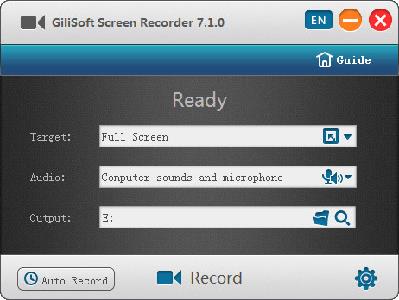
GiliSoft Screen Recorder is a screen recording software for Windows, it captures what you see on screen and what you hear/say simultaneously, and saves them as compressed video file in real-time. It is usually used to create software demos, capture streaming videos and record game plays.

Exclusive Features of Screen Recorder:

Powerful Capture Function
-Record from webcam, external devices, computer screen (records the entire screen, a single window or any selected portion), streaming video with high quality.

Good Video Audio Simultaneously
-Record video alone or video and audio (both computer sounds and microphone) simultaneously.

Support Recording Video Conferences
-Record audio from your microphone and speakers simultaneously, ideal for recording video conferences

Highlight with HotSpot Function
-Magnify the area of cursor during recording (Maximum 4X), and it also allows you to adjust the recording area during screen recording.

H264 Encoder with GPU Acceleration
-Provides hardware accelerated h.264 encoder and Nvidia® CUDA/NVENC H.264 encoder.

Many Output Formats
-MP4, AVI, WMV, FLV, H264, Virtual Camera(Coming soon), Rtmp Server(Coming soon).

Add Watermarks to video
-Recording video with text watermark or image watermark (JPG/PNG/GIF).

Capture Snapshots
-Create photo snapshots with png, jpg and bmp format at any time when recording video.

Hot keys
-Easily use hotkeys to start, pause ,stop recording video , capture screenshot and use hotshot function.

Cursor and Click Effect
-Embed mouse cursor in recording, mouse click sound effect, and mouse click effect.

Operating System: Windows 2000/2003/XP/Vista/7/8/10 (32 bits &64 bits)

Home Page -
У Вас недостаточно прав для просмотра ссылок. Войдите или зарегистрируйтесь.


Download link:​
Код:
[center][b]rapidgator_net[/b]:
https://rapidgator.net/file/2c8cc3652d7f1fde51b30d2c87cd2698/13kvh.GiliSoft.Screen.Recorder.10.6.0.Multilingual.rar.html

[b]nitroflare_com[/b]:
https://nitroflare.com/view/8A524C83A26028D/13kvh.GiliSoft.Screen.Recorder.10.6.0.Multilingual.rar

[b]uploadgig_com[/b]:
http://uploadgig.com/file/download/eB72e76F806ccb04/13kvh.GiliSoft.Screen.Recorder.10.6.0.Multilingual.rar[/center]

Links are Interchangeable - No Password - Single Extraction​
 
Назад
Сверху