• Старая версия форума работает в архивном режиме www.old.nado.in

All mitsumi'1s Applications !! (updated daily)

  • Автор темы Автор темы mitsumi1
  • Дата начала Дата начала
Duplicate File Finder Pro 6.7.4 (350) macOS

16f1f8bad946e6ae7e58c0c51c3d2d39.jpg


Duplicate File Finder Pro 6.7.4 (350) | macOS | 16 mb​
Duplicate File Finder Remover (was Duplicate File Finder) allows you to find and sort all duplicate files by categories: images, videos, music, archives, documents, and all other specific extensions. The app will the show you how much space each one of these files is taking up.

Duplicate File Finder FREE allows you to:
* Find duplicate files and folders
* Find duplicates in multiple disks and folders in one session
* Find duplicates in any folder, disk, mounted folder or storage
* Add files, folders and specified files extensions to Skip List
* Specify minimal duplicate file size for better duplicate-finding performance
* Preview a visual report of duplicates found
* Review duplicate files by types
* Preview duplicate folders
* Preview any duplicate file with built-in Preview option
* Get detailed information about any duplicate
* Use cleanup hints for fast duplicate removal
* Use Autoselect for quick duplicate files selection and removal
* Customize the Autoselect command
* Preview similar folders - the folders with duplicate and unique files
* Preview log of duplicates removed
* Review selected duplicates before removal
* Remove duplicate files permanently or move them to Trash

PRO Duplicate File Finder gives you even more features, you can:
* Find duplicates in hidden folders
* Use "Select Duplicates in Folder" option
* Remove duplicate folders
* Remove duplicate files in Similar folders
* Merge Similar folders
* Restore removed duplicates

Compatibility: macOS 10.12 or later 64-bit
Homepage:
У Вас недостаточно прав для просмотра ссылок. Войдите или зарегистрируйтесь.


Download link:​
Код:
[center][b]rapidgator_net[/b]:
https://rapidgator.net/file/12645b4b77673093b53665d5593f445d/6xbgw.Duplicate.File.Finder.Pro.6.7.4.350.rar.html

[b]nitroflare_com[/b]:
https://nitroflare.com/view/A928B8EE509BD8B/6xbgw.Duplicate.File.Finder.Pro.6.7.4.350.rar

[b]uploadgig_com[/b]:
http://uploadgig.com/file/download/7a09834fce869Da2/6xbgw.Duplicate.File.Finder.Pro.6.7.4.350.rar[/center]

Links are Interchangeable - No Password - Single Extraction​
 
Flip PDF Corporate 2.4.9.38 Multilingual + Portable

8a7734ade8683fbecf4965f604fb5a2f.jpg


Flip PDF Corporate 2.4.9.38 Multilingual + Portable | 183.4/213.4 Mb​
Flip PDF Corporate Edition is Windows software which helps to convert PDF to digital page flipping publication with multiple powerful features. The Corporate Edition version contains all of the great features in Flip PDF Professional and Flip Shopping Catalog.

More professional and powerful eBook creator
Flip PDF Corporate Edition software provides all features of Flip PDF Professional and Flip Shopping Catalog, including single/batch conversion modes, command line, embed multimedia, add shopping cart and price animation, set password security, track with inserted Google Analytics ID, add bookmarks, publish online instantly, output in HTML, EXE, ZIP, Mac App, FBR, CD, and mobile version. Besides, you can directly publish the flipbook to your FTP server, Email to your readers or create *.scr format flip book to use as Screen Saver. In addition, you can publish the flipbook as WordPress plugin, Joomla & Drupal module directly.

More nice build-in templates and scenes
You can use Flip PDF Corporate Edition to create business presentations, travel magazines, company newsletters, history eBooks, shopping catalogs, etc. And to help you create more different styles digital publications, Flip PDF Corporate Edition integrates more pre-designed templates and scenes for you. And you can also add plugin to the book: banner, news rotator, image slider, music player, YouTube video banner, etc. Just simple clicks to build fantastic and amazing eBooks! And you can download and install the online resources directly: 400+ themes, 200+ scenes, 700+ backgrounds and different plugins.

Integrate comprehensive page edit tools
With Flip PDF Corporate Edition, you can embed multiple kinds of multi-media elements into your publications, e.g., text, shape, link, audio, video, YouTube video, Vimeo video, button, picture, Flash animation. You can even carry out your wanted interactive functionalities by defining Javascript function yourself. For example, you can show a pop-up light box while readers clicking some image on page, or pop up a questionnaire or other Web Form by clicking some text, etc.

SWF, PNG and Button resources
To build more interesting and different page flipping publications, Flip PDF Corporate Edition version offers more free SWF and PNG objects for you to apply to your books directly: animated nature views, plants, static cliparts like animals, bubbles, fireworks, or even brilliant buttons in different colors. You can find out your wanted type in Flip PDF Corporate Edition library.

Single, Batch, Command Line modes
The powerful Flip PDF Corporate Edition enables you to fully design eBooks in single convert mode. If you have a set of PDFs to convert together, you can also use Batch Convert mode and output related number eBooks or just merge all files to a single book. Besides, you can also use Command Line to automate the creation of the Flash eBooks without opening the Windows desktop application. You can use this simple Command Line to perform your conversions with ease!

Easy to convert text to audio as Assistant
The application of the Assistant to your flipbook makes it more realistic and natural to present your business report, story books, language catalogs, as if the presentation were done by a real people in a real voice. However, amazing as it is, all you need to do is input text and then choose Text-to-Audio engine to convert your text into audio directly. The recorded audio will play with synchronized text on pages.

Publish for tablet and mobile reading
Except for the normal version which you can view your book in PC and Mac computers, Flip PDF Corporate Edition also enables you to create animated page flipping eBooks for tablet and mobile device reading with the integration of HTML5 technology. Readers don't need to install any app onto their mobile devices, just a browser is required to view your publications directly.

Publish flipbooks for showing in bookcase
To collect and show all your flip books together? Now Flip PDF Corporate Edition provides BookCase building tools for you to create your own digital library easily, even with shopping cart tool integrated. You can design unique style, insert your company or contact info and set shopping info for each book. All books online can be collected and shown in your bookcase with ease.

Operating System: Windows 10, 8, 7, Vista, XP

Home Page -
У Вас недостаточно прав для просмотра ссылок. Войдите или зарегистрируйтесь.


Download link:​
Код:
[center][b]rapidgator_net[/b]:
https://rapidgator.net/file/7400b536f84f5e48d9026e6cacd667a6/ohtnl.Flip.PDF.Corporate.2.4.9.38.Portable.rar.html
https://rapidgator.net/file/de6c26720855200bbf2ffaafcad7ce7c/ohtnl.FlipPDFCorporate2.rar.html

[b]nitroflare_com[/b]:
https://nitroflare.com/view/0F3D64716F42393/ohtnl.Flip.PDF.Corporate.2.4.9.38.Portable.rar
https://nitroflare.com/view/A06D23C4F1E7316/ohtnl.FlipPDFCorporate2.rar

[b]uploadgig_com[/b]:
http://uploadgig.com/file/download/2c6051b411cCDB8e/ohtnl.Flip.PDF.Corporate.2.4.9.38.Portable.rar
http://uploadgig.com/file/download/D86aC631eBc1665A/ohtnl.FlipPDFCorporate2.rar[/center]

Links are Interchangeable - No Password - Single Extraction​
 
Flip PDF Professional 2.4.9.38 Multilingual + Portable

dd6f0114c5731b9da2fea7d8f955932f.jpg


Flip PDF Professional 2.4.9.38 Multilingual + Portable | 151.6/170.2 Mb​
Flip PDF Professional is the feature-rich professional version of our already powerful classic Flip PDF software. We have kept powerful features from the original, like PDF hyperlink and bookmarks, and have added More POWER! Now you can embed image albums, video, audio, Flash, YouTube videos and links to your page-flipping eBooks, use the command line to automate the creation of page-flipping eBooks without opening the Windows desktop application.

Easy publish your books to FlipBuilder server
To make you publish your created flipbooks online more conveniently, we developed Upload Online Service. With using the service, you can upload or batch upload your book(s) online instantly after creating, no FTP or other upload tool needed. You can easy manage your books, and make people easy view your book in browser of PC, Mac, iPhone, iPad and Android devices.

Sell eBooks Online with Shopping Cart
FlipBuilder Shopping Cart enables you sell PDF ebook on your website, eBay, MySpace, Google Base, Craigslist and other websites using PayPal Payments Standard, PayPal Payments Advanced, PayPal Payments Pro, PayPal Payflow Pro For merchants selling ebooks, we automate and secure the digital delivery of ebook and codes.

Various Templates, Themes, Scenes, Backgrounds and Plugins
In Flip PDF Pro, you cannot only choose flash preloader for your book, but can also use different templates to present flipbooks with different layout and tool bar features, you can also customize your stylish eBooks with dozens of template settings. Multiple pre-designed Templates, Themes, Scenes and Backgrounds for you to use directly. And you can also add plugin to the book: banner, news rotator, image slider, music player, YouTube video banner, etc. There are also many online resources available now: multiple templates, 400+ themes, 200+ scenes and 700+ backgrounds. More stunning and amazing templates and other resourses will be published in future.

Operating System: Windows 10, 8, 7, Vista, XP

Home Page -
У Вас недостаточно прав для просмотра ссылок. Войдите или зарегистрируйтесь.


Download link:​
Код:
[center][b]rapidgator_net[/b]:
https://rapidgator.net/file/962cce8e8937593e7f9876115764f6dd/zsy70.Flip.PDF.Professional.2.4.9.38.Portable.rar.html
https://rapidgator.net/file/47339d467d047e7deef1ac614e5ae43c/zsy70.Flip.PDF.Professional.2.4.9.38.rar.html

[b]nitroflare_com[/b]:
https://nitroflare.com/view/3B0008443675140/zsy70.Flip.PDF.Professional.2.4.9.38.Portable.rar
https://nitroflare.com/view/672CFEBB5BB7E35/zsy70.Flip.PDF.Professional.2.4.9.38.rar

[b]uploadgig_com[/b]:
http://uploadgig.com/file/download/75B65f16ce19e2E8/zsy70.Flip.PDF.Professional.2.4.9.38.Portable.rar
http://uploadgig.com/file/download/8Df243c1D9d4bDdb/zsy70.Flip.PDF.Professional.2.4.9.38.rar[/center]

Links are Interchangeable - No Password - Single Extraction​
 
Flip Shopping Catalog 2.4.9.38 Multilingual + Portable

4a5a15c601749f639327b43563f08d4e.jpg


Flip Shopping Catalog 2.4.9.38 Multilingual + Portable | 152.8/171.8 Mb​
Flip Shopping Catalog is helping to build digital shopping catalogs with realistic page-flipping effect. It provides a new and interesting way to promote and sell products online. The Flip Shopping Catalog program is easy-to-use and will help to build a shopping book within minutes, and output to multiple formats for people to shop online on different devices such as PC, Mac, iPhone, iPad and Android devices. Use the shopping catalog creator to make your E-commerce more attractive and effective now!

Features:

I. About Product:
* Convert PDF to Adobe© Flash® based digital shopping catalogs with page-flipping effect.
* Batch convert multiple PDF files to a single or multiple page-flipping eBooks with template settings.
* Provide command line version.
* Free use service version to watch folders and create flipbook automatically.
* Import bookmarks (outline) with PDF, and edit them manually.
* Import hyperlinks with PDF, include web link, page link, email link.
* Import text so text is searchable, define the minimum search characters.
* Detect landscape page to present as two-page spread.
* Add watermarks text, image, dynamic date/ time etc to page-flipping eBooks.
* Define quality and size for normal version and mobile version.
* Detect landscape page to present as two-page spread.
* Publish online directly with using FlipBuilder Upload Service.
* Build digital bookcase to store and manage eBooks.
* Output in different formats: HTML, EXE, Zip, Mac App, Mobile version and Burn to CD.
- HTML allows you to upload to a website to be viewed online (with title, keywords and other metadata defined).
- EXE (with setting title, icon and open window size) and Zip allow you to send to your user by email to be viewed on their computer.
- App (Mac Application) is executable application can be run on Mac.
- Mobile version is to output HTML flipbook which can be viewed on mobile devices via Browsers.
- Burn to CD allows you to burn to disk so you can send your user physical media for viewing on their computer.
* Publish flip book to your FTP server directly.
* Create *.scr format flip book to use as Screen Saver.
* Publish flip book and Email to an address directly by choosing "Email to" output type.
* Download different templates online (
У Вас недостаточно прав для просмотра ссылок. Войдите или зарегистрируйтесь.
).
* Apply a pre-designed template.
* Preview book output effect in Flash (on PC), HTML5(on iPad), Mobile(on iPhone and Android phone) and Basic HTML (SEO Version).
* Add HTML Title in Float template which can be clicked to visit webpage online.
* Add Image or Flash logo to insert before Book Title in Float template.
* Define book proportions, margin size, shadow manually.
* Replace existing icons on toolbar by editing Icon Flash file.
* Add new icons into toolbar with calling new actions.
* Set background color and image.
* Insert background music either for continuous play (loop) or for a set duration.
* Set eBook reading from right to left (for Right-to-Left languages such as Arabic).
* Choose hard cover for eBooks.
* Set fonts for Flash and Bookmark panel.
* Set Page Number Box to show at top or bottom in Float, set start page number.
* Select flash pre-loader for your flip book.
* Edit pages with links, images, videos, flash or sound files.
* Add Button on pages to open link page, call Javascript action, play Flash/Video in pop-up Window.
* Define the language for your published page-flipping eBook (support multi-language show and switchable).
* Add password to protect your page-flipping eBook.
* Set render engine for conversions: SWF, GPL Ghostscript or Inner Library.
* Add Google Analytics Support.
* Add watermark image or SWF to show on print out pages.
* Add Help config to manually define content with using Image or SWF.
* Add Single/Double Page view.
* Add Minime Style to show page-flipping eBooks without toolbar.
* Set permissions for downloading, printing, social sharing, Home, About button and more.
* Edit bookmark manually and set bookmark panel to show on left or right side.
* Export and save settings for future uses.
* Save and Load your project.
* Build your digital library to store and manage ebooks publised on FlipBuilder Server.

II. About Page-flipping eBook:
With the page-flipping ebook you have created, your book readers will be able to:
* Drag the corner to flip a page.
* Click page shadows to flip a page.
* Use mouse wheel to flip pages.
* Input password to unlock encrypted pages.
* View with important pages pre-loaded to open quickly, no need to wait for all pages to be loaded.
* Use Previous, Next, First or Last buttons to navigate through the pages.
* Flip pages automatically.
* View flipbook repeatedly.
* View page-flipping eBook full screen.
* Use page thumbnails to navigate.
* Search whole eBook.
* Print out the whole eBook or a selected range of pages.
* Download the uploaded page-flipping eBook direct from the web site.
* Double-click to zoom in or zoom out.
* Zoom in/ out both pages.
* Manually control zoom in scale in Float template.
* Share eBook url via email, Facebook, Twitter, Google, Yahoo, etc.
* Turn page-turning sound on/off.
* Open in the Browser to a specific page by adding a page index to your URL.
* Always show in Minime Style with adding a parameter to URL.
* View page-flipping eBooks on Mac, iPad, iPhone and Android devices.

Operating System: Windows 10, 8, 7, Vista, XP

Home Page -
У Вас недостаточно прав для просмотра ссылок. Войдите или зарегистрируйтесь.


Download link:​
Код:
[center][b]rapidgator_net[/b]:
https://rapidgator.net/file/44ed7d3bdb8eae285f8075bd9e33832a/2f8ve.Shopping.Catalog.2.4.9.38.Portable.rar.html
https://rapidgator.net/file/f15e1fa71094672632c4a7122ad3c632/2f8ve.Shopping.Catalog.2.4.9.38.rar.html

[b]nitroflare_com[/b]:
https://nitroflare.com/view/C2CA2D955F1B96F/2f8ve.Shopping.Catalog.2.4.9.38.Portable.rar
https://nitroflare.com/view/1879F5B6F0A34CC/2f8ve.Shopping.Catalog.2.4.9.38.rar

[b]uploadgig_com[/b]:
http://uploadgig.com/file/download/f7b1aaa6ed1185A3/2f8ve.Shopping.Catalog.2.4.9.38.Portable.rar
http://uploadgig.com/file/download/623F1C1fc853A407/2f8ve.Shopping.Catalog.2.4.9.38.rar[/center]

Links are Interchangeable - No Password - Single Extraction​
 
FoneDog Toolkit for iOS 2.1.28 Multilingual

30bc543078863b2b3c486a59f717da81.jpg


FoneDog Toolkit for iOS 2.1.28 Multilingual | 51.8 Mb​
Repair Your iPhone and iPad back to normal status without data loss when you meet iTunes error code, iPhone stuck in recovery mode, Apple logo, etc. (iOS 13 is Supported.)

Two Ways to Fix Your iOS System Issues
This software will detect your device is in a normal state or not. You have two modes to fix your iPhone/iPad back to normal status. "Standard mode" will fix your device without data loss. "Advanced mode" will fix your device when Standard mode fails, but all data of your device will be erased.

Easily Repair Your iOS System at Home
You don't need to go to the Apple Support Center. Just connect your iPhone to PC and launch FoneDog iOS System Recovery. It will detect your device needs to be repaired or not. To fix iPhone system issues to normal, just 3 steps: Choose a repair mode->Download the firmware->Fix your device back to normal.

System Requirements:
Windows OS: Windows 10/8.1/8/7/Vista/XP (32 bit or 64 bit)
CPU: 1GHz Intel/AMD CPU or above
RAM: 512 MB or more (1024MB Recommended)
Resolution: 1024x768 display or above
Others: Apple Device Driver & iTunes pre-installed

Home Page -
У Вас недостаточно прав для просмотра ссылок. Войдите или зарегистрируйтесь.


Download link:​
Код:
[center][b]rapidgator_net[/b]:
https://rapidgator.net/file/f5bdb222b4d20170217b95efa3936952/hqc9l.FoneDog.Toolkit.for.iOS.2.1.28.Multilingual.rar.html

[b]nitroflare_com[/b]:
https://nitroflare.com/view/BD6344A8BA68320/hqc9l.FoneDog.Toolkit.for.iOS.2.1.28.Multilingual.rar

[b]uploadgig_com[/b]:
http://uploadgig.com/file/download/8e3986c854f7D2f6/hqc9l.FoneDog.Toolkit.for.iOS.2.1.28.Multilingual.rar[/center]

Links are Interchangeable - No Password - Single Extraction​
 
FSNotes 4.5.7 Multilingual macOS

c2dcdf40e17e278a3394bbdd3be448aa.jpg


FSNotes 4.5.7 Multilingual | macOS | 15 mb​
FSNotes is a plain-text note manager for macOS, and is modern reinvention of notational velocity (nvALT) on steroids. Our application respects the following open formats: plain/text, Markdown, and RTF, and stores data in the file system. You can view, edit, and copy data in your favourite external editor, and see live results in FSNotes.

Features
- ICloud synchronization
- Keyboard centric
- Global shortcuts (clipboard save / search field)
- Markdown and RTF markup (files stored on disk as plain/text and rich text)
- Markdown preview mode
- Elastic two pane view (vertical and horizontal layout)
- Blazing fast and lightweight
- Open files in finder / works with external editors (changes seamless live sync with UI)
- Pin/unpin important notes in top
- Multi folder storage
- Markdown live highlighting with over 170 languages in code blocks

Compatibility: macOS 10.11 or later 64-bit
Mac App Store:
У Вас недостаточно прав для просмотра ссылок. Войдите или зарегистрируйтесь.


Download link:​
Код:
[center][b]rapidgator_net[/b]:
https://rapidgator.net/file/e9e659da0f45e3614b056db33df9e823/wsdvx.FSNotes.4.5.7.rar.html

[b]nitroflare_com[/b]:
https://nitroflare.com/view/A5914625095DE81/wsdvx.FSNotes.4.5.7.rar

[b]uploadgig_com[/b]:
http://uploadgig.com/file/download/67b84da8947525e7/wsdvx.FSNotes.4.5.7.rar[/center]

Links are Interchangeable - No Password - Single Extraction​
 
GetGood Drums One Kit Wonder Modern Fusion v1.0.0 KONTAKT

bbbe9e756b501cf81bd2b1c5cf82f706.jpg


GetGood Drums One Kit Wonder Modern Fusion v1.0.0 KONTAKT | 2.03 Gb​
We at GGD are elated to introduce One Kit Wonder - a series of drum libraries inspired by the many GGD users who use our drums for songwriting. In the creative process, it's crucial there is as little time wasted between the moment inspiration strikes, and how important it is to capture and hear your ideas sounding polished and professional as soon as possible, so you stay excited as you develop the ideas further.

And this is where One Kit Wonder comes into play - each kit is captured to the same level of detail as our other libraries, BUT they're also fully mixed and ready to go so you can dive straight into the writing process, with your ideas immediately sounding amazing.

This particular kit, One Kit Wonder: Modern Fusion is inspired by contemporary progressive fusion artists, where the music demands a clean and glossy drum sound that nevertheless retains an organic timbre and wide dynamic range. You'll find the snare and toms are punchy but musical, while the kick can deliver piercing attack or solid thud depending on the dynamic range you utilise. The cymbals are shimmery and hi-fi, but also have an underlying dark complexity and touch-responsiveness.

Features:
* Kontakt Player Library (with full NKS integration) and can be used with Kontakt's Free Player - no need to buy the full version of Kontakt to use GGD!
* Mix ready drum tones - good to go out of the box
* A brand new, fully-featured and intuitive UI
* Built-in Groove player
* Built-in Master EQ, Parallel Compression and Reverb
* The entire kit is tuned to perfection, so you'll never be fighting against sour notes in your mix
* Every sample is phase-coherent for easy layering

Download link:​
Код:
[center][b]rapidgator_net[/b]:
https://rapidgator.net/file/92bbbd0def348b718eb7d6f0b4d992b1/i5o7a.GetGood.Drums.One.Kit.Wonder.Modern.Fusion.v1.0.0.KONTAKT.rar.html

[b]nitroflare_com[/b]:
https://nitroflare.com/view/19AB7B0BF96B98C/i5o7a.GetGood.Drums.One.Kit.Wonder.Modern.Fusion.v1.0.0.KONTAKT.rar

[b]uploadgig_com[/b]:
http://uploadgig.com/file/download/9333ea1C8932fd06/i5o7a.GetGood.Drums.One.Kit.Wonder.Modern.Fusion.v1.0.0.KONTAKT.rar[/center]

Links are Interchangeable - No Password - Single Extraction​
 
Hex Editor Neo 6.52.00.6347 Standard / Ultimate

69f03ac692f3a9ea6cd5e655d0b77d61.jpg


Hex Editor Neo 6.52.00.6347 Standard / Ultimate | 15.6 Mb​
Hex Editor Neo is a binary files editing software utility for Windows. It's rich and handy set of features will help all software and hardware developers working with ASCII, hex, decimal, float, double and binary data. Highly optimized performance, carefully tuned user interface among with new level of application stability will save a lot of your time, money and precious nerves while working with binary files.

Make patches with just two mouse clicks; manipulate your EXE, DLL, DAT, AVI, MP3, JPG files with unlimited undo/redo. Taste the visual operation history with branching.

Features: Editing Files of ANY Size; Built-In Explorer; Unlimited Undo/Redo; Multiple Selection; Selection Save and Load; Find All; Replace All; History Browsing; History Save and Load; Patch Creation; Clipboard Operations; Bytes, Words, Double Words, Quad Words, Floats and Doubles Edit Mode; Pattern Coloring; Data Inspector; Bookmarks; Base Converter; Advanced copy & export; Encodings.

Hexeditor is highly optimized to quickly perform the requested actions. It also allows you to continue working with a document while application is busy performing lengthy operation on another opened document.

Operating System: Windows 7, 8/8.1, 10

Home Page -
У Вас недостаточно прав для просмотра ссылок. Войдите или зарегистрируйтесь.


Download link:​
Код:
[center][b]rapidgator_net[/b]:
https://rapidgator.net/file/0ada67970e12e25527b8633c54872a6b/z09hj.Hex.Editor.Neo.6.52.00.6347.Standard..Ultimate.rar.html

[b]nitroflare_com[/b]:
https://nitroflare.com/view/A02404F3895D8C3/z09hj.Hex.Editor.Neo.6.52.00.6347.Standard..Ultimate.rar

[b]uploadgig_com[/b]:
http://uploadgig.com/file/download/7d0b3eD526c93F6c/z09hj.Hex.Editor.Neo.6.52.00.6347.Standard..Ultimate.rar[/center]

Links are Interchangeable - No Password - Single Extraction​
 
iA Writer 5.6.1 macOS

98f78645750e85288773fba1a82ec3a0.jpg


iA Writer 5.6.1 | macOS | 17 mb​
iA Writer (was iA Writer Pro) is a professional writing suite that gives you full control over your notes, drafts and edits.

Features
- Workflow states
- Custom typefaces, carefully set for optimal readability
- In-app preview
- Reading time, plus sentence, word, and character count
- Real-time iCloud sync
- Ready for retina displays
- Full screen

Compatibility: OS X 10.11 or later 64-bit
Mac App Store:
У Вас недостаточно прав для просмотра ссылок. Войдите или зарегистрируйтесь.


Download link:​
Код:
[center][b]rapidgator_net[/b]:
https://rapidgator.net/file/e590c68992cbf212089983cd21500cd5/dauza.iA.Writer.5.6.1.rar.html

[b]nitroflare_com[/b]:
https://nitroflare.com/view/B8973CA200AD6D2/dauza.iA.Writer.5.6.1.rar

[b]uploadgig_com[/b]:
http://uploadgig.com/file/download/6A241d0eb8ab82C8/dauza.iA.Writer.5.6.1.rar[/center]

Links are Interchangeable - No Password - Single Extraction​
 
Jerry Dailymotion Downloader 7.7.3

a11a0fb475d2ddd42b7a512c1016ca12.jpg


Jerry Dailymotion Downloader 7.7.3 | 18.24 Mb​
Dailymotion Downloader is a simple and easy-to-use Windows app for downloading and converting videos from Dailymotion.com. It increases your download speeds by up to 500%.

While they may appear very similar at first glance, the truth is that there are some differences between YouTube and Dailymotion that are particularly noticeable in the context of how businesses incorporate them into their identities. Nevertheless, these services appear to have the same issues, namely that it is rather difficult to download the clips you enjoy locally.

As you probably guessed from its name, Dailymotion Downloader is an application designed to help you grab videos from the popular video services and convert them to multimedia or audio formats so that you can access them when you are not in front of the computer.

Allows you to download videos in high-definition
The tool comes with a clean and user-friendly interface, so it is unlikely that you can have issues getting around. Functionality-wise, the program is as simple as it looks and grabbing clips is a quick matter of pasting the URL address.

You will be happy to learn that the tool permits you to choose between different qualities available prior to the download. Consequentially, if you intend to play them on older devices, then you can go for low, standard, medium or high quality. On the other hand, if you are playing them on the latest tablet or a TV with HDMI capabilities, then you can select 4K Ultra or 2K Quad, for instance.

Includes a player and various tools for converting
It is worth mentioning that the utility comes with an advanced player so that you can immediately watch individual clips or playlists without having to use other third-party software solutions. The player supports full screen and the standard features you would expect.

A further noteworthy supported function is the conversion, especially since the program accepts quite an impressive array of file formats, ranging from MP4 and AVI to MKV and FLV. In the eventuality that you did not select the file format prior to grabbing the video, then you can convert the clip later on to a format that works with the device you intend to access the files with.

A handy app for downloading videos from Dailymotion.com
All in all, if you enjoy watching clips on Dailymotion and would like to include your favorite ones into your collection, then perhaps Dailymotion Downloader could lend you a hand.

Home Page:
У Вас недостаточно прав для просмотра ссылок. Войдите или зарегистрируйтесь.


Language: English

Download link:​
Код:
[center][b]rapidgator_net[/b]:
https://rapidgator.net/file/89bec1b1dd8de40482df4661c6adbead/3m6si.Jerry.Dailymotion.Downloader.7.7.3.rar.html

[b]nitroflare_com[/b]:
https://nitroflare.com/view/90A2D23FECD052F/3m6si.Jerry.Dailymotion.Downloader.7.7.3.rar

[b]uploadgig_com[/b]:
http://uploadgig.com/file/download/1d0670d864b93660/3m6si.Jerry.Dailymotion.Downloader.7.7.3.rar[/center]

Links are Interchangeable - No Password - Single Extraction​
 
MAGIX SOUND FORGE Audio Studio 14.0.84 (x64) Multilingual

a33f2de14913eacfb36db097d877d84e.jpg


MAGIX SOUND FORGE Audio Studio 14.0.84 (x64) Multilingual | 397.1 Mb​
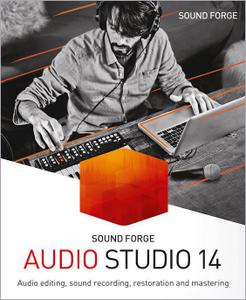
Recording, editing, restoration and mastering at the latest level of technology: SOUND FORGE Audio Studio 14 offers comprehensive tools and functions for all digital audio editing requirements. Record podcasts, edit your projects using professional effects, convert vinyls and cassettes to digital, produce soundtracks for videos and create and burn CDs. Discover SOUND FORGE Audio Studio 14, the audio tool that offers professional results in no time at all and with just a few clicks.

SOUND FORGE Audio Studio 14 - The home of audio editing
- NEW! Faster workflow with Instant Action window
- NEW! Professional quick FX plug-ins
- NEW! Oscilloscope for signal visualization
- NEW! Easy task assignment in the Windows context menu
- Editing for audio files with up to 6 channels
- Digitization, restoration and audio conversion
- Audio recording at up to 32-bit/384 kHz
- CD authoring
- Video sound optimization

Recording
Professional recording made easy: Record vocals, sounds and podcasts in excellent quality at up to 32-bit/384 kHz with this fast, uncomplicated and reliable audio editor.

Audio editing
Cut, move and edit audio files easily and in a matter of clicks. Achieve perfect results for the project you're editing in no time at all with professional effects and 64-bit power on up to 6 channels.

Restoration and mastering
Convert old vinyls and tapes to digital audio files and clean up the recordings using professional restoration tools. High-quality mastering effects can also be used to achieve crystal-clear sound.

New in SOUND FORGE Audio Studio 14:

Instant Action
The Instant Action window lets you access tasks and projects quickly and easily. This interface offers a clear overview and you have all essential tools and functions to hand, which saves you even more time and lets you focus on editing.

quickFX plug-ins
Captivating effects for any sound: quickFX offers a wide range of plug-ins that can be easily applied to your own sounds. Select from a collection of creative effects including delay, chorus and flanger and control effect levels using a slider.

Windows context menu
Perform common tasks by right-clicking on the system button in the Windows context menu without even needing to open SOUND FORGE Audio Studio. This helps you save a ton of time and simplifies your workflow.

Improved VST
Thanks to the new VST engine, VST scan speed has been significantly improved. This allows VST plug-ins to be loaded a whole lot faster. A number of new bug fixes prevent potential system crashes from occurring.

Oscilloscope
Visualize periodic oscillations in audio signal or have effect chain manipulations display in realtime. The new oscilloscope offers impressive new options for visualizing waveforms.

System Requirements:
- Windows 10, Windows 8
- Processor: 1.4 GHz
- Graphics card: Onboard, minimum resolution 1024 x 768
- Program languages: English, Deutsch, Español, Français, Polski

Home Page -
У Вас недостаточно прав для просмотра ссылок. Войдите или зарегистрируйтесь.


Download link:​
Код:
[center][b]rapidgator_net[/b]:
https://rapidgator.net/file/a820164be22ba39a162ca302da79c989/9dtvr.MAGIX.SOUND.FORGE.Audio.Studio.14.0.84.x64.Multilingual.rar.html

[b]nitroflare_com[/b]:
https://nitroflare.com/view/CF9C929AD8F5471/9dtvr.MAGIX.SOUND.FORGE.Audio.Studio.14.0.84.x64.Multilingual.rar

[b]uploadgig_com[/b]:
http://uploadgig.com/file/download/6A69de91d76F7298/9dtvr.MAGIX.SOUND.FORGE.Audio.Studio.14.0.84.x64.Multilingual.rar[/center]

Links are Interchangeable - No Password - Single Extraction​
 
Markdown Monster 1.23.15.4

d7ee8e42bc76b411b993d4da160d309c.jpg


Markdown Monster 1.23.15.4 | 17.9 Mb​
Markdown Monster is a Markdown editor and viewer that lets you edit Markdown with syntax highlighting and fast text entry. A collapsible, synced, live preview lets you see your output as you type or scroll. Easily embed images, links, emojis and code using Markdown text or use our gentle UI helpers that simplify many operations with a couple of keystrokes. Paste images from the clipboard or drag and drop from Explorer or our built-in folder browser. Inline spell-checking and word counts keep your content streamlined unobtrusively.

You can export your Markdown to HTML or PDF by saving to disk or by copying Markdown selections as HTML directly to the clipboard. The HTML preview can display syntax colored code snippets for most common coding languages, and can easily be customized with HTML and CSS template to match your own sites. You can choose from a light and dark app theme, and choose individual editor and preview themes that are fully customizable. You can even use Vim or EMacs type conventions. Other convenience features let you browse for and select files in the built-in folder browser, use the document outline to jump through sections in your Markdown, or shell out to Explorer, Terminal or your favorite Git client. It's all about convenience - everything is at your finger tips, but it's out of your way until you need it.

Features:
Syntax colored Markdown
Live HTML preview
Inline spell checking
Embed images, links and emoji
Paste images from Clipboard
Capture & embed screen shots
Save to Html and PDF
Weblog publishing and editing
HTML to Markdown conversion
Editor and preview themes
Git Integration
Document Outline
Template text expansion
.NET scripting & addins

System Requirements:
Windows 7 or newer, 2008 R2 or newer
.NET Framework 4.62 or later
Internet Explorer 11

Home Page -
У Вас недостаточно прав для просмотра ссылок. Войдите или зарегистрируйтесь.


Download link:​
Код:
[center][b]rapidgator_net[/b]:
https://rapidgator.net/file/702ce8700a6ec3ebc20eb6ca92ccb548/rln7x.Markdown.Monster.1.23.15.4.rar.html

[b]nitroflare_com[/b]:
https://nitroflare.com/view/3F6D1D7A39D3FF5/rln7x.Markdown.Monster.1.23.15.4.rar

[b]uploadgig_com[/b]:
http://uploadgig.com/file/download/91ca5e03cC0957a8/rln7x.Markdown.Monster.1.23.15.4.rar[/center]

Links are Interchangeable - No Password - Single Extraction​
 
Marked 2.6.0 macOS

496853d11eddf2a5d87f11feeca236ee.jpg


Marked 2.6.0 | macOS | 24 mb​
Marked 2 is a previewer (not an editor) for Markdown, MultiMarkdown and other text markup languages. It updates live every time you save your document in your favorite text editor, comes with writing analysis tools, and is powerfully flexible.

Marked provides document navigation and statistics, proofreading tools, multiple export formats, and much more. Marked comes with 9 preview styles built in (including GitHub), and you can add unlimited custom styles of your own.

GitHub users will appreciate Marked's built in GitHub Flavored Markdown processor, capable of handling fenced code blocks, line break preservation and automatic hyperlinking.

Marked is powerful enough to allow custom processors (shell scripts) before and after rendering. You can even take over the rendering tasks to incorporate non-Markdown languages.

Marked works with Scrivener, Ulysses, MarsEdit, and other third-party apps, allowing you to use Markdown and see beautiful previews just about anywhere.

Compatibility: OS X 10.10 or later 64-bit
Mac App Store:
У Вас недостаточно прав для просмотра ссылок. Войдите или зарегистрируйтесь.


Download link:​
Код:
[center][b]rapidgator_net[/b]:
https://rapidgator.net/file/093956b834eddb1fd4da5f346b2584eb/3fxh8.Marked.2.6.0.rar.html

[b]nitroflare_com[/b]:
https://nitroflare.com/view/E1717DA5B542204/3fxh8.Marked.2.6.0.rar

[b]uploadgig_com[/b]:
http://uploadgig.com/file/download/a8Abf9555CbE066c/3fxh8.Marked.2.6.0.rar[/center]

Links are Interchangeable - No Password - Single Extraction​
 
Movist 2.3.1 Multilingual macOS

f191cb6da97f96e5e167d55d0bdc8cab.jpg


Movist 2.3.1 Multilingual | macOS | 51 mb​
Movist is an easy-to-use and powerful movie player. You can choose QuickTime or FFmpeg as decoder for each video codec and reopen with other decoder instantly. Movist supports many useful features to enjoy movies including H.264 video decode acceleration, digital audio out (S/PDIF), high quality subtitles, full screen navigation, convenient & beautiful user interface and so on.

Just Enjoy Movies with Movist.

* Single Window Mode or Multiple Document Mode.
* Various Window Resizing Center & Style.
* Traditional or Lion-style Full Screen.
* Desktop Background Display.
* App Sandbox supported.
* Retina Display supported.
* Full customizable Themes. *1

* Many File Format supported. *2
* Many Video & Audio Codecs supported. *3
* Codec-to-Decoder Binding.
* H.264 Video Decode Acceleration. *4
* Many Core Image Filters supported.
* Video Rotation & Flip.
* Deinterlace (FFmpeg Only).
* Under-Scan for TV out.

* Digital Audio Out (S/PDIF) (FFmpeg Only).
* System Volume Change.
* A/V Sync Adjustment.
* Audio Equalizer supported (FFmpeg Only).

* High Quality Subtitle.
* Many Subtitle Format supported. *5
* Embedded Subtitles in .mkv and .mp4 supported.
* Compressed Subtitles in .zip & .rar supported.
* 3D Subtitle supported.
* Subtitle Display on Letter Box.
* 3-Subtitles Concurrent Display.
* Fully Customizable Subtitle Display. *6
* Language-to-Subtitle Binding.
* Subtitle Text Encoding auto-detection.
* Subtitle Sync Adjustment.
* Subtitle Pre-rendering.

* Similar Named Movie Series auto-detection.
* Playlist Shuffle.
* Playlist Repeat Mode & End-Job(Sleep, Logout, Shutdown, ...).
* Playlist Load & Save.
* Various Playlist settings.
* 3-Level Seeking Intervals.
* Playback Speed Adjustment.
* Apple Remote supported.
* Media Key supported.
* Full Screen Navigation.
* Screenshot Capture.

Compatibility: OS X 10.10 or later 64-bit
Mac App Store:
У Вас недостаточно прав для просмотра ссылок. Войдите или зарегистрируйтесь.


Download link:​
Код:
[center][b]rapidgator_net[/b]:
https://rapidgator.net/file/a71c3733c8ee985b3fc1dcb8fd46b861/xxu4h.Movist.2.3.1.rar.html

[b]nitroflare_com[/b]:
https://nitroflare.com/view/9DDDE987F77B91D/xxu4h.Movist.2.3.1.rar

[b]uploadgig_com[/b]:
http://uploadgig.com/file/download/5704d08ca93c1a7f/xxu4h.Movist.2.3.1.rar[/center]

Links are Interchangeable - No Password - Single Extraction​
 
Navicat Premium 15.0.20 macOS

1bf1b8cb14d726fb4335b881a13d17a7.jpg


Navicat Premium 15.0.20 | macOS | 154 Mb​
Navicat Premium is a database development tool that allows you to simultaneously connect to MySQL, MariaDB, MongoDB, SQL Server, Oracle, PostgreSQL, and SQLite databases from a single application. Compatible with cloud databases like Amazon RDS, Amazon Aurora, Amazon Redshift, Microsoft Azure, Oracle Cloud, Google Cloud and MongoDB Atlas. You can quickly and easily build, manage and maintain your databases.

Compatibility: OS X 10.11 or later 64-bit
Homepage:
У Вас недостаточно прав для просмотра ссылок. Войдите или зарегистрируйтесь.


Download link:​
Код:
[center][b]rapidgator_net[/b]:
https://rapidgator.net/file/2bdfebec7de23677faf055586dd27e46/7slo0.Navicat.Premium.15.0.20.part1.rar.html
https://rapidgator.net/file/14c2f9282c2d61076dfcdf8b8c9a2638/7slo0.Navicat.Premium.15.0.20.part2.rar.html

[b]nitroflare_com[/b]:
https://nitroflare.com/view/7BB3D6913E29F13/7slo0.Navicat.Premium.15.0.20.part1.rar
https://nitroflare.com/view/37534D00288A882/7slo0.Navicat.Premium.15.0.20.part2.rar

[b]uploadgig_com[/b]:
http://uploadgig.com/file/download/84c787EAe14a9Eed/7slo0.Navicat.Premium.15.0.20.part1.rar
http://uploadgig.com/file/download/0ed3f8649Cf46f28/7slo0.Navicat.Premium.15.0.20.part2.rar[/center]

Links are Interchangeable - No Password - Single Extraction​
 
Next FlipBook Maker Pro 2.6.25

5506d9ef5de79dafde8aa160a6b6b72d.jpg


Next FlipBook Maker Pro 2.6.25 | 145.4 Mb​
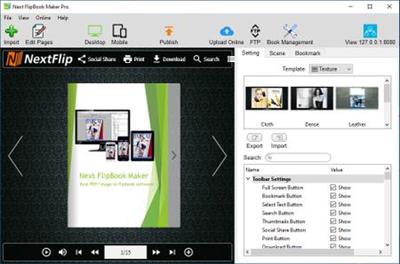
Next FlipBook Maker Pro for Windows is a professional HTML5 flipbook software for both professionals and novices to create interactive digital HTML5 flipbooks.

It provides an easy way for you to convert static PDF publications to digital HTML5 flipbooks and upload them online.
Add buttons, links, images, local/YouTube/Vimeo video, music, chart, etc. to your HTML5 flipbook to create interactive flipbooks.

Design your Flash/HTML5 flipbook
PDF to flipbook converter allows you to customize how your Flash/HTML5 flipbook looks with different templates, scenes, background images, background music, languages, buttons, logo, etc.

Includes 12 editable flipbook templates
Includes 18 pre-designed animated scenes
Enable/disable full screen, bookmark, search, text selection, thumbnail, social share, zoom button, etc. as you like.
Add flipbook logo with URL.
Multilingual flipbook toolbar.

Online Flash/HTML5 flipbook
Flash&HTML5 Flipbook Maker offers a user-friendly hosting service that allows you to easily store and manage your online Flash&HTML5 flipbooks with an account. You can also share Flash&HTML5 flipbooks on Facebook, Twitter, LinkedIn, Google+, etc.

Mobile-friendly HTML5 flipbook
PDF to flip book conversion software supports creating mobile friendly HTML5 flipbook to view on any iPhone, iPad and Android devices.

Flipbook APP, EXE, Plugin
With this flipbook software, you can create realistic page-flipping Flash&HTML5 magazines, catalog, brochures, e-Books, etc. from static PDFs with ease. Easily share your flipbooks by exporting to HTML, ZIP, APP and EXE flipbooks.

Publish HTML5 flipbook as WordPress plugin, Joomla module or Drupal module to install on your websites built on them.

Use the best Powerful flipbook editor
Intuitive and easy to use. Flipbook Maker provides a powerful page flip book editor. Use the convenient Page Editor to edit your Flash&HTML5 flipbooks. Embed line, shape, callout, text, image, GIF, music, local video, YouTube video, Vimeo video, chart, number icon, link and button to your Flash&HTML5 flipbook and make it more interactive.

Organize digital flip book pages: Page Editor also allows you to adjust flip book page order, add pages, delete pages or combine pages from multiple PDF files to create one Flash&HTML5 flipbook.

Operating System: Windows 7, 8/8.1, 10

Home Page -
У Вас недостаточно прав для просмотра ссылок. Войдите или зарегистрируйтесь.


Download link:​
Код:
[center][b]rapidgator_net[/b]:
https://rapidgator.net/file/cb63e197e04be11ae94252108bdb4cb2/aqwmk.Next.FlipBook.Maker.Pro.2.6.25.rar.html

[b]nitroflare_com[/b]:
https://nitroflare.com/view/19A1862F755B678/aqwmk.Next.FlipBook.Maker.Pro.2.6.25.rar

[b]uploadgig_com[/b]:
http://uploadgig.com/file/download/af1C010c37c53ee4/aqwmk.Next.FlipBook.Maker.Pro.2.6.25.rar[/center]

Links are Interchangeable - No Password - Single Extraction​
 
OfficeSuite Premium 4.60.33815.0 (x64) Multilingual Portable

8bc7623b718f1821291a3ddbbc9b5dfe.jpg


OfficeSuite Premium 4.60.33815.0 (x64) Multilingual Portable | 156.6 Mb​
An office suite that includes a word processor, a PDF editor and reader, a spreadsheet editor, and a presentation creator, all of them with modern and clean interfaces. When talking about Office suites, many of you might only point to Microsoft's widely-known product. However, there are other alternatives that you can try out, especially if you are a home user. Very popular on mobile platforms, OfficeSuite has also shifted towards Windows, delivering a suite of office-related tools with a clean look and simple options.

Modern-looking yet familiar suite of office tools
With a name that speaks out simplicity and ease of use, OfficeSuite tries to concentrate the most important features of applications that are usually included in such a suite. As such, it brings to the table a word processor, a spreadsheet editor, a presentation maker, and a PDF reader and editor.

OfficeSuite cannot work without you logging in to your account, which makes it possible for anyone to sync their profiles (and licenses, if that is the case) on all the devices.

All the applications feature the ribbon-based toolbox you are used to, and a clean and modern-looking GUI. All the settings are one-click away, and there are plenty of exporting and saving options.

Text and spreadsheet editors, a presentation maker, and a PDF reader
The word processor features basic text editing and formatting capabilities, with standard page setup options. You can insert images, tables, hyperlinks, and bookmarks into your documents, and export the result as a PDF, print it, or save it to the cloud.

Moving on to the presentation maker, it features simple tools to help you build compelling content, with graphics and transition effects. The spreadsheet editor also depicts a familiar environment, with support for all kinds of charts, a plethora of formulas and functions to help you process statistical data.

Last but not least, the PDF reader can use a two-sided viewer to display the text, enabling you to attach notes, take snapshots, and freely draw on the desktop. And while the application is a reader, without editing functionality, input PDF documents can be exported to Word, Excel, or ePub format.

Simplistic alternative to Microsoft Office
With standard functionality in all the applications, OfficeSuite delivers a good alternative to Microsoft Office, from whom it also borrows the GUI layout. It supports all the Office formats, so you don't have to worry about compatibility issues.

Nevertheless, you should know that it doesn't sport the same rich feature set you can find in Microsoft Office. Instead, it sticks to the basic set of options that should be enough for any home user.

System Requirements:
OS: Windows 7 or later (64-bit only)
.NET Framework 4.8

Home Page -
У Вас недостаточно прав для просмотра ссылок. Войдите или зарегистрируйтесь.


Download link:​
Код:
[center][b]rapidgator_net[/b]:
https://rapidgator.net/file/7174b11afbb939a61772c8db4fe3b12a/nqpr6.OfficeSuite.Premium.4.60.33815.0.x64.Multilingual.Portable.rar.html

[b]nitroflare_com[/b]:
https://nitroflare.com/view/25E53F62E231659/nqpr6.OfficeSuite.Premium.4.60.33815.0.x64.Multilingual.Portable.rar

[b]uploadgig_com[/b]:
http://uploadgig.com/file/download/fE6c95fa25D0bcda/nqpr6.OfficeSuite.Premium.4.60.33815.0.x64.Multilingual.Portable.rar[/center]

Links are Interchangeable - No Password - Single Extraction​
 
OfficeSuite Premium 4.60.33815 (x64) Multilingual

c89d9ab98a15d31a9b127c40544d1757.jpg


OfficeSuite Premium 4.60.33815 (x64) Multilingual | 184 Mb​
An office suite that includes a word processor, a PDF editor and reader, a spreadsheet editor, and a presentation creator, all of them with modern and clean interfaces. When talking about Office suites, many of you might only point to Microsoft's widely-known product. However, there are other alternatives that you can try out, especially if you are a home user. Very popular on mobile platforms, OfficeSuite has also shifted towards Windows, delivering a suite of office-related tools with a clean look and simple options.

Modern-looking yet familiar suite of office tools
With a name that speaks out simplicity and ease of use, OfficeSuite tries to concentrate the most important features of applications that are usually included in such a suite. As such, it brings to the table a word processor, a spreadsheet editor, a presentation maker, and a PDF reader and editor.

OfficeSuite cannot work without you logging in to your account, which makes it possible for anyone to sync their profiles (and licenses, if that is the case) on all the devices.

All the applications feature the ribbon-based toolbox you are used to, and a clean and modern-looking GUI. All the settings are one-click away, and there are plenty of exporting and saving options.

Text and spreadsheet editors, a presentation maker, and a PDF reader
The word processor features basic text editing and formatting capabilities, with standard page setup options. You can insert images, tables, hyperlinks, and bookmarks into your documents, and export the result as a PDF, print it, or save it to the cloud.

Moving on to the presentation maker, it features simple tools to help you build compelling content, with graphics and transition effects. The spreadsheet editor also depicts a familiar environment, with support for all kinds of charts, a plethora of formulas and functions to help you process statistical data.

Last but not least, the PDF reader can use a two-sided viewer to display the text, enabling you to attach notes, take snapshots, and freely draw on the desktop. And while the application is a reader, without editing functionality, input PDF documents can be exported to Word, Excel, or ePub format.

Simplistic alternative to Microsoft Office
With standard functionality in all the applications, OfficeSuite delivers a good alternative to Microsoft Office, from whom it also borrows the GUI layout. It supports all the Office formats, so you don't have to worry about compatibility issues.

Nevertheless, you should know that it doesn't sport the same rich feature set you can find in Microsoft Office. Instead, it sticks to the basic set of options that should be enough for any home user.

System Requirements:
OS: Windows 7 or later
.NET Framework 4.8

Home Page -
У Вас недостаточно прав для просмотра ссылок. Войдите или зарегистрируйтесь.


Download link:​
Код:
[center][b]rapidgator_net[/b]:
https://rapidgator.net/file/5f496e95fd6a68335ca90d17a812ece1/31m5j.OfficeSuite.Premium.4.60.33815.x64.Multilingual.rar.html

[b]nitroflare_com[/b]:
https://nitroflare.com/view/E21A743E7BE2C39/31m5j.OfficeSuite.Premium.4.60.33815.x64.Multilingual.rar

[b]uploadgig_com[/b]:
http://uploadgig.com/file/download/59F9c21f789543e2/31m5j.OfficeSuite.Premium.4.60.33815.x64.Multilingual.rar[/center]

Links are Interchangeable - No Password - Single Extraction​
 
Phoenix File Rescue 1.31 + Portable

b7e1035d8c3a93927950e82f8e2cfe35.jpg


Phoenix File Rescue 1.31 + Portable | 35 / 32 Mb​
Using the latest algorithms, the program can scan any Windows disk or external storage device and instantly restore files of almost any type without damaging your other data. Phoenix File Rescue successfully brings your electronic documents, photos, videos, music, archives, and even e-mails back from the dead. Two file recovery methods cover virtually all data loss situations, such as hard disk damage, accidental deletion, disk formatting, hardware malfunctions, malware infections, system errors, etc.

Phoenix File Rescue requires no special knowledge or complicated, manual setup to use. Beginners and advanced users alike can effectively restore damaged and deleted files. All you need to do is follow clear prompts in the program. You can save time searching for files if you know their formats and their approximate sizes.

Operating System: Windows 10/8/7/XP/Vista

Home Page -
У Вас недостаточно прав для просмотра ссылок. Войдите или зарегистрируйтесь.


Download link:​
Код:
[center][b]rapidgator_net[/b]:
https://rapidgator.net/file/aa45e04b150333e82d14345335e0e508/1s3fp.Phoenix.File.Rescue.1.31.Portable.rar.html
https://rapidgator.net/file/e4e291462022d46c3beab3acdd206bee/1s3fp.Phoenix.File.Rescue.1.31.rar.html

[b]nitroflare_com[/b]:
https://nitroflare.com/view/F0BC6CBBCD59D53/1s3fp.Phoenix.File.Rescue.1.31.Portable.rar
https://nitroflare.com/view/ED1CC5B8BC8EF29/1s3fp.Phoenix.File.Rescue.1.31.rar

[b]uploadgig_com[/b]:
http://uploadgig.com/file/download/85Ebc30B5249Eade/1s3fp.Phoenix.File.Rescue.1.31.Portable.rar
http://uploadgig.com/file/download/5Df18a9417b52A35/1s3fp.Phoenix.File.Rescue.1.31.rar[/center]

Links are Interchangeable - No Password - Single Extraction​
 
Pixologic ZBrush 2021 (x64) Multilingual

5c6f8b646bbd1e92232ef48703845fc2.jpg


Pixologic ZBrush 2021 (x64) Multilingual | 1.6 GB​
ZBrush sets the industry standard for digital sculpting and painting. Its features enable you to use customizable brushes to shape, texture and paint virtual clay in a real-time environment that provides instant feedback. When you use ZBrush you'll be empowered by the same tools employed by film studios, game developers, toy/collectible makers, jewelry designers, automotive/aviation designers, illustrators, advertisers, scientists and other artists the world over.

In fact, we have even received an Academy Award for the technology that powers ZBrush. In short, ZBrush is an art tool created by artists, for artists. It allows you to create models and illustrations limited only by your imagination, at a speed that allows you to stand out in today's fast paced industry.
Base Mesh Generation
As with anything else in life, where you can go is usually determined by where you begin. Having a great finished model requires a quality base mesh. ZBrush provides an arsenal of tools to assist with this task, ensuring that no matter what you have in mind, there is a way to get the perfect base to then take to the next level. The best known of these systems are explained here.

Sculptris Pro
Ignore the constraints of polygon distribution and simply - sculpt! Sculptris Pro will dynamically add (tesselate) and remove (decimate) polygons wherever and whenever needed. It does this during your brush stroke in a real-time process called Tessimation. This frees you to focus entirely on the look you're trying to achieve.

Dynamesh
DynaMesh is a perfect solution for free-form sculpting because it removes all need for focusing on topological constraints. Change the overall shape of the model by pushing or pulling, adding various pieces of geometry to combine into one, or even remove geometry in a manner similar to what can be done with Boolean operations. Where Sculptris Pro dynamically adjusts the triangles in your mesh as you sculpt, DynaMesh redistributes the model's polygons as quads on command.

Mesh Detailing
Whether created in ZBrush or imported from elsewhere, once you have your base mesh it is time to start detailing. ZBrush features a robust suite of tools to accomplish this. Those listed below are just the tip of the iceberg.

Sculpting Brushes
The main workflow for creating with ZBrush is based on a system of brushes which can also be modulated using pen pressure from a graphics tablet. ZBrush will reproduce the natural feeling of a real paint brush or sculpting tool, using the pressure applied to the pen tip to transform your digital stroke in a variety of ways. There are brushes to pinch, move, build up the surface, chisel into it, slice through the model and much more. You can even use other 3D models as brushes, inserting their geometry into your surface.

Noisemaker
In addition to being able to add detail by hand, ZBrush provides a system for procedurally generating surface detail through noise patterns. Choose a detail type, adjust a few simple parameters, then apply that pattern to your model in its entirety or by restricting it to a certain region. You can even combine different noise types to create highly complex effects. The Noise system is ideal for both hard surface work and organic details.

PolyPaint
Because ZBrush works with tens of millions of polygons in real-time, you can paint directly on the surface of the model without first assigning a texture map or UV's. This offers significant advantages compared to a standard workflow. The resolution of the texture map does not need to be decided in advance. This is particularly valuable if you find you need more detailing on an area than you thought you would. Instead of repainting a new, larger texture map you can simply transfer the existing surface detail to that larger map without any reworking. You don't even need to do UV unwrapping before you begin this painting. In fact, thanks to the way that ZBrush can project details (both sculpted and painted) from one model to another you can have a fully painted model before you even have a finalized animation mesh. Instead, you can copy everything to the final base mesh once it has been signed off on.

UV Master
In order create or use a texture map, a model first needs UV's. These are 2D coordinates that tell all 3D applications how to apply a texture to your model. With most programs, creating those UV's has been a time consuming challenge that requires a high level of technical expertise and has little room for creativity. With UV Master you are able to create very efficient UV's for your model - in most cases with a single click. If you need more control over this automatic process there are features that refine where seams will be placed or increase the amount of pixel space given to certain regions of your model. It's both intuitive and fast, letting you get back to being creative with minimal fuss.

Rendering
Whether you are using ZBrush by itself as an illustration tool or as part of a production pipeline for animation, you will at some point want to show your work to others. ZBrush makes this possible through a powerful rendering system called BPR (Best Preview Render).

Highly Recommended Specifications:
- OS: 64-bit editions of Windows Vista or newer.
- CPU: Intel i5/i7/Xeon technology or AMD equivalent.
- RAM: 8 GB required for working with multi-million poly models. (16+ GB preferred.)
- HDD: 100 GB of free hard drive space for ZBrush and its scratch disk. (SSD drive highly recommended.)
- Pen Tablet: Wacom or Wacom compatible. (WinTab API.)
- Monitor: 1920x1080 monitor resolution or higher with 32-bit color.
- Video card: Most cards manufactured 2008 or newer. Must support OpenGL 3.3 or higher.

Home Page -
У Вас недостаточно прав для просмотра ссылок. Войдите или зарегистрируйтесь.


Download link:​
Код:
[center][b]rapidgator_net[/b]:
https://rapidgator.net/file/0ad4b373e473a1fcca062ea04f76dc8d/ofw8h.Pixologic.ZBrush.2021.x64.Multilingual.rar.html

[b]nitroflare_com[/b]:
https://nitroflare.com/view/5809A5A26413724/ofw8h.Pixologic.ZBrush.2021.x64.Multilingual.rar

[b]uploadgig_com[/b]:
http://uploadgig.com/file/download/2989abF191f7b78d/ofw8h.Pixologic.ZBrush.2021.x64.Multilingual.rar[/center]

Links are Interchangeable - No Password - Single Extraction​
 
Назад
Сверху