• Старая версия форума работает в архивном режиме www.old.nado.in

All mitsumi'1s Applications !! (updated daily)

  • Автор темы Автор темы mitsumi1
  • Дата начала Дата начала
MediaHuman YouTube Downloader 3.9.9.46 (0510) macOS

f2e204ad3a27ff238fbbdbd66158de06.jpg


MediaHuman YouTube Downloader 3.9.9.46 (0510) Multilingual macOS | 80 Mb​
MediaHuman YouTube Downloader is a handy application for those who found a favorite music video or trailer of a new movie and wants to keep it on your computer for viewing offline. Or you need to download a video lesson/tutorial. Our video downloader is an ideal solution for such kind of tasks.

- Supports Ultra High resolutions up to 4K
- Download whole playlists and channels
- YouTube, Vimeo, Dailymotion, Soundcloud
- Extract audio track and save it as MP3
- iTunes support
- VEVO support

Compatibility: OS X 10.9 or later 64-bit
Homepage -
У Вас недостаточно прав для просмотра ссылок. Войдите или зарегистрируйтесь.


Download link:​
Код:
[center][b]rapidgator_net[/b]:
https://rapidgator.net/file/22d7b4bb44ae1f21f6524189b25eeae6/2gh6p.MediaHuman.YouTube.Downloader.3.9.9.46.0510.rar.html

[b]nitroflare_com[/b]:
https://nitroflare.com/view/2262B0678CB9E0F/2gh6p.MediaHuman.YouTube.Downloader.3.9.9.46.0510.rar

[b]uploadgig_com[/b]:
https://uploadgig.com/file/download/4c25cB938af2de91/2gh6p.MediaHuman.YouTube.Downloader.3.9.9.46.0510.rar[/center]

Links are Interchangeable - No Password - Single Extraction​
 
ePub Converter 3.20.1002.379 Portable

5e9d6c29f757860aeb6b94ef244c19ce.jpg


ePub Converter 3.20.1002.379 Portable | 74.6 Mb​
ePub Converter is powerful tools to convert DRM or noDRM ePub to PDF, Kindle, Word, Text and Html format file, it support both Adobe Digital Editions DRM and Barnes Noble NOOK DRM ebook, it also support ebook purchased from Google Play, Sony eBook Store, Kobo ebook store and ebook download in Adobe digital editions, it support ePub and PDF format file, it is the most easy-to-use eBook conversion software ever.

Support all DRM ebooks download in Adobe Digital Editions
Support purchased ebooks in Google Play,Sony ebook store, Kobo ebook store, Public library ePub PDF acsm files.

Support DRM / noDRM ePub PDF ebooks
Integrate both DRM decryption and format conversion features, remove protection and conversion with 1-click, read your purchased ebook in any device anywhere.

Auto Import eBook Library
Import Adobe digital editions, Barnes & Noble, Nook, Sony books automatically.

Features:
Decrypt and convert Adobe digital editions, Barnes & Noble NOOK eBook.
Support Adobe ADE, NOOK DRM protection.
Support Google ebook, Kobo eBook, Sony eBook.
Support Public library eBook.
Convert eBook to PDF, ePub,Kindle, Word, HTML, Text
Easy to use, 1-click converter.
Apple ibooks itunes ebook NOT supported.

Operating System: Windows 7, 8/8.1, 10

Home Page -
У Вас недостаточно прав для просмотра ссылок. Войдите или зарегистрируйтесь.


Download link:​
Код:
[center][b]rapidgator_net[/b]:
https://rapidgator.net/file/8ae5472d34ae63a7942d2aea393a42d9/6zpqa.ePub.Converter.3.20.1002.379.Portable.rar.html

[b]nitroflare_com[/b]:
https://nitroflare.com/view/90E6782A13B8CCC/6zpqa.ePub.Converter.3.20.1002.379.Portable.rar

[b]uploadgig_com[/b]:
https://uploadgig.com/file/download/5905d55cBbcc8a4E/6zpqa.ePub.Converter.3.20.1002.379.Portable.rar[/center]

Links are Interchangeable - No Password - Single Extraction​
 
WinArchiver 4.8 Portable

bc8e1e04ddf368acc0002af66b6acd02.jpg


WinArchiver 4.8 (x64) Portable | 12.5 MB​
WinArchiver is a powerful archive utility, which can open, create, and manage archive files. It supports almost all archive formats, including zip, rar, 7z, iso, and other popular formats. WinArchiver can also mount the archive to a virtual drive without extraction.

WinArchiver supports the following file types: .zip (WinZip Files), .rar (WinRAR Files), .7z (7z Files), .mzp (Mountable Archive), .iso (CD/DVD Image File), .001 (7z Sub Volume), .arj, .bz2, .bzip2, .gz, .gzip, .tar, .taz, .tbz, .tbz2, .tgz, .tpz, .cab, .cpio, .deb, .lha, .lzh, .rpm, .split, .swm, .wim (Windows Imaging File), .z, .daa (PowerISO File), .bin, .cue, .mdf, .mds, .ashdisc, .bwi, .b5i, .lcd, .img, .cdi, .cif, .p01, .pdi, .nrg (Nero Disc Image), .ncd, .pxi, .gi, .fcd, .vcd, .c2d, .dmg (Apple Disc Image), .bif, .ima, .flp, .uif (MagicISO File)

MZP is the new archive format supported by WinArchiver. It supports data compression, encryption, and file spanning. WinArchiver can be used to create and manuplate MZP archives. The MZP archive can also be mounted as virtual drive instantly with WinArchiver Virtual Drive, thus you can access files in the archive without extraction. Compared with other archive formats, MZP archives can be mounted more efficiently.

Main Features:
Support almost all popular archive formats.
Open and extract archive files.
Edit existing archives.
Create zip, 7z, iso, mzp archive file from hard disk files.
Support unicode file names.
Mount archive file to a virtual drive without extraction. You can use it as a professional virtual drive software.
Support multivolume, encryption, and archive comments.
Support Windows Explorer shell integration.
Support both 32-bit and 64-bit Windows.

Supported Operating Systems:
32-bit Windows: Windows 98, Windows Me, Windows 2000, Windows XP, Windows 2003, Windows Vista, Windows 2008, Windows 7, Windows 8 / 8.1, Windows 10
64-bit Windows: Windows XP, Windows 2003, Windows Vista, Windows 2008, Windows 7, Windows 8 / 8.1, Windows 10

Home Page -
У Вас недостаточно прав для просмотра ссылок. Войдите или зарегистрируйтесь.


Download link:​
Код:
[center][b]rapidgator_net[/b]:
https://rapidgator.net/file/aa347061072ae238cbfbca53676dd79f/2g6dg.WinArchiver.4.8.Portable.rar.html

[b]nitroflare_com[/b]:
https://nitroflare.com/view/3675FDBD575FB50/2g6dg.WinArchiver.4.8.Portable.rar

[b]uploadgig_com[/b]:
https://uploadgig.com/file/download/1e24fDc2045D6d79/2g6dg.WinArchiver.4.8.Portable.rar[/center]

Links are Interchangeable - No Password - Single Extraction​
 
IDimager Photo Supreme 5.5.1.3176 Multilingual

231ccf7d720e4238833451cf976224b8.jpg


IDimager Photo Supreme 5.5.1.3176 Multilingual | 108.2 Mb​
Do you own a digital camera or do you have a large collection of images to manage? Then in no time finding that one image you're looking for becomes a chore. But Photo Supreme can change all that. Photo Supreme's integrated cataloging and management features will help you quickly find and work with your desired image.

Highlights

Advanced search capabilities
When looking for that one image, Photo Supreme will help you with deep text searches, tag searches, duplicate detection, similarity detection, dynamic search combinations and advanced filtering.

Limit access to those who need it
The Server Edition allows you to control who can access your Catalog. You control who can add or delete. You control who sees what in their screen.

Multi tab browsing
Photo Supreme brings tabbed browsing to your image archive. Take advantage of having multiple sets open at the same time.

Import & ingest images
Import your images in your Catalog the way you want. You can define naming conventions, apply metadata on import, version rules, and of course copy files.

Keyword tagging
Tagging your images has never been easier. GEO tagging, parent cascading, face tagging, and automatic metadata enrichment are just a few of many features.

Get organized
Organize your images in Portfolios and Collections.

Multi version control
Logically hold your pictures together so you can find them again more easily.

Features
Advanced search capabilities
Multi tab browsing
Import & ingest images
Side-by-side comparison (up to 6 images)
Keyword tagging
Advanced GEO tagging
Image organization in portfolios
Duplicate detection
Share images with Flickr, Smugmug, Zenfolio, Google+ (former Picasaweb), FTP, EMail
Dual monitor support
Creative Commons support
Lossless image editing
Supports Darwin Core metadata
Dynamic collections
Face detection
Area tagging
Extensible metadata with custom field definitions
Take your previews with you while travelling
Color managed
Fully scriptable
English, German, French, Italian, and Dutch locale
Full HD, 2K, 4K, 5K, Retina screen resolutions supported

Operating System: Windows Vista or higher

Home Page -
У Вас недостаточно прав для просмотра ссылок. Войдите или зарегистрируйтесь.


Download link:​
Код:
[center][b]rapidgator_net[/b]:
https://rapidgator.net/file/4c9ea6f2c3fac6fbe93d2369642431c8/laakp.IDimager.Photo.Supreme.5.5.1.3176.Multilingual.rar.html

[b]nitroflare_com[/b]:
https://nitroflare.com/view/47F53FB22105B29/laakp.IDimager.Photo.Supreme.5.5.1.3176.Multilingual.rar

[b]uploadgig_com[/b]:
https://uploadgig.com/file/download/ed0aa73Df52aC017/laakp.IDimager.Photo.Supreme.5.5.1.3176.Multilingual.rar[/center]

Links are Interchangeable - No Password - Single Extraction​
 
7-PDF Split and Merge Pro 4.4.0.164

e4745fc1ddb9bb33e26b1f69d6ae9007.jpg


7-PDF Split and Merge Pro 4.4.0.164 | 22.3 Mb​
Split PDF and merge PDF together made easy! Our PDF Split and Merge software allows you to split and merge pdf files together, and this very simple and up to 3x faster than comparable pdfsam tools. Extract pdf pages flexible in ranges, by groups or in any way you like. Stick multiple pdf files together, or sort pdf pages and ranges of pdf files easily together.

Features:
Assemble your preferred PDF easily
Support for Citrix MetaFrame and Terminal Server
Flexible disassembly and assembly of PDF files
Up to 3x faster than comparable tools
Even processes protected PDF files

Operating System: Windows XP, Vista, 7, 8/8.1, 10

Home Page -
У Вас недостаточно прав для просмотра ссылок. Войдите или зарегистрируйтесь.


Language: English

Download link:​
Код:
[center][b]rapidgator_net[/b]:
https://rapidgator.net/file/218176b9acb2535ca1bc5f7afaa5aed3/z8dky.7PDF.Split.and.Merge.Pro.4.4.0.164.rar.html

[b]nitroflare_com[/b]:
https://nitroflare.com/view/5429A50F43379DE/z8dky.7PDF.Split.and.Merge.Pro.4.4.0.164.rar

[b]uploadgig_com[/b]:
https://uploadgig.com/file/download/B35B8233883211Fc/z8dky.7PDF.Split.and.Merge.Pro.4.4.0.164.rar[/center]

Links are Interchangeable - No Password - Single Extraction​
 
Abelssoft EasyBackup 2020 10.07.63 Multilingual

c563f9fc0bcf92bc954e7a9c29805bd8.jpg


Abelssoft EasyBackup 2020 10.07.63 Multilingual | 7.54 Mb​
EasyBackup is the zero-click backup for everyone: back up in seconds and without technical knowledge! Without a single click to backup, everyone can do it now! Plug in the storage medium, have a backup created, pull out the storage utensil - done. Can also be used by any device without installation.

Sensationally easy usage
Without a single click to backup, everyone can do it now! Plug in the storage medium, have a backup created, pull out the storage utensil - done. Can also be used by any device without installation.

State-of-the-art technologies for low memory consumption
Data backups use effective methodologies such as the generation principle and state-of-the-art hardlink technologies, which means that this backup needs surprisingly less storage space.

Backup for beginners without previous knowledge
The program backs up the most important folders by default, you didn't have to make complicated backup settings by your own. If you want more, you will be supported to your individual backup thanks to intuitive processes.

Smart zero-click solution:
connect storage medium, remove it and you're done! The worry-free backup for everyone.

Reminder
The tool reminds you to remove your backup media from the cabinet and connect it to your PC.

Easy recovery
In the clear calendar view you can choose with one click which backup you want to have restored.

Backup without worries
A logical pre-selection of the most important files makes a backup possible within seconds even without technical knowledge.

Operating System: Windows 7, 8/8.1, 10

Home Page -
У Вас недостаточно прав для просмотра ссылок. Войдите или зарегистрируйтесь.


Language: Multilingual

Download link:​
Код:
[center][b]rapidgator_net[/b]:
https://rapidgator.net/file/e67a2e02818177cd8b8aa4ef86c81e9d/7n843.Abelssoft.EasyBackup.2020.10.07.63.Multilingual.rar.html

[b]nitroflare_com[/b]:
https://nitroflare.com/view/F63E50D9B60876E/7n843.Abelssoft.EasyBackup.2020.10.07.63.Multilingual.rar

[b]uploadgig_com[/b]:
https://uploadgig.com/file/download/3b6147Fb84e48b00/7n843.Abelssoft.EasyBackup.2020.10.07.63.Multilingual.rar[/center]

Links are Interchangeable - No Password - Single Extraction​
 
Acute Systems TransMac 12.9

d0bd981a04d875e311197798b87c889e.jpg


Acute Systems TransMac 12.9 | 3.6 MB​
TransMac is an intuitive program that can copy files to and from Macintosh disks, enabling you to create and burn CD or a DVD images with ease. It's a powerful software solution that allows you to copy any type of file to and from Mac OS X-formatted disks which can't be accessed from Microsoft's operating system.

Thanks to a very clean and easy to navigate interface, TransMac is designed to allow users transfer files to and from HFS (Mac OS Standard) and HFS+/HFSX (Mac OS Extended and case sensitive) disks. The application automatically detects the Macintosh disks, regardless if they are regular hard drives, CDs, DVDs or removable drives. Of course, it allows users perform a number of actions, including reading and writing data, but also copy, rename and delete files and folder just like on a regular disk.

Additionally, TransMac comes with dedicated features to help users format any disk to be later accessed from Mac OS X, but also burn images in various formats, including DMG, IMG and ISO. Last but not least, it sports a comprehensive search tool to search for virtually any type of file, but also for extensions and other type of data that may be stored on the Macintosh hard disks.

There are three different settings menus, "General", "PC" and "Mac", so you can even configure the way you access Mac-formatted disks. For instance, TransMac supports read-only access but, in case you wish to benefit from all its features, you need to enable read/write access. TransMac works flawlessly and it doesn't affect computer performance at all, leaving just a minimal footprint on hardware resources. Windows 7 users however need administrator privileges to enable all features of the app.

This is one of the most effective ways to control your Macintosh hard disks from a Windows workstation and thanks to its straightforward interface and a comprehensive help file, it can be safely used by all types of users.

Features:
Apple File System (APFS) volume read support.
Open Mac APFS/HFS/HFS+ format disk drives, flash drives, CD/DVD/Blu-ray media, HD floppies, dmg, dmgpart, sparsebundle and sparseimage files.
Copy files to Mac HFS+ disks and dmg images.
Format as HFS+ for Mac .
Save and restore images of disks and flash drives.
Create, compress, expand and split dmg files.
Built in burner functionality to burn ISO and dmg files directly to CD/DVD/Blu-Ray.
Read Mac multisession and hybrid CDs.
View partition layout.

Operating System: Windows XP, Vista, 7, 8/8.1, 10

Home Page -
У Вас недостаточно прав для просмотра ссылок. Войдите или зарегистрируйтесь.


Language: English

Download link:​
Код:
[center][b]rapidgator_net[/b]:
https://rapidgator.net/file/d88c041cc7690ba005b88db72849337f/ki500.Acute.Systems.TransMac.12.9.rar.html

[b]nitroflare_com[/b]:
https://nitroflare.com/view/D57F20F7AFAA178/ki500.Acute.Systems.TransMac.12.9.rar

[b]uploadgig_com[/b]:
https://uploadgig.com/file/download/a752491e925c692c/ki500.Acute.Systems.TransMac.12.9.rar[/center]

Links are Interchangeable - No Password - Single Extraction​
 
Disk Pulse Ultimate / Enterprise 13.1.28

db08484fcb9f420e637d58a02b6edba6.jpg


Disk Pulse Ultimate / Enterprise 13.1.28 (x86/x64) | 27.4 Mb​
DiskPulse is a real-time disk change monitoring solution allowing one to monitor one or more disks or directories, save reports and disk change monitoring statistics, export detected changes to a centralized SQL database, execute custom commands and send E-Mail notifications when unauthorized changes are detected in critical system files.

DiskPulse Main GUI Application
The DiskPulse GUI application provides the user with the ability to start/stop disk change monitoring operations, review detected file system changes and export reports.

Disk Change Monitoring Filters
The bottom part of the DiskPulse GUI application includes the 'Categories' pane, which is capable of categorizing detected file system changes by the file type, size, extension, user name, etc. and allows one to filter changes by one or more change categories.

Disk Change Monitoring Statistics
The pie charts dialog is capable of showing numbers of changed files and the amount of changed disk space per extension, change type, file size and file type. In addition, the user is provided with the ability to copy the chart image to the clipboard allowing one to easily integrate DiskPulse charts into presentations and documents.

Disk Change Monitoring Directories
The profile dialog's 'Monitor' tab allows one to specify one or more disks or directories that should be monitored. All the specified directories will be monitored recursively including all subdirectories.

Disk Change Monitoring Events
The profile dialog's 'Events' tab allows one to select one or more file system event types that should be monitored.

Disk Change Monitoring Rules
The profile dialog's 'Rules' tab provides the user with the ability to limit a disk change monitoring operation to one or more specific file types.

Supported Operating Systems:
Windows XP, Vista, 7, 8, 8.1, 10 Server 2003, 2008, 2008 R2, 2012, 2012 R2, 2016

Home Page -
У Вас недостаточно прав для просмотра ссылок. Войдите или зарегистрируйтесь.


Download link:​
Код:
[center][b]rapidgator_net[/b]:
https://rapidgator.net/file/0bd07332b56b84e4568049e4cb7456a6/2ghsp.Disk.Pulse.Ultimate..Enterprise.13.1.28.rar.html

[b]nitroflare_com[/b]:
https://nitroflare.com/view/A297161A7F8BBA8/2ghsp.Disk.Pulse.Ultimate..Enterprise.13.1.28.rar

[b]uploadgig_com[/b]:
https://uploadgig.com/file/download/532ba589449D41F5/2ghsp.Disk.Pulse.Ultimate..Enterprise.13.1.28.rar[/center]

Links are Interchangeable - No Password - Single Extraction​
 
DropCompress 1.0.8

323a52c0f8154ffa12d8e43facbc9572.jpg


DropCompress 1.0.8 | 21 Mb​
DropCompress makes it possible to reduce and optimize several PDF documents at once directly by drag & drop or via a monitored folder. DropCompress is an executable MS Windows application that can be started automatically. Optimizes and compresses existing PDF files many times over, depending on the initial situation and settings.

One of the main features of the PDFCompressor component, in addition to the reduction of the resolution, is that PDFs can be created with the latest and best compression methods - JPEG-2000 and JBIG-2 which are not supported by most PDF applications.

It may make sense to unify all PDF files in the company in terms of compression and resolution in order to obtain a uniform standard for all received, processed and archived PDF documents, regardless of where the PDF files came from.

Compress
Compresses existing PDF files many times depending on the initial situation and settings. Removes - unused pages, unused names, invalid bookmarks, invalid links, etc. ZIP compression of all PDF resources.

Images
Optimizing the color depth of images. Change Image Compression - Color, Grayscale, Black & White - LZW, RLE, JPEG, ZIP, JPEG-2000, TIFF Gr.4, JBIG-2. Reduce Images - Convert Images to New Target Resolution Separated for Color, Grayscale, Black & White configurable.

Processing
All settings can be managed via profiles (XML files) - Profile: New, Copy, Change Name, Delete, Export, Import. Parallel processing with configurable number of processes.

Settings
Many setting options for JPEG, JPEG-2000, JBIG-2 compression. Lossless and lossy compression on JPEG-2000 and JBIG-2 configurable.

Operating System: Windows 7, 8/8.1, 10

Home Page -
У Вас недостаточно прав для просмотра ссылок. Войдите или зарегистрируйтесь.


Download link:​
Код:
[center][b]rapidgator_net[/b]:
https://rapidgator.net/file/cd8d48f82e89924c95e734ddfb716649/ywuo7.DropCompress.1.0.8.rar.html

[b]nitroflare_com[/b]:
https://nitroflare.com/view/9F223F5947BB2DC/ywuo7.DropCompress.1.0.8.rar

[b]uploadgig_com[/b]:
https://uploadgig.com/file/download/5496546f9b2C9a1d/ywuo7.DropCompress.1.0.8.rar[/center]

Links are Interchangeable - No Password - Single Extraction​
 
EasyCut Pro 5.107 (x64) Portable

d472a0ea9c1d4852e3aac36480a12126.jpg


EasyCut Pro 5.107 (x64) Portable | 14 Mb​
The complete solution for designing, printing, cutting and print+cut. It gives you the ability to cut any TrueType font, OpenType font, graphics, SVG, PDF, as well as your own original designs with your cutting Descriptionter. This awesome vinyl cutting software even supports vectorize your images and built-in shape library includes hundreds of vectorial designs ready for cutting. With the intuitive user interface, Now anyone can cut designs like a pro! Professional sign cutting software for your vinyl cutter. Both Windows and Mac versions available now.

Image Tracing & Vectorizing
Unmatched image vectorization, Simply use the powerful tracing tool to create cuttable outlines from any imported raster graphics (including PNG, JPG, GIF, PSD, PDF, BMP, TGA, TIFF, etc.) or scanned images. Easily create accurate vector paths ready for cutting or make further editing.

Draw your own designs
Drawing and Designing couldn't get any easier! This powerful vinyl cutting software comes with a suite of various shape drawing and editing tools to draw and edit any shape directly on the mat. Easily draw unique shapes, modify signs, create logos, edit images, customize text with fonts on your computer plus special effects. Easy Cut Studio will make your design and cut your shapes easier than with any other sign-making software in the market today. It is a little design powerhouse for vinyl cutting.

Import/Export most file formats
Import various file formats, including PNG, SVG, EPS, PDF, AI, GSD, SCUT, WPC and other popular vector formats as editable objects. giving you the power to cut any shape and custom artworks. You can also export your design to SVG, PDF, PNG, FCM, TIFF, JPG, and BMP format.

Print and Cut (Contour Cut)
Print to Cut made easy, fast and accurate. Automatic creation of registration marks for print and cut applications. Easily print your artwork and then cut out around the printed image using your cutting Descriptionter, which is perfect to create decals and stickers. User control over registration size, thickness and offset will help the cutter find the contour cut marks easily.

Working With Layers
Easily create complex designs using multiple layers, grouping to organize the display order of objects. Using Layers can help you more control over how you organize, edit and cut objects with Easy Cut Studio. The Shadow Layer option will create cuttable shadows from any shape.

Weld Text and Shapes Together
Welding is an advanced option allows you to make overlapping text and shapes to become a single shape, by joining shapes together wherever an overlap occurs. There are two ways to combine shapes/letters together: welding and joining.

Design and Cut Rhinestone Templates
Easily convert designs into rhinestone templates and make your own custom rhinestone designs with typeable rhinestone ready fonts. Specify stone size and spacing to make a rhinestone template and lattice shapes. Just select an object on the screen mat, and then choose "Rhinestones" from under the "Effects" menu to bring up the Rhinestone window shown below.

Features:
-Works with your installed TrueType and OpenType fonts on your computer
-Works with Black Cat Cougar/Lynx™ , Bosskut Gazelle™, Craftwell eCraft™, CraftROBO/Graphtec™,
-GCC™, Foison™, Liyu™, Pazzles Inspiration/Pro™, Ramtin™, Roland™, Seki™, Silhouette
-SD/CAMEO/Portrait™, Silver Bullet™, USCutter™, Vinyl Express™, Wishblade™, & more
-Works with thousands of free TrueType, OpenType and Dingbat/Wingding fonts
-Import various file formats, including SVG, PDF, EPS, WPC
-Drawing tools to draw and edit shapes
-Auto tracing feature to automatically convert images (including jpg, bmp, gif, png) for cutting
-Create rhinestone templates and lattice shapes
-Weld overlapping letters and shapes together
-Select styles, including Shadow and Blackout, to change the look of your letters and shapes
-WYSIWYG Interface - What you see is what you cut
-Text on arch tool and text on path tool.
-Place text or objects on bezier paths.
-Convert text to outlines/paths.
-Creating multiple copies of the same object.
-Node editing tool.
-Creating the registration marks.
-Layout and special effects for your text and shapes.
-Cut font files already installed on your Mac or Windows.
-Create shadowed mat effects.
-Stencil function for bridging interior shapes.
-Unlimited undo/redo

System Requirements:
Pentium processor-based PC or compatible computer
Windows XP(SP3)/Vista/7/8/10
512 MB of RAM or more
At least 50 MB of available hard disk space
USB Port 1.1 or 2.x

Home Page -
У Вас недостаточно прав для просмотра ссылок. Войдите или зарегистрируйтесь.


Download link:​
Код:
[center][b]rapidgator_net[/b]:
https://rapidgator.net/file/dc1deb38b92d4cb8708f0f61655432ef/ygnpn.EasyCut.Pro.5.107.x64.Portable.rar.html

[b]nitroflare_com[/b]:
https://nitroflare.com/view/878E92CDD83E7F7/ygnpn.EasyCut.Pro.5.107.x64.Portable.rar

[b]uploadgig_com[/b]:
https://uploadgig.com/file/download/61b3072Faf22e214/ygnpn.EasyCut.Pro.5.107.x64.Portable.rar[/center]

Links are Interchangeable - No Password - Single Extraction​
 
Exposure Software Blow Up 3.1.4.341

d05ec71c56190fd2abececa586248355.jpg


Exposure Software Blow Up 3.1.4.341 (x64) | 37.3 Mb​
Sharp Photo Enlargement at Any Size. Blow Up keeps photos crystal clear during enlargement. Especially in large prints hung on a wall, the difference between Blow Up and Photoshop is astounding. Version 3 makes pictures even sharper without computer artifacts.

Image Quality
In Blow Up 3 we found ways to make edges even sharper without introducing computery artifacts. The images below show the difference between Blow Up 3 and the traditional bicubic photo resizer used by Photoshop and other image editors.

New! Simplicity
Blow Up's interface is deceptively simple. Just set your paper size as you would in Photoshop and optionally set a crop region. In version 3 we kept all the rocket science under the hood.

New! Speed
Blow Up 3 runs faster on both Macintosh and Windows computers.

Huge Images
You can resize up to 300,000 pixels per side, the maximum Photoshop can handle. Of course, Photoshop would choke on a square image that big, but if you are making a billboard that Photoshop can handle, so can Blow Up!

CMYK
Blow Up can handle CMYK images used in offset printing and 16-bit/channel images used by professional photographers.

Presets
Blow Up has presets for common paper sizes, including photo papers and standard US, European, and Japanese sizes.

Output Sharpening
Just choose your paper type and Blow Up sharpens the right amount to compensate for ink diffusion.

System Requirements:
- Microsoft Windows: Windows 7 64-bit or newer
- An Intel Core 2 processor or compatible
- A monitor with 1280x768 resolution or greater

Homepage -
У Вас недостаточно прав для просмотра ссылок. Войдите или зарегистрируйтесь.


Download link:​
Код:
[center][b]rapidgator_net[/b]:
https://rapidgator.net/file/5544f6dfee10173c76cdf54281126ebe/glfi9.Exposure.Software.Blow.Up.3.1.4.341.rar.html

[b]nitroflare_com[/b]:
https://nitroflare.com/view/FE9BB1FC9D31F40/glfi9.Exposure.Software.Blow.Up.3.1.4.341.rar

[b]uploadgig_com[/b]:
https://uploadgig.com/file/download/E09eaed51e85EF7c/glfi9.Exposure.Software.Blow.Up.3.1.4.341.rar[/center]

Links are Interchangeable - No Password - Single Extraction​
 
Exposure Software Snap Art 4.1.3.331

5fae37ada4cebae7640755f1e1a27c14.jpg


Exposure Software Snap Art 4.1.3.331 (x64) | 44 Mb​
Expand your palette of creative tools with Snap Art. Transforming your photographs into beautiful works of art has never been easier than with Snap Art 4. By analyzing the visual elements and techniques of artists through the centuries, we have designed Snap Art to produce images that look they were made by a human, not a computer.

Snap Art 4 lets you experiment with multiple artistic styles via a simple, sleek user interface. The refreshed design and layout reduces distractions and provides fast visual browsing of a wide array of presets so you can achieve perfect results quicker than ever. Snap Art works everywhere you do, including as a standalone application that provides easy batch processing.

Portraits
Snap Art helps you create beautiful portraits. When printed on canvas or fine art paper, the finished work of art appears handmade. The detail mask lets you fine tune the portrait around faces and other critical areas.

Landscapes
Take your outdoor photographs in a new direction by turning them into paintings and pencil sketches. A single photo can become multiple works of art with completely different moods.

Graphic Art
Aside from more classical styles like oil painting and watercolor, Snap Art can render a wide range of modern looks including comics, stylize and crayon.

Find Your Own Style
Snap Art comes loaded with a wide variety of presets, but they are just starting points for your own unique style. If you discover a preset that sparks an idea, it's easy to mold it to fit your needs. Save your new look as a preset with a name, category, and even include notes. Later, you can apply it to a photo (or batches of photos) with a single click.

The Right Looks in a Flash
Choosing your look is the focus of Snap Art, so the preset browser uses thumbnails for a more visual experience. You can quickly filter by categories like Impasto, Crayon or Watercolor. Find specific styles with fast searching by name or description. In Snap Art you can tag your favorites so you can get back to them later. Your most recently applied effects are automatically remembered too.

Snap To It
Snap Art's user interface lets you work with fewer distractions. The darker theme helps you focus on your image and matches other tools in a professional workflow. The new Lightroom-style collapsible panels allow you to see only the controls you care about. Tools that get out of the way provide more space for your image. Snap Art now provides support for Apple Retina Displays and other HiDPI screens so your image previews look even better!

Workflow Versatility
Whatever your workflow, Snap Art 4 will blend right in. It integrates seamlessly with Exposure, Photoshop, and Lightroom. Snap Art works as a standalone application too. This helps you quickly batch process multiple images and supports workflows that don't use plug-ins.

Host Requirements:
Snap Art 4 may be used as a standalone program or a plug-in. When Snap Art is used as a plug-in it requires one of these host applications:
Alien Skin Exposure X or newer
Adobe Photoshop CS6 or Adobe Photoshop CC 2015 or newer
Adobe Lightroom 6 or Adobe Lightroom CC 2015 or newer

System Requirements:
Microsoft Windows: Windows 7 64-bit or newer
An Intel Core 2 processor or compatible
A monitor with 1280x768 resolution or greater

Home Page -
У Вас недостаточно прав для просмотра ссылок. Войдите или зарегистрируйтесь.


Download link:​
Код:
[center][b]rapidgator_net[/b]:
https://rapidgator.net/file/a7c8bd7380f9442772905e96cc189d82/4fa11.Exposure.Software.Snap.Art.4.1.3.331.rar.html

[b]nitroflare_com[/b]:
https://nitroflare.com/view/5DA40AB3C2AB3F9/4fa11.Exposure.Software.Snap.Art.4.1.3.331.rar

[b]uploadgig_com[/b]:
https://uploadgig.com/file/download/91b955Ecc639cd2e/4fa11.Exposure.Software.Snap.Art.4.1.3.331.rar[/center]

Links are Interchangeable - No Password - Single Extraction​
 
FastRawViewer 1.6.1 Build 1665

fcedbee734a642d30a30891a9745ac09.jpg


FastRawViewer 1.6.1 Build 1665 | 63.8 Mb​
FastRawViewer opens RAW files extremely quickly and renders them on-the-fly, instead of just displaying embedded JPEGs. It allows a photographer to see the RAW exactly as a converter will "see" it, without any delays or waiting time, guaranteeing the possibility to sort and cull RAW images lightning fast and based on the quality of the RAW itself, not JPEG previews.

FastRawViewer's RAW-based tools (unique ones such as RAW histogram, RAW statistics, Shadow Boost, Highlight Inspection, Focus Peaking, per-channel view, as well as familiar ones like Exposure Compensation, White Balance, Contrast Curves) allow one to estimate what a converter will be able to squeeze from the RAW image data and make preliminary adjustments to the RAW file, which will be read and applied by Adobe converters.

FastRawViewer provides tools for the rating, labeling and sorting photos, and filtering of any number of RAW images.

FastRawViewer supports a variety of RAW, JPEG, TIFF, and PNG formats.

FastRawViewer is very user-friendly and seamlessly integrates into any existing RAW workflow. It is extremely flexible; nearly all of its settings can be tuned and keyboard/mouse shortcuts can be changed according to individual habits and preferences.

System Requirements:
FastRawViewer for Windows requires a computer with SSE3-compatible CPU (that is, manufactured after 2004) and not-so-ancient video card. It works on a variety of 32/64 bit Windows platforms: 7, 8, 8.1,10 (we suggest Windows 8.1/64-bit or Windows 10/64-bit).

FastRawViewer for Windows uses hardware graphics acceleration:
Graphics based on Microsoft DirectX: DirectX 9.0 is required, DirectX 9.0c support or later is recommended
Graphics based on OpenGL - requires a video card with at least OpenGL 2.1 support.

Home Page -
У Вас недостаточно прав для просмотра ссылок. Войдите или зарегистрируйтесь.


Download link:​
Код:
[center][b]rapidgator_net[/b]:
https://rapidgator.net/file/1b41beeb84ca9fb417946ee2d5ba5107/ee9ph.FastRawViewer.1.6.1.Build.1665.rar.html

[b]nitroflare_com[/b]:
https://nitroflare.com/view/0535A83EDC0D93D/ee9ph.FastRawViewer.1.6.1.Build.1665.rar

[b]uploadgig_com[/b]:
https://uploadgig.com/file/download/9b94e95439de9368/ee9ph.FastRawViewer.1.6.1.Build.1665.rar[/center]

Links are Interchangeable - No Password - Single Extraction​
 
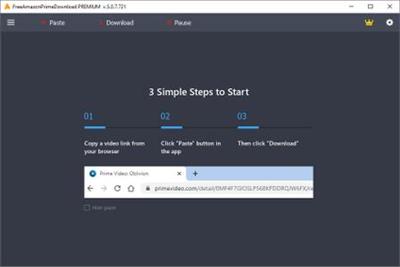
FreeGrabApp Free Amazon Prime Download Premium 5.0.10.104

e6580b2d9d3ad2a9244c372779b37cbc.jpg


FreeGrabApp Free Amazon Prime Download 5.0.10.104 Premium | 56.8 Mb​
Free Amazon Prime Download is a very simple and fast video downloader. With our magnificent application, you can download and watch any Amazon Prime video offline on any device without spending internet traffic. The downloading process is quite simple. You need to paste video's URL by clicking one button and choose the quality of downloading video.

Interface
Free Amazon Prime Download got totally new and user-friendly interface! We hope you'll enjoy it.

Load Control
You can easily stop, resume the downloading process and much more.

Subtitles
Support downloading subtitles in TTML and SRT format.

Great Sound
Support downloading Dolby Digital Surround Audio 5.1.

HD Quality
Free Amazon Prime Download support downloading HD (1080p) Amazon Prime videos.

Multi-Stream
Free Amazon Prime Download is able to download multiple videos at the same time.

Operating System:Windows 7, 8/8.1, 10

Home Page -
У Вас недостаточно прав для просмотра ссылок. Войдите или зарегистрируйтесь.


Language: English

Download link:​
Код:
[center][b]rapidgator_net[/b]:
https://rapidgator.net/file/e7cc59df7a81dd22f7e195170c89f4f9/n2kv7.FreeGrabApp.Free.Amazon.Prime.Download.Premium.5.0.10.104.rar.html

[b]nitroflare_com[/b]:
https://nitroflare.com/view/E37C3661F9FE373/n2kv7.FreeGrabApp.Free.Amazon.Prime.Download.Premium.5.0.10.104.rar

[b]uploadgig_com[/b]:
https://uploadgig.com/file/download/6287cce2144b8E3e/n2kv7.FreeGrabApp.Free.Amazon.Prime.Download.Premium.5.0.10.104.rar[/center]

Links are Interchangeable - No Password - Single Extraction​
 
Gillmeister Rename Expert 5.21.10

a6cb3c320f3ec40f56c1d6c312950a70.jpg


Gillmeister Rename Expert 5.21.10 | 13.21 Mb​
With Rename Expert you can quickly and easily rename files and folders. The program offers a variety of innovative features to create consistent and, above all, meaningful names. With a few simple clicks, you can number files and folders, shorten long file names, rename file extensions and much more.

Rename Expert supports metadata such as Exif, IPTC, and ID3. By using metadata, you can organize, sort, and rename files automatically. Despite its diversity of functions the program is very easy to use. With Rename Expert, meaningless file names are a thing of the past!

Operating System: Windows 10, 8, 7 or Vista

Home Page -
У Вас недостаточно прав для просмотра ссылок. Войдите или зарегистрируйтесь.


Language: English

Download link:​
Код:
[center][b]rapidgator_net[/b]:
https://rapidgator.net/file/6cfbc27cbc1e1d1b52d61359e7a5e9fc/fqytq.Gillmeister.Rename.Expert.5.21.10.rar.html

[b]nitroflare_com[/b]:
https://nitroflare.com/view/3B23F75A2FF7B2E/fqytq.Gillmeister.Rename.Expert.5.21.10.rar

[b]uploadgig_com[/b]:
https://uploadgig.com/file/download/0Ff1b3Ca8fbf621b/fqytq.Gillmeister.Rename.Expert.5.21.10.rar[/center]

Links are Interchangeable - No Password - Single Extraction​
 
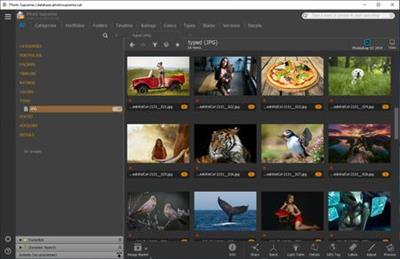
IDimager Photo Supreme 5.5.1.3172 Multilingual

e5aa3ff683bc48aa0c3930f29dcbe8b4.jpg


IDimager Photo Supreme 5.5.1.3172 Multilingual | 108.2 Mb​
Do you own a digital camera or do you have a large collection of images to manage? Then in no time finding that one image you're looking for becomes a chore. But Photo Supreme can change all that. Photo Supreme's integrated cataloging and management features will help you quickly find and work with your desired image.

Highlights

Advanced search capabilities
When looking for that one image, Photo Supreme will help you with deep text searches, tag searches, duplicate detection, similarity detection, dynamic search combinations and advanced filtering.

Limit access to those who need it
The Server Edition allows you to control who can access your Catalog. You control who can add or delete. You control who sees what in their screen.

Multi tab browsing
Photo Supreme brings tabbed browsing to your image archive. Take advantage of having multiple sets open at the same time.

Import & ingest images
Import your images in your Catalog the way you want. You can define naming conventions, apply metadata on import, version rules, and of course copy files.

Keyword tagging
Tagging your images has never been easier. GEO tagging, parent cascading, face tagging, and automatic metadata enrichment are just a few of many features.

Get organized
Organize your images in Portfolios and Collections.

Multi version control
Logically hold your pictures together so you can find them again more easily.

Features
Advanced search capabilities
Multi tab browsing
Import & ingest images
Side-by-side comparison (up to 6 images)
Keyword tagging
Advanced GEO tagging
Image organization in portfolios
Duplicate detection
Share images with Flickr, Smugmug, Zenfolio, Google+ (former Picasaweb), FTP, EMail
Dual monitor support
Creative Commons support
Lossless image editing
Supports Darwin Core metadata
Dynamic collections
Face detection
Area tagging
Extensible metadata with custom field definitions
Take your previews with you while travelling
Color managed
Fully scriptable
English, German, French, Italian, and Dutch locale
Full HD, 2K, 4K, 5K, Retina screen resolutions supported

Operating System: Windows Vista or higher

Home Page -
У Вас недостаточно прав для просмотра ссылок. Войдите или зарегистрируйтесь.


Download link:​
Код:
[center][b]rapidgator_net[/b]:
https://rapidgator.net/file/38abecf310077cd1ac274dc329f95e7e/rvmwm.IDimager.Photo.Supreme.5.5.1.3172.Multilingual.rar.html

[b]nitroflare_com[/b]:
https://nitroflare.com/view/61E954EF5CC9352/rvmwm.IDimager.Photo.Supreme.5.5.1.3172.Multilingual.rar

[b]uploadgig_com[/b]:
https://uploadgig.com/file/download/21111426c940a43a/rvmwm.IDimager.Photo.Supreme.5.5.1.3172.Multilingual.rar[/center]

Links are Interchangeable - No Password - Single Extraction​
 
Internet Download Manager 6.38 Build 3 Multilingual

7e947e8b9230f614fa1e1422eef7c092.jpg


Internet Download Manager 6.38 Build 3 Multilingual | 10.3 Mb​
Internet Download Manager has a smart download logic accelerator that features intelligent dynamic file segmentation and safe multipart downloading technology to accelerate your downloads. Unlike other download accelerators and managers that segment files before downloading starts, Internet Download Manager segments downloaded files dynamically during download process.

Internet Download Manager reuses available connections without additional connect and login stages to achieve better acceleration performance. Internet Download Manager supports proxy servers, ftp and http protocols, firewalls, redirects, cookies, authorization, MP3 audio and MPEG video content processing. IDM integrates seamlessly into Microsoft Internet Explorer, Netscape, MSN Explorer, AOL, Opera, Mozilla, Mozilla Firefox, Mozilla Firebird, Avant Browser, MyIE2, and all other popular browsers to automatically handle your downloads. You can also drag and drop files, or use Internet Download Manager from command line. Internet Download Manager can dial your modem at the set time, download the files you want, then hang up or even shut down your computer when it's done.

Main Features:
* All popular browsers and applications are supported! Internet Download Manager has been tested with the following browsers: Internet Explorer, MSN Explorer, AOL, Netscape Communicator, Netscape 6, Netscape 7, Mozilla, Mozilla Firefox, Mozilla Firebird, Opera, NetCaptor, UltraBrowser, Slim Browser, Avant Browser, MyIE2, Optimal Desktop, Ace Explorer, Advanced Browser, 27 Tools-in-1 Wichio Browser, WindowSurfer, 550 Access Browser, FineBrowser Freeware, Kopassa Browser, Fast Browser Pro, Enigma Browser, GoSuRF, K-Meleon, Smart Explorer, The Off By One Web Browser, Smartalec Voyager, CrystalPort AppCapture, The Family Browser, XANA Web Browser, Bluto, AutoSurf, 32bit Web Browser, BrowseMan, WrestlingBrowser, Eminem Browser, UltraBrowser, Cygsoft LDAP Browser, and Net M@nager. Internet Download Manager supports all versions of popular browsers, and can be integrated into any 3rd party Internet applications.
* Easy downloading with one click. When you click on a in a browser, IDM will take over the download and accelerate it. IDM supports HTTP, FTP, HTTPS and MMS protocols.
* Download Speed Acceleration. Internet Download Manager can accelerate downloads by up to 5 times due to its intelligent dynamic file segmentation technology. Unlike other download managers and accelerators Internet Download Manager segments downloaded files dynamically during download process and reuses available connections without additional connect and login stages to achieve best acceleration performance.
* Download Resume. Internet Download Manager will resume unfinished download from the place where they left off.
* YouTube grabber. Internet Download Manager can grab FLV videos from popular sites like YouTube, MySpaceTV, and Google Video.
* Simple installation wizard. Quick and easy installation program will make necessary settings for you, and check your connection at the end to ensure trouble free installation of Internet Download Manager
* Drag and Drop. You may simply drag and drop links to IDM, and drag and drop downloaded files out of Internet Download Manager.
* Automatic Antivirus checking. Antivirus checking makes your downloads free from viruses and trojans.
* Advanced Browser Integration. When enabled, the feature can be used to catch any download from any application. None of download managers have this feature.
* Built-in Scheduler. Internet Download Manager can connect to the Internet at a set time, download the files you want, disconnect, or shut down your computer when it's done.
* IDM includes web site spider and grabber. IDM downloads all required files that are specified with filters from web sites, for example all pictures from a web site, or subsets of web sites, or complete web sites for offline browsing. It's possible to schedule multiple grabber projects to run them once at a specified time, stop them at a specified time, or run periodically to synchronize changes.
* IDM supports many types of proxy servers. For example, IDM works with Microsoft ISA, and FTP proxy servers.
* IDM supports main authentication protocols: Basic, Negotiate, NTLM, and Keberos. Thus IDM can access many Internet and proxy servers using login name and password.
* Download All feature. IDM can add all downloads linked to the current page. It's easy to download multiple files with this feature.
* Customizable Interface. You may choose the order, and what buttons and columns appear on the main IDM window.
* Download Categories. Internet Download Manager can be used to organize downloads automatically using defined download categories.
* Quick Update Feature. Quick update may check for new versions of IDM and update IDM once per week.
* Download limits. Progressive downloading with quotas feature. The feature is useful for connections that use some kind of fair access policy (or FAP) like Direcway, Direct PC, Hughes, etc.
* IDM is multilingual. IDM is translated to Albanian, Arabic, Azerbaijan, Bosnian, Bulgarian, Chinese, Croatian, Czech, Danish, Dutch, Farsi, French, German, Greek, Hebrew, Hungarian, Italian, Japanese, Korean, Lithuanian, Macedonian, Norwegian, Polish, Portuguese, Romanian, Russian, Serbian, Slovak, Slovenian, Spanish, Thai, Turkish, and Uzbek languages.

Operating System: Windows Vista, 7, 8/8.1, 10

Home Page -
У Вас недостаточно прав для просмотра ссылок. Войдите или зарегистрируйтесь.


Download link:​
Код:
[center][b]rapidgator_net[/b]:
https://rapidgator.net/file/674e14e490248383b31b7e405f1e0c93/8c6c7.Internet.Download.Manager.6.38.Build.3.Multilingual.rar.html

[b]nitroflare_com[/b]:
https://nitroflare.com/view/77B0639E8711E27/8c6c7.Internet.Download.Manager.6.38.Build.3.Multilingual.rar

[b]uploadgig_com[/b]:
https://uploadgig.com/file/download/5Aeee0f76F91f25B/8c6c7.Internet.Download.Manager.6.38.Build.3.Multilingual.rar[/center]

Links are Interchangeable - No Password - Single Extraction​
 
Kobo Converter 3.20.1002.394

807ffdd5251eb08d3acf564572a29828.jpg


Kobo Converter 3.20.1002.394 | 65 Mb​
Kobo Converter is tools to convert Kobo Desktop ebook file to PDF, Kindle, Word, Text and Html format file, user download ebook in Kobo Desktop App, convert DRM kepub file to other format with 1-Click. it is award-winning and a "must-have" tool for all eBook reader. 100% safe with no adware, spyware, or viruses.

Features:
Remove Kobo kepub DRM Protection.
Convert Kobo kepub file to PDF/Text/RTF/HTML format.
Easy to use, 1-click converter.

Operating System: Windows 7, 8/8.1, 10

Home Page -
У Вас недостаточно прав для просмотра ссылок. Войдите или зарегистрируйтесь.


Download link:​
Код:
[center][b]rapidgator_net[/b]:
https://rapidgator.net/file/313beccf885355591782ad0405a349f6/hqklj.Kobo.Converter.3.20.1002.394.rar.html

[b]nitroflare_com[/b]:
https://nitroflare.com/view/7CBB82FD4628F3F/hqklj.Kobo.Converter.3.20.1002.394.rar

[b]uploadgig_com[/b]:
https://uploadgig.com/file/download/8Ac9110C1839c216/hqklj.Kobo.Converter.3.20.1002.394.rar[/center]

Links are Interchangeable - No Password - Single Extraction​
 
WinArchiver 4.8 Multilingual

6df5a8be39e222ea8ef2efbf791503f2.jpg


WinArchiver 4.8 Multilingual | 6.9 Mb​
WinArchiver is a powerful archive utility, which can open, create, and manage archive files. It supports almost all archive formats, including zip, rar, 7z, iso, and other popular formats. WinArchiver can also mount the archive to a virtual drive without extraction.

WinArchiver supports the following file types: .zip (WinZip Files), .rar (WinRAR Files), .7z (7z Files), .mzp (Mountable Archive), .iso (CD/DVD Image File), .001 (7z Sub Volume), .arj, .bz2, .bzip2, .gz, .gzip, .tar, .taz, .tbz, .tbz2, .tgz, .tpz, .cab, .cpio, .deb, .lha, .lzh, .rpm, .split, .swm, .wim (Windows Imaging File), .z, .daa (PowerISO File), .bin, .cue, .mdf, .mds, .ashdisc, .bwi, .b5i, .lcd, .img, .cdi, .cif, .p01, .pdi, .nrg (Nero Disc Image), .ncd, .pxi, .gi, .fcd, .vcd, .c2d, .dmg (Apple Disc Image), .bif, .ima, .flp, .uif (MagicISO File)

MZP is the new archive format supported by WinArchiver. It supports data compression, encryption, and file spanning. WinArchiver can be used to create and manuplate MZP archives. The MZP archive can also be mounted as virtual drive instantly with WinArchiver Virtual Drive, thus you can access files in the archive without extraction. Compared with other archive formats, MZP archives can be mounted more efficiently.

Main Features:
Support almost all popular archive formats.
Open and extract archive files.
Edit existing archives.
Create zip, 7z, iso, mzp archive file from hard disk files.
Support unicode file names.
Mount archive file to a virtual drive without extraction. You can use it as a professional virtual drive software.
Support multivolume, encryption, and archive comments.
Support Windows Explorer shell integration.
Support both 32-bit and 64-bit Windows.

Supported Operating Systems:
32-bit Windows: Windows 98, Windows Me, Windows 2000, Windows XP, Windows 2003, Windows Vista, Windows 2008, Windows 7, Windows 8 / 8.1, Windows 10
64-bit Windows: Windows XP, Windows 2003, Windows Vista, Windows 2008, Windows 7, Windows 8 / 8.1, Windows 10

Home Page -
У Вас недостаточно прав для просмотра ссылок. Войдите или зарегистрируйтесь.


Download link:​
Код:
[center][b]rapidgator_net[/b]:
https://rapidgator.net/file/f032764e5fe7c3b7021a1f2a9bb0a330/s3ice.WinArchiver.4.8.Multilingual.rar.html

[b]nitroflare_com[/b]:
https://nitroflare.com/view/7C850C74C14E4BD/s3ice.WinArchiver.4.8.Multilingual.rar

[b]uploadgig_com[/b]:
https://uploadgig.com/file/download/08e4Efd844afbaf9/s3ice.WinArchiver.4.8.Multilingual.rar[/center]

Links are Interchangeable - No Password - Single Extraction​
 
Video Watermark Subtitle Creator Professional 4.0.5 (x64)

cb32105f5cf8bf4d2ef81ad2f69639f7.jpg


Video Watermark Subtitle Creator Professional 4.0.5 (x64) | 29.8 Mb​
Video Watermark Subtitle Creator is an best video watermark software for editing video, adding watermark and subtitle, It can add video, image, words and subtitle in WYSIWYG, and can set time of appearance, position, size and animated effects for watermark and subtitle to video, and preview at will. It can add watermark and subtitle to videos in batch, splitting and merging video in batch.

System Requirements:
OS: Windows 7, 8, 10 (64 bit)
Processor: 1GHz Intel/AMD processor or above
RAM: 256MB RAM (512MB or above recommended)
Free Hard Disk: 200MB space for installation

Home Page -
У Вас недостаточно прав для просмотра ссылок. Войдите или зарегистрируйтесь.


Download link:​
Код:
[center][b]rapidgator_net[/b]:
https://rapidgator.net/file/9bd60d473d8dadc31064596dcac4079b/pzm4r.Video.Watermark.Subtitle.Creator.Professional.4.0.5.x64.rar.html

[b]nitroflare_com[/b]:
https://nitroflare.com/view/6CD24FB40C86377/pzm4r.Video.Watermark.Subtitle.Creator.Professional.4.0.5.x64.rar

[b]uploadgig_com[/b]:
https://uploadgig.com/file/download/f1a76d49f79a0792/pzm4r.Video.Watermark.Subtitle.Creator.Professional.4.0.5.x64.rar[/center]

Links are Interchangeable - No Password - Single Extraction​
 
Назад
Сверху