• Старая версия форума работает в архивном режиме www.old.nado.in

All mitsumi'1s Applications !! (updated daily)

  • Автор темы Автор темы mitsumi1
  • Дата начала Дата начала
Avanquest Fix-It Utilities Professional 15.6.32.12

3adfbd9b9ece5521d9fcde217a9cf4dc.jpg


Avanquest Fix-It Utilities Professional 15.6.32.12 | 60.4 Mb​
Frustrated with freezing programs, crashes, errors and more? Tired of being slowed down? Then it's time to take control with Fix-It Utilities! One-Click runs comprehensive diagnostic tests, fixes PC problems in a flash and leaves your computer running like new. If you're not a PC expert, don't worry! Although faulty settings, clutter and fragmentation are the cause of most PC problems, they do come with everyday use. With Fix-It's One-Click wizards and Active Intelligence Technology, you can fix everything easily and automatically - no expertise required!

Features:
One-Step PC Tool Wizards Make It Easy To Diagnose & Fix Your Computer

- Optimize Wizard optimizes your hard drive and system registry for improved system performance.
- Security Wizard detects, remove and immediately protect you from thousands of viruses, spyware and malware threats.
- FixUp Wizard diagnoses system problems, provide Windows registry repair solutions and test your hardware.

Active Intelligence™ Technology-The All-In-One PC Health Tool
Exclusive Active Intelligence silently and automatically monitors and fixes all your PC tune up problems. Active Intelligence tracks hard drive status, available disk space, hard drive fragmentation, registry errors, excess temp files, startup applications and more - 24-7! Significantly improve PC performance by choosing from three easy-to-use modes for a scan and repair plan that best suits your PC work or play habits:

- Scan and Fix: Scan and fix most problems automatically.
- Scan only: Scan and provide results so the user can fix problems manually.
- Manual: User will scan and fix problems manually.

PROGRAM OPTIMIZER
Accelerates program launch and responsiveness by optimizing installed programs, program data and Windows files.

MEMORY OPTIMIZER
Improves PC performance by modifying page file size and optimizing how Windows uses memory.

WINDOWS OPTIMIZER
Customizes the appearance and behavior of Windows settings to provide optimal speed and PC performance.

INTERNET SPEED OPTIMIZER
Improves high-speed Internet connections, plus accelerates browser, download and Web surfing speeds on Internet Explorer and Mozilla Firefox.

DISK DEFRAG
Defragments the hard drive, optimizes file systems and consolidates free space, resulting in increased reliability, performance and faster boot times.

REGISTRY DEFRAG
Defragments, reorganizes and optimizes the Windows registry for optimal speed and accelerated performance.

REGISTRY CLEANERS
Accelerates PCs by removing the unnecessary entries from the Windows registry. And many more!

Speeds Up Your PC - Start Time, Daily Use and More!
- Disables startup programs to improve Windows boot time.
- Identifies which programs and processes are using the most resources.
- Improves system performance by optimizing how Windows uses memory.
- Defragments your hard drive to increase PC performance and reliability.
- Optimizes your browser, download and Web surfing speeds.
- Personalizes Windows settings for optimal speed and performance.
- PC health overview with easy-to-understand reporting.

Fixes your PC Today and Prevents Problems Tomorrow!
- Disables startup programs to improve Windows boot time.
- Stops PC crashes, freezes and restarts
- Repairs Windows when it won't load
- Creates a bootable rescue CD in case of a disaster
- Fixes Windows® registry errors
- Repairs broken registry shortcuts
- Early detection system for hard drive problems
- Scans and fixes hard drive errors
- Fixes Windows security vulnerabilities

Cleans Your PC of Performance Robbing Clutter & More!
- Cleans over 100 different types of junk files.
- Removes temporary files that take up valuable space.
- Permanently shreds files using U.S. Department of Defense criteria.
- Securely shreds ALL DOCUMENTS inside your PC's recycle bin.
- Regains significant hard disk space with a safe and thorough clean up.
- Protects your Web privacy by erasing browser, search and cookie histories.

Protects Your PC with 24/7 Protection against the Latest Threats!
- Detects and removes viruses, spyware and malware
- Prevents rootkits and keyloggers from stealing personal data
- Get real-time protection against any malicious activity
- Provides hourly updates to protect you against the latest threats
- Protects your computer from hackers & intruders

System Requirements:
- Windows 10, 8, 7, Vista or XP
- Internet connection required.

Home Page -
У Вас недостаточно прав для просмотра ссылок. Войдите или зарегистрируйтесь.


Download link:​
Код:
[center][b]rapidgator_net[/b]:
https://rapidgator.net/file/abcab408a2bae3498084b160930f52c6/7xojn.Avanquest.FixIt.Utilities.Professional.15.6.32.12.rar.html

[b]nitroflare_com[/b]:
https://nitroflare.com/view/45CAD5B834C2792/7xojn.Avanquest.FixIt.Utilities.Professional.15.6.32.12.rar

[b]uploadgig_com[/b]:
https://uploadgig.com/file/download/4ef4f6bFaD6dd1f1/7xojn.Avanquest.FixIt.Utilities.Professional.15.6.32.12.rar[/center]

Links are Interchangeable - No Password - Single Extraction​
 
3delite Duplicate MP4 Video and Audio Finder 1.0.24.26

ca9f0083b641fd8fc90c4dffd4cd5151.jpg


3delite Duplicate MP4 Video and Audio Finder 1.0.24.26 | 49.10 Mb​
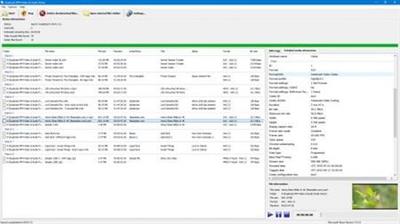
Duplicate MP4 Video & Audio Finder is a powerful, handy utility for scanning your computer and finding duplicate copies of your MP4, MKV and some common format video and MP4 audio files. Duplicate MP4 Video & Audio Finder will find video and audio files that are an exact copy of each other but also can compare files by content and give a match for video and audio files that have different tags or the MP4 atom structure is different, eg. moov atom is at the beginning or end of the file, but contain the same video or audio.

Features:

Find duplicate MP4, MKV and some common format video and MP4 audio files that:
are exact copy of each other
have the same artist/show and title tag
have the same media content
Compare two video or audio lists to find duplicates
Matching video and audio files are displayed in groups
Preview matching audio files and their tag information, detailed media attributes and album cover pictures (JPEG, PNG, GIF, BMP)
Copy/paste, edit and remove MP4 tags
Delete video and audio files that are not needed
Multi-threaded loading and processing of the files
Supported file extensions: MP4, M4A, M4B, M4V, ALAC, 3GP, 3G2, MKV, TS, MPG and AVI
Full unicode support

Home Page:
У Вас недостаточно прав для просмотра ссылок. Войдите или зарегистрируйтесь.


Language: English

Download link:​
Код:
[center][b]rapidgator_net[/b]:
https://rapidgator.net/file/abb315bbcf72a860cac786d3f49da415/9p9lr.3delite.Duplicate.MP4.Video.and.Audio.Finder.1.0.24.26.rar.html

[b]nitroflare_com[/b]:
https://nitroflare.com/view/4E440F8A85B3428/9p9lr.3delite.Duplicate.MP4.Video.and.Audio.Finder.1.0.24.26.rar

[b]uploadgig_com[/b]:
https://uploadgig.com/file/download/043Fa80c3879Dae9/9p9lr.3delite.Duplicate.MP4.Video.and.Audio.Finder.1.0.24.26.rar[/center]

Links are Interchangeable - No Password - Single Extraction​
 
Actual File Folders 1.14.4 Multilingual

c8edae26b29a0ba5c8b45458659cd545.jpg


Actual File Folders 1.14.4 Multilingual | 8 Mb​
Actual File Folders adds two title buttons, called Favorite Folders and Recent Folders. These buttons extend through the entire Windows operating system. It means that you can use them in any common Windows Explorer window, file manager app, and any other software that use system file-related dialog windows, for example, Microsoft Word, Internet Explorer, or Total Commander.

Favorite Folders
The Favorite Folders ia a file folders extension lets you create the list of shortcuts to the folders you use the most often. Then, you can invoke this list in any file-related window of any program and access any of your favorite folders instantly in a single click. This is a good replacement for the tedious clicking to navigate to the required folder through the folders hierarchy. This resembles a list of bookmarks for your favorite websites in your web browser: instead of typing the URL each time you'd like to open your favorite website, you invoke the list of bookmarks and click that site's bookmark to get to it instantly.

You can manage the list of Favorite Folders shortcuts on the Favorite Folders panel. Then, you can invoke this list by clicking the special title button . When enabled, this button will be added to the title bar of any supported window.

Recent Folders
The Recent Folders is a file folders extension tracks automatically which folders you have been visiting recently and keeps the the list of shortcuts to those folders so that you could get back to them instantly in a single click. This resembles the browsing history in your web browser: you can quickly return to a web page you visited some time ago if circumstances require.

Most of file manager programs (including Windows Explorer itself) offer such service; however, the browsing history is available either while the window remains open or in that particular file manager only.

Instead, Actual File Folders keeps the browsing history globally, no matter which program you have used the folder in. This means that, for example, you can open the document in Microsoft Word from some folder, switch to Microsoft Excel and then jump there to the same folder using the Recent Folders history.

You can adjust the Recent Folders options on the Recent Folders panel. The list of recent folders can be invoked by clicking the special title button . When enabled, this button will be added to the title bar of any supported window.

Operating System:
Windows 10 / 8.1 / 8 / 7 / Vista / XP / 2000 (both 32-bit and 64-bit editions)
Windows Server 2016 / 2012 R2 / 2012 / 2008 R2 / 2008 / 2003 / 2000 (both 32-bit and 64-bit* editions)

Home Page -
У Вас недостаточно прав для просмотра ссылок. Войдите или зарегистрируйтесь.


Download link:​
Код:
[center][b]rapidgator_net[/b]:
https://rapidgator.net/file/c923953e78dd5291acc59091d7ea239a/lkoha.Actual.File.Folders.1.14.4.Multilingual.rar.html

[b]nitroflare_com[/b]:
https://nitroflare.com/view/A6E15810FCE5924/lkoha.Actual.File.Folders.1.14.4.Multilingual.rar

[b]uploadgig_com[/b]:
https://uploadgig.com/file/download/10727ec559aE013c/lkoha.Actual.File.Folders.1.14.4.Multilingual.rar[/center]

Links are Interchangeable - No Password - Single Extraction​
 
Actual Multiple Monitors 8.14.4 Multilingual

58a32b0f40915660cba75cf469a2d461.jpg


Actual Multiple Monitors 8.14.4 Multilingual | 10.7 Mb​
Actual Multiple Monitors is the comprehensive solution to improve the functionality of MS Windows user interface for comfortable and effective work with multi-monitor configurations. The smart app emulates standard Windows services on secondary monitors, and offers new window management services to free you from routine clicking and let you concentrate on your work undisturbed.

Powerful yet easy-to-use, Actual Multiple Monitors emulates the original Windows Taskbar on the secondary displays, allowing you to manage windows in your usual manner. Such Taskbar can work in the individual mode, displaying only the tasks running on the same monitor, or in the mirror mode, displaying all the tasks running on all monitors in your setup.

Taskbar on each monitor
* Start menu
* notification area a.k.a. system tray
* clock
* Jump Lists support under Windows 7
* Pin to Taskbar
* grouping similar buttons
* preview thumbnails (with the Aero Peek feature under Windows 7)
* progress bars on taskbar buttons under Windows 7
* Show Desktop button under Windows 7
* Quick Launch and other toolbars
* dragging the taskbar buttons with the mouse on systems before Windows 7
* dragging the system tray icons with the mouse on systems before Windows 7
* semi-transparent taskbars on systems before Windows 7
* native look in any visual theme - from Windows Classic to Windows 7 Aero

Alt-Tab Task Switcher window on each monitor
* new window controls specially designed for a work with multiple monitors
* additional button in each window's title bar to put a window instantly to any monitor
* additional button in each window's title bar to maximize a window to entire desktop
* special hotkeys to put a window instantly to the next/previous monitor
* automatic placement of windows by default to the monitor which the mouse pointer is on
* automatic placement of certain windows to the specified monitors
* easy dragging/sizing of windows - by clicking anywhere inside a window
* snapping a dragged/sized window to desktop boundaries and other windows ("sticky borders")
* emulation of Windows 7 Aero Snap on Windows XP/Vista
* single-click maximization of windows - to entire desktop, to monitor's width, to monitor's height
* custom wallpaper - single on entire desktop or individual per monitor (with the ability to run a background slideshow)
* custom screen saver - single on entire desktop or individual per monitor
* custom desktop profiles - switch between various desktop configuration in a flash!
* keeping the order of desktop icons after the desktop configuration/resolution has been changed
* desktop mirroring - observe various parts of desktop (windows, monitors, arbitrary areas) in separate floating windows called mirrors

Operating System:
Windows 10 / 8.1 / 8 / 7 / Vista / XP / 2000 (both 32-bit and 64-bit editions)
Windows Server 2016 / 2012 R2 / 2012 / 2008 R2 / 2008 / 2003 / 2000 (both 32-bit and 64-bit* editions)

Home Page -
У Вас недостаточно прав для просмотра ссылок. Войдите или зарегистрируйтесь.


Download link:​
Код:
[center][b]rapidgator_net[/b]:
https://rapidgator.net/file/4a29d756bc3a4700bcea24b4cacea065/p3rcv.Actual.Multiple.Monitors.8.14.4.Multilingual.rar.html

[b]nitroflare_com[/b]:
https://nitroflare.com/view/D9E2687EB191B7B/p3rcv.Actual.Multiple.Monitors.8.14.4.Multilingual.rar

[b]uploadgig_com[/b]:
https://uploadgig.com/file/download/D576c6dceab3bAfE/p3rcv.Actual.Multiple.Monitors.8.14.4.Multilingual.rar[/center]

Links are Interchangeable - No Password - Single Extraction​
 
Actual Title Buttons 8.14.4 Multilingual

2869e0d93e7bf65ccf7af9ad1f03529f.jpg


Actual Title Buttons 8.14.4 Multilingual | 8.5 Mb​
Windows concept is quite usable when it comes to minimizing, maximizing and restoring a window. However, there are still possibilities to unleash. Actual Title Buttons is the unique window management tool which offers extended window manipulation capabilities by adding new buttons to a window caption.

By clicking these buttons as you are used to do with the standard ones, you can take advantage of hidden Windows® features, such as:
- making any window semi-transparent
- rolling windows up
- minimizing any window to Windows® notification area (also known as system tray)
- making any window always-on-top
- quickly resizing any window to most appropriate size
- quickly placing any window to most appropriate position
- changing window's program priority on-the-fly
- "ghost" any window (it will pass through mouse clicks)
- easily move any window between monitors in a multi-monitor system
- quickly copy to clipboard window contents
- quickly paste clipboard contents to any window

These new buttons look native in all standard XP and Vista visual themes and as easy to use as general Minimize/Maximize/Close ones. You can define which buttons should be actually added as to all windows as specify an individual set of buttons for any particular window.

With the help of Actual Title Buttons you can apply the above features to almost any program:
- e-mail clients: Microsoft Outlook, Outlook Express, Mozilla Thunderbird, Eudora, Incredimail, etc.;
- instant messengers: ICQ, Windows/MSN Messenger, Yahoo! Messenger, etc.;
- media players: Windows Media Player, Winamp, etc.;
- office tools: Notepad, Adobe Acrobat Reader, Microsoft Word, Microsoft Excel, etc.;
- graphics suites: Adobe Photoshop, Corel Draw, etc.;
- development tools: Microsoft Visual Studio, CodeGear Developer Studio, etc.;
- offline browsers or FTP clients;
- and many other kinds of programs

Operating System:
Windows 10 / 8.1 / 8 / 7 / Vista / XP / 2000 (both 32-bit and 64-bit editions)
Windows Server 2016 / 2012 R2 / 2012 / 2008 R2 / 2008 / 2003 / 2000 (both 32-bit and 64-bit* editions)

Home Page -
У Вас недостаточно прав для просмотра ссылок. Войдите или зарегистрируйтесь.


Download link:​
Код:
[center][b]rapidgator_net[/b]:
https://rapidgator.net/file/f3d2abb7c89de80e62a14a0b5983c792/5dpqg.Actual.Title.Buttons.8.14.4.Multilingual.rar.html

[b]nitroflare_com[/b]:
https://nitroflare.com/view/23818B56D554737/5dpqg.Actual.Title.Buttons.8.14.4.Multilingual.rar

[b]uploadgig_com[/b]:
https://uploadgig.com/file/download/9e9732E81A3909ba/5dpqg.Actual.Title.Buttons.8.14.4.Multilingual.rar[/center]

Links are Interchangeable - No Password - Single Extraction​
 
Actual Transparent Window 8.14.4 Multilingual

518984604a091a75ea4ad9ecac286dbb.jpg


Actual Transparent Window 8.14.4 Multilingual | 8.2 Mb​
Actual Transparent Window is an innovative Windows desktop enhancement which allows setting any level of transparency for any particular window in the system. With Actual Transparent Window it is very easy to organize the simultaneously opened windows. It is a truly new approach to desktop space organization.

Now you do not have to minimize and restore windows every time. Along with common techniques of switching between windows Actual Transparent Window offers the depth-based window ordering thanks to a fully customizable transparency levels that are saved individually for each window. When a brilliant idea is combined with a good realization, the results are outstanding!

Actual Transparent Window is intended for a broad range of Windows® users who value their time and long for an aesthetic pleasure of modern computing. Windows® is multifunctional, and sometimes we work with several different applications. While typing something in Microsoft Word you need, for example, to follow some information in your Internet browser. Push Win+T (toggle transparency), and the desired window becomes transparent, and you will solve your task easily. Besides, usage of semi-transparent windows reduces the negative effect on your eyes!

Features:

Individual transparency rate:
Actual Transparent Window lets you set individual transparency rate for each window. You can change transparency from 0% (solid) to 100% (fully transparent) to achieve the desired effect.

Inactive window transparency:
Actual Transparent Window has option to set transparency only when window becomes inactive. And when you activate this window it becomes non-transparent again. This option may be especially useful for your instant messenger (ICQ, Windows Messenger, Yahoo! Messenger or any other).

Ghost mode:
You can also activate the ghost mode. In this case all mouse clicks and moves to be made through the transparent window to underlying windows.

Apply transparency effect while window is moved or is resized:
Apply transparency effect only when you move/drag or resize the window across the desktop. Note that this does not affect your transparency setting for windows while they are not being moved or resized.

Toggle transparency\opaque window state by double click on title bar:
To toggle a window from transparent to opaque, double-click the title bar. To toggle a window from opaque to transparent, double-click the title bar again.

"Make Transparent" button:
The new "Make Transparent" button is may be added to a window title bar. Now you can switch the semi-transparency on/off just by pressing it.
You can select a different transparency level for any window on-the-fly, while it is open! Right-click the "Make Transparent" title button to display its context menu where you can choose one of the predefined transparency levels. It's a very gorgeous effect, try it - and you'll like it very much!

Multilingual support:
Actual Transparent Window is available in English, German, French, Spanish, Russian, Ukrainian, Japanese, Chinese Simplified and Chinese Traditional languages.

Operating System:
Windows 10 / 8.1 / 8 / 7 / Vista / XP / 2000 (both 32-bit and 64-bit editions)
Windows Server 2016 / 2012 R2 / 2012 / 2008 R2 / 2008 / 2003 / 2000 (both 32-bit and 64-bit* editions)

Home Page -
У Вас недостаточно прав для просмотра ссылок. Войдите или зарегистрируйтесь.


Download link:​
Код:
[center][b]rapidgator_net[/b]:
https://rapidgator.net/file/9a6b3e86ef64ece6eae4a8203596b964/aqmzt.Actual.Transparent.Window.8.14.4.Multilingual.rar.html

[b]nitroflare_com[/b]:
https://nitroflare.com/view/49CED3A5EB05739/aqmzt.Actual.Transparent.Window.8.14.4.Multilingual.rar

[b]uploadgig_com[/b]:
https://uploadgig.com/file/download/7ade0745b7253239/aqmzt.Actual.Transparent.Window.8.14.4.Multilingual.rar[/center]

Links are Interchangeable - No Password - Single Extraction​
 
Actual Virtual Desktops 8.14.4 Multilingual

88e954bd648181ee0b999269bde26b19.jpg


Actual Virtual Desktops 8.14.4 Multilingual | 8.3 Mb​
Actual Virtual Desktops provides a "virtual" space - as if you have several logical monitors instead of a single physical one. You can extend the real estate of the workspace and move a window from virtual desktop 1 to virtual desktop 2 etc. The actual number of virtual desktops is not limited!

As a multi-tasking OS, Windows® allows you running multiple programs simultaneously. As a result, you have a few windows open at any time. But when working with lots of applications, your desktop can easily become overcrowded. Actual Virtual Desktops will help you resolve this problem - you can allocate and classify all of your windows by moving them to virtual desktops.

Operating System:
Windows 10 / 8.1 / 8 / 7 / Vista / XP / 2000 (both 32-bit and 64-bit editions)
Windows Server 2016 / 2012 R2 / 2012 / 2008 R2 / 2008 / 2003 / 2000 (both 32-bit and 64-bit* editions)

Home Page -
У Вас недостаточно прав для просмотра ссылок. Войдите или зарегистрируйтесь.


Download link:​
Код:
[center][b]rapidgator_net[/b]:
https://rapidgator.net/file/78803f4cd12889223c9aa86b605573c3/ntxis.Actual.Virtual.Desktops.8.14.4.Multilingual.rar.html

[b]nitroflare_com[/b]:
https://nitroflare.com/view/E722F09D1E7C6FF/ntxis.Actual.Virtual.Desktops.8.14.4.Multilingual.rar

[b]uploadgig_com[/b]:
https://uploadgig.com/file/download/Ea556E45f877fa32/ntxis.Actual.Virtual.Desktops.8.14.4.Multilingual.rar[/center]

Links are Interchangeable - No Password - Single Extraction​
 
Actual Window Guard 8.14.4 Multilingual

a42a7e6384b49960686ba8e608cd7a5b.jpg


Actual Window Guard 8.14.4 Multilingual | 10.9 Mb​
Actual Window Guard is what you need to keep your workspace in optimal condition for efficient and comfortable work. It has many settings helping to organize windows on the desktop and keep them in the order you prefer. It means you won't have to spend time resizing and positioning windows as it will be done automatically. And there are many other features in the program which you can use to skip everyday routine and get better productivity.

The program even enables you to change options which standard controls don't provide (for example, you can remove windows from the taskbar or change individual settings, such as window's icon and title). What's more, the tool supports multi-monitor systems allowing you automatically place particular windows to required monitor and specify window dimensions as per cent values of current monitor's resolution.

Not only Actual Window Guard serves well to facilitate your work with other applications but the program itself is very easy-to-use. The interface is made to be intuitive and friendly, so that you can get accustomed to it right away and quickly make needed adjustments. It's also handy that the tool offers functions for specified types of windows and has features applicable to all types at a time. With Actual Window Guard, it won't take much time to create and manage a system of rules for optimizing each and every detail of your workspace related to windows.

The rules can be applied to windows of almost any types of applications, including x64 ones. Moreover, at the moment Actual Window Guard is the only program of that kind, allowing you to manage command prompt (a.k.a. console/CMD/DOS) windows.

This utility is the final step to optimize your everyday Windows® experience and make it far more comfortable!

Operating System:
Windows 10 / 8.1 / 8 / 7 / Vista / XP / 2000 (both 32-bit and 64-bit editions)
Windows Server 2016 / 2012 R2 / 2012 / 2008 R2 / 2008 / 2003 / 2000 (both 32-bit and 64-bit* editions)

Home Page -
У Вас недостаточно прав для просмотра ссылок. Войдите или зарегистрируйтесь.


Download link:​
Код:
[center][b]rapidgator_net[/b]:
https://rapidgator.net/file/77feee608ca4fe7e5afd2b776ed0c5d5/3ff36.Actual.Window.Guard.8.14.4.Multilingual.rar.html

[b]nitroflare_com[/b]:
https://nitroflare.com/view/F890F17146A6644/3ff36.Actual.Window.Guard.8.14.4.Multilingual.rar

[b]uploadgig_com[/b]:
https://uploadgig.com/file/download/1F62a12d1157628d/3ff36.Actual.Window.Guard.8.14.4.Multilingual.rar[/center]

Links are Interchangeable - No Password - Single Extraction​
 
Actual Window Manager 8.14.4 Multilingual

e9e2a1090e51c2d5e9140bef6fb7f459.jpg


Actual Window Manager 8.14.4 Multilingual | 10.9 Mb​
Actual Window Manager is an innovative desktop organization application which introduces unconventional window controls and also automatic general window operations making your work more productive, convenient and enjoyable. It has more than 50 handy tools to help you in daily routine window manipulations.

Like a well-trained assistant, accurate and unobtrusive, being instructed once Actual Window Manager will do all the required actions for you automatically all the time you are having it running in background:
- placing windows exactly to the required place
- sizing them exactly as they should be
- keeping the important windows always-on-top of others
- minimizing (either normally, or to the tray/screen), or rolling up, or making semi-transparent, or closing the inactive windows, so removing them from your way
- and many others

Operating System:
Windows 10 / 8.1 / 8 / 7 / Vista / XP / 2000 (both 32-bit and 64-bit editions)
Windows Server 2016 / 2012 R2 / 2012 / 2008 R2 / 2008 / 2003 / 2000 (both 32-bit and 64-bit* editions)

Home Page -
У Вас недостаточно прав для просмотра ссылок. Войдите или зарегистрируйтесь.


Download link:​
Код:
[center][b]rapidgator_net[/b]:
https://rapidgator.net/file/41567797b68728c2f62663fb418a58c6/2757i.Actual.Window.Manager.8.14.4.Multilingual.rar.html

[b]nitroflare_com[/b]:
https://nitroflare.com/view/FADFCF9B507D841/2757i.Actual.Window.Manager.8.14.4.Multilingual.rar

[b]uploadgig_com[/b]:
https://uploadgig.com/file/download/b42710fF6f818718/2757i.Actual.Window.Manager.8.14.4.Multilingual.rar[/center]

Links are Interchangeable - No Password - Single Extraction​
 
Actual Window Menu 8.14.4 Multilingual

24e107f21ae76e99097a0d41d192f22c.jpg


Actual Window Menu 8.14.4 Multilingual | 8.3 Mb​
Take Unlimited Control over Your Windows with Extended Window Menu! Actual Window Menu adds several menu items to standard window menu accessible via application icon in the title bar. Among new commands are: Roll Up \ Unroll window, Set window transparency, change program priority, minimize to task tray and always keep window on top. These new features allow advanced and newbie Windows users save their time and desktop space by neatly organizing windows.

Installation, as well as the use of the program, is extremely easy and does not require much time. After installation, the application embeds its extra commands into each window's system menu. These new commands are as easy to use as common Move/Size/Minimize/Close ones, and they significantly enhance windows management abilities.

The set of commands can be customized for particular applications so that you can select just features which are really necessary there and, thus, form a convenient and flexible working environment. Actual Window Menu is irreplaceable when you have to work with numerous applications at once switching from one to another, which is very annoying and frustrating.

Moreover, it becomes quite difficult to distinguish between minimized programs as they get the taskbar piled up. Actual Window Menu enables you to forget that chaos and proceed with your work not being disturbed by windows mess on the desktop.

Actual Window Menu is a complex application that provides advanced users with alternative ways of organizing and managing windows.

Here are some key features of "Actual Window Menu":
· The 'Minimize to Tray' feature lets you save taskbar space while providing access to minimized applications via the system tray icons. Make your own taskbar less cluttered and more handy!
· The 'Make Transparent' feature lets you apply transparency effect from 0% (fully transparent) to 100% (solid) rate to any program in Windows 2000/XP.
· The 'Stay on Top' feature helps you place the selected windows on top of other ones, so that it were always accessible and couldn't be hidden by other windows. Don't let these windows annoy you when you busy!
· The 'Resize Window' feature allows you to set the size of any selected application window to have it always opened at the size you want. You can choose any Default Window Size from the list which includes exact window sizes in pixels (e.g. 640 x 480; 800 x 600; 1024 x 768) or in percents from the desktop size (e.g. 100% x 100%; 50% x 50%). Moreover you can set the width and height of any window on your own by using Custom Window Size option.

Operating System:
Windows 10 / 8.1 / 8 / 7 / Vista / XP / 2000 (both 32-bit and 64-bit editions)
Windows Server 2016 / 2012 R2 / 2012 / 2008 R2 / 2008 / 2003 / 2000 (both 32-bit and 64-bit* editions)

Home Page -
У Вас недостаточно прав для просмотра ссылок. Войдите или зарегистрируйтесь.


Download link:​
Код:
[center][b]rapidgator_net[/b]:
https://rapidgator.net/file/61a29ebde8c4cb2c04a52346c4f8b0da/rm8g0.Actual.Window.Menu.8.14.4.Multilingual.rar.html

[b]nitroflare_com[/b]:
https://nitroflare.com/view/4A203F09DE67504/rm8g0.Actual.Window.Menu.8.14.4.Multilingual.rar

[b]uploadgig_com[/b]:
https://uploadgig.com/file/download/cf9138e207F834A6/rm8g0.Actual.Window.Menu.8.14.4.Multilingual.rar[/center]

Links are Interchangeable - No Password - Single Extraction​
 
Actual Window Minimizer 8.14.4 Multilingual

6366d0eba6502f9c6f3cfa1b32820e37.jpg


Actual Window Minimizer 8.14.4 Multilingual | 8.3 Mb​
Since Windows operating system doesn't provide the default ability to minimize any window to the system tray, Actual Window Minimizer was developed for this single purpose but being developed for years now it performs this single function flawlessly.

Actual Window Minimizer is a small but powerful utility which is only needed to be installed to bring the minimize-to-tray ability online in a most quick and easy way: it adds an extra Minimize-to-Tray button to every window's title bar so that you can send any window to the system tray in a single mouse click! You can use Actual Window Minimizer for free for 60 days after it is installed so just download and try it yourself now!

Besides the extra button Actual Window Minimizer offers many other ways to perform the minimize-to-tray action. For example, you can override the default behavior of any window's standard Minimize button and use it for the alternative minimization. Also you can hide windows in the tray automatically upon their startup or deactivation. Comprising the experience of thousands of its users Actual Window Minimizer is the ultimate solution for the 'Minimize-to-Tray' problem!

Operating System:
Work on: Windows 10 / 8.1 / 8 / 7 / Vista / XP / 2000 (both 32-bit and 64-bit editions)
Windows Server 2016 / 2012 R2 / 2012 / 2008 R2 / 2008 / 2003 / 2000 (both 32-bit and 64-bit* editions)

Home Page -
У Вас недостаточно прав для просмотра ссылок. Войдите или зарегистрируйтесь.


Download link:​
Код:
[center][b]rapidgator_net[/b]:
https://rapidgator.net/file/2c37cf9b333ec126e2991edf641ee118/bygzr.Actual.Window.Minimizer.8.14.4.Multilingual.rar.html

[b]nitroflare_com[/b]:
https://nitroflare.com/view/1F33FE4E731ECAA/bygzr.Actual.Window.Minimizer.8.14.4.Multilingual.rar

[b]uploadgig_com[/b]:
https://uploadgig.com/file/download/47693ffAee63313E/bygzr.Actual.Window.Minimizer.8.14.4.Multilingual.rar[/center]

Links are Interchangeable - No Password - Single Extraction​
 
Actual Window Rollup 8.14.4 Multilingual

e5f287fd5922919314b02038f091b232.jpg


Actual Window Rollup 8.14.4 Multilingual | 8.2 Mb​
Actual Window Rollup fills up the functionality gap that users, familiarized with Unix/Linux/MacOS window managers, notice while managing workspace in Windows. The program allows you to roll up and down windows by clicking on the special Roll Up button added to window's title bar. This feature has proven to be a more efficient way of organizing your workspace while working with multiple windows. Now it will only take a single click or keystroke to hide a window and move to the information in the underlying window or on the desktop.

Besides the default Roll Up button and ability to enable this function from the system menu of the program offer several ways of rolling up your windows automatically. It's possible to set the program to instantly roll down active and roll up inactive windows. With Actual Window Rollup, you can also manage windows via keyboard using the Hotkey feature. Easy access to features comes along with great compatibility. It means that Actual Window Rollup recognizes and works with all kinds of windows, including the command prompt type (also known as console/CMD/DOS windows). Actual Window Rollup is a tiny utility that will set you free from a huge amount of redundant manipulations, such as searching in the taskbar, minimizing and maximizing windows.

Here are some key features of "Actual Window Rollup":
· Manual Windows Shade: Toggle window rollup/unroll by double clicking the title bar. Title bars are easier to find than programs minimized to icons. You won't have to hunt for the windows you were using! Click on a window and it becomes a title bar; Click on the title bar and restore it to an open window!
· Automatic window rollup/unroll: Selected windows will automatically roll up into title bars whenever they become inactive. The rolled-up title bars will then automatically unroll when you want to work with them again!
· Temporarily Unroll the Window: This will make a window temporarily unroll when the mouse cursor hovers over it. Simply pass your mouse cursor over them and they unroll! Easier than clicking!
· RollupUnroll title button: The button 'Roll upUnroll Window' is may be added to a window title bar. Now you can roll up or unroll window just pressing it.
· System menu: New item 'Roll up Window' is may be added to the system menu of a window.
· Hotkeys support: A keystroke Win+
· Individual window settings: Mix manual and automatic controls in various ways to your preferences and for individual programs. Your configuration for each window will remain set after every bootup until you change it.
· Multilingual support: Actual Window Rollup supports English, German, Spanish, French, Italian, Portuguese, Swedish, Danish, Catalan, Turkish and Polish languages.
· Possibility to improve almost each program: Actual Window Rollup is useful for working with office tools (Microsoft Word, Microsoft Excel, Adobe PhotoShop, Corel Draw etc.); e-mail clients (Microsoft Outlook, Outlook Express, Eudora, Incredimail etc.); media players (Windows Media Player etc.); internet browsers (Internet Explorer, Opera etc.); offline browsers or ftp-clients; and many other kinds of programs.

Operating System:
Windows 10 / 8.1 / 8 / 7 / Vista / XP / 2000 (both 32-bit and 64-bit editions)
Windows Server 2016 / 2012 R2 / 2012 / 2008 R2 / 2008 / 2003 / 2000 (both 32-bit and 64-bit* editions)

Home Page -
У Вас недостаточно прав для просмотра ссылок. Войдите или зарегистрируйтесь.


Download link:​
Код:
[center][b]rapidgator_net[/b]:
https://rapidgator.net/file/ee667ff36ce7656245ae3d3b769b0110/pxdsp.Actual.Window.Rollup.8.14.4.Multilingual.rar.html

[b]nitroflare_com[/b]:
https://nitroflare.com/view/8F2391EED2BB6C8/pxdsp.Actual.Window.Rollup.8.14.4.Multilingual.rar

[b]uploadgig_com[/b]:
https://uploadgig.com/file/download/3dB05E24aEba9ec9/pxdsp.Actual.Window.Rollup.8.14.4.Multilingual.rar[/center]

Links are Interchangeable - No Password - Single Extraction​
 
Backuptrans Android iphone Viber Transfer Plus 3.1.69 (x64)

9182da23ef1879d0bd63b65a10a7e03d.jpg


Backuptrans Android iphone Viber Transfer Plus 3.1.69 | 19.1 Mb​
If you have two Android/iPhone devices or one Android and one iPhone, it's always wise to find a tool to help you manage Viber Message History for your Android/iPhone devices or to transfer Viber chat history between Android and iPhone. Backuptrans Android iPhone Viber Transfer + is the best all-in-one Viber Messages manager package which lets you copy & share Viber Chat Mesages for Android/iPhone on computer directly. No Root/Jailbreak required.

Backup Viber Chat History from Android/iPhone to PC
Restore Viber Chat History from Computer to Android/iPhone
Transfer Viber Messages between Android and iPhone
Recover Viber Messages from iTunes Backup to Android/iPhone
Export Viber Messages to document file(Txt, Csv, Doc, Html, PDF)
Print out Viber Messages in conversations on PC
Extract Viber pictures videos audios etc attachments on PC
Copy Viber Call History from Android/iPhone to a text file on PC
Support iPhone, Samsung, HTC, Motorola, Sony Ericsson, LG, Huawei and More

Operating System: Windows NT/2000/XP/2003/Vista/7/8/10

Home Page -
У Вас недостаточно прав для просмотра ссылок. Войдите или зарегистрируйтесь.


Language: English

Download link:​
Код:
[center][b]rapidgator_net[/b]:
https://rapidgator.net/file/4652ac59fce3d793cc56b1e03cdd8add/p6gcy.Backuptrans.Android.iphone.Viber.Transfer.Plus.3.1.69.x64.rar.html

[b]nitroflare_com[/b]:
https://nitroflare.com/view/488F8EA054A8BA4/p6gcy.Backuptrans.Android.iphone.Viber.Transfer.Plus.3.1.69.x64.rar

[b]uploadgig_com[/b]:
https://uploadgig.com/file/download/0129D7d205408Fbc/p6gcy.Backuptrans.Android.iphone.Viber.Transfer.Plus.3.1.69.x64.rar[/center]

Links are Interchangeable - No Password - Single Extraction​
 
Folder Guard 20.10 Multilingual

ef2a42627f1167b4b1c0ea8781edd455.jpg


Folder Guard 20.10 Multilingual | 7.4 Mb​
Folder Guard® is a powerful computer security program that you can use to control access to files, folders, and other Windows resources. You can use Folder Guard to lock your personal files and folders with passwords, to stop other users from peeking into your records. You can even completely hide your private folders from virtually all applications, and such folders would remain invisible until you enter a valid password. You can also protect sensitive system files from modification or destruction, disable access to the removable drives, restrict access to Control Panel, and more.

Why choose Folder Guard?

Folder Guard can hide your personal folders from other users
You can set up Folder Guard to hide your private folders (or make them appear empty). The folder would be hidden from virtually any program, including Windows Explorer, Office, MS-DOS programs, etc.

Folder Guard can password-protect and restrict access to file folders
You can password-protect any document folder to prevent access to your personal files without knowing the password. You can set up Folder Guard to allow only certain users to change the computer settings with Control Panel, while denying that to other users.

Folder Guard can control access to programs and files
You can prevent other users (even the administrators) from using the system tools that can mess up your Windows installation, while allow such use for yourself or someone who knows the Master password. You can also designate the backup programs as the trusted ones, allowing them to backup your protected files in the background without asking you for the password every time.

Folder Guard can lock access to the USB, CD-ROM and other removable drives
You can configure Folder Guard to allow or deny access to the removable drives, restricting the user's ability to run or install unauthorized programs on your computer.

Operating System: Windows XP, 7, 8/8.1, 10

Home Page -
У Вас недостаточно прав для просмотра ссылок. Войдите или зарегистрируйтесь.


Download link:​
Код:
[center][b]rapidgator_net[/b]:
https://rapidgator.net/file/acec81f35ab388d5d7f02e435ba425d1/vdq5k.Folder.Guard.20.10.Multilingual.rar.html

[b]nitroflare_com[/b]:
https://nitroflare.com/view/8000B1755BBCA50/vdq5k.Folder.Guard.20.10.Multilingual.rar

[b]uploadgig_com[/b]:
https://uploadgig.com/file/download/5B6141896f71Ef5d/vdq5k.Folder.Guard.20.10.Multilingual.rar[/center]

Links are Interchangeable - No Password - Single Extraction​
 
HY-Plugins HY-POLY v1.1.2 MacOSX

eecc02663d80e71cea75760a2b73c17f.jpg


HY-Plugins HY-POLY v1.1.2 MacOSX | 16 Mb​
It's a subtractive type poly phonic synthesizer with midi effects and audio effects. And many of synth and audio fx parameters can be modulated. You can create wide variety of synth sound with those midi/audio fx and modulations.

Main Features:
3 oscillator modes
Dual multi-mode filters
Drag and drop modulation assignment
24 modulation sources
9 midi effect units
25 audio effect units
Midi learn
Preset browser
Resizable interface

Download link:​
Код:
[center][b]rapidgator_net[/b]:
https://rapidgator.net/file/7ac3b8dbdda3f79a54cb10a8f1044f06/x0oqc.HYPlugins.HYPOLY.v1.1.2.MacOSX.rar.html

[b]nitroflare_com[/b]:
https://nitroflare.com/view/6BF752552300F62/x0oqc.HYPlugins.HYPOLY.v1.1.2.MacOSX.rar

[b]uploadgig_com[/b]:
https://uploadgig.com/file/download/4dd334b891b679f3/x0oqc.HYPlugins.HYPOLY.v1.1.2.MacOSX.rar[/center]

Links are Interchangeable - No Password - Single Extraction​
 
HY-Plugins HY-RPE2 v1.0.0 WiN / OSX

3fafec483e0595d128d62f5ebfaca659.jpg


HY-Plugins HY-RPE2 v1.0.0 WiN / OSX | 8 Mb / 12 Mb​
HY-Plugins has released HY-RPE2, an 8 track MIDI sequencer plugin for Windows and macOS. It has two different sequencer engines, Grid and Euclidean.

Features:
2 sequencer engines (Grid and Euclidean).
Drag & drop modulation assignment(for Euclidean Sequencer).
4 LFO/Sample&Hold units (for Euclidean Sequencer).
4 Macro knobs/buttons (for Euclidean Sequencer).
MIDI Recorder.
MIDI Learn.
MIDI Note Map.
Resizable interface.

Download link:​
Код:
[center][b]rapidgator_net[/b]:
https://rapidgator.net/file/d96b9dcddfab51b8cd93426c25a3f83a/guq30.HYPlugins.HYRPE2.v1.0.0.Incl.KeygenR2R.rar.html
https://rapidgator.net/file/a9856f097780b7418c8af97dd1f0ad79/guq30.HYPlugins.HYRPE2.v1.0.0.MacOSX.Incl.KeygenR2R.rar.html

[b]nitroflare_com[/b]:
https://nitroflare.com/view/6ACF2966DAEDD99/guq30.HYPlugins.HYRPE2.v1.0.0.Incl.KeygenR2R.rar
https://nitroflare.com/view/E66FF8EFCB6CC1B/guq30.HYPlugins.HYRPE2.v1.0.0.MacOSX.Incl.KeygenR2R.rar

[b]uploadgig_com[/b]:
https://uploadgig.com/file/download/296cA74ebfc4CEf9/guq30.HYPlugins.HYRPE2.v1.0.0.Incl.KeygenR2R.rar
https://uploadgig.com/file/download/d1f9ae0157890CC8/guq30.HYPlugins.HYRPE2.v1.0.0.MacOSX.Incl.KeygenR2R.rar[/center]

Links are Interchangeable - No Password - Single Extraction​
 
Markdown Monster 1.24.10.12

09dda6aece64843df68dc3fb73ef3d58.jpg


Markdown Monster 1.24.10.12 | 18.5 Mb​
Markdown Monster is a Markdown editor and viewer that lets you edit Markdown with syntax highlighting and fast text entry. A collapsible, synced, live preview lets you see your output as you type or scroll. Easily embed images, links, emojis and code using Markdown text or use our gentle UI helpers that simplify many operations with a couple of keystrokes. Paste images from the clipboard or drag and drop from Explorer or our built-in folder browser. Inline spell-checking and word counts keep your content streamlined unobtrusively.

You can export your Markdown to HTML or PDF by saving to disk or by copying Markdown selections as HTML directly to the clipboard. The HTML preview can display syntax colored code snippets for most common coding languages, and can easily be customized with HTML and CSS template to match your own sites. You can choose from a light and dark app theme, and choose individual editor and preview themes that are fully customizable. You can even use Vim or EMacs type conventions. Other convenience features let you browse for and select files in the built-in folder browser, use the document outline to jump through sections in your Markdown, or shell out to Explorer, Terminal or your favorite Git client. It's all about convenience - everything is at your finger tips, but it's out of your way until you need it.

Features:
Syntax colored Markdown
Live HTML preview
Inline spell checking
Embed images, links and emoji
Paste images from Clipboard
Capture & embed screen shots
Save to Html and PDF
Weblog publishing and editing
HTML to Markdown conversion
Editor and preview themes
Git Integration
Document Outline
Template text expansion
.NET scripting & addins

System Requirements:
Windows 7 or newer, 2008 R2 or newer
.NET Framework 4.62 or later
Internet Explorer 11

Home Page -
У Вас недостаточно прав для просмотра ссылок. Войдите или зарегистрируйтесь.


Download link:​
Код:
[center][b]rapidgator_net[/b]:
https://rapidgator.net/file/05f4fb397f2a111f8ff15b932919f356/mg7qc.Markdown.Monster.1.24.10.12.rar.html

[b]nitroflare_com[/b]:
https://nitroflare.com/view/02AEC76FABC2B17/mg7qc.Markdown.Monster.1.24.10.12.rar

[b]uploadgig_com[/b]:
https://uploadgig.com/file/download/56a93F0cDfdB05a7/mg7qc.Markdown.Monster.1.24.10.12.rar[/center]

Links are Interchangeable - No Password - Single Extraction​
 
Modern CSV 1.2.10 (x64)

35686acb23e1d95e98c92bd29404c955.jpg


Modern CSV 1.2.10 (x64) | 26.2 Mb​
When it comes to editing CSV documents, most individuals look for a highly professional tool to help them do just about anything they wish or actually need to do. Modern CSV is exactly this type of tool. It offers a great array of options and features and at the same time is fast and easy to use. With this in mind, there is a whole list of things that this little program does right when it comes to CSV documents.

Quick Editing
Multi-cell editing
Duplicate rows, columns, and cells.
Move rows, columns, and cells.
Insert rows and columns.
Delete rows and columns.

Large File Handling
Load files with billions of lines.
Read-only mode for even more efficient file handling.
Load files up to 11x faster than Excel.

Find and Arrange Your Data
Find/Replace with regex, highlight matching, whole cell matching, etc.
Sort rows or columns in ascending or descending order.
Filter rows or columns.

Customizable to Your Needs
Light and Dark themes
Keyboard shortcuts you can set to your liking
Settings including cell sizes, row/column shading, text font, etc.

Operating System: Windows 7, 8/8.1, 10 (64-bit only)

Home Page -
У Вас недостаточно прав для просмотра ссылок. Войдите или зарегистрируйтесь.


Download link:​
Код:
[center][b]rapidgator_net[/b]:
https://rapidgator.net/file/03321e9635248d9d3260e1c94f51295b/iwrw2.Modern.CSV.1.2.10.x64.rar.html

[b]nitroflare_com[/b]:
https://nitroflare.com/view/C4D67A0B84C529E/iwrw2.Modern.CSV.1.2.10.x64.rar

[b]uploadgig_com[/b]:
https://uploadgig.com/file/download/04B9aF9923c4a0d9/iwrw2.Modern.CSV.1.2.10.x64.rar[/center]

Links are Interchangeable - No Password - Single Extraction​
 
Records 1.6.12 macOS

76fe3086785fcd2a712c0f312d55c355.jpg


Records 1.6.12 | macOS | 11 mb​
Records is one of the most innovative personal databases app ever designed for the Mac. It lets you collect and organize any kind of information-from your favorite movies to your customer invoices-in this easy-to-use database creation and management tool.

Features

WYSIWYG Editor
- Incredibly easy, drag-and-drop form and database creation
- Visual Editor lets you customize the layout and design of your forms
- Powerful alignment guides help you design visually appealing forms
- No prior database design or coding knowledge required

Versatile and Scalable
- 15 fully-configurable form fields, including images, contacts and URLs
- Use one of several pre-filled lists, such as countries, currencies, or credit card vendors
- Supports databases with tens of thousands of records
- Build your own forms and choose your favorite eye-candy color theme
- Full text search help to find instantly your data

Export and Backup
- Easily export and backup your data
- Export and share templates with friends, family, or colleagues

Compatibility: OS X 10.11 or later 64-bit
Mac App Store:
У Вас недостаточно прав для просмотра ссылок. Войдите или зарегистрируйтесь.


Download link:​
Код:
[center][b]rapidgator_net[/b]:
https://rapidgator.net/file/19a0d3f008b8051b6101b035acbd6ebd/zc41t.Records.1.6.12.rar.html

[b]nitroflare_com[/b]:
https://nitroflare.com/view/DCB6DB6395C7F2A/zc41t.Records.1.6.12.rar

[b]uploadgig_com[/b]:
https://uploadgig.com/file/download/8fe2F0b7ccc00d10/zc41t.Records.1.6.12.rar[/center]

Links are Interchangeable - No Password - Single Extraction​
 
Video Watermark Subtitle Creator Professional 4.0.5.2 (x64)

0511e162325d97f63a036ab6b79c63aa.jpg


Video Watermark Subtitle Creator Professional 4.0.5.2 (x64) | 29.8 Mb​
Video Watermark Subtitle Creator is an best video watermark software for editing video, adding watermark and subtitle, It can add video, image, words and subtitle in WYSIWYG, and can set time of appearance, position, size and animated effects for watermark and subtitle to video, and preview at will. It can add watermark and subtitle to videos in batch, splitting and merging video in batch.

System Requirements:
OS: Windows 7, 8, 10 (64 bit)
Processor: 1GHz Intel/AMD processor or above
RAM: 256MB RAM (512MB or above recommended)
Free Hard Disk: 200MB space for installation

Home Page -
У Вас недостаточно прав для просмотра ссылок. Войдите или зарегистрируйтесь.


Download link:​
Код:
[center][b]rapidgator_net[/b]:
https://rapidgator.net/file/488b5ec4e08ca9d10c39628d863a24da/hsf29.Video.Watermark.Subtitle.Creator.Professional.4.0.5.2.x64.rar.html

[b]nitroflare_com[/b]:
https://nitroflare.com/view/A06E8E01F34FD43/hsf29.Video.Watermark.Subtitle.Creator.Professional.4.0.5.2.x64.rar

[b]uploadgig_com[/b]:
https://uploadgig.com/file/download/db84abD9167D1ff9/hsf29.Video.Watermark.Subtitle.Creator.Professional.4.0.5.2.x64.rar[/center]

Links are Interchangeable - No Password - Single Extraction​
 
Назад
Сверху