• Старая версия форума работает в архивном режиме www.old.nado.in

All mitsumi'1s Applications !! (updated daily)

  • Автор темы Автор темы mitsumi1
  • Дата начала Дата начала
App Builder 2021.9 (x64)

5b72419108fb55c2c0c07d0c37269574.jpg


App Builder 2021.9 (x64) | 155 Mb​
If you want to create modern desktop and mobile apps you're in the right place! DecSoft App Builder is a professional visual development environment to create HTML5 apps, WebApps, Progressive WebApps, Web Extensions and Hybrid apps for the modern mobile and desktop browsers, as well platforms like Google Android, Apple iOS and Microsoft Windows.

Languages
The DecSoft App Builder apps are based in HTML, CSS and Javascript. These are the languages that you must know (more or less) in order to create modern apps that run in all the mobile and desktop browsers, as well platforms like Android, iOS and Microsoft Windows. All with the same base code! This is a big reason to choose DecSoft App Builder.

Visual designer
App Builder provide us dozens of visual and non visual controls ready to be placed in the application's designer. Simply drag and drop the control that you need into the designer and then place it where you wanted.

Contextual help
DecSoft App Builder has a contextual help that point you exactly to the control, property, event reference, etc. Just press the F1 key where you are in the IDE.

Apache Cordova
DecSoft App Builder is integrated with Apache Cordova and prepares for your app the right config file, platform icons, splash screens, batch files, shell files and JSON files. DecSoft App Builder integrates also the officials Apache Cordova plugins.

Quick code list
The DecSoft App Builder code editors provides the Quick code list for your convenience. The Quick code list helps you to write Javascript code more faster, providing all the available controls properties, methods and more.

App Files manager
The DecSoft App Builder IDE incorporates the right Files manager for your app, so you can link Javascript and stylesheet files, but also add images, other files (like JSON files) and even entire directories, to be available in your app at runtime.

User Functions
In addition to the available app methods and the methods provided by the app views, app dialogs, app frames, the Apache Cordova plugins methods, and, all the possible controls that you can use, its also possible to setup your own User Functions in order to be available for your app at runtime.

Operating System: Windows 7, 8/8.1, 10 (64-bit only)

Home Page -
У Вас недостаточно прав для просмотра ссылок. Войдите или зарегистрируйтесь.


Download link:​
Код:
[center][b]rapidgator_net[/b]:
https://rapidgator.net/file/7c62c15de43eed9194fef2cf80cea6fe/p87fn.App.Builder.2021.9.x64.rar.html

[b]nitroflare_com[/b]:
https://nitroflare.com/view/CBCD16DEEE6CF4C/p87fn.App.Builder.2021.9.x64.rar

[b]alfafile_net[/b]:
http://alfafile.net/file/8x4he/p87fn.App.Builder.2021.9.x64.rar[/center]

Links are Interchangeable - No Password - Single Extraction​
 
Arclab MailList Controller 13.0

29e1cb04d69d16a697b592300e2320a5.jpg


Arclab MailList Controller 13.0 | 63.2 Mb​
MailList Controller the newsletter software and email marketing system for your MS Windows based PC, notebook or server. Send personalized email marketing campaigns and newsletters to your contact lists.

Newsletters for your Business or Organization
Send unlimited newsletter mailings
No extra costs per message
No subscriptions and no recurring fees
Send newsletters and campaigns from your own computer
Send messages in your own design and layout
Responsive and static email newsletter templates included
One-time payment for the license
Software for MS Windows (Home, Professional or Server)

Professional Email Newsletter Software
MailList Controller includes all features required for a successful newsletter service or email marketing campaign and covers every aspect of modern mailing list management. It's easy to setup, but has powerful features. The fast and reliable SMTP engine works with any email account and SMTP server.

Use the built-in WYSIWYG message editor to compose personalized rich-text (HTML) email newsletters in MIME format with an alternate plain-text part. You can import HTML files, edit the message in an external HTML editor, add inline images and file attachments to your newsletters. The included (responsive and static layout) newsletter templates can be used royalty-free with MailList Controller.

Mailing List Management Automation
Your contact list is a valuable property. MailList Controller helps you to build your contact list or manage your existing lists. It does not make much difference if you have just started or already have a large customer database. Everybody can use our newsletter software and profit from its results.

Convert your visitors into subscribers using a web form, which could include custom fields for additional data. The subscription process runs without user intervention and supports single and double opt-in subscriptions. Send newsletters and make customers out of your subscribers.

Operating System: Windows 7, 8/8.1, 10

Home Page -
У Вас недостаточно прав для просмотра ссылок. Войдите или зарегистрируйтесь.


Download link:​
Код:
[center][b]rapidgator_net[/b]:
https://rapidgator.net/file/4b5c036243e542ce9501e75f778ec5a0/v9art.Arclab.MailList.Controller.13.0.rar.html

[b]nitroflare_com[/b]:
https://nitroflare.com/view/2A5D7A8BB73A1BE/v9art.Arclab.MailList.Controller.13.0.rar

[b]alfafile_net[/b]:
http://alfafile.net/file/8x4oj/v9art.Arclab.MailList.Controller.13.0.rar[/center]

Links are Interchangeable - No Password - Single Extraction​
 
Astute Graphics Plugins Elite Bundle v2.0.4 + Pro Texture Packs for Texturino macOS

557e658513a17fe5a520a69d99717c14.jpg


Astute Graphics Plugins Elite Bundle v2.0.4 + Pro Texture Packs for Texturino | macOS | 755 mb​
Real Vector Sketching in Adobe Illustrator. The only tool that allows true vector sketching in Illustrator. Instinctively sketch with a live preview of your path, the variable width-strokes being set by the pressure of your tablet or the speed of your mouse. You can even draw with brushes applied. A must have tool for drawing freehand.

Get more from Texturino with Pro Texture Packs Exclusively crafted for use in
У Вас недостаточно прав для просмотра ссылок. Войдите или зарегистрируйтесь.
, these packs allow you to extend the range of textures you can instantly apply to artwork within Adobe Illustrator.

Astute Graphics Plugins Elite Bundle v2.0.4 include
AstuteBuddy 1.2.0
Autosaviour 2.4.0
ColliderScribe 3.4.0
DirectPrefs 1.3.0
DynamicSketch 3.3.1
FindReplace 1.3.0
InkFlow 1.4.3
InkQuest 2.3.1
InkScribe 2.3.0
MirrorMe 3.1.0
Phantasm 5.3.0
Rasterino 2.4.0
Stipplism 2.3.0
Stylism 2.7.0
SubScribe 3.3.0
Texturino 2.3.0
VectorFirstAid 3.4.0
VectorScribe 4.4.0
WidthScribe 3.3.0

Software Requirements: Adobe Illustrator СС2019, 2020, 2021
Homepage:
У Вас недостаточно прав для просмотра ссылок. Войдите или зарегистрируйтесь.


Download link:​
Код:
[center][b]rapidgator_net[/b]:
https://rapidgator.net/file/2155a32c7685f42e2e79a1be513c0ef6/fyy8f.Astute.Graphics.Plugins.Elite.Bundle.v2.0.4..Pro.Texture.Packs.for.Texturino.part1.rar.html
https://rapidgator.net/file/21e035a5c873f42ad637f0e3632b9731/fyy8f.Astute.Graphics.Plugins.Elite.Bundle.v2.0.4..Pro.Texture.Packs.for.Texturino.part2.rar.html

[b]nitroflare_com[/b]:
https://nitroflare.com/view/C81EC98751721D0/fyy8f.Astute.Graphics.Plugins.Elite.Bundle.v2.0.4..Pro.Texture.Packs.for.Texturino.part1.rar
https://nitroflare.com/view/14A304C7C11C4C7/fyy8f.Astute.Graphics.Plugins.Elite.Bundle.v2.0.4..Pro.Texture.Packs.for.Texturino.part2.rar

[b]alfafile_net[/b]:
http://alfafile.net/file/8x4g3/fyy8f.Astute.Graphics.Plugins.Elite.Bundle.v2.0.4..Pro.Texture.Packs.for.Texturino.part1.rar
http://alfafile.net/file/8x4gc/fyy8f.Astute.Graphics.Plugins.Elite.Bundle.v2.0.4..Pro.Texture.Packs.for.Texturino.part2.rar[/center]

Links are Interchangeable - No Password - Single Extraction​
 
Audials One 2021.0.95.0 Multilingual

eacb1bda3966ae05826d6d9e2e9f473f.jpg


Audials One 2021.0.95.0 Multilingual | 137.2 Mb​
Find, record, save, and convert music, movies, radio & more from streaming services. Record movies, series and television from streams. It's automatic, fast, convenient, and always in top video quality. Create your own movie collection!

MUSIC
- Save your favorite songs from any music streaming service.
- Easy, fast, legal, and top quality.
- Enjoy your music collection everywhere!

VIDEO
- Record movies, series and television from streams.
- It's automatic, fast, convenient, and always in top video quality.
- Create your own movie collection!

Netflix, Amazon, Hulu & Co.
Record content off all the top services, including Amazon Prime Video, YouTube, Hulu and live streams without losing quality and circumventing DRM encryption.

Record in top quality
Audials One offers the highest resolution, the right frame rate and smooth recordings, even with adaptive streaming. It also includes automatic naming.

DOUBLE SPEED RECORDINGS
Only Audials can accelerate video streaming in the browser, so that saving movies is possible twice as fast without loss of quality!

Save movies & series
Continue to enjoy content from streaming services even when it is no longer available. You can even record a list of movies with the recording scheduler!

YOUR OWN VIDEO LIBRARY
The automatic addition of movie descriptions and information on the actors, director, etc. to all recordings means you will never lose track.

Record & download
Play, record and download all major TV formats using Audials in full-screen mode.

300 Live TV Streams
Live streams from English and international TV channels allow you to watch TV 24/7. You can also enjoy the best music TV channels.

25,000 Video podcasts
The best content from around the globe is arranged according to category and is available to watch, save and subscribe to.

SPOTIFY, YOUTUBE, TIDAL & CO.
Find and save songs from Deezer, Amazon Music, Soundcloud and other portals or from online radio stations such as 106.7 LITE FM, The Beat LA, BBC, Beatles Radio, Black Gospel Network, Radio Caraibes, KIIS 102.7 etc.

Save in top quality
Enjoy millions of tracks which have been precisely trimmed with no loss of quality (equal to the original) in top UltraHD, HiFi or Master quality. Only on Audials.

Lightning-speed downloads
Are you looking for hundreds of tracks or entire artist discographies? Audials carries out high-speed, parallel recordings and saves music from Spotify in up to 30 times the speed.

Find your music
Finding and recording any track you want from any streaming service, source, online radio and in a multitude of versions is now child's play.

Import playlists
It's now easier than ever to view playlists from YouTube and Spotify in your Audials software, and to then download and export them.

Discover a huge variety
There are no limits to what you can choose from thanks to the latest artists, tracks and weekly charts. Immerse yourself into the infinite expanse of music using the Music Styles or Music Zoom features!

100,000 stations
Audials offers you the maximum number of radio stations and all genres, and yet you can still record your favorite music at up to 320 kbps. Use the Styles function to manage multiple Favorites lists.

Targeted song recording
The radio recorder accurately extracts songs from the radio stream, leaving out the presenters talking and all the commercials. It can also specifically target certain songs or automatically record them using a recording timer.

Adds covers & lyrics
Audials automatically adds titles, album covers and lyrics to each recording. You can manually change these tags at any time.

The world of podcasts
Explore over 350,000 podcasts from around the world. New episodes are displayed automatically. Watching, listening, downloading and subscribing now easier than ever!

Minimum requirements:
- Windows 10, 8 or 7
- 1 GHz CPU
- 2 GB RAM
- 1 GB hard drive space for installation
- Broadband Internet access

Recommended hardware for recording HD videos:
- Superiour/powerful desktop CPU (i5, i7, or comparable).
- Fast HDD or SSD, several 10 GB hard drive space
- Dedicated GPU (graphics card) might help reduce load on CPU

Home Page -
У Вас недостаточно прав для просмотра ссылок. Войдите или зарегистрируйтесь.


Download link:​
Код:
[center][b]rapidgator_net[/b]:
https://rapidgator.net/file/4e2242791b3cea6ceb3ba4ad5b03b6cd/txj63.Audials.One.2021.0.95.0.Multilingual.rar.html

[b]nitroflare_com[/b]:
https://nitroflare.com/view/70A0DD540A9F86F/txj63.Audials.One.2021.0.95.0.Multilingual.rar

[b]alfafile_net[/b]:
http://alfafile.net/file/8x4op/txj63.Audials.One.2021.0.95.0.Multilingual.rar[/center]

Links are Interchangeable - No Password - Single Extraction​
 
Audio Hijack 3.7.3 macOS

504779e356c50ba7f7201790f2ef8c17.jpg


Audio Hijack 3.7.3 macOS | 21.6 MB​
Audio Hijack 3 - Record any audio, with Audio Hijack! Save audio from applications like iTunes, Skype or Safari, or from hardware devices like microphones and mixers.Transcribing audio is easier than ever, with global keyboard shortcuts. Never leave your text editing app! Easily export Sessions to share with other people or import Session, so you can see exactly how someone else has things set. Handy!

Record Any App
Just select an application and hit Record. Now you're saving its audio!

Record From Devices
Record from microphones, mixers, or other audio input devices.

Record System Audio
The System Audio source helps you record all the audio heard on your Mac.

Record Web Streams
There's oodles of streaming audio on the web. Use Audio Hijack to save it.

VoIP Recording
Easily save conversations from Skype, FaceTime, Google Talk, and more.

Podcast Recording
Customizable source and recording options give podcasters full control.

Increase the Volume
Stuck with small laptop speakers? Use Volume Overdrive to crank things past 100%.

Import Analog Content
If you still have music on tapes or vinyl, Audio Hijack can help you digitize it.

Pull From DVDs
Import audio from concert DVDs, movies, and more, for listening in iTunes and beyond.

Easy Recording Defaults
If you don't know much about audio formats, Audio Hijack is here to help.

So Much More!
- Use the Template Chooser to get a pre-configured Session. Tweak as needed!
- Once you've configured a Session to your liking, you can re-use it over and over.
- Find all of your recordings, sorted by Session, in the Recordings tab.
- Check your recordings by playing them back with a single click.
- The included audio effects are easy to use and easy on the eyes.
- DJs and podcasters will love automatic ducking.
- Quickly pass files to an audio editor, add them to iTunes, or share them, all from the Recordings tab.
- Use the Schedule tab to set up timed recordings, for when you're not around.
- The Scheduling feature can also turn any app on your Mac into an alarm clock.
- Pause, delay, and rewind live audio. Perfect for transcribing audio and more!
- Check out the new, precisely calibrated Peak/RMS Meter, replete with clipping indicators.
- Audio out of sync with video? Use the Sync block to precisely delay audio by up to 1000 milliseconds.

Requirements: For Mac OS X 10.9 or higher.Audio Hijack now has preliminary compatibility with MacOS 10.15 (Catalina).

Home Page -
У Вас недостаточно прав для просмотра ссылок. Войдите или зарегистрируйтесь.


Download link:​
Код:
[center][b]rapidgator_net[/b]:
https://rapidgator.net/file/acab97a2c453b6bf216ca7545fb1a327/1hvc5.Audio.Hijack.3.7.3.macOS.zip.html

[b]nitroflare_com[/b]:
https://nitroflare.com/view/731CFA073763F25/1hvc5.Audio.Hijack.3.7.3.macOS.zip

[b]alfafile_net[/b]:
http://alfafile.net/file/8x4Fn/1hvc5.Audio.Hijack.3.7.3.macOS.zip[/center]

Links are Interchangeable - No Password - Single Extraction​
 
Avast Cleanup Premium 20.1 Build 9413 Multilingual

2cadd1b21a68c2de19709fb29e26bce7.jpg


Avast Cleanup Premium 20.1 Build 9413 Multilingual | 139.1 Mb​
The modern-looking interface reveals all three functions of Avast! Cleanup , namely to clean the PC, to optimize it and to schedule new scans. Once the analysis is complete, the cleanup tool displays the amount of junk files, browser cache, add-ons, as well as the download and browsing history. It shows obsolete software and driver packages, shared DLL files and reads the system logs to help you free up as much storage space as possible. Avast! Cleanup also targets the tracking cookies that installed browsers have gathered in time and detect whether you are using a restroom with a poor reputation. Depending on its findings, cleaning might take more or less time.

Make your PC live longer and run faster
Boost your PC speed, free up disk space by removing bloatware and junk files, and solve small issues before they become big problems. See how it works.

Speed up, tune up, and revive your PC
Your PC isn't getting any younger. Fix what's slowing you down with Avast Cleanup's patented breakthrough technology.

Give your PC a proper cleanup
Running out of disk space? Not anymore. Avast Cleanup scans your PC from top to bottom to remove gigabytes worth of leftover junk files from more than 200 applications, browsers, and even Windows.

Fix your PC problems
The quick fix for a tired PC, Avast Cleanup comes packed with tools for both novices and pros to fix some of the most annoying issues, crashes and freezes.

Avast Cleanup includes everything you need to tune up your PC:

Sleep Mode
Patented tuneup method puts all resource-draining applications in hibernation to make your PC feel like new again.

Shortcut Cleaner
Removes dead shortcuts from your desktop and history lists across Windows and other applications.

1-Click Maintenance
Takes care of 6 critical cleaning and tuning tasks with just one click.

Disk Cleaner
Safely deletes leftover files from Windows and over 200 of the most popular PC programs.

Registry Cleaner
Removes hidden junk from the Windows registry and fixes problems.

Browser Cleaner
Removes leftover browsing traces and cookies from 25+ browsers, including Edge, Chrome, Firefox, and IE.

Tuning Dashboard and Action Center
Offers a quick overview of your PC's health.

Bloatware Removal
Detects and removes 3rd-party trials, ads, and toolbars you never wanted.

Operating System: Windows 7, 8/8.1, 10

Home Page -
У Вас недостаточно прав для просмотра ссылок. Войдите или зарегистрируйтесь.


Download link:​
Код:
[center][b]rapidgator_net[/b]:
https://rapidgator.net/file/dc484e4b42d4a7d652a82e2b7ec0f4aa/pni69.Avast.Cleanup.Premium.20.1.Build.9413.Multilingual.rar.html

[b]nitroflare_com[/b]:
https://nitroflare.com/view/83FAEF4371104F5/pni69.Avast.Cleanup.Premium.20.1.Build.9413.Multilingual.rar

[b]alfafile_net[/b]:
http://alfafile.net/file/8x4hw/pni69.Avast.Cleanup.Premium.20.1.Build.9413.Multilingual.rar[/center]

Links are Interchangeable - No Password - Single Extraction​
 
Avenza Geographic Imager for Adobe Photoshop 6.2

a262b7b37708a93bab34030e66153db7.jpg


Avenza Geographic Imager for Adobe Photoshop 6.2 | 259.1 Mb​
Working with raster imagery doesn't have to be complicated. Geographic Imager® enhances Adobe Photoshop to make working with spatial imagery quick and efficient. It adds tools to import, edit, manipulate and export geospatial images such as aerial and satellite imagery. Enjoy the use of native Adobe Photoshop functions such as transparencies, filters, pixel editing, and image adjustments like brightness, contrast, and curve controls while maintaining spatial referencing.

Geographic Imager supports GeoTIFF in Adobe Photoshop and other industry standard raster formats. Mosaic and tile images, change projections, transform, rectify and georeference images based on ground control points. Batch-process your imagery using Geographic Imager and Adobe Photoshop scripting capabilities. Geographic Imager is a great companion to MAPublisher for Adobe Illustrator-prepare images in Geographic Imager and use them in MAPublisher.

Feature Highlights

Georeference images easily by adding ground control points. Manually add control points, import or export points from a text file, and view accuracy and errors. Use the Quick Georeference option to make georeferencing even easier. Multiple transformation types are supported.

Geographic Imager Panel
Redesigned for Adobe Photoshop CS5, the Geographic Imager® panel provides access to all the tools and functions quickly and easily. All spatial information related to a GeoTIFF, DEM, ECW, MrSID or other supported image including the co-ordinate system, world location of the corners and pixel size are displayed along with buttons to access the various Geographic Imager functions. More time is left to edit geospatial data rather than searching for tools.

Retain Spatial Properties
Geographic Imager allows the use of Adobe Photoshop native functionality without destroying the spatial properties of a GeoTIFF, DEM, ECW, MrSID or other spatial image. Easily manipulate and adjust the visual elements such as colour values and levels, histograms, hues and sharpness. Spatial properties of the image are automatically updated and retained even after performing crop, rotate or geospatial adjustments. This is important in industries such as photogrammetry and remote sensing where it is necessary for analysis.

Import and Export Spatial Imagery
improved . Import and manage georeferenced imagery in Adobe Photoshop such as GeoTIFF, NITF, PCI and other compatible raster data formats, including support for CIR, RGBI and other multispectral and multichannel data. Advanced Import allows you to crop images during the import process (before they are opened), making it a great way to crop large images.

Geospatial PDF support
Create Adobe Acrobat PDF files containing coordinate systems from Geographic Imager image or import and modify existing Geospatial PDF documents. Easily share or publish them online. Find locations, measure distances, perimeters and areas, add locations markers and customize export settings. Take the geospatial PDF maps on the go using the PDF Maps iOS app.

Import Elevation Data
Import DEM formats such as ArcInfo ASCII Grid, ArcInfo Binary Grid, USGS DEM ASCII/CDED, Military Elevation Data/DTED and SRTM. Assign a DEM Schema during import for easier rendering. Overlay aerial photography to create custom looking images.

Terrain Shader
Create shaded relief maps from DEM data in Adobe Photoshop quickly and easily using the Terrain Shader feature. Control intensity and lighting source. Define elevation intervals for custom colour ramps.

Georeference Imagery
Import or add ground control points for accurate georeferencing of aerial photography or satellite imagery with multiple transformation types supported. Assess residual errors to improve geoferencing and save control point data as reference files. Quick Georeference by a single tie point, two tie points, or from other documents.

Transform
Extensive support for thousands of geographic and projected coordinate systems with the ability to save custom definitions for future use. Re-center images using a custom central meridian and modify pixel resolution.

Mosaic
Mosaic raster images to create a seamless image. Retain images as separate layers or flatten to create one image. Now supports image transformation during Mosaic, making it easier to get the images the way you want. Also, now create seamless mosaics of images with different coordinate systems, pixel sizes, channels and colour modes.

Tile
Tile raster data into multiple images by tile size or count and automatically saves tiles using sequential naming into any supported spatial image format. Great for turning large satellite images into smaller tiles and serving them online.

GeoCrop
The GeoCrop tool allows image cropping based on a combination of pixels or geographic coordinates (geodetic and projected). Easily define coordinates or draw a crop area to see a preview. Advanced Import allows you to crop images during import, making it a great way to crop large images without the need to open them first.

Merge and Split Channels
Adobe Photoshop Merge and Split Channels are now supported. Useful for remote sensing, create false- and true-colour images and retain all georeferencing.

Automate Tasks
Create scripts and actions of Geographic Imager and Adobe Photoshop tools to automate repetitive tasks. All Geographic Imager tools are compatible with automation.

System Requirements:
Adobe Photoshop CS6 / 2020 / 2021
2 GHz or faster Intel Pentium 4 processor (Intel Core 2 Duo or better recommended)
Windows 7 or 10 (compatible with 64-bit versions)
4 GB RAM (8 GB or higher recommended)
300 MB of available hard-disk space for installation
DVD-ROM drive (for DVD version)
1024x768 display (1280x800 recommended)

Home Page -
У Вас недостаточно прав для просмотра ссылок. Войдите или зарегистрируйтесь.


Download link:​
Код:
[center][b]rapidgator_net[/b]:
https://rapidgator.net/file/eeb74d0a6685f4bfc7e2e83fa15aa4cb/0i0np.Avenza.Geographic.Imager.for.Adobe.Photoshop.6.2.rar.html

[b]nitroflare_com[/b]:
https://nitroflare.com/view/5837FBD7DBED19A/0i0np.Avenza.Geographic.Imager.for.Adobe.Photoshop.6.2.rar

[b]alfafile_net[/b]:
http://alfafile.net/file/8x4F6/0i0np.Avenza.Geographic.Imager.for.Adobe.Photoshop.6.2.rar[/center]

Links are Interchangeable - No Password - Single Extraction​
 
Avenza Geographic Imager for Adobe Photoshop 6.2 macOS

1f7c0ad856180f4a65fe3e7aa943fa49.jpg


Avenza Geographic Imager for Adobe Photoshop 6.2 macOS | 456 Mb​
Working with raster imagery doesn't have to be complicated. Geographic Imager® enhances Adobe Photoshop to make working with spatial imagery quick and efficient. It adds tools to import, edit, manipulate and export geospatial images such as aerial and satellite imagery. Enjoy the use of native Adobe Photoshop functions such as transparencies, filters, pixel editing, and image adjustments like brightness, contrast, and curve controls while maintaining spatial referencing.

Geographic Imager supports GeoTIFF in Adobe Photoshop and other industry standard raster formats.

Mosaic and tile images, change projections, transform, rectify and georeference images based on ground control points. Batch-process your imagery using Geographic Imager and Adobe Photoshop scripting capabilities. Geographic Imager is a great companion to MAPublisher for Adobe Illustrator-prepare images in Geographic Imager and use them in MAPublisher.

Feature Highlights
Georeference images easily by adding ground control points. Manually add control points, import or export points from a text file, and view accuracy and errors. Use the Quick Georeference option to make georeferencing even easier. Multiple transformation types are supported.

Geographic Imager Panel
Redesigned for Adobe Photoshop CS5, the Geographic Imager® panel provides access to all the tools and functions quickly and easily. All spatial information related to a GeoTIFF, DEM, ECW, MrSID or other supported image including the co-ordinate system, world location of the corners and pixel size are displayed along with buttons to access the various Geographic Imager functions. More time is left to edit geospatial data rather than searching for tools.

Retain Spatial Properties
Geographic Imager allows the use of Adobe Photoshop native functionality without destroying the spatial properties of a GeoTIFF, DEM, ECW, MrSID or other spatial image. Easily manipulate and adjust the visual elements such as colour values and levels, histograms, hues and sharpness. Spatial properties of the image are automatically updated and retained even after performing crop, rotate or geospatial adjustments. This is important in industries such as photogrammetry and remote sensing where it is necessary for analysis.

Import and Export Spatial Imagery
improved . Import and manage georeferenced imagery in Adobe Photoshop such as GeoTIFF, NITF, PCI and other compatible raster data formats, including support for CIR, RGBI and other multispectral and multichannel data. Advanced Import allows you to crop images during the import process (before they are opened), making it a great way to crop large images.

Geospatial PDF support
Create Adobe Acrobat PDF files containing coordinate systems from Geographic Imager image or import and modify existing Geospatial PDF documents. Easily share or publish them online. Find locations, measure distances, perimeters and areas, add locations markers and customize export settings. Take the geospatial PDF maps on the go using the PDF Maps iOS app.

Import Elevation Data
Import DEM formats such as ArcInfo ASCII Grid, ArcInfo Binary Grid, USGS DEM ASCII/CDED, Military Elevation Data/DTED and SRTM. Assign a DEM Schema during import for easier rendering. Overlay aerial photography to create custom looking images.

Terrain Shader
Create shaded relief maps from DEM data in Adobe Photoshop quickly and easily using the Terrain Shader feature. Control intensity and lighting source. Define elevation intervals for custom colour ramps.

Georeference Imagery
Import or add ground control points for accurate georeferencing of aerial photography or satellite imagery with multiple transformation types supported. Assess residual errors to improve geoferencing and save control point data as reference files. Quick Georeference by a single tie point, two tie points, or from other documents.

Transform
Extensive support for thousands of geographic and projected coordinate systems with the ability to save custom definitions for future use. Re-center images using a custom central meridian and modify pixel resolution.

Mosaic
Mosaic raster images to create a seamless image. Retain images as separate layers or flatten to create one image. Now supports image transformation during Mosaic, making it easier to get the images the way you want. Also, now create seamless mosaics of images with different coordinate systems, pixel sizes, channels and colour modes.

Tile
Tile raster data into multiple images by tile size or count and automatically saves tiles using sequential naming into any supported spatial image format. Great for turning large satellite images into smaller tiles and serving them online.

GeoCrop
The GeoCrop tool allows image cropping based on a combination of pixels or geographic coordinates (geodetic and projected). Easily define coordinates or draw a crop area to see a preview. Advanced Import allows you to crop images during import, making it a great way to crop large images without the need to open them first.

Merge and Split Channels
Adobe Photoshop Merge and Split Channels are now supported. Useful for remote sensing, create false- and true-colour images and retain all georeferencing.

Automate Tasks
Create scripts and actions of Geographic Imager and Adobe Photoshop tools to automate repetitive tasks. All Geographic Imager tools are compatible with automation.

System Requirements:

Windows

*Adobe Photoshop CS6 / CC 2015 / CC 2015.5 / CC 2017 (all including 64-bit)
*2 GHz or faster Intel Pentium 4 processor (Intel Core 2 Duo or better recommended)
*Windows 7 or higher (compatible with 64-bit versions)
*4 GB RAM (8 GB or higher recommended)
*300 MB of available hard-disk space for installation
*DVD-ROM drive (for DVD version)
*1024x768 display (1280x800 recommended)

Mac

*Adobe Photoshop CS6 / CC 2015 / CC 2015.5 / CC 2017

*Multicore Intel processor
*Mac OS X 10.10 or higher
*4 GB of RAM (8 GB or higher recommended)
*300 MB of available hard-disk space for installation
*DVD-ROM drive (for DVD version)
*1024x768 display (1280x800 recommended)

Home Page -
У Вас недостаточно прав для просмотра ссылок. Войдите или зарегистрируйтесь.


Download link:​
Код:
[center][b]rapidgator_net[/b]:
https://rapidgator.net/file/dc0c3f630ec0aaa419fbd5ce27090e20/usi6a.Avenza.Geographic.Imager.for.Adobe.Photoshop.6.2.macOS.rar.html

[b]nitroflare_com[/b]:
https://nitroflare.com/view/7C6B57CAEC56138/usi6a.Avenza.Geographic.Imager.for.Adobe.Photoshop.6.2.macOS.rar

[b]alfafile_net[/b]:
http://alfafile.net/file/8x4on/usi6a.Avenza.Geographic.Imager.for.Adobe.Photoshop.6.2.macOS.rar[/center]

Links are Interchangeable - No Password - Single Extraction​
 
AVG TuneUp 20.1 Build 2136 Multilingual

524d0c7608aa27bbf9582d2055a1c089.jpg


AVG TuneUp 20.1 Build 2136 Multilingual | 139.7 Mb​
Make your old PC live longer - and your new PC run faster - with AVG TuneUp. Our PC optimizer comes with revamped Sleep Mode technology to boost your PC speed and performance, and Disk and Browser Cleaners that free your storage space.

Fixes and maintains your PC automatically
Tired of bugs, crashes, and freezes? AVG's improved Automatic Maintenance tunes your PC every week for you, so you can simply enjoy better performance, 24/7.

Cleans your registry automatically
If you want your Windows operating system to work as it should and avoid errors and crashes, let AVG TuneUp identify issues in your registry and fix them automatically.

Cares for your PC with Automatic Maintenance
Our automatic maintenance cleans up browser traces, tracking cookies, cache files and program leftovers for more disk space.

Speed up and tune up your PC
If your PC takes too long to boot, your programs run slowly, your games stutter, and the web slows to a crawl - AVG TuneUp is the solution you've been looking for. Yes, it works.

Optimize your PC with Sleep Mode
Installed programs slow you down by hogging your PC memory and CPU. Our completely revamped Sleep Mode technology puts them to sleep and wakes them up when you need them - and not a moment sooner.

Languages: Chinese (traditional), Chinese (simplified), Czech, Danish, Dutch, English, French, German, Indonesian, Italian, Japanese, Korean, Malay, Norwegian, Polish, Portuguese (Brazil), Portuguese (Portugal), Russian, Slovenian, Spanish, Swedish, and Turkish.

Operating System: Windows 7, 8/8.1, 10

Home Page -
У Вас недостаточно прав для просмотра ссылок. Войдите или зарегистрируйтесь.


Download link:​
Код:
[center][b]rapidgator_net[/b]:
https://rapidgator.net/file/f8621ce91479aa8a97b7ddb5c03873ff/4oqd9.AVG.TuneUp.20.1.Build.2136.Multilingual.rar.html

[b]nitroflare_com[/b]:
https://nitroflare.com/view/94E080F4AB51862/4oqd9.AVG.TuneUp.20.1.Build.2136.Multilingual.rar

[b]alfafile_net[/b]:
http://alfafile.net/file/8x43n/4oqd9.AVG.TuneUp.20.1.Build.2136.Multilingual.rar[/center]

Links are Interchangeable - No Password - Single Extraction​
 
BreezeBrowser Pro 1.12

131d58f0cbfa7f5ffac3198c1e22e593.jpg


BreezeBrowser Pro 1.12 | 60.7 Mb​
BreezeBrowser Pro is the powerful and versatile browser based tool for viewing and manipulating digital images. Do you need a fast and simple way to browse and select from your growing collection of digital photos or to create sophisticated web page image galleries without needing to learn HTML? Perhaps you need to rotate, crop and save your JPEG's without any loss of quality or work with images in their RAW format.

From batch processing to proof sheets , from posting to printing, from file format conversion to batch processing IPTC data or preserving EXIF information during JPEG or TIFF conversion...BreezeBrowser Pro has your solution. It's a compact and robust downloadable software program that uses a "browser" style interface to present and organize digital images, convert raw images, generate web pages, link geo-tagged images with Google Earth and online maps, produce proofs and contact sheets.

Features:
Convert, resize, sharpen and level raw images from Canon, Nikon, Pentax, Olympus, Sony, Fuji and Minolta cameras
Select images for presentation
Generate attractive, captioned web pages with watermarking and online ordering (optional)
Produce contact sheets and proofs (print straight to your printer or print to file)
Batch rename images and managing folders
Caption and edit comments and XMP IPTC data including IPTC subject codes and scenes
Quickly assess large numbers of images
Geo-tag images using Google Earth and automatically show image locations in Google Earth™ when viewing in BreezeBrowser Pro
Link geo-tagged images to online maps and create web galleries using the GPS template
Compare up to four high resolution images side by side
Rotate JPEG's with no loss of quality
Display images and shooting data from most major formats and makes of camera(including RAW, JPEG, TIFF)
Display sharp preview images using the unique 'HQ mode'
Present slideshows on laptop or pc
Adjust date and time for batches or single images
Keyword editor which supports hierarchical lists with synonyms

Operating System: Windows 7, 8/8.1, 10

Home Page -
У Вас недостаточно прав для просмотра ссылок. Войдите или зарегистрируйтесь.


Download link:​
Код:
[center][b]rapidgator_net[/b]:
https://rapidgator.net/file/1b70955ffa51021c5a8f217d5fff0adc/nselb.BreezeBrowser.Pro.1.12.rar.html

[b]nitroflare_com[/b]:
https://nitroflare.com/view/B14F3888B6EE2DB/nselb.BreezeBrowser.Pro.1.12.rar

[b]alfafile_net[/b]:
http://alfafile.net/file/8x4hr/nselb.BreezeBrowser.Pro.1.12.rar[/center]

Links are Interchangeable - No Password - Single Extraction​
 
BurnInTest Professional 9.1 Build 1009 (x64)

4c47dc386865b06509324c2f9fccbe67.jpg


BurnInTest Professional 9.1 Build 1009 (x64) | 50 Mb​
PassMark BurnInTest is a software tool that allows all the major sub-systems of a computer to be simultaneously stress tested for endurance, reliability and stability. Anyone who has used computers for any period of time will understand the importance of having a stable system.

The cost of a hardware failure can be enormous. If you are lucky your data will only become inaccessible while faulty components are replaced. If you're unlucky you can lose your files completely or have them permanently corrupted. Even if you have good backups, you can still lose days of work returning the PC to its pre-failure state. In many cases the lost data can never be replaced and businesses can be brought to their knees, with the loss of documentation, customer details and financial records.

BurnInTest will bring intermittent or hidden problems to the surface so that after a successfully run the computer can be used with a much higher level of confidence. BurnInTest can also be used by overclockers to verify system stability at high clock speeds.

Assists in PC Troubleshooting and diagnostics.
Avoid delivering dead on arrival and faulty hardware to your customers.
Dramatically reduce your test times with simultaneous testing.
Build your image as a supplier of quality systems.
Avoid costly downtime, system rebuilds and lost data.
Test the stability of a system after configuration changes or hardware upgrades (critical for overclocking and system upgrades).
The hottest, fastest CPU Burn In tool around! (Heat testing)
Integrates with the PassMark Management Console Web server application for centralized storage of test results.

Testing for hardware problems
Just press the start button and have BurnInTest test your system hardware.
BurnInTest thoroughly exercises the hardware in Windows based servers, desktops, laptops and tablets* in a short period of time, in the same way as normal applications use a PC over a long period of time. This takes advantage of the fact that computer hardware tends to fail either very early in its life or after many thousands of hours of use. Typically BurnInTest should be used before a system is put into service or after a system upgrade.

BurnInTest tests the CPU, hard drives, SSDs, RAM, optical drives (CD, DVD and Blu-ray), sound cards, graphics cards (GPGPU, Video RAM, 2D graphics, 3D graphics and video playback), network ports and printers.

The Professional version also has a number of additional tests including microphones, webcams, battery's, tape drives, USB ports (USB 3.0 and 2.0), Serial ports and Parallel ports (with the use of loop back plugs).

If you have specialized hardware that BurnInTest does not test out of the box, you can write your own test and integrate it with BurnInTest. For example, PassMark has produced plugin tests for Touchscreens and Keyboards*.

This can all be done simultaneously as the application is multithreaded, making BurnInTest the fastest test around.

Additional Features
An easy to use interface. Configure, Run, Pass or Fail, Results report;
The ability to select the level of load placed on each component;
The ability to set detailed test parameters if and when required;
Timed test runs that will stop automatically at the expiry of the selected time or after a number of test cycles;
Support for production line automation;
Can be run from a disk drive, USB drive or optical disk (under Windows);
Can be made into a bootable solution from a USB drive, optical disk or PXE boot (with PassMark WinPE Builder);
Testing of up to 256 CPUs simultaneously;
Testing of up to 32 memory modules simultaneously;
Testing of up to 50 disk drives simultaneously;
Support for SMART hard disk parameter checking;
Testing of up to 20 optical drives simultaneously;
CD / DVD / Blu-Ray read testing using specialized optical test media, plus CD/DVD burner testing;
Testing of up to 8 graphics cards (GPGPU test) simultaneously;
Testing of up to 20 network ports simultaneously;
Testing of up to 25 USB ports simultaneously;
Windows shutdown and cyclic reboot testing (with complementary Rebooter software);
Scrolling 'H's for Electromagnetic Compliance (EMC) testing to ANSI standard C63.4-1992;
Native 32-bit and 64bit hardware and O/S support;
Online help & PDF manual.

Operating System: Windows Vista, Windows 7, Windows 8, Windows 10, 2003 Server, 2008 Server, 2008 R2 Server, 2012 Server, 2012 R2 Server (64-bit only)
Requirements: 256 MB RAM, DirectX 9.0c, DirectX 11 for GPGPU tests, 225MB disk space (more required to run the disk test). Hardware loopback plugs for port testing (Professional Edition only).

Home Page -
У Вас недостаточно прав для просмотра ссылок. Войдите или зарегистрируйтесь.


Language: English

Download link:​
Код:
[center][b]rapidgator_net[/b]:
https://rapidgator.net/file/295a7b5a53861eeda50509c8aaf30124/0dpda.BurnInTest.Professional.9.1.Build.1009.x64.rar.html

[b]nitroflare_com[/b]:
https://nitroflare.com/view/6739161D44A72B6/0dpda.BurnInTest.Professional.9.1.Build.1009.x64.rar

[b]alfafile_net[/b]:
http://alfafile.net/file/8x4FW/0dpda.BurnInTest.Professional.9.1.Build.1009.x64.rar[/center]

Links are Interchangeable - No Password - Single Extraction​
 
Burp Suite Professional 2020.9.2 Build 4265

ddb60af4e549c9cd4afb9c188ea33313.jpg


Burp Suite Professional 2020.9.2 Build 4265 | 392 Mb​
Burp Suite is an integrated platform for performing security testing of web applications. Its various tools work seamlessly together to support the entire testing process, from initial mapping and analysis of an application's attack surface, through to finding and exploiting security vulnerabilities.

Burp gives you full control, letting you combine advanced manual techniques with state-of-the-art automation, to make your work faster, more effective, and more fun.

Burp Suite contains the following key components:
- An intercepting Proxy, which lets you inspect and modify traffic between your browser and the target application.
- An application-aware Spider, for crawling content and functionality.
- An advanced web application Scanner, for automating the detection of numerous types of vulnerability.
- An Intruder tool, for performing powerful customized attacks to find and exploit unusual vulnerabilities.
- A Repeater tool, for manipulating and resending individual requests.
- A Sequencer tool, for testing the randomness of session tokens.
- The ability to save your work and resume working later.
- Extensibility, allowing you to easily write your own plugins, to perform complex and highly customized tasks within Burp.

Burp is easy to use and intuitive, allowing new users to begin working right away. Burp is also highly configurable, and contains numerous powerful features to assist the most experienced testers with their work.

Features of Professional Edition:
- Burp Proxy
- Burp Spider
- Burp Repeater
- Burp Sequencer
- Burp Decoder
- Burp Comparer
- Burp Intruder
- Burp Scanner
- Save and Restore
- Search
- Target Analyzer
- Content Discovery
- Task Scheduler
- Release Schedule

What operating systems does the software run on?
Burp requires a computer with the official Java Runtime Environment (64-bit edition, version 1.8 or later) installed. JREs are available for various popular operating systems, including Windows.

What are the system requirements for running the software?
Burp requires a minimum of 4Gb of memory. If you are performing large amounts of work, or testing large or complex applications, you may need more memory than this.

Home Page -
У Вас недостаточно прав для просмотра ссылок. Войдите или зарегистрируйтесь.


Download link:​
Код:
[center][b]rapidgator_net[/b]:
https://rapidgator.net/file/c3afc498f470f807540fd7fcc1f35ae0/sa1la.Burp.Suite.Professional.2020.9.2.Build.4265.rar.html

[b]nitroflare_com[/b]:
https://nitroflare.com/view/D0B9D630D5EA608/sa1la.Burp.Suite.Professional.2020.9.2.Build.4265.rar

[b]alfafile_net[/b]:
http://alfafile.net/file/8x4oT/sa1la.Burp.Suite.Professional.2020.9.2.Build.4265.rar[/center]

Links are Interchangeable - No Password - Single Extraction​
 
CAMWorks ShopFloor 2020 SP4

ca289aafb03dd7ed62b688899edf1433.jpg


CAMWorks ShopFloor 2020 SP4 | 1.0 Gb​
GeometricPLM is pleased to announce the availability of CAMWorks ShopFloor 2020 SP4.0 is the latest Industry 4.0/Smart Manufacturing tool specifically designed for the CNC machinist on the shop floor and promotes digital manufacturing by providing 3D models with MBD & PMI data and CNC programming information to the shop floor in a single, compact digital format.

What's new in CAMWorks ShopFloor 2020 SP4.0

CAMWorks ShopFloor is a newly introduced application in the CAMWorks suite of software products. CAMWorks ShopFloor is an independent standalone application. It serves as a collaboration tool between CAM Programmers (who use the CAMWorks application to generate CAM data for part models and/or assemblies to be machined) and the Machine ShopFloor (where actual machining of the concerned part models/assemblies take place).

CAMWorks ShopFloor is designed to help accelerate the transition to digital manufacturing and to boost manufacturing efficiency by allowing the shop floor to view programmed parts and associated manufacturing data digitally.

About CAMWorks ShopFloor

GeometricPLM by HCL Technologies a specialist in the domain of engineering solutions, services and technologies. Its portfolio of Global Engineering services, Product Lifecycle Management (PLM) solutions, Embedded System solutions, and Digital Technology solutions enables companies to formulate, implement, and execute global engineering and manufacturing strategies aimed at achieving greater efficiencies in the product realization lifecycle.

On April 1st 2016, Geometric got into an agreement with HCL Technologies to transfer of its business to HCL Tech by way of demerger, except for its 58% share in the joint venture with Dassault Systèmes (3DS) (3DPLM Software Solutions Limited (3DPLM)). The transition has become effective on March 2nd 2017, after seeking all statutory approvals.

Product: CAMWorks ShopFloor
Version: 2020 SP4 build 2020/0926 (26-September-2020)
Supported Architectures: x64
Website Home Page :
У Вас недостаточно прав для просмотра ссылок. Войдите или зарегистрируйтесь.

Language: english
System Requirements: PC *
Software Prerequisites: *
Size: 1.0 Gb

Before installing CAMWorks ShopFloor 2020, ensure that the following system requirementsare fulfilled:

Supported Microsoft Windows Operating Systems
- 64-bit version of Windows 10
- 64-bit version of Windows 8.1
- 64-bit version of Windows 7 (SP1 or higher)

Hardware Requirements
RAM: 8 GB or more recommended
Video Card: Certified cards and drivers
Processor: Intel or AMD processors with SSE2 support. 64-bit operating system required.
USB port: If you choose to have CAMWorks ShopFloor licensing via a USB dongle (key),then access to an USB port is required to plug in the CAMWorks Hardware Dongle(key)into the USB port.
Network: Microsoft's Windows Networking and Active Directory network environments.
Install Media: Broadband Internet Connection

Supported Platforms:

Compatible

CAMWorks versions:
- All CAMWorks 2020 x64 versions up to CAMWorks 2020 SP4
- CAMWorks 2019 x64 SP4
- CAMWorks 2019 x64 SP3

Compatible CAD Platforms:
- SOLIDWORKS 2020
- SOLIDWORKS 2019
- CAMWorks Solids 2020
- CAMWorks Solids 2019

Note:To view ShopFloor files in the CAMWorks ShopFloor 2020 x64 SP3 application, a compatible CAMWorks version needs to be loaded as an Add-In in one of the above-listed CAD platforms. This will ensure successful publishing of ShopFloor files from programmed part models/assemblies.

Download link:​
Код:
[center][b]rapidgator_net[/b]:
https://rapidgator.net/file/791959c2e816ff639428968c520be53c/ttkxo.CAMWorks.ShopFloor.2020.SP4.part1.rar.html
https://rapidgator.net/file/664b06c3c4219bd4d8418b6451734a66/ttkxo.CAMWorks.ShopFloor.2020.SP4.part2.rar.html
https://rapidgator.net/file/e924953eac46ba2c7ae968f827662f3c/ttkxo.CAMWorks.ShopFloor.2020.SP4.part3.rar.html
https://rapidgator.net/file/4691def5e006f3f39c884f9290c72763/ttkxo.CAMWorks.ShopFloor.2020.SP4.part4.rar.html

[b]nitroflare_com[/b]:
https://nitroflare.com/view/34F04AA2E01DEE7/ttkxo.CAMWorks.ShopFloor.2020.SP4.part1.rar
https://nitroflare.com/view/8139CD38C865D35/ttkxo.CAMWorks.ShopFloor.2020.SP4.part2.rar
https://nitroflare.com/view/4852A3EC8625E64/ttkxo.CAMWorks.ShopFloor.2020.SP4.part3.rar
https://nitroflare.com/view/55DDE106F405B85/ttkxo.CAMWorks.ShopFloor.2020.SP4.part4.rar

[b]alfafile_net[/b]:
http://alfafile.net/file/8x4o5/ttkxo.CAMWorks.ShopFloor.2020.SP4.part1.rar
http://alfafile.net/file/8x4os/ttkxo.CAMWorks.ShopFloor.2020.SP4.part2.rar
http://alfafile.net/file/8x4oq/ttkxo.CAMWorks.ShopFloor.2020.SP4.part3.rar
http://alfafile.net/file/8x4oJ/ttkxo.CAMWorks.ShopFloor.2020.SP4.part4.rar[/center]

Links are Interchangeable - No Password - Single Extraction​
 
Cimatron 15.0 SP2 P3

700f38d66a10af0d5694860838285714.jpg


Cimatron 15.0 SP2 P3 | 3.7 Gb​
3D Systems (DDD) is pleased to announce the availability of Cimatron 15.0 SP2 P3 software for mold-, die- and tool-makers. Cimatron 15 introduces new and enhanced capabilities that can dramatically accelerate productivity whilst minimizing cost in the design and manufacturing of molds, dies and discrete parts.

Cimatron software by 3D Systems is a dedicated solution for tooling and addresses the entire tool-making process-from quoting, to design, to applying engineering changes, to NC programming. The access to CAD and CAM capabilities with the latest simulation tools in one software platform allows mold makers to reduce design and delivery time and become more productive. Cimatron provides a full range of NC technologies from simple 2.5 axis milling and drilling to complex five-axis machining and micro milling.

Cimatron is designed to address the entire tool making process-from quoting to design, applying engineering changes and NC programming. This enables tool and mold makers to deliver higher quality tools at lower cost with shorter cycle times.

Also Cimatron delivers expert toolsets for conformal cooling designs plus interactive simulations to determine areas of the design where conformal cooling can assist, the company says. These tools validate the design for cooling efficiency, injection-molded part quality, and overall injection cycle time reduction. Cimatron by 3D Systems provides mold makers with the automation, and dedicated tools for their respective needs.

Cimatron 15 introduces hundreds of new and enhanced capabilities, aimed to enable toolmakers deliver high quality tools faster and easier, while reducing costs. New, enhanced and automated NC programming capabilities enable manufacturers to shorten programming and machining time. A new Mill/Turn application was added to the Cimatron NC environment enabling customers to program Mill/Turn and Turning machines within the same familiar environment. New and enhanced tool design capabilities enable mold makers to design faster, improve manufacturing quality and get optimal design of Molds, using automated cooling design capabilities and new analysis tools.

Cimatron 15 Product Introduction

Cimatron is part of 3D Systems, a leading provider of 3D printing centric design-to-manufacturing solutions including 3D printers, print materials and cloud sourced on-demand custom parts for professionals and consumers alike in materials including plastics, metals, ceramics and edibles. Cimatron's products include CimatronE software and GibbsCAM.

Product: Cimatron
Version: 15.0 SP2 P3
Supported Architectures: x64
Website Home Page :
У Вас недостаточно прав для просмотра ссылок. Войдите или зарегистрируйтесь.

Language: english
System Requirements: PC *
Size: 3.7 Gb

Hardware Requirements
The hardware requirements for installing Cimatronare as follows:

* To gain better I/O performance, it is recommended using a solid state hard Drive (SSD). Windows and Cimatronshould be installed on the SSD. The file management should be configured on a different hard drive, local or network based.
** Quadro cards from Nvidia and FirePro/Radeon Pro cards from AMDare the most recommended cards for CAD/CAM software.The performance of graphics cards is tightly related to driver version and memory size. The newer the driver and the greater the memory, the better the graphics card performance.

Software Requirements

The software requirements for installing Cimatronare as follows:The following Windows operating systems are supported:

Recommended:
Windows Server 2008, 2012, 2016 or 2019
Windows 10, Professional/Ultimate Edition.

Note: .NET Framework 4.6.2 is an installation prerequisite. If this is not installed, it is automatically installed during the Cimatron installation process.

Not supported:
Windows 7, 8 and 8.1 are no longer supported, however, Cimatronwill still run on them.
Windows versions older than Windows 7 are not supported.

Internet Explorer 9 or higher must be installed.

Download link:​
Код:
[center][b]rapidgator_net[/b]:
https://rapidgator.net/file/b5d19c7540c4e80e30aee830de396ff1/5rmn7.Cimatron.15.0.SP2.P3.part01.rar.html
https://rapidgator.net/file/4b343dd60123742a142983ac2838928f/5rmn7.Cimatron.15.0.SP2.P3.part02.rar.html
https://rapidgator.net/file/af026a670e147a375eaf66746014b71e/5rmn7.Cimatron.15.0.SP2.P3.part03.rar.html
https://rapidgator.net/file/0e2e66423f16095aacd9aa59d0bdb0b4/5rmn7.Cimatron.15.0.SP2.P3.part04.rar.html
https://rapidgator.net/file/325bfeece88cd7795c51313c1f244ffc/5rmn7.Cimatron.15.0.SP2.P3.part05.rar.html
https://rapidgator.net/file/7147065e012c26d60bab30644feb5f4e/5rmn7.Cimatron.15.0.SP2.P3.part06.rar.html
https://rapidgator.net/file/925a9414c347853cc5b547e5670d030e/5rmn7.Cimatron.15.0.SP2.P3.part07.rar.html
https://rapidgator.net/file/fb495fcbdad1fb3673584230adfaa699/5rmn7.Cimatron.15.0.SP2.P3.part08.rar.html
https://rapidgator.net/file/7691716a5d803d22098720539619ec29/5rmn7.Cimatron.15.0.SP2.P3.part09.rar.html
https://rapidgator.net/file/9bfb9592da7bd5292815362d4cbd0603/5rmn7.Cimatron.15.0.SP2.P3.part10.rar.html
https://rapidgator.net/file/e1e36c64268bf250f7fbf313f746e1fc/5rmn7.Cimatron.15.0.SP2.P3.part11.rar.html
https://rapidgator.net/file/90cd28b341b9b352a0669f7b7785b26d/5rmn7.Cimatron.15.0.SP2.P3.part12.rar.html

[b]nitroflare_com[/b]:
https://nitroflare.com/view/4962C9BE03A8E62/5rmn7.Cimatron.15.0.SP2.P3.part01.rar
https://nitroflare.com/view/44E6A2CF4316134/5rmn7.Cimatron.15.0.SP2.P3.part02.rar
https://nitroflare.com/view/A0189DA5C12536F/5rmn7.Cimatron.15.0.SP2.P3.part03.rar
https://nitroflare.com/view/014D083200FE7DB/5rmn7.Cimatron.15.0.SP2.P3.part04.rar
https://nitroflare.com/view/3ED0BA46825CC0B/5rmn7.Cimatron.15.0.SP2.P3.part05.rar
https://nitroflare.com/view/321310369CC736B/5rmn7.Cimatron.15.0.SP2.P3.part06.rar
https://nitroflare.com/view/3A7D2CB2031FA5C/5rmn7.Cimatron.15.0.SP2.P3.part07.rar
https://nitroflare.com/view/948CD174FB537C0/5rmn7.Cimatron.15.0.SP2.P3.part08.rar
https://nitroflare.com/view/9CEBA9228F861DA/5rmn7.Cimatron.15.0.SP2.P3.part09.rar
https://nitroflare.com/view/6B1626D1CD23977/5rmn7.Cimatron.15.0.SP2.P3.part10.rar
https://nitroflare.com/view/977DE66551F1111/5rmn7.Cimatron.15.0.SP2.P3.part11.rar
https://nitroflare.com/view/CA43A64C2882F9F/5rmn7.Cimatron.15.0.SP2.P3.part12.rar

[b]alfafile_net[/b]:
http://alfafile.net/file/8x43g/5rmn7.Cimatron.15.0.SP2.P3.part01.rar
http://alfafile.net/file/8x43N/5rmn7.Cimatron.15.0.SP2.P3.part02.rar
http://alfafile.net/file/8x43i/5rmn7.Cimatron.15.0.SP2.P3.part03.rar
http://alfafile.net/file/8x43R/5rmn7.Cimatron.15.0.SP2.P3.part04.rar
http://alfafile.net/file/8x43H/5rmn7.Cimatron.15.0.SP2.P3.part05.rar
http://alfafile.net/file/8x43u/5rmn7.Cimatron.15.0.SP2.P3.part06.rar
http://alfafile.net/file/8x43G/5rmn7.Cimatron.15.0.SP2.P3.part07.rar
http://alfafile.net/file/8x4LY/5rmn7.Cimatron.15.0.SP2.P3.part08.rar
http://alfafile.net/file/8x4LT/5rmn7.Cimatron.15.0.SP2.P3.part09.rar
http://alfafile.net/file/8x4Lt/5rmn7.Cimatron.15.0.SP2.P3.part10.rar
http://alfafile.net/file/8x4L5/5rmn7.Cimatron.15.0.SP2.P3.part11.rar
http://alfafile.net/file/8x4LW/5rmn7.Cimatron.15.0.SP2.P3.part12.rar[/center]

Links are Interchangeable - No Password - Single Extraction​
 
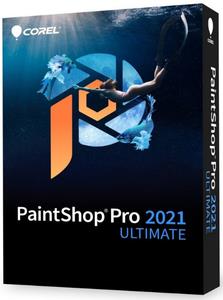
Corel PaintShop Pro 2021 Ultimate 23.1.0.27 (x64) Multilingual

d129869410f4a497ddac84242b8ad138.jpg


Corel PaintShop Pro 2021 Ultimate 23.1.0.27 (x64) | Incl. Ultimate Creative Collection 2021 | 1.7 Gb​
The Ultimate photo editing software. Take your underwater and drone photography to new heights with the Sea-to-Sky™ workspace and level up your photo editing workflow with smarter tools powered by AI.

Make it Ultimate. Make it PaintShop Pro.
Extend the creative possibilities with the ultimate collection of photo editing and design software.

AI HDR Studio
Instantly give your photos a unique HDR effect with an exclusive collection of presets powered by artificial intelligence. Experiment with a variety of styles to enhance the finest details and bring out the best in all types of photography from close-up portraiture to scenic landscapes. AI HDR Studio is a hassle-free solution to correct, enhance and apply artistic flare to your photos in a matter of seconds.

Sea-to-Sky™ Workspace
Experience an all-new photo editing workspace designed to take your underwater and drone photography to new heights. Make seamless corrections and creative improvements with a custom set of tools and relive your most memorable moments to the fullest.

Corel® Creative Collection
Expand your creative capabilities with dozens of brushes, textures, and over 100 royalty-free backgrounds. Enhance your photo projects with playful designs, flowers, sunsets, and more, along with an array of lively brushstrokes.

Edit photos like a pro
Edit, retouch, and correct your photography with a comprehensive toolset designed for all skill levels.

Create graphic designs
Work with intuitive text, brushes, textures, patterns, drawing, and painting tools to produce inspiring designs.

Enhance photos with AI
Rely on artificial intelligence and machine learning technology to enhance images with one-click to instantly make every photo, the best photo.

Choose from multiple workspaces
PaintShop Pro is all about selection and customization, offering multiple workspaces you can make your own to work most efficiently.

Add effects for impact
Experiment with hundreds of creative filters and fun effects to make your photos personal and original to share and print.

PaintShop Pro is getting smarter
Highly effective features and tools powered by artificial intelligence and machine learning technology make creating something truly original, achievable.

NEW
AI Upsampling

NEW
AI Artifact Removal

NEW
AI Denoise

NEW
AI Style Transfer

NEW
Sea-to-Sky™ Workspace

ENHANCED
Photography Workspace

Features fueling your photo editing software
Get exactly the results you want with PaintShop Pro's innovative tools and features.

Powerful photography tools and features
Depend on a versatile range of professional image editing tools to make every shot, the best shot.

Essential tools
Easily crop areas of your photo to alter the focus using composition guides, Golden Ratio and Rule of Thirds. Resize with ease using one of several presets, or resize by pixels, percentage or print size. Restore and repair old photos with the Scratch Remover and Fade Correction tools to enhance contrast and color to faded photos.

Adjustment tools
Alter your photos using a wide variety of powerful adjustment tools, including Brightness and Contrast, Fill Light and Clarity, Fade Correction, White Balance, Hue and Saturation, Noise Removal, Vibrancy, Sharpening, color correction, and tonal levels and curves.

Selection and Correction tools
Isolate the area you want to select with a variety of Selection tools and enhance your selection with the Refine Brush. Automatically correct distortions, vignetting and chromatic aberrations in your photos with Lens Correction tools and use the Straighten tool to fix a crooked horizon, or the Perspective Correction tool to make a photo appear as though it was taken from a different angle.

RAW, HDR, and 360° camera support
Manage and save metadata in your RAW files with PaintShop Pro's RAW Lab and correct problem areas, such as recovering blown highlights or adjusting shadows. Combine several photos of the same scene with different exposures to create one stunning HDR photo. Edit photographs taken with a 360° degree camera by straightening a photo with rotation or make it appear levelled. Remove and automatically replace a tripod or produce an interesting 'planet-like' effect.

Time saving tools
Reduce repetition and accelerate complex photo-editing actions with Scripts. Record a series of edits as a script to apply to any photo, anytime. Automate edits on multiple photos at once with batch processing like adding a watermark, picture frame, or simply resizing.

Layers and masks
Layers and masks are essential for advanced image editing, compositing and graphic design. Use multiple, non-destructive layers when editing images to create photo composites with ease. Create masks to hide or show parts of a layer, fade between layers, and to create special effects with precision.

Text tools
Add text to images to create interesting projects, like a meme or a picture code. Adjust fonts, size, style, alignment, leading, and kerning with a complete set of typography tools.

Drawing, painting and fill tools
Paint with built-in brushes, or import Adobe Photoshop brushes to bring your digital designs to life. Draw with vector illustration tools, and use color palettes, gradients, patterns and picture tubes to take your designs to the next level.

Templates and Creative Content
Access a wide range of built-in templates to create collages, greeting cards, social media images, web banners, brochures, business cards and more.

Smart solutions
Explore new tools powered by artificial intelligence and machine learning to improve your photos in no time.

AI-powered tools
Intricate and time consuming edits just got so much easier with the new technology engineered into PaintShop Pro. Enlarge an image without unwanted distortion with AI Upsampling, remove artifacts and noise from your photos with one click using AI Artifact Removal or AI Denoise, and stylize your photos with artistic effects using AI Style Transfer.

Content-aware tools
Remove flaws, objects and distractions with the Object Remover or try content-aware editing tools, like SmartClone, Magic Move and Magic Fill, to automatically fill empty areas. Eliminate red-eye, blemished and unwanted lines or smooth wrinkles, whiten teeth and even out skin tones with Makeover and retouching tools.

One-click corrections and instant effects
Let One Step Photo Fix automatically apply color and sharpening corrections for you or use Smart Photo Fix to fine-tune settings for a perfect photo. Preview a variety of preset photo effects such as Film Styles, Black & White, Landscape, Retro, Traditional, and Artistic or stack multiple effects for even more impact. Browse hundreds of effects, including 3D, artistic, illumination and reflection, to add drop shadows and borders to images, or turn photos into a sketch or painting.

System Requirements:
- Windows 10 (recommended version 1809 or later), Windows 8/8.1, Windows 7 with the latest service pack (64-bit editions)*
- For virtualization: Microsoft Windows Server 2012 R2, Windows Server 2016, Windows Server 2019.
- Intel® Celeron G series or AMD® Phenom II and above (Intel® i5 or AMD® Ryzen series and above recommended for Artificial Intelligence feature support)
- 4GB of RAM (8 GB recommended for Artificial Intelligence feature support)
- 3GB of available hard-disk space required (4GB recommended)
- 1366 x 768 display resolution (1920 x 1080 display resolution @100 DPI recommended). Up to 250 DPI supported with appropriate resolution display.
- DirectX 10 or higher compatible video adapter with the latest driver (DirectX 12 compatible discrete VGA card recommended for GPU acceleration)
- Internet Explorer version 10 or higher

Supported Languages: CT, DE, EN, ES, FR, IT, JP, NL, RU

Home Page -
У Вас недостаточно прав для просмотра ссылок. Войдите или зарегистрируйтесь.


Download link:​
Код:
[center][b]rapidgator_net[/b]:
https://rapidgator.net/file/c647ba4481600c6c3b03c7ae997e4b39/sgn5d.AI.HDR.Studio.1.0.0.rar.html
https://rapidgator.net/file/7fa485ec3a5800341ee7844619e182eb/sgn5d.PSU.23.1.0.27.part1.rar.html
https://rapidgator.net/file/e3c8e4f3ab9eb253c9015aa51f57df4f/sgn5d.PSU.23.1.0.27.part2.rar.html
https://rapidgator.net/file/69fd01ed10ad9f3f874069410f442e20/sgn5d.Ultimate.Creative.Collection.2021.rar.html

[b]nitroflare_com[/b]:
https://nitroflare.com/view/FDE1617DA89E2CF/sgn5d.AI.HDR.Studio.1.0.0.rar
https://nitroflare.com/view/A683E83E89C999F/sgn5d.PSU.23.1.0.27.part1.rar
https://nitroflare.com/view/13B4B17AEB3661A/sgn5d.PSU.23.1.0.27.part2.rar
https://nitroflare.com/view/1AD2B3634637ED5/sgn5d.Ultimate.Creative.Collection.2021.rar

[b]alfafile_net[/b]:
http://alfafile.net/file/8x4of/sgn5d.AI.HDR.Studio.1.0.0.rar
http://alfafile.net/file/8x4hu/sgn5d.PSU.23.1.0.27.part1.rar
http://alfafile.net/file/8x4oD/sgn5d.PSU.23.1.0.27.part2.rar
http://alfafile.net/file/8x4oK/sgn5d.Ultimate.Creative.Collection.2021.rar[/center]

Links are Interchangeable - No Password - Single Extraction​
 
Corel PaintShop Pro 2021 v23.1.0.27 (x64) Multilingual

bfab6dc358eca317b66e82fd53c5529f.jpg


Corel PaintShop Pro 2021 v23.1.0.27 (x64) Multilingual | 1.74 GB​
PaintShop Pro 2021 Photo editing software. Level up with smarter photo editing tools powered by AI. Experience pro quality results in a matter of seconds. Discover a world full of creative possibilities that will bring your photography to life.

Edit photos like a pro
Edit, retouch, and correct your photography with a comprehensive toolset designed for all skill levels.

Create graphic designs
Work with intuitive text, brushes, textures, patterns, drawing, and painting tools to produce inspiring designs.

Enhance photos with AI
Rely on artificial intelligence and machine learning technology to enhance images with one-click to instantly make every photo, the best photo.

Choose from multiple workspaces
PaintShop Pro is all about selection and customization, offering multiple workspaces you can make your own to work most efficiently.

Add effects for impact
Experiment with hundreds of creative filters and fun effects to make your photos personal and original to share and print.

PaintShop Pro is getting smarter
Highly effective features and tools powered by artificial intelligence and machine learning technology make creating something truly original, achievable.

NEW
AI Upsampling

NEW
AI Artifact Removal

NEW
AI Denoise

NEW
AI Style Transfer

NEW
Sea-to-Sky™ Workspace

ENHANCED
Photography Workspace

Features fueling your photo editing software
Get exactly the results you want with PaintShop Pro's innovative tools and features.

Powerful photography tools and features
Depend on a versatile range of professional image editing tools to make every shot, the best shot.

Essential tools
Easily crop areas of your photo to alter the focus using composition guides, Golden Ratio and Rule of Thirds. Resize with ease using one of several presets, or resize by pixels, percentage or print size. Restore and repair old photos with the Scratch Remover and Fade Correction tools to enhance contrast and color to faded photos.

Adjustment tools
Alter your photos using a wide variety of powerful adjustment tools, including Brightness and Contrast, Fill Light and Clarity, Fade Correction, White Balance, Hue and Saturation, Noise Removal, Vibrancy, Sharpening, color correction, and tonal levels and curves.

Selection and Correction tools
Isolate the area you want to select with a variety of Selection tools and enhance your selection with the Refine Brush. Automatically correct distortions, vignetting and chromatic aberrations in your photos with Lens Correction tools and use the Straighten tool to fix a crooked horizon, or the Perspective Correction tool to make a photo appear as though it was taken from a different angle.

RAW, HDR, and 360° camera support
Manage and save metadata in your RAW files with PaintShop Pro's RAW Lab and correct problem areas, such as recovering blown highlights or adjusting shadows. Combine several photos of the same scene with different exposures to create one stunning HDR photo. Edit photographs taken with a 360° degree camera by straightening a photo with rotation or make it appear levelled. Remove and automatically replace a tripod or produce an interesting 'planet-like' effect.

Time saving tools
Reduce repetition and accelerate complex photo-editing actions with Scripts. Record a series of edits as a script to apply to any photo, anytime. Automate edits on multiple photos at once with batch processing like adding a watermark, picture frame, or simply resizing.

Layers and masks
Layers and masks are essential for advanced image editing, compositing and graphic design. Use multiple, non-destructive layers when editing images to create photo composites with ease. Create masks to hide or show parts of a layer, fade between layers, and to create special effects with precision.

Text tools
Add text to images to create interesting projects, like a meme or a picture code. Adjust fonts, size, style, alignment, leading, and kerning with a complete set of typography tools.

Drawing, painting and fill tools
Paint with built-in brushes, or import Adobe Photoshop brushes to bring your digital designs to life. Draw with vector illustration tools, and use color palettes, gradients, patterns and picture tubes to take your designs to the next level.

Templates and Creative Content
Access a wide range of built-in templates to create collages, greeting cards, social media images, web banners, brochures, business cards and more.

Smart solutions
Explore new tools powered by artificial intelligence and machine learning to improve your photos in no time.

AI-powered tools
Intricate and time consuming edits just got so much easier with the new technology engineered into PaintShop Pro. Enlarge an image without unwanted distortion with AI Upsampling, remove artifacts and noise from your photos with one click using AI Artifact Removal or AI Denoise, and stylize your photos with artistic effects using AI Style Transfer.

Content-aware tools
Remove flaws, objects and distractions with the Object Remover or try content-aware editing tools, like SmartClone, Magic Move and Magic Fill, to automatically fill empty areas. Eliminate red-eye, blemished and unwanted lines or smooth wrinkles, whiten teeth and even out skin tones with Makeover and retouching tools.

One-click corrections and instant effects
Let One Step Photo Fix automatically apply color and sharpening corrections for you or use Smart Photo Fix to fine-tune settings for a perfect photo. Preview a variety of preset photo effects such as Film Styles, Black & White, Landscape, Retro, Traditional, and Artistic or stack multiple effects for even more impact. Browse hundreds of effects, including 3D, artistic, illumination and reflection, to add drop shadows and borders to images, or turn photos into a sketch or painting.

System Requirements:
- Windows 10 (recommended version 1809 or later), Windows 8/8.1, Windows 7 with the latest service pack (64-bit editions)*
- For virtualization: Microsoft Windows Server 2012 R2, Windows Server 2016, Windows Server 2019.
- Intel® Celeron G series or AMD® Phenom II and above (Intel® i5 or AMD® Ryzen series and above recommended for Artificial Intelligence feature support)
- 4GB of RAM (8 GB recommended for Artificial Intelligence feature support)
- 3GB of available hard-disk space required (4GB recommended)
- 1366 x 768 display resolution (1920 x 1080 display resolution @100 DPI recommended). Up to 250 DPI supported with appropriate resolution display.
- DirectX 10 or higher compatible video adapter with the latest driver (DirectX 12 compatible discrete VGA card recommended for GPU acceleration)
- Internet Explorer version 10 or higher

Home Page -
У Вас недостаточно прав для просмотра ссылок. Войдите или зарегистрируйтесь.


Download link:​
Код:
[center][b]rapidgator_net[/b]:
https://rapidgator.net/file/cf5b8058c3878bc911afd2e2fef593ac/fw69a.Corel.PaintShop.Pro.2021.v23.1.0.27.x64.Multilingual.rar.html

[b]nitroflare_com[/b]:
https://nitroflare.com/view/467A2D2438775D3/fw69a.Corel.PaintShop.Pro.2021.v23.1.0.27.x64.Multilingual.rar

[b]alfafile_net[/b]:
http://alfafile.net/file/8x4gE/fw69a.Corel.PaintShop.Pro.2021.v23.1.0.27.x64.Multilingual.rar[/center]

Links are Interchangeable - No Password - Single Extraction​
 
CyberLink PowerDVD Ultra 20.0.2216.62

c84d689e79d2079c26e6cf13e7bafcaf.jpg


CyberLink PowerDVD Ultra 20.0.2216.62 Multilingual REPACK | 547 MB​
PowerDVD is more than just a Blu-ray and DVD player - it's an all-in-one, premium multimedia app that allows you to get the most out of your viewing experience. In addition to the highest quality media playback available, PowerDVD allows you to organize all of your content in one place. From your full collection of video, music, and photos, PowerDVD gives you complete control and even gives you on-demand access to your media library from any device or screen, wirelessly!

Your Personal Media Center
Unleash your media collection with new seamless playback, enjoy and share movies, TV shows, and photos anywhere, on any device.

Seamless Playback (NEW!)
Continue watching from the exact point where you left off, in any room, seamlessly on any device.

Watch On-The-Go (NEW!)
Take your Movies and TV Shows anywhere with the CyberLink cloud. No internet? No problem! You can even download to your mobile device to resume watching offline.

Share with Family & Friends
It's easier than ever to share your favorite movies or shows. With CyberLink's new cloud space, upload your video, copy the link, then share!

All Your Entertainment Across Devices & Screens
Redefine your entertainment experience with the ability to view wirelessly, cast to TV devices, or stream on-the-go. Watch your videos on-demand, from any device, in any place.

Unparalleled Video & Audio Quality
Bring your favorite Ultra HD movies and high-quality videos to life with PowerDVD's exclusive cinematic TrueTheater video and audio enhancements, including extended GPU support for HDR 10.

TrueTheater for Video
Videos enhanced with brighter, richer colors, deeper blacks, and unbeatable dynamic range.

TrueTheater for Audio
Crisper, more balanced sound, and the highest digital audio quality for every movie.

Surround & Lossless Sound
Professional digital audio, now with added DTS-X pass through for multichannel, lossless sound.

Your Favorite All-in-One Multimedia Player
Whether you're watching Ultra HD Blu-ray discs, HDR content on your PC, or video favorites on your mobile device, PowerDVD gives you a truly seamless solution for all your entertainment needs.

View Movie and TV Media Info (NEW!)
Access detailed information about movies and TV shows with PowerDVD's new, extensive content database.

Organize Your Movies and TV Shows
Easily search and view your favorite videos, photos or music. Browse media by year of release, or by genre - it's under your control.

Minimum System Requirements:
The below-listed system requirements for PowerDVD are the recommended minimum for an optimum viewing experience. System requirements for PowerDVD vary depending on the media content you are viewing. CyberLink PowerDVD will optimize its performance by selecting the most appropriate media algorithm for the available processing and graphics power.

Operating System:
- Microsoft Windows 10, 8.1, 7 with Service Pack 1
- Ultra HD Blu-ray: Microsoft Windows 10 (64-bit with Fall Creators Update 2017 Oct. updates)
- HDR10: Windows 10 (64-bit with October 2018 Update)
- 8K Video Playback: Microsoft Windows 10 (64-bit with Fall Creators Update 2017 Oct. updates)
- 4K Video Playback with TrueTheater: Microsoft Windows 10 (64-bit with Fall Creators Update 2017 Oct. updates)
- Blu-ray Disc and DVD: Microsoft Windows 10, 8.1, 7 with Service Pack 1
- VR Mode: Windows 10/8.1/7 with Service Pack 1

Language Support:
- English
- French
- German
- Italian
- Spanish (European)
- Chinese Simplified
- Chinese Traditional
- Japanese
- Korean
- Russian
- Portugese (Brasil)

Home Page -
У Вас недостаточно прав для просмотра ссылок. Войдите или зарегистрируйтесь.


Download link:​
Код:
[center][b]rapidgator_net[/b]:
https://rapidgator.net/file/515f329c53a88376e039abee9369f406/bbzuy.CyberLink.PowerDVD.Ultra.20.0.2216.62.rar.html

[b]nitroflare_com[/b]:
https://nitroflare.com/view/C895A772441393F/bbzuy.CyberLink.PowerDVD.Ultra.20.0.2216.62.rar

[b]alfafile_net[/b]:
http://alfafile.net/file/8x4Lo/bbzuy.CyberLink.PowerDVD.Ultra.20.0.2216.62.rar[/center]

Links are Interchangeable - No Password - Single Extraction​
 
DeepL Pro 1.15.0

c41394986a3bdd2b3aa7b5d2fa0e525e.jpg


DeepL Pro 1.15.0 Multilingual | 159 Mb​
DeepL Pro: faster, safer, better. Unleash the full power of the world's best online translator for you and your team. Try out the world's best machine translation. Translate text in any and all applications on your computer. The fastest and easiest way to translate is using DeepL

Data Confidentiality
Your texts are deleted immediately after you've received the translation.

Enhanced translator
Unlimited web translator use & fully-editable translated documents.

CAT tools
Translators can integrate DeepL's translations into their favourite translation software.

API access
The DeepL API plan allows developers to create new apps on top of DeepL's translation quality.

The World's Best Machine Translation
DeepL's neural networks are able to capture even the slightest nuances and reproduce them in translation unlike any other service. In blind tests pitting DeepL Translator against the competition, translators prefer DeepL's results by a factor of 3:1. DeepL also achieves record-breaking performance according to scientific benchmarks.

Your Data is Secure
We guarantee DeepL Pro subscribers that all texts are deleted immediately after the translation has been completed, and that the connection to our servers is always encrypted. This means that your texts are not used for any purposes other than your translation, nor can they be accessed by third parties. As a company based in Germany, all our operations comply with European Union Data Protection laws.

Translate Whole Documents
With DeepL Pro, you can translate an entire document with one click. All fonts, images, and formatting remain in place, leaving you free to edit the translated document any way you like. Get started today and let DeepL Pro translate your Microsoft Word (.docx), PowerPoint (.pptx), and text (.txt) files. Further formats coming soon!

API Access
If you sign up for the DeepL API plan, you will be able to integrate DeepL's JSON-based REST API into your own products and platforms. This allows you to incorporate the world's best machine translation technology into a variety of new applications. For example, a company could have their international service enquiries instantly translated by DeepL Pro, greatly simplifying business procedures and improving customer satisfaction.

CAT Tool Integration
Freelance translators, translation agencies, language service providers, or corporate language departments can all benefit from using DeepL Pro, the world's best machine translation technology, in their CAT Tool.

Requirements: Windows® 10, Windows® 8/8.1, and Windows® 7

Home Page -
У Вас недостаточно прав для просмотра ссылок. Войдите или зарегистрируйтесь.


Download link:​
Код:
[center][b]rapidgator_net[/b]:
https://rapidgator.net/file/53b9cb45fda20aa250d6a0eb874f131e/bkdzq.DeepL.Pro.1.15.0.rar.html

[b]nitroflare_com[/b]:
https://nitroflare.com/view/912FA3C34ED1F78/bkdzq.DeepL.Pro.1.15.0.rar

[b]alfafile_net[/b]:
http://alfafile.net/file/8x4Lc/bkdzq.DeepL.Pro.1.15.0.rar[/center]

Links are Interchangeable - No Password - Single Extraction​
 
DeepL Pro 1.15.0 Portable

6ebd657b58585c8ee034f8ca06a59ca3.jpg


DeepL Pro 1.15.0 Portable | 152.8 Mb​
DeepL Pro: faster, safer, better. Unleash the full power of the world's best online translator for you and your team. Try out the world's best machine translation. Translate text in any and all applications on your computer. The fastest and easiest way to translate is using DeepL.

Data Confidentiality
Your texts are deleted immediately after you've received the translation.

Enhanced translator
Unlimited web translator use & fully-editable translated documents.

CAT tools
Translators can integrate DeepL's translations into their favourite translation software.

API access
The DeepL API plan allows developers to create new apps on top of DeepL's translation quality.

The World's Best Machine Translation
DeepL's neural networks are able to capture even the slightest nuances and reproduce them in translation unlike any other service. In blind tests pitting DeepL Translator against the competition, translators prefer DeepL's results by a factor of 3:1. DeepL also achieves record-breaking performance according to scientific benchmarks.

Your Data is Secure
We guarantee DeepL Pro subscribers that all texts are deleted immediately after the translation has been completed, and that the connection to our servers is always encrypted. This means that your texts are not used for any purposes other than your translation, nor can they be accessed by third parties. As a company based in Germany, all our operations comply with European Union Data Protection laws.

Translate Whole Documents
With DeepL Pro, you can translate an entire document with one click. All fonts, images, and formatting remain in place, leaving you free to edit the translated document any way you like. Get started today and let DeepL Pro translate your Microsoft Word (.docx), PowerPoint (.pptx), and text (.txt) files. Further formats coming soon!

API Access
If you sign up for the DeepL API plan, you will be able to integrate DeepL's JSON-based REST API into your own products and platforms. This allows you to incorporate the world's best machine translation technology into a variety of new applications. For example, a company could have their international service enquiries instantly translated by DeepL Pro, greatly simplifying business procedures and improving customer satisfaction.

CAT Tool Integration
Freelance translators, translation agencies, language service providers, or corporate language departments can all benefit from using DeepL Pro, the world's best machine translation technology, in their CAT Tool.

Requirements: Windows® 10, Windows® 8/8.1, and Windows® 7

Home Page -
У Вас недостаточно прав для просмотра ссылок. Войдите или зарегистрируйтесь.


Download link:​
Код:
[center][b]rapidgator_net[/b]:
https://rapidgator.net/file/ef754fe631961851ea401e6e4df45f9a/dvcr5.DeepL.Pro.1.15.0.Portable.rar.html

[b]nitroflare_com[/b]:
https://nitroflare.com/view/F057E90B07A0469/dvcr5.DeepL.Pro.1.15.0.Portable.rar

[b]alfafile_net[/b]:
http://alfafile.net/file/8x4gn/dvcr5.DeepL.Pro.1.15.0.Portable.rar[/center]

Links are Interchangeable - No Password - Single Extraction​
 
DocuFreezer 3.1.2010.22140

aa473c8cca9d9d42f88e3e545cd1f48c.jpg


DocuFreezer 3.1.2010.22140 | 139.8 Mb​
DocuFreezer is designed to convert Microsoft Word, Excel, PowerPoint, HTML, XPS and plain text documents to PDF saving internal and external links, page layouts and fonts.

Users of DocuFreezer will benefit from numerous conversion options - the software will convert documents and PDF files to JPG, TIFF or PNG formats "freezing" the look of the original documents and protecting them from any amendments. No matter which device the document will be displayed on, it will look exactly the same.

Convert documents to PDF
Drag and drop your files to DocuFreezer, select PDF as the output file format and click Start. DocuFreezer will convert any number of text documents, presentations and spreadsheets to PDF automatically!

Document imaging
DocuFreezer will release you from printing documents on paper and then scanning them to make a digital copy. The quality of output PDF or an image file will be significantly higher than the ones scanned!

Data exchange
Same documents may have a different look depending on the operating system you use: Windows XP, Windows 8, Mac, etc. To make them platform independent convert the documents to PDF or JPEG formats.

Convert to JPG, TIFF or PNG
DocuFreezer can convert text documents, presentations or spreadsheets to JPG, TIFF or PNG formats making the process smooth for any number of documents.

Archiving Documents
In case you need to archive documents, you should be able to open them several years after and likely on a new computer. This will be possible if you convert documents to PDF before uploading them on the backup storage.

Publishing documents to the web
Before publishing documents and presentations on the website, convert them all to PDF or JPG - these formats are standard for data publishing and will make the documents look the same on any devices and Internet browsers.

System Requirements:
Microsoft Windows 10 / 8 / 7 / XP Service Pack 3 (32-bit or 64-bit system) or
Microsoft Windows Server 2003 / 2008 / 2012 / 2016 or later versions
Intel Core i3 or AMD Athlon II X2 processor or faster processor
4 GB RAM or more
Hard Drive free space: 328 Mb
Required software: Microsoft NET Framework 4.0

Home Page -
У Вас недостаточно прав для просмотра ссылок. Войдите или зарегистрируйтесь.


Download link:​
Код:
[center][b]rapidgator_net[/b]:
https://rapidgator.net/file/1ed18d6be20b580a7fbb9d14e7c8aaef/9pdue.DocuFreezer.3.1.2010.22140.rar.html

[b]nitroflare_com[/b]:
https://nitroflare.com/view/D50F1418C553D3B/9pdue.DocuFreezer.3.1.2010.22140.rar

[b]alfafile_net[/b]:
http://alfafile.net/file/8x4LB/9pdue.DocuFreezer.3.1.2010.22140.rar[/center]

Links are Interchangeable - No Password - Single Extraction​
 
Назад
Сверху