• Форум работает в архивном режиме www.old.nado.in

All mitsumi'1s Applications !! (updated daily)

  • Автор темы Автор темы mitsumi1
  • Дата начала Дата начала
AquaSoft SlideShow Premium 12.2.04 Multilingual Portable
e3197879986a324a98b0049ed2605de5.jpeg


AquaSoft SlideShow Premium 12.2.04 (x64) Multilingual Portable | 370.9 Mb​
Experience your photo moments with family and friends. Transform photos, videos, text and music into a fascinating movie experience and share your memories in brilliant quality. Your photos for amazement - You have not seen your pictures this beautiful. Always put the right cut in the scene and make sure you have appropriate aperture for Wow effects. Of course, with your videos as well.

Image presentations with transitions and camera pans
- Hundreds of transitions, finely adjustable (for example duration, direction, animation, etc.)
- Use transitions as fade-ins and fade-outs
- Images in perfect quality - no pixel gets wasted.
- Display images full size or as collage
- Select the image section using a camera pan and zoom.

Animated routes by land, water and air
Show where you were. Not only will you remember your holiday destination better, but your viewers can also make a real reference to your travel itinerary by showing them the way on the map.

- Map Wizard for retrieving maps in all zoom levels from the Internet
- Various map styles such as road map or satellite image
- Describe any path with a "Running line"
- Can be combined with vehicle graphics (custom graphics can be used)
- Animation is created live, instantly playable, and can be customized at any time
- Use your own maps
- Photos, texts and videos can be displayed on maps

Your pictures come alive
Do images always have to be rigid? Not only to give boredom no chance, but above all to be able to deal with your motifs exactly, you use a wide range of animations. Whether subtle or direct, humorous or playful - a plethora of opportunities

- Images, text, videos: you can move and rotate everything along paths. This is how you create your own animations.
- You can animate camera pans. Thus, e.g. a "Ken Burns" effect or zooming to specific image details are possible.
- A powerful particle system allows you to have a wide range of animations: from the smoke of a steam locomotive to subtle moving background, rain or gently trickling snow.
- Use a curve to determine the transparency for each element of your project.

Picture in Picture
Collages bring even more life into your presentation. You combine several images, place them on backgrounds or decorate them. Now, if you animate collages as a whole as well as their individual components, you'll have your own animation studio.

- Create collages with any number of tracks in the Timeline
- Picture in Picture effects
- Timeline can be structured with chapters and collages, so that complex animations remain clear
- A number of immediately usable design elements are available, such as, e.g., forms or even speech bubbles.

Everything under control
There has to be tidiness, and large projects can not be realized without it. Organize your show in chapters and manage multi-hour slideshows with thousands of pictures.

- Project can be divided into chapters and sub-chapters so that you can comfortably denote your vacation with "Getting there", "Day 1", "Day 2", etc. Finished chapters can simply be collapsed.
- Storyboard view for easy viewing and sorting of images
- No limitation for the maximum number of images or duration of the project
- Archiving of the entire project, including all materials used (images, videos, music, fonts, etc.), so that you can have a project that can be completely edited after years.

Effect kit for your ideas
Would you like to give your images and videos a little boost, sometimes? A huge flexible effect palette is ready for you to realize your ideas.

- Live effects that affect even animated content and videos, e.g. masks, blur, soft shadows, color corrections, sepia, displacement mapping, halftone effects, mosaic, etc.
- Object effects that automatically animate or arrange your images, e.g. a transition using a soft "Ken Burns" effect, or a scroll in a filmstrip
- Other effects like "old film", camera shake, etc.
- Image effects like frames and shapes

Image and video editing
Almost every image and especially video material needs some adaptation. With video editing functions and image corrections, you bring your material into the right shape.

- Non-destructive image processing allows image corrections without changing your original images.
- Various processing possibilities, from cropping over color correction to rotation
- Effect system to create complex effects by yourself How about a picture that gently reflects downwards?
- Videocut: split, crop, truncate your videos
- Video speed can be changed (for example, for slow motion or time lapse)

Your message will come across
A word says more than a thousand pictures? You know the saying for sure. Titles and credits as well as picture captions and texts provide for a better understanding, wit and just look good.

- Adding captions/titles to images
- Free text formatting, such as color, size, font, orientation
- Various formatting possible within a text (Rich Text)
- Text animations for fading in and out, even single letters
- Text effects such as shadow and outline
- Using placeholders for inserting image information, such as e.g. the recording date
- Automatically adjusts font size to accommodate available space
- Credits as in the movies

All doors are open to you
Reach everyone! No matter which device or medium, the versatile output options offer the suitable for every purpose and also for further processing.

- Burn to Blu-ray and DVD
- Upload directly to YouTube and Vimeo
- Export as video file in all popular formats: MP4, WMV, MPG, etc.
- Export as animated GIF or as a sequence of images
- Export including player software for (also interactive) presentation on PC
- Multiple projects with menu for PC and DVD player

Presentations in no time
You want to create a slideshow suited to a topic in just a few minutes? Use intelligent templates that automatically arrange and animate everything.

- Automatically created animations from your images, videos and texts
- Combine templates with your own ideas
- Many topics available: birthday, wedding, holiday, school, Christmas, silent film, etc.
- Neutral animations are available too
- Templates are used at runtime, so the content - i.e. your pictures, videos and texts - can be adapted and is interchangeable and extendable at any time.

SlideShow Premium
- Shows with transitions and music
- Image and video animations with 3D rotation, zoom, panning, and effects
- Video and Image editing
- Versatile & freely customizable text
- Timeline with an unlimited number of tracks
- Burn to Blu-ray, AVCHD disc, and DVD
- Video export as MP4, M2TS, MOV, MKV, AVI, WebM, animated GIF, and as single frames
- Archive a project (incl. all necessary files)

System requirements:
* Operating systems: Windows 10, Windows 8, Windows 7 64 bit only
* Processor: 2 GHz, multi-core processor recommended
* Graphics card: DirectX 9c, min. 256MB memory
* RAM: 2 GB
* Optional: CD/DVD/BD writer

Home Page-
У Вас недостаточно прав для просмотра ссылок. Войдите или зарегистрируйтесь.


Download link:​
Код:
[center][b]rapidgator_net[/b]:
https://rapidgator.net/file/2be2f6fc4d2d92e75f76ae5c7cf8a68a/q3hei.AquaSoft.SlideShow.Premium.12.2.04.Multilingual.Portable.rar.html

[b]nitroflare_com[/b]:
https://nitroflare.com/view/F84F57EA24452DB/q3hei.AquaSoft.SlideShow.Premium.12.2.04.Multilingual.Portable.rar

[b]uploadgig_com[/b]:
https://uploadgig.com/file/download/ec657248867C645e/q3hei.AquaSoft.SlideShow.Premium.12.2.04.Multilingual.Portable.rar[/center]

Links are Interchangeable - No Password - Single Extraction​
 
AquaSoft SlideShow Ultimate 12.2.04 (x64) Multilingual Portable

5d3bbec19364043f0fa1f638e43f38ee.jpeg


AquaSoft SlideShow Ultimate 12.2.04 (x64) Multilingual Portable | 362 Mb​
Experience your photo moments with family and friends. Transform photos, videos, text and music into a fascinating movie experience and share your memories in brilliant quality. Your photos for amazement - You have not seen your pictures this beautiful. Always put the right cut in the scene and make sure you have appropriate aperture for Wow effects. Of course, with your videos as well.

Image presentations with transitions and camera pans
- Hundreds of transitions, finely adjustable (for example duration, direction, animation, etc.)
- Use transitions as fade-ins and fade-outs
- Images in perfect quality - no pixel gets wasted.
- Display images full size or as collage
- Select the image section using a camera pan and zoom.

Animated routes by land, water and air
Show where you were. Not only will you remember your holiday destination better, but your viewers can also make a real reference to your travel itinerary by showing them the way on the map.

- Map Wizard for retrieving maps in all zoom levels from the Internet
- Various map styles such as road map or satellite image
- Describe any path with a "Running line"
- Can be combined with vehicle graphics (custom graphics can be used)
- Animation is created live, instantly playable, and can be customized at any time
- Use your own maps
- Photos, texts and videos can be displayed on maps

Your pictures come alive
Do images always have to be rigid? Not only to give boredom no chance, but above all to be able to deal with your motifs exactly, you use a wide range of animations. Whether subtle or direct, humorous or playful - a plethora of opportunities

- Images, text, videos: you can move and rotate everything along paths. This is how you create your own animations.
- You can animate camera pans. Thus, e.g. a "Ken Burns" effect or zooming to specific image details are possible.
- A powerful particle system allows you to have a wide range of animations: from the smoke of a steam locomotive to subtle moving background, rain or gently trickling snow.
- Use a curve to determine the transparency for each element of your project.

Picture in Picture
Collages bring even more life into your presentation. You combine several images, place them on backgrounds or decorate them. Now, if you animate collages as a whole as well as their individual components, you'll have your own animation studio.

- Create collages with any number of tracks in the Timeline
- Picture in Picture effects
- Timeline can be structured with chapters and collages, so that complex animations remain clear
- A number of immediately usable design elements are available, such as, e.g., forms or even speech bubbles.

Everything under control
There has to be tidiness, and large projects can not be realized without it. Organize your show in chapters and manage multi-hour slideshows with thousands of pictures.

- Project can be divided into chapters and sub-chapters so that you can comfortably denote your vacation with "Getting there", "Day 1", "Day 2", etc. Finished chapters can simply be collapsed.
- Storyboard view for easy viewing and sorting of images
- No limitation for the maximum number of images or duration of the project
- Archiving of the entire project, including all materials used (images, videos, music, fonts, etc.), so that you can have a project that can be completely edited after years.

Effect kit for your ideas
Would you like to give your images and videos a little boost, sometimes? A huge flexible effect palette is ready for you to realize your ideas.

- Live effects that affect even animated content and videos, e.g. masks, blur, soft shadows, color corrections, sepia, displacement mapping, halftone effects, mosaic, etc.
- Object effects that automatically animate or arrange your images, e.g. a transition using a soft "Ken Burns" effect, or a scroll in a filmstrip
- Other effects like "old film", camera shake, etc.
- Image effects like frames and shapes

Image and video editing
Almost every image and especially video material needs some adaptation. With video editing functions and image corrections, you bring your material into the right shape.

- Non-destructive image processing allows image corrections without changing your original images.
- Various processing possibilities, from cropping over color correction to rotation
- Effect system to create complex effects by yourself How about a picture that gently reflects downwards?
- Videocut: split, crop, truncate your videos
- Video speed can be changed (for example, for slow motion or time lapse)

Your message will come across
A word says more than a thousand pictures? You know the saying for sure. Titles and credits as well as picture captions and texts provide for a better understanding, wit and just look good.

- Adding captions/titles to images
- Free text formatting, such as color, size, font, orientation
- Various formatting possible within a text (Rich Text)
- Text animations for fading in and out, even single letters
- Text effects such as shadow and outline
- Using placeholders for inserting image information, such as e.g. the recording date
- Automatically adjusts font size to accommodate available space
- Credits as in the movies

All doors are open to you
Reach everyone! No matter which device or medium, the versatile output options offer the suitable for every purpose and also for further processing.

- Burn to Blu-ray and DVD
- Upload directly to YouTube and Vimeo
- Export as video file in all popular formats: MP4, WMV, MPG, etc.
- Export as animated GIF or as a sequence of images
- Export including player software for (also interactive) presentation on PC
- Multiple projects with menu for PC and DVD player

Presentations in no time
You want to create a slideshow suited to a topic in just a few minutes? Use intelligent templates that automatically arrange and animate everything.

- Automatically created animations from your images, videos and texts
- Combine templates with your own ideas
- Many topics available: birthday, wedding, holiday, school, Christmas, silent film, etc.
- Neutral animations are available too
- Templates are used at runtime, so the content - i.e. your pictures, videos and texts - can be adapted and is interchangeable and extendable at any time.

System Requirements:
Operating systems: Windows 10, Windows 8 - 64-bit systems only are supported
Processor: 2 GHz, multi-core processor recommended
Graphics card: DirectX 9c, min. 256MB memory
RAM: 2 GB
Optional: CD/DVD/BD writer

Home Page-
У Вас недостаточно прав для просмотра ссылок. Войдите или зарегистрируйтесь.


Language:Multilingual

Download link:​
Код:
[center][b]rapidgator_net[/b]:
https://rapidgator.net/file/c9f0dba17828c1176fd3dd46d06c9bdf/bj3px.AquaSoft.SlideShow.Ultimate.12.2.04.x64.Multilingual.Portable.rar.html

[b]nitroflare_com[/b]:
https://nitroflare.com/view/6A9E4ED6D0A4B13/bj3px.AquaSoft.SlideShow.Ultimate.12.2.04.x64.Multilingual.Portable.rar

[b]uploadgig_com[/b]:
https://uploadgig.com/file/download/89115837b610edbd/bj3px.AquaSoft.SlideShow.Ultimate.12.2.04.x64.Multilingual.Portable.rar[/center]

Links are Interchangeable - No Password - Single Extraction​
 
AquaSoft Stages 12.2.04 (x64) Multilingual Portable

e4755e61dd3758deec789311197e292c.jpeg


AquaSoft Stages 12.2.04 (x64) Multilingual Portable | 360 Mb​
AquaSoft Stages is a tool for professionals, photographers, animators, and ambitious advanced users who require maximal functionality from their software and want to control every moment of their project precisely.

Keyframes, unlimited timeline tracks, and a huge selection of effects and transitions are designed to present your photos, videos, and animations in a professional manner. Other features like custom aspect ratios, custom dynamic parameters for Live-Effects, and the new advanced preview modes allow comprehensive and precise control of your projects. AquaSoft Stages is the solution to your sophisticated requirements - your tool to create animated image presentations.

The right tools are at your fingertips
Behind every image is a story, a message that you want to deliver impressively to your audience. Develop your idea, build the framework of your movie, and reach your goal with the tools in AquaSoft Stages.

Keyframes
Let your inner control freak run wild! Effects, sound, images/video, and animations are displayed on separate keyframes in the timeline. This allows you to control, second-precise, exactly how each element in your movie should move, sound, or look.

Live Preview
As you make changes to your project, adding movement, particles, or other effects, the result will be shown immediately in the layout designer.
Allowing you to see just how every effect has changed your project/images without needing to constantly playback.

360 degree rotation
In Stages you can rotate your images, videos, and titles the full 360 degrees. This looks especially great combined with animated camera pans as well as to create Prezi like shows or rotate titles, making your videos stand out from the crowd.

Sync your audio
With the help of tools like the playhead and Timeline markers, you can easily sync your audio to your images. The playhead gives you a frame-by-frame view of your images and video, while the Timeline markers allow you to mark the changes in audio tone, resulting in crescendos at just the right moment.

Profound and complex animations
You are the playwright, screenwriter, and director of your film project. You have an eye for detail and precision is important. Sound and pictures should flow together, so that in the end only your movie is in focus. With AquaSoft Stages you can realize your vision.

Unlimited number of tracks
Combine as many videos, photos, captions, and sounds as you like. You can apply effects to every track.

Dynamic Masks
Fade out image areas and modify selected segments over time.

More than just collages
Achieve a lively interplay of all elements by matching effects precisely to your videos and pictures.

The most important features:
Choose from many effects and templates or create your own animations. In AquaSoft Stages there are virtually unlimited design possibilities for your presentations and movies.

Video editing
Cut videos, pictures, and sounds directly in the timeline.

Time lapse and Slow motion
Create a time lapse or slow motion movie.

Particle system (snow, rain, dust)
Create impressive particle animations with dynamic parameters.

Motion paths
Animate any element and move it across the screen.

Animated Itineraries
Share your travel route with maps, tracks, and vehicles within a few clicks.

Presentations
Control the flow of your presentation automatically or with our remote app

Rotated Camera Pan
Finally, you can zoom with a 360 degree rotation in only one step.

Maximum quality output
Export your video to DVD, Blu-ray, Social Media, or in 4K quality.

Built-in effects
For quick work take advantage of built-in templates and effects.

Color-based image exemption (Chroma Key)
More commonly known as "green screen", in Stages you can replace a single colored background from photos and videos with virtual backgrounds, animated backdrops, or even transport your subjects to an island in the sun. Simply highlight the background color, eliminate it, and add the background of your choice, whether another video or still image.

System requirements:
Operating systems: Windows 10, Windows 8, Windows 7 64 bit only
Processor: 2 GHz, multi-core processor recommended
Graphics card: DirectX 9c, min. 256MB memory
RAM: 2 GB
Optional: CD/DVD/BD writer

Home Page -
У Вас недостаточно прав для просмотра ссылок. Войдите или зарегистрируйтесь.


Language:Multilingual

Download link:​
Код:
[center][b]rapidgator_net[/b]:
https://rapidgator.net/file/7de1b8e339174abb951fda647b455b08/t04vi.AquaSoft.Stages.12.2.04.x64.Multilingual.Portable.rar.html

[b]nitroflare_com[/b]:
https://nitroflare.com/view/950C1789AC0F560/t04vi.AquaSoft.Stages.12.2.04.x64.Multilingual.Portable.rar

[b]uploadgig_com[/b]:
https://uploadgig.com/file/download/E1F817486facB114/t04vi.AquaSoft.Stages.12.2.04.x64.Multilingual.Portable.rar[/center]

Links are Interchangeable - No Password - Single Extraction​
 
Araxis Merge Professional Edition 2021.5548 Portable

cce5ca6ad067e0ddc0e4ccb24f0f5f9b.jpeg


Araxis Merge Professional Edition 2021.5548 (x64) Portable | 78.5 Mb​
Araxis Merge 2021 - Take control. Be productive. Join tens of thousands of other pros using Araxis software. Araxis Merge is a software program that has been created specifically in order to help you visually compare, merge and synchronize text files and folders.

Broad appeal, many uses

For legal and publishing professionals:
instantly identify every change between different contract or manuscript drafts. Directly open and compare the text from Microsoft Office (Word and Excel), OpenDocument, PDF and RTF files. Copy text from other applications (such as Microsoft Word) and paste it directly into a text comparison.

For code reviewers and auditors:
identify in context every change made between two or three source code hierarchies. Create a standalone HTML or XML report of your findings. Add bookmarks and comments to a file or folder comparison, then save it as a single-file archive for emailing to other team members for review.

For software engineers and web developers:
compare, understand and combine different source file versions. Work quickly and accurately, whether you are comparing individual files or reconciling entire branches of source code. Use three-way comparison to integrate changes made by you, and those made by a colleague, with a common ancestor version. Synchronize a website with its staging area via FTP using the supplied FTP plugin

For release and quality control managers:
compare different source code branches to give total confidence that you know and understand every change made to every file for a specific release. Compare product releases to be certain that only the expected files have been modified. Create an HTML or XML report of changes for audit purposes.

Other users:
Whether you are working with multiple revisions of text files or need to keep multiple folder hierarchies in sync (for example, between a desktop and laptop machine), Merge could help save time and reduce errors by helping you to work quickly and accurately.

Text comparison and merging
- Merge enables you to compare and work with different revisions of text files, such as program source code, XML and HTML files. Merge can extract and compare the text from Microsoft Office, OpenDocument, PDF and RTF files. XML files can be shown with special formatting, helping you to see changes more clearly. It supports files with ASCII, MBCS and Unicode character encodings.
- Merge shows detailed highlights of changes within lines. It can be configured to ignore differences in whitespace and line endings, as well as changes in lines matching specified regular expressions. The latter is useful for ignoring unimportant changes such as timestamps or expanded version control keywords.
- A colour-coded side-by-side comparison makes it easy to pinpoint at a glance similarities and differences between files. Linking lines are drawn between the documents showing clearly how they are related.
- Point-and-click merging helps you choose the parts of each file that you would like to add to a final merged version by simply clicking buttons. The in-place editor with unlimited undo enables complete control over the merged file as you create it. The text comparison display dynamically updates as the merge progresses.

Compare text from common office file formats
- Extract and compare the text content from Microsoft Office, OpenDocument, PDF and RTF files. Copy text from other applications and paste directly into a text comparison. (Note that office document layout and formatting is not shown in text comparisons.)

Image and binary file comparison
- Merge doesn't just compare text files. Use image comparison to compare many different types of image file and instantly see which pixels have been modified. Binary comparison enables you to identify differences in data files at a byte level.

Three-way comparison and automatic merging
- Merge Professional adds advanced three-way visual file comparison and merging to the Standard Edition's two-way visual file comparison and merging. This is particularly useful when more than one person is working on the same set of files.
- Automatic Merging enables swift reconciliation of even the largest files. Three-way file comparisons can be launched directly from a three-way folder comparison, allowing efficient integration of entire branches of source code.

Folder hierarchy comparison and synchronization
- Merge supports folder hierarchy comparison and synchronization, enabling you to compare and merge entire directory trees. This is ideal for detecting changes in different versions of source code or web pages. You can even use the efficient byte-by-byte comparison option to verify the contents of recordable CDs or USB thumbsticks.
- With support for a variety of archive formats (.zip, .tar, etc.), Merge enables you to compare archives as if they were folders. Compare the contents of an archive to a folder to verify its contents, or to see which files have changed since the archive was created.
- The Professional Edition of Merge supports three-way folder comparison (with automatic merging capability), enabling two revisions of a folder hierarchy to be merged with their common ancestor or some other folder hierarchy. This can be especially useful when used in conjunction with a source code control or software configuration management system.

Direct access to configuration management (version control) systems, Time Machine and FTP sites
- As well as being able to compare files and folders on local drives and network shares, Merge comes with plugins for Git, Mercurial, Subversion and Perforce. In addition to providing read-only access to older versions of the files you are comparing, the plugins make it possible to perform a folder comparison of a local Perforce or Subversion client workspace against the repository. Alternatively, different branches (or the same branch at different points in time) within a repository can be directly compared. A similar plugin for AllChange is available from Intasoft.
- Merge integrates with local Time Machine‡ volumes, so you can open any earlier revision of a file or folder. Open the same file or folder in both the left and right comparison panes, then use the Versions button to compare a file or folder with another revision of itself.
- An FTP plugin gives Merge file and folder comparisons direct access to files located on an FTP server. It is therefore possible to use a folder comparison to synchronize a local copy of a website's content with the main site itself, provided the main site is running an FTP server.

Portable reports
- File comparison reports can be created in HTML, HTML slideshow, XML or UNIX diff format. HTML reports are particularly useful for archiving and distribution. Folder comparison reports can be created in HTML or XML format.
- A folder comparison report can, optionally, include file comparison reports for some or all of the files involved in the folder comparison. Thus it is possible to generate a report that is a complete record of all the differences in all of the files involved in a folder comparison.

Printing, automation and other advanced features
- Other features include the ability to print a hard copy of file and folder comparisons, and to customize the behaviour and appearance of the application, including fonts, colours, whether the display is split horizontally or vertically, and more.
- A full Automation or AppleScript API and Command-Line Interface are included, allowing close integration with other applications (such as source/version control and software configuration management (SCM) systems) or your workflow.
- Comprehensive online documentation is available from the Araxis website, including context-sensitive help for very dialog and dialog control.

This release is tested and supported on 64-bit versions of the following platforms:
- Windows 10 20H1 Insider Preview (Build 19041.21)
- Windows 10 November 2019 Update
- Windows 10 May 2019 Update
- Windows 8.1

The following platforms are also supported and expected to work, but not routinely tested:
- Windows Server 2019
- Windows Server 2016
- Windows Server 2012 R2

Home Page-
У Вас недостаточно прав для просмотра ссылок. Войдите или зарегистрируйтесь.


Download link:​
Код:
[center][b]rapidgator_net[/b]:
https://rapidgator.net/file/e2d9507a961041fbd4f1a5a50b50b10f/2kyba.Araxis.Merge.Professional.Edition.2021.5548.Portable.rar.html

[b]nitroflare_com[/b]:
https://nitroflare.com/view/BC669F107FE3268/2kyba.Araxis.Merge.Professional.Edition.2021.5548.Portable.rar

[b]uploadgig_com[/b]:
https://uploadgig.com/file/download/7380dc41af743a8c/2kyba.Araxis.Merge.Professional.Edition.2021.5548.Portable.rar[/center]

Links are Interchangeable - No Password - Single Extraction​
 
Better File Rename 6.24 Portable

092077aa1c460d11734e6fbd9e9389eb.jpeg


Better File Rename 6.24 Portable | 13.9 Mb​
Better File Rename is the most comprehensive file renamer on the market. You get an industrial strength utility that's fast, flexible, reliable and easy to use. That's why since 1999, thousands of hobbyists, professionals and businesses depend on Better File Rename to organize and maintain their files.

Comprehensive renaming options
- add, remove, insert and replace characters and text
- add, format, change and insert sequence numbers, create sequence number lists..
- add file date and time to the beginning and the end, rename to date..
- replace file and folder extensions
- make uppercase, lowercase, title case or sentence case
- create space-saving alphabetical sequences
- truncate, remove vowels, reverse, transpose
- and much, much more.

Work the way that suits you best
- You can use Better File Rename as a stand-alone application dragging & dropping files onto its application icon or directly into its preview window.
- Alternatively you can use it straight from the Windows Explorer by right-clicking the files and selecting the "Better File Rename." menu item.

Instant preview eliminates guesswork and errors
- See the results of your renaming options while you are typing or changing the parameters.
- The instant preview makes short work out of finding the right settings and avoids costly mistakes.

Bulk processing options
- Separate processing for file names and file extensions
- Process files, folders and subfolders ("recursively")
- Choose to confirm each file name or batch process them automatically

Combine multiple rename steps
- You can combine several rename actions into a single multi-step rename. This allows you to perform even the most complex batch renaming jobs in a single pass.
- Better File Rename allows you to create as many rename steps as you require and lets you edit and re-arrange them at will.

Digital Photograpy
- Better File Rename is the preferred renaming tool of many professional and ambitious amateur photographers and has over time grown an impressive array of features dedicated to manipulating sequence numbers (create sequence number lists, add and insert sequence numbers, pad them with 0s, etc..) and adding shooting dates & times to picture names.
- In these operations you can exploit the shooting date & time extracted from the industry-standard EXIF digital camera meta-data stored in your JPEG, CR2 or NEF photos.

Music & Sound Collections
- Music lovers will be delighted by our MP3/AAC renaming feature that allows you to exploit the ID3 meta-data embedded in most music files to create their own naming schemes for their music collection. - Meta-data information from MP3, M4P, MP4, M4A and iTunes music store files are supported.

Pro Workflow Support
Save recurring renaming options to self-contained "droplet" applications. Drag & drop files and folders onto these droplets to apply the stored settings. This allows you to automate the renaming part of your workflow.

Features for power users
For those that need even more advanced features, we provide regular expression substitution support. This advanced string manipulation technique was popularized by UNIX and PERL professionals. Definitely not for the faint of heart, regular expressions are nonetheless an excellent tool for finding, replacing and swapping text fragments.

Operating System: Windows 95/98/NT/2000/XP/VISTA/7/8/10

Home Page-
У Вас недостаточно прав для просмотра ссылок. Войдите или зарегистрируйтесь.


Language:Egnlish

Download link:​
Код:
[center][b]rapidgator_net[/b]:
https://rapidgator.net/file/b219a78c2cea277d71d5ad80c181f815/ai8mz.Better.File.Rename.6.24.Portable.rar.html

[b]nitroflare_com[/b]:
https://nitroflare.com/view/D28AE9C5B227C73/ai8mz.Better.File.Rename.6.24.Portable.rar

[b]uploadgig_com[/b]:
https://uploadgig.com/file/download/9478D99bAdd4db4c/ai8mz.Better.File.Rename.6.24.Portable.rar[/center]

Links are Interchangeable - No Password - Single Extraction​
 
Capture One 20 Pro 14.1.1.24 (x64) Multilingual Portable

a4f2c4cc7b641c8de0b13cac9730433f.jpeg


Capture One 20 Pro 14.1.1.24 (x64) Multilingual Portable | 316.15 Mb​
Capture One continues to lead the way in RAW file image editing. Expertise from creating customized color profiles for more than 400 cameras, combined with our relentless dedication to creative freedom has brought recognition to Capture One's workflow, our exceptional color handling, and precision editing tools.

We develop our software with the ambition of enabling you to achieve your creative vision through a smooth, efficient workflow; making it the professional's choice in imaging software.

Full Control
Every tool in Capture One is designed to give you full control of all aspects of the editing process - preserving, recovering and optimizing all information from your RAW files. The full range of tools offer extensive possibilities to always achieve perfect results.

The benefit of RAW
Capturing RAW files enables a broad scale of possibilities for tweaking your images, as RAW files have the full range of the captured information available from your camera. Capture One is focused on getting the most out of every RAW file. All supported camera models and lenses have custom tailored profiles to ensure the best colors and details available. Capture One provides a solid solution for editing any supported RAW file.

Tethered Capture
Capture One's industry leading tethered capture is fast, flexible and reliable, for those photography sessions where speed and accuracy is important. Shoot directly to your computer for an almost instant viewing experience - with or without instant adjustments. Enable Live View for easier composing when shooting still-life photography.

Workflow and Performance
From customizable tools, keyboard shortcuts to graphics acceleration and instant tethered capture - Capture One is built to minimize your workload and maximize your efficiency. Design your own workspace and decide your own way of working in Capture One.

Operating System:Windows 7, Windows 8 and Windows 10 (64-bit only)

Home Page-
У Вас недостаточно прав для просмотра ссылок. Войдите или зарегистрируйтесь.


Language:Multilingual

Download link:​
Код:
[center][b]rapidgator_net[/b]:
https://rapidgator.net/file/fd56fb291ef543a7ea60d36ee7c9d016/ebkcv.Capture.One.20.Pro.14.1.1.24.x64.Multilingual.Portable.rar.html

[b]nitroflare_com[/b]:
https://nitroflare.com/view/4313F8FB45B4B9F/ebkcv.Capture.One.20.Pro.14.1.1.24.x64.Multilingual.Portable.rar

[b]uploadgig_com[/b]:
https://uploadgig.com/file/download/6Fd4e63d0eeab0cE/ebkcv.Capture.One.20.Pro.14.1.1.24.x64.Multilingual.Portable.rar[/center]

Links are Interchangeable - No Password - Single Extraction​
 
CPUID HWMonitor Pro 1.45 (x64) + Portable

96a6c2feab291817beb155b2085a451f.jpeg


CPUID HWMonitor Pro 1.45 (x64) + Portable | 2.2/1.3 Mb​
HWMonitor Pro is a simple, yet powerful hardware monitoring software solution that displays in the main window the system temperature, voltage, fan speed and many other important factors and variables of your computer. Because of its expanded tree view, you can easily monitor each parameter. For example, you have the possibility to view and track the CPU core temperatures, while analyzing other details such as the assembly temperatures of the main hard drive.

One special feature that makes the application to get outside the box is the ability to add monitored values to the system tray, which can be performed from the right-click menu. Therefore, each time a value will change, you will surely get notified. What's more interesting about HWMonitor Pro is that you can easily connect to a specific IP address or another network through a simple TCP / IP connection, so you can watch the sensors of one or several distant computers.

HWMonitor Pro comes with a user-friendly interface and enables you to automatically create graphs for each logged session and save them as bitmap files, as well as to save the monitoring and the SMBus data. The application handles the most common sensor chips and tracks only the components that have compatible sensors, depending on your brand and model of motherboard, processor, keyboard etc. In addition, it can read modern CPU core thermal sensors and access the main health sensors on your system.

As it would be expected from this utility, it uses few resources, so it doesn't burden the overall performance of the computer, nor interfere with other programs' functionality.

Operating System:Windows 7, 8/8.1, 10

Home Page-
У Вас недостаточно прав для просмотра ссылок. Войдите или зарегистрируйтесь.


Download link:​
Код:
[center][b]rapidgator_net[/b]:
https://rapidgator.net/file/cf0dd8115cc5f782994c8eab0cfe4c43/gps54.CPUID.HWMonitor.Pro.1.45.Portable.rar.html
https://rapidgator.net/file/80c33811b05c88921194c83546654628/gps54.HWMonitorPro1.rar.html

[b]nitroflare_com[/b]:
https://nitroflare.com/view/859D05B4A13BA16/gps54.CPUID.HWMonitor.Pro.1.45.Portable.rar
https://nitroflare.com/view/A6BABB713369E2A/gps54.HWMonitorPro1.rar

[b]uploadgig_com[/b]:
https://uploadgig.com/file/download/31D05b6a4F3466e6/gps54.CPUID.HWMonitor.Pro.1.45.Portable.rar
https://uploadgig.com/file/download/14F9778aEca38c73/gps54.HWMonitorPro1.rar[/center]

Links are Interchangeable - No Password - Single Extraction​
 
CyberLink PowerDirector Ultimate 19.1.2808.0 Portable

e82c6192ddce221a51cf68aa73a00116.jpeg


CyberLink PowerDirector Ultimate 19.1.2808.0 (x64) Multilingual Portable | 1 GB​
Limitless Capabilities, Made Simple. Cut, refine, add effects, and publish - PowerDirector 365 offers best-in-class editing tools with an intuitive workflow. Create compelling content with powerful new effects, a streamlined user interface, and ever-growing resource libraries. No matter your level of proficiency, you can achieve spectacular results.

Integrate Complete Video Editing Capabilities Into Your Creative Workflow
Get the best of both worlds with still images and video in your production. PowerDirector works seamlessly with PhotoDirector to integrate edited photographs, graphics, or animated images. Refine your assets in PhotoDirector and add them right into your PowerDirector project or send out production stills and animated clips for a complete roundtrip workflow.

Powerful Tools, Infinite Possibilities, Inspiration Included
Unleash your creativity with the high-end performance and precision of PowerDirector 365. Harness the power of professional editing tools with an intuitive user interface, take advantage of a massive stock library, and bring your video ideas to life with monthly design packs.

Mask Designer (Enhanced!)
Create hyper-realistic image composites or expressive surrealist shots with our new advanced mask tools. Cut and combine images from different clips with unparalleled precision.

Dynamic Keyframe Controls (Enhanced!)
We've enhanced keyframing to provide more control over anchor points enabling dynamic motion as well as a new hold interpolation mode to apply your effects where you want them when you want them.

Customizable Motion Graphic Titles (Enhanced!)
Introduce every scene with an epic title. Use one of our stunning, ready-to-use motion graphic titles and customize the text and shape color to match your style.

Sketch Animation Overlays (New!)
Create the perfect tutorial video with animated sketch templates. Customize the size and color to match your style.

Refine and Match Colors, Fast (Enhanced!)
Set the tone. Keep color consistent across clips with one click or manually adjust the hue, saturation and brightness to match your look.

Add Customized Shape Objects
Insert customizable vector shapes with auto-fit text and precise keyframe controls. Choose from a wide range of text bubbles and callouts.

Dynamic Title Reveals
Get complete control over title animations and appearance with advanced tools to mask and reveal titles.

Green Screen Editing
Perform Hollywood-style green screen editing thanks to an improved chroma key engine and multi-key color sampling.

Intuitive Motion Tracking
Ensure 100% object tracking accuracy in your video clips with frame-by-frame motion tracking for both shapes and titles.

Stunning videos in a few clicks.
Pick from a huge range of ready-made templates complete with effects, titles and transitions in Express Projects. From there, it's simply a matter of adding your clips and clicking 'Produce'!

Easily Apply Speed Effects & One-Click Enhancements
Our Action Camera Center gives you everything you need to make quick edits, correct and enhance footage, as well as adjust frames, motion and more. Create the story you want, in just a few clicks!

Exceed Expectations
PowerDirector is renowned for being the world's fastest, most comprehensive video editing software. And with support for the latest video, photo, and audio formats, you'll be ready to tackle projects of any size.

Fast, by Design (Enhanced!)
Don't waste time waiting for your software to respond! Experience a superior editing performance with Intel 10th gen CPU optimization.

Professional Grade Support (New!)
Import and edit video shot on professional-grade cameras and in HEVC & VP9 10bit HDR10 & HLG, ProRes 10bit 4:2:2, XAVC 8bit 4:2:0 and MXF AVC 8bit 4:2:0 video compatibility. As well as support for AAC 5.1ch sound output.

Streamlined Workflow for YouTubers, Vloggers & Instagrammers
PowerDirector streamlines the workflow to make routine video production easier than ever - making it the best video editing software for Windows video creators!

Seamless Integration (New!)
Export your entire audio mix from PowerDirector directly into AudioDirector to deliver polished, pristine sound.

Nested Projects as PiP
Repurpose previous project files inside your new ones, and use keyframes to fully control the PiP object.

Audio Scrubbing
Hear audio while dragging the playhead through a project to quickly find a scene you need.

Video Pre-cut
Pre-cut long clips into short, reusable segments that you can use repeatedly throughout multiple projects.

Library Preview Window
Split-window mode for previewing clips, trimming, & inserting onto your timeline.

4K Preview
Preview your projects in 4K quality, and see how your video will look before you produce.

Minimum System Requirements:
- Microsoft Windows 10, 8/8.1, 7 (64 bit OS only)
- Intel Core™ i-series or AMD Phenom® II and above
- Standard Video: 128 MB VGA VRAM or higher
- 360-video: DirectX 11 compatible
- 4GB memory required (6GB or above recommended)
- 7GB hard disk space
- Burning drive is required for disc burning purpose
- Windows compatible sound card is required
- 1024 x 768, 16-bit color or above

Language Support:
- English
- French
- German
- Italian
- Spanish (European)
- Chinese Simplified
- Chinese Traditional
- Japanese
- Korean
- Dutch

Homepage-
У Вас недостаточно прав для просмотра ссылок. Войдите или зарегистрируйтесь.


Download link:​
Код:
[center][b]rapidgator_net[/b]:
https://rapidgator.net/file/2f78f51e70dfa63df4af42cd168fec3f/eo2aa.CyberLink.PowerDirector.Ultimate.19.1.2808.0.Portable.rar.html

[b]nitroflare_com[/b]:
https://nitroflare.com/view/5BFE63CE6C32FD1/eo2aa.CyberLink.PowerDirector.Ultimate.19.1.2808.0.Portable.rar

[b]uploadgig_com[/b]:
https://uploadgig.com/file/download/4b0f895b1D070D88/eo2aa.CyberLink.PowerDirector.Ultimate.19.1.2808.0.Portable.rar[/center]

Links are Interchangeable - No Password - Single Extraction​
 
DikDik 4.3.5 (x64) Multilingual + Portable

8096dc3ddf173978830b3f4618ea8bb2.jpeg


ikDik 4.3.0 (x64) Multilingual + Portable | 46 / 50.5 Mb​
We're rebranding Video Watermark Subtitle Creator as DikDik. The software is an best video watermark software for editing video, adding watermark and subtitle, It can add video,audio, image, words and subtitle in WYSIWYG, and can set time of appearance, position, size and animated effects for watermark and subtitle to video, and preview at will. It can add watermark and subtitle to videos in batch, splitting and merging video in batch.

System Requirements:
OS: Windows 7, 8, 10 (64 bit)
Processor: 1GHz Intel/AMD processor or above
RAM: 256MB RAM (512MB or above recommended)
Free Hard Disk: 200MB space for installation

Home Page-
У Вас недостаточно прав для просмотра ссылок. Войдите или зарегистрируйтесь.


Language:Multilingual

Download link:​
Код:
[center][b]rapidgator_net[/b]:
https://rapidgator.net/file/335efd40a805111c44edb409cd1e12d8/4p0ct.DikDik.rar.html
https://rapidgator.net/file/54f16a8114a35542d2587dd72ebecc07/4p0ct.DikDik4.3.5.0.rar.html

[b]nitroflare_com[/b]:
https://nitroflare.com/view/CEDFECB332668C1/4p0ct.DikDik.rar
https://nitroflare.com/view/FB79C2886B59D6B/4p0ct.DikDik4.3.5.0.rar

[b]uploadgig_com[/b]:
https://uploadgig.com/file/download/327a75Acfa8aBB5f/4p0ct.DikDik.rar
https://uploadgig.com/file/download/642Ec2958834Cdf5/4p0ct.DikDik4.3.5.0.rar[/center]

Links are Interchangeable - No Password - Single Extraction​
 
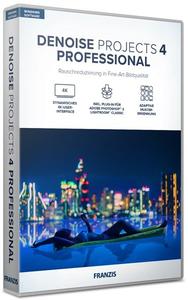
Franzis DENOISE projects 4 professional 4.41.03670 + Portable

ff75de00fc594e4b73ac4f12d1f8cf70.jpeg


Franzis DENOISE projects 4 professional 4.41.03670 (x64) Multilingual + Portable | 109.5/88.3 MB​
Many recordings hold special moments for eternity and are irretrievable. Subject hit, but the photo is noisy? DENOISE projects 4 professional automatically analyzes every recording and determines the exact level of noise reduction - without any visible loss of image details and sharpness.

New Features:
- NEW: Color-sensitive noise reduction
- NEW: Maximum noise suppression quality "Pro Infinity"
- NEW: Revised user interface for 4K screens
- NEW: Automatic sharpness test in the noise stacking module

Noise-free images in first-class image quality
Difficult lighting conditions, no tripod at hand or simply forgetting to turn down the ISO value: image noise annoys every photographer. DENOISE projects 4 professional is used successfully for such recordings - with brand new algorithms and without any visible loss of detail, sharpness, contrast and color quality. Additional tools such as filters and selective image processing options make DENOISE projects 4 professional a professional tool for perfect, noise-free photos.

DENOISE projects 4 professional - TOP features
- NEW: Smart Denoise Automatics (SDA) now with color-sensitive noise reduction
- NEW: Extended correction range from ISO 10 to ISO 10,000,000
- NEW: Maximum noise suppression quality "Pro Infinity"
- NEW: 17 picture effects from noise removal chrominance to fractal grain
- NEW: Virtual-Detail-Module for the motif-dependent generation of virtual micro-details
- NEW: Focus-Peaking-Module to display the focused areas
- NEW: Additional HSV / HSL color spaces in the grain module
- NEW: Revised and new presets in the "Web" and "Astro" categories
- NEW: Area protection in 43 variants in the RAW module
- NEW: Sensor error correction: Extension of the correction ranges to 500
- NEW: New functions in sensor error correction

Only in the professional version: All features, all possibilities
DENOISE projects 4 professional offers a full range of options: A full-fledged RAW module with color and effect filters, batch processing, 222 presets, intelligent, advanced automation, virtual micro-details, noise stacking module, selective noise removal and much more.

Sounds complicated, but everything is easy and intuitive to use. In addition, you can use DENOISE projects 4 professional easily and conveniently as a plug-in for Adobe ® Photoshop® and Lightroom ® Classic and integrate it into your usual workflow, so you can enjoy the convenience of removing noise from images. Maximum flexibility, maximum performance! If desired, professionals can of course regulate all functions individually in expert mode.

The professional features at a glance:
- PRO only: Maximum noise reduction quality "Pro Infinity"
- PRO only: noise stacking module
- PRO only: RAW module
- PRO only: batch processing
- PRO only: Plug-ins for Adobe Photoshop®, Photoshop Elements® and Lightroom Classic®
- PRO: Noise-Stacking: Erosion for star reduction integrated - automatic reduction of stars in 3 stages
- PRO: Noise-Stacking: The super-resolution drizzling process can now scale images by 300%
- PRO: RAW module: presets in all categories
- PRO: RAW module: Area protection with 43 different variants

Intoxicating motifs without noise!
Noisy pictures of lavish parties: Noise can arise in very different situations! Lush celebrations such as weddings, parties or indoor shots of churches and museums as well as night shots have one thing in common: the light is not enough for a blur-free picture because the most beautiful moments and motifs are rarely illuminated in such a way that they are ISO 100-compatible.

Automatic noise removal
The integrated automatic noise removal has been completely revised for DENOISE projects 4 professional. A significantly improved accuracy now guarantees even better results. At the same time, the ISO range of the automatic was expanded to ISO 10 to ISO 10,000,000.

Realistic noise suppression
Fire is fought with fire! De-noise photos perfectly without destroying their natural look. The Natural Grain Engine, which was specially developed for the DENOISE projects series, uses a physical trick to do this: the image is first de-noised as far as is technically feasible. In a second step, the program specifically counts film grain into the picture. The resulting image look is incredibly realistic - of course, realistic.

System Requirements:
- Windows 10/8/7 (64-bit)
- Core Duo processor
- 2 GB of free RAM
- 2 GB HDD
- Screen resolution 1,280 x 1,024 pixels, graphics card: DirectX 9 compatible, 128 MB, 32 bit color depth
- Product languages: English, Deutsch, French.

Home Page -
У Вас недостаточно прав для просмотра ссылок. Войдите или зарегистрируйтесь.


Download link:​
Код:
[center][b]rapidgator_net[/b]:
https://rapidgator.net/file/2af87f8c122e695539365802c9b89584/mr0jx.Franzis.DENOISE.projects.4.professional.4.41.03670.rar.html
https://rapidgator.net/file/169dd6d2450bbd159cdc43b64fae6089/mr0jx.Franzis.DENOISE.projects.4.professional.v4.41.03670.64.Bit.Portable.rar.html

[b]nitroflare_com[/b]:
https://nitroflare.com/view/09C051DDBDA10CE/mr0jx.Franzis.DENOISE.projects.4.professional.4.41.03670.rar
https://nitroflare.com/view/9E4E27D3EDF9B87/mr0jx.Franzis.DENOISE.projects.4.professional.v4.41.03670.64.Bit.Portable.rar

[b]uploadgig_com[/b]:
https://uploadgig.com/file/download/a6385b7a3aa23De3/mr0jx.Franzis.DENOISE.projects.4.professional.4.41.03670.rar
https://uploadgig.com/file/download/05172b3a725e4410/mr0jx.Franzis.DENOISE.projects.4.professional.v4.41.03670.64.Bit.Portable.rar[/center]

Links are Interchangeable - No Password - Single Extraction​
 
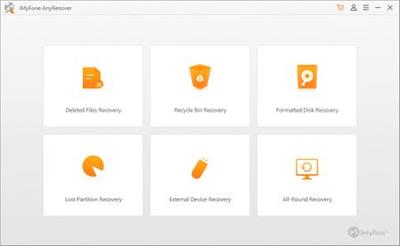
iMyFone AnyRecover 5.1.0.11 (x64) Multilingual Portable

c21f75d93289aa7b564818e1fdeee355.jpeg


iMyFone AnyRecover 5.1.0.11 (x64) Multilingual Portable | 116.75 Mb​
Want to recover files from your PC or SD card? Let AnyRecover data recovery for Windows help you find any traces of files you have deleted; It can get back lost data from any rewritable storage media you have.

Over 1000 File Types Supported
Accidentally deleted an important file? No worries! With this Windows data recovery software , only in a few clicks, you can retrieve any types of files, even if the files were deleted long time ago.

Document
DOC/DOCX, XLS/XLSX, PPT/PPTX, PDF, CWK, HTML/HTM, INDD, EPS, etc.

Video
AVI, MOV, MP4, M4V, WMV, 3GP, 3G2, MKV, ASF, FLV, SWF, MPG, RM/RMVB, MPEG, etc.

Email
PST, DBX, EMLX, EML, MSG, etc. (from Outlook, Outlook Express.)

Photo
JPG/JPEG, PNG, GIF, TIFF/TIF, BMP, PSD, CRW, CR2, NEF, ORF, RAF, SR2, MRW, DCR, WMF, DNG, ERF, RAW, etc.

Audio
MP3, WAV, AIF/AIFF, M4A, WMA, MID/MIDI, OGG, AAC, etc.

Others
Archives (such as ZIP, RAR, SIT, ISO, etc.), exe, HTML, SITX, etc.

System requirements:
Supported OS: Windows 10, Windows 8.1, Windows 8, Windows 7, Windows XP
File System: FAT16, FAT32, exFAT, NTFS, HFS+
CPU: 1GHz (32 bit or 64 bit) or above
Disk Space: 200 MB or more free space
RAM: 512 MB or more

Home Page-
У Вас недостаточно прав для просмотра ссылок. Войдите или зарегистрируйтесь.


Language:Multilingual

Download link:​
Код:
[center][b]rapidgator_net[/b]:
https://rapidgator.net/file/4a07a7a6124ba3f4e52872e505322c2d/mn50i.iMyFone.AnyRecover.5.1.0.11.x64.Multilingual.Portable.rar.html

[b]nitroflare_com[/b]:
https://nitroflare.com/view/F796BFDFF19BC95/mn50i.iMyFone.AnyRecover.5.1.0.11.x64.Multilingual.Portable.rar

[b]uploadgig_com[/b]:
https://uploadgig.com/file/download/740d7Ef70dA1920b/mn50i.iMyFone.AnyRecover.5.1.0.11.x64.Multilingual.Portable.rar[/center]

Links are Interchangeable - No Password - Single Extraction​
 
IObit Software Updater Pro 4.0.0.87 Multilingual + Portable

429b0c670a5c02224dc4a3a156c97e39.jpeg


IObit Software Updater Pro 4.0.0.87 Multilingual + Portable | 20.3 / 29.4 Mb​
Outdated software may leave some risks to your PC. It's better to keep all software up-to-date. With 180% larger software database, IObit Software Updater can automatically scan and update your software in a scheduled time without bothering you, and you just need to list your software in the "Auto-Update List".

Easily Get Must-have Software
Having no idea which software is the right one or bothering to install your needed software one by one on websites? IObit Software Updater gives you the best solution by recommending trustworthy and popular programs for you to install from within this software. All these programs have been already well classified according to their functions, so you can select and install your needed ones instantly and easily.

Faster Download and Safer Installation
Worried about the software updating process? You don't have to. To avoid of long time waiting during software downloading, the latest IObit Software Updater used a new algorithm to help downloading process 10% faster. Also IObit Software Updater use strict criteria to make sure you've got the clean software and not annoyed by ads or bundleware or even malware while installing software.

Operating System:Windows XP/Vista/7/8/8.1/10

Home Page-
У Вас недостаточно прав для просмотра ссылок. Войдите или зарегистрируйтесь.


Download link:​
Код:
[center][b]rapidgator_net[/b]:
https://rapidgator.net/file/b2090d2cb530a7162116c2a00841f4a4/7fwdb.IObit.Software.Updater.Pro.4.0.0.87.Portable.rar.html
https://rapidgator.net/file/bff81aa64c126113dc9114029dd21590/7fwdb.IObit.Software.Updater.Pro.v4.0.0.87.rar.html

[b]nitroflare_com[/b]:
https://nitroflare.com/view/5EBA1BBE2801A6F/7fwdb.IObit.Software.Updater.Pro.4.0.0.87.Portable.rar
https://nitroflare.com/view/2F662300555D62F/7fwdb.IObit.Software.Updater.Pro.v4.0.0.87.rar

[b]uploadgig_com[/b]:
https://uploadgig.com/file/download/5a49Dd801B35fB68/7fwdb.IObit.Software.Updater.Pro.4.0.0.87.Portable.rar
https://uploadgig.com/file/download/4c09dF4a66c26683/7fwdb.IObit.Software.Updater.Pro.v4.0.0.87.rar[/center]

Links are Interchangeable - No Password - Single Extraction​
 
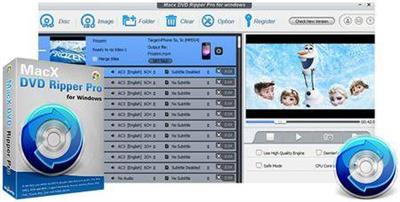
MacX DVD Ripper Pro 8.9.8.170 Multilingual + Portable

f094ff68384274196092d699f8604d98.jpeg


MacX DVD Ripper Pro 8.9.8.170 Multilingual + Portable | 38.8 / 38.5 MB​
MacX DVD Ripper Pro for Windows is the fastest DVD ripper for windows (10/8/7) to backup DVD to ISO/hard drive, rip DVD to MP4, FLV, MOV, MPEGAVI, WMV, etc for iPhone SE/6s/6s Plus, iPad Air 2, iPad Mini 4/3/Mini with Retina, The new Apple TV, Android, HTC One M9, Samsung Galaxy S6/edge+, Galaxy Note 5/Edge, WP8, Surface, WP8, etc with 100% quality reserved.

This DVD ripper software gives you full access to protected DVD movies by getting rid of the copy protections. It strips CSS encryption, Sony ARccOS encryption, RCE Region protection, Disney X-project DRM, etc. Powered with NVIDIA® CUDA™, this DVD ripper for Windows (10) demonstrates its speed excellence, costing 5 minutes only in copying a 2-hour DVD movie.

Convert DVD to AVI, MP4, FLV, WMV, MOV, etc
Backup and rip DVD to the more convenient and smaller sized video formats on Windows PC for playing, sharing and editing. MacX DVD Ripper Pro for Windows gets prepared for all audio and video formats, including rip DVD to AVI, MP4, FLV, WMV, MPEG, MOV, MP3, etc which are perfect for portable devices like iPhone, iPad, iPod, Apple TV, PSP, Android, HTC, Samsung, Google new Nexus 7, and more.

Rip DVD to iPhone, iPad, Android, and 370+ Mobiles
To make sure you could put your favorite DVD movies in your pocket for playback anywhere and anytime, this DVD ripper has 370+ ready profiles for portable devices and is able to rip DVDs straight to iPhone SE/6s/6s Plus/6/5S/5C, iPad/Air 2/Mini 4/Mini with Retina, iPad Pro, iPod/5, Apple TV, Android, HTC Desire 816, Samsung Galaxy S6 edge+/5/4, Galaxy Tab S, Galaxy Note 4/Edge, Google new nexus 7, PS4, Surface Pro 3, Xperia Z4/Z5/C4/M4 and other popular mobile phones and tablets.

Support the Latest DVD Copy Protections
This DVD ripper for windows (10) is updated constantly to keep up with any new DVD copy protections. At this moment, it can strip the major copy protections off DVD movies, like CSS encryption, Sony ARccOS encryption, RCE Region protection, even the newly released Disney X-project DRM. It provides you a perfect solution to rip copy protected DVD movies to plain videos without effort.

Copy DVD to ISO, Hard Drive and USB
The DVD copy feature allows you to backup DVD to ISO image and DVD folder without cutting down the quality during the DVD backup operation. It allows you to copy full /main content of DVD to MPEG-2 file with lossless video quality and 5.1 Channel AC3/DTS Dolby audio. It only takes 5 min to complete the copy process of a 2-hour DVD movie on Windows 7/8/10.

Trim, Crop, Merge, Add External Subs to Edit Video
With this DVD ripping tool for PC, You can access all available editing functions to trim, combine and crop your DVD movie. You can create a custom clip from a larger scene to adjust the duration of your clip by trimming. The crop feature helps you cut off the black edges you don't want to keep. Combining some of video clips into a single video can be achieved by merging. It also leaves up to you to select subtitle track (incl. forced subtitle ) and attach external .srt subtitles to the movie.

Flexible Parameter Settings for Output Video
MacX DVD Ripper offers a decent level of control over parameter setting. Lots of customized options are provided so that you can choose video codec, adjust video/audio bitrate, frame rate, aspect ratio, resolution etc for making personalized videos.

Easy to Handle
Supporting Hyper-Threading, batch conversion, and Multi-Core CPU processing on Mac (specially designed for i3, i5, i7) can speed up the ripping process dramatically, the advanced function "Run as Safe Mode" and "Advanced Deinterlacing Accelerator" will also smooth the conversion and improve the video effect.

Ripping DVD with Fast Speed
It is featured for NVIDIA CUDA graphics acceleration technology, promoting the DVD ripping process, up to 36 times performance compared to other DVD rippers. The multi-core CPU utility and hyper threading technology help to maximize the speed as well. Thus, you can rip a DVD movie in a fraction of seconds while getting a good-looking video with no quality loss.

Lossless Output Quality
Generally, it is difficult to balance the video quality and file size. But this DVD ripper for windows make a perfect balance between them. The default setting for each output format will help you to maximize the output quality. The "High Quality Engine " and "Deinterlacing" are also designed in this DVD ripper to ensure highest possible output quality with desired file size.

Take snapshot and Extract Audio from DVD File
With this DVD ripper, it is easy to extract background music from the DVD file and rip DVD audio to MP3 audio format with high quality. An option is also offered to those who would like a copy of the favorite scene in the DVD movies for making wallpapers.

Home Page-
У Вас недостаточно прав для просмотра ссылок. Войдите или зарегистрируйтесь.


Language:Multilingual

Download link:​
Код:
[center][b]rapidgator_net[/b]:
https://rapidgator.net/file/82be792b17c5aaa13fe086b9e162bbc3/vrciq.MacXDVDRipperPro8.9.8.170.rar.html
https://rapidgator.net/file/3e02ad262bcd4315315194d12043050e/vrciq.MacXDVDRipperProForWindows.rar.html

[b]nitroflare_com[/b]:
https://nitroflare.com/view/8B77D9CD5DF3CD9/vrciq.MacXDVDRipperPro8.9.8.170.rar
https://nitroflare.com/view/C15673DF96E351F/vrciq.MacXDVDRipperProForWindows.rar

[b]uploadgig_com[/b]:
https://uploadgig.com/file/download/7f97fDf86c635545/vrciq.MacXDVDRipperPro8.9.8.170.rar
https://uploadgig.com/file/download/77a34dfd0dB2bC86/vrciq.MacXDVDRipperProForWindows.rar[/center]

Links are Interchangeable - No Password - Single Extraction​
 
Pixologic ZBrush 2021.6.3 Portable

ee4ad73c1cc918d3fbe70c0ba732109c.jpeg


Pixologic ZBrush 2021.6.3 (x64) Portable | 1.21 GB​
ZBrush sets the industry standard for digital sculpting and painting. Its features enable you to use customizable brushes to shape, texture and paint virtual clay in a real-time environment that provides instant feedback. When you use ZBrush you'll be empowered by the same tools employed by film studios, game developers, toy/collectible makers, jewelry designers, automotive/aviation designers, illustrators, advertisers, scientists and other artists the world over. In fact, we have even received an Academy Award for the technology that powers ZBrush.

In short, ZBrush is an art tool created by artists, for artists. It allows you to create models and illustrations limited only by your imagination, at a speed that allows you to stand out in today's fast paced industry.

Base Mesh Generation
As with anything else in life, where you can go is usually determined by where you begin. Having a great finished model requires a quality base mesh. ZBrush provides an arsenal of tools to assist with this task, ensuring that no matter what you have in mind, there is a way to get the perfect base to then take to the next level. The best known of these systems are explained here.

Sculptris Pro
Ignore the constraints of polygon distribution and simply - sculpt! Sculptris Pro will dynamically add (tesselate) and remove (decimate) polygons wherever and whenever needed. It does this during your brush stroke in a real-time process called Tessimation. This frees you to focus entirely on the look you're trying to achieve.

Dynamesh
DynaMesh is a perfect solution for free-form sculpting because it removes all need for focusing on topological constraints. Change the overall shape of the model by pushing or pulling, adding various pieces of geometry to combine into one, or even remove geometry in a manner similar to what can be done with Boolean operations. Where Sculptris Pro dynamically adjusts the triangles in your mesh as you sculpt, DynaMesh redistributes the model's polygons as quads on command.

Mesh Detailing
Whether created in ZBrush or imported from elsewhere, once you have your base mesh it is time to start detailing. ZBrush features a robust suite of tools to accomplish this. Those listed below are just the tip of the iceberg.

Sculpting Brushes
The main workflow for creating with ZBrush is based on a system of brushes which can also be modulated using pen pressure from a graphics tablet. ZBrush will reproduce the natural feeling of a real paint brush or sculpting tool, using the pressure applied to the pen tip to transform your digital stroke in a variety of ways. There are brushes to pinch, move, build up the surface, chisel into it, slice through the model and much more. You can even use other 3D models as brushes, inserting their geometry into your surface.

Noisemaker
In addition to being able to add detail by hand, ZBrush provides a system for procedurally generating surface detail through noise patterns. Choose a detail type, adjust a few simple parameters, then apply that pattern to your model in its entirety or by restricting it to a certain region. You can even combine different noise types to create highly complex effects. The Noise system is ideal for both hard surface work and organic details.

PolyPaint
Because ZBrush works with tens of millions of polygons in real-time, you can paint directly on the surface of the model without first assigning a texture map or UV's. This offers significant advantages compared to a standard workflow. The resolution of the texture map does not need to be decided in advance. This is particularly valuable if you find you need more detailing on an area than you thought you would. Instead of repainting a new, larger texture map you can simply transfer the existing surface detail to that larger map without any reworking. You don't even need to do UV unwrapping before you begin this painting. In fact, thanks to the way that ZBrush can project details (both sculpted and painted) from one model to another you can have a fully painted model before you even have a finalized animation mesh. Instead, you can copy everything to the final base mesh once it has been signed off on.

UV Master
In order create or use a texture map, a model first needs UV's. These are 2D coordinates that tell all 3D applications how to apply a texture to your model. With most programs, creating those UV's has been a time consuming challenge that requires a high level of technical expertise and has little room for creativity. With UV Master you are able to create very efficient UV's for your model - in most cases with a single click. If you need more control over this automatic process there are features that refine where seams will be placed or increase the amount of pixel space given to certain regions of your model. It's both intuitive and fast, letting you get back to being creative with minimal fuss.

Rendering
Whether you are using ZBrush by itself as an illustration tool or as part of a production pipeline for animation, you will at some point want to show your work to others. ZBrush makes this possible through a powerful rendering system called BPR (Best Preview Render).

Highly Recommended Specifications:
- OS: 64-bit editions of Windows Vista or newer.
- CPU: Intel i5/i7/Xeon technology or AMD equivalent.
- RAM: 8 GB required for working with multi-million poly models. (16+ GB preferred.)
- HDD: 100 GB of free hard drive space for ZBrush and its scratch disk. (SSD drive highly recommended.)
- Pen Tablet: Wacom or Wacom compatible. (WinTab API.)
- Monitor: 1920x1080 monitor resolution or higher with 32-bit color.
- Video card: Most cards manufactured 2008 or newer. Must support OpenGL 3.3 or higher.

Home Page-
У Вас недостаточно прав для просмотра ссылок. Войдите или зарегистрируйтесь.


Download link:​
Код:
[center][b]rapidgator_net[/b]:
https://rapidgator.net/file/45ff50ada4fe265ed1d2d87a2c15f068/f48w5.Pixologic.ZBrush.2021.6.3.Portable.rar.html

[b]nitroflare_com[/b]:
https://nitroflare.com/view/DB6B272CCFCDA0C/f48w5.Pixologic.ZBrush.2021.6.3.Portable.rar

[b]uploadgig_com[/b]:
https://uploadgig.com/file/download/6dc17374318c01dC/f48w5.Pixologic.ZBrush.2021.6.3.Portable.rar[/center]

Links are Interchangeable - No Password - Single Extraction​
 
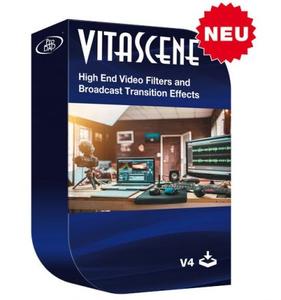
proDAD VitaScene 4.0.291 + Portable

50751de4762fd1ae9754cfee4ba718d0.jpeg


proDAD VitaScene 4.0.291 (x64) Multilingual + Portable | 152 / 244 Mb​
With over 1,400 professional transition effects and video filters, proDAD VitaScene V4 offers probably the most comprehensive and versatile collection of high-quality effects. This makes VitaScene V4 the ideal effect package whether you are a filmmaker, content creator or you shoot weddings, whether you produce documentaries or travelogues. Compared to its predecessor, proDAD VitaScene V4 has grown in scope from around 700 to about 1,400 filters and transition effects.

And for the first time VitaScene V4 offers a completely new, comprehensive effect category that is currently at the top of many filmmakers' wish lists: "Seamless Transitions".

"Seamless Transitions" allow for particularly dynamic, organic, and flowing transitions. A high-quality motion blur can also be combined with a unique color shift effect. Versatile presets allow applying the effects quickly and easily. If you wish to do so, the intensity of the filters and the style of the animation can be precisely controlled via keyframes and adapted to the individual video material. This provides the user with new and flexible design options. The "Seamless Transitions" enrich the creative toolset of each designer and are also excellently suited for dynamic title and graphic animations.

The "Seamless Transitions" section alone already includes a dozen different categories such as wipes, zooms, warps, stretching or panoramic transition effects. These groups are then further subdivided into different characteristics and styles.

In addition to the new "Seamless Transitions", VitaScene V4 PRO offers the entire spectrum of the proven proDAD video filters and transition effects in the best professional quality. These include filters for looks as well as light filters for lighting your scene in postproduction. This ranges from soft accents and reflections to glistening light. Changes in color and brightness create a romantic or a dynamic mood. Spotlight effects allow to highlight and emphasize details.

Present your pictures in the style of a cartoon, a pencil drawing or in a 3D look! Create surreal worlds by transforming landscape and building shots into miniature landscapes applying the tilt shift effect. Video filters with highly efficient algorithms will enhance older or not so perfect shots and optimize contrast, brightness, sharpness, and color - all fully automatic and in no time at all!

The VitaScene V4 video filters can also be applied excellently to text inserts and graphics, allowing particularly impressive effects and animations to be created - all with just a few mouse clicks and without any programming effort. The effective GPU acceleration makes VitaScene V4 particularly powerful and fast. This makes using Vitascene V4 effects fun, regardless of whether you work with editing solutions from Grass Valley, Adobe, Blackmagic Design, Corel, Cyberlink, Pinnacle or with MAGIX Deluxe or MAGIX VEGAS.

Features:
- Over 1,400 professional video filters & transition effects
- Also ideal for animating Text & Graphics
- Supporting up to 8K
- Extensive Presets
- Controllable via Keyframes
- Effective GPU-Acceleration

System Requirements:
- Windows 64-Bit Vista, Win7, Win8, Win8.1, Win10
- i7 CPU
- 6 GB Memory

Homepage-
У Вас недостаточно прав для просмотра ссылок. Войдите или зарегистрируйтесь.


Download link:​
Код:
[center][b]rapidgator_net[/b]:
https://rapidgator.net/file/4c45d673da3eab834a68f018fb1688e3/qgai5.proDAD.VitaScene.4.0.291.rar.html
https://rapidgator.net/file/ef1fc6a33801f09e008484efb599abf8/qgai5.proDAD.VitaScene.v4.0.291.64.Bit.Portable.rar.html

[b]nitroflare_com[/b]:
https://nitroflare.com/view/D8FC6FECFF17620/qgai5.proDAD.VitaScene.4.0.291.rar
https://nitroflare.com/view/C59B760D5AC1386/qgai5.proDAD.VitaScene.v4.0.291.64.Bit.Portable.rar

[b]uploadgig_com[/b]:
https://uploadgig.com/file/download/129b731c3a64e245/qgai5.proDAD.VitaScene.4.0.291.rar
https://uploadgig.com/file/download/c51f809eC2e82d3d/qgai5.proDAD.VitaScene.v4.0.291.64.Bit.Portable.rar[/center]

Links are Interchangeable - No Password - Single Extraction​
 
ReNamer Pro 7.3 Multilingual + Portable

62f868674482d97ac099bbae06280478.jpeg


ReNamer Pro 7.3 Multilingual + Portable | 4.1/3.9 Mb​
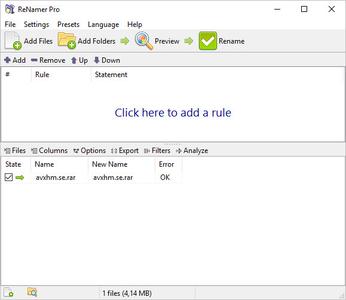
ReNamer is a very powerful and flexible file renaming tool, which offers all the standard renaming procedures, including prefixes, suffixes, replacements, case changes, as well as removing contents of brackets, adding number sequences, changing file extensions, etc. For advanced users there is support for Regular Expressions and a PascalScript rule, which lets users program their very own renaming rule.

Program allows you to combine multiple renaming actions as a rule set, applying each action in a logical sequence, which can be saved, loaded, and managed within the program. In addition, it has an ability to rename folders, process regular expressions, Unicode capable, and supports variety of meta tags, such as: ID3v1, ID3v2, EXIF, OLE, AVI, MD5, CRC32, and SHA1.

Operating System:Windows 2000 and later

Home Page -
У Вас недостаточно прав для просмотра ссылок. Войдите или зарегистрируйтесь.


Download link:​
Код:
[center][b]rapidgator_net[/b]:
https://rapidgator.net/file/83a9893e93ab55b92a1c1aa23b2d136e/dd7ms.ReNamer.Pro.7.3.Portable.rar.html
https://rapidgator.net/file/7882d94dd92c56a2ff2f56fa0fbecb6a/dd7ms.ReNamer.Pro.7.rar.html

[b]nitroflare_com[/b]:
https://nitroflare.com/view/58D5BFB8C14608D/dd7ms.ReNamer.Pro.7.3.Portable.rar
https://nitroflare.com/view/2B1E76C20C3CBBC/dd7ms.ReNamer.Pro.7.rar

[b]uploadgig_com[/b]:
https://uploadgig.com/file/download/69b2ae5b7c16815C/dd7ms.ReNamer.Pro.7.3.Portable.rar
https://uploadgig.com/file/download/09e636a8b6fd7D05/dd7ms.ReNamer.Pro.7.rar[/center]

Links are Interchangeable - No Password - Single Extraction​
 
StudioLine Photo Pro 4.2.62 Multilingual Portable

be40b9370705168b8d3cc2952215a92e.jpeg


StudioLine Photo Pro 4.2.62 Multilingual Portable | 153 Mb​
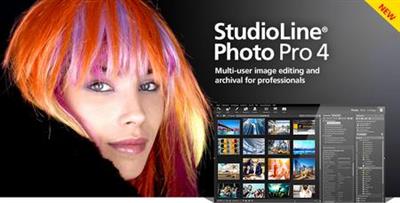
StudioLine Photo Pro 4 is the highly effective software for the professional editing and management of large image collections in server-based networks. Of course, the RAW formats from all popular camera models are supported.

All in One - Plus Networking
StudioLine Photo Pro is a multi-user product for server-based networks. The initial license covers the server instance plus 5 workstations. Additional workstations licenses can be added at any time.Sophisticated user administration functions are available to manage users, groups and permissions. Using a group-centric security model makes it easy to control capabilities for staff and grant varied access levels to specific image archive folders.

Your Personal Load Assistant
Quickly and easily load images from you camera, hard disk or other drives. Any files not previously loaded are automatically suggested and selected.

Pre-defined Tool Settings
Store frequently used image tools (filters) or entire filter sequences as templates. This way the same tool settings are available at any time to treat further images with the same editing steps.

Protect Your Images
Superimpose your personal watermark into your images to prevent unauthorized use. Any graphics and text may be combined to create watermarks.

Easy Print
Create print layout to suit various occasions. Taylor your images for optimal print results on the desired output medium.

MediaCenter
Quickly and easily share your photos and videos on the web with friends and family. You control who may access each of your online albums, and if downloading is permitted. Visitors of your albums can search images based on embedded information, or view them as a slide show or on a map.

Professional Image Editing
Numerous images tools such as white balance, unsharp mask oder RGB mixer are available. All editing steps are non-destructive; they are kept in a database and the original image remains untouched. A few quick steps and your foto set will appear as a slide show, is published as a gallery to the web or burned onto CD/DVD, or is sent via email to your circle of friends.

Archival Made Easy
Categorize your images with unlimited text in system and user descriptors or by assigning keywords and ratings. After that, searching for specific images or those matching a certain theme is child's play.

Presentation
View your images in your own albums, in the advanced Timeline Explorer or by keywords and categories. Avoid data loss by backing up your image archive, with all metadata and image edits, to CD, DVD or secondary hard disk.

Convenient Geotagging
Geotag your images with GPS coordinates from GPS loggers or GPS equipped digital cameras. Or, use the Geo Explorer to drag untagged images to the correct location on a map.

System Requirements:
- Windows® Vista, Windows® 7, Windows® 8, Windows® 10
- Multi-core processor with a minimum of 1.6 GHz, higher recommended
- 2 GB RAM, more recommended
- 150 MB disk space for programs (allow extra space for data)
- 24 bit graphics adapter with monitor resolution of 1024 x 768 pixels

Home Page-
У Вас недостаточно прав для просмотра ссылок. Войдите или зарегистрируйтесь.


Language:Multilingual

Download link:​
Код:
[center][b]rapidgator_net[/b]:
https://rapidgator.net/file/acdf6b19da8bfbe933f1121a295cf60a/61nzg.StudioLine.Photo.Pro.4.2.62.Multilingual.Portable.rar.html

[b]nitroflare_com[/b]:
https://nitroflare.com/view/D0A7146F78D561E/61nzg.StudioLine.Photo.Pro.4.2.62.Multilingual.Portable.rar

[b]uploadgig_com[/b]:
https://uploadgig.com/file/download/615e46E11A5eaCa3/61nzg.StudioLine.Photo.Pro.4.2.62.Multilingual.Portable.rar[/center]

Links are Interchangeable - No Password - Single Extraction​
 
VovSoft SEO Checker 4.4 + Portable

b78350beddeaacebc30cf1343d87f969.jpeg


VovSoft SEO Checker 4.4 + Portable | 4.1/3.2 Mb​
Search engine optimization (SEO) or organic search marketing, refers to software designed to improve the ranking of websites in search engine results pages (SERP) without paying for placement. These products provide insights through features, such as keyword analysis and backlink tracking to identify the best strategies for improving search relevance.

SEO Checker is an easy to use website crawler, able to crawl both small and very large websites efficiently, while allowing you to find broken links, analyze the results in real-time, gather onsite data, distinguish internal and external links, check dofollow and nofollow links, analyze META descriptions, H1, H2, H3 tags.

Operating System:Windows 10/8.1/8/7/Vista/XP

Home Page-
У Вас недостаточно прав для просмотра ссылок. Войдите или зарегистрируйтесь.


Download link:​
Код:
[center][b]rapidgator_net[/b]:
https://rapidgator.net/file/4b789e81d403d5f84e3ac8a88e9a0e31/632gl.SEO.Checker.4.4.Portable.rar.html
https://rapidgator.net/file/8185afbed55a5d1f5440f51b7895fa93/632gl.VovSoft.SEO.Checker.4.4.rar.html

[b]nitroflare_com[/b]:
https://nitroflare.com/view/CA53FCF5313C794/632gl.SEO.Checker.4.4.Portable.rar
https://nitroflare.com/view/83E8024CC92C647/632gl.VovSoft.SEO.Checker.4.4.rar

[b]uploadgig_com[/b]:
https://uploadgig.com/file/download/171471c0Fe571066/632gl.SEO.Checker.4.4.Portable.rar
https://uploadgig.com/file/download/2dE8FE7a4f143b40/632gl.VovSoft.SEO.Checker.4.4.rar[/center]

Links are Interchangeable - No Password - Single Extraction​
 
Strezov Sampling Jade Ethnic Orchestra v1.1.Update KONTAKT

da17d3d5d43493e105423dfac5fe554a.jpeg


Strezov Sampling Jade Ethnic Orchestra v1.1.Update KONTAKT | 13.25 Gb​
The biggest collection of Chinese and Mongolian virtual instruments out there. A unique and breathtaking collection featuring some of the best Chinese musicians recorded in their country with state of the art equipment and a deep sampling approach with up to 4 dynamic layers. An Ethnic Chinese Orchestra, Percussion Section, two Choirs and more all in one package.

We learned so much about ethnic instruments when we sampled Balkan Ethnic Orchestra in 2017. After spending three years refining our sampling process Strezov Sampling finally brings to you the next product in our Ethnic series. Being inspired by the special sound of Chinese instruments and Mongolian singers we decided it's hightime to create an inspiring instrument in that area filling a huge gap in today's virtual instrument landscape.

Comprised of over 50 instruments spread across more than 100 instrument patches, Jade Ethnic Orchestra gives you the option to choose between multiple categories, such as Bowed Strings Ensembles, Bowed Strings Solo, Plucked Strings, Voices, Woodwinds, Percussion (based on our X3M engine) and stemmed out sound-designed pads created especially for the library by Lyubomir Goshev. The library was co-produced by composer and multiinstrumentalist Seth Tsui, who conducted and recorded the sessions in Beijing, China.

JADE Ethnic Orchestra is a huge collection of Asian ethnic instruments. Most of the sampled instruments originate from China, but along with them we have included others, like the Hoomai men choir, the Mongolian Longsong Quartet, Moorin-Khuur, the Shakuhachi and many others Asia is to be proud of. A detailed list of the library's content, a thorough description of the instruments and other technical info can be found at the end of the manual.

OVERVIEW
- Approx. 220 GB of uncompressed content (compressed content size is approx.103 GB)
- Instant Ethnic sound inspired by Chinese film soundtrack classics
- Over 50 instruments in the biggest collection of sampled Chinese and Mongolian instruments
- All content recorded with multiple Round-Robins and within multiple dynamic layers
- 3 mic positions - Close & Decca (Tweak Tone Labs), Hall (a "chamber" reverb, tracked in Sofia Session Studio) + custom convolution reverb
- True legato sampling for all instruments
- The powerful Syllabuilder engine with CONNECT and MORPH modes that allow you to create your own sample content within Kontakt, along with never-before sampled sounds like the Mongolian Hoomai singers and the Longsong Quartet
- Ability to Load and Save your lyrics, built-in preset manager
- The X3M Engine powering the percussion section for maximum flexibility and customization options
- Integrated Help
- Additional functions like "Velocity Dynamic Influencer", polyphonic true-legato known from Strezov Sampling's acclaimed choirs and Afflatus Series

Download link:​
Код:
[center][b]rapidgator_net[/b]:
https://rapidgator.net/file/9f397ea5fa468f89d1c2a07a06c9aa66/iqheu.Strezov.Sampling.Jade.Ethnic.Orchestra.v1.1.Update.KONTAKT.part01.rar.html
https://rapidgator.net/file/5d208d1e9daacf4ec6194bf8d50cf5a8/iqheu.Strezov.Sampling.Jade.Ethnic.Orchestra.v1.1.Update.KONTAKT.part02.rar.html
https://rapidgator.net/file/5f569c2673347859abb71b875bafc891/iqheu.Strezov.Sampling.Jade.Ethnic.Orchestra.v1.1.Update.KONTAKT.part03.rar.html
https://rapidgator.net/file/14be4814cd71b1db27f58b8f0fe5772e/iqheu.Strezov.Sampling.Jade.Ethnic.Orchestra.v1.1.Update.KONTAKT.part04.rar.html
https://rapidgator.net/file/f444c44385f00a9b7071c568b74ad0f0/iqheu.Strezov.Sampling.Jade.Ethnic.Orchestra.v1.1.Update.KONTAKT.part05.rar.html
https://rapidgator.net/file/5876c5269d5dcf7a1981e32dd1bd3a24/iqheu.Strezov.Sampling.Jade.Ethnic.Orchestra.v1.1.Update.KONTAKT.part06.rar.html
https://rapidgator.net/file/0bf63ec28c68b39fa2bdcec2ed5e43f0/iqheu.Strezov.Sampling.Jade.Ethnic.Orchestra.v1.1.Update.KONTAKT.part07.rar.html
https://rapidgator.net/file/bd502b0f60b1b6949e111ea8f72b9774/iqheu.Strezov.Sampling.Jade.Ethnic.Orchestra.v1.1.Update.KONTAKT.part08.rar.html
https://rapidgator.net/file/bf3a26b557fb3f28afe21f5cf0512aba/iqheu.Strezov.Sampling.Jade.Ethnic.Orchestra.v1.1.Update.KONTAKT.part09.rar.html
https://rapidgator.net/file/6c7ce106d87ee46c692ecc275a98748b/iqheu.Strezov.Sampling.Jade.Ethnic.Orchestra.v1.1.Update.KONTAKT.part10.rar.html
https://rapidgator.net/file/d69a055ec6972ca68a27390332af8af8/iqheu.Strezov.Sampling.Jade.Ethnic.Orchestra.v1.1.Update.KONTAKT.part11.rar.html
https://rapidgator.net/file/d77e4c6867ff72a848949e9481e680d0/iqheu.Strezov.Sampling.Jade.Ethnic.Orchestra.v1.1.Update.KONTAKT.part12.rar.html
https://rapidgator.net/file/c73b844dd7e4b0dae871f2fbcf50f1b7/iqheu.Strezov.Sampling.Jade.Ethnic.Orchestra.v1.1.Update.KONTAKT.part13.rar.html
https://rapidgator.net/file/3f48ddd7cc50e2e8731677b446d55802/iqheu.Strezov.Sampling.Jade.Ethnic.Orchestra.v1.1.Update.KONTAKT.part14.rar.html

[b]nitroflare_com[/b]:
https://nitroflare.com/view/AF86E922420469B/iqheu.Strezov.Sampling.Jade.Ethnic.Orchestra.v1.1.Update.KONTAKT.part01.rar
https://nitroflare.com/view/DB0E430B1368112/iqheu.Strezov.Sampling.Jade.Ethnic.Orchestra.v1.1.Update.KONTAKT.part02.rar
https://nitroflare.com/view/E6886E4281119CB/iqheu.Strezov.Sampling.Jade.Ethnic.Orchestra.v1.1.Update.KONTAKT.part03.rar
https://nitroflare.com/view/7C1726CB7327E99/iqheu.Strezov.Sampling.Jade.Ethnic.Orchestra.v1.1.Update.KONTAKT.part04.rar
https://nitroflare.com/view/6D7B1DEF085DD5A/iqheu.Strezov.Sampling.Jade.Ethnic.Orchestra.v1.1.Update.KONTAKT.part05.rar
https://nitroflare.com/view/55162AB6012E919/iqheu.Strezov.Sampling.Jade.Ethnic.Orchestra.v1.1.Update.KONTAKT.part06.rar
https://nitroflare.com/view/590BC14A7DF4018/iqheu.Strezov.Sampling.Jade.Ethnic.Orchestra.v1.1.Update.KONTAKT.part07.rar
https://nitroflare.com/view/F48B419C5DB07AB/iqheu.Strezov.Sampling.Jade.Ethnic.Orchestra.v1.1.Update.KONTAKT.part08.rar
https://nitroflare.com/view/48A472CEFAB9F15/iqheu.Strezov.Sampling.Jade.Ethnic.Orchestra.v1.1.Update.KONTAKT.part09.rar
https://nitroflare.com/view/951D3BE791A756E/iqheu.Strezov.Sampling.Jade.Ethnic.Orchestra.v1.1.Update.KONTAKT.part10.rar
https://nitroflare.com/view/33D481682A136A3/iqheu.Strezov.Sampling.Jade.Ethnic.Orchestra.v1.1.Update.KONTAKT.part11.rar
https://nitroflare.com/view/8614FE0F9193FF8/iqheu.Strezov.Sampling.Jade.Ethnic.Orchestra.v1.1.Update.KONTAKT.part12.rar
https://nitroflare.com/view/07C6EB79D535562/iqheu.Strezov.Sampling.Jade.Ethnic.Orchestra.v1.1.Update.KONTAKT.part13.rar
https://nitroflare.com/view/18066971F157D51/iqheu.Strezov.Sampling.Jade.Ethnic.Orchestra.v1.1.Update.KONTAKT.part14.rar

[b]uploadgig_com[/b]:
https://uploadgig.com/file/download/747EeC23134bdeBb/iqheu.Strezov.Sampling.Jade.Ethnic.Orchestra.v1.1.Update.KONTAKT.part01.rar
https://uploadgig.com/file/download/3d152a3Ea6f66300/iqheu.Strezov.Sampling.Jade.Ethnic.Orchestra.v1.1.Update.KONTAKT.part02.rar
https://uploadgig.com/file/download/5c9E3D047184c271/iqheu.Strezov.Sampling.Jade.Ethnic.Orchestra.v1.1.Update.KONTAKT.part03.rar
https://uploadgig.com/file/download/6814dA613Ae60732/iqheu.Strezov.Sampling.Jade.Ethnic.Orchestra.v1.1.Update.KONTAKT.part04.rar
https://uploadgig.com/file/download/45610a382210E2A9/iqheu.Strezov.Sampling.Jade.Ethnic.Orchestra.v1.1.Update.KONTAKT.part05.rar
https://uploadgig.com/file/download/b193bA298285284e/iqheu.Strezov.Sampling.Jade.Ethnic.Orchestra.v1.1.Update.KONTAKT.part06.rar
https://uploadgig.com/file/download/51c79D02e570d6f6/iqheu.Strezov.Sampling.Jade.Ethnic.Orchestra.v1.1.Update.KONTAKT.part07.rar
https://uploadgig.com/file/download/1A2b7810C3890087/iqheu.Strezov.Sampling.Jade.Ethnic.Orchestra.v1.1.Update.KONTAKT.part08.rar
https://uploadgig.com/file/download/21c8c4351803e141/iqheu.Strezov.Sampling.Jade.Ethnic.Orchestra.v1.1.Update.KONTAKT.part09.rar
https://uploadgig.com/file/download/39235bb729b64F76/iqheu.Strezov.Sampling.Jade.Ethnic.Orchestra.v1.1.Update.KONTAKT.part10.rar
https://uploadgig.com/file/download/86ad7f0Aa355d813/iqheu.Strezov.Sampling.Jade.Ethnic.Orchestra.v1.1.Update.KONTAKT.part11.rar
https://uploadgig.com/file/download/8744d2c183238ad4/iqheu.Strezov.Sampling.Jade.Ethnic.Orchestra.v1.1.Update.KONTAKT.part12.rar
https://uploadgig.com/file/download/d382B7363b609592/iqheu.Strezov.Sampling.Jade.Ethnic.Orchestra.v1.1.Update.KONTAKT.part13.rar
https://uploadgig.com/file/download/147e0b30065B5016/iqheu.Strezov.Sampling.Jade.Ethnic.Orchestra.v1.1.Update.KONTAKT.part14.rar[/center]

Links are Interchangeable - No Password - Single Extraction​
 
PTC Creo 8.0.0.0 with HelpCenter

0a78187976ef167cd462d019172f9ed6.jpeg


PTC Creo 8.0.0.0 with HelpCenter | 6.9 Gb
Languages *: English, עברית, 日本語, Ελληνικά, Français, Türkçe, Deutsch, Čeština,
Русский, Polski, Italiano, Magyar, Español, Slovenščina, 한국어, Português,
Traditional 中文, Simplified 中文, Brazilian Português, Slovenčina
​
PTC has launched the next generation of its Creo 3D computer-aided design (CAD) software, Creo 8.0.0.0 is the best-in-class software for product developers who care about excellent engineering and design.

What's new in Creo 8.0.0.0
Creo 8 helps you design better products faster. Your team will appreciate the enhancements to usability and productivity, with new tools for model-based definition (MBD) and additive and subtractive manufacturing. Creo 8 continues to build upon new simulation and generative design capabilities.

Creo 8 Top Enhancements

Usability and productivity
Deliver your best designs in less time with Creo 8 tools. Workflows are streamlined with improved dashboards and model tree interfaces and Snapshot makes it easy to review interim designs. Enhancements in hole features, routed systems, sheet metal, and Render Studio will have you completing your work in record time. Now, you can leverage inseparable assemblies for even easier management of purchased components.

60a38e1c5a7da6d3be37bbef9e18a03e.jpeg

Model-based definition (MBD) and detailing improvements
Creo 8 has new and powerful MBD and detailing tools to help you create rich CAD models that become the source authority for manufacturing, inspection, and your supply chain. Creo 8 streamlines the workflow to reduce time, errors, and cost, while you improve quality across the enterprise. You can now apply geometric dimensioning and tolerancing for assemblies with the updated GD&T Advisor Plus extension. Detailing capabilities have also been enhanced with new sketching tools to easily convey design intent.

00377a770e90a466d12c11528cce13fe.jpeg

Enhancements to simulation and generative design
Creo 8 helps you leverage the latest CAD technologies for high-quality, innovative designs. Creo's cutting-edge generative design tools get even better with automatic envelope, draft-handling, and radius constraints. Enhancements to Creo Simulation Live provide steady-state flow analysis for real-time simulation during the design process. New Creo Ansys Simulation tools enable improved mesh and deflection control for high-fidelity design validation.

1f047b9bfebbe028b5e185a4afe6e594.jpeg

Advances in additive and subtractive manufacturing
Creo 8 helps you easily optimize your designs for additive and traditional manufacturing. With the new additive capabilities, you can use advanced lattice structures to minimize weight. You can apply variable lattice structures based on simulation results. Enhancements to the build-direction and tray setup can increase production speed and build quality. For subtractive manufacturing, Creo 8 simplifies the programing of five-axis, high-speed milling toolpaths, resulting in reduced set-up and machining time.

baf39536b5c04657898497c2d429bf9f.jpeg


d49f3ba5aa82d082934fbfc2d70601d3.jpeg

Now, more than ever, product design and manufacturingteams are expected to create products more efficiently and cost effectively, without sacrificing innovation or quality. Fortunately, Creo delivers the most scalable range of 3D CAD product development packages and tools in today's market. Creo helps designers build better products faster by facilitating product innovation, fostering design reuse, and replacing assumptions with facts. Designers can go from the earliest phases of product design to a smart, connected product all within a single environment.

Creo is already the best-in-class software for product developers who care about excellent engineering and design. In April, with the release of Creo 8, the CAD software go even further to ensure your success.

Latest updates to Creo have included breakthrough capabilities in additive manufacturing, generative design, IoT, model-based definition (MBD), and augmented reality (AR). Now with PTC Creo 8.0 those enhancements and new features continue with a range of updates and additions to area's such as user functionality, control and security.

Creo

PTCenables global manufacturers to realize double-digit impact with software solutions that enable them to accelerate product and service innovation, improve operational efficiency, and increase workforce productivity. In combination with an extensive partner network, PTC provides customers flexibility in how its technology can be deployed to drive digital transformation - on premises, in the cloud, or via its pure SaaS platform. At PTC, we don't just imagine a better world, we enable it.

Product:PTC Creo
Version:8.0.0.0 with Help Center
Supported Architectures:x64
Website Home Page :
У Вас недостаточно прав для просмотра ссылок. Войдите или зарегистрируйтесь.

Language:multilanguage *
System Requirements:PC **
Size:6.9 Gb

Creo applications are supported in many languages at three levels in the order shown.

- Character support
- Localized user interfaces
- Localized documentation

With character support for a language, characters appear accurately on the screen when you type and when you view items such as drawings or 3D notes. Character support for a language does not always mean that the user interface or related documentation is also available in that language.

Character support is available for the following languages, which are listed in order of implementation from English through Slovak.

System Requirements

Operating System:Windows 10 64-bit, Windows Server 2012 R2, Windows 8.1 64-bit
Memory:4GB or higher
Monitor:1280x1024 (or higher) resolution with 24-bit or greater color
Graphics card:For 3D hardware acceleration, an OpenGL graphics card must be used that has been tested in a PTC-certified configuration.
Pointing device:Microsoft-approved three-button mouse
File systems:NTFS

Download link:​
Код:
[center][b]rapidgator_net[/b]:
https://rapidgator.net/file/add13d48bc9518e7879317157fb408f1/1rsh7.PTC.Creo.8.0.0.0.HelpCenter.Win64.part1.rar.html
https://rapidgator.net/file/8dd52732f5e49ade14f627001233d6d0/1rsh7.PTC.Creo.8.0.0.0.HelpCenter.Win64.part2.rar.html
https://rapidgator.net/file/922444e6603b376a8db7ddfb1b7fb2b0/1rsh7.PTC.Creo.8.0.0.0.HelpCenter.Win64.part3.rar.html
https://rapidgator.net/file/4fa15f657febdcb6f1aef0c99035ca7c/1rsh7.PTC.Creo.8.0.0.0.HelpCenter.Win64.part4.rar.html
https://rapidgator.net/file/03c7db82afa8ea2e772462bf1b753817/1rsh7.PTC.Creo.8.0.0.0.HelpCenter.Win64.part5.rar.html
https://rapidgator.net/file/8b01c8539c713614166895f871b06040/1rsh7.PTC.Creo.8.0.0.0.HelpCenter.Win64.part6.rar.html
https://rapidgator.net/file/220196e9df5cc266941880e60cc24843/1rsh7.PTC.Creo.8.0.0.0.Win64.part01.rar.html
https://rapidgator.net/file/df28be94c31c7e76294ffa196837c1e1/1rsh7.PTC.Creo.8.0.0.0.Win64.part02.rar.html
https://rapidgator.net/file/f88c33c0359797a5c2dc956560959383/1rsh7.PTC.Creo.8.0.0.0.Win64.part03.rar.html
https://rapidgator.net/file/1f8575b092b46fb544f53562ff45f69d/1rsh7.PTC.Creo.8.0.0.0.Win64.part04.rar.html
https://rapidgator.net/file/5b46eb84e0bc1a29b7fd55bc73f1bf4f/1rsh7.PTC.Creo.8.0.0.0.Win64.part05.rar.html
https://rapidgator.net/file/48368209d6aa1d31cb0fbe53981bb41a/1rsh7.PTC.Creo.8.0.0.0.Win64.part06.rar.html
https://rapidgator.net/file/5ac18d21c9da884a872372472f44c6c7/1rsh7.PTC.Creo.8.0.0.0.Win64.part07.rar.html
https://rapidgator.net/file/9c9c81588499c070301a16a9d36cbdcd/1rsh7.PTC.Creo.8.0.0.0.Win64.part08.rar.html
https://rapidgator.net/file/a3356a9578f53a93d00cbb6c310fa288/1rsh7.PTC.Creo.8.0.0.0.Win64.part09.rar.html
https://rapidgator.net/file/e273ef4cc3cf63c81730369fd1192b08/1rsh7.PTC.Creo.8.0.0.0.Win64.part10.rar.html
https://rapidgator.net/file/188744f1ece88776220edc5cd747bc78/1rsh7.PTC.Creo.8.0.0.0.Win64.part11.rar.html
https://rapidgator.net/file/2c05ad882fbacf1c619e6a1d0fbbea40/1rsh7.PTC.Creo.8.0.0.0.Win64.part12.rar.html
https://rapidgator.net/file/bb76cb5de89b1d9e1d342e636a225f54/1rsh7.PTC.Creo.8.0.0.0.Win64.part13.rar.html
https://rapidgator.net/file/373a1982aa49d86ec26116237c603898/1rsh7.PTC.Creo.8.0.0.0.Win64.part14.rar.html
https://rapidgator.net/file/a7af26b3b83fb76e8fd251b272cf0fe1/1rsh7.PTC.Creo.8.0.0.0.Win64.part15.rar.html

[b]nitroflare_com[/b]:
https://nitroflare.com/view/A94FA75CCAA52F7/1rsh7.PTC.Creo.8.0.0.0.HelpCenter.Win64.part1.rar
https://nitroflare.com/view/90E9D5EF5D16010/1rsh7.PTC.Creo.8.0.0.0.HelpCenter.Win64.part2.rar
https://nitroflare.com/view/7B5783EAA49EBA2/1rsh7.PTC.Creo.8.0.0.0.HelpCenter.Win64.part3.rar
https://nitroflare.com/view/331F139C7A3B9DE/1rsh7.PTC.Creo.8.0.0.0.HelpCenter.Win64.part4.rar
https://nitroflare.com/view/F06865D71F7F589/1rsh7.PTC.Creo.8.0.0.0.HelpCenter.Win64.part5.rar
https://nitroflare.com/view/8980FA5E6CBC645/1rsh7.PTC.Creo.8.0.0.0.HelpCenter.Win64.part6.rar
https://nitroflare.com/view/CCB0A032CC7114A/1rsh7.PTC.Creo.8.0.0.0.Win64.part01.rar
https://nitroflare.com/view/9329392886F1492/1rsh7.PTC.Creo.8.0.0.0.Win64.part02.rar
https://nitroflare.com/view/A038AAB58ECB3EC/1rsh7.PTC.Creo.8.0.0.0.Win64.part03.rar
https://nitroflare.com/view/D930CDD725F1248/1rsh7.PTC.Creo.8.0.0.0.Win64.part04.rar
https://nitroflare.com/view/98D7DDBA0DCEF31/1rsh7.PTC.Creo.8.0.0.0.Win64.part05.rar
https://nitroflare.com/view/0988D7376D2C0EF/1rsh7.PTC.Creo.8.0.0.0.Win64.part06.rar
https://nitroflare.com/view/FE55FF259D9A06A/1rsh7.PTC.Creo.8.0.0.0.Win64.part07.rar
https://nitroflare.com/view/8FF7CABFFFA59A3/1rsh7.PTC.Creo.8.0.0.0.Win64.part08.rar
https://nitroflare.com/view/930312F8EB02C3C/1rsh7.PTC.Creo.8.0.0.0.Win64.part09.rar
https://nitroflare.com/view/FA971205B4D6AD3/1rsh7.PTC.Creo.8.0.0.0.Win64.part10.rar
https://nitroflare.com/view/6E1FB2117F371D7/1rsh7.PTC.Creo.8.0.0.0.Win64.part11.rar
https://nitroflare.com/view/44977BF73C1DA6D/1rsh7.PTC.Creo.8.0.0.0.Win64.part12.rar
https://nitroflare.com/view/ABE0823C94561B7/1rsh7.PTC.Creo.8.0.0.0.Win64.part13.rar
https://nitroflare.com/view/D1B0B1B4155AD55/1rsh7.PTC.Creo.8.0.0.0.Win64.part14.rar
https://nitroflare.com/view/CBA43761242EE88/1rsh7.PTC.Creo.8.0.0.0.Win64.part15.rar

[b]uploadgig_com[/b]:
https://uploadgig.com/file/download/e453447644D63134/1rsh7.PTC.Creo.8.0.0.0.HelpCenter.Win64.part1.rar
https://uploadgig.com/file/download/DA5852c0d7c5aB01/1rsh7.PTC.Creo.8.0.0.0.HelpCenter.Win64.part2.rar
https://uploadgig.com/file/download/db91c64F768E2d90/1rsh7.PTC.Creo.8.0.0.0.HelpCenter.Win64.part3.rar
https://uploadgig.com/file/download/EE47625f45741046/1rsh7.PTC.Creo.8.0.0.0.HelpCenter.Win64.part4.rar
https://uploadgig.com/file/download/d6f6133a7d83e82d/1rsh7.PTC.Creo.8.0.0.0.HelpCenter.Win64.part5.rar
https://uploadgig.com/file/download/d313D9BF8c42ae62/1rsh7.PTC.Creo.8.0.0.0.HelpCenter.Win64.part6.rar
https://uploadgig.com/file/download/ebde6a19fd27E18a/1rsh7.PTC.Creo.8.0.0.0.Win64.part01.rar
https://uploadgig.com/file/download/44Eb8a11e3995d08/1rsh7.PTC.Creo.8.0.0.0.Win64.part02.rar
https://uploadgig.com/file/download/73900A2a178457d7/1rsh7.PTC.Creo.8.0.0.0.Win64.part03.rar
https://uploadgig.com/file/download/5be60dfB20e6906d/1rsh7.PTC.Creo.8.0.0.0.Win64.part04.rar
https://uploadgig.com/file/download/7648f255A31d709c/1rsh7.PTC.Creo.8.0.0.0.Win64.part05.rar
https://uploadgig.com/file/download/8a5e219ec88AD794/1rsh7.PTC.Creo.8.0.0.0.Win64.part06.rar
https://uploadgig.com/file/download/5d3dc29B2042B2d2/1rsh7.PTC.Creo.8.0.0.0.Win64.part07.rar
https://uploadgig.com/file/download/6477B1c71E535A47/1rsh7.PTC.Creo.8.0.0.0.Win64.part08.rar
https://uploadgig.com/file/download/5dbeCd83f2DFc1Bb/1rsh7.PTC.Creo.8.0.0.0.Win64.part09.rar
https://uploadgig.com/file/download/544CA41a17f030b2/1rsh7.PTC.Creo.8.0.0.0.Win64.part10.rar
https://uploadgig.com/file/download/321059A653e3fE1a/1rsh7.PTC.Creo.8.0.0.0.Win64.part11.rar
https://uploadgig.com/file/download/E41c829be6c5750a/1rsh7.PTC.Creo.8.0.0.0.Win64.part12.rar
https://uploadgig.com/file/download/b81e3622ae02454a/1rsh7.PTC.Creo.8.0.0.0.Win64.part13.rar
https://uploadgig.com/file/download/1e41Fa1D09c12c62/1rsh7.PTC.Creo.8.0.0.0.Win64.part14.rar
https://uploadgig.com/file/download/5cd8227704c3676D/1rsh7.PTC.Creo.8.0.0.0.Win64.part15.rar[/center]

Links are Interchangeable - No Password - Single Extraction​
 
Назад
Сверху