• Форум работает в архивном режиме www.old.nado.in

All mitsumi'1s Applications !! (updated daily)

  • Автор темы Автор темы mitsumi1
  • Дата начала Дата начала
Multitouch 1.24.8 macOS

3eb3da7dfc8709e605f0528edc45e25d.jpeg

File size: 18 MB​
Easily add gestures to macOS. Multitouch lets you tie a custom action to a specific magic trackpad or magic mouse gesture. For example, a three finger click can execute a paste. Improve your workflow by executing keyboard shortcuts, controlling your browser's tabs, performing a middle mouse click, and much more.

Features
- Privacy. No user data is gathered from the app.
- Does not require Accessibility privileges to run.
Release Notes

Release notes were unavailable when this listing was updated

Supported Operation Systems:
macOS 10.12 or later

Download link:​
Код:
[center][b]rapidgator_net[/b]:
https://rapidgator.net/file/2993e36aa9b599108caea2406e06afcf/xgn1q.Multitouch.1.24.8.macOS.rar.html

[b]nitroflare_com[/b]:
https://nitroflare.com/view/0DEAC253AD0B438/xgn1q.Multitouch.1.24.8.macOS.rar

[b]uploadgig_com[/b]:
https://uploadgig.com/file/download/2B7d112c52a62a64/xgn1q.Multitouch.1.24.8.macOS.rar[/center]

Links are Interchangeable - No Password - Single Extraction​
 
myTracks 4.0.3 macOS

382edcdbaf5cb61d82cb47b8f0dca551.jpeg

Language: Multilingual | File size: 40 MB​
myTracks is the swiss-army knife for organizing your GPS tracks. They can be loaded from a broad range of devices and organized in a library comfortably.

Once imported you can drag & drop photo files to myTracks and they will be assigned to the GPS tracks automatically. The GPS information can be written to the EXIF and IPTC tags of the photo files (Geotagging). You can use any photo organizing software such as Photos, iPhoto, Aperture, Lightroom, GraphicConverter or even the Finder. myTracks can handle both JPEG and RAW file formats.

GPS tracks can be exported as GPX, KML or KMZ files. You can use the exported files, e.g. with Google Earth.

Besides the dedicated GPS loggers a free iPhone App called "myTracks - The GPS logger" is available on the App Store. You can use this App to record GPS tracks.
Release Notes
Release notes were unavailable when this listing was updated

Supported Operation Systems:
macOS 10.13.6 or later

Download link:​
Код:
[center][b]rapidgator_net[/b]:
https://rapidgator.net/file/94ac767a1b783c3e8e104e4217159520/fecf3.myTracks.4.0.3.macOS.rar.html

[b]nitroflare_com[/b]:
https://nitroflare.com/view/BD0A26E8CFD6246/fecf3.myTracks.4.0.3.macOS.rar

[b]uploadgig_com[/b]:
https://uploadgig.com/file/download/786A9Df279c07081/fecf3.myTracks.4.0.3.macOS.rar[/center]

Links are Interchangeable - No Password - Single Extraction​
 
Optimage 3.4.1 macOS

23cfa5f9627bbcd9fb45bec821dca249.jpeg

File size: 26.54 MB​
Advanced image optimization tool. Automatically compress images achieving the highest compression ratio at consistent image quality.

Improve your website performance
If you build websites, it is important to make all image assets, photographs and other media as small as possible because most users, especially on mobile, will leave a page that takes longer than three seconds to load or contains low-quality images, and because page speed improves SEO ranking for both mobile and desktop searches.

Reduce app size
Following Apple's HIG guidelines and Google's Android guides, automatically optimize image assets including app icons and iMessage stickers to save storage space, reduce mobile data usage and improve app performance for your users.

Compress PDF documents
Reduce the size of your scanned PDF documents with max resolution 150dpi which is perfect for sharing on the web and via email.

Optimize vector graphics
Minimize bloated SVG or PDF images produced in tools like Illustrator, Photoshop or Sketch for your website or app.

Efficient sharing
Optimize your images for social media like Twitter, Facebook or Instagram to prevent personal data collection, upload faster and preserve image quality.

Reduce file attachments
Reduce the size of your images and documents because there are often strict file size limits for email and form attachments, and nobody wants to receive huge files.

Protect your privacy
Securely remove any hidden sensitive information from photographs and documents without relying on third-party services that may collect your data.

Features:

Automatic image compression
* Intelligent lossy and lossless image compression
* Achieve consistent good quality with custom perceptual image quality metrics and improved encoders
* Nearly optimal image compression, the highest lossless compression density among known compressors
* Avoid double compression with smart no-reference image quality assessment
* Intelligently convert 24-bit PNG images to much smaller 8-bit indexed color images with full alpha transparency using perceptual color quantization and adaptive dithering
* Greatly reduce the size of full-color images using alternative near-lossless compression
* Full color management with ICC profile support
* Convert to sRGB for consistent color on the web and mobile
* Automatic chroma subsampling and grayscale conversion
* Securely remove personal information and hidden metadata (Exif, XMP, IPTC, GPS geotags, comments, thumbnails, etc) while preserving some useful metadata (Android 9-patches, aPNG, etc)
* Automatically and losslessly rotate photographs based on Exif Orientation tag
* Scale a video or animation and adjust the frame rate for optimal file size

Powerful image workflow
* Set up batch processing to streamline the optimization of large numbers of images
* Fast and autoscalable parallel processing on modern multicore systems
* Full control over optimization process with pausing and automatic termination
* Resize, convert and rename images in batch mode
* High-quality image scaling in 128 bits-per-pixel linear light using Lanczos resampling
* Configurable file renaming and destination folder, absolute or relative
* Export optimized files to a chosen folder preserving subfolder structure
* Copy or move files using drag-and-drop or clipboard
* Overwrite or move originals to Trash to restore any time
* Preserve file timestamps to keep your library in order
* Fully native app available for Mac, Windows (coming later) and Linux (coming later)
* Simple command line tool to integrate into your image workflow
* Seamless integration with Finder and Sketch
* Quickly share optimized images using extensions in the Share menu

Support for industry standards
* Optimize all common image formats including JPEG, PNG, APNG, GIF, SVG, WebP, HEIC and PDF
* Optimize most common video formats including MPEG-4, H.264, WebM, Ogg and AV1
* Minify ICO Windows icons, or favicons, and ICNS Apple icons

High-quality format conversion
* Convert all common image formats supported by your system including HEIC, JPEG2000, TIFF and RAW
* Convert between animation and video formats including GIF, APNG, WebP, MP4, WebM, Ogg Theora, HEVC, AV1 and ProRes
* Convert Apple's new high efficiency image format HEIC to optimized JPEG, PNG or WebP for sharing
* Convert a camera raw image to JPEG or WebP image optimized for sharing
* Convert an animated GIF to efficient MP4, WebM or AV1 video using accurate dithering removal and color depth restoration
* Create a high-quality animated GIF from MOV, MP4, WebM, Ogg or ProRes video using improved color quantization and error diffusion dithering
* Avoid the color shift when converting an animated GIF, APNG or WebP to MP4 video
* Easily create responsive images and thumbnails using high-quality scaling
* Generate high-quality previews for PDF, PSD and AI documents
Release Notes

*
У Вас недостаточно прав для просмотра ссылок. Войдите или зарегистрируйтесь.


Supported Operation System:
* 64-bit processor
* OS X 10.11 or later

Download link:​
Код:
[center][b]rapidgator_net[/b]:
https://rapidgator.net/file/ace86106d5d24c17b2b5b50923f25014/8f2i5.Optimage.3.4.1.macOS.rar.html

[b]nitroflare_com[/b]:
https://nitroflare.com/view/70B8E58FF71731A/8f2i5.Optimage.3.4.1.macOS.rar

[b]uploadgig_com[/b]:
https://uploadgig.com/file/download/d8eF58824f89D4fE/8f2i5.Optimage.3.4.1.macOS.rar[/center]

Links are Interchangeable - No Password - Single Extraction​
 
RAR Extractor Max - Unzip 6.4.0 macOS

e6f8031d9113646752e898730a3e0948.jpeg

File size: 10 MB
"RAR Extractor Max" inherited the advantages of "RAR Extractor Pro", we redesigned the UI and added more powerful functionalities.​

* Support unarchive RAR, winmail.dat, ZIP, 7z, tbz, sti, tar, xar, lha, lzh, hqx, bin, bz2, bzip2, bz, xz, iso, cid, nrg, mdf, taz, lzma, exe, msi, cpio, lzx, jar, swf, xip, ace, arj, pak, pkg, apk, lbr, lqr, cab, rpm, cpt, sea, pdf, nsa, dcs, now, spk...
* Support archive files and folder to encrypted zip&7z
* Quicklook files in archive before extraction.

「MAIN FEATURES」
* Extract extract compressed files in all most formats(over 50 formats).
* Unzip, unrar encrypted archives.
* Preview and open the file in winmail.dat sent from Microsoft Outlook
* Easy view of an archive's file list.
* Quicklook files in archive before extraction.
* Unarchive & unrar the selected individual file or folder in the archive.
* Double click to display or extract directly after setting this APP as default archiver.
* Drag archives to the dock icon to extract or display directly.
* Batch decompress many archives
* Create password-protected ZIP & 7Z archives.
* AES256 encryption algorithm to create ZIP & 7Z archives.
* Drag the file in archive to the desktop to extract directly

In-App Purchases: Pro Version
Release Notes

* Improved overall stability.

Supported Operation Systems:
macOS 10.12 or later

Download link:​
Код:
[center][b]rapidgator_net[/b]:
https://rapidgator.net/file/d29ab7c3d04ea3467c2379003b611b87/x03qs.RAR.Extractor.Max..Unzip.6.4.0.macOS.rar.html

[b]nitroflare_com[/b]:
https://nitroflare.com/view/50967C79FA98926/x03qs.RAR.Extractor.Max..Unzip.6.4.0.macOS.rar

[b]uploadgig_com[/b]:
https://uploadgig.com/file/download/6ca49b4405BA80F8/x03qs.RAR.Extractor.Max..Unzip.6.4.0.macOS.rar[/center]

Links are Interchangeable - No Password - Single Extraction​
 
SILKYPIX Developer Studio Pro 10E 10.0.12.0 macOS

7a3c61693b338d20e40451a5a1a41051.jpeg

File size: 384.29 MB​
SILKYPIX Developer Studio Pro10 is equipped with a new function for compositing multiple RAWs which enables the user a previously unprecedented level of creative photographic expression. The latest transformative enhancement to the software's capabilites is the "Fine detail" mode which enables the optimal noise reduction. In addition, the "Select" section enables high-speed display of a large number of high-resolution images. Professional edition of RAW development software with improved flexibility and ease of use.

SILKYPIX Developer Studio Pro adds new functions that were highly desired in addition to the rich features of SILKYPIX so far:
* Tone- Dehaze Slider
* Exposure bias-Highlight / Shadow slider
* Lens aberration correction - Distortion correction function by lens profile
* Lens aberration correction - Distortion correction function using simultaneous recording JPEG
* Effect - Blurred / Sharp periphery
* Partial correction tool - Curve / Polygon area selection / Select color to be corrected
* Automatic adjustment button
* Noise Reduction - Level of shadow noise reduction
* Search in the thumbnail
* Independent arrangement of initialization button
* Add user mark color
* Open in another application
* Control Palette
* Customize toolbar
* Show / hide information box
Release Notes

*
У Вас недостаточно прав для просмотра ссылок. Войдите или зарегистрируйтесь.


Supported Operation System:
* 64-bit processor
* macOS 10.13 or later

Download link:​
Код:
[center][b]rapidgator_net[/b]:
https://rapidgator.net/file/4812cb5e8adef5ddf1809ff487728ae3/u7bhq.SILKYPIX.Developer.Studio.Pro.10E.10.0.12.0.macOS.part1.rar.html
https://rapidgator.net/file/70716c42bbd705982f61d55343dfc76c/u7bhq.SILKYPIX.Developer.Studio.Pro.10E.10.0.12.0.macOS.part2.rar.html

[b]nitroflare_com[/b]:
https://nitroflare.com/view/0A53D8FAF0055FA/u7bhq.SILKYPIX.Developer.Studio.Pro.10E.10.0.12.0.macOS.part1.rar
https://nitroflare.com/view/611A7B2126174CB/u7bhq.SILKYPIX.Developer.Studio.Pro.10E.10.0.12.0.macOS.part2.rar

[b]uploadgig_com[/b]:
https://uploadgig.com/file/download/16BC45fd4d3f9622/u7bhq.SILKYPIX.Developer.Studio.Pro.10E.10.0.12.0.macOS.part1.rar
https://uploadgig.com/file/download/32bCd297B7c5845E/u7bhq.SILKYPIX.Developer.Studio.Pro.10E.10.0.12.0.macOS.part2.rar[/center]

Links are Interchangeable - No Password - Single Extraction​
 
SILKYPIX JPEG Photography 10E 10.2.12.0 macOS

f23a81b3d0f8b907bcd8d38f63acf6c1.jpeg

File size: 92.10 MB​
With SILKYPIX JPEG Photography 10, you can release your creativity! Improve your JPEG photos taken with digital cameras, smart phones, and other devices. Use clarity tools to adjust sharpness, the freehand selection brush and other tools. Produce the high quality photo you imagined when you took your picture.

SILKYPIX RAW Bridge is an ISL own technology for high quality, precise control of the image enhancement and transformation process.
Although JPEG data uses 8 bit (256 gradations) gradation, it is automatically expanded to 16 bit (65,536 gradations) using SILKYPIX RAW Bridge. By treating JPEG data in a similar way to RAW data, high gradation rich image quality adjustment is possible.

Easy Editing with Tastes
SILKYPIX JPEG Photography includes "tastes", a kind of preset that incorporates useful styles and forms. Choose a taste such as "Landscape" or "Portrait" to make a finished photograph easily that fits your image. In addition, you can save all of your custom, adjusted parameters as a taste preset. Parameters are very useful functions, and you can easily recreate themes and styles across any number of photographs you take.

Freely remove dust, fix image orientation and crop your photo!
Remove unwanted objects using the Spotting Tool, such as dust that may appear due to contamination of your camera sensor. You can also adjust and apply rotation and cropping as you wish.

Process multiple photos at once
If you work with multiple images at the same time (such as images shot with continuous shooting), and adjust the taste and parameters, you can make corrections for all selected images at once.
For example, even if you darken the exposure setting of the camera, if you select that picture and make correction, you can correct all the selected images at once.

Preview differences due to paper quality on your monitor
SILKYPIX offers color management for monitor viewing or printing, including a "Printer proof" system that lets you simulate printed results from an ICC profile.
These features support a process from accurate editing for printing.
* Requires monitor that supports color management
Release Notes

*
У Вас недостаточно прав для просмотра ссылок. Войдите или зарегистрируйтесь.


Supported Operation System:
* 64-bit processor
* macOS 10.13 or later

Download link:​
Код:
[center][b]rapidgator_net[/b]:
https://rapidgator.net/file/7ac913e2d4dbe18e9cb90d1e73c0f7c4/cng15.SILKYPIX.JPEG.Photography.10E.10.2.12.0.macOS.rar.html

[b]nitroflare_com[/b]:
https://nitroflare.com/view/3D033ADA391BD5E/cng15.SILKYPIX.JPEG.Photography.10E.10.2.12.0.macOS.rar

[b]uploadgig_com[/b]:
https://uploadgig.com/file/download/4e3f6d25b9d15594/cng15.SILKYPIX.JPEG.Photography.10E.10.2.12.0.macOS.rar[/center]

Links are Interchangeable - No Password - Single Extraction​
 
Smultron 12.4.1 MAS

0848651e8d8f0d2c86203a9db0d21d7d.jpeg

File size: 9.40 MB
Smultron is the text editor for all of us.​

Smultron is powerful and confident without being complicated. Its elegance and simplicity helps everyone being creative and to write and edit all sorts of texts.

Use Smultron to write everything from a web page, a script, a to do list, a novel to a whole app.

Smultron is designed for both beginners and experts. It is a joy to use and it has all the text tools one needs. And everyone can use it because it is translated into many languages and has full support for accessibility.

Here is what is new in Smultron 12:
* Text scanner - get text from image or from iPhone/iPad camera (only for 10.15 Catalina)
* Improved Advanced Find with text preview
* Support for vertical text
* Faster and more energy efficient
* Cheaper
* Improved accessibility and right-to-left support
* Updated for macOS 10.15 Catalina
* Many more improvements and bug fixes
Release Notes

* Fixed a possible crash
* Some small bug fixes and improvements

Supported Operation System:
* 64-bit processor
* macOS 10.14.4 or later

Download link:​
Код:
[center][b]rapidgator_net[/b]:
https://rapidgator.net/file/5b33876682362019616a9b29f3169f16/y65v3.Smultron.12.4.1.MAS.rar.html

[b]nitroflare_com[/b]:
https://nitroflare.com/view/CE01B98BA7BD917/y65v3.Smultron.12.4.1.MAS.rar

[b]uploadgig_com[/b]:
https://uploadgig.com/file/download/178f187258acd5c4/y65v3.Smultron.12.4.1.MAS.rar[/center]

Links are Interchangeable - No Password - Single Extraction​
 
Transmit 5.7.4 U2B macOS

07e8e146db4d29c48f5833780220a33e.jpeg

File size: 45.16 MB​
Transmit 5 is the gold standard of macOS file transfer apps just drove into the future.
Upload, download, and manage files on tons of servers with an easy, familiar, and powerful UI. Transmit 5 has...

MORE SERVERS.
Transmit now connects to 11 new cloud services, like Backblaze B2, Box, Google Drive, DreamObjects, Dropbox, Microsoft Azure, and Rackspace Cloud Files.
And yes, Transmit still handles the classics - FTP, SFTP, WebDAV, and S3 - better than any. We make complex services drag-and-drop simple.

MORE SYNC.
Transmit 5 now includes Panic Sync, our secure and fast way to sync your sites. And our robust File Sync feature adds support for local-to-local and remote-to-remote sync, while also giving you more fine-grained control.

MORE SPEED.
We disassembled Transmit's engine and rebuilt it, again, to significantly boost speed. T5 is better at multithreading and smarter about complex folders. Plus it's got a new activity view to better focus on what Transmit is doing right now. It's very fast.

MUCH MORE.
- Get Info Sidebar. Inspect items as you browse, right in the browser.
- Batch Rename. Powerful, flexible, and built-in for local or remote.
- Places Bar. Jump to your favorite folders with a single click.
- Keys. Manage and generate secure keys right in Transmit.
- Tags
- Local-local sync
- 2-Factor Login
- Open in Terminal
- Brand New UI
- Extra Large Amazon S3 File Support
- And So Much More
Release Notes

*
У Вас недостаточно прав для просмотра ссылок. Войдите или зарегистрируйтесь.


Supported Operation System:
* 64-bit processor
* macOS 10.13 or later

Download link:​
Код:
[center][b]rapidgator_net[/b]:
https://rapidgator.net/file/892fb0191ff274c3321780d5b4808337/5mxnp.Transmit.5.7.4.U2B.macOS.zip.html

[b]nitroflare_com[/b]:
https://nitroflare.com/view/32C21A48F07490D/5mxnp.Transmit.5.7.4.U2B.macOS.zip

[b]uploadgig_com[/b]:
https://uploadgig.com/file/download/7e54834c8a377699/5mxnp.Transmit.5.7.4.U2B.macOS.zip[/center]

Links are Interchangeable - No Password - Single Extraction​
 
Valentina Studio Pro 11.2.3 macOS

f6960d70fcd053911ae904ed6ad9ea71.jpeg

Language: Multilingual | File size: 77 MB​
Valentina Studio is the ultimate data management tool for database administrators. Valentina Studio includes a wealth of database administration tools. Valentina Studio PRO to unlock advanced data modeling tools, report design and editing and more. The Best Database Management GUI for SQLite, MS SQL Server, MariaDB, mySQL, PostgreSQL and Valentina databases.

Valentina Studio brings you powerful, visual editors for your data including:
* Schema Editor (tree view and column view) - create and modify all schema objects of supported databases: Tables, Views, Fields, Enums, Links, Constraints, Triggers, Indexes, Stored Procedures, ...
* Diagram Editor - design new diagrams or do reverse engineering, e.i explore existing databases visually.
* Data Editor - easily browse table records in the grid, modify records, an inline edit of values, sort, filter records and save favorite filters, preview images, hex editors for binary values, ...
* Related Data Editor - easily learn and manage linked records of two tables, link/unlink records by a mouse click, do set operations over linked records, ...
* SQL Editor - with color syntax, auto-completion, recent and saved favorite queries, templates, console with error/warning reporting, ...
* Query Editor - build SQL queries visually using just a few mouse clicks
* Server Admin - where you can manage users, learn logs and other parameters of servers.
Release Notes

Release notes were unavailable when this listing was updated

Supported Operation Systems:
macOS 10.13 or later

Download link:​
Код:
[center][b]rapidgator_net[/b]:
https://rapidgator.net/file/d9821927e87f98a5a4ae1c909f84750f/93mj5.Valentina.Studio.Pro.11.2.3.macOS.rar.html

[b]nitroflare_com[/b]:
https://nitroflare.com/view/70AE6FB6E52F5E6/93mj5.Valentina.Studio.Pro.11.2.3.macOS.rar

[b]uploadgig_com[/b]:
https://uploadgig.com/file/download/E2d87bebBdb987cf/93mj5.Valentina.Studio.Pro.11.2.3.macOS.rar[/center]

Links are Interchangeable - No Password - Single Extraction​
 
Total Commander 10.00 Beta 6 Multilingual

786e63bd20a71c3c1c3a06944f9615d7.jpeg

File size: 8.26 MB​
Total Commander (former Wincmd) is a file manager for Windows similar to the Windows Explorer. But Total Commander uses a different approach: it has two fixed windows side by side like a well-known file manager for DOS.

Features:
- Two file windows side by side
- Multiple language and Unicode support
- Enhanced search function
- Compare files (now with editor) / synchronize directories
- Quick View panel with bitmap display
- ZIP, ARJ, LZH, RAR, UC2, TAR, GZ, CAB, ACE archive handling + plugins
- Built-in FTP client with FXP (server to server) and HTTP proxy support
- Parallel port link, multi-rename tool
- Tabbed interface, regular expressions, history+favorites buttons
- Thumbnails view, custom columns, enhanced search
- Compare editor, cursor in lister, separate trees, logging, enhanced overwrite dialog etc.
- Unicode names almost everywhere, long names (>259 characters), password manager for ftp and plugins, synchronize empty dirs, 64 bit context menu, quick file filter (Ctrl+S)
- New: USB port connection via special direct transfer cable, partial branch view (Ctrl+Shift+B), and many imporvements to ftp, synchronizing and other functions
- And many more!

Download link:​
Код:
[center][b]rapidgator_net[/b]:
https://rapidgator.net/file/7986acb5cde57c6731c2e23d902ff88f/sfdsx.Total.Commander.10.00.Beta.6.Multilingual.rar.html

[b]nitroflare_com[/b]:
https://nitroflare.com/view/C28FCB077758184/sfdsx.Total.Commander.10.00.Beta.6.Multilingual.rar

[b]uploadgig_com[/b]:
https://uploadgig.com/file/download/bAe12c007eeb33B8/sfdsx.Total.Commander.10.00.Beta.6.Multilingual.rar[/center]

Links are Interchangeable - No Password - Single Extraction​
 
Exif Pilot 6.1

448390edd54308970f356f75d6a59a87.jpeg

File size: 4.6 MB​
Exif Pilot is software for the edition and analysis of EXIF, IPTC, and XMP data (information that indicates digital camera settings and picture taking conditions). Exif Pilot allows you to view, create, and edit the EXIF, EXIF GPS, IPTC, and XMP data. You can import/export EXIF and IPTC data from/to XML format as well. Exif Pilot supports exporting EXIF and IPTC data to MS Excel or CSV format and importing EXIF and IPTC from MS Excel or CSV format.

With Exif Pilot, you can find the optimal parameters for taking pictures, for example, the relationship between the depth of field and the aperture of a particular lens.

Exif Pilot supports the following formats:
JPEG images read and write.
TIFF images read and write.
PNG images read and write.
DNG images read and write.
NEF images read and write.
PEF images read and write.
CRW images read and write.
JP2 images read and write.
PSD images read and write.
ORF images read and write.
SRW images read and write.
EXV images read and write.
CR2 images read only.
MRW images read only.
ARW images read only.
RAF images read only.
RW2 images read only.
PGF images read only.

Download link:​
Код:
[center][b]rapidgator_net[/b]:
https://rapidgator.net/file/0308bbaa570282312da59cff3cdb47f7/9t6xv.Exif.Pilot.6.1.rar.html

[b]nitroflare_com[/b]:
https://nitroflare.com/view/788BAFA69ECAE9D/9t6xv.Exif.Pilot.6.1.rar

[b]uploadgig_com[/b]:
https://uploadgig.com/file/download/3d1C3acB8147a7f8/9t6xv.Exif.Pilot.6.1.rar[/center]

Links are Interchangeable - No Password - Single Extraction​
 
Geometric GeomCaliper 2.7.3 for CATIA

92d7f6fd0c6060d6da04a0f601f51fe6.jpeg

Windows 64bit | CATIA V5R26-R30 | File size: 54 MB​
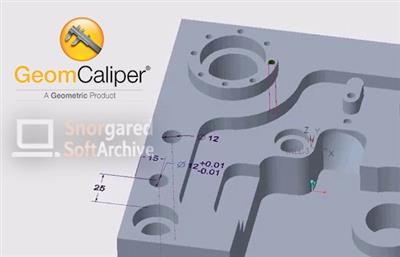
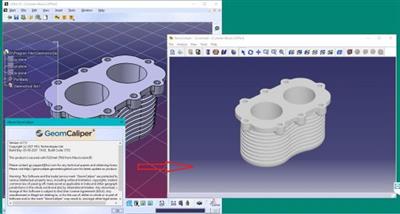
GeomCaliper is an innovative wall thickness analysis software for CATIA V5 and Creo, that facilitates measurement and checking of wall thickness on 3D models. GeomCaliper enables acceleration of the design review process for manufacturability. Unlike traditional measurement tools, GeomCaliper is fast and easy to use. Once you start using GeomCaliper, you'll realize that checking thickness can be made really easy as well as quick.

The traditional methods of 3D wall thickness analysis are tedious and time consuming.
Many time it provides erroneous results. GeomCaliper is simple, easy to use, fast, and accurate tool.

Salient Features:
Ray and Rolling ball available for checking wall thickness
Easy to locate critical thickness areas
Advanced visualization for easy interpretation of results
Ability to clip model at any section
Dynamic thickness display at point click
Compute thickness at selected region
Integrated with major CAD systems
Ability to ignore small thickness at edges
Create Customized reports in XML / HTML format

Benefits:
Quick and easy means of checking Design for manufacturing
Savings in downstream costs
Improved part quality, which is taken care at design stage
Improved design productivity and ease of use

Whats New:
Updates: official site does not provide any info about changes in this version.
Homepage
У Вас недостаточно прав для просмотра ссылок. Войдите или зарегистрируйтесь.


Screenshots

ab6cab83a0730f89d0227d4a01b61623.jpeg


Download link:​
Код:
[center][b]rapidgator_net[/b]:
https://rapidgator.net/file/26665993107211042536299122481ca3/9n89z.Geometric.GeomCaliper.2.7.3.CatiaV5.X64-SSQ.rar.html

[b]nitroflare_com[/b]:
https://nitroflare.com/view/4D6F03D838F021E/9n89z.Geometric.GeomCaliper.2.7.3.CatiaV5.X64-SSQ.rar

[b]uploadgig_com[/b]:
https://uploadgig.com/file/download/68a01E1c64316F16/9n89z.Geometric.GeomCaliper.2.7.3.CatiaV5.X64-SSQ.rar[/center]

Links are Interchangeable - No Password - Single Extraction​
 
HelpXplain 1.5.0.1428

46dba321d50248642ad142f0ca037f8c.jpeg

Languages: English | File size: 190 MB​
HelpXplain is perfect for slideshows embedded into web pages and technical documentation. Create animated step-by-step tutorials and quick instructions in minutes instead of hours. The magic is in the method: HelpXplain animates a series of simple screenshots, each of which can be edited or replaced at any time. HelpXplain can also record multi-page screencasts of programs on your computer screen that run in autoplay mode like a video. Recording and editing them is massively easier and less stressful than trying to create a video!

All Xplains are 100% standards-compliant HTML5 and Javascript, 100% responsive and cross-platform. With an overhead small enough to load in less than a second!

Remember the last PowerPoint™ presentation you watched? Was it engaging or did you fight against falling asleep? More often than not it's the latter. But what is it that makes one slideshow boring and another one interesting and appealing?

The canvas makes a difference
HelpXplain uses an 'infinite canvas', a virtual surface on which you position your slides anywhere you want. The presentation plays by moving the canvas behind the 'viewport' on the screen. As the presentation plays, the slides move, zoom and rotate into and out of the viewport.

This helps the reader to stay focused. Staying focused on a detail requires awareness of the big picture. A visual understanding of where a detail fits into the lot helps our brains to create mental anchors, to remember details more easily and stay on topic.

Screencasts vs. HowTo Videos
HelpXplain comes with a built-in screen-capture and screencast tool. HelpXplain screencasts look like videos when they play, but they are actually an animated series of screenshots with an animated cursor. The individual screenshots are played one by one, creating a video-like effect as if the screen had been filmed.

Why would you prefer a HelpXplain screencast over creating a real video with a dedicated video tool?

Creating instruction videos requires a lot of planning ahead. They are stressful and thus unpleasant to work with, because you have to get everything right. If you make a mistake while making the video you have to start again. And again. And if you ever need to add something you have to remake it, again.

HelpXplain screencasts are a revelation. Making little HowTo tutorials is literally as easy as making a series of screenshots. You don't have to get the timing right and you don't need to worry about setting up everything in the first place. Between screenshots you can take your time and make any changes you want in the software. And if you ever need to add something you can do that at any time, without having to redo the whole screencast.

Endless Room for Your Creativity
HelpXplain is much more than just a slideshow and screencasting tool. It's also a tool to for enhancing static images, for online presentations, eLearning courses, interactive eBooks, for website sliders and picture galleries. The only limit is your imagination!

Supported OS:Windows 10, Windows 8, Windows 7 (Windows XP and older not supported).

Download link:​
Код:
[center][b]rapidgator_net[/b]:
https://rapidgator.net/file/306ac7ab698bb2405f37b5017e4da583/yvgs5.HelpXplain.1.5.0.1428.rar.html

[b]nitroflare_com[/b]:
https://nitroflare.com/view/6F9DC04F40699F5/yvgs5.HelpXplain.1.5.0.1428.rar

[b]uploadgig_com[/b]:
https://uploadgig.com/file/download/7fee1E173ee15165/yvgs5.HelpXplain.1.5.0.1428.rar[/center]

Links are Interchangeable - No Password - Single Extraction​
 
HTML Compiler 2021.33

52421ea5ca2fddc73c9ea85622416ffa.jpeg

File size: 421.7 MB​
With DecSoft HTML Compiler you can easily compile your modern HTML apps (Single Page Apps, for example) into standalone executables for both Microsoft Windows® 32 and 64 bits. Your app' files are never extracted into the user's computer and run in a modern browser environment based in Chromium.

It's secure
Your HTML apps are compiled in both Microsoft Windows 32 and 64 bits executables. Your app's files are never extracted in the final user computer except if you want to extract some particular files.

Without limits!
Put your imagination here. You can convert into executable programs for Windows almost any modern HTML app like ebooks, surveys, quizzes, magazines, presentations, photo albums and galleries, games, etc.

Super easy
You can use the user graphic interface or the command line tool in order to compile your HTML apps, just by indicating the path for your application "index.html" file.

Take a look!
The next video shown how DecSoft HTML Compiler works! In just a minute you can see how DecSoft HTML Compiler take the "Database" app sample of DecSoft App Builder and convert it into a standalone Microsoft Windows executables.

CLI support
DecSoft HTML Compiler include a command line compiler in addition with the visual environment. In this way you can compile your apps from the command line, simply and fast.

Very simple
DecSoft HTML Compiler don't shown to the user any interface element. But this is fine, because then your application looks exactly as you wanted, without any undesired interferences!

Very powerful
DecSoft HTML Compiler provide some external Javascript for your apps to go beyond the modern HTML apps capabilities, for example, to give the ability to write files, execute programs, explore folders, etc.

Whats New:
* Add the new Signature sample app, which show to us how to use the recently added dhc.base64.decodeToFile() external Javascript function in order to save a canvas control into a PNG image file.
* Add the new dhc.base64.decodeToFile() external Javascript function. This function is intended to save base64 strings into files after decode it. This can be useful, for example, to save canvas control into images. Thanks Leonardo for the idea!

Download link:​
Код:
[center][b]rapidgator_net[/b]:
https://rapidgator.net/file/a4aa5b76372f9d21c1cb989e38394edb/wy2uf.HTML.Compiler.2021.33.rar.html

[b]nitroflare_com[/b]:
https://nitroflare.com/view/E864DE6D3AAFBB9/wy2uf.HTML.Compiler.2021.33.rar

[b]uploadgig_com[/b]:
https://uploadgig.com/file/download/64E5Ba5Bfe15600B/wy2uf.HTML.Compiler.2021.33.rar[/center]

Links are Interchangeable - No Password - Single Extraction​
 
Icecream Screen Recorder Pro 6.25 Multilingual

26da852086c9c95a99dfffb2fcfa6ebb.jpeg

File size: 57.2 MB​
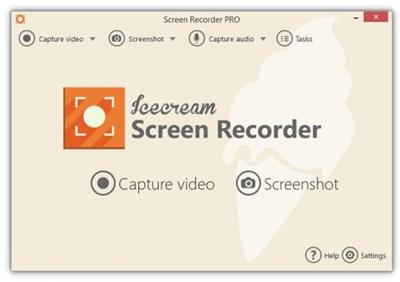
Icecream Screen Recorder Pro - easy to use program for recording video from your computer screen (recording games, Skype, webinars, and more), as well as how to create screenshots of all windows, and the selected area. The app has a complete set of tools required for professional video capture from the screen. Screen Recorder allows you to capture the selection of any screen size. If you need to allocate a portion of the screenshot or add text comments to him, this program has the drawing tools. They allow you to draw on the screenshot shapes, lines and text overlay.

A screenshot of the program can immediately copied to the clipboard, or upload to a server IceCream Apps and give a short direct link to it. Using IceCream Screen Recorder, you can record high-quality video with sound. It is possible to adjust the microphone volume and system sounds. The program keeps a history of all records. shortcut keys can be used to use the functions of the program.

Features:
- Choose the area to create a video screenshot or right on the screen of your computer with a single click.
- Draw, tracing, show arrows or print text on the future of the screenshot or video directly while shooting.
- Quick access to all the recorded video from the screen or a screenshot.
- Adjust the microphone volume and system sounds.
- Save a screenshot to the clipboard to send on Skype or e-mail.
- You decide: whether to remove the mouse, turn off the screensaver there, whether to hide the icons on the desktop, etc.
- One-click to send a screenshot Icecream Apps server to receive and send short links to friends or partners.
* Use hot keys to control the video recording process with the screen and create screenshots.

Version PRO:
- Unlimited recording time
- Changing the output video format - WEBM, MKV, MP4
- Changing the output video codecs - MPEG4, H264, VP8
- Set the timer recording
- Setting your own votermark Video
- Turning off the countdown before recording
- Perpetual license for 2 computers
- Commercial use

Download link:​
Код:
[center][b]rapidgator_net[/b]:
https://rapidgator.net/file/8ed2ba80074ae4bb0abedb74e1cacc2c/6u1ml.Icecream.Screen.Recorder.Pro.6.25.Multilingual.rar.html

[b]nitroflare_com[/b]:
https://nitroflare.com/view/74D1F855C6DF57F/6u1ml.Icecream.Screen.Recorder.Pro.6.25.Multilingual.rar

[b]uploadgig_com[/b]:
https://uploadgig.com/file/download/c01E6377e1ed6Bfd/6u1ml.Icecream.Screen.Recorder.Pro.6.25.Multilingual.rar[/center]

Links are Interchangeable - No Password - Single Extraction​
 
iVideoMate Video Downloader 2.0.6.1

35a57fedabe60dfae1cffe4e0d0e8724.jpeg

Windows (x64) | File size: 43.2 MB​
iVideoMate Video Downloader allows you to download videos from more than 10,000 video-sharing sites (explicit), including YouTube, Facebook, Netflix, Vimeo, Vevo, CBS, Twitter, Lynda , Instagram, etc.

Supported sites:YouTube, Facebook, Instagram, Dailymotion, Vimeo, jibjab, Break, Metacafe, AOL, Lynda, Veoh, VideoBash, LiveLeak, MyVideo, FunnyorDie, NicoNico, TV.com, Veevr, Adobe TV and more.

Download Videos with Faster Turbo Mode :
iVideoMate Video Downloader provides a powerful Turbo Mode to help you download videos from website with faster speed

Download Full HD & 4K Video :
iVideoMate Video Downloader can download videos from Youtube, Facebook, Netflix, Vimeo and other video sharing sites without compromising video quality. From 320P video to 4K video, iVideoMeta Downloader downloads them without any hassle.

Download MP3 with One Click :
With iVideoMate Video Downloader, you can download videos directly to MP3 and other audio files with one click. You can also preset any video format you want and download the video to the desired format in this

Manage Video & Play Video :
With iVideoMate Video Downloader, you can manage downloaded videos. Click on any item to play using the built-in player. Open the "complete" tab to start managing your videos.

Download Entire Playlist from Website in One Click :
iVideoMate Video Downloader fully supports you to download playlist from YouTube to your computer with an easy click.

Whats New:
official site does not provide any info about changes in this version.

Download link:​
Код:
[center][b]rapidgator_net[/b]:
https://rapidgator.net/file/0e0a95084e4d3c823cb04522e3f81c9b/fxmjh.iVideoMate.Video.Downloader.2.0.6.1.rar.html

[b]nitroflare_com[/b]:
https://nitroflare.com/view/29B9EFEF07A97F8/fxmjh.iVideoMate.Video.Downloader.2.0.6.1.rar

[b]uploadgig_com[/b]:
https://uploadgig.com/file/download/fAd2e64aA30df0eC/fxmjh.iVideoMate.Video.Downloader.2.0.6.1.rar[/center]

Links are Interchangeable - No Password - Single Extraction​
 
KCleaner 3.8.1.111

74c1c1e5ac3e93df5e4c0022c2e072f6.jpeg

File Size : 3.6 Mb​

KCleaner is designed to be the most efficient Hard Disk cleaner, tracking every useless byte. It is the first product of this kind featuring a full automatic mode, which works in background so that you don't have to care about when to launch it. As a proof of its efficiency, it often finds up to many GB not even seen by its competitors so... give KCleaner a try ! And if data security is something you are interested in, you'll love the secured file deletion methods proposed by KCleaner, making deleted files unrecoverable by any known mean.

Features:
Detects and cleans temporary and useless files (cache, unused setup files...)
Automatic mode working in background
Secured file deletion method
Expert mode : let users control any file deletion done by KCleaner
International support.

Download link:​
Код:
[center][b]rapidgator_net[/b]:
https://rapidgator.net/file/8d899e10ecb3d7d4a6ff362bbc340aaf/z2cq0.KCleaner.3.8.1.111.rar.html

[b]nitroflare_com[/b]:
https://nitroflare.com/view/975FA2FA6598AFF/z2cq0.KCleaner.3.8.1.111.rar

[b]uploadgig_com[/b]:
https://uploadgig.com/file/download/Fe106C7f8697f587/z2cq0.KCleaner.3.8.1.111.rar[/center]

Links are Interchangeable - No Password - Single Extraction​
 
Kindle for PC 1.31.0

8647a75d40c8752b976c711700599f25.jpeg

File Size : 56 Mb​

Kindle for PC is a handy and easy to use application that you can use to read Kindle books using your computer, without needing a Kindle device. In order to use it, you need to have a registered Amazon account, as the application prompts you to login right at startup. The interface is simple, allowing you to browse your book library and manage your collections.

Double-clicking on any book opens it for reading. Navigating is easy, as the table of contents can help you jump to the desired chapter and you can use the 'Search' function to easily find a phrase or a location. There are two different methods for turning pages: using the mouse scroll wheel or the keyboard arrow keys.

Users can easily change the font size, set the number of words per line, adjust the brightness and modify the color mode or even place the text on two different columns in order to enhance the reading experience. Full screen mode is also available.

In addition to this, users can take notes, highlight text sections and add bookmarks in order to remember important book sections. Also, you can view passages that are most frequently highlighted by other users.

The program features a handy dictionary that can display complete definitions when a word is selected, but you can also search it online directly from the application.

One of the advantages that this software comes with refers to the synchronization functionality. For instance, if you have a Kindle device or you are using Kindle on your iPhone (with the same registered Amazon account), this feature helps you synchronizes your bookmarks, annotations and the last page read, so that you pick up where you left off when switching between devices.

If you do not own a Kindle device, but you want to read your favorite digital books, Kindle for PC is the tool for you. Ease of use, together with its customization and sync features make it a great tool for reading e-books.

Whats New:
Updates: official site does not provide any info about changes in this version

Download link:​
Код:
[center][b]rapidgator_net[/b]:
https://rapidgator.net/file/f8c495d4f2502d3ab7992c649d920b30/e0mnm.Kindle.for.PC.1.31.0.rar.html

[b]nitroflare_com[/b]:
https://nitroflare.com/view/C7766619E00A772/e0mnm.Kindle.for.PC.1.31.0.rar

[b]uploadgig_com[/b]:
https://uploadgig.com/file/download/C8fee723d0aC4D44/e0mnm.Kindle.for.PC.1.31.0.rar[/center]

Links are Interchangeable - No Password - Single Extraction​
 
Media Player Classic - Black Edition (MPC-BE) 1.5.7 Build 6180 Multilingual

5393b727bdd849e80a1dcc6756cd15bd.jpeg

File Size : 26.7 Mb​

Media Player Classic Black Edition is a free and open source audio and video player for Windows. Media Player Classic - BE is based on the original "Media Player Classic" project and "Media Player Classic Home Cinema" project, contains additional features and bug fixes. The BE mod (Black Edition Mod) is a skinned version of Media Player Classic Home Cinema, much better looking than the plain old MPC. MPC-HC BE Mod is usually newer because they use the latest SVN the most up-to-date version of the code.

You can use this efficient open source media player to watch your favorite movies or listen to music, as it supports numerous formats. MPC-BE is a user-friendly media player that supports numerous video and audio formats, allowing you to render almost any file you want without any problems. Following an uneventful installation, the application enables you to open local files in its main window. It also provides you with the possibility of streaming online videos or music on your computer, on condition that you have an Internet connection, simply by entering the URL address of the source file. MPC-BE can even play files from DVDs, Blu-ray discs, or other devices.

The program features a series of basic functions, namely 'Play', 'Pause', 'Stop', 'Jump To', 'Full Screen', 'Zoom', 'Filters', 'Shaders', increase, decrease or mute 'Volume'. You can navigate between the various media files in a folder, rendering the ones you like and skipping the ones that do not appeal to you. Items can be added to 'Favorites' so you can access them more easily.

Moreover, MPC-BE offers support for opening subtitles, while also allowing you to search for them online, using opensubtitles.org as a default website. After playing a file, the utility can 'Play Next in the Folder', 'Exit', 'Shutdown' or 'Restart' your computer.

MPC-BE lets you choose the preferred 'Rendered Settings', such as 'Output Range' (either 0-255 or 16-235), 'Presentation', 'Color Management' ('Input Type', 'Ambient Light' or 'Rendering Intent', 'Vsync' ('Accurate', 'Alternative') or 'GPU Control'.

Almost all functions have a hotkey assigned, thus if you feel more comfortable working with your keyboard, you can very well do that. Additionally, you can modify them, to make it easier for you to remember and use them. Similarly, it is responsive to scrolling, meaning you can decrease or increase the volume for instance, just by using your mouse.

To summarize, MPC-BE is an intuitive piece of software that enables you to play your favorite media files with ease, providing you with a wide array of adjustable options, to enhance your viewing or listening experience.

Whats New:

1.5.7

VSFilter is excluded from the project.

AviSplitter
Added support for 'MPNG' (PNG) codec.

MP4Splitter
Added support for 'MPNG' (PNG) codec.
Added support for SpeedHQ codec.
Added support for shifting tracks in time using the 'elst' atom.
Added the ability to get a list of keyframes from the 'sbgp' atom.

MatroskaSplitter
Added support for 'MPNG' (PNG) codec.

MPCVideoDec
Improved AV1 multi-threaded decoding with dav1d library.
Improved Apple ProRes support .
Added support for SpeedHQ codec.
Added support for hardware decoding using Direct3D 11.
Added support for AV1 hardware decoding.
Added support for switching video streams of different formats, taking into account the presence or absence of hardware decoding.
Improved support for MPEG-2 4:2:0.
Fixed color distortion of VideoTransferMatrix BT2020 for EVR on Intel Iris Xe.

Video renderers
Improved display mode switching for interlaced files when using MPC Video Renderer.

Subtitles
Added support for MEDIASUBTYPE_WEBVTT.

Youtube
Added caching of signature decoding functions.
Added ability to select "MP4-AV1" format as preferred format.
Added support for AV1 10-bit HDR.
Improved support for getting a list of chapters.

Player
Some parameters of the standard subtitle style can now be set to non-integer values.
Fixed display of volume control in dark theme when using mouse.
Added error message when opening DVD / Blu-ray folder in the status bar.
Fixed X-mouse buttons working in full screen mode.
Fixed display of the '&' symbol in the playlist.
Added time display on scroll bar in exclusive full screen.
Fixed display of the '&' symbol in the playlist.
Added time display on seek bar in exclusive full screen.
Improved player in an exclusive full screen MPC VR and madVR.
Added the ability to open a file from the playlist in the explorer.
Added display of tooltip for GPU icon.
Added a button to call the properties window of some video renderers.
Expanded functionality to add similar files.
Various improvements in the player interface.

Installer
Removing the player no longer removes the external filter settings.

Updated Japanese translation.
Updated Portuguese (Brazil) translation (by Siegfried Janke).
Updated German translation (by Klaus1189).
Updated Chinese (Simplified) translation (by wushantao).
Updated Hungarian translation (by mickey).
Updated Turkish translation (by cmhrky).
Updated Chinese (Traditional) and Dutch translation (by beter).

Updated libraries:
dav1d git-0.8.2-0-gf06148e;
Detours git-v4.0.1-87-g827b896;
ffmpeg git-n4.4-dev-3576-gab5803553b;
libflac git-1.3.3-70-g27c61570;
Little-CMS git-2.12-1-gab54114;
MediaInfo git-v20.09-125-gfb708c13;
openjpeg git-v2.4.0-16-g0bda7188;
rapidjson git-v1.1.0-588-g13dfc96c;
ZenLib git-v0.4.38-37-gd0c6f5b;

Download link:​
Код:
[center][b]rapidgator_net[/b]:
https://rapidgator.net/file/3debe16703c54a3f470655d7835358fd/aksf2.Media.Player.Classic..Black.Edition.MPCBE.1.5.7.Build.6180.Multilingual.rar.html

[b]nitroflare_com[/b]:
https://nitroflare.com/view/F789ABD3782B3E7/aksf2.Media.Player.Classic..Black.Edition.MPCBE.1.5.7.Build.6180.Multilingual.rar

[b]uploadgig_com[/b]:
https://uploadgig.com/file/download/8e18D492E1c7853f/aksf2.Media.Player.Classic..Black.Edition.MPCBE.1.5.7.Build.6180.Multilingual.rar[/center]

Links are Interchangeable - No Password - Single Extraction​
 
Microsoft Edge 90.0.818.39 Stable Multilingual

67a0e19b05fd7b7dad4b0cdfff0d6f25.jpeg

File Size : 193 Mb​

Introducing the new Microsoft Edge: Rebuilt from the ground up to bring you world-class compatibility and performance, the security and privacy you deserve, and new features designed to bring you the best of the web. The new Microsoft Edge is a modern web browser - designed for faster, safer browsing. Get more done on the web with built-in tools for notetaking, reading and more.

The new Microsoft Edge is based on the Chromium project, so you can use the extensions/add-ons from Google Chrome extensions web store and from Microsoft Edge extensions web store for free. Choose your style
News, images, search-choose what you want to see when you open a new tab. Select a layout best for you: Focused, Inspirational, or Informational.

Take control of your data
Microsoft Edge and Bing give you more control over your data, and more transparency into what information is being collected, while you browse with new features like Tracking Prevention and InPrivate mode.

Browse with peace of mind
Microsoft Defender SmartScreen automatically protects you online from security issues, phishing schemes, and malicious software.

Browse anywhere
The new Microsoft Edge is now available on all supported versions of Windows, macOS, iOS, and Android.

Experience 4K streaming
Get the best browser for high definition media on Windows 10 with unique support for streaming in 4K Ultra HD.

Customize with extensions
The new Microsoft Edge is now compatible with your favorite extensions, so it's easy to personalize your browsing experience.

Download link:​
Код:
[center][b]rapidgator_net[/b]:
https://rapidgator.net/file/0938941471508c8b0e7ac90cb0d2d9c0/aitxh.Microsoft.Edge.90.0.818.39.Stable.Multilingual.rar.html

[b]nitroflare_com[/b]:
https://nitroflare.com/view/3BFD55F33444E48/aitxh.Microsoft.Edge.90.0.818.39.Stable.Multilingual.rar

[b]uploadgig_com[/b]:
https://uploadgig.com/file/download/Bd2B0cA7f309e829/aitxh.Microsoft.Edge.90.0.818.39.Stable.Multilingual.rar[/center]

Links are Interchangeable - No Password - Single Extraction​
 
Назад
Сверху