• Форум работает в архивном режиме www.old.nado.in

All mitsumi'1s Applications !! (updated daily)

  • Автор темы Автор темы mitsumi1
  • Дата начала Дата начала
NetSpot Unlimited Enterprise v2.13.750.1 (x64) Multilingual Portable
43e3435be5cc10b67af45e27b70f2345.jpeg


NetSpot Unlimited Enterprise v2.13.750.1 (x64) Multilingual Portable | 6 Mb​
NetSpot is the only professional app for wireless site surveys, Wi-Fi analysis. No need to be a network expert to improve your home or office Wi-Fi today! All you need is your MacBook running Mac OS X 10.10+ or any laptop with Windows 7/8/10 on board and NetSpot which works over any 802.11 network.

Use NetSpot to visualize, manage, troubleshoot, audit, plan, and deploy your wireless networks.
When working on a Wi-Fi network that will provide an optimal coverage, you'll need a solid research and understanding the radio frequency behavior at the spot. The effective way to obtain this information is a wireless site survey. It will reveal areas of channel interference and dead zones, and will help you tremendously to build a solid network.

The main goal of a WIFI site survey is determining the feasibility of implementing a wireless network in a specific area and finding the best spots for access points and other equipment like cables and antennas. With the help of site survey you will know what type of equipment to get and where to install it.

Wireless Site survey is also an important part of wifi security analysis. NetSpot is a perfect helper for network security specialists in locating and eliminating rogue access points, detecting unauthorized workstations, avoiding cross-channel interference and getting rid of false-positive intrusion alerts. With NetSpot one can also check the security settings (Open, WEP, WPA/WPA2 Personal/Enterprise), non-broadcasting SSIDs and WiFi signal strength. With all this work done well the wireless signal is less likely to spill outside, where a war driver can get their hands on it.

With its advanced collection and visualization of data NetSpot provides its users with a comprehensive and complete WiFi site survey solution.

Analyze your Wi-Fi Coverage
NetSpot is the easiest native wireless site survey software for Mac and Windows. You need just a few clicks to load your office plan or area map before starting a network site survey. To begin, just point to where you are on the map and NetSpot starts measuring wireless signal right away. You can move around and collect Wi-Fi data of the entire area. That's it! Now you have all the needed info to analyze radio signal leakages, discover noise sources, map channel usage, locate effective access points, etc.

Visualize Your Wireless Network
Efficiency-wise, your Wi-Fi network needs hotspots placed correctly and wireless channels assigned properly. The visual Wi-Fi map you get with NetSpot lets you see all dead zones without coverage and optimize hotspots' placements. You can adjust channels' load and decide how to use them better.

Wireless Network Planning
NetSpot is also an amazing wireless survey tool for Wi-Fi planning: load a map, collect some wireless site survey data, and build a comprehensive heatmap of your network. Now viewing each channel separately is as easy as making a pie. Once you locate an empty channel with no wireless networks - it's the optimal selection for a new Wi-Fi network. NetSpot also lets you easily select channels for new Wi-Fi hotspots with minimal signal-to-noise ratio.

Troubleshoot Wireless Networks
Thanks to new Troubleshooting visualizations, you can easily and quickly identify connectivity and wireless interference issues, find sources of excessive noise, resolve Wi-Fi configuration problems, and get automated professional advice on every issue visualized by NetSpot PRO.

NOTE:
- Made in PAF
- This portable release supported Win7, Win8/8.1, Win10 (64-bit ONLY)


Home Page-
У Вас недостаточно прав для просмотра ссылок. Войдите или зарегистрируйтесь.


Download link:​
Код:
[center][b]rapidgator_net[/b]:
https://rapidgator.net/file/a641ec679394f32270333d3ba1f5d22d/jkj9g.NetSpot.Unlimited.Enterprise.v2.13.750.1.x64.Multilingual.Portable.rar.html

[b]nitroflare_com[/b]:
https://nitroflare.com/view/0FFC5810CEF52B4/jkj9g.NetSpot.Unlimited.Enterprise.v2.13.750.1.x64.Multilingual.Portable.rar

[b]uploadgig_com[/b]:
https://uploadgig.com/file/download/1b1f054433e9fac6/jkj9g.NetSpot.Unlimited.Enterprise.v2.13.750.1.x64.Multilingual.Portable.rar[/center]

Links are Interchangeable - No Password - Single Extraction​
 
NI DIAdem 2021

69a66136fbbee3a4adfe72fe7b671443.jpeg


NI DIAdem 2021 | 2.9 Gb
Languages: English, Deutsch, 日本語​
National Instruments is pleased to announce the availability of DIAdem 2021, the tool of software designed specifically so that engineers and scientists are more efficient when locating, inspect, analyse and inform on the data of measure.

General
- The DIAdem icon in the Windows Start menu shows the major version number.
- Right-click the buttons to scroll through the tabs in VIEW, REPORT, and SCRIPT to quickly select the tab you want.
DIAdem NAVIGATOR, DataFinder, Data Portal
- In the Data Portal, you can pin new channels automatically.
- In the Data Portal, you can create video channels by specifying the path to the video file.
- DIAdem installs a new DataPlugin that allows you to search for video files in NAVIGATOR and drag and drop them into the Data Portal to create video channels.
DIAdem VIEW
- With the new "Bird's Eye View" display type in DIAdem VIEW, you can display radar data, including road course, lane, object list, and sensor fields of view, from a bird's eye perspective. You can synchronize this data with GPS data and the detected objects in the video. Use the playback functions of VIEW to start the bird's eye view display and play back the detected objects, the associated measurement data, and the videos concurrently, or move the cursor to a specific point in time.
- As in DIAdem REPORT, you do not need to specify the x-channel in the VIEW display types if the y-channel is an xy-channel.
- The coordinates dialog box has been extended with functions for positioning the cursor.
- You can now edit all settings of a video in the redesigned video settings dialog box.
- In the video display mode, you can also use the new video channels.
- You can move or copy VIEW areas using drag and drop. Moving or copying across different worksheets is also possible. When you move or copy an area and position it behind the last worksheet, you can create a new worksheet at the same time.
- You can create a video area by dragging and dropping a video channel onto an empty area, or replace an existing video in a video area by dragging a video channel onto that area.
DIAdem Script
- The DIAdem Python environment also supports Python version 3.8.
- You can specify an external Python IDE and use it to edit Python scripts.
- The automatically generated header of new Python files contains commands to activate the external debugger. See the help for a detailed description of how to set up the external debugger.
- When creating new scripts, you can choose whether you prefer VBS or Python as the script language.
- The short code snippets of the help now show Python code as well as VBS code.
- There are new methods for moving or copying VIEW areas with a script.
- There are new methods for copying curves in DIAdem VIEW with a script.
- The conversion functions for converting one channel type to another have been renamed so that they all start with "ChnConvert", for example, ChnConvertNumericToTime, ChnConvertNumericToWaveform, or ChnConvertTextToAssignment.
- The dialog box for selecting files when testing analysis automation procedures for SystemLink TDM is now resizable to allow the use of long file names.
Dialog Editor
- The slider control provides you with a new input tool in your user dialogs.
Preview Features
Preview features give an outlook on features in future versions. The functions to be unlocked are still under development and the user interface, the API, or the scope of functions may change. Enable this function in the Settings»DIAdem Settings» Preview Features dialog box.
- The DIAdem Python environment also supports Python version 3.9.
- DIAdem supports complex channels. You can load and save complex channels. You can convert numeric channels to complex channels and vice versa.
- The Bus Log Converter also supports the TTTech TTL format.

f8f51d243d34af0ae11bfa025897200c.jpeg


01372f67461463f05526cbc364dc9441.jpeg

DIAdemis application software that helps engineers accelerate post-processing of measurement data. It is optimized for large data sets and includes tools to quickly aggregate and search for the data you need, view and investigate that data, transform it with engineering-specific analysis functions and share results with a powerful drag-and-drop report editor. You can use DIAdem with over one thousand data file formats by utilizing DataPlugins. You can leverage scripts written in Python or Visual Basic to automate your repetitive data post-processing tasks and transform your measurement data into complete, accurate, and actionable insights.

This video gives a brief introduction to NI DIAdem. Use NI DIAdem for finding, viewing, and analyzing data and for presenting the measured and analyzed data in reports.

Since 1976, National Instrumentshas equipped engineers and scientists with tools that accelerate productivity, innovation and discovery. NI's graphical system design approach to engineering provides an integrated software and hardware platform that speeds the development of any system needing measurement and control. The company's long-term vision and focus on improving society through its technology supports the success of its customers, employees, suppliers and shareholders.

Product:NI DIAdem
Version:2021 (build 21.0.0f8135) *
Supported Architectures:x64
Website Home Page :
У Вас недостаточно прав для просмотра ссылок. Войдите или зарегистрируйтесь.

Language:English, Deutsch, 日本語
System Requirements:PC **
Size:2.9 Gb

*Note: SUD files from DIAdem 2021 cannot be loaded in an earlier DIAdem version.

For correct DIAdem performance, the following minimum requirements must be met:

Hardware
CPUx64 compatible processor, 1.6 GHz or more
Amount of memory2 GB or more
Hard disk memoryDepending on the operating system, up to 6 GB free storage space on the system partition
Graphic cardColor depth at least 16-bit (High Color), 24-bit, or 32-bit (True Color) recommended
Screen resolutionFrom 1280x800 with a scaling step of 100%

Supported Operating Systems
- Windows 10 64-bit
- Windows Server 2016
- Windows Server 2019

NoteFor automatic evaluation on server operating systems, NI recommends the use of the SystemLink module Analysis Automation instead of DIAdem.
NoteDIAdem runs only with restrictions on the N or KN edition of Windows because the multimedia support is missing. You can obtain this as "Media Feature Pack" from Microsoft and install it later.

Download link:​
Код:
[center][b]rapidgator_net[/b]:
https://rapidgator.net/file/f78dfe6f7b42e5f60c75091175e7d464/hlr65.NIDIAdem2021de.part1.rar.html
https://rapidgator.net/file/6bf316f11437ee4885317d658ccee291/hlr65.NIDIAdem2021de.part2.rar.html
https://rapidgator.net/file/c036cd02a049094ec2a6a8211ce636a6/hlr65.NIDIAdem2021de.part3.rar.html
https://rapidgator.net/file/a4c559699881b2369e6f1094e72eb896/hlr65.NIDIAdem2021en.part1.rar.html
https://rapidgator.net/file/18df05d35fa02274dbf43b3a7d7d069b/hlr65.NIDIAdem2021en.part2.rar.html
https://rapidgator.net/file/8a37c2606f5bde0aed4227db32624f40/hlr65.NIDIAdem2021en.part3.rar.html
https://rapidgator.net/file/80070bff04b5e1b6bb81c022ec0c25ee/hlr65.NIDIAdem2021ja.part1.rar.html
https://rapidgator.net/file/eedb5872739fa48f1bb7800e6222d078/hlr65.NIDIAdem2021ja.part2.rar.html
https://rapidgator.net/file/097a3d9db1d0e14e0d42e043757d7a78/hlr65.NIDIAdem2021ja.part3.rar.html

[b]nitroflare_com[/b]:
https://nitroflare.com/view/5B7DC5EC74C1797/hlr65.NIDIAdem2021de.part1.rar
https://nitroflare.com/view/4928D3CA8CB3D40/hlr65.NIDIAdem2021de.part2.rar
https://nitroflare.com/view/23F4B3F4F6A7B36/hlr65.NIDIAdem2021de.part3.rar
https://nitroflare.com/view/23A325858608886/hlr65.NIDIAdem2021en.part1.rar
https://nitroflare.com/view/45DE87A38A747B3/hlr65.NIDIAdem2021en.part2.rar
https://nitroflare.com/view/7B0EB638C937E22/hlr65.NIDIAdem2021en.part3.rar
https://nitroflare.com/view/1509FA76FA7DA04/hlr65.NIDIAdem2021ja.part1.rar
https://nitroflare.com/view/57489B19F49B80D/hlr65.NIDIAdem2021ja.part2.rar
https://nitroflare.com/view/C38A6BF472BF281/hlr65.NIDIAdem2021ja.part3.rar

[b]uploadgig_com[/b]:
https://uploadgig.com/file/download/F12375687568102B/hlr65.NIDIAdem2021de.part1.rar
https://uploadgig.com/file/download/2F696d8Baad113fe/hlr65.NIDIAdem2021de.part2.rar
https://uploadgig.com/file/download/d05bD35fe34D1513/hlr65.NIDIAdem2021de.part3.rar
https://uploadgig.com/file/download/A5289471aea361b1/hlr65.NIDIAdem2021en.part1.rar
https://uploadgig.com/file/download/1cB308cA5697ee19/hlr65.NIDIAdem2021en.part2.rar
https://uploadgig.com/file/download/BD03ccfa75517E03/hlr65.NIDIAdem2021en.part3.rar
https://uploadgig.com/file/download/F232638cacb49e2d/hlr65.NIDIAdem2021ja.part1.rar
https://uploadgig.com/file/download/7bB84259829aB059/hlr65.NIDIAdem2021ja.part2.rar
https://uploadgig.com/file/download/91C7F0fb1cf16Ebb/hlr65.NIDIAdem2021ja.part3.rar[/center]

Links are Interchangeable - No Password - Single Extraction​
 
Plaxis 2D CONNECT Edition V21 Update 1

41cd8358ec6cceac5ce6e66506b0ab9b.jpeg


Plaxis 2D CONNECT Edition V21 Update 1 | 2.1 Gb
Languages: english. 日本語, 中文​
The PLAXIS development team is pleased to announce the availability of PLAXIS 2D CONNECT Edition V21 Update 1 (build 21.01.00.479) is a powerful and user friendly finite element package intended for two-dimensional analysis of deformation and stability in geotechnical engineering and rock mechanics.

New features

PLAXIS product licenses
Replaced legacy PLAXIS product options and modules by a tier-based licensing system consisting of three tiers: PLAXIS 2D (a new license type), PLAXIS 2D Advanced (similar to legacy PLAXIS 2D), and PLAXIS 2D Ultimate (similar to the full legacy PLAXIS 2D Suite).
New constitutive model: NorSand
Added the NorSand model as a User Defined Soil Model. The model is typically used to simulate static liquefaction of loose silts, the mechanism understood to be the cause of several recent tailings dam failures.
New constitutive model: PM4Silt
Added the PM4Silt model as User Defined Soil Model. The model is intended for earthquake engineering applications and liquefaction analysis on low-plasticity silts and clays.
New constitutive model: Fluid
Added a Fluid model as User Defined Soil Model. The model can be used to model water bodies as continuum elements with an appropriate constitutive model.
Tunnel import workflow improvements
Improved workflow for importing tunnel cross-sections into the Tunnel Designer. New functionality includes selecting, snapping and intersecting tunnel segments and subsections during import. This makes importing Tunnel Cross section CAD files much easier to handle and ensures proper geometric connectivity.
Calculation Kernel convergence log
Added a tool for accessing calculation convergence log files during and after calculations to gain more insight into the convergence process. This will ease pinpointing possible causes of non-convergence.
Updated Python environments
Updated Python environments to remove security vulnerabilities on some of the included packages.
Python distribution folders are now updated and default location changed to C:\ProgramData\Bentley\Geotechnical\PLAXIS Python Distribution V1 Update 1\
Technology Preview: PLAXIS LE Model importer
Some bugfixes and stability improvements have been implemented.
Renamed SOILVISION model importer to PLAXIS LE model importer
Added functionality to import PLAXIS LE, SVSLOPE, and SVSOLID material definitions and their supported parameters to an equivalent PLAXIS constitutive soil model.

Fixed issues

The following Known issue has been resolved:
Solved: [540768] PLAXIS CONNECT Edition V21.00.00 calculation does not start due to a license issue
Solved: [447463] PLAXIS 2D meshing stops with error Ordinal 747 not located
Many other issues have been fixed, including:
[501119] making the echo command for volumes more consistent after several file loading
[457052] Grid settings for drawing tools did not show unit aware length units. This is now fixed.
[457037] Intersection of overlapping polygons and lines, leading to small polygons, is now improved.
[455620] Embedded beam Layer dependent skin-friction now uses correct strength parameters when using UBC Sand to compute shaft resistance.
[442603] In rare cases the set command could lead to a crash in Staged Construction mode
[441761] Fixed an issue when using the commands runner for calculating projects with long command lists
[433620] Fixed an issue with large ratios of permeability for steady state groundwater flow calculations.
[421272] Void ratio value update based on volume strain is now improved
[393075] Fixed an issue in amflication spectra determination to use the proper Fourier data to get correct amflication spectra curves
[379568] Expanded documentation on movedisconnected command

New features

Subspace accelerator in phase settings
Added subspace accelerator as an additional numerical control parameter in the phase settings. This new numerical setting helps to improve the behavior of slow converging calculations.

Fixed issues

A large number of issues have been addressed, including:
[555184] The curves manager now loads older curves again
[547941] Fixed an issue with tunnel girders added to segments with negative radii
[547421] UDSM EVE-MC: fixed issue for using the proper dilation angle value for the Mohr-Coulomb behaviour
[540727] Ru values for dynamic consolidation when using UBCSand are shown again
[514609] Fixed an issue for showing preconsolidation stress Pc values in a Safety Analysis for Soft Soil and Soft Soil Creep
[513593] Fixed an issue with PLAXIS Python scripting when groups of phases were used in PLAXIS Output
[512083] Improvements on the Object Reference documentation for Plate materials
[511654] Exposing cutgeometry in Staged Construction mode
[506019] Numerical performance increase when using max load fraction
[474107] Fixed an issue with word-wrap in the commands runner.
[462420] Concrete model: φmax should have a value greater than zero. This is now checked and an error is given when the value is zero
[435033] Display improvements for Rayleigh damping parameter selection for higher frequencies
[421505] Cyclic Accumulation tool: visualtion improvements in DSS graph
[414600] Fixed an issue in retrieving state parameter values (User Defined Soil models) in curves when using post-calculation selected stress points
[379834] Fixed an issue in the creation of the geometry in the Tunnel Designer
[379689] Fixed isssue DoBoot(): Failed to initialize DLL when starting PLAXIS
[379295] Waterload tables are now also updated when switching your phase in PLAXIS Output
[378894] Snapping settings are now remembered

088a7610f7705a22e7bb30f63672d437.jpeg


cb2b53231d2ca9deae545bc4788af062.jpeg

PLAXIS 2Dis a powerful and user friendly finite element package intended for two-dimensional analysis of deformation and stability in geotechnical engineering and rock mechanics. PLAXIS is used worldwide by top engineering companies and institutions in the civil and geotechnical engineering industry. Applications range from excavations, embankment and foundations to tunnelling, mining and reservoir geomechanics.

PLAXIS is equipped with a broad range of advanced features to model a diverse range of geotechnical problems, all from within a single integrated software package.

PLAXIS uses predefined structural elements and loading types in a CAD-like environment. This empowers the user with fast and efficient model creation, allowing more time to interpret the results.

In some cases using the borehole tool is not the most efficient way to create the soil layering. This movie introduces the Soil polygon tool to show how you can model a rocky hillside.

Bentley Systemsis a software development company that supports the professional needs of those responsible for creating and managing the world's infrastructure.

Product:PLAXIS 2D
Version:CONNECT Edition V21 Update 1 (build 21.01.00.479) *
Supported Architectures:x64
Website Home Page :
У Вас недостаточно прав для просмотра ссылок. Войдите или зарегистрируйтесь.

Language:english. 日本語, 中文
System Requirements:PC **
Size:2.1 Gb

Setup_Plaxis2Dx64_21.01.00.479.exe
Setup_Plaxis2DOutputViewerx64_21.01.00.479.exe

System requirements - PLAXIS

Operating System requirements
Supported: Windows 7 Professional 64-bit, Windows 8 Professional 64-bit, Windows 10 Pro 64-bit
Recommended: Windows 10 Professional 64-bit (all with latest service packs applied)

Internet Connection
For the Subscription Entitlement Service (SES) Licensing used in all PLAXIS CONNECT Edition software an internet connection is required.

Graphics card
Required: GPU with 256 MB OpenGL 1.3
Bentley strongly recommends avoiding simple onboard graphics chips in favour of a discrete GPU from the nVidia GeForce or Quadro range with at least 128-bit bus and 1 GB of RAM, or equivalent solution from ATI/AMD.

Processor
Required: dual core CPU
Recommended: quad core CPU

Hard Disk
At least 2 GB free space on the partition where the Windows TEMP directory resides, and 2 GB free space on the partition where projects are saved. Large projects may require significantly more space on both partitions.
For best performance, ensure that the TEMP directory and the project directory reside on the same partition.

Random Access Memory (RAM)
Recommended for PLAXIS 2D: at least 4 GB. Large projects may require more.
Recommended for PLAXIS 3D: at least 8 GB. Large projects may require more.

Video modes
Required: 1024 x 768 pixels, 32-bit colour palette
Recommended: 1920 x 1080 pixels, 32-bit colour palette

Download link:​
Код:
[center][b]rapidgator_net[/b]:
https://rapidgator.net/file/d2fe3d9bd22a494f1cad31a33dfcf976/fg9jx.Plaxis.2D.CONNECT.Edition.V21.Update.1.part1.rar.html
https://rapidgator.net/file/205293f0e0a77713f3d8cb5e6f3cb8c4/fg9jx.Plaxis.2D.CONNECT.Edition.V21.Update.1.part2.rar.html
https://rapidgator.net/file/6efe412a24542b4d2832d9afe67f956e/fg9jx.Plaxis.2D.CONNECT.Edition.V21.Update.1.part3.rar.html
https://rapidgator.net/file/9943de28d1e29ede69e83976241bcb10/fg9jx.Plaxis.2D.CONNECT.Edition.V21.Update.1.part4.rar.html
https://rapidgator.net/file/ae5d70c969d91557542668a0e5a58daa/fg9jx.Plaxis.2D.CONNECT.Edition.V21.Update.1.part5.rar.html
https://rapidgator.net/file/229b7ff9e4148ab838fac3211c6c0b1f/fg9jx.Plaxis.2D.CONNECT.Edition.V21.Update.1.part6.rar.html
https://rapidgator.net/file/12fc1af06a6d3513841a98909cb8dd35/fg9jx.Plaxis.2D.CONNECT.Edition.V21.Update.1.part7.rar.html

[b]nitroflare_com[/b]:
https://nitroflare.com/view/DE0D09009A2A61F/fg9jx.Plaxis.2D.CONNECT.Edition.V21.Update.1.part1.rar
https://nitroflare.com/view/E50D0C5085EA162/fg9jx.Plaxis.2D.CONNECT.Edition.V21.Update.1.part2.rar
https://nitroflare.com/view/15A88DCFF9B0D82/fg9jx.Plaxis.2D.CONNECT.Edition.V21.Update.1.part3.rar
https://nitroflare.com/view/36976BBFAD5BD28/fg9jx.Plaxis.2D.CONNECT.Edition.V21.Update.1.part4.rar
https://nitroflare.com/view/E647BDD862F8587/fg9jx.Plaxis.2D.CONNECT.Edition.V21.Update.1.part5.rar
https://nitroflare.com/view/6CDA0C40C77C241/fg9jx.Plaxis.2D.CONNECT.Edition.V21.Update.1.part6.rar
https://nitroflare.com/view/0FA00775D94FD08/fg9jx.Plaxis.2D.CONNECT.Edition.V21.Update.1.part7.rar

[b]uploadgig_com[/b]:
https://uploadgig.com/file/download/C05cf5007b0ffe45/fg9jx.Plaxis.2D.CONNECT.Edition.V21.Update.1.part1.rar
https://uploadgig.com/file/download/af7Ab14D72a6176a/fg9jx.Plaxis.2D.CONNECT.Edition.V21.Update.1.part2.rar
https://uploadgig.com/file/download/376b3f9113F0f74c/fg9jx.Plaxis.2D.CONNECT.Edition.V21.Update.1.part3.rar
https://uploadgig.com/file/download/5449ff6732d2cffE/fg9jx.Plaxis.2D.CONNECT.Edition.V21.Update.1.part4.rar
https://uploadgig.com/file/download/d8b4D723f60198fd/fg9jx.Plaxis.2D.CONNECT.Edition.V21.Update.1.part5.rar
https://uploadgig.com/file/download/0bbdDC16e478661a/fg9jx.Plaxis.2D.CONNECT.Edition.V21.Update.1.part6.rar
https://uploadgig.com/file/download/7a94251eB4Fc7acB/fg9jx.Plaxis.2D.CONNECT.Edition.V21.Update.1.part7.rar[/center]

Links are Interchangeable - No Password - Single Extraction​
 
Plaxis 3D CONNECT Edition V21 Update 1

1c4c1e150f320570c758ea497e2cc7e7.jpeg


Plaxis 3D CONNECT Edition V21 Update 1 | 3.1 Gb
Languages: english. 日本語, 中文​
The PLAXIS development team is pleased to announce the availability of PLAXIS 3D CONNECT Edition V21 Update 1 is a finite element package intended for three-dimensional analysis of deformation and stability in geotechnical engineering. It is equipped with features to deal with various aspects of complex geotechnical structures and construction processes .

New features

PLAXIS product licenses
Replaced legacy PLAXIS product options and modules by a tier-based licensing system consisting of three tiers: PLAXIS 3D (a new license type), PLAXIS 3D Advanced (similar to legacy PLAXIS 3D), and PLAXIS 3D Ultimate (similar to the full legacy PLAXIS 3D Suite).
New constitutive model: NorSand
Added the NorSand model as a User Defined Soil Model. The model is typically used to simulate static liquefaction of loose silts, the mechanism understood to be the cause of several recent tailings dam failures.
New constitutive model: Fluid
Added a Fluid model as User Defined Soil Model. The model can be used to model water bodies as continuum elements with an appropriate constitutive model.
Tunnel import workflow improvements
Improved workflow for importing tunnel cross-sections and tunnel trajectory into the Tunnel Designer. New functionality includes selecting, snapping and intersecting tunnel segments and subsections during import. This makes importing Tunnel cross section CAD files much easier to handle and ensures proper geometric connectivity.
Calculation Kernel convergence log
Added a tool for accessing calculation convergence log files during and after calculations to gain more insight into the convergence process. This will ease pinpointing possible causes of non-convergence.
Updated Python environments
Updated Python environments to remove security vulnerabilities on some of the included packages.
Python distribution folders are now updated and default location changed to C:\ProgramData\Bentley\Geotechnical\PLAXIS Python Distribution V1 Update 1\

Fixed issues
The following Known issues have been resolved:
Solved: [540768] PLAXIS CONNECT Edition V21.00.00 calculation does not start due to a license issue
Solved: [499737] Tunnel beams/girders generated in the wrong direction
Solved: [473803] Geogrids may trigger a Run-time kernel error [256]
Many other issues have been fixed, including:
[501119] making the echo command for volumes more consistent after several file loading
[455620] Embedded beam Layer dependent skin-friction now uses correct strength parameters when using UBC Sand to compute shaft resistance.
[442603] In rare cases, the set command could lead to a crash in Staged Construction mode
[441761] Fixed an issue when using the commands runner for calculating projects with long command lists
[439676] In some cases, loads display in Output lead to very high memory usage. This is now solved.
[438739] PLAXIS 3D crashed when adding more than 255 material datasets. This is now resolved
[421272] Void ratio value update based on volume strain is now improved
[393075] Fixed an issue in amplification spectra determination to use the proper Fourier data to get correct amplification spectra curves
[379743] Inaccuracy in embedded beam results are now also included in first step determination, leading to faster convergence in cases with high plasticity
[379528] Creating cross-sections for plates could lead to a crash. This is now solved.

New features

Subspace accelerator in phase settings
Added subspace accelerator as an additional numerical control parameter in the phase settings. This new numerical settings helps to improve the behaviour of slow converging calculations.

Technology Preview:SACS - PLAXIS Suction Bucket Analysis tool for interoperability with SACS
Added SACS - PLAXIS Suction Bucket Analysis tool for interoperability with SACS to model the interaction between the soil and SACS designed suction buckets

The PLAXIS Output Viewer is a standalone application intended for viewing and inspecting the results of a fully calculated PLAXIS model, enabling the communication of results to stakeholders without a PLAXIS license.

New features
File version update
- PLAXIS 2D Output Viewer can be used for PLAXIS 2D files calculated and saved in PLAXIS 2D CONNECT Edition V21 Update 1
- PLAXIS 3D Output Viewer can be used for PLAXIS 3D files calculated and saved in PLAXIS 2D CONNECT Edition V21 Update

Bug Fixes
- This patch release temporarily returns x86 support to Structural Synchronizer to cater for incompatibility with STAAD Foundation Advance.
- ApiInternal Delivery fix for forthcoming ProStructures CE Update 5.

bda618aa77619c707cced135f6ca736d.jpeg


2026a64d63da8e2035184fc7106654b3.jpeg


51a0e1c2ae6286fd3dd5764ccdc657c5.jpeg

PLAXIS 3Dis a powerful and user friendly finite element package intended for three-dimensional analysis of deformation and stability in geotechnical engineering and rock mechanics. PLAXIS is used worldwide by top engineering companies and institutions in the civil and geotechnical engineering industry. Applications range from excavations, embankments and foundations to tunnelling, mining and reservoir geomechanics.

PLAXIS 3D has advanced features to tackle modelling challenges in the most complex geotechnical projects, that cannot be solved with PLAXIS 2D.

Finite element modelling in full 3D has never been easier with a range of CAD-like drawing tools and extrude, intersect, combine and array operations. It's almost like sculpting.

In this showreel, we display some models of dams and embankments made in PLAXIS 3D.

Bentley Systemsis a software development company that supports the professional needs of those responsible for creating and managing the world's infrastructure.

Product:PLAXIS 3D
Version:CONNECT Edition V21 Update 1 (version 21.01.00.479) *
Supported Architectures:x64
Website Home Page :
У Вас недостаточно прав для просмотра ссылок. Войдите или зарегистрируйтесь.

Language:english. 日本語, 中文
System Requirements:PC **
Size:3.1 Gb

Setup_Plaxis3Dx64_21.01.00.479.exe
Setup_Plaxis3DOutputViewerx64_21.01.00.479.exe
Setup_StructuralSynchronizerx64_11.01.02.009.exe

System requirements - PLAXIS

Operating System requirements
Supported: Windows 7 Professional 64-bit, Windows 8 Professional 64-bit, Windows 10 Pro 64-bit
Recommended: Windows 10 Professional 64-bit (all with latest service packs applied)

Internet Connection
For the Subscription Entitlement Service (SES) Licensing used in all PLAXIS CONNECT Edition software an internet connection is required.

Graphics card
Required: GPU with 256 MB OpenGL 1.3
Bentley strongly recommends avoiding simple onboard graphics chips in favour of a discrete GPU from the nVidia GeForce or Quadro range with at least 128-bit bus and 1 GB of RAM, or equivalent solution from ATI/AMD.

Processor
Required: dual core CPU
Recommended: quad core CPU

Hard Disk
At least 2 GB free space on the partition where the Windows TEMP directory resides, and 2 GB free space on the partition where projects are saved. Large projects may require significantly more space on both partitions.
For best performance, ensure that the TEMP directory and the project directory reside on the same partition.

Random Access Memory (RAM)
Recommended for PLAXIS 2D: at least 4 GB. Large projects may require more.
Recommended for PLAXIS 3D: at least 8 GB. Large projects may require more.

Video modes
Required: 1024 x 768 pixels, 32-bit colour palette
Recommended: 1920 x 1080 pixels, 32-bit colour palette

Download link:​
Код:
[center][b]rapidgator_net[/b]:
https://rapidgator.net/file/c944791fba33d9249dfe7ecc10d573e3/gup7p.Plaxis.3D.CONNECT.Edition.V21.Update.1.part01.rar.html
https://rapidgator.net/file/a62fcf4ad7f6d18709268d3bcd0a65f1/gup7p.Plaxis.3D.CONNECT.Edition.V21.Update.1.part02.rar.html
https://rapidgator.net/file/99d0f5700a6d2fef0b351fcdddf7d39e/gup7p.Plaxis.3D.CONNECT.Edition.V21.Update.1.part03.rar.html
https://rapidgator.net/file/857790c6750f5793ec5b7e192d93d364/gup7p.Plaxis.3D.CONNECT.Edition.V21.Update.1.part04.rar.html
https://rapidgator.net/file/b0394651029515605bc708f67d0971aa/gup7p.Plaxis.3D.CONNECT.Edition.V21.Update.1.part05.rar.html
https://rapidgator.net/file/c1b5257dd6c031fe2408b466fb8820d9/gup7p.Plaxis.3D.CONNECT.Edition.V21.Update.1.part06.rar.html
https://rapidgator.net/file/9649d524bfa8b2dace6f0468b0fccb18/gup7p.Plaxis.3D.CONNECT.Edition.V21.Update.1.part07.rar.html
https://rapidgator.net/file/7ea205529f1c5d6ba584bc2f43036882/gup7p.Plaxis.3D.CONNECT.Edition.V21.Update.1.part08.rar.html

[b]nitroflare_com[/b]:
https://nitroflare.com/view/90B4643214FC28E/gup7p.Plaxis.3D.CONNECT.Edition.V21.Update.1.part01.rar
https://nitroflare.com/view/82DB0E1D90BAA93/gup7p.Plaxis.3D.CONNECT.Edition.V21.Update.1.part02.rar
https://nitroflare.com/view/537B9C9772C6892/gup7p.Plaxis.3D.CONNECT.Edition.V21.Update.1.part03.rar
https://nitroflare.com/view/600483A138A50C7/gup7p.Plaxis.3D.CONNECT.Edition.V21.Update.1.part04.rar
https://nitroflare.com/view/A38B14E73D6A313/gup7p.Plaxis.3D.CONNECT.Edition.V21.Update.1.part05.rar
https://nitroflare.com/view/89EB09CB74D7D44/gup7p.Plaxis.3D.CONNECT.Edition.V21.Update.1.part06.rar
https://nitroflare.com/view/78844FEDA9385F7/gup7p.Plaxis.3D.CONNECT.Edition.V21.Update.1.part07.rar
https://nitroflare.com/view/81A9566F28D5954/gup7p.Plaxis.3D.CONNECT.Edition.V21.Update.1.part08.rar

[b]uploadgig_com[/b]:
https://uploadgig.com/file/download/a53097b9BFEb90b7/gup7p.Plaxis.3D.CONNECT.Edition.V21.Update.1.part01.rar
https://uploadgig.com/file/download/70337f573683980B/gup7p.Plaxis.3D.CONNECT.Edition.V21.Update.1.part02.rar
https://uploadgig.com/file/download/0453dc041c73caC2/gup7p.Plaxis.3D.CONNECT.Edition.V21.Update.1.part03.rar
https://uploadgig.com/file/download/d3c6f39B7c51b445/gup7p.Plaxis.3D.CONNECT.Edition.V21.Update.1.part04.rar
https://uploadgig.com/file/download/379c8d81F918528D/gup7p.Plaxis.3D.CONNECT.Edition.V21.Update.1.part05.rar
https://uploadgig.com/file/download/BD5faE4437473Fe6/gup7p.Plaxis.3D.CONNECT.Edition.V21.Update.1.part06.rar
https://uploadgig.com/file/download/96db115A921f84ee/gup7p.Plaxis.3D.CONNECT.Edition.V21.Update.1.part07.rar
https://uploadgig.com/file/download/68Fa669c34E9472d/gup7p.Plaxis.3D.CONNECT.Edition.V21.Update.1.part08.rar[/center]

Links are Interchangeable - No Password - Single Extraction​
 
PT Portrait Studio 5.1.0.0 (x64) Portable

0701bb22538e64c79a2a53c7837c2532.jpeg


PT Portrait Studio 5.1.0.0 (x64) Portable | 78 Mb​
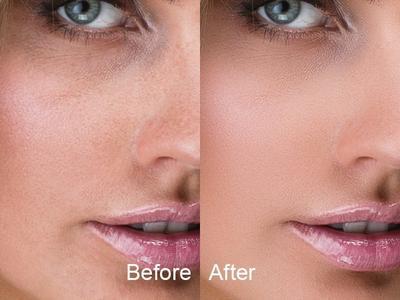
PT Portrait is an easy to use and time-saving photo editor that lets you retouch portraits to make them perfect, removing imperfections and making improvements to rival the quality of professional photographers.

Fix Skin Imperfections
Quickly remove skin blemishes, shrink large pores to make skin look tender. Dramatically reduce wrinkles and skin highlights, get rid of the oily face. Let skin look healthier and younger.

Remove Eye Bags & Dark Circles
Improve the skin around the eyes, remove eye bags and crow's feet, brighten dark circles. Get rid of tired eyes instantly.

Smooth Skin & Improve Skin Tone
Smooth skin and improve skin tone, while maintain natural skin texture so the portrait doesn't look over retouched. Give the portrait a professional look.

Facial features enhancement
Remove red eyes, enhance eyes and eyebrows instantly. Whiten teeth and make lips look more vivid.

-Brighten Eyes
Remove red eye effect, make eyes look brighter and sharper.

-Enhance Eyebrows
Sharpen and darken eyebrows naturally.

-Whiten Teeth
Get rid of yellow teeth, let them appear white and bright.

-Retouch Lips
Make lips ruddy and radiant, or change lips color as you like.

Reshape Face
Use Reshape sliders to make the portrait face look more attractive. You can easily slim face, enlarge eyes, lift eye corners, make nose smaller, and even give the portrait a better smile.

Full-body skin perfection
With the skin brush you can customize the skin area to perfect all visible skin, not just the facial area.

Image color adjustments
Adjust exposure, contrast and saturation, remove color casts, improve the entire image tone.

Professional High Quality Processing

Full-time 16 Bit Processing: Full-time 16-bit per channel processing architecture allows you make advanced color adjustments to an image while keeping its color rich and vibrant.
Color Management: PT Portrait is fully color managed. So the colors in your image will be displayed correctly no matter what color space you're using in your workflow. And you can convert your edited result to any specified color profile(Studio Edition).

Home Page:
У Вас недостаточно прав для просмотра ссылок. Войдите или зарегистрируйтесь.


Language:English

Download link:​
Код:
[center][b]rapidgator_net[/b]:
https://rapidgator.net/file/a88b113d37ac0f0cc7854ce73c17dd18/qqrvl.PT.Portrait.Studio.5.1.0.0.x64.Portable.rar.html

[b]nitroflare_com[/b]:
https://nitroflare.com/view/B7E308ED6DB0D69/qqrvl.PT.Portrait.Studio.5.1.0.0.x64.Portable.rar

[b]uploadgig_com[/b]:
https://uploadgig.com/file/download/DbFc08c04b0f2F73/qqrvl.PT.Portrait.Studio.5.1.0.0.x64.Portable.rar[/center]

Links are Interchangeable - No Password - Single Extraction​
 
PT Portrait Studio 5.1.1 (x64) Multilingual + Portable

7463782a598b98421f8e2c457dd95505.jpeg


PT Portrait Studio 5.1.1 (x64) Multilingual + Portable | 78.8/76.3 Mb​
PT Portrait is an easy to use and time-saving photo editor that lets you retouch portraits to make them perfect, removing imperfections and making improvements to rival the quality of professional photographers.

Fix Skin Imperfections
Quickly remove skin blemishes, shrink large pores to make skin look tender. Dramatically reduce wrinkles and skin highlights, get rid of the oily face. Let skin look healthier and younger.

Remove Eye Bags & Dark Circles
Improve the skin around the eyes, remove eye bags and crow's feet, brighten dark circles. Get rid of tired eyes instantly.

Smooth Skin & Improve Skin Tone
Smooth skin and improve skin tone, while maintain natural skin texture so the portrait doesn't look over retouched. Give the portrait a professional look.

Facial features enhancement
Remove red eyes, enhance eyes and eyebrows instantly. Whiten teeth and make lips look more vivid.

-Brighten Eyes
Remove red eye effect, make eyes look brighter and sharper.

-Enhance Eyebrows
Sharpen and darken eyebrows naturally.

-Whiten Teeth
Get rid of yellow teeth, let them appear white and bright.

-Retouch Lips
Make lips ruddy and radiant, or change lips color as you like.

Reshape Face
Use Reshape sliders to make the portrait face look more attractive. You can easily slim face, enlarge eyes, lift eye corners, make nose smaller, and even give the portrait a better smile.

Full-body skin perfection
With the skin brush you can customize the skin area to perfect all visible skin, not just the facial area.

Image color adjustments
Adjust exposure, contrast and saturation, remove color casts, improve the entire image tone.

Professional High Quality Processing

Full-time 16 Bit Processing: Full-time 16-bit per channel processing architecture allows you make advanced color adjustments to an image while keeping its color rich and vibrant.
Color Management: PT Portrait is fully color managed. So the colors in your image will be displayed correctly no matter what color space you're using in your workflow. And you can convert your edited result to any specified color profile(Studio Edition).

OS :Windows 7+

Home Page -
У Вас недостаточно прав для просмотра ссылок. Войдите или зарегистрируйтесь.


Download link:​
Код:
[center][b]rapidgator_net[/b]:
https://rapidgator.net/file/c10e2175ef50bc70df65e0aa8dd28789/cme88.PT.Portrait.Studio.5.1.1.Portable.rar.html
https://rapidgator.net/file/9fb3e3f3160f2bae41add1305a8a9642/cme88.PT.Portrait.Studio.5.1.1x64.rar.html

[b]nitroflare_com[/b]:
https://nitroflare.com/view/B33F33D30F37EA6/cme88.PT.Portrait.Studio.5.1.1.Portable.rar
https://nitroflare.com/view/13E42E39FAF4093/cme88.PT.Portrait.Studio.5.1.1x64.rar

[b]uploadgig_com[/b]:
https://uploadgig.com/file/download/c4Bc3bf21817943f/cme88.PT.Portrait.Studio.5.1.1.Portable.rar
https://uploadgig.com/file/download/0dab0af3bA4Cb506/cme88.PT.Portrait.Studio.5.1.1x64.rar[/center]

Links are Interchangeable - No Password - Single Extraction​
 
Rigid Audio Stompbox KONTAKT

8af3dd7b996b87a0e8f94158d63b6ca9.jpeg


Rigid Audio Stompbox KONTAKT | 316 Mb​
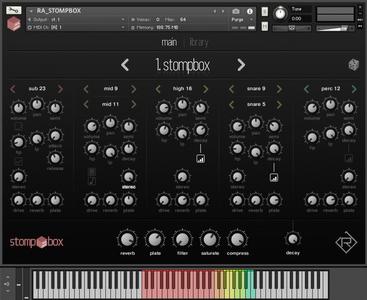
STOMPBOX is a set of 32 cinematic / hybrid drum and percussion kits for KONTAKT 6.4.2.These kits are velocity-sensitive and are built with around 850 24-bit WAV files. STOMPBOX features five distinct parts that can be triggered and mixed seperately. Onboard effects like reverb, saturation and compression are also available.

Features:
32 factory kits (up to 128 per instrument).
5 distinct sections (sub, mid, high, snare and perc).
5x32 source sounds.
drive and distortion.
two high-quality reverb units.
stereo-widening.
filter control per section.
kit randomization.
easy browsing using the library screen.

Download link:​
Код:
[center][b]rapidgator_net[/b]:
https://rapidgator.net/file/81d543c1b376fef2604185aeeaed5028/glhec.Rigid.Audio.Stompbox.KONTAKT.rar.html

[b]nitroflare_com[/b]:
https://nitroflare.com/view/2F107FE787EAEE6/glhec.Rigid.Audio.Stompbox.KONTAKT.rar

[b]uploadgig_com[/b]:
https://uploadgig.com/file/download/1fcb2c0DBcB84e73/glhec.Rigid.Audio.Stompbox.KONTAKT.rar[/center]

Links are Interchangeable - No Password - Single Extraction​
 
Siemens Simcenter FloEFD 2021.1.0 v5312 for Solid Edge

f624586976f53d76d162a2464e0b91ea.jpeg


Siemens Simcenter FloEFD 2021.1.0 v5312 for Solid Edge | 876.0 mb
Language: English, Deutsch, Français, 中文, 日本語, Русский, 한국어​
Siemens Digital Industries Software announces the new release of its Simcenter FLOEFD software for Solid Edge, a CAD-embedded computational fluid dynamics (CFD) tool. This new release provides a range of new features and enhancements, as well as 2 new add-on modules.

Simcenter FLOEFD 2021.1: What's New

d56187e416460c0f5e0f3ecbff4bd9cc.jpeg

Simcenter FLOEFD is a CAD-embedded computational fluid dynamics (CFD) solution and supports NX, Solid Edge, CATIA V5 and Creo. Due to its unique technology, it can reduce the overall simulation time by up to 75%.

This new release provides a range of new features and enhancements, as well as 2 new add-on modules. The new capabilities featured in this version range from electromagnetic simulation and structural simulation, to joule heating in PCBs by co-simulation with HyperLynx from Siemens EDA and many other new capabilities.

Simcenter FLOEFD EMAG Module
With this new module in Simcenter FLOEFD 2021.1, you can now simulate alternating current (AC) and electromagnetic (EM) (low frequency) effects. This module is based on the Simcenter MAGNET mesher and solver technology and allows for increased accuracy of thermal simulations by taking into account Ohmic and iron (core) losses due to AC and EM phenomena such as proximity, skin effect, etc. Transient and Time-harmonic (sinusoidal waveform) analysis is supported as well as permanent magnets. An electromagnetics analysis is defined together with a CFD analysis and a CFD-EM co-simulation takes place by exchanging the power (Ohmic and iron losses) and temperature fields. To access this functionality, you will need the "Simcenter FLOEFD EMAG" module.

34cbb5ec4543176d9b224119499312cc.jpeg

Simcenter FLOEFD Structural Module
With this new module in Simcenter FLOEFD 2021.1, you can perform linear static stress analyses and modal-frequency analyses. The range of analysis types in the FE solver includes: static response to loads, thermal expansion, and enforced deformation as well as determination of eigenvalues. A special Smart PCB FE model allows for accurate and time effective stress analysis of a PCB taking all the details of the PCB's internal structure from an original EDA file into account, traces and vias are resolved without any simplification and without creating the explicit geometry in CAD. Direct integration of structural analysis and CFD allows you to carry out complicated simulations for structural analysis by using the CFD results automatically, which does not require additional conversion of CFD results to external finite element analysis (FEA) software. Simcenter FLOEFD pressure and temperature results are automatically applied as loads for structural analysis, thus minimizing effort and time. In addition, a Simcenter FLOEFD Structural project can be saved as a Simcenter Nastran project for further simulation of complex structural analysis not available in Simcenter FLOEFD. To access this functionality, you will need the "Simcenter FLOEFD Structural" module.

New Electronics Cooling Specific Functionality
Simcenter FLOEFD 2021.1 has a handful of new features specifically for electronics cooling applications:
Joule Heating in PCBs: Simcenter FLOEFD-HyperLynx Co-Simulation
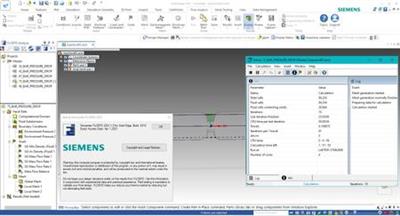
The Smart PCB model can now simulate Joule heating via the Simcenter FLOEFD-HyperLynx (v2.8 Update 1 and newer) co-simulation. Simcenter FLOEFD can take a power map from a HyperLynx DC drop simulation and perform a thermal analysis. Then it can return a temperature map to HyperLynx to update the electrical simulation and update the power map for Simcenter FLOEFD. Alternatively, you can just import a power map exported from a HyperLynx DC drop simulation into Simcenter FLOEFD for one-way data exchange.
This functionality allows you to not only calculate joule heating in wires, switches, or manually defined conditions of detailed imported PCBs but leverage the accuracy of HyperLynx's DC drop simulations and achieve more accurate thermal simulations of PCBs.

Smart PCB: Material Definition for Each Layer
You can now set dielectric, conductor and via-filling materials for each layer separately. This ability increases flexibility in material choice and therefore aligns more closely with the real PCB design and provides more accurate thermal simulations.
Smart PCB: Update on Demand and Minimum Node Size
You can update the evaluated number of nodes on demand. This prevents an auto-update and can dramatically save editing time for extremely complicated PCBs. The minimum node size is displayed providing information about the resolution of a PCB.
Simcenter FLOEFD EDA Bridge Saves PCB Parts into a Folder for NX
Parts generated by Simcenter FLOEFD EDA Bridge can be saved into a specific folder. Under Tools, Options you can specify to use either the default folder or a custom folder. By default, all parts are saved into the model folder. Using the specific folder requires adjusting some NX settings. Leaving the specific folder empty will put all parts into the project folder. This feature is only available in "Simcenter FLOEFD for NX".
Network Assembly (DELPHI Model) Heating Power Dependency
We have added time, goal and parameter dependency for Network Assembly heating power. The Network Assembly is a DELPHI compact model representation of a semiconductor and this new capability allows for more control and interconnectivity to other boundary conditions.
BCI-ROM FMU Export on Linux
Now a BCI-ROM FMU model can be exported on a Linux computer as well, with the Results_Exporter.exe command.
BCI-ROM export to VHDL-AMS
The BCI-ROM models can now also be exported in the IEEE Standard 1076.1 VHDL-AMS format. This format makes Simcenter FLOEFD compatible with many 1D and functional schematic circuit simulation tools such as SystemVision Cloud from Siemens EDA. You can also find more information in the blog post on The future of thermal design - earlier electrothermal analysis.
Improved Solving Time for Electronics Cooling Simulations
The default stopping criteria and computational domain size are optimized for electronics cooling applications. The default number of travels used for the goal analysis is optimized to avoid over-calculating due to an unnecessarily high maximum travel requirement. Also, the default computational domain size is decreased to fit typical electronics cooling external analyses. Both changes shorten calculation time while maintaining high accuracy if default settings are used. An electronics cooling application is defined as a task with conduction and gravity, and with initial velocity set to zero.

New Lighting Specific Functionality
Simcenter FLOEFD 2021.1 has a handful of new features specifically for lighting applications:
LED Pulse-Width Modulation
Pulse-width modulation can be modeled for thermal-electrical-optical LED models. Pulse-width modulation is widely used in lighting to control the brightness of LEDs. You can set the duty cycle in percentage which allows for an easier and more accurate definition of the LED boundary condition which in turn results in more accurate simulations.
LED Forward Current Goal
You can now set the Forward Current as an LED specific goal to use the driving current as a parameter for other equation goals. This allows for more complex interdependencies of boundary conditions and more advanced goal definitions.
Phosphor Particles for Photoluminescence and Mie Scattering
Photoluminescence and Mie scattering of phosphor particles can now be simulated. Phosphor particles are often used to manufacture white LEDs, as they allow the conversion of blue light to yellow light. As some blue light passes the phosphor unchanged, the yellow and blue light creates white light (additive mixing). Photoluminescence is the process during which light of a specific spectral range is absorbed by a material and is then re-emitted with a different spectral range of longer wavelengths. Temperature dependency of the luminous efficiency is taken into account. This allows you to model more detailed LED models as well as LASER lights where originally blue light gets converted to white light. Hence this capability increases simulation capability for such lighting applications as well as the accuracy of results.

Far-Field Description with Multiple Angle Output
Luminous intensity can now be output for many user-defined Azimuth angles. This makes post processing a lot easier when considering various angles.
Near-Field Description in Candela
The candela (cd) unit is added for the luminous intensity.

New Pre-Processing Specific Functionality
Simcenter FLOEFD 2021.1 has a handful of new features specifically for pre-processing:
Check Geometry Improvement
For the "Improve Geometry Handling" mode you can now create solid and fluid bodies. (Not available for the Simcenter FLOEFD for CATIA V5 version.)
Heat Source Dependency on Cell Temperature
It is now possible to specify the specific power [W/m3] dependent on the local (cell) temperature as an F(T) definition representing a table/graph or as a formula. This capability makes it possible to define even more detailed heat loads and expands the definition of complex dependencies for heat sources.
Lost or Suppressed References can be Deleted
You are now able to decide if lost or suppressed reference geometry (bodies, faces, edges, points) should be automatically removed from the selection hence enabling you to resolve errors in boundary conditions from such missing references faster.

New Solver Enhancement
Improved SmartCell "Thin Channels" Technology
The Thin Channel technology is one of the empirical models used in Simcenter FLOEFD to overcome high mesh count requirements in narrow channels such as pipes and between heat sink fins. The technology has now been improved in the laminar-turbulent transition areas. Thereby leading to more accurate results than before and even faster than detailed mesh resolution in such thin channels.

New Post-Processing Specific Functionality
Simcenter FLOEFD 2021.1 has a handful of new features specifically for post-processing:
RANGE Function for Equation Goals
The new RANGE function allows you to get goal values at any moment of a calculation. This allows you to model complex behavior of a transient system, for example power derating based on a temperature sensor. Check out the Online-Help for more information on how to apply the RANGE function.
Scene Descriptions in the Result Tree
A new Scene Description remembers all displayed Descriptions, model orientation, zoom and part visibility. Switching between scenes, displays the Descriptions saved in the scene and sets the corresponding model display, zoom and orientation. This new functionality enables faster post-processing operations and lets you save favorite scene settings.
Merged Descriptions in the Compare Tool
You can merge compared Descriptions (in the Compare tool) from different projects into one image to see critical results immediately. Contour Descriptions made for several design cases or several power modes can be merged. For example, a merged Description based on maximum value which shows the maximum temperature for all design cases in one picture. The difference Description graphically shows the difference from one particular case to the reference case. This allows for a faster and direct comparison of various projects and designs to help facilitate decision making of which design path to follow.
Results Summary in the Compare Tool
Results Summary is now added to the Compare tool and Parametric Study. This will allow inclusion of mesh count information of the different cell types.
Flux Description in the Transient Explorer
You can now visualize the Flux Description in Transient Explorer animation. This allows you to see how the heat values and directions change over time between the different components or into the environment.
Adding Equation Goals after the Calculation run
Add an equation goal based on defined goals and boundary condition parameters after a calculation run. This allows you to do goal calculations without the need to re-run or continue to run the simulation. So, if you have forgotten to define the pressure loss or drag coefficient equation goal before running the simulation, you can now do it afterwards as well. You can also modify the equation in case you made a mistake in its definition.
Crop Region applied to Surface Parameters
The Crop Region is now taken into account when evaluating surface parameters. This enables you to use Crop Region to evaluate parameters only for a portion of a surface you are interested in and gives more flexibility in the post processing.
Named Views and Default Settings for the Save As Function
Now Named Views are supported in Save As view orientation. You can also adjust the default settings for the background color of the saved images under Tools, Options thus allowing for easier post processing.
Export to FLD Format
You can now also export Simcenter FLOEFD steady-state and transient results to Simcenter 3D as a data field using the field (FLD) format for performing advanced thermo-structural analyses in Simcenter 3D such as non-linear visco-plastic creep analysis. With this more direct link to Simcenter 3D file types, you can take advantage of smoother links to Simcenter 3D simulations.
Solver Info Log Improvements
The solver info log (.info) file is reorganized. It now has mesh information and can be created for Linux runs and when the CAD-System is closed as well.

Other Enhancements and Product Support
And some more enhancements on licensing, MS Office as well as new CAD system and PLM support in Simcenter FLOEFD 2021.1:
Licensing Timeout Option
For the Siemens EDA Standard Licensing Simcenter FLOEFD supports FlexLM timeout option, so the server automatically releases a license after a defined time (in seconds) of license client inactivity. Please have a look at the licensing and product documentation or more details on these settings. The timeout capability is not available for Simcenter FLOEFD for CATIA V5 due to CATIA limitations.
Feature Licensing Update
The "Membrane" feature is now also added to the "Simcenter FLOEFD Power Electrification" module and the "DO radiation" feature is added to the "Simcenter FLOEFD Advanced" module. With these additions, membranes can now be used for battery thermal simulations and the DO radiation model can be used in combustion simulations for gas radiations. This extends the capabilities of these modules with existing features from other modules.
Improve CATIA V5 to NX Converter
The existing CATIA-to-NX model and project converter can now optionally skip the conversion of the CAD models, assuming the models were already converted by other means, and you just need to re-apply the projects. This allows for an improved model conversion from CATIA V5 to Siemens NX.
New Microsoft Office Support
The newer MS Office 365, Office 2019 and 2016 are now supported and the support for the older MSOffice 2010 and 2007 versions are discontinued.
Teamcenter Support
Now Simcenter FLOEFD for NX supports the TcSim CAE Model to manage Simcenter FLOEFD projects and results within Teamcenter.
New CAD System Support
- Support of Siemens NX versions 1957, 1961, and 1965.
- Support of PTC Creo 7.
- Support of CATIA V5 R30 (CATIA V5-6 R2020).

Simcenter FLOEFD 2021.1.0 for Solid Edge Release Notes - Date: April 2021

d24fec4e36473937bb2afe93473479b9.jpeg

Simcenter FLOEFD software for Solid Edgedelivers the industry's leading computational fluid dynamics (CFD) analysis tool for fluid flow and heat transfer. Fully embedded in Solid Edge, Simcenter FLOEFD has intelligent tech-nology at its core to help make CFD eas-ier, faster and more accurate. It also enables design engineers to frontload CFD, or move simulation early into the design process, allowing users to iden-tify and fix problems earlier, saving time and money and enhancing productivity by up to 40 times.

SIMCENTER FloEFD pro Solid Edge

Siemens Digital Industries Softwareis driving transformation to enable a digital enterprise where engineering, manufacturing and electronics design meet tomorrow. The Xcelerator portfolio helps companies of all sizes create and leverage digital twins that provide organizations with new insights, opportunities and levels of automation to drive innovation.

Product:Siemens Simcenter FloEFD
Version:2021.1.0 v5312 for Solid Edge
Supported Architectures:x64
Website Home Page :
У Вас недостаточно прав для просмотра ссылок. Войдите или зарегистрируйтесь.

Language:multilanguage
System Requirements:PC *
Size:876.0 mb

Supported Platform

- Microsoft Windows 7 Professional, Ultimate or Enterprise 64-bit edition, Microsoft Windows 10 Pro or Enterprise 64-bit (tested with v1909)
- For solver: Microsoft Windows 2019 Server x64, Microsoft Windows 2012 Server x64, Windows 2012 Server R2 x64, Windows Server 2016, Windows Server 2016 with HPC Pack 2016
- Microsoft Office 365, Microsoft Office 2019, Microsoft Office 2016, Microsoft Office
- Solid Edge 2019
- Solid Edge 2020
- Solid Edge 2021
- 8 GB RAM minimum, more recommended
- 2 GB of free hard disk space, more required for simulation models

Download link:​
Код:
[center][b]rapidgator_net[/b]:
https://rapidgator.net/file/93efc0c044dac47c516dff6ddd81e898/2ufc2.Siemens.Simcenter.FloEFD.2021.1.0.v5312.for.Solid.Edge.rar.html

[b]nitroflare_com[/b]:
https://nitroflare.com/view/93CA29A972AC813/2ufc2.Siemens.Simcenter.FloEFD.2021.1.0.v5312.for.Solid.Edge.rar

[b]uploadgig_com[/b]:
https://uploadgig.com/file/download/F1ce4aFb2a7d2679/2ufc2.Siemens.Simcenter.FloEFD.2021.1.0.v5312.for.Solid.Edge.rar[/center]

Links are Interchangeable - No Password - Single Extraction​
 
Siemens Simcenter Flomaster 2021.1

600066c4fc31f0553dfcfe57c615980c.jpeg


Siemens Simcenter Flomaster 2021.1 | 2.3 Gb​
The software developer Simcenter Team is pleased to announce the availability of FloMASTER 2021.1. This release offers new capabilities to ensure digital continuity and to model complex physics.

Simcenter Flomaster 2021.1 what's new

- Export of the simulation model as a cross platform portable FMU with embedded solver to be used as an executable digital twin
- Automatic creation of simulation models from COMOS P&ID and NX P&ID Designer files
- New pipe model using particle tracking methods that enables modelling of complex processes such as priming, de-priming, batching, purging and cleaning of piping systems

Simcenter Flomaster 2021.1 offers new capabilities to ensure digital continuity and to model complex physics.

Users can now export the fluid system model as a cross-platform portable FMU to be run in larger integration platforms without the need to install Simcenter Flomaster or as an executable digital twin for real time monitoring of plant operation. This means that failures, unscheduled plant shutdowns and process upset can be detected earlier and suitable remedial actions can be taken to avoid accident and to keep operational costs under control. It also allows an easier integration of different subsystems, and different engineering teams can collaborate more efficiently.

In addition, the comprehensive solution for importing Process and Instrumentation Diagrams (P&ID) from COMOS and NX drastically reduces model setup time and ensures digital continuity throughout the lifecycle of the asset. This means that the data and connectivity built in the engineering phase of P&ID diagrams can be reused in simulation, maximizing efficiency and ensuring data continuity across platforms.

Finally, a new pipe model that uses particle tracking methods enables engineers to accurately model complex processes such as priming, de-priming, batching, purging and cleaning of piping systems with both Newtonian and non-Newtonian fluids. This model enables modelling of sharp temperature or concentration front without numerical diffusion that can lead to poor accuracy.

5f89662d839b4c4d7d1de9607b3faee1.jpeg

FloMASTER, formerly known as Flowmaster,is the leading general purpose 1D computational fluid dynamics (CFD) solution for the modeling and analysis of fluid mechanics in complex piping systems of any scale.

Simcenter Flomaster allows engineers to virtually simulate and optimize fluid flows to ensure efficient performance in gas, liquid, and two-phase systems. Executed early in the development cycle, this can improve your time to market and reduce costs by addressing issues when changes can be most effective.

Our product offers in-built empirical data, a large library of components and sample systems to increase engineering productivity. The steady-state and transient solvers allow for rapid component sizing, pressure, temperature, and flow studies system-wide, and monitoring for system performance issues during real world operating conditions such as pressure surge. As part of a large engineering process, Simcenter Flomaster tightly couples with Simcenter FLOEFD for when more detail is needed for a given component and with other system level tools through Functional Mock-up Interface (FMI) for total system of system analysis.

Simcenter Portfolio

Siemens Digital Industriesis an innovation and technology leader in industrial automation and digitalization. In close cooperation with our partners and customers, we are the driving force for the digital transformation in the discrete and process industries.

Product:Siemens Simcenter FloMASTER
Version:2021.1 (10.1.0 Build 958)
Supported Architectures:x86
Website Home Page :
У Вас недостаточно прав для просмотра ссылок. Войдите или зарегистрируйтесь.

Language:english
System Requirements:PC *
Size:2.3 Gb

Simcenter Flomaster 2021.1 requirements:

Operating system support:
- Windows 10 build 1809, 1909, 2004, 20H2 - x64

Operating systems should include the latest Microsoft published updates.
- Microsoft .NET 5.0 or higher is required
- 5 GB available hard drive space for full installation
- Minimum screen resolution of 1280 x 1024 with normal font size selected and scaling set to 100% (this is the same as setting DPI to 96 pixels per inch).

Database server support:
- Microsoft SQL Server 2019
- Microsoft SQL Server 2017
- Microsoft SQL Server 2016 SP1
- Microsoft SQL Server 2014 SP2

Note:It is not possible to upgrade databases from releases prior to Flomaster V7.9.4 to Simcenter Flomaster 2021.1 using Simcenter Flomaster 2021.1.

Compatible releases

The following releases are compatible with Simcenter Flomaster 2021.1
- Simcenter FLOEFD 2020.2
- Simcenter Motorsolve 2020.1, 2020.2, 2021.1.
- Simcenter Amesim 17.0, 2019.1, 2019.2, 2020.1, 2020.2, 2021.1
- NX - 1953 Series
- COMOS - 10.3.3
- Team Center for Simulation - Active Workspace 5.2, 5.3
- Simcenter 3D - 2021.1

Download link:​
Код:
[center][b]rapidgator_net[/b]:
https://rapidgator.net/file/44520f1b4c69327b0744ee30b7f63ec0/0qtg3.Siemens.Simcenter.Flomaster.2021.1.part1.rar.html
https://rapidgator.net/file/52b75600a3ac763c45a6715724e53966/0qtg3.Siemens.Simcenter.Flomaster.2021.1.part2.rar.html
https://rapidgator.net/file/c2e543ea0d06577fa5536b555f927078/0qtg3.Siemens.Simcenter.Flomaster.2021.1.part3.rar.html
https://rapidgator.net/file/feb348efcd578808e929fd44beb2a18b/0qtg3.Siemens.Simcenter.Flomaster.2021.1.part4.rar.html
https://rapidgator.net/file/844ccd059255760e9707b05c86496af4/0qtg3.Siemens.Simcenter.Flomaster.2021.1.part5.rar.html
https://rapidgator.net/file/42e8bc4966246c46be257641966875e8/0qtg3.Siemens.Simcenter.Flomaster.2021.1.part6.rar.html
https://rapidgator.net/file/bfdc80bf6d9bef9d6cca042996c4bfe1/0qtg3.Siemens.Simcenter.Flomaster.2021.1.part7.rar.html

[b]nitroflare_com[/b]:
https://nitroflare.com/view/87ECA476AEC154D/0qtg3.Siemens.Simcenter.Flomaster.2021.1.part1.rar
https://nitroflare.com/view/B2EF0F33B7CDBB3/0qtg3.Siemens.Simcenter.Flomaster.2021.1.part2.rar
https://nitroflare.com/view/0351F9ADB50265A/0qtg3.Siemens.Simcenter.Flomaster.2021.1.part3.rar
https://nitroflare.com/view/6927CCF4CF5E5EA/0qtg3.Siemens.Simcenter.Flomaster.2021.1.part4.rar
https://nitroflare.com/view/FABA58454D259B9/0qtg3.Siemens.Simcenter.Flomaster.2021.1.part5.rar
https://nitroflare.com/view/A526AC2206F8B30/0qtg3.Siemens.Simcenter.Flomaster.2021.1.part6.rar
https://nitroflare.com/view/0DAC45A48B8BAB9/0qtg3.Siemens.Simcenter.Flomaster.2021.1.part7.rar

[b]uploadgig_com[/b]:
https://uploadgig.com/file/download/c6Dc4e391E090c61/0qtg3.Siemens.Simcenter.Flomaster.2021.1.part1.rar
https://uploadgig.com/file/download/b163008560c0aa0E/0qtg3.Siemens.Simcenter.Flomaster.2021.1.part2.rar
https://uploadgig.com/file/download/25966C04F866Ea32/0qtg3.Siemens.Simcenter.Flomaster.2021.1.part3.rar
https://uploadgig.com/file/download/6a323537221b569e/0qtg3.Siemens.Simcenter.Flomaster.2021.1.part4.rar
https://uploadgig.com/file/download/94112C85aBe87c7a/0qtg3.Siemens.Simcenter.Flomaster.2021.1.part5.rar
https://uploadgig.com/file/download/a46757C16896a98c/0qtg3.Siemens.Simcenter.Flomaster.2021.1.part6.rar
https://uploadgig.com/file/download/44233922dc19259c/0qtg3.Siemens.Simcenter.Flomaster.2021.1.part7.rar[/center]

Links are Interchangeable - No Password - Single Extraction​
 
Siemens Simcenter MAGNET Suite 2021.1

6d43b28b20bf1e0455a30dd27fa0635a.jpeg


Siemens Simcenter MAGNET Suite 2021.1 | 1.2 Gb​
The software developer Simcenter Team is pleased to announce the availability of MAGNET Suite 2021.1. With this release, we deliver new capabilities and performance enhancements to help you model the complexity of your electromechanical devices and explore the possibilities with advanced optimization.

1cae9f46891df85229d56ec76dd335dc.jpeg

What's New in Simcenter MAGNET 2021.1
Here are some highlights of what the new release offers.

More Magnetostriction Capabilities For Tougher Problems

Firstly, let's explore the increased model accuracy for grain-oriented electrical steel (sometimes called silicon steel) which enhances the magnetostrictive force calculations added in Simcenter MAGNET 2020.2.

Many transformer cores use grain-oriented electrical steel. Likewise, it can also be used in other stationary equipment in which the magnetization direction is unidirectional. Obtaining a thorough set of measured material property data can be challenging. That is because the measurements are complex and require sophisticated equipment. The material characterization is a crucial component for accurate simulation of magnetostrictive forces in such types of steels.

Therefore, to address this issue, Simcenter MAGNET 2021.1 converts more easily and accurately available uniaxial measured data into anisotropic property data for grain oriented electrical steels. This results in more accurate predictions of the magnetostrictive forces.

Coil Whine? Check Your Lorentz forces

New in Simcenter MAGNET 2021.1 is a Lorentz forces export for structural analysis. In transformers, these forces are acting on the windings. The forces produce an electromagnetically excited acoustic noise more commonly referred to as coil whine.

Shown below is a 3-phase transformer with 3 sets of windings wound around 3 limbs. Due to the stray field from the transformer core, the windings experience a force which is proportional to the magnitude of the magnetic field and the currents flowing in the windings. This force can cause vibration. Under severe conditions such as short circuit currents, it can lead to a total failure and pose a safety hazard. Therefore, a structural analysis which includes Lorentz forces is necessary to avoid such issues.

Direct Interface with HEEDS: Design Space Exploration for Electromagnetics

Simcenter MAGNET is available as a direct portal in the HEEDS Workflow Manager without the need for custom scripting. As a result, Simcenter MAGNET's electromagnetic simulations data is automatically shared between different modeling and simulation products.

ed813412d3541f46d76be38b9c54e5af.jpeg


a8386675a0b0c50927ca9b61d9cb1f7a.jpeg


7be3abcb1d94c6cd6b69c6fbfa2a2c2a.jpeg

Simcenter MAGNET 2D/3Dis a powerful simulation software for performance prediction of motors, generators, sensors, transformers, actuators, solenoids, or any component with permanent magnets or coils. With our efficient-to-use and accurate software, you can optimize, design, and analyze simple to complex electromagnetic and electromechanical devices.

Simcenter MAGNET virtual prototyping is both cost and time efficient. Parametric and optimization studies allow the exploration of multiple configurations, for performance improvements. The accurate replication of the operating and extreme conditions provides insight into the loss and temperature hotspots, permanent magnet demagnetization, unused material, and failure analysis through fault conditions.

Professor Pragasen Pillay from Concordia University explains how they use Simcenter MAGNET & Motorsolve for electrical machine design particularly for renewable energy and electric vehicles applications.

At the 2019 Siemens Media & Analyst Conference in New York,Siemens PLM Software announced that it is changing its name to Siemens Digital Industries Software. The company explains that the change reflects not only its position inside the core operating company, Siemens Digital Industries, but also its evolution from product lifecycle management (PLM) software to a broad provider of industrial software and services for digitalization.

Product:Siemens Simcenter MAGNET
Version:Suite 2021.1 *
Supported Architectures:x64
Website Home Page :
У Вас недостаточно прав для просмотра ссылок. Войдите или зарегистрируйтесь.

Language:english
System Requirements:PC **
Size:1.2 Gb

- Simcenter MAGNET 2021.1
- Simcenter MAGNET Batch Submit Utility 2021.1
- Simcenter MAGNET CADTranslator 2021.1
- Simcenter MAGNET Design Optimization 2021.1
- Simcenter MAGNET Electric 2021.1
- Simcenter MAGNET Simulink Plugin 2021.1
- Simcenter MAGNET SMG Simulink Plugins 2021.1
- Simcenter MAGNET System Model Generator 2021.1
- Simcenter MAGNET Thermal 2021.1
- Simcenter MAGNET Trajectory Evaluator 2021.1

System requirements:

- Windows 10 x64 version 1909

Operating systems should include the latest Microsoft published updates.

- Microsoft .NET Framework 4.0 or higher is required. Simcenter MAGNET requires Microsoft .NET Framework 4.6 or higher if distributed solver jobs are submitted to multiple processors and clusters.

The recommended minimum hardware requirements are:

- Processor: Intel Core i5 or AMD FX
- 2GB RAM
- 40 GB of free disk space
- Minimum screen resolution of 1280 x 1024 with normal font size selected and scaling set to 100%
- Graphics card: OpenGL compatible video card

Download link:​
Код:
[center][b]rapidgator_net[/b]:
https://rapidgator.net/file/751842e29695e924b032b603150c0bb7/jo9ss.Siemens.Simcenter.MAGNET.Suite.2021.1.part1.rar.html
https://rapidgator.net/file/927bb75ddf24068b57d4471f12007e01/jo9ss.Siemens.Simcenter.MAGNET.Suite.2021.1.part2.rar.html
https://rapidgator.net/file/a30bb0f5d49ed02a87f69f3c372afff7/jo9ss.Siemens.Simcenter.MAGNET.Suite.2021.1.part3.rar.html
https://rapidgator.net/file/a47bf2e8e7338cb5acc4d58a5f4a28fe/jo9ss.Siemens.Simcenter.MAGNET.Suite.2021.1.part4.rar.html

[b]nitroflare_com[/b]:
https://nitroflare.com/view/9ED2B76A2E41E1D/jo9ss.Siemens.Simcenter.MAGNET.Suite.2021.1.part1.rar
https://nitroflare.com/view/7E12C597147B9A6/jo9ss.Siemens.Simcenter.MAGNET.Suite.2021.1.part2.rar
https://nitroflare.com/view/FB7F610F4F36CDE/jo9ss.Siemens.Simcenter.MAGNET.Suite.2021.1.part3.rar
https://nitroflare.com/view/6EA91C1D270E69D/jo9ss.Siemens.Simcenter.MAGNET.Suite.2021.1.part4.rar

[b]uploadgig_com[/b]:
https://uploadgig.com/file/download/37Ab4f3090cc5098/jo9ss.Siemens.Simcenter.MAGNET.Suite.2021.1.part1.rar
https://uploadgig.com/file/download/7D59F900C371283d/jo9ss.Siemens.Simcenter.MAGNET.Suite.2021.1.part2.rar
https://uploadgig.com/file/download/F5e89bf6c56f0bC1/jo9ss.Siemens.Simcenter.MAGNET.Suite.2021.1.part3.rar
https://uploadgig.com/file/download/83566c06Dffe3eb5/jo9ss.Siemens.Simcenter.MAGNET.Suite.2021.1.part4.rar[/center]

Links are Interchangeable - No Password - Single Extraction​
 
Siemens Simcenter MotorSolve 2021.1.0

6d969b817a763a8941ccd25414dd6413.jpeg


Siemens Simcenter MotorSolve 2021.1.0 | 518.0 mb​
The software developer Simcenter Team is pleased to announce the availability of Motorsolve 2021.1 is the complete design and analysis software for induction, synchronous, electronically and brush-commutated machines.

What's New in Simcenter Motorsolve and Simcenter SPEED 2021.1

Seamless Transition to Simcenter MAGNET
The 2D models from Simcenter Motorsolve have always been available for further simulation and analysis in Simcenter MAGNET. However, it required some additional work to setup the 3D models, particularly creating coils with end turns of various configurations.
Simcenter Motorsolve 2021.1 features an automated Simcenter MAGNET model export capability. Automatically export 3D motor models including detailed end windings. This makes it seamless to move from 2D to higher fidelity 3D simulation and analysis.

bbd5313ca7e4349edb876fbecc4a3bf4.jpeg

Direct Interface with HEEDS
HEEDS is a powerful design space exploration and optimization software package. Simcenter Motorsolve is now available as a direct portal in the HEEDS Workflow Manager. In addition, add Simcenter Motorsolve to other simulation processes in the workflow, such as Simcenter Amesim, to define multidisciplinary and multiphysics optimization problems. For example, this combination would allow for optimizing vehicle emission levels and electric machine performance together.

efb71a791b3e0c1d25425cba776d63d7.jpeg

Built-in Vehicle Model for Required Motor Speed and Torque
In Simcenter Motorsolve 2020.2, we added a user defined duty cycle-based performance analysis capability. This allowed designers to import machine performance requirements from a system simulation to incorporate realistic vehicle behavior into the design process and calculate losses for an arbitrary load profile.
Building on this capability, a basic vehicle model has been added in Simcenter Motorsolve 2021.1. In other words, think of it as a built-in calculator, an alternative to performing and importing the parameters from a system simulation. Therefore, the estimation of the required motor speed and torque can be obtained with this integrated basic vehicle model

New Simcenter SPEED FEA Solver
Finally, proper simulation of material nonlinearities and saturation effects in electric motors require a finite element analysis solver. These effects can impact machine performance significantly, and if not accurately predicted via FEA, there can be no validation of the design.
Based on Simcenter MAGNET technology, the new Simcenter SPEED FEA Solver enables a wide-ranging set of FEA-based calculations. Create 2D models with the embeded workflow which can be solved directly with the Simcenter SPEED FEA Solver or exported to Simcenter MAGNET.
The new Simcenter SPEED FEA Solver can take skin and proximity effect-based losses into account. In addition, the accuracy of estimations such as efficiency, eddy current losses and machine performance calculations are improved and go beyond the previously available FEA options for Simcenter SPEED.

fbfbcb56bd3f6004d5159d7a20379db3.jpeg


2bd96b93ff0dd42b87670b199d0b5338.jpeg

Simcenter Motorsolveis the complete design and analysis software for permanent magnet, induction, synchronous, electronically, and brush-commutated machines. It leverages the fast nature of equivalent circuits and the accuracy of FEA, with the synergy of automating the nonproductive tasks for rapid and accurate analysis of electric machines.

Our products template-based interface is easy to use and flexible enough to handle practically any motor topology, with provision for custom rotors and stators. Typical FEA operations such as mesh and solver refinements, winding design, motion, and post-processing including the export of 1D models, are not required as the software handles these for the user. Performance parameters, waveforms, and field Descriptions are available with just a click.

Together, Simcenter Motorsolve and Simcenter SPEED 2021.1 offer the most comprehensive electric motor design software solution available.

Using Simcenter MAGNET & Motorsolve

At the 2019 Siemens Media & Analyst Conference in New York,Siemens PLM Software announced that it is changing its name to Siemens Digital Industries Software. The company explains that the change reflects not only its position inside the core operating company, Siemens Digital Industries, but also its evolution from product lifecycle management (PLM) software to a broad provider of industrial software and services for digitalization.

Product:Siemens Simcenter MotorSolve
Version:2021.1
Supported Architectures:x64
Website Home Page :
У Вас недостаточно прав для просмотра ссылок. Войдите или зарегистрируйтесь.

Language:english
System Requirements:PC *
Size:518.0 mb

System requirements:

- Windows 10 x64 versions 1909, 2004, 20H2.

Operating systems should include the latest Microsoft published updates.
- Microsoft .NET Framework 4.0 or higher is required

The recommended minimum hardware requirements are:
- Processor: Intel Core i5 or AMD FX
- 2GB RAM
- 40 GB of free disk space
- Minimum screen resolution of 1280 x 1024 with normal font size selected and scaling set to 100%
- Graphics card: OpenGL compatible video card

Download link:​
Код:
[center][b]rapidgator_net[/b]:
https://rapidgator.net/file/39ca3e81e13aaa27ac3a49b016a412d6/8gzmq.Siemens.Simcenter.MotorSolve.2021.1.0.rar.html

[b]nitroflare_com[/b]:
https://nitroflare.com/view/68393633E2FA18D/8gzmq.Siemens.Simcenter.MotorSolve.2021.1.0.rar

[b]uploadgig_com[/b]:
https://uploadgig.com/file/download/82eDfeacc405c524/8gzmq.Siemens.Simcenter.MotorSolve.2021.1.0.rar[/center]

Links are Interchangeable - No Password - Single Extraction​
 
SkinFiner 4.1.1 (x64) Multilingual + Portable

c020b00124a69b87c934e2fbf9cab71a.jpeg


SkinFiner 4.1.1 (x64) Multilingual + Portable | 72.7/75.4 Mb​
SkinFiner is a photo editing software designed to free you from tedious manual labor in skin retouching. It helps you smooth and enhance skin in the easiest and fastest way.

Automatic Skin Texture Smoothing
- Intelligently smoothes skin and removes imperfections while preserving skin texture to give the portrait a natrual and professional look. Auto-Skin-Mask features discover the skin area of the image automatically, and you can also manually fine-tune it with just a few clicks.

Natural Skin Tone Enhancing
- Skin tone adjustments help you improve skin tone, change skin color, fine-tune skin lighting with shadows and highlights, adjust skin brightness and contrast, make skin look health and radiant.

Fits Your Workflow
- SkinFiner can work both as a photoshop plugin and as a standalone application. It comes with pre-defined presets for one-click effects, you can also create your own presets tailored to your specific requirements. Batch processing makes it possible to deal with multiple photos at a time.

Full-time 16 Bit Processing
- With full-time 16-bit per channel processing architecture, SkinFiner makes advanced color adjustments to an image while keeping all the details.

Supports Color Management
- SkinFiner is fully color managed. So the colors in your image will be displayed correctly no matter what color space you're using in your workflow. And you can convert your edited result to any specified color profile.

OS :Windows 7+

Home Page -
У Вас недостаточно прав для просмотра ссылок. Войдите или зарегистрируйтесь.


Download link:​
Код:
[center][b]rapidgator_net[/b]:
https://rapidgator.net/file/aeae4afee228b4d89911d6aba665a2fe/x64ls.SkinFiner.4.1.1.Portable.rar.html
https://rapidgator.net/file/e9215ceae8f6f55e8a65d83e82769fb4/x64ls.SkinFiner.4.1.1x64.rar.html

[b]nitroflare_com[/b]:
https://nitroflare.com/view/D7D9EFB668BA31F/x64ls.SkinFiner.4.1.1.Portable.rar
https://nitroflare.com/view/7B2A5A5E7E524E9/x64ls.SkinFiner.4.1.1x64.rar

[b]uploadgig_com[/b]:
https://uploadgig.com/file/download/3052e560f1F4a5DD/x64ls.SkinFiner.4.1.1.Portable.rar
https://uploadgig.com/file/download/AeA35e77867E796A/x64ls.SkinFiner.4.1.1x64.rar[/center]

Links are Interchangeable - No Password - Single Extraction​
 
SkinFiner 4.1 Portable

aa80d3daf7e66643b29462d89d6e7a2d.jpeg


SkinFiner 4.1 (x64) Portable | 74.2 Mb​
SkinFiner is a photo editing software designed to free you from tedious manual labor in skin retouching. It helps you smooth and enhance skin in the easiest and fastest way.

Automatic Skin Texture Smoothing
- Intelligently smoothes skin and removes imperfections while preserving skin texture to give the portrait a natrual and professional look. Auto-Skin-Mask features discover the skin area of the image automatically, and you can also manually fine-tune it with just a few clicks.

Natural Skin Tone Enhancing
- Skin tone adjustments help you improve skin tone, change skin color, fine-tune skin lighting with shadows and highlights, adjust skin brightness and contrast, make skin look health and radiant.

Fits Your Workflow
- SkinFiner can work both as a photoshop plugin and as a standalone application. It comes with pre-defined presets for one-click effects, you can also create your own presets tailored to your specific requirements. Batch processing makes it possible to deal with multiple photos at a time.

Full-time 16 Bit Processing
- With full-time 16-bit per channel processing architecture, SkinFiner makes advanced color adjustments to an image while keeping all the details.

Supports Color Management
- SkinFiner is fully color managed. So the colors in your image will be displayed correctly no matter what color space you're using in your workflow. And you can convert your edited result to any specified color profile.

OS : Windows 7+

Home Page-
У Вас недостаточно прав для просмотра ссылок. Войдите или зарегистрируйтесь.


Download link:​
Код:
[center][b]rapidgator_net[/b]:
https://rapidgator.net/file/255b703530b9547d5ac308a5f3a99e3d/095sm.SkinFiner.4.1.Portable.rar.html

[b]nitroflare_com[/b]:
https://nitroflare.com/view/29B2C1D79813C3B/095sm.SkinFiner.4.1.Portable.rar

[b]uploadgig_com[/b]:
https://uploadgig.com/file/download/05092Bd7b52908f6/095sm.SkinFiner.4.1.Portable.rar[/center]

Links are Interchangeable - No Password - Single Extraction​
 
SQLite Expert Professional 5.4.3.528 Portable

dd12bdaf63cfd9131f8978f34b75ab12.jpeg


SQLite Expert Professional 5.4.3.528 Portable | 90 Mb​
SQLite Expert is a powerful tool designed to simplify the development of SQLite3 databases. It is a feature rich administration and development tool for SQLite designed to answer the needs of all users from writing simple SQL queries to developing complex databases. The graphical interface supports all SQLite features. It includes a visual query builder, an SQL editor with syntax highlighting and code completion, visual table and view designers and powerful import and export capabilities.

Visual SQL Query Builder
- Build complex SQL queries with ease.
- Formatted SQL query text layout.
- Powerful means of SQL query parsing and analysis.
- Advanced SQL editor with syntax highlighting and code completion.

Powerful restructure capabilities
- Visual editors for table columns, indexes, foreign keys, triggers, unique and check constraints.
- Restructure any complex table without losing data.
- Any restructure operation is wrapped in a nested transaction which is rolled back if any errors occur when applying changes.

Import and Export data
- Import data from ADO data source, CSV files, SQL script or SQLite.
- Export data to CSV files, SQL script, Excel or SQLite.
- Copy tables between SQLite databases using drag and drop operations.
- Export data to Excel via clipboard.

Data editing
- Edit data in the grid using powerful in-place editors.
- Image editor currently supporting JPEG, PNG, BMP, GIF and ICO image formats.
- Visualize and modify BLOB fields using the integrated Hex editor.

Other features
- Full Unicode support.
- Support for attached databases.
- Supports SQLite extensions and third-party SQLite libraries.
- Lua and Pascal scripting support.

Operating System:Windows 2000/XP/2003/Vista/7/8/10

Home Page-
У Вас недостаточно прав для просмотра ссылок. Войдите или зарегистрируйтесь.


Download link:​
Код:
[center][b]rapidgator_net[/b]:
https://rapidgator.net/file/70ca6ba15b712755ce9665ea0e373b66/kuigo.SQLite.Expert.Professional.5.4.3.528.Portable.rar.html

[b]nitroflare_com[/b]:
https://nitroflare.com/view/0ECAE0507622965/kuigo.SQLite.Expert.Professional.5.4.3.528.Portable.rar

[b]uploadgig_com[/b]:
https://uploadgig.com/file/download/417F8417b31Dfb8a/kuigo.SQLite.Expert.Professional.5.4.3.528.Portable.rar[/center]

Links are Interchangeable - No Password - Single Extraction​
 
Turbo Studio v21.5.1507 Portable

57a875108e07956edb5ac05507e73d71.jpeg


Turbo Studio v21.5.1507 Portable | 13 Mb

Powerful, easy-to-use authoring tool for creating virtual environments.​

Easy to Use
Application templates and the new Desktop Import wizard allow painless migration of applications. Or, use setup capture to virtualize custom applications.

#1 in Compatibility
Turbo handles the apps others can't. Virtualize both 32-bit and 64-bit applications, complex interconnected app suites, databases such as SQL Server, services such as IIS, as well as DCOM and SxS.

Run .NET Without .NET
Easily embed runtime dependencies such as .NET, Java, and SQL directly into virtual applications. Launch reliably on any desktop, regardless of underlying component installs.

Package Once, Publish Anywhere
Deploy in standalone EXEs, traditional MSIs, on intranets with Turbo Server, or over the cloud with Turbo.net integration.

Turbo Hub Integration
Turbo Studio has access to the vast repository of images on the Turbo.net Hub, allowing you to pick from thousands of known working application configurations and customize them for your needs.

Deploy Everywhere
Publish applications directly from Turbo Studio into any of the supported deployment mods, including standalone EXEs, MSIs, Turbo Server, and the Turbo.net cloud.

NOTE:
- Made in NSIS
- This portable release supported Win7, Win8/8.1, Win10 (both 32-bit and 64-bit)


Home Page-
У Вас недостаточно прав для просмотра ссылок. Войдите или зарегистрируйтесь.


Download link:​
Код:
[center][b]rapidgator_net[/b]:
https://rapidgator.net/file/e039bc199ba9d3e277bef6757fafef73/2sedl.Turbo.Studio.v21.5.1507.Portable.rar.html

[b]nitroflare_com[/b]:
https://nitroflare.com/view/976C27DD2A485B5/2sedl.Turbo.Studio.v21.5.1507.Portable.rar

[b]uploadgig_com[/b]:
https://uploadgig.com/file/download/63e661Ed811cAEaa/2sedl.Turbo.Studio.v21.5.1507.Portable.rar[/center]

Links are Interchangeable - No Password - Single Extraction​
 
WinToUSB 6.0 R2 Multilingual + Portable

2a8de9c827252049e9cc95a86f2b1cfc.jpeg


WinToUSB 6.0 R2 Multilingual All Editions + Portable | 6.9/18.7 Mb​
WinToUSB is the best Windows To Go Creator that allows you to install and run Windows operating system on a USB hard drive or USB flash drive, using an ISO image or CD/DVD drive as the source of installation. Starting from version 2.0, you can clone current Windows OS installation (Windows 7 or later) to a USB drive as a Windows To Go Workspace. WinToUSB also supports creating a bootable WinPE USB drive, it can help you transfer the contents of WinPE to a USB drive and make the drive bootable.

WinToUSB's key features include:
Easy-to-use wizard interface that provides step-by-step instructions for creating a Windows To Go USB drive.
Creation of Windows To Go from an ISO image file or CD/DVD drive.
Clone an existing Windows OS (Windows 7 or later) to a USB Drive as a Windows To Go Workspace.
Use of a Non-Enterprise Edition of Windows 10/8.1/8/7 to create Windows To Go Workspace.
Creation of Windows To Go on Non-Certified Windows To Go USB Drive.
Support for creating VHD-based/VHDX-based Windows To Go Workspace.

Operating System:Windows XP or later (64 & 32 bits)

Home Page-
У Вас недостаточно прав для просмотра ссылок. Войдите или зарегистрируйтесь.


Download link:​
Код:
[center][b]rapidgator_net[/b]:
https://rapidgator.net/file/27f19af732da21f78a2d5a4431e08660/9pt6f.WinToUSB.6.0.R2.Portable.rar.html
https://rapidgator.net/file/9b092c8d98b329348925247beb479066/9pt6f.WinToUSB6.rar.html

[b]nitroflare_com[/b]:
https://nitroflare.com/view/3EF2D9099829371/9pt6f.WinToUSB.6.0.R2.Portable.rar
https://nitroflare.com/view/0B416A8347E5A0A/9pt6f.WinToUSB6.rar

[b]uploadgig_com[/b]:
https://uploadgig.com/file/download/7D39cfff72b3A4e5/9pt6f.WinToUSB.6.0.R2.Portable.rar
https://uploadgig.com/file/download/398eCD8570885Ab5/9pt6f.WinToUSB6.rar[/center]

Links are Interchangeable - No Password - Single Extraction​
 
Yamicsoft Windows 10 Manager 3.4.8 Multilingual + Portable

3a98cfea7f5623317848147702970739.jpeg


Yamicsoft Windows 10 Manager 3.4.8 Multilingual + Portable | 34.7/17.6 Mb​
Yamicsoft Windows 10 Manager is a system utility that helps you optimize, tweak, repair and clean up Windows 10. It will increase your system speed, eliminate system fault, improve system security, and meet all of your expectations. Windows 10 Manager is a system utility that helps you optimize, tweak, repair and clean up Windows 10. It will increase your system speed, eliminate system fault, improve system security, and meet all of your expectations.

Information:
Get detailed system and all hardware information on your system; help you find out the installation key of Windows, Office products; show all detailed information of running processes and threads on your machine; Windows 10 Manager offers 1-clicking Cleaner cleans your system automatically; Repair Center helps you to fix various system problems.

Optimizer:
Tweak your system to improve windows startup and shutdown speed, tweak your hardware to increase system speed and performance; Control what is started on Windows startup, check and repair the advanced starup items to restore the malicious change by viruses; Tune up and optimize system services and Task Schedule, turn off smartly some unnecessary system services and tasks to improve system performance.

Cleaner:
Find out which files or folders engross your disk space and shown with chart; Smart Uninstaller can fully delete programs from your system without residual files and Registry entries; Find and clean junk files to increase Hard Disk space; Duplicate Files Finder can scan your computer for files with the same size, name and modification time; Registry Cleaner checks and repair incorrectly linked Registry entries; Registry Defrag rebuilds and re-indexes your Registry to reduce registry access time and therefore improve application responsiveness; Desktop Cleaner can clean useless icons and files on Desktop easily.

Customization:
Customize the look of your system by tweaking system Explorer, Desktop, Start Menu, Taskbar and notification area; Manage the pinned items and can pin any files or folders to Taskbar and Start Screen; Create the quick startup items on Taskbar with the Jump List launcher; Tune up Windows 10 boot menu; Edit context menus of mouse Right-Clicking; Edit easily the Win + X menu that shown when right-click on Desktop bottom-left corner or Win + X keyboard shortcut ; Create the shortcut that executed quick on run dialog box. Visual Customizer can change system and file type icons, change the lock screen image automatically.

Security:
Improve system security by tweaking system components, UAC and login settings; Tune up System Restore options; Hide and restrict to access drives and programs; Encrypt/decrypt files, move system folders to safe locations; Undelete the files that accidentally deleted or formatted on disk; Privacy Protector can maintain your personal privacy by eliminating the tracks that you leave behind; Hide, add or delete the Control Panel entries.

Network:
Optimize your Internet connection speed, manage all shares items; Tweak the Microsoft Edge and Internet Explorer easily; IP Switcher can switch your IP address easily on different networks; Edits the Hosts file to speed up surfing internet and permit only to access the specified Hosts.

Misc. Utilities:
Show the collection of Windows utilities and pin system items to Start Screen and Taskbar; split and merge any files; Automatically back up files regularly using Super Copy. Registry Tools help you to operate Registry easily.

Operating System:Windows 10

Home Page-
У Вас недостаточно прав для просмотра ссылок. Войдите или зарегистрируйтесь.


Download link:​
Код:
[center][b]rapidgator_net[/b]:
https://rapidgator.net/file/a7942978c1c752f62acae3579ce5b198/ef2rx.Windows.10.Manager.3.4.8.Portable.rar.html
https://rapidgator.net/file/aea9370a2afbb5827fedabccc7988c58/ef2rx.YamicsoftWindows10Manager3.rar.html

[b]nitroflare_com[/b]:
https://nitroflare.com/view/44198989F152CD5/ef2rx.Windows.10.Manager.3.4.8.Portable.rar
https://nitroflare.com/view/0CDA94A931A70E2/ef2rx.YamicsoftWindows10Manager3.rar

[b]uploadgig_com[/b]:
https://uploadgig.com/file/download/45fdb39F181629a4/ef2rx.Windows.10.Manager.3.4.8.Portable.rar
https://uploadgig.com/file/download/5390398538784439/ef2rx.YamicsoftWindows10Manager3.rar[/center]

Links are Interchangeable - No Password - Single Extraction​
 
3D Characters and Illustrations in Blender 2.9

7d6700ca2ac4a7a26a8f76f053292f5a.jpeg

MP4 | Video: h264, yuv420p, 1920x1080 | Audio: aac, 44100 Hz | Duration: 16h:06mins | Size File: 4.73 GB
Genre: eLearning | Language: English​

3D Characters and Illustrations is a 2020 course sequel, that serves as an extension of the knowledge gained in Become a 3D Illustrator course released in 2019.
It will guide you through my method of simple 3d cartoon character construction and some more advanced 3d modeling and illustration techniques, like hard surface modeling and simple sculpting.

Although this is a sequel, if you already have some basic Blender skills, you can jump right in and get up to speed using the first episode, that serves as a requirements checklist.
If you are experienced in other 3D software and want to give Blender a try, this course might be a great match for you, as it's really practical and time efficient.
If you're completely new to 3D design, I recommend starting with the Become a 3D Illustrator course.

01 - Introduction and Blender Setup
02 - Episode 1 - Sunny Park
03 - Episode 2 - Tiki Shaman
04 - Episode 3 - Sci-Fi Corridor
05 - Episode 4 - Fantasy Tower

66028d23a4ad9f7235fb6ec85eab91f7.jpeg


Download link:​
Код:
[center][b]rapidgator_net[/b]:
https://rapidgator.net/file/bee4eee57dc465e307824bad869318ee/jyt7p.3D.Characters.and.Illustrations.in.Blender.2.9.part1.rar.html
https://rapidgator.net/file/f8eb9b59ebe5aa47c5796c12f6bc71b4/jyt7p.3D.Characters.and.Illustrations.in.Blender.2.9.part2.rar.html
https://rapidgator.net/file/62dcf40c3e51e6cbc84985b9069b5405/jyt7p.3D.Characters.and.Illustrations.in.Blender.2.9.part3.rar.html
https://rapidgator.net/file/533799b1f20830ed4b06df616996611e/jyt7p.3D.Characters.and.Illustrations.in.Blender.2.9.part4.rar.html
https://rapidgator.net/file/f89577b0dab90c168d58986b50921907/jyt7p.3D.Characters.and.Illustrations.in.Blender.2.9.part5.rar.html

[b]uploadgig_com[/b]:
https://uploadgig.com/file/download/72f9DddA9A603Fc4/jyt7p.3D.Characters.and.Illustrations.in.Blender.2.9.part1.rar
https://uploadgig.com/file/download/c75a3214e41Fa977/jyt7p.3D.Characters.and.Illustrations.in.Blender.2.9.part2.rar
https://uploadgig.com/file/download/22ed9aac09b9fAc3/jyt7p.3D.Characters.and.Illustrations.in.Blender.2.9.part3.rar
https://uploadgig.com/file/download/9f1597efb1D88499/jyt7p.3D.Characters.and.Illustrations.in.Blender.2.9.part4.rar
https://uploadgig.com/file/download/A55Bcd2112123AcC/jyt7p.3D.Characters.and.Illustrations.in.Blender.2.9.part5.rar

[b]nitroflare_com[/b]:
https://nitroflare.com/view/1A969111F25CDEC/jyt7p.3D.Characters.and.Illustrations.in.Blender.2.9.part1.rar
https://nitroflare.com/view/656373130FCE492/jyt7p.3D.Characters.and.Illustrations.in.Blender.2.9.part2.rar
https://nitroflare.com/view/6E3FCCEADE1EA35/jyt7p.3D.Characters.and.Illustrations.in.Blender.2.9.part3.rar
https://nitroflare.com/view/159CB290F80DDE4/jyt7p.3D.Characters.and.Illustrations.in.Blender.2.9.part4.rar
https://nitroflare.com/view/ECC2A6AE4DD3213/jyt7p.3D.Characters.and.Illustrations.in.Blender.2.9.part5.rar[/center]

Links are Interchangeable - No Password - Single Extraction​
 
AloMoves - Mind, Body, & Soul Flows

d1c04ad1c1d95ac1b96e74f7fd31e981.jpeg

MP4 | Video: h264, 1280x720 | Audio: AAC, 44.1 KHz, 2 Ch
Difficulty: Moderate | Genre: eLearning | Language: English | Duration: 5 Videos (3h 50m) | Size: 8.5 GB

Instructor :​

Reconnect with your inner world and tap into your emotions. This soulful vinyasa series will guide you to a deeper connection in body and mind through intuitive, intentional sequencing. Each 45-minute flow is designed to open a different area of your body and engage your full awareness, taking you through heart-healing backbends, deep hip and hamstring stretches, core strengtheners, and calming folds. By creating physical space in your body, you'll create clarity and space in your mind and end class feeling more empowered, grounded, and present.

In this practice, you will:
- Explore dynamic, intuitive sequences to release tension and tap into your emotions
- Promote positive energy and relieve stress
- Bring your body and mind back to balance

EQUIPMENT
Blocks

c0f07b4dd422d4abd5bda4b2f2325b59.jpeg


Download link:​
Код:
[center][b]rapidgator_net[/b]:
https://rapidgator.net/file/e30687c283a5eeebd58618de380d52a1/iita6.AloMoves..Mind.Body..Soul.Flows.part01.rar.html
https://rapidgator.net/file/5295d2015b7c0481c675eabf44f33dc3/iita6.AloMoves..Mind.Body..Soul.Flows.part02.rar.html
https://rapidgator.net/file/fe21794bc68c02f872e9b71ed87c0ed9/iita6.AloMoves..Mind.Body..Soul.Flows.part03.rar.html
https://rapidgator.net/file/65d7de537d76329eae8572a40ebe0c13/iita6.AloMoves..Mind.Body..Soul.Flows.part04.rar.html
https://rapidgator.net/file/bf2efeca0da8c3e6e5262e7a5035c877/iita6.AloMoves..Mind.Body..Soul.Flows.part05.rar.html
https://rapidgator.net/file/c7a36429ca5cf2ded889d7cf2385e541/iita6.AloMoves..Mind.Body..Soul.Flows.part06.rar.html
https://rapidgator.net/file/3085e3cc6c052cda8560312d3dd6ac00/iita6.AloMoves..Mind.Body..Soul.Flows.part07.rar.html
https://rapidgator.net/file/864810078c94df7e8f23a5154bbe355b/iita6.AloMoves..Mind.Body..Soul.Flows.part08.rar.html
https://rapidgator.net/file/a67404245fb1eca50ed563b06be4c4e6/iita6.AloMoves..Mind.Body..Soul.Flows.part09.rar.html

[b]uploadgig_com[/b]:
https://uploadgig.com/file/download/45B4267b79a98eD1/iita6.AloMoves..Mind.Body..Soul.Flows.part01.rar
https://uploadgig.com/file/download/d2627cB0c06e00a5/iita6.AloMoves..Mind.Body..Soul.Flows.part02.rar
https://uploadgig.com/file/download/7bDc28739429D1a1/iita6.AloMoves..Mind.Body..Soul.Flows.part03.rar
https://uploadgig.com/file/download/033aBcc6bfaA5eF3/iita6.AloMoves..Mind.Body..Soul.Flows.part04.rar
https://uploadgig.com/file/download/6C051e1c5d2ed4B8/iita6.AloMoves..Mind.Body..Soul.Flows.part05.rar
https://uploadgig.com/file/download/94F397fdcc831824/iita6.AloMoves..Mind.Body..Soul.Flows.part06.rar
https://uploadgig.com/file/download/eCa6dedE69fF277A/iita6.AloMoves..Mind.Body..Soul.Flows.part07.rar
https://uploadgig.com/file/download/9B8b6fCc8B154975/iita6.AloMoves..Mind.Body..Soul.Flows.part08.rar
https://uploadgig.com/file/download/e3dAD9eaccCb665e/iita6.AloMoves..Mind.Body..Soul.Flows.part09.rar

[b]nitroflare_com[/b]:
https://nitroflare.com/view/52B27FCF1B535B5/iita6.AloMoves..Mind.Body..Soul.Flows.part01.rar
https://nitroflare.com/view/0A00E5B3BA57612/iita6.AloMoves..Mind.Body..Soul.Flows.part02.rar
https://nitroflare.com/view/DB31F16C7A00AC6/iita6.AloMoves..Mind.Body..Soul.Flows.part03.rar
https://nitroflare.com/view/8AAF615A186F573/iita6.AloMoves..Mind.Body..Soul.Flows.part04.rar
https://nitroflare.com/view/55084CB4E09B397/iita6.AloMoves..Mind.Body..Soul.Flows.part05.rar
https://nitroflare.com/view/70893AF94E1FFA0/iita6.AloMoves..Mind.Body..Soul.Flows.part06.rar
https://nitroflare.com/view/0A99175F9A63F5A/iita6.AloMoves..Mind.Body..Soul.Flows.part07.rar
https://nitroflare.com/view/FFBB42CEFE254E3/iita6.AloMoves..Mind.Body..Soul.Flows.part08.rar
https://nitroflare.com/view/F48F0411FFF7ADA/iita6.AloMoves..Mind.Body..Soul.Flows.part09.rar[/center]

Links are Interchangeable - No Password - Single Extraction​
 
Complete Human Resource Management setup workflow & toolkit

0488209c162446f3c3d103e4363d66b7.jpeg

MP4 | Video: h264, 1280x720 | Audio: AAC, 44.1 KHz, 2 Ch
Genre: eLearning | Language: English + srt | Duration: 63 lectures (3h 7m) | Size: 907.6 MB

Get full access to: Ready to Use 1000 plus HR Docs, Letters, Formats, Policies, eBooks, presentations & Calculators​

What you'll learn:
A complete walkthrough of the Human Resource department structure, hierarchy, and process workflow
Get Full access to Ready to Use HR Docs, Letters, Formats, Manual Policies & Calculator
All the documents are prepared by highly skilled HR Professional, Consultants and Lawyers
Most of the documents are highly tested proven and used by the HR Professional and organizations across the globe.
You will be able to setup the HR department of an organisation from the scratch in a three 4 level model following a step by step approach.
The Description and the documents are both useful for any manual or automated human resource management system.
1000 plus documents related to different process, initiatives, reports, or guidelines not only useful for human resource management but general management as well
Get access to documents related different special HR/Business/Management related process like Survey, Management reports, Psychometric assessments, Audits, Budgeting, Planning, standardization, and leadership development.
Get a hands-on understanding and full access to sample complete training programs. Skill development, competency mapping, KRA setting and Job description
Start and run the complete payroll function in an organization using an excel, generate payslips, manage all the compliance or legal requirements, and provide time employee fringe benefits.
Get full access to more than 100 types of ready to use templates of HR Letters/Communication/Notice/Agreements.
Get full access to more than 2000 Interview questions, survey questions, process questions, personality development model and HR eBooks.
All the Manuals, Forms, Letters, Policy, Framework and templates have more than 2 options to be selected for your individual and organizational requirement.
First time you will get the On-Demand Policy, Template, Form, Format, Letter delivery. You are unbale to find the document you require, name it we deliver it.

Requirements
Basic Computer Knowledge
Basic Understanding of Management function

Description
Our Complete HR Department Setup workflow and Toolkit Box contains multiple HR Files, Formats, Templates, Presentations, Payroll & Statutory Compliance Calculation Sheets, Labour Laws, HR Policies and Handbooks which we have collected from last 20 years from Many HR Professionals and Industry Experts. Download all the human resources policies, letters, checklists, templates, best practices, forms and formats you need to manage employees at your business.

It contains tools, processes, and documents to manage and formalize the HR Department. The users can customize the content to suit their organization's need by analysing the gaps in their existing HR processes.

HR's about people, not paperwork. So we've nailed the bulk of the admin for you. Pick what you need-job description, email template, company policy or practical tips on a task that's new. Then get back to what matters-finding, hiring and developing great talent.

Get ahead with our 1000+ HR templates

Don't start from scratch. Prepped, primed and good-to-go, our 1000+ HR templates give pace to your process. So, whether it's labor law research for a company policy or SEO-optimization for a job description, we've got you covered.

Get access to documents related different special HR/Business/Management related process like Survey, Management reports, Psychometric assessments, Audits, Budgeting, Planning, standardization, and leadership development. Hands-on understanding and full access to sample complete training programs. Skill development, competency mapping, KRA setting and Job description. Start and run the complete payroll function in an organization using an excel, generate payslips, manage all the compliance or legal requirements, and provide time employee fringe benefits. 100 types of ready to use templates of HR Letters/Communication/Notice/Agreements, 2000 Interview questions, survey questions, process questions, personality development model and HR eBooks

HR tutorials for hands-on help

If hiring's the answer, what's the question? With HR, it could be anything from: "How do I post a JD?" to "What company policies should I put in writing?" Get some help! Our tutorials cover everything under the HR sun, so you can shine light on what you need in a click.

What is included in a HR Toolkit?

· HR Toolkit: Elements of an Effective HR Function.

· HR Strategic Management.

· Compliance / Risk Management.

· Workforce Planning and Employment.

· Employee Engagement.

· Performance Management.

· Total Rewards (Compensation and Benefits)

· Many More.............

The 4 Level workflow of HR Department setup

Level1: Department Workflow and Hierarchy, Manual

Level2: HR Polices, Processes and Guidelines

Level3: HR Forms, Letters, templates, and Frameworks

Level4: HR Reports, Dashboards and Presentations

Part1: Human Resource Management Operation, Policy and Process

1. Introduction to the Course and Instructor

2. HR department structure and Model

· HR Department Structure

· Document Master List

· HR Workflow Model

3. HR Manual and Policy

· Sample HR Manual

· Ready to use HR Manual Template

· Sample Employee Handbook

· Sample HR Policies

4. Recruitment and Hiring

· Recruitment Policy and Process flow

· Recruitment Forms

· Recruitment Letters

· Recruitment Report

5. Onboarding and Joining

· Policy and Process flow

· Forms

· Letters

· Reports

6. Performance evaluation and review

· Policy and Process flow

· KRA Details and Descriptions

· Forms

· Letters

· Reports

7. Training and Development

· Policy and Process flow

· Forms

· Reports

· Calendars

8. Rewards and Recognition

· Policy and Process flow

· Forms

· Reports

9. Employee Engagement

· Policy and Process flow

· Surveys

· Models

· Analysis

10. Talent Management

· Forms

· Reports

11. Career Development

· Presentations

· Strategies

· Plan

· Workflow

12. Payroll and Salary

· Payroll sheet

· Automated Calculation

· Records

13. Statutory Compliance (India, US, UK)

· Statutory Forms

· Rules

· Guidelines

14. Employee Benefit

· Policy

· Guidelines

15. Discipline

· Policy and Guidelines

· Letters

· Presentation

16. Grievance Management

· Policy and Guidelines

· Workflow

· Forms

17. Exit or separation

· Policy and Process flow

· Forms

· Letters

· Reports

Part2: Human Resource Management Formats, Reports and Communication

18. Employee Communication

19. Employment Letters

20. Management Report and Dashboards

21. Agreements

22. Interview Questions and Evaluations

On Demand Policy, Template, Form, Format, Letter delivery

First time you will get the On-Demand Policy, Template, Form, Format, Letter delivery.

You are unbale to find the document you require, name it we deliver it.

Maximum additional 5 documents per enrolment/registration

Register now and get the free update of phase 2: To be uploaded soon.....

Personality Development

HR Presentations

Organizational Development

Psychometric Assessments

HRBP

SHRM

HR Shared Service

JD Manual

HR Audit

HR Budget and Planning

Competency Mapping

HR Measurement and Calculations

Excel Automation templates

Standardization Guide

Document Labelling and change management guide

HR eBooks

Leadership-HR Management

Who this course is for
Anyone who wants to work in Human Resource Management or General Management
Useful at any level starting from Fresher to Senior Management
Entrepreneur, Business Owner any small to midlevel organization

dc1678f286f306ef04524db1f2174625.jpeg


Download link:​
Код:
[center][b]rapidgator_net[/b]:
https://rapidgator.net/file/d0024faff8f2516e866c45a31c6822a4/93eig.Complete.Human.Resource.Management.setup.workflow..toolkit.rar.html

[b]uploadgig_com[/b]:
https://uploadgig.com/file/download/B3855848220B0ce0/93eig.Complete.Human.Resource.Management.setup.workflow..toolkit.rar

[b]nitroflare_com[/b]:
https://nitroflare.com/view/A7EE00A59119334/93eig.Complete.Human.Resource.Management.setup.workflow..toolkit.rar[/center]

Links are Interchangeable - No Password - Single Extraction​
 
Назад
Сверху