• Форум работает в архивном режиме www.old.nado.in

All mitsumi'1s Applications !! (updated daily)

  • Автор темы Автор темы mitsumi1
  • Дата начала Дата начала
ByClick Downloader 2.3.8 Multilingual

b924a093f71be67e57384d7e48db5659.jpeg

File Size: 17 MB​
ByClick Downloader is a lightweight and straightforward software utility created to serve as the simplest means possible of downloading videos from popular websites, requiring only one button press to get the job done.

Supports all sites
Download from YouTube, Facebook, Instagram, Twitter, Vimeo, Dailymotion, YouKu and many more!

Download YouTube Playlists
Download entire YouTube Playlists and channels. Download entire Instagram pages. All at once within 1 click!

HD & 4K quality
Download videos in 720p, 1080p, 4K and 8K. Convert to MP3, MP4, AVI, FLV, WMV, 3GP, WEBM, MKV, WAV, AAC and M4A.

DOWNLOAD BY ONE CLICK ONLY
The auto-detect popup message is the simplest way to download videos from YouTube! Download the video directly from your web browser. Simply open the video you wish to download, and a small message will appear on the bottom right-hand side of your screen. You can choose whether you want to download a Video or an MP3. One click and the download begins! :) Supports Chrome, Firefox, IE and Edge!

Much More Than Just a Regular YouTube Downloader
YouTube By Click video downloader software gives you the ultimate video downloading experience. Download YouTube By Click now, and enjoy a very fast download rate. YouTube By Click automatically attaches artist name and title name for every downloaded mp3, supports HD videos, supports downloading very long videos (even longer than 1 hour), supports downloading of YouTube subtitles, download Instagram user photos and much more.

Download YouTube Playlists and even Download entire Channels!
You can download entire playlists or even download all videos of a particular channel by just one click. You don't need to choose videos one by one anymore, go to your favorite playlist or channel and download them in bulk.

Multiple Downloads
Download as many videos as you want at the same time. With our Video downloader, you can download dozens of videos at the same time. After the download, track your downloads on a simple and clear user interface.
Download Private YouTube Videos and Private Facebook Videos!
Sometimes you want to download private YouTube videos or download private Facebook videos. Other YouTube downloaders don't allow that! With YouTube By Click, you can do it!

What's New:
official site does not provide any info about changes in this version.

Download link:​
Код:
[center][b]rapidgator_net[/b]:
https://rapidgator.net/file/947354b292f8c955e861f55544e749d0/rfmyj.ByClick.Downloader.2.3.8.Multilingual.rar.html

[b]uploadgig_com[/b]:
https://uploadgig.com/file/download/Ac54572c335A84Cd/rfmyj.ByClick.Downloader.2.3.8.Multilingual.rar

[b]nitroflare_com[/b]:
https://nitroflare.com/view/2C1826471C7D89D/rfmyj.ByClick.Downloader.2.3.8.Multilingual.rar[/center]

Links are Interchangeable - No Password - Single Extraction​
 
CoolUtils Total CAD Converter 3.1.0.186 Multilingual

c7ec44d9dfbf1e93385e90fadde72196.jpeg

Languages: Multilingual | File size: 140 MB​
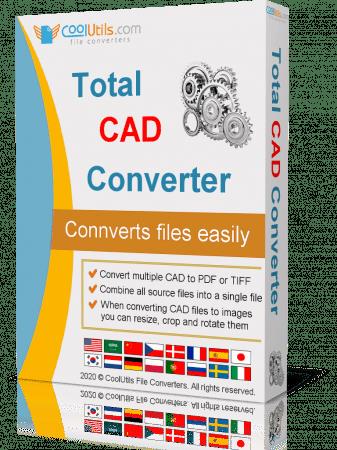
Total CAD Converter converts CAD files to PDF, TIFF, JPEG, BMP, WMF, PNG, DXF, BMP, CGM, HPGL, SVG, PS, and SWF. Source formats include dxf, dwg, dwf, dwfx, plt, hg, hgl, hpg, plo, hp, hpl, hpgl, hp1, hp2, hpgl2, gl2, spl, svg, cgm. Total CAD Converter's user-friendly interface and built-in wizard make it easy to apply project settings (it will even auto-remember previous job settings so that next time you won't need to recreate them from scratch). Total CAD Converter also includes support for project set-up via the command line.

Total CAD Converter offers several unique options when converting lots of CAD files at once:
When you convert multiple CAD files to PDF or TIFF you can combine all source files into a single target file. For instance, convert five CAD drawings into one multi-page TIFF or PDF.
When converting CAD files to images you can resize, crop and rotate them simultaneously.
If you'd prefer to create PDF copies of your CAD drawings, you can do so by adding a digital signature to the output files. More unique options

Looking to use the CAD converter in your asp or php application with ActiveX? Try the Total CAD ConverterX (SDK). With it, you gain access to a powerful command line CAD converter minus the GUI.

Features:
Converts CAD files in batch
Autodesk AutoCAD 2016 is supported
Command line support
Many output file types
Resizes CAD drawings
Rotates CAD drawings
Crops CAD drawings
Turns color drawings to black-and-white
Makes the lines thicker if you need
Adds watermarks to output files
Easy-to-use
ActiveX and Server version

Whats New:
Updates: official site does not provide any info about changes in this version.

Download link:​
Код:
[center][b]rapidgator_net[/b]:
https://rapidgator.net/file/70d386d74ec27f0fa4f0b8c3c1d6b78a/vqekm.CoolUtils.Total.CAD.Converter.3.1.0.186.Multilingual.rar.html

[b]uploadgig_com[/b]:
https://uploadgig.com/file/download/a93f0e9b6E36bD4c/vqekm.CoolUtils.Total.CAD.Converter.3.1.0.186.Multilingual.rar

[b]nitroflare_com[/b]:
https://nitroflare.com/view/43C17762E810212/vqekm.CoolUtils.Total.CAD.Converter.3.1.0.186.Multilingual.rar[/center]

Links are Interchangeable - No Password - Single Extraction​
 
Davinci Resolve Editing Workflow

79c112b5cc913e1e2c50d16b34decf38.jpeg

MP4 | Video: h264, yuv420p, 1920x1080 | Audio: aac, 44100 Hz | Duration: 2h 04mins | Size File: 1.06 GB
Genre: eLearning | Language; English
WHAT'S INCLUDED IN THE COURSE?
Over 10 Value Packed Video Tutorials (and more on the way!)
Whether you're a beginner or have a good handle on the basics, this course takes you through every step of the way on how to become a pro-editor in Davinci Resolve.​

4 Downloads

Download practice footage, Signature Sound Effects, My custom keyboard shortcuts, and the Full Time Filmmaker Base LUT.

StartIntro to the Course (Watch First) (2:18)
Start10 Secrets to Creating Cinematic Videos
Editing Workflow (Start to Finish)
Start1.1 - Sample Footage & More Goodies (Download)
Start1.2 - Landon's Keyboard Shortcuts
Start1.3 - Data Management (5:53)
Start1.4 - Starting a Project & Basic Navigation (Media) (11:15)
Start1.5 - Sifting & Selecting Footage (Cut) (10:35)
Start1.6 - Editing Clips Together (Edit) (16:43)
Start1.7 - Adding Text, Effects, and Motion Graphics (Fusion) (7:09)
Start1.8 - Basic Color Correction & Grading (Color) (9:51)
Start1.9 - Mastering Your Audio (Fairlight) (5:16)
Start1.10 - Exporting Your Video (Deliver) (3:17)
Bonus Videos
StartBONUS - Premiere Pro vs. Davinci Resolve - Am I Switching??? (15:01)
StartBONUS - Premiere Pro to Davinci Resolve Workflow (8:57)
StartCOLOR - Lift/Gamma/Gain vs. Shadow/Midtone/Highlights (8:38)
StartCOLOR - Color Correction 101 (15:50)

Screenshots

699f9b95ee07fe90c43ff1fa2274746d.jpeg


Download link:​
Код:
[center][b]rapidgator_net[/b]:
https://rapidgator.net/file/3b7ec52cfc172a28d64b7491f1d60ed0/enhb6.Davinci.Resolve.Editing.Workflow.part1.rar.html
https://rapidgator.net/file/11f22504e6f41163f9ace4c986c05be7/enhb6.Davinci.Resolve.Editing.Workflow.part2.rar.html

[b]uploadgig_com[/b]:
https://uploadgig.com/file/download/90b558F18EF75f69/enhb6.Davinci.Resolve.Editing.Workflow.part1.rar
https://uploadgig.com/file/download/f299833D13870d67/enhb6.Davinci.Resolve.Editing.Workflow.part2.rar

[b]nitroflare_com[/b]:
https://nitroflare.com/view/EAB638096F8E6B8/enhb6.Davinci.Resolve.Editing.Workflow.part1.rar
https://nitroflare.com/view/9E81B2E135F010B/enhb6.Davinci.Resolve.Editing.Workflow.part2.rar[/center]

Links are Interchangeable - No Password - Single Extraction​
 
DVDFab Player Ultra 6.1.0.9 Multilingual

dd74115f48f0ee37851325546147d452.jpeg

File Size: 104.1 MB​
Welcome to the brand-new generation of DVDFab Player 6, the best 4K player software functioning as an all-in-one Media Center that not only plays all multimedia files on the local HDD, but manages all the media library efficiently by Poster Walls. All the bells and whistles of its predecessor are inherited including the PC and TV playback modes respectively optimized for small and huge screens, the navigation menu support on DVDs and (4K Ultra HD) Blu-rays, the genuine HDR10 and Hi-Res audio output support. DVDFab Player 6 boasts unique TrueTheater enhancement that boosts color, lighting, and sound in videos for better picture and audio quality, thus bringing users immersive viewing experience.

Ultra:
Menu playback on regular Blu-rays
Menu playback on 4K Ultra HD Blu-rays
4K UHD and HEVC (H.265) video playback
HDR10 and HD audio output support
3D playback on 3D media contents
Import DVD & Blu-ray discs to local library (New)
All the features in the Standard version

Organize & Manage Local Media Library by Poster Wall
Do you have tons of movies, TV shows and music videos stored on your local HDD? Do you want to play and manage all your media files with one full-featured 4K media player? We have the optimal solution. In order to build a concise but well-organized local media library, DVDFab Player 6 will scrape and download posters for all your media files from the Internet and divide them into exact groups accordingly. By clicking on each poster wall, you will be taken to a detailed page, where all the metadata info of the movie or TV show is well displayed.

Navigation Menu on DVDs, Blu-rays and 4K Ultra HD Blu-rays
The navigation menu is also a critical part of a premium experience for media playback control. The upgraded DVDFab 4K Media Player now offers all-round support for navigation menu playback on DVDs, Blu-rays, and the new-generation 4K Ultra Blu-rays, regardless of what form they are. Genuine discs, as well as ripped ISO image files or folders are also supported. Equipped with TrueTheater technology, a cinema-like home theater is right at your fingertips. Have fun with the best 4K UHD player and fully immerse yourself in a cinematographic environment.

Build, Organize and Manage Smart Local Music Library
Additionally, DVDFab Player 6 enables you to intelligently create a local music library. Just add your pre-existing music files from your HDD to the 4K player software, and you will find all your desired songs, albums, artists, or genres instantly well organized. With this amazing 4K video player, not only can you watch movies and TV shows, you can also enjoy your favorite music at any moment.

Hi-Res Audio Output Support, up to Dolby Atmos & DTS:X
If you have an acoustic system at home armed with the state-of-the-art technology, apparently this professional 4K video player for Windows 10 and macOS is just right up your alley, which is able to output lossless high-resolution audios, such as Dolby Atmos, Dolby TrueHD, DTS-HD Master and DTS:X etc., with up to 7.1 channel surround sound output. Perfect match to your top-level home theater system.

All-Inclusive Support on 4K UHD, HEVC and Other Media Files
Playback capability is the bedrock of any media player software. As the 6th generation media player, DVDFab Player 6 is distinguished through its full compatibility with all media formats including H.264, H.265/HEVC, MP4, MKV, MOV, FLV, VOB, and M2TS, all in high resolution from 720p, 1080p, to (2160p) 4K.

All-Round 3D Playback on All Forms of 3D Contents
To make the most out of your 3D TV at home, this 4K media player also comes with all-round 3D playback support on genuine 3D Blu-ray discs, ISO files and SBS (side-by-side) or top & bottom 3D videos. Besides, there are four 3D output modes available for your preference, namely, Anaglyph Red/Cyan, 3D-Ready HDTV (Checkerboard), Micro-polarizer LCD 3D (Row-interleaved) and HDMI 1.4 enabled 3D TV. With a pair of 3D glasses, watching 3D movies at home theater is just a breeze!

Import DVD & Blu-ray Discs to Local Media Library as ISO Files
As new movies and TV Shows are constantly being released, you need to add your newly purchased DVD & Blu-ray discs to your local media library incessantly. In this regard, the Disc Import feature of this all-powerful 4K media player comes in handy. With only one click, it can import a DVD or Blu-ray disc from an optical drive to your local media library, saved as an ISO file for later playback. Thus, this 4K video player acts as a media manager as well.

PC and TV Playback Modes Optimized for Small/Huge Screens
The fire-new DVDFab 4K media player features two playback modes with distinctive UI design, of which PC Mode is optimized for a truly immersive media viewing experience on computer screens, while TV Mode is dedicated to a cinema-like audio-visual experience on large-screen smart TVs, also compatible with the remote controls for Windows Media Center.

Fast and Precise Review with Adjustable Thumbnails
More often than not, you may want to preview a movie to see whether it is worth your time or not. At other times, you may need to locate a special scene quickly. Just hover the mouse over any part of the playback progress bar, a time-stamped thumbnail shall pop up; or use the dedicated Preview feature, which also shows thumbnails, but with adjustable time intervals and quantities. In a sense, this best 4K DVD video player gives you easy access to your desired details.

Customizable Playlist with Considerate and Flexible Settings
For TV Show and movie collection buffs, simply drag & drop the entire season, or movies of the same series into the playback window to create your own playlist, sort them by name or by type, play them in order, repeat a single one or repeat all. All these are at your disposal since the 4K video player allows for custom options to make your playlist unique.

Download link:​
Код:
[center][b]rapidgator_net[/b]:
https://rapidgator.net/file/f9300aa076d347dc73b32766276b351e/5vqzb.DVDFab.Player.Ultra.6.1.0.9.Multilingual.rar.html

[b]uploadgig_com[/b]:
https://uploadgig.com/file/download/79f6666567047139/5vqzb.DVDFab.Player.Ultra.6.1.0.9.Multilingual.rar

[b]nitroflare_com[/b]:
https://nitroflare.com/view/F55D8EE9E069EC0/5vqzb.DVDFab.Player.Ultra.6.1.0.9.Multilingual.rar[/center]

Links are Interchangeable - No Password - Single Extraction​
 
Far Manager 3.0 Build 5800 Multilingual

eb02e61b25485234e9d363a0076c0d99.jpeg

File size: 23 MB
Far Manager is a program for managing files and archives in Windows operating systems.​

Far Manager works in text mode and provides a simple and intuitive interface for performing most of the necessary actions:
viewing files and directories;
editing, copying and renaming files;
and many other actions.

Simple design makes it easy to use
With a Norton Commander-like interface, FAR is one of the easiest to use file managers in the market. It is fully customizable and allows users to configure shortcuts for basically every single action through intuitive and straightforward dialogs.
Also offering mouse support, the application comes with built-in file viewers and text editors, but it also allows you to open some formats with the default Windows programs.

A large variety of tools to work with
Of course, it supports file associations for some user-defined file types and long file names. It's no surprise that FAR also boasts file highlight colors, a file search utility, video mode, a configurable user menu, compare folders tools, task lists, file view history and many other goodies.

Use plugins for enhanced management
One of the best things about FAR is that it supports plenty of plugins so, besides the ones that are already "factory-installed", you can also download and integrate new ones, thus adding new features to the app.
Thanks to plugins, FAR also provides a FTP client, a network browser, a process list and a temporary panel, but also dedicated tools to perform an advanced comparison and case conversion.
On the good side, this application impresses mostly thanks to the high customization power it offers to its users. You can adjust basically everything, from colors to shortcuts and layout.

To sum it up
Overall, it's no doubt FAR is one of the best file managers out there. It's light, it supports plugins, its open source and features a multi-language interface. It does not take much time to get acquainted with its features. Simply brilliant.

Download link:​
Код:
[center][b]rapidgator_net[/b]:
https://rapidgator.net/file/5ec669332513d849e0d0a545ce97909a/nb8g5.Far.Manager.3.0.Build.5800.Multilingual.rar.html

[b]uploadgig_com[/b]:
https://uploadgig.com/file/download/59170Ae36da6632d/nb8g5.Far.Manager.3.0.Build.5800.Multilingual.rar

[b]nitroflare_com[/b]:
https://nitroflare.com/view/897219D31A61515/nb8g5.Far.Manager.3.0.Build.5800.Multilingual.rar[/center]

Links are Interchangeable - No Password - Single Extraction​
 
FreeGrabApp Free Amazon Prime Download 5.0.24.519 Premium

72a56eb65223dc76b10b8d7073f0627e.jpeg

File size: 61 MB​
Free Amazon Prime Download is a very simple and fast video downloader. With our magnificent application, you can download and watch any Amazon Prime video offline on any device without spending internet traffic. The downloading process is quite simple. You need to paste video's URL by clicking one button and choose the quality of downloading video.

Interface
Free Amazon Prime Download got totally new and user-friendly interface! We hope you'll enjoy it.

Load Control
You can easily stop, resume the downloading process and much more.

Subtitles
Support downloading subtitles in TTML and SRT format.

Great Sound
Support downloading Dolby Digital Surround Audio 5.1.

HD Quality
Free Amazon Prime Download support downloading HD (1080p) Amazon Prime videos.

Multi-Stream
Free Amazon Prime Download is able to download multiple videos at the same time.

Whats New:
Updates: official site does not provide any info about changes in this version.

Download link:​
Код:
[center][b]rapidgator_net[/b]:
https://rapidgator.net/file/36ab2d49958744cf5888c7e779a948de/6g9t2.FreeGrabApp.Free.Amazon.Prime.Download.5.0.24.519.Premium.rar.html

[b]uploadgig_com[/b]:
https://uploadgig.com/file/download/cD71269552206059/6g9t2.FreeGrabApp.Free.Amazon.Prime.Download.5.0.24.519.Premium.rar

[b]nitroflare_com[/b]:
https://nitroflare.com/view/7E3828D9A7BDE86/6g9t2.FreeGrabApp.Free.Amazon.Prime.Download.5.0.24.519.Premium.rar[/center]

Links are Interchangeable - No Password - Single Extraction​
 
Futuremark SystemInfo 5.39.906

c771337bebe84a0982a63504d2569c97.jpeg

File size: 3.4 MB​
SystemInfo is a component used in many of our benchmarks to identify the hardware in your system. It does not collect any personally identifiable information. SystemInfo updates do not affect benchmark scores but you may need the latest version in order to obtain a valid score.

Monitor your system and find hardware IDs
Futuremark SystemInfo can scan your computer and collect information regarding a series of services, processes and hardware performance.
The tool can easily export the result of the scan to an XML file in which you can view the current values for the system version, user, files, storage, memory and motherboard. You can also view several statistics and information on WMI, Setup APIs, power supplies, DirectX, CPU cores, plus single or multi-threaded activities.

System information and activity logs
Once installed, Futuremark SystemInfo creates several components that you can use with various benchmarks. The System Diagnostic tool allows you to collect system data, monitoring information of direct queries.

Advanced searching tools
The Advanced tab in Futuremark SystemInfo allows you to filter the categories that you wish to investigate. Thus, you can select any of the parameters in single and multi-threaded activities, which are ADL info, DirectX, CPUID, NVAPI info, respectively CPU, battery, motherboard, monitor, OS or storage data.

Moreover, you can run direct queries on the CPU name, vendor, integrated clock, GPU name, if available, as well as details on each of the CPU cores. You can run standard diagnosis searches or find bottlenecks.

Download link:​
Код:
[center][b]rapidgator_net[/b]:
https://rapidgator.net/file/485eae59397b741063715c3fb2962bd9/cjz5p.Futuremark.SystemInfo.5.39.906.rar.html

[b]uploadgig_com[/b]:
https://uploadgig.com/file/download/b1e58c00f0653739/cjz5p.Futuremark.SystemInfo.5.39.906.rar

[b]nitroflare_com[/b]:
https://nitroflare.com/view/85829B38146F574/cjz5p.Futuremark.SystemInfo.5.39.906.rar[/center]

Links are Interchangeable - No Password - Single Extraction​
 
IntraWEB Ultimate 15.2.28

b4f0804449137916075c2b25d5d6eb2b.jpeg

File size: 229 MB​
Atozed Software is a corporate sponsor to open source projects and provides web space, server resources, and significant development resources in support of these projects. AD web application development framework for Delphi and C++. Develop like a VCL Forms application, but deploy to the web as standard HTML and JavaScript.


Download link:​
Код:
[center][b]rapidgator_net[/b]:
https://rapidgator.net/file/080a6e316d73101ad09a3357eafef1a3/a2zlz.IntraWEB.Ultimate.15.2.28.rar.html

[b]uploadgig_com[/b]:
https://uploadgig.com/file/download/358Cf2201e05e278/a2zlz.IntraWEB.Ultimate.15.2.28.rar

[b]nitroflare_com[/b]:
https://nitroflare.com/view/5A7A3F6E2705EAF/a2zlz.IntraWEB.Ultimate.15.2.28.rar[/center]

Links are Interchangeable - No Password - Single Extraction​
 
iToolab UnlockGo 4.0.0 Multilingual

024b6f9452722f7d62db8b328d6a62cf.jpeg

File size: 98.6 MB​
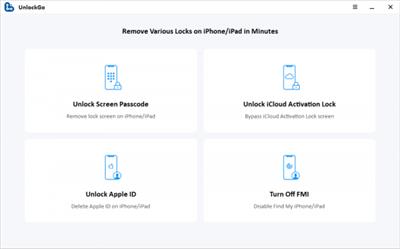
UnlockGo allows you to very easily bypass the iPhone's password and gain full access to the device. It can be useful in the following scenarios.

Features :
Remove 4-digit/6-digit passcode, Touch ID & Face ID from iPhone and iPad in minutes.
Remove iCloud activation lock without password to get into the device again.
Fix Disabled iPhone/iPad without iTunes or iCloud.
Easy to use, no tech expertise needed.
Compatible with the latest iPhone 12 & iOS 14.2 and iPadOS 14.2 and more.

What's new :
Updates: official site does not provide any info about changes in this version.

Download link:​
Код:
[center][b]rapidgator_net[/b]:
https://rapidgator.net/file/6870d674c1f995461c05d3c7002b0356/1aqmq.iToolab.UnlockGo.4.0.0.Multilingual.rar.html

[b]uploadgig_com[/b]:
https://uploadgig.com/file/download/34A3f92174f7b874/1aqmq.iToolab.UnlockGo.4.0.0.Multilingual.rar

[b]nitroflare_com[/b]:
https://nitroflare.com/view/DEFDD78512FED8B/1aqmq.iToolab.UnlockGo.4.0.0.Multilingual.rar[/center]

Links are Interchangeable - No Password - Single Extraction​
 
Making Numerical Predictions for Time Series Data - Part 13

f4edd41b62a75cd3289efbf290ecd77c.jpeg

MP4 | Video: h264, 1280x720 | Audio: AAC, 44.1 KHz, 2 Ch
Genre: eLearning | Language: English + srt | Duration: 35 lectures (6h 10m) | Size: 5.74 GB

Using Excel to make Numerical Predictions on Time Series data​

What you'll learn:
Predicting using Descriptive Statistics, Moving Averages, Centred Moving Averages, Weighted Moving Averages
Predicting using Linear Regression
Predicting using Exponential Regression
Predicting using Power Regression
Predicting using Logarithmic Regression
Predicting using Polynomial Regression
Using Excel to make Predictions
Using Data Analysis Tool Pak from Excel
Using LINEST(), LOGEST(), GROWTH(), TREND() functions in Excel

Requirements
Basic Knowledge of Statistics
Basic Knowledge of Algebra
Basic Knowledge of Logarithm
Basic Knowledge of Excel

Description
Predictive analytics is the branch of the advanced analytics which is used to make predictions about unknown future events. Predictive analytics uses many techniques from data mining, statistics, modelling, machine learning, and artificial intelligence to analyse current data to make predictions about future.

One class of Predictive Analytics is to make prediction on Time Series Data. Studying historical data, collected over a period of time, can help in building models using which future can be predicted. For example, from historical data on Temperatures in a City, we can make decent predictions of what the Temperature could be in a future date. Or for that matter, from data collected over a reasonably long period of time regarding various life style aspects of a Diabetic patient, we can predict what should be the volume of Insulin to inject on a given date in future. One example to consider from the Business world could be to predict the Volume of In-Roamers in a Telecom Network in any given period of time in the future from the historical details of In-Roamers in the Network.

The applications are just innumerable as these are applicable in every sphere of business and life.

In this course, we go through various aspects of building Predictive Analytics Models. We start with simple techniques and gradually study very advanced and contemporary techniques. We cover using Descriptive Statistics, Moving Averages, Regressions, Machine Learning and Neural Networks.

This course is a series of 3 parts.

In Part 1, we use Excel to make Numerical Predictions from Time Series Data.

We start by using Excel for 2 reasons.

Excel is easy use and thus we can understand complex concepts through exercises that are easy to replicate and thus become easy to understand.

Excel is expected to be available with everyone taking this course.

In Part 2, we use R Programming to make Numerical Predictions from Time Series Data.

In Part 3, we use Python Programming to make Numerical Predictions from Time Series Data.

The course uses simple data sets to explain the concepts and the theory aspects. As we go through the various techniques, we compare the various techniques. We also understand the circumstances where a particular technique should be applied. We will also use some publicly available data sets to apply the techniques that we will discuss in the course.

From time to time, we will add bonus videos of our real time work on industrial data on which we will apply the Predictive Analytics techniques to create Models for making predictions.

Who this course is for
Information Technology Consultant
Executives
Managers
Students
Research Scholars
Developers curious about Data Sciences
Learners curious about Predictive Analytics

9ae73cdb8d984b85295460738abe0ab2.jpeg


Download link:​
Код:
[center][b]rapidgator_net[/b]:
https://rapidgator.net/file/b84d06048619af3dfd53e4c779f5cc90/ef64g.Making.Numerical.Predictions.for.Time.Series.Data..Part.13.part1.rar.html
https://rapidgator.net/file/73f1dab540ecd88dae16615f15486e76/ef64g.Making.Numerical.Predictions.for.Time.Series.Data..Part.13.part2.rar.html
https://rapidgator.net/file/25c4f8ada50abc71dde043f8704be22a/ef64g.Making.Numerical.Predictions.for.Time.Series.Data..Part.13.part3.rar.html
https://rapidgator.net/file/f24c4fc959dd26a03b120dc1ccbd9b98/ef64g.Making.Numerical.Predictions.for.Time.Series.Data..Part.13.part4.rar.html
https://rapidgator.net/file/4506a305e3b32bdbc0ef56dea0205b10/ef64g.Making.Numerical.Predictions.for.Time.Series.Data..Part.13.part5.rar.html

[b]uploadgig_com[/b]:
https://uploadgig.com/file/download/0a31631683287572/ef64g.Making.Numerical.Predictions.for.Time.Series.Data..Part.13.part1.rar
https://uploadgig.com/file/download/2cC010bd4AbA52fc/ef64g.Making.Numerical.Predictions.for.Time.Series.Data..Part.13.part2.rar
https://uploadgig.com/file/download/a6923191ca69ABae/ef64g.Making.Numerical.Predictions.for.Time.Series.Data..Part.13.part3.rar
https://uploadgig.com/file/download/79035bdDD7b140fC/ef64g.Making.Numerical.Predictions.for.Time.Series.Data..Part.13.part4.rar
https://uploadgig.com/file/download/e91e4FF491a2911D/ef64g.Making.Numerical.Predictions.for.Time.Series.Data..Part.13.part5.rar

[b]nitroflare_com[/b]:
https://nitroflare.com/view/8BDE3DF14EACF2E/ef64g.Making.Numerical.Predictions.for.Time.Series.Data..Part.13.part1.rar
https://nitroflare.com/view/FACF3B4692869A0/ef64g.Making.Numerical.Predictions.for.Time.Series.Data..Part.13.part2.rar
https://nitroflare.com/view/56863AA21FF9C10/ef64g.Making.Numerical.Predictions.for.Time.Series.Data..Part.13.part3.rar
https://nitroflare.com/view/EE2CFEAD213341E/ef64g.Making.Numerical.Predictions.for.Time.Series.Data..Part.13.part4.rar
https://nitroflare.com/view/BC0D53AF107A186/ef64g.Making.Numerical.Predictions.for.Time.Series.Data..Part.13.part5.rar[/center]

Links are Interchangeable - No Password - Single Extraction​
 
OCTA GST 10.16

79ad9fb8e530b1275c25613256b8f4b8.jpeg

File size: 11 MB
Octa GST. Private, Efficient & Accurate. The GST compliance experience you deserve!​

GSTR-2A & Purchase Reconciliation
Unmatched high performance & smart reconciliation
Supplier level (party-wise) or invoice level reconciliation
Reconcile for month, quarter, financial year or all transactions
Option to include/exclude reverse charge invoices
Option to ignore the small differences to focus on significant differences only.
Smart linking of invoices based on invoice number patterns. Link and compare invoices even if invoice numbers does not match.
Export mismatch report in Excel format. Include or exclude the invoices based on mismatch status.

GST Returns Annual Report
Simple and comparative summary of GST returns
Single consolidated Excel report
Month-wise consolidated report of GSTR-1, GSTR-2A and GSTR-3B
Month-wise comparison report of GSTR-3B vs GSTR-1 and GSTR-3B vs GSTR-2A
Seperate heads of different tax types
Seperate heads depending on nature of transactions
Process lakhs of transactions in seconds

Prepare Accurate GST Returns
Auto-generate GST returns, apply validations, keep history
Data import from multiple sources
Auto-calculates the return data from sales/purchase transactions
Full support of amendments in GSTR-1
Run validation rules before return preparation to avoid mistakes in filing
ITC claim reminder/notification
Return preview and analysis
Generate Excel report to share with clients/other users

Download link:​
Код:
[center][b]rapidgator_net[/b]:
https://rapidgator.net/file/55c0abac014180c9688ad539157c252d/xc6wq.OCTA.GST.10.16.rar.html

[b]uploadgig_com[/b]:
https://uploadgig.com/file/download/f189D8edb1c428D4/xc6wq.OCTA.GST.10.16.rar

[b]nitroflare_com[/b]:
https://nitroflare.com/view/297FB6123E1E194/xc6wq.OCTA.GST.10.16.rar[/center]

Links are Interchangeable - No Password - Single Extraction​
 
Perfectly Clear Complete 3.11.3.1980 (x64) Multilingual

d8aeb78970aec507cb721b830f39f05b.jpeg

Windows x64 | Standalone & Plug-in & Addons | File size: 108.9 MB​
Built for precision. Made for beauty. Above all, you want better photos. But what if you could have better photos faster? Perfectly Clear has mastered the science of intelligent image correction - creating superior quality photos in record time, so you can get back to doing what you really love...in no time.

Spend less time in front of your computer.
With Perfectly Clear, you'll get results faster so you can spend more time behind the camera and less time in front of the computer. Take advantage of intelligent image analysis to find and fix numerous camera flaws automatically. Plus, you can quickly add your favorite finishing touch with our stylized LOOKs.

Take complete control.
Our presets are just the starting point. Easily apply only the adjustments you need for the perfect image. Use our powerful sharpening and noise reduction, which goes beyond what other tools can do, to unlock a whole new image. Keep an eye on your color and exposure with a dynamic histogram that tracks exposure and color clipping.

A custom experience.
Every photographer is different, and so is Perfectly Clear. Our adaptive interface lets you hide tools you don't need while you work, allowing you to focus on your image. Plus, you can make and manage your own presets, which intelligently adapt to each photo.

Why change your workflow?
Rather than move your entire image library or change your workflow, we'll make your existing workflow better. We support several platforms and have more coming soon. With powerful batch processing and up to 30 corrections in one click, we'll make everything better.

We've got image correction down to a science.
Creating our award-winning technology took more than a decade of R&D, multiple patented processes, and over a dozen unique algorithms. We cracked the code on correcting every pixel independently. The proof is in your pictures.

What's New in Perfectly Clear 3:

You have better ways to spend your day than laboring over manual edits
You became a photographer to go out and capture the beauty of the world, not sit inside at an editing desk. We invented our automatic image corrections to take away the tedium and give you back your freedom. So let Perfectly Clear handle the editing chores while you devote your day to doing what you do best-creating incredible images.

- Up to 20 auto corrections with one click
- Batch process 1000s of images in minutes
- Stay within your workflow
- Unlock the details in every image
- Tap into professionally created presets
- Save countless hours of manual editing
- Fine tune details with precise controls

We've got image correction down to a science
Creating our award-winning technology took more than a decade of R&D, multiple patented processes, and over a dozen unique algorithms. We cracked the code on correcting every pixel independently. That's how we make a 12-megapixel photo look like it was taken with 12 million separate apertures. The proof is in your pictures.

Investing, innovating and improving every year
At Athentech, we're committed to solving problems faced by photographers. Every year, we continue to innovate with R&D work by our team of physicists, engineers, and photographers. Every day, we invest in making your photos look their best.

Lighting.
- Perfect Exposure. More effective than traditional brightness, Perfect Exposure lets you maintain Real Color Photography™ without clipping or washing out. Our technology overcomes the distortions caused by a single aperture by replicating the way your eye gathers light and correcting your exposure pixel by pixel.
- Depth. Brings out the contrast in a photo without messing up the other colors. Perfectly Clear uses a patented algorithm that manages the dynamic range in a unique way, revealing the detail needed to produce this kind of depth.
- Light Diffusion. Perfectly Clear lets you create a softer look with warmer tones and captures the perfect portrait even in broad daylight.
- Skin & Depth bias. For realistic lighting on skin.

Color.
- Photoshop is powerful, but for Full Color Spectrum, Light Diffusion, automatic red-eye removal, you have to turn to Perfectly Clear.
- Vibrancy. Perfectly Clear mimics how the eye adjusts saturation, providing a color-vibrant photo. Sometimes digital cameras can cause photos to look washed out/faded because they have a linear response to light. But our solution overcomes this problem by looking at each channel independently.
- Fidelity. We reproduce the full visual spectrum of colors seen by the eyes, enabling you to capture purples properly every time.
- Tint. In the days of film, you had to carry around different films and filters for different times of day-all to get the lighting source correct. To remove nasty tints-from tungsten, fluorescent, incandescent, IR-Perfectly Clear searches for an abnormal tint, then reveals the great photo underneath.

Clarity.
- Sharpening. Traditional sharpening methods also sharpen weak signal and introduce halos. Perfectly Clear only searches for strong signal and creates sharp, clear photos with zero artifacts.
- Noise removal. Perfectly Clear automatically reduces noise 2-3 stops with one click (unlike Ps or Lr which requires multiple slider bar adjustments). ISO 1600 is effectively reduced to ISO 200-400 without blurring or losing details.

Eyes.
- Red-eye. We sourced this technology from our wonderful partner FotoNation, which is embedded in hundreds of millions devices. It detects and corrects imperfections as quickly as 5 images per second with no manual intervention.
- Unlike Photoshop, Perfectly Clear not only removes red eye automatically, it also includes Eye Enhance, Eye Enlarge, Dark Circle removal, and the ability to automatically add 5 different Catchlights.

Skin.
Perfectly Clear lets you smooth and tone skin, adjust blush, and remove infrared, shine and blemishes. Our robust, automatic correction uses advanced facial detection techniques to identify age, gender and key facial features including texture and skin tone. As a result, we're able to determine the precise amount of corrections to apply automatically. All of our Beautify corrections are much faster than doing this manually in Ps or Lr which will takes minutes per image instead of seconds.

Face.
Perfectly Clear lets you whiten teeth for the perfect smile and saves a painful trip to the dentist. Plus, it can sharpen the look of your lips and tone your face shape for a more slender and youthful appearance.

System Requirements:
* Windows 7, 8 or 10 (64-bit only)
* Photoshop CS6 or Creative Cloud
* Photoshop Elements 13,14,15
* Corel PaintShop Pro X6, X7, X8, X9
* Lightroom 4 or newer, including v6 and CC
* 4 GB RAM or more

Download link:​
Код:
[center][b]rapidgator_net[/b]:
https://rapidgator.net/file/df2d5fc3e76a488b89175f7e5bfb1067/fcxi7.Perfectly.Clear.Complete.3.11.3.1980.x64.Multilingual.rar.html

[b]uploadgig_com[/b]:
https://uploadgig.com/file/download/32421E9d30590061/fcxi7.Perfectly.Clear.Complete.3.11.3.1980.x64.Multilingual.rar

[b]nitroflare_com[/b]:
https://nitroflare.com/view/87385CB8403C394/fcxi7.Perfectly.Clear.Complete.3.11.3.1980.x64.Multilingual.rar[/center]

Links are Interchangeable - No Password - Single Extraction​
 
Perfectly Clear Complete 3.11.3.1980 macOS

9d2c394b59ca3b029549d0c391495caa.jpeg

Language: Multilingual | File size: 108 MB​
Built for precision. Made for beauty. Above all, you want better photos. But what if you could have better photos faster? Perfectly Clear has mastered the science of intelligent image correction - creating superior quality photos in record time, so you can get back to doing what you really love...in no time.

You have better ways to spend your day than laboring over manual edits
You became a photographer to go out and capture the beauty of the world, not sit inside at an editing desk. We invented our automatic image corrections to take away the tedium and give you back your freedom. So let Perfectly Clear handle the editing chores while you devote your day to doing what you do best-creating incredible images.

- Up to 20 auto corrections with one click
- Batch process 1000s of images in minutes
- Stay within your workflow
- Unlock the details in every image
- Tap into professionally created presets
- Save countless hours of manual editing
- Fine tune details with precise controls

Also:
Perfectly Clear is Now A Stand-Alone Application!
- Open RAW and traditional photos directly
- Crop to whatever size you need
- Print your photos
- Export in the original format or as JPEG or TIFF for sharing

- Filmstrip for Easy Navigation
- Undo/Redo
- Visual Presets
- Visual LOOKs
- Preset & LOOKs Favorites
- Graduated Filters
- Stylistic Vignette and Radial Filters
- Robust Color Restoration
- Manual Finishing Controls
Release Notes
Release notes were unavailable when this listing was updated.

Supported Operation Systems:
macOS 10.9 or later

Download link:​
Код:
[center][b]rapidgator_net[/b]:
https://rapidgator.net/file/337f6276734fe6be2cc4dc4b139eef6e/mcm1o.Perfectly.Clear.Complete.3.11.3.1980.macOS.rar.html

[b]uploadgig_com[/b]:
https://uploadgig.com/file/download/6d27d38fdcbE7e6f/mcm1o.Perfectly.Clear.Complete.3.11.3.1980.macOS.rar

[b]nitroflare_com[/b]:
https://nitroflare.com/view/460777191E22E0D/mcm1o.Perfectly.Clear.Complete.3.11.3.1980.macOS.rar[/center]

Links are Interchangeable - No Password - Single Extraction​
 
Realtek High Definition Audio Drivers 6.0.9151.1 WHQL

8bc1e137f87fa0108df84f32512756a9.jpeg

File Size: 315.2 MB​
Realtek High Definition Audio Driver - there is a new driver package with native support for the upcoming OS Windows eighth Realtek High Definition Audio (HDA) is intended for ALC-8xx/2xx chipsets for Windows 7, Windows 8, Windows 10.

Supported chips sound cards:
ALC880, ALC882, ALC883, ALC885, ALC888, ALC889, ALC861VC, ALC861VD, ALC892, ALC663, ALC662, ALC660, ALC665, ALC260, ALC262, ALC267, ALC268, ALC269, ALC270, ALC272, ALC273, ALC887, ALC670, ALC275, ALC680.

ALC861 Value HD Audio Codec
ALC861-VD-GR Value HD Audio Codec
ALC880 Series HD Audio Codec
ALC882 7.1+2 HD Audio Codec
ALC883 Value 7.1+2 HD Audio Codec
ALC888 7.1+2 Channel High Definition Audio Codec
ALC888T Advanced 7.1+2 HD Audio Codec for VoIP Applications
ALC885 7.1+2 Channel High-Performance HDA Codec with Content Protection
ALC888S 7.1+2 channel high definition audio codec with two independent s/pdif-out
ALC888S-VC 7.1+2 Channel High Definition Audio Codec with Two Independent S/PDIF-OUT
ALC888S-VD 7.1+2 Channel HD Audio Codec with Two Independent SPDIF Outputs
ALC889 7.1+2 Channel HD Audio Codec with Content Protection
ALC892 7.1+2 Channel HD Audio Codec with Content Protection
ALC662 5.1 Channel High Definition Audio Codec
ALC663 5.1 Channel High Definition Audio Codec
ALC665 5.1-Channel High Definition Audio Codec
ALC231 High Definition Audio Codec with Mono Class-D Speaker Amplifier
ALC260 HD Audio Codec
ALC262 2+2 HD Audio Codec
ALC268 2+2 Channel High Definition Audio Codec
ALC269 High Definition Audio Codec with Embedded Class D Speaker Amplifier
ALC272 4-Channel High Definition Audio Codec

Whats New:
Updated drivers.

Download link:​
Код:
[center][b]rapidgator_net[/b]:
https://rapidgator.net/file/c1349ce63bcee871541e15009f6c32b7/faw67.Realtek.High.Definition.Audio.Drivers.6.0.9151.1.WHQL.zip.html

[b]uploadgig_com[/b]:
https://uploadgig.com/file/download/47e03D8f642ad537/faw67.Realtek.High.Definition.Audio.Drivers.6.0.9151.1.WHQL.zip

[b]nitroflare_com[/b]:
https://nitroflare.com/view/E58658A6E7FA3D0/faw67.Realtek.High.Definition.Audio.Drivers.6.0.9151.1.WHQL.zip[/center]

Links are Interchangeable - No Password - Single Extraction​
 
SysTweak Duplicate Files Fixer 1.2.0.12122 Multilingual

0e17b98367ac15a28c2f31639a92667f.jpeg

File size: 16.8 MB​
Recover disk space in seconds by removing duplicates! Did you know that your system often accumulates too many duplicate files which eat up a lot of storage space? Duplicate Files Fixer is a simple tool designed to find and delete all such duplicate files effortlessly!

Incredible Features
This nifty tool makes your system more organized!

Accurate identification of duplicates
Duplicate Files Fixer identifies all identical file formats accurately. Find identical texts, photos, audio, and video files is easy with this extremely user-friendly software.

Create Backups Before Deleting
You need not think about recovering deleted files. Duplicate Files Fixer gives you the option to backup all your files before you delete them. No worries there!

Folders exclusion supported
You might not want to scan all your folders for copies. This software gives you the option to exclude the files you do not want to scan. That makes your scanning faster too.

External device supported
All the files and folders you want to scan might not be stored in your Windows. So you can simply attach pen drives and external disks and Duplicate Files Fixer will scan them too.

Rapid & accurate results
So you have got loads of files to be scanned. But that's perfectly alright. Duplicate Files Fixer will give you a speedy yet accurate scan irrespective of volume of files you have.

Scanning criteria can be set
You can set the scanning criteria for the software to get a more comprehensive scan result. You can also have a look at your scan history and adjust the settings for better results.

Whats New:
Updates: official site does not provide any info about changes in this version.

Download link:​
Код:
[center][b]rapidgator_net[/b]:
https://rapidgator.net/file/9037520fbb355d1e3eac230ac93250a2/757n0.SysTweak.Duplicate.Files.Fixer.1.2.0.12122.Multilingual.rar.html

[b]uploadgig_com[/b]:
https://uploadgig.com/file/download/E8ac66350b855e2A/757n0.SysTweak.Duplicate.Files.Fixer.1.2.0.12122.Multilingual.rar

[b]nitroflare_com[/b]:
https://nitroflare.com/view/CC4661026AB0C84/757n0.SysTweak.Duplicate.Files.Fixer.1.2.0.12122.Multilingual.rar[/center]

Links are Interchangeable - No Password - Single Extraction​
 
WinTools.net Premium 21.3 Multilingual

a3f02c142efd0c0d17b01948826f70f2.jpeg

File siez: 6.98 MB​
WinTools.net is a suite of tools for Windows operating system optimizing and increasing performance. This suite lets you cleanly remove unwanted software from disk drives and dead references from the Windows registry. WinTools.net Professional puts you in control of the Windows start up process, memory monitoring and gives you the power to customize desktop and system settings to fit your needs. Also it ensures your privacy and keep sensitive information secure, adds more speed and stability for your connection.

Clean Uninstaller
Used for both correctly removing software and for monitoring changes made to the hard drive, MS Windows registry and system files during program installations.

Scan Files
Used for periodic cleaning of your hard drive from dead references, junk and obsolete files produced by different software. These files and references remain on the hard disk and increase drive access time.

Scan Shortcuts

Used for periodic cleaning of your Desktop, Start-menu, Application data and hard drives from dead shortcuts, These shortcuts remain on the hard disk and increase drive access time.

Scan Registry
Used for periodic cleaning of the MS Windows registry from unused applications remaining after uninstallation and from invalid references which decrease system speed and system loading time.

Startup Manager
This tool allows you to monitor, add, remove, enable and/or disable individual startup items. You can also adjust applications initialized during the loading process of the operating system.

Tweak UI
This is a set of additional adjustments related to safety, system capacity and user preferences and which are not included in the basic components of MS Windows.

Net Tweaker
The tool is used for speed increasing of data transfer and for greater stability of connection by changing hidden network settings. Available only in "Professional" edition.

Your Privacy
This is a kit of tools which ensure your privacy and keep sensitive information secure. Available only in "Professional" edition.

Invisible Man
This tool is used for saving private information and its later restoration. This is useful if you don't want any information saved by the system.

File Shredder
This tool is used for full secure deleting documents, programs, and any other files without possibility to restore them.

IE Favorites

Little tools for quick delete, backup and restore Internet Explorer Favorites. Remove unused or damaged links.

RAM Memory Booster
This tool serves for monitoring, cleaning and optimisation of RAM. It is used for increasing of operating system performance and for releasing RAM for usage by other processes. If you have a possibility, we recommend to use RAM Saver Pro instead of RAM Memory Booster.
Release Notes

+ static boxes were updated
* tab problem was fixed

System requirements:
OS Windows 10/8.1/8/7/VISTA/XP/2k/2k3/2k8 x86 x64
Minimum screen resolution 1024x768
CPU: Pentium processor and above
RAM: 128 Mb RAM
HDD: 15 Mb free disk space

Download link:​
Код:
[center][b]rapidgator_net[/b]:
https://rapidgator.net/file/67c68cf7148ef5ed870c7acf2e1a886e/u56k9.WinTools.net.Premium.21.3.Multilingual.rar.html

[b]uploadgig_com[/b]:
https://uploadgig.com/file/download/2f8ee36c0BeBf4C7/u56k9.WinTools.net.Premium.21.3.Multilingual.rar

[b]nitroflare_com[/b]:
https://nitroflare.com/view/B61C162E8DEE3DF/u56k9.WinTools.net.Premium.21.3.Multilingual.rar[/center]

Links are Interchangeable - No Password - Single Extraction​
 
WinTools.net Professional Classic 21.3 Multilingual

72f1f2e9952f7a7763462aaf2e5800c2.jpeg

File size: 4.5 MB​
WinTools.net is a suite of tools for Windows operating system optimizing and increasing performance. This suite lets you cleanly remove unwanted software from disk drives and dead references from the Windows registry. WinTools.net Professional puts you in control of the Windows start up process, memory monitoring and gives you the power to customize desktop and system settings to fit your needs. Also it ensures your privacy and keep sensitive information secure, adds more speed and stability for your connection.

WinTools.net Professional contains tools: Clean Uninstaller, Scan Files, Scan Shortcuts, Scan Registry, Startup Manager, Tweak UI, Net Tweaker, The Privacy, Invisible Man, File Shredder...

Clean Uninstaller
Use it for correctly removing software. Also for monitoring changes made to the hard drive, MS Windows registry and system files during program installations.

Scan Files
For periodic cleaning of your hard drive from dead references, junk and obsolete files produced by different software. These files and references remain on the hard disk and increase drive access time.

Scan Registry
Use it periodic the MS Windows registry cleaning from unused applications remaining after uninstallation and from invalid references which decrease system speed and system loading time.

Start Up Manager
This tool allows you to monitor, add, remove, enable and/or disable individual startup items. You can also adjust applications initialized during the loading process of the operating system.

Tweak UI
This is a set of additional adjustments related to safety, system capacity and user preferences. And which are not included in the basic components of MS Windows.

Net Tweaker
The tool is used for speed increasing of data transfer and for greater stability of connection by changing hidden network settings.
The Privacy. This is a kit of tools which ensure your privacy and keep sensitive information secure. It consists of three basic parts: "Objects to Erase", "Invisible Man" and "File Shredder".

Invisible Man
This tool is used for saving private information and its later restoration. This is useful if you don't want any information saved by the system.

File Shredder
This tool is for secure deleting documents, programs, and any other files without possibility to restore them.
Memory Booster (free). This tool serves for monitoring, cleaning and optimisation of RAM. It is used for increasing of operation system performance and for releasing RAM for usage by other processes.

Whats New:
+ static boxes were updated
* tab problem was fixed

Download link:​
Код:
[center][b]rapidgator_net[/b]:
https://rapidgator.net/file/976b5f9222abf5506aecf2ccd9956eca/wt1wg.WinTools.net.Professional..Classic.21.3.Multilingual.rar.html

[b]uploadgig_com[/b]:
https://uploadgig.com/file/download/20371d0E66eE1458/wt1wg.WinTools.net.Professional..Classic.21.3.Multilingual.rar

[b]nitroflare_com[/b]:
https://nitroflare.com/view/3A4DBC6C8174290/wt1wg.WinTools.net.Professional..Classic.21.3.Multilingual.rar[/center]

Links are Interchangeable - No Password - Single Extraction​
 
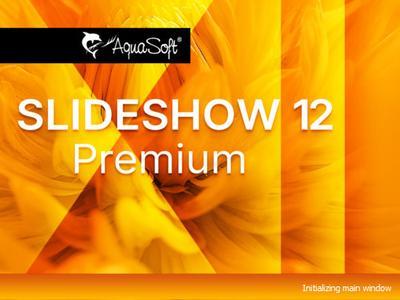
AquaSoft SlideShow Premium 12.2.05 (x64) Multilingual Portable

db4c7c6dcca53d4f07cf7bd7527d1095.jpeg


AquaSoft SlideShow Premium 12.2.05 (x64) Multilingual Portable | 693 Mb​
Experience your photo moments with family and friends. Transform photos, videos, text and music into a fascinating movie experience and share your memories in brilliant quality. Your photos for amazement - You have not seen your pictures this beautiful. Always put the right cut in the scene and make sure you have appropriate aperture for Wow effects. Of course, with your videos as well.

Image presentations with transitions and camera pans
- Hundreds of transitions, finely adjustable (for example duration, direction, animation, etc.)
- Use transitions as fade-ins and fade-outs
- Images in perfect quality - no pixel gets wasted.
- Display images full size or as collage
- Select the image section using a camera pan and zoom.

Animated routes by land, water and air
Show where you were. Not only will you remember your holiday destination better, but your viewers can also make a real reference to your travel itinerary by showing them the way on the map.

- Map Wizard for retrieving maps in all zoom levels from the Internet
- Various map styles such as road map or satellite image
- Describe any path with a "Running line"
- Can be combined with vehicle graphics (custom graphics can be used)
- Animation is created live, instantly playable, and can be customized at any time
- Use your own maps
- Photos, texts and videos can be displayed on maps

Your pictures come alive
Do images always have to be rigid? Not only to give boredom no chance, but above all to be able to deal with your motifs exactly, you use a wide range of animations. Whether subtle or direct, humorous or playful - a plethora of opportunities

- Images, text, videos: you can move and rotate everything along paths. This is how you create your own animations.
- You can animate camera pans. Thus, e.g. a "Ken Burns" effect or zooming to specific image details are possible.
- A powerful particle system allows you to have a wide range of animations: from the smoke of a steam locomotive to subtle moving background, rain or gently trickling snow.
- Use a curve to determine the transparency for each element of your project.

Picture in Picture
Collages bring even more life into your presentation. You combine several images, place them on backgrounds or decorate them. Now, if you animate collages as a whole as well as their individual components, you'll have your own animation studio.

- Create collages with any number of tracks in the Timeline
- Picture in Picture effects
- Timeline can be structured with chapters and collages, so that complex animations remain clear
- A number of immediately usable design elements are available, such as, e.g., forms or even speech bubbles.

Everything under control
There has to be tidiness, and large projects can not be realized without it. Organize your show in chapters and manage multi-hour slideshows with thousands of pictures.

- Project can be divided into chapters and sub-chapters so that you can comfortably denote your vacation with "Getting there", "Day 1", "Day 2", etc. Finished chapters can simply be collapsed.
- Storyboard view for easy viewing and sorting of images
- No limitation for the maximum number of images or duration of the project
- Archiving of the entire project, including all materials used (images, videos, music, fonts, etc.), so that you can have a project that can be completely edited after years.

Effect kit for your ideas
Would you like to give your images and videos a little boost, sometimes? A huge flexible effect palette is ready for you to realize your ideas.

- Live effects that affect even animated content and videos, e.g. masks, blur, soft shadows, color corrections, sepia, displacement mapping, halftone effects, mosaic, etc.
- Object effects that automatically animate or arrange your images, e.g. a transition using a soft "Ken Burns" effect, or a scroll in a filmstrip
- Other effects like "old film", camera shake, etc.
- Image effects like frames and shapes

Image and video editing
Almost every image and especially video material needs some adaptation. With video editing functions and image corrections, you bring your material into the right shape.

- Non-destructive image processing allows image corrections without changing your original images.
- Various processing possibilities, from cropping over color correction to rotation
- Effect system to create complex effects by yourself How about a picture that gently reflects downwards?
- Videocut: split, crop, truncate your videos
- Video speed can be changed (for example, for slow motion or time lapse)

Your message will come across
A word says more than a thousand pictures? You know the saying for sure. Titles and credits as well as picture captions and texts provide for a better understanding, wit and just look good.

- Adding captions/titles to images
- Free text formatting, such as color, size, font, orientation
- Various formatting possible within a text (Rich Text)
- Text animations for fading in and out, even single letters
- Text effects such as shadow and outline
- Using placeholders for inserting image information, such as e.g. the recording date
- Automatically adjusts font size to accommodate available space
- Credits as in the movies

All doors are open to you
Reach everyone! No matter which device or medium, the versatile output options offer the suitable for every purpose and also for further processing.

- Burn to Blu-ray and DVD
- Upload directly to YouTube and Vimeo
- Export as video file in all popular formats: MP4, WMV, MPG, etc.
- Export as animated GIF or as a sequence of images
- Export including player software for (also interactive) presentation on PC
- Multiple projects with menu for PC and DVD player

Presentations in no time
You want to create a slideshow suited to a topic in just a few minutes? Use intelligent templates that automatically arrange and animate everything.

- Automatically created animations from your images, videos and texts
- Combine templates with your own ideas
- Many topics available: birthday, wedding, holiday, school, Christmas, silent film, etc.
- Neutral animations are available too
- Templates are used at runtime, so the content - i.e. your pictures, videos and texts - can be adapted and is interchangeable and extendable at any time.

System Requirements:
Operating systems: Windows 10, Windows 8 - 64-bit systems only are supported
Processor: 2 GHz, multi-core processor recommended
Graphics card: DirectX 9c, min. 256MB memory
RAM: 2 GB
Optional: CD/DVD/BD writer

Home Page-
У Вас недостаточно прав для просмотра ссылок. Войдите или зарегистрируйтесь.


Language:Multilingual

Download link:​
Код:
[center][b]rapidgator_net[/b]:
https://rapidgator.net/file/b181ab5da22966b35bb36a9bff138055/3wo5y.AquaSoft.SlideShow.Premium.12.2.05.x64.Multilingual.Portable.rar.html

[b]nitroflare_com[/b]:
https://nitroflare.com/view/8E5351B32573D26/3wo5y.AquaSoft.SlideShow.Premium.12.2.05.x64.Multilingual.Portable.rar

[b]uploadgig_com[/b]:
https://uploadgig.com/file/download/D328B757a6125a8a/3wo5y.AquaSoft.SlideShow.Premium.12.2.05.x64.Multilingual.Portable.rar[/center]

Links are Interchangeable - No Password - Single Extraction​
 
AquaSoft SlideShow Ultimate 12.2.05 (x64) Multilingual Portable

571b2e4de3fded4429e885043aa75497.jpeg


AquaSoft SlideShow Ultimate 12.2.05 (x64) Multilingual Portable | 362 Mb​
Experience your photo moments with family and friends. Transform photos, videos, text and music into a fascinating movie experience and share your memories in brilliant quality. Your photos for amazement - You have not seen your pictures this beautiful. Always put the right cut in the scene and make sure you have appropriate aperture for Wow effects. Of course, with your videos as well.

Image presentations with transitions and camera pans
- Hundreds of transitions, finely adjustable (for example duration, direction, animation, etc.)
- Use transitions as fade-ins and fade-outs
- Images in perfect quality - no pixel gets wasted.
- Display images full size or as collage
- Select the image section using a camera pan and zoom.

Animated routes by land, water and air
Show where you were. Not only will you remember your holiday destination better, but your viewers can also make a real reference to your travel itinerary by showing them the way on the map.

- Map Wizard for retrieving maps in all zoom levels from the Internet
- Various map styles such as road map or satellite image
- Describe any path with a "Running line"
- Can be combined with vehicle graphics (custom graphics can be used)
- Animation is created live, instantly playable, and can be customized at any time
- Use your own maps
- Photos, texts and videos can be displayed on maps

Your pictures come alive
Do images always have to be rigid? Not only to give boredom no chance, but above all to be able to deal with your motifs exactly, you use a wide range of animations. Whether subtle or direct, humorous or playful - a plethora of opportunities

- Images, text, videos: you can move and rotate everything along paths. This is how you create your own animations.
- You can animate camera pans. Thus, e.g. a "Ken Burns" effect or zooming to specific image details are possible.
- A powerful particle system allows you to have a wide range of animations: from the smoke of a steam locomotive to subtle moving background, rain or gently trickling snow.
- Use a curve to determine the transparency for each element of your project.

Picture in Picture
Collages bring even more life into your presentation. You combine several images, place them on backgrounds or decorate them. Now, if you animate collages as a whole as well as their individual components, you'll have your own animation studio.

- Create collages with any number of tracks in the Timeline
- Picture in Picture effects
- Timeline can be structured with chapters and collages, so that complex animations remain clear
- A number of immediately usable design elements are available, such as, e.g., forms or even speech bubbles.

Everything under control
There has to be tidiness, and large projects can not be realized without it. Organize your show in chapters and manage multi-hour slideshows with thousands of pictures.

- Project can be divided into chapters and sub-chapters so that you can comfortably denote your vacation with "Getting there", "Day 1", "Day 2", etc. Finished chapters can simply be collapsed.
- Storyboard view for easy viewing and sorting of images
- No limitation for the maximum number of images or duration of the project
- Archiving of the entire project, including all materials used (images, videos, music, fonts, etc.), so that you can have a project that can be completely edited after years.

Effect kit for your ideas
Would you like to give your images and videos a little boost, sometimes? A huge flexible effect palette is ready for you to realize your ideas.

- Live effects that affect even animated content and videos, e.g. masks, blur, soft shadows, color corrections, sepia, displacement mapping, halftone effects, mosaic, etc.
- Object effects that automatically animate or arrange your images, e.g. a transition using a soft "Ken Burns" effect, or a scroll in a filmstrip
- Other effects like "old film", camera shake, etc.
- Image effects like frames and shapes

Image and video editing
Almost every image and especially video material needs some adaptation. With video editing functions and image corrections, you bring your material into the right shape.

- Non-destructive image processing allows image corrections without changing your original images.
- Various processing possibilities, from cropping over color correction to rotation
- Effect system to create complex effects by yourself How about a picture that gently reflects downwards?
- Videocut: split, crop, truncate your videos
- Video speed can be changed (for example, for slow motion or time lapse)

Your message will come across
A word says more than a thousand pictures? You know the saying for sure. Titles and credits as well as picture captions and texts provide for a better understanding, wit and just look good.

- Adding captions/titles to images
- Free text formatting, such as color, size, font, orientation
- Various formatting possible within a text (Rich Text)
- Text animations for fading in and out, even single letters
- Text effects such as shadow and outline
- Using placeholders for inserting image information, such as e.g. the recording date
- Automatically adjusts font size to accommodate available space
- Credits as in the movies

All doors are open to you
Reach everyone! No matter which device or medium, the versatile output options offer the suitable for every purpose and also for further processing.

- Burn to Blu-ray and DVD
- Upload directly to YouTube and Vimeo
- Export as video file in all popular formats: MP4, WMV, MPG, etc.
- Export as animated GIF or as a sequence of images
- Export including player software for (also interactive) presentation on PC
- Multiple projects with menu for PC and DVD player

Presentations in no time
You want to create a slideshow suited to a topic in just a few minutes? Use intelligent templates that automatically arrange and animate everything.

- Automatically created animations from your images, videos and texts
- Combine templates with your own ideas
- Many topics available: birthday, wedding, holiday, school, Christmas, silent film, etc.
- Neutral animations are available too
- Templates are used at runtime, so the content - i.e. your pictures, videos and texts - can be adapted and is interchangeable and extendable at any time.

System Requirements:
Operating systems: Windows 10, Windows 8 - 64-bit systems only are supported
Processor: 2 GHz, multi-core processor recommended
Graphics card: DirectX 9c, min. 256MB memory
RAM: 2 GB
Optional: CD/DVD/BD writer

Home Page-
У Вас недостаточно прав для просмотра ссылок. Войдите или зарегистрируйтесь.


Language:Multilingual

Download link:​
Код:
[center][b]rapidgator_net[/b]:
https://rapidgator.net/file/7ec27d5f8f20fd487d4d05f2ffed9f55/0nsbz.AquaSoft.SlideShow.Ultimate.12.2.05.x64.Multilingual.Portable.rar.html

[b]nitroflare_com[/b]:
https://nitroflare.com/view/564B4BA0A71664B/0nsbz.AquaSoft.SlideShow.Ultimate.12.2.05.x64.Multilingual.Portable.rar

[b]uploadgig_com[/b]:
https://uploadgig.com/file/download/874814db4b3bC654/0nsbz.AquaSoft.SlideShow.Ultimate.12.2.05.x64.Multilingual.Portable.rar[/center]

Links are Interchangeable - No Password - Single Extraction​
 
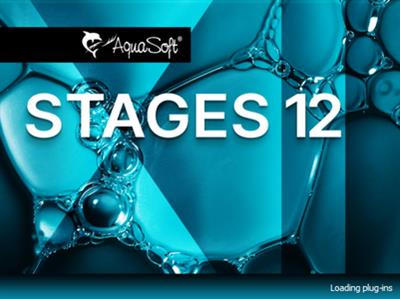
AquaSoft Stages 12.2.05 (x64) Multilingual Portable

3dec17a6596bf0668c3233d3157b383e.jpeg


AquaSoft Stages 12.2.05 (x64) Multilingual Portable | 693 Mb​
AquaSoft Stages is a tool for professionals, photographers, animators, and ambitious advanced users who require maximal functionality from their software and want to control every moment of their project precisely.

Keyframes, unlimited timeline tracks, and a huge selection of effects and transitions are designed to present your photos, videos, and animations in a professional manner. Other features like custom aspect ratios, custom dynamic parameters for Live-Effects, and the new advanced preview modes allow comprehensive and precise control of your projects. AquaSoft Stages is the solution to your sophisticated requirements - your tool to create animated image presentations.

The right tools are at your fingertips
Behind every image is a story, a message that you want to deliver impressively to your audience. Develop your idea, build the framework of your movie, and reach your goal with the tools in AquaSoft Stages.

Keyframes
Let your inner control freak run wild! Effects, sound, images/video, and animations are displayed on separate keyframes in the timeline. This allows you to control, second-precise, exactly how each element in your movie should move, sound, or look.

Live Preview
As you make changes to your project, adding movement, particles, or other effects, the result will be shown immediately in the layout designer.
Allowing you to see just how every effect has changed your project/images without needing to constantly playback.

360 degree rotation
In Stages you can rotate your images, videos, and titles the full 360 degrees. This looks especially great combined with animated camera pans as well as to create Prezi like shows or rotate titles, making your videos stand out from the crowd.

Sync your audio
With the help of tools like the playhead and Timeline markers, you can easily sync your audio to your images. The playhead gives you a frame-by-frame view of your images and video, while the Timeline markers allow you to mark the changes in audio tone, resulting in crescendos at just the right moment.

Profound and complex animations
You are the playwright, screenwriter, and director of your film project. You have an eye for detail and precision is important. Sound and pictures should flow together, so that in the end only your movie is in focus. With AquaSoft Stages you can realize your vision.

Unlimited number of tracks
Combine as many videos, photos, captions, and sounds as you like. You can apply effects to every track.

Dynamic Masks
Fade out image areas and modify selected segments over time.

More than just collages
Achieve a lively interplay of all elements by matching effects precisely to your videos and pictures.

The most important features:
Choose from many effects and templates or create your own animations. In AquaSoft Stages there are virtually unlimited design possibilities for your presentations and movies.

Video editing
Cut videos, pictures, and sounds directly in the timeline.

Time lapse and Slow motion
Create a time lapse or slow motion movie.

Particle system (snow, rain, dust)
Create impressive particle animations with dynamic parameters.

Motion paths
Animate any element and move it across the screen.

Animated Itineraries
Share your travel route with maps, tracks, and vehicles within a few clicks.

Presentations
Control the flow of your presentation automatically or with our remote app

Rotated Camera Pan
Finally, you can zoom with a 360 degree rotation in only one step.

Maximum quality output
Export your video to DVD, Blu-ray, Social Media, or in 4K quality.

Built-in effects
For quick work take advantage of built-in templates and effects.

Color-based image exemption (Chroma Key)
More commonly known as "green screen", in Stages you can replace a single colored background from photos and videos with virtual backgrounds, animated backdrops, or even transport your subjects to an island in the sun. Simply highlight the background color, eliminate it, and add the background of your choice, whether another video or still image.

System requirements:
Operating systems: Windows 10, Windows 8, Windows 7 64 bit only
Processor: 2 GHz, multi-core processor recommended
Graphics card: DirectX 9c, min. 256MB memory
RAM: 2 GB
Optional: CD/DVD/BD writer

Home Page -
У Вас недостаточно прав для просмотра ссылок. Войдите или зарегистрируйтесь.


Language:Multilingual

Download link:​
Код:
[center][b]rapidgator_net[/b]:
https://rapidgator.net/file/559bf011d0a2c61fb78fb23444d05bb9/j4n5u.AquaSoft.Stages.12.2.05.x64.Multilingual.Portable.rar.html

[b]nitroflare_com[/b]:
https://nitroflare.com/view/6028C14C0A0A775/j4n5u.AquaSoft.Stages.12.2.05.x64.Multilingual.Portable.rar

[b]uploadgig_com[/b]:
https://uploadgig.com/file/download/6fc8B3a0c8a26D0E/j4n5u.AquaSoft.Stages.12.2.05.x64.Multilingual.Portable.rar[/center]

Links are Interchangeable - No Password - Single Extraction​
 
Назад
Сверху