• Форум работает в архивном режиме www.old.nado.in

All mitsumi'1s Applications !! (updated daily)

  • Автор темы Автор темы mitsumi1
  • Дата начала Дата начала
iReal Pro 2021.1.1 macOS

f18090148cb10cc7a4bac689f25c9fc8.jpeg

File size: 50 MB​
Practice makes perfect. iReal Pro offers an easy-to-use tool to help musicians of all levels master their art. It simulates a real-sounding band that can accompany you as you practice. The app also lets you create and collect chord charts of your favorite songs for reference.

Used by thousands of music students, teachers and some of the world's top music schools such as Berklee College of Music and Musicians Institute.

"It's the perfect technology for a practicing musician: high-quality digital audio, mixable, transposable into any key and completely mobile. Now every aspiring musician has a backup band in their pocket." - Tim Westergren, Pandora Founder
* It's a Book:
Create, edit, print, share and collect chord charts of your favorite songs for reference while practicing or performing.
* It's a Band:
Practice with a realistic sounding piano (or guitar), bass and drum accompaniments for any downloaded or user-created chord chart.

FEATURES:
Have a virtual band accompany you as you practice
* Choose from the included 50 different accompaniment styles (Swing, Ballad, Gypsy Jazz, Bluegrass, Country, Rock, Funk, Reggae, Bossa Nova, Latin,...) and 12 blues styles available as a one-time In-App purchase
* Personalize each style with a variety of sounds including piano, Fender Rhodes, acoustic and electric guitars, acoustic and electric basses, drums, vibraphone, organ, and more
* Record yourself playing or singing along with the accompaniment

Play, edit, and download any songs you want
* 1000s of songs can be downloaded from the forums in a few simple steps
* Edit existing songs or create your own with the Editor
* The Player will play any song that you edit or create
* Create multiple editable playlists

Improve your skills with the included chord diagrams
* Display guitar, ukulele tabs and piano fingerings for any of your chord charts
* Look up piano, guitar and ukulele fingerings for any chord
* Display scale recommendations for each chord of a song to help with improvisations

Practice in the way, and at the level, that you choose
* Includes 50 exercises for practicing common chord progressions

* Transpose any chart to any key or to number notation
* Loop a selection of measures of a chart for focused practicing
* Advanced practice settings (automatic tempo increase, automatic key transposition)
* Global Eb, Bb, F and G transposition for horn players
Share, print, and export - so your music follows you wherever you need it!
* Share individual charts or whole playlists with other iReal Pro users via email and the forums
* Export charts as PDF and MusicXML
* Export audio as WAV, AAC and MIDI
* Upload your songs and playlists to iCloud for safekeeping and for synchronization across any of your iCloud enabled devices such as iPhone, iPad or Mac

Always backup your songs!

*** You need to disable the System Integrity Protection (SIP) to perform the selected Application.
Release Notes
Bug fixes and performance improvement

Supported Operation Systems:
OS X 10.11 or later

Download link:​
Код:
[center][b]rapidgator_net[/b]:
https://rapidgator.net/file/3931ec88d9bcf46ff1fa466917d8776a/inkku.iReal.Pro.2021.1.1.macOS.rar.html

[b]uploadgig_com[/b]:
https://uploadgig.com/file/download/52114Ca0eb6a9781/inkku.iReal.Pro.2021.1.1.macOS.rar

[b]nitroflare_com[/b]:
https://nitroflare.com/view/8BCB9A530A50D45/inkku.iReal.Pro.2021.1.1.macOS.rar[/center]

Links are Interchangeable - No Password - Single Extraction​
 
Loop Mash Up Pro 1.2.2 macOS

5a2863398e016855d5f9195bb8616227.jpeg

File size: 128 MB​
Make professional music with Loop Mash Up. This app is a powerful sampler with plenty of loops and presets. All samples were created by professional musicians and DJs. Enjoy creating powerful beats by simply tapping the pads and get the instant result!

VARIOUS ELECTRONIC MUSIC STYLES
- Choose between 6 most popular genres of electronic music

VARIOUS SAMPLES & LOOPS
- Dozens of sounds for each music style

ADJUSTABLE BEAT PAD & HOTKEYS
- Adjust samples and loops layout and assign hot keys

RECORD YOUR TRACKS LIVE
- Create and save your songs on your device

Become the best electronic music producer with Loop Mash Up!

Top In-App Purchases: Prol Version - included

Supported Operation Systems:
macOS 10.11 or later 64-bit

Download link:​
Код:
[center][b]rapidgator_net[/b]:
https://rapidgator.net/file/7ba76f10a8df467c51b35bd4a059daea/1x8up.Loop.Mash.Up.Pro.1.2.2.macOS.rar.html

[b]uploadgig_com[/b]:
https://uploadgig.com/file/download/1d61ADB740a4574b/1x8up.Loop.Mash.Up.Pro.1.2.2.macOS.rar

[b]nitroflare_com[/b]:
https://nitroflare.com/view/654366C2B516B31/1x8up.Loop.Mash.Up.Pro.1.2.2.macOS.rar[/center]

Links are Interchangeable - No Password - Single Extraction​
 
Mailbox for Zoho 1.0.2 macOS

e839aec05ab7d40292aa6c0aaa1d59e9.jpeg

File size: 7.43 MB
Multi-Account Zoho client for Mac.​

→ Finally, all your Zoho accounts in one place.
→ Never log out of a session just to check your email from another account again.
→ Use your Zoho apps, from any account, simultaneously.

Main Features:
* Multiple accounts supported, simultaneously.
* Access all your Zoho apps from Mailbox.
* Free accounts supported (no IMAP needed).
* Works with custom domains.
* Works with two factor authentication (2FA).
Release Notes

* Release notes were unavailable when this listing was updated.

Supported Operation System:
* macOS 10.13 or later
* Intel Core processor

Download link:​
Код:
[center][b]rapidgator_net[/b]:
https://rapidgator.net/file/a31df210506ddd720ba32047edcc6ff9/ey3ec.Mailbox.for.Zoho.1.0.2.macOS.rar.html

[b]uploadgig_com[/b]:
https://uploadgig.com/file/download/5025251458046cdF/ey3ec.Mailbox.for.Zoho.1.0.2.macOS.rar

[b]nitroflare_com[/b]:
https://nitroflare.com/view/0990C131E107032/ey3ec.Mailbox.for.Zoho.1.0.2.macOS.rar[/center]

Links are Interchangeable - No Password - Single Extraction​
 
Mission Control Plus 1.16 macOS

c0e7ac1cffbf91351f89c9103fa497f5.jpeg

File size: 7.81 MB
Manage windows in Mission Control, add keyboard navigation, shortcuts and more.​

Put the 'control' back in Mission Control. Manage your windows in Mission Control, adding keyboard navigation, shortcuts and more.

Close windows straight from Mission Control. Quickly close windows by clicking the (X) button.

Control windows using keyboard shortcuts
* ⌘W Close Window
* ⌘M Minimize Window
* ↵ Open window
* ⌘Q Quit App
Release Notes

* Release notes were unavailable when this listing was updated.

Supported Operation System:
* macOS 10.13 or later
* Apple M1 or Intel Core processor

Download link:​
Код:
[center][b]rapidgator_net[/b]:
https://rapidgator.net/file/f2c4cc7170d9fb35b6a6fee018287efd/yscol.Mission.Control.Plus.1.16.macOS.rar.html

[b]uploadgig_com[/b]:
https://uploadgig.com/file/download/4396a19B31708A87/yscol.Mission.Control.Plus.1.16.macOS.rar

[b]nitroflare_com[/b]:
https://nitroflare.com/view/5DDCCA63FA3C25A/yscol.Mission.Control.Plus.1.16.macOS.rar[/center]

Links are Interchangeable - No Password - Single Extraction​
 
Music Tag Editor 2 v5.7.2 (1245) macOS

05735cde9325c14980f49613762d2124.jpeg

File size: 22 MB​
Music Tag Editor can help you edit your music-tag info easily and effectively. You can also use it to convert the text encoding of music tags. It can repair the messy code in music tags. You also can download the album image for MP3 files.

You also can download the album image for MP3 from internet. Also, you can search tags of music file from Amazon or MusicBrainz cloud services.
Support Music formats: MP3, M4A (Apple lossless), MP4, FLAC, APE, AIFF, WAV , Ogg files, asf, mkv, dsf, dsd...
Support ID3V1, ID3V2.3,ID3V2.4, xiphComments, APE Tag, Ogg Vorbis, Ogg Speex, Ogg Flac.

Main features:

1. support id3v1,id3v2,xiphComments, RIFF Info, APE Tag, Ogg Tags,iTunes tags. Tags:Title,Artist,Album,Genre,Copyright,Comments,Artworks,Lyrics and so on...
lyrics you saved to file can be show correctly in you iPhone or iPod music player.
2. support batch processing of lots of music files,support iTunes importing.
3. Online album image download,multi album image supported.
4. batch rename audio file with metadata
5. batch convert file name to tags
6. user can change,convert the tag text encoding easily, it also can repair messy code in situations.
7. Fully iTunes Tag supported.
8. Support strip APE or ID3V1 tags in mp3 files
9. support to save id3v2.3 or id3v2.4 tags!
10. Batch clean tags
11. Built-IN Music player for all audio formats

Advance features in pro version:
1.Edit Additional and Advanced Tags.
2.Custom and edit any tags you want.
3.Batch Find & Replace all tag fields in one click.
4.MusicBrainZ Cloud services supported.
Release Notes
Release notes were unavailable when this listing was updated.

Supported Operation Systems:
OS X 10.11 or later

Download link:​
Код:
[center][b]rapidgator_net[/b]:
https://rapidgator.net/file/f080e4821b66e7bf028adbb109dfce37/7j2y9.Music.Tag.Editor.2.v5.7.2.1245.macOS.rar.html

[b]uploadgig_com[/b]:
https://uploadgig.com/file/download/e08bb90c05a11dD0/7j2y9.Music.Tag.Editor.2.v5.7.2.1245.macOS.rar

[b]nitroflare_com[/b]:
https://nitroflare.com/view/DFAD2DF1F678CA4/7j2y9.Music.Tag.Editor.2.v5.7.2.1245.macOS.rar[/center]

Links are Interchangeable - No Password - Single Extraction​
 
NeoOmacOSffice 2017.27 macOS

06c9a7e1b234eb311eb83d51b79f7543.jpeg

Language: Multilingual | File size: 269 MB​
NeoOffice is an office suite for Mac that is based on OpenOffice and LibreOffice. With NeoOffice, you can view, edit, and save OpenOffice documents, LibreOffice documents, and simple Microsoft Word, Excel, and PowerPoint documents.

Two engineers created NeoOffice in 2003 when they made OpenOffice run natively on OS X for the first time. Since then, the NeoOffice engineers have continually added improvements to NeoOffice that you will not find in OpenOffice or LibreOffice such as:

* NeoOffice > Open at Launch menu to open Calc or Impress instead of Writer at launch
* File > Browse All Versions menu to restore previous versions of your documents
* Native file locking to safely edit files in iCloud Drive, Dropbox, or network drives
* Native Mac grammar checking
* Native Mac text highlighting
* Support for Mac Services
* Native floating tool windows
Release Notes
Release notes were unavailable when this listing was updated

Supported Operation Systems:
macOS 10.12 or later

Download link:​
Код:
[center][b]rapidgator_net[/b]:
https://rapidgator.net/file/cf0161327dcfa6130ef799aaa09220ab/7gtnx.NeoOmacOSffice.2017.27.macOS.rar.html

[b]uploadgig_com[/b]:
https://uploadgig.com/file/download/09cec9cc47422062/7gtnx.NeoOmacOSffice.2017.27.macOS.rar

[b]nitroflare_com[/b]:
https://nitroflare.com/view/882BE36DAEE7B91/7gtnx.NeoOmacOSffice.2017.27.macOS.rar[/center]

Links are Interchangeable - No Password - Single Extraction​
 
Pikka - Color Picker 2.2.0 macOS

671eeab6768c589f1e95fdcb295d00ef.jpeg

File size: 14 MB​
Pikka - Color Picker is a easy to use color picker for Cocoa developers and designers, that works well with multiple screens. With Color Picker you can pick the exact color from everywhere on your screen using the magnifier and it will be copied to clipboard in preferred format immediately. You can copy the code with a single click from menubar or using color library.

Pikka has now become even better:
- With the new Menubar option, you can quickly access your recently copied color.
- The magnifier tool is instantly displaying a preview of the color (RGB).

Key Features:

- Library - Color Folders
Pikka - Color Picker gives you an opportunity to share colors between different folders and organize color palettes. Drag & Drop colors between folders. Copy color from library with double click. Create your profile and keep all your color schemes well organized with name and tags.

- Color Picker And Palette generator
The super fast color schemes generator! Create, save and share perfect palettes in seconds!

- Color Shades
Generate color shades for picked color with one click.

- Adjust and refine
Customize your colors precisely by adjusting temperature, hue, saturation, brightness and more...

- Formats
More than 15 color formats are provided.. Pick color and paste picked color directly into environment you use. Choose from: HEX, RGB, Swift UIColor, Swift NSColor, Objective-C UIColor, Obecjtive-C NSColor, Android XML, Android (A)RGB and many more.

- Rename colors
Rename picked colors with ease.
Release Notes
Bugfixes and improvements

Supported Operation Systems:
OS X 10.11 or later

Download link:​
Код:
[center][b]rapidgator_net[/b]:
https://rapidgator.net/file/bc72f14c7c0eb4342b9b5bc11115c14e/5b02u.Pikka..Color.Picker.2.2.0.macOS.rar.html

[b]uploadgig_com[/b]:
https://uploadgig.com/file/download/23Eea26cFD307ead/5b02u.Pikka..Color.Picker.2.2.0.macOS.rar

[b]nitroflare_com[/b]:
https://nitroflare.com/view/659148CE2C640C7/5b02u.Pikka..Color.Picker.2.2.0.macOS.rar[/center]

Links are Interchangeable - No Password - Single Extraction​
 
Power Menu 1.0.12 macOS

a0679ad884395523a7060f134106dd9e.jpeg

File size: 17.64 MB​
Power Menu is a highly configurable Finder extension that adds powerful actions to the right click menu and toolbar within Finder - this makes it quick and easy to do things such as move and copy files, convert images, create new documents and much more. The app comes bundled with several useful preset actions (see below) and supports user-created shell scripts that allow for virtually limitless creativity.

Create New File
One of the main things lacking from Finder is an easy way to create new files of a particular format. Power Menu makes this possible with just 2 clicks.

Move/Copy Files & Folders
Moving and copying files and folders on your Mac is made much easier with Power Menu - you can define specific folders that you regularly need to use.

Open With Specific Apps
Finder's 'Open With' option often does not show the app you need, this problem is solved by our bespoke Open With action that allows you to define specific apps to always be listed.

Open New Finder Window
You can add favorite folders to this action to make it very easy to quickly open a Finder window at a specific location. This simple action can result in a huge improvement to your Finder workflow.

Securely Delete Files & Folders
Make sure you properly delete files and folders using Power Menu's secure delete action. This permanently deletes the file and it cannot be recovered.

Send Files via Email
Select files within Finder and then use this action to attach them to an email. Requires an email client that supports this functionality.

Instantly Convert Images
You no longer need to bother opening up image editing apps to convert photos and images to a different format. This action saves you time by instantly converting image formats from within Finder itself.

Reset App Preferences
Resetting app preferences is useful when you need to restore an application back to default settings. This action makes it easy - just right click on an app and select reset.

Copy Full File Paths
The action copies the entire full file path to your clipboard.

Open a New Terminal Window
This action allows you to open a Terminal window at the location of the selected directory.

Edit with Vim
Power Menu makes it easy to open files with Vim in order to edit them.

Show & Hide Hidden Files in Finder
Easily toggle whether to allow Finder to show or hide hidden files.

Edit with Emacs
Power Menu makes it easy to open files with Emacs in order to edit them.

Open a New iTerm Window
This action allows you to open a iTerm window at the location of the selected directory.

Compress with Password
With Power Menu, you can make zip files more secure by requiring a password if anyone tries to extract them.

Even More...
We are constantly adding new actions to Power Menu. Be sure to let us know if you have any specific ideas!

Custom Shell Script Actions
Power Menu enables users to create their own Finder actions by writing custom shell scripts. This allows for an almost limitless number of actions and for users to tailor the app to their individual needs.
Release Notes

* Release notes were unavailable when this listing was updated.

Supported Operation System:
* OS X 10.11 or later
* Apple M1 or Intel Core processor

Download link:​
Код:
[center][b]rapidgator_net[/b]:
https://rapidgator.net/file/69d73bdb1ed38ea8ed86170df5347771/fgo2s.Power.Menu.1.0.12.macOS.rar.html

[b]uploadgig_com[/b]:
https://uploadgig.com/file/download/8fd04eABDc8C0e67/fgo2s.Power.Menu.1.0.12.macOS.rar

[b]nitroflare_com[/b]:
https://nitroflare.com/view/CC21357D60D3BCF/fgo2s.Power.Menu.1.0.12.macOS.rar[/center]

Links are Interchangeable - No Password - Single Extraction​
 
PullTube 1.6.18 macOS

e836164f5154a8d4c1cea34f193f094e.jpeg

Language: Multilingual | File size: 64 MB​
A beautiful online video downloader for your Mac PullTube proposes a streamlined workflow for quickly downloading videos from YouTube or Vimeo, provides control over the output quality, and enables you to extract the audio to MP3 or M4A files.

The PullTube app can handle videos of any duration or size, and you get to monitor the download progress within its main window. The utility also integrates with the Notification Center to send completion alerts.
- Supports Youtube, Vimeo, Facebook, Dailymotion, Instagram, Youku and IQY.
- More platforms to be added upon user requests.
- PullTube allows you to download video in any format available
- Convert and save videos to mand m4a
- Nice looking, dark user interface
Release Notes

Release notes were unavailable when this listing was updated

Supported Operation Systems:
macOS 10.11 or later

Download link:​
Код:
[center][b]rapidgator_net[/b]:
https://rapidgator.net/file/167d4b8bb7870308c66ea27d8b683b9a/1x6q4.PullTube.1.6.18.macOS.rar.html

[b]uploadgig_com[/b]:
https://uploadgig.com/file/download/b57f2c9df507437d/1x6q4.PullTube.1.6.18.macOS.rar

[b]nitroflare_com[/b]:
https://nitroflare.com/view/1E55DA09481FCB8/1x6q4.PullTube.1.6.18.macOS.rar[/center]

Links are Interchangeable - No Password - Single Extraction​
 
QuickRes 4.8 macOS

d2354966944d0f14dd52fceb4079d134.jpeg

File size: 7 MB​
The best way to switch between screen resolutions on your Mac. QuickRes unlocks the full power of your Mac's display. Bypass Apple's restrictions, safely and quickly.

QuickRes is the quickest and easiest way to switch between screen resolutions on your Mac. With the MacBook Pro with Retina Display, you can set your resolution all the way up to an extreme 3840 x 2400! With other Macs, you can set your resolutions to things you've never seen before, including a HiDPI mode, which is as close you can get to a Retina Display on a standard computer.
Release Notes
* Bug fixes for Dark Mode support
* Improved security with support for Hardened Runtime on macOS Mojave

Supported Operation Systems:
macOS 10.10 or later

Download link:​
Код:
[center][b]rapidgator_net[/b]:
https://rapidgator.net/file/014d7803d7156700528ce63392b9a2a7/p6cs2.QuickRes.4.8.macOS.rar.html

[b]uploadgig_com[/b]:
https://uploadgig.com/file/download/89e550ef9fEad15E/p6cs2.QuickRes.4.8.macOS.rar

[b]nitroflare_com[/b]:
https://nitroflare.com/view/196633D514967CC/p6cs2.QuickRes.4.8.macOS.rar[/center]

Links are Interchangeable - No Password - Single Extraction​
 
RadarScope 4.2 macOS

7158f762a2490cabe698c2a97893d3cb.jpeg

File size: 29 MB​
RadarScope is a specialized display utility for weather enthusiasts and meteorologists that allows you to view NEXRAD Level 3 radar data and severe weather warnings. It can display the latest reflectivity, velocity, and other radar products from any NEXRAD radar site in the United States, Guam, or Puerto Rico.

These aren't smoothed PNG or GIF images, this is real Level 3 radar data rendered in its original radial format for a high level of detail. Whether you are scanning reflectivity for a mesocyclone's tell-tale hook echo, trying to pinpoint the landfall of a hurricane's eye wall, or looking for small features like velocity couplets in the storm-relative radial-velocity product, RadarScope gives you the power to view true radial NEXRAD weather radar on your Mac.
*** You need to disable the System Integrity Protection (SIP) to perform the selected Application.
Release Notes

Release notes were unavailable when this listing was updated.

Supported Operation Systems:
macOS 10.14 or later

Download link:​
Код:
[center][b]rapidgator_net[/b]:
https://rapidgator.net/file/c8b13208eb9ff3bccc5e79ec7119008b/5uwja.RadarScope.4.2.macOS.rar.html

[b]uploadgig_com[/b]:
https://uploadgig.com/file/download/0b2Df31f0dAEdaa4/5uwja.RadarScope.4.2.macOS.rar

[b]nitroflare_com[/b]:
https://nitroflare.com/view/45BA8A37014282A/5uwja.RadarScope.4.2.macOS.rar[/center]

Links are Interchangeable - No Password - Single Extraction​
 
Scherlokk 4.3 (43002) macOS

2f57f5c9c70e8b266d6331dcd2fce030.jpeg

File size: 5.80 MB​
Scherlokk is a lightning fast file search utility build for precise and reliable search of every file which meets the search criteria. Music, pictures, bookmarks, documents, etc can be found quickly and easily. Search can be made on any kind of build in volume, portable volume (pendrives, memory cards, USB drives), network drive (AFP, SMB, FTP), etc.

It does not matter if the searched file is hidden or system. The file does not even need to be indexed by macOS to be found by Scherlokk.

When searching with size range, Scherlokk calculates and displays all folders which fit in the range.

Why use Scherlokk rather then Spotlight:
* Scherlokk searches through 'real' files instead of the Spotlight's index. The index is not always up to date and does not contain all files.
* Extremely fast search engine finds your files quicker than competition.
* Scherlokk shows search results in a flat or hierarchical view which helps to find out which file is the one you need and how files are located in the folders structure.
* Clean and easy to use interface.

Which files can Scherlokk find?
Since Scherlokk is not based upon the Spotlight's index, and has its own, powerful search engine, it will find every single file on any accessible volume in your computer.

Scherlokk can compare any files (text or binary) and displays their differences, taking into account insertions or deletions. It uses a sophisticated algorithm for finding similar blocks in both files and shows them as a list of differences.

Scherlokk has built in decoders for most popular string-formatted files. This include PDF, DOC, DOCX, RTF, RTFD, XLS and XLSX files. All other files are "raw" searched through.

Try it out and you will love it!
Release Notes

* Release notes were unavailable when this listing was updated.

Supported Operation System:
* Apple M1 or Intel Core processor
* OS X 10.11 or later

Download link:​
Код:
[center][b]rapidgator_net[/b]:
https://rapidgator.net/file/14332bc229f389b680ce0657337b8712/i8uf5.Scherlokk.4.3.43002.macOS.rar.html

[b]uploadgig_com[/b]:
https://uploadgig.com/file/download/A72F6Fa2bbcecd25/i8uf5.Scherlokk.4.3.43002.macOS.rar

[b]nitroflare_com[/b]:
https://nitroflare.com/view/52A7535655D28D6/i8uf5.Scherlokk.4.3.43002.macOS.rar[/center]

Links are Interchangeable - No Password - Single Extraction​
 
Scherlokk 4.3 (43003) macOS

958f24d2062bf0a0fb46209c0b886401.jpeg

File size: 5.80 MB​
Scherlokk is a lightning fast file search utility build for precise and reliable search of every file which meets the search criteria. Music, pictures, bookmarks, documents, etc can be found quickly and easily. Search can be made on any kind of build in volume, portable volume (pendrives, memory cards, USB drives), network drive (AFP, SMB, FTP), etc.

It does not matter if the searched file is hidden or system. The file does not even need to be indexed by macOS to be found by Scherlokk.

When searching with size range, Scherlokk calculates and displays all folders which fit in the range.

Why use Scherlokk rather then Spotlight:
* Scherlokk searches through 'real' files instead of the Spotlight's index. The index is not always up to date and does not contain all files.
* Extremely fast search engine finds your files quicker than competition.
* Scherlokk shows search results in a flat or hierarchical view which helps to find out which file is the one you need and how files are located in the folders structure.
* Clean and easy to use interface.

Which files can Scherlokk find?
Since Scherlokk is not based upon the Spotlight's index, and has its own, powerful search engine, it will find every single file on any accessible volume in your computer.

Scherlokk can compare any files (text or binary) and displays their differences, taking into account insertions or deletions. It uses a sophisticated algorithm for finding similar blocks in both files and shows them as a list of differences.

Scherlokk has built in decoders for most popular string-formatted files. This include PDF, DOC, DOCX, RTF, RTFD, XLS and XLSX files. All other files are "raw" searched through.

Try it out and you will love it!
Release Notes

* Release notes were unavailable when this listing was updated.

Supported Operation System:
* Apple M1 or Intel Core processor
* OS X 10.11 or later

Download link:​
Код:
[center][b]rapidgator_net[/b]:
https://rapidgator.net/file/1a588181cc39edb59a7b8e7a617ecadc/77q6r.Scherlokk.4.3.43003.macOS.rar.html

[b]uploadgig_com[/b]:
https://uploadgig.com/file/download/21fd12900cBfeb6e/77q6r.Scherlokk.4.3.43003.macOS.rar

[b]nitroflare_com[/b]:
https://nitroflare.com/view/38CA9BD41E454FF/77q6r.Scherlokk.4.3.43003.macOS.rar[/center]

Links are Interchangeable - No Password - Single Extraction​
 
Scherlokk 4.3 (43005) macOS

2ba15da438d56980c25b7d768bbc241a.jpeg

File size: 5.80 MB​
Scherlokk is a lightning fast file search utility build for precise and reliable search of every file which meets the search criteria. Music, pictures, bookmarks, documents, etc can be found quickly and easily. Search can be made on any kind of build in volume, portable volume (pendrives, memory cards, USB drives), network drive (AFP, SMB, FTP), etc.

It does not matter if the searched file is hidden or system. The file does not even need to be indexed by macOS to be found by Scherlokk.

When searching with size range, Scherlokk calculates and displays all folders which fit in the range.

Why use Scherlokk rather then Spotlight:
* Scherlokk searches through 'real' files instead of the Spotlight's index. The index is not always up to date and does not contain all files.
* Extremely fast search engine finds your files quicker than competition.
* Scherlokk shows search results in a flat or hierarchical view which helps to find out which file is the one you need and how files are located in the folders structure.
* Clean and easy to use interface.

Which files can Scherlokk find?
Since Scherlokk is not based upon the Spotlight's index, and has its own, powerful search engine, it will find every single file on any accessible volume in your computer.

Scherlokk can compare any files (text or binary) and displays their differences, taking into account insertions or deletions. It uses a sophisticated algorithm for finding similar blocks in both files and shows them as a list of differences.

Scherlokk has built in decoders for most popular string-formatted files. This include PDF, DOC, DOCX, RTF, RTFD, XLS and XLSX files. All other files are "raw" searched through.

Try it out and you will love it!
Release Notes

* Release notes were unavailable when this listing was updated.

Supported Operation System:
* Apple M1 or Intel Core processor
* OS X 10.11 or later

Download link:​
Код:
[center][b]rapidgator_net[/b]:
https://rapidgator.net/file/9c75eab2d006da55f939365a9eff8941/bug4y.Scherlokk.4.3.43005.macOS.rar.html

[b]uploadgig_com[/b]:
https://uploadgig.com/file/download/5e68EEAecc040042/bug4y.Scherlokk.4.3.43005.macOS.rar

[b]nitroflare_com[/b]:
https://nitroflare.com/view/8B3C07D1B61DBBF/bug4y.Scherlokk.4.3.43005.macOS.rar[/center]

Links are Interchangeable - No Password - Single Extraction​
 
Scherlokk 4.3 (43007) macOS

c9181100f7347216add6c6e83c484255.jpeg

File size: 5.80 MB​
Scherlokk is a lightning fast file search utility build for precise and reliable search of every file which meets the search criteria. Music, pictures, bookmarks, documents, etc can be found quickly and easily. Search can be made on any kind of build in volume, portable volume (pendrives, memory cards, USB drives), network drive (AFP, SMB, FTP), etc.

It does not matter if the searched file is hidden or system. The file does not even need to be indexed by macOS to be found by Scherlokk.

When searching with size range, Scherlokk calculates and displays all folders which fit in the range.

Why use Scherlokk rather then Spotlight:
* Scherlokk searches through 'real' files instead of the Spotlight's index. The index is not always up to date and does not contain all files.
* Extremely fast search engine finds your files quicker than competition.
* Scherlokk shows search results in a flat or hierarchical view which helps to find out which file is the one you need and how files are located in the folders structure.
* Clean and easy to use interface.

Which files can Scherlokk find?
Since Scherlokk is not based upon the Spotlight's index, and has its own, powerful search engine, it will find every single file on any accessible volume in your computer.

Scherlokk can compare any files (text or binary) and displays their differences, taking into account insertions or deletions. It uses a sophisticated algorithm for finding similar blocks in both files and shows them as a list of differences.

Scherlokk has built in decoders for most popular string-formatted files. This include PDF, DOC, DOCX, RTF, RTFD, XLS and XLSX files. All other files are "raw" searched through.

Try it out and you will love it!
Release Notes

* Release notes were unavailable when this listing was updated.

Supported Operation System:
* Apple M1 or Intel Core processor
* OS X 10.11 or later

Download link:​
Код:
[center][b]rapidgator_net[/b]:
https://rapidgator.net/file/e97b7799f1a0b3b90f88ba68adc1dfd0/qfyj5.Scherlokk.4.3.43007.macOS.rar.html

[b]uploadgig_com[/b]:
https://uploadgig.com/file/download/7a68834b3159e256/qfyj5.Scherlokk.4.3.43007.macOS.rar

[b]nitroflare_com[/b]:
https://nitroflare.com/view/8B697F8BCED46A3/qfyj5.Scherlokk.4.3.43007.macOS.rar[/center]

Links are Interchangeable - No Password - Single Extraction​
 
Tempomate 4.5 MAS

5a942189ad58cf162ae249d3a09c49d3.jpeg

File size: 77.82 MB
Tempomate. Clever Metronome for Mac.​

Features:
* Various click sounds, time signatures, subdivisions, accents and rests.
* Auto mode changes tempo periodically both up and down for serious speed training.
* Save your favourite settings in memory slots.
* Tap tempo to find that precise beat in your head. When playing, the metronome will synchronise to your tapping.
* Resize the window to your liking or switch between full screen and windowed mode.
* Pan the click left or right.
* Tempos from 20 to 360 bpm.

Auto Mode
Increases tempo periodically for serious speed training. Just set the bpm amount and time interval.

Accents
Spice it up with various time signatures, accents and rests.

Presets
Save your favourite tempos, time signatures and auto mode settings in nine memory slots.

Tap Tempo
Helps you find the precise tempo in your head or in that song. During use, the clicks synchronise to your tapping.

Full Screen Mode
Full screen mode. Because you are not sitting in front of computer all the time, right?

Mouse and Keys
Full operation using both mouse and keyboard.
Release Notes

* New super-precise timekeeping mechanism.
* New audio engine to support future developments.

Supported Operation System:
* OS X 10.10 or later
* Apple M1 or Intel Core processor

Download link:​
Код:
[center][b]rapidgator_net[/b]:
https://rapidgator.net/file/8297e5a9fc8367277550cf4c1efc3f42/kjrl2.Tempomate.4.5.MAS.rar.html

[b]uploadgig_com[/b]:
https://uploadgig.com/file/download/0dbF71B4f4b81977/kjrl2.Tempomate.4.5.MAS.rar

[b]nitroflare_com[/b]:
https://nitroflare.com/view/5006DBF77AACA03/kjrl2.Tempomate.4.5.MAS.rar[/center]

Links are Interchangeable - No Password - Single Extraction​
 
USB Block - Data Leak Prevention 2.6 MAS

773ae07c67045d79feb7de1771b8ec49.jpeg

File size: 4.04 MB
USB Block is a data leakage prevention tool which can:​

* Authorize USB devices and prevent any unauthorized access to your Mac computer.
* Password protect USB authorization (Without password, non-trusted USB devices will be automatically blocked when they are inserted)
* Disable USB storage.
* Add trusted USB devices to the white-list.
* Block network access (WLAN).
* Block Bluetooth access.
* Self process protection.
* Silent Mode (Hidden to others)
* Support Touch ID.
* Import & Export Configuration, apply the configuration to all accounts with 1-click.
* Record Logs.
* Lock apps.
Release Notes

- Run natively on Apple Silicon
- Fixed known crashes
- Improved the security of protection

Supported Operation System:
* OS X 10.8 or later
* Apple M1 or Intel Core processor

Download link:​
Код:
[center][b]rapidgator_net[/b]:
https://rapidgator.net/file/4d69d6a32c005dd90c7495462d62eb56/l882h.USB.Block..Data.Leak.Prevention.2.6.MAS.rar.html

[b]uploadgig_com[/b]:
https://uploadgig.com/file/download/d53e1Cd0e5f75f28/l882h.USB.Block..Data.Leak.Prevention.2.6.MAS.rar

[b]nitroflare_com[/b]:
https://nitroflare.com/view/04559ABD05AE4C5/l882h.USB.Block..Data.Leak.Prevention.2.6.MAS.rar[/center]

Links are Interchangeable - No Password - Single Extraction​
 
Voxengo TOTAL Bundle 2021.6 macOS

84649eb613ffae3831df9037e425addc.jpeg

File Size: 410 MB
​
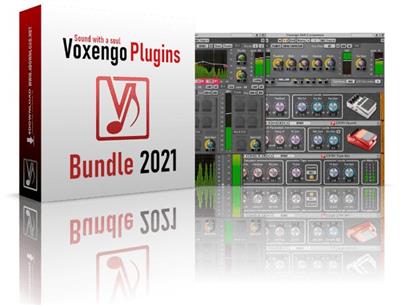
Bundle that includes Voxengo pro audio plugins designed for mastering applications. These plugins allow you to achieve clear, loud and balanced-sounding mixes.

Included:
- Voxengo BMS 2.4
- Voxengo CRTIV Chorus 1.4
- Voxengo CRTIV Reverb 2.4
- Voxengo CRTIV Shumovick 1.3
- Voxengo CRTIV Tape Bus 1.5
- Voxengo Crunchessor 2.16
- Voxengo CurveEQ 3.11
- Voxengo Deft Compressor 1.10
- Voxengo Drumformer 1.9
- Voxengo EBusLim 1.6
- Voxengo Elephant 4.14
- Voxengo GlissEQ 3.16
- Voxengo HarmoniEQ 2.7
- Voxengo LF Max Punch 1.11
- Voxengo Marquis Compressor 2.5
- Voxengo OldSkoolVerb Plus 1.3
- Voxengo OVC-128 1.7
- Voxengo PHA-979 2.9
- Voxengo Polysquasher 3 3.2
- Voxengo Powershaper 1.3
- Voxengo PrimeEQ 1.5
- Voxengo Shinechilla 1.2
- Voxengo Soniformer 3.12
- Voxengo SPAN Plus 1.14
- Voxengo Spatifier 1.6
- Voxengo TEOTE 1.6
- Voxengo TransGainer 1.11
- Voxengo VariSaturator 2.2
- Voxengo Voxformer 2.19
- Voxengo Warmifier 2.6

System requirements:
macOS (10.11 and later version, if not announced as unsupported) computers (2.5 GHz dual-core or faster processor with at least 4 GB of system RAM required).

Download link:​
Код:
[center][b]rapidgator_net[/b]:
https://rapidgator.net/file/8560b5bea1d0a434d37d73787f49fb30/mgbpc.Voxengo.TOTAL.Bundle.2021.6.rar.html

[b]uploadgig_com[/b]:
https://uploadgig.com/file/download/088e7f842e8a9298/mgbpc.Voxengo.TOTAL.Bundle.2021.6.rar

[b]nitroflare_com[/b]:
https://nitroflare.com/view/B996E238F41FE19/mgbpc.Voxengo.TOTAL.Bundle.2021.6.rar[/center]

Links are Interchangeable - No Password - Single Extraction​
 
WISO steuer 2021 v11.07.2310 macOS

705d1843cb6412be76838d9653e6cdcf.jpeg

File size: 496 MB​
For the tax declaration 2020: WISO tax: - Germany's popular tax software for the Mac! You can not go wrong. TOP NEWS for the upcoming tax declaration 2020: WISO tax: - Germany's popular tax software for the Mac! And the test winner of the MacLife

Unique! The tax: automatic takes you a lot of work - what and how much you decide! With tax: import, tax: call and tax: shipping, a large part of your declaration is automatically filled in, without you have to enter something yourself. You check and confirm only the information. And then everything goes immediately digitally to the tax office. Without complicated forms - and even without paper!
Release Notes

Release notes were unavailable when this listing was updated.

Supported Operation Systems:
macOS 10.13 or later

Download link:​
Код:
[center][b]rapidgator_net[/b]:
https://rapidgator.net/file/96af83aa23918820c7873a06b8149442/eoxz3.WISO.steuer.2021.v11.07.2310.macOS.rar.html

[b]uploadgig_com[/b]:
https://uploadgig.com/file/download/8eabEE4b914d86d7/eoxz3.WISO.steuer.2021.v11.07.2310.macOS.rar

[b]nitroflare_com[/b]:
https://nitroflare.com/view/0AD4043C5C982C7/eoxz3.WISO.steuer.2021.v11.07.2310.macOS.rar[/center]

Links are Interchangeable - No Password - Single Extraction​
 
Yate 6.5.01 macOS

199024329442cb2846d67902041cfb49.jpeg

File size: 16 MB​
Yate was developed for people who want complete control over their tagging experience. The application was designed from the ground up for Mac users and uses its own tagging library. The application will tag mp3 (includes mp2), m4a (AAC, ALAC), mp4 (AAC, ALAC, video), m4b, m4v, flac, aiff (aifc, aif), dff, dsf, ape, wav, ogg (single stream Vorbis and Opus), Monkey's Audio (ape) and WavPack (wv) files..

Yate has a long list of features, including an innovative scripting system called actions. The app also supports integration with AcousticBrainz, AcousticID, Beatport, Discogs, iTunes, MusicBrainz and The Movie Database (TMDb)
Release Notes
Release notes were unavailable when this listing was updated.

Supported Operation Systems:
macOS 10.10 or later

Download link:​
Код:
[center][b]rapidgator_net[/b]:
https://rapidgator.net/file/31ed33b95999de0a47cec675f942048c/42gh8.Yate.6.5.01.macOS.rar.html

[b]uploadgig_com[/b]:
https://uploadgig.com/file/download/22aEF6f99add7e77/42gh8.Yate.6.5.01.macOS.rar

[b]nitroflare_com[/b]:
https://nitroflare.com/view/8031F10D29B576A/42gh8.Yate.6.5.01.macOS.rar[/center]

Links are Interchangeable - No Password - Single Extraction​
 
Назад
Сверху