• Форум работает в архивном режиме www.old.nado.in

All mitsumi'1s Applications !! (updated daily)

  • Автор темы Автор темы mitsumi1
  • Дата начала Дата начала
Algoriddim Neural Mix Pro 1.1.1 macOS

7ea6c504a6856de83cab7de5199e87d4.jpeg

File size: 80 MB​
Welcome to Neural Mix™ Pro, the AI-powered music player & editor for producers, DJs, and musicians. Created by Algoriddim, winner of multiple Apple Design Awards, Neural Mix™ Pro provides an intuitive interface to isolate beats, instruments, and vocals of any song.

You can create beat-precise loops, change tempo, and transpose the key of a song, all while removing vocals, percussive, or harmonic parts in real-time. The advanced offline export allows you to extract acappellas and instrumentals in pristine sound quality, for use in your favorite DJ or music production software.

Whether you're a professional or just someone who loves to play with music, Neural Mix™ Pro allows you to deconstruct songs into its original components providing a unique tool to your creative workflow.

Music Source Separation
- Extract beats, instruments, and vocals of any song
- View multi-track waveforms side by side

AI Music Player
- Isolate beats, instruments, and vocals in real-time
- Mute vocal or instrumental components individually
- High-quality time-stretching: change the tempo of a song without affecting its pitch (up to +-75%)
- Pitch-shifting: transpose a song into a different key (up to +-1 octave)
- Automatic BPM and key detection
- Frequency colored waveforms
- Beat-quantized looping

Offline Export
- Output options: Instrumental, Acappella, Drums, Harmonic, Harmonic+Vocals, Drums+Vocals, Channel Mix
- Optional target BPM and key transformation for exported files
- Multi-track export
- WAV and AAC output file formats

Loop Editor
- Extract beat-matched vocal, percussive or harmonic loops individually
- Trim precisely to an audio region or sample
- Set auto-quantized or manual loop in & out points
- Export loops into different file formats using adjustable target BPM and key

Music Browser
- Music and Finder integration
- Multi-track playlist & folder export of instrumentals, acappellas
- Powerful track sorting and search options

Built for macOS
- Core ML for advanced machine learning
- Multi-core analysis and export
- Support for Touch Bar
- Multi-touch trackpad control
- Accessibility through VoiceOver

In-App Purchases:Full Version - includedYou can create beat-precise loops, change tempo, and transpose the key of a song, all while removing vocals, percussive, or harmonic parts in real-time. The advanced offline export allows you to extract acappellas and instrumentals in pristine sound quality, for use in your favorite DJ or music production software.

Whether you're a professional or just someone who loves to play with music, Neural Mix™ Pro allows you to deconstruct songs into its original components providing a unique tool to your creative workflow.

Music Source Separation
- Extract beats, instruments, and vocals of any song
- View multi-track waveforms side by side

AI Music Player
- Isolate beats, instruments, and vocals in real-time
- Mute vocal or instrumental components individually
- High-quality time-stretching: change the tempo of a song without affecting its pitch (up to +-75%)
- Pitch-shifting: transpose a song into a different key (up to +-1 octave)
- Automatic BPM and key detection
- Frequency colored waveforms
- Beat-quantized looping

Offline Export
- Output options: Instrumental, Acappella, Drums, Harmonic, Harmonic+Vocals, Drums+Vocals, Channel Mix
- Optional target BPM and key transformation for exported files
- Multi-track export
- WAV and AAC output file formats

Loop Editor
- Extract beat-matched vocal, percussive or harmonic loops individually
- Trim precisely to an audio region or sample
- Set auto-quantized or manual loop in & out points
- Export loops into different file formats using adjustable target BPM and key

Music Browser
- Music and Finder integration
- Multi-track playlist & folder export of instrumentals, acappellas
- Powerful track sorting and search options

Built for macOS
- Core ML for advanced machine learning
- Multi-core analysis and export
- Support for Touch Bar
- Multi-touch trackpad control
- Accessibility through VoiceOver

In-App Purchases:Full Version - included
Release Notes
Release notes were unavailable when this listing was updated

Supported Operation Systems:
macOS 10.14 or later

Download link:​
Код:
[center][b]rapidgator_net[/b]:
https://rapidgator.net/file/738fe797f5fc977d68aab950adecb998/6qw1p.Algoriddim.Neural.Mix.Pro.1.1.1.macOS.dmg.html

[b]uploadgig_com[/b]:
https://uploadgig.com/file/download/fA9EfEf664b77156/6qw1p.Algoriddim.Neural.Mix.Pro.1.1.1.macOS.dmg

[b]nitroflare_com[/b]:
https://nitroflare.com/view/056286A80ADCC0B/6qw1p.Algoriddim.Neural.Mix.Pro.1.1.1.macOS.dmg[/center]

Links are Interchangeable - No Password - Single Extraction​
 
ASAP Utilities Free 7.9.2 Multilingual

e27dd919a79f7fa5cc6496e2e69d2e37.jpeg

File Size : 30.8 Mb​

ASAP Utilities is a powerful Excel add-in that fills the gaps in Excel. Since 1999 it has grown to become probably one of the world's most popular add-ins for MS Excel.

ASAP = As Soon As Possible ASAP Utilities is called this way because it significantly reduces time-consuming work. The word utilities means something useful (definition). Combined together ASAP Utilities stands for useful time-saving macro tools for Excel.

Most people struggle with managers, bosses or clients that tend to ask for you to get the job done yesterday, which of course is often difficult to pull off. ASAP Utilities doesn't allow you to travel back in time but it can certainly help you to speed up your work in Excel.

Constant improvement Since its first release in 1999, ASAP Utilities has been improved and extended with many new features and a friendly interface. It is under constant development, so new features and improvements are being added all the time. ASAP Utilities is used worldwide in over 170 different countries by 200.000+ users and 4.000+ organizations.

Supported Excel versions
ASAP Utilities 7.4 works with:
Excel 2016 (both 32- and 64-bit version)
Excel 2013 (both 32- and 64-bit version)
Excel 2010 (both 32- and 64-bit version)
Excel 365 (both 32- and 64-bit version)
Excel 2007
Excel 2003
Excel 2002/XP
Excel 2000

Download link:​
Код:
[center][b]rapidgator_net[/b]:
https://rapidgator.net/file/7a1e8c340a6f11e76d464589286115fb/23nph.ASAP.Utilities.Free.7.9.2.Multilingual.rar.html

[b]uploadgig_com[/b]:
https://uploadgig.com/file/download/Ae5F85a5d537a57b/23nph.ASAP.Utilities.Free.7.9.2.Multilingual.rar

[b]nitroflare_com[/b]:
https://nitroflare.com/view/14AD021D8289AAB/23nph.ASAP.Utilities.Free.7.9.2.Multilingual.rar[/center]

Links are Interchangeable - No Password - Single Extraction​
 
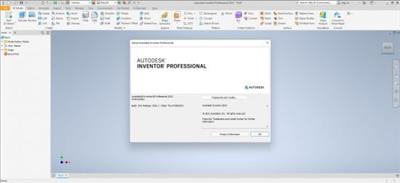
Autodesk Inventor Professional 2022.1 Update Only (x64)

da2ec182b7a2f6c7d7b08eef067f0de8.jpeg

x64 | File Size: 347 MB​
Description:
Autodesk Inventor software provides professional-grade engineering solutions for 3D
mechanical design, simulation, tool creation, and design communication that help you to make great products, cost-effectively, in less time. Inventor is the foundation of the Autodesk solution for product development. The Inventor model is an accurate 3D digital model that enables you to validate the form, fit, and function of a design as you work, minimizing the need to test the design with physical prototypes.

Features and software features Inventor Professional Autodesk:
-User interface is suitable for quick learning
-has a geometric modeling kernel using Autodesk ShapeManager
-Coordination with various CAD software
-includes the following major sections:
-Part Modeling:the first part of the work of the most complete mechanical design and modeling environment
-Assembly:assembly designed with specific instructions with access to standard software library includes hundreds of thousands of pieces
-Drawing:the facade of components designed for applications such as AutoCAD and allows output
-Sheet Metal:Vrqkary design and take the form of spreadsheets Khrvjygrftn
-Weldment:welding standards as well as possible gaps between the two pieces of welding
-Presentation:Animation parts and burst modes
-Piping:Piping advanced and easy design path with the latest standards Piping Pipes
-Frame Generation:professional design of structures and frames with complete tools ready
-Inventor Studio:construction project designed videos from all views
-Dynamic Simulation:Analysis of Energy and behavior in non-fixed parts

System Requirements:
OS:Microsoft® Windows® 10
CPU: Recommended:3.0 GHz or greater, 4 or more cores / Minimum:2.5 GHz or greater
Memory: Recommended:20 GB RAM or more / Minimum:8 GB RAM for less than 500-part assemblies
Graphics: Recommended:4 GB GPU with 106 GB/S Bandwidth and DirectX 11 compliant / Minimum:1 GB GPU with 29 GB/S Bandwidth and DirectX 11 compliant
Display:Recommended:3840 x 2160 (4K); Preferred scaling: 100%, 125%, 150% or 200% / Minimum:1280 x 1024
NET:.NET Framework Version 4.7 or later. Windows Updates enabled for installation.

Spreadsheet:
-Full local install of Microsoft® Excel 2010, 2013 or 2016 for iFeatures, iParts, iAssemblies, Global BOM, Parts Lists, Revision Tables, spreadsheet-driven designs and Studio animation of Positional Representations.
-64-bit Microsoft Office is required to export Access 2007, dBase IV, Text and CSV formats.
-Office 365 subscribers must ensure they have a local installation of Microsoft Excel 2016.
-Windows Excel Starter®, OpenOffice®, and browser-based Office 365 applications are not supported.

8a7f1f1112f5000fc5593fb48b9aa899.jpeg


Download link:​
Код:
[center][b]rapidgator_net[/b]:
https://rapidgator.net/file/8ff3f3c9ca58cef7e1f142bd70008736/7cla8.Autodesk.Inventor.Professional.2022.1.Update.Only.x64.rar.html

[b]uploadgig_com[/b]:
https://uploadgig.com/file/download/b75B5666e9017dE6/7cla8.Autodesk.Inventor.Professional.2022.1.Update.Only.x64.rar

[b]nitroflare_com[/b]:
https://nitroflare.com/view/FE4DE46EA90C083/7cla8.Autodesk.Inventor.Professional.2022.1.Update.Only.x64.rar[/center]

Links are Interchangeable - No Password - Single Extraction​
 
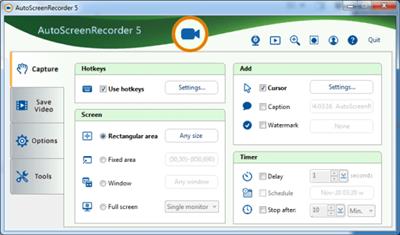
AutoScreenRecorder Pro 5.0.727

8f7fb50fee9113c2d81df27f72c7c7d0.jpeg

File size: 112 MB​
AutoScreenRecorder 5 can record everything on your screen in its original quality with no loss. It saves to unlimited AVI files. It bundles with a lossless codec with zero loss compression. With a newlly designed user interface, AutoScreenRecorder 5 brings high-quality recording to you with ease.

What Makes AutoScreenRecorder Different?

Unlimited AVI File Size
Video files saved as AVI2 format with no size limit.

Highest Video Quality
Wisdom-Soft Lossless Codec is bundled to record with zero loss of image quality!

Only Record Changes
It can only record changes on the screen that will make the AVI file a whole lot smaller.

Webcam, Anywhere
Access your webcam anytime, anywhere, so you can customize your recording the way you want.

Unique User Inferface
A new easy-to-use user interface, on par with ScreenHunter 7.

Record Everything
AutoScreenRecorder records large cursors, minimized or covered windows, runs scheduled tasks, and more...

Download link:​
Код:
[center][b]rapidgator_net[/b]:
https://rapidgator.net/file/e66579f71eb63b66022244cdb144c2d2/nyftq.AutoScreenRecorder.Pro.5.0.727.rar.html

[b]uploadgig_com[/b]:
https://uploadgig.com/file/download/7fa578c569a39299/nyftq.AutoScreenRecorder.Pro.5.0.727.rar

[b]nitroflare_com[/b]:
https://nitroflare.com/view/95190D954A3CF02/nyftq.AutoScreenRecorder.Pro.5.0.727.rar[/center]

Links are Interchangeable - No Password - Single Extraction​
 
BDtoAVCHD 3.0.1

9efa0b0ab0863d322e8ff5f394934043.jpeg

File size: 38 MB​
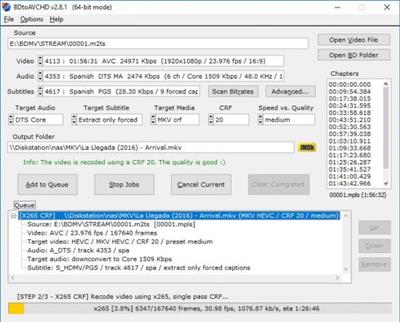
BDtoAVCHD is a tool to create AVCHD discs from Blu-Ray or HD MKV files. As output we get the folder structure ready to burn to a DVD5 or DVD9. The AVCHD format allows playback the same type of content that a Blu-Ray and holding high definition (1080p) but on DVD5 or DVD9 media. It is ideal for backing up Blu-Ray with much smaller size and maintaining high quality. The recorded discs obtained are compatible with almost any Blu-Ray player and PS3. Also can convert Blu-Ray to MKV and Blu-Ray 3D to MKV 3D SBS (side-by-side).

Key Features:
Finds the main .m2ts file for the movie by just selecting the BDMV folder or Blu-Ray root.
Extract all information from the audio tracks, video and subtitles: length, language, format, etc.
Extract chapter information or allows to add it.
Select default audio track based on the language preferences and most appropriate criteria for the best quality but can also be set manually.
Calculates the video bitrate to fill the DVD5 / DVD9 (most of the times gets filled between 99-100%).
Converts audio (only if necessary): PCM to AC3, DTS-HD MA to DTS Core, DTS to AC3, etc.
Detect delays in the original audio tracks and transfers them to the final job.
Recompress the video using x264 64-bit if the computer supports it.
Do not use external codecs like avisynth or ffdshow or Haali splitter in the process of video conversion.
We can select a forced subtitle track is active by default when playing the disc.
Allows to program multiple conversions in the queue and execute them one after another automatically.
Multitasking: be can add new jobs in the queue while processing others.
Various output sizes: DVD5 / DVD9 / USB 4GB / BD-25 and Custom.
Ability to create a BD-25 without re-compressing video (BDRemux).
MKV as alternate output: allows to convert Blu-Ray to MKV recoding the video or without recoding (BDremux).
3D ready: from Blu-Ray 3D we can get a AVCHD 3D or MKV 3D SBS/TAB.
MVC encoding: ability to shrink 3D Blu-Ray to BD25/BD9 maintaining 3D MVC format (Intel Quick Sync encoder).
Ability to encode MKV's using x265/HEVC codec.

Download link:​
Код:
[center][b]rapidgator_net[/b]:
https://rapidgator.net/file/bbbf084234ef48ac44ba0849b21740d9/5567f.BDtoAVCHD.3.0.1.rar.html

[b]uploadgig_com[/b]:
https://uploadgig.com/file/download/4558da81AC3cad0a/5567f.BDtoAVCHD.3.0.1.rar

[b]nitroflare_com[/b]:
https://nitroflare.com/view/6951ED836FBE3BA/5567f.BDtoAVCHD.3.0.1.rar[/center]

Links are Interchangeable - No Password - Single Extraction​
 
By Click Downloader 2.3.11 Multilingual

e2eca5a2b1c4f42daee723fd09d89927.jpeg

File size: 17.7 MB​
By Click Downloader is a tool designed to help you grab media from various websites, including, but not limited to YouTube, Facebook, Vimeo, Dailymotion, Instagram, Twitter, so on and so forth.

Supports all sites
Download from YouTube, Facebook, Instagram, Twitter, Vimeo, Dailymotion, YouKu and many more!

Download YouTube Playlists
Download entire YouTube Playlists and channels. Download entire Instagram pages. All at once within 1 click!

HD & 4K quality
Download videos in 720p, 1080p, 4K and 8K. Convert to MP3, MP4, AVI, FLV, WMV, 3GP, WEBM, MKV, WAV, AAC and M4A.

Whats New:
Updates: official site does not provide any info about changes in this version

Download link:​
Код:
[center][b]rapidgator_net[/b]:
https://rapidgator.net/file/15f0a5705de32d1bd64fd1f9c2a50047/nbruk.By.Click.Downloader.2.3.11.Multilingual.rar.html

[b]uploadgig_com[/b]:
https://uploadgig.com/file/download/c5aa302642ef6e61/nbruk.By.Click.Downloader.2.3.11.Multilingual.rar

[b]nitroflare_com[/b]:
https://nitroflare.com/view/96A3E141FDCE1B0/nbruk.By.Click.Downloader.2.3.11.Multilingual.rar[/center]

Links are Interchangeable - No Password - Single Extraction​
 
CardhopOS 2.0.5 macOS

5197d19a8409df179d08c1424e6e597c.jpeg

File size: 30 MB​
Until now, managing and interacting with your contacts has been a real frustration. Cardhop's magical parsing engine is incredibly intuitive, letting you search, add, edit, and interact with your contacts using a simple sentence!

FEATURES

* A beautiful and simple menu bar app, designed exclusively for macOS
* Instantly works with your existing macOS contacts, nothing to configure
* Groups: quickly toggle contact groups with a click
* Notes: a convenient and powerful way to add notes to your contacts, helping you to strengthen your relationships
* Recents: quickly interact with your recent contacts
* Birthdays: instantly see upcoming birthdays and easily send a wish on their special day
* iPhone and Bluetooth dialing
* macOS Action Extension
* Dark and light themes
* And much, much more!
Release Notes
Release notes were unavailable when this listing was updated.

Supported Operation Systems:
macOS 10.13.2 or later

Download link:​
Код:
[center][b]rapidgator_net[/b]:
https://rapidgator.net/file/01563e62a7c744ec39e453fe78db8aa0/cnd4k.CardhopOS.2.0.5.macOS.dmg.html

[b]uploadgig_com[/b]:
https://uploadgig.com/file/download/c3a5e65Cd66c4d60/cnd4k.CardhopOS.2.0.5.macOS.dmg

[b]nitroflare_com[/b]:
https://nitroflare.com/view/D6F407B49C28F2A/cnd4k.CardhopOS.2.0.5.macOS.dmg[/center]

Links are Interchangeable - No Password - Single Extraction​
 
Coolutils Converter 3.1.1.34 Multilingual

c78af1554050ce6a762bc380df357ea3.jpeg

File size: 352 MB​
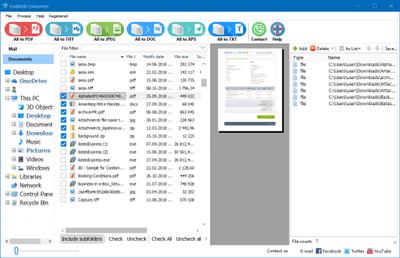
Coolutils Converter is the all-in-one solution for all your conversion needs. Whether you want to convert any to PDF or TIFF, it will do the task. The input file types include PDF, TIFF, DOC, TXT, XLS, HTML, PNG, JPEG, MSG, even Outlook emails. Bulk convert them in batches via GUI or command line with just one app.

Unique options of Coolutils Converter
- Coolutils Converter supports PDF, XPS, EPS, PCL, HTML, MHT, XHTML, DOC, TXT, DOCX, RTF, XLS, XLSX, XLSM, XLT, ODS, ODT, TIFF, JPG, MSG, EML, Outlook emails as input formats.
- Along with conversions you can add page counters or any text to each page of your documents. It works for bates stamping too.
- Any file to PDF? Set user permissions (view, print, edit, annotate, etc.) or protect your documents with a password.
- With Coolutils Converter you can convert emails (Outlook, Gmail, Yahoo, etc.) as well.
- Combine documents within folders? Our powerful batch converter can do that too.
- Coolutils Converter will help you to rename files adding counters or dates.
- Convert PDF, TXT, PNG, TIFF, RTF, XLS and many other files in seconds via our clear wizard-mode interface with a handy preview panel.
- The output file types include PDF, XPS, DOC, TIFF, TXT, JPEG! If you need to convert your files to other formats, simply let us know. We will be happy to add more target file types by your request.
- Have an outdated Microsoft Office 2003? Coolutils Converter supports all types of Word or Excel documents.
- To find the right file in seconds use our Filter tab or sort the file list by name, date, type, size. Select the file to preview it right in the app.
- Add image watermarks (i.e. your logo) to the header or the footer of the output file.
- When you convert any files to PDF you can sign them with your digital signature.
- Need silent conversion tool for your server? Cooutils ConverterX SDK will do the job (no GUI).
- Coolutils Converter can be run via command line (get the ready-to-use command line from GUI settings).

Whats New:
Updates: official site does not provide any info about changes in this version

Download link:​
Код:
[center][b]rapidgator_net[/b]:
https://rapidgator.net/file/8b74e78195716ef1fa2b8a78e74365a6/cd8ec.Coolutils.Converter.3.1.1.34.Multilingual.rar.html

[b]uploadgig_com[/b]:
https://uploadgig.com/file/download/d8c4Bc84eF47E90f/cd8ec.Coolutils.Converter.3.1.1.34.Multilingual.rar

[b]nitroflare_com[/b]:
https://nitroflare.com/view/EB1EB4CC4DE898C/cd8ec.Coolutils.Converter.3.1.1.34.Multilingual.rar[/center]

Links are Interchangeable - No Password - Single Extraction​
 
DbVisualizer Pro 12.1

44729cd81154322f0b4f7459caf50ff8.jpeg

File size: 237 MB​
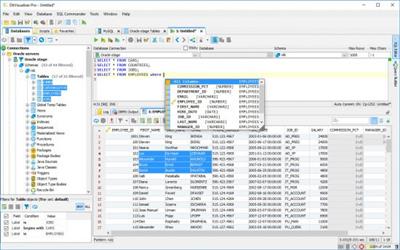
DbVisualizer is the universal database tool for developers, DBAs and analysts. It is the ultimate solution since the same tool can be used on all major operating systems accessing a wide range of databases.

Top Feature:
Supported Databases
Amazon Redshift, DB2 LUW, Exasol, H2, Informix, JavaDB/Derby, Microsoft SQL Server, Mimer SQL, MySQL, Netezza, NuoDB, Oracle, PostgreSQL, SQLite, Sybase ASE, and Vertica.

SQL Tools
SQL editor with support for auto completion, parameterized SQLs, SQL formatter, visual query builder, explain plan, and, a command-line based interface.

Database Browser
Tree based navigation through database objects. Multiple objects can be displayed side-by-side.

Object Management
Visual tools to manage database objects. Edit, compile and, run procedures, functions, triggers, and, a lot more.

Table Data Management
Spreadsheet-like table data editor including binary/BLOB and CLOB data types, import from CSV and Excel files.

Export
Export database objects and table data as CREATE/INSERT statements, CSV, XML and more. Support for exporting very large result

Download link:​
Код:
[center][b]rapidgator_net[/b]:
https://rapidgator.net/file/6897953793d248578033c6c6d2f1d28a/jmlio.DbVisualizer.Pro.12.1.rar.html

[b]uploadgig_com[/b]:
https://uploadgig.com/file/download/c76B74726193209E/jmlio.DbVisualizer.Pro.12.1.rar

[b]nitroflare_com[/b]:
https://nitroflare.com/view/CBEBAC42D6B4117/jmlio.DbVisualizer.Pro.12.1.rar[/center]

Links are Interchangeable - No Password - Single Extraction​
 
Dejal Simon 5.0.1 macOS

f8efce10aa0c2264dccc121182461894.jpeg

File size: 16.09 MB​
Dejal Simon is the essential site monitoring tool for macOS. It checks servers for changes or failures, and notifies you via email, sound, speech, Twitter, or other means. You can use it to track updated sites, and to alert you when an important server goes down or recovers. It is a native macOS application with an intuitive and attractive interface.

Simon is very versatile. It can be used to monitor your own website and servers, track posts and new comments on your or friends' blogs, check for web mail, get notifications of updates to favorite news and entertainment websites, keep an eye on auctions, and many other uses.

Monitor Your Sites and Servers
Central to Simon is the Monitor window. It enables you to see at a glance the current status of all of your monitored websites, servers, and applications. In addition to a colorful status icon and up-time percentage, the tests list displays how long ago the last change and failure occurred, and when the next check will occur. But that's not all. This window also displays further statistics about the tests, and a log showing recent activity, including when tests start checking, and the various steps during the check (starting, stopping, service result, each filter, notifications, etc), plus other actions on tests, e.g. editing, pausing, etc. It also has logs of checks (including the check duration), changes (including the text that changed), and failures (including the error description).

Tests (and other lists) are organized into groups, and you can add your own groups and move them around as desired. This enables you to arrange tests by server, type, client, or whatever else makes sense to you.

Because sometimes you don't want to have another window cluttering up your screen, you can hide the Monitor window if you wish, and/or use the handy Dock or Status menus. The Dock menu includes quick access to Simon's windows, and some global functions. The Status menu includes all that plus displays all of your tests, complete with status icons, details via tooltip, and the option to perform a favorite action or display a sub-menu of quick-access operations for each test, so you can visit the site or other tasks without even having Simon visible.

If you prefer, Simon can be hidden from the Dock, so it is only accessed via the Status menu. Access to Simon can also be restricted, requiring a password, if you wish.

Put it to the Test
So how do you tell Simon what to monitor? That's where the Test Info pane comes in. It is accessed when the Tests list is active. It shows a summary of the test; click the heading for each line of the summary to jump right to that page. It includes an Edit button to enable modifying the test, which toggles to Done when editing to switch back to the summary.

In Edit mode, the Info pane has lots of options to help you configure each test, conveniently arranged on multiple pages:
* The Name page contains fields to name the test and write a description of it.
* The Options page enables you to specify how often to check the test (when the previous check was successful or failed), and other useful options.
* The Service page is where you choose what to check and enter the URL or whatever other information it needs. Read about services below.
* The Filters page is one of the key areas of Simon. You can easily tell the test to ignore parts of the service output, concentrate on just the area that interests you, detect changes from the previous check, and much more. Read about filters below.
* The Notifiers page can be used to indicate how to alert you when a change is detected, if the service goes down, recovers from a failure, or if a filter detects a problem. Read about notifiers below.
* The Reports page specifies whether the test should appear on some or all reports. Read about reports below.
* The Auto Pause page enables you to tell Simon not to check on specified days or time intervals. For example if you know that a server will be unavailable, perhaps during a periodic reboot or regular maintenance, or you simply don't want to know about changes at certain times, like of a blog when you should be working.

At Your Service
Several services come built-in. Services tell Simon how to check a test.

They include, among others:
* Application: Make sure an application is present, and optionally running - can re-launch if not via Launch notifier.
* DNS: Query a domain name server to ensure the domain is visible.
* Drive Status: Checks the drive capacity threshold, S.M.A.R.T. status, and RAID health.
* FTP: Look at a file on an FTP server, to detect its availability or changes.
* Incoming Mail (IMAP): Communicate with an IMAP mail server, to make sure it is available, and/or look for new messages.
* Incoming Mail (POP): Another kind of mail server (plus a SSL-enabled edition is also available).
* Network Time (NTP): Checks that a network time server is responding.
* Outgoing Mail (SMTP): Outgoing mail usually goes via a SMTP server; make sure it is available (plus a SSL variation).
* Ping: Ping any server to check responsiveness; you can specify timeout and packet loss limits.
* Port Available: Like the Port services, but simply checks if a port is open, without actually communicating on it.
* Samba SMB: Checks that a Samba SMB client is online and responding.
* Screenshot: Takes a screenshot whenever the test is checked. Useful to track activity on the machine.
* S.M.A.R.T. Status: Checks the S.M.A.R.T. status for all volumes.
* SNMP Status: Checks the status of a SNMP-connected device; it's a failure if it is not up.
* System Error Log: Results in a failure if a specified error message occurs in today's system.log.
* SSH: Converse with a remote secure shell session.
* TCP Port Scanner: Checks the status of all TCP ports on a server.
* Web Page: Check a website for changes or failures.

Usually the built-in services are ample, but what if you want to delve deeper? Sometimes you have a special requirement and want to check some other kind of server. Not a problem! You can customize the services to edit the defaults for the built-in ones, or even add new ones. Similar to the Test Info pane, the Service Info pane enables you to change the services - and lets you auto-pause a service, affecting all tests that use that service.

Prescription for Success
Simon is all about flexibility, but perhaps one of the most powerfully flexible features is the Script service plug-in. It enables you to create your own services via AppleScript, shell script, or Perl, PHP, Python, and other scripting languages.

The Script editor enables adding a description to display, custom variables to get values from tests that use the new service, selecting the script type, and of course editing the script itself.

You can get new scripts from the Simon Extras page, or if you write one that you're willing to share, you can save it and send it to us to provide for others.

Capture Your Heart's Desire
Services based on the Port service plug-in enable you to connect to any server and engage in a conversation with it, receiving text and sending responses. If the session script is successfully navigated, the check is considered a success, but if the server doesn't respond, or responds incorrectly, a failure is registered.

There are session scripts built-in for several types of servers. But how do you create your own? Simon makes it easy, with the handy Capture Session panel.

You connect to any server on a given port, select the relevant part of incoming text, type commands to continue the session, and the session script is created for you. Simple as that!

Put a Detective on the Job
But what about websites that have banners or other irrelevant content? Won't that confuse Simon into thinking the page has changed? Nope! Simon has a very useful feature called Filters, where you can tell it what part of the page to look for, e.g. a comment count on a blog, or the lead headline area on a news site. Filters can also optionally detect if the output is different than the previous time they checked.

Multiple filters can be chained to perform operations on the text output by the service. They can also look at the output of any previous filters, and other values, specified as the input for each filter.

Like services, filters can be customized as desired via the Filter Info pane and used in any number of tests. Many filters define default behavior that can be customized for each test, for maximum flexibility.

The provided filters include:
* Block: Look for two pieces of text in the filter input, and output the text between them, if found. Also detects if a change occurred from the previous time it was checked. Advanced options include the ability to look for a specific occurrence of the markers.
* Block Without Changes: Similar to the Block filter, but doesn't detect changes; useful as a filter before others.
* Change: Simply detect a change anywhere in the input text.
* Find Keyword: Find some text in the input, using simple text matching. Options include case sensitivity, finding the start or end of a word, and more. Also includes the ability to find the first occurrence, a specific one, or all, plus find and replace those variations.
* Find Regular Expression: Find some text in the input, using a regular expression. Definitely a power-user feature! A handy menu of available regex operators is included. Like for Find Keyword, several find and find & replace options are available.
* Find Required: Look for some text in the input, and result in a failure if it is not found. Useful to check for text that must be present.
* Find Unwanted: Look for some text in the input, and result in a failure if it is found. Useful for undesired text.
* HTML Body: Outputs just the contents of the HTML body. Doesn't detect changes, since you might want to do further filtering after this.
* Ignore HTML Tag Pairs, Ignore HTML Tags, Ignore Images, Ignore Links, Ignore Numbers, and Ignore Words with Digits: These filters are all similar. They strip out all occurrences of the indicated kind of item from the text. Very useful for refining the output.
* List Hyperlinks: Finds and outputs only all HTML hyperlinks from the input, separated by commas.
* Number Changed, Number Changed by 10, Number More Than 95%, Number Out of Range: These filters evaluate a number, and result in a Change or Failure depending on specified conditions. They all requires only a valid number as the input, so use another filter before this one to cut down the text to just a number, if necessary.
* Override as Unchanged: Alters the current status to Unchanged, to cancel out a Changed or Failure status. The output text remains the same.
* Override Custom: A test-configurable override. By default, alters the status to automatically detect a change, without altering the output text.
* Override No Fail: Alters a Failure to be a Success status, with the error message as the output text. The status will be Unchanged if the error is the same as last time, or Changed if the error is different.
* Simple Format: The Format filters can reformat the output text, including using variables, for example to combine the output of two filters, or wrap in codes.
* Trim Whitespace: Removes spaces, tabs, and returns from the start and end of the text.

Want to do something else? No problem: you can add custom filters by writing an AppleScript, shell script, or Perl, Python etc script. Like the Script service, the Script filter plug-in enables a virtually infinite range of filtering options.

To make it easier to find text for the Filter feature, or just to quickly view the site without leaving Simon, Preview pane is available. The Preview pane includes the rendered content, HTML source and server headers of the page, plus the output of each filter for the test. You can also easily view the sites in your preferred web browser. Preview is also available for non-web services, to see what is output by the server and the filters.

Communication is the Best Policy
Okay, so Simon monitors your tests, detecting changes, failures, and recoveries. And it displays this information in the Monitor window, Dock icon, and Status menu. But you're a busy person, and sometimes want important events to really catch your attention. You're in luck: Simon also has a notifiers feature, with several ways of telling you about things you want to know. Each test can use any number of notifiers, with separate notifiers for each type of event. So, for example, you could play a sound and go to the web page when your favorite blog changes, but email a text message to your cellphone when it goes down.

Further, you can share notifiers between multiple tests: set up a notifier once, and use it for as many tests as you like. For additional flexibility, variables enable customizing the notifier with test names, URLs, times, etc.

Available notifiers include:
* Action: Bounce the Dock icon, activate Simon, display in your web browser, and other actions.
* APC Masterswitch: Toggle an outlet on an APC Masterswitch power device.
* Email: Send an email message to you at work, a friend or client, or your cellphone.
* Launch: Start or switch to an application and/or document.
* Sound: Play a sound; several extras are provided.
* Speech: Simon talks to you!
* Web: Get or post to a web page, e.g. to perform a PHP script on the server.

As with services and filters, you can add custom notifiers by writing an AppleScript, shell script, or Perl, Python etc script. The Script notifier plug-in enables a virtually infinite range of notification options. You can also create notifiers based on port connection sessions via the Port notifier plug-in.

But as useful as notifiers are, sometimes you don't want to be bothered... perhaps during a meeting, or while you sleep if your computer is within earshot. As with tests, notifiers can be automatically paused for specified time and day ranges.

Your Reporter on the Scene
What if you're using a different computer, and don't want yet more email, or want to see more detail? Simon also offers a reports feature, that outputs multi-page HTML reports that you can view in any web browser. Simon can automatically save them to your local Personal Web Sharing folder (or any other local folder), or upload them to a remote server, at whatever frequency you like

The reports use templates to manage layout and content, with several templates built-in, and updates and user-submitted ones available on the Simon Extras page. They aren't limited to HTML, either - there are templates for a RSS feed, tab-delimited text files, and other possibilities... including an iPhone template:
Supported Operation System:
* macOS 10.12 or later
* Apple Silicon or Intel Core processor

Download link:​
Код:
[center][b]rapidgator_net[/b]:
https://rapidgator.net/file/87f84a449089d0c3aa384e6f040633b6/pd0u4.Dejal.Simon.5.0.1.macOS.dmg.html

[b]uploadgig_com[/b]:
https://uploadgig.com/file/download/edbd38BEd5315aF7/pd0u4.Dejal.Simon.5.0.1.macOS.dmg

[b]nitroflare_com[/b]:
https://nitroflare.com/view/8DA62181A6BC33C/pd0u4.Dejal.Simon.5.0.1.macOS.dmg[/center]

Links are Interchangeable - No Password - Single Extraction​
 
DirEqual 3.7 (37002) macOS

528e664f23c197b9d0d9d65f411c96c1.jpeg

File size: 4 MB​
DirEqual is an advanced directory compare utility for Mac. It allows detecting the tiniest changes between folders and display the result with a clear and intuitive way. The differences are highlighted using colors and icons indicating the difference type (size, date or item content).

DirEqual displays compared directories side by side as expandable trees, and the size and date are indicated for each item. Differences between the directories are indicated with colour and easy to identify icons.

Main features:
Side-by-side folder comparison
Compare files by content
Compare items based on a filename template
Remembers compared folders for quick reload
Intuitive graphical comparison result view
Tabbed window
Drag and drop support
Release Notes
Release notes were unavailable when this listing was updated.

Supported Operation Systems:
macOS 10.11 or later

Download link:​
Код:
[center][b]rapidgator_net[/b]:
https://rapidgator.net/file/c858e0d1bb37b56bd001003ab4ee9389/ikb64.DirEqual.3.7.37002.macOS.dmg.html

[b]uploadgig_com[/b]:
https://uploadgig.com/file/download/2b1eb77Bf2E633a0/ikb64.DirEqual.3.7.37002.macOS.dmg

[b]nitroflare_com[/b]:
https://nitroflare.com/view/2C91C4FE3F8CE74/ikb64.DirEqual.3.7.37002.macOS.dmg[/center]

Links are Interchangeable - No Password - Single Extraction​
 
DxO PureRAW 1.2.0.237 macOS

5d4fecdc5520fa9384f713cef661dc0d.jpeg

File size: 210.10 MB​
DxO PureRAW Simply better RAW files, Enhance your RAW files to open up even more possibilities with Adobe Photoshop and Lightroom®.
Unlock the RAW-file editing capacity of Adobe Photoshop and Lightroom.

Create better RAW files before retouching them in Adobe Photoshop, Lightroom, or other programs thanks to DxO's exclusive demosaicing, denoising, and lens defect correction technologies.

Pure, flawless, and noise-free RAW photos
DxO PureRAW's artificial intelligence strikes the perfect balance between preserving detail and eliminating noise. DeepPRIME technology solves these problems before you and better than you.

Your lenses deserve the very best corrections
Automatically correct the defects in your equipment using DxO's specially designed optical modules.

Recover your old RAW files
Get back to editing your old photos that you set aside because of poor image quality, noise, or a lack of sharpness. DxO PureRAW gives you another chance.

Perfection is in the details
Enjoy large format photos: DxO PureRAW reveals all the details and finesse of every texture you capture so you can enjoy incredibly pure photos.

Soft, non-grainy bokeh
Permanently delete the "parasitic" grain your camera creates in the blurry areas of your photos. DxO PureRAW adds incredible softness to your images.

Photo editing made simple
Use DxO PureRAW before your usual editing software and convert your RAW files into DNG files in just a few clicks-all without sliders or complex adjustments.

Supported Operation System:
* macOS 10.14 or later
* Intel Core processor

Download link:​
Код:
[center][b]rapidgator_net[/b]:
https://rapidgator.net/file/5642bc35dfbe9001aa3988e0bda9a58c/ylwsl.DxO.PureRAW.1.2.0.237.macOS.dmg.html

[b]uploadgig_com[/b]:
https://uploadgig.com/file/download/8cf6B7a86a78774a/ylwsl.DxO.PureRAW.1.2.0.237.macOS.dmg

[b]nitroflare_com[/b]:
https://nitroflare.com/view/9FC05BD2568362D/ylwsl.DxO.PureRAW.1.2.0.237.macOS.dmg[/center]

Links are Interchangeable - No Password - Single Extraction​
 
Etcher 1.5.121

93f3426a7d2f588b7257201403f860b4.jpeg

File Size : 140 Mb​

Creating installation media for the operating system of choice should be a quick and straightforward task, especially if you are burning the image on bootable Flash drive or SD card. Etcher is an application that allows you to burn OS images to SDcards and removable drives as directly as possible and hence, helps you avoid having to deal with sophisticated procedures.

Sleek and user-friendly interface
The program comes with a modern and stylish interface that consists of a single window where you can specify the image you want to burn and the drive. You should know that the application supports only a handful of images, namely ISO, IMG or ZIP file formats.

You will be happy to learn that the app does most of the operations automatically and that your only assignments entail selecting the OS image and the card. In case you have multiple cards connected to your computer, then the tool allows you to pick the one you prefer for processing.

Once it is done burning, the app offers you the possibility to load a new image or burn the same one on another drive. As a side note, the app does not display the local drives, a feature that can help first-time users avoid a lot of inconveniences and confusion. Most importantly, you can avert very unpleasant situations, such as wiping your hard disk, for example.

Allows you to create a bootable image in 3 easy steps
The advantage of the program comes from the way it simplified an operation that is not recommended for beginners. Simply put, creating installation media can be summarized to choosing the image and the device.

Unfortunately, the application does not come with too many configuration options. Then again, you can set the utility to auto-unmount on success and toggle the error reporting tool, a feature that can aid you to analyze potential issues that prevented the process.

An efficient image burning tool
If you are looking for a hassle-free solution that allows you to burn the operating system of choice to an SDcard or other removable drives fast and without any complications, then perhaps Etcher might come in handy.

Download link:​
Код:
[center][b]rapidgator_net[/b]:
https://rapidgator.net/file/9007f83334cd90f8fca1c494b4be8ec0/t9hqk.Etcher.1.5.121.rar.html

[b]uploadgig_com[/b]:
https://uploadgig.com/file/download/2e8e44f81b08b068/t9hqk.Etcher.1.5.121.rar

[b]nitroflare_com[/b]:
https://nitroflare.com/view/28EF97A35EC6E4E/t9hqk.Etcher.1.5.121.rar[/center]

Links are Interchangeable - No Password - Single Extraction​
 
FanControl v87

11895db03d9dd9d0dff5c6d3e5e44f98.jpeg

File Size : 3.6 Mb​

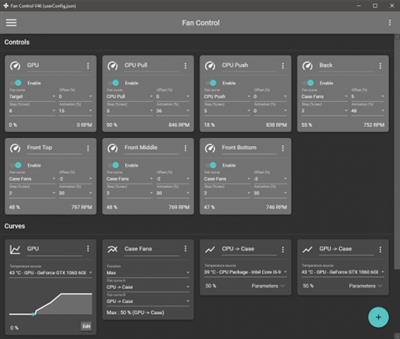
Keep every aspect of your computer's GPU and CPU fans in check with the help of this highly-customizable fan control application.

Features
Save, edit and load multiple profiles
Multiple temperature sources ( CPU, GPU, motherboard, hard drives, ".sensor" file )
Custom fan curves
Fine tune the fan control response with steps, activation %, response time and hysteresis
Mix different curves and sensors together
Modern, dashboard-style UI
Works as a background application with a customizable tray icon
Create custom external temperature sensors with *.sensor files.
And more!

Download link:​
Код:
[center][b]rapidgator_net[/b]:
https://rapidgator.net/file/2377027ffc45921f68cc6158d5213b7c/98sqr.FanControl.v87.zip.html

[b]uploadgig_com[/b]:
https://uploadgig.com/file/download/83942e1a916d04E5/98sqr.FanControl.v87.zip

[b]nitroflare_com[/b]:
https://nitroflare.com/view/F01E605D45AA461/98sqr.FanControl.v87.zip[/center]

Links are Interchangeable - No Password - Single Extraction​
 
Find Any File (FAF) 2.3.1b3 macOS

9584950ae8dc9e1ffda2497ec22c3f49.jpeg

File size: 7.05 MB
Find Any File is a program for Apple's macOS that lets you search for files on your disks.​

* Contrary to Spotlight (or the search in Finder), it does not use a database but instead uses the file system driver's operations, where available. This lets you search for file properties such as name, dates, size, kind etc., and even for plain text contents quite fast.
* Find Any File can find files that Spotlight doesn't, e.g. those inside bundles and packages and in inside folders that are usually excluded from Spotlight search. It can even search in other user's folders if you use FAF's unique

Find Any File doesn't replace Spotlight, but it complements it greatly:
* If you search for files by name, size, dates, kind and other directory properties, use FAF, because only then you can be sure that everything available is found.
* FAF can also find text content if it's uncompressed, as in plain text files and even most binary files. And with the new option to include Spotlight results, it can even find text in compressed PDF, Word and Excel documents if they were indexed by Spotlight.
* FAF can not find metadata stored in files, though, such as image sizes, EXIF data and GPS coordinates. If in doubt, see theor simply try out FAF for free, please.

Features:

Find Any File has a few gems that other search tools do not offer:

1.Better results:It offers an alternative hierarchical view for the found items. You can switch to it with cmd+2 or click on the right little icon at the top of the results window.
Note that the search above revealed hundreds of hits. If you'd look at that many results in a flat list, it would be hard to browse. With this new hierarchical view, however, you can directly look for the results in the folders that interest you.

2.Image Preview:If you're looking for pictures, the image preview browser is helpful as well (new in version 1.9):
3.Find everything on your disk:If you hold the Option key (alt ⌥) down in the Find window, the Find button turns into Find All. If you click on it then, you are asked for an administrator password - and then Find Any File will restart in, being able to find really any file on your Mac's volumes, including files in other users' home directories (something that Spotlight won't do).
Note that this will only work on local disks, not on network mounts, though.
4. You cansave your entered searchesto files (they'll have the extension ".faf"). You can then double click them in the Finder to have them start the search immediately, or use the saved search as a preset.
Release Notes

* Release notes were unavailable when this listing was updated.

Supported Operation System:
* OS X 10.11 or later
* Apple Silicon or Intel Core processor

Download link:​
Код:
[center][b]rapidgator_net[/b]:
https://rapidgator.net/file/d717d60f9f516c31693b36717301016e/zi81a.Find.Any.File.FAF.2.3.1b3.macOS.dmg.html

[b]uploadgig_com[/b]:
https://uploadgig.com/file/download/8f4e3098cbD4b8dF/zi81a.Find.Any.File.FAF.2.3.1b3.macOS.dmg

[b]nitroflare_com[/b]:
https://nitroflare.com/view/3601C07DFF1450A/zi81a.Find.Any.File.FAF.2.3.1b3.macOS.dmg[/center]

Links are Interchangeable - No Password - Single Extraction​
 
Find Any File (FAF) 2.3.1 macOS

9daa8842ddbad6729ccd61fb8f4eab1a.jpeg

File size: 7.05 MB
Find Any File is a program for Apple's macOS that lets you search for files on your disks.​

* Contrary to Spotlight (or the search in Finder), it does not use a database but instead uses the file system driver'soperations, where available. This lets you search for file properties such as name, dates, size, kind etc., and even for plain text contents quite fast.
* Find Any File can find files that Spotlight doesn't, e.g. those inside bundles and packages and in inside folders that are usually excluded from Spotlight search. It can even search in other user's folders if you use FAF's unique

Find Any File doesn't replace Spotlight, but it complements it greatly:
* If you search for files by name, size, dates, kind and other directory properties, use FAF, because only then you can be sure that everything available is found.
* FAF can also find text content if it's uncompressed, as in plain text files and even most binary files. And with the new option to include Spotlight results, it can even find text in compressed PDF, Word and Excel documents if they were indexed by Spotlight.
* FAF can not find metadata stored in files, though, such as image sizes, EXIF data and GPS coordinates. If in doubt, see theor simply try out FAF for free, please.

Features:

Find Any File has a few gems that other search tools do not offer:

1.Better results:It offers an alternative hierarchical view for the found items. You can switch to it with cmd+2 or click on the right little icon at the top of the results window.
Note that the search above revealed hundreds of hits. If you'd look at that many results in a flat list, it would be hard to browse. With this new hierarchical view, however, you can directly look for the results in the folders that interest you.

2.Image Preview:If you're looking for pictures, the image preview browser is helpful as well (new in version 1.9):
3.Find everything on your disk:If you hold the Option key (alt ⌥) down in the Find window, the Find button turns into Find All. If you click on it then, you are asked for an administrator password - and then Find Any File will restart in being able to find really any file on your Mac's volumes, including files in other users' home directories (something that Spotlight won't do).
Note that this will only work on local disks, not on network mounts, though.
4. You cansave your entered searchesto files (they'll have the extension ".faf"). You can then double click them in the Finder to have them start the search immediately, or use the saved search as a preset.
Release Notes

* Release notes were unavailable when this listing was updated.

Supported Operation System:
* OS X 10.11 or later
* Apple Silicon or Intel Core processor

Download link:​
Код:
[center][b]rapidgator_net[/b]:
https://rapidgator.net/file/95ed2a67ecdbf58a7789e4dc7866e5c0/k5b4k.Find.Any.File.FAF.2.3.1.macOS.dmg.html

[b]uploadgig_com[/b]:
https://uploadgig.com/file/download/10ef0f7218F4bA89/k5b4k.Find.Any.File.FAF.2.3.1.macOS.dmg

[b]nitroflare_com[/b]:
https://nitroflare.com/view/15D86FDAC490085/k5b4k.Find.Any.File.FAF.2.3.1.macOS.dmg[/center]

Links are Interchangeable - No Password - Single Extraction​
 
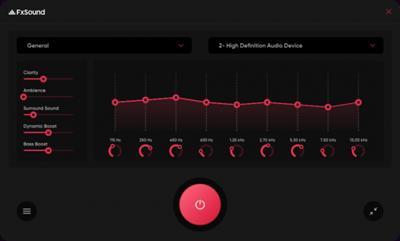
FxSound Pro 1.1.9.0

e590104f5f2916f634428755704e45cb.jpeg

Windows (x64) | Languages: English | File size: 15.9 MB​
Tired of shitty audio you can barely hear? The new FxSound boosts sound quality, volume, clarity and bass on your PC. FxSound gives you amazing sound with just a download. Once you try FxSound, you'll know if it's for you. Most people don't know what they're missing in their sound until they try better audio software/hardware. It's hard to convey without actually experiencing it for yourself.

- Perfect sound on any hardware
- Computer speakers and cheap headphones suck...
- And a good setup is overpriced and complicated.
- FxSound gives you amazing sound with just a download.

Get the sound you deserve
Hear the expert-designed processing engine that's 20 years in the making.

Don't break the bank
You don't need to spend thousands to get audiophile sound.

Amazing sound for everything you listen to:

Music
FxSound corrects the limitations of your audio devices and files.

Video Games
Get lost in your world. Never miss a footstep, ping, or voice line again.

TV and Movies
Never strain to hear dialog or get your ears blown out by the sound effects or score again. FxSound smooths and improves your favorite shows and movies.

Transcription
FxSound boosts your clarity to save your sanity. Rewind less, get paid more.

And more for those who want it...

EQ
Here's the thing... No two ears are the same. Not all hardware is made equal. Our new 20-band equalizer balances your sound to your needs.

Visualizer
Make audio and visual one blended experience. Our visualization lets you feel your music in a new way.

Effects
If you like a lot of bass, we've got you covered. But we can't take responsibility from any noise complaints from your neighbors ;)

Presets
Switch between listening to music, gaming, and streaming video in an instant with specially designed presets for every possible sound situation.

Download link:​
Код:
[center][b]rapidgator_net[/b]:
https://rapidgator.net/file/a45d29687a578a0abeef13d1d14f1a06/nrww6.FxSound.Pro.1.1.9.0.rar.html

[b]uploadgig_com[/b]:
https://uploadgig.com/file/download/B4497B5dad90df83/nrww6.FxSound.Pro.1.1.9.0.rar

[b]nitroflare_com[/b]:
https://nitroflare.com/view/DB47097AEC29AF6/nrww6.FxSound.Pro.1.1.9.0.rar[/center]

Links are Interchangeable - No Password - Single Extraction​
 
FxSound Pro 1.1.9

7739030bb290e9497ed56a48783af96e.jpeg

File size: 17 MB​
Tired of shitty audio you can barely hear? The new FxSound boosts sound quality, volume, clarity and bass on your PC. FxSound gives you amazing sound with just a download. Once you try FxSound, you'll know if it's for you. Most people don't know what they're missing in their sound until they try better audio software/hardware. It's hard to convey without actually experiencing it for yourself.

- Perfect sound on any hardware
- Computer speakers and cheap headphones suck...
- And a good setup is overpriced and complicated.
- FxSound gives you amazing sound with just a download.

Amazing sound for everything you listen to:
Music
FxSound corrects the limitations of your audio devices and files.

Video Games
Get lost in your world. Never miss a footstep, ping, or voice line again.

TV and Movies
Never strain to hear dialog or get your ears blown out by the sound effects or score again. FxSound smooths and improves your favorite shows and movies.

Transcription
FxSound boosts your clarity to save your sanity. Rewind less, get paid more.

And more for those who want it...

EQ
Here's the thing... No two ears are the same. Not all hardware is made equal. Our new 20-band equalizer balances your sound to your needs.

Visualizer
Make audio and visual one blended experience. Our visualization lets you feel your music in a new way.

Effects
If you like a lot of bass, we've got you covered. But we can't take responsibility from any noise complaints from your neighbors ;)

Presets
Switch between listening to music, gaming, and streaming video in an instant with specially designed presets for every possible sound situation.

Download link:​
Код:
[center][b]rapidgator_net[/b]:
https://rapidgator.net/file/7da94328af22f80758194113f64634ee/urd1q.FxSound.Pro.1.1.9.rar.html

[b]uploadgig_com[/b]:
https://uploadgig.com/file/download/23b709d9D62E47cB/urd1q.FxSound.Pro.1.1.9.rar

[b]nitroflare_com[/b]:
https://nitroflare.com/view/A72E33C40443E90/urd1q.FxSound.Pro.1.1.9.rar[/center]

Links are Interchangeable - No Password - Single Extraction​
 
Geometric GeomCaliper 2.8.0 (x64) For CATIA

c7a4201ca3046721da4f2d24c226d645.jpeg

File Size: 55 MB​
3D Wall Thickness Checking and Analysis software - GeomCaliper for CATIA V5 and Creo Prametric. GeomCaliper is an innovative wall thickness analysis tool that facilitates measurement and checking of wall thickness on 3D models. GeomCaliper enables acceleration of the design review process for manufacturability. Unlike traditional measurement tools, GeomCaliper is fast and easy to use. Once you start using GeomCaliper, you'll realize that checking thickness can be made really easy as well as quick.

The traditional methods of 3D wall thickness analysis are tedious and time consuming. Many time it provides erroneous results. GeomCaliper is simple, easy to use, fast, and accurate tool.

Salient Features:
Ray and Rolling ball available for checking wall thickness
Easy to locate critical thickness areas
Advanced visualization for easy interpretation of results
Ability to clip model at any section
Dynamic thickness display at point click
Compute thickness at selected region
Integrated with major CAD systems
Ability to ignore small thickness at edges
Create Customized reports in XML / HTML format

Benefits:
Quick and easy means of checking Design for manufacturing
Savings in downstream costs
Improved part quality, which is taken care at design stage
Improved design productivity and ease of use

This version supports CATIA V5R26-R30

Whats New:
official site does not provide any info about changes in this version.

Download link:​
Код:
[center][b]rapidgator_net[/b]:
https://rapidgator.net/file/c48b395b6f660210370b02458de702eb/th64q.Geometric.GeomCaliper.2.8.0.x64.For.CATIA.rar.html

[b]uploadgig_com[/b]:
https://uploadgig.com/file/download/6eb57133bf58C297/th64q.Geometric.GeomCaliper.2.8.0.x64.For.CATIA.rar

[b]nitroflare_com[/b]:
https://nitroflare.com/view/4850332AC73F3EF/th64q.Geometric.GeomCaliper.2.8.0.x64.For.CATIA.rar[/center]

Links are Interchangeable - No Password - Single Extraction​
 
GOM Mix Pro 2.0.4.8.3 Multilingual

10eb39940af02908bd5af4cc82c777ce.jpeg

Languages: Multilingual | File Size: 266.16 MB​
GOM Mix Pro - Create online classes. Video Editor for All. Various overlay clips such as opening/closing, image transition and frame effects improve the video quality. Provides video editing sources through continuous updates.

Simply Editing a Whole Video in 10 Min
- Quickly make your own video and upload on YouTube!
- Effectively shortens time taken for Video Editing → Encoding → Social Media Posting.

Raising Degree of Video Editing Completion With a Single Click
- Various overlay clips such as opening/closing, image transition and frame effects improve the video quality.
- Provides video editing sources through continuous updates.

Photoshop for Videos with 100 Different Filters
- More dynamic video editing with color filters and correction.
- Edit brightness and colors of a video as you wish.

Video Editor with Various Sources
- Quick and easy video editor with a huge range of built-in sources such as songs, fonts, and images.
- Enables to edit videos with desired sources.

Easy Video Editing & Source Control
- Easy to trim, merge, rotate videos and add subtitles!
- Easy to manage various media sources as well.
Release Notes
[Addition of new features]
- Added a function to fix error files in the project
- Added notification function for new contents of GOM Mix Market

[Customer feedback and correction of errors]
- Improved UI of B2BG license guidance
- Fixed/Improved some UI errors

System Requirements:
- Microsoft Windows 10/8.1/8/7 (32/64bit)
- DirectX 9.0c or higher
- Memory 4GB RAM or more (required 1GB free memory)
- HDD 1GB or more
- CPU Intel Core i3(Haswell), AMD Athlon 64 X2 or higher
- VGA HD Graphics 4600 or higher
- Resolution 1280 x 1024 or higher (Product minimum window size: 1260 x 880)

Supported Languages:
한국어, English, 日本語, čeština, Deutsch, Русский, Türkçe, Español, Português, Tiếng Việt
Homepage
У Вас недостаточно прав для просмотра ссылок. Войдите или зарегистрируйтесь.


Download link:​
Код:
[center][b]rapidgator_net[/b]:
https://rapidgator.net/file/df19534534bbcc1a5dbaad9b7a43f937/f5khc.GOM.Mix.Pro.2.0.4.8.3.Multilingual.rar.html

[b]uploadgig_com[/b]:
https://uploadgig.com/file/download/890196E841534c28/f5khc.GOM.Mix.Pro.2.0.4.8.3.Multilingual.rar

[b]nitroflare_com[/b]:
https://nitroflare.com/view/4AB52D0D29B9CA6/f5khc.GOM.Mix.Pro.2.0.4.8.3.Multilingual.rar[/center]

Links are Interchangeable - No Password - Single Extraction​
 
Назад
Сверху