• Старая версия форума работает в архивном режиме www.old.nado.in

All mitsumi'1s Applications !! (updated daily)

  • Автор темы Автор темы mitsumi1
  • Дата начала Дата начала
Franzis DENOISE 5 professional 5.13.03871

cfe254872ec5a0ce575d207684369417.jpeg


Franzis DENOISE 5 professional 5.13.03871
Windows x64 | File size: 192.03 MB​

Many recordings hold special moments for eternity and are irretrievable. Subject hit, but the photo is noisy? DENOISE projects 5 professional automatically analyzes every recording and determines the exact level of noise reduction - without any visible loss of image details and sharpness.

New Features
- NEW: Color-sensitive noise reduction
- NEW: Maximum noise suppression quality "Pro Infinity"
- NEW: Revised user interface for 4K screens
- NEW: Automatic sharpness test in the noise stacking module
Noise-free images in first-class image quality
Difficult lighting conditions, no tripod at hand or simply forgetting to turn down the ISO value: image noise annoys every photographer. DENOISE projects 4 professional is used successfully for such recordings - with brand new algorithms and without any visible loss of detail, sharpness, contrast and color quality. Additional tools such as filters and selective image processing options make DENOISE projects 4 professional a professional tool for perfect, noise-free photos.

TOP features

- NEW: Smart Denoise Automatics (SDA) now with color-sensitive noise reduction
- NEW: Extended correction range from ISO 10 to ISO 10,000,000
- NEW: Maximum noise suppression quality "Pro Infinity"
- NEW: 17 picture effects from noise removal chrominance to fractal grain
- NEW: Virtual-Detail-Module for the motif-dependent generation of virtual micro-details
- NEW: Focus-Peaking-Module to display the focused areas
- NEW: Additional HSV / HSL color spaces in the grain module
- NEW: Revised and new presets in the "Web" and "Astro" categories
- NEW: Area protection in 43 variants in the RAW module
- NEW: Sensor error correction: Extension of the correction ranges to 500
- NEW: New functions in sensor error correction
Only in the professional version: All features, all possibilities
DENOISE 5 professional offers a full range of options: A full-fledged RAW module with color and effect filters, batch processing, 222 presets, intelligent, advanced automation, virtual micro-details, noise stacking module, selective noise removal and much more.
Sounds complicated, but everything is easy and intuitive to use. In addition, you can use DENOISE 5 professional easily and conveniently as a plug-in for Adobe ® Photoshop® and Lightroom ® Classic and integrate it into your usual workflow, so you can enjoy the convenience of removing noise from images. Maximum flexibility, maximum performance! If desired, professionals can of course regulate all functions individually in expert mode.
The professional features at a glance
- PRO only: Maximum noise reduction quality "Pro Infinity"
- PRO only: noise stacking module
- PRO only: RAW module
- PRO only: batch processing
- PRO only: Plug-ins for Adobe Photoshop®, Photoshop Elements® and Lightroom Classic®
- PRO: Noise-Stacking: Erosion for star reduction integrated - automatic reduction of stars in 3 stages
- PRO: Noise-Stacking: The super-resolution drizzling process can now scale images by 300%
- PRO: RAW module: presets in all categories
- PRO: RAW module: Area protection with 43 different variants
Intoxicating motifs without noise!
Noisy pictures of lavish parties: Noise can arise in very different situations! Lush celebrations such as weddings, parties or indoor shots of churches and museums as well as night shots have one thing in common: the light is not enough for a blur-free picture because the most beautiful moments and motifs are rarely illuminated in such a way that they are ISO 100-compatible.
Automatic noise removal
The integrated automatic noise removal has been completely revised for DENOISE projects 4 professional. A significantly improved accuracy now guarantees even better results. At the same time, the ISO range of the automatic was expanded to ISO 10 to ISO 10,000,000.
Realistic noise suppression
Fire is fought with fire! De-noise photos perfectly without destroying their natural look. The Natural Grain Engine, which was specially developed for the DENOISE projects series, uses a physical trick to do this: the image is first de-noised as far as is technically feasible. In a second step, the program specifically counts film grain into the picture. The resulting image look is incredibly realistic - of course, realistic.
What's new
• official site does not provide any info about changes in this version
System Requirements
- Windows 11/10/8/7 (64-bit)
- Core Duo processor
- 2 GB of free RAM
- 2 GB HDD
- Screen resolution 1,280 x 1,024 pixels, graphics card: DirectX 9 compatible, 128 MB, 32 bit color depth
Language Support
English, Deutsch

Homepage:
Код:
https://www.projects-software.com

Download link

rapidgator.net:
Код:
https://rapidgator.net/file/045438bb8232a8f37b138fc07d414ac4/lnbmi.Franzis.DENOISE.5.professional.5.13.03871.rar.html
uploadgig.com:
Код:
https://uploadgig.com/file/download/5c67f2478Aaa81d0/lnbmi.Franzis.DENOISE.5.professional.5.13.03871.rar
nitroflare.com:
Код:
https://nitroflare.com/view/90CADD7406920EA/lnbmi.Franzis.DENOISE.5.professional.5.13.03871.rar

1dl.net:
Код:
https://1dl.net/5e0x8tcpeuuk/lnbmi.Franzis.DENOISE.5.professional.5.13.03871.rar
 
Franzis LUT #2 professional 2.25.03871


53e9e6991fbc577d987e8b172a84527c.jpeg


Franzis LUT #2 professional 2.25.03871
Windows x64 | Languages: English, German | File Size: 102.75 MB​

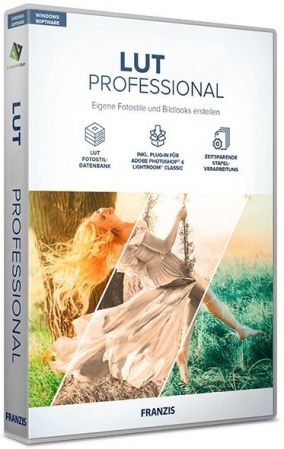
LUT # 2 professional creates a "look-up table" quickly and easily from every picture, with which you can apply your favorite style to another photo with just a few clicks! Some time ago, did you develop a picture whose look you really like? Now you want to transfer this photo style to other pictures as well, but you no longer know how you created this look. Or would you like to create your own library with your best filters and photo styles that you can also use in other image editing programs? If all of this sounds familiar to you, then LUT # 2 professional is exactly the right tool for you!


Perfectly transfer image styles to other photos

LUT # 2 professional creates a "look-up table" quickly and easily from every picture, with which you can apply your favorite style to another photo with just a few clicks!
The manual adaptation of a photo style is often very time-consuming, which is why so-called "LUTs" are often used. A LUT (or "look-up table") is a table that contains certain image parameters such as hue, saturation, contrast, etc. For example, with the "Color" parameter, each color of the original photo is assigned a new color with the help of a reference image. With LUT # 2 professional, you can transfer a desired photo style to another image with just a few clicks - there is no need for time-consuming image editing with layers and masks. It's easy to assemble your own professional photo style collection!
The LUT # 2 features at a glance
- PRO: Adobe® Photoshop / Lightroom plugins
- PRO: batch processing
- PRO: Additional modules balance / area protection
- PRO: Accuracy of LUT generation adjustable
- Create LUT photo style from any picture
- User database of LUT photo styles
- 25 image templates (presets)
- LUT color mode: full color or exclusive
- Processing of RAW image files
- Image cropping possible
- Selective drawing possible (effects, filters, composing)
- Correction of sensor errors
- Print the picture
- Comparison view with magnifying glass tool
Only in the professional version: all features, all possibilities
PRO feature: additional modules
LUT # 2 professional also offers some additional modules. With the balance and area protection, certain elements in the selected photos can be protected or balanced from the LUT application. This pro feature can effectively prevent the inadvertent coloring of skin tones or the blue tones of the sky.
PRO feature: set LUT accuracy
In addition, users of LUT # 2 professional have the option of setting the accuracy of the LUTs. Thus, when creating the look-up table, there are various options with which the LUT to be generated can be adapted to your own requirements.
PRO feature: batch processing
Do you want to apply a specific photo style to several pictures? This is not a problem with LUT # 1 professional, because the Pro version has a batch processing function with which you can transfer selected looks directly onto a large number of images.
PRO feature: Adobe plugins
LUT # 2 also includes professional plugins or extensions for the Adobe Photoshop and Lightroom Classic programs. So you can use the versatile functions of LUT # 2 professional in your usual favorite programs.
LUT # 2 professional
The professional version is the right one for you if you also want to work with Photoshop and want to adjust many images in one "go". Fine adjustments are also possible with it.
- Plug-ins for Adobe Photoshop from CS6, Elements from 11
- Plug-ins for Adobe® Lightroom Classic (from version 4)
- RAW development module
- Load RAW images
- Additional modules balance / area protection
- LUT generation accuracy adjustable
- LUT create photo style from image
- LUT photo style user database
- Batch processing
- Number of templates (presets): 25
- Sensor error correction
- LUT color mode: full color / exclusive
- LUT level accounting methods
- Image cropping
- Selective drawing (effects, color filters, composing)
- Sensor error correction
- Print function
- Comparison view with magnifying glass
What's new
• official site does not provide any info about changes in this version
Recommended System Requirements
- Operating system: Windows 8/10/11 (64 bit)
- Hardware: 8 GB RAM, Intel i7 (or comparable AMD processor), DirectX compatible graphics card, screen resolution 1920x1080 (or greater)

Homepage:
Код:
https://www.projects-software.com

Download link

rapidgator.net:
Код:
https://rapidgator.net/file/eaa15853192f8d04ef8494c42183b506/grknw.Franzis.LUT.2.professional.2.25.03871.rar.html

uploadgig.com:
Код:
https://uploadgig.com/file/download/82971912f53aA314/grknw.Franzis.LUT.2.professional.2.25.03871.rar

nitroflare.com:
Код:
https://nitroflare.com/view/CB30FC76C99F14A/grknw.Franzis.LUT.2.professional.2.25.03871.rar

1dl.net:
Код:
https://1dl.net/78vhimbf6txg/grknw.Franzis.LUT.2.professional.2.25.03871.rar
 
Futuremark SystemInfo 5.58.1168


4918c61248d4b73ad057f7b16b2c6114.jpeg


Futuremark SystemInfo 5.58.1168
File size: 3.0 MB​

SystemInfo is a component used in many of our benchmarks to identify the hardware in your system. It does not collect any personally identifiable information. SystemInfo updates do not affect benchmark scores but you may need the latest version in order to obtain a valid score.

Monitor your system and find hardware IDs
Futuremark SystemInfo can scan your computer and collect information regarding a series of services, processes and hardware performance.
The tool can easily export the result of the scan to an XML file in which you can view the current values for the system version, user, files, storage, memory and motherboard. You can also view several statistics and information on WMI, Setup APIs, power supplies, DirectX, CPU cores, plus single or multi-threaded activities.
System information and activity logs
Once installed, Futuremark SystemInfo creates several components that you can use with various benchmarks. The System Diagnostic tool allows you to collect system data, monitoring information of direct queries.
Advanced searching tools
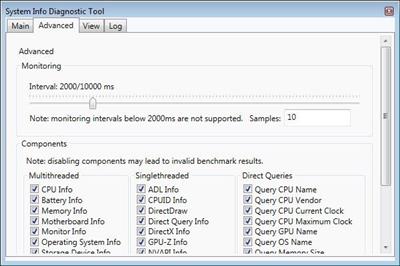
The Advanced tab in Futuremark SystemInfo allows you to filter the categories that you wish to investigate. Thus, you can select any of the parameters in single and multi-threaded activities, which are ADL info, DirectX, CPUID, NVAPI info, respectively CPU, battery, motherboard, monitor, OS or storage data.
Moreover, you can run direct queries on the CPU name, vendor, integrated clock, GPU name, if available, as well as details on each of the CPU cores. You can run standard diagnosis searches or find bottlenecks.
Код:
https://benchmarks.ul.com/systeminfo?redirected=true

Homepage:
Код:
https://benchmarks.ul.com/

Download link

rapidgator.net:
Код:
https://rapidgator.net/file/c72d8ac01821da3235b69dda346612c8/bgmxf.Futuremark.SystemInfo.5.58.1168.rar.html

uploadgig.com:
Код:
https://uploadgig.com/file/download/f1418095249778cE/bgmxf.Futuremark.SystemInfo.5.58.1168.rar

nitroflare.com:
Код:
https://nitroflare.com/view/951485A81648287/bgmxf.Futuremark.SystemInfo.5.58.1168.rar

1dl.net:
Код:
https://1dl.net/x7p50ljdupjn/bgmxf.Futuremark.SystemInfo.5.58.1168.rar
 
HelpNDoc Personal Edition 8.5.0.413


177faf2c4e8a9c8a2ac58dc3755b7d6f.jpeg


HelpNDoc Personal Edition 8.5.0.413
Windows x64 | File size: 78.70 MB​

HelpNDoc is a modern help authoring tool with an intuitive user interface. Write or import your content and produce more than 8 documentation formats including help files, web sites, user manuals, documents, Markdown, eBooks.

Smart and stunning user interface
HelpNDoc's user interface has been carefully designed to be clear and effective: the various tools are grouped using the popular ribbon design first introduced by Microsoft Office: contextual elements such as picture or table editing operations will only appear when needed thus greatly simplifying the overall experience.
Everything has been integrated
All the necessary tools needed to create great documentations are built right in HelpNDoc: the table of contents editor, WYSIWYG topic editor, keywords editor and library are some of the features provided to ease-up the process of writing amazing documentations and are an integral part of the HelpNDoc environment.
State of the art word processor
HelpNDoc includes a feature-packed word processor which makes you feel instantly at home: all the major strength you've come to expect from a modern document authoring application such as Microsoft Word are an integral part of HelpNDoc to make the most visually appealing help and documentation easier to create than ever.
Powerful media library system
All the media elements such as pictures, videos, documents, HTML code snippets and variables are managed by the library: those media elements are reusable as much as needed throughout the documentation project. Need to change one picture ? Just update the library item and it will be propagated to all the topics using it!
Multi-format documentation generation
Whether you need to create a compiled CHM help file, an on-line full HTML documentation, a printable PDF or Word documentation or an eBook, HelpNDoc has you covered: write once and export to multiple formats by the click of a button!
Generate multiple formats
Once you have written your documentation, HelpNDoc can automatically generate Microsoft CHM help files, standard HTML documentation pages, complete Word or PDF document, cross-platform Qt Help or whole eBooks without any extra work from your part: HelpNDoc takes care of everything and produces your documentation, manual or book the way you designed it.
Powerful template system
Every single aspects of the documentation output can be tailored to fit your design requirements. As a testimony of how powerful the template system is, HelpNDoc comes with the full source code for templates to generate an on-line HTML documentation or a specific iPhone designed web-site: everything is controlled by the templates.
Код:
https://www.helpndoc.com/news-and-articles/
System Requirements: Windows 8, Windows 10 or Windows 11 (x64 bit)

Homepage:
Код:
https://www.helpndoc.com/

Download link

rapidgator.net:
Код:
https://rapidgator.net/file/bd7ca05a43d08c55c6c9e1c3c34feefd/magyi.HelpNDoc.Personal.Edition.8.5.0.413.rar.html

uploadgig.com:
Код:
https://uploadgig.com/file/download/3a90ca51f994F5f4/magyi.HelpNDoc.Personal.Edition.8.5.0.413.rar

nitroflare.com:
Код:
https://nitroflare.com/view/09FCA38EF256EC3/magyi.HelpNDoc.Personal.Edition.8.5.0.413.rar

1dl.net:
Код:
https://1dl.net/ccqr1ks34tvm/magyi.HelpNDoc.Personal.Edition.8.5.0.413.rar
 
IK Multimedia T-RackS 5 Complete v5.10.1


2412b5e7fd50e56a28dfc4e6d459299d.jpeg


IK Multimedia T-RackS 5 Complete v5.10.1
Team R2R | 2023.02.28 | 1.67 GB​

T-RackS 5 is the ultimate mix and mastering workstation from the creator of the first desktop mastering software.

IK Multimedia invented T-RackS in 1999, marking the beginning of a new era by unleashing the power of a complete, affordable mastering software tool to everyone.

Since then we have been leading the way, setting an industry standard and crafting some of the world's best sounding plug-ins for professional applications. From day one, an ever-growing number of professionals and enthusiasts have trusted our expertise and meticulous approach to creating the finest digital processors on the planet. It's no coincidence that thousands of top-charting records have been made using T-RackS.

Features
4 new processors (Master Match, Dyna-Mu, EQual, ONE).
9 processors included.
Completely redesigned, flexible and resizable interface.
Ultra-rapid, flexible and smooth workflow.
Over 35 high-end modules: available à la carte or via carefully selected bundles.
Unique modular chain system with 16 series/parallel slots.
Improved audiophile-grade audio engine.
Up to 192kHz / 32-bit floating point processing capability.
4 optimized user-selectable dithering options.
Extensive calibrated metering for multi-standard, broadcast-ready and future proof masters.
Album assembly with sequencing and metadata embedding.
Multiple file format export function.
64-bit native support.
Standalone workstation, plugin suite and single plugins for Audio Units, VST2, VST3 and AAX formats.
Changelog

Updates: official site does not provide any info about changes in this version.

rapidgator.net:
Код:
https://rapidgator.net/file/57093627cecba65d5a90894724ed1486/yyzdb.IK.Multimedia.TRackS.5.Complete.v5.10.1.part1.rar.html
https://rapidgator.net/file/51e640cebfdb40cb6097c6c627dcb5d1/yyzdb.IK.Multimedia.TRackS.5.Complete.v5.10.1.part2.rar.html

uploadgig.com:
Код:
https://uploadgig.com/file/download/2f7e801b1d4d0207/yyzdb.IK.Multimedia.TRackS.5.Complete.v5.10.1.part1.rar
https://uploadgig.com/file/download/2b626FA81d7c0E85/yyzdb.IK.Multimedia.TRackS.5.Complete.v5.10.1.part2.rar

nitroflare.com:
Код:
https://nitroflare.com/view/06415F28C99B96B/yyzdb.IK.Multimedia.TRackS.5.Complete.v5.10.1.part1.rar
https://nitroflare.com/view/77C3C42094EBF75/yyzdb.IK.Multimedia.TRackS.5.Complete.v5.10.1.part2.rar

1dl.net:
Код:
https://1dl.net/yxo3x4hzf8xq/yyzdb.IK.Multimedia.TRackS.5.Complete.v5.10.1.part1.rar
https://1dl.net/s0bq1s22910t/yyzdb.IK.Multimedia.TRackS.5.Complete.v5.10.1.part2.rar
 
ImTOO AVI to DVD Converter 7.1.4.20230228 Multilingual


5c5cb5b87f261b619c8784a85f793108.jpeg


ImTOO AVI to DVD Converter 7.1.4.20230228 Multilingual
File size: 44 MB​

ImTOO AVI to DVD Converter is a fast and top quality AVI to DVD burner software to convert and burn AVI files to DVD. Other video files are also supported, namely MPEG, MPG, DAT, M2V, VOB. You can burn these video formats to DVD disc, DVD folder or ISO file. ImTOO AVI to DVD Converter also provides you with many DVD authoring features: create a distinctive DVD menu, clip video file freely, adjust video effect, crop video image, add subtitles and audio tracks, and so on.

Main Functions
Burn AVI to DVDBurn AVI to DVD
Burn DVD disc and create DVD from video files like AVI, MPEG, MPG, DAT, M2V, VOB.
Convert AVI to DVD Folder or ISO FileConvert AVI to DVD Folder or ISO File
Convert ISO image file or DVD folder from AVI, MPEG, VOB and any supported videos.
Customize DVDCustomize DVD
ImTOO AVI to DVD Converter enables you to customize your DVD by creating stunning DVD menu, clipping video, editing video effect, adding subtitles and audio tracks.
Multithreading and Multi-Core ProcessingMultithreading and Multi-Core Processing
Burn DVDs with multithreading and multi-core processor by maximizing your CPU speed to get the burning done within moments.
Код:
http://www.imtoo.com/avi-to-dvd-converter.html

Homepage:
Код:
http://www.imtoo.com/avi-to-dvd-converter.html

Download link

rapidgator.net:
Код:
https://rapidgator.net/file/365160e7c36c2b9f0d9b24574bb69b49/esvwr.ImTOO.AVI.to.DVD.Converter.7.1.4.20230228.Multilingual.rar.html

uploadgig.com:
Код:
https://uploadgig.com/file/download/201d3193628E3f79/esvwr.ImTOO.AVI.to.DVD.Converter.7.1.4.20230228.Multilingual.rar

nitroflare.com:
Код:
https://nitroflare.com/view/B7BAA9F59E36C38/esvwr.ImTOO.AVI.to.DVD.Converter.7.1.4.20230228.Multilingual.rar

1dl.net:
Код:
https://1dl.net/qypb9eok819y/esvwr.ImTOO.AVI.to.DVD.Converter.7.1.4.20230228.Multilingual.rar
 
ImTOO DVD Creator 7.1.4.20230228 Multilingual


6fce67ae6da8a185f9386884e159bc10.jpeg


ImTOO DVD Creator 7.1.4.20230228 Multilingual
File size: 44 MB​

Frustrated at not being able to convert and burn your favorite clips onto a DVD disk because it is not compatible? Want to make the videos taken by iPhone 4 into DVD movie? ImTOO DVD Creator is your solution. Feature-rich DVD-burning software, ImTOO DVD Creator can convert and burn different video formats (even HD) such as AVI, MPEG, DivX, MKV, MP4, and WMV to DVD movies, as well as create DVD folders and ISO images from them.

ImTOO DVD Creator also features a range of powerful DVD authoring functions for making customized DVDs such as creating personalized DVD menus, clip video segments, add soundtracks and subtitles to DVDs, as well as editing video effects. With support for multithreading and multi-core processing, ImTOO DVD Creator can convert any file even several files within moments.
Create Home DVD movies from videos in HD video formats (MKV, TS, MOV, MTS, M2TS).
Multitask processed at one conversion.
Burn common SD video formats to Home DVD (incl. WMV to DVD, AVI to DVD, MPEG to DVD, MP4 to DVD).
Create DVD folders & ISO image file from different video formats.
DVD authoring & customization: create Home DVD menus, clip video segments, add soundtrack/subtitles, edit effects plus more.
Trim video to cut the unuseful part such as the black frame.
Multithreading & Multi-Core Processing for maximum conversion speed.
Supports DVD-R, DVD-RW, DVD+R, DVD+RW, DVD+R DL & DVD-R DL.
Create Home DVD movies from MOV videos taken by iPhone 8, iPhone 8 Plus, iPhone X, iOS 16, all kind of smart phone and DV to share those amazing moments with friends and family.
Код:
http://www.imtoo.com/dvd-creator.html

Homepage:
Код:
http://www.imtoo.com/dvd-creator.html

Download link

rapidgator.net:
Код:
https://rapidgator.net/file/0c1b485076124e8ee481dda4371309e4/wipgd.ImTOO.DVD.Creator.7.1.4.20230228.Multilingual.rar.html

uploadgig.com:
Код:
https://uploadgig.com/file/download/9471b0b0e03a1121/wipgd.ImTOO.DVD.Creator.7.1.4.20230228.Multilingual.rar

nitroflare.com:
Код:
https://nitroflare.com/view/12C6C0066A0E172/wipgd.ImTOO.DVD.Creator.7.1.4.20230228.Multilingual.rar

1dl.net:
Код:
https://1dl.net/wslbmlv34ddh/wipgd.ImTOO.DVD.Creator.7.1.4.20230228.Multilingual.rar
 
ImTOO MP4 to DVD Converter 7.1.4.20230228 Multilingual


b6f1b613adc8d85c1ebd9608396f3427.jpeg


ImTOO MP4 to DVD Converter 7.1.4.20230228 Multilingual
File size: 44 MB​

mTOO MP4 to DVD Converter is designed to convert MP4 videos to DVD format compatible with most DVD players and then burn them into fine-quality DVDs. Fast and convenient, it is able to convert AVI, MP4, MPEG, MPG, M2V, DAT, VOB, M4V, MKV and H.264 format videos into DVD discs, DVD folders and ISO files. Especially, you can convert the MOV format videos shooting by your iPhone to DVDs.

ImTOO MP4 to DVD Converter also enables you to design and create customized DVD menus and DVD films. Dozens of DVD menu templates are available and you can also add background picture/music to enrich the menu display. Moreover, the great MP4 to DVD Converter is a video editor by which you can clip video segments, adjust audio tracks and subtitles or add special effects on videos.

Main Functions
Convert MP4 to DVDConvert MP4 Video to DVD
Capable of converting videos in these formats: AVI, MP4, MPEG, MPG, M2V, DAT, VOB, M4V, MKV and H.264 to DVD video format and burn them to DVDs fast and efficiently.
Convert iPhone video to DVDConvert iPhone Video to DVD
Offer a wonderful solution to convert iPhone MOV videos to DVD video format and burn them to DVDs.
Powerful MP4 to DVD Burner SoftwarePowerful MP4 to DVD Burner Software
Burn high-quality DVDs from converted MP4 videos. You can also burn MP4 videos to DVD folders and ISO files. In addition, multiple DVD formats are supported, including DVD-R, DVD+R, DVD-RW, DVD+RW, DVD+R DL, DVD-R DL, DVD-5 and DVD-9.
DVD menu creatorDVD Menu Creator
Enable you to design and create DVD menus by yourself. You can select DVD menu templates, add background music/picture into the DVD menus or just skip the menu before playing DVD movies. And the menu templates can be downloaded.
Video EditorVideo Editor
Clip video segments, adjust video frame size and image effect, add background pictures or watermark into the videos.

rapidgator.net:
Код:
https://rapidgator.net/file/4ae8a726db45939a65e3bce6bded1fdc/xiuep.ImTOO.MP4.to.DVD.Converter.7.1.4.20230228.Multilingual.rar.html

uploadgig.com:
Код:
https://uploadgig.com/file/download/E5a186562D67a868/xiuep.ImTOO.MP4.to.DVD.Converter.7.1.4.20230228.Multilingual.rar

nitroflare.com:
Код:
https://nitroflare.com/view/F729B7A6B25AC7F/xiuep.ImTOO.MP4.to.DVD.Converter.7.1.4.20230228.Multilingual.rar

1dl.net:
Код:
https://1dl.net/b8135mz8bffc/xiuep.ImTOO.MP4.to.DVD.Converter.7.1.4.20230228.Multilingual.rar
 
IObit Driver Booster Pro 10.3.0.124 Multilingual


8658f5808e16843fa01bd842fecbc841.jpeg


IObit Driver Booster Pro 10.3.0.124 Multilingual
File size: 33 MB​

Updating drivers is usually an initial step to avoid hardware failure, system instability and hidden security vulnerabilities. To update drivers regularly is also an effective way to enhance your overall PC performance, and maximize your gaming experience. While this process could be risky and frustrating if done manually. Driver Booster PRO is introduced to download and update drivers for you automatically with just one click. Based on cloud library, Driver Booster PRO can always be the first to identify outdated drivers, and download and update driver at an unrivaled speed. With the backup feature, it is an easy, effective and risk free solution to keep your drivers up-to-date.

Update Outdated Drivers Safely and Rapidly
- Support More Hardware Devices & Improve PC Performance
- Update Drivers 300% Faster with Just One Click
- Specialized Driver Tweaking for Top Gaming Experience
- Backup Drivers for Safe Restore
Pro Features
- Download and Update Outdated Drivers with One Click
- Enhance Hardware Functionality for Top Performance
- Specialized Driver Tweaking for Top Gaming Experience
- Automatically Identify Outdated Drivers
- Support More Comprehensive Hardware Devices
- Enjoy Priority to Update Outdated Drivers Promptly
- Backup Drivers for Safe Restore
- Download and Update Drivers up to 300% Faster
- Automatically Update to the Latest Version
Whats New
+ Added more drivers for more new devices
+ Supported more game-ready drivers for a better game experience, like Company of Heroes 3, Atomic Heart, and World of Warcraft
+ Optimized the program logic for a better user experience
+ Fixed known bugs

Homepage:
Код:
http://iobit.com/

Download link

rapidgator.net:
Код:
https://rapidgator.net/file/759133f287b06b9c7dd3b896ea492cbe/lnsxf.IObit.Driver.Booster.Pro.10.3.0.124.Multilingual.rar.html

uploadgig.com:
Код:
https://uploadgig.com/file/download/4Ab2062f60D647e0/lnsxf.IObit.Driver.Booster.Pro.10.3.0.124.Multilingual.rar

nitroflare.com:
Код:
https://nitroflare.com/view/A3FFD7E196015A6/lnsxf.IObit.Driver.Booster.Pro.10.3.0.124.Multilingual.rar

1dl.net:
Код:
https://1dl.net/h4x0p0dzyop2/lnsxf.IObit.Driver.Booster.Pro.10.3.0.124.Multilingual.rar
 
iPixSoft GIF to SWF Converter 3.7.0


58f24f1edfe2d732a219f1f5ad4bcb13.jpeg


iPixSoft GIF to SWF Converter 3.7.0
File size: 7.05 MB​

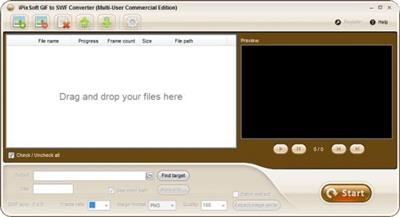
iPixSoft GIF to SWF Converter is a easy to use gif to swf converter for converting gif file to flash swf file. It helps to convert image file such as gif, jpeg,bmp,png to flash swf file.

With iPixSoft GIF to SWF Converter, you can perfectly convert animated gif picture to swf format file and add hyperlink for each frame to the output swf file, it support bitch converting feature. Features
Conversion Function
- Convert GIF image file to SWF file
- Convert JPEG,JPG,BMP,PNG image file to SWF file
Setting Function
- Set SWF frame rate, image format ,image quality
- Set output directory
- Set background color, hyperlink for the output swf file
Other Highlights
- Batch convert
What's new
• official site does not provide any info about changes in this version

Homepage:
Код:
http://www.ipixsoft.com

Download link

rapidgator.net:
Код:
https://rapidgator.net/file/5bbdaf00467fe781aa58e890c7b3b750/hnrlp.iPixSoft.GIF.to.SWF.Converter.3.7.0.rar.html

uploadgig.com:
Код:
https://uploadgig.com/file/download/42f9ceE13E4c09c8/hnrlp.iPixSoft.GIF.to.SWF.Converter.3.7.0.rar

nitroflare.com:
Код:
https://nitroflare.com/view/70F078F7DB8702E/hnrlp.iPixSoft.GIF.to.SWF.Converter.3.7.0.rar

1dl.net:
Код:
https://1dl.net/c7uky7feepd1/hnrlp.iPixSoft.GIF.to.SWF.Converter.3.7.0.rar
 
iPixSoft GIF to Video Converter 3.7.0


990a993116ab4d6012734f5406213886.jpeg


iPixSoft GIF to Video Converter 3.7.0
File size: 6.94 MB​

iPixSoft GIF to Video Converter is a easy to use GIF to Video converter. It helps to convert image file such as gif, jpeg,bmp,png to video format file such as avi,mp4,wmv,mkv,flv,mov,mpg. With iPixSoft GIF to Video Converter, you can perfectly convert animated gif picture to video format file and it support bitch converting feature.

Key Features
Conversion Function
• Convert GIF image to MP4 Video
• Convert GIF image to PSP Video MP4
• Convert GIF image to AVI Video
• Convert GIF image to WMV Video
• Convert GIF image to MKV Video
• Convert GIF image to FLV Video
• Convert GIF image to MOV Video
• Conver tGIF image to MPEG(PAL) Video
• Convert GIF image to MPEG(MTSC) Video
Setting Function
• Set SWF frame rate, image format ,image quality
• Set output directory
• Set background color
Other Highlights
• Batch convert
What's new
• official site does not provide any info about changes in this version

Homepage:
Код:
http://www.ipixsoft.com/

Download link

rapidgator.net:
Код:
https://rapidgator.net/file/80577d36c259070c23edb0629d33909d/uzaik.iPixSoft.GIF.to.Video.Converter.3.7.0.rar.html

uploadgig.com:
Код:
https://uploadgig.com/file/download/f6b924Dc6b098297/uzaik.iPixSoft.GIF.to.Video.Converter.3.7.0.rar

nitroflare.com:
Код:
https://nitroflare.com/view/2BFE5622D70CA05/uzaik.iPixSoft.GIF.to.Video.Converter.3.7.0.rar

1dl.net:
Код:
https://1dl.net/7a6g6lgf3omm/uzaik.iPixSoft.GIF.to.Video.Converter.3.7.0.rar
 
ISO Workshop 11.9


8c621b1ada934abbfdf094ed07c7cfd7.jpeg


ISO Workshop 11.9
File Size: 10.4 MB​

ISO Workshop is a application specifically designed to facilitate disc image management, conversion and burning operations. The program has a very simple user interface and enables you to make ISO images, extract specific files and folders from disc images, create disc backups by copying disc contents to an ISO or BIN image file, convert different disc image files into the ISO or BIN format and, of course, burn ISO and CUE images to blank discs.

Make standard and bootable ISO images
Extract files and folders from disc image
Copy disc to disc image (including Audio CD)
Convert disc image to ISO or BIN format
Burn ISO or CUE/BIN image to disc
Supports common formats (ISO, CUE, BIN, NRG, MDF, CDI etc.)
Supports CD-R/RW, DVD-R/RW, DVD+R/RW, DVD+R DL, BD-R/RE
Supports verification of written files
Benefits
Supports all types of CD/DVD/BD Recorders
Super easy-to-use user interface
Small installation file size
Very low CPU resource usage
Free for personal and commercial use
Supports Windows NT/2000/XP/Vista/7/8/10/11 (32 and 64 bit)
Код:
https://www.glorylogic.com/iso-workshop.html

Homepage:
Код:
http://www.glorylogic.com

Download link

rapidgator.net:
Код:
https://rapidgator.net/file/f6909948b1ba27234afb6616533dc50d/mutgm.ISO.Workshop.11.9.rar.html

uploadgig.com:
Код:
https://uploadgig.com/file/download/c79d88156d03526B/mutgm.ISO.Workshop.11.9.rar

nitroflare.com:
Код:
https://nitroflare.com/view/85F62F92FEB7CD6/mutgm.ISO.Workshop.11.9.rar

1dl.net:
Код:
https://1dl.net/ajl5r4crg6zk/mutgm.ISO.Workshop.11.9.rar
 
iTop Screen Recorder Pro 3.5.0.1501 Multilingual


7a5dc64328ee1dae78f2646e858838ee.jpeg


iTop Screen Recorder Pro 3.5.0.1501 Multilingual
Windows x64 | File size: 149.44 MB​

iTop Screen Recorder is a simple and easy-to-use screen recorder with a light built-in video editor. It enables easy screen recording, screen capture, and video editing.

Flexible Screen Capture
Select any area of your screen to start recording, from the entire display to a small dialog box. iTop Screen Recorder supports multiple displays. Capture every detail and cut off every interference.
Facecam Recording
A perfect screen recorder is not only a perfect screen record copy but more than it. iTop Screen Recorder provides you with a Facecam function, allowing you to record your face in a video. Using Facecam in many situations, like online tutorials, game recording, PowerPoint presentations.
No Lagging While HD Recording
Optimizing over and over, iTop Screen Recorder achieves an average 8% CPU utilization, making extremely smooth recording possible. Like flowing air surrounding you: hardly felt, but always by your side.
Take Screenshots While Recording
Both dynamic and static are equal and parallel. Since that, we break through technical barriers between video & audio recording and screen capture taking simultaneously. To give users better using experience, we never stop trying.
Multiple Output/Convert Formats
Trying to cover different groups' demands, more than 12 output formats are supported to be storage and conversion to other formats you want. Compatible with any mainstream digital devices, from your up-to-date iPhone to your mama's old MP4 player.
Record the Screen with Audio
Experience the most excellent screen recorder with audio. Every syllable of inside background, speaker and tiny microphone on your headset are completely recorded. From image to audio, we are professional.
What's new
+ Improved record engine to record smoother HD video even on low configuration PC.
+ Improved video coding algorithm to export high-quality videos after editing.
+ Optimized doodle tool to meet your drawing requirements when recording.
+ Fixed known bugs.

Homepage:
Код:
https://recorder.itopvpn.com/

Download link

rapidgator.net:
Код:
https://rapidgator.net/file/4caa912119383b7bb267c6ef2ddd0135/wylzw.iTop.Screen.Recorder.Pro.3.5.0.1501.Multilingual.rar.html

uploadgig.com:
Код:
https://uploadgig.com/file/download/19558bD03f7B097a/wylzw.iTop.Screen.Recorder.Pro.3.5.0.1501.Multilingual.rar

nitroflare.com:
Код:
https://nitroflare.com/view/45A3E5B005FEBC6/wylzw.iTop.Screen.Recorder.Pro.3.5.0.1501.Multilingual.rar

1dl.net:
Код:
https://1dl.net/r5gwem0c6g34/wylzw.iTop.Screen.Recorder.Pro.3.5.0.1501.Multilingual.rar
 
Jeppesen Cycle DVD 2305 Full Worldwide


f3b7148ac2094db520e1fff7e50c434a.jpeg


Jeppesen Cycle DVD 2305 Full Worldwide
File Size: 4.91 GB​

JeppView for Windows is a reference material in electronic form, you can also print the necessary airport diagrams (maps, airport diagrams, etc.). Updated every two weeks. FliteDeck/FliteStar - in a neighboring hand

Interface language : English
Tabletka : not required
System requirements : Windows 7, 8, 10, 11
Coverage : Full Worldwide

What News?
Official site does not provide any info about changes in this version.

rapidgator.net:
Код:
https://rapidgator.net/file/644e2b7e899bd5d3ee30b3ceb859aa25/pcinn.Jeppesen.Cycle.DVD.2305.Full.Worldwide.part1.rar.html
https://rapidgator.net/file/50e309dd4408abf54dd3c8c9a478699f/pcinn.Jeppesen.Cycle.DVD.2305.Full.Worldwide.part2.rar.html
https://rapidgator.net/file/6edeeb54b4c48fd57cda0509d5499c02/pcinn.Jeppesen.Cycle.DVD.2305.Full.Worldwide.part3.rar.html
https://rapidgator.net/file/3dacf42c9bc19f14fd63a5ecd2b4ee62/pcinn.Jeppesen.Cycle.DVD.2305.Full.Worldwide.part4.rar.html
https://rapidgator.net/file/e01ed21b66c36e3f741972908f8e1d46/pcinn.Jeppesen.Cycle.DVD.2305.Full.Worldwide.part5.rar.html

uploadgig.com:
Код:
https://uploadgig.com/file/download/4de568a929a468E1/pcinn.Jeppesen.Cycle.DVD.2305.Full.Worldwide.part1.rar
https://uploadgig.com/file/download/a8a130b743735850/pcinn.Jeppesen.Cycle.DVD.2305.Full.Worldwide.part2.rar
https://uploadgig.com/file/download/10E981Aa1Bd1aa42/pcinn.Jeppesen.Cycle.DVD.2305.Full.Worldwide.part3.rar
https://uploadgig.com/file/download/1d3424e374eA49e1/pcinn.Jeppesen.Cycle.DVD.2305.Full.Worldwide.part4.rar
https://uploadgig.com/file/download/Dd58ee8670a47548/pcinn.Jeppesen.Cycle.DVD.2305.Full.Worldwide.part5.rar

nitroflare.com:
Код:
https://nitroflare.com/view/6550CC3C3AF62BD/pcinn.Jeppesen.Cycle.DVD.2305.Full.Worldwide.part1.rar
https://nitroflare.com/view/07C6CCB994D5D34/pcinn.Jeppesen.Cycle.DVD.2305.Full.Worldwide.part2.rar
https://nitroflare.com/view/393A073B146CC94/pcinn.Jeppesen.Cycle.DVD.2305.Full.Worldwide.part3.rar
https://nitroflare.com/view/11E3616F773A7C4/pcinn.Jeppesen.Cycle.DVD.2305.Full.Worldwide.part4.rar
https://nitroflare.com/view/E52D596E5F36E6E/pcinn.Jeppesen.Cycle.DVD.2305.Full.Worldwide.part5.rar

1dl.net:
Код:
https://1dl.net/dic5jae1mc22/pcinn.Jeppesen.Cycle.DVD.2305.Full.Worldwide.part1.rar
https://1dl.net/bluptmh2p9wt/pcinn.Jeppesen.Cycle.DVD.2305.Full.Worldwide.part2.rar
https://1dl.net/pheom9416225/pcinn.Jeppesen.Cycle.DVD.2305.Full.Worldwide.part3.rar
https://1dl.net/ztgvc3ekuwc3/pcinn.Jeppesen.Cycle.DVD.2305.Full.Worldwide.part4.rar
https://1dl.net/ei8hswfb4hm1/pcinn.Jeppesen.Cycle.DVD.2305.Full.Worldwide.part5.rar
 
JU-106 Editor 2.5.1 (510) macOS


2bcff0812b755c6665b6f3827becc937.jpeg


JU-106 Editor 2.5.1 (510) macOS
File size: 8 MB​

JU-106 Editor is the perfect sidekick for your music sessions. It is a powerful tool to prototype patch alternatives, and exceed your synth's memory limitations, all while providing a user-friendly, native interface.

Features
- Presets as Files: Perfect for sharing or backup !
- Keyboard Playback
- Undo Support
- Quick Search
- Retina Display Ready Interface
- MIDI Out and Channel are directly customizable in the main window
- Compatible with the Roland
More.
Release Notes
Fixed some minor bugs

Supported Operation Systems
OS X 10.14.6 or later

Homepage:
Код:
https://www.nightbirdsevolve.com

Download link

rapidgator.net:
Код:
https://rapidgator.net/file/96895526ebd18a2225589952dfbffc73/kwgys.JU106.Editor.2.5.1.510.macOS.dmg.html

uploadgig.com:
Код:
https://uploadgig.com/file/download/df31853d20b96738/kwgys.JU106.Editor.2.5.1.510.macOS.dmg

nitroflare.com:
Код:
https://nitroflare.com/view/23C3EDA50AA5AD6/kwgys.JU106.Editor.2.5.1.510.macOS.dmg

1dl.net:
Код:
https://1dl.net/urdd3yxvi1hc/kwgys.JU106.Editor.2.5.1.510.macOS.dmg
 
Lasso 1.3.1 macOS


f00fa4b6d05c4d3ca1eab5f35b572f2f.jpeg


Lasso 1.3.1 macOS
File size: 14 MB​

Lasso - Window Manager for macOS. Move and resize windows with your mouse. Posted on Reddit today. Looks really good. Click and drag - that's all you need to move and resize windows Quickly arrange and resize your windows with custom layouts

Streamline your workflow and increase productivity with the ability to assign unique keyboard shortcuts to each of your individual layouts. The simplest answer would be - all. Really, no matter how many screens you have - Lasso will handle all of them. With many options available, you can change how you work by adjusting the space around windows, selecting grid sizes for Layouts, and more. Make your workspace fit your needs.
Release Notes
Updates: official site does not provide any info about changes in this version

Supported Operation Systems
macOS 12.0 or later

Homepage:
Код:
https://thelasso.app/

Download link

rapidgator.net:
Код:
https://rapidgator.net/file/92fcef3896d402af6d99709faac98af5/hzlwy.Lasso.1.3.1.macOS.dmg.html

uploadgig.com:
Код:
https://uploadgig.com/file/download/255f1fA3251aaa6f/hzlwy.Lasso.1.3.1.macOS.dmg

nitroflare.com:
Код:
https://nitroflare.com/view/0D21AEF1B2BE844/hzlwy.Lasso.1.3.1.macOS.dmg

1dl.net:
Код:
https://1dl.net/f9ntr4i69o7k/hzlwy.Lasso.1.3.1.macOS.dmg
 
MAGIX Movie Studio 2023 22.0.3.171 Multilingual


1c0d46a8d3edd2a65cd9024af9e2671b.jpeg


MAGIX Movie Studio 2023 22.0.3.171 Multilingual
Windows x64 | All Edition | File size: 911.26 MB / 1.28 GB / 1.18 GB​

From your experience to amazing videos. Capture what's important to you, and tell your story. Movie Studio offers a smooth editing experience with a powerful video engine, creative effects and an intuitive interface - professional video production for everyone.

Simply powerful: Movie Studio
Simplicity is key with Movie Studio: From importing your media with simple drag and drop to using the most advanced features. No matter your skills or knowledge, editing your videos should always be intuitive and fun. Use the automatic workflows, or explore infinite creative possibilities. The powerful Infusion Engine speeds up your process: Incredibly fast import and export times allow you to dive straight into the smooth editing workflow: Edit faster, and take full control of your footage.
Intuitive features, impressive videos
Easily import media recorded on any device with simple drag and drop. Explore convenient templates for many use cases, and find all the features you could wish for in an elegant, unified workflow. From producing your own soundtrack and utilizing 2D or even 3D animations to doing the final touches with integrated colour grading, Movie Studio gives you everything to tell your story in the most powerful way - share it with your family, your friends, or the whole world.
Your personal creative toolbox
Your fully customizable workspace adapts to your preferences and gives you everything you need at a glance - making the most of your individual screen setup. Effortlessly explore a large toolbox full of creative features for transitions, effects, titles, sound design, graphics, animations and so much more: Adjust colour, stabilize shaky images or apply layer masks with simple, yet effective options - including an impressive wizard for whenever you need perfect results in a blink of an eye.
A powerhouse for your creativity
The engine that powers Movie Studio builds on native hardware support for graphics cards by Intel, NVIDIA and AMD. The result is instant and seamless previews without the need for proxy files or time-consuming rendering.
Let your videos socialize
Getting your work ready for sharing has never been that easy. Optimize your films for YouTube, Instagram or any other platform. Instantly transform your video to vertical or square formats, and chose from a large selection of templates, filters, and effects. So many options to inspire your most creative posts!
Highlights of Movie Studio
- Up to 900 effects, titles, templates & transitions
- Easy colour correction
- Professional image stabilization
- Burn DVDs & Blu-ray discs
- INFUSION Engine 2 for unparalleled performance
- Edit and export 8K Ultra HD Video
Код:
https://www.magix.com/int/video-editor/movie-studio/new-features/#c1487763
System Requirements
- You need a 64-Bit-Version for Microsoft Windows 11 or Windows 10
- Processor: 2.4 GHz (Quad-core processor with 2.8 GHz or better)
- Available drive space: 2 GB for program installation
- RAM: 4 GB or higher (8 GB recommended for 8K)
- Graphics card: Onboard, min. resolution 1280 x 1024, 512 MB VRAM and DirectX 11 support (recommended: Intel Graphics HD 520 or better for MPEG2/AVC/HEVC) INFUSION Engine 2 supports video acceleration for AVC and HEVC on Intel, NVIDIA or AMD GPUs with 1GB VRAM or higher
- Example: Intel Graphics HD 630, NVIDIA Geforce GTX 1050, AMD Radeon RX470
- Program language: English (International, United Kingdom, USA)

Homepage:
Код:
https://www.vegascreativesoftware.com/

Download link

rapidgator.net:
Код:
https://rapidgator.net/file/a87b8d48660a3644604b7830bac0d4bf/ttldh.Movie.Studio.22.0.3.171x64.rar.html
https://rapidgator.net/file/cde1612f3cabdbb9454c86f5d537b3b5/ttldh.Movie.Studio.Platinum.22.0.3.171x64.part1.rar.html
https://rapidgator.net/file/c0ba7f6bc1ba4658c12df8714a15bfaa/ttldh.Movie.Studio.Platinum.22.0.3.171x64.part2.rar.html
https://rapidgator.net/file/3239f5b21c3e74ba5c8e5fb081b3afa5/ttldh.Movie.Studio.Suite.22.0.3.171x64.part1.rar.html
https://rapidgator.net/file/df6a37974d14b24227b6c5e7c0f06dd2/ttldh.Movie.Studio.Suite.22.0.3.171x64.part2.rar.html

uploadgig.com:
Код:
https://uploadgig.com/file/download/effdCE03Eece676c/ttldh.Movie.Studio.22.0.3.171x64.rar
https://uploadgig.com/file/download/E39785f53e0235Aa/ttldh.Movie.Studio.Platinum.22.0.3.171x64.part1.rar
https://uploadgig.com/file/download/4ea0B594F89e1c79/ttldh.Movie.Studio.Platinum.22.0.3.171x64.part2.rar
https://uploadgig.com/file/download/2bFdb9a14fb28e99/ttldh.Movie.Studio.Suite.22.0.3.171x64.part1.rar
https://uploadgig.com/file/download/bd7246308022ada8/ttldh.Movie.Studio.Suite.22.0.3.171x64.part2.rar

nitroflare.com:
Код:
https://nitroflare.com/view/963795603605003/ttldh.Movie.Studio.22.0.3.171x64.rar
https://nitroflare.com/view/A6E61E77A74610D/ttldh.Movie.Studio.Platinum.22.0.3.171x64.part1.rar
https://nitroflare.com/view/9FFA37453666B4F/ttldh.Movie.Studio.Platinum.22.0.3.171x64.part2.rar
https://nitroflare.com/view/CB549F7CB3507DD/ttldh.Movie.Studio.Suite.22.0.3.171x64.part1.rar
https://nitroflare.com/view/16BE703C82753A8/ttldh.Movie.Studio.Suite.22.0.3.171x64.part2.rar

1dl.net:
Код:
https://1dl.net/te4z6xmowj65/ttldh.Movie.Studio.22.0.3.171x64.rar
https://1dl.net/qls2wuomalsu/ttldh.Movie.Studio.Platinum.22.0.3.171x64.part1.rar
https://1dl.net/t75c9rehol8l/ttldh.Movie.Studio.Platinum.22.0.3.171x64.part2.rar
https://1dl.net/em76bv9wvbw7/ttldh.Movie.Studio.Suite.22.0.3.171x64.part1.rar
https://1dl.net/u7gfqot5neub/ttldh.Movie.Studio.Suite.22.0.3.171x64.part2.rar
 
MediaHuman YouTube Downloader 3.9.9.80 (2802) Multilingual (x64)


0a7d8225c8ef64c20bb2702190cff39b.jpeg


MediaHuman YouTube Downloader 3.9.9.80 (2802) Multilingual (x64)
Windows x64 | File size: 70.02 MB​

There are so many interesting things to be found on YouTube, but you can't download the videos or save them as audio files by default. That's why we developed YouTube Video Downloader. This app will help you to accomplish video downloads quickly and without hangups. Using our program you can simply download an entire YouTube playlist or channel at once and watch it whenever and wherever you want.

The application has many other convenient and practical functions for you to explore and enjoy. Give it a try, download it now!
• Downloads several videos simultaneously
• Supports Ultra High resolutions including 4K & 8K (with audio)
• Downloads entire playlists and channels
• YouTube, Vimeo, Dailymotion, Soundcloud and much more
• Extracts audio track and saves it as MP3
• Supports exporting to iTunes/Music.app
• Works on all modern platforms (macOS, Windows and Ubuntu)
Main Features
Playlists and channels
The program supports downloading of all videos of a playlist or a channel. And there's also an option to track the selected channel or playlist and download new clips as they are uploaded.
Add to iTunes
You can configure the program to automatically add downloaded movies to your iTunes library. You can also pick a playlist where the downloaded video should be added.
HQ, HD, 4K or 8K
The program supports all available resolutions, be that 720p, 1080p, 4K or 8K. The choice is up to you. Unlike online video downloaders, the app downloads any resoulution with audio.
Monitor the clipboard
The program keeps an eye on the clipboard and as soon as it spots a supported link there, it automatically adds this video into the download queue.
Quality of the original
You can choose to save videos in the original quality (usually in MP4 format), without any modifications. In this case, the clip you get is exactly the same as the one its author uploaded.
Simple tag editor
The app automatically detects the artist and the title of a video and saves them to the downloaded file. And you can easily change them later.
Not just YouTube
The program supports Twitch, Vevo.com, Vimeo, Dailymotion, Facebook, UOL, VKontakte, SoundCloud, TikTok and a lot of other sites. So you can download video from these websites as easy as you do from YouTube.
Drag & Drop
The app features a 100% drag&drop support. Just drag the link to a video with your mouse and drop it to the main window of the program, or to its dock icon on Mac.
Multi-language interface
The app is translated into: Arabic, Armenian, Azerbaijani, Bulgarian, Catalan, Chinese (Taiwan), Croatian, Czech, Danish, Dutch, English, Esperanto, French, German, Greek, Hebrew (Israel), Hungarian, Indonesian, Italian, Japanese, Korean, Latvian, Lithuanian, Malay, Norwegian Bokmål, Polish, Portuguese, Portuguese (Brazil), Romanian, Russian, Spanish, Swedish, Turkish, Vietnamese.
Код:
https://www.mediahuman.com/youtube-downloader/changelog.html

Homepage:
Код:
https://www.mediahuman.com/

Download link

rapidgator.net:
Код:
https://rapidgator.net/file/a9ef31f35e868c75ceab494d8eb9b39a/iqrui.MediaHuman.YouTube.Downloader.3.9.9.80.2802.Multilingual.x64.rar.html

uploadgig.com:
Код:
https://uploadgig.com/file/download/C2684C72ee96c2d4/iqrui.MediaHuman.YouTube.Downloader.3.9.9.80.2802.Multilingual.x64.rar

nitroflare.com:
Код:
https://nitroflare.com/view/BD0BF0A72102935/iqrui.MediaHuman.YouTube.Downloader.3.9.9.80.2802.Multilingual.x64.rar

1dl.net:
Код:
https://1dl.net/qbtq84a85ucr/iqrui.MediaHuman.YouTube.Downloader.3.9.9.80.2802.Multilingual.x64.rar
 
MediaHuman YouTube To MP3 Converter 3.9.9.80 (2802) Multilingual (x64)


cb0f8097396f2ca7709e4f956209ff83.jpeg


MediaHuman YouTube To MP3 Converter 3.9.9.80 (2802) Multilingual (x64)
Windows x64 | File size: 68.05 MB​

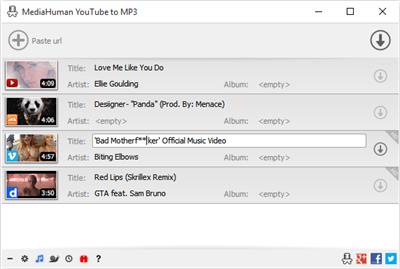
You like to listen to music on YouTube or SoundCloud and want to save it for offline playing. Or you want to download soundtrack of a new movie. Then we recommend you to try out this software developed specifically for this purpose.

• Downloads all music from playlist or channel
• Downloads highest available quality up to 320 kbps
• Supports YouTube, Vimeo, SoundCloud, Dailymotion, VEVO, etc.
• Downloads simultaneously several tracks
• Includes simple tag editor with cover art image support
• Works on all modern platforms (macOS, Windows, Ubuntu)
• Exports to iTunes
Main Features
Playlists and channels
The software supports downloading all videos of a playlist or a channel. And there is also an option for subscribing to and downloading only newly uploaded tracks.
iTunes support
In the preferences of the application you can select an option to add downloaded tracks into iTunes automatically. You can also specify iTunes playlist, where the converted track should be added.
Saves your time & traffic
The app detects audio track in YouTube video clip and downloads it, skipping the video part. As a result download speed increases dramatically, especially on HD-quality content.
Simple tag editor
Application automatically detects artist name and track title of the video and saves it in the downloaded file. But at the same time, you can easily change tags to whatever you want. You can even change a cover art image.
Original format, no conversions
You can save audio tracks in original quality without any conversion. It means that there will be no loss of quality and it greatly reduces the downloading time.
Free music
There is a great amount of music on YouTube. You can always find the one you like there. And YouTube to MP3 Converter allows you to save it on your computer for free. Just find the track you like and download it in the quality you need.
Not only YouTube
Vevo.com, Vimeo, DailyMotion, Soundcloud, Bandcamp, HypeMachine, MixCloud, UOL and many other sites are also supported. So you can download music as easy as from YouTube.
Clipboard tracking
The program tracks the content of the system clipboard. It means that you can easily add a video clip without switching from your favorite browser. Just copy an URL into the clipboard and it will be added to the download queue.
Multilingual interface
Localized to: Arabic, Armenian, Azerbaijani, Bulgarian, Catalan, Chinese (Taiwan), Croatian, Czech, Danish, Dutch, English, Esperanto, French, German, Greek, Hebrew (Israel), Hungarian, Indonesian, Italian, Japanese, Korean, Latvian, Lithuanian, Malay, Norwegian Bokmål, Polish, Portuguese, Portuguese (Brazil), Romanian, Russian, Spanish, Swedish, Turkish, Vietnamese
Код:
https://www.mediahuman.com/youtube-to-mp3-converter/changelog.html

Homepage:
Код:
https://www.mediahuman.com/

Download link

rapidgator.net:
Код:
https://rapidgator.net/file/b747fd8de3928c6dca34a557b6fa23c2/owhpl.MediaHuman.YouTube.To.MP3.Converter.3.9.9.80.2802.Multilingual.x64.rar.html

uploadgig.com:
Код:
https://uploadgig.com/file/download/6fbe089554259b92/owhpl.MediaHuman.YouTube.To.MP3.Converter.3.9.9.80.2802.Multilingual.x64.rar

nitroflare.com:
Код:
https://nitroflare.com/view/BA9DFCB71B9A84B/owhpl.MediaHuman.YouTube.To.MP3.Converter.3.9.9.80.2802.Multilingual.x64.rar

1dl.net:
Код:
https://1dl.net/2n578h605l45/owhpl.MediaHuman.YouTube.To.MP3.Converter.3.9.9.80.2802.Multilingual.x64.rar
 
MobiKin Assistant for iOS 2.10.5


c72d09ed6aea0ecdea57a7d4c3774150.jpeg


MobiKin Assistant for iOS 2.10.5
File size: 12 MB​

As the World's most powerful assistant software for iPad, iPhone and iPod users, MobiKin Assistant for iOS allows users to transfer, backup and manage all contents on your device with one simple click.

Easily Copy Tons of Files between iDevice and PC
In case of losing data if your iPhone is stolen or broken down accidentally, or you just want to share the movies on your iDevice with your friends in other ways, you need to backup your files on iPhone, iPad or iPod to iTunes time to time. However, there are still so many limitations of iTunes, so that it is troublesome to use the iTunes on PC. Under this situation, you need the help from MobiKin Assistant for iOS (Windows Version).
Add, Delete or Edit iPhone, iPad or iPod Data Directly
As the best iOS Manager software on the market, this tool provide you with the powerful ability to manage all contents on your iDevices. You can add, delete, or edit them on the desktop computer easily.
1-Click iTunes Backup & Restore (New)
As the best alternative to iTunes, this program allows you to backup & restore data between iPhone, iPad or iPod and iTunes directly. And you can import iTunes backups from PC to your device, or delete any unwanted iTunes backups from your PC.
Run Smoothly with Multiple iOS Devices
From the name of the program, almost all of us can realize that this tool is not a single-functional program, but a multi-functional desktop application. It is fully compatible with all generations of iPhone, iPad and iPod. And our technical team will continue to update the program to support more further models in the future.
Код:
https://www.mobikin.com/assistant-for-ios/

Homepage:
Код:
https://www.mobikin.com/

Download link

rapidgator.net:
Код:
https://rapidgator.net/file/0d1de0ca65ce43906dff7b5bb818e0b6/lajfv.MobiKin.Assistant.for.iOS.2.10.5.rar.html

uploadgig.com:
Код:
https://uploadgig.com/file/download/825bD1eD25ee7b2A/lajfv.MobiKin.Assistant.for.iOS.2.10.5.rar

nitroflare.com:
Код:
https://nitroflare.com/view/DB11153CB05C845/lajfv.MobiKin.Assistant.for.iOS.2.10.5.rar

1dl.net:
Код:
https://1dl.net/iihyxef7a2j9/lajfv.MobiKin.Assistant.for.iOS.2.10.5.rar
 
Назад
Сверху