• Старая версия форума работает в архивном режиме www.old.nado.in

All mitsumi'1s Applications !! (updated daily)

  • Автор темы Автор темы mitsumi1
  • Дата начала Дата начала
MP3Studio YouTube Downloader 2.0.18.2 Multilingual

f45a956966e9d4377402a7db4172133a.jpeg


MP3Studio YouTube Downloader 2.0.18.2 Multilingual
File size: 31 MB​

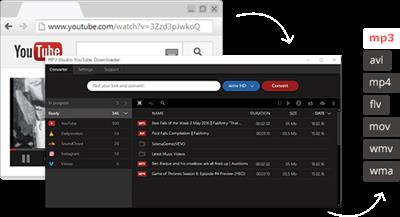
Mp3Studio Youtube Downloader is a user-friendly and efficient piece of software that was developed to offer you an easy means of grabbing all your favorite videos from the web and store them on your PC, in one of several available formats.

What are the Major Advantages of this Audio Program?
MP3Studio multimedia program is the most convenient to work with your media.
This audio app allows you to listen to all the songs you want from YouTube online and download them to your device seamlessly.
Downloading all the content you need when you need it is fast and simple. You don't need extra technical skills to understand the way this app works.
You won't waste your time downloading extra software for this multimedia editor.

How Fast will You Download All the Songs You Like?
You'll never be disappointed with the download speeds. You can download up to 99 songs at once in the background as you go about your business. It's a great opportunity to get more for the same amount of time!

Music in your Pocket even if You don't Have Internet Access
Our app allows you to have your music in your pocket for free at all times, even when you don't have any Internet access. Use this multimedia editor to download various songs via YouTube and other services in advance. It will provide you with good quality music you can listen to even when you're offline.
There's no barrier for you!

Whats New
Updates: official site does not provide any info about changes in this version.

rapidgator.net:
Код:
https://rapidgator.net/file/1dfa274937901781993d7ef1b01ae36f/bahvi.MP3Studio.YouTube.Downloader.2.0.18.2.Multilingual.rar.html

uploadgig.com:
Код:
https://uploadgig.com/file/download/E4c1ff9099C5a703/bahvi.MP3Studio.YouTube.Downloader.2.0.18.2.Multilingual.rar

nitroflare.com:
Код:
https://nitroflare.com/view/C6B12E997CCA5EA/bahvi.MP3Studio.YouTube.Downloader.2.0.18.2.Multilingual.rar

1dl.net:
Код:
https://1dl.net/8lj31yeox4j9/bahvi.MP3Studio.YouTube.Downloader.2.0.18.2.Multilingual.rar
 
Navicat Charts Creator Premium 1.1.9


9fbb75e89bf3a4a51c220e0f045d011a.jpeg


Navicat Charts Creator Premium 1.1.9
File size: 174 MB​

Navicat Charts Creator turns your data into effective visualizations to have clear insights in data through charts and graphs.

Turn data into actionable insights with ease.
Transform your data into effective visualizations to identify trends, patterns and outliers. Simplify data analysis and share your workspaces to colleagues to better support your business decisions and strategies.

Data Source
Specify the data source that the chart uses.

Chart Design
Build your chart.

Dashboard
Present your charts in dashboard.

Collaboration
Build a collaborative team environment.

Pre-built data connectors.
Navicat Charts Creator allows you to swiftly and securely connect to any data source of your choice.

Relational DB
Connect to a number of different databases: MySQL, MariaDB, PostgreSQL, Oracle, SQLite and SQL Server.

ODBC
Import data from any ODBC data sources including Sybase, Snowflake and DB2.

File Types
Import data from external files such as Excel, Access, CSV, from data stored on your computer, network, or a URL.

Linked File
Link your chart to data in data sources to update the chart according to changes in the underlying data.

rapidgator.net:
Код:
https://rapidgator.net/file/b47a70441be7840d174b5e34ec5c64d7/pjwyr.Navicat.Charts.Creator.Premium.1.1.9.rar.html

uploadgig.com:
Код:
https://uploadgig.com/file/download/d7A798034b59e7Df/pjwyr.Navicat.Charts.Creator.Premium.1.1.9.rar

nitroflare.com:
Код:
https://nitroflare.com/view/DE44A76D24F9779/pjwyr.Navicat.Charts.Creator.Premium.1.1.9.rar

1dl.net:
Код:
https://1dl.net/p727r7henbx8/pjwyr.Navicat.Charts.Creator.Premium.1.1.9.rar
 
Navicat Charts Viewer Premium 1.1.9


a27e6960309a1f63d46131d178dc04d3.jpeg


Navicat Charts Viewer Premium 1.1.9
File size: 172 MB​

Navicat Charts Viewer is an easy-to-use tool for viewing Charts workspace files. Allow you to navigate workspaces designed by Navicat's Charts feature or Navicat Charts Creator.


Whats New
Updates: official site does not provide any info about changes in this version

rapidgator.net:
Код:
https://rapidgator.net/file/72366313f2c750ee543b5542b56a3aad/atnpb.Navicat.Charts.Viewer.Premium.1.1.9.rar.html

uploadgig.com:
Код:
https://uploadgig.com/file/download/C593db18941a4361/atnpb.Navicat.Charts.Viewer.Premium.1.1.9.rar

nitroflare.com:
Код:
https://nitroflare.com/view/B6AB40CF09028FD/atnpb.Navicat.Charts.Viewer.Premium.1.1.9.rar

1dl.net:
Код:
https://1dl.net/5i9vk2osibzh/atnpb.Navicat.Charts.Viewer.Premium.1.1.9.rar
 
Navicat Data Modeler Premium 3.2.9


26e281ab00f98e42231627088fe305a4.jpeg


Navicat Data Modeler Premium 3.2.9
File size: 123 MB​

Navicat Data Modeler is a powerful and cost-effective database design tool which helps you build high-quality conceptual, logical and physical data models. It allows you to visually design database structures, perform reverse/forward engineering processes, import models from ODBC data sources, generate complex SQL/DDL, print models to files, and much more.

Simplify the task of creating complex entity relationship models and generate the script SQL with a simple click. Navicat Data Modeler supports various database systems, including MySQL, MariaDB, Oracle, SQL Server, PostgreSQL, and SQLite.

Database Objects
Create, modify, and design your models using professional object designers, available for Tables and Views. Without the need to write complex SQL to create and edit objects, you'll know exactly what you are working on. Also, Navicat Data Modeler supports three standard notations: Crow's Foot, IDEF1x and UML. Using our feature-rich, simple, and user-friendly drawing tools, you can develop a complete data model with just a few clicks.

Model Types
Navicat Data Modeler enables you to build high-quality conceptual, logical and physical data models for a wide variety of audiences. Using the Model Conversion feature, you can convert a conceptual business-level model into a logical relational database model and then into a physical database implementation. From sketching a big picture of your system design to viewing relationships and working with attributes and columns from linked entities, tables and views. You can easily deploy accurate changes to database structures and build organized and more effective database systems.

Reverse Engineering
Reverse Engineering is one of the key features of Navicat Data Modeler. Load existing database structures and create new ER diagrams. Visualize database models so you can see how elements such as attributes, relationships, indexes, uniques, comments, and other objects relate to each other without showing actual data. Navicat Data Modeler supports different databases: Direct connection, ODBC (*Only for Windows and macOS Edition), MySQL, MariaDB, Oracle, SQL Server, PostgreSQL, and SQLite.

Comparison and Synchronization
The Synchronize to Database function will give you a full picture of all database differences. Once your databases are compared, you can view the differences and generate a synchronization script to update the destination database to make it identical to your model. Flexible settings enable you to set up a custom key for comparison and synchronization.

SQL Code Generation
Navicat Data Modeler is not only a tool for creating ER diagrams and designing your databases. Its Export SQL feature also gives you full control over the final SQL script and allows you to generate individual parts of your model, referential integrity rules, comments, character sets, etc., potentially saving you hundreds of hours of work.

Standard Designing Tools
Add vertices, layers, images, shapes, and notes/labels, align/distribute objects, unlimited undo/redo capacity, auto layout, search filter, and more.

Navicat Cloud
Navicat Data Modeler is fully integrated with Navicat Cloud. Sync your model files and virtual groups to the cloud for a real-time access at anytime and anywhere. With Navicat Cloud, you can leverage every minute of your day to maximize your productivity.

rapidgator.net:
Код:
https://rapidgator.net/file/0069159e6d121351ec646c187999603c/jxhdy.Navicat.Data.Modeler.Premium.3.2.9.rar.html

uploadgig.com:
Код:
https://uploadgig.com/file/download/649914703b1E6968/jxhdy.Navicat.Data.Modeler.Premium.3.2.9.rar

nitroflare.com:
Код:
https://nitroflare.com/view/34209EB9042CEDF/jxhdy.Navicat.Data.Modeler.Premium.3.2.9.rar

1dl.net:
Код:
https://1dl.net/6stdv9ugxgk1/jxhdy.Navicat.Data.Modeler.Premium.3.2.9.rar
 
Navicat Essentials Premium 16.1.9


5579c41250b19446e695c67ab25cbd80.jpeg


Navicat Essentials Premium 16.1.9
File size: 138 MB​

Navicat Essentials is a compact version of Navicat which provides the basic and necessary features you will need to perform simple database development. Navicat Essentials is for commercial use and is available for MySQL, MariaDB, SQL Server, PostgreSQL, Oracle, and SQLite databases. If you need to administer all aforementioned database servers at the same time, there is also Navicat Premium Essentials which allows you to access multiple servers from a single application.

Features
The All-New Engine
We focus strongly on improving responsiveness, usability, and performance. We engineered an entirely new mechanism and applied multithreading, so you can run certain tasks in parallel to increase the overall efficiency of your database development.
Cloud Database Navigation
Manage both on-premises and cloud databases such as Amazon RDS, Amazon Aurora, Amazon Redshift, SQL Azure, Oracle Cloud, and Google Cloud. Just simply establish connection using the pertinent information that your cloud databases provide.
Effortless Deployment Toolkit
Add your favorite tabs to On Startup and have them open automatically when Navicat launches, and use MacBook Pro Touch Bar to easily access Navicat features and controls.
Diversified Manipulation Tool
Use Import/Export Wizard to have data conversion from plain text formats such as TXT, CSV, XML and JSON. Add, modify, and delete records with our spreadsheet-like Grid View together with an array of data editing tools to facilitate your edits. Navicat Essentials gives you the tools you need to manage your data efficiently and ensure a smooth process.
Make Collaboration Easy
Synchronize your connection settings and queries to our Navicat Cloud service so you can get real-time access to them, and share them with your coworkers anytime and anywhere. With Navicat Cloud, you can leverage every minute of your day to maximize your productivity.
Advanced Secure Connection
Establish secure connections through SSH Tunneling and SSL ensure every connection is secure, stable, and reliable. Support different authentication methods of database servers such as PAM authentication for MySQL and MariaDB, and GSSAPI authentication for PostgreSQL. Navicat provides more authentication mechanisms and high-performance environments so you never have to worry about connecting over an insecure network.
Код:
https://www.navicat.com/en/products/navicat-premium-release-note

Homepage:
Код:
https://www.navicat.com/

Download link

rapidgator.net:
Код:
https://rapidgator.net/file/478ebca83bc9339d2d2ee478e2eb9687/opwtq.Navicat.Essentials.Premium.16.1.9.rar.html

uploadgig.com:
Код:
https://uploadgig.com/file/download/8a773d0e9d3d9B5c/opwtq.Navicat.Essentials.Premium.16.1.9.rar

nitroflare.com:
Код:
https://nitroflare.com/view/788366F51F0D7C4/opwtq.Navicat.Essentials.Premium.16.1.9.rar

1dl.net:
Код:
https://1dl.net/glvpllqx3fc6/opwtq.Navicat.Essentials.Premium.16.1.9.rar
 
Navicat for MariaDB 16.1.9


c7e1dda6b4aa4daf375946869c45a2a4.jpeg


Navicat for MariaDB 16.1.9
File size: 93 MB​

Navicat for MariaDB provides a native environment for MariaDB database management and development. Connect to local/remote MariaDB servers and compatible with Amazon RDS. Navicat for MariaDB supports most of the additional features like new storage engines, microseconds, virtual columns, and more.

Features
Seamless Data Migration
Data Transfer, Data Synchronization and Structure Synchronization help you migrate your data easier and faster for less overhead. Deliver detailed, step-by-step guidelines for transferring data across databases. Compare and synchronize databases with Data and Structure Synchronization. Set up and deploy the comparisons in seconds, and get the detailed script to specify the changes you want to execute.

Diversified Manipulation Tool
Use Import Wizard to transfer data into a database from diverse formats, or from ODBC after setting up a data source connection. Export data from tables, views, or query results to formats like Excel, Access, CSV and more. Add, modify, and delete records with our spreadsheet-like Grid View together with an array of data editing tools to facilitate your edits. Navicat gives you the tools you need to manage your data efficiently and ensure a smooth process.

Easy SQL Editing
Visual SQL Builder will help you create, edit and run SQL statements without having to worry about syntax and proper usage of commands. Code fast with Code Completion and customizable Code Snippet by getting suggestions for keywords and stripping the repetition from coding.

Intelligent Database Designer
Create, modify and manage all database objects using our professional object designers. Convert your databases into graphical representations using a sophisticated database design and modeling tool so you can model, create, and understand complex databases with ease.

Increase your Productivity
Our powerful local backup/restore solution guides you through the backup process and reduces the potential for errors. Compile professional high-quality reports in minutes using an interactive design interface and efficient workflow, and set an automation for repeatable deployment process like report generation, database backup, and script execution at a specific time or day. No matter where you are, you can always get the job done.

Make Collaboration Easy
Synchronize your connection settings, models, queries and virtual groups to our Navicat Cloud service so you can get real-time access to them, and share them with your coworkers anytime and anywhere. With Navicat Cloud, you can leverage every minute of your day to maximize your productivity.

Advanced Secure Connection
Establish secure connections through SSH Tunneling and SSL ensure every connection is secure, stable, and reliable. Support different authentication methods of database servers such as PAM authentication. Navicat 12 provides more authentication mechanisms and high-performance environments so you never have to worry about connecting over an insecure network.

rapidgator.net:
Код:
https://rapidgator.net/file/a940b79ce42bc61770271ddb2dc57489/wuzkj.Navicat.for.MariaDB.16.1.9.rar.html

uploadgig.com:
Код:
https://uploadgig.com/file/download/b7b8D9a101565e98/wuzkj.Navicat.for.MariaDB.16.1.9.rar

nitroflare.com:
Код:
https://nitroflare.com/view/912B8C8444F2E26/wuzkj.Navicat.for.MariaDB.16.1.9.rar

1dl.net:
Код:
https://1dl.net/6p3nt2lp73u5/wuzkj.Navicat.for.MariaDB.16.1.9.rar
 
Navicat for MongoDB 16.1.9


35903af45a98c94643248a5635765ac2.jpeg


Navicat for MongoDB 16.1.9
File size: 100 MB​

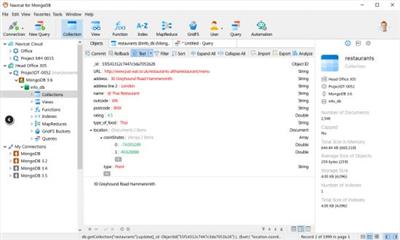
Navicat for MongoDB gives you a highly effective GUI interface for MongoDB database management, administration and development. Connect to local/remote MongoDB servers with MongoDB Atlas and Huawei Cloud compatibility. Navicat for MongoDB offers remarkable features for managing, monitoring, querying, and visualizing your data. You can easily increase productivity of routine MongoDB operations.

Features
Seamless Data Migration
Data Transfer and Data Synchronization help you migrate your data easier and faster for less overhead. Deliver detailed, step-by-step guidelines for transferring data across databases. Compare and synchronize databases with Data Synchronization. Set up and deploy the comparisons in seconds, and get the detailed script to specify the changes you want to execute.

Diversified Manipulation Tool
Use Import Wizard to transfer data into a database from diverse formats, or from ODBC after setting up a data source connection. Export data from collections, views, or query results to formats such as Excel, Access, CSV and more. Add, modify, and delete documents with our built-in editors and MongoDB 4 Transaction support, you can facilitate your edits in Tree View, JSON View, and the classic spreadsheet-like Grid View. With MongoDB 4 Transaction support, Navicat gives you the tools you need to manage your data efficiently and ensure a smooth process.

Easy Query Editing
Visual Query Builder will help you create, edit and run queries without having to worry about syntax and proper usage of commands. Code fast with Code Completion and customizable Code Snippet by getting suggestions for keywords and stripping the repetition from coding.

Intelligent Object Designer
Create, modify, and manage all database objects using our professional object designers. Preview results on each step and debug the sampled data before running your MapReduce jobs. Store and retrieve files from your MongoDB databases using our well-designed GridFS form that allows parallel upload/download process.

Increase Your Productivity
Our intuitive GUI for MongoDBDump Utility guides you through the backup process and minimizes potential errors. Set an automation for repeatable deployment process like MapReduce job and script execution at a specific time or day. No matter where you are, you can always get the job done.

Smart Schema Analyzer
Discover and explore your schema with our built-in schema visualization tool. Analyze your documents and displays rich structures within your collections, so you can understand your data's schema, find schema anomalies, and inspect outliers easily.

Make Collaboration Easy
Synchronize your connection settings, queries and virtual groups to our Navicat Cloud service so you can get real-time access to them, and share them with your coworkers anytime and anywhere. With Navicat Cloud, you can leverage every minute of your day to maximize your productivity.

Advanced Secure Connection
Establish secure connections through SSH Tunneling and SSL ensure every connection is secure, stable, and reliable. Support different authentication methods of database servers such as Kerberos and X.509 authentication. Navicat 12 provides more authentication mechanisms and high-performance environments so you never have to worry about connecting over an insecure network.

rapidgator.net:
Код:
https://rapidgator.net/file/917c77ea82cc29666ac8d303dcd68f31/dimua.Navicat.for.MongoDB.16.1.9.rar.html

uploadgig.com:
Код:
https://uploadgig.com/file/download/9b83d48807580cDd/dimua.Navicat.for.MongoDB.16.1.9.rar

nitroflare.com:
Код:
https://nitroflare.com/view/D74506EE6E84F13/dimua.Navicat.for.MongoDB.16.1.9.rar

1dl.net:
Код:
https://1dl.net/mbgjig4aqz6l/dimua.Navicat.for.MongoDB.16.1.9.rar
 
Navicat for MySQL 16.1.9


7c7d15ef1867e9fccfbed020994fb388.jpeg


Navicat for MySQL 16.1.9
File size: 93 MB​

Navicat for MySQL is the ideal solution for MySQL/MariaDB administration and development. It is a single application that allows you to connect to MySQL and MariaDB databases simultaneously. Compatible with cloud databases like Amazon RDS, Amazon Aurora, Oracle Cloud and Google Cloud. This all-inclusive frontend provides an intuitive and powerful graphical interface for database management, development, and maintenance.

Features
Seamless Data Migration
Data Transfer, Data Synchronization and Structure Synchronization help you migrate your data easier and faster for less overhead. Deliver detailed, step-by-step guidelines for transferring data across databases. Compare and synchronize databases with Data and Structure Synchronization. Set up and deploy the comparisons in seconds, and get the detailed script to specify the changes you want to execute.
Diversified Manipulation Tool
Use Import Wizard to transfer data into a database from diverse formats, or from ODBC after setting up a data source connection. Export data from tables, views, or query results to formats like Excel, Access, CSV and more. Add, modify, and delete records with our spreadsheet-like Grid View together with an array of data editing tools to facilitate your edits. Navicat gives you the tools you need to manage your data efficiently and ensure a smooth process.
Easy SQL Editing
Visual SQL Builder will help you create, edit and run SQL statements without having to worry about syntax and proper usage of commands. Code fast with Code Completion and customizable Code Snippet by getting suggestions for keywords and stripping the repetition from coding.
Intelligent Database Designer
Create, modify and manage all database objects using our professional object designers. Convert your databases into graphical representations using a sophisticated database design and modeling tool so you can model, create, and understand complex databases with ease.
Increase your Productivity
Our powerful local backup/restore solution guides you through the backup process and reduces the potential for errors. Compile professional high-quality reports in minutes using an interactive design interface and efficient workflow, and set an automation for repeatable deployment process like report generation, database backup, and script execution at a specific time or day. No matter where you are, you can always get the job done.
Make Collaboration Easy
Synchronize your connection settings, models, queries and virtual groups to our Navicat Cloud service so you can get real-time access to them, and share them with your coworkers anytime and anywhere. With Navicat Cloud, you can leverage every minute of your day to maximize your productivity.
Advanced Secure Connection
Establish secure connections through SSH Tunneling and SSL ensure every connection is secure, stable, and reliable. Support different authentication methods of database servers such as PAM authentication. Navicat provides more authentication mechanisms and high-performance environments so you never have to worry about connecting over an insecure network.
Код:
https://www.navicat.com/en/products/navicat-for-mysql-release-note

Homepage:
Код:
https://www.navicat.com/

Download link

rapidgator.net:
Код:
https://rapidgator.net/file/6018950cd4814567be3e56529035a933/lptyh.Navicat.for.MySQL.16.1.9.rar.html

uploadgig.com:
Код:
https://uploadgig.com/file/download/6c6eB6aa752f3877/lptyh.Navicat.for.MySQL.16.1.9.rar

nitroflare.com:
Код:
https://nitroflare.com/view/844771DEDE26B49/lptyh.Navicat.for.MySQL.16.1.9.rar

1dl.net:
Код:
https://1dl.net/lhlcqcd4sw8v/lptyh.Navicat.for.MySQL.16.1.9.rar
 
Navicat for Oracle 16.1.9


90699d826f2138018886ce9033a4feb8.jpeg


Navicat for Oracle 16.1.9
File size: 110 MB​

Navicat for Oracle improves the efficiency and productivity of Oracle developers and administrators with a streamlined working environment. Optimizing your Oracle development - create, organize, access, and share information quickly and securely. Navicat for Oracle is compatible with cloud databases like Amazon RDS and Oracle Cloud, and supports local/remote Oracle servers.

Features
Seamless Data Migration
Data Transfer, Data Synchronization and Structure Synchronization help you migrate your data easier and faster for less overhead. Deliver detailed, step-by-step guidelines for transferring data across databases. Compare and synchronize databases with Data and Structure Synchronization. Set up and deploy the comparisons in seconds, and get the detailed script to specify the changes you want to execute.
Diversified Manipulation Tool
Use Import Wizard to transfer data into a database from diverse formats, or from ODBC after setting up a data source connection. Export data from tables, views, or query results to formats like Excel, Access, CSV and more. Add, modify, and delete records with our spreadsheet-like Grid View together with an array of data editing tools to facilitate your edits. Navicat gives you the tools you need to manage your data efficiently and ensure a smooth process.
Easy SQL Editing
Visual SQL Builder will help you create, edit and run SQL statements without having to worry about syntax and proper usage of commands. Code fast with Code Completion and customizable Code Snippet by getting suggestions for keywords and stripping the repetition from coding.
Intelligent Database Designer
Create, modify and manage all database objects using our professional object designers. Convert your databases into graphical representations using a sophisticated database design and modeling tool so you can model, create, and understand complex databases with ease.
Increase your Productivity
Our powerful local backup/restore solution guides you through the backup process and reduces the potential for errors. Compile professional high-quality reports in minutes using an interactive design interface and efficient workflow, and set an automation for repeatable deployment process like report generation, database backup, and script execution at a specific time or day. No matter where you are, you can always get the job done.
Make Collaboration Easy
Synchronize your connection settings, models, queries and virtual groups to our Navicat Cloud service so you can get real-time access to them, and share them with your coworkers anytime and anywhere. With Navicat Cloud, you can leverage every minute of your day to maximize your productivity.
Advanced Secure Connection
Establish secure connections through SSH Tunneling and SSL ensure every connection is secure, stable, and reliable. Support different authentication methods of database servers such as PAM authentication. Navicat 12 provides more authentication mechanisms and high-performance environments so you never have to worry about connecting over an insecure network.
Код:
https://www.navicat.com/en/products/navicat-for-oracle-release-note

Homepage:
Код:
https://www.navicat.com/

Download link

rapidgator.net:
Код:
https://rapidgator.net/file/5c219adb226dbf48cba42a3b75205831/srccz.Navicat.for.Oracle.16.1.9.rar.html

uploadgig.com:
Код:
https://uploadgig.com/file/download/7522cAc567f2B44a/srccz.Navicat.for.Oracle.16.1.9.rar

nitroflare.com:
Код:
https://nitroflare.com/view/DA03A396567FA2A/srccz.Navicat.for.Oracle.16.1.9.rar

1dl.net:
Код:
https://1dl.net/7x3nje0grpo9/srccz.Navicat.for.Oracle.16.1.9.rar
 
Navicat for PostgreSQL 16.1.9


e921243c8b4e4ce14e98c643531e1d19.jpeg


Navicat for PostgreSQL 16.1.9
File size: 92 MB​

Navicat for PostgreSQL is an easy-to-use graphical tool for PostgreSQL database development. From writing simple SQL queries to developing complex databases, Navicat for PostgreSQL is designed to accommodate a wide range of users, from PostgreSQL beginners to seasoned developers. Connect to local/remote PostgreSQL servers and compatible with cloud databases like Amazon Redshift, Amazon Aurora, Amazon RDS and Google Cloud, and all PostgreSQL database objects.

Features
Seamless Data Migration
Data Transfer, Data Synchronization and Structure Synchronization help you migrate your data easier and faster for less overhead. Deliver detailed, step-by-step guidelines for transferring data across databases. Compare and synchronize databases with Data and Structure Synchronization. Set up and deploy the comparisons in seconds, and get the detailed script to specify the changes you want to execute.
Diversified Manipulation Tool
Use Import Wizard to transfer data into a database from diverse formats, or from ODBC after setting up a data source connection. Export data from tables, views, or query results to formats like Excel, Access, CSV and more. Add, modify, and delete records with our spreadsheet-like Grid View together with an array of data editing tools to facilitate your edits. Navicat gives you the tools you need to manage your data efficiently and ensure a smooth process.
Easy SQL Editing
Visual SQL Builder will help you create, edit and run SQL statements without having to worry about syntax and proper usage of commands. Code fast with Code Completion and customizable Code Snippet by getting suggestions for keywords and stripping the repetition from coding.
Intelligent Database Designer
Create, modify and manage all database objects using our professional object designers. Convert your databases into graphical representations using a sophisticated database design and modeling tool so you can model, create, and understand complex databases with ease.
Increase your Productivity
Our powerful local backup/restore solution guides you through the backup process and reduces the potential for errors. Compile professional high-quality reports in minutes using an interactive design interface and efficient workflow, and set an automation for repeatable deployment process like report generation, database backup, and script execution at a specific time or day. No matter where you are, you can always get the job done.
Make Collaboration Easy
Synchronize your connection settings, models, queries and virtual groups to our Navicat Cloud service so you can get real-time access to them, and share them with your coworkers anytime and anywhere. With Navicat Cloud, you can leverage every minute of your day to maximize your productivity.
Advanced Secure Connection
Establish secure connections through SSH Tunneling and SSL ensure every connection is secure, stable, and reliable. Support different authentication methods of database servers such as PAM authentication. Navicat 12 provides more authentication mechanisms and high-performance environments so you never have to worry about connecting over an insecure network.
Код:
https://www.navicat.com/en/products/navicat-for-postgresql-release-note

Homepage:
Код:
https://www.navicat.com/

Download link

rapidgator.net:
Код:
https://rapidgator.net/file/78dc50b9c67b76ed8ce784f99164104f/faoqe.Navicat.for.PostgreSQL.16.1.9.rar.html

uploadgig.com:
Код:
https://uploadgig.com/file/download/7b90C876d551b6fB/faoqe.Navicat.for.PostgreSQL.16.1.9.rar

nitroflare.com:
Код:
https://nitroflare.com/view/2E49EE8E04A6F5A/faoqe.Navicat.for.PostgreSQL.16.1.9.rar

1dl.net:
Код:
https://1dl.net/mmbnx12erqdq/faoqe.Navicat.for.PostgreSQL.16.1.9.rar
 
Navicat for SQLite 16.1.9


69ed804d7fece3e8489557061fdfbdfb.jpeg


Navicat for SQLite 16.1.9
File size: 91 MB​

Navicat for SQLite is a powerful and comprehensive SQLite GUI that provides a complete set of functions for database management and development. Optimizing your SQLite workflow and productivity - you can quickly and securely create, organize, access, and share information.

Features
Seamless Data Migration
Data Transfer, Data Synchronization and Structure Synchronization help you migrate your data easier and faster for less overhead. Deliver detailed, step-by-step guidelines for transferring data across databases. Compare and synchronize databases with Data and Structure Synchronization. Set up and deploy the comparisons in seconds, and get the detailed script to specify the changes you want to execute.
Diversified Manipulation Tool
Use Import Wizard to transfer data into a database from diverse formats, or from ODBC after setting up a data source connection. Export data from tables, views, or query results to formats like Excel, Access, CSV and more. Add, modify, and delete records with our spreadsheet-like Grid View together with an array of data editing tools to facilitate your edits. Navicat gives you the tools you need to manage your data efficiently and ensure a smooth process.
Easy SQL Editing
Visual SQL Builder will help you create, edit and run SQL statements without having to worry about syntax and proper usage of commands. Code fast with Code Completion and customizable Code Snippet by getting suggestions for keywords and stripping the repetition from coding.
Intelligent Database Designer
Create, modify and manage all database objects using our professional object designers. Convert your databases into graphical representations using a sophisticated database design and modeling tool so you can model, create, and understand complex databases with ease.
Increase your Productivity
Our powerful local backup/restore solution guides you through the backup process and reduces the potential for errors. Compile professional high-quality reports in minutes using an interactive design interface and efficient workflow, and set an automation for repeatable deployment process like report generation, database backup, and script execution at a specific time or day. No matter where you are, you can always get the job done.
Make Collaboration Easy
Synchronize your connection settings, models, queries and virtual groups to our Navicat Cloud service so you can get real-time access to them, and share them with your coworkers anytime and anywhere. With Navicat Cloud, you can leverage every minute of your day to maximize your productivity.
Advanced Secure Connection
Establish secure connections through SSH Tunneling and SSL ensure every connection is secure, stable, and reliable. Support different authentication methods of database servers such as PAM authentication. Navicat provides more authentication mechanisms and high-performance environments so you never have to worry about connecting over an insecure network.
Код:
https://www.navicat.com/en/products/navicat-for-sqlite-release-note

Homepage:
Код:
https://www.navicat.com/

Download link

rapidgator.net:
Код:
https://rapidgator.net/file/9ed13b8860a615c64fbb8398a5f89269/qzwzj.Navicat.for.SQLite.16.1.9.rar.html

uploadgig.com:
Код:
https://uploadgig.com/file/download/7Ac29113884eddf3/qzwzj.Navicat.for.SQLite.16.1.9.rar

nitroflare.com:
Код:
https://nitroflare.com/view/53C9EAB72F24EED/qzwzj.Navicat.for.SQLite.16.1.9.rar

1dl.net:
Код:
https://1dl.net/9ottm3sluitx/qzwzj.Navicat.for.SQLite.16.1.9.rar
 
Navicat for SQL Server 16.1.9


a7e7bcf416c36cbae15b76d32979bbdc.jpeg


Navicat for SQL Server 16.1.9
File size: 101 MB​

Navicat for SQL Server gives you a fully graphical approach to database management and development. Quickly and easily create, edit, and delete all database objects, or execute SQL queries and scripts. Connect to any local/remote SQL Server, and compatible with cloud databases like Amazon RDS and SQL Azure.

Features
Seamless Data Migration
Data Transfer, Data Synchronization and Structure Synchronization help you migrate your data easier and faster for less overhead. Deliver detailed, step-by-step guidelines for transferring data across databases. Compare and synchronize databases with Data and Structure Synchronization. Set up and deploy the comparisons in seconds, and get the detailed script to specify the changes you want to execute.
Diversified Manipulation Tool
Use Import Wizard to transfer data into a database from diverse formats, or from ODBC after setting up a data source connection. Export data from tables, views, or query results to formats like Excel, Access, CSV and more. Add, modify, and delete records with our spreadsheet-like Grid View together with an array of data editing tools to facilitate your edits. Navicat gives you the tools you need to manage your data efficiently and ensure a smooth process.
Easy SQL Editing
Visual SQL Builder will help you create, edit and run SQL statements without having to worry about syntax and proper usage of commands. Code fast with Code Completion and customizable Code Snippet by getting suggestions for keywords and stripping the repetition from coding.
Intelligent Database Designer
Create, modify and manage all database objects using our professional object designers. Convert your databases into graphical representations using a sophisticated database design and modeling tool so you can model, create, and understand complex databases with ease.
Increase your Productivity
Our powerful local backup/restore solution guides you through the backup process and reduces the potential for errors. Compile professional high-quality reports in minutes using an interactive design interface and efficient workflow, and set an automation for repeatable deployment process like report generation, database backup, and script execution at a specific time or day. No matter where you are, you can always get the job done.
Make Collaboration Easy
Synchronize your connection settings, models, queries and virtual groups to our Navicat Cloud service so you can get real-time access to them, and share them with your coworkers anytime and anywhere. With Navicat Cloud, you can leverage every minute of your day to maximize your productivity.
Advanced Secure Connection
Establish secure connections through SSH Tunneling and SSL ensure every connection is secure, stable, and reliable. Support different authentication methods of database servers such as PAM authentication. Navicat provides more authentication mechanisms and high-performance environments so you never have to worry about connecting over an insecure network.
Код:
https://www.navicat.com/en/products/navicat-for-sqlserver-release-note

Homepage:
Код:
https://www.navicat.com/

Download link

rapidgator.net:
Код:
https://rapidgator.net/file/1bb0a020e8fecca8eef59c0fd209e64c/ywqmv.Navicat.for.SQL.Server.16.1.9.rar.html

uploadgig.com:
Код:
https://uploadgig.com/file/download/e3CF21F876c4a96e/ywqmv.Navicat.for.SQL.Server.16.1.9.rar

nitroflare.com:
Код:
https://nitroflare.com/view/022EF77380707D7/ywqmv.Navicat.for.SQL.Server.16.1.9.rar

1dl.net:
Код:
https://1dl.net/o275ud8lna73/ywqmv.Navicat.for.SQL.Server.16.1.9.rar
 
Navicat Premium 16.1.9


7fee1704ee48b1b8adf2e95763a3887e.jpeg


Navicat Premium 16.1.9
File size: 192 MB​

Navicat Premium is a database development tool that allows you to simultaneously connect to MySQL, MariaDB, SQL Server, Oracle, PostgreSQL, and SQLite databases from a single application. Compatible with cloud databases like Amazon RDS, Amazon Aurora, Amazon Redshift, SQL Azure, Oracle Cloud and Google Cloud. You can quickly and easily build, manage and maintain your databases.

Features
Seamless Data Migration
Data Transfer, Data Synchronization and Structure Synchronization help you migrate your data easier and faster for less overhead. Deliver detailed, step-by-step guidelines for transferring data across various DBMS. Compare and synchronize databases with Data and Structure Synchronization. Set up and deploy the comparisons in seconds, and get the detailed script to specify the changes you want to execute.
Diversified Manipulation Tool
Use Import Wizard to transfer data into a database from diverse formats, or from ODBC after setting up a data source connection. Export data from tables, views, or query results to formats like Excel, Access, CSV and more. Add, modify, and delete records with our spreadsheet-like Grid View together with an array of data editing tools to facilitate your edits. Navicat gives you the tools you need to manage your data efficiently and ensure a smooth process.
Easy SQL Editing
Visual SQL Builder will help you create, edit and run SQL statements without having to worry about syntax and proper usage of commands. Code fast with Code Completion and customizable Code Snippet by getting suggestions for keywords and stripping the repetition from coding. Quickly locate and correct PL/SQL and PL/PGSQL coding errors using our debugging component such as setting breakpoints, stepping through the program, viewing and modifying variable values, and examining the call stack.
Intelligent Database Designer
Create, modify and manage all database objects using our professional object designers. Convert your databases into graphical representations using a sophisticated database design and modeling tool so you can model, create, and understand complex databases with ease.
Increase your Productivity
Our powerful local backup/restore solution and intuitive GUI for Oracle Data Pump/SQL Server Backup Utility guides you through the backup process and reduces the potential for errors. Set an automation for repeatable deployment process like database backup and script execution at a specific time or day. No matter where you are, you can always get the job done.
Make Collaboration Easy
Synchronize your connection settings, models, queries and virtual groups to our Navicat Cloud service so you can get real-time access to them, and share them with your coworkers anytime and anywhere. With Navicat Cloud, you can leverage every minute of your day to maximize your productivity.
Advanced Secure Connection
Establish secure connections through SSH Tunneling and SSL ensure every connection is secure, stable, and reliable. Support different authentication methods of database servers such as PAM authentication for MySQL and MariaDB, and GSSAPI authentication for PostgreSQL. Navicat provides more authentication mechanisms and high-performance environments so you never have to worry about connecting over an insecure network.
Код:
https://www.navicat.com/en/products/navicat-premium-release-note

Homepage:
Код:
https://www.navicat.com/

Download link

rapidgator.net:
Код:
https://rapidgator.net/file/3a9e1d6ba89c591aef66e3509401d2e3/ylwpp.Navicat.Premium.16.1.9.rar.html

uploadgig.com:
Код:
https://uploadgig.com/file/download/6884683dbE8d2583/ylwpp.Navicat.Premium.16.1.9.rar

nitroflare.com:
Код:
https://nitroflare.com/view/6821AD2E707FD21/ylwpp.Navicat.Premium.16.1.9.rar

1dl.net:
Код:
https://1dl.net/2x718fc4mlyp/ylwpp.Navicat.Premium.16.1.9.rar
 
NCH DrawPad Pro 10.09 macOS


370bff120687f846bb56cd18a791e743.jpeg


NCH DrawPad Pro 10.09 macOS
File size: 16 MB​

DrawPad is a graphic design program which works with both raster and vector images. Use it for sketching on your computer or creating a professional ad. DrawPad is an easy-to-use image composition and manipulation program, and an essential tool for all types of graphic design projects

Graphic Design Software Features
Pencil and brush tools for drawing, sketching and painting
Ability to edit pencil & brush strokes
Tablet & touchpad pressure sensitivity
Work with both raster and vector images
Image layers allow for non-destructive editing
Layers allow you to easily rearrange elements
Add effects such as bevels and shadows
Fill areas with solid colors, gradients, patterns or textures
Editing features including crop, rotate, resize and flip
Insert shape objects including circles, rectangles, polygons, stars, word/thought bubbles and more
Insert text and edit the font, size, color and weight
Save graphics as png, bmp, jpg, gif, pdf, or svg files
Choose a logo, business card, flyer, banner, greeting card or letterhead template to get your project started
Supports banner ad formats for ad networks such as Google Ads, Microsoft Ads, etc.
Import brush packs made for Photoshop
Use rulers and guidelines to help you organize objects.
Add a watermark to your graphic design.
Includes advanced grids, snapping and alignment options.
Customizable free-form drawing tools include pixel brush, pencil, brush, marker, pen, spray paint and crayon.
Create web graphics with preset banner sizes and button shapes.
Release Notes
Updates: official site does not provide any info about changes in this version

Supported Operation Systems
macOS 10.10 or later

Homepage:
Код:
https://www.nchsoftware.com/drawpad/index.html

Download link

rapidgator.net:
Код:
https://rapidgator.net/file/1a3131009355db805725b43d98528e58/kljfg.NCH.DrawPad.Pro.10.09.macOS.dmg.html

uploadgig.com:
Код:
https://uploadgig.com/file/download/8c628f72110e1574/kljfg.NCH.DrawPad.Pro.10.09.macOS.dmg

nitroflare.com:
Код:
https://nitroflare.com/view/F01BAD9477246FD/kljfg.NCH.DrawPad.Pro.10.09.macOS.dmg

1dl.net:
Код:
https://1dl.net/bjkgaw05p1b2/kljfg.NCH.DrawPad.Pro.10.09.macOS.dmg
 
Steinberg Dorico Pro 4.3.20 (x64)


b3978c3364cdf2624a686971138c5a85.jpeg


Steinberg Dorico Pro 4.3.20 (x64)
File size: 375.5 MB​

Dorico helps you to write music notation, automatically producing printed results of exceptional quality - and plays it back with breathtaking realism. It is easy enough for anyone to learn, yet has hundreds of advanced notations, features, options and sounds to satisfy even the most demanding professionals.

Compose
Composing, arranging - or just writing and printing out music - is made much quicker and more efficient with Dorico. Thanks to its intelligent design, it automatically adjusts the notation as you write. With nearly 1,500 sounds included, arrangements can be played back with exceptional realism and, with no workarounds needed for advanced notation, Dorico produces excellent results much more quickly than has been possible before.
Learn
With its streamlined, natural user interface, students and those with less experience in scoring can compose and arrange straight into Dorico, making learning the language of music notation much faster and more intuitive. Editing and making changes - such as instrument, time signature or key - are straightforward, with the notation instantly and correctly adapting to include them, reinforcing the learning outcome. For teachers, producing teaching materials and hand-outs that mix music and text is easy, and it's never been quicker to adapt arrangements for your band, orchestra or other school ensemble.
Publish
Dorico is the perfect tool for music engraving, publishing and copying. It automatically lays out pages of balance and beauty, with comprehensive collision avoidance and advanced algorithms that handle almost any musical context with ease. Music made with Dorico has the look of the finest traditionally engraved music, and the software provides tweaking tools to satisfy the most demanding professional. Producing high-quality, crystal-clear scores for selling or performance has never been faster or easier.
Benefits
Best automatic engraving of any software
Easy note input
Intelligently adjusts notation as you write
Any number of movements or pieces in a single project
Automatic layout of instrumental parts, including unique linked cues
Stunning playback - nearly 1,500 sounds included
Supports VST 3 virtual instruments and effects processors (30 included)
Sequencer-style piano roll MIDI editor
DTP page layout
Sophisticated chord symbols, unpitched percussion and drum set notation
Unbarred music, tuplets across barlines, microtonality, etc. all handled correctly - no workarounds
Transfer to and from other programs via MusicXML, MIDI, PDF, etc.
Код:
https://blog.dorico.com/2022/11/dorico-4-3-released-with-refined-key-editor-and-much-much-more/

Homepage:
Код:
https://www.steinberg.net/

Download link

rapidgator.net:
Код:
https://rapidgator.net/file/100da987508470a9bfd4b9ee0f7d6cf4/jmzow.Steinberg.Dorico.Pro.4.3.20.x64.rar.html

uploadgig.com:
Код:
https://uploadgig.com/file/download/10cb4bCFC788d382/jmzow.Steinberg.Dorico.Pro.4.3.20.x64.rar

nitroflare.com:
Код:
https://nitroflare.com/view/4F9E29BA503D530/jmzow.Steinberg.Dorico.Pro.4.3.20.x64.rar

1dl.net:
Код:
https://1dl.net/y5f8tfiuye8n/jmzow.Steinberg.Dorico.Pro.4.3.20.x64.rar
 
Pixelmator Pro 3.3.0 macOS


f5987a5e70e911913066e4eed924468c.jpeg


Pixelmator Pro 3.3.0 macOS
Language: Multilingual | File size: 540 MB​

Pixelmator Pro is an incredibly powerful, beautiful, and easy to use image editor designed exclusively for Mac. With a wide range of professional-grade, nondestructive image editing tools,

Pixelmator Pro lets you bring out the best in your photos, create gorgeous compositions and designs, draw, paint, apply stunning effects, design beautiful text, and edit images in just about any way you can imagine.
New Interface
• The modern, single-window interface is designed exclusively for working with images on a Mac
• An intuitive and accessible design makes it easy for anyone to edit images - from complete beginners to design professionals
Compatibility
• Open and edit images in all the most popular image formats, including JPEG, TIFF, PNG, PSD, PDF, GIF, BMP, TGA, JPG-2000
• Open and edit Photoshop images with layers
• Import HEIF images
• Launch Pixelmator Pro directly from the Photos app and save edits back to the original image in your library
• Share your images to the Photos app, Twitter, Facebook, Flickr, and other locations right from Pixelmator Pro
Release Notes
Код:
https://geo.itunes.apple.com/app/id1289583905

Supported Operation Systems
macOS 11.0 or later

Homepage:
Код:
https://geo.itunes.apple.com/app/id1289583905

Download link

rapidgator.net:
Код:
https://rapidgator.net/file/38031e0417e36851c1b19dcfb45e20df/rgjii.Pixelmator.Pro.3.3.0.macOS.dmg.html

uploadgig.com:
Код:
https://uploadgig.com/file/download/9f3085bF62f0b0B2/rgjii.Pixelmator.Pro.3.3.0.macOS.dmg

nitroflare.com:
Код:
https://nitroflare.com/view/2EA3C82BF117996/rgjii.Pixelmator.Pro.3.3.0.macOS.dmg

1dl.net:
Код:
https://1dl.net/lo0ios0ak1nd/rgjii.Pixelmator.Pro.3.3.0.macOS.dmg
 
PullTube 1.8.5.1 macOS


9a0b6a3fe4b19b97a678aa7faa82f3b6.jpeg


PullTube 1.8.5.1 macOS
Language: Multilingual | File size: 116 MB​

A beautiful online video downloader for your Mac. PullTube proposes a streamlined workflow for quickly downloading videos provides control over the output quality, and enables you to extract the audio to MP3 or M4A files. Save video from Youtube, TikTok, Twitch, Facebook, Vimeo, Instagram, Bilibili, Soundcloud and more.

The PullTube app can handle videos of any duration or size, and you get to monitor the download progress within its main window. The utility also integrates with the Notification Center to send completion alerts.
• Download videos with 8K, 4K, HD & 60fps support
• Simply drag & drop and copy and paste videos to download
• Download subtitles (including Youtube auto-generated) with your videos
• Supports HEVC (h265), VP9/8 (Webm), AV1 video codecs
• Save media thumbnails
• Convert videos to mp3 & mp4a formats
• Use clever Chrome, Safari, Firefox extensions to download faster
• Trim Youtube videos on the fly
• Recognize when videos are part of a playlist & choose which to download
• HTTP/SOCKS proxy support for location restricted downloads
• Keep download history
Release Notes
• fixed repubblica.it, kika.de, polskieradi, Udemy
• improved support for bandcamp, bilibili, stv, Soundcloud, wistia, Amazon,
twitcasting, curiositystream, Youku

Supported Operation Systems
macOS 10.12 or later

Homepage:
Код:
https://mymixapps.com/pulltube

Download link

rapidgator.net:
Код:
https://rapidgator.net/file/75735975a4d2f6d4c5577801a4a1d183/sfqpq.PullTube.1.8.5.1.macOS.dmg.html

uploadgig.com:
Код:
https://uploadgig.com/file/download/5433b8b78f35D0e6/sfqpq.PullTube.1.8.5.1.macOS.dmg

nitroflare.com:
Код:
https://nitroflare.com/view/74F84AF42D2FE80/sfqpq.PullTube.1.8.5.1.macOS.dmg

1dl.net:
Код:
https://1dl.net/wotutrsm0mfs/sfqpq.PullTube.1.8.5.1.macOS.dmg
 
SoundSource 5.5.8 macOS


096d45fba8aaf5cc002b75960a35c90f.jpeg


SoundSource 5.5.8 macOS
File size: 31 MB​

SoundSource gives you superior sound control on your Mac. Use it to control individual app settings, like volume and output device. Apply an equalizer and other audio effects to any audio. You also have fast access to your Mac's audio device settings and levels, from anywhere.

SoundSource gives you truly powerful audio control, all from a globally available menu bar app.
Per-App Volume Control
Adjust volume levels for each of your applications, all in one place. Make one app louder or softer than others, or even mute it entirely.
Per-App Output Redirection
Control exactly where audio plays. Route music from one app to your best speakers, while everything else is heard via your Mac's built-in output.
Per-App Audio Effects
Use the built-in 10-band equalizer and support for Audio Units to sweeten the sound of individual apps.
System Audio Settings
Quickly adjust volume and input levels, balance, and even sample rate for your system's Output, Input, and Sound Effects devices.
System-Wide Audio Effects
Apply effects to sweeten the sound of all audio on your system, with the built-in 10-band equalizer and support for advanced Audio Unit plugins.
Super Volume Keys
HDMI devices, DisplayPort audio outputs, and more fail to support the volume keys found on Mac keyboards. SoundSource makes those keys work with any outputs you have.
Menu Bar Access
SoundSource lives in your menu bar, for one-click access to all your audio controls. You can also bring it up with a configurable global keyboard shortcut.
Floating Access
Making frequent adjustments? Pin SoundSource's main window, and it will float on your screen for instant access.
Headphone EQ
The new Headphone EQ effect provides the very best sound from thousands of different models of headphones.
Magic Boost 2
The new Magic Boost 2 does even more to provide rich, full sound from even the tiniest speakers.
Compact View
SoundSource's main window is streamlined, but to truly minimize how much space it uses, the Compact view has you covered.
Menu Bar Meters
Add optional meters for your output device, input device, and/or active applications, so you can see and control audio even more easily.
Release Notes
Full MacOS 13.1 Compatibility
SoundSource now provides full audio capture on MacOS 13.1, with no known issues.
Improvements in ACE 11.9.2
The ACE audio capture engine has been updated to provide full audio capture on MacOS 13.1.
SoundSource's keyboard-based volume adjustments now better match the operating system.
A rare crash which could occur when SoundSource launched at login has been fixed.

Supported Operation Systems
macOS 10.15 or later

Homepage:
Код:
https://rogueamoeba.com/soundsource/

Download link

rapidgator.net:
Код:
https://rapidgator.net/file/80d61da68015f25b249f4ba38935c846/rlezn.SoundSource.5.5.8.macOS.dmg.html

uploadgig.com:
Код:
https://uploadgig.com/file/download/25446d46720c0192/rlezn.SoundSource.5.5.8.macOS.dmg

nitroflare.com:
Код:
https://nitroflare.com/view/30D06D36F957800/rlezn.SoundSource.5.5.8.macOS.dmg

1dl.net:
Код:
https://1dl.net/kxvmzk924464/rlezn.SoundSource.5.5.8.macOS.dmg
 
Print My Fonts 23.3.1


d967317b3332ce289278e339dc8ddad7.jpeg


Print My Fonts 23.3.1
File Size : 2 Mb​

Print My Fonts lists all of your installed fonts as well as arbitrary fonts from your hard drive or disk.With time, unbelievably numbers of fonts are collected on your computer and you are just looking for exactly the right one for your next invitation card in the gigantic assortment! Again and again, you try out the one or other type, however, the software you use do not give a good survey of them. Either you have to select them circumstantially to have a look at them or the dialog is much too small and you do not have any possibility to compare some of them.

With this tool, it is possible to list all of your installed fonts as well as arbitrary fonts from your hard drive or disk. You can type in any sentences or single characters, which then will be displayed in the different fonts so that you are able to compare these fonts. The font list can be displayed on your screen or you can save the list as PDF, Microsoft Word document (DOC or DOCX) or image file in the formats BMP, JPG or GIF. The best output format depends on your purpose. For example, an image output can be used to show a font list on your homepage.

Of course, it is completely in your hand what fonts are printed and which sentences or letters are used. For example, you can print all your fonts or only a few for your next document is chosen with the preview. Then you have possibilities for direct comparison without noticeable additional expenses.

You are also able to print an example and the name of all your fonts from your computer to have a font survey for your next document on the paper.

Of course, you can use any Unicode character in your output that you want to view in the fonts. Thus, Print My Fonts can also be used for checking whether some characters are available in a font or not and to show how these characters look like. This is important because not every font contains all available Unicode characters.

rapidgator.net:
Код:
https://rapidgator.net/file/40f3459432a402c6e47f0a41ffb76f8e/btvki.Print.My.Fonts.23.3.1.zip.html

uploadgig.com:
Код:
https://uploadgig.com/file/download/863269ba4799874c/btvki.Print.My.Fonts.23.3.1.zip

nitroflare.com:
Код:
https://nitroflare.com/view/5A7932DD1CCFA81/btvki.Print.My.Fonts.23.3.1.zip

1dl.net:
Код:
https://1dl.net/gm2yyze6txeg/btvki.Print.My.Fonts.23.3.1.zip
 
Skype 8.94.0.428 Multilingual


860bf43dae3955c8c0dabd752a461dbc.jpeg


Skype 8.94.0.428 Multilingual
File size: 85 MB​

Skype lets you make Internet-based VoIP (voice over Internet protocol) phone calls for free to anyone in the world who also uses Skype on their device. Also you will able to make inexpensive calls from your device to landlines and cell phones worldwide.

Skype uses P2P (peer-to-peer) technology to connect you to other users - not to share files this time, but to talk and chat with your friends. The technology is extremely advanced - but super simple to use... You'll be making free phone calls to your friends in no time!

It's also an instant messenger as well, because has integrated chat. Skype is the simplest way to save money on your phone bill. It does more than phone calls. The app also lets you video chat and text chat as well, and send SMS messages.

Skype also features the integration with your browser. You can call any phone number you see on a Web site with one click. It will automatically recognize your headset, microphone and speakers, so you don't need to worry about configuration.

rapidgator.net:
Код:
https://rapidgator.net/file/1e027db204131b4da05890363962366a/sxmht.Skype.8.94.0.428.Multilingual.rar.html

uploadgig.com:
Код:
https://uploadgig.com/file/download/1d832b84b41f1780/sxmht.Skype.8.94.0.428.Multilingual.rar

nitroflare.com:
Код:
https://nitroflare.com/view/1958C328D44F6BF/sxmht.Skype.8.94.0.428.Multilingual.rar

1dl.net:
Код:
https://1dl.net/jgf0faag5oek/sxmht.Skype.8.94.0.428.Multilingual.rar
 
Назад
Сверху