• Старая версия форума работает в архивном режиме www.old.nado.in

All mitsumi'1s Applications !! (updated daily)

  • Автор темы Автор темы mitsumi1
  • Дата начала Дата начала
Cloanto Amiga Forever 10.0.13 Plus Edition


048cf924fdbe2db349af8f04ee320e28.jpeg


Cloanto Amiga Forever 10.0.13 Plus Edition
File size: 625 MB​

Easier and more powerful than ever, Amiga Forever closes the circle between gaming, productivity and preservation of digital culture while adding new features and providing easier access to a universe of free and legal downloads.

Amiga Forever Plus Edition
Have you ever wondered what Workbench 1.0 looked like, or how the most influential personal computing magazine of the 1980s introduced the Amiga to the world? Would you (or a colleague, or your children) be surprised if you saw your PC booting as an Amiga, instead of Windows?
The Plus Edition in brief
Includes all features mentioned on this site, except for the videos (which are on the 3 DVDs included with the Premium Edition)
Includes Amiga Forever Game Pack I (more than 50 games)
Delivered as an easy-to-use downloadable installer for Windows
After installation on a Windows system, it is possible to create (via Build Image, in the Tools menu) a DVD ISO image which includes run-from-DVD, KX Light boot-from-DVD and other cross-platform content
The Plus Edition also includes the following items which are not part of the Value Edition
More than 300 MB of preinstalled games and demoscene productions
OS ROM file versions v. 0.7, 1.0, 1.1, 1.2, 2.04, 2.05 (Workbench 2.1 uses the 2.0x ROMs), 3.1 and 3.X
OS disk images (ADF files) v. 1.0, 1.1, 1.2, 2.1 and 3.1
Preinstalled Workbench 3.X environment, including dozens of award-winning software packages and other add-ons
Amiga 1000, A590 and A4091 boot ROMs
CDTV extended ROM (CDTV uses normal 1.3 boot ROM)
CD³² ROM and extended ROM
Amiga Forever Boot Floppy Disk image
Would you like to see the evolution of the Amiga Workbench from version 1.0 up to 3.X (in different styles, too), through all intermediate versions ever released? With Amiga Forever Plus Edition you can. The ROM and operating system files include all publicly released versions (except for those that were only meant to run only in combination with a specific piece of hardware which is not required in the hardware emulation, such as the A2024 monitor).
The CDTV and CD³² ROMs can be used to play CDTV and CD³² games, even booting directly from a game CD.
If you decide to burn the Plus Edition DVD, which you can do at any time, you can enjoy these additional features
Portable environment to run the Amiga emulation and OS from DVD or USB devices (on Windows systems)
Ability to boot a PC from the Amiga Forever Plus Edition DVD (no operating system required, as per El Torito specification)
Код:
http://www.amigaforever.com/whatsnew/

Homepage:
Код:
http://www.amigaforever.com/

Download link

rapidgator.net:
Код:
https://rapidgator.net/file/03d92da973989753250d5363e2bbb778/zaxdf.Cloanto.Amiga.Forever.10.0.13.Plus.Edition.rar.html

uploadgig.com:
Код:
https://uploadgig.com/file/download/dc6Be6b0392ec6Fd/zaxdf.Cloanto.Amiga.Forever.10.0.13.Plus.Edition.rar
nitroflare.com:
Код:
https://nitroflare.com/view/12AE8F47CBC9F05/zaxdf.Cloanto.Amiga.Forever.10.0.13.Plus.Edition.rar
1dl.net:
Код:
https://1dl.net/plnd6xxfkb6z/zaxdf.Cloanto.Amiga.Forever.10.0.13.Plus.Edition.rar
 
Dashcam Viewer Plus 3.9.1 Multilingual


a71d029ddf0d80033d3ba26f03ef9629.jpeg


Dashcam Viewer Plus 3.9.1 Multilingual
Windows x64 | File size: 110.52 MB​

Dashcam Viewer is a software application for viewing movies, GPS data, and shock-sensor data recorded by your dashcam or action cam. Dashcam Viewer supports over 70 camera models. See below for the complete list of supported cameras and features.

Map Displays
Your vehicle's entire route and current position are displayed in an animated 2D map. The route line is color-coded based on the vehicle's speed. Click anywhere along the route to jump to that point in the video sequence. Choose between different map providers (Google, MapQuest) and themes (satellite, road, hybrid). Highlight important points in the route with Geotag markers.

Geotags
Geotags are custom markers you can drop at any point along your trip. They appear in the map and in the Geotags list view. Metadata such as the time, date, speed, latitude, longitude, street address, movie name, and movie time are stored with each geotag. Double-click a geotag in the Geotags List and you will jump instantly to that point in the video sequence. Geotags can be exported and imported for easy access.

Export GPS Data
Dashcam Viewer's Data Browser allows you to preview and export your GPS data in multiple formats, including comma-separated value (CSV), GPX, Google Earth KML, and GeoJSON. Portions of videos can be exported to short clips, with or without sound, at accelerated or decelerated playback rates. Still frames from videos can be exported to JPG, PNG, or BMP images individually or at a specific frequency.

Data Plots
Dashcam Viewer's Plot Views show a time history of your vehicle's speed, distance, and compass direction. For dashcams that record additional GPS data, the G-sensor (shock), vehicle altitude, number of GPS satellites in view, and horizontal dilution of precision (HDOP) are also displayed.

Audio Event Detection
Important events in the video series are often characterized by sudden changes in volume. For example, the sound of a collision or the sound of a horn can be heard against the normal driving noise background. Dashcam Viewer's Audio Event Detection can assist in locating key sound events in a series of videos.

Videos List
Loaded videos are shown in the Videos list. Videos that are uninteresting can be toggled off so they no longer appear in the video sequence and their GPS data is removed. To play a specific video simply double-click on it in the list. Additional information about each video is displayed alongside its filename, including file size, maximum vehicle speed, date, and time, is displayed in the list item.

Trip List
Dashcam Viewer bins videos automatically into trips. A trip is categorized as one or more contiguous videos that have no break between them greater than one minute. Dashcam Viewer then computes statistics for each trip. This includes the start date and time, duration of the trip, amount of time between trips, and the number of videos per trip.

Export & Merge Video
You can export whole videos or parts of videos into short clips or a series of images. Video clips can be exported with or without sound and at an accelerated or decelerated playback rate. Still frames can be exported to JPG, PNG, or BMP images individually or at a specific frequency. You also have the ability to merge multiple videos into a single large file. When merging, Dashcam Viewer will create a GPX file with the GPS data from the selected videos so that you can import that data back into Dashcam Viewer if needed.

Dashboard Display
Dashcam Viewer's dashboard display shows your vehicle's current metrics including position, speed, and compass heading. Speed can be shown in mph or km/h. The dashboard also shows the weather conditions at the time and location of the drive. For dashcams that support enhanced GPS data collection, Dashcam Viewer displays the altitude, number of satellites in view, and signal confidence. Choose from one of 19 compass pointer icons in the Pro version.

For all Windows 10 and later

rapidgator.net:
Код:
https://rapidgator.net/file/a0e397a53a68f0fe7c030cd360bf4f11/wubfi.Dashcam.Viewer.Plus.3.9.1.Multilingual.rar.html

uploadgig.com:
Код:
https://uploadgig.com/file/download/fb2C86a861cAA0ae/wubfi.Dashcam.Viewer.Plus.3.9.1.Multilingual.rar

nitroflare.com:
Код:
https://nitroflare.com/view/75AA8D347A7ECA6/wubfi.Dashcam.Viewer.Plus.3.9.1.Multilingual.rar

1dl.net:
Код:
https://1dl.net/lj89bm2zwgxf/wubfi.Dashcam.Viewer.Plus.3.9.1.Multilingual.rar
 
FlowHeater 4.3.2


7986f8b63b74d9b78e8fd80c2813275a.jpeg


FlowHeater 4.3.2
File size: 19 MB​

FlowHeater Designer is a powerful tool for connecting widely differing data sources and targets using a flexible graphically defined conversion.

CSV (text) import/export becomes child's play. Adapters are available for import/export/update of MS Access, MS Excel, MS SQL Server, MySQL, SQLite, PostgreSQL, Oracle, OleDB and ODBC data sources as well as text formats (CSV, TXT, ASC, ASCII, Flat File.). The individual adapters can be used in any combination with one another.
Adapters available include
- Text file (CSV, TXT, ASC, Flat File, .)
- MS Excel
- XML Files
- MS Access
- MS Sql Server
- MySQL
- SQLite
- PostgreSQL
- Oracle
- any ODBC Datasources
- any OleDB Datasources, Supports dBASE (dbf) databases
- .NET DataTable, for your own Adapter
- generate test data
Main features
- Intuitive graphical model controls the transformation
- SQL insert/update script generation
- If/then/else conditional branching
- Comprehensive filtering and consolidation functions
- Incorporation of .NET scripts code
- Supports binary data, BLOB's, .
- Support for the most diverse locale combinations (de-DE, en-GB, etc.)
- Support for different encoding schemes (codepages ASCII, ANSI , Unicode, EBCDIC , etc.)

Whats New
Updates: official site does not provide any info about changes in this version.

rapidgator.net:
Код:
https://rapidgator.net/file/ac90adf4692ea48c8ede7b5de263205e/dcimg.FlowHeater.4.3.2.rar.html

uploadgig.com:
Код:
https://uploadgig.com/file/download/Ce8e2e1adaC1139a/dcimg.FlowHeater.4.3.2.rar

nitroflare.com:
Код:
https://nitroflare.com/view/3946F635DC2E36D/dcimg.FlowHeater.4.3.2.rar

1dl.net:
Код:
https://1dl.net/tayccq9gsgid/dcimg.FlowHeater.4.3.2.rar
 
Fort Firewall 3.8.1


f41b8129d920b882b876baaac6069872.jpeg


Fort Firewall 3.8.1
File Size : 5.2 Mb​

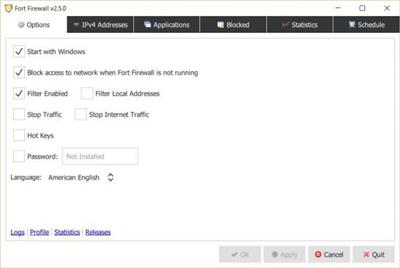
Protecting your computer against threats on the internet usually means one has to filter internet access more strictly. What better way to do that if not by using a firewall? Windows comes packed with a firewall by default. If you're not satisfied with it and are looking for more ways to control and monitor your PC's access to the internet, Fort Firewall could be one particular way to go.

What can this application do for me?
As far as its features are concerned, you get the full package. Start with filtering content by network addresses or by grouping the apps on your PC. Limit internet access and speed or usage for certain applications. Keep an eye on the evolution of your PC's connections by analyzing the stored traffic statistics. Get the help you desire from graphical displays showing bandwidth development. If one adds the fact that the whole program is based on WFP, otherwise known as Windows Filtering Platform, you come to the conclusion that this application integrates very well with Windows operating systems.
More security or simply more control
Probably the most interesting aspect for basic users is the added security it can provide for your PC. Practically, by giving more room for control and more options to tailor internet usage to one's tastes, you might be able to increase the security on your PC, but it's up to you. Fear not though, if there are certain exceptions to be made, you can simply add them to a whitelist, thus not overprotecting your machine.
Fort Firewall is an application that does not necessarily bring something new to the table. On the contrary, it employs a classic formula. Still, it offers more control over your PC's internet connections, the way certain apps use your bandwidth, and how your machine interacts with the internet for achieving various tasks. Every aspect of this application is there to simplify the way one interacts with their PC's firewall security system.
Код:
https://github.com/tnodir/fort/releases

Homepage:
Код:
https://github.com/tnodir/fort

Download link

rapidgator.net:
Код:
https://rapidgator.net/file/e8bcc56bfc729368c5dd95451cb78a68/khtzb.Fort.Firewall.3.8.1.rar.html

uploadgig.com:
Код:
https://uploadgig.com/file/download/73597b74c25aff00/khtzb.Fort.Firewall.3.8.1.rar

nitroflare.com:
Код:
https://nitroflare.com/view/945284E50A8296E/khtzb.Fort.Firewall.3.8.1.rar

1dl.net:
Код:
https://1dl.net/xql8cn6hsppm/khtzb.Fort.Firewall.3.8.1.rar
 
GoldWave 6.74 (x64) Multilingual


d1ebb0ebc3ab405ba5f71f639a42e251.jpeg


GoldWave 6.74 (x64) Multilingual
File size: 17 MB​

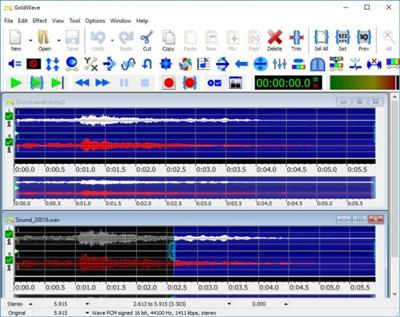
GoldWave is is a top rated, a comprehensive digital audio editor. GoldWave is ideal for people who work with audio for CD editing, archive restoration, speech analysis, radio and TV, Java and Web pages, games, or just for fun. You can use it to make everything from elaborate answering machine messages to professional, high quality CD audio content.

Play all your favourite songs
Watch real-time visuals. Listen to the audio while fast-forwarding or rewinding. Change the playback speed to hear your music in a whole new way, or to learn a song by ear, or transcribe dictation.
Record any source
Select the microphone, line-in, streaming audio or what you hear (loopback) built-in inputs. Connect a turntable to record LPs, a cassette deck to record tapes, a receiver to record radio, or a high-end USB microphone to record your own music, speeches, or reports. Set a timer to start recording at a certain day and time. Use level activated recording to continue and pause recording automatically whenever the signal is above or below a given level.
Edit audio with all the familiar commands
Includes Cut, Copy, Paste, Trim, Replace, and Overwrite. GoldWave's fast virtual editing means you can slice, dice, and merge large audio files in seconds. Mix and Crossfade songs together with just a few clicks. Combine audio for podcasts, radio spots, PowerPoint presentations, or music for dance programs, figure skating, gymnastics, and aerobics.
Apply over 40 different audio effects
Adjust bass or treble with the Equalizer. Even out volume levels with Auto Gain. Easily fade in and out background music with Voice Over. Replace profanity with beeps or other sounds with Censor. Add echoes, reverbs, flangers, and much more. Change the pitch of your voice or make it sound mechanical for unique video game expansions. Preview effects real-time before processing them. Most effects include presets for commonly used settings so you don't have to be an audio expert.
Remaster old vinyl or tape recordings
Use Noise Reduction and Pop/Click filters to clean up the audio and take out the buzz, hiss, crackle, and clicks. Use the Spectrum Filter for precise control over frequency and tone. Remove offsets and long silences.
Analyze audio with real-time visuals
View spectrograms, bar graphs, waveforms, level meters, and other useful graphs. Instantly see any audio problems during recording and playback. Isolate that high pitch whine or low rumble by sight, making filtering much easier. Demonstrate engineering and mathematical concepts, such as filters, Fourier transforms, and signal processing. Analyze human speech, bird song, whale song, engine noise, and other interesting sounds.
Код:
http://goldwave.ca/forums/viewforum.php?f=5

Homepage:
Код:
http://goldwave.ca

Download link

rapidgator.net:
Код:
https://rapidgator.net/file/4c86130c43e5a245ab64908dd74583ba/dzwke.GoldWave.6.74.x64.Multilingual.rar.html

uploadgig.com:
Код:
https://uploadgig.com/file/download/fbD6e39550ed65ca/dzwke.GoldWave.6.74.x64.Multilingual.rar

nitroflare.com:
Код:
https://nitroflare.com/view/9EF3263DA1314C2/dzwke.GoldWave.6.74.x64.Multilingual.rar

1dl.net:
Код:
https://1dl.net/6n3uwbojppz2/dzwke.GoldWave.6.74.x64.Multilingual.rar
 
Grub2Win 2.3.6.1


c9f0a1c91f3b54887b7ea4c5b5c0e3b9.jpeg


Grub2Win 2.3.6.1
File Size : 1.3 Mb​

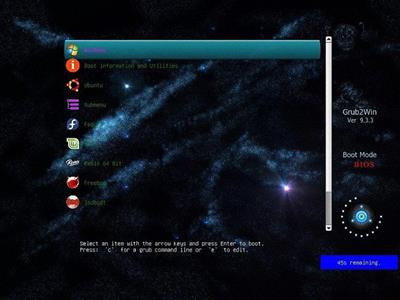
Grub2Win provides you with a boot manager that allows you to boot from various operating systems every single time you power your computer on.

First things first, boot managers resolve the problem that many users interfere with whenever they want to install different OSes on their PC. For instance, one may want to have Windows, a few Linux distributions and even a Mac OS X deployed on the same system. Without a boot manager, the boot sequence chooses the same OS over and over again and boots to it. Therefore, a boot manager is a must for any similar situation. Generally, a boot manager allows for every operating system to be installed to a separate partition, thus limiting the chances of potential conflicts. The thing with this trend amongst advanced users is quite simple to comprehend. If you ever find yourself dying to take a new operating system for a test run without completely switching to it, then you can install it alongside the current OSes on the computer. Thus, you don't have to install it over the one you are already running then reinstalling the old one if you don't find it any reason to keep the new one. Other than this, there are several other reasons to utilize boot managers and, implicitly, multiple operating systems. One of them can refer to developing and testing applications.
Overall, Grub2Win is a pretty nifty application that silently sits in the first primary partition of your system takes up little space and also packs several themes for you to choose the right one from. This way, you make sure you are not interfering with the Windows MBR code and that your partitions do not mix and create a gigantic headache.

Features
Supports 64 and 32 bit EFI as well as BIOS firmware
Installs to Windows 10, 8, 7, Vista and XP
Requires just one directory on the Windows C: drive, about 15 MB disk space
Simple Windows GUI easily sets up Grub2Win in seconds
Lets you set your EFI firmware boot order from within Windows
Preview and select boot themes and animations during the install
Grub boot messages and help can be displayed in 27 major languages worldwide
Works with all filesystems including Mac hfs and Btrfs
Can search for and boot a partition by it's label. Supports advanced scripting
Works with both MBR and GPT disks - up to 128 primary partitions per drive
Supports extremely large (over 4 TB) disks and partitions
No registry changes
Safely multiboot Windows, Remix, Android, Ubuntu, Debian, Suse, Fedora, Mint and more
Grub customization is done from Windows - Configuration in Linux is not required
Runs open source GNU Grub 2.02 code. Frequent releases and enhancements
No adware or spyware - No hassles... It just works

rapidgator.net:
Код:
https://rapidgator.net/file/256af29b1c7acaf63018eebece0b6a09/mffhz.Grub2Win.2.3.6.1.zip.html

uploadgig.com:
Код:
https://uploadgig.com/file/download/2550d96e6f4041D5/mffhz.Grub2Win.2.3.6.1.zip

nitroflare.com:
Код:
https://nitroflare.com/view/322B15E59671B3F/mffhz.Grub2Win.2.3.6.1.zip

1dl.net:
Код:
https://1dl.net/npeqm2zf0rca/mffhz.Grub2Win.2.3.6.1.zip
 
Karaosoft Karma 2023.3.20


f4a8e8c74037fe8d942ecc9968a47024.jpeg


Karaosoft Karma 2023.3.20
File size: 28 MB​

Manage your karaoke shows with ease. Clickless search, drag-n-drop functionality, and many other unique features designed to bring you the most simplified management of your karaoke shows. Karma is the culmination of years of research into every known method of running karaoke shows on the PC, to produce a product that is both robust yet simple to use and time saving. Karma eliminates many time wasting tasks to free you up for more enjoyable things like interacting with the crowd or even taking a break!

- Paperless slips - Let your singers use SingNext.com to send paperless slips right from their phones, without having to leave their seat.
- Triple display support - Optional triple display mode with 3 separate video outputs for KJ, singer, and crowd. Automatically shows lyrics to singer display while showing the crowd a different view with customizable information and displays during performances. For music videos, video automatically switches to crowd display when no singer is assigned.
- Private Messaging - Send private messages to singer screen (like "back off the mic" without embarrassing the singer), or vice versa with the crowd display.
- Superior Audio/Video Quality - Utilizes Karaosoft's custom hybrid audio/video engine for flawless sound and key changes without low end distortion. Post decoding video throughput for the smoothest video playback and synchronization on any hardware!
- Simplified Song Search - No need to take the time to drag your mouse to the search box. Just start typing!
- Drag and Drop songs and singers with ease. Change a singer's position in rotation by a simple drag and drop (mouse or touch), and watch the playlist order automatically change to suite the new rotation order!
- Touch screen scrolling with inertia
- Automatic Playlist sorting on any song add or rotation change. Any queued DJ music automatically stays in place while songs assigned to singers are automatically sorted around them.
- Auto-Play / Auto-Pitch - Set pitch ahead of time for individual songs to automatically be set when the song is played. Set DJ music to Autoplay one after another with automatic crossfade so you can take a break without worry.
- Panel Layout insures no window will ever overlap another during your show and all show related controls are always onscreen. Panels can be arranged in one of 64 different layouts, and then personally sized to fit your custom screen needs.
- On-The-Fly Lyrics timing - Ever have the lyrics ahead or behind the music? AV synch control can be changed on the fly.
- Version Changer - Singer didn't want to sing that version? Click the "Now Playing" bar and view all of the available versions for a quick change.
- Automatic Crossfader, Multiplex routing, and more!

rapidgator.net:
Код:
https://rapidgator.net/file/e1a0937061c8c84e381ca31c7052e21f/hvvad.Karaosoft.Karma.2023.3.20.rar.html

uploadgig.com:
Код:
https://uploadgig.com/file/download/db96237a14653aB7/hvvad.Karaosoft.Karma.2023.3.20.rar

nitroflare.com:
Код:
https://nitroflare.com/view/21582EF96BE9C07/hvvad.Karaosoft.Karma.2023.3.20.rar

1dl.net:
Код:
https://1dl.net/nbrxwq0y5w0d/hvvad.Karaosoft.Karma.2023.3.20.rar
 
AnyGo 6.1.0 macOS


e0363d1f7d671d289a5b2d036e715c81.jpeg


AnyGo 6.1.0 macOS
Language: Multilingual | File size: 78 MB

Easily Simulate the GPS Location on Your iPhone/iPad.​

With AnyGo you can do the following
- Spoof to anywhere in LBS(Location Based Service) games without actually moving or walking
- Easily access any videos, music, movies and services that may be restricted to you based on your location
- Share a virtual location on social media to trick your friends
- Easily test LBS and games
- Easily hide your location from apps and services
- Set your real location if GPS are unable to find it
Release Notes
Updates: official site does not provide any info about changes in this version

Supported Operation Systems
macOS 10.10 or later

Homepage:
Код:
https://itoolab.com

Download link

rapidgator.net:
Код:
https://rapidgator.net/file/8c067621f92cc0e299c83c1ff593a95a/rfxpv.AnyGo.6.1.0.macOS.dmg.html

uploadgig.com:
Код:
https://uploadgig.com/file/download/45Ae40Ce7d2ccc69/rfxpv.AnyGo.6.1.0.macOS.dmg

nitroflare.com:
Код:
https://nitroflare.com/view/83D6DD5BC6BC3DC/rfxpv.AnyGo.6.1.0.macOS.dmg

1dl.net:
Код:
https://1dl.net/5ck5ibr32pjj/rfxpv.AnyGo.6.1.0.macOS.dmg
 
Clipboard Manager 2.4.0 macOS


ebd72dfc10730cd5b9e5dc53ba6c55d6.jpeg


Clipboard Manager 2.4.0 macOS
File size: 16 MB​

Clipboard Manager is smart clipboard history manager, which stores everything you copy for the later uses.

Key Features
• Native Mac Interface - Paste or Delete clippings by swipe gesture.
• Direct Paste - Paste clippings direct to the current application.
• Application Actions - Paste, Paste as Plain Text, Open, Save to File and Search with Google.
• Custom Actions - User defined actions using AppleScript or Automator Workflow.
• Quick Panel - Panel in the header of every clippings for quick action execution.
• Drag and Drop - Drag and drop clippings to any application.
• Quick Look - Large preview for any clippings type.
• Sharing - Share clippings with your friends.
• Selected Text - Work with the selected text.
• Bulk Actions - Paste, delete or share more clippings at one time.
• Search and Filter - text search and filter clippings by type or application.
• Favorites - Choose your favorite clippings for easy search.
• Folders - Organize your clippings to Folders.
• Most Used - Show clippings ordered by paste count.
• Mode without Dock Icon - Show application window on active screen and active space.
• Ignored Applications - Ignore the contents of the clipboard from these applications.
• Ignored Contents - Ignore the contents of the clipboard by pasteboard type.
• Global Shortcut - Show application from anywhere.
• Launch Application at Login.
• Touch Bar Support.
Release Notes
Код:
https://geo.itunes.apple.com/app/id1116697975

Supported Operation Systems
macOS 10.12 or later

Homepage:
Код:
https://geo.itunes.apple.com/app/id1116697975

Download link

rapidgator.net:
Код:
https://rapidgator.net/file/b797d72c01fdd5bbe6a9ad357dd7900a/cfvap.Clipboard.Manager.2.4.0.macOS.dmg.html

uploadgig.com:
Код:
https://uploadgig.com/file/download/59eD9B8b4287a7a2/cfvap.Clipboard.Manager.2.4.0.macOS.dmg

nitroflare.com:
Код:
https://nitroflare.com/view/35B6ADFDEFCDE4B/cfvap.Clipboard.Manager.2.4.0.macOS.dmg

1dl.net:
Код:
https://1dl.net/epexahgb64lk/cfvap.Clipboard.Manager.2.4.0.macOS.dmg
 
Contacts Journal CRM 3.3.3 macOS


c5418fa8202e6419776f528f162914eb.jpeg


Contacts Journal CRM 3.3.3 macOS
File size: 25 MB​

Contacts Journal is a powerful tool that will transform your business and personal relationships: save notes of important meetings, set follow ups and meetings, create custom contact fields, and attach important documents to each of your contacts. Available on the Mac, iPhone and iPad, with seamless iCloud syncing across all devices.

KEY FEATURES
• Import and link contacts directly from the Contacts app
• Create Private Contacts and Private Groups to keep information separate from your Contacts app
• Create Email Templates with personalization tags, to send prepared emails quickly but with a personal touch
• Define and create your custom fields, and attach custom data for each contact
• See all your contacts and notes on a single Map view
• Attach Files to your contacts; import using file picker, or drag and drop documents into app
• Drag emails from the Mail app and attach to contact
• Add ToDos with alerts in Notification Center for important follow-ups
• Create events in Calendar app for your ToDos
• Call (using Skype, Facetime Audio, or iPhone over WiFi), message or email your contacts directly from the app
• Export your data for reporting by email, CSV, or PDF
• No recurring billing, no hosted service. Works offline
• Featuring automatic, seamless syncing with iCloud between Mac, iPhone and iPad apps
• DropBox sync also available
Release Notes
Код:
https://geo.itunes.apple.com/app/id916377538

Supported Operation Systems
macOS 10.15.1 or later

Homepage:
Код:
https://geo.itunes.apple.com/app/id916377538

Download link

rapidgator.net:
Код:
https://rapidgator.net/file/00ef051e3ebee8c0226359842666598e/pitar.Contacts.Journal.CRM.3.3.3.macOS.dmg.html

uploadgig.com:
Код:
https://uploadgig.com/file/download/3526083C7775d76D/pitar.Contacts.Journal.CRM.3.3.3.macOS.dmg

nitroflare.com:
Код:
https://nitroflare.com/view/545233FF7D21918/pitar.Contacts.Journal.CRM.3.3.3.macOS.dmg

1dl.net:
Код:
https://1dl.net/4fc7dbha97xg/pitar.Contacts.Journal.CRM.3.3.3.macOS.dmg
 
EdgeView 4.1.1 macOS


a3092d368d2288e866ea6df58f2ff706.jpeg


EdgeView 4.1.1 macOS
File size: 34 MB​

EdgeView is fast image viewer has elegant user interface. EdgeView is developed and designed for modern MacOS. It can open various image files such as JPEG, PNG, TIFF, BMP, and RAW file of DSLR, EPS and PDF, AI(Adobe Illustrator). Can open image files in archive directly without extraction.

User can open files, rename files, delete files from EdgeView's file browser. Also can access to SMB/AFP/FTP network volume.
User can navigate images quickly by using keyboard shorcut, mouse wheel, trackpad gesture. EdgeVew show EXIF information, play animation GIF/PNG/WebP smoothly. Save last status to history, and restore when reopen file.
EdgeView will be the best choice when viewing and managing image files.
Release Notes
Код:
https://geo.itunes.apple.com/app/id1580323719

Supported Operation Systems
macOS 11.1 or later

Homepage:
Код:
https://geo.itunes.apple.com/app/id1580323719

Download link

rapidgator.net:
Код:
https://rapidgator.net/file/1330ac00c58a7b84a9852882b3f5a3ff/xlqkb.EdgeView.4.1.1.macOS.dmg.html

uploadgig.com:
Код:
https://uploadgig.com/file/download/87c204f4cfeabE63/xlqkb.EdgeView.4.1.1.macOS.dmg

nitroflare.com:
Код:
https://nitroflare.com/view/6C093FD71AA2EE9/xlqkb.EdgeView.4.1.1.macOS.dmg

1dl.net:
Код:
https://1dl.net/og8oyulcul0p/xlqkb.EdgeView.4.1.1.macOS.dmg
 
GrandTotal 8.0.6.4 macOS


26f6896d6e5f4dd0cde5d45485e13e36.jpeg


GrandTotal 8.0.6.4 macOS
File size: 48 MB​

GrandTotal is an application to create invoices and estimates based on your own templates. The built-in template editor allows you to adjust your layout to fit your company's corporate design. GrandTotal works great in conjunction with TimeLog.

Using GrandTotal you can create invoices and estimates in the twinkling of an eye and keep track over the outstanding payments. Detailed statistics and graphs give you an insight into the current state of your business and allow comparison to previous periods.
Код:
https://mediaatelier.com/GrandTotal8/feedNotes.php
Supported Operation Systems
macOS 10.13 or later

Homepage:
Код:
https://www.mediaatelier.com

Download link

rapidgator.net:
Код:
https://rapidgator.net/file/7afae4f710f127234f4d22e49fac665d/moemy.GrandTotal.8.0.6.4.macOS.dmg.html

uploadgig.com:
Код:
https://uploadgig.com/file/download/491eaBf945022Cf2/moemy.GrandTotal.8.0.6.4.macOS.dmg

nitroflare.com:
Код:
https://nitroflare.com/view/C18AC7260E77E70/moemy.GrandTotal.8.0.6.4.macOS.dmg

1dl.net:
Код:
https://1dl.net/c4isbw59kzga/moemy.GrandTotal.8.0.6.4.macOS.dmg
 
GraphicConverter 12.0.1 (6046) Beta macOS


a8f490a40700e82ad2d1134707abb00e.jpeg


GraphicConverter 12.0.1 (6046) Beta macOS
Language: Multilingual | File size: 244 MB​

GraphicConverter is an all-purpose image-editing program that can import 200 different graphic-based formats, edit the image, and export it to any of 80 available file formats.

The high-end editing tools are perfect for graphic manipulation as well as the ability to use Photoshop-compatible plug-ins. It offers batch-conversion capabilities, a slide-show window, batch rename, batch and individual editing of metadata (EXIF, IPTC, XMP) and so much more.
Import and export functions
Import of approx. 200 & export of approx. 80 graphic formats
Catalog generation (web, print, picture)
Picture import direct from the camera (also RAW)
Support for scanners via TWAIN and Image Capture
Direct support of the photo services Flickr and DPHOTO
Picture organization & workflow management

Most sophisticated and flexible metadata management in the market
Advanced reverse geotagging
Automatic AI based keywording (multiple AI engines available)
Graphical file and picture browser
Slide show functions
Batch conversion
Support for AppleScript
Face detection
Picture editing
Express picture enhancement function
Enhancement and creation of pictures for use in the internet
Basic functions for editing pictures
Advanced functions, effects and filters for picture manipulation
Plug-in architecture
Color management with ColorSync and ICC profiles
3D image support
Extensive Functions for Geodata
Release Notes
Updates: official site does not provide any info about changes in this version

Supported Operation Systems
macOS 10.13 or later

Homepage:
Код:
https://www.lemkesoft.de/en

Download link

rapidgator.net:
Код:
https://rapidgator.net/file/04da61276440ccafa84c37bdf6d62563/bxqlo.GraphicConverter.12.0.1.6046.Beta.macOS.dmg.html

uploadgig.com:
Код:
https://uploadgig.com/file/download/2bE0cc729f2951ec/bxqlo.GraphicConverter.12.0.1.6046.Beta.macOS.dmg

nitroflare.com:
Код:
https://nitroflare.com/view/009E43CE98E09F0/bxqlo.GraphicConverter.12.0.1.6046.Beta.macOS.dmg

1dl.net:
Код:
https://1dl.net/hmeutvvp5p8f/bxqlo.GraphicConverter.12.0.1.6046.Beta.macOS.dmg
 
iMute 2.22 macOS


bccd67598dcc0e7ad52146b7a0c45c6f.jpeg


iMute 2.22 macOS
File size: 2.56 MB​

Are you monitored by a hacker or malicious websites? Here comes a macOS Core Audio level mute control app! It will block any microphone requests from any app.

Attention:iMute is NOT a simple mute switch as some users described! It goes far beyond guarding your microphone and preventing any app or website from turning it on. It will protect you from being monitored by a hacker or malicious websites.
Your MacBook's built-in microphone is precise and sensitive, but by default, it is always on, you can not mute your mic without deep into system preferences. If you wish to mute your microphone for security or other reasons, you need iMute!
iMute is displayed on top of all other apps, and it mutes your mic, guaranteed. It is perfect for use with FACETIME, SKYPE, and other communication software to ensure a muted Mic.
To witness iMute's ability, you may open up the sound panel under system preferences and notice that even if the input volume is minimal, you can still see that the microphone is still capturing your voice and the input indicators are flashing. You may notice that even while you are listening to music or watching movies, your microphone is still on.
But with iMute running, the microphone is guaranteed to be muted!
In addition, iMute will double-check the mute status every 2 minutes to secure you from hackers trying to access your mic.
* iMute is to mute your mic, to mute the speaker please use beQUIET.
Features
- Hide dock icon option added according to user's feature request
- Preferences submenu​ added
- More detailed technical support email templet
- More detailed feature request email templet
- A new feature added according to the user's feature request: Push to Talk Mode (PTT)
- Code fully rewritten
- Shortest inspection interval lowered to 5 seconds
- Control panel can be easily moved and positioned
- Reset all alerts added to all menu
- 'display settings' added to the dock menu and main menu
Release Notes
Код:
http://geo.itunes.apple.com/app/id433791100

Supported Operation System
• macOS 11.0 or later
• Apple Silicon or Intel Core processor

Homepage:
Код:
http://apps.apple.com/app/imute/id433791100

Download link

rapidgator.net:
Код:
https://rapidgator.net/file/0047461407f1cd9cbfcd3d4dca770e8d/tmvkp.iMute.2.22.macOS.dmg.html

uploadgig.com:
Код:
https://uploadgig.com/file/download/8e5db39642c20248/tmvkp.iMute.2.22.macOS.dmg

nitroflare.com:
Код:
https://nitroflare.com/view/37C2C7FCF334B27/tmvkp.iMute.2.22.macOS.dmg

1dl.net:
Код:
https://1dl.net/w3kthc27u7ur/tmvkp.iMute.2.22.macOS.dmg
 
Infuse PRO 7.5 macOS


2afc77b56dffd3d6c5e8d6f8cd1cd173.jpeg


Infuse PRO 7.5 macOS
File size: 68.35 MB​

Infuse - the beautiful way to watch almost any video format on your iPhone, iPad, Apple TV, and Mac. No need to convert files! Infuse is optimized for macOS 11, with powerful streaming options, Trakt sync, and unmatched AirPlay & subtitle support. Gorgeous interface. Precise controls. And silky-smooth playback.

→PLAY MORE VIDEO TYPES
A powerful video player that plays just about anything, including the standard MP4, M4V and MOV - plus MKV, AVI, WMV, MTS, ISO, VIDEO_TS, FLV, OGM, OGV, ASF, 3GP, DVR-MS, WebM, and WTV. Includes fully certified Dolby® Digital Plus (AC3/E-AC3), DTS® and DTS-HD® audio.
→STREAM FROM OTHER DEVICES
Browse and play videos stored on your Mac, PC, NAS, Wi-Fi hard drive, apps like Plex, Emby, and Jellyfin, or from cloud services like Dropbox, Google Drive, OneDrive, Box, pCloud, Yandex.Disk, and Mega.nz - no syncing required!
→TRAKT 2-WAY SYNC
Connect with Trakt to sync watched history, submit ratings and post comments.
→OPTIMIZED SUBTITLES POWERED BY OPENSUBTITLES
Bring your own subtitles, or download them on the fly (for free) in virtually any language.
THE BASICS
- Silky-smooth video player (plays full 4K w/ HDR & Dolby Vision)
- Stream from a Mac, PC, NAS or Wi-Fi enabled hard drive
- Connect with Plex, Emby, Jellyfin, Kodi (XBMC), WMC and other media servers
- Beautiful layout with quick access to video info
- Artwork and metadata added automatically
- Picture-in-Picture
SUPPORTED FORMATS
- Video: 3GP, AVI, ASF, BDMV, DIVX, DVDMEDIA, DVR-MS, FLV, ISO, M4V, MKV, MOV, MP4, M2TS, MTS, OGM, OGV, TP, TS, VIDEO_TS, WEBM, WMV, WTV
- Audio: AAC, AC3/E-AC3, DOLBY TRUEHD, DTS, DTS-HD MA, FLAC, MP3, OGG, PCM, WMA
- Subtitles: DVB, DVDSUB, MICRODVD, MPL2, PGS, SMI, SSA/ASS, SRT, SUB, TIMED TEXT, TMP, TXT, VOBSUB, VTT, XSUB
PLAYER FEATURES
- Multiple audio tracks
- Chapters
- Gesture controls
- 8 video zoom options
- Continuous playback
- Deinterlacing
EXTRAS
- Library organization
- Folders
- One-click subtitle downloads from OpenSubtitles
- Scrobble plays to Trakt
- Download videos from networked devices
- Drag and drop uploads via web browser
- Get extra onboard storage by adding USB drives
GET MORE WITH INFUSE PRO!
- Play even more video formats
- Enjoy Dolby® Digital Plus (AC3/E-AC3), DTS® and DTS-HD® mobile surround sound
- Stream a wide variety of video types over AirPlay and Google Cast
- Access videos stored in cloud services like Dropbox, Google Drive, Box, OneDrive, pCloud, Yandex.Disk, and Mega.nz
- Sync libraries, settings, watched history, and playback progress between devices
→ Note: DRM-protected movies & TV shows purchased from the iTunes store are not supported.
Release Notes
Код:
https://firecore.com/releases#mac

Supported Operation System
• macOS 11.0 or later
• Apple Silicon or Intel Core processor

Homepage:
Код:
http://apps.apple.com/app/infuse-7/id1136220934

Download link

rapidgator.net:
Код:
https://rapidgator.net/file/e2b9560cad92dd8e51a31284768b13ef/bdxgd.Infuse.PRO.7.5.macOS.dmg.html

uploadgig.com:
Код:
https://uploadgig.com/file/download/79026f54cA138c3f/bdxgd.Infuse.PRO.7.5.macOS.dmg

nitroflare.com:
Код:
https://nitroflare.com/view/0A2FECCBA96104A/bdxgd.Infuse.PRO.7.5.macOS.dmg

1dl.net:
Код:
https://1dl.net/6o79ge65iufh/bdxgd.Infuse.PRO.7.5.macOS.dmg
 
JPEG Jackal PRO 2.1 macOS


345d3454903574704cb04a7a9bf46dbf.jpeg


JPEG Jackal PRO 2.1 macOS
File size: 6.18 MB​

JPEG Jackal is simple, powerful and quick tool for home and professional usage, that can help you to optimize pictures size and save disk space or internet traffic. It uses special compression algorithm to give you best jpeg quality.

Features
• It's easy - just drag and drop files or folders with pictures you need to optimize;
• It's quick - special algorithm uses all power of your Mac to improve quality and speed of service;
• It's safe - compress files only if it's reasonable, according to your needs, that guarantee you avoiding of re-saveing quality loss;
• It's reliably - if you have any doubts, just save pictures to the test folder and see the result before applying it to all photos.
• It's fair - you can see saved disk space and compression ratio right away.
Features of PRO version
• Convert any type of images to JPEG
• Improved quality
• Improved performance
JPEG Jackale - may be, best tool for optimizing your photo library.
Release Notes
Код:
http://geo.itunes.apple.com/app/id1191266140

Supported Operation System
• macOS 10.13 or later
• Apple Silicon or Intel Core processor

Homepage:
Код:
http://apps.apple.com/app/jpeg-jackal-pro/id1191266140

Download link

rapidgator.net:
Код:
https://rapidgator.net/file/d6064024e912c58a38a37c9bdf413446/egodm.JPEG.Jackal.PRO.2.1.macOS.dmg.html

uploadgig.com:
Код:
https://uploadgig.com/file/download/014F095188f45A52/egodm.JPEG.Jackal.PRO.2.1.macOS.dmg

nitroflare.com:
Код:
https://nitroflare.com/view/E27059DB33A5DBB/egodm.JPEG.Jackal.PRO.2.1.macOS.dmg

1dl.net:
Код:
https://1dl.net/ydvwpcox6frc/egodm.JPEG.Jackal.PRO.2.1.macOS.dmg
 
MIDI Keyboard - Piano Lessons 1.2.11 macOS


197516248b86011211c3d2eae904581e.jpeg


MIDI Keyboard - Piano Lessons 1.2.11 macOS
File size: 100 MB

Meet our new piano keyboard simulator for your Mac.​

- Use Drag&Drop feature or upload your MIDI file from the menu bar;
- Slow down or speed up sound by changing the rhythm;
- Try to repeat the melody during the playback;
- Record your own track and save it on your Mac;
- Enjoy the opportunity to connect a MIDI keyboard!
You can start playing piano right now without any difficulties!
Create your own piano melodies with Midi Keyboard.
In-App Purchases:Full Version - included.
Supported Operation Systems
macOS 10.13 or later

Homepage:
Код:
https://geo.itunes.apple.com/app/id1221266801

Download link

rapidgator.net:
Код:
https://rapidgator.net/file/c95bd5eb36d8bca49b1360bbb11787a7/lkgzd.MIDI.Keyboard..Piano.Lessons.1.2.11.macOS.dmg.html

uploadgig.com:
Код:
https://uploadgig.com/file/download/0ed53f381c5113b7/lkgzd.MIDI.Keyboard..Piano.Lessons.1.2.11.macOS.dmg

nitroflare.com:
Код:
https://nitroflare.com/view/BA07DC3CF04BE98/lkgzd.MIDI.Keyboard..Piano.Lessons.1.2.11.macOS.dmg

1dl.net:
Код:
https://1dl.net/ye85toj29xzr/lkgzd.MIDI.Keyboard..Piano.Lessons.1.2.11.macOS.dmg
 
MWeb Pro 4.4.2 macOS


fa4e3e31374cc871a91bffa7443d6412.jpeg


MWeb Pro 4.4.2 macOS
File size: 32.95 MB​

MWeb is a professional Markdown writing, note taking, and static blog generator app for Mac, iPad, and iPhone. Here are some special features of MWeb.

## The software
* Made with supporting native technologies in mind. It is always a perfect integration with the platform.
* Aiming for modern UI and high performance, also being powerful, easy-to-use, and fully-featured.
## Markdown
### The powerful syntax
* Use the Github Flavored Markdown (GFM) by default.
* Included with the support of creating tables, TOCs, LaTeX math, fenced code blocks, task lists, footnotes, and many more.
* Easily generate graphics with any of mermaid, Graphviz, ECharts, PlantUML, js-sequence-diagrams, and flowchart.js.
### Editing assistant
* Gracefully handle image insertion: direct copy and paste, drag and drop, and full-colored preview in the editor.
* Specify the image size in Markdown-compatible syntax.
* Inserting tables and LaTeX equations with ease.
### Note taking
* Store and manage all documents in a tree-like categoring library with a tagging system. Categories can be gracefully exported or turned into static websites.
* Put quick notes.
* Instantly search from the entire library.
### Output
* Exporting contents as various formats, including HTML, EPUB, PDF, RTF, Docx, and even image.
* Publishing the articles to Wordrpess, Metaweblog API, Wordpress.com, Evernote, Blogger, Medium, Ghost, and Tumblr.
* Smooth support for image upload services: using Imgur, Qiniu, Upyun, or your custom API.
### External documentation
* There is an external mode in MWeb that enables importing existing markdown files in directories. It also handles contents from Gitbook, JekyII and Hexo.
Release Notes
Код:
https://www.mweb.im/download.html

Supported Operation System
• macOS 10.13 or later
• Apple Silicon or Intel Core processor

Homepage:
Код:
http://www.mweb.im

Download link

rapidgator.net:
Код:
https://rapidgator.net/file/0b79f3ac9d2ad3db4fab71ae8d9aa5c3/kvtdf.MWeb.Pro.4.4.2.macOS.dmg.html

uploadgig.com:
Код:
https://uploadgig.com/file/download/afbf56c94615674a/kvtdf.MWeb.Pro.4.4.2.macOS.dmg

nitroflare.com:
Код:
https://nitroflare.com/view/081F1096C19BCDA/kvtdf.MWeb.Pro.4.4.2.macOS.dmg

1dl.net:
Код:
https://1dl.net/b1fzboba5c3w/kvtdf.MWeb.Pro.4.4.2.macOS.dmg
 
NCH Crescendo Music Notation Editor Pro 9.28 macOS


0bee4106869645f5e8090cfdf5fdd0cc.jpeg


NCH Crescendo Music Notation Editor Pro 9.28 macOS
File size: 23 MB​

Crescendo Music Notation is the perfect software to start composing your music today. Using a free form sheet music layout, you can write your song, score, or composition your way. Create your arrangements with a variety of notation tools, where you can change the Dynamics, Clef, Key Signature, Time Signature, and more.

Notes are easy to add and can quickly be transposed by key or by interval. Once finished, you can easily print your sheet music or save your score to MIDI, PDF, and more.
Music Writing Features include
• Change the cleft, time signature, and key signature on your sheet music
• Add whole, half, quarter, eighth, sixteenth, and thirty-second notes and rests (semibreve to demisemiquaver)
• Edit your notes with sharps, flats, accidentals, slurs and more
• Write your own guitar tabs
• Use text to specify tempo or dynamics, write lyrics, and create a title
• Supports VSTi instruments for MIDI playback
• Write percussion notation
Top In-App Purchases: Pro Version - included.
Release Notes
Код:
https://geo.itunes.apple.com/app/id1479257465

Supported Operation Systems
macOS 10.10 or later

Homepage:
Код:
https://geo.itunes.apple.com/app/id1479257465

Download link

rapidgator.net:
Код:
https://rapidgator.net/file/df28861a2cd067853fbbbdd3a5d3747b/glhno.NCH.Crescendo.Music.Notation.Editor.Pro.9.28.macOS.dmg.html

uploadgig.com:
Код:
https://uploadgig.com/file/download/f16208fB14c8875d/glhno.NCH.Crescendo.Music.Notation.Editor.Pro.9.28.macOS.dmg

nitroflare.com:
Код:
https://nitroflare.com/view/B6160C2775D3C02/glhno.NCH.Crescendo.Music.Notation.Editor.Pro.9.28.macOS.dmg

1dl.net:
Код:
https://1dl.net/yu5ci9cupiu5/glhno.NCH.Crescendo.Music.Notation.Editor.Pro.9.28.macOS.dmg
 
Paste Queue 1.6.0 macOS


c448365dab3ba2ffee43b39ea529ba8b.jpeg


Paste Queue 1.6.0 macOS
File size: 6 MB​

Paste Queue is a time saver for copying and pasting multiple items from one place to another. It lets you copy all needed items first, and paste them afterwards, so you don't need to switch back and forth between your source and destination.

For example, you can copy a name, photo, phone number, and address as separate items from a form with a keyboard shortcut, and then paste them into another form one by one with another shortcut
Release Notes
Код:
https://geo.itunes.apple.com/app/id1380017883

Supported Operation Systems
macOS 10.10 or later

Homepage:
Код:
https://geo.itunes.apple.com/app/id1380017883

Download link

rapidgator.net:
Код:
https://rapidgator.net/file/e1fd6eeec0dd48a52320b3272996bbdf/zvqqs.Paste.Queue.1.6.0.macOS.dmg.html

uploadgig.com:
Код:
https://uploadgig.com/file/download/3aA4add5B8A743dD/zvqqs.Paste.Queue.1.6.0.macOS.dmg

nitroflare.com:
Код:
https://nitroflare.com/view/E89C730702861CE/zvqqs.Paste.Queue.1.6.0.macOS.dmg

1dl.net:
Код:
https://1dl.net/yhtlec3icpzh/zvqqs.Paste.Queue.1.6.0.macOS.dmg
 
Назад
Сверху