• Форум работает в архивном режиме www.old.nado.in

All mitsumi'1s Applications !! (updated daily)

  • Автор темы Автор темы mitsumi1
  • Дата начала Дата начала
BABY Audio Transit v1.2.0 Win Mac

a046e2e9b82892b955a418745f04cb57.jpeg


BABY Audio Transit v1.2.0 Win Mac
Team R2R | 2023.10.22 | 175 MB​

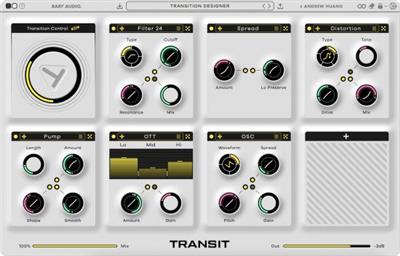
We teamed up with Andrew Huang to create Transit: An FX plugin that'll give your mix transitions super powers. Use it for build-ups, drops, motion effects, risers and sweeps - and keep your listeners constantly engaged.

AN EASIER WAY TO CREATE BETTER TRANSITIONS
Creative transitions between song parts play a vital role in keeping listeners engaged and excited. To make them, producers rely on multiple tracks and plugins - and a suffocating amount of automation lanes.
Transit simplifies this process down to just one plugin. It hosts 18 powerful effect-modules, freely loadable across 7 slots. All effect parameters can be linked to a global Macro Control, which you automate to create complex FX transitions with one knob movement. The result: More engaging, less static, mixes.
A CREATIVE PLAYGROUND
The 18 effect modules in Transit are purpose-designed for transition duties. You get classic modulation effects, distortion and degradation options, motion FX, reverb, delay, two filter types - and even a synth oscillator and noise generator for adding risers and sweeps to your transitions.
The quality and variety in effects - and the semi-modular architecture of the plugin - makes Transit a sound designer's dream. You may soon end-up using it as a regular multi-FX or a new go-to LFO tool. The possibilities are near limitless.
Changelog
Updates: official site does not provide any info about changes in this version.

Homepage
Код:
https://babyaud.io/transit

Download link

rapidgator.net:
Код:
https://rapidgator.net/file/6c94dfc30d476144ab226234434cfa21/dqtzx.BABY.Audio.Transit.v1.2.0.Win.Mac.rar.html

uploadgig.com:
Код:
https://uploadgig.com/file/download/1dbd07190527be6e/dqtzx.BABY.Audio.Transit.v1.2.0.Win.Mac.rar

nitroflare.com:
Код:
https://nitroflare.com/view/96DBD954E098A08/dqtzx.BABY.Audio.Transit.v1.2.0.Win.Mac.rar
 
Backup Wizard 2.7


7857e9f90f39d79f83027f88ae1205e1.jpeg


Backup Wizard 2.7
File Size : 37.5 Mb​

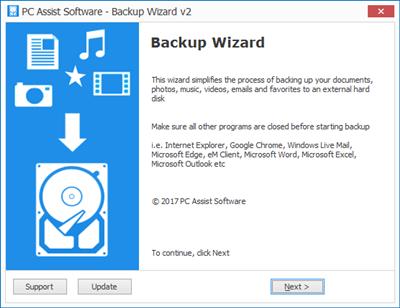
Easily backup your data to an external hard drive using this tool - simply select the items you wish to backup, choose a destination, and the wizard does the rest.

N.B. This tool is no longer updated and has been replaced by the new Backup Assist tool above
Whats New
Resolved issue with mapped drives not appearing
Core components updated
Updated to .NET 4.8

Homepage
Код:
https://www.pcassistsoftware.co.uk/

Download link

rapidgator.net:
Код:
https://rapidgator.net/file/b594c86447d9443fc329c20b7241d87a/eqxpi.Backup.Wizard.2.7.msi.html

uploadgig.com:
Код:
https://uploadgig.com/file/download/90C493a1Ff035e03/eqxpi.Backup.Wizard.2.7.msi

nitroflare.com:
Код:
https://nitroflare.com/view/28D6423A259252E/eqxpi.Backup.Wizard.2.7.msi
 
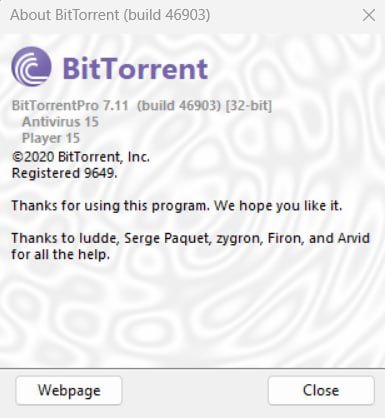
BitTorrent Pro 7.11.0.46903 Multilingual


c9fc86e8e1d65011775b641b1bcb9acd.jpeg


BitTorrent Pro 7.11.0.46903 Multilingual
File size: 22 MB​

BitTorrent is a peer-to-peer file sharing (P2P) communications protocol. It is a method of distributing large amounts of data widely without the original distributor incurring the entire costs of hardware, hosting and bandwidth resources. The protocol was designed in April 2001, implemented and first released 2 July 2001 by programmer Bram Cohen, and is now maintained by BitTorrent, Inc. It identifies content by URL and is designed to integrate seamlessly with the Web.

Its advantage over plain HTTP is that when multiple downloads of the same file happen concurrently, the downloaders upload to each other, making it possible for the file source to support very large numbers of downloaders with only a modest increase in its load.
Serving large files creates problems of scaling, flash crowds, and reliability. The key to cheap file distribution is to tap the unutilized upload capacity of your customers.
Dynamic bandwidth management - download without disrupting other applications
Detailed stats on the health of media files provides a safer, more controlled experience
No hardware configuration - reduced hassle of fast downloads
The new version brings together BitTorrent's proven expertise in networking protocols with µTorrent's efficient implementation and compelling UI to create a better BitTorrent client.
Main Features
Lightweight client
Local peer discovery
Multiple simultaneous downloads
Configurable bandwidth scheduler
Global and per-torrent speed limiting
Quick-resumes for interrupted transfers
RSS Downloader
Trackerless support (Mainline DHT)
Always Spyware-Free
BitTorrent 7.9 is the first version to include a major change in the way that BitTorrent chooses peers in a swarm. Designed by Arvid Norberg, Canonical Peer Priority is a way to help peers connect to the swarm faster, as well as reduce the average hop length from you to any other peer in the swarm.
When a bittorrent client joins a swarm, it needs a way to select which peers it connects to. If it chooses poorly, or if there are malicious actors in the swarm, the connections between clients are not well distributed through the swarm. That leads to a large number of hops from node to node. As a result, that slows down the ability to each client to pass data on to the next.
Pro Features
- Streaming
- Antivirus protection
- HD media player
- File converter
- Remote, secure access to files
- Ad-Free
Код:
https://www.bittorrent.com/blog/releases/windows/

Screenshots

13fbc305cb9253a1d8a848bb4a60a7f2.jpeg

Homepage
Код:
http://bittorrent.com/

Download link

rapidgator.net:
Код:
https://rapidgator.net/file/133858063aff1b4803e242f3f206ce1e/wyoex.BitTorrent.Pro.7.11.0.46903.Multilingual.7z.html

uploadgig.com:
Код:
https://uploadgig.com/file/download/5117A8f8ff9c0d83/wyoex.BitTorrent.Pro.7.11.0.46903.Multilingual.7z

nitroflare.com:
Код:
https://nitroflare.com/view/B945638133BAA82/wyoex.BitTorrent.Pro.7.11.0.46903.Multilingual.7z
 
Bitvaerk File Juggler 3.0.9


7657d57a943a7f68ada28589bf8672f7.jpeg


Bitvaerk File Juggler 3.0.9
File size: 7.0 MB​

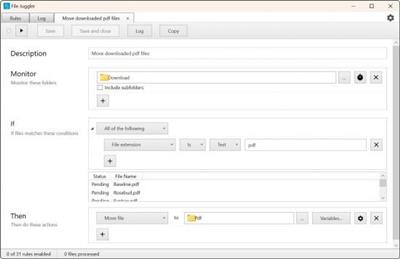
File Juggler is a handy software utility that allows you to manage and organize files based on a set of rules which you can define. With this application, you can monitor a single folder or multiple ones and decide which files you want to move, rename, copy, open or delete.

Watch your files fly magically in place
Create powerful file automation rules, and sit back and watch as your files are renamed, moved, deleted as you want. Instantly and automatically.
Automatic document organizing
Save hours of boring manual document organization. File Juggler reads the contents of your files and puts them in the right spot while you do your real job.
Set rules by creating if-then statements
Rules are created based on conditional if-then statements that decide which file actions should be taken. Consequently, you can create both simple and complex conditions or combine them in any way you want. Also, you are not restricted to any number of if-structures, so you can create as many as you need. Besides manually creating rules, you can create a list of actions that orderly run with each completed step.
Another method of executing or creating rules for files is by using the File Explorer's right-click menu.
An alternative to Windows Search Service
Instead of using the Windows search function which gives you the possibility to handle only one file at a time, File Juggler allows you to perform various operations on multiple files automatically.
By creating rules, you instruct the application to perform various file actions that include moving, renaming, extracting, copying or deleting files.
Other functions enable you to verify the contents of Word documents, PDF and text files, as well as organize music files into categories using artist, album and title information.
Most photos captured with cameras and mobile phones are represented by meaningless numbers, to assign significant names, File Juggler offers you the possibility to rename them with the time and date when they were taken.
Fully-featured file manager
All in all, File Juggler is a comprehensive file manager that features many unique functions which allow you to maintain a clean and organized system. Apart from executing basic file operations, File Jugger sorts downloads automatically by file type, notifies you when performing an action, runs commands, uploads contents of text files to Evernote and sends documents to Recycle Bin.
Код:
https://www.filejuggler.com/news/

Homepage
Код:
https://www.filejuggler.com/

Download link

rapidgator.net:
Код:
https://rapidgator.net/file/7e58ac0fcfd9fe6a894694fd571d6b6d/lgrrx.Bitvaerk.File.Juggler.3.0.9.rar.html

uploadgig.com:
Код:
https://uploadgig.com/file/download/55e6194658130b0b/lgrrx.Bitvaerk.File.Juggler.3.0.9.rar

nitroflare.com:
Код:
https://nitroflare.com/view/3F2283DF9E8EE70/lgrrx.Bitvaerk.File.Juggler.3.0.9.rar
 
Boris FX SynthEyes Pro 2024 v23.10.1057 (x64)


529338e134aa52eb2cca91ed3be465df.jpeg


Boris FX SynthEyes Pro 2024 v23.10.1057 (x64)
File size: 189.2 MB​

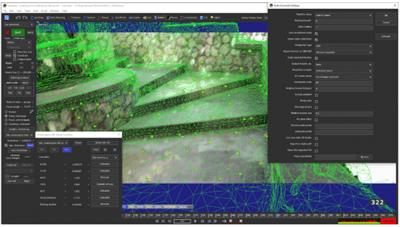
SynthEyes™ is a standalone application optimized for camera, object, geometry, and planar tracking, stabilization, and motion capture, with high performance, a huge feature list, exports to many applications, and an affordable price. Use SynthEyes for critter insertion, fixing shaky shots, virtual sets, object removal, stereoscopic production, 360°VR, architectural previews, accident reconstruction, product placement, face and body capture, .

SynthEyes has been helping VFX artists since 2003 in more than 90 countries. Whether you're starting out, or need to step up to real tracking power and performance, put SynthEyes to work today!
What can SynthEyes help me do? You can use SynthEyes to help insert animated creatures or vehicles; stabilize shaky conventional or 360°VR shots; extend or fix a set; add virtual sets to green-screen shoots; replace signs or insert monitor images; remove unwanted objects from shots; produce 360° virtual reality or 3D stereoscopic films; create architectural previews; reconstruct accidents or crashes; do product placements after the shoot; move imagery from one shot to another; add 3D cybernetic implants, cosmetic effects, or injuries to actors; produce panoramic backdrops or clean plates; build textured 3-D meshes from images; add 3-D particle effects; or capture body motion to drive computer-generated characters. And those are just the more common uses; we're sure you can think of more.
What are its features? How much time do you have? For a longer list, click the "Features" item up top. Here's a few to start. SynthEyes offers 3-D tracking, set reconstruction, stabilization, and motion capture. It handles camera tracking, 2- and 3-D planar tracking, object tracking with or without a reference mesh, geometry tracking, geometric hierarchy tracking, secondary tracking, camera+object tracking, fiducial tags, survey shots, multiple-shot tracking, tripod (nodal, 2.5-D) tracking, mixed tripod and translating shots, stereoscopic shots, nodal stereoscopic shots, zooming shots, 360° VR shots, lens distortion, light solving. A keyer simplifies and speeds tracking for green-screen shots. The image preprocessor helps remove grain, compression artifacts, off-centering, or varying lighting and improve low-contrast shots, or convert to and from 360° VR shots. Meshes can be built from tracking data, and their textures extracted from the image sequence, producing higher resolution and lower noise than any individual image.
SynthEyes offers complete control over the tracking process for challenging shots, including an efficient workflow for supervised trackers, combined automated/supervised tracking, offset tracking, incremental solving, rolling-shutter compensation, a hard and soft path locking system, distance constraints for low-perspective shots, and cross-camera constraints for stereo. A solver phase system lets you set up complex solving strategies with a visual node-based approach (not in Intro version). You can set up a coordinate system with tracker constraints, camera constraints, an automated ground-plane-finding tool, by aligning to a mesh, a line-based single-frame alignment system, manually, or with some cool phase techniques. The ViewShift system allows you to do object removals, combine split takes, generate animated texture maps, and more.
Eyes starting to glaze over at all the features? Don't worry, there's a big green AUTO button too. Download the free demo and see for yourself.
What can SynthEyes talk to? SynthEyes is a tracking app; you'll use the other apps you already know to generate the pretty pictures. SynthEyes exports to about 25 different 2-D and 3-D programs. A revolutionary Instructible Assistant, Synthia™, helps you work faster and better, from typed or even spoken natural language directions. The Sizzle scripting language lets you customize the standard exports, or add your own imports, exports, or tools. You can customize toolbars, color scheme, keyboard mapping, and viewport configurations too. Advanced customers can use the SyPy Python API/SDK.
Код:
https://www.ssontech.com/nufeat.html

Homepage
Код:
https://www.ssontech.com/index.html

Download link

rapidgator.net:
Код:
https://rapidgator.net/file/ba64cb3225bd6af079f044256c3c61fa/dtmzg.Boris.FX.SynthEyes.Pro.2024.v23.10.1057.x64.rar.html

uploadgig.com:
Код:
https://uploadgig.com/file/download/E92e16844c8412ee/dtmzg.Boris.FX.SynthEyes.Pro.2024.v23.10.1057.x64.rar

nitroflare.com:
Код:
https://nitroflare.com/view/E3B3185CF1A4D77/dtmzg.Boris.FX.SynthEyes.Pro.2024.v23.10.1057.x64.rar
 
Bulk Image Downloader 6.35 Multilingual


baf7de7c01bc96d0bd9133ab30c4b230.jpeg


Bulk Image Downloader 6.35 Multilingual
File size: 34.4 MB​

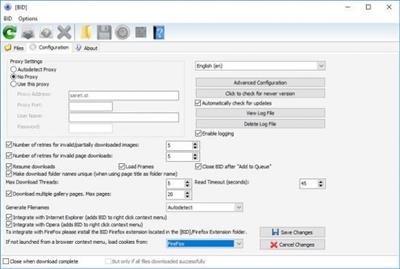
Bulk Image Downloader is an application specifically developed to help you download Full Sized images from almost any web gallery or web forum.

Features
Image Host Support - BID works with almost all popular image hosting sites, such as flickr, imagevenue, imagefap, imageshack, imagebam, etc.
Social Networking Sites - BID supports album downloading from sites such as facebook, myspace, and twitter related hosts like tweetphoto.com, twitpic.com, yfrog.com
Full Sized Images - BID uses an advanced heuristic scoring method to locate full sized images. This means BID can work on most galleries automatically, with no user configuration necessary.
Batch Downloading - Automatically download from huge lists of gallery URLs via the integrated Queue Manager.
Web Browser Integration - BID integrates with IE, Opera, FireFox and Chrome. Just right click inside your browser window and select "Open current page with BID"
Web Forum Support - BID can scan multi page forum threads and quickly extract all image links
Multi Page Gallery Downloads - BID can detect and download from most popular multi page web galleries out of the box.
Password Protected Websites - BID will prompt for user names and passwords if the web site requires them.
Video Downloading - It's not just for images - BID also supports VIDEO downloading from directly linked video files (.avi, .wmv, .mpeg, .mov, .flv, .mp4, etc)
Embedded images - Apart from locating and downloading full sized imaged, BID can also download images embedded on a page
Sequenced image filenames (fusker) - BID supports 'ranged' URLs for sequenced image downloading.
Image Validation - BID checks every image to make sure it's been downloaded correctly. Invalid images are retried automatically.
Resume Downloads - BID will resume downloads from the point at which the connection was broken.
Multi Threaded Downloading - BID can download up to 50 images at once. Download those galleries quickly!
Redirection Resolution -Some sites use image redirection "services" like imagecash, urlcash etc. to display adverts before redirecting to the imagehost. BID automatically resolves these types of links.
File name unmangling - BID will retrieve the correct file name from image hosts that scramble filenames (where possible), such as imagevenue, imagefap.
Generate File names - Optionally create your own sequenced file names for image hosts that scramble the file names,
Export Galleries to HTML or BB Code - Quickly generate gallery code suitable for pasting into web forums.
Advanced Configuration - BID has many advanced settings for things like Javascript processing, redirection handling, and more for those tricky galleries that thwart BID's download attempts. We're happy to help out with these settings if you get stuck - just contact us.
... and more!
Код:
https://bulkimagedownloader.com/bulk-image-downloader-version-history/

Homepage
Код:
http://bulkimagedownloader.com/

Download link

rapidgator.net:
Код:
https://rapidgator.net/file/6e62b6e3dcd1a6ed05600064d9d55ac6/flouk.Bulk.Image.Downloader.6.35.Multilingual.rar.html

uploadgig.com:
Код:
https://uploadgig.com/file/download/312B679F4968c5E1/flouk.Bulk.Image.Downloader.6.35.Multilingual.rar

nitroflare.com:
Код:
https://nitroflare.com/view/C6FAAD97B022D99/flouk.Bulk.Image.Downloader.6.35.Multilingual.rar
 
Cadence DataCenter Design 2023.2.2 HF2 (x64)


776bdfbee12f783d3f45869d14b52286.jpeg


Cadence DataCenter Design 2023.2.2 HF2 (x64)
x64 | File Size: 1.81 GB​

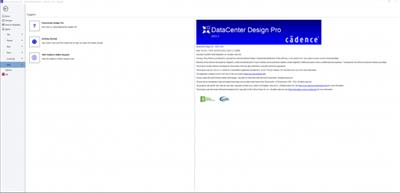
Description
6SigmaRoom by Future Facilities Ltd. has been rebranded into two distinct product offerings from Cadence Design Systems: DataCenter Design and DataCenter Insight. See About DataCenter 2023.2 DataCenter Design and DataCenter Insight Desktop 2023.2 follow on directly from 6SigmaRoom Release 17.1,so all known and fixed issues that applied to 6SigmaRoom Release 17.1 also apply to DataCenter Design and DataCenter Insight Desktop 2023.2.

Multi-domain system analysis is enabled by the Cadence® system analysis portfolio. For instance, analyzing thermal effects is a must because the through-silicon-vias (TSVs) in 3D-ICs can result in poor lateral heat distribution, more heat dissipation, and reduced performance if not managed properly. New test strategies are required, and package silicon co-design becomes critical. In addition, having computational fluid dynamics (CFD) products, such as the Cadence OMNIS™ suite, to simulate, design, and optimize in one multiphysics CFD environment is essential to assess the integration of chips into boards and systems.
System Requirements
OS:Windows 11/Windows 10/ Windows Server 2019 / Windows Server 2016
GPU:4 GB minimum / 8 GB recommended /16 GB for the largest models (models with a large number of surfaces)
Space: 8 GB
Whats New
read:Hotfix_SYSDCT20.23.002_README-DataCenter_Insight_Desktop_Release_Notes_2023.2_HF2.pdf

Screenshots

608863f2f0eb62946ebec118fda074cc.jpeg

Homepage
Код:
https://www.cadence.com/

Download link

rapidgator.net:
Код:
https://rapidgator.net/file/129bda8fc7a6aaaf111a882afebd4279/sxlvz.Cadence.DataCenter.Design.2023.2.2.HF2.x64.part1.rar.html
https://rapidgator.net/file/680e3cf43e32f101d9403d55239ec00c/sxlvz.Cadence.DataCenter.Design.2023.2.2.HF2.x64.part2.rar.html

uploadgig.com:
Код:
https://uploadgig.com/file/download/685189e1dD2eaE60/sxlvz.Cadence.DataCenter.Design.2023.2.2.HF2.x64.part1.rar
https://uploadgig.com/file/download/b8865c5145aDef0f/sxlvz.Cadence.DataCenter.Design.2023.2.2.HF2.x64.part2.rar

nitroflare.com:
Код:
https://nitroflare.com/view/5C15AA01F618C2E/sxlvz.Cadence.DataCenter.Design.2023.2.2.HF2.x64.part1.rar
https://nitroflare.com/view/C161EBD3D761B0F/sxlvz.Cadence.DataCenter.Design.2023.2.2.HF2.x64.part2.rar
 
Cadence Fidelity Pointwise 2023.1.1 (x64)


46a0c42d57cdf3a345aa799958717aa7.jpeg


Cadence Fidelity Pointwise 2023.1.1 (x64)
x64 | File Size: 1.41 GB​

Description
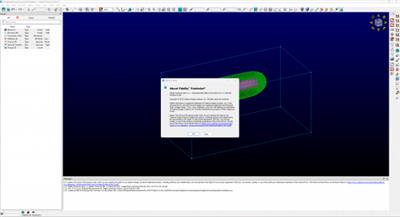
Cadence Fidelity Pointwise utilizes industry leading mesh generation techniques as well as geometry model preparation capabilities for high fidelity characterization of the fluid domain.

If you ask any engineer or computational fluid dynamics (CFD) enthusiast, meshing is the most time-intensive part of the CFD workflow with one of the highest impacts. We know that the process can be time-intensive but is vital to ensuring high-accuracy and high-efficiency CFD simulations moving forward.
Fidelity Pointwise doesn't settle just for industry leading CFD meshing. One of our greatest points of pride in Fidelity Pointwise is its capacity to integrate into just about any CFD simulation workflow. Through our mesh export and import tools and pre-built relationships with other strong solvers and simulation tools, you can trust that Fidelity Pointwise will enhance existing workflows. The entire team dedicated to supporting and advancing Fidelity Pointwise is deeply connected to the meshing community and involved in industry roundtables, panels, and influential guidelines like the CFD 2030 plan(opens in a new tab). With Pointwise you can trust in progress.
Save Time and Improve Fidelity With Excellent Quality Mesh Generation
Depending on where you are in your production cycle, you might be looking for fundamentally different highlights in your CFD tools. Whether you're in final verification and want the utmost accuracy or are just starting out in your simulations and want speed and computational efficiency, Fidelity Pointwise has what you need.
Hybrid, Overset, and High-Order Meshes
With meshes growing into the hundreds of millions and even billions of cells, having an assortment of hexahedral, overset, and high-order cell definitions enables explorative examination.
Ease of Interface With Any Simulation Workflow
Fidelity Pointwise recognizes that CFD users will often be getting the best available solution from a multitude of products and ensures that you will maintain access to your top quality meshes no matter the workflow.
Fidelity Pointwise Technologies Changing the World
Realize your CFD potential with the utmost in mesh generation, geometry preparation, and pre-processing fidelity. Peruse through our video library for webinars and demonstrations for what Fidelity Pointwise can do in your CFD workflow.
System Requirements
OS:Windows 8.1/Windows 10
16 GB RAM (64 GB recommended)
2 GB disk space (512 GB recommended)
Ethernet card
OpenGL compatible monitor with at least 1280x1024 screen
resolution (up to 4K)
Dedicated professional graphics card supporting 3D hardware-
accelerated OpenGL and 24-bit RGB double-buffering
OpenGL 2.0 or higher
Up-to-date graphics card drivers
Whats New
read:Hotfix_POINTWISE23.10.001_README-Release_Notes.pdf

Screenshots

ca0f775835e0542b781d49f149acd933.jpeg

Homepage
Код:
https://www.cadence.com/

Download link

rapidgator.net:
Код:
https://rapidgator.net/file/af7d8e260a55d27b0a488f86d3c63fef/kbfel.Cadence.Fidelity.Pointwise.2023.1.1.x64.part1.rar.html
https://rapidgator.net/file/7402e300af4a238eb48bfb2394f05c12/kbfel.Cadence.Fidelity.Pointwise.2023.1.1.x64.part2.rar.html

uploadgig.com:
Код:
https://uploadgig.com/file/download/656Daef926f03273/kbfel.Cadence.Fidelity.Pointwise.2023.1.1.x64.part1.rar
https://uploadgig.com/file/download/79a1a45d147bA476/kbfel.Cadence.Fidelity.Pointwise.2023.1.1.x64.part2.rar

nitroflare.com:
Код:
https://nitroflare.com/view/00C4FCF05899ED3/kbfel.Cadence.Fidelity.Pointwise.2023.1.1.x64.part1.rar
https://nitroflare.com/view/478289E78219F97/kbfel.Cadence.Fidelity.Pointwise.2023.1.1.x64.part2.rar
 
Classroom Spy Professional 5.1.7


70e5b3140ff198830728b23e47d5e87b.jpeg


Classroom Spy Professional 5.1.7
File size: 42.8 MB​

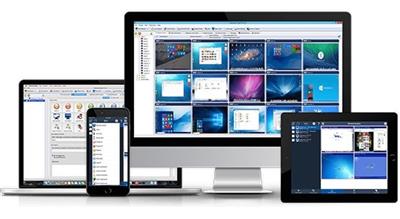
Simple and effective classroom management software. Put classroom management to a higher level. This software lets you see what everyone's doing - without leaving your desk. You can monitor the activity of all student computers in your classroom remotely. Plus, you can share your screen with your students' record activity, control computers, make demos, limit the internet usage, block applications and much more.

Take Control Now
It is hard to teach a group of people how to use a computer. Discipline in classroom can be an issue. We can truly help you with this. Yes, such training isn't easy. For someone who's doing something right, there are probably two others doing it wrong, playing games, checking email, shopping...
Main Features
Displaying a live picture of a remote computer.
You can take control of a remote computer by controlling its mouse and keyboard.
More remote screens can be displayed in a table.
Computers can be organized in computer groups (e.g. classrooms)
A remote screen can be zoomed to an actual size.
The name of the connected user is displayed.
Record remote computers screens to MPG4 files.
Show your desktop to students or show student desktop to students
Power on/off, restart, hibernate, suspend remote computers
Log off desktop users
Lock workstation
Clear desktop
Control screen-saver
Block Internet
Block applications
Mute remote computers
Limit remote computers audio volume level
Disable printing
Disable Ctr+Alt+Del
Blank screen
Start program on remote computers and see the output
Open web page on remote computers
Multi-monitor support
Control over running processes and applications
You can lock selected remote computers
You can display a message on selected remote computers.
When lower bandwidth is required, the refresh interval can be enlarged.
Automatic connection to a remote computer is optional.
Settings for the agent are encrypted and password protected.
Connection to a remote computer is password protected.
Access to monitoring the console is password protected. If more users use the same computer, different profiles and access passwords can be set.
More monitoring consoles can be connected to the same remote computer - you can monitor your students from different locations.
Agent can be remotely installed.
Fast users switching is supported.
Multi-session support for Remote Desktop, Terminal Services, Citrix,...
Console can be used on smart phone or tablet
What are the major benefits of using Classroom Spy Pro?
Installation and use of the application is very easy since all of the functions can be accessed with a few mouse clicks.
You have complete control over what remote users are doing.
This application provides you with a live picture of the remote computer screens.
You can make the presentation by showing your live screen to students or presenting student screen to others.
Application allows you to take over the remote computer by controlling its mouse and keyboard.
The remote computersA‚A? screens are represented in the table with a customizable number of rows as thumbnails.
Schedule remote computers desktop recording to MPEG4 files
Execute several actions on all remote computers with on click
Block applications and Internet access
Log visited web pages
Log used applications
Log keystrokes - keylogger
...and much more - see feature list and screen-shots
Код:
https://classroomspy.com/classroom-management-software.htm

Homepage
Код:
https://classroomspy.com/

Download link

rapidgator.net:
Код:
https://rapidgator.net/file/0ab3673e421e6e609c70d3514eb220ee/seipt.Classroom.Spy.Professional.5.1.7.rar.html

uploadgig.com:
Код:
https://uploadgig.com/file/download/Cfc9b93fa7237c52/seipt.Classroom.Spy.Professional.5.1.7.rar

nitroflare.com:
Код:
https://nitroflare.com/view/76D97A9FF53E582/seipt.Classroom.Spy.Professional.5.1.7.rar
 
Cloanto C64 Forever 10.2.6 Plus Edition


1b15730ea7e064b1498d4ebe1adb543c.jpeg


Cloanto C64 Forever 10.2.6 Plus Edition
File size: 135 MB​

When the C64 was launched by Commodore in 1982 it immediately set the standard for 8-bit home computers. Its low cost, superior graphics, high quality sound and a massive 64 KB of RAM positioned it as the winner in the home computer wars, knocking out competitors from the likes of Atari, Texas Instruments, Sinclair, Apple and IBM.

Selling over 30 million units and introducing a whole generation to computers and programming, the C64 shook up the video games industry and sparked cultural phenomena such as computer music and the demoscene. In recent years the C64 has enjoyed a spectacular revival manifesting itself once again as a retrocomputing platform.
To allow you to experience and relive the wonders of this unique computer, Cloanto, developers of Commodore/Amiga software since the 1980s, has introduced C64 Forever, the official CBM 8-bit preservation, emulation and support package. C64 Forever embodies an intuitive player interface, backed by a built-in database containing more than 5,000 C64 game entries. Support for the innovative RP9 format allows for advanced title authoring, preservation and easy cross-platform playback.
C64 Forever shares the same RetroPlatform family player, database and content management components as the very successful Amiga Forever series. As such, it also embodies decades of experience and refinements and a tradition of innovation and long-term continuity and support.
Compared to other solutions for different systems, C64 Forever stands out for features which include the following
Smooth setup: it only takes a few mouse clicks to install and run (no additional downloads required)
Intuitive, simple and refined user interface, in which player, content, database and search are seamlessly integrated (not just a "front end" that launches an external emulator)
An accurate onscreen keyboard is available for each emulated computer model, with custom mapping and shortcut options
General and title-specific game controller personalization, including support for Xbox, X-Arcade and I-PAC controllers, and custom keyboard layouts
Virtual mouse allows editing cursor to be repositioned with a click on all 8-bit models
Support for the innovative RP9 format (one click to play, one file per title, no need to zip or unzip games or manage multiple disk images, etc.)
Create and edit your own titles, then run them anywhere and any time (RP9 files are self-contained, no database required)
Superior RP9 Title Editor blends advanced configuration options with professional content authoring features
Rather than requiring deep technical knowledge in order to avoid non-functioning configurations, the configuration editor was designed to exclude "impossible" scenarios to begin with
Support and recognition of other popular disk, tape, cartridge and save state formats, with options to identify uncataloged similar variants (not a simple "checksum" approach)
Built-in RetroPlatform Library database featuring thousands of titles, with online updates
Automatic, Unicode-aware conversion between host (PC) keyboard, clipboard, and guest (emulation) character set
If you know how to use Amiga Forever you are instantly familiar with C64 Forever, and vice versa
Integration with social networks (Discord, Facebook, etc.) for "Now Playing" updates, manual posts and screenshot uploads
Built-in search-as-you-type for installed content and custom one-click internet search for games and demoscene productions
Official emulation solution with legal CBM system ROMs
Tested on the latest versions of Windows (both x86 and x64)
Код:
http://www.amigaforever.com/whatsnew/

Homepage
Код:
http://www.amigaforever.com/

Download link

rapidgator.net:
Код:
https://rapidgator.net/file/a141079be82fe6b3e742dcc6fc2cd817/lmbak.Cloanto.C64.Forever.10.2.6.Plus.Edition.rar.html

uploadgig.com:
Код:
https://uploadgig.com/file/download/12e49c280624d1fa/lmbak.Cloanto.C64.Forever.10.2.6.Plus.Edition.rar

nitroflare.com:
Код:
https://nitroflare.com/view/E108FD5D08D3767/lmbak.Cloanto.C64.Forever.10.2.6.Plus.Edition.rar
 
ConceptDraw DIAGRAM 17.0.0.277


9ec1b5b8b0ba4643f097713eb6f64498.jpeg


ConceptDraw DIAGRAM 17.0.0.277
Languages: English
File Size: 101.59 MB​

The newest edition of ConceptDraw DIAGRAM (previously known as ConceptDraw PRO) ensures that it still to be the world-leading professional and easy-to-use business diagramming software. ConceptDraw DIAGRAM 17 provides a complete range of business graphic documentation solutions with thousands of stencils and hundreds of templates for rapid diagramming. ConceptDraw Solutions offer business-specific add-ons to support an expansive variety of workflow requirements. ConceptDraw DIAGRAM 17 is a versatile diagramming tool, which provides for the sharing of drawings and assists in team collaboration through presentations and many export options.

Model Your Own Solutions
My ConceptDraw panel provides instant access to the ConceptDraw DIAGRAM documents, templates, libraries, and presentations. Model your own custom solution: Simply pick some pre-designed content supplied by ConceptDraw Solutions, and save it along with your custom ConceptDraw files in the My ConceptDraw folder on your computer.
Drawing Tools
ConceptDraw DIAGRAM 17 provides a set of powerful and comprehensive drawing tools. Effortlessly design any kind of custom stencils to visualize your specific business diagrams. Arrange and format diagrams of any complexity using side panels. Format, order, align and position tools allow one to create professional looking flowcharts, process flow diagrams, engineering drawings, infographics, dashboards and more diagrams that are clear and easy to understand.
MS Visio Compatibility
ConceptDraw DIAGRAM 17 is an excellent alternative to MS Visio on macOS and Windows. Many people involved in visual communication need software tools that will import and export to the Visio file format. Powerful business graphics and diagramming tools are the norm and not the exception for today's businesses. For these important visual communication tools do their job it is often important that they be compatible with a file format that can be easily shared with others. For years the de facto standard file format for business has been Microsoft Visio™. As a result, when looking for a Visio alternative, people need the ability to open and save MS Visio files. ConceptDraw DIAGRAM 17 is such a viable alternative for individuals and organizations that are looking for a professional business software. ConceptDraw DIAGRAM 17 has import and export roundtrip of the native Visio file formats.
Live Objects Technology
Important business metrics can be viewed and tracked with live object technology. Live objects can dynamically show changes based on external data source files to give you an accurate overview of any process. ConceptDraw Solutions provide a set of solutions with library stencils of data driven charts and indicators. Using live objects, you can communicate the state of any process or the metrics of any workflow. Making custom KPI dashboards will provide real-time information with the help of interactive and easy-to-understand charts and indicators. The ability to rapidly and visually communicate these items makes live objects a powerful tool for helping your organization function more efficiently.
Powerful and Simple Flowchart Maker
ConceptDraw DIAGRAM 17 is dedicated to providing professionals with the optimum tools required to create diagrams in a clear and efficient manner, maximizing possible output to keep up with the designer's speed of thought. Accelerate designing of Business Process Diagrams, Process Flowcharts and UML diagrams using powerful RapidDraw capabilities. Organizational Charts, Concept Maps and Data Flow Diagrams visualization are highly benefiting of drawing speed from the use of advanced Chain and Tree connection modes. Create Sales Process Flowcharts, EPC, or BPMN diagram for the moment using the auto-routing capabilities of Smart Connectors. This intuitive tool takes a lot of the workload from specialists, allowing them to focus on the more creative aspects of their tasks.
Building Plans Creator
ConceptDraw DIAGRAM 17 is well suited as building plan software. There are a number of add-in solutions that contain vector stencils and templates to assist in any project. ConceptDraw DIAGRAM 17 is a professional tool imagines your blueprints, architectural, and floor plans; for home, business center, restaurant, shop, or office layout. The building plan solution family includes hundreds of stencil libraries that are tailored to industry standards. Solutions are available for: office layouts; piping and instrumentation diagram (P&ID); heating, ventilations, and air conditioning (HVAC); and emergency exit plans.
What is New in ConceptDraw DIAGRAM 17
ConceptDraw DIAGRAM 17 contains a number of improvements worth your attention. In addition to successfully adapting ConceptDraw DIAGRAM 17 for macOS to Apple Silicon and compatibility with the latest macOS Sonoma, it comes with a set of enhancements for both Windows and macOS versions. Most of them are developed in the wake of DIAGRAM users' requests. Our users want a fast, intuitive, and flexible tool for creating charts that meet professional standards. The new ConceptDraw DIAGRAM 17 will make your diagramming experience easier and more accurate.
Find below a list of improvements that enable you to be more productive with DIAGRAM 17 both on macOS and Windows platforms. When creating your next drawings, give them a try and see how much time and effort you can save.
Rapid Draw
Сreate diagrams faster than ever with expanded Rapid Draw functionality. You can personalize RapidDraw for creating flowcharts using your custom objects.
Grouped Objects in a Diagram
Editing objects in a group individually is easy. You can use a special command to change one object in a group without affecting the others. A simple and intuitive navigation system for objects and groups using only shortcuts without using a mouse - means quick editing of complex objects such as tables and matrices.
Release Notes
- Release notes were unavailable when this listing was updated.

System Requirements
- Microsoft Windows® 8.1, 10, 11 (64-bit)
- CPU: Intel or AMD; 1.8 GHz or higher
- RAM: minimum 4 GB
- HDD: minimum 1.5 GB disk space

Homepage
Код:
https://www.conceptdraw.com

Download link

rapidgator.net:
Код:
https://rapidgator.net/file/28294337d1af87f8cfdc4ced98be6f4f/pguyh.ConceptDraw.DIAGRAM.17.0.0.277.rar.html

uploadgig.com:
Код:
https://uploadgig.com/file/download/d7b842fcD7A99870/pguyh.ConceptDraw.DIAGRAM.17.0.0.277.rar

nitroflare.com:
Код:
https://nitroflare.com/view/4B3798090DB1A0B/pguyh.ConceptDraw.DIAGRAM.17.0.0.277.rar
 
ConceptDraw MINDMAP 15.0.0.275


31ba6eeb500a244b555f85a027bed4af.jpeg


ConceptDraw MINDMAP 15.0.0.275
Languages: English
File Size: 137.04 MB​

ConceptDraw MINDMAP 15, a leading mind mapping software tool includes a comprehensive set of solutions for designing and building timesaving mind maps. Create mind maps that intuitively illustrate your thought process. Organize ideas and data with a comprehensive productivity tool that is flexible and easy-to-use. Generate a great assortment of document styles and formats. Make live presentations from mind maps and then export them to MS PowerPoint or Web pages. Perfect for brainstorming, project planning, meeting management, note-taking, and much more. Apply your creativity for planning, organizing and communicating. We suppose ConceptDraw MINDMAP 15 to become an assistant to help you with this.

Mind Mapping for Project Management
ConceptDraw MINDMAP 15 is a perfect tool when it comes to project planning. You can create mind maps that contain branches with project parameters: Duration, dates, percent completed, executors, etc. Any topic in your mind map can be transformed into a project task. Any mind map can be transformed into a project map. Turn the mind map into an organizer for your projects - the Map Minder panel tracks real-time project progress data in your project mind maps and displays the number of unstarted tasks.
Intelligent Topics
A mind map can be turned into an electronic file cabinet by adding attachments in any file format. Keeping all information for a project or process one click away makes embedded files a productivity booster.
Hyperlinks and Text Notes
Extend any mind map topic by using Hypernote. It is the blend of a text note with multiple hyperlinks. Mind maps with Hypernotes can easily support an impressive amount of knowledge in a single map. Everything is at your fingertips.
Splendid Appearance
More than 20 built-in styled themes, plus the ability to design custom themes makes ConceptDraw MINDMAP 15 an impressive visual tool. Quickly make a mind map template for organization meeting schedules and reporting. Create mind maps that stand out from the crowd. With ConceptDraw MINDMAP 15 it easy to incorporate graphic images into your maps, making maps even more impactful. Images add a blend of creativity and functionality and provide your mind map with a distinctive look. Images can be either attached to a topic or added inside of the topic, or as floating images that can be moved freely. You can use pre-designed images from graphic libraries delivered with ConceptDraw Solutions or your own image from a file. You can also import images from ConceptDraw DIAGRAM custom libraries.
Mind Map Presentation
ConceptDraw MINDMAP 15 provides a set of tools to quickly create a slideshow. Using MINDMAP editing tools there is no faster way to build a presentation. Intuitive features allow for the selection of mind map areas that are to be included in each slide. Then drag-and-drop views to sequence slides. When slide sequencing is completed it is then easy to quickly transition to presentation preview mode. The resulting slide presentation can be exported to MS PowerPoint to share with the team or the world.
Data Exchange
ConceptDraw MINDMAP 15 breaks boundaries in mind mapping data exchange for project managers and mind mappers. It offers the ability to exchange data with Microsoft Project, Microsoft Office, ConceptDraw PROJECT 14, MindManager, XMind, and FreeMind. MINDMAP 15 also provides the ability of export to ConceptDraw DIAGRAM 17 files format.
ConceptDraw OFFICE Integration
ConceptDraw MINDMAP 15 can identify and structures ideas; as well as generate final documents and presentations. Open a mind map in ConceptDraw PROJECT 14 to assign tasks and report completeness of multiple projects. Use export to ConceptDraw DIAGRAM 17 to build project diagrams, organizational charts, SWOT matrices,, and more from your mind map's structured data. The ConceptDraw OFFICE 10 products provide a set of tools that support any professional activity. Choose the proper tools for your business to get the best results. Your data easily integrates with the other ConceptDraw OFFICE 10 applications because of our innovative INGYRE technology.
What is New in ConceptDraw MINDMAP 15
The new ConceptDraw MINDMAP 15 includes a set of improvements tailored to the needs of our users. We are grateful to active MINDMAP users for the ideas that we use to improve MINDMAP. ConceptDraw MINDMAP 15 for macOS has been successfully adapted to Apple Silicon and is compatible with the latest macOS 14 Sonoma. The new release makes mind map creation clearer and more accurate on both macOS and Windows platforms. Find below a list of improvements that enable you to be more productive with MINDMAP 15 both on macOS and Windows platforms. When designing your next mind maps, give them a try and see how much time and effort you can save.
Outline View
View and edit your mind map as a diagram with an updated interface and new editing capabilities.
Mind Map Sharing
More social networks for one-click publishing of your mind maps.
Mind Map Boundaries
Boundary's interface has been updated with a new control panel and new shapes to help you visually summarize your thoughts. If you want to summarize some of the ideas presented in your mind map, new boundary shapes are the best way to do that. The new side panel will help with boundaries formatting.
Release Notes
- Release notes were unavailable when this listing was updated.

System Requirements
- Microsoft Windows® 8.1, 10, 11 (64-bit)
- CPU: Intel or AMD; 1.8 GHz or higher
- RAM: minimum 4 GB
- HDD: minimum 1.5 GB disk space

Homepage
Код:
https://www.conceptdraw.com

Download link

rapidgator.net:
Код:
https://rapidgator.net/file/7deb8576d1d3f3f348f09f55ba1cc733/kcwyp.ConceptDraw.MINDMAP.15.0.0.275.rar.html

uploadgig.com:
Код:
https://uploadgig.com/file/download/45c5e3FFd610c228/kcwyp.ConceptDraw.MINDMAP.15.0.0.275.rar

nitroflare.com:
Код:
https://nitroflare.com/view/181EAA0D0D4350F/kcwyp.ConceptDraw.MINDMAP.15.0.0.275.rar
 
ConceptDraw OFFICE 10.0.0.0


e95b460c5199925f42f165217afc9cd1.jpeg


ConceptDraw OFFICE 10.0.0.0
Languages: English
File Size: 430.58 MB​

ConceptDraw OFFICE 10 is a powerful software suite especially tailored for business managers of all types, but also designed to be comprehensive for whatever business task you are working on. It includes three integrated software products that are macOS and Windows compatible. The suite combines business diagramming, mind mapping and project management software. ConceptDraw OFFICE 10 is essential to provide brainstorming sessions, create diagrams, schematics, mind maps, project plans, dashboards, presentations, and many other business visualizations.

ConceptDraw OFFICE v10 contains three integrated products
DIAGRAM v17
Professional-quality graphic solutions of all sorts for all businesses.
MINDMAP v15
Is essential to strategic planning, knowledge and team management.
PROJECT v14
Provides a professional approach to portfolio and project management.
All three apps integrate with each other by the INGYRE technology used to seamlessly organize the data exchange between the three products within OFFICE. What do you need ConceptDraw OFFICE 10 for? Well, project managers and business managers, involved in the development of any type projects, that have to present themselves and their projects clearly, to a knowledgeable audience. For products or processes that use various concepts to introduce themselves and their functionality, ConceptDraw OFFICE 10 is the right choice.
The overall set of all functionality and the long list of the ConceptDraw OFFICE 10 apps' features can be used in many industries, such as software development, construction, network infrastructure construction, naval architecture, for completing the marketing campaigns, etc. ConceptDraw OFFICE 10 works in concert with Solutions to provide one-click access to integrated solutions for project management, brainstorming, reporting, and much more. The innovative resource center features integrated business management solutions that bundle ConceptDraw products, vector libraries, templates, and samples to get business users up and running their projects quickly.
The collection of Solutions contains a wide range of professional free and paid graphics solutions as well as learning materials on how to use them with the ConceptDraw products. To guide you through Solutions, we provide the ConceptDraw STORE application that identifies what you have in your operational system, what is available from both a product and a solution perspective, assisting in the trials' installations and products compatible.
What is New in ConceptDraw OFFICE 10
The latest edition of the ConceptDraw OFFICE software suite provides business professionals with advanced features for each of its components and enhanced access to integrated solutions for business diagramming, mind mapping, and project management.
The new ConceptDraw OFFICE 10 has all the features you preferred in the previous version. It introduces a set of new features and tools not available in current versions of ConceptDraw products. ConceptDraw product line for macOS has been successfully adapted to Apple Silicon and is compatible with the latest macOS 14 Sonoma. Each of the individual applications included in OFFICE v10 for both macOS and Windows has been updated and improved. Please review the individual products: ConceptDraw DIAGRAM 17, ConceptDraw MINDMAP 15, and ConceptDraw PROJECT 14 for a summary of the new features of each product. Below is a brief overview of the updates made to ConceptDraw products.
DIAGRAM 17 lets you create diagrams faster than ever with the updated Rapid Draw tool. Rapid Draw automatically draws and connects the next object on the diagram. Simply click the directional arrow on the selected object and Rapid Draw will automatically draw and connect the next object on your diagram. Assign the Rapid Draw property to a single library or set of objects on a page, and you can quickly draw a diagram of any complexity in just a few minutes. Rapid Draw saves you time by making diagramming fast and easy.
MINDMAP 15 has completely redesigned the Outline mode interface and added new features, including the ability to move topics in the Outline using the mouse. The Outline page style now matches the mind map style. Also, enjoy the ability to publish your mind maps on more social networks with one click.
PROJECT 14 has additional export capabilities to MS Excel. As MS Excel continues to be an important data exchange tool in project management, we have implemented the ability to convert all project spreadsheets to Excel, including task and resource lists, and resource usage tables in "as is" format.
Release Notes
- Release notes were unavailable when this listing was updated.

System Requirements
- Microsoft Windows® 8.1, 10, 11 (64-bit)
- CPU: Intel or AMD; 1.8 GHz or higher
- RAM: minimum 4 GB
- HDD: minimum 1.5 GB disk space

Homepage
Код:
https://www.conceptdraw.com

Download link

rapidgator.net:
Код:
https://rapidgator.net/file/fbe62c7a045316481466d0be0dcc5d03/hamgl.ConceptDraw.OFFICE.10.0.0.0.rar.html

uploadgig.com:
Код:
https://uploadgig.com/file/download/4701bd2e44348c21/hamgl.ConceptDraw.OFFICE.10.0.0.0.rar

nitroflare.com:
Код:
https://nitroflare.com/view/54734A82D60CF74/hamgl.ConceptDraw.OFFICE.10.0.0.0.rar
 
ConceptDraw PROJECT 14.0.0.320


609669a6cb57c0e6016cb7b7751c4b35.jpeg


ConceptDraw PROJECT 14.0.0.320
Languages: English
File Size: 152.86 MB​

ConceptDraw PROJECT 14 is a full-featured project management tool that delivers a full complement of features needed to successfully plan and execute projects. Features supported include task and resource management, reporting, and change control. The integration with other ConceptDraw OFFICE 10 products helps improve project management by leveraging the power of mind mapping and data visualization. The latest release of ConceptDraw PROJECT 14 is focused on visibility improvements and provides some new features that help professionals visualize, maintain, and communicate multiple projects even more effective.

Manage Multiple Projects Simultaneously
When working on multiple projects at once, using the team shared between projects, the ability to track those projects statuses by side is dramatically important. Using a single Gantt chart, you can easily establish relationships between related tasks located in different projects and even between projects. Viewing multiple projects in a single Gantt chart makes it easy to detect if some resources in projects are overloaded.
Multiproject Dashboard provides the unique ability of multiple projects performance visual tracking. The Multiproject Dashboard permits the managing of multiple projects from a single file. A mutual multiproject resource pool allows for the organization of all resource usage with maximum efficiency.
Resource Allocation
Manage resources over multiple projects from a single place. View resource assignments on tasks in all projects. Identify resource overload areas in projects and adjust from a single view.
Reporting System
Manage project changes quickly with traditional tabular project reports, reporting mind maps and visual project dashboards. Project Dashboard consolidates current information onto one screen, you have a powerful, visual view of project, enabling you to monitor and share project status instantly. ConceptDraw PROJECT 14 contains new functionality aimed at improving the presentation of project data. Displaying current task status and project data using a customizable Excel template gives professional project managers an excellent opportunity to view a complete picture of project progress.
What is New in ConceptDraw PROJECT 14
ConceptDraw PROJECT v14 contains new functionality aimed at improving the communication of project data. The new micro-reports and exports enable you to exchange project data with the team even more effectively. Project data visualization supports effective project management, especially when it comes to multiple projects. ConceptDraw PROJECT 14 for macOS has been successfully adapted to Apple Silicon and is compatible with the latest macOS 14 Sonoma. A set of improvements for both macOS and Windows versions was inspired by feedback from project management professionals who have been users of ConceptDraw software for many years.
Micro Reports
A new line of micro-reports to remind your team on project deadlines. Create manually or set up automatic creation of ready-to-send deadline reminder emails.
Export to MS Excel
Export project data to MS Excel spreadsheets "as is", including project schedule, resource allocation, cost data, etc.
Hyperlinks
The interface of the Hypernote panel, used for managing hyperlinks and text notes, has been updated. Particular attention is paid to the ease of working with hyperlinks to files and folders.
Release Notes
- Release notes were unavailable when this listing was updated.

System Requirements
- Microsoft Windows® 8.1, 10, 11 (64-bit)
- CPU: Intel or AMD; 1.8 GHz or higher
- RAM: minimum 4 GB
- HDD: minimum 1.5 GB disk space

Homepage
Код:
https://www.conceptdraw.com

Download link

rapidgator.net:
Код:
https://rapidgator.net/file/65910d07922e0e3953e17ad17de1c960/dccwi.ConceptDraw.PROJECT.14.0.0.320.rar.html

uploadgig.com:
Код:
https://uploadgig.com/file/download/0d1318edc650c566/dccwi.ConceptDraw.PROJECT.14.0.0.320.rar

nitroflare.com:
Код:
https://nitroflare.com/view/34D7304E1760C59/dccwi.ConceptDraw.PROJECT.14.0.0.320.rar
 
Coolmuster Android Backup Manager 2.4.16


0fec107cefb765e088847c296f77622a.jpeg


Coolmuster Android Backup Manager 2.4.16
File size: 23 MB​

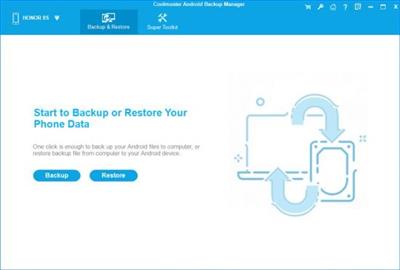
Worried about losing important files on your Android phone due to unexpected malfunction or other problems? It's better to back up your Android phone data before it really gets lost, such as contacts, SMS, photos, documents, etc. Also, if you need to restore Android phone backup to a new Android phone, Coolmuster Android Backup Manager, the topnotch Android backup software, can empower you to realize all your demands on Android backup and restore without any hassles.

Back Up Android Phone in 1 Click
Wondering how to backup everything on Android phone effortlessly? This Android backup software allows you to backup Android phone to PC in one click and endows you with the full right to backup Android phone data with ease.
User-friendly Backup Process: With no special technical skills required, you can freely choose to back up either all or any target data types on Android device without quality loss, customize the storage location of backup files, and also track the backup progress.
Multiple File Types Supported: Various file types are supported for Android backup management, such as contacts, messages, call logs, photos, music, videos, documents and user apps.
Restore Android from Backup in 1 Click
Want to make an Android backup and restore to a new phone? Whenever you need to switch to a new Android phone or share data with the other Android device, this Android data backup & restore app is always at your services, helping with Android restore from backup with one click.
Customized Restore Process: It can quickly scan out and list all the backup files you've made on your computer, you can freely choose to restore any listed backup file and any target file types into any connected Android device.
Other Restore Utilities: Can't find the backup file you want from the list? No worries, you can freely add new backup folders from computer for restoration. Also, the exiting data on your Android phone won't be deleted unless you've chosen to clear data before restoring as it supports.
2 Device Connection Methods: USB and Wi-Fi
Coolmuster Android Backup Manager provides two ways to connect Android device to this software for successful Android data backup and restore: USB connection and Wi-Fi connection. You can freely choose either way you want.
Connect via USB Cable: Usually, you can connect your Android device to computer with a USB cable for a more stable connection, which is easy and also ensure fast Android data backup and restore.
Connect via Wi-Fi: With no USB cable around? Don't worry, you can also connect the Android phone to computer with stable Wi-Fi by scanning the QR code of this program, and wirelessly backup and restore Android data.
High Compatibility, Fast Transfer, Read Only, etc.
After rigorous testing, Coolmuster Android Backup Manager works well with almost all Android devices, and also stands out with various attractive features.
Supported Android Devices: Almost all Android phones and tablets in different phone brands and models are supported, such as Samsung, Huawei, Xiaomi, HTC, LG, Sony, Motorola, Google Nexus, ZTE, Dell, and so forth.
Highlighted Features: It's easy and fast to backup and restore Android data, READ-ONLY for Android data without damaging or leaking out users' personal data, able to manage multiple Android devices simultaneously, green, ad-free and light in size.
Код:
https://www.coolmuster.com/upgrade-info/android-backup-and-restore.html

Homepage
Код:
https://www.coolmuster.com/

Download link

rapidgator.net:
Код:
https://rapidgator.net/file/0628470823953bf3df8fed900856c042/fmkui.Coolmuster.Android.Backup.Manager.2.4.16.rar.html

uploadgig.com:
Код:
https://uploadgig.com/file/download/3791dddb9fC339D5/fmkui.Coolmuster.Android.Backup.Manager.2.4.16.rar

nitroflare.com:
Код:
https://nitroflare.com/view/ABB6CC366EBD64A/fmkui.Coolmuster.Android.Backup.Manager.2.4.16.rar
 
CyberLink Promeo Premium 7.0.2219.0


8e5cb44bdc102228cf25af50bf791ca0.jpeg


CyberLink Promeo Premium 7.0.2219.0
Languages: Multilingual
File Size: 125.11 MB​

Design videos and graphics in minutes with tens of thousands of templates. Craft the perfect video or graphic for any of your social media channels or for posters, invitations, or flyers. Dozens of categories with professionally designed video and graphic templates ready to be customized to your needs. New templates added daily.

Create Jaw-Dropping Content
Craft the perfect video or graphic for any of your social media channels or for posters, invitations, or flyers.
3 Step Creation
- Select a Template
- Customize Messaging
- Share
Thousands of templates
Dozens of categories with professionally designed video and graphic templates ready to be customized to your needs. New templates added daily.
Motion Graphic Titles
Add eye-catching motion graphic titles and custom borders.
Color LUTs
Change the mood with a single click using rich and diverse color filters.
Animated Stickers
Stickers that pop to stop your viewers scrolling.
AI Auto Cutout
Click once to extract people or objects from images to add to favorite templates.
Release Notes
- Release notes were unavailable when this listing was updated.

System Requirements
- Microsoft Windows 11, 10 (64-bit OS only)
- Intel Core™ i5 or AMD Phenom® II X4 B60
- 4GB Memory or higher.
- 1024 X 768 pixels, 16-bit color
Supported Languages
- English
- French
- German
- Italian
- Spanish (European)
- Chinese Simplified
- Chinese Traditional
- Japanese
- Korean
- Nederlands

Homepage
Код:
https://www.cyberlink.com

Download link

rapidgator.net:
Код:
https://rapidgator.net/file/53257266d396ced659146b7f519ce70a/yprys.CyberLink.Promeo.Premium.7.0.2219.0.rar.html

uploadgig.com:
Код:
https://uploadgig.com/file/download/7184dbf9E3cc644d/yprys.CyberLink.Promeo.Premium.7.0.2219.0.rar

nitroflare.com:
Код:
https://nitroflare.com/view/B3D16DBAD8C5CCD/yprys.CyberLink.Promeo.Premium.7.0.2219.0.rar
 
D16 Group Drumazon 2 v2.0.3


508d370c836ac3f57761cfb15b4ef05a.jpeg


D16 Group Drumazon 2 v2.0.3
Team R2R | 2023.10.22 | 98.45 MB​

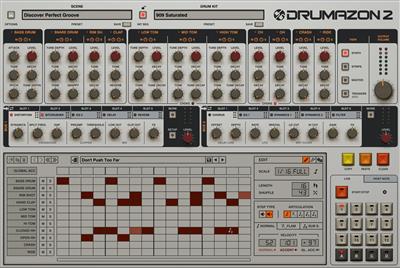
The classic 909 sounds have reverberated over the decades in dance and techno, remaining relevant to this day. Drumazon sets a benchmark for faithful emulation in the digital domain.

Sounds great, out-of-the-box
The original 909 sounds a bit dry and requires extra processing for the audio to truly bloom but Drumazon's effect chain is fully equipped to provide the right flavor, out-of-the-box.
Drum programming? A breeze
A broad feature set and expressiveness make drum programming an inspiring and easy experience.
Get under the hood
You get the classic sound, but with extras that will surely meet expectations - both for purists and producers after a modern punchy attitude.
A dedicated channel strip for every drum sound
With EQ and compression per instrument, you can quickly perfect the original 909 sound.
Final touches are so crucial
A capable master section will give the final punch to your drum line.
MIDI map and Trigger Outs
Easily managable MIDI map and employing trigger outs it's a cherry on top.
Changelog
Updates: official site does not provide any info about changes in this version.

Homepage
Код:
https://d16.pl/drumazon

Download link

rapidgator.net:
Код:
https://rapidgator.net/file/4cb69d33d3a4f679e23a6f2b0caae042/hgimn.D16.Group.Drumazon.2.v2.0.3.rar.html

uploadgig.com:
Код:
https://uploadgig.com/file/download/8dF876890c27A716/hgimn.D16.Group.Drumazon.2.v2.0.3.rar

nitroflare.com:
Код:
https://nitroflare.com/view/20C295C085E47F7/hgimn.D16.Group.Drumazon.2.v2.0.3.rar
 
Denise Audio Bad Tape 2 v1.0.0.2023 Win Mac


f9cf6cfc761098b453a84acc3ea589a0.jpeg


Denise Audio Bad Tape 2 v1.0.0.2023 Win Mac
Team R2R | 2023.10.22 | 92 MB​

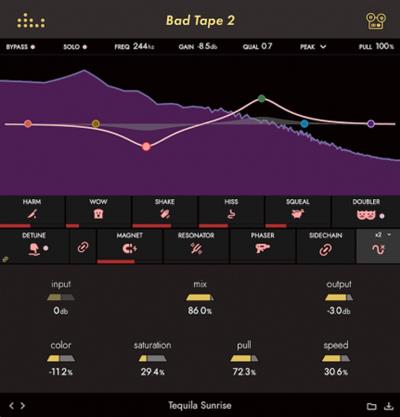
Bad Tape 2 records over our popular Bad Tape plugin by offering an incomparable degree of control over its tape emulation parameters and even more ways for producers to delicately bend space and time or absolutely demolish their audio.

IGHLIGHTS
How Bad Could It Be?
New Effects
Bad Tape 2 features four new effects to unleash upon your unsuspecting audio: Phaser, Doubler, Resonator, and Magnet.
Push-Pull Graph
The Push-Pull graph lets you have complete control over what frequencies get saturated and what parts of the spectrum remain untouched. You can use automation to create rolling amounts of distortion or create steep curves to generate screaming resonances.
Saturation
*Bad Tape 2's Saturation effect can be used to bring warm, vintage character to your tracks, buses, and mixes. Oversampling options allow for the perfect representation of imperfection.
Detune
*Slow down and speed up your "tape" in real time in a manner that mimics the effect of stopping and starting a reel-to-reel machine.
Speed
*Control the rate of Bad Tape 2's Wow and Shake effects by adjusting the Speed slider.
Changelog
Updates: official site does not provide any info about changes in this version.

Homepage
Код:
https://www.deniseaudio.com/plugins/bad-tape-2

Download link

rapidgator.net:
Код:
https://rapidgator.net/file/127399e4349ba7dd7b42decdac25aaa5/clgka.Denise.Audio.Bad.Tape.2.v1.0.0.2023.Win.Mac.rar.html

uploadgig.com:
Код:
https://uploadgig.com/file/download/38f6004Bbb744a28/clgka.Denise.Audio.Bad.Tape.2.v1.0.0.2023.Win.Mac.rar

nitroflare.com:
Код:
https://nitroflare.com/view/482AA519E2A6D02/clgka.Denise.Audio.Bad.Tape.2.v1.0.0.2023.Win.Mac.rar
 
DiskBoss Pro / Ultimate / Enterprise 14.0.12


28c46570233eb475152955b722a9bc4e.jpeg


DiskBoss Pro / Ultimate / Enterprise 14.0.12
File size: 52 MB​

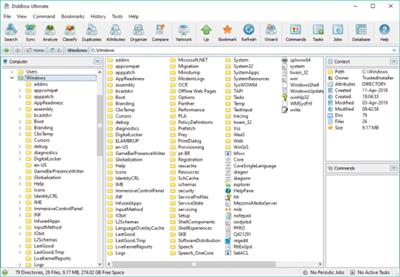
DiskBoss is an automated, rule-based data analysis and file management solution allowing one to perform disk space analysis operations, file classification, duplicate files search and cleanup, high-speed file synchronization and secure data migration, bulk file delete and secure data wiping operations, disk change monitoring, automated, policy-based file management and more.

Features
Disk Space Analysis
File Classification and Organizing
Duplicate Files Search and Cleanup
Bulk File Delete and Secure Data Wiping
Automated, Policy-Based File Management
High-Speed File Synchronization
Secure File Synchronization
Secure File Copy Operations
Fault-Tolerant Data Migration
Real-Time Disk Change Monitoring
File Integrity Monitoring
Код:
https://www.diskboss.com/news.html

Homepage
Код:
https://www.diskboss.com

Download link

rapidgator.net:
Код:
https://rapidgator.net/file/b539b2a553aaffba0eab19e22a5f9029/uhqtb.DiskBoss.Pro..Ultimate..Enterprise.14.0.12.rar.html

uploadgig.com:
Код:
https://uploadgig.com/file/download/5dCe68da4B2cbB9a/uhqtb.DiskBoss.Pro..Ultimate..Enterprise.14.0.12.rar

nitroflare.com:
Код:
https://nitroflare.com/view/6C823F0BDAC16A8/uhqtb.DiskBoss.Pro..Ultimate..Enterprise.14.0.12.rar
 
DP Animation Maker 3.5.23


d9d805e84f10d0147f2356f3c81a1b08.jpeg


DP Animation Maker 3.5.23
File size: 26.1 MB​

Smart 2D animation software that lets you turn still images into live moving scenes. Create living, breathing worlds from your still image with minimum effort. DP Animation Maker lets you make natural scenes burst with vibrancy and give motion to people and objects.

Fun software, with a wide variety of uses
DP Animation Maker helps you make animated videos for lots of stuff. Whether for business or personal use, some of the most popular items people create with the software include
- Animated videos
- Web banners
- YouTube videos
- Digital greeting cards
- Mobile phone backgrounds
- PowerPoint presentations
- Music videos
- Video footage
- And more!

Whats New

Homepage
Код:
https://www.animationsoftware7.com/

rapidgator.net:
Код:
https://rapidgator.net/file/28ffe926438eed717bf9769b42f70309/hdjci.DP.Animation.Maker.3.5.23.rar.html

uploadgig.com:
Код:
https://uploadgig.com/file/download/4b4664e1fDe3a34D/hdjci.DP.Animation.Maker.3.5.23.rar

nitroflare.com:
Код:
https://nitroflare.com/view/F09F9253CB6DAD9/hdjci.DP.Animation.Maker.3.5.23.rar
 
Назад
Сверху