• Форум работает в архивном режиме www.old.nado.in

All mitsumi'1s Applications !! (updated daily)

  • Автор темы Автор темы mitsumi1
  • Дата начала Дата начала
Multitrack Editor 1.0.7 macOS

Multitrack Editor 1.0.7 macOS


de2c873c1d3037d0c4c9bf86105d4b47.jpeg


File size: 83 MB​

Professional Mixing Studio. Simple, fast and reliable audio editing tool! Start a new project and add an audio file. You can start editing a single track or add more and edit them simultaneously! Various effects, filters, 6 band equalizer and other settings.


The best thing about multitrack editing is that it allows you to edit tracks separately. No need to make changes to the whole mix when you can do this individually before rendering the tracks into the final result.
Features
- Multitrack editing
- Various audio file formats
- File sharing
Change the duration, crop and cut the selected areas with only a few taps. Save your files or entire projects on your device. Even if you don't save, the app will back up any unsaved progress (can be activated/deactivated in the settings).
More tracks = more sound. And even more stuff with multitrack editing!
Top In-App Purchases: Full Version - included.
Release Notes
Код:
https://geo.itunes.apple.com/app/id1639999091

Supported Operation Systems
macOS 10.15 or later

Homepage:


Код:
https://geo.itunes.apple.com/app/id1639999091


Download link


rapidgator.net:
Код:
https://rapidgator.net/file/67d04007cf4917e7b0786d7afb5ad4df/dnxkd.Multitrack.Editor.1.0.7.macOS.dmg.html

nitroflare.com:
Код:
https://nitroflare.com/view/6E1A7756F0B28BB/dnxkd.Multitrack.Editor.1.0.7.macOS.dmg


 
myTracks 4.3.5 macOS

myTracks 4.3.5 macOS


6143262a44dc1d7c966ef8381e294c50.jpeg


Language: Multilingual | File size: 40 MB​

myTracks is the swiss-army knife for organizing your GPS tracks. They can be loaded from a broad range of devices and organized in a library comfortably.


Once imported you can drag & drop photo files to myTracks and they will be assigned to the GPS tracks automatically. The GPS information can be written to the EXIF and IPTC tags of the photo files (Geotagging). You can use any photo organizing software such as Photos, iPhoto, Aperture, Lightroom, GraphicConverter or even the Finder. myTracks can handle both JPEG and RAW file formats.
GPS tracks can be exported as GPX, KML or KMZ files. You can use the exported files, e.g. with Google Earth.
Besides the dedicated GPS loggers a free iPhone App called "myTracks - The GPS logger" is available on the App Store. You can use this App to record GPS tracks.
See the supporting website for more screenshots, screencasts and the complete list of supported loggers.
Feature Highlights
* Logger Assistant with more than 50 presets for downloading GPS tracks
* Search, bookmark, and organize using the Track Library
* 1-click, drag & drop geotagging of JPEG and RAW photo files
* Display tracks on a wide variety of maps online and offline
* Import, export, and edit tracks in GPX and KML formats and export of KMZ formats
* Upload photos from within the application to flickr
* Compatible with Adobe Lightroom, Apple Photos, Apple Aperture, Apple iPhoto, GraphicConverter or macOS Finder
Release Notes
Код:
https://geo.itunes.apple.com/app/id403100976

Supported Operation Systems
macOS 10.13.6 or later

Homepage:


Код:
https://geo.itunes.apple.com/app/id403100976


Download link


rapidgator.net:
Код:
https://rapidgator.net/file/82afe198f0263aeb55daa562644dd3b6/qpruw.myTracks.4.3.5.macOS.dmg.html

nitroflare.com:
Код:
https://nitroflare.com/view/0FFDA5A8E20171F/qpruw.myTracks.4.3.5.macOS.dmg
 
Permute 3.11.8 macOS

Permute 3.11.8 macOS


4995b115dd7437d48662ec4a0a2292d6.jpeg


Language: Multilingual | File size: 76 MB​

Video, audio and image files come in many different kinds and shapes, but sometimes you need a specific format since your iPad or DVD player won't play that video. That is what Permute is for - easily convert your media files to various different formats.


Key Features
Easy to Use - built from the ground up, Permute is a perfect example of what a Mac app should be. With a gorgeous interface and drag & drop simplicity no need for complicated options.
Insanely Fast - Permute was engineered to be incredibly fast. Let us take care of the hard stuff. Just select the video format you want and it'll be done faster than you can say "hardware acceleration" - MP4 and HEVC presets now take advantage of your machine's hardware acceleration capabitlities, speeding up HEVC conversions more than 3 times over previous versions of Permute!
PDF Support - Permute 3 now includes support for stitching multiple images into a single PDF.
Everything Included - It doesn't matter if you're converting home movies or processing images. Permute can do it all. We support nearly every format and have plenty of device presets to choose from.
Looks Amazing - Whether you use dark mode or not, Permute will look amazing. Taking advantage of the modern technologies, Permute will even change its icon in dark mode.
Keep the Schedule - Video re-encoding is quite demanding on computer resources. This is why you can now schedule Permute to convert videos e.g. at night when you're not using your computer.
And so much more! - There are so many other great features in Permute - adjust volume of an audio file or an audio track in a video. Batch-resize, rotate and flip images and videos. And more!
Release Notes
Код:
https://software.charliemonroe.net/trial/permute/v3/rnotes.html

Supported Operation Systems
macOS 10.12 or later

Homepage:


Код:
https://software.charliemonroe.net/


Download link


rapidgator.net:
Код:
https://rapidgator.net/file/c9e745b2d06f7c1fbfb38a17ce5a56d2/wjzgm.Permute.3.11.8.macOS.dmg.html

nitroflare.com:
Код:
https://nitroflare.com/view/3AD94A61855C8B3/wjzgm.Permute.3.11.8.macOS.dmg
 
PowerPhotos 2.5.7 macOS

PowerPhotos 2.5.7 macOS


0b99727458b5e9a21e20863098f29e7c.jpeg


File size: 33 MB​

PowerPhotos allows you to break up your Photos.app images among multiple Photos libraries, rather than having to store all of them in one giant library. You can easily switch between libraries, or just browse the photos in your libraries directly from PowerPhotos, without having to open each library in Photos.


PowerPhotos also supports searching across all your libraries at once to help track down a particular photo. If you use iCloud Photo Library to sync photos with your other devices, splitting up your library can help save on iCloud storage costs. Use a single library to hold a smaller collection that you sync with iCloud, while keeping the bulk of your photos in separate libraries so they don't take up space on iCloud. PowerPhotos can analyze your libraries for duplicate photos, showing them to you side-by-side and letting you get rid of extra copies of photos that you no longer need
New features
• Improved iCloud Photos support: If you use iCloud Photos, PowerPhotos 1.x was only able to see photos in your library that had already been downloaded to your local hard drive. For users with the "Optimize Mac Storage" option enabled, this could mean a significant portion of your iCloud library would not be visible to PowerPhotos. In PowerPhotos 2.0, it can now see and work with any photos in your iCloud photo library, and will automatically download any photos from iCloud as needed.
• Advanced exporting: Photos has an export command, but it is fairly limited in what it can provide. PowerPhotos 2.0 has a new, more fully featured export function with options such as
◦ Export as a flat folder or as a folder hierarchy in the Finder that mimics your album hierarchy
◦ Export unmodified photos, or as JPG, PNG, HEIF, or TIFF of different sizes
◦ Include captions, dates, keywords, and titles in EXIF metadata
◦ Retain or strip location metadata
◦ Optionally include videos from Live Photos and all photos from a burst
◦ Set Finder creation/modification dates to the photo's EXIF date
◦ Video export support as H.264 or H.265
• Global menu bar item: Get fast access to your libraries via a global item in your menu bar even when PowerPhotos itself isn't running.
• Library groups: For those with lots of libraries, you can now organize your libraries into groups in the PowerPhotos sidebar.
• Multiple windows: You can now open each library in a separate window in PowerPhotos, allowing for easier comparison between libraries, and dragging and dropping photos/albums between libraries.
• New duplicate search engine: PowerPhotos 2.0 uses a new duplicate comparison algorithm that can find more duplicate photos which are not quite 100% identical, such as scaled down copies of photos, photos that have been resaved in a different format or with different compression, and even photos with minor edits applied to them.
• Faster library loading: PowerPhotos 2.0 has rewritten a bunch of its internals to load your library much faster than PowerPhotos 1.0.
• Improved AppleScript support: New support for copying albums or photos between libraries, merging libraries, and exporting photos/albums from a library.
Release Notes
Updates: official site does not provide any info about changes in this version

Supported Operation Systems
macOS 11.0 or later

Homepage:


Код:
https://www.fatcatsoftware.com


Download link


rapidgator.net:
Код:
https://rapidgator.net/file/b76c6984903dad09c05a57ed248bb780/sfelh.PowerPhotos.2.5.7.macOS.dmg.html

nitroflare.com:
Код:
https://nitroflare.com/view/3C8BD6BE059A06B/sfelh.PowerPhotos.2.5.7.macOS.dmg
 
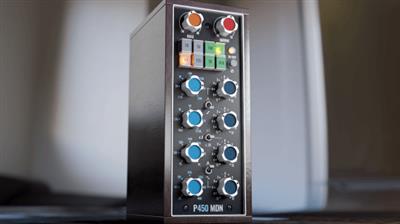
Pulsar Modular P450 MDN EQ v1.0.4 U2B macOS

Pulsar Modular P450 MDN EQ v1.0.4 U2B macOS


cc89feaacc766e3ce35e870b45dab998.jpeg


MORiA | AU | VST3 | 26.4 MB​

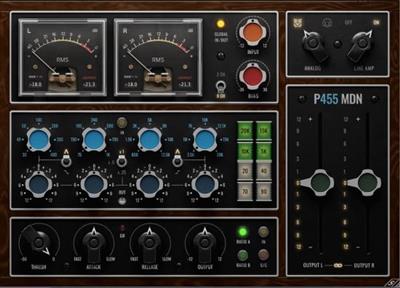
The P455 MDN Sidecar is a summing and 2-bus mixing and mastering audio plugin capturing the analog chain of Marc Daniel Nelson, a two-time Grammy and French Academy Award-nominated mixing engineer, music producer, creative director and educator.


The P455 delivers Marc's analog workflow which includes analog summing, tube driven stereo imaging, 2-bus punchy stereo EQ, custom glue 2-bus compressor and the unique character of two high end analog to digital converters.
The P455 MDN Sidecar isn't just a plugin; it's a calibrated blend of Marc's seasoned approach and Pulsar Modular progressive audio design with focus on musicality at each step of the signal path.
For years, Marc Daniel Nelson has been openly and graciously sharing his techniques and expertise. He is now taking this a step further and delivering his signature sound to you, without restrictions or compromise, through the P455 MDN Sidecar and P450 MDN EQ audio plugins.
Features P450 MDN EQ
• 4 bands EQ with stepped frequency and gain.
• Low & High Shelf- stepped.
• Gain Multiplier to cover alternative gain and Q.
• Op-amp behavior and signature punch.
Whats new in this version
v1.0.4 March 23, 2024
-Optimized code leading to lower distortion and higher headroom
-Solved random low level clicks
System Requirements
macOS 10.13 or newer

Homepage:


Код:
https://www.pulsarmodular.com/product/p455-mdn-sidecar/


Download link


rapidgator.net:
Код:
https://rapidgator.net/file/a51d7cfb2570146a312ac0a3e4760382/mfamu.Pulsar.Modular.P450.MDN.EQ.v1.0.4.U2B.macOS.rar.html

nitroflare.com:
Код:
https://nitroflare.com/view/1637A527C4D41EF/mfamu.Pulsar.Modular.P450.MDN.EQ.v1.0.4.U2B.macOS.rar
 
Pulsar Modular P455 MDN Sidecar v1.0.8 U2B macOS

Pulsar Modular P455 MDN Sidecar v1.0.8 U2B macOS


209206ae494a53a8c7427dd275761458.jpeg


MORiA | AU | VST3 | 42.4 MB​

The P455 MDN Sidecar is a summing and 2-bus mixing and mastering audio plugin capturing the analog chain of Marc Daniel Nelson, a two-time Grammy and French Academy Award-nominated mixing engineer, music producer, creative director and educator.


The P455 delivers Marc's analog workflow which includes analog summing, tube driven stereo imaging, 2-bus punchy stereo EQ, custom glue 2-bus compressor and the unique character of two high end analog to digital converters.
The P455 MDN Sidecar isn't just a plugin; it's a calibrated blend of Marc's seasoned approach and Pulsar Modular progressive audio design with focus on musicality at each step of the signal path.
For years, Marc Daniel Nelson has been openly and graciously sharing his techniques and expertise. He is now taking this a step further and delivering his signature sound to you, without restrictions or compromise, through the P455 MDN Sidecar and P450 MDN EQ audio plugins.
Features P455 MDN Sidecar
• Summing without need to insert a plugin on each channel.
• Different routings and options for a true analog workflow experience.
• Custom 2-bus compressor.
• 2-bus stereo proportional EQ.
• Two ADC emulations.
Whats new in this version
v1.0.8 March 23, 2024
-Optimized code leading to lower distortion and higher headroom
-Solved random low level clicks
System Requirements
macOS 10.13 or newer

Homepage:


Код:
https://www.pulsarmodular.com/product/p455-mdn-sidecar/


Download link


rapidgator.net:
Код:
https://rapidgator.net/file/b9c63518b68fa8336de12a73ec24f457/exakv.Pulsar.Modular.P455.MDN.Sidecar.v1.0.8.U2B.macOS.rar.html

nitroflare.com:
Код:
https://nitroflare.com/view/3BA55F8D3D05771/exakv.Pulsar.Modular.P455.MDN.Sidecar.v1.0.8.U2B.macOS.rar
 
S.K.Y. Studios S.K.Y. Keys v26.3.2024 macOS

S.K.Y. Studios S.K.Y. Keys v26.3.2024 macOS


72dda122e4e55a81bf78426b3d5128d9.jpeg


RYZEN | 26 March 2024| 4 GB​

SOUNDS
Over 2400 synth sounds and other instruments were sampled with the goal of picking the best 200 we could possibly make.


(Ended up with about 230 because I really loved all these sounds too much).
The instruments used to make the samples include a Jupiter 8, Prophet 5, Prophet 6, Moog Model D, Deckards Dream, Subsequent 37, Wurlitzers, Rhodes, Pianos, Panoptigon, Marimba and many other sound sources and outboard effects.
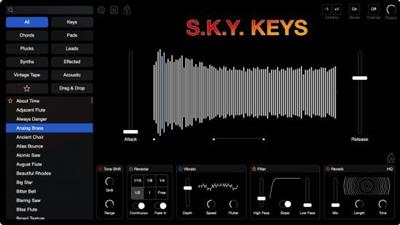
EFFECTS
Includes unique effects that have never been implemented into a plug-in before
Tone Shift - Time stretch the samples to adjust the tone for new textures
Reverse - Reverse sections of the samples synced to your bpm
Vibrato - Lo-fi wow and flutter modulation that is voice independent
Filter - Key tracking filters that uniformly sculpt your tone
Reverb - Lush hall reverb to add to your sounds
Saturation - Easily add subtle drive or heavy distortion to your keys
SETTINGS
Loop - Ability to loop any sample with built-in location optimization which allows for extremely clean repeats
Glide - Allows for tons of control over pitch glides, even polyphonic legato glides
Stereo Doubler - Imitates the sound of a double tracked keyboard part
Pan Spread - Pans every note slightly to alternating sides to create a natural width and separation
Humanize - Automatically detects quantized input and can adjust the timing and velocity of every note to be more organic
Whats new in this version
Official site does not provide any info about changes in this version.
System Requirements
- VST3, AU, AAX
- Compatible with Ableton Live, FL Studio,
Logic Pro, Pro Tools (2022.1 and newer), Cubase, etc.
- Mac OSX 10.13 or Higher Required
- M1 Compatible
- 4.1 GB (8 GB of storage space required to install)
- No iLok Required

Homepage:


Код:
https://www.skystudiosplugins.com


Download link


rapidgator.net:
Код:
https://rapidgator.net/file/1246758e77a43757eb9f424ae719d522/bktvn.S.K.Y..Studios.S.K.Y..Keys.v26.3.2024.macOS.rar.html

nitroflare.com:
Код:
https://nitroflare.com/view/5FBAAC096ED06A3/bktvn.S.K.Y..Studios.S.K.Y..Keys.v26.3.2024.macOS.rar
 
Wing Pro 10.0.3 macOS

Wing Pro 10.0.3 macOS


5ff8518da93c09676d2bc6886b864323.jpeg


File size: 149.3 MB​

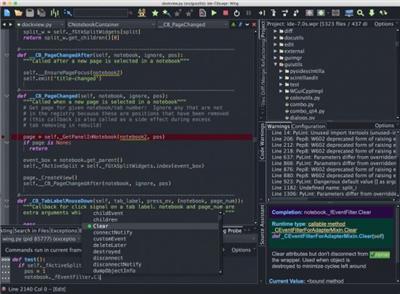
Wing Pro is a full-featured Python IDE designed for professional developers. It includes powerful editing, code intelligence, refactoring, debugging, search, unit testing, project management, revision control, and remote development features.


Get More Done
Type less and let Wing worry about the details. Get immediate feedback by writing your Python code interactively in the live runtime. Easily navigate code and documentation.
Write Better Code
Avoid common errors and find problems early with assistance from Wing's deep Python code analysis. Keep code clean with smart refactoring and code quality inspection.
Find Bugs Faster
Debug any Python code. Inspect debug data and try out bug fixes interactively without restarting your app. Work locally or on a remote host, VM, or container.
Intelligent Editor
Wing's editor speeds up interactive Python development with context-appropriate auto-completion and documentation, inline error detection and code quality analysis, PEP 8 enforcement, invocation assistance, auto-editing, refactoring, code folding, multi-selection, customizable code snippets, and much more. Wing can emulate vi, emacs, Eclipse, Visual Studio, XCode, and MATLAB.
Powerful Debugger
Wing's debugger makes it easy to fix bugs and write new Python code interactively. Use conditional breakpoints to isolate a problem, then step through code, inspect data, try out bug fixes with the Debug Console's command line, watch values, and debug recursively. You can debug multi-process and multi-threaded code launched from the IDE, hosted in a web framework, called from an embedded Python instance, or run on a remote host, VM, or container. Wing also provides an array and dataframe viewer for scientific and data analysis tasks.
Easy Code Navigation
Wing makes it easy to get around code with goto-definition, find uses, find symbol in project, editor symbol index, module and class browser, keyboard-driven search, and powerful multi-file search. Visit history is stored automatically, so you can instantly return to previously visited code. Or define and traverse categorized bookmarks that track automatically as code changes.
Integrated Unit Testing
Wing supports test-driven development with the unittest, doctest, nose, pytest, and Django testing frameworks. Failing tests are easy to diagnose and fix with Wing's powerful debugger, and you can write new code interactively in the live runtime context set up by a unit test.
Код:
https://wingware.com/pub/wingpro/10.0.3.0/CHANGELOG.txt

Homepage:


Код:
http://wingware.com/


Download link


rapidgator.net:
Код:
https://rapidgator.net/file/e2f24dd5850be7a2f08c75d5dd109c51/ygqrd.Wing.Pro.10.0.3.macOS.zip.html

nitroflare.com:
Код:
https://nitroflare.com/view/11C6369F5D83783/ygqrd.Wing.Pro.10.0.3.macOS.zip
 
Wondershare PDFelement Pro 10.3.1.6370 (OCR) macOS

Wondershare PDFelement Pro 10.3.1.6370 (OCR) macOS


de75a6d61c9f67c15fcd0d6030c0c187.jpeg


Language: Multilingual | File size: 736 MB​

PDFelement - The easiest way to create, edit, convert, and sign PDF documents. We're now introducing the all-new PDFelement , which includes a redesigned UI, more advanced writing tools, improved team collaboration features, more powerful conversion tools, a user management console, and more.


*** PDFelement Pro ***
√ Includes all features in PDFelement Standard
√ OCR (Exclusive in Pro version)
- OCR (Optical Character Recognition)enables you to edit and convert characters in scanned PDF files or pictures
- Supports recognition of 29 languages
√ Create & Sign Forms (Exclusive in Pro version)
- Create fillable PDF Forms from interactive field objects, such as buttons, check boxes, radio buttons, list boxes, and drop-down lists
- Support adding digital signatures to forms
√ Merge PDF (Exclusive in Pro version)
- Combine different format files into a new PDF
√ Convert PDF (Exclusive in Pro version)
- Supports converting PDF file to a greater number of output formats like EPUB, HTML, Text, RTF
√ PDF/A (Exclusive in Pro version)
- Support PDF/A as an available output format with ISO Standard for long term archiving
√ Batch Processing of PDF Files (Exclusive in Pro version)
- Process PDFs in batches
- Add backgrounds, watermarks, headers and footers in batches
√ Bates Numbering (Exclusive in Pro version)
- Apply Bates Numbering with advanced formatting
√ Redact PDF (Exclusive in Pro version)
- Redact sensitive text and images in PDFs
Release Notes
Updates: official site does not provide any info about changes in this version

Supported Operation Systems
macOS 10.15 or later

Homepage:


Код:
https://www.wondershare.com/


Download link


rapidgator.net:
Код:
https://rapidgator.net/file/0c7a9e4595d6dae92084116142c6dfe8/ioqvf.Wondershare.PDFelement.Pro.10.3.1.6370.OCR.macOS.dmg.html

nitroflare.com:
Код:
https://nitroflare.com/view/642C030DA07E628/ioqvf.Wondershare.PDFelement.Pro.10.3.1.6370.OCR.macOS.dmg
 
OkMap Desktop 18.3.0 Multilingual

OkMap Desktop 18.3.0 Multilingual


0968998cfd2d410840dea80dd4189f4c.jpeg


Windows x64 | File size: 44.48 MB​

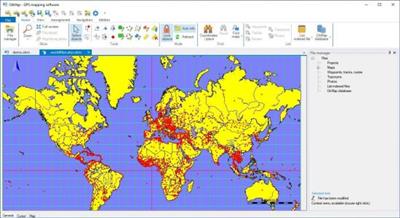
OkMap is an interactive software which allows you to work on your computer screen with web maps or digital maps that you have either bought or scanned. OkMap can also import vectorial data from the most common formats and DEM data relevant to height information. Through these maps, you can organize your paths by creating waypoints, routes and tracks on your computer monitor, and upload this data to your GPS. OkMap sets automatically altitude data and estimates travel times.


Features
- Calibration / display raster maps (over 30 image formats)
- Display vectorial maps
- Display hybrid maps (raster + vectorial data)
- Ability to open multiple maps simultaneously
- 9 cartographic projections of the most used
- Database with over 500 predefined projections by geographic area
- Database with over 300 datum
- Viewing 3D raster maps on Google Earth (for supported image formats)
- Map add-ons management (icons, comments)
- Vectorial data management (point, multipoint, line, polygon)
- GPX data management (waypoints, tracks, routes)
- Selecting multiple objects with the mouse
- Context menu (right mouse)
- Auto-info function
- Zoom, autofit functions
- Moving map function in 3 modes
- Customizing toolbar
- Showing yes / no toolbar
- Showing yes / no statusbar
- Check new releases at startup
Код:
https://www.okmap.org/en/en_okmapDesktopHistoryOfChanges.aspx

Homepage:


Код:
https://www.okmap.org/


Download link


rapidgator.net:
Код:
https://rapidgator.net/file/26af563095e99d4c725470d170e5a468/elcvh.OkMap.Desktop.18.3.0.Multilingual.rar.html

nitroflare.com:
Код:
https://nitroflare.com/view/BE630BD6F3D1D74/elcvh.OkMap.Desktop.18.3.0.Multilingual.rar
 
OneCommander Pro 3.72 Multilingual

OneCommander Pro 3.72 Multilingual


c54b413485751f6d8e3cb98baca374ff.jpeg


File Size: 64 MB​

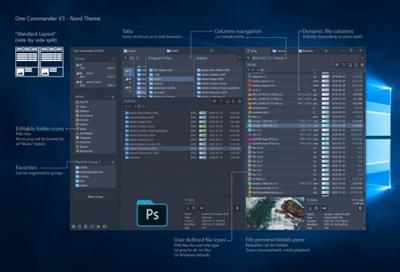
OneCommander is a modern file manager for Windows 10 and Windows 11. Features include tabs, dual-pane browsers, columns navigation, built-in preview, a theming system, color tags, and much more. It is free for home use and has no ads.


More information
Free for home use and no ads.
Commercial use is allowed with the Pro license. (What is commercial use?)
Privacy tldr: OneCommander is not collecting or transmitting users' data.
Detailed Privacy Policy.
64-bit software (x64 platform)
GPU Hardware DirectX accelerated where possible
Security: DEP (permanent); ASLR (high entropy); Memory-safe language C#/.NET
Whats New
official site does not provide any info about changes in this version

Homepage:


Код:
https://www.onecommander.com/


Download link


rapidgator.net:
Код:
https://rapidgator.net/file/615d130c31896118c904b8a6c002140e/ziiqg.OneCommander.Pro.3.72.Multilingual.rar.html

nitroflare.com:
Код:
https://nitroflare.com/view/6210178C1F233D4/ziiqg.OneCommander.Pro.3.72.Multilingual.rar
 
Perfinity dotNET Runtime Analyzer 7.0.20

Perfinity dotNET Runtime Analyzer 7.0.20


0b7281c0546d69ecb8e8ea99c43175b7.jpeg


File size: 95 MB​

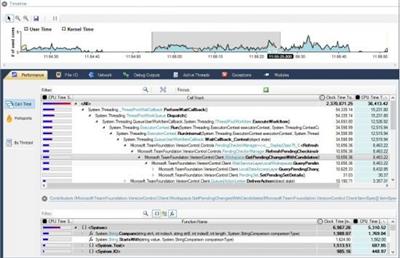
The powerful line level sampling profiler provides functionality to pinpoint performance bottlenecks within the app. In contrast to a classic .NET profiler, our software allows the user to analyze processes with native code. Thus, performance issues triggered by native code can be identified, for instance from 3rd party libraries like the .NET runtime.


In addition, the tool supports event tracing to maximize the user experience. File I/O activity, network activity and debug events can be captured. That way interesting app insights can be correlated with the timeline. Data context information can be added to investigate internals of apps beyond code level. The built-in timeline functionality empowers the user to process interesting time ranges.
.NET Performance Profiler
Resolve Memory & Resource Leaks
The integrated .NET memory profiler empowers the user to identify the root causes for memory issues and resource leaks. The memory profiler is fast with minimal overhead in regards to memory consumption and execution times. Allocation stack recording is quite fast.
Our tool trumps classic .NET memory profilers with outstanding features
Memory overview (Managed Heap, Win32 Heap, Modules, Mapped Files, Stacks, etc) to get the big picture.
Tracking of memory and resource issues triggered from native code including the .NET runtime.
Capture of Win32 allocations from any 3rd party code to investigate memory leaks from native code.
GDI Resource Tracking: Use the resource profiling information to identity resource leaks (bitmaps, fonts, brushes, DCs etc). Fix the found leaks with the help of resource allocation trigger stacks.
Tracking of file mapping events which can contribute multiple gigabytes of memory usage for a single process. As a result your app will experience sluggish performance. Here, a classic profiler will not give you any clue why your app runs into issues.
Analysis of crash (memory) dump files.
Whats New
Updates: official site does not provide any info about changes in this version.

Homepage:


Код:
https://profiler-and-tracer.com/net-profiler-performance/


Download link


rapidgator.net:
Код:
https://rapidgator.net/file/3ea240e189800db896a401db7b30808d/okicg.Perfinity.dotNET.Runtime.Analyzer.7.0.20.rar.html

nitroflare.com:
Код:
https://nitroflare.com/view/4D0BDD1C6A263B8/okicg.Perfinity.dotNET.Runtime.Analyzer.7.0.20.rar
 
Personal Backup 6.3.14.0

Personal Backup 6.3.14.0


993295cdcfb3e5838e8f8390d4f875d7.jpeg


File Size : 39.7 Mb​

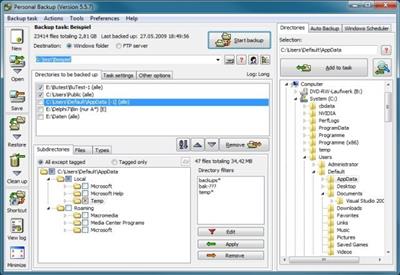
Personal Backup is a useful application designed to help you save your important data. You can use this program to perform backup jobs for your files and folders.The backup folder can be on a local or removable drive, as well as on a network or a FTP server. The application allows you to perform multiple backups at the same time.Also, you will be able to schedule backup jobs. For example, you can set the program to perform a backup job at every system startup, logout or shutdown or at any given time.


key Features
· Restore of single files or zip files
· Selection dialog for files on restore or cleanup with folder tree and find function
· File preview on selecting or deselecting subfolders
· Wizard for the creation of new backup tasks
· Unlimited number of configurable backup tasks
· Backup of complete directory structures
· Start backup on demand or run automatically
· Backup via FTP
· Backup into single or ZIP files
· Internal backup scheduler
· Create and configure alternate backups using Windows Task Scheduler
· Verification of backed up files
Код:
https://personal-backup.rathlev-home.de/download/pb6-changelog-e.txt

Homepage:


Код:
http://personal-backup.rathlev-home.de/index-e.html


Download link


rapidgator.net:
Код:
https://rapidgator.net/file/06f48736f37d164225daba1a56550ea9/ebprl.Personal.Backup.6.3.14.0.rar.html

nitroflare.com:
Код:
https://nitroflare.com/view/ADAAB17C01357B4/ebprl.Personal.Backup.6.3.14.0.rar
 
PixelOver 0.15.0.3 Beta

PixelOver 0.15.0.3 Beta


5f9ce280d1585bcae828ecddda42bf77.jpeg


File size: 39.6 MB​

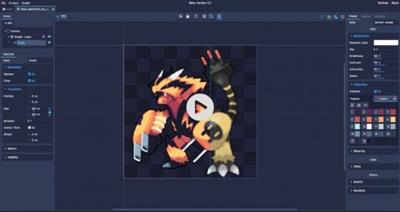
In the age of computers, many new art styles have started taking off, and pixel art numbers among them. Whether pixel artworks appeal to you is a different discussion, but it's notable how, as time goes on, software to make the creation process easier gets developed. One example is PixelOver, a program that was designed to help users turn their images into full-blown pixel art, featuring many ways to make the process more accessible, owing to the many functionalities housed in its intuitive interface.


A familiar interface
While starting out with the program may seem a little confusing at first, playing around with its functions for a bit is enough to accommodate new users. Right off the bat, you can use the provided sample projects to get a feel for how everything works: though you may not know what all of its functions do, the familiarity of the interface means that there's not much acclimating to be done in that regard.
Still, users can insert their images by just dropping them onto the program, and they can begin adjusting right away. Basic image editing options such as modifying the brightness, hue, contrast, gamma, and saturation of the image are available.
Animation and indexation
The program works its magic through the Indexation and Dithering functions, which it uses to generate the pixel art for your image. The software can generate an indexation palette based on your photo, or you can do it yourself. You can tweak the generated result by adjusting the palette size, thereby boosting the clarity of the pixelation. Couple that with some dithering, and you'll have some pixel art you can call your own.
There are many other features: you can add a mask for more thorough pixelation, use the resampling algorithm to tweak the look of the pixels, add in some water and shockwave effects to make everything flowy, and animate it all.
There's an animation functionality available, and this works best in conjunction with the provided effects. The water sample project best illustrates this: you can bring your pixel art to life through the built-in animation tool.
In conclusion
There's a lot you can do with PixelOver, and this review only scratches the surface of its capabilities. It's best you try it out yourself, and maybe you'll be surprised at how intriguing pixel art can be when it's manipulated through the right software.
Whats New
Updates: official site does not provide any info about changes in this version

Homepage:


Код:
https://pixelover.io/


Download link


rapidgator.net:
Код:
https://rapidgator.net/file/6f1942de4bfb89f6fa6e7946a49a6f07/kajdn.PixelOver.0.15.0.3.Beta.rar.html

nitroflare.com:
Код:
https://nitroflare.com/view/71F62991A5065BA/kajdn.PixelOver.0.15.0.3.Beta.rar
 
RdpGuard 9.4.5

RdpGuard 9.4.5


6d85a0c0a0423f65a961fc57823c4909.jpeg


File size: 4.0 MB​

RdpGuard is a host-based intrusion prevention system (HIPS) that protects your Windows Server from brute-force attacks on various protocols and services (RDP, FTP, IMAP, POP3, SMTP, MySQL, MS-SQL, IIS Web Login, ASP.NET Web Forms, MS Exchange, RD Web Access, VoIP/SIP, etc).


It monitors the logs on your server and detects failed logon attempts. If the number of failed logon attempts from a single IP address reaches a set limit, the attacker's IP address will be blocked for a specified period of time.
Why do you need it?
Many Windows Server machines are under constant attack. Network scanners and RDP brute-force tools work 24/7. Eventually they may find a password to access your server! Moreover, RDP brute-force attacks abuse server resources (CPU, RAM, Disk Space and Network Bandwidth).
Take a look at your server's Security EventLog. How many failed login attempts do you see? The log may note thousands of failed login attempts from a single IP address. This means that someone is trying to find a password to access your server.
How can you protect your server from brute-force password-guessing attacks on RDP? The answer is RdpGuard - powerful tool that allows you to protect your Remote Desktop from brute-force attacks.
RdpGuard works as a Windows Service. Your Windows Server will be protected even if nobody is logged in.
Код:
https://rdpguard.com/news.aspx

Homepage:


Код:
http://rdpguard.com/


Download link


rapidgator.net:
Код:
https://rapidgator.net/file/73bb63a34b0228ff80f34bf9b180b828/xdfbj.RdpGuard.9.4.5.rar.html

nitroflare.com:
Код:
https://nitroflare.com/view/B36EBAF31EE1D32/xdfbj.RdpGuard.9.4.5.rar
 
Samsung SSD Magician 8.1.0.800

Samsung SSD Magician 8.1.0.800


0af5f703867038561ccb7670099cc0ea.jpeg


File Size : 307 Mb​

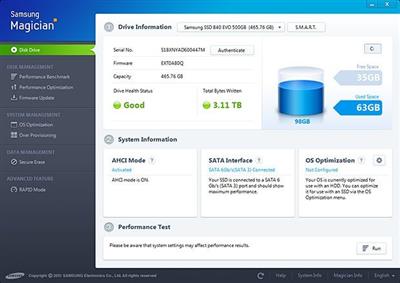
The Samsung SSD Magician software facilitates easy maintenance and use of Samsung SSD products connected to a desktop or notebook computer. In addition to providing information about the user's system and SSD product, Samsung SSD Magician also supports advanced features, like SSD performance management, benchmarking for optimum performance, new firmware updates, etc.


Judging by everything that defines it, Samsung Magician is a well-thought suite, landing users a hand in improving the performance of their SSD drive. Its most important highlights include benchmarking, out-of-the box drive optimization, as well as firmware updates and safe wiping of data.
Relying on an intuitive and user-friendly interface, Samsung Magician gathers all of its features inside one single window, providing easy access to any of the components. A detailed report of the disk drive welcomes you when you first launch it, displaying essential pieces of information on firmware, capacity and the drive health status.
In order to test the SSD drive, you can safely use the built-in benchmarking utility that stresses out the device in order to acquire the sequential read and write speed, which are relevant indices for measuring disk performance.
Other helpful utilities are to be found in the OS Optimization section, which sports a few configurations for tweaking the OS to work at its best with your SSD. You can
choose from three pre-defined profiles, such as Maximum Performance, Maximum Capacity and Maximum Reliability, but you can also create a custom scenario via the Advanced tab.
One of the most exquisite features of Samsung Magician is the RAPID Mode, which manages to increase disk performance by using up to 1 GB DRAM as a cache for 'hot' data (frequently used data). This utility, although developed exclusively for the Samsung 840 EVO model, is said to also work with the 840 PRO SSD.
Considering all of the above, Samsung Magician makes the perfect SSD companion, keeping tabs on disk performance and health in just the right amount.
Код:
https://www.samsung.com/semiconductor/minisite/ssd/download/tools/

Homepage:


Код:
https://www.samsung.com/


Download link


rapidgator.net:
Код:
https://rapidgator.net/file/7690d8c5fc53048e06795fff349de2c0/wowsv.Samsung.SSD.Magician.8.1.0.800.rar.html

nitroflare.com:
Код:
https://nitroflare.com/view/DEFF8452E1291B1/wowsv.Samsung.SSD.Magician.8.1.0.800.rar
 
Sandboxie 5.68.4 Multilingual

Sandboxie 5.68.4 Multilingual


1014aec31bf31ae900bc7c011c895077.jpeg


File Size : 5.2 Mb​

When you browse the Web, changes occur to your computer system. Some of these might be harmful, like the unsolicited installation of malware. When you use Sandboxie to protect your browsing session, it catches all these changes just as the browser is about to apply them into your computer system. Sandboxie does record these changes on behalf of the browser, but it records them in a special isolated folder, called the sandbox.


Thus, with Sandboxie, you can browse the Web securely while still keeping all your browser's functionality for active and dynamic content, such as javascript and ActiveX. All undesired side effects can be easily undone.
Stay safe on the Internet with Sandboxie
- Run programs in a sandbox to prevent rogue software, unwanted programs, spyware, viruses, worms, and other malware from making permanent changes to your machine
- Protect yourself or your company from a wide variety of attacks - ranging from botnets to banking Trojans and ransomware to run of the mill viruses
- Configure your own sandboxes to meet your specific needs
- Trial the Sandboxie Free version, buy the Sandboxie Pro version or upgrade to an enterprise grade product with Invincea FreeSpace™ to take advantage of invisible protection, central management, behavioral based malware detection & reporting, malware forensics capture, threat intelligence feeds
Trusted for more than 10 years by hundreds of thousands of individuals and more than 1,100 organizations around the globe.
- Secure Web Browsing: Run your web browser in Sandboxie - preventing any malicious software downloaded by the browser from harming your machine
- Enhanced Privacy: Keep browsing history, cookies and cached temporary files in the sandbox - not on your machine
- Safe Social Networking: Click on Twitter links and Facebook updates without the fear of social networking worms infecting your machine
- Secure e-mail: Viruses and other malicious software that might be hiding in your e-mail attachments can't break out of the sandbox and infect your machine
- Keep your system running smoothly: Prevent wear-and-tear in Windows by installing software in the isolated container
Код:
https://github.com/sandboxie-plus/Sandboxie/releases

Homepage:


Код:
https://www.sandboxie.com


Download link


rapidgator.net:
Код:
https://rapidgator.net/file/8b72805bf22b7047c494b59422ed5400/kdssv.Sandboxie.5.68.4.Multilingual.rar.html

nitroflare.com:
Код:
https://nitroflare.com/view/8DC4E2302DCA6F8/kdssv.Sandboxie.5.68.4.Multilingual.rar
 
ScanScore Professional 3.0.7

ScanScore Professional 3.0.7


9dd71329f97ea07d184cc163b0772405.jpeg


Languages: English, German
File Size: 189.9 MB​

Scan, play and edit sheet music quickly and easily with ScanScore. Simply download ScanScore and use your smartphone, tablet or a scanner to scan your sheet music and play it back to you. And you can just as easily transpose your score, export your notes to almost any music program and edit them further.


Wouldn't it be fantastic if every piece of sheet music had a play button?
Now with ScanScore, it has!
- Scan printed and digital sheet music
- Play back your score
- Make edits and corrections to the notes
- Transpose notes, staves or the whole score
- Export your score for further processing in another program*
* Like MuseScore, Dorico, Sibelius, FORTE, Capella, Notion or Finale
Scan your sheet music and listen to it.
- Scan the sheet music with your preferred scanning method
- Let it play the notes for you
- Practice your voice or your instrumental solo before an orchestra, ensemble or choir rehearsal
Scan your sheet music and transpose it.
- Transpose the whole score or just single staves directly in ScanScore
- Change the key and make it easier to play or sing along
- Adapt the score to another instrument
- Print your transposed score with just a few clicks
Scan your sheet music and edit it.
- Edit your score easily with ScanScore's correction tools
- Export your notes (at the click of a button) to almost any music app via MusicXML or MIDI
- There you can simplify, add staves, change the layout and much more!
What makes ScanScore the right music scanning software for you...
User-friendly - scan sheet music and get fast results
- The user interface is very easy to understand
- You can digitize your sheet music within a few minutes, without frustration
Extensive, convenient correction and editing options
- The correction of scanning errors is extensive and convenient
- The playback feature makes finding errors easy
Flexible import possibilities with recognition of PDF files
- You can scan or read in files that you have digitally on your computer
- Even PDF files, for example from the IMSLP library, are no problem for ScanScore.
Significantly improved note recognition
ScanScore works with the newest detection algorithms to produce excellent results.
Export to all programs as MusicXML or MIDI
You can export your notes (at the click of a button) to almost any music program via the MusicXML or MIDI interface.
Release Notes
Improved recognition of notes, lyrics and chords
ScanScore 3 is now even better at recognizing lyrics and chord names outside of staves in addition to notes.
New properties menus
All recognized elements can be edited intuitively afterwards, and corrected in case of recognition errors.
Advanced scan/import options
You now have more options to achieve an optimal scan result via the advanced scan dialog. Different page formats are also now supported. You can now automatically recognize the names of instruments and play them back correctly in terms of sound.
Improved playback feature
In addition to the mixer, Scanscore 3 now has an expanded playback menu. Not only can you freely select the instrument sounds, adjust the volume or set the panning, but you can also add a metronome and change the playback speed for practice.
The new Score mode
The scanned pieces can be added on or edited to further in Score mode. Add measures or whole sections - or shorten your score as you wish. Expand the instrumentation or adapt it to the needs of your ensemble: Add instruments, change voices, adjust the order, or change your choral setting. Turn a lead sheet into a rock opera - anything is possible now.
Improved export of scores
ScanScore 3 can export scores as a MusicXML file or MIDI file. Both modules have been optimized for importing into other notation and music programs such as: Dorico, Sibelius, Finale, Capella, FORTE and DAWs.
Better usability through further enhancements
ScanScore 3 now also offers the option to freely define keyboard shortcuts and adapt them to your own workflows. The new score context menu allows quick access to important editing options in just one click. Furthermore, there are many other small improvements and enhancements that increase usability.

System Requirements
Windows 8 or higher

Homepage:


Код:
https://scan-score.com/en/


Download link


rapidgator.net:
Код:
https://rapidgator.net/file/a76da759d01e9d1400013afd044fc145/nwhsf.ScanScore.Professional.3.0.7.rar.html

nitroflare.com:
Код:
https://nitroflare.com/view/416224461980211/nwhsf.ScanScore.Professional.3.0.7.rar
 
Sequence Generator Pro QSI Edition 4.3.0.1326

Sequence Generator Pro QSI Edition 4.3.0.1326


39b4a13578415a72ce3128708332ded1.jpeg


File size: 155 MB​

Our goal is to provide a best-in-class image capture suite for astrophotography. Over the years we have been frustrated by a distinct lack of key features that make life easier under the stars. You have a lot of equipment and sometimes it is difficult to get it all working together. We have written software that is capable of executing complex sequences of capture events which will allow you to spend more time looking up and less time fighting with your rig.


We also feel strongly about providing software at down to earth prices. Let's face it, astrophotography is expensive! You should be able to focus on the purchase of equipment without worrying about investing a fortune in software to control it .
Powerful Sequencing
Take advantage of Sequence Generator Pro's powerful sequencing engine. With it you can coordinate a wide variety of equipment including cameras (CCD and Canon DSLRs), color filters, focus controllers and telescopes. String together any variety of targets and events you can imagine in order to capture "light", "dark", "bias" or "flat" frames (you can even use events to define "pause" or "mount park" events).
Equipment Profiles
Use our profile manager to make your life easier. Have multiple mounts or scopes? Have multiple sets of filters? Do they require different settings when you create sequences? The profile manager can record these settings and allow you create new sequences from existing profiles. This can be a huge time saver and will get you imaging faster every time!
Auto Focus
Stay in focus even when the temperature doesn't want you to! Our powerful focus metrics will be able to determine proper focus for almost any deep space target. No need to slew off target to find suitable focus stars! Simply start your sequence in good focus and auto focus will take care of the rest!
Automated Meridian Flip
Use our powerful automation to flip your mount and continue imaging on the other side of the meridian! Sequence Generator Pro will automatically stop guiding, flip the mount, center the target within pixels, restart guiding and then resume your imaging sequence. No operator assistance is required.1
Flexible Focusing Patterns
Use our flexible rules engine to define a wide variety of focusing patterns. These patterns can be used as part of the "in-sequence" auto focus routine (i.e. when temperature drops by 1 degree) or as a means to pause your sequence to force manual focus (via a focusing mask or other routine). Define patterns using time, frame intervals, temperature or filter changes.
Target Framing Made Easy
Use our powerful auto centering routines to find your target fast and start imaging! Ideal for multi-night imaging or even after meridian flips, we can get you back on track fast. Simply choose an image you want to center on (it can be your own or even something off the internet!) and with the click of a single button ask your mount to center itself and validate!
Center on Any Part of an Existing Image
With virtually any image that Sequence Generator Pro captures you can use the mouse to point to any area of interest and ask your mount to center itself there... with the click of a single button!
Create Complex Mosaic Sequences in Mere Minutes
With this tool you can plan complex mosaics in mere minutes and get to imaging quickly. Simply download the image that has your intended target (via the provided interface), rotate to find your camera angle, draw a square around the area of interest and start imaging (the tool will create a sequence for you). It's really that easy... You can also use this tool for single frame images just to ensure that your camera angle is in the ideal position. The Framing and mosaic wizard is an SGPro add-on module. For more on this add-on, please click here.
Flat Frames Made Easy
Sequence Generator Pro offers a host of tools to make capture of flats calibration data a breeze! Use the calibration wizard to automatically determine the best exposure length for your gear and then, using the flats wizard, you can automatically add flat frames to your sequence.
Код:
https://www.sequencegeneratorpro.com/download/sequence-generator-pro-464-bit-62/

Homepage:


Код:
https://www.sequencegeneratorpro.com/


Download link


rapidgator.net:
Код:
https://rapidgator.net/file/ab63a6276b21f812ee9cae1ee0ce8a74/ptxgg.Sequence.Generator.Pro.QSI.Edition.4.3.0.1326.rar.html

nitroflare.com:
Код:
https://nitroflare.com/view/7332686354A94E8/ptxgg.Sequence.Generator.Pro.QSI.Edition.4.3.0.1326.rar
 
Soundevice Digital FrontDAW 3.0

Soundevice Digital FrontDAW 3.0


20ba44c58e98bcf29f2fde500a95ef66.jpeg


File size: 14 MB​

The digital world with its clarity and accuracy lacks some vibe from the old times. This is why English producer and remixer Greg Brimson, also United Plugins powered artist, approached us with his idea for a dream plugin. 'Create a front door for every recording, and call it Front DAW, guys,' said he, 'so that every track would have a true analogue input.' Thanks to him you can turn your DAW Mixer into a real Analogue Console.


Features
Every Track Different with VARM
It's not just Greg who needs to take advantage of our Variable Analogue Random Modeling technology. VARM is technology based on knowledge of chaotic behaviour and randomness of the analogue world. Thanks to VARM, each plugin instance acts slightly different. VARM models randomness of the subtle differences of the values of the electrical parts - exactly as in the real electrical units and the real console channels.
Three Types of Saturation.
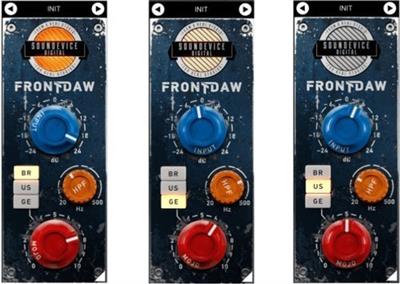
BR/US/GE buttons represent three types of analogue circuits you may choose from. BR represents classic fat British consoles, US stands for legendary punchy American style input. Switching to GE will give you velvet sounding colourful vintage German tube console.
The Mojo
Turning the Mojo knob lets you decide the amount of saturation your tracks get. The effect is rather subtle and gentle because Front DAW is intended to be used on many tracks simultaneously. You don't want your mix to be dirty, do you?
Saturate Every Track
Thanks to advanced modeling technology we use Front DAW is very CPU-friendly. It is designed to be used on every single track of your mix (if desired).
Hassle-Free Software Protection
No iLok, no dongle nor internet access is required for activation. Our software uses licence files to activate your software. You can freely use the purchased software on all your computers as long as you are the user.
Realistic 3D Yet Flexible GUI
Photorealistic graphic user interface of the plugin gives you the feeling you are touching the real hardware. But it easily adapts to your needs. You can always drag the arrow in the bottom right corner to change its size - make it smaller to save the valuable screen space, or enlarge it to make it easier to use.
64-bit Audio Quality at ANY Sampling Rate
The plugin provides the maximum audio quality you can get. It uses internal 64-bit audio processing and can handle any sampling rate. 192 kHz or even higher.
Smart Bypass
The intelligent way our plugins manage bypassing ensures that you don't get any click or harmful noises when automating the parameter.

Homepage:


Код:
https://unitedplugins.com/FrontDAW/


Download link


rapidgator.net:
Код:
https://rapidgator.net/file/dee224bc0255908ec5b7a55e902dcc41/mkpbw.Soundevice.Digital.FrontDAW.3.0.rar.html

nitroflare.com:
Код:
https://nitroflare.com/view/A820E98F141C1BA/mkpbw.Soundevice.Digital.FrontDAW.3.0.rar
 
Назад
Сверху