• Форум работает в архивном режиме www.old.nado.in

All mitsumi'1s Applications !! (updated daily)

  • Автор темы Автор темы mitsumi1
  • Дата начала Дата начала
Irix HDR Pro / Classic Pro 2.3.24


7c13224d345e16ca7d414425015fece9.jpeg


Languages: Multilingual
File Size: 449.78 | 449.72 MB​

Irix Pro HDR - AI Photo Editor. Irix HDR brings true to life HDR photo editing offering one click edits to full scale pro editing toolset. Sky Replacement (SkyXpress)- Replace skies and introduce weather. Import custom skies and merge, combine, integrate with the image for a native look using AI Edge Detect.


Sky Replacement (SkyXpress)
Replace skies and introduce weather. Import custom skies and merge, combine, integrate with the image for a native look using AI Edge Detect.
Presets & Filters
One-touch, social media optimized 200+ presets for an instant edit. See live preview of Preset applied to your photo, choose and click to finish your photo.
AI Auto Enhance
Make one touch auto professional style edits. Irix HDR Voxell AI engine is trained on 12+ million images and applies researched photographic techniques to enhance your photos.
Pro Color Grading
Color grade with highlights & shadows, adjust contrast, color & white balance, black level, saturation and luminance on entire image or selected area.
Overlays
Import custom overlay and introduce effects like Artificial light, God rays, Reflections in water, Halo effect, Ripples, Retro, amazing backgrounds.
Local Adjustments
Make localised edits with masks & brush. Apply Radial, Gradient, Brush, Luminance, Depth masks. Insert custom overlays in selected area.
Text, Emojis & Watermark
Stylize text, insert copyright, watermark or signature. Express emotions with Emojis.
LUTs
Import LUTs in .CUBE, .VF, .3DL formats. Make your own LUTs as .CUBE file.
Depth Editing
Apply local & global adjustments to any depth layer or insert an overlay.
360° & Panorama Editing
Edit, view & export, best for landscape designs.
64-bit Images
Process 8 to 64 bit images at full fidelity using the GPU (Nvidia, AMD, Intel) with 64-bit precision.
Supported ICC gamuts
XDR, HDR, P3, sRGB, Adobe RGB, CMYK, Greyscale, PANTONE© and LAB color spaces.
Collaborate online
Share image catalogs (IRX) with colleagues to preview your work in any web browser. Or simply handover the catalog with all the edit layers and editing can be resumed from where you left.
Camera Support
Edit RAW photos from Sony, Nikon, Kodak, Canon, Panasonic, Ricoh, Samsung etc.
Voxell-G Graphics and Voxell AI engine
Push color space to the boundary of human-eye perception and execute XDR, HDR, HDR10, HDR10+ for up to 64-bit images.
Irix HDR 'GPU Optimizer' drives CPU & GPU to work in tandem returning crisp, lossless, full fidelity edits
Create and Sell Presets/LUTs
For Adobe Lightroom, Photoshop, Premier Pro, DaVinci Resolve, Final Cut Pro, Pixelmator & OBS
Windows Technologies
Built for SQ1, SQ2, Intel & AMD processors using Machine Learning and DirectX rendering engine. Support for OneDrive, Auto HDR & High refresh-rate displays.
Basic features
- Color- Temperature, Tint, Vibrance, Saturation
- Light- Exposure, Brightness, Contrast, Highlights, Shadows, Whites, Blacks, Diffuse
- Crop, rotate, flip. Preset crops for FB, Twitter, Instagram, Pinterest
- Heal & Clone
Advanced features
- RAW image editing
- Perspective & Affine (Straighten), Keystone distortion corrections
- Mesh Warping - Freehand liquify & restore
- AI Tools- Clarity, Dehaze, Denoise, Sharpen, Blur (Defocus), Bokeh. Special tools for night photography editing
- Lens & Chromatic optical correction
- Vignette, Grain & Pixelate
- Face & body sculpt tools- skin retouch, blemish removal, photogenic looks
Pro features
- Edge detect & erase
- Batch processing
- Unlimited layers & history
- Soft proofing - Matte & gloss
- Dynamic RGB & CMYK histogram
- HSL tone curves
- Full access to Exif & metadata
- Drag & drop upto 200 megapixel images, live view in filmstrip, pan, zoom
- Open independent multiple windows or reference image
- Compressed Image Formats: JPG, JPEG, PNG, BMP, GIF, GRAY
- Raw Image Formats- TIFF, TIF, CRW, CR2, DNG, KDC, MOS, NEF, NRW, PTX, R3D, RAF, RAW, SR2, X3F etc.
Release Notes
- Preset Strength calibration
- Bug fixes and Performance improvements

System Requirements
- OS: Windows 10 version 14316.0 or higher
- Architecture: x64
- Mouse: Integrated Mouse
- Memory: 2 GB (Minimum), 4 GB (Recommended)
- Video Memory: 1 GB
- Touch: Not specified (Minimum), Integrated Touch (Recommended)
- Keyboard: Not specified (Minimum), Integrated Keyboard (Recommended)
Microsoft Store - Pro Version

Homepage:


Код:
https://apps.microsoft.com/detail/irix-pro-hdr-ai-photo-editor/9PC371H948F1?hl=en-us&gl=US


Download link


rapidgator.net:
Код:
https://rapidgator.net/file/6413486842ea34dc500cdd220616dec2/wndmk.Irix.HDR.Classic.Pro.2.3.24..rar.html
https://rapidgator.net/file/f2f0ef7f510e533d4b11cc2efcb9bb77/wndmk.Irix.HDR.Pro.2.3.24..rar.html

nitroflare.com:
Код:
https://nitroflare.com/view/B6B10C524DF156A/wndmk.Irix.HDR.Classic.Pro.2.3.24..rar
https://nitroflare.com/view/49EE96F73EF77B9/wndmk.Irix.HDR.Pro.2.3.24..rar
 
Nevercenter Silo 2024.2.0 Professional

Nevercenter Silo 2024.2.0 Professional


3d3d138139d9f257f00451b92352848e.jpeg


Windows x64 | File size: 43.34 MB​

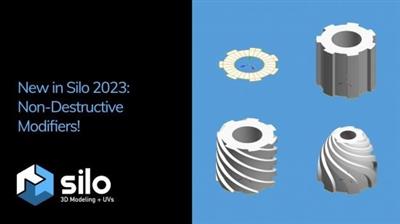
Silo is a focused 3D modeling application with the ability to effortlessly switch between organically sculpting high-polygon models and precisely controlling hard-edged surfaces. It can be used for anything from creating 3D characters for video games and movies to quickly exploring 3D architectural ideas.


Silo brings 3D modeling zen to artists via a clean, focused environment and a streamlined toolset, honed over years of development. It was initially born of our own frustration with the needless complexity and slow, unmanageable workflows of all-in-one graphics software. We single-mindedly devoted Silo to modeling, discovering that the modeling workflow could be made much simpler without sacrificing any power. This unique approach has attracted in equal number students, hobbyists, and professional artists in film, games, architecture, and other fields looking to maximize their production.
Zen Workflow
Silo's careful design and its focus on pure modeling allows it to have a free, uncluttered feeling which is simply not possible in larger applications. Whether you are working to precise specifications or sketching out your thoughts, it is much easier to do so in a calm, focused modeling environment. This benefits professionals who are coming to Silo to escape slower, more complex software. It also benefits hobbyists and students, who are able to learn everything they need without having to deal with anything they don't need.
File Formats
Silo supports import and export of .sia, .sib, .obj, .3ds, .dxf, and .fac, as well as the export only of .stl, .pov, and .rib.
Advanced Polygonal Modeling
Silo offers a comprehensive set of interactive, context-sensitive tools for rapid polygonal modeling. The workflow is focused on having a few powerful, intelligent tools, rather than a separate command or option for every conceivable function. Additionally, "sticky key" functionality allows tools to behave differently if a hotkey is held down. Key modeling tools include Break, Tweak, Cut, Bevel, Slide, Scale, Extrude, Polygon Tool, Edge Tool, unlimited Undo and Redo, and more. Modeling can be performed with or without manipulators, including the Universal Manipulator which combines rotate, scale, and translate into a single manipulator.
Comprehensive Selection Tools
Robust selection tools are the key to great modeling, and a quick look at the Selection menu shows Silo's development has focused heavily on this area. Some highlights? Multi Select mode allows users to select vertices, edges and faces without changing selection modes. Tweak selection allows a user to grab, move, and deselect a component with a single click. That and many other tools work with Soft Selection, which smoothly distributes changes throughout a shape. Paint, Area, and Lasso selection types are supported. Select Visible and Select Thru functions are both available - by default, use the left mouse button for Select Visible commands, and the middle mouse button for Select Thru. A separate Undo is available for cycling through recent selections.
Subdivision Surfaces
Subdivision surfaces offer a smooth, high polygon shape, and are easily accessible in Silo. Using default shortcuts, simply press c to subdivide as many levels as you want, and v to unsubdivide. Modeling can be performed in real time at any subdivision level with updates shown directly on the subdivided shape. Edges can be creased to keep them sharp at all subdivision levels.
Unparalleled Customization
Designed to fit into any pipeline, Silo is the most customizable modeler available. That includes complete customization of the mouse, keyboard, and graphical interface, allowing it to closely emulate other applications a user may be familiar with, or perform tasks (such as assigning up to 40 different commands to a typical mouse with keyboard modifiers) which no other application can. Favorite tricks include assigning undo/redo, grow/shrink selection, and to the scrollwheel, or simply putting frequently used commands on the right mouse button with modifiers. Silo's button pages allow users to create their own multi-page interfaces, and assign any command to any image. The interface and color scheme are also highly customizable. Customizations can be easily imported, exported, and shared. Even the Primitives menu can be customized with frequently used models or settings.
Advanced UV Editing
Silo offers multiple types of unwrapping, including LSCM, Planar Region, XYZ, Per Face, and By Neighbors, which heals UVs based on the UVs based on the surrounding area. Different unwrapping methods can even be used on parts of the same mesh for optimal results. UVs are preserved during modeling operations, so modeling and UV editing can be freely interchanged with little to no cleanup. (This is particularly useful when a last-minute modeling change needs to be made to a "finished" model.) Clutter is significantly reduced by allowing regular geometry editing tools (such as Break, Merge, Tweak, Slide, and Soft Selection) to be used to edit UVs wherever it makes sense. Even the displacement brushes, particularly the Smooth brush, are very useful when applied to smoothing out UVs.
Displacement Painting
Finally, brush-based displacement painting has been well-integrated into a traditional modeling environement. Silo's brushes integrate seamlessly with the rest of the modeling toolset. If the model is subdivided, the brushes will affect the subdivided shape directly, otherwise they will affect regular geometry. As with UVs, displacement is preserved where possible during modeling changes, so the brushes can be used alongside other tools as the model develops, rather than solely at the end of the process. Painting is smooth and natural, and works well with tablets. Displacement maps and normal maps can be generated and exported from any subdivision level, or even from two completely separate objects.
Retopology
With the popularity of displacement painting in Silo and other applications, as well as the common usage of 3d scanners, modelers are frequently asked to create a new, well-formed model with a high-poly shape for reference. This process is frequently known as retopologization, and Silo's Topology Tool provides an innovative solution by allowing users to directly draw new topology onto an object using a pen-like tool. Silo also offers Surface Snapping, which effectively turns every tool into a topology tool by snapping edited geometry to an underlying shape, and the Surface Tool, which allows users to quickly in interactively draw out and tweak strips of polygons.
Scene Editor
Complex Scenes can be easily managed in Silo via the Scene Editor, which displays the scene in a tree-like structure and allows layer-like editing of objects and groups. Selection, display mode, locking, and visibility can all be quickly modified from the editor.
Numerical Editor
Silo offers precise numerical control of the position, rotation, scale, size, distance, and angle of selected geometry via the Numerical Editor.

Snapping

Three powerful snapping modes are available in Silo. Grid snapping snaps to the customizable workgrid, Component snapping snaps to the vertices, edges, and faces of an object, and Surface snapping smoothly snaps to the surface of unselected objects. These snapping modes affect nearly all geometry editing commands.
Код:
https://nevercenter.com/silo/features/#release_notes
System Requirements:Windows 10 or newer 64-bit

Homepage:


Код:
https://nevercenter.com/


Download link


rapidgator.net:
Код:
https://rapidgator.net/file/a84024d69ab8cdf846042a580f402236/wmnvm.Nevercenter.Silo.2024.2.0.Professional.rar.html

nitroflare.com:
Код:
https://nitroflare.com/view/D411AE8D01D4DAF/wmnvm.Nevercenter.Silo.2024.2.0.Professional.rar
 
NIUBI Partition Editor 9.9.5 Multilingual

NIUBI Partition Editor 9.9.5 Multilingual


47248637a00b4c62ad561a904647b3e9.jpeg


All Editions | File Size: 12.5 MB​

Magic Partition Software for Windows PC. System C drive becomes full and no free space to install Updates or applications? Don't worry, NIUBI Partition Editor Professional Edition helps you solve this problem easily. Better than other utilities, this magic partition manager software integrated unique Roll-Back data protection technology, which is able to automatically roll back computer to the status before resizing in ONE second, if any software error or hardware issue occurred, so you don't need to worry about data safety. Optimized file-moving algorithm helps resize partition at least 30% faster than ANY other tools.


If you provide IT technical service to your clients and need a powerful disk partition management toolkit, NIUBI Partition Editor Technician Edition is the best choice. This partition manager software is compatible with Windows Server 2022/2019/2016/2012/2008/2003 and Windows 11/10/8/7/Vista/XP. Local/removable hard disk, VMware, Hyper-V and all types of hardware RAID are all supported.
Better than other utilities, NIUBI Partition Editor integrated unique Roll-Back data protection technology, which is able to roll back the computer to the status before resizing automatically if any hardware issue occurred, so you don't need to worry about data safety. Furthermore, the built-in unique file-moving algorithm helps resize partition 30% - 300% faster than other tools. Time is important to you and your customer!
NIUBI Partition Editor Technician Edition is the best cost-effective option for you to provide charged technical services for multiple companies and individuals. One license code can be registered on unlimited desktops, workstations and servers regardless of network size or architecture.
Whats New
official site does not provide any info about changes in this version.

Homepage:


Код:
https://www.hdd-tool.com/


Download link


rapidgator.net:
Код:
https://rapidgator.net/file/7703ff0b4b5acc51653654435ed7cc87/xxdqp.NIUBI.Partition.Editor.9.9.5.Multilingual.rar.html

nitroflare.com:
Код:
https://nitroflare.com/view/3072D02886ADE5D/xxdqp.NIUBI.Partition.Editor.9.9.5.Multilingual.rar
 
NIUBI Partition Editor 9.9.5 WinPE

NIUBI Partition Editor 9.9.5 WinPE


1688cd1beb8f29315a3ad1a9fa65e06c.jpeg


All Editions | File size: 2.6 GB (Total)​

Magic Partition Software for Windows PC. System C drive becomes full and no free space to install Updates or applications? Don't worry, NIUBI Partition Editor helps you solve this problem easily. Better than other utilities, this magic partition manager software integrated unique Roll-Back data protection technology, which is able to automatically roll back computer to the status before resizing in ONE second, if any software error or hardware issue occurred, so you don't need to worry about data safety. Optimized file-moving algorithm helps resize partition at least 30% faster than ANY other tools.


What's Inside
Re-size Disk Partition
Shrink, extend, move and merge partitions to optimize space usage without losing data.
Partition Management
Create, Delete, Format, Explorer partition, Change partition label and drive letter, Set Active partition, etc.
Convert Disk Partition
Convert MBR disk to GPT, Convert Logical partition from/to Primary, Convert NTFS partition to FAT32.
Clone & Migration
Migrate OS to new disk, clone entire disk or single partition to back up or migrate data.
System Optimization
Partition defragment, Fix file system error, Scan bad sectors, Initialize disk, view disk/partition properties, etc.
Data Security
Hide partition, Set disk read-only attribute, erase data in disk/partition/Unallocated space.
Whats New
Updates: official site does not provide any info about changes in this version.

Homepage:


Код:
https://www.hdd-tool.com/


Download link


rapidgator.net:
Код:
https://rapidgator.net/file/2ee33298fb43a457509d98e871b5c1fb/defct.PartitionEditor9.9.5Enterprise..sanet.st.iso.html
https://rapidgator.net/file/b1fecd27142a71bb0c55b98806e49eaf/defct.PartitionEditor9.9.5Pro..sanet.st.iso.html
https://rapidgator.net/file/f25b5ead82f8ac075e85ef9875d87f3c/defct.PartitionEditor9.9.5Server..sanet.st.iso.html
https://rapidgator.net/file/b09fd413a7db1c552f9451c65101a4c4/defct.PartitionEditor9.9.5Technician..sanet.st.iso.html
https://rapidgator.net/file/982763228287b5056e230db500296a1d/defct.PartitionEditor9.9.5Unlimited..sanet.st.iso.html

nitroflare.com:
Код:
https://nitroflare.com/view/9BCB68F4D383B96/defct.PartitionEditor9.9.5Enterprise..sanet.st.iso
https://nitroflare.com/view/A9AAD9BE1798633/defct.PartitionEditor9.9.5Pro..sanet.st.iso
https://nitroflare.com/view/E1AADCCAD21F09B/defct.PartitionEditor9.9.5Server..sanet.st.iso
https://nitroflare.com/view/E8C2C47AA83B6E0/defct.PartitionEditor9.9.5Technician..sanet.st.iso
https://nitroflare.com/view/675B5C787E1467D/defct.PartitionEditor9.9.5Unlimited..sanet.st.iso
 
O&O BlueCon 21.0.12042

O&O BlueCon 21.0.12042


2902992c2e2cf5583491868c0ad00c09.jpeg


File size: 113.9 MB​

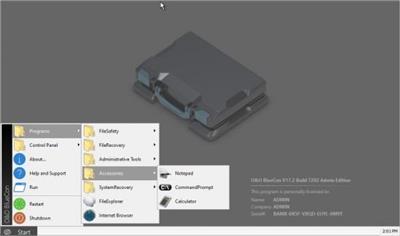
O&O BlueCon is the disaster recovery software when a PC or server no longer starts. It provides a collection of strong tools for users, administrators, and service technicians consequently damaged Windows systems can be made operational again without any prior installation. The Windows based user interface makes it so easy to use O&O BlueCon that less time is needed for training. O&O BlueCon is at an administrator's side during the course of a daily routine as well as whenever disaster strikes.


Disaster recovery when a pc or server no longer starts
A blue screen usually means a lot of work for administrators. When things get really bad, there's no other choice but to configure a new system setup. And this is where O&O BlueCon comes in. O&O BlueCon is at an administrator's side during the course of a daily routine as well as whenever disaster strikes. Based on Windows PE, it offers a wide range of programs for, among other things, repairing systems, searching and correcting errors, restoring lost data, resetting passwords, and the list goes on. O&O BlueCon is an administrator's IT first aid kit for day to day use.
O&O BlueCon starts all programs directly from a bootable medium (CD/DVD or USB stick) and can so avoid the risk of data loss caused by overwriting data on the computer, which might be the case with a new installation. Seamless integration of all O&O BlueCon components saves the user the time-consuming job of collecting individual programs.
Benefits for your company
Restoring accidentally deleted data
Backing up and restoring data
Driver problems and service issues
Secure deletion of data volumes
Resetting passwords
Partitioning hard disks
Combat errors in the registry database
Advanced error detection - EventViewer and CheckDisk
Locating and removing data
Downloading additional tools: Integrated web browser
Creation of a PXE Boot Medium direct from the Boot Assistant
Bitlocker drives can be unlocked and accessed
Scripting over Windows 10 networks
Support too for Hyper-V
Whats New
Updates: official site does not provide any info about changes in this version

Homepage:


Код:
https://www.oo-software.com


Download link


rapidgator.net:
Код:
https://rapidgator.net/file/ae69319a7c7bac408eba64315a4d1fb4/zkpuz.OO.BlueCon.21.0.12042.rar.html

nitroflare.com:
Код:
https://nitroflare.com/view/D86AA5CAA4F9965/zkpuz.OO.BlueCon.21.0.12042.rar
 
OcenAudio 3.13.8 Multilingual

OcenAudio 3.13.8 Multilingual


f43e5e8b5e7dda3a6727436d8b931c3c.jpeg


File Size : 78.8 Mb​

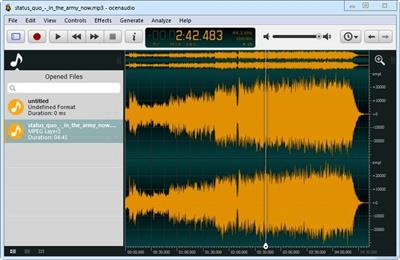
OcenAudio is a cross-platform, easy to use, fast and functional audio editor. It is the ideal software for people who need to edit and analyze audio files without complications. OcenAudio also has powerful features that will please more advanced users. This software is based on Ocen Framework, a powerful library developed to simplify and standardize the development of audio manipulation and analysis applications across multiple platforms.


Why OcenAudio?
It works on your computer!
OcenAudio is available for all major operating systems: Microsoft Windows, Mac OS X and Linux. This means you can always rely on OcenAudio on any computer.
It stays out of your way
No matter how many files are open, OcenAudio always remains responsive. Time-consuming tasks (such as opening and saving audio files, or applying effects) run in background, allowing you to work on other files.
The user comes first
The development of OcenAudio began when a brazilian research group at the Federal University of Santa Catarina (LINSE) needed an easy-to-use audio editor loaded with features such as multiple file formats support, spectral analysis and audio signal generation. OcenAudio development focuses primarily on usability, providing the user with a cohesive and intuitive audio editing and analysis tool.
Features
VST plugins support
• OcenAudio supports VST (Virtual Studio Technology) plugins, giving its users access to numerous effects. Like the native effects, VST effects can use real-time preview to aide configuration.
Real-time preview of effects
• Applying effects such as EQ, gain and filtering is an important part of audio editing. However, it is very tricky to get the desired result by adjusting the controls configuration alone: you must listen the processed audio. To ease the configuration of audio effects, OcenAudio has a real time preview feature: you hear the processed signal while adjusting the controls.
• The effect configuration window also includes a miniature view of the selected audio signal. You can navigate on this miniature view in the same way as you do on the main interface, selecting parts that interest you and listening to the effect result in real time.
Cross-platform support
• OcenAudio is available for all major operating systems: Microsoft Windows, Mac OS X and Linux. Native applications are generated for each platform from a common source, in order to achieve excelent performance and seamless integration with the operating system. All versions of OcenAudio have a uniform set of features and the same graphical interface, so the skills you learn in one platform can be used in the others.
Multi-selection for delicate editions
• To speed up complex audio files editing, OcenAudio includes multi-selection. With this amazing tool, you can simultaneously select different portions of an audio file and listen, edit or even apply an effect to them.
• For example, if you want to normalize only the excerpts of an interview where the interviewee is talking, just select them and apply the effect.
Efficient editing of large files
• With OcenAudio, there is no limit to the length or the quantity of the audio files you can edit. Using an advanced memory management system, the application keeps your files open without wasting any of your computer's memory. Even in files several hours long, common editing operations such as copy, cut or paste happen almost instantly.
Fully featured spectrogram
• Besides offering an incredible waveform view of your audio files, OcenAudio has a powerful and complete spectrogram view. In this view, you can analyze the spectral content of your audio signal with maximum clarity.
• Advanced users will be surprised to find that the spectrogram settings are applied in real time. The display is updated immediately when altering features such as the number of frequency bands, window type and size and dynamic range of the display.
Код:
https://www.ocenaudio.com/changelog

Homepage:


Код:
https://www.ocenaudio.com/


Download link


rapidgator.net:
Код:
https://rapidgator.net/file/02794158db84048a8727b41f7324740e/cvhos.OcenAudio.3.13.8.Multilingual.rar.html

nitroflare.com:
Код:
https://nitroflare.com/view/885A4268FC82618/cvhos.OcenAudio.3.13.8.Multilingual.rar
 
Pixologic ZBrush 2024.0.3 Multilingual (x64)

Pixologic ZBrush 2024.0.3 Multilingual (x64)


e5e41e9188d4007e277b1b8056bda2fc.jpeg


x64 | languages:Multilingual | File Size: 2,46 GB​

Description
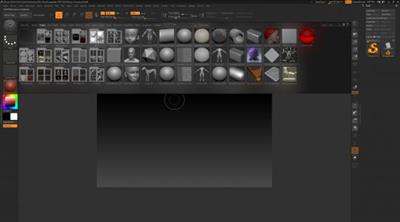
ZBrush is the leading industry standard digital sculpting software. This update provides enhancements that will help you explore new workflows, including the ability to create high quality renders with the integration of Redshift. From Hard Surface modeling and Character Creation to World Building and Environment Design, ZBrush provides you with access to diverse workflows and limitless creative possibilities with ease.


Integrate fully GPU-accelerated, biased rendering into your ZBrush pipeline
Render high resolution images without UV and Texture Map information on the fly. Take your art further with Subsurface Scattering, Emissive Light generation, full metallic material management and caustic effects for realistic glass. Using ZBrush with Redshift integration provides new and exciting opportunities to create high-quality images.
Slime Bridge
A dynamic way to create! Using the power of ZBrush's Masking system, Slime Bridge works to expand modeling capacity to include complex geometric connections and designs from one masked island to another. Simply draw out a mask on a given surface and create another mask on an adjacent group of faces to set your Slime Bridge parameters. Click the Slime Bridge button and watch real-time construction and eclectic shapes come to life. The Tension, Bridges Calipers and Branches sliders provide access points for even more creative control when it comes time to slime things up!
Sculptris Pro
Sculptris Pro, a dynamic tessellation sculpting workflow that enables you to ignore the constraints of polygon distribution and just - sculpt! Sculptris Pro makes it possible for you begin with any shape or model, whether it has ten polygons or ten thousand. There is absolutely no need to worry about having enough polygons to capture details. With Sculptris Pro you can simply brush across the surface. Sculptris Pro will dynamically add and reduce polygons wherever and whenever it's needed, freeing you to focus entirely on the look you're trying to achieve.
ZBrush places a library of over 400 sculpting brushes at your fingertips. Activating Sculptris Pro will transform each of these brushes into a system that places no limitations on your creativity. ZBrush comes with a set of brushes designed specifically for Sculptris Pro.
Subdivision Size Picker
Additions to the already robust Sculptris Pro feature set include increased resolution capabilities. Take advantage of triangle size at five times the density. Using the Sculptris Pro slider provides control for increasing density in desired areas while also reducing the size of triangles. This means more detail where it counts. Extended use includes interactive manipulation of triangle size while hovering over designated areas of an asset.
Multi-Resolution Mesh Editing
The inherent problem with traditional 3D modeling methods is that once you divide your mesh you are locked into the design thus far. There is no way to go back and make changes at the macro level without sacrificing everything that has been done at higher resolutions. ZBrush does away with that restriction through multi-resolution subdivision editing, the feature for which it received an Academy Award. With this system you are free to move between subdivision levels at any time, making changes wherever they are most appropriate. Those changes then automatically ripple across all other levels of your model.
Mask Region
Mask Region allows for expanded use of ZBrush's robust masking system by allowing you to draw shapes on the surface of a mesh while filling those areas uniformly and independently. Selecting the Auto Region option will auto-fill your mask to complete your selection. With Analyze Region, you make multiple masking selections while ZBrush detects and fills the selected areas. Fill Region will auto-fill all areas that ZBrush detected to complete multiple mask selections at once with the push of a button.
Apply Last Action
The Apply Last Action to All Subtools function allows for application of material attributes, color information and any other "undoable" operations to multiple subtools inside the ZBrush Tool Palette with the click of a button. Only Subtools with the "Eyeball" icon activated/visibility turned on inside the Subtool menu will be affected.
Taking this functionality further sees the addition of Folder support. The Folder "add-on" function provides you with an opportunity to manage Apply Last Action to specific folders for increased control over modeling and visual representation of assets. Grouping your subtools together into a Folder will allow you to use Apply Last Action to subtools within a currently selected folder.
Код:
https://support.maxon.net/hc/en-us/articles/11319972117148-ZBrush-2024-Release-Notes?_gl=1*1uzdv05*_gcl_au*MTYwMzEzNjQ1MS4xNzA3MzM3ODYy

Screenshots


453b4a6c21eb0d8fa459b03608fc3ac7.jpeg


Homepage:


Код:
https://www.maxon.net/en/


Download link


rapidgator.net:
Код:
https://rapidgator.net/file/f30a303b9b765b3f183ce5c931f21f38/riezg.Pixologic.ZBrush.2024.0.3.Multilingual.x64.part1.rar.html
https://rapidgator.net/file/596fe689c124427f1e70448fd8da9226/riezg.Pixologic.ZBrush.2024.0.3.Multilingual.x64.part2.rar.html
https://rapidgator.net/file/7a28f96f6fdc4d088cb8dec88b59cbec/riezg.Pixologic.ZBrush.2024.0.3.Multilingual.x64.part3.rar.html

nitroflare.com:
Код:
https://nitroflare.com/view/D7B9374C334778C/riezg.Pixologic.ZBrush.2024.0.3.Multilingual.x64.part1.rar
https://nitroflare.com/view/DDD59BF6F236E0C/riezg.Pixologic.ZBrush.2024.0.3.Multilingual.x64.part2.rar
https://nitroflare.com/view/25080827C508C5C/riezg.Pixologic.ZBrush.2024.0.3.Multilingual.x64.part3.rar
 
proDAD ReSpeedr 2.0.209.1

proDAD ReSpeedr 2.0.209.1


017c0048bed0eaf7e1c14847c1457f2a.jpeg


Languages: Multilingual
File Size: 151.39 MB​

ReSpeedr V2: Perfect Super Slow Motion, Time-Lapse, and Afterglow Effects! Explore a captivating world with ReSpeedr, where your videos transform into breathtaking spectacles of time. Infuse your footage with variable speed changes between super slow motion and time-lapse, along with afterglow effects, adding an extra mystical touch.


These creative options open new dimensions for the mood and atmosphere of your scenes. Furthermore, ReSpeedr enables the perfecting of 3D video material through captivating slow-motion or time-lapse sequences. With NVIDIA technology support, your videos are processed super-fast, giving you more time for creative expression. Rediscover the boundaries of videography with ReSpeedr and bring your visions to impressive reality, whether in action scenes, nature captures, or technical processes.
Features
- Super slow-motion with thousands of images per second
- Time-lapse for quick bridging of slow movements
- Keyframes for combining super slow-motion and time-lapse, including dynamic transition phases
- After-exposure effects to combine with super slow-motion and time-lapse
- New user interface for even more convenience
- Quick video stabilization with Mercalli V6 technology
- 3D video support
- Export now also in YUV 422 and 444, in 8, 10, and 12 Bit
- Export profiles can be created for individual requirements
- Spherical videos with 180° and 360°, incl. binocular formats
- Editing of portrait formats
- Accelerated computation compared to V1
- Thanks to NVIDIA technology, significantly accelerated export
Release Notes
- Release notes were unavailable when this listing was updated.

System Requirements
- Windows Vista, 7, 8, 8.1, 10, 11 (64-bit)
- 2GB main memory, recommended: i7 CPU, 6GB main memory.

Homepage:


Код:
https://www.prodad.com


Download link


rapidgator.net:
Код:
https://rapidgator.net/file/c3124e4060824ebad269b7260a2f791f/dxzel.proDAD.ReSpeedr.2.0.209.1.rar.html

nitroflare.com:
Код:
https://nitroflare.com/view/DFA5F4F1B95DF10/dxzel.proDAD.ReSpeedr.2.0.209.1.rar
 
PVS Studio 7.30.80678.911

PVS Studio 7.30.80678.911


bc0e9f3c757e20f99025f17a558049d9.jpeg


File size: 137 MB​

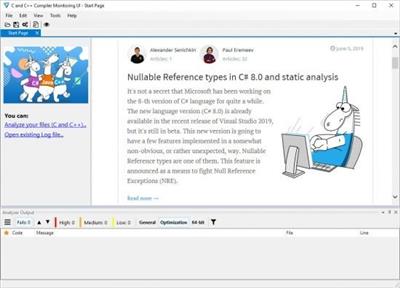
PVS-Studio is a tool for detecting bugs and security weaknesses in the source code of programs, written in C, C++, C# and Java. PVS-Studio performs static code analysis and generates a report that helps a programmer find and fix bugs. PVS-Studio performs a wide range of code checks, it is also useful to search for misprints and Copy-Paste errors. Examples of such errors: V501, V517, V522, V523, V3001.


The main value of static analysis is in its regular use, so that errors are identified and fixed at the earliest stages. There is no point in wasting 50 hours looking for a bug that could be found with static analysis. So, let's point out that again - the main idea of static analysis is not to find one hidden bug on the day before the release, but to fix dozens of bugs day by day.
The analyzer can be run at night on the server and warn about suspicious code fragments. Ideally, these errors can be detected and fixed before getting into the repository. PVS-Studio can automatically be launched immediately after the compiler for the files that have been just modified.
Quick start in Windows
PVS-Studio can integrate into Visual Studio development environment 2010-2017. If you use this IDE, then most likely you will just have to go to the menu of PVS-Studio plugin and choose "Check Current Project".
Often, it can be a more complicated process, and you will need to integrate PVS-Studio into a build system, even an exotic one. The topic of integration is too broad to describe it here. You can find all the information in the detailed documentation.
One more point to notice - PVS-Studio for Windows and Linux has special utilities, gathering information about the compiler launches. These tools allow doing a quick analysis of a project that gets compiled in any possible way. You can quickly try out the analyzer abilities, without wasting time on its integration with makefile or a build script.
Код:
https://www.viva64.com/en/m/0010/

Homepage:


Код:
http://www.viva64.com/


Download link


rapidgator.net:
Код:
https://rapidgator.net/file/5f135b3f2f9a20efa73ef4314bc2abde/wgxmc.PVS.Studio.7.30.80678.911.rar.html

nitroflare.com:
Код:
https://nitroflare.com/view/89F35C8E1B1B847/wgxmc.PVS.Studio.7.30.80678.911.rar
 
Reallusion Cartoon Animator 5.23.2809.1

Reallusion Cartoon Animator 5.23.2809.1


7cfd5a8ef97bf74a0f1e8fcde94a2a87.jpeg


Languages: Multilingual
File Size: 579.75 MB​

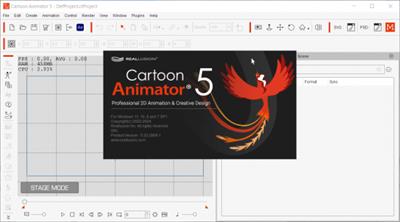
Cartoon Animator is a 2D animation software designed for ease of entry and productivity. Turn images into animated characters, drive facial animations with your expressions, generate lip-sync animation from audio, create 3D parallax scenes, and produce 2D visual effects. Gain access to content resources and wield a comprehensive photoshop/vector pipeline to rapidly customize characters and create interesting content.


ANY GRAPHIC OR IMAGE CAN BE ANIMATED
Creativity is no longer limited: Whether vector or bitmap, any image can be imported, rigged and animated in Cartoon Animator.
CREATE ENGAGING SECONDARY ACTIONS
What took months of animation training to learn and hours of curve editing to achieve, secondary motion can now be done automatically. Applicable to any object, Cartoon Animator makes secondary motion a cinch to work with.
INSTANT RIGGING & ANIMATION
All-in-one storytelling tool for character creation, 360-head design, motion editing, talking facial animations, scene setup, and giving life to props.
3D ANIMATION WORKFLOW & POST-PROCESSING
Cartoon Animator implements the most innovative workflow by synergizing industry-leading applications, 3D animation resources, and motion capture devices - giving designers the ultimate freedom for high-quality production.
Character Creation
- Full Character
- 360 Head
- Create Your Own
Animation Creation
- Character Animation
- Smart IK Motion Editing
- 2D Talking Heads
- Prop Dynamics & SFX
- 3D Motion to 2D Animation
- Live Mocap (Motion LIVE 2D)
Production
- Interface Guideline
- Import & Export
Secondary Animation
- Spring Dynamics
- Free Form Deformation
Pipelines
- Vector Animation
- PSD Pipeline
- Draw to Animate
- Video Compositing
Release Notes
Код:
https://www.reallusion.com/cartoon-animator/update.html

Operating System
- Windows 11, 10 and 7 (SP1)
- Support for 64-bit operating system only
Minimum Requirements
- Intel 2nd Gen Core i5 Processors
- 2GB RAM
- Nvidia GeForce GT 530 / Radeon HD 6670 or higher
- Video Memory: 1GB RAM
- HDD, 10 GB free hard disk space for installation
- Display Resolution: 1440x900 or higher
Recommended Requirements
- Intel 7th Gen Core i5 Processors or higher
- 8GB RAM or higher
- Nvidia GeForce GTX 650 /Radeon HD 4890 or higher
- Video Memory: 2GB RAM or higher
- SSD, 10 GB free hard disk space for installation
- Display Resolution: 1920x1080 or higher
Supported Languages
English, German, Traditional Chinese, Simplified Chinese, Japanese

Screenshots


ee89eecc35dbb5128cb403bbe5fb83f6.jpeg


Homepage:


Код:
https://www.reallusion.com


Download link


rapidgator.net:
Код:
https://rapidgator.net/file/8935f76bedea4dd441a8bbd7a23637fd/ydslf.Reallusion.Cartoon.Animator.5.23.2809.1.rar.html

nitroflare.com:
Код:
https://nitroflare.com/view/636038AE1877A70/ydslf.Reallusion.Cartoon.Animator.5.23.2809.1.rar
 
Red Giant Magic Bullet Suite 2024.2 (x64)

Red Giant Magic Bullet Suite 2024.2 (x64)


bcf9d917d0564ef8b96df889a1d572df.jpeg


File size: 272 MB​

Magic Bullet Suite adds 2 new film and lens emulation tools for Looks, Halation, and Optical Diffusion. It also gives a first look at the new Color Management system OpenColorIO - ACES in Looks adding greater control when mixing a variety of sources, creating deliverables, and working with Looks within complex post pipelines.


COLOR CORRECT
Magic Bullet Suite is a complete set of plugins that gives you everything you need to make your footage look great, right on your editing timeline. Balance out your shots with powerful color adjustments. Then, go beyond color correction, with accurate simulations of lens filters and film stocks. And now, with both input and output color handling in Looks, Magic Bullet Suite fits in perfectly anywhere within your high-end color workflow.
STYLIZE
Give your footage the look of a Hollywood film. With the tools in Magic Bullet Suite, your footage can instantly have cinematic contrast and the sophisticated color palettes of big budget movies. With tons of fully customizable presets based on popular movies and TV shows, you will have beautiful results in seconds.
REFINE
Quickly balance skin tones, reduce wrinkles and remove skin blemishes, so your talent can look their best. Magic Bullet Suite makes cosmetic cleanup fast and easy, and gives you natural results that look untouched.
CLEANUP
Save your footage from video noise caused by shooting in the dark or at high ISOs. Magic Bullet Suite can clean up the noise while still preserving the details in your shot. At the end of your color grading process, Magic Bullet Suite can also reintroduce some subtle texture and a natural film grain that gives your final product a look that feels genuine and unprocessed.
Код:
https://www.maxon.net/en/red-giant-complete/magic-bullet-suite

Homepage:


Код:
https://www.maxon.net/


Download link


rapidgator.net:
Код:
https://rapidgator.net/file/f92826f8607506d477a60cb1c8f9a8f2/vfqtj.Red.Giant.Magic.Bullet.Suite.2024.2.x64.rar.html

nitroflare.com:
Код:
https://nitroflare.com/view/7400CB8A1A56D15/vfqtj.Red.Giant.Magic.Bullet.Suite.2024.2.x64.rar
 
Red Giant Trapcode Suite 2024.2 (x64)

Red Giant Trapcode Suite 2024.2 (x64)


c296f932edb57f4f3c1725b01fb32e6d.jpeg


File size: 744.2 MB​

Trapcode Suite 18 introduces M1 support for all Trapcode tools, granting users full access to all the power and speed of Apple Silicon. Additionally, Particular gains the beloved Layer Maps capabilities from Form.


PARTICLE EFFECTS
Trapcode Suite brings the power of 3D particle systems right into After Effects. Use particle emitters to create fire, water, smoke, snow and other organic visual effects, or create technological marvels and user interfaces with immortal particle grids, text and 3D forms. Combine multiple particle systems into one unified 3D space and design emitters that emit full emitters for creating visually stunning results. With GPU acceleration, Trapcode plugins help you get beautiful results fast.
PHYSICS & FLUIDS
Trapcode Suite includes a physics engine with powerful behaviors, forces and environmental controls. Particular brings particles to life with new flocking/swarming and predator/prey behaviors, and adds more realism with combined bounce and air physics. Particular and Form both include the ability to create organic fluid simulations where particle systems interact with beautiful results.
3D OBJECTS & SURFACES
Create flowing surfaces, mountainous terrains, endless tunnels, and abstract shapes. Use paths and motion to generate beautifully complex geometric shapes, ribbons and extrusions. Whether you are creating motion graphics or visual effects, the possibilities are endless.
LIGHTS & GLIMMERS
Bring light and life into your motion design. Simulate organic, 3D-camera aware volumetric lighting. Use masks and paths to add light streaks that can bring your logos and text to life and add starry glimmers to accent the highlights in your work.
SOUND AND MOTION
Use audio to generate keyframes that drive animation and effects. Scale, rotate and move to the beat, or use drum hits to create particle effects. Duplicate and offset layers and their motion with ease. Trapcode Suite gives you the power to automate complex animation easily.
CINEMA 4D FILE IMPORT
With a subscription to Red Giant, get even more 3D geometry input options thanks to integration with Cineware .c4d files. Bring C4D file geometry into your projects as Particular emitters, Form particle objects and Mir 3D models, including animation, normals, texture coordinates and transformations.
Код:
https://www.maxon.net/en/red-giant-complete/trapcode-suite

Homepage:


Код:
https://www.maxon.net/


Download link


rapidgator.net:
Код:
https://rapidgator.net/file/05d83dbbddd7546d67046622af792897/iqebh.Red.Giant.Trapcode.Suite.2024.2.x64.rar.html

nitroflare.com:
Код:
https://nitroflare.com/view/2C538EEE969FD03/iqebh.Red.Giant.Trapcode.Suite.2024.2.x64.rar
 
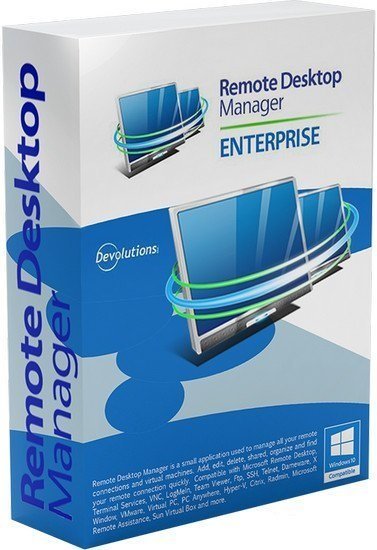
Remote Desktop Manager Enterprise 2024.1.24 (x64) Multilingual

Remote Desktop Manager Enterprise 2024.1.24 (x64) Multilingual


56052de3263edee54c35dd935230e277.jpeg


File Size: 257.9 MB​

Remote Desktop Manager is a small apgfplication used to manage all your remote connections and virtual machines. Add, edit, delete, shared, organize and find your remote connection quickly. Compatible with Microsoft Remote Desktop, Termfinal Services, VNC, LogMeIn, Team Viewer, Ftp, SSH, Telnet, Dameware, X Window, VMware, Virtual PC, PC Anywhere, Hyper-V, Citrix, Radmin, Microsoft Remote Assistance, Sun Virtual Box and more.


Enterprise Edition
* Share your remote connection settings inside a company database.
* Save your credentials and passwords in a database.
* Monitor user activities with the database logs.
* Faster and more secure solution.
* Available in single license, multiple licenses pack, global license or site license.
FEATURES
Microsoft Remote Desktop (RDP)
Microsoft Remote Assistance
VNC (UltraVNC, TightVNC, RealVNC and embedded)
LogMeIn
Team Viewer
FTP (Explorer, Filezilla and WinSCP)
X Window
Putty (SSH, Telnet, RAW and rLogin)
Dameware Mini Remote Control
Radmin Viewer
Citrix XenApp (ICA)
Symantec PC Anywhere
Microsoft Hyper-V
Microsoft Virtual PC
Microsoft Virtual Server
Microsoft Windows Virtual PC
Sun VirtualBox
VMware Player, VMware Workstation, VMware ESXi and VMware vSphere
Cisco VPN client
SonicWall Global VPN client
Код:
http://remotedesktopmanager.com/Home/ChangeHistory

Homepage:


Код:
http://remotedesktopmanager.com/


Download link


rapidgator.net:
Код:
https://rapidgator.net/file/20802f3a8aac0f03364ff562bab26726/gthig.Remote.Desktop.Manager.Enterprise.2024.1.24.x64.Multilingual.rar.html

nitroflare.com:
Код:
https://nitroflare.com/view/F2ED043B86D75B5/gthig.Remote.Desktop.Manager.Enterprise.2024.1.24.x64.Multilingual.rar
 
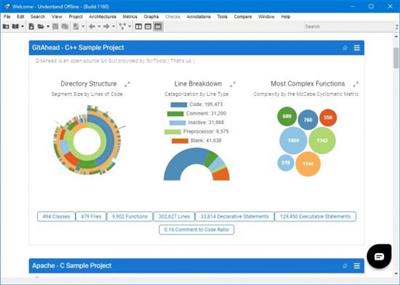
Scientific Toolworks Understand 6.5 Build 1180

Scientific Toolworks Understand 6.5 Build 1180


d2297f527a2a17e7da9e529d48ace9a0.jpeg


Windows x64 | File size: 273.81 MB​

Analyze dependencies between modules, classes, functions, and custom architectures. Make informed decisions regarding refactoring, optimization, and overall code organization by using Understand's dependency graph and other features.


Code navigation
Quickly and efficiently move through your codebase. With features like cross-references and call trees, developers can easily locate and understand specific sections of code, improving productivity and troubleshooting.
Organize with Architectures
Rearrange your code into logical groupings, providing a structured view that allows for easy navigation and better understanding of relationships between components. Manage large codebases efficiently and streamline your development process.
Dependency analysis
Analyze dependencies between modules, classes, functions, and custom architectures. Make informed decisions regarding refactoring, optimization, and overall code organization.
Visualize with graphs
View dependency, butterfly, data flow, called by graphs and more. Customize the style of your graphs, use plugins to design your own unique graphs, or export and highlight graphs to collaborate with your team.
Compliance validation
Enforce internal coding standards and prove compliance with external standards using CodeCheck. With extensive pre-defined code checks and the ability to write your own checks, ensure the correctness of your code and maintain compliance with ease.
Measure your code with Metrics
Understand has hundreds of cross-language industry standard software metrics built in, or use our API to create your own metrics. Metrics can be displayed visually and exported to share with your team.
Integrate your workflow with APIs
Benefit from extensive Python and Perl APIs that enable automation, custom reporting, and the development of specialized tools. Leverage the power of Understand to enhance your existing development workflows and unlock new possibilities.
Extend your reach with plugins
An extensive library of user submitted plugins lets you tailor Understand to your specific needs. Custom graphs, metrics, architectures and reports gives you unlimited options.
Seamless code editing
Our user-friendly and productive environment gives efficient editing capabilities, language support, powerful search and navigation tools, and seamless integration with other code analysis features.
Sync notes directly to your code
Annotations enhance your code documentation and collaboration. Add comments, requirements, reminders, and documentation to specific code sections, ensuring important information is easily accessible and synchronized.
Search your code
Search by entity kind, metric values, and in fields (comments, strings, identifiers). Find and replace code or automatically refactor.
Identify changes with ease
Effortlessly find and analyze differences between code versions, track changes across commits, and view detailed metrics and graphs that highlight modifications.
Код:
https://support.scitools.com/support/solutions/folders/70000470871
What's new
• official site does not provide any info about changes in this version

Homepage:


Код:
https://scitools.com/


Download link


rapidgator.net:
Код:
https://rapidgator.net/file/b4ca9873b6777531f46579cce2620a73/smrar.Scientific.Toolworks.Understand.6.5.Build.1180.rar.html

nitroflare.com:
Код:
https://nitroflare.com/view/D9BE9E5DB2C06D9/smrar.Scientific.Toolworks.Understand.6.5.Build.1180.rar
 
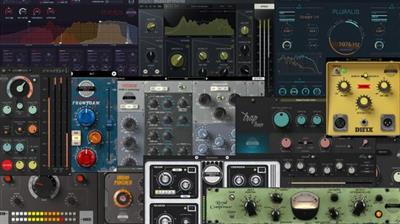
Soundevice Digital Complete Effects Bundle 2024.4

Soundevice Digital Complete Effects Bundle 2024.4


1ef18cbe1d693cb1731625b7b24c1b07.jpeg


File size: 167 MB​

United Plugins. Professional Audio Plugins Created by Independent Artists and Developer Teams.


Included
Autoformer v3.0
DIFIX v3.2
FrontDAW v3.1
Mastermind v1.6
Plamen v1.2
Pluralis v1.3
Randomachine v1.0
Royal Compressor v2.8
SubBass Doctor 808 v2.8
TrapTune v1.7
UniChannel v1.9
Urban Puncher v2.0
Verbum Entropic Hall v3.1
VoxDucker v1.7
Voxessor v2.9
Whats New
Updates: official site does not provide any info about changes in this version.

Homepage:


Код:
https://unitedplugins.com/


Download link


rapidgator.net:
Код:
https://rapidgator.net/file/20ad22440e086a6c1fbbc6ef79a0ba47/yctrf.Soundevice.Digital.Complete.Effects.Bundle.2024.4.rar.html

nitroflare.com:
Код:
https://nitroflare.com/view/A83D32A1EFCE1C6/yctrf.Soundevice.Digital.Complete.Effects.Bundle.2024.4.rar
 
SQLPro for MSSQL 2024.21 macOS

SQLPro for MSSQL 2024.21 macOS


543cca3c273abfe5e75c71453efb21b2.jpeg


File size: 20 MB​

SQLPro for MSSQL (was SQL Client) is a lightweight TDS client, allowing quick and simple access to Microsoft SQL servers (sqlserver), including those hosted in Azure. This client does not work with MySQL. Please ensure that your server is a Microsoft SQL server.


Features
- Syntax highlighting
- Intellisense
- Tab-based interface
- Support for executing multiple queries at once
- Quick access to tables, columns, and more
- Stored procedure execution
SQLPro for MSSQL can be used to connect with the following databases
- Microsoft SQL Azure
- Microsoft SQL Server 2005
- Microsoft SQL Server 2008
- Microsoft SQL Server 2008 R2
- Microsoft SQL Server 2012
- Microsoft SQL Server 2014
- Microsoft SQL Server 2016
Release Notes
Updates: official site does not provide any info about changes in this version

Supported Operation Systems
macOS 10.13 or later

Homepage:


Код:
https://www.macpostgresclient.com


Download link


rapidgator.net:
Код:
https://rapidgator.net/file/9472e79f9b3b976be237f3248c174379/ytiny.SQLPro.for.MSSQL.2024.21.macOS.dmg.html

nitroflare.com:
Код:
https://nitroflare.com/view/9EE8E28B1B0637E/ytiny.SQLPro.for.MSSQL.2024.21.macOS.dmg
 
SQLPro for MySQL 2024.21 macOS

SQLPro for MySQL 2024.21 macOS


8bd80f4a085834118b56a6bc94f0278d.jpeg


File size: 20 MB​

MySQL Database client is a lightweight but powerful MySQL database client, allowing quick and simple access to MySQL Servers, including those hosted in Amazon RDS. This SQL Client is only for MySQL and will not work with other database servers such as MSSQL or PostgresSQL.


Features
- Syntax highlighting
- Intellisense
- Tab-based interface
- Support for executing multiple queries at once
- Quick access to tables, columns, and more
- Stored procedure execution
Release Notes
Updates: official site does not provide any info about changes in this version

Supported Operation Systems
macOS 10.13 or later

Homepage:


Код:
https://www.macpostgresclient.com


Download link


rapidgator.net:
Код:
https://rapidgator.net/file/2596e09bfdca02794eb79cc4d6417307/yxrkr.SQLPro.for.MySQL.2024.21.macOS.dmg.html

nitroflare.com:
Код:
https://nitroflare.com/view/FAC5A0A0B46F373/yxrkr.SQLPro.for.MySQL.2024.21.macOS.dmg
 
SQLPro for Postgres 2024.21 macOS

SQLPro for Postgres 2024.21 macOS


bd9cc9abaf2a8992cc602598d66a48c6.jpeg


File size: 21 MB​

SQLPro for Postgres - PostgreSQL database manager. SQLPro for Postgres is a advanced but lightweight PostgresSQL database client, allowing quick and simple access to Postgres servers.


Features
Syntax highlighting
Intellisense
Tab-based interface
Support for executing multiple queries at once
Quick access to tables, columns, and more
Stored procedure execution
Release Notes
Updates: official site does not provide any info about changes in this version

Supported Operation Systems
macOS 10.13 or later

Homepage:


Код:
https://www.macpostgresclient.com


Download link


rapidgator.net:
Код:
https://rapidgator.net/file/bacaf96f06eeaceab86f531be08158d2/oypfa.SQLPro.for.Postgres.2024.21.macOS.dmg.html

nitroflare.com:
Код:
https://nitroflare.com/view/3060A7EB2718409/oypfa.SQLPro.for.Postgres.2024.21.macOS.dmg
 
Tinderbox 9.7.3 macOS

Tinderbox 9.7.3 macOS


626c2f35a31817b5dad24816ba43ac1f.jpeg


File size: 37 MB​

Tinderbox stores and organizes your notes, plans, and ideas. It can help you analyze and understand them today, tomorrow, and over the coming months and years.


You can build Tinderbox documents that help organize themselves and that keep your data clean. We believe in information gardening: as your understanding grows, Tinderbox grows with you.
Tinderbox's agents automatically scan your notes, looking for patterns and building relationships. Agents help discover relationships and help make sure important things don't get lost. Agents are easy to make and easy to modify. They're flexible and powerful. And Tinderbox can even gather and update changing information and breaking news from the Internet.
When it's time to share your notes, Tinderbox can assemble multiple notes into one page. Updates are a breeze -- even if you update several times a day. Private notes, timestamps, permanent links, archives: everything you want, just the way you want it.
VISUAL
Tinderbox maps your notes as you make them. Build relationships by arranging notes, organizing them with shape and color, and linking them. Tinderbox lets you record ideas quickly and keep them where you'll find them again when you need them.
SMART
Tinderbox gives you maps, timelines, charts, outlines, and more . View your notes from lots of perspectives.
Tinderbox notes can have prototypes, saving you time and keeping your work organized. A note is just like its prototype -- except when you've said it's different. Change the prototype, and the change is inherited instantly.
Attribute browser tabs give you a cross-section of your work or of selected portions, broken down by the category of your choice.
ATTENTIVE
Tinderbox agents scan your notes continuously, searching for notes that meet your criteria. Agents can look for tasks that are overdue, or notes you need to complete, or topics that you find especially interesting. Tinderbox can automatically update notes from the internet, the cloud, or your DEVONthink Pro repository.
SWIFT
Tinderbox handles thousands of notes with ease, and Tinderbox is fast. Want to make a note? Just type! Want to edit a note? Just click. Need to search? Tinderbox starts looking for the answer as soon as you start typing, and often finds your answer before you finish.
TIMELY
Tinderbox's timeline view creates wonderful, interactive diagrams to reconstruct events and plan projects.
STANDARD
With Tinderbox, your data is yours. Tinderbox files are XML, and Tinderbox can create HTML, XML, RSS, OPML, and more. Tinderbox shares notes with Simplenote, Notes, Evernote and DEVONthink Pro Office for iPhone and iPad coordination.
Tinderbox export is unequalled in flexibility. Everything is stored on your own computer: you aren't dependent on a distant server. Write anytime: on airplanes, in cafés, at home or away.
ACTIVE
Tinderbox documents adapt to your work style and grow with your understanding. Tinderbox can help keep your data organized and complete, automatically supplying routine metadata and discretely reminding you of gaps and errors. Tinderbox can even remind you if you repeat the same words too often.
Tinderbox AI automatically recognizes addresses, and gets their geographical location for you. It finds names and organizations mentioned in your notes, helping your agents to tag and organize your work and freeing you to concentrate on what matters most.
AGILE
Tinderbox works with you when you're on the go. Add a note to your iPhone Notes app, and it can be routed automatically to the appropriate Tinderbox project on your Mac.
Works with Notes, Evernote, DEVONthink To Go, Dropbox, iCloud, and more.
PERSONAL
Tinderbox is personal. It works the way you want, and adapts gracefully as your needs change. It's small and agile, so you can get started right away, but it's got the power you'll need to handle all your notes.
Your Tinderbox agents work constantly to keep things organized. A rich portfolio of views -- maps, charts, outlines, and more -- keeps you in touch with your information. Work the way you want.
FRIENDLY
Tinderbox is a deep program with an active and friendly user community of people doing amazing work. The Tinderbox Forum hosts ongoing discussions and tutorials. It's an extraordinary community.
Have questions about getting started with Tinderbox? Need help designing a tricky agent? Look at the fascinating user screencasts, or drop by the Tinderbox Forum.
Tinderbox weekends - held throughout the US and Europe - bring Tinderbox users together to share ideas and to explore Tinderbox with the developers in person. Application notes and case studies explore uses of Tinderbox from Forensic Psychiatry to writing musical comedy.
You can arrange private Tinderbox training for you and your team.
There's even a backstage program for people who want a front row seat for future Tinderbox development.
Supported Operation System
• macOS 10.13 or later
• Apple Silicon or Intel Core processor
Release Notes
Код:
http://www.eastgate.com/Tinderbox/


Homepage:


Код:
http://www.eastgate.com/Tinderbox/updates/Tinderbox91.html


Download link


rapidgator.net:
Код:
https://rapidgator.net/file/832a9f2227357db3b86366f0f3b9a8f6/bjxpx.Tinderbox.9.7.3.macOS.zip.html

nitroflare.com:
Код:
https://nitroflare.com/view/60545904D03FBD3/bjxpx.Tinderbox.9.7.3.macOS.zip
 
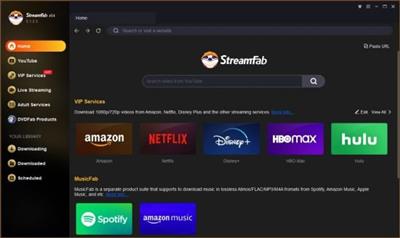
StreamFab 6.1.7.2 (x64) Multilingual

StreamFab 6.1.7.2 (x64) Multilingual


211c9eff5eefed64e56fbf3eaf713b0d.jpeg


File size: 436 MB​

StreamFab Downloader downloads videos from Amazon Prime Video, Netflix, Disney+, and other 1000+ streaming sites at a high speed.


Support 1000+ Sites
Support Amazon Prime Video, Netflix, Disney+, Hulu, and other 1000+ websites.
Offer High Quality
Save videos in up to 8K quality and output premium EAC3/AC3 5.1 audios.
Remove Ads
Remove ads from downloads no matter what streaming subscription you have.
Support Fast Speed
Download streaming videos at superfast speed, within 15 minutes per title.
Код:
https://streamfab.us/downloader-new.htm?trackid=downloadpage,headmenu2

Homepage:


Код:
https://streamfab.us/


Download link


rapidgator.net:
Код:
https://rapidgator.net/file/ec182ccad2a9021b65ef794b7006bf05/jmkcf.StreamFab.6.1.7.2.x64.Multilingual.rar.html

nitroflare.com:
Код:
https://nitroflare.com/view/56737B990D98CFD/jmkcf.StreamFab.6.1.7.2.x64.Multilingual.rar
 
Назад
Сверху