• Форум работает в архивном режиме www.old.nado.in

All mitsumi'1s Applications !! (updated daily)

  • Автор темы Автор темы mitsumi1
  • Дата начала Дата начала
Multi OEMRetail Project Build 07.2024

Multi OEM/Retail Project Build 07.2024

3b2c62b720519ef3edda04cfa171907c.jpeg


File size: 102 MB​

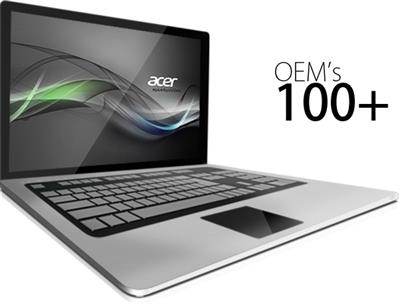
100+ OEM's
• Acer • Advent • Action • Alienware • AOC • Aquarius • ASRock • Asus • ATcomputers • Bangho • Beko • BenQ • BGH-SA • ByteSpeed • Casper • CCE • chiliGREEN • Compaq • crea • CZC • Dell • Depo • digimix • ECS • eMachines • Epson • Equus • Everex • Excimer • EXO • Exper • Extra • Founder • FSC • Fujitsu • Gateway • Genuine • Gericom • Gigabyte • Greatwall • Haier • Hannspree • Hasee • HCL • Hedy • Higrade • HP • Hyrican • IBM • Impression • Infinity • Insys • Intelbras • iQon • Itautec • Jetway • JooyonTech • Kohjinsha • Kouziro • Kraftway • KSystems • Lanix • Lenovo • LG • M&A Technology • Maxdata • Mecer • Medion • Megaware • Mesh • Mitac • Mouse • MSI • NEC • Nokia • Olidata • Olivetti • Onkyo • OQO • Packard Bell • Panasonic • Paradigit • Paragon • Philco • Positivo • PowerSpec • Prolink • qbex • Quanmax • RMplc • Rover • Samsung • SCC • Semp Toshiba • Seneca • Sharp • Sony • Stone • Synnex • Systemax • Tangent • Targa • Tarox • TCL • TTL • Tongfang • Toshiba • Trigem • Twinhead • Velocity • Vestel • Viewsonic • viliv • WD Corporation • Wortmann • xplore • Zoostorm • ZT ~incl. (branding only): BioStar • Foxconn • Intel • M$ $urface • VirtualBox • VMware

OEM's Branded = 150+
•BIOS Mode supported: Legacy and/or UEFI
• You can force install 'ANY' brand theme by reading and using the Force_Theme_[readme].txt
Editions for OEM Activation
• Server 2008 • Server 2008 R2 • Server 2012 • Server 2012 R2
• Win10... • Home • Pro
• Win8.x... • Core • Pro
• Win7..... • Starter • Home Basic • Home Premium • Pro • Ultimate
• Vista..... • Starter • Home Basic • Home Premium • Business • Ultimate
Objective - add $oem$ folder to .iso /usb.
• $oem$ method can be used to apply activation & manufacturer brand to your Win10 • Win 8.x • Win 7 • Vista '.iso'/usb
• NOTE:- PC needs (Win8.x and Win10 'OEM-DM' • Win7 '2.1 slic' • Vista '2.0 slic') bios to apply genuine oem activation.
• Project includes optional Telemetry disabling, (WinTel.cmd), for all supported OS's and adds domains to block through Route commands.
• Optional Retail activation method via online, if needed.
How To
Win8.x|Win10
Place the downloaded '$oem$' folder in the 'sources' folder of your 'clean' iso, and add custom 'ei.cfg' file to the same 'sources' folder and edit|save iso. Windows will install the edition identified from 'ei.cfg' file. (Project 'Options' folder includes 'ei.cfg' instructions). OOBE.cmd will call tool that will extract embedded 'OEM-DM' key from bios (if exists), and apply the serial during installation.
Win7
Place the downloaded '$oem$' folder in the 'sources' folder of your 'clean' iso, and delete the 'ei.cfg' file from the same 'sources' folder and edit|save iso... during install you will have option to select the edition of 'Win7' you want installed (ie. Starter • Home Basic • Home Premium • Pro • Ultimate)... if you don't delete 'ei.cfg' file, that's OK, just means Ultimate will install by default.
Vista
Place the downloaded '$oem$' folder in the 'sources' folder of your 'clean' iso, and delete the 'PID.txt' file (if exists) from the same 'sources' folder and edit|save iso... during install you will have option to select the edition of 'Vista' you want installed (ie. Starter • Home Basic • Home Premium • Business • Ultimate)... if you don't delete 'PID.txt' file, that's OK, just means serial used on that file will determine edition installed.
• Please read the 'readme' files included in the download folder, for additional information.
• "UltraISO" recommended to edit|save your .iso, preserving 'bootable' image.
Editions for OEM Activation
• Win10.. • Technical Preview • Consumer Preview
• Win8.x... • Core • Pro
• Win7.... • Starter • Home Basic • Home Premium • Pro • Ultimate
• Vista.... • Starter • Home Basic • Home Premium • Business • Ultimate
• (Vista-Win10) If not known edition, branding only takes place.
Objective - add $oem$ folder to .iso /usb.
• $oem$ method can be used to apply activation & manufacturer brand to your Win10 • Win 8.x • Win 7 • Vista '.iso'/usb
• NOTE:- PC needs (Win8.x and Win10 'OEM-DM' • Win7 '2.1 slic' • Vista '2.0 slic') bios to apply genuine oem activation.
How To
Win 10
Place the downloaded '$oem$' folder in the 'sources' folder of your 'clean' iso, and edit|save iso. OOBE.cmd (Install.cmd) will extract embedded 'OEM-DM' serial from bios (if exists), and apply the serial during installation.
Win8.1
Place the downloaded '$oem$' folder in the 'sources' folder of your 'clean' iso, and add custom 'ei.cfg' file to the same 'sources' folder and edit|save iso. Windows will install the edition identified from 'ei.cfg' file. (Project 'Options' folder includes 'ei.cfg' instructions). OOBE.cmd (Install.cmd) will extract embedded 'OEM-DM' serial from bios (if exists), and apply the serial during installation.
Win8.0
Place the downloaded '$oem$' folder in the 'sources' folder of your 'clean' iso, and edit|save iso. Windows will install the edition that matches the embedded 'OEM-DM' serial in your bios (if exists).
Win7
Place the downloaded '$oem$' folder in the 'sources' folder of your 'clean' iso, and delete the 'ei.cfg' file from the same 'sources' folder and edit|save iso... during install you will have option to select the edition of 'Win7' you want installed (ie. Starter • Home Basic • Home Premium • Pro • Ultimate)... if you don't delete 'ei.cfg' file, that's OK, just means Ultimate will install by default.
Vista
Place the downloaded '$oem$' folder in the 'sources' folder of your 'clean' iso, and delete the 'PID.txt' file (if exists) from the same 'sources' folder and edit|save iso... during install you will have option to select the edition of 'Vista' you want installed (ie. Starter • Home Basic • Home Premium • Business • Ultimate)... if you don't delete 'PID.txt' file, that's OK, just means serial used on that file will determine edition installed.
• Please read the 'readme' files included in the download folder, for additional information
• UltraISO recommended to edit|save your .iso, preserving 'bootable' image
Included link for images to be used with System Brand Changer if users prefer using a desktop branding tool with a nice gui, created by Alphawaves.
Whats New
The MRPCreator is more DPI aware and it will now be in 'Advanced' mode by default so no need to run as Administrator,
there is a bit more space now for later options/tabs, above 150% dpi scaling it will look messy as i only had time to
adjust for up to 125% scaling at this time.
Have gone through the main brands in the OEMs.7z file and corrected URL's etc, the non main stream brands i have not
processed all of those and will address them when someone mentions the URL or other support data is wrong. Sadly a lot
i can no longer find the websites as the company's have either been taken over or no longer trading, so those i have
checked with no new updated data they will not show anything for support etc. I have tried to find the new company
that has bought out the original brand and used their info where possible. Acer seems to have bought a lot of brand
names, HP, Compaq, Gateway, PBell etc and so i have tried to link to their product legacy pages where possible.
OEM's.7z has had a few brand's 'user810' user account logo's updated to be transparent for w10/11 it may also work
same on Windows 8.1 too.
User810 user account Brands so far converted
Acer, Asus, Asrock, Aorus, Dell, HP, Novatech, Vmware, VBox, Compaq, HyperV, Intel, Lenovo, Omen, Samsung, Toshiba,
Sapphire, MSI, Gigabyte and Alienware. Others may be done later when time and need arises.
BitLocker detection has been enhanced so that the 'Prevent Bit locker Encryption' option now properly checks if BL is
already active in any way, if so it will not use the option to prevent issues.
New option for W11 only: Unlock Defender2, this uses the same code as the original 'unlock defender' option but it also
will disable/turn off SmartAppControl and SmartScreen. Once SmartAppControl is disabled either by this option or by
using the option specific for SmartAppControl you cannot revert, it has to be a reinstall of the OS to turn it on.
Added 'Uninstall Co-Pilot App' option to the selectable list of Apps that can be removed, this replaces the 'Get Started'
app option as you cannot easily remove that app from the OS without a struggle so repurposed the creator entry.
Both the 'All Apps' removal option{s} will/should also remove Co-Pilot too now if it present. I know it can be confusing
why there is two similar options, but there is slight differences in their internal operation, so if you wish to remove
all safe apps possible select both options because MRP will use the one best suited for the OS/Build installed.
Updated the 'move StartMenu to left' option so that it will also remove/disable the 'News' and 'Weather' apps/icons,
which can also interfere with some 3rd party StartMenu replacements.
Tweaked the MRP clean up routine so on builds 26100+ if the 'windows.old' folder exists and is actually empty then it will
attempt to delete it. If it not empty then it will leave alone, the log will show if it was removed or not. If you have
done a upgrade/repair over the top of a previous installation then the routine will not attempt to remove that folder and
will state in the log that it was not empty.
Updated the UEFI security certificates routine to cover a few more Certs plus better checks for Canonical and Debian Linux
grub patches. Also the blacklist {DBX} list is also updated for those certs being decomissioned.
Important Note: M$ has removed the 'classic' Taskbar look from build 26100.1297 so some Taskbar options may no longer work.
Added in a some Server 2025 ID's to the product channel identification database, just a few OEM-SLP ones for now.
Added internal exclusion paths for Defender as it seems to get initialized early on so during oobe stage so it can
grab files such as MAS etc, plus MRP files so add some exclusions early on, they may not get removed later as Defender
not like being messed with but they do no harm and can be removed by the user later on via the Defender's dashboard/UI.
Fixed reg entry line in the 'Disable SmartScreen' routine as before it was not set due to a missing % on a variable,
it was not a show stopper/crash.
Fixed the issues with the Edge options, however with these options you may see some red error text in the info screen
when the addon manager is running this is ok as some commands may not be present in the OS/Build no harm is done as
it just info that x,y,z is not present etc.
UnlockDefender v1 is operative and scanning is ok again manually, it won't auto scan and grab files in the
background now when this option is used.
SmartScreen removal and SmartAppControl disable options are selectable on win 10 now. The Smartscreen option is quite
intense and hopefully prevents it coming back on next CU.
An improved stable wmic test added. If the OS build is above 21x00 or the first win11 public release then MRP
will skip using WMIC and use an alternative method to obtain specific information via VBScript or Powershell as
required.
Added new Server option (For 2022 and 2025 only): Remove/Disable Azure Arc Setup.
Added Optimize/Defrag C/T menu option for Win 10/11, it just opens the inbuilt defrag GUI program with OS
translations.
Updated the 'HideSearchIcon' option routine a bit more so that it should remove the icon off the taskbar, this
is a policy edit so that the option within the Taskbar Settings section of PC Settings will be greyed out and
set as Hide. So make sure you no longer wish to use the Taskbar search.
Updated the SSD Tweaks routine to have better detection if a SSD or HDD is the main boot drive and adjust
how the routine is run.
Updated the CoPilot App removal option to mention that Recall will also be removed as they are interlinked
and not separate.
The Defender Unlock (1 & 2) options are now fully auto selective, if both are selected in the Creator then
MRP will only use the one designed for the OS being installed and ignore the other.


Homepage:
Код:
https://forums.mydigitallife.net

Download link

Say "Thank You"

rapidgator.net:
Код:
https://rapidgator.net/file/15deaef0e3308739cb8db17f2fcfb9b4/blaiu.Multi.OEMRetail.Project.Build.07.2024.rar.html

ddownload.com:
Код:
https://ddownload.com/dwhx4gwh0zi2/blaiu.Multi.OEMRetail.Project.Build.07.2024.rar

 
MusicFab 1.0.4.4 (x64) Multilingual

MusicFab 1.0.4.4 (x64) Multilingual


45c62aa80f476ae18677e20642c33275.jpeg


File size: 345.7 MB​

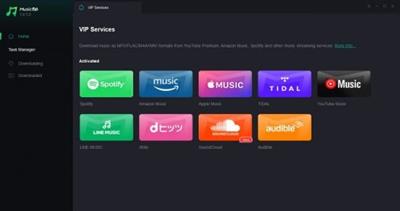
Unlock cross-platform music downloads and enjoy lightning-fast speeds, lossless quality, and unlimited access to your favorite tunes.


Download music across multiple platforms
MusicFab All In One is a powerful music converter that allows you to easily convert music from various platforms.
Supported Sites
Spotify
Amazon Music
Apple Music
TIDAL
LINE MUSIC
YouTube Music
SoundCloud
dhits
Audible
Deezer
Pandora (Coming soon)
Код:
https://musicfab.org/changelog.htm?os=win&type=musicfab

Homepage:
Код:
https://musicfab.org/

Download link

Say "Thank You"

rapidgator.net:
Код:
https://rapidgator.net/file/a5c8d5733dbc11f6b5241b9889a2f25b/hlkuy.MusicFab.1.0.4.4.x64.Multilingual.rar.html

ddownload.com:
Код:
https://ddownload.com/019a491pz8nt/hlkuy.MusicFab.1.0.4.4.x64.Multilingual.rar
 
NoSql Assistant 1.1.0.0

NoSql Assistant 1.1.0.0


0fad65d2b764e1b82b8182b2a551f7eb.jpeg


Languages: English, Chinese
File Size: 49.96 MB​

NoSql Assistant - Connect to multiple NoSql databases simultaneously from a single application to quickly and easily create, manage and maintain databases.


Main Functions

Intuitive user interface
Connect to Redis, Memcached, SSDB, LevelDB, RocksDB simultaneously from a single application and you can quickly and easily create, manage and maintain databases.

Simple data manipulation
Quickly search, edit, delete, and create keys; supports rich data types, including: JSON, XML, HEX, MsgPack, YAML, integers, floating point numbers, compression types, etc.

Secure connection
Create secure connections through SSH tunnels and SSL to ensure that every connection is safe, stable and reliable. Never worry about connecting via an unsecured network again.

Native design
NoSql Assistant is a native application designed for a specific platform. We provide a familiar and optimized user experience to make the system run more smoothly.

Status monitoring
The dashboard functionality provided allows you to visualize a variety of common health metrics in real time, including the number of keys in the database, throughput, performance, commands executed per second, memory usage, and more.

Search
You can search for Key, Hash, Set, SortedSet, List, and even perform regular, whole word, and case matching in the value to make the desired data appear immediately.
Release Notes

System Requirements
- OS: Windows 10 version 17763.0 or higher
- Architecture: x64

Microsoft Store - Full Version

rapidgator.net:
Код:
https://rapidgator.net/file/3e0c91b8851c0637e2bb21521b46aade/uzrvk.NoSql.Assistant.1.1.0.0.rar.html

ddownload.com:
Код:
https://ddownload.com/vqxvlbsulkum/uzrvk.NoSql.Assistant.1.1.0.0.rar
 
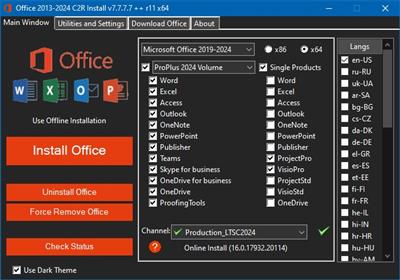
Office 2013-2024 C2R Install + Lite v7.7.7.7 r11

Office 2013-2024 C2R Install + Lite v7.7.7.7 r11


1af16a3c1bf3c4c951e6aace63ee06cb.jpeg


File size: 30.04 MB​

This program designed for on-line installation and activation Microsoft Office 2013/2016/2019-2021 C2R. You also can create custom installation of Office off-line for using later.


How to use the program
1. Uninstall Office via (Control panel) applet "Add or remove Programs".
2. Uninstall Office using the "Force Remove Office" and restart your computer.
3. Install Office by clicking the "Install Office" button.
4. Go to "Utilities" tab and do the conversion "Office RETAIL => VL".
5. Then click "Activate Office" button.
or
6. Start KMSAuto Net 2016 and click "Activate Office".
How to use Bookmark Download Office
Bookmark Download Office serves to create the off-line installation varying versions and editions of Microsoft Office
with the possibility for the subsequent installation of the product without receiving files from outside..
1. Select the appropriate version of Office, bit and language. I recommend to make a full x86-x64 distribution.
To do this, select the tab-width All (the lowest). Click the Download button and choose a folder to the distribution files.
You can select the folder of the previous session of the program to further develop distribution, or will start a new session.
2. If you want to make multilingual distribution - after complete loading of the first language, switch to the pre-
Executive language, click the Download button, and select the same download folder.
3. After downloading all required bit and spoken recommend creating ISO-image office suite.
To do this, click Create ISO.
4. As a result, in the selected folder you will see a ready to use off-line installer Microsoft Office
chosen version.
In one session, downloading files does not use different versions of MS Office 2016 and 2013. It is possible to manipulate
with x86-x64 and languages, but not versions. Or use a different folder assignment is. Otherwise you will get unusable distribution.
5. Now you can create multiple projects distributions of return, additions and corrections have
downloaded. You can choice the versions builds. For Office 2013 Branch-choice and does not matter. Always will
be download the most current build. For Office 2016, you can choose the source of download (branch). Button Check version
has been added to check the build number the selected Branch.
What's new
• NEW GVLK keys

Homepage:
Код:
https://msfreemicrosoft.ru/

Download link

Say "Thank You"

rapidgator.net:
Код:
https://rapidgator.net/file/695f2b8d250e5a877baed0c75de85d60/ugdvp.Office.20132024.C2R.Install..Lite.v7.7.7.7.r11.rar.html

ddownload.com:
Код:
https://ddownload.com/it9h56ylr3cy/ugdvp.Office.20132024.C2R.Install..Lite.v7.7.7.7.r11.rar
 
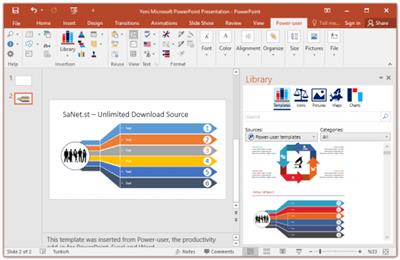
Power-user Premium 1.6.1896.0

Power-user Premium 1.6.1896.0


705077731b97a4babd61eeb5e1cc5447.jpeg


File size: 14.87 MB​

Power-user add-in: smart tools for PowerPoint, Excel and Word - Templates, Icons, Charts, Maps, Diagrams and more! Power-user provides you with a deep library of templates, icons, charts, maps, and diagrams for your spreadsheets and presentations. With Power-user for PowerPoint and Excel, you'll draw the attention of your audience with stunning graphics that are sure to impress. Create stunning documents to impress clients and managers with your skills on PowerPoint, Excel & Word.


Increase your productivity
by up to 50% to meet deadlines, save time and reduce labor costs

Focus on making an impact
instead of spending your time on low added-value tasks like formatting

LIBRARY OF TEMPLATES FOR POWERPOINT, EXCEL & WORD
Don't reinvent the wheel for every slide or document. Access hundreds of professionally designed templates from the Power-user add-in's library, and insert them in 1 click. Templates will automatically adjust to your own color scheme. You can also save your own slides or documents in the templates library to keep them accessible anytime. Or you can create shared libraries for all users in your organization.

ICONS & FLAGS
Power-user comes with a collection of 3,000 icons and all country flags to illustrate your slides. Icons are vector shapes so you can resize them without deformation and recolor them as you with. With Power-user you can search icons by categories and with different keywords associated to the same icon to let you find the right icon in just 2 seconds.

DATA MAPS
Our 200+ data maps are powerful tools to illustrate ideas with a geographical dimension. Those maps are fully editable, and can be colored automatically based on your Excel data. Within minutes, you can create beautiful maps that will immediately convince your audience.

WATERFALL CHARTS
Waterfall charts are very popular in finance and consulting. They are great to break down your data into multiple components, illustrating for instance what postively or negatively impacts a KPI.

MEKKO CHARTS
Create Mekko charts in PowerPoint, Excel or Word with Power-user. Mekko are one of the most powerful chart types. It can represents 3 dimensions of data, and is popular in consulting to show market positions of different companies for instance.

SANKEY CHARTS
Instantly insert breathtaking Sankey charts in PowerPoint, Excel or Word with the Power-user add-in. Sankey are very effective to illustrate flows such as transactions, exportations, migrations etc. Sankey Charts can be edited dynamically through a simple and intuitive interface.

PICTURES
Sometimes a good picture tells more than a thousand words. Power-user allows you to browse over 100,000+ pictures and insert them with 1 click. it's ideal to illustrate concepts or trigger a discussion, without worrying about intellectual property rights. Pictures are inserted in PowerPoint with a size already optimized for your slides.

DIAGRAMS
Embed customized diagrams in no time with Power-user. Diagrams are a powerful tool to illustrate complex ideas and build eloquent slides or dashboards in little time. Diagrams include value chains, gauges, traffic lights, relationships, pyramids, arrows and more.

GANTT CHARTS
Use Gantt charts to illustrate the different phases of a project and their progress. Creating this manually can take hours. With the add-in, you can create them in a few seconds only. It's a great tool to improve the design of a slide in very little time.

POWERPOINT TOOLS
- Sticky notes, a helpful solution to add comments to your slides and share them with your teamworkers
- Stamps, a solution to instantly mark or un-mark all your slides as "Draft" or "Confidential"
- Mini-slides, to refer to a slide from earlier in the presentation,
- Slide summaries, listing the titles of all selected slides,
- Progress tools, to show the audience how far in the presentation you are.

What's new

Power-user works with any version of Windows above Windows 8, with .NET Framework 4.8 or higher.

rapidgator.net:
Код:
https://rapidgator.net/file/82c432829ec2da2b6b039cd366cccf35/vvbxq.Poweruser.Premium.1.6.1896.0.rar.html

ddownload.com:
Код:
https://ddownload.com/y0251tp95rxz/vvbxq.Poweruser.Premium.1.6.1896.0.rar
 
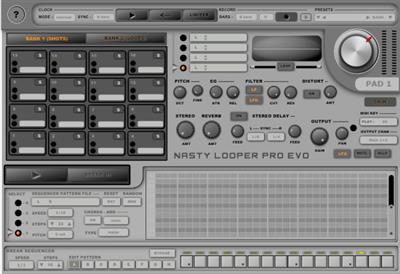
Psytrance Plugins - Nasty Looper PRO EVO 1.0

Psytrance Plugins - Nasty Looper PRO EVO 1.0


0e20aa23e7e86b0feb8661bc0ced9694.jpeg


sneakz | VST2 VST3 | 15 MB

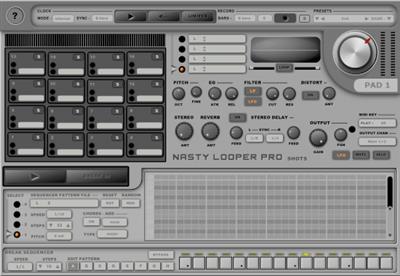
Nasty Looper PRO EVO is a powerful tool to make Live Performances!​


Nasty Looper PRO EVO is a 4 in 1 plugin
- Groove for music production.
- Drum Trigger for finger drumming
- Loop Trigger to play loops
- Basic Rhythm Sequencer for Live Performances
Nasty Looper PRO EVO is divided in 2 Banks...One for Shots with sequencers and another for Loops with full sync options. It loads .wav files and has Reverb.
Plugin your MIDI Controllers and fire patterns and loops.
Whats new in this version
Official site does not provide any info about changes in this version.
System Requirements
The plugin is distributed for Windows 10/11 VST2/VST3 64-bits

Homepage:
Код:
https://psytranceplugins.com

Download link

Say "Thank You"

rapidgator.net:
Код:
https://rapidgator.net/file/a34b880ddf49b816e24be84803a63b09/zbvcf.Psytrance.Plugins..Nasty.Looper.PRO.EVO.1.0.zip.html

ddownload.com:
Код:
https://ddownload.com/m87fomijhp28/zbvcf.Psytrance.Plugins..Nasty.Looper.PRO.EVO.1.0.zip
 
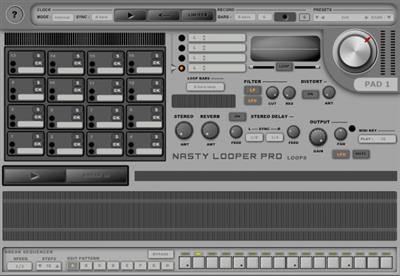
Psytrance Plugins - Nasty Looper PROLOOPS v1.0

Psytrance Plugins - Nasty Looper PROLOOPS v1.0


7c2ba23778e2fb460450e32dece445ba.jpeg


sneakz | VST2 VST3 | 11 MB

Nasty Looper PROLOOPS is only the loops part of Nasty Looper PRO EVO.​


Plug your MIDI Controllers and fire loops of .wav sounds.
Whats new in this version
Official site does not provide any info about changes in this version.
System Requirements
The plugin is distributed for Windows 10/11 VST2/VST3 64-bits

Homepage:
Код:
https://psytranceplugins.com

Download link

Say "Thank You"

rapidgator.net:
Код:
https://rapidgator.net/file/8bc82501e10e24e27363cb2cec61c131/mktzm.Psytrance.Plugins..Nasty.Looper.PROLOOPS.v1.0.zip.html

ddownload.com:
Код:
https://ddownload.com/0pwmvdoas4ir/mktzm.Psytrance.Plugins..Nasty.Looper.PROLOOPS.v1.0.zip
 
Psytrance Plugins - Nasty Looper PROSHOTS v1.0

Psytrance Plugins - Nasty Looper PROSHOTS v1.0


1b2af21a23311dc92aaa440207f8254a.jpeg


sneakz | VST2 VST3 | 12 MB

Nasty Looper PROSHOTS is only the shots part of Nasty Looper PRO EVO.​


Plug your MIDI Controllers and fire patterns with .wav shots/sounds.
Whats new in this version
Official site does not provide any info about changes in this version.
System Requirements
The plugin is distributed for Windows 10/11 VST2/VST3 64-bits

Homepage:
Код:
https://psytranceplugins.com

Download link

Say "Thank You"

rapidgator.net:
Код:
https://rapidgator.net/file/3d1f13037bef415d8b3e92afe036f7f5/lvnqy.Psytrance.Plugins..Nasty.Looper.PROSHOTS.v1.0.zip.html

ddownload.com:
Код:
https://ddownload.com/z1vse4fyx881/lvnqy.Psytrance.Plugins..Nasty.Looper.PROSHOTS.v1.0.zip
 
PureBasic 6.12 LTS Multilingual (Win/macOS/Linux)

PureBasic 6.12 LTS Multilingual (Win/macOS/Linux)


82ead3542f8cbdf1d15a8f9172543730.jpeg


File size: 536.1 MB​

PureBasic is a modern, cross-platform environment for developing and debugging programs and games in BASIC, which allows you to create applications for Windows, Linux, MacOS X and AmigaOS platforms for Intel / AMD x86 and x64 processors, as well as for ARM 32 and ARM 64. The environment includes a cross-platform library containing more than 1800 functions. Their description can be found in the help (press F1 while PureBasic is running) or in the online help. Among them are functions for working with the console, windows, 2D and 3D graphics (OGRE engine), networking and much more.


32 bit images with alpha channel are supported. The functions of the "Thread" library make it easy to create parallel threads from ordinary procedures and functions, which is especially true for multiprocessor systems. There are facilities for thread synchronization. When using threads in a program, you need to enable the "Multithreading support" option in the compiler settings.
List of functions library sections
- 2DDrawing is a library for drawing simple geometric shapes such as line, circle, rectangle, etc. with support for alpha channel (32-bit graphics), gradient, etc. Based on GDI.
- AudioCD - Play music from CDs and DVDs.
- CGI is a library of Common Gateway Interface server technology functions that allows relatively simple tools to create sites using the PureBasic language.
- Cipher is an encryption library. Supported methods are AES (128, 192 and 256 bits), Base64, secure random number generation (CryptRandom), DES, CRC32, MD5, SHA1, SHA2, SHA3, etc.
- Clipboard - access to the clipboard.
- Console - creation of console applications.
- Database - access to Oracle, MySQL, Access, SQLite, PostgreSQL databases, etc.
- Date - date and time.
- Dialog is a simple yet powerful dialog box library built from an XML structure.
- DragDrop - drag and drop objects within a window and between windows.
- Engine3D is an interface to the OGRE 3D engine that allows you to create applications with 3D graphics and 3D games. There are others associated with this library, such as: Billboard, Camera, Entity, EntityAnimation, Joint, Light, Material, Node, NodeAnimation, etc.
- File - access to files - create, read, write, etc.
- FileSystem - copying files and folders, listing all files and folders in a given folder, reading and modifying the date and attributes of files and folders, etc.
- Ftp - access to FTP servers.
-http - access to HTTP and HTTPS servers.
- Image, creating, and modifying (using the 2DDrawing and VectorDrawing libraries) images.
- Joystick - functions for working with a joystick (usually needed for games).
- Json - creating and parsing a JSON structure
- Keyboard - polling the keyboard (usually needed for games).
- Library - access to DLL functions
- List - doubly linked list. Linked list
- Mail - sending letters to e-mail via SMTP protocol with support for TLS/SSL encryption.
- Map is an associative array.
- Math is a mathematical library containing various functions such as calculating the square root, sine, cosine, tangent, logarithm, modulo, etc.
- Memory - various functions for interacting with memory, including dynamic creation of instances of structures.
- Mouse - interaction with the mouse (usually needed for games).
- Movie - play audio and video. Supported formats depend on the installed codecs in the system.
- Music - play tracker music.
- Network - access to the local network and the Internet. Server and client creation, TCP and UDP, IPv4 and IPv6 protocols are supported. It is possible to set the local IP and port of the access point, which is useful if there are several (for example, a wired connection and WiFi) and you need to know exactly which network traffic will go through.
- OnError - catching errors in the compiled application with information about the location of the error (file and line of code) and the type of error with the ability to disassemble the desired section of code.
- Packer - create, view and unpack archives LZMA (known as 7z), ZIP, TAR, BriefLZ, etc.
- Printer - access to a printer with the ability to print arbitrary text / image.
- Process - start, end and exchange between processes.
- RegularExpression - regular expressions.
- Runtime - access to constants, variables and procedures by their name.
- Scintilla is a full-featured access to a powerful text editor with syntax highlighting, auto-completion, and more.
- SerialPort - access to the computer's COM port with support for virtual ports.
- Sort - functions for sorting/sorting arrays and doubly linked lists of simple and complex (structured) types.
- Sound - music playback.
- Sound3D - music playback in 3D space.
- Thread is a library that supports multi-threaded code execution, which is relevant for multi-core processors and multi-processor systems.
- VectorDrawing is an advanced scalable drawing library. Based on GDI+.
- Window and Gadget are libraries for creating and working with windows and their contents.
- XML - creating and parsing an XML structure.
included
Fantaisie.Software.PureBasic.v6.12.MacOS.ARM64-DVT
Fantaisie.Software.PureBasic.v6.12.Linux.Ubuntu.x64-DVT
Fantaisie.Software.PureBasic.v6.12.Raspberry.Pi.OS.ARM64-DVT
Fantaisie.Software.PureBasic.v6.12.MacOS.x64-DVT
Fantaisie.Software.PureBasic.v6.12.x86-DVT
Fantaisie.Software.PureBasic.v6.12.Raspberry.Pi.OS.ARM32-DVT
Fantaisie.Software.PureBasic.v6.12.x64-DVT
Fantaisie.Software.PureBasic.v6.12.Linux.Debian.x86-DVT
Код:
https://www.purebasic.com/news.php

Homepage:
Код:
https://www.purebasic.com/

Download link

Say "Thank You"

rapidgator.net:
Код:
https://rapidgator.net/file/ff58629c9b328c69a6c35d94ad7d9688/ehngc.PureBasic.6.12.LTS.Multilingual.WinmacOSLinux.zip.html

ddownload.com:
Код:
https://ddownload.com/bbv4qt58fgto/ehngc.PureBasic.6.12.LTS.Multilingual.WinmacOSLinux.zip
 
Quick 'n Easy Web Builder 11.3.0 Multilingual

Quick 'n Easy Web Builder 11.3.0 Multilingual


e6805d6339213434424ed5a8db6891e1.jpeg


Windows x86/x64 | File size: 82.27 MB​

A practical and effective application worth having when you need to build, create and design your personal HTML websites effortlessly. Quick 'n Easy Web Builder is a comprehensive and lightweight software that provides users with a simple means of creating, editing and personalizing websites. Quick 'n Easy Web Builder is a website building utility that aims to design and build full-featured web pages without the need to add HTML code scripts.


Highlights
• Cross platform: Mac, Windows and Linux!
• No programming necessary (WYSIWYG).
• Drag and drop objects anywhere!
• Supports HTML4, PHP, XHTML, HTML5.
• Easy publishing through built-in FTР.
• Shapes, Effects, YouTube and much more!
Features
• This is not an HTML editor but a visual web site generator with HTML4, XHTML and HTML5 output.
• Drag and drop objects from the toolbox on the page anywhere you like!
• Site Management. Easily add, edit, clone and structure your web pages from a single file.
• Form layout object to create forms, including actions, hidden fields etc.
• Supports Form fields: Editbox, TextArea, Checkbox, Radiobutton, Combobox and Button.
• Form Wizard to create form in 4 steps. Select from a dozen ready-to-use forms.
• Validation tools for form components with optional info balloons or native HTML5 validation.
• The built-in form processor has ability to store form data in a MySQL database or save to a CSV file.
• Responsive Web Design based on CSS3 media queries.
• Layout grids, flexbox, and CSS grid to quickly create flexible and responsive layouts.
• CSS3 animations and transitions with support for transforms (skew, rotate, scale, translate etc)
• Login Tools/Page Password Protection
• reCAPTCHA object for (PHP) forms. Helps to stop spammers from submitting form data automatically.
• Custom HTML object to insert your own HTML or Javascripts.
• YouTube, Vimeo and HTML5 audio/video support.
• Publish your entire web site, a single page or a group of pages (to local drive or a web server) .
• Built-in FTP/Secure FTP client to manage your online files.
• Photo Gallery with lots of cool features like picture frames and support for lightbox slideshows.
• Built-in Banner maker.
• Fully integrated jQuery UI (Accordion, Tabs etc), animations, effects and built-in ThemeRoller theme editor.
• Rollover images, Image maps, animated Slideshows
• Navigation bars, Tab Menu, Slide Menu and many other navigation options.
• Menubar: powerful menu script that can mimic complex menus found in popular GUI applications.
• Ready-to-use Javascripts (Facebook, Twitter, Text effects, and much more).
• Template support. Already more than 100 templates available!
• Support for third-party add-ons (extensions), using the Web Builder Extension Builder.
• Image tools: Contrast, Brightness, Hue/Saturation, Flip, Rotate, Resample, Crop and Stencils.
• Image effects: GrayScale, Negative, Sepia, Blur, Soften, Sharpen, Noise, Emboss and more!
• WaterMark tool to image with many options! Protect your copyright protected images was never easier.
• Shape object (Rectangle, Ellipse, Arrows, Flags, Signs, Stars, Talk Bubbles and much more!).
• Drawing tools: Line, Line + Arrows, Scribble, Polygon, Curve and Closed Curve.
• Rotate images and shapes.
• Master page object. This allows you to re-use objects from other pages (master page concept).
• Master frames. Create master borders where only the content of the pages is different for each page.
• Layer Object for advanced layout possibilities. Docking, sticky, floating, modal, anchored and more...
• The PayPal eCommerce Tools are the quickest and easiest way to add eCommerce to your web site!
• RSS Feed object with podcast option.
• Google compatible sitemap generator
• Structured Data (schema.org)
• News Feed Ticker. Display RSS feeds (local or from another website), Twitter, Flickr images etc.
• Site Search, easily add site search functionality to your website.
• RollOver Text, displays a text banner over image on mouse over. Includes cool slide and fade effects.
• @font-face and Google Fonts support, now you can (web unsafe) embedded fonts in your page!
• Blog object.
• Carousel object.
• Timers, to make your website more dynamic. For example: show or hide an object after x milliseconds.
and much more!
Код:
http://www.quickandeasywebbuilder.com/forum/viewforum.php?f=1&sid=a159553dbf4c09bc64dbbd6205970c32

Homepage:
Код:
http://www.quickandeasywebbuilder.com/

Download link

Say "Thank You"

rapidgator.net:
Код:
https://rapidgator.net/file/7c963f14b6117ac6500a41a0a3e6e7ec/dhkyp.Quick.n.Easy.Web.Builder.11.3.0.Multilingual.rar.html

ddownload.com:
Код:
https://ddownload.com/uciokesq10ah/dhkyp.Quick.n.Easy.Web.Builder.11.3.0.Multilingual.rar
 
RepairKit 1.1.9

RepairKit 1.1.9


5cb92365dc03c6c9d0139006ace16adc.jpeg


File Size : 79 Mb​

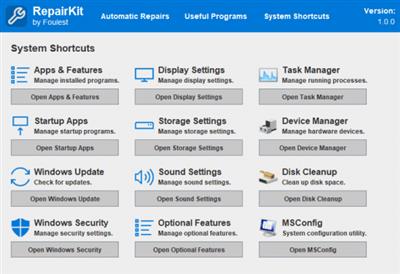
RepairKit aims at offering a package that provides users with a dedicated system repair engine, as well as quick access to several OS features, and several other PC maintenance software bundled with it.


After the swift installation process, I was met with a clean interface that prompted me to perform an automatic repair process, which I did. A few moments later the app informed me that all the addressed elements were resolved.
This direct approach toward cleaning the system is quite efficient, as it can be a good way for those who don't want to get too complex with their entanglement in terms of PC maintenance.
In addition to providing such a simple and direct solution through the automated repair module, RepairKit also provides a centralized platform for accessing Windows' most useful system maintenance features, all joined together under a single, centralized layout, as dedicated shortcuts.
This will allow you to quickly access any Windows features that you might require for PC maintenance, and even more so, the app also bundles a series of third-party apps that can prove to be beneficial for PC maintenance.
If you're keen on keeping your PC running smoothly and wish to do so in a convenient manner, RepairKit provides a simple and efficient take on that, with an automated repair/cleaning module, as well as access to Windows' PC maintenance features, and multiple, third-party apps for cleaning and repair.
Код:
https://github.com/Foulest/RepairKit/releases

Homepage:
Код:
https://github.com/Foulest/RepairKit

Download link

Say "Thank You"

rapidgator.net:
Код:
https://rapidgator.net/file/e9f4fe084364d351af8b53c577d60ed0/jriaz.RepairKit.1.1.9.zip.html

ddownload.com:
Код:
https://ddownload.com/c9pyrjwbj89x/jriaz.RepairKit.1.1.9.zip
 
Sketch 101 macOS

Sketch 101 macOS


09509d54bb640bc6fcf31042069eb897.jpeg


File size: 88 MB​

Sketch is an innovative and fresh look at vector drawing. Its intentionally minimalist design is based upon a drawing space of unlimited size and layers, free of palettes, panels, menus, windows, and controls. Though simple to use, it offers powerful vector drawing and text tools like perfect Boolean operations, symbols, and powerful rulers, guides, and grids.


Supported Operation Systems
macOS 13.0 or later

rapidgator.net:
Код:
https://rapidgator.net/file/d36e6e3beb5bc2f0c1a17a22d7c99bd0/yvpfu.Sketch.101.macOS.dmg.html

ddownload.com:
Код:
https://ddownload.com/467ljx5j0d2a/yvpfu.Sketch.101.macOS.dmg
 
Splunk Enterprise 9.3.1 macOS

Splunk Enterprise 9.3.1 macOS


a52b6908578b96593f85b911fbbec7ca.jpeg


File size: 645.2 MB​

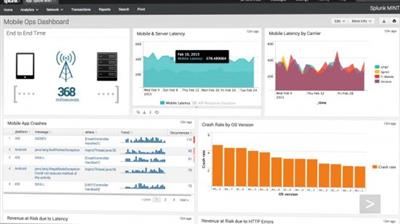
Splunk Enterprise makes it simple to collect, analyze and act upon the untapped value of the big data generated by your technology infrastructure, security systems and business applications-giving you the insights to drive operational performance and business results.


The Platform for Operational Intelligence
By monitoring and analyzing everything from customer clickstreams and transactions to security events and network activity, Splunk Enterprise helps you gain valuable Operational Intelligence from your machine-generated data. And with a full range of powerful search, visualization and pre-packaged content for use-cases, any user can quickly discover and share insights. Just point your raw data at Splunk Enterprise and start analyzing your world.

Collects and indexes log and machine data from any source
Powerful search, analysis and visualization capabilities empower users of all types
Apps provide solutions for security, IT ops, business analysis and more
Enables visibility across on premise, cloud and hybrid environments
Delivers the scale, security and availability to suit any organization
Available as a software or SaaS solution

rapidgator.net:
Код:
https://rapidgator.net/file/f5bf608d2f5e2c497244b6565e743264/xbjya.Splunk.Enterprise.9.3.1.macOS.zip.html

ddownload.com:
Код:
https://ddownload.com/h1rim2r95vxv/xbjya.Splunk.Enterprise.9.3.1.macOS.zip
 
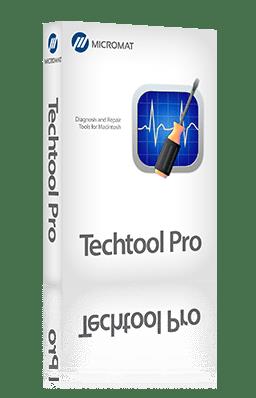
Techtool Pro 20.0.3 (9277) macOS

Techtool Pro 20.0.3 (9277) macOS


9db87df45d3fdaee7e26479a48e1c9bf.jpeg


Languages: Multilingual
File Size: 314.93 MB​

Techtool Pro is the ultimate software utility for keeping your Mac running like new. It's a complete toolkit, ready to make your Mac work its best. Unlock comprehensive diagnostics, repair capabilities, and cutting-edge features, so you can say goodbye to slowdowns and glitches on your Mac. You can trust in Micromat's decades of expertise to keep your Mac running at its best, and discover the ultimate in system maintenance and monitoring.


New in Techtool Pro 20

Test Suggestions
Check Computer now keeps track of when you last ran a suite of tests, and will let you know when tests should be performed again. This data is available both in the app, and as a macOS Widget to help you stay on top of testing.

macOS Sequoia support
Techtool Pro has been fully updated and optimized for Apple's latest operating system, macOS Sequoia.

Improved Bluetooth Test
The Bluetooth test now keeps track of battery levels in Apple input devices, including all recent versions of the Magic Mouse, Magic Keyboard, and Magic Trackpad.

Expanded file Testing
The File Structures test has been updated to test a variety of additional modern file formats, including the formats used to capture photos on iPhone.

Improved Battery test
Techtool Pro includes under-the-hood improvements to the battery test. Testing for iOS device batteries has been updated from the ground up to better support Apple's latest battery technology.

Internal Improvements
Techtool Pro 20 continues to receive improvements to support the latest Macs, along with improvements in the tests and tools you rely on.

Highlighted Features

Techtool Monitor
Techtool Pro includes the option to install Techtool Monitor, which operates in the background to monitor several of your Mac's critical functions. In particular, you can configure Monitor to save APFS Snapshots, monitor the free space on your hard drives, and to monitor the SMART routines of your hard drives. Monitor also watches out for battery problems and RAID errors. If problems are found, Monitor delivers onscreen and email alerts. Monitor's interface can be accessed through both system preferences and Techtool Pro itself.

Emergency Startup Disk
If your startup disk stops working, and you need another startup disk, Techtool Pro's eDrive steps in to help. The eDrive is what you'll use to test, rebuild or defragment your main hard drive, but it is really helpful if your main startup disk goes missing. Instead of fumbling for your install DVD, or relying on the Recovery HD's limited functionality, the eDrive gives you quick access to Techtool Pro along with several handy Apple utilities. You can even add other programs if you like. Customize the size of your eDrive, up to 128 GB. Available on macOS 11 and earlier.*

Take It With You
The portability of Techtool Protogo is included with every copy of Techtool Pro. Techtool Protogo allows you to create a bootable diagnostic device that contains Techtool Pro and all of its most powerful tools as well as any of your own utilities you may wish to install. You can then use this device to boot, check, maintain, and repair Macintosh computers as needed. Simply launch Protogo, choose Protogo from the Mode menu, and use it to set up a diagnostic disk. Available on macOS 11 and earlier.**

Advanced Memory Testing
Techtool Pro's memory testing suite is the most comprehensive among general hardware utilities. Techtool Pro takes advantage of advancements used by ATOMIC, our dedicated Memory Tester, and integrates them into testing your memory. Now, memory is 'cleaned' before testing, reclaimed from macOS, maximizing the amount of RAM that can be tested.

Results on the Go
Techtool Pro supports iCloud Drive. Simply download the new Techtool Remote iOS app (free on the App Store), and open it. Techtool Pro will then send test results to any iOS device logged in to the same iCloud account. So if you have a long test (or tests) running that you want to know the results of, but you need to hit the road, you can now get notified of your results anywhere you have an internet connection.

File Testing
Many times, your Mac can deal with damaged files reasonably well. Sometimes, however, if your Mac tries to open a damaged file, problems can arise. Techtool Pro can test a variety of file types to confirm that they are valid. File types include pictures (.gif, .jpeg, .png), databases (.plist, .xml), as well as other multimedia files (.pdf, .mp3, .mpeg) and more. Files can be revealed in the Finder for further inspection, or excluded from future testing, if desired.

Drive Testing and Repair
Your Mac's hard drive, even if it is a Solid State Drive, is more likely to experience problems than any other component on your Mac. Because data changes so frequently, it can sometimes get scrambled. So, it's important to be able to test drives for problems and then repair them. Sadly, if something is physically wrong with the drive, it will need to be backed up and replaced, but the sooner this type of damage is detected, the fewer files - like cherished memories and important personal documents - will be lost. Most drive problems, however, result from data being in the wrong place, and can be repaired using Techtool Pro's Volume Rebuild tool. In addition to native Mac drive formats, Mac OS Extended and APFS, Techtool Pro supports testing and repair of MS-DOS (FAT32) and ExFAT formatted volumes.

Protect Important Data
The best way to prevent data loss is to be prepared. In addition to a backup, Techtool Pro includes Techtool Monitor, which can save additional APFS snapshots, allowing you to undelete that file you didn't mean to delete. The Snapshot Recovery tool assists in recovering data from APFS volumes. Better yet, use Techtool Pro's Volume Cloning tool to create an additional backup.

Mac and iOS Battery Testing
Techtool Pro has been able to test your Mac's battery for quite a while. Recent reports have shown that battery condition can affect the performance of your iPhone and iPad. If your iOS device is connected to your Mac, Techtool Pro can now test your device's battery, and give you a host of other important battery data as well. Find out if your iPhone or iPad is running at its full potential.

Check Computer Suites
Using the Check Computer Suites, you can set up a variety of test suites for your needs. Use the built-in Full, Intermediate or Quick suites or make your own suite of tests to perfectly suit your needs. The Full Suite does what it sounds like, running every test and checking every drive. The Intermediate Suite leaves out the Surface Scan test to help save time, while the Quick Suite tests your Mac excluding your disks, for a quick look at the health of your Mac's hardware. Customize any of these or create your own suite from scratch to test your Mac exactly as you would like.
Release Notes
- Updates to officially support release version of macOS 15 'Sequoia'
- Updates the TechTool Pro 20 PDF manual
- Minor fixes and enhancements

System Requirements
- Apple Silicon and Intel-based Macs
- macOS 10.13 'High Sierra' through macOS 15 'Sequoia'

rapidgator.net:
Код:
https://rapidgator.net/file/bfd792e718cedb075632dc1df1051d62/wdorh.Techtool.Pro.20.0.3.9277.macOS.zip.html

ddownload.com:
Код:
https://ddownload.com/y4ftlzi6fb90/wdorh.Techtool.Pro.20.0.3.9277.macOS.zip
 
Valentina Studio Pro 14.5.0 macOS

Valentina Studio Pro 14.5.0 macOS


a0401f4c21d952f6dd52e9baf04e611b.jpeg


Language: Multilingual | File size: 201 MB​

Valentina Studio is the ultimate data management tool for database administrators. Valentina Studio includes a wealth of database administration tools. Valentina Studio PRO to unlock advanced data modeling tools, report design and editing and more.


The Best Database Management GUI for SQLite, MS SQL Server, MariaDB, mySQL, PostgreSQL and Valentina databases.

* Report Editor - visual editor of Valentina Reports that can be saved into Valentina Project file (.vsp). Reports can use as datasource MS SQL, MySQL, PostgreSQL, SQLite, Valentina DB, ODBC.
* Form Editor - visual editor of Valentina Forms that can be saved into Valentina Project file (.vsp). Forms can use all supported databases as the datasource.
* Data Editor - enables go to parent record function.
* Data Editor Layouts - save columns and their order as a named layout
* Data Editor Multiple Update - update few records at once.
* Data Transfer - copy data between different databases
* Diagram Editor - enables forward engineering - i.e. generation of SQL scripts for new/changed database objects.
* Dump Wizard - enables filter for tables to select them for a dump.
* Error Lookup - search for error description by its code.
* Keyboard Shortcuts - enables the ability to redefine the shortcuts and create own shortcut sets.
* Object Colors - enables marking objects with specific colors.
* Query Editor - enables the ability to copy the generated query.
* Schema Cache - save and reuse the schema cache.
* Schema Editor - copy one or few schema objects using drag&drop mechanism.
* Schema Editor - expanding and collapsing the tree items with subitems using OPTION + click
* Schema Snapshot - save and load schema in structured format.
* Source Control - develop database using any VCS.
* SQLDiff - find differences between two states of a databases and generate SQL script to move between these states.
* SQL Search - search of schema objects.
* SQL Editor - enables autocompletion for table aliases.
* SQL Editor - format SQL queries.
* SQL Editor - edit the result of SQL queries.

Whats New

Supported Operation Systems
macOS 10.14 or later

rapidgator.net:
Код:
https://rapidgator.net/file/553036052b86b22da67877d11cc495bc/taiuz.Valentina.Studio.Pro.14.5.0.macOS.dmg.html

ddownload.com:
Код:
https://ddownload.com/6ybutxjo75n6/taiuz.Valentina.Studio.Pro.14.5.0.macOS.dmg
 
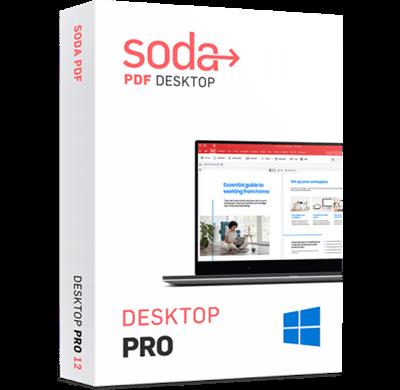
Soda PDF Desktop Pro 14.0.432.22882

Soda PDF Desktop Pro 14.0.432.22882


fece80214c53b80d54d2c26935dbd940.jpeg


Languages: Multilingual
File Size: 453.75 MB​

Powerful PDF Tools Made Simple. Soda PDF was built with you in mind. Say goodbye to complicated software & hello to easy-to-use PDF tools. Edit, merge, convert, compress, sign & secure your documents in just a few clicks.


Edit
Gain full editing control over any PDF document.
Revising a document is hard, we make it easy. Create, modify or remove text in your PDF. Draw, stamp, whiteout & highlight paragraphs.
Merge & Compress
Shape your documents without losing their form.
Merge various file types like Word, Excel & PowerPoint into a PDF. Rearrange or delete pages from your PDFs with ease and compress PDFs to a smaller file size without losing quality.
Create & Convert
Put paperless solutions into power.
Create PDFs from scratch, from a scan, URL or any document format. Convert Microsoft Office files to and from PDFs. Batch convert multiple files simultaneously.
OCR
Oh snap! Spot text within images.
Automatically scan & recognize text within an image. Manually select areas of an image for text recognition and turn individual or multiple page ranges into editable PDFs.
Prepare documents faster
Quickly convert multiple files with our batch tool. Avoid re-typing by transforming scanned documents or images into editable PDFs in just a few clicks.
Manage files smarter
Protect your information through cost-effective security measures. Whiteout or redact sensitive information, secure files with a password or set permissions, export PDFs to other file types or archive your data using the PDF/A format.
Edit
Gain full editing control over any PDF document.
Compress
Reduce the size of any PDF without affecting file quality.
Page
Rotate, reorder, add or remove pages from any PDF document.
Convert
Convert PDFs to or from MS Office files, images & more!
Comment
Annotate directly on PDF using sticker notes, comments & more!
Batch
Create & convert a batch of files or folders in one click.
Secure
Protect PDF documents by adding 256-AES password encryption.
Forms
Create fillable PDF forms, or fill any existing form with ease.
OCR
Recognize & edit text within any scanned document or image.
Release Notes
- Release notes were unavailable when this listing was updated.

System Requirements
- OS: Windows 11, 10, 8/8.1, 7 (64-bit)
- Processor : Pentium III or equivalent
- RAM : 1 GB
- Disk Space: 100 MB or more
- Microsoft Office (Any version after Office 2007) is required for plug-in use & conversion to Word, Excel and PowerPoint.
Supported Languages
English, French, German, Italian, Spanish, Portuguese, Russian, Japanese

Homepage:
Код:
https://www.sodapdf.com

Download link

Say "Thank You"

rapidgator.net:
Код:
https://rapidgator.net/file/1dc4652141bde2c884c4a3953b29efbc/xzkwu.Soda.PDF.Desktop.Pro.14.0.432.22882.rar.html

ddownload.com:
Код:
https://ddownload.com/aacgypj9tnrz/xzkwu.Soda.PDF.Desktop.Pro.14.0.432.22882.rar
 
SonarQube Data Center Edition 10.6.0.92116

SonarQube Data Center Edition 10.6.0.92116


7e6617b68db53a5e451c28e673a4b757.jpeg


File size: 884.4 MB​

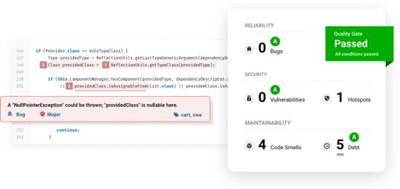
SonarQube empowers all developers to write cleaner and safer code. Join an Open Community of more than 200k dev teams.


Release Quality Code
Catch tricky bugs to prevent undefined behaviour from impacting end-users.
Application Security
Fix vulnerabilities that compromise your app, and learn AppSec along the way with Security Hotspots.
Technical Debt
Make sure your codebase is clean and maintainable, to increase developer velocity!
For 29 programming languages
We embrace progress - whether it's multi-language applications, teams composed of different backgrounds or a workflow that's a mix of modern and legacy, SonarQube has you covered.
Код:
https://www.sonarqube.org/whats-new/

Homepage:
Код:
https://www.sonarqube.org/

Download link

Say "Thank You"

rapidgator.net:
Код:
https://rapidgator.net/file/50726e4e2a2f540658320a15ca0fd337/qruvq.SonarQube.Data.Center.Edition.10.6.0.92116.zip.html

ddownload.com:
Код:
https://ddownload.com/nczldamxxj68/qruvq.SonarQube.Data.Center.Edition.10.6.0.92116.zip
 
Symantec Ghost Boot CD 12.0.0.11611 (x64)

Symantec Ghost Boot CD 12.0.0.11611 (x64)


5d3fcb15066d9853e0f37f6701a0132b.jpeg


File Size: 436.5/376.8 MB​

Symantec Ghost Boot CD - creates and restores backup images of the entire disk, partition, or individual folders, and allows you to recover the system even when everything seems compromised.


The Symantec Ghost Boot CD for Windows from Symantec allows you to create a full system backup that you can use to restore your computer in the event of a hard drive failure or major system problem. Ghost allows you to backup to any type of media, including CD and DVD discs, external hard drives or Iomega Zip and Jazz disks. You can even schedule incremental backups, allowing you to backup only items that have changed since your last backup. Ghost is an excellent option for backing up and quickly restoring your computer system.
Ghost can backup and recover the important data stored on your computer. It works by making a full system image of your computer which can be restored in the event of a hard drive failure or if you can't enter your operating system, allowing you to pick up working without losing data.
Overview of Symantec Ghost Boot CD 12 Features
- The software features advanced features such as incremental backup, scheduled backups and triggered backups to help optimally protect the data stored on your computer system.
- Ghost features a LightsOut Restore feature that allows you to restore a system via on-disk software. This facilitates restoration without the need for a bootable CD. You'll also be able to create a virtual disk image, compatible with VMWare and Microsoft formats, from a recovery image.
Symantec Corporation, the world's leading cyber security company, helps organizations, governments and people secure their most important data wherever it lives. Organizations across the world look to Symantec for strategic, integrated solutions to defend against sophisticated attacks across endpoints, cloud and infrastructure. Likewise, a global community of more than 50 million people and families rely on Symantec's Norton and LifeLock product suites to protect their digital lives at home and across their devices. Symantec operates one of the world's largest civilian cyber intelligence networks, allowing it to see and protect against the most advanced threats.
What's new
official site does not provide any info about changes in this version.

Homepage:
Код:
https://www.symantec.com/

Download link

Say "Thank You"

rapidgator.net:
Код:
https://rapidgator.net/file/1184be7809cd1e4bfae749759eebdf64/dbofx.SymantecGhostBootCD12.0.0.11611Win10x64..iso.html
https://rapidgator.net/file/d8e21f81d5a1bc7601796f163a1b7996/dbofx.SymantecGhostBootCD12.0.0.11611Win11x64..iso.html

ddownload.com:
Код:
https://ddownload.com/ez3whv4taetc/dbofx.SymantecGhostBootCD12.0.0.11611Win10x64..iso
https://ddownload.com/c0e1a8iksib8/dbofx.SymantecGhostBootCD12.0.0.11611Win11x64..iso
 
Tekla Structures 2024 SP4.1 (x64) Multilingual

Tekla Structures 2024 SP4.1 (x64) Multilingual


4db645689c4185c3692b75b3f43af3c7.jpeg


x64 | languages:Multilingual | File Size: 3.20 GB​

Description
Trimble has released an update to Tekla Structures 2024, is much more than design and detailing software: it is the most accurate and comprehensive 3D building information modeling (BIM) tool in the market that streamlines the workflow from sales, bidding, cost estimation and conceptual design to detailing, manufacture and erection. This release arrives with improvements and fixes - be it drawings, collaboration, or modeling complex geometries or reinforcement.


Compatibility This version is not backwards compatible. When you create or save a model in Tekla Structures 2024, you cannot open it in older versions due to database differences.About Tekla Structures 2024 This version includes improvements and fixes for example in drawings, collaboration and modeling complex geometries or reinforcement. As a practical example of what the new version has to offer is modeling structures like spiral shaped stairs, which can become quick and easy with the new Spiral Beam. Working with steel bent plates is now easier, while Precast Concrete Floor and Wall Layout and the flexible, intelligent Tekla method for modeling and modifying reinforcement have been improved. Creating more complete drawings becomes faster, and DWG export functionality is more efficient.
In addition, there are new tools on top of Trimble's collaboration platform, Trimble Connect, for model and cloud-based supply chain management between Tekla Structures and Trimble Connect.
Tekla Software by Trimble. Trimble produces Tekla software solutions for advanced BIM and structural engineering workflow within the Trimble Buildings portfolio. Trimble's construction solutions range from total stations to advanced software, giving the industry tools to transform planning, design, construction and operation of buildings. Tekla software is at the heart of the design and construction workflow, building on the free flow of information, truly constructible models and collaboration.
About Trimble Buildings. Trimble Buildings, a part of Trimble's engineering and construction segment, is focused on solutions that optimize the complete design-build-operate (DBO) lifecycle of buildings. Trimble is dedicated to transforming the industry-increasing productivity, reducing waste and optimizing schedules, budgets and real estate portfolios-with powerful solutions that streamline communication and collaboration. These targeted solutions enable architects, engineers, contractors, owners, and occupiers to realize greater agility, efficiency and insight. Used in over 150 countries around the world, Trimble Buildings' solutions are transforming the way the world designs, builds and operates infrastructure and buildings.
About Trimble. Trimble is transforming the way the world works by delivering products and services that connect the physical and digital worlds. Core technologies in positioning, modelling, connectivity and data analytics enable customers to improve productivity, quality, safety and sustainability. From purpose built products to enterprise lifecycle solutions, Trimble software, hardware and services are transforming a broad range of industries such as agriculture, construction, geospatial and transportation and logistics.
System Requirements
OS:64-bit Windows 10
Memory:16 GB of RAM If you are working with heavier projects, you should consider having a computer with more RAM. It is not unusual to have 32 GB or even more RAM when working with large models
CPU:The faster, the better" is the rule that applies with processors Note that Tekla Structures does not support Itanium processors.
Код:
https://support.tekla.com/doc/tekla-structures/2024/rel_2024_sp4_new_features_and_improvements#_gl=1*1whfccq*_gcl_au*MjA4MDk1MjM3Ni4xNzIxMzIyOTIz&_ga=2.108706370.1155330344.1726646888-701228984.1713158659

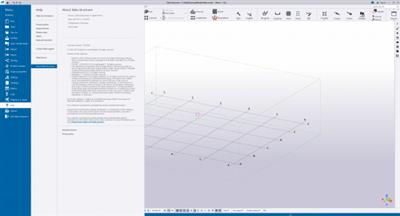
Screenshots

9884a2ae8a3d80e6b798c3cccfeba1a6.jpeg

Homepage:
Код:
https://www.tekla.com/

Download link

Say "Thank You"

rapidgator.net:
Код:
https://rapidgator.net/file/d743065122274c07c0f43d6e1f687c74/clywl.Tekla.Structures.2024.SP4.1.x64.Multilingual.part1.rar.html
https://rapidgator.net/file/2373bc71c4d8e9c5d3766ba856a3c00a/clywl.Tekla.Structures.2024.SP4.1.x64.Multilingual.part2.rar.html
https://rapidgator.net/file/ade15f9ce52d738dca80f1274def745d/clywl.Tekla.Structures.2024.SP4.1.x64.Multilingual.part3.rar.html
https://rapidgator.net/file/971345625c228e58fd20ccd951a74a3b/clywl.Tekla.Structures.2024.SP4.1.x64.Multilingual.part4.rar.html

ddownload.com:
Код:
https://ddownload.com/nzt52nj6vi83/clywl.Tekla.Structures.2024.SP4.1.x64.Multilingual.part1.rar
https://ddownload.com/9dt09roco65u/clywl.Tekla.Structures.2024.SP4.1.x64.Multilingual.part2.rar
https://ddownload.com/cidamqbh1sef/clywl.Tekla.Structures.2024.SP4.1.x64.Multilingual.part3.rar
https://ddownload.com/xrcqw03rkxn1/clywl.Tekla.Structures.2024.SP4.1.x64.Multilingual.part4.rar
 
TickTick Premium 6.0.6 Multilingual

TickTick Premium 6.0.6 Multilingual


306178c0c77804b5861aa419237d5be0.jpeg


File size: 20.4 MB​

TickTick turns your Windows PC device into an office platform that is flexible, easy to use, and highly efficient. Join millions of people to capture ideas, organize life, and do something creative every day. Practice the Pomodoro Technique in TickTick 64 bit for PC. Stay focused, stay productive. Enjoy!


Organize everything
Stay organized and productive with work-related tasks, personal goals, and more.
Add tasks faster and easier
Use shortcut Ctrl+Shift+A to capture ideas in a second.
Powerful calendar views
View your tasks in a calendar, and manage them simply with draft & drop.
Collaborate with anyone
Share your lists and tasks with anyone - colleagues, friends, or family. Stay productive in any kind of group.
Stay focused
Stay concentrated with the built-in Pomo Timer, which helps you power through distractions to accomplish more.
Manage tasks from the desktop widget
With the desktop widget on Windows, view and complete tasks have never been this easy.
Whats New
Updates: official site does not provide any info about changes in this version.

Homepage:
Код:
https://ticktick.com/about/windows?language=en_us

Download link

Say "Thank You"

rapidgator.net:
Код:
https://rapidgator.net/file/fdea19f9445910d95af2563a5f4c38ec/qjfpu.TickTick.Premium.6.0.6.Multilingual.rar.html

ddownload.com:
Код:
https://ddownload.com/p9x58mep5sow/qjfpu.TickTick.Premium.6.0.6.Multilingual.rar
 
Назад
Сверху