• Здравствуйте. Сайт заработал в архивном режиме форум www.old.nado.in

Anthony's Software !!!

NUMECA FINE/Open 9.2 (x64)

2f9370c1-0b24-4329-9309-66dab8a4d424.png

x64 | Languages:English | File Size: 2.92 GB

FINE/Open with OpenLabs is a powerful CFD Flow Integrated Environment dedicated to complex internal and external flows.​

It can solve any flow, from incompressible to low and high speed flows. It combines completely unstructured hexahedral grids with an efficient preconditioned compressible solver with fast agglomerated mulid acceleration and adaptation techniques.
FINE/Open with OpenLabs allows users to freely develop and exchange physical models in CFD, with a new open approach to CFD. Complex programming tasks are avoided through the usage of an easy meta-language. Users can develop, improve and customize physical and numerical models as for instance:

Transport equations (convection-diffusion-source)

Steady or unsteady source terms (heat, force, mass)

Diffusion coefficients

Algebraic relations

Initial and boundary conditions

Turbulence models, combustion models, radiation models

Atmospheric boundary layer models,

Actuator disk simulations,

Soot modeling

HEXPRESS:

Full Hexahedral Grids (no prism, no tetrahedra, no pyramid)

Direct CAD import capabilities

CAD manipulation and decomposition tools

Mesh wizard for rapid solution set-up and easy back and forth operation

Buffer cell and boundary layer insertion for high quality cells in boundary layer regions

Automatic refinement procedures based on user defined sensors either next to solid walls or at specified area in the domain

Multi domain capabilities allowing the treatment of CHT and multi-part geometry models

Full non-matching multi-block connection, allowing multi-row turbomachinery meshing

One single code for all types of fluids (incompressible, low-compressible, condensable and fully compressible) and speed (low speed to hypersonic regime)

Acceleration with the CPU-Booster module provides 3-5 s gain in convergence speed

Embedded fluid structure interaction with the Modal and Flutter Analysis module

Mulid convergence acceleration

Multidomain capability

Combustion

Radiation

Lagrangian multiphase

Cavitation

Multispecies reacting flows

Thermodynamics tables and combustion tables generation

Python scripting technology

OpenLabs allows users to customize or add physical models

Flexible and user-friendly Graphical User Interface

Users don't need to care about programming details and code structure

OpenLabs can be used in a wide variety of industrial and acad applications

Identical computing and memory costs compared to source-coded models

Free access to all FINE/Open community

Multi-projects and multi-views graphical user interface

Python scripting technology


DOWNLOAD
uploadgig
Код:
https://uploadgig.com/file/download/0e5F99f6fF6D7c1b/eq9pcFZJ__NUMECA.Fin.part1.rar
https://uploadgig.com/file/download/664fD5464bb43faA/eq9pcFZJ__NUMECA.Fin.part2.rar
https://uploadgig.com/file/download/4cbec49eF431e0A3/eq9pcFZJ__NUMECA.Fin.part3.rar

rapidgator
Код:
https://rapidgator.net/file/8369919274f1ad777f9490addddfc08a/eq9pcFZJ__NUMECA.Fin.part1.rar
https://rapidgator.net/file/d1a7ef3b7f6f8f4bc259c93234cb70c6/eq9pcFZJ__NUMECA.Fin.part2.rar
https://rapidgator.net/file/a36c05f7cd94a57025171802ddc1490f/eq9pcFZJ__NUMECA.Fin.part3.rar

nitroflare
Код:
http://nitroflare.com/view/772CD95A09F9D5A/eq9pcFZJ__NUMECA.Fin.part1.rar
http://nitroflare.com/view/856F149D0C41906/eq9pcFZJ__NUMECA.Fin.part2.rar
http://nitroflare.com/view/28EB92345C7CF52/eq9pcFZJ__NUMECA.Fin.part3.rar

 
NUMECA FINE/Turbo 14.2 (x64)

6cbd73ae-8de4-44f4-910d-8bf270ca13cd.png

x64 | Languages:English | File Size: 3.36 GB

FINE / Turbo program - the world's first high-level CAE calculation software package (PC), focused on solving specialized CFD problems of turbomachinery and blade machines.​

FINE / TurboTM - is used to solve practical problems of hydrodynamics in the design and optimization of all types of blade machines (turbomachines): multistage axial, radial and mixed compressors, turbines, pumps, fans and propellers, as well as snails, diffusers, heat exchangers and exhaust systems.

-AutoBlade: parametric blade rim generator;

-AutoGrid: parametric block structured automatic mesh generator for blade machines;

-IGG: block-structured mesh generator for arbitrary geometry;

-Euranus: a structured 3D Navier-Stokes equation solver;

-CFView: postprocessor.

NUMECA FINE/Turbo 14.2 Win64

Issue Year/Date:2020

Version:14.2

architecture:64bit

Interface language:English

Tabletka:present (TeAM SolidSQUAD-SSQ)
OS:Windows x64

Multiprocessor, multi-core PC,

512MB or more RAM,

1.36 GB of free space on the hard drive for installing the program


DOWNLOAD
uploadgig
Код:
https://uploadgig.com/file/download/544407769Ac2f84a/jW7YKBL7__NUMECA.Fin.part1.rar
https://uploadgig.com/file/download/44c6f3b5Ebad351D/jW7YKBL7__NUMECA.Fin.part2.rar
https://uploadgig.com/file/download/2e93D3f89aA86503/jW7YKBL7__NUMECA.Fin.part3.rar
https://uploadgig.com/file/download/fc0125831cD2204D/jW7YKBL7__NUMECA.Fin.part4.rar

rapidgator
Код:
https://rapidgator.net/file/1b15b0f4303f908e745e60e4ae59f6cd/jW7YKBL7__NUMECA.Fin.part1.rar
https://rapidgator.net/file/712f630fd5beecfc614e86b9d4b674de/jW7YKBL7__NUMECA.Fin.part2.rar
https://rapidgator.net/file/9e4e34f496b910491c7d2f9a566450aa/jW7YKBL7__NUMECA.Fin.part3.rar
https://rapidgator.net/file/315497e430e2cf236f870a26a474a426/jW7YKBL7__NUMECA.Fin.part4.rar

nitroflare
Код:
http://nitroflare.com/view/16C37252C63EC29/jW7YKBL7__NUMECA.Fin.part1.rar
http://nitroflare.com/view/BB755A1228D65A8/jW7YKBL7__NUMECA.Fin.part2.rar
http://nitroflare.com/view/A009CF7F0C5D626/jW7YKBL7__NUMECA.Fin.part3.rar
http://nitroflare.com/view/417CC69A7DC48E2/jW7YKBL7__NUMECA.Fin.part4.rar
 
NUMECA Fine/Marine 9.1 (x64)

5b613c2a-5b9b-4c49-96bc-a1be6193a719.png

x64 | Languages:English | File Size: 1.56 GB

FINE / MarineTM program - the first in the world CFD is a high-level computational software package designed to solve specialized problems of ship hydrodynamics.​

To create nets, the complex includes an automatic generator of unstructured hexahedral nets with an explicit resolution of the viscous HEXPRESSTM boundary layer.
FINE / MarineTM implements the RANSE approach based on the ISIS CFD solver developed by ECN and CNRS (Hydromechanics Laboratory, Department of Numerical Hydrodynamics), France.

-perform modeling of flows in areas with complex geometry (using structured and unstructured meshes);

-perform automatic adaptation (grinding / roughening) of the grid in the calculation process based on the results of earlier approximations;

-to optimize the hull geometry using evolutionary algorithms;

-apply a wide range of turbulence models (Spalart-Allmaras, (Wilcox / Menter), (E) ASM, Rij, DES);

-carry out cavitation modeling;

-solve the problems of modeling the motion of one or several absolutely solid or deformable bodies on the free surface of a liquid (motion of marine objects).

-CFView is a powerful solution visualization platform that provides a full range of capabilities for displaying qualitative and quantitative characteristics of 2D / 3D calculations.

NUMECA Fine/Marine 9.1 Win64

Issue Year/Date:2020

Version:9.1

Bit:64bit

Interface language:English

Tabletka:present (TeAM SolidSQUAD-SSQ)
Multiprocessor,multi-core PC,

512MB and more RAM,

1.36 GB of free space on the hard drive for installing the program


DOWNLOAD
uploadgig
Код:
https://uploadgig.com/file/download/3786292f6015Af8D/cmpUjsDX__NUMECA.Fin.part1.rar
https://uploadgig.com/file/download/c64dea16b40389c6/cmpUjsDX__NUMECA.Fin.part2.rar

rapidgator
Код:
https://rapidgator.net/file/50ca4a03453b70c3d3a53b28fc17c733/cmpUjsDX__NUMECA.Fin.part1.rar
https://rapidgator.net/file/4f4c34026d2aafdf8991205cc23500cd/cmpUjsDX__NUMECA.Fin.part2.rar

nitroflare
Код:
http://nitroflare.com/view/05150EB5DEE7421/cmpUjsDX__NUMECA.Fin.part1.rar
http://nitroflare.com/view/2A0F59C60CFC746/cmpUjsDX__NUMECA.Fin.part2.rar
 
NUMECA HEXPRESS/Hybrid 9.2 (x64)

bdcf7a2f-b5d6-4efe-a637-aba6552766d6.png

x64 | Languages:English | File Size: 1.31 GB

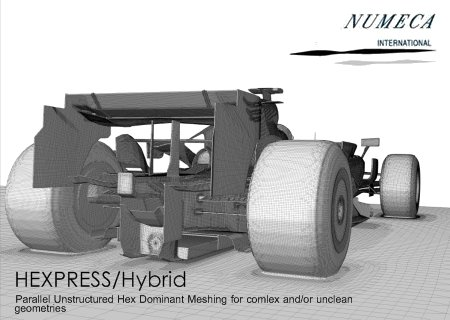
The HEXPRESSTM / Hybrid program appeared on the market as a response to the need of European automotive companies for a fast and efficient mesher (grid builder), with which you can build computational grids for complex topologies in an extremely short .​

At the moment, in our opinion, this is the only known tool that allows you to build a grid for calculating both the external and internal aerodynamics of such a complex object as, for example, a car, including the ee compartment and the interior, in one day, starting directly from the "unclean" geometry.
HEXPRESSTM / Hybrid offers its meshing technology and its original meshing approach. The preprocessing is divided into two stages, the first is working with geometry in the user interface of the program. The second stage is the launch of building a grid from the command line (in the style of working with Linux, Unix operating systems) using a text configuration file that contains the parameters of the meshing. There are few options for meshing, they are intuitive. The main advantage of combining the GUI philosophy and working on the command line using the configuration file is the speed and automatism in rebuilding grids, the process of creating new grids for new standard geometries is accelerated many s, bypassing the often tedious stage of grid setup in the user interface (you already have there is a ready-made config file and everything you need

The meshing process in HEXPRESSTM / Hybrid is completely parallelized; by default, it runs on all available parallel computer processor cores.

Unique innovative technologies embedded in HEXPRESSTM / Hybrid allow you to automatically build hexadominant, conformal grids (it is possible to build tetra or full hex grids) for the entire settlement domain or several domains, the grid is built with the resolution of the wall layer or without it, if desired.

The key feature of the HEXPRESSTM / Hybrid is that it is not demanding on the cleanliness of the initial geometry and can build a grid for geometries with serious flaws, crevices, etc., which generally reduces the step of meshing by an order of magnitude when working with real, "unclean" geometries .

HEXPRESSTM / Hybrid has a built-in automatic tool for finding and closing holes, which allows you to start working with almost any geometry that you have been transferred without having the deep knowledge or to solve the problem in CAD or similar systems.

HEXPRESSTM / Hybrid is an ideal tool for building grids of large dimension, complex geometry topology in the shortest possible .

Currently, HEXPRESSTM / Hybrid has found its fans in almost all branches of eeering and industry, including such atypical areas as medicine.

NUMECA HEXPRESS / Hybrid 9.2 Win64

xRelease Date /Year:2019

Version:9.2

Bit:64bit

Interface languag :English

Tabletka:present (TeAM SolidSQUAD-SSQ)
OS:Win/Linux 64-bit

Multiprocessor, multi-core PC,

512MB or more RAM,

1.36 GB of free space on the hard drive for installing the program


DOWNLOAD
uploadgig
Код:
https://uploadgig.com/file/download/c7B7c5ee6310C0Ff/lTbcE9zF__NUMECA.Hex.part1.rar
https://uploadgig.com/file/download/8A753b914258bcfA/lTbcE9zF__NUMECA.Hex.part2.rar

rapidgator
Код:
https://rapidgator.net/file/eb3666452a9e2fb89db7d206b8dd09ff/lTbcE9zF__NUMECA.Hex.part1.rar
https://rapidgator.net/file/59b4c08d7367434d83c04fa651915094/lTbcE9zF__NUMECA.Hex.part2.rar

nitroflare
Код:
http://nitroflare.com/view/BCBA73652200493/lTbcE9zF__NUMECA.Hex.part1.rar
http://nitroflare.com/view/2F190B5FA6F5357/lTbcE9zF__NUMECA.Hex.part2.rar
 
NUMECA OMNIS 4.1 (x64) Multilanguage

19b005f1-2eeb-45ed-b15a-5f6ff25f181e.png

x64 | Languages:Multilanguage | File Size: 1.22 GB

MUNECA OMNIS is a program for simulating the flow of gases both for the problems of internal flows and for the external flow around bodies.​

It has its own preprocessor, processor (solver) and post-processor organized in the form of OMNIS / HEXPRESS and OMNIS / Open modules

-Importing and editing the geometry of CAD models

-Dynamic meshing

-Restore geometry using additional tools: openings in the cover, stretch the edges, remove elements, sections and rotate curves

-Creation of a settlement domain and definition of several settlement problems in it

-Choose between hybrid and full HEX mesh

-Definition of different mesh detail modes

-Installation of mesh detailing on surfaces and in volumes

-Detailing grids to capture specific geometry objects

-The created grid can be analyzed using histograms of quality and color contour. Grid editing using a wide range of quality criteria.

-Export grids in various formats that will be used in NUMECA solvers and third-party solvers (such as ANSYS Fluent and CFX, OpenFoam, Siemens Star CCM + ... (.sph, .hex, .msh, .ccm)

OMNIS / Open (available as preview)

-Import or mesh it directly with OMNIS / HEXPRESS

-CFD simulations in a mono-domain with an ideal gas

-Using solvers HEXPRESS and LB

-Multiprocessor and cluster computing

NUMECA OMNIS 4.1 Win64

Issue Year/Date:2020

Version:4.1

Bit:64bit

Interface language:Multilingual (English to Chinese, Japanese)

Tabletka:present (TeAM SolidSQUAD-SSQ)
-Monitoring of convergence of calculations with an integrated monitor

-Enabling collaborative processing to view computations chag during convergence

-Display results in the form of contours, color paths, vector fields and ISO surfaces

-Multiprocessor,multi-core PC,

-512MB or more RAM, 1.36 GB of free space on the hard drive for installing the program

-Video card with support for OpenGL 4.0 (and higher)


DOWNLOAD
uploadgig
Код:
https://uploadgig.com/file/download/1e7d131388E6703A/YjG4pPWR__NUMECA.Omn.part1.rar
https://uploadgig.com/file/download/e534c0D07fa4dcD6/YjG4pPWR__NUMECA.Omn.part2.rar

rapidgator
Код:
https://rapidgator.net/file/fd42b41d8e715409e2c0b1269e9a54aa/YjG4pPWR__NUMECA.Omn.part1.rar
https://rapidgator.net/file/eb9ebfcf25b676b8d7f63092c5365f34/YjG4pPWR__NUMECA.Omn.part2.rar

nitroflare
Код:
http://nitroflare.com/view/3B758018614B22F/YjG4pPWR__NUMECA.Omn.part1.rar
http://nitroflare.com/view/9096753D261D6DA/YjG4pPWR__NUMECA.Omn.part2.rar
 
SQLite Expert Professional 5.3.5.483

56244b3f-ebcd-4a38-9a8b-5c6bad72fd3c.png

File Size: 83.7 MB

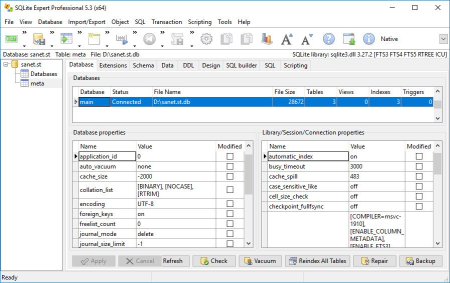
SQLite Expert is a powerful tool designed to simplify the development of SQLite3 databases.​

It is a feature rich administration and development tool for SQLite designed to answer the needs of all users from writing simple SQL queries to developing complex databases.
The graphical interface supports all SQLite features. It includes a visual query builder, an SQL editor with syntax highlighting and code completion, visual table and view designers and powerful import and export capabilities.

- Build complex SQL queries with ease.

- Formatted SQL query text layout.

- Powerful means of SQL query parsing and analysis.

- Advanced SQL editor with syntax highlighting and code completion.

- Edit data in the grid using powerful in-place editors.

- Image editor currently supporting JPEG, PNG, BMP, GIF and ICO image formats.

- Visualize and modify BLOB fields using the integrated Hex editor.

- Visual editors for table columns, indexes, for keys, triggers, unique and check constraints.

- Restructure any complex table without losing data.

- Any restructure operation is wrapped in a nested transaction which is rolled back if any errors occur when applying changes.

- Import data from ADO data source, CSV files, SQL script or SQLite.

- Export data to CSV files, SQL script, Excel or SQLite.

- Copy tables between SQLite databases using drag and drop operations.

- Export data to Excel via clipboard.

- Full Unicode support.

- Support for attached databases.

- Supports SQLite extensions and third-party SQLite libraries.

- Lua and Pascal scripting support.


DOWNLOAD
uploadgig
Код:
https://uploadgig.com/file/download/F095413ef5E3738B/0gKijmKp_SQLite.Expe.rar

rapidgator
Код:
https://rapidgator.net/file/90162b2c244317f0f3b3a4194fc23e6a/0gKijmKp_SQLite.Expe.rar

nitroflare
Код:
http://nitroflare.com/view/5BB81864C908095/0gKijmKp_SQLite.Expe.rar
 
SmartEdit Writer 8.3

bcb6b35a-e220-474f-9c80-4322a5fb6066.png

File size: 41 MB

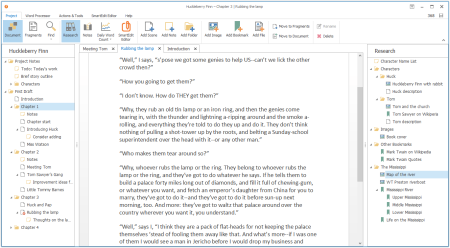
SmartEdit Writer - free software to plan your novel, prepare and maintain research material, write your novel scene by scene and edit chapter by chapter in a modern Windows application that has a similar look and feel to Microsoft Word.​

Planning & Research

Store images & links to websites - all in a handy Research section that sits right next to you as you write. Create character profiles, outlines & notes as you work.

Write Scene by Scene

No more 100,000 word Microsoft documents. Write your novel one scene or chapter at a . Drag and drop scenes inside your Document until it's just the way you want it.

Edit, Polish, Improve

Identify word and phrase over-use, monitor adverbs, crutch words & clichés, improve sentence structure & punctuation - all using SmartEdit's Editor Toolbar.


DOWNLOAD
uploadgig
Код:
https://uploadgig.com/file/download/CCa79807d5406302/1IFHrIXS_SmartEditWriter_8.3..rar

rapidgator
Код:
https://rapidgator.net/file/48ab4c6363b4f1e26663aab366ad4ee8/1IFHrIXS_SmartEditWriter_8.3..rar

nitroflare
Код:
http://nitroflare.com/view/37D6B911F7195EE/1IFHrIXS_SmartEditWriter_8.3..rar
 
VideoSubFinder 5.00

1752ffaf-1742-4353-9d11-969ef296876d.png

File Size : 120 Mb

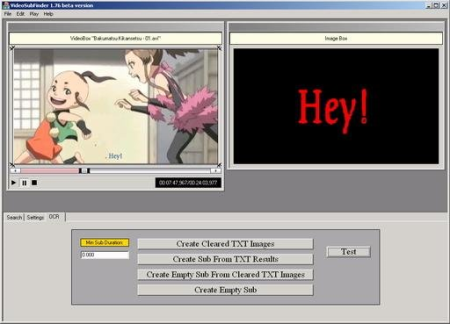
VideoSubFinder allows by a finding video images with the text(using algorithms of digital image processing)to create on them subtitles files with timing automatically.​

Using text mining algorithms it allows to separate the text with any colour from images.

This program provides two main functionality:

1 ) Generate srt subtitles with timing (but without text) from hardcoded subtitles into the video by using algorithms of digital image processing.

2 ) Generate cleared (text only) images from images with hardcoded subtitles (using text mining algorithms) for further recognition by software like FineReader and generation srt subtitles with timing and text.

For working this programm possibly will be required to install "K-Lite Codec Pack Full" and Visual Studio 2017 run x64.

Updates: official site does not provide any info about changes in this version


DOWNLOAD
uploadgig
Код:
https://uploadgig.com/file/download/c6196d4fAc64A263/ZEVbzvC7__VideoSubFi.rar

rapidgator
Код:
https://rapidgator.net/file/dff70cce1eeeee8ccabb2d3b8b293f9c/ZEVbzvC7__VideoSubFi.rar

nitroflare
Код:
http://nitroflare.com/view/2D7270710891529/ZEVbzvC7__VideoSubFi.rar
 
AniceSoft EPUB Converter 20.8.1

098dcae4-5e0d-4ae0-bbe5-e8ad9a14155e.png

File size: 237 MB

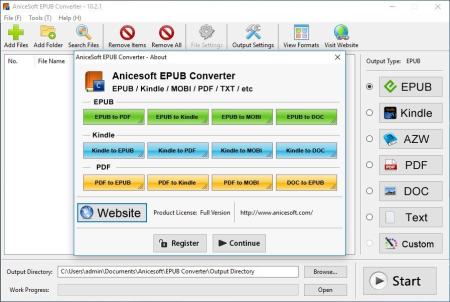
EPUB Converter is a tool that offers an easy, efficient and quick way to help you convert EPUB files to other formats, and vice versa.​

EPUB converter makes it possible to read your Adobe or Kindle books on other devices like Android, iPhone, Sony reader. It supports a variety of ebook format conversion: as EPUB to PDF, MOBI to EPUB, Kindle to PDF, TXT to EPUB, etc. In the converting process, this software will remain the text, list, images, hyperlinks and CSS layout of your books.

EPUB to PDF Converter

PDF to EPUB Converter

EPUB to MOBI Converter

MOBI to EPUB Converter

MOBI to PDF Converter

PDF to MOBI Converter

Kindle to PDF Converter

PDF to Kindle Converter

AZW to PDF Converter

PDF to AZW Converter

EPUB to DOC Converter

EPUB to TXT Converter

Updates: official site does not provide any info about changes in this version


DOWNLOAD
uploadgig
Код:
https://uploadgig.com/file/download/96Ba5e93f484a725/GJR0yL5G_AniceSoftEP.rar

rapidgator
Код:
https://rapidgator.net/file/74b9885fb02c45574503cb408d3c5c18/GJR0yL5G_AniceSoftEP.rar

nitroflare
Код:
http://nitroflare.com/view/0D775EF7E68DC5B/GJR0yL5G_AniceSoftEP.rar
 
PGWare PCBoost 5.7.6.2020 Multilingual

14d6d7a5-8c9c-47a5-9e5b-083eeced5e3b.png

File size: 7.14 MB

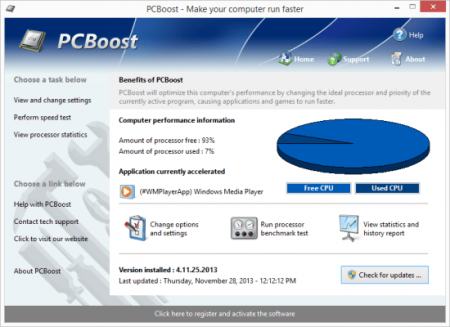
PCBoost allows you to run programs such as games, video production, photo editing software and any software that requires excessive processing power to run much faster than the software was originally designed for.​

With little to no effort you can instantly force programs & games to run faster on your computer without having to purchase new hardware. Most programs are designed to use a minimal amount of CPU (processor) power which often leads to the CPU being idle and not used to its fullest potential, with PCBoost your computer is able to take advantage of this by allocating more CPU power to the currently active application.
PCBoost constantly monitors which application is running as the foreground and active program; it then tells the CPU to give this application priority over all other applications. This direct instruction to the CPU forces the application to get more attention and quickly finish any tasks that are required as soon as possible. If you switch to another program or game PCBoost instantly notices this change and instructs the CPU to set the old application to a normal priority and the newly active and foreground application to a higher priority. This approach allows the current and active program to always use the most CPU power as possible.

Performance Increase

Instantly makes the foreground application run faster by instructing the computer processor to give the application a higher priority than all other applications running in the background.

Artificial Intelligence

Constantly switches the foreground application to use the least used processor core on multi-core computers; ensuring applications always have the most CPU power available to them.

Unlock Your Hardware

Unlock the power of your computer hardware, no longer do you have idle processor power being wasted when you need critical applications to finish as soon as possible.

No More Waiting

Don't wait for programs that take forever to complete, applications now run much faster and tasks complete quicker when you take control of the CPU with PCBoost installed.

PCBoost also takes advantage of multi-core processors found in most computers today. Generally the more CPU cores you have the faster your computer will operate, however most applications are not written to take advantage of multi-core processors. When a multi-core processor is detected PCBoost instantly instructs the foreground application to run on a CPU core that is being used the least. For instance if your computer has two CPU cores and core one is at 75% and core two is at 25%, then PCBoost will make sure the application will run on core two. This feature allows applications to always have the most processing power available and instantly makes your computer run faster.

Any application that requires excessive processing power can instantly become faster when PCBoost is installed. It's as easy as ing the current version of our software, clicking the install button and letting everything work on its own. PCBoost's simple to use interface allows you to set it and forget it, and let PCBoost automatically make your applications work faster. For the power computer users we do offer many settings, such as how fast applications should be accelerated, which applications should be blocked from being accelerated, if PCBoost should start up with Windows and many numerous other settings that are available for you to control. You can decide if you want to fine tune PCBoost or let it work on its own - our software works with the novice all the way up to expert computer users. a trial version of PCBoost and take control of your computer.

Compatible with Microsoft Windows 10, 8, 7, Vista, XP & Windows Server 2012, 2008, 2003. 32-BIT/64-BIT ready.

Optimizes games and applications by increasing the processor priority thread of the currently active application, allowing these programs to run faster.

Runs in the background, which allows the software to run quietly and accelerate applications without user interaction.

New ideal processor setting automatically sets applications to use processor cores that are not being fully utilized.

Processor benchmark test feature has been added in to get an estimate of how fast and stable your computer processor is.

Built-in and fully editable block list of applications which are not compatible, to prevent problems with the software such as slowdowns or computer crashes.

New and improved modern user interface, easy and intuitive to use and compliant with Windows user interface guidelines.

Software updates can be ed and installed directly from inside the application without having to visit our web site.


DOWNLOAD
uploadgig
Код:
https://uploadgig.com/file/download/576752d8cC9ab512/mxkvkksT_.PGWare_PCB.rar

rapidgator
Код:
https://rapidgator.net/file/034a1f71b79e95056083a26199d7484a/mxkvkksT_.PGWare_PCB.rar

nitroflare
Код:
http://nitroflare.com/view/F9AFC459EF0DD2C/mxkvkksT_.PGWare_PCB.rar
 
PGWare SuperRam 7.7.6.2020 Multilingual

ef117bc6-f970-41cf-ac54-62615f9ca7c7.png

File size: 8.7 MB

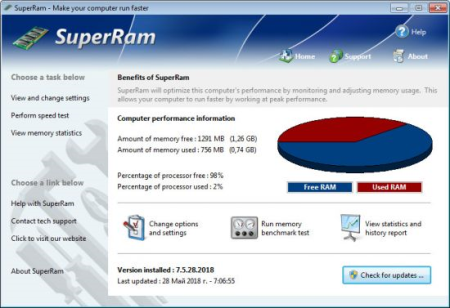
SuperRam makes your computer run faster by taking control and managing the memory on your computer efficiently.​

If you notice your computer is running slow, this typically is due to the memory (RAM) running out of usable space. When memory space gets lower, Windows then starts opening programs into the Windows page file; this page file is the computer hard drive which is much slower than RAM. SuperRam switches this behavior and puts old programs into the Windows page file and any newly opened programs are put into actual RAM. This change in how Windows operates allows programs and games to run faster.
SuperRam constantly runs in the background on your computer and detees when the memory on your computer is getting to a low threshold; once it reaches this threshold it immediately frees memory back to the computer and makes programs run faster since they have access to physical memory. SuperRam's settings allow you to freely adjust and change this low memory threshold and give you the ability to detee how much memory to free back to Windows. SuperRam gives you full control over how memory works on your computer and allows you to fine tune how your computer operates.

Faster Applications

Applications and games instantly load and run faster than before since they have access to more RAM on your computer. This instantly makes your computer run smoother and faster.

Take Control

You are now in control of your computer and decide how the system works. SuperRam gives you instant access to control how the computer operates and then works in the background for you.

Always Running

SuperRam constantly runs in the background even if no user is logged in, works great for server systems and desktop machines whether they are in full use or idle.

Infinite Memory

SuperRam constantly frees wasted memory back to the computer giving the impression you have an unlimited supply of RAM available to your applications at all s.

SuperRam intelligently manages memory unlike many other memory management programs available on the internet. SuperRam monitors how much of your computer processor is being utilized; ensuring that it does not free memory when the computer is processing large amounts of data and cause slowdowns. SuperRam can also detect when a program is running full screen, such as a game or a DVD and prevent memory from being freed to also prevent the screen from lagging and causing video problems to occur. If you are using a laptop SuperRam can also be told not to run when the laptop is on battery power and only work when plugged in. These settings allow you to fully control SuperRam and dictate how your computer works.

If you notice your computer is running slower, trying our software SuperRam is as easy as ing the current version, clicking the install button and letting everything work on its own. SuperRam's simple to use interface allows you to set it and forget it, and let SuperRam automatically manage your computer's memory. However if you would rather take control directly, SuperRam offers many settings to let you decide how much memory to free, and when memory should be freed depending on CPU utilization, full screen applications running and many other factors. a trial version of SuperRam and make your computer faster.

Features:

Compatible with Microsoft Windows 10, 8, 7, Vista, XP & Windows Server 2012, 2008, 2003. 32-BIT/64-BIT ready.

Allows games and applications to run faster by giving them access to more physical memory installed on the computer.

Runs in the background, which allows the software to run quietly freeing memory back to the computer without user interaction.

SuperRam can even run when no user is logged in allowing server systems to free memory leaks or give server software access to more RAM.

Memory benchmark test feature has been added in to get an estimate of how fast and stable your computer memory is.

Full customizable settings allow users the ability to fully control how memory behaves empowering the user to control their computer.

New and improved modern user interface, easy and intuitive to use and compliant with Windows user interface guidelines.

Software updates can be ed and installed directly from inside the application without having to visit our web site.


DOWNLOAD
uploadgig
Код:
https://uploadgig.com/file/download/C4556c1979ec3ec1/6rQ9xup2_.PGWare_Sup.rar

rapidgator
Код:
https://rapidgator.net/file/f6127eaaaa1ea0d8a6f85b83dac11ccf/6rQ9xup2_.PGWare_Sup.rar

nitroflare
Код:
http://nitroflare.com/view/0323F8F6A97E8BB/6rQ9xup2_.PGWare_Sup.rar
 
Yamicsoft Windows 10 Manager 3.2.9 Multilingual

5309664c-f6eb-4c95-be53-69a050e199d1.png

File size: 34.1 MB

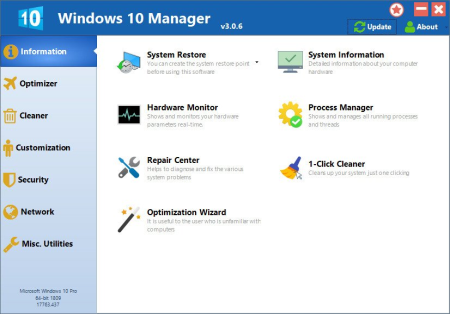
Yamicsoft Windows 10 Manager is a system utility that helps you optimize, tweak, repair and clean up Windows 10.​

It will increase your system speed, eliminate system fault, improve system security, and meet all of your expectations. Windows 10 Manager is a system utility that helps you optimize, tweak, repair and clean up Windows 10. It will increase your system speed, eliminate system fault, improve system security, and meet all of your expectations.
Information:

Get detailed system and all hardware information on your system; help you find out the installation key of Windows, Office products; show all detailed information of running processes and threads on your machine; Windows 10 Manager offers 1-clicking Cleaner cleans your system automatically; Repair Center helps you to fix various system problems.

Optimizer:

Tweak your system to improve windows startup and shutdown speed, tweak your hardware to increase system speed and performance; Control what is started on Windows startup, check and repair the advanced starup items to restore the malicious change by viruses; Tune up and optimize system services and Task Schedule, turn off smartly some unnecessary system services and tasks to improve system performance.

Cleaner:

Find out which files or folders engross your disk space and shown with chart; Smart Uninstaller can fully delete programs from your system without residual files and Registry entries; Find and clean junk files to increase Hard Disk space; Duplicate Files Finder can scan your computer for files with the same size, name and modification ; Registry Cleaner checks and repair incorrectly linked Registry entries; Registry Defrag rebuilds and re-indexes your Registry to reduce registry access and therefore improve application responsiveness; Desktop Cleaner can clean useless icons and files on Desktop easily.

Customization:

Customize the look of your system by tweaking system Explorer, Desktop, Start Menu, Taskbar and notification area; Manage the pinned items and can pin any files or folders to Taskbar and Start Screen; Create the quick startup items on Taskbar with the Jump List launcher; Tune up Windows 10 boot menu; Edit context menus of mouse Right-Clicking; Edit easily the Win + X menu that shown when right-click on Desktop bottom-left corner or Win + X keyboard shortcut ; Create the shortcut that executed quick on run dialog box. Visual Customizer can change system and file type icons, change the lock screen image automatically.

Security:

Improve system security by tweaking system components, UAC and login settings; Tune up System Restore options; Hide and restrict to access drives and programs; Encrypt/decrypt files, move system folders to safe locations; Undelete the files that accidentally deleted or formatted on disk; Privacy Protector can maintain your personal privacy by eliminating the tracks that you leave behind; Hide, add or delete the Control Panel entries.

Network:

Optimize your Internet connection speed, manage all shares items; Tweak the Microsoft Edge and Internet Explorer easily; IP Switcher can switch your IP address easily on different networks; Edits the Hosts file to speed up surfing internet and pe only to access the specified Hosts.

Misc. Utilities:

Show the collection of Windows utilities and pin system items to Start Screen and Taskbar; split and merge any files; Automatically back up files regularly using Super Copy. Registry Tools help you to operate Registry easily.


DOWNLOAD
uploadgig
Код:
https://uploadgig.com/file/download/24256E60eB5f8b30/bXOH6qbq_YamicsoftWi.rar

rapidgator
Код:
https://rapidgator.net/file/17e37d871035cbb33d4575f5ffd1300c/bXOH6qbq_YamicsoftWi.rar

nitroflare
Код:
http://nitroflare.com/view/1929E16E6DCF79A/bXOH6qbq_YamicsoftWi.rar
 
Duplicate File Finder Professional 2020.02 Multilingual

779c1449-7809-4eed-91ba-62eda9aa3391.png

File size: 1.87 MB

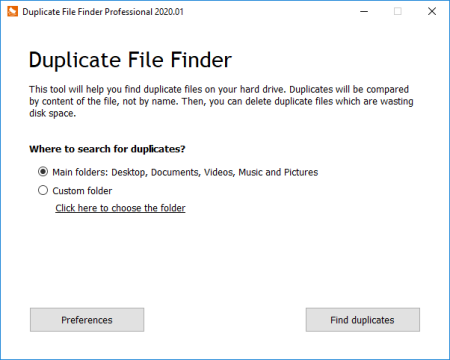
Finds duplicate pictures and videos This app does what it named for.​

You can choose any folder on your hard drive, or use standard user folders and our app will deeply analyze content of selected folder for duplicates. It will take just few seconds. Files will be compared by MD5 hashing algorithm, which mean that they will be compared by content, not by name. Then, using our convenient user interface you can view duplicates and delete those which you dont want.

This app does what it named for. You can choose any folder on your hard drive, or use standard user folders and our app will deeply analyze content of selected folder for duplicates. It will take just few seconds. Files will be compared by MD5 hashing algorithm, which mean that they will be compared by content, not by name. Then, using our convenient user interface you can view duplicates and delete those which you don't want.

We pay a lot of attention to the user interface because somes amount of duplicate files may be really huge. First, you can turn on and off groups - we split files into groups: large, medium and small files. Then, you can review each duplicate file, to be sure that you wont delete anything important (you can view it using default viewer or Notepad). Or open location of the file in Windows Explorer and make any other operation with it. You can delete files into Recycle Bin, so you can restore any deleted duplicate later in a very convenient way. And the last important thing - our app can remember scan results between sessions, so you wont need to scan again and again wasting your .

You even cannot emagine how many duplicate files created on your computer every day! For example, on our test computer running Windows 10 we found 23% of duplicate files in the system folder, wasting over 1 Gigabyte of disk space. Just think - every 4th file have a duplicate on your hard drive! Mostly these were files related to Windows update service, which is working every day. Sure, some of them can be safely removed, some is not. Please be careful when checking in the system folders.

Windows XP, Vista, 7, 8, 10 / .NET framework 4.5


DOWNLOAD
uploadgig
Код:
https://uploadgig.com/file/download/A870653e5141e568/clZ6BJVd_.sy.Duplica.rar

rapidgator
Код:
https://rapidgator.net/file/60637db2a975148bf11d7606a59e366c/clZ6BJVd_.sy.Duplica.rar

nitroflare
Код:
http://nitroflare.com/view/C28AF66EA7B5CA4/clZ6BJVd_.sy.Duplica.rar
 
NoxPlayer 6.6.1.1 Multilingual

09a926cb-5294-48fd-8cec-f3fce1429f3b.png

File size: 370 MB

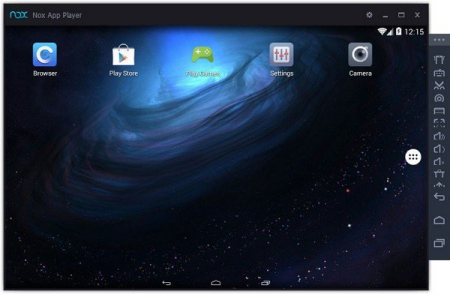
NoxPlayer is the best free Android emulator leading in technology and performance.​

It brings the best experience for users to play Android games and apps on Windows. NoxPlayer is stable, efficient and powerful. It ensures the fast response - bigger screen, easier operation. This app has some useful settings, including options to change your screen resolutions and other. You can root and access blocked features on your android using iRoot for PC.
This app player gives the access to many games that you can control easily using different assistive utilities. You can use the mouse, keyboard or gamepad to play, giving us better control of plays. Full use of the keyboard proved especially handy when playing action role play games.

In addition, NoxPlayer also has support for several input/output devices - apart from the standard mouse and keyboard support, it also has compatibility for gamepads and controllers. The camera and microphone integration are basic functions. Also you can also map the WASD key to control your character in the game, and you can set other keys to release skills or take shots.

The multiplayer mode is an innovative feature which makes it possible for users to run several NoxPlayer window at the same . Each window could run a different app/game. So instead of pushing other apps to the background, user can switch between them with ease on the same computer screen. This is like having several phones for real- multi-tasking.

Google Play store is already integrated, so no need to or integrate it again

Just with a click, you can open unlimited multiplayer windows

No need to APKs if you already have it in your PC. Just drag and drop them into Nox App Player and go for it

Customizing CPU, RAM and resolution are now possible with NoxPlayer. Bluestacks still doesn't give this option.

You can easily backup the Nox data in your computer itself

Has a button to On/Off the root mode

Capture a picture in Nox and it will be automatically saved in your PC

Now record videos of whatever you want in this emulator

Operation tips also added to navigate users in a right way

Nox App Player allows you to customize the sidebar options as well


DOWNLOAD
uploadgig
Код:
https://uploadgig.com/file/download/d1b8212fFF39Fdad/mWvTPCcG_nox_setup_v6.6.1.1_full_intl..rar

rapidgator
Код:
https://rapidgator.net/file/248c6cdfdfc2ba47b996db271f3c5faf/mWvTPCcG_nox_setup_v6.6.1.1_full_intl..rar

nitroflare
Код:
http://nitroflare.com/view/6E959AC1B11F421/mWvTPCcG_nox_setup_v6.6.1.1_full_intl..rar
 
PGWare GameBoost 3.7.6.2020 Multilingual

79c6be7f-e16a-4149-b510-e5c09e83e32a.png

File Size: 5.2 MB

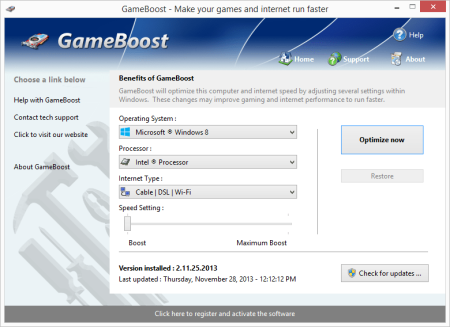
GameBoost sets the standard for PC gaming and internet optimization software.​

A combination of our two products GameGain and Throttle; GameBoost instantly increases the performance of your computer and squeezes out every last bit of performance your computer and internet connection is capable of. With many of the latest PC games requiring high hardware requirements to have a suitable gaming experience, it is important to optimize your computer's performance.
Windows is a general operating system which is used for many tasks; it is not optimized for gaming. With GameBoost and a few clicks of your mouse, you will notice an increase in frames per second, smooth game play and less latency and lag during multiplayer gaming.

GameBoost makes several Windows registry and system changes to increase the performance of your current gaming hardware; this allows you to play the most recent games without having to spend hundreds of dollars to upgrade your hardware. These changes made to your computer improve memory usage, how foreground applications are prioritized with the CPU, hard drive access read and write speeds, how fast graphics can display on your screen, the overall speed of your internet connection and latency. GameBoost does not make changes, no patches and no modifications to games themselves, thus no anti-cheat detection software considers our software cheating software and you will not be banned from those gaming networks.

Faster Gaming Graphics

Increase the frames per second you are getting when playing the most current and exciting games without having to purchase a new graphics card, memory, or CPU.

CPU Prioritization

GameBoost instructs the CPU to prioritize full screen applications so they are given the most power and access to more CPU cores; this allows games to work faster.

No Patches to Games

Games run faster and are not directly patched or modified, thus you are not banned from networks that have cheat detection software that detect modifications to games.

Faster Internet Speed

Instantly increases the speed of your Cable, DSL, U-Verse, Fios and dial-up internet connection and improves latency issues that cause lag during multiplayer gaming.

GameBoost also improves the speed of your internet connection; these system changes work with all internet connections such as Cable, DSL, U-Verse, Fios and dial-up. If you notice during multiplayer gaming that you are getting long pings and lag, GameBoost can help improve the speed of your connection. GameBoost makes several Windows registry changes to improve how networking packets are transmitted and received, we increase the buffer sizes which allows data to be transmitted and processed faster on your computer, allowing games, web browsing and ing files to work much faster.

Optimizing your Windows environment to work faster with games is a no brainer if you are a hardcore PC video game enthusiast. Just like tuning a car to get higher performance, GameBoost tunes your PC's hardware to work faster which improves gaming and internet performance. Get every last bit of horsepower out of your computer to play your games smoother and faster while also increasing the speed of your internet with a few clicks of the mouse. a trial version of GameBoost today and unleash the full power of your computer hardware for faster gaming and internet.

Compatible with Microsoft Windows 10, 8, 7, Vista, XP & Windows Server 2012, 2008, 2003. 32-BIT/64-BIT ready.

Optimizes your computer hardware to allow games to run faster and increase the speed of your internet connection for faster s and speed.

Increases the speed of all internet connection types such as Cable, DSL, U-Verse, Fios and dial-up.

Increase the frames per second that is displayed allowing games to play much smoother and increase your enjoyment of these games.

Advanced software based over-clocking feature which enhances memory speed, CPU prioritization of full screen applications and internet speed for games.

Changes are made to the Windows system directly not patches to game files; this prevents anti-cheat systems from accusing you of game modification.

New and improved modern user interface, easy and intuitive to use and compliant with Windows user interface guidelines.

Software updates can be ed and installed directly from inside the application without having to visit our web site.


DOWNLOAD
uploadgig
Код:
https://uploadgig.com/file/download/e55dDcCB74342a2A/5Lh2aAN3_GameBoost.3.rar

rapidgator
Код:
https://rapidgator.net/file/15464ec7632bd14981816c4e97cfc533/5Lh2aAN3_GameBoost.3.rar

nitroflare
Код:
http://nitroflare.com/view/DEFE82EC9F318A0/5Lh2aAN3_GameBoost.3.rar
 
PGWare GameGain 4.7.6.2020 Multilingual

d143ccf8-ce26-4ea2-9816-71aa71fa8980.png

File Size: 5 MB

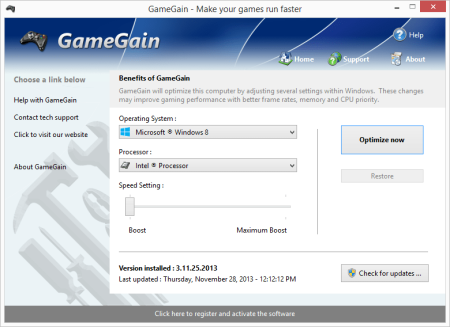
One of the first and most comprehensive products, GameGain sets the standard for PC gaming optimization software.​

GameGain instantly increases the performance of your computer and squeezes out every last bit of performance your computer gaming hardware is capable of. With many of the latest PC games requiring high hardware requirements to have a suitable gaming experience, it is important to optimize your computer's performance.
Windows is a general operating system which is used for many everyday tasks; it is not optimized for gaming performance. With GameGain and a few clicks of your mouse, you will notice an increase in frames per second, smooth game play and less lag during gaming.

GameGain makes several Windows registry and system changes to increase the performance of your current gaming hardware; this allows you to play the most recent games without having to spend hundreds of dollars to upgrade your computer hardware. These changes made to your computer improve memory usage, how foreground applications are prioritized with the CPU, hard drive access read and write speeds and how fast graphics can display on your screen. GameGain does not make changes, no patches and no modifications to games themselves, thus no anti-cheat detection software considers our software cheating software and you will not be banned from those gaming networks.

Constant Updates

We constantly update GameGain with new system performance tweaks; this allows your gaming computer to keep up with the latest games that demand fast hardware.

Faster Gaming Graphics

Increase the frames per second you are getting when playing the most current and exciting games without having to purchase a new graphics card, memory, or CPU.

CPU Prioritization

GameGain instructs the CPU to prioritize full screen applications so they are given the most power and access to more CPU cores; this allows games to work faster.

No Patches to Games

Games run faster and are not directly patched or modified, thus you are not banned from networks that have cheat detection software that detect modifications to games.

Somes even the most powerful computer gaming hardware can be slowed down by the latest games. Many of the newer games require faster graphics cards, more memory and faster processors to have a playable game experience. Also due to the popularity of home game consoles many of these games are ported to the PC poorly, impacting performance on the fastest of machines. With GameGain your computer hardware is optimized to the extreme, allowing you to get the best performance possible for these games without sacrificing graphics fidelity.

Optimizing your Windows desktop environment to work faster with games is a no brainer if you are a hardcore PC video game enthusiast. Just like tuning a sports car to get higher performance, GameGain tunes your PC's hardware to work faster which improves gaming performance. Get every last bit of horsepower out of your computer to play your games smoother and faster with a few clicks of the mouse. a trial version of GameGain today and unleash the full power of your computer hardware for faster gaming.

Compatible with Microsoft Windows 10, 8, 7, Vista, XP & Windows Server 2012, 2008, 2003. 32-BIT/64-BIT ready.

Optimizes your computer hardware to allow the latest games to run faster with the highest graphic settings possible.

Decreases the amount of lag and screen pop-in you get playing games that require large map files to load during game play.

Increase the frames per second that is displayed allowing games to play much smoother and increase your enjoyment of these games.

Advanced software based over-clocking feature which enhances memory speed, CPU prioritization of full screen applications, making games run faster.

Changes are made to the Windows system directly not patches to game files; this prevents anti-cheat systems from accusing you of game modification.

New and improved modern user interface, easy and intuitive to use and compliant with Windows user interface guidelines.

Software updates can be ed and installed directly from inside the application without having to visit our web site.


DOWNLOAD
uploadgig
Код:
https://uploadgig.com/file/download/07c1475ee02db0e1/KALyX9bg_GameGain.4.rar

rapidgator
Код:
https://rapidgator.net/file/18eb565f40f74125e6fff58965c95465/KALyX9bg_GameGain.4.rar

nitroflare
Код:
http://nitroflare.com/view/06FD30E45C57647/KALyX9bg_GameGain.4.rar
 
PGWare GameSwift 2.7.6.2020 Multilingual

3336c529-932f-4a60-9e10-cd32474a7c29.png

File Size: 5 MB

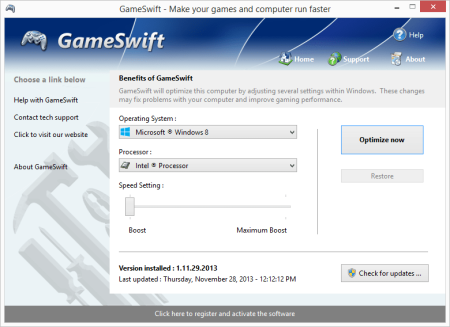
GameSwift sets the standard for PC and game optimization software.​

A combination of our two products PCMedik and GameGain; GameSwift instantly makes your computer faster and fixes common problems associated with frustrating slowdowns and errors and squeezes out every last bit of performance your computer and games are capable of. Do you remember when you first turned your brand new computer on and how fast it worked? With GameSwift and a click of the mouse you can bring back this speed to your computer instantly.
GameSwift quickly scans your computer for common problems and fixes them, it then makes several permanent changes to Windows so your computer feels like it is brand new once again. Don't deal with a slow computer and make tasks take longer to complete, install GameSwift and make your computer run faster.

Over as you install new and updated software, you get the impression your computer is slower due to these applications being more demanding of faster hardware. GameSwift makes your computer faster by making several changes to Windows settings; for instance it turns off several animations that degrade performance, instructs the CPU how to prioritize background tasks, how files are loaded and written to the hard drive and changes to the way memory is used when programs use the memory swap file.

Heals Problems

Many small problems on your computer lead to a combined loss of performance over , PCSwift will scan your computer for these problems and instantly repair them.

CPU Prioritization

GameSwift instructs the CPU to prioritize full screen applications so they are given the most power and access to more CPU cores; this allows games to work faster.

Constant Updates

We constantly update PCSwift with new system performance tweaks; this allows your computer to keep up with the latest software that demand faster hardware.

Faster Gaming Graphics

Increase the frames per second you are getting when playing the most current and exciting games without having to purchase a new graphics card, memory, or CPU.

GameSwift makes several Windows registry and system changes to increase the performance of your current gaming hardware; this allows you to play the most recent games without having to spend hundreds of dollars to upgrade your hardware. These changes made to your computer improve memory usage, how foreground applications are prioritized with the CPU, hard drive access read and write speeds, how fast graphics can display on your screen. GameSwift does not make changes, no patches and no modifications to games themselves, thus no anti-cheat detection software considers our software cheating software and you will not be banned from those gaming networks.

Optimizing your Windows environment to work faster with games is a no brainer if you are a hardcore PC video game enthusiast. Just like tuning a car to get higher performance, GameSwift tunes your PC's hardware to work faster which improves gaming and your computer performance. Get every last bit of horsepower out of your computer to play your games smoother and faster while also fixing problems with your computer with a few clicks of the mouse. a trial version of GameSwift today and unleash the full power of your computer hardware for faster gaming.

Compatible with Microsoft Windows 10, 8, 7, Vista, XP & Windows Server 2012, 2008, 2003. 32-BIT/64-BIT ready.

Optimizes your computer hardware to allow the latest games to run faster with the highest graphic settings possible.

Increase the frames per second that is displayed allowing games to play much smoother and increase your enjoyment of these games.

Decreases the amount of for Windows to load, and makes loading and running your favorite programs much faster.

GameSwift repairs common problems found on most computers and instantly fixes them to improve computer stability and performance.

Changes are made to the Windows system permanently, allowing you to perform a single one tune-up to increase performance forever.

New and improved modern user interface, easy and intuitive to use and compliant with Windows user interface guidelines.

Software updates can be ed and installed directly from inside the application without having to visit our web site.


DOWNLOAD
uploadgig
Код:
https://uploadgig.com/file/download/4a6bac2677247163/upyFi6MD_GameSwift.2.rar

rapidgator
Код:
https://rapidgator.net/file/5bc007b9ed7a6267dae850694db245c1/upyFi6MD_GameSwift.2.rar

nitroflare
Код:
http://nitroflare.com/view/BE5EF63B46B6157/upyFi6MD_GameSwift.2.rar
 
PGWare PCMedik 8.7.6.2020 Multilingual

36433398-f6e1-43c3-9d5e-9a39f884f634.png

File Size: 5 MB

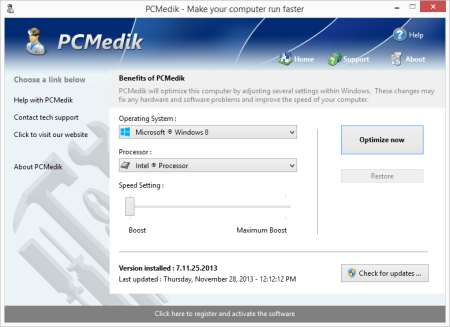
PCMedik instantly makes your computer faster and fixes common problems associated with frustrating slowdowns and errors.​

Do you remember when you first turned your brand new computer on and how fast it worked? With PCMedik and a click of the mouse you can bring back this speed to your computer instantly. PCMedik quickly scans your computer for common problems and fixes them, it then makes several permanent changes to Windows so your computer feels like it is brand new once again. Don't deal with a slow computer and make tasks take longer to complete, install PCMedik and make your computer run faster.
Over as you install new and updated software, you get the impression your computer is slower due to these applications being more demanding of faster hardware. PCMedik makes your computer faster by making several changes to Windows settings; for instance it turns off several animations that degrade performance, instructs the CPU how to prioritize background tasks, how files are loaded and written to the hard drive, changes to the way memory is used when programs use the memory swap file and dozens of other performance settings. With these system changes made to Windows and the fixes to common problems, your computer will run faster and operate like it is brand new.

Constant Updates

We constantly update PCMedik with new system performance tweaks; this allows your computer to keep up with the latest software that demand faster hardware.

Heals Problems

Many small problems on your computer lead to a combined loss of performance over , PCMedik will scan your computer for these problems and instantly repair them.

Simple to Use

PCMedik is easy to use, simply click a single button and the software instantly performs changes to your computer safely. PCMedik is simple, efficient and effective.

Instant Speed Increase

PCMedik will instantly increase the speed of your computer's hardware by making permanent system wide Windows changes to how your computer operates.

PCMedik is one of the easiest to use PC optimization utilities available on the market. We designed PCMedik to be very easy to use, allowing a novice computer user to simply install our software, click a single button and reboot the machine for an instant speed increase. While our software may appear very simple, it is extremely powerful on the inside and instantly fixes many of the common computer problems and makes permanent changes to your system intelligently. PCMedik has a built in system analyzer and diagnostic ee which quickly locates problems and fixes them, and we constantly update our software to provide you with new improvements.

Your computer works similar to a car, if over you do not perform maintenance and tune-up's they both b to exhibit problems and don't have the same performance they did when they were brand new. PCMedik performs a quick tune-up, fixes problems and optimizes the performance of your computer with a single click of the mouse. Don't waste money buying a new computer because your computer is slowing down or having problems, a trial version of PCMedik today and make your computer run faster.

Compatible with Microsoft Windows 10, 8, 7, Vista, XP & Windows Server 2012, 2008, 2003. 32-BIT/64-BIT ready.

Instantly increases the speed of your computer with a very easy to use interface, simply click one button and reboot the computer.

Decreases the amount of for Windows to load, and makes loading and running your favorite programs much faster.

PCMedik repairs common problems found on most computers and instantly fixes them to improve computer stability and performance.

Makes your computer faster by optimizing how the computer memory operates, how applications are prioritized with the CPU and how the disk drive performs.

Changes are made to the Windows system permanently, allowing you to perform a single one tune-up to increase performance forever.

New and improved modern user interface, easy and intuitive to use and compliant with Windows user interface guidelines.

Software updates can be ed and installed directly from inside the application without having to visit our web site.


DOWNLOAD
uploadgig
Код:
https://uploadgig.com/file/download/18Da16e89bD64039/sUoRwUbx_PCMedik.8.7.rar

rapidgator
Код:
https://rapidgator.net/file/6782345d6196d69a071f04bece81b456/sUoRwUbx_PCMedik.8.7.rar

nitroflare
Код:
http://nitroflare.com/view/A13482E90796B45/sUoRwUbx_PCMedik.8.7.rar
 
PGWare PCSwift 2.7.6.2020 Multilingual

42a54294-b717-409d-89e8-ea7c19c54d4a.png

File Size: 5 MB

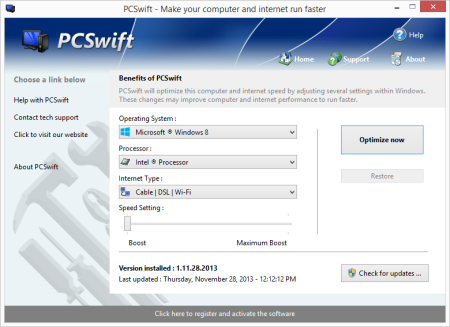
PCSwift sets the standard for PC and internet optimization software.​

A combination of our two products PCMedik and Throttle; PCSwift instantly makes your computer faster and fixes common problems associated with frustrating slowdowns and errors and squeezes out every last bit of performance your computer and internet connection is capable of. Do you remember when you first turned your brand new computer on and how fast it worked? With PCSwift and a click of the mouse you can bring back this speed to your computer instantly.
PCSwift quickly scans your computer for common problems and fixes them, it then makes several permanent changes to Windows so your computer feels like it is brand new once again. Don't deal with a slow computer and make tasks take longer to complete, install PCSwift and make your computer run faster.

Over as you install new and updated software, you get the impression your computer is slower due to these applications being more demanding of faster hardware. PCSwift makes your computer faster by making several changes to Windows settings; for instance it turns off several animations that degrade performance, instructs the CPU how to prioritize background tasks, how files are loaded and written to the hard drive, changes to the way memory is used when programs use the memory swap file and the overall speed of your internet connection and latency.

Heals Problems

Many small problems on your computer lead to a combined loss of performance over , PCSwift will scan your computer for these problems and instantly repair them.

Instant Speed Increase

PCSwift will instantly increase the speed of your computer's hardware by making permanent system wide Windows changes to how your computer operates.

Constant Updates

We constantly update PCSwift with new system performance tweaks; this allows your computer to keep up with the latest software that demand faster hardware.

Faster Internet Speed

Instantly increases the speed of your Cable, DSL, U-Verse, Fios and dial-up internet connection and improves latency issues that cause lag during multiplayer gaming.

PCSwift also improves the speed of your internet connection; these system changes work with all internet connections such as Cable, DSL, U-Verse, Fios and dial-up. If you notice during multiplayer gaming that you are getting long pings and lag, PCSwift can help improve the speed of your connection. PCSwift makes several Windows registry changes to improve how networking packets are transmitted and received, we increase the buffer sizes which allows data to be transmitted and processed faster on your computer, allowing games, web browsing and ing files to work much faster.

Optimizing your Windows environment to work faster is a no brainer. Just like tuning a car to get higher performance, PCSwift tunes your PC's hardware to work faster which improves your computer and internet performance. PCSwift performs a quick tune-up, fixes problems and optimizes the performance of your computer and the speed of your internet with a few clicks of the mouse. a trial version of PCSwift today and unleash the full power of your computer hardware for a faster computer and internet.

Compatible with Microsoft Windows 10, 8, 7, Vista, XP & Windows Server 2012, 2008, 2003. 32-BIT/64-BIT ready.

Optimizes your computer hardware to allow your computer to run faster and increase the speed of your internet connection for faster s and speed.

Increases the speed of all internet connection types such as Cable, DSL, U-Verse, Fios and dial-up.

Decreases the amount of for Windows to load, and makes loading and running your favorite programs much faster.

PCSwift repairs common problems found on most computers and instantly fixes them to improve computer stability and performance.

Changes are made to the Windows system permanently, allowing you to perform a single one tune-up to increase performance forever.

New and improved modern user interface, easy and intuitive to use and compliant with Windows user interface guidelines.

Software updates can be ed and installed directly from inside the application without having to visit our web site.


DOWNLOAD
uploadgig
Код:
https://uploadgig.com/file/download/8aa3f584c4fc4372/oTz7Ja1e_PCSwift.2.7.rar

rapidgator
Код:
https://rapidgator.net/file/aa5dd590dadf35f2bcde0058a2b49665/oTz7Ja1e_PCSwift.2.7.rar

nitroflare
Код:
http://nitroflare.com/view/99EF85FDD951B7C/oTz7Ja1e_PCSwift.2.7.rar
 
PGWare SystemSwift 2.7.6.2020 Multilingual

5dec1ebc-fcf3-470f-b0a3-cf1978b0f10c.png

File Size: 5.1 MB

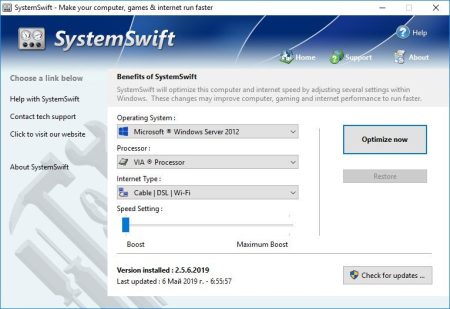
SystemSwift sets the standard for PC and game optimization software.​

A combination of our three products PCMedik, GameGain and Throttle; SystemSwift instantly makes your computer faster and fixes common problems associated with frustrating slowdowns and errors, squeezes out every last bit of performance your computer and games are capable of and increases the speed of your internet connection. Do you remember when you first turned your brand new computer on and how fast it worked? With SystemSwift and a click of the mouse you can bring back this speed to your computer instantly.
SystemSwift quickly scans your computer for common problems and fixes them, it then makes several permanent changes to Windows so your computer feels like it is brand new once again. Don't deal with a slow computer and make tasks take longer to complete, install SystemSwift and make your computer run faster.

Over as you install new and updated software, you get the impression your computer is slower due to these applications being more demanding of faster hardware. SystemSwift makes your computer faster by making several changes to Windows settings; for instance it turns off several animations that degrade performance, instructs the CPU how to prioritize background tasks, how files are loaded and written to the hard drive, changes to the way memory is used when programs use the memory swap file and the overall speed of your internet connection and latency.

Heals Problems

Many small problems on your computer lead to a combined loss of performance over , PCSwift will scan your computer for these problems and instantly repair them.

Faster s

Instantly makes s from the internet faster. Don't wait while ing large files, SystemSwift makes large s take much less to finish.

Constant Updates

We constantly update PCSwift with new system performance tweaks; this allows your computer to keep up with the latest software that demand faster hardware.

Faster Gaming Graphics

Increase the frames per second you are getting when playing the most current and exciting games without having to purchase a new graphics card, memory, or CPU.

SystemSwift also improves the speed of your internet connection; these system changes work with all internet connections such as Cable, DSL, U-Verse, Fios and dial-up. If you notice during multiplayer gaming that you are getting long pings and lag, SystemSwift can help improve the speed of your connection. SystemSwift makes several Windows registry and system changes to increase the performance of your current gaming hardware; this allows you to play the most recent games without having to spend hundreds of dollars to upgrade your hardware. These changes made to your computer improve memory usage, how foreground applications are prioritized with the CPU, hard drive access read and write speeds, how fast graphics can display on your screen, the overall speed of your internet connection and latency. SystemSwift does not make changes, no patches and no modifications to games themselves, thus no anti-cheat detection software considers our software cheating software and you will not be banned from those gaming networks.

Optimizing your Windows environment to work faster with games is a no brainer if you are a hardcore PC video game enthusiast. Just like tuning a car to get higher performance, SystemSwift tunes your PC's hardware to work faster which improves gaming and your computer performance. Get every last bit of horsepower out of your computer to play your games smoother and faster while also fixing problems with your computer with a few clicks of the mouse. a trial version of SystemSwift today and unleash the full power of your computer hardware for faster gaming.

Compatible with Microsoft Windows 10, 8, 7, Vista, XP & Windows Server 2012, 2008, 2003. 32-BIT/64-BIT ready.

Optimizes your computer hardware to allow your computer to run faster and increase the speed of your internet connection for faster s and speed.

Increases the speed of all internet connection types such as Cable, DSL, U-Verse, Fios and dial-up.

Increase the frames per second that is displayed allowing games to play much smoother and increase your enjoyment of these games.

SystemSwift repairs common problems found on most computers and instantly fixes them to improve computer stability and performance.

Changes are made to the Windows system permanently, allowing you to perform a single one tune-up to increase performance forever.

New and improved modern user interface, easy and intuitive to use and compliant with Windows user interface guidelines.

Software updates can be ed and installed directly from inside the application without having to visit our web site.


DOWNLOAD
uploadgig
Код:
https://uploadgig.com/file/download/0428c6be4269d3Eb/x2avPI5e_SystemSwift.rar

rapidgator
Код:
https://rapidgator.net/file/80dd9681af65bb9b9949fee4b443dedd/x2avPI5e_SystemSwift.rar

nitroflare
Код:
http://nitroflare.com/view/9CF79AAA9C83EC4/x2avPI5e_SystemSwift.rar
 
Назад
Сверху