• Здравствуйте. Скоро заработает в архивном режиме форум www.old.nado.in

Anthony's Software !!!

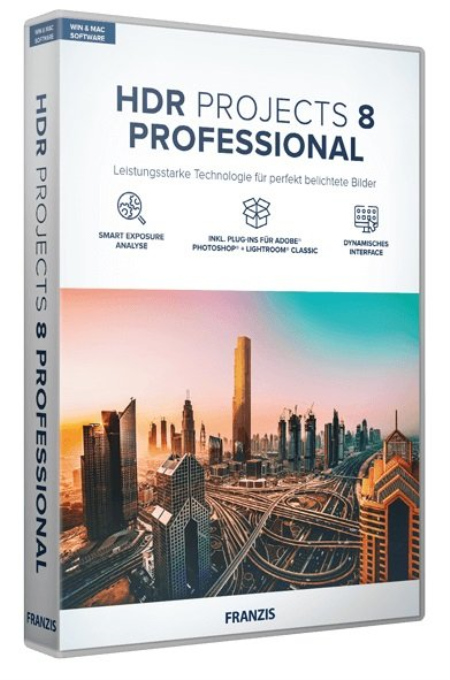
Franzis HDR projects 8 professional 8.32.03590 Multilingual
dd09e449-c2e7-4f89-92c6-d4cc121c94b5.png

Languages: Multilingual | File Size: 312.28 MB

With the brand new HDR projects 8 professional you have the choice between natural and perfectly exposed images as well as spectacular photos with bright colors, the highest level of contrast and trendy "grungy" styles.​

Now develop your own HDR style, which immediately affects all presets and gives the photos your personal touch!

HDR technology brings out the best possible exposure from difficult exposure situations by combining different levels of brightness. Now you will get the desired result even easier and faster: The new color module and the 188 optimized presets get even more out of your pictures. This is how you achieve the best results in the shortest possible !

- New: Dynamic interface, ideally suited for UHD 4K

- New: Extended RAW mode with area protection and exif data that can be displayed

- New: 5 freely assignable HDR styles for personal preferences

- New: All 188 presets have been revised and especially optimized with regard to noise behavior

- New: Smart Exposure Analysis of the exposure series: all images in the exposure series are examined individually for blurring and exposure in order to be able to find outliers and blurred images more quickly.

- New: "Ultra" image alignment in the HDR preparation: The image alignment is calculated even more precisely and thus leads to a better HDR result image.

- New: Extended grain module: The grain module now offers 3 color spaces - RGB, HSV and HSL - in order to be able to use the grain in a more differentiated and targeted manner.

- New: New module "Virtual micro details" With this tool, micro details can be calculated into images in order to give flat parts of the image more structure.

- New: New color module with which you can set color accents in an impressive way without having to use complicated image processing.

- New: The focus peaking module shows the areas in an image on which the focus of the camera was when the picture was taken.

- New: Extended functions in selective characters: intelligent mode activated by default

- New: Additional calculation qualities for the texture masks, which make textures look more homogeneous and natural with a high zoom.

- New: New effects in expert mode

- Stand-alone and plug-in for Adobe Lightroom Classic and Photoshop

If you want to fully exploit the technical possibilities, you should use the professional version. The full equipment offers the latest tools and all the features that are technically possible and leaves nothing to be desired, even for professionals.

- RAW module with all the editing functions of a professional RAW converter and new extensions such as area protection

- Full selection of presets and effects

- Batch processing with automatic exposure series recognition for simultaneous development of dozen HDR exposure series

- Plug-in for Adobe Lightroom Classic and Photoshop

- Export exposure series: Create an exposure series from a JPG or RAW that you can edit in any program.

- Support for D65 color spaces, corresponds to the standard light for medium daylight in the noon northern sky and ensures particularly true-color daylight images.

- Point of Interest view for quick and resource-saving image analysis and calculation

With the new, revised presets, you can also get a grip on difficult lighting conditions. Everyone knows the problem of noise in low-light situations. The new presets reduce the color noise even before the tone mapping in order to produce even cleaner images. So you are guaranteed to have even more of your photos!

The "Color filter" module in the "Selective drawing" area provides 8 digital color filters: red, orange, yellow, green-yellow, green, cyan, blue, violet.

With HDR technology, you can take spectacular photos. The finest details, bright colors and an overwhelming wealth of contrasts will inspire you. Regardless of whether you have taken and processed a series of exposures or a single image.

This impressive new module is one of the most important innovations and manipulates colors in the best possible way. With the new color module you can set selective color accents without having to select the color range. Simply click on the color to be changed with the color picker and select another snt in the color wheel.

You can use the eyedropper to select any colored area that is immediately shown in the color wheel. This color selection can be expanded or narrowed by a lower / higher saturation, an expansion of the color spectrum (color angle) etc ... Use the sliders "Target hue / saturation / exposure / contrast" to select the desired new hue. The great advantage here is that no selection of the colored objects is necessary, but an exact selection is made via the colors.

There are many ways to get to HDR projects 8 professional, and of course also very comfortably from Adobe Photoshop and Lightroom! A new, full-fledged filter plug-in for Adobe Lightroom Classic and Photoshop offers maximum convenience for your personal workflow. Simply select the desired image or the series of images in the Lightroom image database, export to HDR projects 8 professional, edit and put the resulting image back into the database.

HDR projects 8 professional is also suitable for cameras with high resolutions, even the processing of RAW exposure series with a large number of images is no problem.

- Windows 10/8/7

- Core Duo processor

- 2 GB of free RAM

- 2 GB HDD

- Screen resolution 1,280 x 1,024 pixels, graphics card: DirectX 9 compatible, 128 MB, 32 bit color depth

- Product languages: English, Deutsch, French.


DOWNLOAD
uploadgig
Код:
https://uploadgig.com/file/download/a469EcCafAEdc0fc/XyBHQZJM_.HDR.8.32.0.rar

rapidgator
Код:
https://rapidgator.net/file/c2a3688906e5528da40cc3d1c8e3ae3a/XyBHQZJM_.HDR.8.32.0.rar

nitroflare
Код:
http://nitroflare.com/view/C4D44E79A28DF6A/XyBHQZJM_.HDR.8.32.0.rar
 
Icecream PDF Editor Pro 2.30 Multilingual

f781b021-1391-4aa5-bb8b-ab4ec433db6c.png

File size: 22 MB

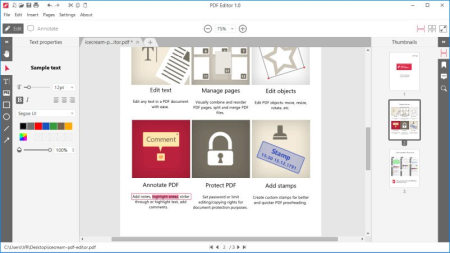
Meet Icecream PDF Editor - software that enables you to edit PDF files easier than ever before.​

Get access to all the tools and PDF editing modes you need with the help of smart tools panel. You can edit text, add notes, redact, protect files, manage pages and much more with the PDF editor.

Edit text

Edit any text in a PDF document with ease.

Manage pages

Visually combine and reorder PDF pages, split and merge PDF files.

Edit objects

Edit PDF objects: move, resize, rotate, etc.

Protect PDF

Set password or limit editiopying rights for document protection purposes.

Annotate PDF

Add notes, highlight areas, strike through or highlight text, add comments and more.

Add stamps

Create custom stamps for better and quicker PDF proofreading.


DOWNLOAD
uploadgig
Код:
https://uploadgig.com/file/download/6035195e151ca5c9/nAPX0pKn_PDFEditor2_.rar

rapidgator
Код:
https://rapidgator.net/file/069362306944188ae48d53ce3e28a8e2/nAPX0pKn_PDFEditor2_.rar

nitroflare
Код:
http://nitroflare.com/view/FCF9D0DBDA91858/nAPX0pKn_PDFEditor2_.rar
 
Multi OEM/Retail Project Build 12.08.2020

74bcc6d7-3a28-45e7-a982-26b44a7144fd.png

File size: 86 MB

Acer Advent Action Alienware AOC Aquarius ASRock Asus ATcomputers Bangho Beko BenQ BGH-SA ByteSpeed Casper CCE chiliGREEN Compaq crea CZC Dell Depo digimix ECS eMachines Epson Equus Everex Exr EXO Exper Extra Founder FSC Fujitsu Gateway Genuine Gericom Gigabyte Greatwall Haier Hannspree Hasee HCL Hedy Higrade HP Hyrican IBM Impression Infinity Insys Intelbras iQon Itautec Jetway JooyonTech Kohjinsha Kouziro Kraftway KSystems Lanix Lenovo LG M&A Technology Maxdata Mecer Medion Megaware Mesh Mitac Mouse MSI NEC Nokia Olidata Olivetti Onkyo OQO Packard Bell Panasonic Paradigit Paragon Philco Positivo PowerSpec Prolink qbex Quanmax RMplc Rover Samsung SCC Semp Toshiba Seneca Sharp Sony Stone Synnex Systemax Tangent Targa Tarox TCL TTL Tongfang Toshiba Tm Twinhead Velocity Vestel Viewsonic viliv WD Corporation Wortmann xplore Zoostorm ZT ~incl.​

100+ OEM's:

(branding only): BioStar Foxconn Intel M$ $urface VirtualBox VMware
OEM's Branded = 133~

BIOS Mode supported: Legacy and/or UEFI

You can force install 'ANY' brand theme by reading and using the Force_Theme_[readme].txt

Server 2008 Server 2008 R2 Server 2012 Server 2012 R2

Win10... Home Pro

Win8.x... Core Pro

Win7..... Starter Home Basic Home Premium Pro Ultimate

Vista..... Starter Home Basic Home Premium Business Ultimate

Objective - add $oem$ folder to .iso /usb.

$oem$ method can be used to apply activation & manufacturer brand to your Win10 Win 8.x Win 7 Vista '.iso'/usb

NOTE:- PC needs (Win8.x and Win10 'OEM-DM' Win7 '2.1 slic' Vista '2.0 slic') bios to apply genuine oem activation.

Project includes optional Telemetry disabling, (WinTel.cmd), for all supported OS's and adds domains to block through Route commands.

Optional Retail activation method via online, if needed.

How To:

Place the ed '$oem$' folder in the 'sources' folder of your 'clean' iso, and add custom 'ei.cfg' file to the same 'sources' folder and edit|save iso. Windows will install the edition identified from 'ei.cfg' file. (Project 'Options' folder includes 'ei.cfg' instructions). OOBE.cmd will call tool that will extract embedded 'OEM-DM' key from bios (if exists), and apply the serial during installation.

Place the ed '$oem$' folder in the 'sources' folder of your 'clean' iso, and delete the 'ei.cfg' file from the same 'sources' folder and edit|save iso... during install you will have option to select the edition of 'Win7' you want installed (ie. Starter Home Basic Home Premium Pro Ultimate)... if you don't delete 'ei.cfg' file, that's OK, just means Ultimate will install by default.

Place the ed '$oem$' folder in the 'sources' folder of your 'clean' iso, and delete the 'PID.txt' file (if exists) from the same 'sources' folder and edit|save iso... during install you will have option to select the edition of 'Vista' you want installed (ie. Starter Home Basic Home Premium Business Ultimate)... if you don't delete 'PID.txt' file, that's OK, just means serial used on that file will detee edition installed.

Please read the 'readme' files included in the folder, for additional information.

"UltraISO" recommended to edit|save your .iso, preserving 'bootable' image.

Win10.. Technical Preview Consumer Preview

Win8.x... Core Pro

Win7.... Starter Home Basic Home Premium Pro Ultimate

Vista.... Starter Home Basic Home Premium Business Ultimate

(Vista-Win10) If not known edition, branding only takes place.

Objective - add $oem$ folder to .iso /usb.

$oem$ method can be used to apply activation & manufacturer brand to your Win10 Win 8.x Win 7 Vista '.iso'/usb

NOTE:- PC needs (Win8.x and Win10 'OEM-DM' Win7 '2.1 slic' Vista '2.0 slic') bios to apply genuine oem activation.

Win 10

Place the ed '$oem$' folder in the 'sources' folder of your 'clean' iso, and edit|save iso. OOBE.cmd (Install.cmd) will extract embedded 'OEM-DM' serial from bios (if exists), and apply the serial during installation.

Win8.1

Place the ed '$oem$' folder in the 'sources' folder of your 'clean' iso, and add custom 'ei.cfg' file to the same 'sources' folder and edit|save iso. Windows will install the edition identified from 'ei.cfg' file. (Project 'Options' folder includes 'ei.cfg' instructions). OOBE.cmd (Install.cmd) will extract embedded 'OEM-DM' serial from bios (if exists), and apply the serial during installation.

Win8.0

Place the ed '$oem$' folder in the 'sources' folder of your 'clean' iso, and edit|save iso. Windows will install the edition that matches the embedded 'OEM-DM' serial in your bios (if exists).

Win7

Place the ed '$oem$' folder in the 'sources' folder of your 'clean' iso, and delete the 'ei.cfg' file from the same 'sources' folder and edit|save iso... during install you will have option to select the edition of 'Win7' you want installed (ie. Starter Home Basic Home Premium Pro Ultimate)... if you don't delete 'ei.cfg' file, that's OK, just means Ultimate will install by default.

Vista

Place the ed '$oem$' folder in the 'sources' folder of your 'clean' iso, and delete the 'PID.txt' file (if exists) from the same 'sources' folder and edit|save iso... during install you will have option to select the edition of 'Vista' you want installed (ie. Starter Home Basic Home Premium Business Ultimate)... if you don't delete 'PID.txt' file, that's OK, just means serial used on that file will detee edition installed.

Please read the 'readme' files included in the folder, for additional information

UltraISO recommended to edit|save your .iso, preserving 'bootable' image

Included link for images to be used with System Brand Changer if users prefer using a desktop branding tool with a nice gui, created by Alphawaves.

+ Adjusted code to show 'KiB', 'MiB', 'GiB' etc on the memory units display.

+ Fixed some missing '##' / '**' / '$$' explanation information.

+ Added General All OS options:

1} Add 'Disk Management' item within the Control Panel view, this allows easy

access to the 'Virtual Disk Manager'.

2} Added 'Disk Management' item within Control Panel to allow easy access to the

'Virtual Disk Manager'.

+ Added new W10 options:

1} 'Add Manage User Accounts' in the Control Panel view, this is basically

access to the old 'Classic User Accounts'.

2} Add 'All Tasks' - i know it is on other options within MRP but this is

'slightly' different.

3} Add 'Manage User Accounts' this is the same as 'Classic User Accounts'

but could not find the wording in the lookup tables so used a different way

to describe it.

All the above *should* auto translate to the native OS Language along with any

tool tips. Also they will only be available until M$ remove the Control Panel

as we know it.

- Removed the 'Insert MSDM Early' option as it became unreliable and in some

instances the OS would 'forget' it was activated using that option.

+ Updated the MSDM Table/Key detection and it is a lot more efficient in its

operation, before certain CoreXXXXXX editions could be ignored and the MSDM key

which was OK for 'Core' would not be inserted, or it was inserted for the wrong

Edition. Also if the MSDM Key's Edition matched the installed OS Edition it would

be inserted even if the key was NOT for that OS, such as installing Win 8.1 Pro

and the MSDM key was for Win 10 Pro, it would not activate but would still attempt

to. Now the routine will check if the OS and Edition are OK, if not then the key

will not be applied to prevent problems such as possible Edition switching or any

false insertions.

+ Quite a few re-wordings on most of the log{s} output which should make reading

easier if the user needs to translate into their Language to read them.

+ Updated the Creator v33.0 to include the above new options and also to remove the

'Insert MSDM Early' option, MRP will now ignore that option's parameter if it is in

the MRPConfig.ini file from a previous version, once the .ini is saved in v33.0 the

option will no longer be present.

+ Slight change to the wording for the original Win8.x/10 option:

'Reboot To Advance Boot Menu' this will now be called 'Advanced Recovery Tools'

and should now auto-translate into the native OS Language. For now it cannot be

added to Vista/7 as it does not always 'switch' to the correct WinRE environment,

once that can be fixed it will hopefully then become a 'General all OS' option.


DOWNLOAD
uploadgig
Код:
https://uploadgig.com/file/download/86f08c52f289ca51/6whok1SX_MultiOEMRet.rar

rapidgator
Код:
https://rapidgator.net/file/6e303eb685faa0ca9e557f9b7dc34a91/6whok1SX_MultiOEMRet.rar

nitroflare
Код:
http://nitroflare.com/view/BDE741D2756C867/6whok1SX_MultiOEMRet.rar
 
Pinnacle Studio Ultimate 24.0.1.183 Multilingual

fd08d1bd-0f7b-49b5-93ca-29ab5641e068.png

Windows x64 | Languages: Multilingual | Incl. Content Packs | File Size: 4.69 GB

Advanced video editing and screen recording software.​

Edit freely across unlimited tracks with complete flexibility. Take control of your edits with enhanced keyframing. Access hundreds of creative effects, plus new graphics and overlays. Tap into pro-caliber tools including enhanced Video Masking, Color Grading and new Title Editor.

Edit like a pro with the unlimited power, precision, and total creative control of Pinnacle Studio 24 Ultimate.

Advanced keyframing controls deliver the power to fine-tune every parameter of your clips, transitions, and effects across unlimited tracks.

Leverage pro-caliber tools including full Color Grading controls, dynamic Video Masking, 360 video editing, and more!

Tap into smart editing tools to save presets, export grouped clips, and even create customizable shortcuts with Pinnacle's customizable interface.

Dive into powerful tools you'd expect to only find in professional editing software.

- Color Grading

- Stabilize Video

- 360 Video Editing

- Screen Recorder

- MultiCam Editing

- Dynamic Split Screen Video

- Keyframe Controls

- Stop Motion Animation

- Motion Tracking

- Audio Ducking

- Alpha Channel

- Author DVDs

Add keyframes to customize almost any parameter of your edits-take complete control over your motions, effects, and overlays.

Set custom tool shortcuts, group and edit clips simultaneously, and explore a streamlined workflow for your most intuitive editing experience.

Included tools empower you to capture video and record your screen, author DVDs, and leverage compatibility with many third party plugins.

- NEW possibilities with Video Masking

- NEW ability to create custom motion title graphics with the redesigned Title Editor

- NEW overlays and graphics

- ENHANCED keyframing controls to streamline your editing

- & so much more!

Fully loaded with everything from basic tools to advanced creative features, this Ultimate video editing suite will empower you to create your best videos yet.

- Trim, split, crop, and rotate videos

- Add titles, graphics, and overlays

- Get creative with templates, filters, and effects

- ULTIMATE EXCLUSIVE Explore Seamless Transitions, Paint Effects, Video Masking, Color Grading, and more

Advanced controls like the Tone Curve, HSL Tuning, Color Wheel, and Selective Vectorscope make it easy to independently adjust colors, highlights, midtones, and shadows.

Adjust white balance, correct underexposed scenes, and apply instant corrections.

Instantly apply a filter or cinematic LUT profile to create a specific film effect and alter the overall tone/mood of your scene.

- ULTIMATE EXCLUSIVE Censor moving objects with mosaic blur

- Add graphic or text to moving objects with Motion Tracking

- Create fast or slow motion effects with Remapping

- Add visual interest with Pan and Zoom and Motion Blur effects

- Capture and edit video across multiple cameras

- Record your screen, webcam, and system audio simultaneously

- Create content for a YouTube channel, web series, or vlog

- Record webinars, create tutorials, and produce gaming videos

- Fade audio in and out, or mute or detach audio in just a few clicks.

- Record your own narration and voiceover with included recording tools.

- Access royalty-free music and sound effects to take videos to the next level.

- Layer and automatically balance audio for crisp narration with Audio Ducking.

- Operating system: Windows 10, 64 bit

- Processor: Intel Core i3 or AMD A4 3.0 GHz or higher

- Intel Core i5 or i7 1.06 GHz or higher required for AVCHD & Intel Quick Sync Video support

- Intel Core i7 4th generation or later or AMD Athlon A10 or higher for UHD, Multi-Camera or 360 video

- RAM: 4 GB or higher, 8+GB highly recommended for UHD, Multi-Camera, or 360 video

- Graphics card: Minimum resolution 1024 x 768, minimum 256MB VGA VRAM, 512MB or higher recommended for hardware decoding acceleration

- DirectX graphics device recommended:

- NVIDIA GeForce 700 series / Quadro 600 (Fermi-based) or newer (CUDA-enabled required for CUDA support)

- ATI Radeon HD 5XXX series or higher

- Intel HD Graphics from Ivy Bridge or higher

- 3D Titler requires DirectX 11

- Sound card: Windows-compatible sound card

- Hard drive space: 8 GB HDD space for full installation

- Supported Languages: English, Czech, Danish, Dutch, Finnish, French, German, Italian, Japanese, Polish, Russian, Spanish.


DOWNLOAD
uploadgig
Код:
https://uploadgig.com/file/download/Efa9547B36eDc22c/eB9gynBc_.Pinnacle.S.part1.rar
https://uploadgig.com/file/download/fdf352Dcf1Bbe021/eB9gynBc_.Pinnacle.S.part2.rar
https://uploadgig.com/file/download/38ab07751bd1e69e/eB9gynBc_.Pinnacle.S.part3.rar
https://uploadgig.com/file/download/A77cF993dF32251d/eB9gynBc_.Pinnacle.S.part4.rar
https://uploadgig.com/file/download/bbbFe783318DdB47/eB9gynBc_.Pinnacle.S.part5.rar

rapidgator
Код:
https://rapidgator.net/file/1ddea9e7ddd489bd1729227b66de66f8/eB9gynBc_.Pinnacle.S.part1.rar
https://rapidgator.net/file/261774a9b3c7aabc8ce9a6b3d624a40e/eB9gynBc_.Pinnacle.S.part2.rar
https://rapidgator.net/file/53702b965bc95f8e885ea43a9da5f045/eB9gynBc_.Pinnacle.S.part3.rar
https://rapidgator.net/file/d318ed7ae2f6dae2a85e1fb91a6fa25c/eB9gynBc_.Pinnacle.S.part4.rar
https://rapidgator.net/file/1e096b3de18793077f9abd2bab1f217e/eB9gynBc_.Pinnacle.S.part5.rar

nitroflare
Код:
http://nitroflare.com/view/EFED8117B7F10E0/eB9gynBc_.Pinnacle.S.part1.rar
http://nitroflare.com/view/2D94B2FA8AD0341/eB9gynBc_.Pinnacle.S.part2.rar
http://nitroflare.com/view/DE046FDF2244494/eB9gynBc_.Pinnacle.S.part3.rar
http://nitroflare.com/view/CF83A3F595C2808/eB9gynBc_.Pinnacle.S.part4.rar
http://nitroflare.com/view/D11FC228B9AFD4E/eB9gynBc_.Pinnacle.S.part5.rar
 
SmartFix Tool 2.3.3

437dafd4-e157-459e-9bf6-93b0e2542e24.png

File size: 52 MB

SmartFix automatically fixes the most common problems and even cures your computer from unknown malware, which antivirus cannot find.​

After integration SmartFix is available in the Start menu and in the Recovery Environment on the F8 at boot for WinXP and above.
When the utility starts, you can choose the following:

Perform the integration in the SmartFix system restore.

To perform a full restore of the network settings and reboot.

additional tools: AutoRuns, Dr. Web CureIt! or AdwCleaner.

Program SmartFix is a logical continuation of the development AntiSMS.

The log is stored in the %WinDir%\SmartFix, however, for convenience, is also available in %WinDir%\AntiSMS.

The boot disk AntiSMS compatible, you can them from AntiSMS.com and to win over SmartFix.exe for updates.

In normal use, when the system is booted, the disks are not needed at all - it is enough to integrate.

Have the ability to quickly the latest versions of AutoRuns, AdwCleaner and CureIt for further verification.

The logo of the program on the website SmartFix.pro indicates TeamViewerQS for quick assistance to users by phone.

The principle of work and recommendations:

After integration SmartFix available in the start menu and in the recovery environment via F8 upon boot for WinXP and above. For automatic configuration, click start -> SmartFix -> Troubleshooting, then Start and wait until the program will do the job. The computer will reboot into the recovery environment, where the program configures it for about 5 minutes and then boots the system in normal mode. If you wish, you can check the log in %WinDir%\SmartFix and enable the disabled startup items through msconfig. On the website SmartFix.pro you can transfer unambiguously safe or malicious files to check, they will be included with the release of the next version of the program. Experienced users are recommended to check the system with antivirus and additional tools to control startup.

Updates: official site does not provide any info about changes in this version


DOWNLOAD
uploadgig
Код:
https://uploadgig.com/file/download/e66ef12a29447A31/TwMX3fzs_SmartFix..rar

rapidgator
Код:
https://rapidgator.net/file/c963a4b4d6393390b7f9cac482663cce/TwMX3fzs_SmartFix..rar

nitroflare
Код:
http://nitroflare.com/view/41D8906232B9CDD/TwMX3fzs_SmartFix..rar
 
Tipard Blu-ray Converter 10.0.18 (x64) Multilingual

2168e874-5774-4522-9a9f-e4fbba318992.png

File size: 63.78 MB

Tipard Blu-ray Converter is cast as amazing blu-ray solution software to convert home-made Blu-ray movie at blazing fast speed.​

It can convert home-made Blu-ray movie in Blu-ray disc, folder as well as iso files (virtual blu-ray drive is needed). Capable of ripping home-made Blu-ray to mainstream video formats, this Blu-ray Ripper provides best solution to convert Blu-ray disc or Blu-ray m2ts files to MP4, MKV, WMV, MOV, AVI, FLV, DivX, etc or HD videos. Additional function to convert home-made Blu-ray to videos of this Blu-ray Ripper is its extract capability to take out audios from Blu-ray and save them into desired audio formats, like FLAC, WAV, WMA, MP3, AMR, AIFF, OGG and more.

Convert Blu-ray Disc/folder/iso image file to video like MP4/MKV/MOV/AVI/WMV, and more with super-high quality

Rip DVD disc/movie to various video formats such as MP4, AVI, MKV and others to save on computer at stunning fast speed

Convert any video format to others as a professional Video Converter with no limitation

Extract audio file like MP3, MP2, M4A and more from Blu-ray/DVD/video

Highly Support any popular digital devices like iPhone, iPad and iPod, Android phone/tablet and more

Home-made Blu-ray conversion is not the single merit of Tipard Blu-ray Converter. Held up as the best choice, it also features wonderful implementation to convert Home-made DVD and videos to desired formats you yearn for. This versatile Blu-ray Ripper is endowed with a extremely wide range of output profile, whose formats cover from prevailing devices to excellent editing software. That is, you can convert Home-made DVD and video to popular devices, like iPhone 11/11 Pro/11 Pro Max, iPhone XS/XS Max, iPhone XR, iPhone X, iPhone 8/8 Plus, iPhone 7/7 Plus, iPhone SE, iPhone 6s/6s Plus/6/6 Plus, iPad Pro/mini 4, Samsung Galaxy Series, HTC One X, Kindle Fire HD, etc as well as current editing software, including Sony Vegas, Avid Media Composer, After Effect, Windows Movie Maker, Powerpoint and more. More importantly, huge quantity but no chaos is its another merit for the so much favorable causation.

No matter what source files you use, BD, DVD or video, this Blu-ray Converter enables users to make adjustment for video effect as needed. No matter what kind of edit you need to make, combing chapters or cutting video snts, this Blu-ray ripper will make it at a stroke with a small "merge" or "trim" button magically. As for users who needs to adjust video effect, several parameters like contrast, hue, brightness and Saturation are settable. The "Crop" feature padded with aspect ratio is mainly suit for users whose source videos have different aspect ratio with devices. If you need to label the output video with your logo, you can use the watermark function to paste picture/text, and the picture/text position, color as well transparency are alterable.

Tipard Blu-ray Converter is one specially designed software around the concept of easy to use and user friendly. It adopts the best accelerating technology - NVIDIA CUDA technology and AMD APP acceleration, which will make less -consuming and faster file conversion on computers accompanied with multiple CPUs. As for Amateurish newbies, this Blu-ray ripper provides simple illustrated image guide on the main interface, easy but useful. Only several simple steps can complete the whole Blu-ray/DVD/video conversion process. Moreover, its coherent layout of profile list and category, to some extent, makes the profile-selection more smoothly with the quick user-friendly search frame.

Properties

It provides properties option for users to have a reference of source file video/audio settings before output parameters settings.

Preview & Snapshot

This Blu-ray Converter has a build-in video player, which enables users to preview videos and make snapshot during preview.

Merge

Users are capable of combine several video snts, DVD chapters or Blu-ray titles into one file and the merge order is changeable.

Super fast conversion

NVIDIA CUDA technology and AMD APP acceleration will accelerate your converting with 10X higher speed with this super converter.
Windows 10/8.1/8/7


DOWNLOAD
uploadgig
Код:
https://uploadgig.com/file/download/63e91f98cAd14a86/DfoUETAM__Bluray.Con.rar

rapidgator
Код:
https://rapidgator.net/file/23ef1bbe2feded98cd867000b2584b98/DfoUETAM__Bluray.Con.rar

nitroflare
Код:
http://nitroflare.com/view/684F5137CAFC19B/DfoUETAM__Bluray.Con.rar
 
Tipard Video Converter Ultimate 10.0.26 (x64) Multilingual

a784fd29-8b11-402d-8a51-68109e7e03ac.png

File size: 66.79 MB

Tipard Video Converter Ultimate is capable of converting over 500 video and audio formats for playback on any mainstream device like iPhone 11/XS/ XR, iPad, iPod, Samsung, Huawei, Xiaomi, HTC, Motorola, Sharp, etc.​

Moreover, it can convert video to 4K UHD and 1080p HD video, so that you can get a superb clear image, even if you are using the 4K TV.
This powerful Media Converter supports full-quality conversion. It can convert recorded or ed video to the video of 4K H.265/HEVC (*.mp4), 4K H.264 FLV (*.flv), VP8 4K, VP9 4K, 2K HD, 1080p HD, 720p HD, 480p, etc., so that you can play Ultra HD video on any 4K TV like Samsung, Sony, Vizio and others, and play HD video on mainstream digital devices like iPhone, Samsung phone, etc.

The Excellent Video Converter supports over 500 media formats' conversion. It can convert video/video to MP4, MOV, WMV, AVI, FLV, MKV, VOB, WebM, TS, TRP, ASF, 3GP, MP3, WMA, WAV, FLAC, AAC, AIFF, OGG, MKA, AU, M4A, M4B, M4R, AMR, etc. You can extract the background audio from the video for ear pleasure. Meanwhile, the batch conversion can save your greatly.

Not only working as the media converter, it can be the DVD Ripper and Copy. It can rip DVD into the digital formats for smooth playback on any device without DVD Player. Moreover, it can let you free up more room to copy the DVD disc into the DVD folder and ISO file.

Rip and convert DVD to a wide range of video formats of MP4, MKV, AVI, WMV, AVI, MOV, MP4, WMV, MKV, FLV, etc., and extract MP3, AAC, OGG, WAV, DTS, M4A, and more formats' music or songs from DVDs.

Convert DVD to MPG Lossless. Tipard Video Converter Ultimate can store the full original subtitle and audio track options of the DVD and keep the best output quality of the original DVDs.

Copy DVD to full DVD folder and ISO file. Tipard Video Converter can copy the DVD disc into the full-mode DVD folder and ISO file on the computer, so that you can experience the same playback as DVD player.

Tipard Video Converter Ultimate supports the GPU acceleration from Intel, AMD, NVENC, etc., which lets you experience the 60x faster speed than other common media converter in the market. Moreover, it converts the video files in full quality. Whether you rip a HD DVD to MPG Lossless, or convert 4K MP4 to 4K AVI, WebM, FLV, MKV, etc., it can lets you keep the original settings to keep the full quality.

This Media Conversion tool has a built-in video editor that allows you to edit the video effects easily. All the editing tools like watermark, clip, merge, crop, rotate, filter, etc., can be applied without any skills.

If you want to cut down a long video into parts for uploading, then this software is exactly what you need. It can split one file into 2 parts, and also keep the wanted part from a video file. It also lets you copy and paste the video snt to create what you want. When you want to make the collections, it can also combine more than one video and audio files into one file in simple clicks.

Feel annoyed by the black edges of the video? Just crop the video to remove the letterbox now. This video cropper lets you drag the frame to adjust the border directly to remove unwanted parts. Moreover, you can use the crop mode from Letter Box, Pan & Scan or Full. You can also change the aspect ratio as 16:9, 9:16, 4:3, 1:1 or freely.

How to get a darken recording video into a bright one? How to make the overexposed video normal. Tipard Video Converter Ultimate can solve it. It lets you adjust the contrast, hue, saturation and brightness manually by dragging the threshold slider. The deinterlacing feature can get a high-quality 1080i video and DVD titles.

Filter is not only the magic for a photo. A video can also apply the filters to get a totally different video creation. You can apply the various filters like pixelate, gray, warm, coordinates, sketch, plain, whirlpool, purple, stars, modern, Hong Kong movie, and more, into your video file and get a fantastic movie vision with this video editor.

Watermark is the specific of your video. When you share a video on YouTube, Facebook, etc., you can add your personal logo into the video to get recognition. This software lets you add the image as the watermark. It also lets you create a text watermark with your own font size, style, color, position, even the writing system.

No body wants to get a sideways video playback on computer from the phone camera. So does you. Take Tipard Video Converter Ultimate to rotate your video in 90 counterclockwise or clockwise. Moreover, you can flip your video vertically and horizontally to create a mirroring video file to get more likes from others.

It will never be happy if you found your video ed is not synchronize in subtitle or voices. The software can help you fix it. It lets you remove the original substile and add the matching one. Moreover, for the background audio, you can silence it and add one or more audio tracks to replace the old one.

- English, French, German, Japanese
Windows 10/8.1/8/7


DOWNLOAD
uploadgig
Код:
https://uploadgig.com/file/download/5249465b362ad2E0/95bIYqPN__Tipard.Vid.rar

rapidgator
Код:
https://rapidgator.net/file/3d22bc09b34aa3391022e42f8376ac9a/95bIYqPN__Tipard.Vid.rar

nitroflare
Код:
http://nitroflare.com/view/165E65C3CA17C74/95bIYqPN__Tipard.Vid.rar
 
Wise Disk Cleaner 10.3.1.782 Multilingual

08e86954-51ff-4865-a49f-801d28f8fe60.png

File size: 4.0 MB

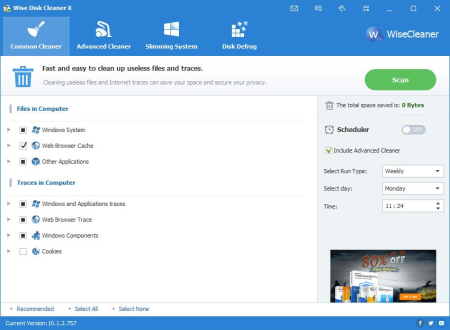
Wise Disk Cleaner is a free Disk Cleaner and Defragmenter that cleans junks of browsers, remove junk and useless file of Windows and defragments your disk.​

Also it cleans temporary files, history, cookies and autocomplete form history of Internet Explorer, Chrome, Firefox and Safari browsers. And it removes of Windows junk files, such as Recycle Bin, Recent Documents, Temporary files and Log files. This freeware tool cleans a lot more files than most similar products and includes a "slim down" mode that gets rid of a lot of extraneous objects including wallpapers and other Windows files you may never use. A disk defrag feature is also included for free. Clean your disk with Wise Disk Cleaner and your computer will run faster.

Your hard disk drive will get fragmented over . Fragmentation makes your hard disk do extra work that can slow down your computer. The 'Disk Defrag feature can rearrange fragmented data so your disks and drives can work more efficiently. 'Disk Defrag also offers you a clear graphic chart of the selected drive, letting you know the drive usage at a glance. You can also use it to analyze and defragment any external storage devices.

Scheduled Automatic Disk Cleaning

You can set to clean the disk on a daily, weekly, or monthly schedule according to your own need. It will automatically clean up the useless files in the background when the scheduled is up. In settings, you can also create a 'Clean with 1-click' icon and place it on the desktop. With this feature, you can clean up the junk files by just clicking the icon without opening Wise Disk Cleaner.

Freeware and Low CPU Usage

Wise Disk Cleaner Free is completely free. Anyone can it for free and enjoy free automatic update and technical support by email. Better yet, this program is a small and absolutely virus-free program that consumes very little system resource.


DOWNLOAD
uploadgig
Код:
https://uploadgig.com/file/download/788506Bc91B40A3e/23xfoWva_WDCFree_10.3.1.782..rar

rapidgator
Код:
https://rapidgator.net/file/584283531ea2724ad4d3531f4c806301/23xfoWva_WDCFree_10.3.1.782..rar

nitroflare
Код:
http://nitroflare.com/view/ED10DD399D8CBC3/23xfoWva_WDCFree_10.3.1.782..rar
 
Zoom Player MAX 15.1 RC2

ca6afee7-4ae6-4de0-838b-b9463be2ea60.png

File size: 32.7 MB

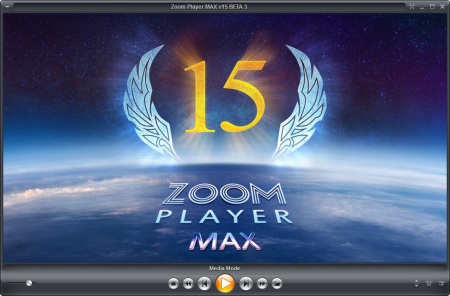
Zoom Player is the most Powerful, Flexible and Customizable Media Player application for the Windows PC platform.​

Based on our highly-touted Smart Play technology, more media formats play with less hassle, improved stability and greater performance Behind Zoom Player's classic media player look, hides a powerful Media Center application designed with a simple 5-Key (up/down/left/right/select) fullscreen navigation interface. The 5-Key system provides simple navigation with advanced interfaces. Interface such as the Media Library, File Browser, Playlist, Color Control, Audio Equalizer, Bookmarks, Play History and many more. Zoom Player's media center simplicity makes it ideal for users with no previous computer experience.
With Zoom Player, you can instantly Convert any PC into a Home Entertainment Center (HTPC) with no specialized hardware requirement or operating system. Zoom Player runs with every version of Windows.

Utilizing Zoom Player's modular design and flexibility, you can easily design a safe viewing environment, limiting or extending functionality, making it ideal for both newbies and professionals.

Zoom Player is fully scalable, supporting the latest media formats and interfaces. New features are incorporated constantly with release schedules and feature integration clearly announced on our support Forum, Twitter and Facebook pages.

Install Center:

Zoom Player's Install Center quickly scans your system for missing or outdated media components and automatically present you with an installation list of recommended updates, keeping your system up to date with the latest technology.

Supported Video Formats:

DVD, BluRay (Decrypted Main Movie playback), Matroska (MKV), MPEG2 Transport (TS/TP/TSP/TRP/M2T/M2TS/MTS/PVA/TOD), H.264 & AVCHD (MPEG4 AVC), H.265 & HEVC, WebM, XVID, DIVX, AVI, Flash Video (FLV), Windows Media (WMV/ASF), Quick (MOV/HDMOV), Ogg Movie (OGM), Theora (OGV), Real Media (MVB), VideoCD (VCD), Super VideoCD (SVCD), MPEG (MPG), MPEG2 Program (M2V/VOB/MOD), MPEG4 (SP/ASP), MPEG4 ISO (MP4), General Exchange Format (GXF), Material Exchange Format (MXF), Media Center DVR (DVR-MS), CamCorder (MOD/TOD), Digital Video (DV), DVCPRO, VP3, VP6, VP7, Motion JPEG (MJPEG), Motion JPEG 2000 (MJPEG2000), Flash (SWF), Cellphone 3GPP (3GP/3G2), FLIC (FLI/FLC) and more . . .

Supported Audio Formats:

MP3, Free Lossless Audio CODEC (FLAC), Advanced Audio Coding (AAC), Windows Media (WMA), OGG Vorbis (OGG), OPUS (OPUS), CD-Audio (CDA), Dolby Digital (AC3), Digital Theatre Surround (DTS), Matroska (MKA), Wave Audio (WAV), SHOUTcast (Streaming), Cell Phone (AMR), Monkey Audio (APE), Real Media (RA), MusePack (MPC), OptimFROG (OFR), Shorten (SHN), True Audio (TTA), WavPack (WV), Apple Lossless Audio Coding (ALAC), LPCM, MIDI, AIFF, MO3, IT, XM, S3M, MTM, UMX and more . . .

Supported Interactive Formats:

DVD, Hypertext Markup Language (HTML), Flash (SWF).

Supported Image Formats:

JPEG (JPG), PNG, GIF, BMP, ICO, WMF, EMF, JFIF, RLE, WIN, VST, VDA, TGA, ICB, TIFF, FAX, EPS, PCX, PCC, SCR, RPF, RLA, SGI, BW, PSD, PDD, PPM, PGM, PBM, CEL, PIC, PCD, CUT, PSP, PN and more.


DOWNLOAD
uploadgig
Код:
https://uploadgig.com/file/download/11ceb1Cec298e06E/No0iKrFM_zp1510rc2max_.rar

rapidgator
Код:
https://rapidgator.net/file/6d82fde32aa247918aa0769229d575e6/No0iKrFM_zp1510rc2max_.rar

nitroflare
Код:
http://nitroflare.com/view/F7FDF7C890AF206/No0iKrFM_zp1510rc2max_.rar
 
AnyMP4 Blu-ray Ripper 8.0.18 (x64) Multilingual

899f8c8a-8878-4552-96d1-63516b02511a.png

File size: 70.04 MB

AnyMP4 Blu-ray Ripper, the versatile and most popular Blu-ray Ripping software, has powerful ripping function to rip Blu-ray and 3D Blu-ray to 2D and 3D video.​

Thus you can rip Blu-ray to MP4, MOV, M4V, MPEG, MKV, VOB, AVI, WMV, FLV, ASF, SWF, RMVB, and WebM, etc. and then put them on any portable device and even 3D player device for better enjoyment.

Blu-ray disc has the large storage to allow us to store high-definition movie, movie menus, graphics and special features. Thus, Blu-ray movie is much more popular than ever, and we prefer to watch Blu-ray movie stay at home rather than go to cinema and save . To save Blu-ray disc on the local hard disk or other portable device and to look comfortable, AnyMP4 Blu-ray Ripper offers a simple solution. The software is a multifunctional Blu-ray Converter, and can convert Blu-ray to various video and audio formats, such as MP4, AVI, WMV, MKV, FLV, and SWF as well as rip Blu-ray to 4K/1080p videos. The Blu-ray Ripper offers perfect sound and picture quality.

With this powerful Blu-ray Ripper, you can rip Blu-ray (2D/3D) to 2D video and even 3D video with unparalleled speed and quality. The software offers five 3D modes: Anaglyph (Red/Cyan), Side-by-Side (Full/Half-Picture), Top/Bottom (Full/Half Picture).

It owns the ability to convert Blu-ray (2D/3D) to video and audio like MP4, MKV, AVI, WMV, FLV, MOV, VOB, DivX, MPEG, MP3, FLAC, ALAC, M4A, and more, and even HD videos like HD MP4, HD MKV, HD MOV. At the same , it features a new function of ripping Blu-ray to 3D video formats with super high converting speed and excellent output quality.

If you want to watch your Blu-ray movies on your smartphone or tablet, the Blu-ray Ripper can help you. The software has many predefined profiles for popular digital devices such as iPhone (iPhone X/8/7/6s/6/SE), iPad (iPad Pro/Air/mini 4), iPod touch, Samsung Galaxy Tab, Surface, Google Nexus, HTC, Nokia Lumia, Motorola, Xbox 360, Wii, PS3, PSP, and more. This software allows you to conveniently rip your Blu-ray movies for the desired device, and then watch them wuth high quality.

Before conversion, the Blu-ray Ripper provides that some parameters can be set for the selected video format. The video resolution, video bitrate, framerate, video encoder, audio channels, sample rate, audio encoder and audio bitrate can be customized to your requirements. And it helps you crop video frame to remove the black edges; adjust the video effect like Brightness, Saturation, Contrast, and Hue; add text/image watermark to the video; and rotate video position. Also adjusting the audio volume is available in editing window. And you can clip one or more snts from a Blu-ray movie.

With the advanced acceleration technology, the software offers you faster speed than other Blu-ray ripper software. With the unique design and intuitive interface, you can finish all the ripping processes only in a few clicks. And it supports the upgrade automically, once connected to the Internet, the software will automatically detect if there are new upgrades available. Moreover, adopting the newest accelerating technology, AMD APP and NVIDIA CUDA acceleration, this Blu-ray Ripper would provide 6x faster speed than before.

Blu-ray: Blu-ray Disc, Blu-ray folder, Blu-ray ISO image file

DVD: DVD Disc, DVD folder, DVD ISO file

General Video: MPG, MPEG-1, MPEG-2, MPEG-4, H.264, H.264/MPEG-4 AVC, DivX, XviD, AVI, FLV, MP4, M4V, MKV, MOV, 3GP, 3G2, MTV, SWF, WMV, WMV-2, ASF, DPG, TS, DV, VOB, AMV, WebM

Audio: FLAC, WAV, WMA, AAC, ALAC, AC3, AIFF, AMR, AU, MP3, MP2, M4A, MKA, OGG

HD video: TS, HD MP4, HD AVI, HD MOV, HD ASF, HD H.264/MPEG-4 AVC, HD MPEG-4, MPEG-2 HD, HD MKV, HD MPG, HD MPEG-4 TS, MPEG-2 TS HD, HD H.264 TS, DivX HD, XviD HD, YouTube HD, HD FLV, HD WMV, HD VOB, HD WebM

Apple Device: iPhone 11/11 Pro/11 Pro Max/XS/XS Max/XR/X/8/8 Plus/7/7 Plus/6s/6s Plus/6/6 Plus/SE/5s/5c, iPad, iPad Pro/mini 4/mini 3/mini 2/mini/Air 2/Air/New iPad Pro, iPod touch/nano, Apple TV 4K, Apple TV

Game Console: PSP, PSP GO, PSP 3000, PS3, PlayStation Vita, NDS, Wii, Xbox360

Media Device: Archos, Creative Zen, Zen player, iRiver, Sansa, Sony Walkman, Zune

Other Device: Samsung Galaxy Tab, Galaxy Note, Galaxy S series, Microsoft Surface, GPhone, Google Nexus One, HP TouchPad, Kindle Fire, Windows Phone 7, Nokia, Nokia Lumia, Nokia Stereo, Nokia Mono, HTC Driod, HTC Hero, LG, BlackBerry, Sony Device, Sony Ericsson Xperia, Sony XPERIA, Sony Tablet S, Motorola, Motorola Xoom, Dell, Dell Mini, Toshiba Thrive, Acer ICONIA, HP, Palm Pre, Acer, ASUS Eee Pad, General Pocket PC, Nook Table, etc.

Sony Vegas, Adobe Prre, Avid Media Composer, Windows Movie Maker, Sony Vegas Movie Studio/Pro, Adobe Prre Express/Elements/Pro, After Effects, Encore, Pinnacle Studio, Nero Vision, Roxio Creator, Magix Movie Edit Pro, Ulead DVD MovieFactory, Cyberlink PowerDirector, PowerPoint, etc.
Windows 10, Windows 8/8.1, Windows 7, Windows Vista, Windows XP (SP2 or later)


DOWNLOAD
uploadgig
Код:
https://uploadgig.com/file/download/8864Eea3601A5d28/9Ji71Iuy__AnyMP4.Blu.rar

rapidgator
Код:
https://rapidgator.net/file/c2e26b0a27cd8e925c46c57f0a6df743/9Ji71Iuy__AnyMP4.Blu.rar

nitroflare
Код:
http://nitroflare.com/view/29785645F0F3015/9Ji71Iuy__AnyMP4.Blu.rar
 
AnyMP4 DVD Ripper 8.0.16 (x64) Multilingual

b869a3e0-7215-436b-b7ef-ed5970a28236.png

File size: 69.22 MB

Rip DVD to popular video and audio file.​

Do you want to save a DVD movie to PC local drive? DVD disc could be easily damaged and is not very convenient to play DVD disc any and anywhere. So you are recommended to rip DVD to video for playback on any digital device like iPhone/iPad/iPod, Samsung, LG, HTC and more. AnyMP4 DVD Ripper, a powerful DVD Ripping software, helps you rip DVD movie into a variety of popular video and audio formats.
You can convert DVD to MP4, MKV, AVI, MOV, WMV, FLV, M4V, TS, DivX, WebM, 3GP and other 4K/1080p/720p video formats with ease and than save DVD to computer for backup. In addition, AnyMP4 DVD Ripper can help you extract audio track from DVD and convert it to your preferred audio format like MP3, WAV, WMA, AAC, M4A, ALAC, FLAC, OGG, and more.

Rip DVD to any video like MP4, M4V, MKV, MOV, AVI, WMV, FLV and audio like MP3, and more

Easily output 160+ video and audio formats with ZERO limitation and 6x faster ripping speed than others

Edit DVD video effect: rotate video, crop video, adjust video effect, add watermark, and set 3D effect

This DVD Ripper software is designed with many pre-defined output profiles. It highly supports most portable iOS and Android devices, such as iPhone X/8/7 Plus/7/6s Plus/6s/6 Plus/6/5s/5c/SE, iPad Pro/Air 2/mini 4, iPod touch, Samsung Galaxy 7/6/5, LG G5, Sony, HTC, Moto, Xiaomi, HUAWEI, Microsoft Surface Book, Xbox 360, PS3, Wii and others. It allows you to easily view DVD movies on your smart phone or tablet. Whether the DVD is copy-protected or self-burned, you can use this DVD Ripper to rip the movie for your digital devices.

The professional DVD Ripper is equipped with many useful editing features to help you customize video effects before ripping the DVD. For instance, you can rotate video position, cut the video length to only save the necessary part, crop video to remove the black edge, add personal text and image watermark, adjust output video effects like brightness, contrast, saturation and hue. If you need all DVD titles like trailer, behind-the-scenes, you can merge various parts into one new video.

Thanks to the latest hardware acceleration technology, AnyMP4 DVD Ripper gives you a super-fast DVD ripping speed. It can rip DVD to HD video format like MP4, MOV, MKV, AVI, WebM, TS and more. After ripping, you can enjoy the fantastic image and sound quality. In profile settings, you are allowed to set parameters, such as video codec, resolution, bitrate, frame rate, audio codec, audio channels, and so on.

With a concise user interface, you can rip DVD to video in just few clicks. If the original DVD contains multiple audio tracks and subtitles, this DVD Ripper will show you all audio tracks and subtitles. Then you can select your preferred audio track and subtitle for the output video. The built-in player helps you preview the DVD before ripping. Then you can quickly check the desired titles of the DVD. After editing the video, you can watch the video effects in real- in the preview window.

DVD: DVD Disc, DVD Folder, DVD IFO Files

Audio: FLAC, WAV, WMA, AAC, ALAC, AC3, AIFF, AMR, AU, MP3, MP2, M4A, MKA, OGG

General Video: MPG, MPEG-1, MPEG-2, MPEG-4, H.264, H.264/MPEG-4 AVC, DivX, XviD, AVI, FLV, MP4, M4V, MKV, MOV, 3GP, 3G2, MTV, SWF, WMV, WMV-2, ASF, DPG, TS, DV, VOB, AMV, ProRes Proxy, ProRes LT, ProRes Standard, ProRes HQ, WebM

HD Video: TS, HD MP4, HD AVI, HD MOV, HD ASF, HD H.264/MPEG-4 AVC, HD MPEG-4, MPEG-2 HD, HD MKV, HD MPG, HD MPEG-4 TS, MPEG-2 TS HD, HD H.264 TS, DivX HD, XviD HD, YouTube HD, HD FLV, HD WMV, HD VOB, HD WebM

DVD Output: DVD Folder, DVD ISO File Image Format: GIF

Apple Device: iPhone 11/11 Pro/11 Pro Max/XS/XS Max/XR/X/8/8 Plus/7/7 Plus/6s/6s Plus/6/6 Plus/SE/5s/5c, iPad, iPad Pro/mini 4/mini 3/mini 2/mini/Air 2/Air/New iPad Pro, iPod touch/nano, Apple TV 4K, Apple TV

Game Console: PSP, PSP GO, PSP 3000, PS3, PlayStation Vita, NDS, Wii, Xbox360

Media Device: Archos, Creative Zen, Zen player, iRiver, Sansa, Sony Walkman, Zune

Other Device: Samsung Galaxy Tab, Galaxy Note, Galaxy S series, Microsoft Surface, GPhone, Google Nexus One, HP TouchPad, Kindle Fire, Windows Phone 7, Nokia, Nokia Lumia, Nokia Stereo, Nokia Mono, HTC Driod, HTC Hero, LG, BlackBerry, Sony Device, Sony Ericsson Xperia, Sony XPERIA, Sony Tablet S, Motorola, Motorola Xoom, Dell, Dell Mini, Toshiba Thrive, Acer ICONIA, HP, Palm Pre, Acer, ASUS Eee Pad, General Pocket PC, Nook Table, etc.

Sony Vegas, Adobe Prre, Avid Media Composer, Windows Movie Maker, Sony Vegas Movie Studio/Pro, Adobe Prre Express/Elements/Pro, After Effects, Encore, Pinnacle Studio, Nero Vision, Roxio Creator, Magix Movie Edit Pro, Ulead DVD MovieFactory, Cyberlink PowerDirector, PowerPoint, etc.
Windows 10, Windows 8/8.1, Windows 7, Windows Vista, Windows XP (SP2 or later)


DOWNLOAD
uploadgig
Код:
https://uploadgig.com/file/download/Dd99bd5e029f9997/Fz4VkfJx__AnyMP4.DVD.rar

rapidgator
Код:
https://rapidgator.net/file/f16f9c55cafe771760f6f4fcbd7417ed/Fz4VkfJx__AnyMP4.DVD.rar

nitroflare
Код:
http://nitroflare.com/view/02B4ACD10DD7E60/Fz4VkfJx__AnyMP4.DVD.rar
 
Driver Talent Pro 7.1.32.4 Multilingual

a1fc1821-3b2e-4b9f-84ee-d6fd2d3b6cc2.png

File size: 25.09 MB

Driver Talent is able to automatically and install the latest updates for all of the drivers for all of your components.​

The program includes an extensive database with thousands of drivers for all kinds of devices, including printers, monitors, keyboards, sound cards, video cards and more. With Driver Talent there is no need to worry about losing drivers again. Driver Talent backup and reinstall features can save you hours of searching for and installing individual device drivers.

Scan to find all outdated, missing, corrupted, faulty & incompatible drivers.

and install best-matched drivers for computer hardware and all connected peripheral devices.

Update to the latest drivers (several driver versions are available).

One-click repair & fix all driver problems.

Pre- and save drivers for your own PC, and transfer drivers for another PC.

One-stop manage: backup, restore, uninstall, reinstall, and more.

Support driver s and updates for all hardware devices and manufacturers.

Keep your computer and devices in top condition.

100% compatible with Windows 10/8.1/8/7/XP/Vista, Windows Server.

Backup drivers

Find out the drivers that need to be backed up and backup them in a very short . All backed-up files are automatically saved in your computer - this can help you restore the deleted/lost drivers from the backup to avoid driver-related issues.

Restore drivers from backup

You can instantly find back drivers for computer hardware and other devices, especially when the drivers are damaged or missing. This helps to fix driver issues without Internet connection.

Uninstall drivers

Driver Talent is quite professional to uninstall drivers totally and clearly without residual files, which is very helpful for you to install new drivers successfully.

Pre- drivers

You can pre- and save drivers for your own computer before system being changed or restored, or and transfer drivers for another PC to install. This helps you to get drivers under any circumstances, especially when there is no internet connection on a computer.
Support for Windows 10 / 8.1 / 8 / 7 / XP / Vista, and Windows Server


DOWNLOAD
uploadgig
Код:
https://uploadgig.com/file/download/15B6D4f41ba55e57/spFNsWuf__DriverTale.rar

rapidgator
Код:
https://rapidgator.net/file/0d1e656c2b1ed7ffb2cb284b3c3eabfc/spFNsWuf__DriverTale.rar

nitroflare
Код:
http://nitroflare.com/view/C0270287CB61BAE/spFNsWuf__DriverTale.rar
 
Prima Cartoonizer One 2.0.0

93eb65ac-b75c-430f-8985-b4168a00b8d5.png

Languages: English | File Size: 45.27 MB

Prima Cartoonizer One has the same effects as Prima Cartoonizer but with Batch Processing!​

Convert photos into cartoons with just few clicks of a mouse with our Prima Cartoonizer for PC. Now, you can convert all of your pictures and images into cartoon effect more quickly and precisely.
You can convert large or high-quality photos into cartoons with best results. Besides, you can also edit your photos and make multiple adjustments even before or after converting them. Add many items, crop your photos, resize and adjust the brightness and contrast.

- Batch Processing!

- Automatic Cartoon effect conversion !

- Turn Yourself Into Caricature In One Click!

- Amazing Cartoon Effects!

- Exclusive Cartoonizer Software With More Than 30 Cartoon Effects!

- Full HD Conversion!

- It works offline without internet connection!

- Output image size up to 4096px!

- The good thing is that you can let the people know how you look like without sharing your actual photo but a cartoon of yourself.

- You can make cartoons of your friends, pets, house, neighborhood and especially the celebrities and the politicians.

- Cartoons will be the best gift for your family and friends. You can also use them on mugs and T-shirts.

- Undoubtedly, this software is a great fun and addictive, too. It is very easy to use and also intuitive.

- No need of great artistic skills because no manual drawing is involved.

- The software uses very novel technology to execute the whole process.

- First of all, it splits the image into solid color patterns just similar to a mosaic. After that, it converts the minute details of the image into cartoon format.

- Since it applies effects throughout the photo, the end result is always of high-quality.

- Cartoon yourelf without any Watermark or Logo!

- Standalone software!

Following a quick installation, you are prompted to add a picture to get started, an event that also brings forth the effects, features and options of the application. Therefore, on the ride side, you can use the small menu to customize the brightness, contrast and RGB. The app also comes with a zoom feature that can come in handy when adjusting these parameters.

Depending on the number of effects you want to add to your pictures the conversion process can take some . But then again, nobody is really in a hurry when processing images and overall, it's not a big setback. All in all, Prima Cartoonizer is an easy to use application that provides an effective way to add a toon effect to your images.

- Prima Cartoonizer One has the same effects as Prima Cartoonizer but with Batch Processing!

- You can even make all types of adjustments with the cartoonized photo.

- Avail multiple effects to make your pictures desirable and mesmerizing.

- You can conveniently convert your photos into cartoons just within seconds.

- It is extremely simple software with the main theme of turning images into cartoons.

- It allows the users to covert photos into cartoons really fast than normal process.

- With the help of crop function, you can remove any unwanted part/parts of your image.

- You can edit your images and adjust the brightness and the contrast...etc

- No other standalone program or software is needed; it does all the functions itself.

- The converted cartoon does not contain any watermark or logo.(Paid version only)

- You need not to save the photo to print it. You can do it right from within your software.

- Resize function available, you can resize your photo before or after the conversion.

- Different goodies enhance the overall fun and joy, thus brig extra colors to your cartoons.
Windows 10, Windows 8/8.1, and Windows 7


DOWNLOAD
uploadgig
Код:
https://uploadgig.com/file/download/2c2b0AA5Bd04faF8/O6QdGVFg_.Prima.Cart.rar

rapidgator
Код:
https://rapidgator.net/file/63c7d66b3aed02c578409332e659e695/O6QdGVFg_.Prima.Cart.rar

nitroflare
Код:
http://nitroflare.com/view/6EF2737C4415820/O6QdGVFg_.Prima.Cart.rar
 
RegCool 1.124 Multilingual

24079bc0-23db-424c-a9dd-c36b93759968.png

File Size : 1.3 Mb

RegCool - Advanced Registry-Editor.​

Advanced registry editor: RegCool is an advanced registry editor. In addition to all the features that you can find in RegEdit and RegEdt32, RegCool adds many powerful features that allow you to work faster and more efficiently with registry related tasks. Key Features - Multiple undo and redo - Search and replace - Compare registries - Cut, copy and paste - Drag and drop - Registry Snapshot - Backup and restore - Defragment. RegCool runs on all Windows versions from Windows XP onwards and is available in the following languages: English, German, French, Chinese, Spanish, Nederlands, Hungary, Russian and Portuguese!

Multiple undo and redo - The undo history can be saved to disk and reloaded at startup...

Search & replace - Search and replace registry keys, values and data with a super fast search algorithm. You can search the entire registry in about ten seconds on a typical PC! -x - Search and replace registry keys, values and data with a super fast search algorithm. You can search the entire registry in about ten seconds on a typical PC!

Compare - Compare registry between computers with super fast speed...

RegShot-Function - Regshot allows you to quickly take a snapshot of your registry and then compare it with a second one - done after doing system changes or installing a new software product...

Cut, Copy & Paste - Cut, copy and paste registry keys and values...

Drag und Drop - With Drag and drop you can quickly move or copy registry keys and values...

Backup & Restore - Complete Backup and restore of the registry...

Defragment - Scan and optimize your registry by removing gaps and wasted space, thereby helping to improve system performance. If you choose to defrag your registry after the scan results, be prepared to reboot your machine...

Favorites management - Easy and flexible Favorites management...

Multiple local registry windows - Allow to open multiple local registry windows...

Secure registry keys - Allows you to open secure registry keys when running under the administrator privilege.... .

System Requirements:

Windows 10, 8.1, 8, 7, Vista and XP. Including both 32-bit and 64-bit versions.


DOWNLOAD
uploadgig
Код:
https://uploadgig.com/file/download/E226547888b23427/nTHfT0IQ_RegCool..rar

rapidgator
Код:
https://rapidgator.net/file/60a699adcc18b6e85674b052c1340b38/nTHfT0IQ_RegCool..rar

nitroflare
Код:
http://nitroflare.com/view/708132D8CA0021D/nTHfT0IQ_RegCool..rar
 
Tipard DVD Ripper 10.0.16 (x64) Multilingual

bc106cfd-7eb5-490d-8d0c-c469edc3d8b0.png

File size: 63.57 MB

Fastest ripping speed to rip any DVD to MP4, MOV, AVI, MKV, and MP3.​

Tipard DVD Ripper enables you to rip any DVD with 12x faster ripping speed than others. You can convert any DVD to almost all video and audio formats like MP4, AVI, MOV, WMV, MKV, MP3 and more for playing and sharing on YouTube with excellent video/image quality. You can also feel free for backup any DVD movie on your computer local disc.
Rip any DVD to Video like MP4, AVI, MKV, MOV, FLV, WMV, and audio like MP3 and more than 300 formats.

Backup DVD disc/movie and even protected DVD to computer on Windows 10 with fastest speed.

Put DVD movies on iTunes, iPhone, iPad, iPod, Apple TV, Android, Samsung, HTC, and PSP, etc.

Edit video like clip/crop/add watermark/adjust video effect before ripping DVD movies.

Freely rip DVD to MP4, AVI, MOV, FLV, WMV, MKV, and more with fastest speed

The best DVD Ripper enables you to rip DVD to AVI, DVD to MP4, DVD to AVI, DVD to MOV, DVD to MKV, DVD to FLV, DVD to WMV, and other videos like M4V, TS, VOB, MPEG and more with super fast speed and fantastic video quality. Also, it's possible to extract audio files from and convert them to popular audio files like MP3, WAV, M4A, AAC, and AC3, etc.

You can convert DVD movies to all popular digital devices like iPhone X, iPhone 8/8 Plus, iPhone 7/7 Plus, iPhone 6s/6s Plus, iPhone 6/6 Plus, iPhone SE, iPhone 5s, iPhone 5c, iPhone 5, iPad Pro/mini 4, iPod, and Apple TV, Samsung, Sony Xperia, HTC, LG, Nokia Lumia and more muldia players. With this all-in-one DVD Rip Software, you do not need to rely on VLC, but can play favorite DVD movies on your portable player easily.

Rip almost all DVDs latest released on Windows 10/8/7/Vista/XP

Tipard DVD Ripper allows you to rip any DVD disc like DVD-5/9, DVD folder and ISO files to any popular video. It is capable of ripping homemade DVDs to video and audio easily on Window PC with 1:1 clone. Moreover, for protected or commercial DVDs, it moves common protected DVD CSS, UOP, RCE, Sony ARccOS, region code, UOPs, APS, RCE, etc. For the new encryption method adopted by Disney X-project DRM, Paramount and Warner, it also works great to remove the protected elements and rip to the video as you like.

It is the super fast and high video/audio quality DVD Ripper with Hyper-threading and Super Encode Ee built on this DVD ripper.

Edit video and enhance video quality to create a new video

Tipard DVD Ripper is not just DVD Ripping software, it's also a Video Editing tool. In the Edit window, you're free to adjust the 3D settings like Anaglyph, Split Screen, Depth, crop the video frame, adjust the video effect like Brightness, Saturation, Contrast and Hue, add text/image watermark to the video and switch the audio volume as you like.

In addition, you're allowed to trim the video length by setting the start and end in the Clip window. What's more, it makes possible for you to enjoy several video clips successively with Merge function. In a word, you're the boss to adjust the editing parameters to get the ideal video effect. If your video has wrong viewing angle, you can rotate video direction to make it more enjoyable like "Rotate 90 clockwise, Rotate 90 counterclockwise, Horizontal flip, Vertical flip".

User-friendly DVD ripping experiences

Don't take it for granted that professional DVD Ripper must be very difficult to use. The free trial version of this Magic DVD Ripping software is professional yet easy-to-use software. With initial and simple design, it's very easy to use for anyone even without much computer knowledge.

Besides, it supports batch conversion, so you're able to get multiple different video formats at one conversion. The adoption of the NVIDIA CUDA technology, AMD APP Acceleration and multi-core CPUs supporting technology, the ripping process will be over in a short while and has 6X faster speed than others.

Preview and snapshot DVD movie

It owns a built-in player, allowing you to preview the source and target file. When previewing the movie, you're free to capture the video image and save as BMP, JPEG on your local disc.

Auto-update for life

Once connected to the Internet, the software will automatically update if there is any update available. It's very convenient for you to use the latest version.

Select audio track and subtitle

If there is optional audio track and subtitle, you're free to choose your desired one according to your preferences.

Rip DVD with high quality

The ripped video's quality is no less than the quality of the original video in DVD. This DVD Ripper always gives you a good MP4 video file.
Windows 10, Windows 8/8.1, Windows 7, Windows Vista, Windows XP (SP2 or later)


DOWNLOAD
uploadgig
Код:
https://uploadgig.com/file/download/320896020c8b88FB/UCOLeSrF__Tipard.DVD.rar

rapidgator
Код:
https://rapidgator.net/file/4685c38e409a3b69d26127fe5f7ca6e6/UCOLeSrF__Tipard.DVD.rar

nitroflare
Код:
http://nitroflare.com/view/98CF44B4DC89E79/UCOLeSrF__Tipard.DVD.rar
 
4Videosoft Video Converter Ultimate 7.0.28 Multilingual

e08684d0-cc4c-4cbd-af2f-f27e3a69709a.png

File size: 118 MB

As the professional ultimate video converter software, which can convert homemade DVD and video files including 4K videos to all popular videos and audio such as MPG, MP4, FLV, VOB, MOD, M4V, MP3, AAC, WAV, along with HD videos.​

It also converts homemade DVD and 2D video to 3D video with high quality.
Convert homemade DVD and video to other popular video and 3D video

Convert and 4K videos and any other videos

Comprehensive editing functions: Effect, Clip, Crop, Merge, Watermark, etc.

Enhance video quality by adjusting contrast and removing video noise. (New)

Rotate tilted video to the correct angle and flip videos horizontally and vertically. (New)

4Videosoft Video Converter Ultimate is capable of rip homemade DVD to any mainstream video and audio formats, like MP4, AVI, WMV, AAC, MP4, etc.

This ultimate video converter can convert all videos to any other video even 4K videos and audio formats for your enjoyment.

This video converting software can easily convert homemade DVD/video to 3D video with high quality for you to enjoy the fascinating 3D movies.

The new enhancing capability will improve video quality greatly. You can easily convert lower resolution video to higher resolution video. Also you can optimize video brightness and contrast for more pleasure. What's more, you can enjoy a clear visual feast by removing the dirt-like video noise.

4Videosoft Video Converter Ultimate adds rotating function to entertain you greatly. No matter you record your video with an accident tilt, or some video that's filmed sideways, now you can use this program to rotate your videos with 90 clockwise, 90 counter clockwise, and flip horizontally or vertically. The angle problem can be solved easily with a simple click.

This Video Converter Ultimate is an all-in-one program which allows you to your favorite videos and movies on your computer.

You can also consider this Video Converter as a 4K video er as it can easily 4K resources and 1080p HD videos from YouTube, Vimeo and other video sites.

This Video Converter Ultimate provides you the best video quality and lossless audio to ensure that you can enjoy your 4K and 1080p HD videos comfortably.

Versatile Editing Functions[/b]

You can preview the original video and output video effect at the same with the assistance of this Video Converter Ultimate, and adjust the video effects by modifying the video Contrast, Brightness, Saturation.

4Videosoft Video Converter Ultimate has the clip function, which helps you get any -length video or audio clips from your video sources.

With this Video Converter Ultimate, you can adjust the size of video play region and the output aspect ratio to get the perfect playing effect.

Merge your selected DVD chapters/titles or video sources into one file after conversion for you to enjoy successively.

Personalize your video by putting a watermark in the form of text or image.

Select you need audio track and subtitle for output video. You can also choose the output video format for your player from the drop-down list.

All the detailed video and audio settings are provided for you to choose, such as Video Encoder, Resolution, Frame Rate, Video Bitrate, Audio Encoder, Sample Rate, Channels, Audio Bit rate. All settings can be saved as user-defined profile for your later use.

Choose the 3D setting modes - Anaglyph or Split Screen according to your device. And you can adjust the 3D depth from 1 to 50.

It can be used to convert homemade DVD and video for iPad Air, iPad Mini, iPad Mini 2, iPhone 6/6 Plus, iPhone 5s/5c, iRiver, PSP and other portable devices.

4Videosoft Video Converter Ultimate is really easy to use. The whole process of conversion can be finished in just a few of clicks.

4Videosoft Video Converter Ultimate adopts NVIDIA CUDA technology, which provides you with the fastest conversion speed(6X faster), completely support multi-core CPUs.


DOWNLOAD
uploadgig
Код:
https://uploadgig.com/file/download/d865A37291d47794/B8qkfMCq_.4Videosoft.rar

rapidgator
Код:
https://rapidgator.net/file/c325a39902f042f529618a4c4a3d2fa7/B8qkfMCq_.4Videosoft.rar

nitroflare
Код:
http://nitroflare.com/view/FD85EF00F3221C3/B8qkfMCq_.4Videosoft.rar
 
ACDSee Luxea Video Editor 5.0.0.1278

816a52fc-4b8f-4e6a-a91b-feab2c8162a9.png

Windows x64 | File size: 249.01 MB

In a world where everyone is a creator - create better.​

Luxea Video Editor gives you the power to turn your visions into reality. Produce your smoothest work with support for up to 60 frames per second. Be creative with new features including a text tool, added transitions and extended editing capabilities. Let Luxea Video Editor take you to the next level of video content.

Record

Import your own footage, work with existing media, or generate your own. Record your webcam, microphone, or screen and add it to your project.

Edit

Arrange, edit, split, trim, and merge audio, video and still images. Add effects, captions, filters and transitions that make your video stand out.

Produce

Finalize and render your video in a variety of formats and sizes, including 4K. Then share your masterpiece on social media straight from the application.
Microsoft Windows 7 (SP1), Windows 8, Windows 8.1 & Windows 10 (64-bit editions only)


DOWNLOAD
uploadgig
Код:
https://uploadgig.com/file/download/7805B93Da365add1/UmSByGqE__ACDSee.Lux_.rar

rapidgator
Код:
https://rapidgator.net/file/f9cd8eed175ac9e802ae15607c972f89/UmSByGqE__ACDSee.Lux_.rar

nitroflare
Код:
http://nitroflare.com/view/C6FB581D10FC988/UmSByGqE__ACDSee.Lux_.rar
 
Adobe Photoshop Lightroom Classic 2020 v9.4.0.10 (x64) Multilingual

c7865542-c3fd-48c4-8960-737c1b2b8692.png

File Size: 1.18 GB

Edit and organize your photos with the app that's optimized for desktop.​

Lightroom Classic gives you powerful one-click tools and advanced controls to make your photos look amazing. Easily organize all your photos on your desktop, and share in a variety of ways.
Your best shots. Made even better.

Your photos don't always reflect the scene the way you remember it. But with Lightroom Classic, you have all the desktop editing tools you need to bring out the best in your photographs. Punch up colors, make dull-looking shots vibrant, remove distracting objects, and straighten skewed shots. Plus, the latest release offers improved performance so you can work faster than ever.

- With better performance under the hood, Lightroom Classic lets you import photos, generate previews, and move from Library to Develop Module in record .

- Use range masking tools to easily select the areas or objects you want to edit based on their color, luminance, or depth.

- Create HDR panos faster now that you can merge multiple bracketed exposures into multiple HDR photos and then stitch them into a panorama - all in one step.

The future of photography. Here today. Get to know Lightroom.

Go beyond the desktop and edit, organize, store, and share from anywhere with the cloud-based Lightroom photo service:

- Store and access your full-resolution photos in the cloud

- Find photos on any device fast with auto tagging

- Edit from any device using an intuitive, streamlined interface

Accelerate image-editing with GPU support

Use the GPU of your system to enhance image-editing experience.

Organize your collections with color labels

Color labels can be added for collections, collections sets, and smart collections.

Support for new cameras and lenses

Adds support for new cameras and lens profiles.

Other enhancements

Find information about PNG export, batch merge for HDR and panoramas, and other new enhancements in this release.

- Processor: Intel or AMD processor with 64-bit support*; 2 GHz or faster processor

- Operating system: Microsoft Windows 10 (64 bit) versions 1703 (Creators Update) and later

- RAM: 4 GB of RAM (12 GB recommended)

- Hard disk space: 2 GB of available hard-disk space for program installation.

- Monitor resolution: 1024 x 768 display

- AMD: Radeon GPU with DirectX 12 or OpenGL 3.3 support.

- Intel: Skylake or newer GPU with DirectX 12 support.

- NVIDIA: GPU with DirectX 12 or OpenGL 3.3 support.

- OpenGL 3.3 and DirectX 10-capable video adapter for GPU-related functionality.

- 1 GB Video RAM (VRAM). 2 GB of dedicated VRAM (4 GB recommended) for large, high-resolution monitors, such as 4K- and 5K-resolution monitors.

- Deutsch

- English

- Español

- Français

- Italiano

- Nederlands

- Português (Brasil)

- Svenska

- 日本語

- 简体中文

- 繁體中文

- 한국어


DOWNLOAD
uploadgig
Код:
https://uploadgig.com/file/download/f8a266b1D1f869e9/Cik1Rixe_Adobe.Light.part1.rar
https://uploadgig.com/file/download/EbA7CCC53739636b/Cik1Rixe_Adobe.Light.part2.rar

rapidgator
Код:
https://rapidgator.net/file/7d93c38ccdea684a418f4d84234b8c04/Cik1Rixe_Adobe.Light.part1.rar
https://rapidgator.net/file/c0d32a9217677a5ad7414eeb7b6f4d01/Cik1Rixe_Adobe.Light.part2.rar

nitroflare
Код:
http://nitroflare.com/view/F5144A34246A2AA/Cik1Rixe_Adobe.Light.part1.rar
http://nitroflare.com/view/DCA9D651D3B5FE0/Cik1Rixe_Adobe.Light.part2.rar
 
Ahnenblatt 3.15 Multilingual

3d644eac-c423-44c2-9abc-d373ab4d0168.png

File size: 13 MB

Recently, there has been a sharp increase in the general public's interest in genealogy trees.​

Users eager to trace their heritage have multiple tools at their disposal, both online and offline. This boom in dedicated programs has meant that applications have steadily increased in power and efficiency.
Ahnenblatt is an easy to use full featured genealogy software suitable for bners and even experienced genealogist to organize your genealogy research. Use plausibility check to find inaccuracies in your family and generate impressive charts with only a few mouse clicks.

Welcome

Ahnenblatt welcomes you! The most important functions for bning are displayed at the start of the program.

Charts

Create ancestors, family or hourglass charts with start person of your choice. The graphic design possibilities are manifold.

Input

Input your data via simple and clear dialogs. If available, you can also add pictures, sources and notes to events or persons.

Lists

Create ancestors, decendants or family lists. Also person's sheets can be created.

GEDCOM

Load and save family data in GEDCOM format. If you already use other software, you can easily transfer data this way.

Export

Charts and lists can be saved in various file formats. This makes further processing easy.


DOWNLOAD
uploadgig
Код:
https://uploadgig.com/file/download/cd30Cc66C0A9f428/PQU2ZJEg_Ahnenblatt3_.rar

rapidgator
Код:
https://rapidgator.net/file/9698e20ef9182e070bf8141ba0b72f9f/PQU2ZJEg_Ahnenblatt3_.rar

nitroflare
Код:
http://nitroflare.com/view/FBDA0202898F349/PQU2ZJEg_Ahnenblatt3_.rar
 
AnyMP4 DVD Ripper 8.0.16 (x86) Multilingual

ae57cd64-4cf0-4279-9f45-a781e8b00654.png

File size: 67.3 MB

Rip DVD to popular video and audio file.​

Do you want to save a DVD movie to PC local drive? DVD disc could be easily damaged and is not very convenient to play DVD disc any and anywhere. So you are recommended to rip DVD to video for playback on any digital device like iPhone/iPad/iPod, Samsung, LG, HTC and more. AnyMP4 DVD Ripper, a powerful DVD Ripping software, helps you rip DVD movie into a variety of popular video and audio formats.
You can convert DVD to MP4, MKV, AVI, MOV, WMV, FLV, M4V, TS, DivX, WebM, 3GP and other 4K/1080p/720p video formats with ease and than save DVD to computer for backup. In addition, AnyMP4 DVD Ripper can help you extract audio track from DVD and convert it to your preferred audio format like MP3, WAV, WMA, AAC, M4A, ALAC, FLAC, OGG, and more.

Rip DVD to any video like MP4, M4V, MKV, MOV, AVI, WMV, FLV and audio like MP3, and more

Easily output 160+ video and audio formats with ZERO limitation and 6x faster ripping speed than others

Edit DVD video effect: rotate video, crop video, adjust video effect, add watermark, and set 3D effect

This DVD Ripper software is designed with many pre-defined output profiles. It highly supports most portable iOS and Android devices, such as iPhone X/8/7 Plus/7/6s Plus/6s/6 Plus/6/5s/5c/SE, iPad Pro/Air 2/mini 4, iPod touch, Samsung Galaxy 7/6/5, LG G5, Sony, HTC, Moto, Xiaomi, HUAWEI, Microsoft Surface Book, Xbox 360, PS3, Wii and others. It allows you to easily view DVD movies on your smart phone or tablet. Whether the DVD is copy-protected or self-burned, you can use this DVD Ripper to rip the movie for your digital devices.

The professional DVD Ripper is equipped with many useful editing features to help you customize video effects before ripping the DVD. For instance, you can rotate video position, cut the video length to only save the necessary part, crop video to remove the black edge, add personal text and image watermark, adjust output video effects like brightness, contrast, saturation and hue. If you need all DVD titles like trailer, behind-the-scenes, you can merge various parts into one new video.

Thanks to the latest hardware acceleration technology, AnyMP4 DVD Ripper gives you a super-fast DVD ripping speed. It can rip DVD to HD video format like MP4, MOV, MKV, AVI, WebM, TS and more. After ripping, you can enjoy the fantastic image and sound quality. In profile settings, you are allowed to set parameters, such as video codec, resolution, bitrate, frame rate, audio codec, audio channels, and so on.

With a concise user interface, you can rip DVD to video in just few clicks. If the original DVD contains multiple audio tracks and subtitles, this DVD Ripper will show you all audio tracks and subtitles. Then you can select your preferred audio track and subtitle for the output video. The built-in player helps you preview the DVD before ripping. Then you can quickly check the desired titles of the DVD. After editing the video, you can watch the video effects in real- in the preview window.

DVD: DVD Disc, DVD Folder, DVD IFO Files

Audio: FLAC, WAV, WMA, AAC, ALAC, AC3, AIFF, AMR, AU, MP3, MP2, M4A, MKA, OGG

General Video: MPG, MPEG-1, MPEG-2, MPEG-4, H.264, H.264/MPEG-4 AVC, DivX, XviD, AVI, FLV, MP4, M4V, MKV, MOV, 3GP, 3G2, MTV, SWF, WMV, WMV-2, ASF, DPG, TS, DV, VOB, AMV, ProRes Proxy, ProRes LT, ProRes Standard, ProRes HQ, WebM

HD Video: TS, HD MP4, HD AVI, HD MOV, HD ASF, HD H.264/MPEG-4 AVC, HD MPEG-4, MPEG-2 HD, HD MKV, HD MPG, HD MPEG-4 TS, MPEG-2 TS HD, HD H.264 TS, DivX HD, XviD HD, YouTube HD, HD FLV, HD WMV, HD VOB, HD WebM

DVD Output: DVD Folder, DVD ISO File Image Format: GIF

Apple Device: iPhone 11/11 Pro/11 Pro Max/XS/XS Max/XR/X/8/8 Plus/7/7 Plus/6s/6s Plus/6/6 Plus/SE/5s/5c, iPad, iPad Pro/mini 4/mini 3/mini 2/mini/Air 2/Air/New iPad Pro, iPod touch/nano, Apple TV 4K, Apple TV

Game Console: PSP, PSP GO, PSP 3000, PS3, PlayStation Vita, NDS, Wii, Xbox360

Media Device: Archos, Creative Zen, Zen player, iRiver, Sansa, Sony Walkman, Zune

Other Device: Samsung Galaxy Tab, Galaxy Note, Galaxy S series, Microsoft Surface, GPhone, Google Nexus One, HP TouchPad, Kindle Fire, Windows Phone 7, Nokia, Nokia Lumia, Nokia Stereo, Nokia Mono, HTC Driod, HTC Hero, LG, BlackBerry, Sony Device, Sony Ericsson Xperia, Sony XPERIA, Sony Tablet S, Motorola, Motorola Xoom, Dell, Dell Mini, Toshiba Thrive, Acer ICONIA, HP, Palm Pre, Acer, ASUS Eee Pad, General Pocket PC, Nook Table, etc.

Sony Vegas, Adobe Prre, Avid Media Composer, Windows Movie Maker, Sony Vegas Movie Studio/Pro, Adobe Prre Express/Elements/Pro, After Effects, Encore, Pinnacle Studio, Nero Vision, Roxio Creator, Magix Movie Edit Pro, Ulead DVD MovieFactory, Cyberlink PowerDirector, PowerPoint, etc.


DOWNLOAD
uploadgig
Код:
https://uploadgig.com/file/download/4ca907af7cba6e3F/m1WYsXzx_.AnyMP4_DVD.rar

rapidgator
Код:
https://rapidgator.net/file/0ee00c5db53144bd166b0e99788d5a5c/m1WYsXzx_.AnyMP4_DVD.rar

nitroflare
Код:
http://nitroflare.com/view/D4E048B85BC47C3/m1WYsXzx_.AnyMP4_DVD.rar
 
Назад
Сверху