
• Здравствуйте. Сайт заработал в архивном режиме форум www.old.nado.in

Dl4ever Software

Coolmuster JPG to PDF Converter 2.7.3
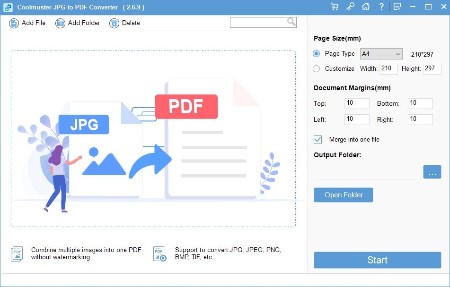

96a1774d2c8dd11785e8d8252be784e4.jpg


Coolmuster JPG to PDF Converter 2.7.3 Multilingual | File size: 23.18 MB
​


Effortlessly convert JPG, JPEG, PNG, BMP, and TIFF images to PDF format using Coolmuster JPG to PDF Converter, an easy conversion solution.

Convert Multiple JPG Images to PDF in Seconds
- Convert JPG, PNG, TIFF, and BMP images into PDF files without losing quality.
- Maintain original image resolution, colors, and formatting in the PDF output.
- Convert multiple images to PDF simultaneously for efficient document management.
- Adjust page size, orientation, and margins to suit your preferences.
- Easily rename, rearrange, and merge PDF documents.
- Intuitive and easy-to-use interface suitable for all skill levels.
- Experience the power and user-friendliness with a free trial.

Why Should You Choose Coolmuster JPG to PDF Converter?

Convert Not Only JPG/JPEG to PDF, But Also PNG, TIFF, and BMP to PDF
The Coolmuster JPG to PDF Converter is a versatile software that supports a wide range of popular image formats. Whether you need to convert JPG to PDF, PNG to PDF, or even TIFF or BMP to PDF, this powerful tool allows you to effortlessly transform your images into professional PDF documents.

Retain Image Integrity Across Various Formats
This image to PDF converter software ensures that the integrity of the original images is preserved throughout the conversion process, regardless of the input format. Whether you have JPEG, PNG, TIFF, or BMP files, the software's advanced algorithms maintain the image quality, color accuracy, and resolution when converting them to PDF. Users can rely on the software to deliver high-quality PDF documents that faithfully represent their original images.

Simplify the Conversion Process with Batch Processing
This photo to PDF converter tool simplifies productivity with its batch conversion feature. You can convert multiple files at once, regardless of the format, saving you time and effort. Whether you're converting JPG to PDF, PNG to PDF, or any other image format to PDF, the software handles the conversion seamlessly, all within its friendly and intuitive interface.

Customize and Enhance PDF Documents Effortlessly
In addition to converting images to PDF, Coolmuster's picture to PDF software offers a range of customization options to enhance your resulting documents. You can set up the PDF page size and document margins, or even merge multiple image files into a single PDF document. Whether you're converting JPEG to PDF, PNG to PDF, or any other image format to PDF, this powerful yet user-friendly software allows you to create PDFs from your images with ease.

What's new
• official site does not provide any info about changes in this version

HomePage:
Код:
https://www.coolmuster.com/

-:DOWNLOAD FROM LINKS:-​
Download From RapidGator
У Вас недостаточно прав для просмотра ссылок. Войдите или зарегистрируйтесь.


Download From NitroFlare
У Вас недостаточно прав для просмотра ссылок. Войдите или зарегистрируйтесь.
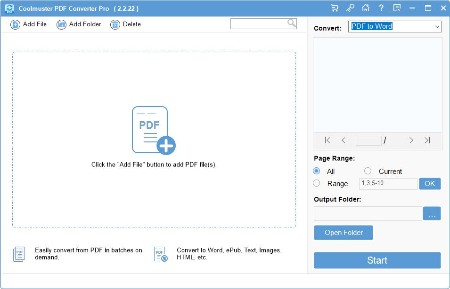
 
Coolmuster PDF Converter Pro 2.3.3


8cfe373add2aa91a9e37814639edc32f.jpg


Coolmuster PDF Converter Pro 2.3.3 Multilingual | File size: 18.6 MB
​


Convert PDF to Different Formats for Editing - Want to edit your PDF files without the professional Adobe Acrobat Pro? You can try Coolmuster PDF Converter Pro to convert PDF files to 7 different formats for editing and sharing as you like.

- Export PDF to Word, ePub, Text, Images, HTML, Excel, PPT, etc.
- Convert up to 200 PDF files at once.
- Convert a 200-page PDF within 1 minute, super fast.
- Built-in preview window enables you to preview and set page ranges before converting.

Export PDF to 7 Major Formats
- A good PDF converting tool will support various output formats, and features high conversion speed, zero quality loss, etc. Coolmuster PDF Converter Pro is a such powerful program, which is a must-have desktop application for PDF users.
- Easily convert Adobe PDF to 7 different major file formats, including Microsoft Word (.docx), ePub, Images (.jpg, .jpeg, .bmp, .png, .gif, etc.), Text (.txt), HTML (.html, .htm), Excel (.xlsx), PowerPoint (.pptx), etc.
- After the conversion, you can edit and share your PDF file without any restrictions.

Preview PDF Files Before Converting
- Don't want to convert the whole 500-page PDF file? Want to view PDF files before converting to get more details? This PDF Conversion Professional tool comes with a built-in preview window, which can meet your demands.
- Double-click any imported PDF file, you can preview it on the right preview panel distinctively.
- According to your own specific needs, you can customize and define the page range or page ranges for converting.

Batch and Partial Conversion Modes
- Under different situations, you may have different PDF file converting needs. So just try Coolmuster PDF Converter Pro's batch and partial conversion functions. With it, you can convert a single or a batch of PDF to any formats at your will.
- Batch Conversion Mode: Convert up to 200 PDF files at one time.
- Partial Conversion Mode: Convert any page or page ranges of a PDF document to Word, ePub, HTML, Text, Image, Excel and PPT formats accurately.

100% Original Layouts and Formats
- No matter how complex your PDF file is, the output Word, ePub, Image, Text HTML, Excel and PowerPoint files will as same as the original PDF files.
- Preserve the original text contents, layouts, formatting, hyperlinks, images, etc. in the output files without any quality losing.
- 100% clean converting situation.

What's new
Код:
https://www.coolmuster.com/upgrade-info/pdf-converter-pro.html

HomePage:
Код:
https://www.coolmuster.com/

-:DOWNLOAD FROM LINKS:-​
Download From RapidGator
У Вас недостаточно прав для просмотра ссылок. Войдите или зарегистрируйтесь.


Download From NitroFlare
У Вас недостаточно прав для просмотра ссылок. Войдите или зарегистрируйтесь.
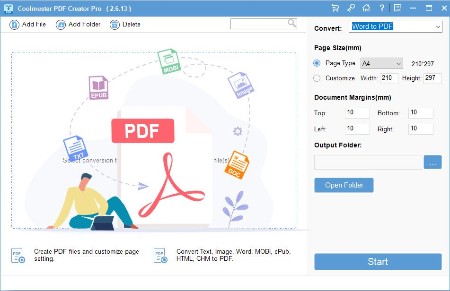
 
Coolmuster PDF Creator Pro 2.7.3


38a9b052dad0a48235057768b0e295d9.jpg


Coolmuster PDF Creator Pro 2.7.3 Multilingual | File size: 23.21 MB
​


Create Your Own PDF Files at Ease - Manage various files on computer is a panic thing. So why don't you convert all similar or related files into a large PDF file? Not a bad idea, right? Coolmuster PDF Creator Pro is here to help Windows users to create their own PDF files.

- Easily make/create PDF file from MS Word docx, Text, Image, MOBI, ePub, CHM, HTML and more.
- Two conversion modes to satisfy different user's needs.
- Allows to secure output PDF by applying passwords and encrypted permissions.
- Works well without additional third-party program.

Professional Tool to Create PDF from 7 Major Formats
- This is not a single-functional tool, it is a multi-functional PDF Maker program. With it, you can create your own PDF files from 4 different formats, so that you can share and manage files on computer more effectively.
- Create PDF files from 7 major formats, including Microsoft Word (.docx), Text (.txt), Image (.jpg, .png, .gif, .bmp, etc.), MOBI (.mobi, .prc), ePub, CHM and HTML.
- Preserve the original text contents, layouts and formatting, images, hyperlinks, etc. in the output PDF file with zero quality losing.

Two Creating Modes for Your Reference
- Want to convert a batch of PDF files to PDF or only want to convert the specific file? No matter what is your converting needs, this tool can meet your demands.
- All imported files can be exported to PDF files at one conversion.
- Right-click the specific document, you can only convert the one to PDF quickly.

Flexible Options and Easy to Use for Anyone
- In order to satisfy all user's needs, this PDF Maker Pro have set lots of options for your reference. With the different options, you can choose the one you like to add, edit or convert files without any limitation.
- 3 different ways for users to import files for converting: Add file button, drag-n-drop operation and add from the menu.
- Convert files in two different ways: Convert button and right-click operation.
- No need to learn a complex program or install any additional 3rd party apps.

Fast Creating Speed and PDF Encrypting Ability
Don't want to spend too much time on creating files? Just try this PDF Creator Pro. With it, you can create PDF files from different files at seconds.
- Precise and concise interface design makes you comfortable while you're using this handy tool.
- Batch conversion mode can highly improve your working efficiency.
- You are allowed to customize the PDF's page size, document margins and security options. Owner password, user password or detailed permissions can be applied to the output PDF files.

What's new
Код:
https://www.coolmuster.com/upgrade-info/pdf-creator-pro.html

HomePage:
Код:
https://www.coolmuster.com/

-:DOWNLOAD FROM LINKS:-​
Download From RapidGator
У Вас недостаточно прав для просмотра ссылок. Войдите или зарегистрируйтесь.


Download From NitroFlare
У Вас недостаточно прав для просмотра ссылок. Войдите или зарегистрируйтесь.
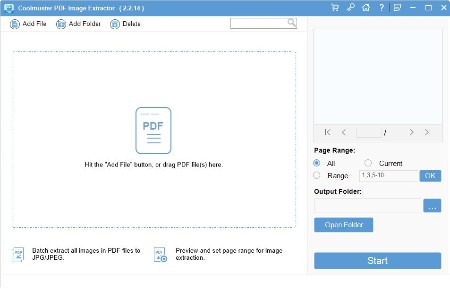
 
Coolmuster PDF Image Extractor 2.3.3


28bbd639e04525118c1786c64d7fd6a5.jpg


Coolmuster PDF Image Extractor 2.3.3 Multilingual | File size: 18.61 MB
​


Have you ever wondered of extracting pictures from PDF file for further using? You might have already found that it is really hard to get images out of PDF files. So here Coolmuster PDF Image Extractor comes here to help you solve your problem.

Possible to Extract and Reuse Images in PDF
Sometimes you may receive a PDF file which contains lots of images, do you want to get these images with one click? This powerful PDF Image Extractor enables users to extract pictures and reuse it in any other place as you like.
One-click to get all image files out of every page of PDF files with high output quality.
After extracting, you can add these extracted pictures to your PowerPoint slideshows, photo collage or reuse them for any other purposes without restrictions.

Extracting Files In A Batch
Tired of getting images from different PDF files one by one? You can try the batch extracting function to get images from all PDF documents at one conversion.
3 different ways for you to load all PDF files you want into the program for extracting.
Extract images from all PDF files you've imported at one time.

Preview and Extract Image from Specific Page Ranges
Only want to extract the specific image or pictures from a PDF file? Don't worry, you can preview and set the page ranges for extracting as you like.
Double-click any file and then you can preview it in the built-in viewer.
Set the pages or page ranges in the "Page Range" area. You can preview and decide the page numbers for extracting.

100% Safe Solution to Extract Images from PDF
A Extracting images from PDF is as simple as doing 1-2-3 steps. No professional skills needed.
Standalone utility to extract pdf file images that does not require Adobe Acrobat Reader or any other third party tool to be installed to carry out the pdf image extraction process.
Compatible with all Windows operating systems, including Windows 8, Windows 7, Windows Vista/XP/2000, etc.

What's new
• official site does not provide any info about changes in this version

HomePage:
Код:
https://www.coolmuster.com/

-:DOWNLOAD FROM LINKS:-​
Download From RapidGator
У Вас недостаточно прав для просмотра ссылок. Войдите или зарегистрируйтесь.


Download From NitroFlare
У Вас недостаточно прав для просмотра ссылок. Войдите или зарегистрируйтесь.
 
Coolmuster PDF Merger 3.2.3


c7c852f59074ea1ff2981e0878a775cf.png


Coolmuster PDF Merger 3.2.3 Multilingual | File size: 20.04 MB
​


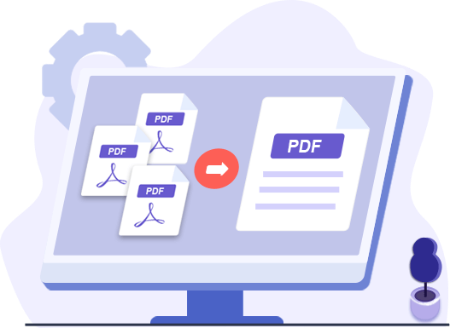
Coolmuster PDF Merger is a relatively simple tool that should get the job done without requiring much effort from your part. It features a modern interface where users can add the documents they wish to merge, which the tool should be able to combine within seconds.

Merge Multiple PDF Files into One Quickly and Easily
• Effortlessly combine multiple PDF files into one document.
• Preserve all original layouts, text, hyperlinks, etc. in the output file.
• Independently operate without the need for Adobe Acrobat or any other software.
• Intuitive design for a seamless merging experience.

Why Should You Choose Coolmuster PDF Merger?

Combine Multiple PDF Files into One
Want to combine multiple PDF files into a single document? Coolmuster PDF Merger has got you covered. With its intuitive interface, you can effortlessly customize and merge PDFs exactly the way you want. No worries about file management anymore.
• Merge Multiple PDFs: Merge as many PDF documents into one as you need at once.
• Efficient Handling: Easily join large PDF files without compromising performance.
• Customize Document Order: Arrange PDF files in any preferred order.

Merge PDFs and Images with Ease, Preserving Original Quality
Merge PDF files and images effortlessly while preserving the original quality. Enjoy a seamless merging process with outstanding results.
• Preserve Original Quality: Our software ensures that text style, images, graphics, tables, hyperlinks, layout, and formatting are all retained in the output PDF document. No compromises on quality.
• Superior Viewing Experience: The newly created file maintains the superb quality of the original documents, providing you with an exceptional viewing experience without any loss of quality.

Efficiently Manage Your PDFs at Your Fingertips
Efficiency meets simplicity in Coolmuster PDF Merger. Merge, rename, and customize PDFs effortlessly, regardless of language barriers. Streamline your workflow with ease.
• Easy Import Options: Import batch or single PDF documents, or load the entire PDF document for merging.
• Multilingual Support: Merge PDFs in any language without limitations.
• Rename Freely: Rename your merged PDF document as desired.
• Preview and Customize: Check imported documents and customize their order using the preview screen.

Reliable and 100% Secure PDF Joiner
Merge PDFs effortlessly with Coolmuster PDF Merger, a reliable and environmentally friendly PDF combiner. Its attractive interface and intuitive tutorial make merging a breeze. Your documents are safe and secure with us.
• User-Friendly Interface: Enjoy an attractive interface with a simple tutorial for quick and accurate merging.
• Stand-Alone Solution: No need for additional software like Adobe PDF Viewer.
• Safe and Confidential: Your documents are secure with Coolmuster PDF Merger. No personal information is compromised.

What's new
• official site does not provide any info about changes in this version

HomePage:
Код:
https://www.coolmuster.com/

-:DOWNLOAD FROM LINKS:-​
Download From RapidGator
У Вас недостаточно прав для просмотра ссылок. Войдите или зарегистрируйтесь.


Download From NitroFlare
У Вас недостаточно прав для просмотра ссылок. Войдите или зарегистрируйтесь.
 
Coolmuster PDF Password Remover 2.3.3


60e4e93a06de7cfa4f3d1d81499363de.jpg


Coolmuster PDF Password Remover 2.3.3 Multilingual | File size: 6.76 MB
​


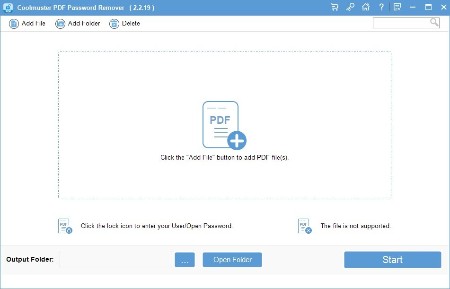
Unlock Password Protected PDFs with a Click - People like to use password to protect their PDF copyright from copying, printing, editing or stealing by others. So sometimes you need to remove password from a PDF for editing, copying or sharing. Under this situation, Coolmuster PDF Password Remover can be an ideal assistant for you to remove password as you like.

Remove PDF Passwords and Restrictions with A Right Click
- Forget the PDF password so that you can't edit, copy or modify your PDF contents freely? Don't worry, here you can use the recommended PDF Password Removal program to decrypt PDF password within a click.
- Decrypt encrypted PDF files that have been restricted by the author to prevent others from copying, editing or printing (PDF Password Remover cannot automatically remove user passwords. These must be keyed in correctly)
- Supports Adobe PDF 1.0 - 1.7 formats (.pdf)

Efficient Decryption Function
- Coolmuster PDF Password Remover provides two different decryption modes for users to quickly remove password from Adobe PDF files.
- Batch Decryption Modes: You're enabled to crack up to 200 PDF files at one time.
- Right-click decryption: Right-click on any PDF file which you've imported into the program, and then remove it as you like.

Reuse PDF after Decryption
- After decryption, you can reuse the PDF for any purpose as you like.
- View PDF files freely, as well as copy content, print PDF as you like.
- Edit PDF like add/delete texts, insert image, make annotate, etc.
- Convert PDF to other formats to satisfy your own specific needs.
- Extract PDF images and upload them to PowerPoint presentation or share online freely.

High Processing Speed
- Just like the saying goes "Time is money", so finding a time-saving program to crack PDF password seems to be so important. Here, Coolmuster PDF Password Remover comes here to meet your demands.
- Regardless of your input document size, this program can process at high speed. NVIDIA-GPU is available to accelerate more CPU power to this PDF password unlocker. The more CPU cores you have, the faster speed you will enjoy.
- No need to worry about installing more plug-ins on your Windows. And your data and personal info are protected.

What's new
Код:
https://www.coolmuster.com/upgrade-info/pdf-password-remover.html

Windows OS: Windows 11/10/8/7

HomePage:
Код:
https://www.coolmuster.com/

-:DOWNLOAD FROM LINKS:-​
Download From RapidGator
У Вас недостаточно прав для просмотра ссылок. Войдите или зарегистрируйтесь.


Download From NitroFlare
У Вас недостаточно прав для просмотра ссылок. Войдите или зарегистрируйтесь.
 
Coolmuster PDF to ePub Converter 2.5.3


3050727d776e8afe343c64b3afb46b87.jpg


Coolmuster PDF to ePub Converter 2.5.3 Multilingual | File size: 18.54 MB
​


PDF to ePub Converter can convert your PDF files to ePub format in one click. So you can read ePub eBooks smoothly on your iPad, iPhone, iPod touch, Sony Reader and other eBook readers.

Convert PDF to ePub for Better Reading Experience
- Batch convert multiple PDF files to ePub format with one click.
- Perfectly preserve original text, hyperlinks, graphics and layouts.
- Customize PDF page ranges to precisely perform partial conversions.
- Fast and accurate conversion experience.

Why Should You Choose Coolmuster PDF to ePub Converter?

Convert PDF to ePub, Batch or Partially
Coolmuster PDF to ePub Converter is the best PDF to ePub conversion software that can help you convert PDF to ePub in batches or in parts, which can help you save time and effort.

- Partial conversion mode: Convert selected pages from each PDF file by inputting Page Range, such as page 1-15 or Specific page(s), such as 5,7,14...
- Batch conversion mode: Convert multiple PDF files to ePub at one time.

100% Preserve Original Elements & Layouts
This PDF to ePub conversion tool is able to perfectly preserve the text, fonts, graphics, images, hyperlinks and layouts on the original PDF files. It also provides you with three conversion modes: Text, Image and Mix. That is, you can choose to convert the PDF to ePub format with copied text, or non-reproducible images, or both.

Preview Feature Simplifies Your Conversion Tasks
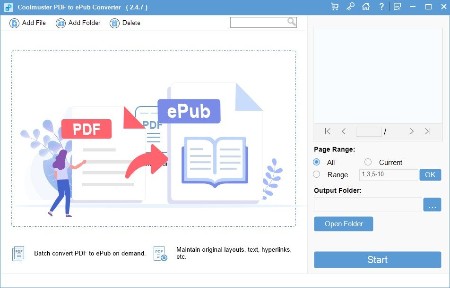
The built-in PDF preview function of Coolmuster PDF to ePub Converter allows you to preview all PDF content as you like before conversion. Each imported PDF file can be displayed in the thumbnail panel. You can use the page turning buttons, or manually enter the page number, to preview the PDF content. You can check the files before conversion from many aspects such as file name, size, total pages, output type, selected pages, status, etc.

Read PDF Files Freely on More Devices
You can convert PDF to ePub for reading in most eBook readers, such as Apple iPad, iPhone and iPod; Sony Reader ; Barnes & Noble Nook; Nook Tablet, Hanlin eReader; COOL-ER; eSlick; Cybook Opu; iRex Digital Reader 1000/800; Phones/devices using Android; PocketBook Reader, and etc.

Intuitive and Friendly User Interface
With advanced processing technology, it is very efficient to convert multiple PDFs to ePub files using PDF to ePub Concerter. This converter supports drag and drop. With three easy steps, you'll have an ePub file in minutes.

What's new
• official site does not provide any info about changes in this version

HomePage:
Код:
https://www.coolmuster.com/

-:DOWNLOAD FROM LINKS:-​
Download From RapidGator
У Вас недостаточно прав для просмотра ссылок. Войдите или зарегистрируйтесь.


Download From NitroFlare
У Вас недостаточно прав для просмотра ссылок. Войдите или зарегистрируйтесь.
 
Coolmuster PDF to JPG Converter 2.5.3


60952b64d6e6fe275a5cca7487781b22.jpg


Coolmuster PDF to JPG Converter 2.5.3 Multilingual | File size: 18.55 MB
​


Convert PDF to high-quality JPG, PNG, TIF, BMP, and GIF images effortlessly with Coolmuster PDF to JPG Converter. Save time and simplify your document management.

Convert PDF to JPG/Image Quickly & Effortlessly
- Easily convert PDF to JPG, PNG, TIF, BMP, and GIF formats.
- Maintain the original layout, fonts, and images.
- Convert any number of PDFs to images at will.
- Preview and selectively choose specific pages or page ranges before converting.
- Deliver fast and precise conversion results.
- Intuitively designed for user-friendly operation.
- Safeguard the security of sensitive information.

Why Should You Choose Coolmuster PDF to JPG Converter?

Effortless PDF to Image Conversion
Coolmuster PDF to JPG Converter effortlessly transforms your PDF files into stunning images with just a few clicks, making it a breeze to work with your PDF content in a visually appealing manner. It enables you to convert from PDF to JPG/JPEG, PDF to PNG, PDF to TIF, PDF to GIF, PDF to BMP.

Batch Conversion for Efficiency
You can choose specific pages or page ranges with no limits, and convert multiple PDF files to image formats simultaneously, enabling you to process large volumes of documents with exceptional speed and efficiency. Save valuable time and effort by utilizing the batch conversion feature of Coolmuster PDF to JPG Converter.

Preview Any Files Before Converting
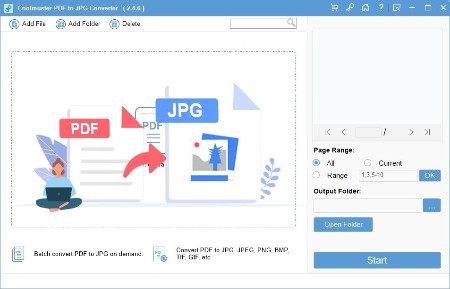
If you're having trouble locating specific pages for conversion, fret not. This PDF to JPG converter offers a built-in file viewer that allows you to instantly preview any PDF file. This function empowers you to swiftly locate and select the exact pages you want to convert with accuracy.

Preserve Document Original Layouts
During the conversion process, Coolmuster PDF to JPG Converter preserves the original layout, images, text formatting, tables, hyperlinks, and graphics of your PDF files, maintaining the integrity of the document structure. This attention to detail ensures that your converted images accurately represent the content and design of the original PDF.

What's new
• official site does not provide any info about changes in this version

HomePage:
Код:
https://www.coolmuster.com/

-:DOWNLOAD FROM LINKS:-​
Download From RapidGator
У Вас недостаточно прав для просмотра ссылок. Войдите или зарегистрируйтесь.


Download From NitroFlare
У Вас недостаточно прав для просмотра ссылок. Войдите или зарегистрируйтесь.
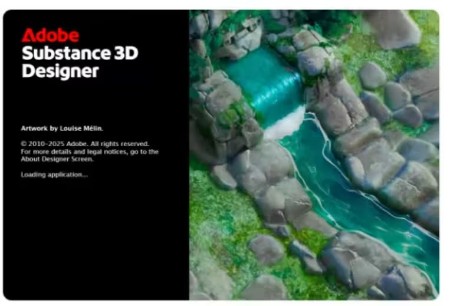
 
Adobe Substance 3D Designer 15.1.2


43ef2777bf265f7ee6251adf206d9052.jpg


Adobe Substance 3D Designer 15.1.2 Multilingual | File Size: 829 MB
​


3D Assets Creation. Limitless. Create, iterate. Substance Designer is the Ultimate 3D Material Authoring and Scan Processing Tool. It has become the standard in the entertainment industry for PBR material authoring.

Discover the power of procedural creation.
With Substance 3D Designer, create seamless materials and patterns, image filters, environment lights, or even 3D models. Each asset can output infinite variations.

The industry standard for material authoring.
Substance 3D Designer is used across many industries and is at the center of most video game and visual effects material pipelines. Substance parametric materials are supported in most 3D creation tools and will integrate seamlessly into any workflow. Send your materials directly to Substance 3D Painter and Stager.

The industry standard for material authoring.
Substance 3D Designer is used across many industries and is at the center of most video game and visual effects material pipelines. Substance parametric materials are supported in most 3D creation tools and will integrate seamlessly into any workflow. Send your materials directly to Substance 3D Painter and Stager.

Nondestructive, nonlinear.
The node-based workflow allows you to use a wide range of approaches. Any step of the process can always be modified later. Try everything, adjust anytime.

Endless possibilities, infinite combinations.
Designer comes with a rich node library to create your assets from scratch. Build upon and learn from thousands of materials from Substance 3D Assets and Substance 3D Community Assets.

Go beyond materials.
Generate dynamic 3D models, or combine existing elements like curves and kitbash models. Create parametric environment lights to use in any app supported by Substance 3D.

Integrates into any workflow.
Designer comes with an extensive scripting API so you can tailor the app to your needs. Build and share powerful plugins with the integrated Python scripting interface. Create tools and utility graphs to supercharge your pipeline.

An ever-growing library of content
Access hundreds of nodes and filters. Create any surface with unique and randomizable noises and patterns.

HDR lighting creation
Create parametric lighting stages using procedural lights or 360° photos.

Color management
Take advantage of Pantone and OpenColorIO support.

MDL support
Create MDL materials with the dedicated shader graph.

Send-to
Send materials and filters to other Substance 3D applications, allowing you to iterate in context with Designer.

Parametric modeling
This graph lets you generate customizable and dynamic 3D models.

Whats New
Код:
https://substance3d.adobe.com/documentation/sddoc/all-changes-188973131.html

HomePage:
Код:
https://adobe.com

-:DOWNLOAD FROM LINKS:-​
Download From RapidGator
У Вас недостаточно прав для просмотра ссылок. Войдите или зарегистрируйтесь.


Download From NitroFlare
У Вас недостаточно прав для просмотра ссылок. Войдите или зарегистрируйтесь.

 
AI Aquarium Screensaver 1.3.1


cc74e475d6a689976a659a488174381e.jpg


AI Aquarium Screensaver 1.3.1 | Languages: English File Size: 342.93 MB
​


Relax & Explore: Interactive AI Aquarium Screensaver for Your Screen. AI Aquarium Screensaver is a 3D interactive aquarium screensaver that transports you into a vibrant underwater world. Imagine having an aquarium on your screen that features different styles of fish tank landscape background pictures, ranging from serene stone arch bridges to mystical stone forests.

Our tropical rain forest scenes bring the essence of nature into your digital space, while the rockery stone and Dutch style aquarium designs add a touch of elegance. It offers a diverse selection of environments such as coral water grass and nature style backdrops, as well as end world and cartoon styles for a more whimsical feel. For those who love futuristic aesthetics, the cyber mechanical style background image will captivate your imagination.

AI Aquarium screensaver is designed to feature auto feed options, ensuring that you never miss a moment of your aquatic adventure. With over 150 different types of fish, including goldfish, koi fish, clownfish, manta rays, amago, and even the fascinating angel shark, your virtual aquarium will never be dull. The AI fish bring this experience to life, allowing you to interact directly with these incredible creatur Whether you're looking to relax, inspire creativity, or simply enjoy the beauty of the ocean, AI Aquarium Screensaver is perfect for enhancing any digital environment.

10 Aquarium Background Styles
Stone Arch Bridge, Stone Forest, Tropical Rain Forest, Rockery Stone, Dutch Style Aquarium, Coral Water Grass, Nature Style, End World Style, Cartoon Style, and Cyber Mechanical Style.

150+ Fish Species
A diverse collection of freshwater and saltwater fish including goldfish, koi, clownfish, manta rays, neon tetra, betta fish, arowana, rainbowfish, catfish, sharks, and more.

Interactive Aquarium Experience
Select fish types and quantities, feed and tease fish, and create realistic ripple effects.

Automatic Feeding System
Runs in the background to keep your aquarium active at all times.

Customization Options
Support for custom aquarium background images and background music.

Multi-Monitor Support
Extend the immersive aquarium across multiple displays.

Advanced Lighting Effects
Rainbow Gradient, Pulse Gradient, and White Noise Gradient modes for natural and dynamic underwater lighting.

System Requirements
- OS: Windows 10 version 17763.0 or higher
- Memory: 2 GB (Minimum), 4 GB (Recommended)
- Graphics Processor: OpenGL 3.0 (Minimum), OpenGL 4.0 (Recommended)

HomePage:
Код:
https://aifishscr.com

-:DOWNLOAD FROM LINKS:-​
Download From RapidGator
У Вас недостаточно прав для просмотра ссылок. Войдите или зарегистрируйтесь.


Download From NitroFlare
У Вас недостаточно прав для просмотра ссылок. Войдите или зарегистрируйтесь.

 
AITextTune 1.6.9


ea4fd49027b1971f632c1f01527c30f3.jpg


AITextTune 1.6.9 | Languages: Multilingual File Size: 77.02 MB
​


Improve your text with AI in just one click! Correct any errors, improve clarity and flow. change the style! Generate summaries and translate texts in 25+ different languages! Revolutionize your writing in an instant! Revolutionize your writing in an instant!

PERFECT WRITING
Improve the clarity and flow of your texts! Generate summaries and translations!

CUSTOMIZE THE STYLE
Adapt the text to different writing styles, from formal to creative!

POWERFUL AI
Process your text in real-time with just one click!

WORKS EVERYWHERE
Use it on any software or tool!

SIMPLE!
1. Select the text
2. Click "CTRL+C+INS"
3. Choose a style / Summarize / Translate

FEATURES
- Correct any errors, improve clarity and flow
- Choose a style and leverage AI to enhance it instantly, in real-time!
- Generate summaries and translations in 25+ different languages!
- Use it on any tool or software you're writing on!
- Enhance text using the Google Gemini AI...

System Requirements
Windows 10 version 19041.0 or higher

* All features require an active Gemini API key and may not be available in some markets due to Google's restrictions. For a complete list of countries where the Gemini API is available, please refer to Google's official documentation:

HomePage:
Код:
https://www.aitexttune.com

-:DOWNLOAD FROM LINKS:-​
Download From RapidGator
У Вас недостаточно прав для просмотра ссылок. Войдите или зарегистрируйтесь.


Download From NitroFlare
У Вас недостаточно прав для просмотра ссылок. Войдите или зарегистрируйтесь.
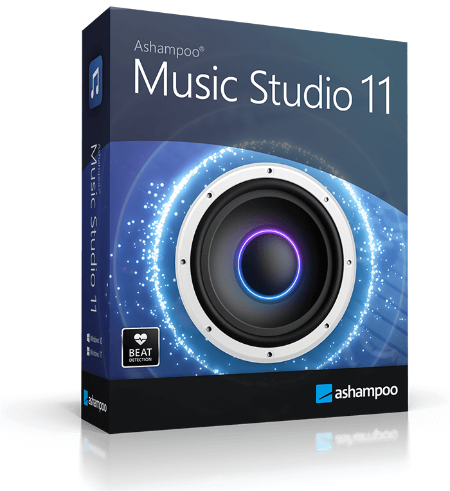
 
Ashampoo Music Studio 11.0.6 Multilingual


5e7d4e6c26cd67bd4aced2709f50b2a0.png


Ashampoo Music Studio 11.0.6 Multilingual | File size: 113.8 MB
​


Ashampoo Music Studio is the Swiss Army knife for your music. It offers a comprehensive set of tools for easy editing, producing, trimming, mixing and organizing of music and audio files. With the powerful features of Ashampoo Music Studio 11, you'll get the best out of your music collection! Eight handy modules cover pretty much everything music lovers need on a computer. Whether you want to edit, burn, or cut your favorite songs-with Ashampoo Music Studio 11, you can do it quickly and easily. Record Spotify, Deezer, Amazon Music, and much more! Convert to other compatible formats, create mix tapes for the next party or playlists for any audio device! Bring order to your music collection, print covers, rip CDs, and much more!

Record apps like Spotify, Deezer and Amazon Music without interruption
Targeted app recording instead of just "All you can hear"
Context menu for quick feature access
Instant split tracks into three segments
Tag editor now supports 18 different tag types
Assign multiple images per track
Easy and logical track repositioning
Feature groups for better clarity
Significantly enhanced performance in various program sections

Record individual apps instead of just "All you can hear"!
More flexible and focused than ever: That's the new Ashampoo Music Studio 11! Our ultimate music software recognizes all apps and processes that generate sounds on your PC and simply lets you pick what gets recorded e.g., Spotify, in outstanding quality, naturally! Even programs launched while Music Studio is already running will be detected. And don't worry about background noise: Ashampoo Music Studio 11 only records the apps you select and ignores everything else.

New, robust recording mode
Ashampoo Music Studio is your local helper with every recording! Even if your mic's battery fails, you accidentally unplug a cable, or your audio device briefly loses connection, the recording will not be interrupted. All available audio devices are constantly monitored and instantly recordable. Where many other programs give up, Ashampoo Music Studio 11 stays on the ball and continues recordings even in the event of sudden technical issues!

Reach your goal faster!
Every click counts when you want to make a recording, so menus have been heavily streamlined. All relevant settings are accessible through a single page so you can start recording straight away. This includes audio source, quality, format, and output location. It's all there and instantly accessible. This lets you focus on what matters: Creating the perfect recording!

Looping previews
You can now select not only portions inside but also across tracks and have them playback continuously. This makes your life a lot easier e.g., when you're stitching parts together, because you can now instantly hear the changes as they're happening.

More details and easier handling with title bars
Each track now has a dedicated title bar to help you to keep them apart and to make dragging and rearranging them easier. Mixing and editing tracks has just become a lot more intuitive!

It's all about context
Use the right-click context menu for instant feature access and save time-or rely on the enhanced tool bar. The choice is yours.

Splitting made easy
Splitting tracks at the current marker position is nice but with Ashampoo Music Studio 10, you can use selections to instantly split tracks into three parts based on the start and end of each selection. This is especially handy when you want to apply the equalizer only to the middle part.

More tags for your tracks
Tags enrich your songs with details such as artist, genre, etc. Ashampoo Music Studio 10 supports 18 different types of tags for even more meaningful metadata - a treat for perfectionists and genuine music lovers!

There can only be one? Not any more!
There's more to music artwork than just a cover photo. Booklet, band photo, or back of the sleeve, you can now add multiple photos to your songs.

It's only logical
Features are now logically grouped in the editor with availability based upon context. This means, when you're editing multiple tracks at once, we'll only enable features that apply in that setting so you'll be visually less distracted and will achieve your goal faster!

Small things matter too
You can now use smart positioning to rearrange tracks with high precision e.g., to smoothly blend tracks together. You can also apply tags by category or convert between audio formats without losing existing tags. Details matter, and Ashampoo Music Studio respects that!

Whats New
Код:
https://www.ashampoo.com/en-us/music-studio

HomePage:
Код:
https://www.ashampoo.com/

-:DOWNLOAD FROM LINKS:-​
Download From RapidGator
У Вас недостаточно прав для просмотра ссылок. Войдите или зарегистрируйтесь.


Download From NitroFlare
У Вас недостаточно прав для просмотра ссылок. Войдите или зарегистрируйтесь.
 
Perfectly Clear WorkBench 5.0.1.3069 (x64) + Portable


67dbde6c3314a2eb1ae3fab41860db51.jpg


Perfectly Clear WorkBench 5.0.1.3069 (x64) Multilingual | File size: 180 MB
​


Perfectly Clear Workbench is an application that uses Athentech's Perfectly Clear image correction libraries and is made available to demonstrate the capabilities of the Perfectly Clear processing libraries, face detection library and to allow a quick export of the processing settings for use.

One of the key features in Workbench is the ability to "export to API" when saving a Preset. This allows you to make image corrections in Workbench and tune the settings to match your style and correction needs. Then, you can quickly export these settings to a text file - ready to be copy / pasted into your source code with our image correction SDK.

What's New in Perfectly Clear WorkBench
1. Beautiful new interface
2. New image correction tools
a. Preprocessing section for Input Looks and "Image Ambulance" for manual exposure corrections
b. "Face Aware" exposure for more accurate auto-exposure corrections in portraits and group photos
c. Black Point tool to deepen blacks
d. New Color Vibrancy tool to complement our previous "Vibrancy" control (now renamed to Color Restoration)
e. Sky and Foliage enhancements
3. Existing tools have been improved
a. Added strength sliders to Light Diffusion and Vibrancy for better control
b. Better 'color pickers' for Skin Tone and Blush adjustments
4. Manually identify faces that are not detected automatically
5. One-click to zoom to individual faces
6. Modify facial regions to provide the best corrections
7. Histogram
8. Much improved preset management

Supported Image Formats
Perfectly Clear requires RGB-formatted images in either 8 or 16-bit color depth. Any image file that Photoshop or Lightroom can open and convert to this format may be used in Perfectly Clear. Monochrome and CMYK images must be converted to RGB before using Perfectly Clear. RAW files must be opened through Adobe Camera RAW and loaded into Photoshop to be accessible to Perfectly Clear.

HomePage:
Код:
https://eyeq.photos

-:DOWNLOAD FROM LINKS:-​
Download From RapidGator
У Вас недостаточно прав для просмотра ссылок. Войдите или зарегистрируйтесь.


Download From NitroFlare
У Вас недостаточно прав для просмотра ссылок. Войдите или зарегистрируйтесь.

Poortable
Download From RapidGator
У Вас недостаточно прав для просмотра ссылок. Войдите или зарегистрируйтесь.


Download From NitroFlare
У Вас недостаточно прав для просмотра ссылок. Войдите или зарегистрируйтесь.
 
Coolmuster PDF Locker 2.6.4


4946aceee47beee21b1c00937e32767d.png


Coolmuster PDF Locker 2.6.4 Multilingual | File size: 20.05 MB
​


Safeguarding your PDFs has never been easier. Password protect a PDF and ensure the privacy of your confidential documents now.

Password Protect PDF to Keep Your Data Safe
• Set User Password (Open Password) to prevent PDF from unauthorized access/opening.
• Encrypt PDF with Owner Password to protect PDF from unauthorized reuse or modification.
• 3 encryption levels for your sensitive data: 40 bit RC4, 128 bit RC4, and 128 bit AES.
• Take full control over printing, copying, editing and more permissions for your PDF content.
• Standalone and easy to use for users of all skill levels with user-friendly interface.

Why Should You Choose Coolmuster PDF Locker?

Safeguard Your Data with Password Protected PDFs
Discover the importance of password protecting your PDF files to ensure the safety and security of your valuable data. Protect your documents and keep sensitive information confidential at your will with this PDF encryption software now.
• Add User Password: By configuring a User Password (or Open Password), you can regulate the access or opening permissions for your PDF file. Only those who know the user password can open your PDF.
• Set Owner Password: Setting an owner password for your PDF allows you to modify permission settings, protecting your PDF from unauthorized reuse.

Enhance Data Security with Three Levels of Encryption for Sensitive Information
Explore three powerful encryption levels to bolster the security of your sensitive data. Protect your information at different levels, ensuring utmost confidentiality and peace of mind.
• 40 bit RC4: Lowest password protection for individual PDF documents, preventing printing, copying, or editing.
• 128 bit RC4: Offers more detailed options to restrict PDF document usage.
• 128 bit AES: The highest level of password protection, utilizing Advanced Encryption Standard for stronger file security.

Gain Complete Control over PDF Permissions
Take charge of your PDF content by customizing permissions for printing, copying, editing, and other actions. Enjoy the flexibility to freely permit specific privacy settings while maintaining the overall security of your PDF document.
• Easily set permissions for your PDF document, allowing content copying, modifying, annotation adding, document printing (high or low resolution), content copying for accessibility, form filling, and document assembly.
• Import bulk PDFs and instantly protect them all with a single password using the PDF Locker.

User-Friendly Password Protection in PDF for All Skill Levels
Discover a standalone PDF protection solution that caters to users of all skill levels.
• Effortlessly encrypt multiple PDF files with the drag-and-drop feature.
• Enjoy an ad-free and virus-free software experience.
• You can recover files one at a time or in a batch.
• Encrypt your PDF files quickly and easily, regardless of their size.

What's new
• official site does not provide any info about changes in this version

HomePage:
Код:
https://www.coolmuster.com/

-:DOWNLOAD FROM LINKS:-​
Download From RapidGator
У Вас недостаточно прав для просмотра ссылок. Войдите или зарегистрируйтесь.


Download From NitroFlare
У Вас недостаточно прав для просмотра ссылок. Войдите или зарегистрируйтесь.
 
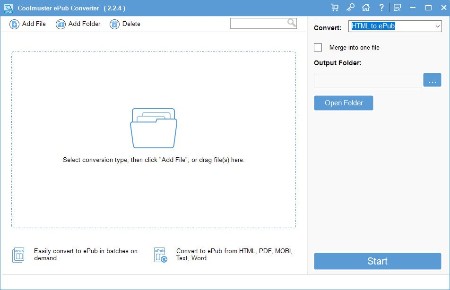
Coolmuster ePub Converter 2.3.2 Multilingual


ce6096127de4fba63bf92cf023b0fde6.jpg


Coolmuster ePub Converter 2.3.2 Multilingual | File size: 22.34 MB
​


Read and Enjoy ePub Books On the Go - With a good reflow feature for displaying on portable devices, ePub is a dominate format on our gadgets. So have you ever wondered to create your own ePub books and read them anytime anywhere as you like? If so, you can't miss Coolmuster ePub Converter here.

- Build ePub eBooks from 5+ popular formats (.doc, .pdf, .html, .txt, .mobi, etc.)
- Preserve the original text, images, graphics, etc. in ePub eBook.
- Fully compatible with almost all popular portable devices, including iPad, iPhone, iPod touch, Nook Tablet, Surface, PSP, Sony Reader, etc.

Create ePub eBooks from Popular Documents
ePub, as a common eBook format, is widely supported by almost all popular eReaders. So have you ever wondered about converting other files to ePub format for reading on your eReaders while you're going out? Not a bad idea, right? Just get Coolmuster ePub Converter software, all conversion from files to ePub just like a piece of cake.
- Be able to create ePub books from more than 5 different file formats, including PDF (.pdf), MS Word (.doc/.docx), Txt (.txt), Html (.html/.htm), MOBI(.mobi), etc.
- Preserve the original document text, columns, tables, images, graphics, hyperlinks, and layout in the output ePub eBooks.

High Compatiblity to Improve Your Reading Experience
Get a fantastic eBook and want to read it on your eReader at once, but finally you found that the book format is not supported by your eReader, what a big pity, right? Actually, just like we said in the above feature, why don't you convert files to ePub format for high compatibility? Just uses this recommended ePub Creator to convert and then read books without format limitation.
- The output ePub books can be read on almost all popular portable devices, including Apple's iPad, iPhone and iPod touch, B&N's Nook Tablet, Microsoft Surface, all kinds of Android devices, Game player, etc.

Prominent Working Efficiency
High working efficiency has become a logo of all top-notch tools. Coolmuster ePub Converter is just a software which has prominent working efficiency. With the assistance of this handy tool, you can save much time to do other things.
- Batch adding up to 100 files to convert to ePub format at one time.
- Convert a 500-page document to ePub eBook in less than 1 minute.
- Righ-click any file, you can convert the specific file to ePub as you like.

100% Safe Solution
No matter you're online or offline, you can use this ePub Converter to convert files to ePub as you like. And it is a standalone program, so that it is unnecessary for you to worry about the safety of your computer.
- Provide you with a 100% reliable way to convert files to ePub quickly.
- The read-only operations will not cause any data loss during the whole converting process.
- User-friendly interface makes the ePub Converter extremely easy-to-use.

What's new
Код:
https://www.coolmuster.com/upgrade-info/epub-converter.html

HomePage:
Код:
https://www.coolmuster.com/

-:DOWNLOAD FROM LINKS:-​
Download From RapidGator
У Вас недостаточно прав для просмотра ссылок. Войдите или зарегистрируйтесь.


Download From NitroFlare
У Вас недостаточно прав для просмотра ссылок. Войдите или зарегистрируйтесь.
 
Coolmuster PDF Password Remover 2.3.3


60e4e93a06de7cfa4f3d1d81499363de.jpg


Coolmuster PDF Password Remover 2.3.3 Multilingual | File size: 6.76 MB
​


Unlock Password Protected PDFs with a Click - People like to use password to protect their PDF copyright from copying, printing, editing or stealing by others. So sometimes you need to remove password from a PDF for editing, copying or sharing. Under this situation, Coolmuster PDF Password Remover can be an ideal assistant for you to remove password as you like.

Remove PDF Passwords and Restrictions with A Right Click
- Forget the PDF password so that you can't edit, copy or modify your PDF contents freely? Don't worry, here you can use the recommended PDF Password Removal program to decrypt PDF password within a click.
- Decrypt encrypted PDF files that have been restricted by the author to prevent others from copying, editing or printing (PDF Password Remover cannot automatically remove user passwords. These must be keyed in correctly)
- Supports Adobe PDF 1.0 - 1.7 formats (.pdf)

Efficient Decryption Function
- Coolmuster PDF Password Remover provides two different decryption modes for users to quickly remove password from Adobe PDF files.
- Batch Decryption Modes: You're enabled to crack up to 200 PDF files at one time.
- Right-click decryption: Right-click on any PDF file which you've imported into the program, and then remove it as you like.

Reuse PDF after Decryption
- After decryption, you can reuse the PDF for any purpose as you like.
- View PDF files freely, as well as copy content, print PDF as you like.
- Edit PDF like add/delete texts, insert image, make annotate, etc.
- Convert PDF to other formats to satisfy your own specific needs.
- Extract PDF images and upload them to PowerPoint presentation or share online freely.

High Processing Speed
- Just like the saying goes "Time is money", so finding a time-saving program to crack PDF password seems to be so important. Here, Coolmuster PDF Password Remover comes here to meet your demands.
- Regardless of your input document size, this program can process at high speed. NVIDIA-GPU is available to accelerate more CPU power to this PDF password unlocker. The more CPU cores you have, the faster speed you will enjoy.
- No need to worry about installing more plug-ins on your Windows. And your data and personal info are protected.

What's new
Код:
https://www.coolmuster.com/upgrade-info/pdf-password-remover.html

Windows OS: Windows 11/10/8/7

HomePage:
Код:
https://www.coolmuster.com/

-:DOWNLOAD FROM LINKS:-​
Download From RapidGator
У Вас недостаточно прав для просмотра ссылок. Войдите или зарегистрируйтесь.


Download From NitroFlare
У Вас недостаточно прав для просмотра ссылок. Войдите или зарегистрируйтесь.
 
Coolmuster PDF to ePub Converter 2.5.3


3050727d776e8afe343c64b3afb46b87.jpg


Coolmuster PDF to ePub Converter 2.5.3 Multilingual | File size: 18.54 MB
​


PDF to ePub Converter can convert your PDF files to ePub format in one click. So you can read ePub eBooks smoothly on your iPad, iPhone, iPod touch, Sony Reader and other eBook readers.

Convert PDF to ePub for Better Reading Experience
- Batch convert multiple PDF files to ePub format with one click.
- Perfectly preserve original text, hyperlinks, graphics and layouts.
- Customize PDF page ranges to precisely perform partial conversions.
- Fast and accurate conversion experience.

Why Should You Choose Coolmuster PDF to ePub Converter?

Convert PDF to ePub, Batch or Partially
Coolmuster PDF to ePub Converter is the best PDF to ePub conversion software that can help you convert PDF to ePub in batches or in parts, which can help you save time and effort.

- Partial conversion mode: Convert selected pages from each PDF file by inputting Page Range, such as page 1-15 or Specific page(s), such as 5,7,14...
- Batch conversion mode: Convert multiple PDF files to ePub at one time.

100% Preserve Original Elements & Layouts
This PDF to ePub conversion tool is able to perfectly preserve the text, fonts, graphics, images, hyperlinks and layouts on the original PDF files. It also provides you with three conversion modes: Text, Image and Mix. That is, you can choose to convert the PDF to ePub format with copied text, or non-reproducible images, or both.

Preview Feature Simplifies Your Conversion Tasks
The built-in PDF preview function of Coolmuster PDF to ePub Converter allows you to preview all PDF content as you like before conversion. Each imported PDF file can be displayed in the thumbnail panel. You can use the page turning buttons, or manually enter the page number, to preview the PDF content. You can check the files before conversion from many aspects such as file name, size, total pages, output type, selected pages, status, etc.

Read PDF Files Freely on More Devices
You can convert PDF to ePub for reading in most eBook readers, such as Apple iPad, iPhone and iPod; Sony Reader ; Barnes & Noble Nook; Nook Tablet, Hanlin eReader; COOL-ER; eSlick; Cybook Opu; iRex Digital Reader 1000/800; Phones/devices using Android; PocketBook Reader, and etc.

Intuitive and Friendly User Interface
With advanced processing technology, it is very efficient to convert multiple PDFs to ePub files using PDF to ePub Concerter. This converter supports drag and drop. With three easy steps, you'll have an ePub file in minutes.

What's new
• official site does not provide any info about changes in this version

HomePage:
Код:
https://www.coolmuster.com/

-:DOWNLOAD FROM LINKS:-​
Download From RapidGator
У Вас недостаточно прав для просмотра ссылок. Войдите или зарегистрируйтесь.


Download From NitroFlare
У Вас недостаточно прав для просмотра ссылок. Войдите или зарегистрируйтесь.
 
Coolmuster PDF to JPG Converter 2.5.3


60952b64d6e6fe275a5cca7487781b22.jpg


Coolmuster PDF to JPG Converter 2.5.3 Multilingual | File size: 18.55 MB
​


Convert PDF to high-quality JPG, PNG, TIF, BMP, and GIF images effortlessly with Coolmuster PDF to JPG Converter. Save time and simplify your document management.

Convert PDF to JPG/Image Quickly & Effortlessly
- Easily convert PDF to JPG, PNG, TIF, BMP, and GIF formats.
- Maintain the original layout, fonts, and images.
- Convert any number of PDFs to images at will.
- Preview and selectively choose specific pages or page ranges before converting.
- Deliver fast and precise conversion results.
- Intuitively designed for user-friendly operation.
- Safeguard the security of sensitive information.

Why Should You Choose Coolmuster PDF to JPG Converter?

Effortless PDF to Image Conversion
Coolmuster PDF to JPG Converter effortlessly transforms your PDF files into stunning images with just a few clicks, making it a breeze to work with your PDF content in a visually appealing manner. It enables you to convert from PDF to JPG/JPEG, PDF to PNG, PDF to TIF, PDF to GIF, PDF to BMP.

Batch Conversion for Efficiency
You can choose specific pages or page ranges with no limits, and convert multiple PDF files to image formats simultaneously, enabling you to process large volumes of documents with exceptional speed and efficiency. Save valuable time and effort by utilizing the batch conversion feature of Coolmuster PDF to JPG Converter.

Preview Any Files Before Converting
If you're having trouble locating specific pages for conversion, fret not. This PDF to JPG converter offers a built-in file viewer that allows you to instantly preview any PDF file. This function empowers you to swiftly locate and select the exact pages you want to convert with accuracy.

Preserve Document Original Layouts
During the conversion process, Coolmuster PDF to JPG Converter preserves the original layout, images, text formatting, tables, hyperlinks, and graphics of your PDF files, maintaining the integrity of the document structure. This attention to detail ensures that your converted images accurately represent the content and design of the original PDF.

What's new
• official site does not provide any info about changes in this version

HomePage:
Код:
https://www.coolmuster.com/

-:DOWNLOAD FROM LINKS:-​
Download From RapidGator
У Вас недостаточно прав для просмотра ссылок. Войдите или зарегистрируйтесь.


Download From NitroFlare
У Вас недостаточно прав для просмотра ссылок. Войдите или зарегистрируйтесь.
 
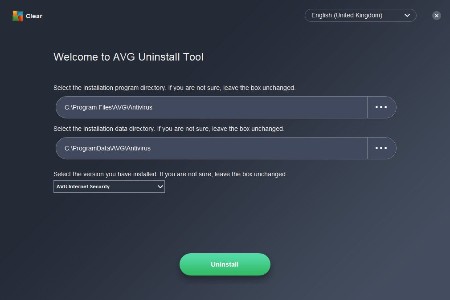
AVG Clear 26.1.10738


471cae54edb39ca3296a3f6304357c0a.jpg


AVG Clear 26.1.10738 Multilingual | File size: 18.4 MB
​


AVG Clear completely deletes everything from your current AVG installation including registry items, installation files, user files, etc.

AVG Clear is provided by AVG and is the last resort to use if you have a problem removing your current AVG whether it's a failed repair, reinstall or complete removal.

Please keep in mind that all AVG user settings will be removed after the uninstall process is complete. Items to be removed include content from the Virus Vault and all other items related to AVG installation and use.

You will need to restart your computer once you're finished so be sure to complete your work and save all relevant data before launching AVG Remover.

Other apps already exist that can do this including IObit, Revo, and Wise. We recommend using one of those unless AVG support asked you to use this. Finally, AVG Remover is one of those tools most techs will want on hand for that one time you need it.

Whats New
Updates: official site does not provide any info about changes in this version

HomePage:
Код:
https://www.avg.com

-:DOWNLOAD FROM LINKS:-​
Download From RapidGator
У Вас недостаточно прав для просмотра ссылок. Войдите или зарегистрируйтесь.


Download From NitroFlare
У Вас недостаточно прав для просмотра ссылок. Войдите или зарегистрируйтесь.
 
Avast! Clear 26.1.10738


Avast! Clear 26.1.10738 Multilingual | File size: 12.8 MB
​


Avast! Clear is a utility for correct and complete removal of the anti-virus product line AVAST. Avast leaves a lot of garbage behind the computer and in the registry. Especially troublesome registry entries that can, for example, be an obstacle to install another antivirus Avast after. In such cases, you can use a special utility Avast! Clear.

How to uninstall our Avast using aswClear
Download aswclear.exe on your desktop
Start Windows in Safe Mode (reboot, tap f8)
Open (execute) the uninstall utility
If you installed avast! in a different folder than the default, browse for it. (Note: Be careful! The content of any folder you choose will be deleted!)
Click REMOVE
Restart your computer

Whats New
Updates: official site does not provide any info about changes in this version

HomePage:
Код:
https://www.avast.com

-:DOWNLOAD FROM LINKS:-​
Download From RapidGator
У Вас недостаточно прав для просмотра ссылок. Войдите или зарегистрируйтесь.


Download From NitroFlare
У Вас недостаточно прав для просмотра ссылок. Войдите или зарегистрируйтесь.
 
Назад
Сверху