• Здравствуйте. Сайт заработал в архивном режиме форум www.old.nado.in

Dl4ever Software

Automate Premium 11.7.1.6


AP11716.png


Languages: English File Size: 415.76 MB
​


Automate Desktop is robotic desktop automation software that brings small-scale automation to single users. With Automate Desktop, you can quickly build tasks without writing code in a form-based, drag-and-drop environment. Our desktop automation software empowers individual users to streamline manual tasks like logging into websites, pulling data, transferring files, and more.
Powerful Automation for Anyone
No-code automation lets you quickly build bots with form-based development and 600+ pre-built actions.
Get Your Feet Wet with Automation
See for yourself what RPA can do with an individual installation, then scale as needed.
Power Up Individual Employees
Let desktop automation bots do tedious, repetitive work so people can focus on adding value.
Key Features
- Drag-and-drop task development
- Event-based triggers and conditions
- Database connectivity
- Event and task execution logging
- Error condition handling and recovery
- Simulated-user application interaction
- File manipulation & FTP/SFTP automation
- Data extraction and transformation
- OpenDocument Spreadsheet automation
- Web services integration
- Optical character recognition (OCR)
- And more
Out-of-the-Box Functionality
Automate Desktop software can handle a variety of tasks right out of the box, and no coding is required. Business users find value with drag-and-drop functionality, and IT can create powerful workflows with advanced capabilities.
Benefits of Desktop Automation:
Eliminate Errors
Robotic desktop automation does the task right the first time, never gets tired, and doesn't glaze over while repeating a task.
Get Back Valuable Time
Desktop automation users can get back to value-adding activities and can rely on the bots in their desktop to process data and complete tasks.
Respond to Events Real-Time
With Automate, triggers can set off responses to events, performing entire processes, while you keep working on other things, or even just keep things moving on the weekends.
Ensure 24/7 Productivity
Automate Desktop software never needs a break. And it works nights, weekends, and holidays, delivering around the clock.
Compatible Operating Systems
- Microsoft Windows Server 2019 (64-bit)
- Microsoft Windows Server 2016 (64-bit)
- Microsoft Windows 10 (64-bit)
- Microsoft Windows 11 (64-bit)
- Microsoft Windows Server 2012 R2 (64-bit)
- Microsoft Windows Server 2012 (64-bit)
- Microsoft Windows Server 2008 R2 SP1 (64-bit)
Minimum Hardware Components
- Processor: 2 GHz 64-bit
- Memory: 4 GB RAM
- Hard Drive: 5 GB Available Hard Disk Space
- Display: 1280x1024 Resolution, 32 MB Video RAM

HomePage:
Код:
N/A

-:DOWNLOAD FROM LINKS:-​
Download From RapidGator
Код:
https://rapidgator.net/file/e1f974317081610aef855eab2a718ea5/AP11.7.1.6.rar
 
Automate Enterprise 11.7.1.6


AE11716.png


Languages: English File Size: 752.58 MB
​


Automate Ultimate - Enterprise Robotic Process Automation. Get all the power of Automate Plus with unlimited bots and studios. Supercharge your digital workforce by having an unrestricted bot working alongside every human employee. Carry out your long-term vision with an automation center of excellence (CoE) to maximize the benefits of RPA.
5x More Value In Automation
Supercharge your digital workforce by having an unrestricted bot working alongside every human employee.
Unlimited Scalability
With one price, we eliminate the top challenge of scalability, unlocking full enterprise automation potential.
Power Your Automation CoE
Carry out your long-term vision with an automation center of excellence (CoE) to maximize the benefits of RPA.
What Can You Achieve With Unlimited Bots?
Flexibility with Business Process Automation
Increase the power of RPA plus BPA with unlimited bots to get endless automation opportunities to streamline any process across any department throughout your enterprise.
Maximize ROI from Business Applications
With one price for unlimited bots, you can achieve limitless scalability and not have to pay more to further your automation strategy. Plus, Automate Ultimate's improved accuracy and speed means less time spent on costly errors.
Greater Sense of Security
Automate Ultimate is built with enterprise-grade security. Build more secure bots with greater control over user access and workflows and by keeping a detailed audit history.
Increase Individual & Team Productivity
With a bot alongside every worker, streamline your most manual, repetitive tasks so your human workforce can spend more time on their more value-adding strategic activities.
Features of Automate Ultimate
- Intuitive Development
- Scalable Automation Infrastructure
- Prebuilt Automation Building Blocks
- Detailed Visibility and Control
- Security and Auditing
- Machine Learning Capabilities
- Enterprise-Class Recorder
How Can Your Organization Put Enterprise RPA to Work?
Automate Ultimate helps you build a better IT by giving you you all the great features of Automate Plus, but with unlimited bots to help level-up your automation strategy. These six areas are just some of the places you can leverage powerful enterprise-grade RPA plus BPA to boost productivity and improve accuracy across your critical business operations. And with the intuitive design of Automate Ultimate, it's easy for users across multiple departments, at any skill level, to take advantage of the benefits of automation.
Claims Processing Automation
From processing forms, validating eligibility, notification, payment, and more, software robots can streamline every step in your claims processing workflows and eliminate human error with RPA.
robotic process automation bots
Human Resources Automation
Streamline your most critical HR processes: automate Active Directory user provisioning, scrape data from forms, and automatically email managers of employee account updates.
robotic process automation solutions
IT Services Automation
Let bots help you monitor systems, receive automatic, real-time notification of problems, and report on and analyze your IT services, as well as automatically respond to common IT requests like password resets.
robotic process automation solutions
Data Management Automation
Use RPA to automatically write to a database, business application, or report and gain better control of your data with bots that extract, manipulate, and utilize data from sources on premise or in the cloud.
robotic process automation for call center
Call Center Automation
Bots that quickly access multiple systems to pull, analyze, or process order history and other data help you save time so you can provide the best experience for your cutomers.
robotic process automation for accounts payable
Accounts Payable Automation
Bots can help you manage your Accounts Payable workflow and process invoices upon arrival and automatically extract and manipulate data from paper forms.
Take RPA Further with Automate Intelligent Capture
Automate Intelligent Capture leverages intelligent document processing to enhance the power of Automate Ultimate through machine learning capabilities.
Unleash the Power of Robotic Process Automation
By combining Automate Intelligent Capture with Automate Ultimate, you can leverage machine learning and AI to streamline manual processes and eliminate costly steps like document classification, manual data entry, and document analysis.
Enhance Automation Capabilities in Any Industry
Working together, Automate Intelligent Capture and Automate Ultimate enhance automation capabilities to maintain control of critical information, especially in critical areas like mortgage processing, sales order processing, or invoice processing.
Achieve Intelligent Process Automation
Working alongside Automate Ultimate, our intelligent document processing solution can reduce manual data entry between 60 to 90 percent. Out of the box, organizations see 70 percent automation, and within just weeks of machine learning, automation is at more than 95 percent.
Compatible Operating Systems
- Microsoft Windows Server 2019 (64-bit)
- Microsoft Windows Server 2016 (64-bit)
- Microsoft Windows 10 (64-bit)
- Microsoft Windows Server 2012 R2 (64-bit)
- Microsoft Windows Server 2012 (64-bit)
- Microsoft Windows Server 2008 R2 SP1 (64-bit)
Minimum Hardware Components
- Processor: 2 GHz 64-bit
- Memory: 4 GB RAM
- Hard Drive: 5 GB Available Hard Disk Space
- Display: 1280x1024 Resolution, 32 MB Video RAM
Additional Requirements
- .NET Framework 4.8 (included)
- Microsoft Visual C++ Redistributable for Visual Studio 2015, 2017 and 2019
- Windows Installer 4.5 (included)
- Database Datastore (Oracle 10g or higher, MySQL 5.0 or higher, SQL Server 2005 or higher) (SQL Server 2014 Express R3 included)
- Third-party applications to integrate with Automate Desktop or Automate Plus/Ultimate (for example, Microsoft Excel).

HomePage:
Код:
N/A

-:DOWNLOAD FROM LINKS:-​
Download From RapidGator
Код:
https://rapidgator.net/file/21ee9cde78af3037403041bf29e6850f/AE11.7.1.6.rar
 
3DCoat 2022.43 (x64) Multilingual


3-D202243-x.jpg


File size: 864.8 MB
​


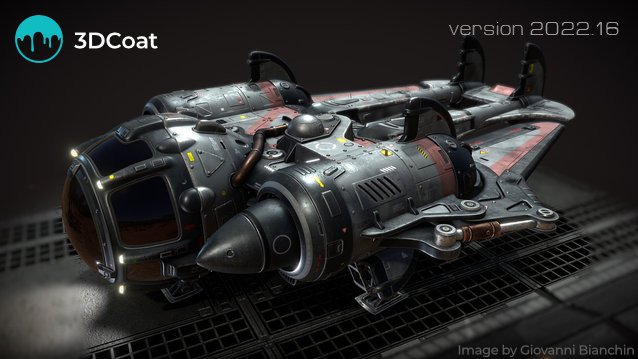
3DCoat is the one application that has all the tools you need to take your 3D idea from a block of digital clay all the way to a production-ready, fully textured organic or hard surface model. Today 3DCoat is available to learn at 300+ Universities, Colleges, and Schools worldwide.
Key Features
- Possibility to attach Smart Materials to layers! Materials managing becomes even easier.
- Improved Curvature calculation. This is crucial for Smart Materials to be looking even more realistic.
- New Primitives in Retopo room: cylinder, torus, cube, ellipse, spiral, etc. We are getting closer and closer to a low-poly modeling!
- Possibility to change resolution of textures, attached materials will automatically be re-sampled!
- Smart Materials usage history.
- Render scene in Renderman. Yep, you heard it right!
- Proxy Slider. Set your proxy degree with an easy slider movement.
- Baking Scan. Paint baking depth with brush. Now you can define with an ease of a brush stroke how big the depth of scanning will be.
- 4K monitors support. Now UI elements and font size will automatically fit your screen resolution.
- Rotation mode quick switch - around Y or free rotation. See navigation panel.
Whats New
Код:
https://pilgway.com/releases/3dcoat

HomePage:
Код:
https://3dcoat.com/

-:DOWNLOAD FROM LINKS:-​
Download From RapidGator
Код:
https://rapidgator.net/file/ac43212a752bec9f82022c3df0e88204/3D202243.x.rar
 
Franzis COLOR projects professional 7.21.03822


FCpp72103822.png


Windows x64 | File size: 412.37 MB
​


For pictures that get stuck - COLOR projects 6 professional brings out the best in their pictures - all with intelligent tools in an efficient, crystal-clear workflow. You want to develop pictures that stay as fast and stress-free as possible? COLOR projects 7 professional does this work reliably for you. You do not need to operate a single switch, to adjust any controls or to try out any functions.
At the core of COLOR projects 7 professional are the integrated picture suggestions. Within seconds, COLOR projects 7 professional analyzes your images and calculates 208 image suggestions - all facets of modern photography and many retro styles are included here. On board are u. a. High-end tools like an extensive RAW developer with lens and directory correction, a photo film emulation engine, smart selection brushes, portrait ink and image composing tools, and a new texture engine that lets you photo-realistic materials on surfaces.
Easy for beginners, completely for experts!
With the clearly structured high-tech toolbox from COLOR projects 6 professional - 100% made in Germany - you make true masterpieces. You have the finely tuned presets on the left and the expert filters on the right. Arrange your favorite tools the way you want, even in 4K design.
Image composing for even better color image looks
Although the picture is perfectly exposed and the moment perfectly captured, you still want to use a different sky, for example, or otherwise manipulate your image? No problem, with the composing function of COLOR projects 6 professional simply replace complete image areas with areas from other images!
Includes Photoshop filter plug-in
Many ways lead to COLOR projects 6 professional, from now on also very comfortably from Adobe® Lightroom! New plug-ins for Adobe® Lightroom and Photoshop provide maximum comfort for your personal workflow. Simply select the desired image or image series in the Lightroom image database, export to COLOR projects 6 professional, edit and place the result image back into the database.
The new photo styles have added a lot of new looks
Let yourself be inspired! With the many new vintage, halftone and poster looks, you're guaranteed to find the right style for your photo. And best of all, you can combine the different picture styles with each other - so you get a whole lot of new different picture styles that you have created!
NEW: Texture module
With the new large texture module surfaces can be covered with completely new materials. This opens up completely new possibilities: stone walls turn into overgrown green areas, water surfaces become ice and trains can be decorated with graffiti. 64 textures are already included in a database, but you can also photograph your own texture and include it in the database.
With the new Kirlian lights you create fantastic lighting effects
COLOR projects 6 professional comes with two completely new categories that are all about extra light: Light FX and Kirlian. With a total of 38 new lighting effects make every photo an eye-catcher: Kirlian lights simulate bright edges of light on edges that look like small discharges and perfectly visualize fluorescent marine lighting.
Soft skin and smart masks
Brand new in this version: SmartMask filters for intelligent, automatic masking of effects and newly developed soft-skin filters for stunningly beautiful portraits. Choose the nicest look from the 23 portrait presets and briefly go over the problematic ones with the brush Skin, finished. The selection brush automatically detects the eye area and does not mask it. So the eyes are always nice and sharp!
System Requirements
- Windows 11/10/8, 64-bit
- Intel I5 processor,
- 8 GB of free RAM,
- 2 GB HDD
- Screen resolution 1,280 x 1,024 pixels
- Graphics card: DirectX-9 compatible
- 128 MB, 32-bit color depth
What's new
• official site does not provide any info about changes in this version

HomePage:
Код:
https://www.projects-software.com

-:DOWNLOAD FROM LINKS:-​
Download From RapidGator
Код:
https://rapidgator.net/file/cd5b430d6c2bdeb8957c0ea0db495207/FCpp72103822.rar
 
AbyssMedia Streaming Audio Recorder 3.0


ASAR30.jpg


File size: 8.0 MB
​


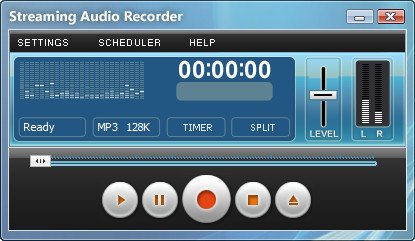
No doubt, streaming audio recording become very popular last years. Streaming Audio Recorder is an easy to use program that allows you to top up your music collection with unlimited free music. The recorder supports multiple streaming services like Spotify, YouTube, Pandora, Apple Music, Sirius Radio, Yahoo Music, SoundCloud and many others to record audio with just a single click. The recorder is 100% legal way to record your favorite tracks from music stations for free for personal use.
Automatic format detection
• The recorder determines the optimal recording parameters, and you only need to choose between quality and file size. It support most popular MP3 and OGG formats, as well as WAV and FLAC lossless formats for highest quality.
Automatic splitter
• It allows you to split tracks for a specified time, or to work in Smart mode. In Smart mode, software detects the silences between songs and creates a separate file for each track. Short tracks, most of which are commercials, can be deleted automatically.
Advanced Scheduler
• You can schedule recording for many months ahead. Scheduler can launch and close programs, open a web page and generate a file name for the recording automatically.
Simple, but feature rich
Interface is maximally simplified, and even a child can understand it. At the same time, advanced users can use the advanced settings.
Do not clutter up your system
• We do not install virtual sound cards that degrade performance and stability, we use only standard Windows functions that ensures compatibility with future Windows updates.
Easily edit recordings
• If you wish to edit audio file after recording then you can use free sound editor add-on. Just open recording browser, select your recording and click "Edit file in sound editor" button. First time it will download and install add-on, next time it will load audio file to editor automatically.
Recording Browser
• It allows you to listen, delete, copy, edit tags, send recordings to iTunes
Whats New
Код:
https://www.abyssmedia.com/sarecorder/history.shtml

HomePage:
Код:
https://www.abyssmedia.com/

-:DOWNLOAD FROM LINKS:-​
Download From RapidGator
Код:
https://rapidgator.net/file/7b796ff80359b51f3d6cf2032346596a/ASAR30.rar
 
Leica Infinity v4.0.0.44003 (x64)


LIv0044003-x.png


x64 | File Size: 1.87 GB
​


Description
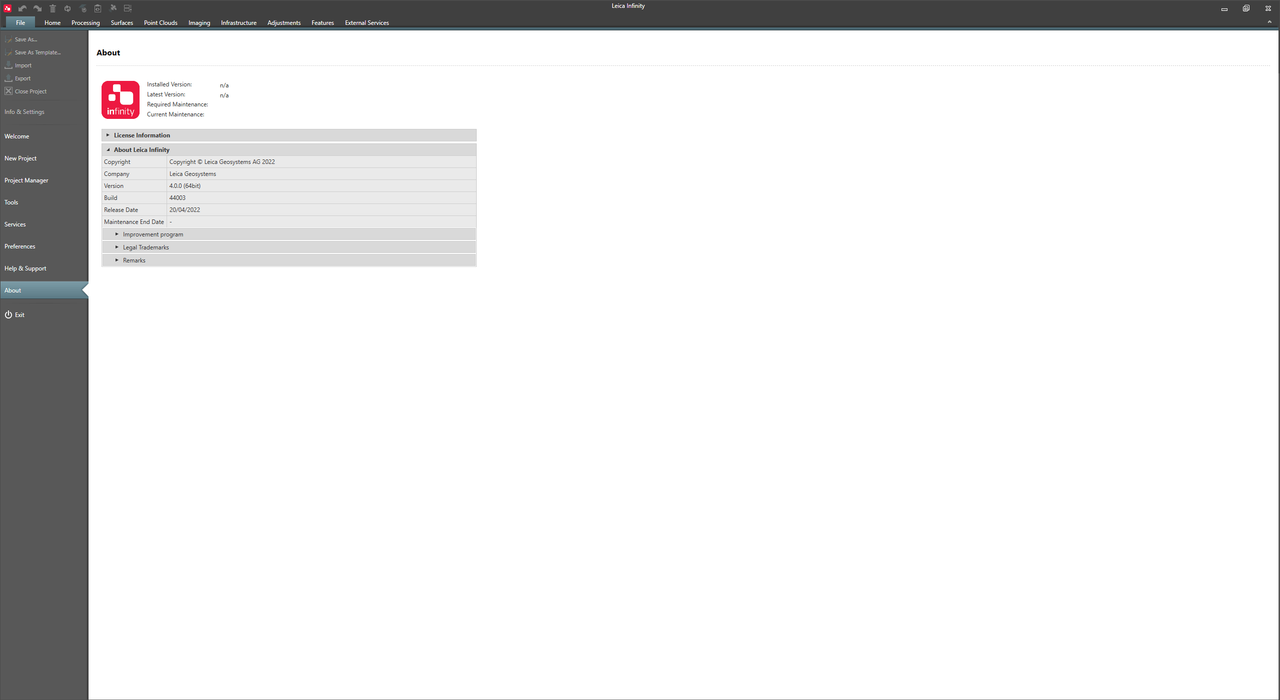
Now with the ability to process data directly from Leica 3D laser scanners, Leica Infinity is more than a user-friendly geospatial office software for measurement professionals, it's a productivity powerhouse that connects field to office like never before. Leica Infinity enhances data communication, enables complex project collaboration, and speeds up post-processing by connecting Leica Geosystems services, CAD workflows, and even 3rd party services.
Big jobs demand a seamless software experience and Leica Infinity delivers. Easily manage and process data from multiple sites and survey teams and from all of your different survey instruments - digital levels, total stations, UAVs, GNSS sensors, and now even scanners - all in one intuitive surveying office software. Plus you can edit, archive, and export data directly to CAD, GIS and BIM applications. With all of your data in one place, you'll stay infinitely connected and keep projects moving with fast accessibility, smooth data transfer, and a user-friendly platform that will give you greater traceability and control. That's workflow efficiency, times infinity.
PREPARE & CONNECT
Direct access to a broad range of external services and support for various data formats ensure you are using up-to-date data everywhere at any stage of a project. Visualise your data to get to know it. Extract, calculate and prepare the required information to be ready for the fieldwork.
MEASURE & STAKE
Direct data exchange between office-to-field and field-to-office allows your team to work efficiently with correct data. Onsite, measure everything as planned and in the office, understand what was measured in the field. Infinity supports all surveying sensors and tasks.
PROCESS & REPORT
Built-in processing tools ensure traceability and reliable results. Combine data and create point clouds, surfaces, comparisons and much more. Comprehensive reporting on each step of the way ensures you are in complete control of your data.
SHARE & DELIVER
Infinitely connected throughout the entire workflow cycle. Share the data at any stage of a project and deliver required high-quality results using integrated services.
System Requirements
OS:Windows 8, Windows 10, Windows 11 x64
Display:1024 x 768 px
CPU:Multi-core 2.4 GHz
RAM:8 GB
Space:100 GB
Whats New
Код:
https://leica-geosystems.com/-/media/files/leicageosystems/products/release%20notes/releasenotesleicainfinityv40.ashx


-:DOWNLOAD FROM LINKS:-​
Download From RapidGator
Код:
https://rapidgator.net/file/b5889ea1fff91813336cc44b660755d5/LIv0044003.x.part1.rar
https://rapidgator.net/file/d6a67b6d33622c6fd54961ed50d1ad21/LIv0044003.x.part2.rar
 
NCH VideoPad Pro 11.97 Beta


NVP1197-B.jpg


File size: 9.4 MB
​


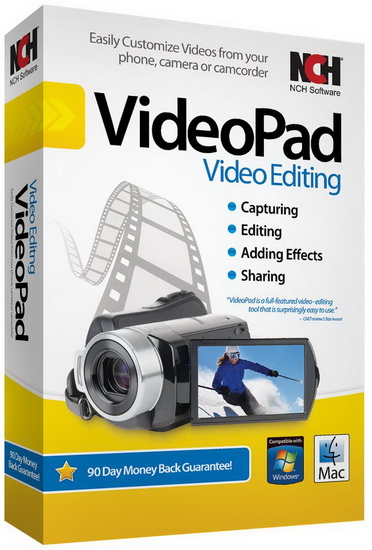
Working with video files, especially editing them, is a task that requires a specialized application that can provide all the tools one needs. Among the software applications of this kind you can find VideoPad Video Editor. The interface of this utility is divided into several parts (e.g. Media List, Effects, Transitions, Files, Clips, Video Track, Audio Track, Overlay Track), which may make everything seem a little hard to operate. You can capture video from a camcorder or another device like a webcam or a TV capture card, and once you have added files and sequence clips to the queue, you can start editing them.
So, you can select position for the new clip (at slider's position, to the timeline's start or end point), add blank slides and overlays, modify media in an external editor, change playback speed and stabilize video with the Deshaker filter.
You can also create bookmarks and subtitles, import and export subtitles, select Chrome Key color, save video in the "Stereoscopic 3D" output format, apply audio effects (e.g. amplify, chorus, compressor, distortion, flanger, reverb), as well as record a narration.
Furthermore, you can apply various video effects (e.g. brightness, crop, edge detection, sepia, temperature, posterize, hue) and transitions (e.g. cross fade, reveal, split, fan, circle, diamond).
The program comes with a well-drawn help file and video tutorials while the system resource usage is moderate. It may lag sometimes between commands, but overall, VideoPad Video Editor manages to put up a good performance.
Key Features
Stunning Transition Effects
• Choose from a range of fade transitions to give your movie that professional touch.
• Preview the effects in real time.
• Customize the duration of the effect.
Amazing Audio Tools
• Import and mix music tracks like a pro.
• Make your own custom movie soundtrack.
• Record your own narrations with the click of a button.
• Import pre-recorded narrations, sound effects or music.
Complete Video Optimization
• Fine tune brightness, saturation and color for your video.
• Add photos and digital images with a click of a button.
• Apply effects like black & white, sepia tone and negative.
• Add text captions to your movie.
Share With Your Family and Friends
• Burn to DVD and watch in your living room on your TV.
• Save for Youtube and share online with friends.
• Save to PSP, iPod, iPhone or 3GP mobile phone.
• Save to your PC as a high-quality digital movie.
Input Formats
• Video: avi, mpeg, wmv, divX, Xvid, mpeg1, mpeg2, mpeg4, mp4, mov, asf, vob, ogm, .3gp, H.264, RM and many more.
• Image: bmp, gif, jpg, jif, jiff, jpeg, exif, png, tif
Output Formats
• Disc export: DVD, CD, Blu-ray Discs, HD-DVD
• Video export: avi, wmv, asf, mpg, 3gp, mp4, mov, iPod, iPhone, PSP, Mobile Phone, Pocket PC
What's new
Код:
https://www.nchsoftware.com/videopad/versions.html
System Requirements: Works on Windows 11, 10, XP, Vista, 7, 8 and 8.1

HomePage:
Код:
https://www.nchsoftware.com/

-:DOWNLOAD FROM LINKS:-​
Download From RapidGator
Код:
https://rapidgator.net/file/1dcc528d4cf94f20c9474d93fdc3ebda/NVP1197.B.rar
 
Withdata Data File Converter 4.7.6 (x64)


WDFC476-x.gif


File Size: 14.8 MB
​


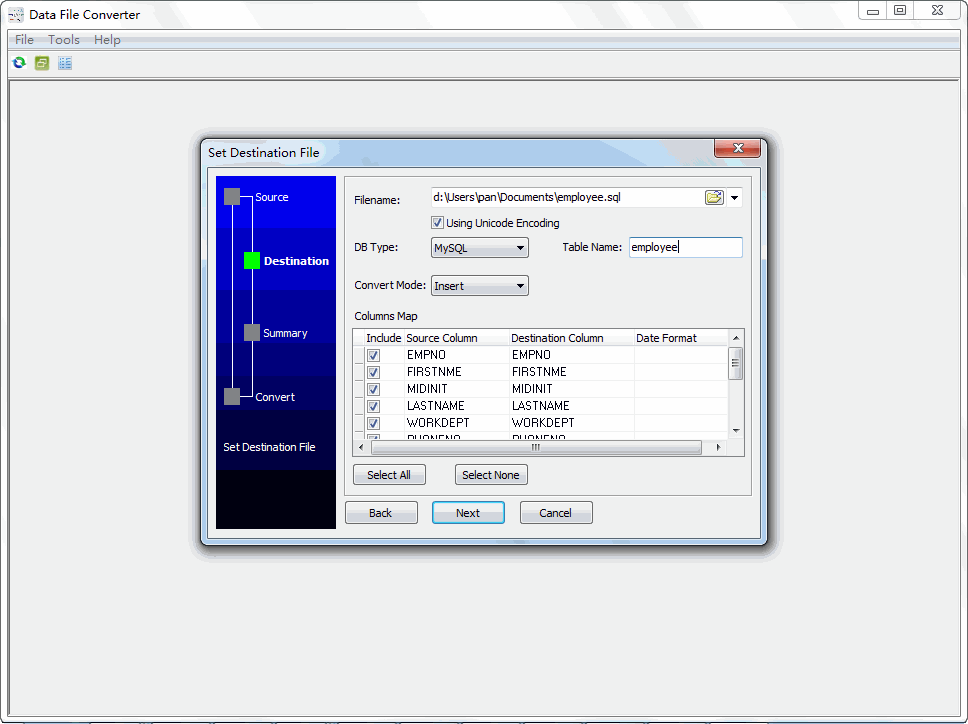
DataFileConverter is a data conversion software that helps data handler to convert data file from one format to others.
V4.0 Released
Add suport Linux.
Add suport macOS.
Improve converting performance.
Changelog since 3.0 version
V3.7 Released
Improve "read big JSON file performance".
Improve "read big text file performance".
2021/07/22
V3.6 Released
Fix bugs caused by incompatible library version.
Fix read some JSON file, "skip 1st record, double 2nd record" bug.
2021/03/19
V3.5 Released
Improve converting performance.
2021/02/17
V3.4 Released
Add "run a task every n hours".
Add "run a task every n minutes".
2021/01/05
V3.3 Released
Fix load session on converting to Excel files.
Improve data convert performance.
Improve deal with n to 1 converting, different fields in different JSON files.
Improve deal with n to 1 converting, different fields in different XML files.
Improve reload and cmdline run session of "batch convert files to files".
2020/11/01
V3.2 Released
Add "Record On" to support more complex JSON importing.
Add "Record On" to support more complex XML importing.
Fix JSON Lines read bug.
Fix XML read first node.
Fix XML read node has value, has attributes, has no child.
Fix move files after converting.
Fix try reading Excel file, when the file as target file.
2020/06/16
V3.1 Released
Add convert RDF JSON-LD format.
Improve convert RDF turtle format.
Improve deal with not invalid RDF format file.
Improve deal with not invalid XML format file.
Credits: ByTESRam

HomePage:
Код:
https://withdata.com

-:DOWNLOAD FROM LINKS:-​
Download From RapidGator
Код:
https://rapidgator.net/file/b3c288dab06d2d19c1ce2a15b115cf5f/WDFC476.x.rar
 
Franzis ANALOG Professional 4.33.03822


FAP43303822.png


Windows x64 | File size: 351.15 MB
​


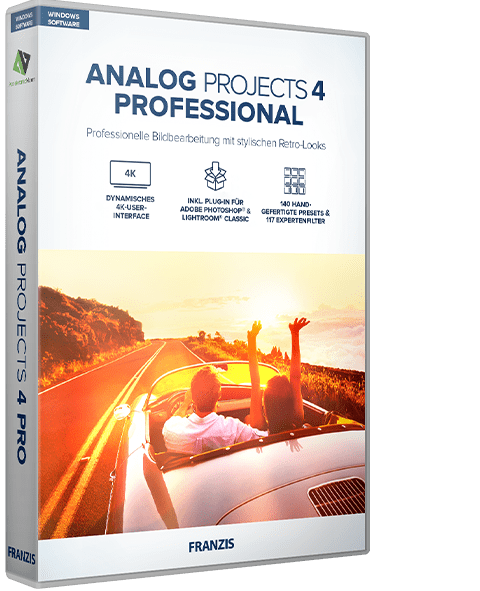
Get the hippest styles, like Instamatic, with ANALOG 4. The unique tools in ANALOG projects 4 allow you to play with light sources, hues, grain, vignetting, textures, blur and lens flare effects and create professionally styled images like a photo editing pro! ANALOG projects 4 gives you full control over every effect, which you can apply as a stylistic device to create your very own trendy look.
The Best Creative Software For Analog Styles
Away with boring and out with mundane photos that convey emotion and are touching, that's the secret of many successful photo artists. Forget the rules and experiment with your digital treasures.
Hippest Retro Looks
Photos that convey emotion and are touching, that's the secret of many successful photo artists. Forget the rules and experiment with your digital treasures. Discover your favorite preset and the 53 inspiring looks, that you can freely adjust and style.
Overview Of Your Creative Tools
- Motive tinting
- Light effects
- Glamour lighting
- Double exposure
- Blur
- Film grain
- Bokeh blur
- Relief
- Film frames
- Stone and paper textures
- Glitch filter
- Vignetting & much more!
Let's be honest - you have the newest digital camera and want the hip styles of the '70s, Rollei 35, Kodak Instamatic and Agfamatic Pocket back? This is no contradiction - get the freakiest looks of the photos from this camera cult time with ANALOG projects 3 and portray them as new and modern. No need to fear light leaks, colour casts, noise, dust, blur or lens spots - with ANALOG projects 3, you have every effect under full control and can apply particular stylistic tools or discover new, trendy looks.
Feels Like An App For Your DSLR
Of course I like to take pictures on the go with my smartphone and use apps like Instagram and Hipstamatic. These vintage filters score double points on your smartphone - the photos don't only automatically appear in a new context, the image quality is also be masked. Now this simple app feeling is available for high quality images from your DSLR with ANALOG projects. JPEG, TIFF or RAW - a normal image goes in and an awesome photo comes out! With some experimenting and playing around with the many different presets, everyone can quickly find their own personal favourites. If you aren't satisfied with what's there, you can create your own. One of my favourite filters is definitely the Pocket Camera 10!
What's new
• official site does not provide any info about changes in this version
System Requirements
- Recommended: Windows 11/10/8.1, 64-bit, Intel I7 processor, 8 GB RAM, resolution 1,920 x 1,080, graphics card: DirectX compatible
- Minimum: Windows 11/10/8.1, 64-bit, Intel I3 processor, 4 GB RAM, resolution 1,600 x 900, graphics card: DirectX compatible

HomePage:
Код:
https://www.projects-software.com

-:DOWNLOAD FROM LINKS:-​
Download From RapidGator
Код:
https://rapidgator.net/file/1e7e499409a5063ae2e3d939e514632e/FAP43303822.rar
 
FlowHeater 4.2.8


F428.jpg


File size: 12.7 MB
​


The functionality of FlowHeater closely resembles the concept of a continuous-flow water heater. A wide variety of data sources can be interconnected with FlowHeater and by making use of exchangeable Adapters there is no restriction to possible data flow and conversion.
Text files
for reading and writing text files (CSV, TXT, ASCII, FlatFile, etc). Of course differing codepages and locales are handled automatically
MS Access
used for importing and exporting data directly into and out of Microsoft Access MDB, MDE, ACCDB, ACCDE databases. All versions of Access 97 thru Access 2019 are supported
MS Excel
used for the import/export of spreadsheet data directly into/out of Microsoft Excel (XLS, XLSX) files. The Adapter supports all versions of Excel in Office 97 thru Office 2019
MySQL
makes it possible to import, export and update data in MySQL / MariaDB Server databases. The Adapter supports MySQL Server 3.x and above, including MariaDB
MS SQL Server
used to import, export and update data directly in MS SQL Server databases / tables. All versions of SQL Server 7.0 thru SQL Server 2019 are supported
Oracle Databases
used for the direct import, export and update of Oracle databases. The Adapter can cope with database versions from Oracle 7.3 thru Oracle 19c
SQLite
used for the direct import, export and update of data in SQLite3 databases. The Adapter also supports the creation of a new SQLite database
PostgreSQL
used for the direct import, export and update of data in PostgreSQL databases. The Adapter supports PostgreSQL database server up to version 12.x
Whats New
Код:
https://flowheater.net/en/news/490-new-modulo-heater

HomePage:
Код:
https://flowheater.net/

-:DOWNLOAD FROM LINKS:-​
Download From RapidGator
Код:
https://rapidgator.net/file/8330bdfe2d73aaa575b49977ea5be13f/F428.rar
 
gSyncit for Microsoft Outlook 5.5.197


gf-MO55197.png


File size: 19.3 MB
​


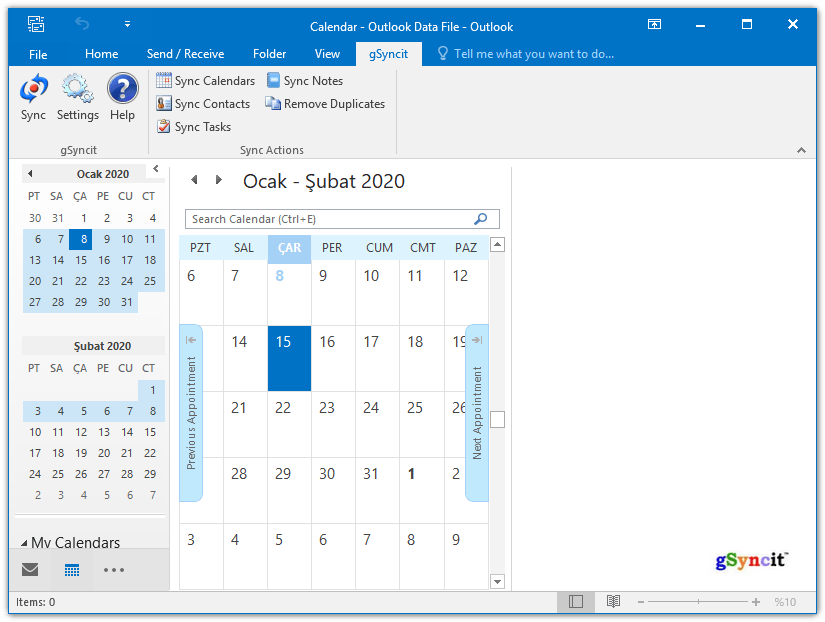
gSyncit enables syncing Outlook calendars, contacts, notes, and tasks with your Google, Toodledo, Todoist, Pocket Informant Online, Evernote, Simplenote, Nozbe accounts. It also supports syncing Calendars and Contacts with iCloud, AOL, Yahoo! many other services that support CardDav and CalDav access.
What's New in gSyncit 5
Improved Sync Performance
Faster sync with Google and other supported services.
Google Calendar Attachments
Sync attachments between Outlook and Google events.
Google Contact Domain Contact
Sync Google Apps Domain Global Address List with Outlook contacts.
CalDav Keyword Filtering
Filter CalDav events using keyword filtering options.
Informant Online Attendees
Sync attendees between Outlook and Informant Online.
Todoist Sync
Basic task sync with Todoist (requires Todoist premium account).
Product Features
- Use gSyncit to sync Outlook with mobile/table devices or another Outlook installation.
- Sync with Google account calendars, contacts, tasks and notes.
- Sync with Toodledo, Todoist, Pocket Informant, Evernote, Simplenote, DropBox, and Nozbe
- Sync with CalDav and CardDav services like iCloud, AOL, Yahoo, and Memotoo
- Syncing calendar attachments with Google and CalDav events
- Duplicate removal wizard for finding & removing duplicates in Outlook folders.
- ONE and TWO WAY syncing of Outlook calendars, contacts, notes and tasks.
- Sync Outlook categories with Google calendar event colors.
- Sync with multiple Outlook profiles and service accounts (e.g. multiple Google accounts).
- Automatically matches entries to avoid duplicate items when syncing.
- Customize sync options to control how, when and what you want to sync.
- Keyword and Outlook category filters to control the Outlook content you want to sync.
- Advanced options to sync Outlook items based on categories.
Feature Highlights in gSyncit 5
GOOGLE EVENT ATTACHMENTS
Sync Google/Outlook event attachments.
GOOGLE DOMAIN CONTACT SYNC
Sync Google Domain contact list to Outlook (including photos).
TODOIST SYNC
Basic sync support between Todoist and Outlook
CALDAV KEYWORD FILTERING
Advanced event keyword filtering for CalDav and Google events.
CALDAV DEFAULTS
Ability to assign default availability/visibility when syncing with CalDav services.
GOOGLE EVENT COLOR SUPPORT
Added ability to sync Google event colors with Outlook categories.
TWO-WAY NOTE SYNC WITH GMAIL
Sync Outlook notes to a Gmail mailbox for two-way note syncing between Outlook and Gmail notes.
GOOGLE ACCOUNT OPEN AUTHENTICATION SUPPORT
Updated all Google syncing operations to use Open Authentication for improved security.
CONTACT DISTRIBUTION LIST SYNC
Sync Outlook distribution lists with Google groups.
ADVANCED KEYWORD FILTERS
Updated keywork filtering to support combinding criteria like starts with, contains, ends with and equals.
TODOIST SYNC
Support for syncing Outlook tasks with Todoist task lists.
CALDAV & CARDDAV SUPPORT
Support syncing with CalDav and CardDav for exchange of calendar, contact and task information with with iCloud, AOL, Fruxx, Yahoo, Memotoo and many other "DAV" enabled services. Also includes support for syncing attachments for calendar events.
MICROSOFT .NET v4.0.3 COMPATABILITY
Migrated all legacy components to the latest Microsoft .Net v4.0 compliant releases for future compatibility with Windows and .Net releases.
POWER SAVING
Disable syncing when using battery power.
Whats New
Код:
https://www.fieldstonsoftware.com/software/gsyncit5/Updates.aspx

HomePage:
Код:
http://www.fieldstonsoftware.com/

-:DOWNLOAD FROM LINKS:-​
Download From RapidGator
Код:
https://rapidgator.net/file/f3033389c474973445222736ed9fe635/gfMO55197.rar
 
Instant VB Premium 2.8.26


IVP2826.jpg


File size: 1.8 MB
​


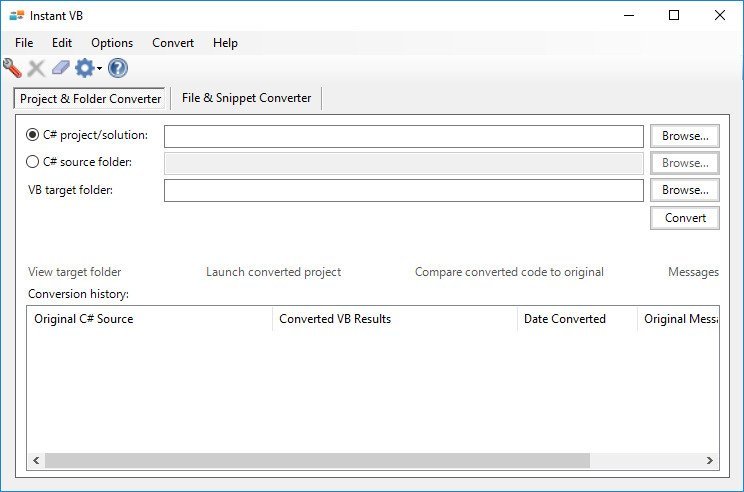
Instant VB produces great VB.NET code, saving you hours of painstaking work and valuable time.
Key Benefits
Saves valuable time
Accurate and comprehensive
Easy to use
Safe - your code never leaves your machine
Responsive customer support
15 day money-back guarantee
Flexible - converts snippets, files, projects, solutions, and folders from C# to VB.NET
Fast - tens of thousands of lines converted from C# to VB.NET per minute
Helpful conversion comments
Excellent educational tool for C# developers learning VB.NET
Numerous conversion and formatting options
Whats New
Updates: official site does not provide any info about changes in this version

HomePage:
Код:
https://www.tangiblesoftwaresolutions.com/

-:DOWNLOAD FROM LINKS:-​
Download From RapidGator
Код:
https://rapidgator.net/file/965d79cfe3a4a5ae929e00625238cf9b/IVP2826.rar
 
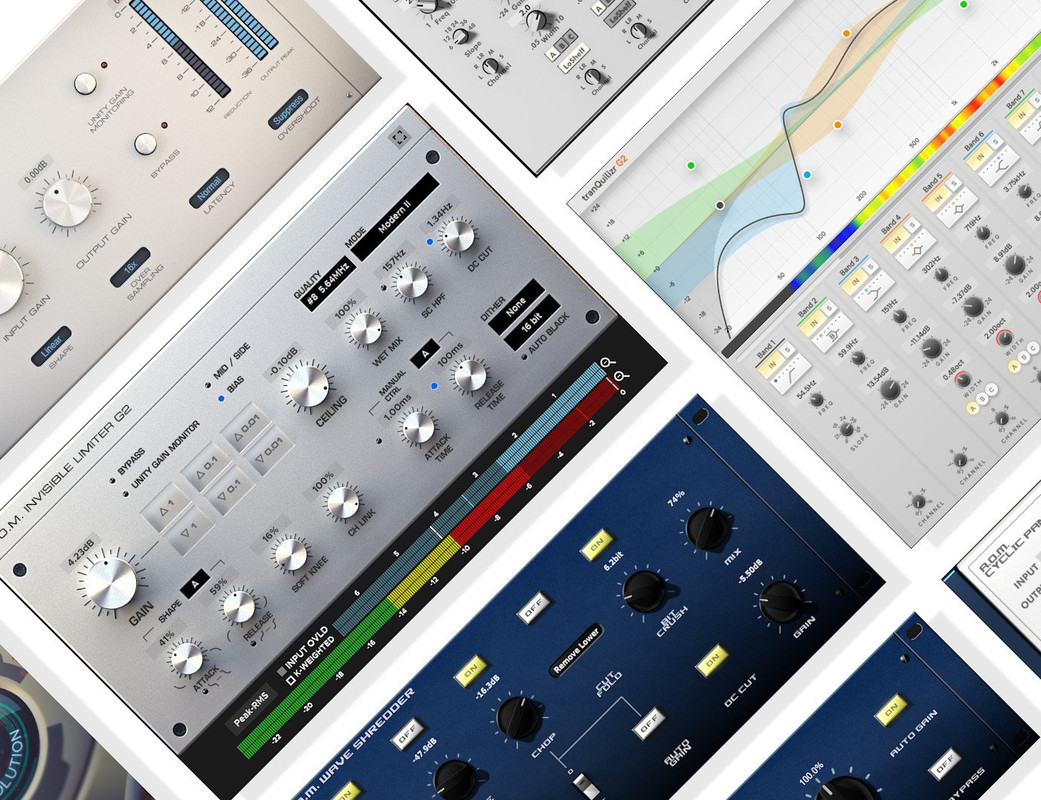
AOM Total Bundle 1.15.2


ATB1152.jpg


File size: 194.5 MB
​


Total Bundle is a special and discounted license type which covers all plugins. Newly-released plugins are immediately available under a valid Total Bundle license. You can also get discount the amount of corresponding 1-year license price, when you buy each perpetual license of individual plugins in future (choose "1y to perpetual extension").
Common Features
Supports 44.1k - 384kHz Sample Rate
64-bit Floating-point Internal Precision
Latency Compensation
Factory Preset
Snapshot (ex A/B Comparison)
Undo/Redo
Reset to Default
Whats New
Updates: official site does not provide any info about changes in this version

HomePage:
Код:
https://aom-factory.jp/products/total-bundle/

-:DOWNLOAD FROM LINKS:-​
Download From RapidGator
Код:
https://rapidgator.net/file/e509cbe348be64002761fc95c860c498/ATB1152.rar
 
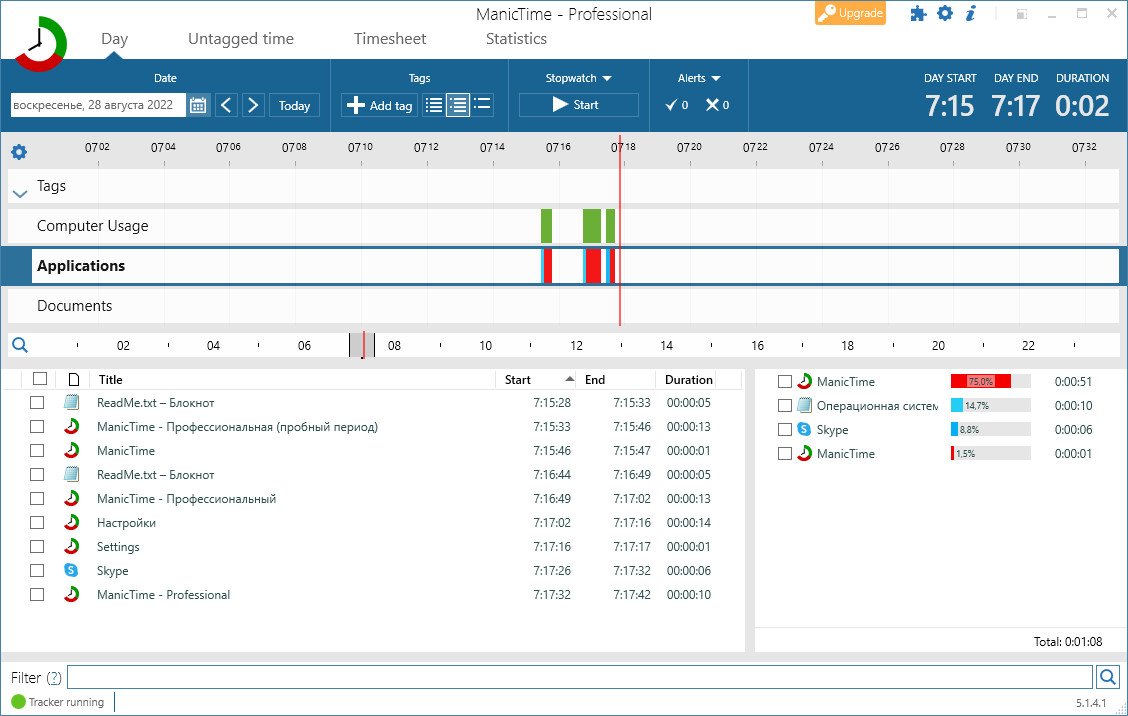
ManicTime Pro 5.1.4.1 Multilingual


MP5141.jpg


File size: 24.7 MB
​


ManicTime allows you to keep up with your employees' work, send accurate progress reports, and manage your time better than ever before. This kind of software can help your business be more efficient when it comes to internal employee affairs as well as the external partnerships.
Automatic tracking
ManicTime automatically records your computer usage. It remembers which apps you've used and for how long. It will also remember which web sites you've visited and which documents you've worked on. All this data will help you keep track of your work hours.
Privacy
Data, which ManicTime collects, is stored on your machine and not sent anywhere. It is not shared with us or any third party and exists only on your machine.
Offline work
ManicTime is not a cloud based service, instead it uses a local datastore, so all recorded data will be kept on your machine. This also means that it will work the same with or without internet connection.
Accurate timekeeping
All the data ManicTime collects will be presented in a easy to understand graphical interface. This will help you to quickly figure out when you went to lunch and when you've switched tasks. From now on, your logged hours will be accurate and simple to track.
Easy timesheets
From the hours you logged its easy to create almost any kind of report. Once you create the report, you can easily copy it to Excel or some other tool and create an invoice there.
Integrate with other systems
ManicTime can integrate with task based systems, like Jira or GitHub. You can use ManicTime to enter your work hours, then send the timesheet back to specific issue.
Company wide reports
Use ManicTime in your company or your team. ManicTime Server will collect all data and generate useful reports.
Auto tagging
ManicTime captures a lot of data and you can use this data to create work activities. For example you can say that all facebook activity is "Browsing" and that all MS Word usage is "Work".
Away time
Equally important as tracking computer usage is tracking non usage. When you step away from the computer, ManicTime will track this as Away time. When you return, you can create a note of what you were doing during Away.
Stopwatch
Even though ManicTime excels at automatic time tracking, you can still use a stopwatch to manually track your time.
Whats New
Код:
https://www.manictime.com/Releases/#

HomePage:
Код:
https://www.manictime.com/

-:DOWNLOAD FROM LINKS:-​
Download From RapidGator
Код:
https://rapidgator.net/file/fd98c1d1ca67e3a068623c7a14935710/MP5141..rar
 
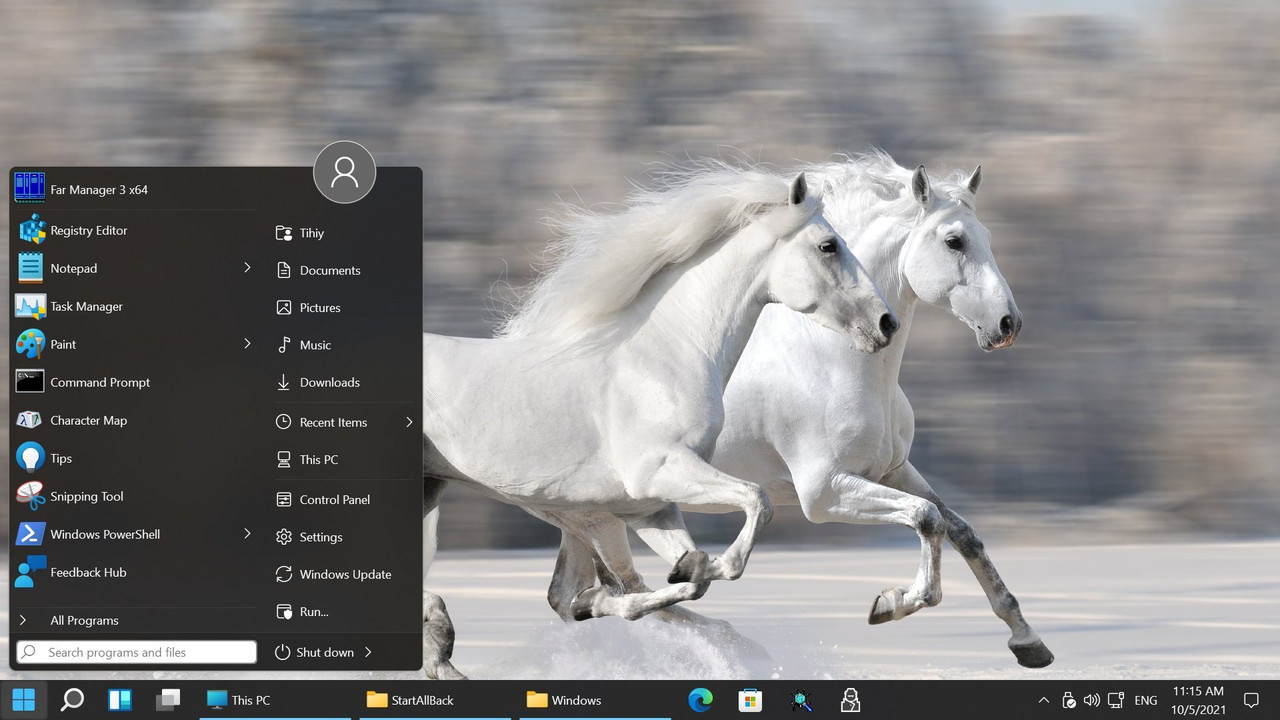
StartAllBack 3.5.1.4515 Multilingual


S3514515.jpg


File size: 1.7 MB
​


Introducing StartAllBack: Windows 11 from better timeline, Embrace, enhance, unsweep classic UI from under the rug.
Restore and improve taskbar
• Show labels on task icons
• Adjust icon size and margins
• Move taskbar to top, left or right edges
• Drag and drop stuff onto taskbar
• Center task icons but keep Start button on the left
• Split into segments, use dynamic translucency
• Separate corner icons with Windows 7/10 UI
Restore and improve File Explorer UI
• Ribbon and Command Bar revamped with translucent effects
• Details pane on bottom
• Old search box (the one which works)
• Dark mode support for more dialogs
Restore and improve context menus
• All new look with rounded acrylic menus
• Fast and responsive taskbar menus
• New fonts, better touch support
Restore and improve start menu
• Launch apps and go to system places in one click
• Navigate dropdown menus like a boss
• Enjoy fast and reliable search
Finally, lightweight styling and UI consistency
• Enjoy Windows 7, Windows 10 and third-party taskbar and start menu styles
• Fix UI inconsistencies in Win32 apps
• Don't be blue: recolor UI in all windows apps
• Negative resource usage: fewer RAM used, fewer processes started
Whats New
Код:
https://www.startallback.com/

HomePage:
Код:
https://www.startallback.com/

-:DOWNLOAD FROM LINKS:-​
Download From RapidGator
Код:
https://rapidgator.net/file/83dd153db7c44c6e43a0ba3b378c27aa/S3514515..rar
 
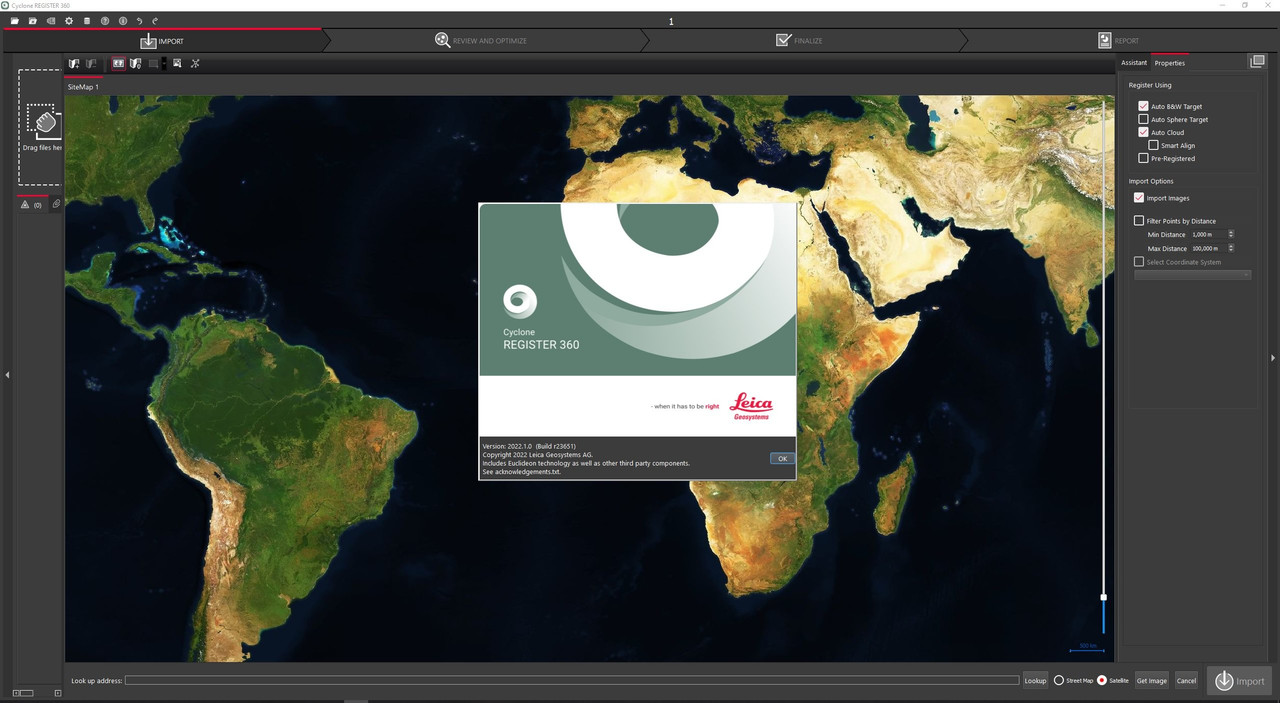
Leica Cyclone REGISTER 360 2022.1.0


LCR360-202210-x.jpg


x64 | File Size: 1.68 GB
​


Description
Leica Cyclone REGISTER 360 is the latest upgrade to the number one point cloud registration software, Cyclone REGISTER. This all-new product built from the ground-up brings with it all-new capabilities from simple, guided workflows to automated registration and client-ready deliverables with the click of a button.
REGISTER 360 empowers users of any skill level to work smarter, deliver results more accurately, visualise in more detail and collaborate more effectively - placing users at the centre of their projects.
Whether deployed as a stand-alone solution or as part of an end-to-end integrated digital reality solution, Cyclone REGISTER 360 is your fastest and easiest option to get the job done right, the first time.
Cyclone REGISTER 360 is available in a special BLK Edition optimised for use with the BLK reality capture product family.
Speed
Drag, Drop, Done. From project creation to final reporting, project completion is significantly faster thanks to multi-threaded batch routines, one-step import and processing, guided workflows, built-in QA/QC tools and automated reporting to save considerable time and guesswork while delivering higher productivity. Users of the Leica RTC360 3D laser scanner can also leverage the system's unique on-bard pre-registration feature to further accelerate the process
Scale
Cyclone REGISTER 360 handles even the most challenging of projects with ease and simplifies complex workflows. It empowers users of any skill-level to work smarter, deliver results more accurately, visualise in more detail and collaborate more effectively - placing the user at the centre of their projects. Whether deployed as a stand-alone solution or as part of an end-to-end integrated laser scanning solution, Cyclone REGISTER 360 is your fastest and easiest option to get the job done right, the first time
Simplicity
Deliver professional-level project deliverables with ease. Cyclone REGISTER 360 provides guided registration workflows to assist new users and speed the process for experienced users. Intuitive QA tools and reporting take the guesswork out of determining the quality of your registration, and put all the information you need at your fingertips. Batch export your final products to numerous industry-standard formats or the all-new Leica Geosystems Universal project file (LGS). Even push your data direct to the cloud for collaboration with the click of a button.
Field to Finished
Cyclone REGISTER 360 is part of the integrated RTC360 Field-to-Finished solution. Taking advantage of the RTC360's Visual Inertial System (VIS), Cyclone REGISTER 360 will automatically place project data on real-world coordinates and complete a registration with little to no manual assistance from the user. Projects can be published into the all-new Leica Geosystems Universal project file (LGS) for use downstream in every HDS Software product. One file, endless possibilities.
System Requirements
OS:Windows 7/8/10/11 (x64)
CPU:2.0 GHz Dual Core processor or better
RAM:2 GB (4 GB for Windows® 7)
Space:40 GB
GPU:SVGA or OpenGL accelerated graphics card (with latest drivers)
Whats New
Код:
https://hexagondownloads.blob.core.windows.net/public/Leica/TLS%20Software%20Installers/Cyclone%20Installers/Cyclone%20REGISTER%20360%20Installer/Leica%20Cyclone%20REGISTER%20360%20Release%20Notes.pdf


-:DOWNLOAD FROM LINKS:-​
Download From RapidGator
Код:
https://rapidgator.net/file/3f95569298555cb58478bf27b8ebe679/LCR360.202210.x.part1.rar
https://rapidgator.net/file/34ba50a3fcbed9684f1cb500ee029ed4/LCR360.202210.x.part2.rar
 
Altium NEXUS 5.8.2 Build 18


AN582-B18-x.png


File Size: 2.8 GB | (x64)
​


Altium NEXUS is an easy to implement, team-based PCB workflow solution designed to provide the transparency needed for engineering teams to collaborate with confidence. Even though Altium NEXUS includes all the various industry leading PCB domain editors required to create a circuit board, its core DNA is enabling design teams to work together.
Design collaboration is enabled through user roles and managed data (library and design), while providing process automation and a framework to configure common electronic design activities and workflows. This provides organizational transparency to design data changes and workflow states through role based notification. By using Altium NEXUS, companies will have the ability to manage their PCB data, improve communication as it relates to multidisciplinary engineering, and configure and automate workflows replacing existing manual processes - resulting in the reduction of design respins and delivery of higher quality products in a shorter period of time.
Altium NEXUS includes server technology to support collaboration, process management, and data management, hosted either on-premise (same as Altium Vault), or cloud (option not available previously) environments. The core schematic and PCB design technology of Altium NEXUS is identical to that of AD18, sharing 100% of the design capabilities - now and always.
What's New
Код:
https://www.altium.com/documentation/altium-nexus/public-release-notes

HomePage:
Код:
https://www.altium.com

-:DOWNLOAD FROM LINKS:-​
Download From RapidGator
Код:
https://rapidgator.net/file/1312969fc7de2968c41030337b4db213/AN582.B18.x.part1.rar
https://rapidgator.net/file/b5c29281340a8cc69c7a6d63b66076bc/AN582.B18.x.part2.rar
https://rapidgator.net/file/478dabdeaeb461b9eef25c21c8b9853d/AN582.B18.x.part3.rar
 
Altium Designer 22.8.2 Build 66


AD2282-B66-x.jpg


File Size: 2.9 GB | (x64)
​


Altium Designer is a comprehensive system for the automated design of electronic modules based on printed circuit boards, which allows you to perform a full range of design tasks: from creating a functioning concept to releasing a complete set of design and production data.
Altium Designer is the most common PCB design system among electronics engineers and designers. Altium Designer is an affordable, efficient and modern software with a single user interface, with the management of a simple and clear licensing system. A single Altium Designer data model allows you to quickly and efficiently design new electronic products. The optimized unified user interface of all editors (UGO, footprint, circuit, board, design documentation, etc.) increases the productivity of the design process and eliminates the typical difficulties and errors caused by manual data transfer between editors.
Key features of Altium Designer
-A unified platform where all stages of the design of an electronic device are carried out.
-Creating electrical circuits. Altium Designer supports bidirectional communication between the circuit and the board, which ensures the unity of the user interface and data model for the entire design process and increases its efficiency.
-Component management. A single model of each component, in which there are all the necessary components: UGO, seats, 3D-model and behavioral models for the analysis of functioning.
-Verification of the project. The built-in XSPICE mixed analog and digital analysis editor and signal editor allow for AC analysis, transient analysis, calculation of the operating point, sensitivity analysis to parameter changes, Monte Carlo analysis and other types of analysis.
-Designing a topology where tools have a logical structure and allow you to place and move objects in various modes.
-Supports flex-rigid boards. Altium Designer simplifies the definition and editing of areas with a flexible-rigid stack of layers consisting of different materials and having different thicknesses, which allows you to create flexible-rigid structures on one board.
-Designing devices from several electronic modules. Altium Designer allows you to design an assembly consisting of many connected boards, supports device designs from several electronic modules.
-Interactive tracing. The modern capabilities of the board editor allow tracing of single conductors and differential pairs in various placement modes and adjust the length of the conductors.
-Interaction with mechanical CAD systems. The NATIVE 3D ™ graphics engine allows seamless interaction between the design of the electronic and mechanical parts of the product.
-Data management includes the functions of blocking, visual comparison of document changes and revisions.
-Formation of design and production documentation for ESKD. Data for production and assembly are generated in batches using Output Job files. Draftsman tools allow you to quickly get a set of documentation for production and assembly.
Overview of Altium Designer Features
Change thermal connection styles for pads and vias on the fly.
Discover to how easily route both rigid and flex designs by following the countors of your board.
Improved features in Draftsman make it even easier to create your PCB fabrication and assembly drawings.
Move components on your board without having to reroute them.
Organize your design exactly as you want with no layer restrictions.
Explore how Altium Designer makes it easy to define the materials in your layer stack.
Manage multiple impedance profiles for stripline, microstrip, single or differential pairs.
What's New
Код:
https://www.altium.com/documentation/altium-designer/release-notes-for-altium-designer

HomePage:
Код:
https://www.altium.com/

-:DOWNLOAD FROM LINKS:-​
Download From RapidGator
Код:
https://rapidgator.net/file/73f7c2be896727765dad76d5e691de9e/AD2282.B66.x.part1.rar
https://rapidgator.net/file/ff9cf5fa8edc7d9adbb43bec9587e1c4/AD2282.B66.x.part2.rar
https://rapidgator.net/file/cdc533ca130b70519bb0cd4b8d961b08/AD2282.B66.x.part3.rar
https://rapidgator.net/file/fbeacb44b7f439991b021f95e9f2923f/AD2282.B66.x.part4.rar
 
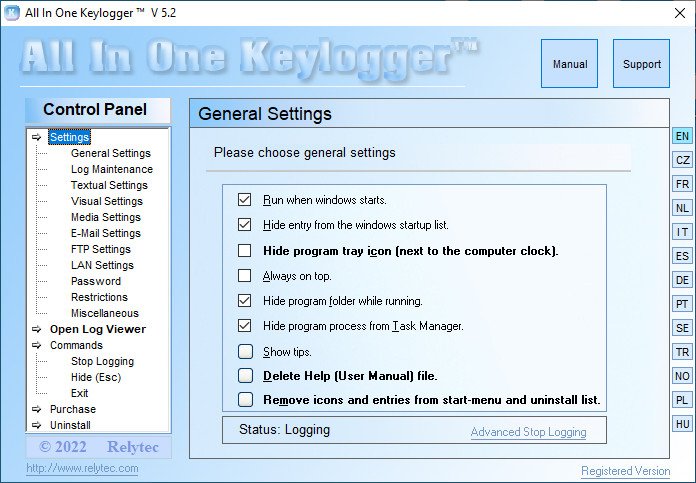
Relytec All In One Keylogger 5.2 Multilingual


RAIOK52.jpg


File size: 6.5 MB
​


All In One Keylogger is Invisible surveillance software that monitors and registers every activity on your PC to encrypted logs. It allows you to secretly track all activities from all computer users and automatically receive logs to a desire e-mail/FTP/LAN accounting.
Features
Captures all keystrokes (Facebook Keystrokes Logger).
Records instant messengers.
Monitors application usage.
Captures desktop activity.
Captures screenshots (Screenshots Keylogger).
Quick search over the log.
Sends reports via e-Mail, FTP, Network.
Record Microphone sounds.
Generates HTML reports.
Disable Anti Keyloggers.
Disable unwanted software.
Filters monitored user accounts.
Captured screenshots "Slide Show".
Sends reports by FTP.
Sends reports in HTML format.
Blocks unwanted URLs.
Stops logging when computer is Idle.
Whats New
New - Invisible in Task Manager (All Windows Versions).
New - Captures mouse Cursor.
New - Support for Dual Monitor.
New - Sends Logs Via Network.
New - Advanced Search for Log Viewer.

HomePage:
Код:
https://www.relytec.com/

-:DOWNLOAD FROM LINKS:-​
Download From RapidGator
Код:
https://rapidgator.net/file/ff36f2e67632e7915055f54987338360/RAIOK52..rar
 
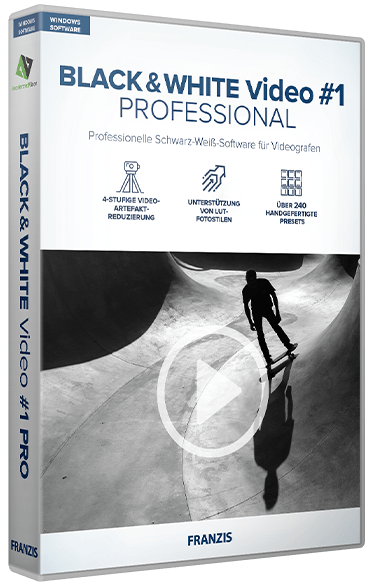
BLACK & WHITE Video #1 Professional 1.13.03822


B-WV-1-P11303822.png


Windows x64 | File size: 252.9 MB
​


With BLACK & WHITE #1 Video professional you convert your videos into artistic black and white videos with depth. Here, BLACK & WHITE Video #1 gives you a professional toolbox of photographic tools to help you realize your monochrome visions.
• Unique black and white conversion in 4 color spaces and 13 spectral colors
• Video artifact reduction in 4 levels
• Extensive RAW module
• Real-time color engine with 10 levels
High-tech black-and-white conversion!
The black and white conversion creates a unique conversion of your color recordings into monochrome video worlds with 4 different color spaces and 13 adjustable spectral colors. BLACK & WHITE Video #1 professional converts your videos into black and white recordings at the highest level and gives you the choice of 242 manually optimized templates in 12 categories, which you can place on your video with one click.
A variety of features ensure optimal and diverse image processing
• Load video formats: mpeg4 (h.264/h.265), wmv, webm, avi, flv, asf, mov, mkv, mxf, mp2
• Save video formats: mpeg4 (h.264), avi (uncompressed)
• 58 photo film emulations
• 242 image filters in expert mode
• Grain module
• Video artifact reduction: 4 levels
• Video mirroring / flip
• Load / save projects
• Undo function
• Comparison view with magnifying glass
The easy way to professional results with the Pro version!
Open the RAW module and straighten the horizon there and correct perspective distortions as easily as colors and exposure - or use a special effect such as haze and fog correction. In the LUT area, you can transfer image styles, e.g. contrast and color combinations, that you have seen in other images to your videos and thus create unique style and motif combinations.
Features exclusive to the Pro version
• RAW development module
• Real-time color engine in 10 levels
• LUT photo styles support
• 242 templates (presets)
Creative efficiency in black and white
Adjust the colors of your black and white videos in the new and Pro-exclusive real-time color engine - just the way you like it!
If you want to modify a template or maybe create your own creative template, simply switch to the expert mode where you have 158 professional image filters in 7 categories (Masking, Denoising/Sharpening, Geometry, Exposure, Color, Blur and Artistic) at your disposal.
With these templates you can easily create an individual database with your personal styles.
What's new
• official site does not provide any info about changes in this version
Minimum system requirements
- Operating system: Windows 11/10/8.1 (64 Bit)
- 4 GB RAM
- Intel I3 (or comparable AMD processor)
- DirectX compatible graphics card
- Screen resolution 1600x900 (or larger)
Recommended system requirements
- Operating system: Windows 11/10/8.1 (64 Bit)
- 8 GB RAM
- Intel I7 (or comparable AMD processor)
- DirectX compatible graphics card
- Screen resolution 1920x1080 (or greater)

HomePage:
Код:
https://www.projects-software.com

-:DOWNLOAD FROM LINKS:-​
Download From RapidGator
Код:
https://rapidgator.net/file/7e3734a9ab706ec476274cfb81783711/B.WV#1.P11303822.rar
 
Назад
Сверху