Dl4ever Software

  • Автор темы Автор темы Dl43v3r
  • Дата начала Дата начала
Adobe Illustrator 2019 v23.1.0.670 (x64) Multilingual REPACK


70da3b000b140f41b2ac256b3ef83621.jpg

Adobe Illustrator 2019 v23.1.0.670 (x64) Multilingual REPACK | 1.8 GB
​
The state of the art of illustration. The industry-standard vector graphics app lets you create logos, icons, drawings, typography, and illustrations for print, web, video, and mobile. Millions of designers and artists use Illustrator to create everything from web icons and product packaging to book illustrations and billboards.


Iconic work at any size.
Get all the drawing tools you need to turn simple shapes and colors into sophisticated logos, icons, and graphics. Illustrator artwork is vector-based, so it can scale down for mobile screens and up to billboard size - and always look crisp and beautiful.

Gorgeous typography that says it all.
Incorporate a company name into a logo, create a flyer, or mock up a website design with the best type tools out there. Add effects, manage styles, and edit individual characters to create typographic designs that perfectly express your messages.

Draw attention everywhere.
Create freehand drawings, or trace and re-color imported photos to turn them into works of art. Use your illustrations anywhere, including printed pieces, presentations, websites, blogs, and social media.

Fast asset export for screens
Select assets from your artboards and export them to multiple sizes, resolutions, and formats with one click.

Puppet Warp
Modify a graphic naturally, without having to adjust individual paths or anchor points.

SVG Color Fonts
Design with SVG OpenType fonts that include multiple colors, gradients, and transparencies.

Artboard enhancements
Create up to a thousand artboards on your canvas, and select multiple artboards at one time to move, resize, and more.

Minimum system requirements for Illustrator CC :
Processor - Multicore Intel processor (with 32/64-bit support) or AMD Athlon 64 processor
Operating system - Microsoft Windows 7 with Service Pack 1, Windows 10*
RAM - 2 GB of RAM (4 GB recommended) for 32 bit; 4 GB of RAM (16 GB recommended) for 64 bit
Hard disk - 2 GB of available hard-disk space for installation; additional free space required during installation; SSD recommended
Monitor resolution - 1024 x 768 display (1920 x 1080 recommended)

To use Touch workspace in Illustrator, you must have a touch-screen-enabled tablet/monitor running Windows 10 (Microsoft Surface Pro 3 recommended).
GPU - OpenGL 4.x

Optional: To use GPU Performance: Your Windows should have a minimum of 1GB of VRAM (4 GB recommended), and your computer must support OpenGL version 4.0 or greater.

Home Page -
Код:
http://www.adobe.com


-:DOWNLOAD FROMLINKS:-

RapidGator
Код:
https://rapidgator.net/file/321c01074c02d30d1e0f680a9a424e5d/Illustrator_2019_v23.1.0.670.part1.rar.html
https://rapidgator.net/file/67150961b06c54cd24d3f46c0aa1638b/Illustrator_2019_v23.1.0.670.part2.rar.html

NitroFlare
Код:
https://nitroflare.com/view/37B31948982E4D2/Illustrator_2019_v23.1.0.670.part1.rar
https://nitroflare.com/view/4556F6445CD6884/Illustrator_2019_v23.1.0.670.part2.rar

​
 
Saola Animate Pro 2.7.1 (x64) Multilingual RePack


b2fcbdf393b87207fc751468a215af06.jpg

Saola Animate Pro 2.7.1 (x64) Multilingual RePack | 60 Mb
​
Saola Animate - The ultimate tool to create HTML5 animations & interactive web contents. Animate everything in an intuitive editor, no coding skills required. Outstanding animation features which boost your creativity.


Timelines
Timelines act as a container for animations and a ruler that measures time. Each scene can have multiple timelines to satisfy a large number of elements, animations, and interactivity. Control timeline playback to create rich and interactive animations.

Scenes
Think of scenes as slides in Microsoft PowerPoint. Manage scenes to control the flow of your animations to create amazing visual experiences.

Sprite Sheets
A sprite sheet is a sequence of various graphics arranged in one bitmap image file. Thanks to sprite sheets, you can create an animated character representing one or several animation sequences while only needing to load a single file.

Auto-Keyframe
Auto-Keyframe allows automatically generating keyframes when creating animations. Accordingly, it makes keyframing easier and shortens the time you put in your animations.

Motion Path
Motion Path is the best idea when it comes to creating movement. It allows you to draw complex curves than just a straight line, animating your object to move more naturally.

Easing Methods
Easing specifies the speed at which a transition progresses over time. Up to 40 easing methods are at hand to make your animations more stunning and natural.

Shapes & Freeform
A wide variety of predefined shapes are available at your fingertips. You can also import or draw lightweight vector graphics for the artwork in your animation.

Interactivity
Interactivity is a great way to gain and keep audience's attention and interest as it allows them to experience interactive control. Engage your viewers by adding actions and triggers in response to events such as a mouse click or a key press.

Flexible Layout
Saola Animate supports flexible layout, that is, the size of the document adapts to the browser window size. Flexible layout allows your animations to run perfectly on any device and browser.

Responsive Design
Make the page respond to the browser size at any given point, giving the optimal viewing experience across different devices and screen sizes.

Google & System Fonts
Let the typography speak with hundreds of gorgeous fonts from Google Fonts library and system fonts on your computer. Embed system fonts in the HTML5 output to get consistent appearance across browsers and devices.

External Script Resources
Import external HTML, CSS, and JavaScript files or URLs and use them to have the full control over the document. All the script resources are editable within the program.

Script Support
JavaScript comes in handy when you want to make your own interactivity. Saola Animate has a powerful built-in code editor with intelligent features, letting you quickly create and edit JS functions. The JavaScript API is also available to back you up at any time.

HTML5
Turn your ideas into reality with dynamic, interactive, and engaging web content. HTML5 and its extensive functionality empower you to bring your vision to life with no end of advanced animations and interactivity.

Symbols
Use symbols to share identical elements, scenes, timelines, and animations across scenes or at different positions in the same scene.

Home Page -
Код:
https://atomisystems.com


-:DOWNLOAD FROMLINKS:-

RapidGator
Код:
https://rapidgator.net/file/557df0009df2c84c6357b8e16ec37f8f/Saola.Animate.2.7.1.rar.html

NitroFlare
Код:
https://nitroflare.com/view/33B2FC3D56153CE/Saola.Animate.2.7.1.rar

​
 
Adobe Media Encoder 2019 v13.1.5.35 (x64) Multilingual RePack


d44a1cce8e7a74863f3e6f9270341b94.jpg

Adobe Media Encoder 2019 v13.1.5.35 (x64) Multilingual RePack | 1.1 GB
​
Media Encoder CC. Your go-to application for all media processing. Ingest, transcode, create proxies, and output any format you can imagine. This powerful media management tool allows you to work with media in a unified way across applications. Tight integration with Adobe Premiere Pro CC, After Effects CC, and other applications provides a seamless media processing workflow.


Such video and audio formats are characterized by an increased degree of compression. Using this program, you can export video to formats supported by various devices, from DVD players and websites to mobile phones,portable media players and standard and high definition TVs.

It is also important that the Adobe Media Encoder SS 2018 allows you to process several video and audio clips in batch mode; in environments where video is a significant part of the content,batch processing speeds up the workflow. During the encoding of video files, the program can add,reorder and change the parameters for encoding files in the batch queue.

Adobe Media Encoder CC 2019 supports a variety of video export formats, depending on theAdobe applications installed with this program. In particular, it is the core of coding for Adobe Premiere Pro, Adobe After Effects and Adobe Prelude. However, the program can also be used as a standalone coding tool.

Benefits of Adobe Media Encoder CC 2019:
- Select a channel when publishing on YouTube and in Vimeo
- Select a playlist when publishing to YouTube
- Select a page when publishing to Facebook
- Add your own title when published on YouTube, Facebook and Vimeo
- Add your own thumbnail of the video when you publish on YouTube
- Notification of missing positions in the queue before encoding
- Adaptive H.264 transmission rate settings that automatically select the optimal output
speed based on the size and frame rate of the original video
- Support for exporting GIF animations to Mac and Wi ndows
- Improved Time Tuner effect
- New optimized list of H.264 settings
- Support for encoding / decoding in RF64 WAV format, decoding for Sony X-OCN and
intelligent rendering of QuickTime DNx
- Warning when importing QuickTime sources of other format
- Changing the time code for multimedia content with 720p resolution 59.94

System Requirements:
CPU:Intel 6thGen or newer CPU
OS:Microsoft Windows 10 (64-bit), version 1703 or later (required)
RAM:16 GB of RAM
Hard disk space:4GB of available hard-disk space; additional free space required during installation (cannot install on removable flash storage devices)
Monitor resolution:1920 x 1080 or greater display resolution
GPU:Adobe-recommended GPU card for GPU-accelerated performance (see Premiere Pro System Requirements)

Home Page -
Код:
http://www.adobe.com


-:DOWNLOAD FROMLINKS:-

RapidGator
Код:
https://rapidgator.net/file/549c251fa5f34c50394aaf23bfad9950/Encoder_2019_v13.1.5.35.part2.rar.html
https://rapidgator.net/file/39a42cae2ac3384970df8c7a008ea0bd/Encoder_2019_v13.1.5.35.part1.rar.html

NitroFlare
Код:
https://nitroflare.com/view/14F649C3731EBF4/Encoder_2019_v13.1.5.35.part1.rar
https://nitroflare.com/view/760838AD3B9EC0B/Encoder_2019_v13.1.5.35.part2.rar

​
 
Adobe After Effects 2019 v16.1.3.5 (x64) Multilingual RePack


cea3c576ae0d146e82d34893b2d22aeb.png

Adobe After Effects 2019 v16.1.3.5 (x64) Multilingual RePack | 2.1 GB
​
Make a big scene bigger. Create cinematic movie titles, intros, and transitions. Start a fire or make it rain. Animate a logo or character. With After Effects CC, the industry-standard motion graphics and visual effects software, you can take any idea and make it move.


There's nothing you can't create with After Effects.
Animators, designers, and compositors use After Effects to create motion graphics and visual effects for film, TV, video, and the web.

Roll credits. Spin words. Twirl titles.
Create animated titles, credits, and lower thirds. Start from scratch or with one of the animation presets available right inside the app. From spin to swipe to slide - there are countless ways to make your text move with After Effects.

Explosive effects. Mind-blowing results.
Combine videos and images to send a UFO across the sky, blur out a logo, or create an explosion - the possibilities are endless. And there are hundreds of effects to get just the look you want, from adding fog to changing colors to making it snow.

Get animated.
Set anything in motion-from logos to shapes to cartoons-with keyframes or expressions. Or use presets to kick-off your designs and get unique results.

Plays well with others.
After Effects works seamlessly with other Adobe apps. Create comps and immediately see how they look in Premiere Pro CC with Adobe Dynamic Link. Import work from Photoshop CC, Illustrator CC, Character Animator CC, Adobe XD CC, and Animate CC. Use Team Projects to collaborate with editors no matter where they're located. And After Effects is integrated with 300+ software and hardware partners.

What's New in After Effects CC 2019:

Advanced puppet tools for mesh sculpting
New Advanced and Bend pins let you precisely twist, bend, curve, and scale animations.

Native 3D Depth passes
Generate a depth pass with the After Effects Classic 3D or INEMA 4D renderer. Composite objects quickly and easily in 3D space. Apply depth effects such as Depth of Field, Fog 3D, and Depth Matte so elements look natural or use depth data to simulate 3D looks.

Easier and faster expressions
A new JavaScript expression engine supercharges your animation workflow and processes expressions up to 6 times faster. Write expressions with a new editor that makes creating expressions more accessible.

Responsive Design - Time
Create motion graphics that can adapt to changes in length while preserving the integrity of protected keyframes. Export your designs as Motion Graphics templates for increased editorial flexibility.

Selective color grading with Lumetri Color
Take the guesswork out of curve adjustments with innovative new Lumetri Color tools for selective color correction. Each curve has two axes with paired values, making it easy to fine-tune colors accurately.

Display color management
Get accurate color representations and maintain color fidelity across your workflow, from After Effects to Premiere Pro and on rec709, rec202, and P3 displays.
Improved Motion Graphics templates file exchange with Premiere Pro

Access, modify, or replace CSV and TSV spreadsheet data in Premiere Pro to create dynamic, data-driven templates. Group controls so it's easy to find editable properties in your Motion Graphics templates. Unlock font settings to let editors change fonts.

Native Mocha AE plug-in for After Effects
Get fast, accurate, precision planar tracking with the GPU-accelerated Mocha AE plug-in. It's updated with a simplified interface, includes retina/high DPI support, and works natively inside After Effects.

Create in VR 180, preview in headset
Jump into immersive video with support for 180 VR. Add VR effects and work with 180 and 360 material interchangeably. Publish finished videos in the Google VR 180 format on YouTube or other platforms. A new Theater Mode option allows you to preview rectilinear content in a head-mounted display (HMD).

Performance and GPU optimizations
New GPU- and performance-optimizing effects include Fill, Curves, Exposure, Noise, Tritone, Set Matte and Color Balance. The Wave Warp effect is now multithreaded and renders 2-3x faster by using multiple CPU cores. Experience faster H.264 and HEVC decoding on the latest macOS.

Master Properties refinements
Master Properties now enable more advanced workflows with support for Collapse Transformations, Time Remap, audio effects, motion blur, mask and shape path expressions, 3D cameras and lights.

Learn Panel
After Effects beginner? The new Learn panel introduces you to the Timeline and controls via interactive tutorials to start you creating your composition quickly.

Tighter integration with Animate and XD
Import Animate .fla files as layered compositions directly into After Effects. Send your XD designs to After Effects with high fidelity to add advanced animation or build them into your motion graphics projects.

Group invites for Team Projects
Invite groups and team members from your enterprise address book - without typing in addresses - for more efficient communications.

Format support improvements
Get better performance from Panasonic, RED, and Sony camera formats with the latest support.

Creative Cloud Library improvements
Drag and drop assets such as Illustrator or Photoshop files into your CC Libraries panel to quickly access your After Effects compositions. Share your Libraries and assets with team members or export and store them with your project.

And so much more
Also includes easier ways to find GPU-accelerated effects, install scripts, and quickly enable or disable expressions.

System Requirements:
- Processor: Multicore Intel processor with 64-bit support
- Operating system: Microsoft Windows 10 (64 bit) versions 1703 (Creators Update) and later
- RAM: 8 GB minimum (16 GB recommended)
- 4 GB of GPU VRAM
-Hard disk space
- 5GB of available hard-disk space; additional free space required during installation (cannot install on removable flash storage devices)
- Additional disk space for disk cache (10GB recommended)
- Monitor resolution 1280x1080 or greater display resolution

Homepage -
Код:
https://www.adobe.com


-:DOWNLOAD FROMLINKS:-

RapidGator
Код:
https://rapidgator.net/file/4333f8d0a98aad11e3fd508f3223da58/Effects_2019_v16.1.3.5.part1.rar.html
https://rapidgator.net/file/9eeeea310f259dd9497e9ad65b23ae25/Effects_2019_v16.1.3.5.part2.rar.html
https://rapidgator.net/file/de140a8a143f501e6904a5e9461c3240/Effects_2019_v16.1.3.5.part3.rar.html

NitroFlare
Код:
https://nitroflare.com/view/BDCED66D5F129EC/Effects_2019_v16.1.3.5.part1.rar
https://nitroflare.com/view/A5C5175D316C7FE/Effects_2019_v16.1.3.5.part2.rar
https://nitroflare.com/view/F8F12E2FCCA52B1/Effects_2019_v16.1.3.5.part3.rar

​
 
Adobe Premiere Pro 2019 v13.1.5.47 (x64) Multilingual


620df9546b29b640454fee4c9d25f93e.jpg

Adobe Premiere Pro 2019 v13.1.5.47 (x64) Multilingual | 1.6 GB
​
Adobe Premiere Pro 2019 is a professional program for non-linear video editing. The application provides high-quality editing of video resolution 4K and higher, with 32-bit color, both in RGB and YUV color space. Editing audio samples, support for VST audio plug-ins (plug-in) and audio tracks 5.1 surround. The Premiere Pro plug-in architecture allows you to import and export QuickTime or DirectShow container materials, and also supports a huge number of video and audio formats from MacOS and Windows.


The main advantages of Adobe Premiere CC 2019:
- Working with multiple projects simultaneously
- General projects with the lock function
- Adaptive design - Time
- Adaptive design - Position
- Animated graphics templates available in Adobe Stock
- Realistic editing of VR
- Realistic sound processing for 360 / VR
- immersive
- Transitions immersive
- Subtitles and graphics for video with immersive
- Rotation VR sphere
- Improved process of "Basic Graphic Elements"
- Support for new formats
- Regional subtitle standards
- Support Updates "group projects as Adobe"
- Improved conditions beginning work for beginners
- Optimized support for built-in camera in the shooting settings Lumetri
- working with templates After Effects motion graphics without installing the After
-Effects application
- And much more .

System Requirements:
OS:Microsoft Windows 10 (64-bit) version 1703 or later (required)
CPU:Intel® Intel 6thGen or newer CPU
RAM:16 GB of RAM (32 GB recommended)
GPU:4 GB of GPU VRAM
HDD Disk Space:Fast internal SSD (recommended) for app installation and cache - plus provisional space for media
Display:1920 x 1080 or greater display resolution
Video Card:32-bit video card
Sound card:compatible with ASIO protocol or Microsoft Windows Driver Model
Optional:Adobe-recommended GPU card for GPU-accelerated performance

Languages: English, Polski, Deutsch, Italiano, Français, Русский, Español, Čeština, Svenska, Português

Home Page -
Код:
http://www.adobe.com


-:DOWNLOAD FROMLINKS:-

RapidGator
Код:
https://rapidgator.net/file/ca380a54cf48442e880fcdee35047692/Premiere_Pro_2019_v13.1.5.47.part2.rar.html
https://rapidgator.net/file/dbc5931db94420d0517669931630cfc4/Premiere_Pro_2019_v13.1.5.47.part1.rar.html

NitroFlare
Код:
https://nitroflare.com/view/61882F1D0639F93/Premiere_Pro_2019_v13.1.5.47.part1.rar
https://nitroflare.com/view/DC99DEBDE08098E/Premiere_Pro_2019_v13.1.5.47.part2.rar

​
 
Adobe Audition 2019 v12.1.4.5 (x64) Multilingual RePack


413850649e50915411981f279b9efc06.jpg

Adobe Audition 2019 v12.1.4.5 (x64) Multilingual RePack | 408 Mb
​
Adobe Audition A professional audio workstation. Create, mix, and design sound effects with the industry's best digital audio editing software. Audition CC is a comprehensive toolset that includes multitrack, waveform, and spectral display for creating, mixing, editing, and restoring audio content. This powerful audio workstation is designed to accelerate video production workflows and audio finishing - and deliver a polished mix with pristine sound.


What is Audition CC?
Meet the industry's best audio cleanup, restoration, and precision editing tool for video, podcasting, and sound effect design.

Record, edit, and integrate music clips.
This step-by-step tutorial guides you through the robust audio toolkit that is Adobe Audition, including its seamless workflow with Adobe Premiere Pro CC.

Add oomph to your audio.
Use the Essential Sound panel to achieve professional-quality audio - even if you're not a professional.

Create a podcast
Learn the basic steps to record, mix, and export audio content for a podcast - or any other audio project.

Remix to fit
Easily and automatically rearrange any song to fit any duration with Remix in Audition CC.

Repair and restore
Get best practices for fixing audio, including how to use the spectral frequency display, Diagnostics panel, effects, and more.

What's New in Audition CC 2019:

DeReverb & DeNoise effects [NEW]
Reduce or remove reverb and background noise from recordings without noise prints or complicated parameters with these efficient real-time effects or through the Essential Sound panel.

Improved playback and recording performance [NEW]
Playback over 128 audio tracks or record over 32 tracks, at low latencies, on common workstations and without expensive, proprietary, single-purpose acceleration hardware.

Improved multitrack UI [NEW]
Playback over 128 audio tracks or record over 32 tracks, at low latencies, on common workstations and without expensive, proprietary, single-purpose acceleration hardware.

On-clip gain control and waveform scaling [NEW]
Adjust your audio without moving your eyes or mouse cursor away from your content with on-clip gain adjustments. Use your eyes and ears to match clip loudness to neighboring clips with a waveform that smoothly scales in real-time to amplitude adjustments.

Add tracks and delete empty tracks [NEW]
Quickly add multiple audio or bus tracks of any channelization at once, or clean up all unused audio tracks in a session, with these commands.

Zoom to time [NEW]
Zoom to specific durations with customizable presets. No more guesswork or small adjustments needed to see an exact length of time.

Effects and presets migration [NEW]
When upgrading, Audition can import all 3rd party effects already scanned by a previous version of Audition, as well as custom effect presets and more.

Open Premiere Pro projects
Open native Premiere Pro projects from the Audition Media Browser and select the sequences you want to work on for a simpler, more efficient audio editing workflow.

Clip spotting
Video previews in Audition update in real-time when clips are added, moved, or trimmed, always showing the users the correct frame for accurately-timed edits, sound effects, and more.

Tracks panel
Use the Track panel to show or hide tracks, or groups of tracks, so you can focus on specific parts of your project. Create your own preferred track groups and save presets for an efficient, personalized multitrack editing experience.

Compound media import
Twirl down compound media files to choose the audio and video tracks you want to work on, or simply import entire compound files, including container formats like MXF.

Improved multitrack performance
Scroll through multitrack projects faster and more smoothly. Track heights are maintained when zooming in or out, making it easier to manage large projects, especially on smaller screens.

Auto-Duck music
While working on a project, automatically generate a volume envelope to duck music behind dialogue, sound effects, or any other audio clip using the Ducking parameter in the Essential Sound panel. Powered by Adobe Sensei, this feature simplifies the steps needed to achieve professional-sounding audio mixes.

Run scripts
Browse and run scripts within Audition or via the command line to automate application functions, like loudness normalization, QC validation, and others. Streamline common tasks, including third-party integrations, and bring a new level of efficiency to your audio work.

Add album art in MP3 files
Creating modern podcasts and albums in Audition just got easier. With support for .jpeg and .png files, you can embed thumbnails and images into your .mp3 files.

Jump to Time
Navigate to any spot in the timeline with this useful keyboard shortcut. Save time and keep your workflow moving.

Input monitoring
Input monitoring allows you to preview the input coming from your recording device before starting the actual recording by either observing the level meters or listening to it.

Multitrack clip improvements
When recording punch-ins or layering sounds, clip Z-order is maintained when selecting stacked clips so that smaller clips don't get lost behind longer ones. Commands in the clip content menu make it easy to move clips to the front or back, and preferences allow users to customize the behavior. More improvements allow for symmetrical clip fades, or adjusting fade curves or duration independently.

Support for Mackie HUI devices
Audition CC includes support for the Mackie HUI control surface protocol. To control your mix, transport, and automation in Audition, use HUI emulation mode with almost all modern control surfaces..

Dynamics effect
This modern version of the classic replaces the Adobe Premiere Pro Dynamics audio effect in Premiere Pro and Audition CC. This simple yet powerful plug-in offers a compressor, expander, limiter, and noise gate in one easy-to-use tool.

Visual keyboard shortcut editor
Use the Visual Keyboard Shortcut Editor to see which keys have been assigned shortcuts and which are available for assignment. A tooltip reveals the full command name when you hover over a key in the Keyboard layout. When you select a modifier key on the keyboard layout, the keyboard displays all the shortcuts that require the modifier.

Timecode overlay
Audition CC lets you view session and media timecode overlays in the Video panel. You can also lock your video output to your external display. The timecode overlay displays the current time display string as an overlay on the Video panel and the video fullscreen monitor.

Multichannel audio workflows
Multichannel audio workflows allow you to separate all audio channels to unique clips automatically. You can customize the channels assigned to a clip and adjust Specific Channel Routing.

Full fidelity with Premiere Pro
Audition support for native Premiere Pro projects means links to original assets, sequence metadata, markers, audio effects, parameters, sub-mixes and Essential Sound panel settings are transferred to Audition with full fidelity.

Direct export from Audition with Media Encoder
Audition can export your edited audio directly to Adobe Media Encoder CC. This feature enables a fully linear post-production workflow, using format presets and audio channel customization without rendering or wrangling various mixdown files.

Updated audio effects
Many existing audio effects have spectrum meters, gain meters, and gain reduction meters. You can use the frequency spectrum to identify imbalances in audio and use control points to correct them. Level Meter shows the input level of the audio, and Gain Reduction Meter shows how audio signals are compressed or expanded.

Guides for getting started
In-app tutorials offer new users a series of guided walkthroughs of common tasks. These guides help you navigate the core functionality and capabilities with ease, including reducing background noise, mixing audio elements, and producing a simple podcast. Coach marks and concise tutorials are offered inside the application to help you get started with Audition.

Essential Sound panel
The Essential Sound panel gives you a complete toolset to mix your audio and achieve professional-quality output. The panel provides simple controls to unify volume levels, repair sound, improve clarity, and add special effects - so your video projects sound like a professional audio engineer has mixed them. You can save the applied adjustments as presets for reuse in Audition, making them handy for more audio refinements.

CEP extensions
You can enable Common Extensibility Platform (CEP) extensions and build integrated panels in Adobe desktop applications.

Remixing and adjusting song duration
Create remixes of music files from a collection using Adobe Sensei's machine learning. For example, you can take a song that has a longer duration and create a shorter version that still sounds like the original. You can recompose any piece of music in your collection to fit the video or project duration.

Synthesized speech
Type or paste text, and generate a realistic voiceover or narration track. Use this tool to create synthesized voices for videos, games, and audio productions.

Automatic loudness correction
Match loudness in audio clips, and apply correction to support various loudness standards and true peak limiting. The Match Loudness panel replaces the old Match Volume panel.

Auto-backup to Creative Cloud
Audition lets you store periodic backups of your session files to prevent any loss due to power failure, crash, or file corruption. In the Preferences dialog box, choose Auto Save and select Backup Multitrack Session Files Automatically. Then, choose a backup location that can be your Adobe Creative Cloud storage environment, the session folder, or any other location of your choice.

Dynamic Link for streaming video content from Premiere Pro
The Dynamic Link video streaming feature lets you stream video without rendering when sending projects from Premiere Pro to Audition.

Live relinking
Audition lets you easily replace assets within an open project. Any edits made to the original clip are retained and applied to the new material so you can work uninterrupted even when an asset changes.

Dual display full-screen video
Get the most out of your editing experience in Audition by using a full-screen dual-monitor workflow. Display the contents of your video panel full-screen on a secondary monitor using HDMI, DVI, or VGA. This feature is especially useful for editing Foley and sound effects to video, recording automated dialog replacement (ADR) or voiceovers, and displaying your work as you edit.

Expanded video format support
Premiere Pro CC offers extensive native media support, letting you edit all the major video, image, and audio formats natively. The 2014.1 release of Audition CC supports all the native video formats that are supported in Premiere Pro.

Marker import and export
Audition can import markers from any file containing XMP marker metadata, including video files from Premiere Pro and Adobe Prelude CC. You can import markers into either an audio file (displayed in the Waveform editor) or a multitrack composition in Audition. You can share these markers with third-party applications by exporting the markers to a CSV file using the Markers panel. At any point, you can import the CSV markers file back into Audition.

Automatic copying of imported assets to a session folder
Audition lets you set custom levels for Yellow (Caution) and Red (Warning) indicators in the Level Meters panel. You can conform to station regulations or personal preferences by selecting custom values for level meter crossover points. In the Preferences dialog box, select Playback and specify the Yellow and Red levels.

Timed recordings
Schedule recordings in advance and Audition will capture them automatically, or start recording immediately for a specified duration.

Sound Remover effect
The Sound Remover effect removes unwanted audio sources from a recording. This effect analyzes a selected portion of the recording and builds a sound model, which is used to find and remove the sound.

Enhanced Speech Volume Leveler
The Target Dynamic Range option in Audition provides better control over volume leveling for spoken content.

iXML metadata support
Audition can read, modify, and generate iXML metadata. This metadata is typically captured by audio recording devices or on-location audio recording software such as Metacorder for Mac. Important features of iXML metadata are the ability to select and mark the best takes, and to record on-set notes.

Custom channelization
To support different surround formats and configurations, Audition lets you add new custom audio channels when you create an audio file. Custom channels are typically used in audio for cinema, broadcast, and video games.

Smart track colors
To make it easier to identify tracks, a color bar is added to the tracks. These color bars are added on the left of the track header, or at the bottom in the mixer panel. When you add a clip to a track, the clip color changes to match that of the track.

Pitch Bender and Pitch Shifter effects
Use the Pitch Bender effect to change the tempo over time to vary the pitch. The effect uses a keyframe edit envelope laid across the entire waveform, similar to the Fade and Gain Envelope effects. Use the Pitch Shifter effect to change the musical pitch. It's a real-time effect that can be combined with other effects in the mastering rack or the effects rack.

Click/Pop Eliminator and DeClicker effects
Use the Click/Pop Eliminator and DeClicker effects to remove microphone pops, clicks, light hiss, and crackles. Such noise is common on recordings such as old vinyl records and on-location recordings.

ITU Loudness Meter
Audition has an integrated, customized version of the TC Electronic Loudness Radar meter plug-in. Available in both the waveform and multitrack views, it provides you with information about peak, average, and range levels.

Automatic speech alignment
To quickly align overdubbed dialogue with original production audio, use automatic speech alignment. Audition matches the timing of each word, even if the original audio is noisy or differs in overall length.

Preview editor
See in real time how the waveform looks before you apply changes. Or work on separate regions of a file simultaneously. This functionality is especially valuable when you're working with effects that alter the duration of a clip. Choose View > Show Preview Editor to display the preview.

Frequency band splitter
Use Frequency Band Splitter to take one audio clip (or a selection in a clip) and make up to eight copies, where each copy contains a different frequency range found in the original clip. The crossover frequencies determine the split points. Each copy of the waveform is created as a new file and placed in the Files panel. You can then edit or apply effects to each band separately.

Waveform editing with Spectral Frequency Display
Easily add, remove, and invert spectral selections made using the marquee, lasso, or paintbrush selection tools.

Audio extraction from CDs
Extract selected CD tracks to a single file. Insert an audio CD into an optical drive, and choose File > Extract Audio from CD. Select the tracks and enable Extract to Single File.

Paste control for multitrack sessions
Control paste operations in a multitrack session: You can choose to paste all clips in the same targeted track, or in multiple tracks. Press Alt while dragging to toggle. You can specify the default behavior in the Multitrack Clip preferences. When enabled, a new preference avoids overlapping clips when inserting or pasting new clips creates new tracks.

Phase Analysis panel
Use the Phase Analysis panel to reveal out-of-phase channels for stereo waveforms. The Phase Analysis panel also shows stereo separation. You can choose from several phase views, including Histogram, Mid/Side, Lissajous, and Phase Wheel. For additional display options, right-click the graph and choose an option.

Edit Favorites feature
Use the Favorites panel to record, view, organize, run, or edit your favorite tasks. To display the Favorites panel, choose Window > Favorites or Favorites > Edit Favorites.

Manual and automatic pitch controls
The Manual Pitch Correction effect lets you visually adjust pitch with the Spectral Pitch Display. The Spectral Pitch Display shows the fundamental pitch as a bright blue line, and overtones in yellow to red hues. Corrected pitch appears as a bright green line. The Automatic Pitch Correction effect is available in both the Waveform and Multitrack editors. In the latter, its parameters can be automated over time using keyframes and external control surfaces.

Faster, more precise editing
Select multiple clips and choose Clip > Groups > Group Clips. You can move and edit grouped clips together, and even stretch them proportionately when clip stretching is enabled. Group stretch, gain, color, and other settings are available in the Properties panel.

Real-time clip stretching
Quickly stretch clips to the necessary length, while previewing the results during playback. In the Editor panel, select multiple clips to stretch them proportionately. In the Properties panel, choose from a variety of stretch types optimized for different audio content.

Control surface support and parameter automation
Mix audio interactively with popular control surfaces using the EUCON, Mackie MCU, or Logic Control protocols (including the Avid Artist series formerly made by Euphonix). Or use third-party, tablet-based controllers that support these protocols. You can even use multiple devices simultaneously.

System Requirements:
- Processor: Multicore processor with 64-bit support
- Operating system: Microsoft® Windows 10 (64 bit) version 1703 or higher.
- RAM: 4GB of RAM
- Hard disk space: 4GB of available hard-disk space for installation; plus additional free space required during installation (cannot install on removable flash storage devices)
- Monitor resolution: 1920x1080 or larger display
- OpenGL: OpenGL 2.0 capable system
- Sound card: Sound card compatible with ASIO protocol, WASAPI, or Microsoft WDM/MME
- Control surface support : USB interface and/or MIDI interface may be required for external control surface support (see manufacturer's specifications for your device)
- CD burning: Optical drive is used for CD burning (optional)

Language: English, Spanish, Ukrainian, Russian

Homepage -
Код:
https://www.adobe.com


-:DOWNLOAD FROMLINKS:-

RapidGator
Код:
https://rapidgator.net/file/50e8be447370bd080ae5a3f3b5973129/Audition_2019_v12.1.4.5.rar.html

NitroFlare
Код:
https://nitroflare.com/view/12CEDD755146F0A/Audition_2019_v12.1.4.5.rar

​
 
AntiPlagiarism.NET v4.90.0.0


e41442131bc053c238164a1ea36d424b.jpg

AntiPlagiarism.NET 4.90.0.0 | 4.5 Mb
​
AntiPlagiarism.NET is the program for automated detection of digital plagiarism that originated from the world wide web. It's designed to use the biggest open database in the world - that of the search engines. Checked documents do not leave you computer. The application uses Google, Bing and other search engines.


Features:
Determines the percentage of the uniqueness of the text.
Shows non-unique phrases by marking it with different colours.
Batch check.
WebSite check.
Advanced preferences.
Multiple formats support: doc, docx, pdf, odt, html, txt, rtf.
Predefined set of check preferences (Default, Express, Deep).
Simple interface.
Proxy lists support.

Operating System: Windows XP, 7, 8/8.1, 10

Home Page -
Код:
https://antiplagiarism.net/


-:DOWNLOAD FROMLINKS:-

RapidGator
Код:
https://rapidgator.net/file/a1fd072f6c4f4116bb95de334c5dccad/AntiPlagiarism.NET.4.90.0.0.rar.html

NitroFlare
Код:
https://nitroflare.com/view/1FD0BFDE1EE3412/AntiPlagiarism.NET.4.90.0.0.rar

​
 
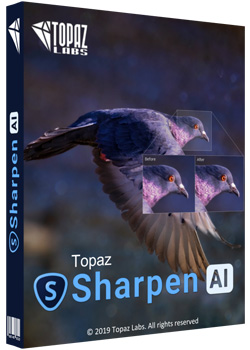
Topaz Sharpen AI 1.4.0 (x64) RePack


be4aa29695f3257e1dae859ff55e2430.jpg

Topaz Sharpen AI 1.4.0 (x64) RePack | 1.24 GB
​
Create tack-sharp images with no artifacts or halos. Sharpen AI is the first sharpening and shake reduction software that can tell difference between real detail and noise. Create tack-sharp images even when you're shooting handheld, at night, or with a shallow depth of field.


Powered by AI
Sharpen AI was trained with millions of images so it could learn the characteristics of detail vs. noise - and then enhance just the detail. In some cases, it can even recover image detail.

Seamless integration
Works wherever you currently edit your photos. Use Sharpen AI either as a standalone software or as a plug-in for Topaz Studio / Photoshop / Lightroom Classic.

Constantly improving
Through continuous AI training, Sharpen AI's enhancement model becomes both faster and higher-quality with time. You'll get the latest and greatest when the model improves.

Three kinds of sharpening for a perfect photo.
There's nothing worse than the feeling of taking the perfect photo, rushing home, opening it up on your computer. and realizing that it's blurry at 100%. When this happens, it's usually caused by one of three problems: camera shake, focus issues, or general softness. Sharpen AI includes a separate module to handle each one.

Stabilize: natural shake reduction
Even the steadiest hands don't compare to a tripod when it comes to image sharpness. Unlike a tripod, though, you always have your hands with you! Sharpen AI's Stabilize module has been trained to reverse motion blur and make handheld images look like they were taken from a tripod.

Focus: better focus correction
Focus correction is a notoriously difficult problem that's easy to get wrong, but Sharpen AI's Focus module excels at correct up to ten pixels of focus blur. This is perfect for sharpening out-of-focus eyes or correct issues caused by incorrect in-camera focus. Tip: use selective adjustments for best results!

Sharpen: general input sharpening
Even with no motion blur or focus issues, images generally come out of the camera soft. Sharpen AI includes the Sharpen module that specializes in correcting small amounts of general softness without any artifacts or halos. It's the most natural-looking sharpening tool that you will ever use.

The perfect time to make images tack-sharp.
The need for sharpening is universal: most images come out a little soft straight out of the camera. Here's just a handful of use cases in which we've seen exceptional results with Sharpen AI.

Animal Photography
You can pose people, but it's much harder to ask animals to stay still! Use Sharpen AI's Stabilize module to correct camera shake and the inevitable motion blur you get from fast-moving subjects. It's also difficult to focus perfectly in these situations, so the Focus module will also be very useful. This applies to any photos with fast-moving subjects - not just animals! Adjust the slider to the left to see the difference at 100%, or click for a larger before/after.

Hand-held Landscapes
No matter how fast you set your shutter speed, you can't shoot handheld landscapes as sharp as if you had a tripod. You don't always have a tripod with you, though. Sometimes you don't even have the luxury of using a fast shutter speed. Sharpen AI's Stabilize module helps you get handheld images that look like they were taken from a tripod. This model was trained specifically to counteract motion blur caused by camera shake and can produce some pretty exceptional results in your photos.

Portrait Photography
Getting sharp portraits is essential. Using controlled lighting and tripods in a studio setting is a good way to do that, but you're not always in a studio. Use Sharpen AI when the otherwise perfect portrait has slightly out-of-focus eyes or camera shake.

A new approach to sharpening.
We believe that better technology enables you to produce better art. The photos that thousands of other photographers have created with AI technology have been astounding, and we can't wait to see what you create. Here's how it works.

What does sharpness look like? (Training)
The first step of the machine learning process is to teach the software what sharpness is. We do this by feeding millions of blurred/sharp image pairs into the software and asking it to learn the characteristics of what makes an image sharp.

How to achieve this sharpness? (Learning)
Just like computers perform math and complex operations faster than humans, they can also learn much faster for very specific tasks. Sharpen AI soon understands how sharp images generally become blurred, and therefore how to reverse the process.

How do we sharpen images faster? (Optimization)
Sharpen AI performs millions of operations per pixel, so a significant amount of work is done to speed it up. This whole process continues even after the product's release: you'll likely see new updates with sharpening model improvements as the software learns more.

Operating System Version:
- Windows 7 x64
- Windows 8/8.1 x64
- Windows 10 x64

Hardware Requirements:
- System RAM: 8GB / 16GB recommended
- GPU VRAM: 2GB / 4GB recommended

Graphics Card Requirements:
- NVIDIA: GeForce GTX 770 2GB / GeForce GTX 960 4GB recommended
- AMD: Radeon HD 8570 2GB / Radeon R9 270 4GB recommended
- Intel: HD Graphics 5000 / Iris Plus Graphics 640 recommended

Home Page -
Код:
https://topazlabs.com/sharpen-ai/


-:DOWNLOAD FROMLINKS:-

RapidGator
Код:
https://rapidgator.net/file/5f9084c59bc289123f5c469413d1fb43/Sharpen.1.4.0.part2.rar.html
https://rapidgator.net/file/87d1a200d9f014144788ef06e580c6d3/Sharpen.1.4.0.part1.rar.html

NitroFlare
Код:
https://nitroflare.com/view/1718436F8DFC9F3/Sharpen.1.4.0.part1.rar
https://nitroflare.com/view/59DD907C1ABFD15/Sharpen.1.4.0.part2.rar

​
 
Unity Pro 2019.2.6f1


4d96a006e3fb4fc4c562d9ae3a5a4d4f.png


x64 | Languages:English | File Size: 940 MB
​

Unity software or video games Unity3D design and manufacture a complete set, consisting of a powerful game engine and development environment programming and development. Unity easy to do because most of the games in the graphical environment and low utilization of code, many companies and encourages users to take advantage of it. Support for popular programming languages, using three-dimensional modeling software and intelligent motor outputs physics including characteristics of the Unity Pro software.

Facilities and software features of Professional Unity:
-Visual attractive and user-friendly environment
-Mono powerful software for editing programming languages
-Support for programming languages ​​C #, JavaScript, and Boo
-Ability to import the output of three-dimensional design software such as 3ds Max, Maya, Blender, etc.
-There are a variety of Shader, effects and visual effects High Definition
-High-speed rendering operation
-Full simulation and advanced types of terrain, weather, automotive and ...
-nVIDIA PhysX engine to simulate physical, speed, friction, impact, etc.
-take advantage of new technologies lighting and shading for moving objects

System Requirements:

For development:
-OS:Windows 7 SP1+,8,10,64-bit versions only
Server versions of Windows & OS X are not tested.
-CPU:SSE2 instruction set support.
-GPU:Graphics card with DX10 (shader model 4.0) capabilities.

The rest mostly depends on the complexity of your projects.
Additional platform development requirements:
-Android:Android SDK and Java Development Kit (JDK); IL2CPP scripting backend requires Android NDK.
Universal Windows Platform: Windows 10 (64-bit), Visual Studio 2015 with C++ Tools component or later and Windows 10 SDK

For running Unity games:

Desktop:
-OS:Windows 7 SP1+
-Graphics card with DX10 (shader model 4.0) capabilities.
-CPU:SSE2 instruction set support.
-iOS player requires iOS 9.0 or higher.
-Android:OS 4.1 or later; ARMv7 CPU with NEON support or Atom CPU; OpenGL ES 2.0 or later.
-WebGL: Any recent desktop version of Firefox, Chrome, Edge or Safari.
-Universal Windows Platform: Windows 10 and a graphics card with DX10 (shader model 4.0) capabilitiesWhats New:2019.2.6f1 Release Notes Fixes:

Known Issues in 2019.2.6f1

-Graphics - General: Editor is lagging when modifying material properties
-Mobile: Player Settings window becomes blank and starts spitting errors after going to Android Settings > Icon
-Package Manager The Package Manager UI does not refresh when you install or remove packages.
-Physics2D Crash on PhysicsContacts2D::RemoveContact when destroying a GameObject in the play mode
-Physics: Crash on block_remove when changing mesh to Plane in Skinned Mesh Renderer while cloth component attached
-Scene Management 2019.3 and 2019.1 Unity versions are significantly slower when entering the play mode
-Scene Management Enabled Prefab is disabled after upgrading to Improved Prefabs
-Scene Management Transform::GetWorldToLocalMatrix crash during first import when accessing Components in Prefabs
-Scripting Crash on SortByExecutionOrder after setting up font kerning values when PlayerPrefs.DeleteAll() is called in Start()
-Scripting Custom built DLL's scripts which have classes derived from UIBehaviour cannot be added as a component anymore
-Scripting Handles.Disc function performance is very slow in Scene View
-Scripting [Android][Mono][IL2CPP] "Unable to find libc" error thrown when executing certain SslStream constructor
-Scripting [Templates] Clamp BlendShapes are set to true by default when creating new projects
-XR Cardboard projects default to 30 frames per second unless targetFrameRate is set to 60.
-iOS Apple throws Deprecated API Usage warning for using UIWebView when submitting Builds to the App Store Connect

Improvements
-Scripting: Add ENABLE_INPUT_SYSTEM and ENABLE_LEGACY_INPUT_MANAGER defines so code can be written to work in both input systems
-Scripting: Make linkLabel style public

Fixes

-Android Fixed crash when using il2cpp and the app was previously backed up.
-Asset Import Fixed and issue where curves previews in the ModelImporter's Animation panel are were not correctly updated when Revert is clicked.
-Asset Import Fixed and issue where the TextureImporter's apply button is properly enabled/disabled after changes are made in the Per-Platforms sections.
-Asset Import ImportSettings can be changed and applied from an Inspector while in Playmode.
-Asset Management Fixed and issue for New ScriptableObject variable references that are not reloaded when changing branch in VCS until Editor is restarted
-DirectX Fixed an issue for corrupt DXT NPOT images in DX12.
-Editor Bring back inspector autoscroll, do not reset scroll position when entering playmode.
-Editor Copy default shortcut profiles in mode preference folder.
-Editor Fixed a crash when opening a file with internal editor.
-IL2CPP Fixed an issue with IL2CPP not returning null when calling Activator.CreateInstance() with a nullable type, which is the expected behavior when compared to Mono and .NET.
-IL2CPP Fixed an issue with IL2CPP where casting a negative float to an unsigned integer type would produce different results between x86 and ARM platforms.
-IL2CPP Fixed an unimplemented internal call that caused IL2CPP to fail when calling Marshal.StringToCoTaskMemAnsi().
-IL2CPP Generate proper code when array of type long or ulong is used as the type of a field in a marshalable type.
-iOS Fixed and issue with USYM_UPLOAD_AUTH_TOKEN thrown in Xcode when a project is built in BatchMode with -runTests and Cloud Diagnostics.
-Linux: Fixed and issue with Linux bugreporter where it was collecting Editor.log from the wrong location for 2019.2.0a7+.
-Particles Apply size over lifetime before detecting collisions on the first frame after a particle is spawned.
-Particles Fixed a crash in WorldCollision function when spawning particles.
-Particles Fixed a crash when using Graphics.ExecuteCommandBuffer with a disabled ParticleSystemRenderer component.
-Particles Fixed a dynamic batching corruption.
-Particles Fixed a NULL reference exceptions when using the Line/Trail Renderer Inspectors
-Particles Fixed a regression in the internal mathl ibrary causing some particle rotations to be represented incorrectly.
-Particles Fixed a regression when trying to use Material Property Blocks with the Particle Systems.
-Particles Fixed a Start Delay if system is paused and resumed before the Start Delay has expired.
-Particles Fixed an assert message spam when using orthographic cameras and a Particle System with 0 scale along the Z axis.
-Particles Fixed an issue to correctly apply clamping and wrapping to ParticleSystem.time script API, to ensure it is always valid.
-Particles Fixed an issue to ensure ParticleSystem.SetParticles applies new particle sizes immediately.
-Particles Fixed and issue with continuous repainting of the Particle System Inspector, to improve battery life of portable devices in the Editor.
-Particles Fixed animation bindings for the Orbital Velocity properties.
-Particles Support rendering lines/trails using orthographic cameras with negative near plane values.
-Physics Fixed an incorrectly transformed cloth gravity, so that set cloth accelerations correctly.
-Scripting Makes the incremental gc player setting force an editor restart when changed, as changing it without a restart could result in crashes.
-Universal Windows Platform Fixed an issue with Build & Run when using Visual Studio 2019.
-Universal Windows Platform Fixed an issue with building with Executable Only builds for ARM 32-bit architecture.
-Universal Windows Platform Fixed an with the error message when deploying wrong CPU architecture build via device portal.
-Universal Windows Platform Visual Studio generated when targeting Visual Studio 2019 will now correctly use v142 C++ toolset.
-Video Fixed VideoPlayer.aspectRatio when using Camera Viewport Rect.
-Windows Fixed a issue where Screen.fullscreenMode returning garbage value on Windows Editor.
-Windows Fixed a rare crash ("Screen: DX11 could not switch resolution") when starting player on certain hardware and operating system configurations.
-XR: Fixed and issue for PostProcessing effects that are not applied to built applications on Android (Oculus GO/Quest).


-:DOWNLOAD FROMLINKS:-
RapidGator
Код:
https://rapidgator.net/file/4461b3b632af63ffe069597c78272bd2/Unity.Pro.2019.2.6f1.rar.html

NitroFlare
Код:
https://nitroflare.com/view/88F682073B75834/Unity.Pro.2019.2.6f1.rar

​
 
midas Design+ 2017 v1.1


403afbb6b2823aba63dd0b1b6b34657e.png


File size: 139 MB
​
midas Design+ is a suite of tools for designing civil structure details. This software enables engineers to design precisely the components of civil structures such as beams, columns, stairs, steel joints, walls and more. After designing the structural details in the + midas Design the designer will be able to output the AutoCAD drawing of the design.

Users will be able to read and analyze their structures simply by changing different design parameters. The program has the power to design any type of component and is based on the latest codes and standards, so the final AutoCAD map will be a standard and functional map.

The simple interface of this software, along with its parametric study capabilities, has made it one of the most popular software in this field. + midas Design is designed to accelerate the design process and simplicity of work and increase precision, and engineers and architects can make good use of this product's capabilities to further their work.

Features of midas Design+

Simple and powerful user interface
Simple definition of parameters
High performance and speed of design and computing
Complete design of steel and concrete components
Possibility of peripheral design
Ability to design foundation and footings of columns and basic structural components
Design of metal fittings


-:DOWNLOAD FROMLINKS:-
RapidGator
Код:
https://rapidgator.net/file/31335974a559d327f12e3d1cd5b962ce/midas_Design2017_v1.1.rar.html

NitroFlare
Код:
https://nitroflare.com/view/16E9350F4C89635/midas_Design2017_v1.1.rar

​
 
Audio Silence Trimmer Pro 1.1.8


3de226c72590c7a963e38ee96d5d9ac4.jpg

Audio Silence Trimmer Pro 1.1.8 | 16.7 Mb
​
Audio Silence Trimmer Pro helps to remove silence from multiple audio files together. You can just give it a list of files to trim as opposed to having to do them individually. It comes with a minimalistic, user-friendly interface that integrates straightforward controls, making it highly accessible and efficient at the same time.


According to your preference, you can either trim the silence at the beginning, end, beginning and end or perform a total trim of the audio file, which removes all the silence within your recording.

This software is really handy to remove unwanted silent parts. It will also trim audio files size and just the relevant audio tracks will be left for you.

Operating System: Windows 7, 8/8.1, 10

Home Page -
Код:
http://www.dandans.com/


-:DOWNLOAD FROMLINKS:-

RapidGator
Код:
https://rapidgator.net/file/b766bb9b42c74549f4a02b81a144dca2/Silence.Trimmer.Pro.1.1.8.rar.html

NitroFlare
Код:
https://nitroflare.com/view/4273BBF898A1B60/Silence.Trimmer.Pro.1.1.8.rar

​
 
Adobe XD CC v22.5.12 (x64) RePack


57eb0643d5840d29d5f60e8f5d4938d4.png

Adobe XD CC v22.5.12 (x64) RePack | 309.58 MB
​
Adobe XD CC is the complete solution for design, prototyping and sharing user experiences for all products and services.


Interactive prototypes
Go to Prototyping with a click of Design. Combine drawing surfaces with each other to visualize navigation within large apps. Link design elements across the drawing area, B. Cells from repetition screens. Add interactions using visual controls to test and validate the experience.

Publish prototypes and get feedback
Generate weblinks to your designs that you can share with others to get feedback. Or embed it into a web page, For example on Behance. Comments can be attached directly to the prototype or to specific components of your design. You will be notified as soon as a comment has been added. To see your changes, checkers simply need to reload the link in the browser.

Liquid working with drawing surfaces
Whether you work with one or hundreds of workspaces, it does not matter: You can rely on the performance of XD. Create any number of designs for different screens and devices within a project. Pan and zoom without jerking or stuttering. Choose a template or define your own drawing area. Copy design elements between drawing faces while the layout is preserved.

repeating grid
Select an item in your design, Such as a contact list or a photo gallery, and duplicate it as often in the horizontal or vertical direction. All styles and distances are preserved. When you edit the item, the changes are applied to the entire design.
Platform-wide support

Control panel "Elements"
Colors and character formats are handy and reusable when you add them to the "Elements" panel (formerly "Symbols"). This panel also contains the icons. When you edit a color or format in the panel, the change is automatically performed throughout the document.

Next generation symbols
Work with time-saving symbols. The ready-to-use design components make it unnecessary to search for and edit each instance of an item in a document. When you edit an instance, all other instances are automatically updated. Overwriting certain entities is also possible. The symbols can be vector graphics, raster images or text objects, which you can also use as objects within repeating screens.

Creative Cloud libraries
With integration with Creative Cloud libraries, Adobe XD CC lets you access colors and character formats created in Photoshop CC, Illustrator CC, or any other Creative Cloud application, and use them in your design.

System Requirements:
OS:Windows 10 Creators Update OR higher
CPU:Multicore Intel processor with 64-bit support with 1.4 GHz
Display:1280 x 800
RAM:4 GB of RAM of which 2 GB of available hard-disk space for installation; more free space required during installation
Graphics:Minimum Direct 3D DDI Feature Set: 10. For Intel GPU, drivers released in 2014 or later are necessary. To find this information, launch "dxdiag" from the Runmenu and select the "Display" tab.

HomePage -
Код:
http://www.adobe.com/products/xd.html

Language: English


-:DOWNLOAD FROMLINKS:-

RapidGator
Код:
https://rapidgator.net/file/c6c003836c5cc7525bd63783e5dac661/XD_22.5.12.rar.html

NitroFlare
Код:
https://nitroflare.com/view/6523E48ECE22518/XD_22.5.12.rar

​
 
VisualSVN v7.1.2


a1c1f86898cb78a8bff58d6b6b455b40.jpg


File size: 4.4 MB
​
VisualSVN is a professional grade Subversion integration plug-in for Visual Studio.

Key benefits of VisualSVN are:
Unbeatable reliability: Visual Studio will never crash or hang because of VisualSVN.
Seamless integration: VisualSVN automatically handles added or renamed files and reflects these operations to Subversion.
Real-time status: VisualSVN carefully tracks and displays all the current changes made to your working copy.
Short learning curve: VisualSVN utilizes TortoiseSVN dialogs and provides a smart wizard to put your sources under Subversion.

Editions: Site / Professional


-:DOWNLOAD FROMLINKS:-
RapidGator
Код:
https://rapidgator.net/file/f0e0304a5ccb365b90c6b50952636ad8/visualsvn_7.1.2.rar.html

NitroFlare
Код:
https://nitroflare.com/view/DF5E50FEBA4F6B3/visualsvn_7.1.2.rar

​
 
Stardock Groupy v1.25


da3e6196d2d93d9be2c2a56515fc7119.jpg

Stardock Groupy 1.25 | 6.8 Mb
​
Groupy is a powerful organizational tool for Windows that will keep information tabbed and organized. You can drag and drop multiple applications and documents together to group them into a tabbed interface for easy access and reference.


Key Features
Drag and drop applications together to group them under a common tabbed interface
Organize multiple applications and documents together for convenient access
Group related tabs together for optimal workflow
Manage tabs in quick and natural ways with the browser-like interface
Add new tabs to existing groups quickly and easily
Mouseover tabs to preview the window contents
Copy files between Explorer tabs. Drag files to the target tab, pause to switch, and then into the target window.
Automatically group instances of the same application together

Optimize your workflow
Straightforward and easy to use, Groupy lets you manage tabs in quick and natural ways within the browser-like interface. Tabbing between apps keeps the desktop clear of additional distractions and eliminates the need to constantly look around for and open or close multiple programs.

Access information quickly and easily
Web browsers existed for over a decade before the capability for multiple tabbed pages was available. Groupy brings this option to the Windows desktop by letting you keep reference data in multiple locations contained in a single group that's only a tab-click away.

System Requirements
Windows 10, Windows 8.1, Windows 7

Home Page -
Код:
https://www.stardock.com/products/groupy/


-:DOWNLOAD FROMLINKS:-

RapidGator
Код:
https://rapidgator.net/file/492e0f81f4dd460187c1e5d1be8381ab/Groupy1.25.rar.html

NitroFlare
Код:
https://nitroflare.com/view/F14115EEC795ABF/Groupy1.25.rar

​
 
SPX Instant Screen Capture v7.0


3c3b0ff0e784754451f049313efb748a.jpg

Moodysoft SPX Instant Screen Capture v7.0 | 1.2 Mb
​
SPX Instant Screen Capture is a powerful application that allows you to capture snapshots of various programs or desktop items with just one click. The program is able to store the image on the clipboard or save it to the hard drive as a BMP, JPEG, GIf or PNG file.


Additionally, you can send the image by email or upload it to a FTP server in order to use the link in your emails and bypass email size limitations. Before saving or sending the snapshot, you can blur confidential information and add arrows or text annotations.

SPX Instant Screen Capture can also send the images to the printer or to your preferred image editor.

Operating System: Windows XP, Vista, 7, 8/8.1, 10

Home Page -
Код:
http://www.instant-screen-capture.com/


-:DOWNLOAD FROMLINKS:-

RapidGator
Код:
https://rapidgator.net/file/d69f60c288a3620aa9ff9ef05decdcdd/Capture_7.0.rar.html

NitroFlare
Код:
https://nitroflare.com/view/8DA7EE3D1F93DC4/Capture_7.0.rar

​
 
UiPath Studio 2019.4.4 (32bit / 64bit) Enterprise Edition


16579706820ea59e492c37276b822307.jpg

UiPath Studio 2019.4.4 Enterprise Edition | 470.8 mb
​
The UiPath product team is pleased to announce the availability of UiPath Studio 2019.4.4 Enterprise Edition is a complete solution for application integration, and automating third-party applications, administrative IT tasks and business IT processes.


Localization
- We want to reach out to the entire world and make automation a language everyone can speak. So, starting with this release, the entire platform is available in Chinese.

Improvements

Robot
- It's now possible to disable security for XAML files when you install or update the Robot using the UiPathStudio.msi installer. With security disabled, users are able to read and modify process files and logic. This is useful for executing processes in virtualized environments, such as Citrix Apps and Desktops or over RDP connections.

Known Issues

Studio
- Namespaces from web service libraries are not automatically imported when creating a variable. In the Variables panel, browse for the needed data type, or add an activity that uses this particular data type, and create an inline variable.
- Namespaces from custom third-level dependencies are not automatically imported. To use these namespaces, import them manually from the Imports panel.
- When setting a file as Global Handler in a newly created project, the icons do not update in the Project panel.
- If the Global Handler contains an activity that throws an exception and its result argument is set to Continue, the project enters an infinite loop at runtime.

Bug Fixes

Studio
- Libraries that contained M and C as first segments were invalid. This was due to the fact that the generated namespace - abbreviated as mc - is a namespace already in use by Microsoft.
Robot
- The Robot was unable to connect via Proxy to the target machine over RDP. This happened when the Login to Console option was set to false.
Orchestrator
- The License Status is now properly displayed for NonProduction and Unattended machines, in the Unattended or NonProduction licensing pages.
- Changes made to the input and output parameters of a process did not propagate to the existing associated schedules. Additionally, on the Edit Schedule window, parameters inherited from the process had their actual values displayed instead of the appropriate label.
- We identified and fixed an issue that caused the heartbeat to malfunction if the connection to Redis was lost. Now, the heartbeat is being sent regardless of the Redis-Orchestrator connection status.
- Processes could not be executed on Robots which were installed in user-mode if they were defined in Orchestrator only using the username. This issue did not occur if you defined your Robot using the machine\username format.
- During a clean install, the logging configuration of the web.config file would produce the Elasticsearch index logflow-yyyy.MM where previously it was default-yyyy.MM. This had an impact on any existing dashboards and visualizations based on that index.
- The Migrate_Deployment_Settings query used incorrect column names, resulting in potential failure of the migration.
- Occasional deadlocks in the Orchestrator database would occur when: removing multiple packages in parallel, detecting unresponsive robots, simultaneously updating machines and deleting robots, or connecting multiple robots, with different users, on the same machine.
- The UiPathPlatformInstaller.exe installer would incorrectly identify the localized RemoteRuntime version, and thus could not uninstall it, forcing the user to uninstall RemoteRuntime manually via ARP.
006c7e35_medium.png
UiPath Studio is a complete solution for application integration, and automating third-party applications, administrative IT tasks and business IT processes. One of the most important notions in Studio is the automation project.

A project is a graphical representation of a business process. It enables you to automate rule-based processes, by giving you full control of the execution order and the relationship between a custom set of steps, also known as activities in UiPath Studio. Each activity consists of a small action, such as clicking a button, reading a file or writing to a log panel.

UiPath is the fastest-growing enterprise software company in history. The employee base grew to over 3,100 people today, across 53 offices in 20 countries. This year, UiPath was named a leader in the 2019 Gartner Magic Quadrant for Robotic Process Automation Software.

Product: UiPath Studio
Version: 2019.4.4 Enterprise Edition
Supported Architectures: 32bit / 64bit
Website Home Page :
Код:
http://www.uipath.com
Language: multilanguage
System Requirements: PC *
Supported Operating Systems: *
Size: 470.8 mb

OS:Windows 7 SP1 / Windows 10 / Windows Server 2008 R2 / Windows Server 2012 R2 / Windows Server 2016 / Windows Server 2019
CPU:1.4GHz 32-bit (x86) / Dual Core 1.8GHz 64-bit
RAM:4 GB


-:DOWNLOAD FROMLINKS:-

RapidGator
Код:
https://rapidgator.net/file/30cc3a7ebc83776fe0ec269dad18b211/Studio.v2019.4.4.rar.html

NitroFlare
Код:
https://nitroflare.com/view/CEA00333A3C835D/Studio.v2019.4.4.rar

​
 
FunctionBay Multi-Body Dynamics for ANSYS 2019 R1 1.0.0.193 Build 190910


a87a686139fa15f5246406a257e58ae7.jpg

FunctionBay Multi-Body Dynamics for ANSYS 2019 R1 | 1.3 Gb
​
FunctionBay, Inc., is pleased to announce the availability of MBD for ANSYS 2019 R1 (Multi-Body Dynamics for ANSYS) is an add-on module for ANSYS that is used to simulate the transient behavior of a mechanical assembly in motion.


FunctionBay Multi-Body Dynamics (MBD) for ANSYS offers powerful Multi-Body Dynamic (MBD) analysis capabilities within the ANSYS Workbench environment. This allows ANSYS users to simulate the motion and all of the related physics of mechanical assemblies, enabling them to understand the behavior of their assemblies up-front and to generate the loads needed for component-level FEA. MBD for ANSYS also serves as a bridge to advanced MBD capabilities, by allowing the user to export models to the standalone RecurDyn software.

FunctionBay, Inc. is a professional CAE company and provides the first dynamic CAE program developed by domestic technologies. FunctionBay is a professional CAE company which develops, sells, markets, and provides the consulting to the solution of engineering simulation.

Product: FunctionBay Multi-Body Dynamics
Version: 1.0.0.193 Build 190910
Supported Architectures: x64
Website Home Page :
Код:
https://www.functionbay.org/
Language: english
System Requirements: PC
Supported Operating Systems: Windows 7even or newer
Software Prerequisites: ANSYS Mechanical 2019 R1
Size: 1.3 Gb


-:DOWNLOAD FROMLINKS:-

RapidGator
Код:
https://rapidgator.net/file/14f619fd2baa51043bc22ce2403882ba/Ansys.2019R1.MBD.part2.rar.html
https://rapidgator.net/file/3e3c23b70a5e45e44564b74a1a8b0165/Ansys.2019R1.MBD.part1.rar.html

NitroFlare
Код:
https://nitroflare.com/view/BF85E90D9DAC9B5/Ansys.2019R1.MBD.part1.rar
https://nitroflare.com/view/F7C72301FE1CF2B/Ansys.2019R1.MBD.part2.rar

​
 
Bitsum Process Lasso Pro 9.3.0.64


35ab9ee60884ecbd1038e6943672f6ef.jpg

Bitsum Process Lasso Pro 9.3.0.64 Multilingual | 5.1 Mb
​
Process Lasso is a unique new technology that will, amongst other things, improve your PC's responsiveness and stability. Windows, by design, allows programs to monopolize your CPU without restraint - leading to freezes and hangs. Process Lasso's ProBalance (Process Balance) technology intelligently adjusts the priority of running programs so that badly behaved or overly active processes won't interfere with your ability to use the computer!


Process Lasso also offers an assortment of ways to take full control of how your CPUs are allocated to running programs. You can choose at what priority processes should run, and which CPUs (cores) should be assigned to them. You can also disallow certain programs from running, log all programs run, and so much more (see list below).

Once you install Process Lasso, it'll just start working. More advanced users can tweak the configuration, but you needn't touch anything to have it instantly improve your system responsiveness and prevent stalls in high load situations.

For network admins, Proces Lasso works wonderfully on Terminal Servers and in multi-user environments. We have many clients that have been using Process Lasso on their Terminal Servers for years.

Best of all, Process Lasso is written in native C++, not .NET. This means it consumes very few system resources - considerably less than any similar software.

Process Lasso Features
Prevent processes from monopolozing the CPU(s)
ProBalance dynamic priority optimization
CPU throttling (new)
Save process priorities for future instances
Save process CPU affinities for future instances
Gaming mode
Foreground boosting
Limit allowed program instances
Disallow programs from running
Log all programs run
Auto-restart processes if they are terminated (new in beta)
System responsiveness graph
Stand-alone core engine
Available in x86-32 and x86-64 builds
Extremely low RAM and CPU use
Much more.

Operating System: Windows XP to Windows 10, and all Server variants

Home Page -
Код:
https://bitsum.com/


-:DOWNLOAD FROMLINKS:-

RapidGator
Код:
https://rapidgator.net/file/75b624519aa6b3d083d93b0a04c25f62/ProcessLasso9.rar.html

NitroFlare
Код:
https://nitroflare.com/view/CB053BB6DCCF3B6/ProcessLasso9.rar

​
 
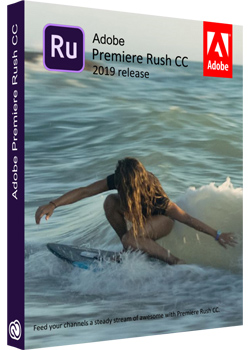
Adobe Premiere Rush CC v1.2.5.2 (x64) Multilanguage RePack


791342ae7fd312bd46e836c1861ab7fd.jpg

Adobe Premiere Rush CC v1.2.5.2 (x64) Multilanguage RePack | 725 Mb
​
Videos are becoming more popular in social networks. But the average user to create videos is not always easy, because, as a rule, requires editing skills. It is in order to maximize simplify this task for novice users, and Adobe has released product .


Premiere Rush CC as Adobe is a simplified version of Premiere Pro is an application designed for mobile videoblogerov and shooting enthusiasts. According to Adobe, the creative person does not need to become an expert in the field of video editing to create a cool movie. Especially if you need to install video on a daily basis, for these purposes is perfect Premiere Rush.

In Adobe Premiere Rush CC can be done editing and installation with tools to work with color, sound, animated graphics, text, and so on. Workpiece quality animations and screensavers have right in the app, and you can download hundreds more available on Adobe Stock if desired. You can change the font, color and size to match the result is greater than the desired style.

System Requirements:
OS:Microsoft Windows 10 with 64-bit support (Version 1709 or later)
CPU:Multicore processor with 64-bit support (Recommended: Intel Core i5 or i7, or equivalent)
Memory:8 GB of RAM
Hard Disk:8 GB of available hard-disk space for installation; extra free space required during installation (cannot install on removable flash storage devices)
Monitor:1280x800 display (1920x1080 or larger recommended)

Home Page -
Код:
http://www.adobe.com


-:DOWNLOAD FROMLINKS:-

RapidGator
Код:
https://rapidgator.net/file/adc63c37b762babcf53d3b263766df48/Rush_CC_v1.2.5.2.rar.html

NitroFlare
Код:
https://nitroflare.com/view/7E90A3101E1B6D0/Rush_CC_v1.2.5.2.rar

​
 
Tenorshare 4uKey Password Manager 1.3.0.6


1ab542cdaaa7341af6e3d0f8e672dc73.jpg

Tenorshare 4uKey Password Manager 1.3.0.6 Multilingual | 41.6 Mb
​
4uKey - Password Manager makes it easy for you to recover Wi-Fi password on iOS device. Connect your iPhone as you normally would via a cable, 4uKey - Password Manager will then recognise your device and do the job.


No.1 iOS Password Finder
- Find saved Wi-Fi password on iPhone/iPad from PC/Mac
- Recover stored websites & app login passwords
- Scan and view mail accounts, credit card information
- Show Apple ID & passwords kept on your device
- Transfer passwords to iOS password manager app like 1Password

Find Wi-Fi Password on iPhone - No Need to Jailbreak
- Forgot Wi-Fi password that saved on the iPhone
- Cannot find stored Wi-Fi passwords on iPhone
- My remembered Wi-Fi password cannot connect
- Try to show the Wi-Fi password my iPad currently-connected

Recover Stored Website & App Login Passwords
- Can't remember saved Amazon login password on iPhone
- Visit Twitter website but forgot the logins
- My remembered Google account cannot access
- Recently reset Facebook password on iPhone but forgot it

View and Manage iOS Devices' Passwords
4uKey - Password Manager is the easiest and safest iOS password manager for iPhone XS/XS Max/XR/X/8/7/6s/6 and iPad. Support the Latest iOS 12.

Export iOS Passwords to 1Password/LastPass/Chrome/Dashlane/Keeper
Transfer accounts and passwords stored on iOS (iCloud Keychain) to 1Passsword, Chrome, Dashlane, LastPass, Keeper or .csv files for better managing passwords on iPhone and iPad.

System Requirements:
- Windows 10/8.1/8/XP/7/Vista (32 bit &64 bit)
- > 750MHz Intel or AMD CPU
- 256MB or above RAM
- 50 MB or more space
- iTunes pre-installed in your computer

Home Page -
Код:
https://www.tenorshare.com/


-:DOWNLOAD FROMLINKS:-

RapidGator
Код:
https://rapidgator.net/file/c53a0a4134a0faeb91fbbc87b933fd62/4uKeyPasswordManager1.3.rar.html

NitroFlare
Код:
https://nitroflare.com/view/D633C5D93C4C568/4uKeyPasswordManager1.3.rar

​
 
Назад
Сверху