Dl4ever Software

  • Автор темы Автор темы Dl43v3r
  • Дата начала Дата начала
DtSearch (Desktop / Engine) 7.95.8632


a12167f68b275a4400cbfcdb6a4d0c6f.jpg

DtSearch Desktop / Engine 7.95.8632 | 79.6/140.5 Mb
DtSearch Desktop provides instant searching of desktop-accessible files. dtSearch can instantly search terabytes of text because it builds a search index that stores the location of words in documents. Indexing is easy - simply select folders or entire drives to index and dtSearch does the rest. Once dtSearch has built an index, it can automatically update it using the Windows Task Scheduler to reflect additions, deletions and modifications to your document collection. Updating an index is even faster, since dtSearch will check each file, and only reindex files that have been added or changed.


The dtSearch indexer automatically recognizes and supports all popular file formats, and never alters original files. The dtSearch product line can instantly search terabytes of text across a desktop, network, Internet or Intranet site. dtSearch products also serve as tools for publishing, with instant text searching, large document collections to Web sites or CD/DVDs.

Features:
• A scrolling word list, for instant feedback as you type in a search.
• A look-up word feature, detailing the effect of fuzzy, phonic, wildcard, stemming and thesaurus search options.
• Browse and customize thesaurus options.
• A field button, showing all indexed document fields.
• A search history display.
• Search reports, showing hits in retrieved documents, along with the requested amount of context.
• Clipboard options, file launching, and other tools for working with retrieved data.
• Exporting of search results in various data formats, for easy use with other programs.
• Special forensic indexing and searching tools

DtSearch Engine Text Retrieval Engine lets developers quickly add dtSearch's proven, "industrial-strength" text search and retrieval to applications. The dtSearch Engine is in use in hundreds of commercial applications. See Case Studies & 3rd Party Solutions for over a hundred developer case studies. Typical uses of the dtSearch Engine include: publishing and searching database-driven Web sites, incorporation into information management applications, searching of technical documentation, incorporation into forensics applications, email filtering usage, and incorporation into a broad range of vertical-market applications (legal, medical, financial, recruiting and staffing, etc.). The dtSearch product line can instantly search terabytes of text across a desktop, network, Internet or Intranet site. dtSearch products also serve as tools for publishing, with instant text searching, large document collections to Web sites or CD/DVDs.

Features:
• The dtSearch Engine provides developer access to indexed, unindexed, full-text and fielded data search options, including support for hundreds of international languages through Unicode
• The dtSearch Engine also provides developer access to dtSearch's integrated file parser and file format support
• File format support includes dtSearch's WYSIWYG hit highlighted search display of web-ready files
• File format support includes proprietary built-in HTML converters for non-web-ready files (like OpenOffice and MS Office documents)
• Developer file format support also works in connection with distributed or federated searching, including integrated relevancy ranking and hit-highlighted display of local and remote content
• The dtSearch Engine for Win & .NET supports C++, Java and .NET
• For example, the dtSearch Engine for Win & .NET includes a choice of an ADO.NET API, a Java API, a C++ API and a COM API for indexing and searching SQL-type databases, along with associated BLOB data
• The dtSearch Engine also supports search filters and other data classification options
• A .NET Spider API makes the full dtSearch Spider functionality accessible to developers
• The dtSearch Engine for Linux provides C++ and Java APIs to developers

Operating systems supported
Supported: Windows 10, Windows Server 2016, Windows Server 2012, Windows Server 2008, Windows Server 2003, Windows 8.1, Windows 8, Windows 7, Windows Vista, Windows XP Service Pack 3.
In Windows 8, 8.1, and10 dtSearch runs as a desktop application only (it does not run in the "Metro" user interface). Windows RT is not supported.
Both 32-bit x86 and 64-bit versions of Windows are supported. (Under 64-bit versions of Windows, the 64-bit executables are installed in the dtSearch bin64 folder.)
Web Browser
dtSearch Desktop also requires that Internet Explorer is installed. Internet Explorer does not have to be your default browser (you can still use Netscape, Opera, or any other browser). dtSearch just needs certain components that are only available if Internet Explorer is installed on the computer.

Home Page -
Код:
https://www.dtsearch.com/


-:DOWNLOAD FROMLINKS:-

RapidGator
Код:
https://rapidgator.net/file/2be2948312281b986b09fb9eb6e48340/DtSearch.7.95.8632.D.rar.html
https://rapidgator.net/file/6ee4eb221dc284fb0709130b3e0c80a8/DtSearch.7.95.8632.E.rar.html

NitroFlare
Код:
https://nitroflare.com/view/1E81003373648A8/DtSearch.7.95.8632.D.rar
https://nitroflare.com/view/C48A7AFF8B88FE3/DtSearch.7.95.8632.E.rar

 
Emurasoft EmEditor Professional 19.2.1


765869e218d002ad299df0d1d09ad9a3.jpeg

Emurasoft EmEditor Professional 19.2.1 (x86/x64) Multilingual | 62.9 MB
EmEditor Professional - professional version of the powerful text editor for programmers, Web developers and ordinary users with the illumination of syntax and Unicode support. Editor features such as search and replace in files using regular expressions, auto-detection coding, highlighting the links and email addresses, block selection mode, configure the button bar, menu, font and color elements. For each language, you can create a separate configuration. The program also has the support of powerful macros written in javascript or VBScript, allowing you to capture virtually any action, used often or occasionally.


This editor is an ideal tool for editing HTML, PHP, JSP and XML files. When you specify a web browser as an external application, you will be able to view HTML files during editing.
Supports syntax highlighting ASP, C #, C, CSS, HTML, Java, javascript, JSP, Pascal (Delphi), Perl, Python, PHP, SQL, VBScript and other programming languages, function Drag & Drop, opening files size up to 248 GB the possibility of connecting additional external applications and plug-ins. In addition, the program allows to work with macros written in javascript or VBScript, and based on the Windows Scripting Host (WSH) engine, allows you to automate virtually any action. Adjustable backlight HTML and scripting languages makes it easy to detect spelling errors and typos.

Features:
• Support for file sizes up to 248 GB
• Edit binary files
• Optimized search and relocation
• Improved design plug-ins
• Ability to display panel functions
• Optimized speed when each row has a greater length
• Auto-panning by clicking the mouse wheel
• Supports Drag and drop
• Specify the temporary folder in the program settings
• Import INI files in the registry
• Unicode
• Syntax highlighting for ASP, C, CSS, HTML, javascript, JSP, Pascal, Perl, Python, PHP, SQL, VBScript and other
• User-friendly interface with customizable toolbar

EmEditor Professional Features List:
* Large File Support
* Unicode Support
* Macros
* Vertical Selection Editing
* Tabbed Windows, Drag and Drop
* Lightweight Design
* Regular Expressions
* Binary Editing
* Crash Recovery
* Grab Text

Supported OS: Windows 10/8.1/8/7/Vista/Server 2012/Server 2008

Home Page -
Код:
http://www.emeditor.com/


-:DOWNLOAD FROMLINKS:-

RapidGator
Код:
https://rapidgator.net/file/37eabb5c6e37bcc961d30a2584220870/EmEditor_Professional_19.2.1.rar.html

NitroFlare
Код:
https://nitroflare.com/view/0A7B4F0C427A010/EmEditor_Professional_19.2.1.rar

 
MixW4 v1.1.1


125a671742553f11989528a84aedb87b.jpg

MixW4 v1.1.1 | 49.7 Mb
MixW 4 is a new multi-mode, multi-platform software for radio amateurs. A completely new outlook. Tons of new features. JT65 and FT8 modes. KiwiSDR as an external RX.


System Requirements:
Windows 7 or later with the following minimum configuration:
2 GHz processor 32-bit (x86) or 64-bit (x64)
2 GB of RAM
8 GB available hard disk space
Screen resolutions 1920x1200

Home Page -
Код:
https://rigexpert.com/products/software/mixw-4/


-:DOWNLOAD FROMLINKS:-

RapidGator
Код:
https://rapidgator.net/file/b3efb45d408ce8aff2cc2e90311a8de5/MixW4-1.1.1.rar.html

NitroFlare
Код:
https://nitroflare.com/view/9DE634973CBB886/MixW4-1.1.1.rar

 
Gemvision MatrixGold 2019 version 2.0.19240.1001


90261d2182385ba07bed2c673e8352b3.jpg

Gemvision MatrixGold 2019 version 2.0.19240 | 1.6 Gb
Languages: English, Spanish, German, French, Italian, Portuguese

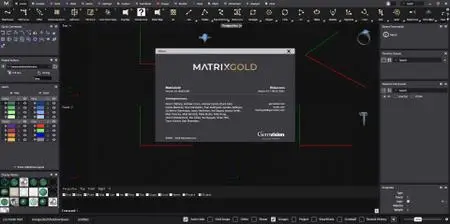
Gemvision is pleased to announce the availability of MatrixGold 2019 version 2.0.19240 is newest, most powerful CAD software to date, and it brings a wealth of fresh features and benefits - including all the features fans of MatrixGold Essentials appreciated.

006c92a9_medium.jpg
MatrixGold is another Rhinoceros plug-in providing jewelry design features. These are specifically designed to speed up the process over simply using Rhinoceros "raw".

MatrixGold adds a new dimension to Gemvision's advanced CAD solutions. It combines top Matrix and RhinoGold features with the simplified interface of CounterSketch. MatrixGold offers you more power, a curated set of tools, intuitive workflow, and enhanced productivity.

MatrixGold 2019 is our newest, most powerful CAD software to date, and it brings a wealth of fresh features and benefits - including all the features fans of MatrixGold Essentials appreciated. If you're an ambitious designer who wants total creative exploration to build jewelry from a blank slate, MatrixGold 2019 has the features you need.

MatrixGold 2019 provides a simplified interface and runs on Rhinoceros 6 CAD engine, which provides users more power for greater responsiveness, presentation, and display.

With facilities in the United States and a global network of Authorized Dealers, Gemvision brings jewelers and technology together with innovative CAD/CAM products. Since its founding over 20 years ago by a retail jeweler, Gemvision has always been a company of jewelers helping other jewelers use technology to express their creativity and enhance their bottom line.

Product: Gemvision MatrixGold
Version: 2019 version 2.0.19240.1001
Supported Architectures: x64
Website Home Page :
Код:
http://www.gemvision.com
Language: multilanguage
System Requirements: PC *
Supported Operating Systems: *
Software Prerequisites: Rhinoceros 6 SR14 or newer
Size: 1.6 Gb

System requirements

The following is a list and explanation of minimum and recommended technical specifications for a computer to run MatrixGold effectively.

Computer type
Laptop and Desktop computer systems, with mouse and keyboard
Processor
Intel i7 Quad Core, 2GHz (7th Generation) or Higher
RAM
12Gb - 16Gb or more
Graphics card
NVIDIA GeForce 1000 Series (GTX 1060, 1070, 1080) or higher
Operating system
(64-bit) Windows 10 Professional
Hard Drive
512Gb SSD with 1Tb HDD
Display
1920x1080 Pixels or higher
Anti-virus
Microsoft Defender (comes with Windows 10)
Internet connection
A high speed connection


-:DOWNLOAD FROMLINKS:-

RapidGator
Код:
https://rapidgator.net/file/b29e409b9eafdde86723187d7f10ea82/MatrixGold_V2.0.19240.rar.html

NitroFlare
Код:
https://nitroflare.com/view/1DF853621E01584/MatrixGold_V2.0.19240.rar

 
ON1 Photo RAW 2020 14.0.0.7757 Beta


991f53e50f6d2ebbf88a145a75df3a2a.png


x64 | File Size: 1.31 GB
Description:
New ON1 Photo RAW 2020 puts the primary photo editing needs for photographers under one roof, keeping the workflow elegant and powerful, yet simple. Photo RAW 2020 includes significant updates to both performance and image quality, significant new features like non-destructive layers integration, new layered file features including auto-alignment and focus stacking, a new portrait tab, a new text tool, new digital asset management updates, and new supported cameras and lenses. ON1 Photo RAW 2019 includes the professional tools photographers need to get professional results. All in a single well thought out photography workflow application.

Stay in Control of Your Photography.
A new line of photo and video products for all levels of photographers. Control of how you purchase, where you store photos, your choice in capture device, as well as your choice in cloud storage provider. Having total control over photographic and video editing style is also central to using the new ON1 products.

ON1 Photo RAW 2020 Public Beta Now Available
New features include AI-powered features AI Match and AI Auto, four filters in Effects (Weather, Sun Flare, Color Balance, Channel Mixer), Custom Camera Profiles with X-Rite, SmugMug integration, improved noise reduction, a map view, a Print Module, and speed/performance enhancements.

Take Photography Further.
Your photography is everywhere, and with our expansion into mobile, video, cloud, and integration of new AI technologies, ON1 will be there with you. ON1 will help take your photography further and continue meeting your needs as they evolve while ensuring you will always stay in control of your photos.

Our focus will be continuing to provide an open system keeping you in control of your photos. We will continue giving you choices in organization, storage, editing, creative style, and how you purchase ON1 products. We will never force you into a subscription model.

The ON1 Difference.
-Control over your photos with an open system.
-Control over organization of your photos.
-Control over where you store your photos.
-Control over how you style your photos.
-Control over how you purchase ON1 products, never subscription only.

System Requirements:
OS:Windows 7, Windows 8 or Windows 10
CPU:Intel Core i5, Xeon or better processors(s)
Memory:4GB RAM (8 GB RAM when used as a Photoshop plug-in) / 16GB RAM
Space:1.5 GB for installation
Display:
Minimun:OpenGL 3.3 compatible video card with 256 MB video RAM, 1280x720 resolution (at 100% scale factor)

Optional:
-Photoshop CS6 and above, CC, CC 2014, CC 2015, CC 2017, CC 2018
-Photoshop Elements 14 and above / Photoshop Elements 2018
-Photoshop Lightroom Classic 6 and above
Recommended:OpenGL 4.2 compatible video card with 2GB dedicated video RAM, 1920x1080 resolution Whats New:What's New in 2020 (14.0.0.7757)

Welcome to first release
-Print module - Whether you need to print contact sheets, a wall portrait or tile multiple photos into package prints, the improved print dialog is up to the task. You can easily print individual photos like before, but now you can also create contact sheets. You can also print multiple photos on one piece of paper to create packages like 2 5x7's or 4 4x5's. You can add watermarks and even output to files for sending your prints to the lab.

-Date Pane - Exploring your photos by date has never been easier. The new automatic timeline albums organize your photos by year, month and day. If you are looking for pictures of your daughter's birthday you can easily zoom right to that date.

-Map View - View where your photos were taken on a map. Explore photo locations and add location metadata to photos that don't have GPS metadata. You can even search by location address to find photos quickly, without having to add additional metadata.

-Improved Noise Reduction - The new state-of-art noise reduction algorithm can remove noise while maintaining detail, even with today's ultra high-ISO cameras.
-AI Match - Love how a shot looks on the back of your camera, but feel disappointed it doesn't look the same when you open it? The AI Match function solves that. Using our AI technology that we pioneered for migrating edits from Adobe Lightroom, we can now match your RAW photos look to what you saw on the back of the camera.

-AI Auto Tone - Everyone loves the one-click auto button in Photo RAW, and we have made it even better. By analyzing thousands of photos the algorithm has learned how to do an even better job, especially on the tough images. It's like having an expert editor helping you. Now you can even control the amount of auto-tone you want to add.

-Improved Performance - We take performance seriously. With every update we dedicate time to making things faster. This time we focused on two areas, opening raw files into Edit and brushing with lower-end video cards. You will find both are faster and smoother in practice.

-Custom Camera Profiles - Now you can get predictable, natural color results by creating custom profiles for your camera and lights. We have partnered with X-Rite, the leader in color management to make this easy. Simply photograph an X-Rite target with your camera, then import it into ON1 Photo RAW, then send it to the X-Rite Camera Profiler software to build a custom camera profile that works inside of ON1 Photo RAW.

-Color Balance Filter - The powerful new Color Balance filter lets you remove a cross color cast from the shadows or highlights. It can also create unique duotone or tritone tints by adjusting the color and brightness of the highlights, midtones or shadows. Custom color grading couldn't be easier.

-Weather Filter - With the new Weather filter in Effects, you can add rain, snow and fog to your photos to create realistic atmosphere.

-Channel Mixer Filter - The new Channel Mixer filter in Effects is a multi-purpose powerhouse. Use it for precise black and white conversions, channel swaps for infrared shots or shift entire color ranges like never before.

-Sun Flare Filter - It's golden hour anytime with the new Sun Flare filter. You can add realistic sun flares, lens flares and bokeh to your afternoon shots. It's powered by real photographs from renowned photographer and educator Matt Kloskowski.

-Revamped Preset Catalog & Extras - Photographers love the unique presets that come with ON1 Photo RAW. They make the perfect starting point for taking your photos to eleven. We have modernized the included preset catalog with over 100 new presets for today's looks. We have also added over 50 new backgrounds and skies for your masking pleasure.

-SmugMug Integration - Sharing your best work to the best sharing platform is now built right-into ON1 Photo RAW. Select photos and videos, then publish them to any of your SmugMug galleries. You can even create new galleries and control the size of the photos you upload.

-Focus Mask overlay - Now you can view what's in-focus in our photos easily. The new Focus Mask overlay marks the areas of best focus with green so you can compare similar photos and pick out the sharpest photo quickly.

-Tons of other minor enhancements - Move the before/after splitter, fade presets right from the preset browser, Win install on other drive, UNC paths on Windows, Lossy Canon CR3 support, Visualize brushstrokes with red overlay.

-Language Support - ON1 Photo RAW is now localized into eleven languages, giving many more photographers access to the best darned photo editor out there. It now supports English, German, Spanish, French, Japanese, Korean, Simplified Chinese, Russian, Portuguese, Italian and Dutch.

-Added Support for New Cameras and Lenses - Canon Powershot G7X Mark II, Canon Powershot G5X Mark II, Canon 90D EOS M6 MK 2, Sony A7R IV, Sony RX100, Sony NEX-C3, Leica V-Lux 5

What's Coming in the 2020 Release Cycle

-ON1 Sync (BETA) - ON1 Sync brings what you love about ON1 Photo RAW to all of your computers and mobile devices. It syncs the photos you care about, to the devices you care about. You don't have to store your photos in the cloud, or on every computer, to view and edit them on all your devices. It can send your photos from one device to another wirelessly, like your phone photos back to your desktop. It even syncs all your albums and presets. ON1 Sync gives you the benefits of the cloud for less and keeps you in control of where your files live.

-Mobile Apps - Great photos are everywhere you look, and inspiration can come anytime. With ON1 Mobile you can capture those photos on your smartphone, in RAW, with the pro-level control you expect from your big camera. Next, you can edit those photos on your smartphone or tablet with the same power as you do in ON1 Photo RAW. Enhance the shadows, remove the distractions, burn down the sky, add a vignette, you name it. Your new RAW photo automatically is sent back to your computer of choice, with all of the non-destructive edits in-place. Your photos can go the other direction as well. You can view, edit and share photos from any of your computers on your mobile devices with ON1 Sync. ON1 Mobile brings all your photos together into the app you already use, ON1 Photo RAW.

-Improved Highlight Recovery - By analyzing thousands of photos from the top cameras we have been able to improve the highlight recovery range. You can now get back more of those subtle cloud and wedding dress details.

-Video app integration (Video playback and editing, time-lapse, stop-motion, slideshows, frame extraction), more.

Known Issues
-The amount/opacity sliders will be slow to update the image preview
-Settings menu in Browse/Edit/Resize are not translated
-Installer gives warning about multiple installs
-Installing program and program data to a different drive causes plugins to stop working as expected
-Focus peaking display changes when you zoom in Compare View
-Print preview goes blank (white) when you turn soft proof on or off
-Lens profile for Sony 50mm f/1.4 (SAL50F14) adds overly white vignette
-Loss of detail on Fuji .RAF files in 2020 vs 2019 (noise reduction)
-Print dialog does not darken behind it like other styled, modal dialogs.
-Default print area should be fit
-Sometimes multiple mode buttons are enabled and do not function
-Poor handling of Nikon Z7 raw files compared to other apps
-Focus not shifting back to image after copy/pasting keywords
-Effects masks on smart objects are lost when re-edited
-Check for update style sheet not compatible with Dark Mode
-Develop Tone & Color pane alignment is off in localized versions
-We are not defaulting to Pictures folder if the folder set in prefs/first run is not found
-Fit/100/50/25 appearing on Map View when returning from Edit
-Double-clicking on an .onp preset file does not import
-German Translations- Menus, Panes in browse
-Sometimes shadow-like artifacts appear in photos in Edit and Browse
-Rejecting "X" photos is skipping the next photo in view
-Resetting Sun Flare pane does not go back to defaults
-Map Leaflet link does not open in new browser window. Gets stuck in map view when clicked.
-Memory cache warning message always appears when starting app
-Sometimes dropdown controls in the toolbar immediately dismiss themselves
-Pano crashes when trying to merge 4 photos from iPhone 6s
-Performance degrades moving program between monitors
-Details styles misaligned in Tone & Color
-Import doesn't work on first launch on Mac
-Crash viewing onphoto
-Right Click in Lightroom > Edit In >plugins doesn't work
-Unable to switch between Browse/Preset tabs in Browse after returning from unedited new canvas in Edit
-Lens correction on Pentax K-1 .DNG file applies opposite correction
-Print area can be set to larger than the papers printable area
-Grouping raw+jpg no longer works without reentering folder
-App gets in a hung state if you launch Focus stacking prior to "edit"
-Hang viewing home folder in Browse
-Import Color Profile... menu option can be sticky
-Syncing settings with an empty portrait mask is causing crash
-Poor Local Adjustment brushing performance when Portrait adjustments are present/enabled
-Image thumbs not loading in Import
-Check All/Check None in Import don't work as expected
-Doing a search for location fails after setting the metadata
-No warnings when app is running when you uninstall.
-No warnings if Photoshop and/or Lightroom running when installing
-UAC prompt comes up during C++ redistributable installer
-Remove ON1 files does not remove the program entry from the uninstall a program control panel
-Preset browser is not updating with Local Adjustment masking
-Import not automatically selecting memory card when multiple card readers are attached
-Breadcrumb bar doesn't work when browsing a network share
-Import does not work on first launch of app
-Detail view is showing first photo in album after returning from Edit
-Pressure Adjusts Size option is not sticky for AI Quick Mask
-Deselecting images in FSV in Edit then returning to Browse reselects images
-Creating a copy during LR Migration does not work
-Arrowing through images in compare view gets stuck on an image when one loads into the main preview window
-Thumbnails of newly created .onphotos might not draw in until mouse over or selection
-Export presets can disappear on sub-4k displays
-German Translations- Sync Settings Module Tabs
-Deleting on dual display (thumbnail view) causes view to jump to top of browse location
-Mouse cursor must be hovering over the filmstrip in compare view to be able to arrow through images
-Fit view shows magenta around blown out areas in Browse
-Fade slider/darkening effect doesn't go away if mouse goes off the edge of preset while adjusting fade
-Text is too small
-Export results not matching original (no settings applied)
-Dynamic Contrast doesn't export correctly if Small slider is set to -100
-Press to Publish' option still available if you click cataloged folder progress wheel
-Wacom tablet does not work correctly with Windows Ink on
-Applying Resize preset then resetting crop triggers error tone when selecting another preset w/ no changes applied
-Effects standalone crashes when attempting to open up a file
-Unable to copy/paste vibrance slider setting on .jpeg if it's the only adjustment made
-App becomes unresponsive during "Erasing Object" progress bar after using Retouch/Perfect Eraser aggressively
-Migrating a gradient filter from Lr to Raw reverses the location
-Resize>Document Size: Units pulldowns not sticky
-Holding alt keyboard shortcut does not update preset browser thumbnails
-Import dialog can be off-screen on secondary display if main display is disconnected
-Gradient mask is not appearing on an inverted mask (Black)
-Flipping a layer after crop does not maintain crop position
-Resize Categories are appearing in the save preset dialog in EDIT
-The settings menu have items disabled that should be enabled
-Creating .onphoto with Nikon .NEF files adds noise to resulting .onphoto
-Copy/Paste/Apply Settings issue - Windows
-White lines appearing between Local Adjustment/Filter masks when Perfect Brush is used
-A plugin is in-use dialog comes up during migration the first time you launch the application
-Sunflare texture needs to auto-rotate for a vertical file
-Sometimes the edges of text are truncated if the bounding box is close to the text
-Dual display grid view is cutting cut off on the top
-Brush strokes on layered files go missing after upgrading
-Resize settings aren't sticky
-Application crashes when using files that have a text box
-Crash in Export with Tiling on when in NDE
-Quitting the app programmatically with App->quit() can cause a crash
-Preset browser flashes from browse to edit
-Long filter lists don't scroll when dragging.
-Showing incorrect dimensions on High Rez.ORF in Browse
-The first time a map is viewed, the preview area flashes white
-Lens correction is not being applied on export
-Document failed to load error launching PR plugin from Photos if image has been previously edited by another plugin
-Unable to select Layer after deleting a Filter
-Tethered Shooting with EOS RP stops working if you adjust any settings
-Smart Objects opened via plugin from Photoshop ignore the "Start with the Last Used Settings" Preference
-Photoshop warning that the document contains unknown data on Send To - Edit copy
-Crash when returning from Resize
-Nav view outline gets set incorrectly after closing/reopening the right pane in Edit
-Wrong style scrollbars in text boxes
-Map view menu entry available in Edit
-Auto opacity slider tool tip is incorrect
-Remove All script doesn't remove Photo RAW 2020 desktop shortcut
-Preset Browser is inconsistent in honoring photo transparency
-Tiling is exporting the wrong color on files with NDE settings
-Thumbnail for an onphoto appears as corrupt
-Remove all doesn't remove some of the 2019 components
-Incorrectly recognizing known lens on Panasonic DMC-G85
-Auto opacity slider value lit up when not selected/usable
-Filter description pop up does nothing when turned on
-Crash occurs when attempting to share a large png (~75MB) to SmugMug
-Browse/Edit button text is cut off in Film Strip and Compare view with certain windows resolution scaling
-Show Sub-Album Contents' option is missing when FSV is enabled
-Clicking the 2nd level of a nested keyword in Master List will cause the top-level keyword to disappear
-Resize categories and presets do not load in Lightroom export
-Lens correction for FZ1000 & compatibles not applying automatically
-Applying incorrect lens correction profile to Fuji GF23mm F4 R LM WR lens
-Not recognizing known lens (1 Nikkor VR 30-110m f/3.8-5.6)
-No non-ON1 camera profiles for Canon EOS RP
-No non-ON1 camera profiles for Canon PowerShot SX70-HS
-Unable to Import from SD card on Samsung S9
-No photo selected can appear in preset browser in edit
-A desktop shortcut is created when option is turned off
-Pano fails to merge all images on lower-end Intel hardware
-Folders pane not updated sometimes without a mouse move
-Running Lightroom migration a 2nd time (or more) creates duplicate albums
-Print preview/ Export preview show incorrect on a gallery wrap
-Compare View does not update selection when returning to browse
-Not maintaining panorama tag after export (phone pano)
-Incorrectly sorting newly added folders in Browse on Mac
-Zooming in on .HEIC file while it's still loading causes stuck preview (older hardware)
-Reading incorrect colorspace on Z6 compressed .NEF files
-Leica files have over blown exposure settings when migrated from Lightroom
-Reading incorrect dimensions on Panasonic DMC-LX5 .RW2 files
-Sony A7RIII files appear over saturated in Photo RAW vs. other applications
-The 2020 remove all script does not remove the start menu shortcut
-The show/hide tip does not always show up when you mouse over a pane
-In the Tethered shooting configuration window the Time adjustment still says Adjustment Type
-The sign-in dialog should have graphic for sign-in removed
-Going to the last page of First Run content then going back to a previous page and clicking Next will close the window.
-Browse shows the wrong dimensions for dng files that came with variable sized raw files
-Pull-down menu does not draw in correctly
-Crop not behaving correctly on Pano images
-Compare view can have more than 15 images in secondary display window
-Keyboard shortcut 'D' produces system 'boink' sound opening from GV to Edit
-Incorrectly recognizing known Nikon lens (AF-S Nikkor 85mm f/1.8G)
-Albums pane rolled up/rolled down state isn't sticky
-Alt+Tab while masking switches brush modes
-New stamped layer with masking shifts from the source files
-Sometimes selection in LUT dropdown shows incorrect LUT selected
-Crop gets stuck and can't be adjusted out sometimes
-Deleting multiple images in Edit w/ FSV causes return to Browse
-Not finding a lens for the sony RX100M6
-Error "A source needs to be chosen" when you export from Resize when launched from LR
-Selecting resize Preset while crop is active doesn't add the preset
-Adding a gallery wrap preset when launching from PS is not adding the wrap
-Reset All doesn't work if video file is part of the selection in Browse
-Returning to browse after deleting a new canvas results in the browse/preset pane disabled
-Tamron 100-400mm lens not appearing in Filter options
-Check bubbles are cut off for Pressure Adjusts and Perfect Brush settings with Windows scaling set to "250% recommended" on 4k a display
-Incorrect lens correction profile applied to .NEF (AF-S Nikkor 200-500mm f/5.6E ED VR)
-Lens correction: Tamron 24-70 detected as a Sigma 24-70.
-Lens correction getting ignored in HDR on fixed lens cameras
-Pano images have lost sharpening in 2019.5 compared to 2019.2
-Dual mode does not remember the number of columns in grid view
-Nested keyword hierarchy doesn't expand automatically when dragging another keyword over/into it
-Duplicate keywords can be added by creating a new keyword that is the same as a nested child keyword but with different capitalization
-Recognizing Sigma 85mm F1.4 DG HSM Art as Sony FE 85mm F1.4 GM
-Migrating of Lr Adjustment brush is slightly different from previous releases
-Selecting a keyword from the add keyword dropdown list does not leave the field active like it does when manually typing one
-Old presets with multiple text blocks does not allow you to edit
-Not recognizing known lens on Sony a6400 (E 18-135mm F3.5-5.6 OSS)
-Missing Lens Profile on Nikon AF-S Nikkor 70-200mm f/4
-Not recognizing known Sigma lens (150-500mm F5-6.3 DG OS APO HSM)
-Noisy images cause color bleed
-Navigator gets cut off when switching images from dual display
-Layers thumbnails do not match your image color
-Text appears to shift and shrink when zoomed in compare view
-Text alignment options are not sticky
-Haze is double applied to the cached image when doing a paste setting
-Thumbnails don't load in Import if the image has had any settings applied to it
-Pano fails to merge images if they aren't sorted manually
-Migration progress comes up on first launch
-Scaling at 125, 150 & 175 shows lines in Filters dialog
-Shift + I opens Portrait, should only be I
-Error message for disconnected cataloged folder is misleading/confusing
-Export fails when watermark size is set to 0
-Battery spelled wrong in tethered shooting popup
-Renaming a version on a shared (and currently viewed) storage location creates a new version
-A variety of Localization work that still needs to be done

-:DOWNLOAD FROMLINKS:-
RapidGator
Код:
https://rapidgator.net/file/24e73ab11f9c105aeb0838183d762d17/ON1_Photo_RAW_2020.rar.html

NitroFlare
Код:
https://nitroflare.com/view/098557E9AD2E81A/ON1_Photo_RAW_2020.rar

 
PhoneClean Pro 5.5.0.20190919 Multilingual RePack


43f3038d6dce00d9298d694f7c6959bb.jpg

PhoneClean Pro 5.5.0.20190919 Multilingual RePack | 11.3 Mb
Enjoy a cleaner, faster and better iPhone, in almost every way. By bringing you the hands-free cleaning, in-depth privacy protection, ultimate speed-up and an array of innovative iOS maintaining features, PhoneClean 5 comes to elevate your iPhone, iPad experience, even at a whole new scale.


Bring more possibilities, in one finger tap.
It's the first sight you cast upon PhoneClean that tells the most marvelous changes we have made - just for bringing you the utter simplicity and easiness, even for free. We start from redesigning Quick Clean feature, which now gets completely revamped with super efficient iOS cleaning workflow, plus more readily comprehensible interface. Upon doing so, it will create an intuitive feeling that your iPhone always gets spick-and-span and runs like new.

More Free Space. More Fun.
Your iPhone storage is, no doubt, the essence of your productivity, entertainment, or perhaps the whole part of your mobile life. So you shouldn't waste a single byte of space with anything unvalued. The ability to find and delete these hidden iOS cached, temporary, cookie and corrupted junks is of great value in PhoneClean.

Secure. Smart. Smile.
As the first and best of its kind, PhoneClean knows exactly what are swallowing your iPhone space and slowing down your apps' performance. It will smartly find and list junks based on your iOS version, device type and the usage of it. So, there is no need for you to make any considerations, like what are hogging your storage and what are safe to clean up.

Always need to manage your iPhone storage? No, it's time to relax.
Even the best performance is worthless, if it's hard to use. By introducing Silent Clean, the new PhoneClean 5 engages your iPhone cleaning with no click and zero interruption. It will automatically detect your device when you get back home, start scanning based on once-a-day frequency, and run a silent cleaning on your iPhone. As everything gets done silently, you even hardly notice what happened, but will then always have enough iPhone storage for taking photos or other daily activities.

Family Caring
It's one simple subscription that covers every iPhone, iPad and iPod touch in your family. No matter it's one or multiple devices, once detected and recognized by PhoneClean, Silent Clean will run a simultaneous scan to find out what it can do, and finish the cleaning.

Zero Interruption
There is no need to sit down and watch your computer to do these iPhone cleaning routines, as PhoneClean evades the bother of bringing you any distraction or slowdown. It takes care of your iPhones in a simple way, with the feeling that nothing intrudes your life. But everything on your iPhone will get much better.

Security is Priority. There is Nothing Else.
When innumerous personal information, like your iMessages, contacts, calling history, etc., saved on your iPhone and iPad, casting the most intensive and solid protection on it is the prior concern of our PhoneClean. Outranking other iOS cleaner software, it provides you the highest standard in privacy security, and keeps everything sensitive getting deleted permanently and completely.

Maintenance for Best Performance.
When you want to make a boost-up on your old-school iPhone, iPad, System Clean is your best starting point. By clearing out these accumulated iOS system junks, it will keep your Apple devices with lightning-fast responsiveness.

Keep Your Web Surfing Smooth & Secure
Your Internet browsing should be kept private, but Safari doesn't fill such a post with credit. That's the reason we introduce Internet Clean to you. As it will leave no trace behind your surfing, all your Internet privacy would be safeguarded.

All of Your Private Information. Confidential to Yourself Only.
Your iPhone stores tons of sensitive personal information of yours, like photos, messages, contacts, emails, and more. Once it falls into the wrong hands, your and your family's privacy will be in extreme danger. To save you from such troubles in the first place, PhoneClean permanently wipes everything in your iPhone before you give it out. By utilizing military-grade shredding algorithms, it renders all deleted data unrecoverable even for the most sophisticated recovery expert.

Tune Up Your iPhone in Every Way Possible
PhoneClean puts all your iPhone cleaning and maintenance utilities in one place so you can tune up your iDevices in light of your need.

Requirements: Runs on Windows 10, 8, 7, Vista, XP (64bit & 32bit).

Homepage -
Код:
https://www.imobie.com


-:DOWNLOAD FROMLINKS:-

RapidGator
Код:
https://rapidgator.net/file/ba278ab5d23cd91d4b0e2f93e027735e/PhoneClean.5.5.0.rar.html

NitroFlare
Код:
https://nitroflare.com/view/EDAFB212C004303/PhoneClean.5.5.0.rar

 
Postbox 7.0.4


8571cc89ce01971135efad669cedeaa1.jpg

Postbox 7.0.4 Multilingual | 46.8 Mb
Postbox is a powerful application that aims to provide you with all the tools for keeping in touch with your friends and business partners. It can handle multiple email accounts and allows you to subscribe to RSS feeds in order to read the latest news. Take control of your day with Postbox's clean and super-customizable interface. Make your email work for you, just the way you need it to.


Account Groups
Juggle multiple accounts like a pro. Separate or blend work and personal, job A and job B, your account and your boss' account - or mix and match to suit your needs.

Favorites Bar
Keep your go-to folders and accounts accessible at all times with a single click from the favorites bar.

Tabs
Reduce clutter with tabs, just like a web browser. Keep multiple messages, folders, contacts or topics open to easily switch between them.

Power Through Your Day
Get it done, fast. Whatever your day throws at you, cut through it with ease using Postbox's best-in-class tools and integrations.

Dropbox, One Drive and Box Integration
Big files, small files, lots of files - whatever you have, send it quickly and seamlessly by adding Postbox's cloud file-sharing capabilities.

File and Image Search
Attachments at your fingertips. Postbox lets you find and use files and images hiding in your mail - even while you're composing a new message.

Pre-Made Responses
Sending the same thing over and over? Streamline your work with pre-made responses that you can reuse as often as needed.

Real-Time Tracking
Time flies when you're composing emails. Keep yourself on task with time and word-count trackers.

Focus Pane
Tackle what's important right now using the real-time filters of Postbox's innovative focus pane. Just want to see all unread messages from your team from today? Done.

Attributes
Instantly view unread messages, or those with attachments. Scan your reminders, subscriptions, or social updates with a single click.

Topics
Break your work into small, manageable chunks with custom topics for projects, events, or however organize your work. Create and delete topics, and reorder them to reflect your goals.

System requirements:
Windows 7, 8, and 10
Pentium 4 or newer processor that supports SSE2
4 GB of RAM (8 GB recommended)
100 MB hard drive space for application files (excluding local message data)
Postbox runs in 32-bit mode on 32-bit and 64-bit versions of Windows

Home Page -
Код:
https://www.postbox-inc.com/


-:DOWNLOAD FROMLINKS:-

RapidGator
Код:
https://rapidgator.net/file/1dddf34424e25f27a2674eb6058283eb/Postbox.7.0.4.rar.html

NitroFlare
Код:
https://nitroflare.com/view/4AA9FE91C36ADCA/Postbox.7.0.4.rar

 
Siemens Solid Edge 2020 MP01 build 220.00.01.006


2fb07384c5b3a3f4f8278723f737893d.jpg

Siemens Solid Edge 2020 MP01 | 9.5 Gb
Languages: 中文 (Simplified), 中文 (Traditional), Čeština, English, Français, Deutsch, Magyar,Italiano, 日本語, 한국어, Polski, Português-Brazilian, Русский, Español


Siemens Digital Industries Software has released an update (MP01) to Solid Edge 2020. The latest version of Solid Edge software from Siemens Digital Industries provides next-generation technologies that solve today's toughest product development challenges.

===General===
PR 9542777: Common Views Window resizes when trying to move
PR 9282767: KeyShot for Solid Edge doesn't work properly with subscription / cloud license file
PR 9547020: Cloud-Enabled licenses printing watermark
PR 9554194: Solid Edge crashes when saving assembly in Synchronous environment did not in Solid Edge 2019
PR 9562847: File open in SE can be released from Design Manager.
PR 9562441: Cannot open ST5 files

===Assembly===
PR 9523678: Assembly crashes when placing Dynamic Config of an FOA
PR 9533162: Part geometry is wrong when zooming in and out
PR 9535773: reproducible Crashlog, when trying to edit a failing weld bead
PR 9539393: Strange faces in KeyShot when converting from Solid Edge
PR 9526425: Wire path connects to splice which causes bad path for current wire
PR 9430237: Rotate model in Configuration menu of 3D Publishing don't match the update

===Draft===
PR 9553058: Solid Edge Draft Crash when a small value is in custom props.
PR 9522862: get the length of weld seam in draft
PR 9556161: Reproducible Crash, when pasting text from a PDF file into a Text Box
PR 9538052: Projection Line display issue at Draft and model sketch environment
PR 9560220: After placing a point in SE 2020 you are unable to select it in any way other than a fence select

===Part/Profile/Sheet Metal===
PR 9530464: contour flange built with ST10 (or prior) fails when recomputed with 2019
PR 9532423: Cannot launch 2D Nesting from Solid Edge
PR 9070876: Fixed a problem of "Propagate face colors during Boolean subtract of part copy"
PR 9517939: Solid to Solid intersect does not work correctly using dialog
PR 1986750: Paste command is not available in XpresRoute environment
PR 7611577: The pipe geometry changes if the line segment is split
PR 9407180: Axial aligns between part and tube body are broken after splitting 3D sketch
PR 9560664: Geometry in refined outer loop layer is not continuous
PR 9537262: Face style changes scale when in flatten or simplify environment

===Simulation===
PR 8422518: "Element ID" list only shows one element, even though 6 bad elements exist

===Teamcenter Integration for Solid Edge===
PR 8422144: Occurrence properties will not sync with TC find no for all FOA members
PR 9504722: CAM Express (NX12) is unable to open Solid Edge ST9 parts in TC 11.4
PR 8425082: SEEC: issue with 2D PDF and JT generation
PR 8426069: SEEC: search queries are not available in RU UI Solid Edge
PR 9506964: SEEC: Release Status icons in File Properties do not match other places

===Translators===
PR 9408454: Draft having inserted OLE objects; link with part is not maintained after migration
PR 9410169: Display state is not maintained in drawing of a multibody part
PR 9523592: Solid Edge 2020 is unable to open NX1872 files.
PR 9539136: Incorrect use of comma in the formula field after opening a STL file.
PR 9551165: Export to ASM Does Not Work
PR 9388932: Open Parasolid assembly, multi-body all is not Design Body

--
End
--
Siemens Digital Industries Software announces the availability of the latest version of Solid Edge software, which features numerous enhancements that will enable small and medium-sized manufacturing companies to accelerate product development and manufacturing processes. Through new features such as augmented reality, expanded validation tools, model-based definition and 2D Nesting, Solid Edge 2020 provides next generation technologies to enhance collaboration and fully digitalize the design-to-manufacturing process.

Solid Edge 2020 delivers new augmented reality capabilities that enable users to visualize design intent in new ways, enabling enhanced collaboration internally, as well as with suppliers and customers during the design process. New and powerful validation tools have been integrated for conducting motion and vibration simulation, which can help customers reduce costly prototypes. The addition of Model Based Definition enables customers to completely define parts, assemblies and manufacturing instruction digitally from their 3D model. 2D Nesting capabilities have also been added to optimize cutting patterns, reduce waste and costs, and accelerate manufacturing processes. Solid Edge 2020 also delivers hundreds of core CAD enhancements such as new sheet metal capabilities, 3-10x faster large assembly performance, new data migration tools, and others across the portfolio. These enhancements help facilitate a software application that is easy-to-use, deploy and maintain while also helping advance all aspects of the product development process.

See what the future holds for Solid Edge. The latest version of Solid Edge software from Siemens Digital Industries provides next-generation technologies that solve today's toughest product development challenges.

Siemens Digital Industries (DI) is an innovation leader in automation and digitalization. Closely collaborating with partners and customers, DI drives the digital transformation in the process and discrete industries. With its Digital Enterprise portfolio, DI provides companies of all sizes with an end-to-end set of products, solutions and services to integrate and digitalize the entire value chain. Optimized for the specific needs of each industry, DI's unique portfolio supports customers to achieve greater productivity and flexibility. DI is constantly adding innovations to its portfolio to integrate cutting-edge future technologies. Siemens Digital Industries has its global headquarters in Nuremberg, Germany, and has around 75,000 employees internationally.

Siemens PLM Software is a world-leading provider of product lifecycle management and manufacturing operations management software. We help thousands of companies realize innovation by optimizing their processes, from planning and development through manufacturing, production and support.

Product: Siemens Solid Edge
Version: 2020 MP01 build 220.00.01.006 *
Supported Architectures: x64
Website Home Page :
Код:
https://solidedge.siemens.com/
Language: multilanguage
System Requirements: PC *
Supported Operating Systems: *
Size: 9.5 Gb

Siemens Solid Edge 2020 with MP01
Siemens Solid Edge 2020 MP01 Update Only
Operating system requirements and information

Solid Edge 2020 has been certified to run on the following:
- Windows 10 Enterprise or Professional (64-bit only) version 1709 or later
- Internet Explorer 11
- Internet Explorer is not required to be the default browser.
- Microsoft Office Professional 2016, or Microsoft Office 365 Business.
Note
- Windows Home and Windows RT are not supported.
- We recommend that you not run Solid Edge on Server operating systems.
- Solid Edge stops certifying new releases against an operating system shortly after Microsoft drops mainstream support for it. Microsoft dropped mainstream support for Windows 7 in January 2015. Microsoft dropped mainstream support for Windows 8.1 in January 2018. Due to limited support from Microsoft and graphics card vendors for older operating systems, installation of Solid Edge on Windows 7 or Windows 8.1 is not recommended. Solid Edge will install and run on these operating systems, but issues determined to be caused by an incompatibility between Solid Edge and an end of life operating system may not be fixed. Due to the potential for critical issues on these older operating systems, Solid Edge 2020 could be the last Solid Edge release that installs on Windows 7 or Windows 8.1.

Hardware system requirements

Recommended system configuration
- Windows 10 Enterprise or Professional (64-bit only) version 1709 or later
- 16 GB RAM or more
- True Color (32-bit) or 16 million colors (24-bit)
- Screen Resolution: 1920 x 1080
Minimum system configuration
- Windows 10 Enterprise or Professional (64-bit only) version 1709 or later
- 8 GB RAM
- 65K Colors
- Screen Resolution: 1920 x 1080
- 7.8 GB of disk space required for installation


-:DOWNLOAD FROMLINKS:-

RapidGator
Код:
https://rapidgator.net/file/e20b958e6a8d034757a8731ac3206f5a/Solid.Edge.2020.MP01.Update.rar.html

NitroFlare
Код:
https://nitroflare.com/view/BFA9A9D6861FB85/Solid.Edge.2020.MP01.Update.rar

 
Siemens Solid Edge 2D Nesting (x64) 2020


50b45a83f0bf4dc080e72501683c748f.jpg

Siemens Solid Edge 2D Nesting 2020 | 142.0 mb
The Siemens PLM Software product team is pleased to announce the availability of Solid Edge 2D Nesting 2020. With this standalone module, generate optimized layouts for the two-dimensional cutting of fabrication materials, including sheet metal, plastic, wood, fabric and textiles.


The benefits are numerous, and include the following:

- New Manufacturing product for Solid Edge portfolio
- Stand-alone
- Works with Solid Edge files (PSM, PAR)
- Imports neutral data formats (DXF, DWG)
- Automatically extracts required data (if it exists)
- Most efficient nesting algorithm
- Continuous nesting improvement until Stop
- Export data into Solid Edge format (PAR, ASM, DFT)
- Export data into a neutral format (DXF, DWG)
- ROI very high based on material costs
- Can nest to multiple sheet sizes (reduce "tailings" AKA partial sheets)
- User can select the best nest from a list (not just latest one)
- Will nest inside openings (increase sheet usage)
- Angular control of parts + tilt allowance
- Universal spacing
- Generate both summary and detailed reports
- Save time while multi-tasking

Siemens Solid Edge 2D Nesting is a powerful standalone module designed to generate optimized layouts for the two-dimensional cutting of fabrication materials, including sheet metal, plas-tic, wood, fabric and textiles. 2D Nesting saves fabricators time and money by allowing them to manage material use more effectively.

The process of 2D nesting, or the orga-nization of 2D shapes efficiently on a single cutting plane, is much like pro-cesses dressmakers have used for decades. The optimized nesting pat-terns, created using a next-generation nesting algorithm, markedly reduce preparation time, waste and costs.

This video demonstrates 2D nesting in Solid Edge, enabling you to optimize patterns of cutting-saving time and material costs. With Solid Edge 2D Nesting Create optimized layouts for the two-dimensional cutting of manufacturing products, including sheet metal, plastic, wood, fabric and textiles. with Solid Edge 2D Nesting. 2D Nesting saves manufacturers time and money by making it easier for them to handle material use more effectively.


Siemens PLM Software is a world-leading provider of product lifecycle management and manufacturing operations management software. We help thousands of companies realize innovation by optimizing their processes, from planning and development through manufacturing, production and support.

Product: Siemens Solid Edge 2D Nesting
Version: 2020
Supported Architectures: x64
Website Home Page :
Код:
https://solidedge.siemens.com/
Language: english
System Requirements: PC *
Supported Operating Systems: *
Size: 142.0 mb

* System Requirements:[/url] Minimum system configuration
- Windows 10 Enterprise or Professional (64-bit only) version 1709 or later
- 8 GB RAM
- 65K colors
- Screen resolution: 1920 x 1080
- 6.5 GB of disk space required for installation


-:DOWNLOAD FROMLINKS:-

RapidGator
Код:
https://rapidgator.net/file/4773aef02c521d2abf19b86119b34d4c/Solid.Edge.2DNesting.2020.rar.html

NitroFlare
Код:
https://nitroflare.com/view/E823E9A4A22FFAA/Solid.Edge.2DNesting.2020.rar

 
Schoolhouse Test 5.1.2.4 Professional Edition


b339b1a8c4d1ed069fe0e9c68d704858.jpg

Schoolhouse Test 5.1.2.4 Professional Edition| 41 Mb
Creating and printing a paper-and-pencil test, quiz, or exam, has never been easier. Schoolhouse Test makes a time-consuming chore a whole lot easier and the result considerably more professional. Some of our customers have even hinted that creating tests with Schoolhouse Test can actually be an enjoyable process. If you're looking for a professional test generator that makes quick work out of creating paper-and-pencil tests, quizzes, and exams then Schoolhouse Test is the program for you.


And now version 5 takes test creation to the next level. Schoolhouse Test 5 brings high resolution display, multi-part questions, expanded references, an enhanced print manager, grouping, a solution view, and a whole lot more.

Quiz maker
You need a quick quiz for your science class. Schoolhouse Test can get the job done in minutes. Not only will you have a quiz ready for your next class but you'll have a quiz that can be easily randomized and given again in a week's time as a follow-up quiz. Or, using the built-in Question Bank (Pro editions), you can easily combine the questions from this quiz with questions from other quizzes for an end-of-unit test or an end-of-term exam.

Test maker
It's the end of your geography unit and you need to evaluate your students' learning with a nice test that includes some multiple-choice questions, a few short answer questions, maybe a matching question, and finally an essay question. Schoolhouse Test comes to the rescue again. You can design your test from scratch which is not as bad as it sounds if you're using Schoolhouse Test. In fact you'll be surprised at just how easy it is. Or, if you have been using quizzes to periodically check that your learning objectives are being met, you can simply use the Question Bank (Pro editions) to select and combine questions from the existing quizzes to make your test. Likewise, if you need an end-of-term or end-of-year exam, you can use the questions in your existing tests and quizzes to design your exam.

Exam maker
Now it's exam time and you need an exam to administer. Well, once again, Schoolhouse Test reduces even that monumental undertaking to a manageable task. Even if you're writing your exam questions for the first time it will go a lot faster than you expect it to. Even tricky-to-write question types like matching, order, and tables are surprisingly easy to produce. And if you have quizzes and tests that you have been using throughout the year to assess learning, you can use the Question Bank (Pro editions) to construct your exam from your existing questions.

Assess learning with 13 question types
With Schoolhouse Test you can design custom tests and quizzes to evaluate learning in any subject area using thirteen different question types:

- multiple-choice
- fill-in-the-blanks
- matching
- short answer
- list
- checklist
- table
- list with prompts
- order
- true/false
- essay
- diagram
- statements

Create your first quiz or test in minutes
And Schoolhouse Test is a surprisingly easy to use and very intuitive test maker. It incorporates three views or work areas depending on the current task. You use the design view to construct your test or quiz, the document view to format the test and see exactly what it will look like when printed, and the answer sheet view to format the answer sheet and see what it will look like when printed.

Features to ease the quiz-making, test-making pain
• Create tests, quizzes, and exams with hundreds, even thousands, of questions.
• Activate and deactivate test items with just a click of a checkbox.
• Assign and display marks for each question in your quiz.
• Auto reminder to back up your work - an invaluable feature if your computer is prone to power outages.
• Select alternate lettering for multiple choice answers to meet formatting standards set by some USA state education authorities.
• Customize questions and answers using superscript, subscript, bold, italic and underline for words, phrases or whole blocks of text.
• Set custom font styles for the entire quiz or test from the Global Fonts dialog.
• Ribbon navigation brings the most used features out in the open making them easy to access, and eliminating the need for drop down menus that hide features and are sometimes difficult to work with.
• Add a picture or logo image to the Title Group (first page header) for both the test document and the answer sheet.
• Assign a Level and a Category to each question and then use those filters to select questions for your quizzes and tests.
• Use the Diagram question type to provide an image to be labeled, or to create a space on the test or answer sheet for diagrams to be drawn.
• The Fill-in-the-Blanks question provides a way to select parts of a words, a phrase, or entire sentences. Double-click a word to remove it from the text or click the Select button.
• Use pictures for answer choices for Multiple Choice, Matching, and Order questions. Or use a combination of text and picture for answers.
• Add a page break and opt to allow a question and its answer to be separated over multiple pages if necessary (uncheck Keep Together for a question to have it span more than one page).
• A standard Find and Replace to locate questions with particular terms faster, and replace words or phrases throughout the quiz or test easily.
• Copy and paste math equations from Microsoft Word or MathType as resizable pictures.
• Make any question a sample question by setting marks value to 0. The sample question will not be assigned a question number.
• A design editor that allows for multiple fill up and fill down edits to marks, level, category, and activation.

Requirements: Windows® 10, 8/8.1, 7, Vista, XP.

Homepage -
Код:
https://www.schoolhousetech.com


-:DOWNLOAD FROMLINKS:-

RapidGator
Код:
https://rapidgator.net/file/80780bb5e7b5e6b973e2f4b708acfee9/Test.5.1.2.4.rar.html

NitroFlare
Код:
https://nitroflare.com/view/B6FD2FF0330D520/Test.5.1.2.4.rar

 
VisualNEO Web v19.9.16


01a86800406c5877e2902fb601c2c29b.jpg

VisualNEO Web 19.9.16 | 34 Mb
Create and publish your own WebApps and Mobile Apps with VisualNEO Web. Combine quickly text, pictures, sound, video, HTML content, Internet links, special effects and other elements to create interactive, professional Web and Mobile Apps. Even if you don't know modern web technologies such as HTML5, CSS3, JavaScript or JQuery you can create awesome applications thanks to our drag and drop visual interface and our easy to learn NEO scripting language. Perfect for students and designers.


If you are already an expert web developer, you will find in VisualNEO Web interesting possibilities to develop professional Apps quicker integrating your favourite libraries directly or through plugins and their own wizards. You can even create and sell your own plugins within VisualNEO's marketplace. A plugin maker is already included!

Rapid Application Development:
VisualNEO's easy-to-use, floating tool palette and wizards allow you to construct many types of web based applications using simple drag and drop commands. It's easy to add, command buttons, text, entry fields, check boxes, lists and other interactive controls. Quickly create an interface that allows users to move through different app screens, enter responses, pop up messages, play multimedia files, perform calculations, send information to a server, display Internet sites, and much more. More than 15 plugins and many samples and tutorials included!

System Requirements:
VisualNEO Web: Windows 7, 8 or 10 (32/64-bit). A hard disk with 100 MB free space.
Apps created with VisualNEO Web will run on most modern Web Browsers as Chrome, FireFox, Edge or Opera within the desktop or mobile versions.

Home Page -
Код:
https://visualneo.com/


-:DOWNLOAD FROMLINKS:-

RapidGator
Код:
https://rapidgator.net/file/75888426e3893901e6a5689d06181e3c/VisualNeoWeb19.rar.html

NitroFlare
Код:
https://nitroflare.com/view/8107C333EAFED64/VisualNeoWeb19.rar

 
VMware Workstation Player 15.5.0.14665864 (x64) Commercial


aa07b943a1767745abb346bf3c9ccc71.png

VMware Workstation Player 15.5.0 Build 14665864 (x64) Commercial | 142.3 Mb
VMware Workstation Player allows you to run a second, isolated operating system on a single PC. With many uses ranging from a personal educational tool, to a business tool for providing a simplified experience to run a corporate desktop on a BYO device, Workstation Player leverages the VMware vSphere hypervisor to provide a simple yet mature and stable, local virtualization solution.


Simple but Powerful Virtualization
With nearly 20 years of active development, VMware Workstation Player builds from the same platform as VMware Workstation Pro and vSphere, making it one of the most mature and stable solutions for local desktop virtualization. Safely and easily run a second operating system as a virtual machine (VM) on a single PC without affecting your main desktop environment and without rebooting.

Your Path to BYO
With VMware Workstation Player, you can isolate corporate desktops from BYO devices by disabling copy-and-paste, drag-and-drop, shared folders and access to USB devices. Run restricted VMs that are encrypted and password-protected to ensure only authorized users can interact with corporate data.

The Perfect Tool for Learning
The isolation and sandbox capabilities of VMware Workstation Player make it the perfect tool to help you learn about operating systems, applications and how they work. Being able to run a server environment on a desktop PC also allows you to explore software and application development in a "real world" environment without interfering with the host desktop.

A Secure and Isolated Environment
Run a secure second desktop with different privacy settings, tools and networking configurations to keep your host system safe and secure while browsing online.

System Requirements
Systems using Processors (CPUs) launched in 2011 or later are supported except:
Intel Atom processors based on the 2011 "Bonnell" micro-architecture (e.g. Atom Z670/Z650; Atom N570)
Systems using Intel Atom processors based on the 2012 "Saltwell" micro-architecture (e.g. Atom S1200, Atom D2700/D2500, Atom N2800/N2600).
Systems using AMD processors based on the "Llano" and "Bobcat" micro-architectures (e.g. code-named "Hondo", "Ontario", "Zacate", "Llano")
In addition the following are supported:
Systems using Intel processors based on the 2010 "Westmere" micro-architecture (e.g. Xeon 5600, Xeon 3600, Core i7-970, Core i7-980, Core i7-990)
1.3GHz or faster core speed
2GB RAM minimum/ 4GB RAM or more recommended
OS: Windows 10, Windows 8.X, Windows 7, Windows XP

Home Page -
Код:
https://www.vmware.com/


-:DOWNLOAD FROMLINKS:-

RapidGator
Код:
https://rapidgator.net/file/daa58c6fccf44e8373f55c185307d968/Workstation.Player.15.5.rar.html

NitroFlare
Код:
https://nitroflare.com/view/492D52828659518/Workstation.Player.15.5.rar

 
VMware Workstation Pro 15.5.0.14665864 (x64)


2a2e73ac092700a3c3d456659e901747.jpg

VMware Workstation Pro 15.5.0 Build 14665864 (x64) | 557.7 Mb
VMware Workstation Pro is the industry standard for running multiple operating systems as virtual machines (VMs) on a single Linux or Windows PC. IT professionals, developers and businesses who build, test or demo software for any device, platform or cloud rely on Workstation Pro. Workstation Pro Delivers a Data Center in Your Laptop.


Run Multiple OSs on a Single PC
VMware Workstation Pro allows you to run multiple operating systems at once on the same Windows or Linux PC. Create real Linux and Windows VMs and other desktop, server, and tablet environments, complete with configurable virtual networking and network condition simulation, for use in code development, solution architecting, application testing, product demonstrations and more.

Develop and Test for Any Platform
Workstation Pro supports hundreds of operating systems and works with cloud and container technologies like Docker.

Connect to VMware vSphere
Securely connect with vSphere, ESXi or other Workstation servers to launch, control and manage both virtual machines (VMs) and physical hosts. A common VMware hypervisor maximizes productivity and enables easy transfer of VMs to and from your local PC.

Secure and Isolate Environments
Run a secure second desktop with different privacy settings, tools and networking configurations, or use forensic tools to investigate OS vulnerabilities. Workstation provides one of the most secure hypervisors in the industry and delivers powerful features for IT security professionals.

Features:
Sphere Connectivity
Use Workstation Pro to connect to vSphere, ESXi or other Workstation Pro servers. Drive remote Linux or Windows VMs (and others), command power operations, or transfer VMs to and from vSphere environments. A common VMware hypervisor enables simple portability.

Clones for Rapid Duplication
Save time and effort and ensure an exact duplicate when repeatedly creating the same VM setup. Use "Linked Clones" to quickly duplicate a VM while significantly reducing physical disk space. Use "Full Clones" to create fully isolated duplicates that can be shared with others.

Helpful Snapshots
Create a rollback point to revert to on the fly, which is perfect for testing unknown software or creating customer demos. Multiple snapshots make it easy to test a variety of different scenarios without the need to install multiple operating systems.

Powerful Virtual Networking
Create complex IPv4 or IPv6 virtual networks for VMs, or integrate with third-party software to design full data center topologies using real-world routing software and tools. New in Workstation is Network Simulation for introducing packet loss, latency and bandwidth restrictions.

High-Performance 3D Graphics
VMware Workstation Pro supports DirectX 10 and OpenGL 3.3, to deliver a fluid and responsive experience when running 3D applications. You can run the most highly demanding 3D apps like AutoCAD or SOLIDWORKS with near-native performance in a Windows VM.

High Resolution Display Support
Workstation Pro is optimized to support high-resolution 4K UHD (3840x2160) displays for desktops and QHD+ (3200x1800) displays used in laptops and x86 tablets. It also supports multiple monitors with different DPI settings, such as a new 4K UHD display along with an existing 1080p HD display.

Cross Compatibility
Create Linux or Windows VMs that can run across the VMware product portfolio or create restricted VMs for use in Horizon FLEX. We even support the open standard so you can create and play VMs from other vendors.

Monster Virtual Machines
Create massive VMs with up to 16 vCPUs, 8 TB virtual disks, and 64 GB of memory to run the most demanding desktop and server applications in a virtualized environment. Give graphics-intensive apps an additional boost by allocating up to 2GB of available host video memory to a VM.

Restricted Access to Virtual Machines
Protect corporate content by restricting access to Workstation VM settings like drag-and-drop, copy-and-paste and connections to USB devices. Virtual machines can be encrypted and password-protected to ensure only authorized users have access.

Shared Virtual Machines
Quickly share and test applications in a simulated production environment. Run VMware Workstation Pro as a server to share a repository of pre-loaded Linux and Windows VMs in every desired configuration with your teammates, department or organization.

System Requirements:
Systems using Processors (CPUs) launched in 2011 or later are supported, except for the following:
Intel Atom processors based on the 2011 Bonnell micro-architecture. For example, Atom Z670/Z650 and Atom N570.
Systems using Intel Atom processors based on the 2012 Saltwell micro-architecture. For example, Atom S1200, Atom D2700/D2500, and Atom N2800/N2600.
Systems using AMD processors based on the Llano and Bobcat micro-architectures. For example, code-named Hondo, Ontario, Zacate, and Llano.
The following systems are also supported: Systems using Intel processors based on the 2010 Westmere micro-architecture. For example, Xeon 5600, Xeon 3600, Core i7-970, Core i7-980, and Core i7-990.

Operating System: Windows 7, 8/8.1, 10 and Windows Server 2008 R2, 2008 R2 SP1, 2012, 2012 R2 (64-bit only)

Home Page -
Код:
https://www.vmware.com/


-:DOWNLOAD FROMLINKS:-

RapidGator
Код:
https://rapidgator.net/file/820983d2aa666819f18b81206432281e/Workstation.Pro.15.5.rar.html

NitroFlare
Код:
https://nitroflare.com/view/226C28D65DC0E0A/Workstation.Pro.15.5.rar

 
Zoner Photo Studio X v19.1909.2.182


5443567f7a93cc836113e38dc26c19ad.jpeg

Zoner Photo Studio X v19.1909.2.182 | 104 MB
Zoner Photo Studio X helps you take control of your photos. Zoner Photo Studio is a complete toolbox for managing and processing digital photos. Acquire pictures from your camera, organize your archive, and edit and share your photos - it's never been easier! Zoner Photo Studio is useful for beginners, advanced users, and experienced photographers, who can select one out of four different variants.


This software also provides effects from fun (e.g. oil painting and posterization) to highly professional (e.g. framing and text-in-image).
• Just connect your camera, and Zoner Photo Studio handles the rest. Your imported photos are automatically sorted, and you can also rename them and back them up.
• Keep your photos organized, no matter whether you've got 100, 1,000, or 100,000. Add colored labels, rate photos, and give them map locations.
• Add color to your photos or brighten them effortlessly. The new Develop module lets you enhance photos non-destructively - your full-quality original is always at hand.
• Edit your photos, right to the last pixel. Zoner Photo Studio is your friend for collages, portrait retouching, adjusting objects' colors, and making beautiful panoramas. Its advanced photo editor will help with all this and more.

Bitmap formats: JPEG, GIF, TIFF, PNG, PSD, PSB, PCD, BMP, PCX, TGA, ICO, RLE, WPG, DIB, BMI, PSP, PSPIMAGE, THM, HDP, WDP, JP2, J2K, JPC, PNM, PPM, PAM, PBM, PGM, WBMP, BMS, JPS, PNS, DCM, KDC, MPO, JXR, HDR, ZPS

RAW formats: CRW, CR2, DNG, MRW, NEF, ORF, PEF, ARW, SRF, SR2, MEF, ERF, RAW, RAF, FFF, RWZ, RWL, 3FR, CS1, SRW
For viewing purposes only, you can expand the range of supported formats by installing extra WIC codecs (e.g. WebP)

Video formats: ASF, AVI, M1V, MOV, MP4, MPE, MPEG, MPG, MTS, OGV, QT, WMV
Install MPlayer to add support for these formats: 3GP, DIVX, DV, DVR*MS, FLV, M2T, M2TS, M2V, M4V, MKV, MPV, MQV, NSV, OGG, OGM, RAM, REC, RM, RMVB, TS, VCD, VFW, VOB

Zoner Photo Studio X Highlights:
• Optimized and faster RAW module
• Catalog, advanced picture management and archival
• Multi-exposures help you to do the "impossible"
• Transparency support
• Healing Brush and Selection Brush tool
• Direct upload to Facebook, Flickr, and Picassa Web Albums
• 64-bit program version
• A wide array of edits and effects for photo enthusiasts
• HDR, panoramas, 3D photo maker
• Convenient, time saving batch operations
• Support for GPS map data
• Easy and direct web publishing
• Templates for calendars, contact lists, and more

Operating System:
Windows® 10, Windows® 8 / 8.1, Windows® 7

Homepage -
Код:
http://www.zoner.com/


-:DOWNLOAD FROMLINKS:-

RapidGator
Код:
https://rapidgator.net/file/3d7c077eaa6ff4794ffcbc5bbd34ed45/ZPSZ.X.19.1909.2.182.rar.html

NitroFlare
Код:
https://nitroflare.com/view/1054461A450B65C/ZPSZ.X.19.1909.2.182.rar

 
MOBILedit Forensic Express Pro v7.0.2.16707 (x64)


0598e1abf941c5ccf9aeeef1efa37182.jpg


File Size: 234.6 MB
MOBILedit Forensic Express is a phone extractor, data analyzer and report generator in one solution. A powerful application using both the physical and logical data acquisition methods, Forensic Express is excellent for its advanced application analyzer, deleted data recovery, wide range of supported phones including most feature phones, fine-tuned reports, concurrent phone processing, and easy-to-use user interface. With the password and PIN breaker you can gain access to locked ADB or iTunes backups with GPU acceleration and multi-threaded operations for maximum speed.

Forensic Express offers maximum functionality at a fraction of the price of other tools. It can be used as the only tool in a lab or as an enhancement to other tools through its data compatibility. When integrated with Camera Ballistics it scientifically analyzes camera photo origins.

All-in-one tool used to gather evidence from phones
With MOBILedit Forensic Express, you can extract all the data from a phone with only a few clicks. This includes deleted data, call history, contacts, text messages, multimedia messages, files, events, notes, passwords for accounts and wifi networks, reminders and application data from apps such as Skype, Dropbox, Evernote, Facebook, WhatsApp, Viber, Signal and many others.

MOBILedit Forensic Express uses automatically multiple communication protocols and advanced techniques to get maximum data from each phone and operating system. Then it combines all data found, removes any duplicates and presents it all in a complete, easily readable report.

Main Features:
- Physical data acquisition and analysis
- Advanced application analysis
- Retrieve deleted data
- Beautiful reports
- Password and PIN Breakers
- Concurrent extractions
- Easy to use UI
- Camera Ballistics

Physical data acquisition and analysis
In addition to advanced logical extraction we also provide Android physical data acquisition, allowing you to extract physical images of investigated phones and have exact binary clones. Physical analysis allows you to open image files created by this process, or those obtained through JTAG, chip-off or other tools to recover deleted files plus all other deleted data where our product is known to be excellent.

Advanced application analysis
The use of apps to communicate and share has grown rapidly. Many apps are released or updated everyday. It is obvious that the analysis of apps is vital to retrieving as much evidence as possible. This is the strongest point of MOBILedit Forensic Express, we dedicate a large part of our team specifically for application analysis. We employ adaptive and in-depth methods to ensure you retrieve the most data available for each app- especially recovering deleted data. Data is analyzed for its meaning so you see it on a timeline as a note, a photo, a video or a flow of messages no matter what app was used to send them. Check list of apps for Android and list of apps for iOS.

Deleted data recovery
Deleted data is almost always the most valuable information in a device. It often hides in applications; and because this is our strongest expertise, we deliver great results in finding deleted data. Our special algorithms look deeply through databases, their invalidated pages and within caches to find any data that still resides in a phone. MOBILedit Forensic Express retrieves the deleted data and presents it clearly in a special section of the report.

Fine-tuned reports
A tremendous amount of effort has been dedicated to refining reports so they are customizable, easy to read, concise and professional. An enhanced report configurator allows you to define exactly which data will be extracted from the phone and how the report will look. Each report is divided into sections, labeled with icons, pictures, and highlighted relevant data so you can find evidence quickly. A complete, configurable and comprehensive list of all events with a time-stamp is shown on a timeline and messages can be filtered by conversation or by contact names.

Password breaker with GPU acceleration
Gain access to locked backups of a phone by using our password and PIN breaker. Passwords can be cracked by performing a dictionary attack using our built-in dictionary, or you can use your own dictionary for other languages. Password breaker uses GPU acceleration and multi-threaded operations for maximum speed. Although iOS has well-protected data due to its on-the-fly hardware encryption, MOBILedit Forensic Express is able to penetrate this protection and retrieve the data using the lockdown method.

Concurrent extractions and new 64-bit engine
The new 64-bit engine provides stability and the ability to analyze huge amounts of data, apps with hundreds of thousands of messages, photos and other items, plus several phones at once. Speed up your investigation process by extracting multiple phones at the same time, and generating multiple outputs for each one. All you need is a USB hub, cables and a computer powerful enough to perform concurrent jobs. You can finish a week's worth of work overnight!

Easy to use UI
Having the right tool is not enough, you need the right staff to work with it. The shorter the learning curve the better. Because we have designed software for millions of consumers, it was a welcome challenge for us to make MOBILedit Forensic Express the most user-friendly forensic tool available. With a straightforward interface, each step is simple and guided with clear instruction. It is also optimized for touch screens allowing for easy use in the field.

Camera Ballistics - scientific image analysis
When combined with Camera Ballistics you are able to identify which images present on the analyzed phone were actually taken by the phone's camera using a sensor fingerprint. This process delivers new insight into the images such as make, model, GPS, camera settings, mean square error, fingerprint presence result, probability, and correlation will be organized into a well designed and comprehensive PDF report suitable for submission as evidence.

Huge number of supported phones
Since 1996 we have supported an extremely wide range of phones manufactured over two decades. The software supports thousands of handsets including popular operating systems such as iOS, Android , Blackberry, Windows Phone, Windows Mobile, Bada, Symbian, Meego, Mediatek, Chinese phones, and CDMA phones. The software can handle many feature phones without an OS. (This includes older models from as far back as 1996, when development began and was the first of its kind in the world. )

Integrate with other tools
We all know that it is a good practice to use multiple tools in a lab. We've designed our software with the ability to integrate with other forensic tools. Import and analyze data files exported from Cellebrite UFED and Oxygen reports to get even more data. Export all data to UFED, so you can use the UFED Viewer or Analytics for further processing to move your investigation forward.

MOBILedit Forensic Express extracts all data from phones also into open data format, so you get all the files directly as they are in the phone. This allows you to use other tools, including open source tools, to further analyze data and get even more evidence.

Message analysis and timeline
MOBILedit Forensic Express collects both standard and deleted message information sent by phone and displays it as a timeline. See all message information including who sent message text, what messenger program they used, and any attached media files.

Filter your results to find data faster
Get exactly what you are looking for by filtering extracted data by keyword, specific contacts, time, application or file name. Apply these filters to different data types and radically minimize the report size.

Live view data
This new feature allows you to live view content of a phone so you can browse and extract any file even before the batch extraction begins.

Bypass the passcode on iOS using the lockdown files method
Although iOS has well-protected data due to hardware encrypted on-the-fly, MOBILedit Forensic Express is able to go through this protection and retrieve the data. It supports importing the lockdown files that can be found on a suspect's computer. These files are generated when you connect an iOS device to a PC and authorize the computer by typing the passcode. MOBILedit Forensic will instruct you on how to obtain these files. If you import the lockdown files to the computer where you make the acquisition, then you will be able to retrieve all data from the phone even if it is locked with a passcode.

Bypass the PIN code with an SIM Cloning Tool
This feature removes the requirement of a PIN for the original SIM card of the phone being investigated. It also removes the need for obsolete and unreliable Faraday bags. Now you can clone SIM cards, create new SIM cards with any ICCID, or just format your SIM card to renew for next use.


-:DOWNLOAD FROMLINKS:-
RapidGator
Код:
https://rapidgator.net/file/20f2359538de165ee741a1dd9889befe/Forensic.Express.7.0.2.16707.rar.html

NitroFlare
Код:
https://nitroflare.com/view/5A7C0B4F2A9560C/Forensic.Express.7.0.2.16707.rar

 
NewBlueFX Titler Live 4 Broadcast 4.0.190919 (x64) Multilingual


4583277d3f94f2fd678097e9cb92cf30.jpg


Windows x64 | Languages: Multilingual | File Size: 883.21 MB
Titler Live 4 Broadcast - Experience our most powerful graphics solution for professional broadcasters. Deliver unlimited layers of dynamic on-air graphics - per channel - on up to 16 channels. Titler Live 4 Broadcast delivers unlimited layers of dynamic 3D animated graphics. Streamline your workflows and instantly elevate your production value with a more powerful, intuitive and affordable on-air graphics solution.

Leverage Unlimited 4K Graphics
Deliver unlimited layers of 3D animated graphics - per channel - on up to 16 channels of 4K-NDI® or 4K-SDI key/fill. Experience real-time playout and gain more control over your graphics with TriCaster® macro controls, automated graphic sequencing, data search tools, hotkey functions and more.

Streamline Your Workflows
Titler Live 4 Broadcast features new workflows and controls to help you get started quickly and easily make changes on the fly.

Input Library - NEW
Quickly add input-driven designs to your playlist. Easily control which input is connected to a design to fit any workflow.

Variable Control - NEW
Drag and drop variable connections onto any part of a design to repurpose it as you need. Even connect multiple inputs to a design.

Design Control - NEW
Flexibly edit text, color and images directly in a design and quickly preview your changes before taking them live.

Integrate with Leading Solutions
Seamlessly work with leading streaming solutions including Wirecast®, NewTek™, Broadcast Pix™, EVS®, Lumantek, vMix®, Blackmagic Design®, Roland®, Panasonic® and more.

Connect to Your Data
Seamlessly connect to your data to prepare dynamic on-air graphics for any broadcast. Use the new hotkey functionality to apply unique keyboard shortcuts to designs in your playlist and quickly take them live. Even control your graphics with a powerful API to customize your workflows and incorporate any of your data.

Spreadsheets & More
- Connect to Excel® spreadsheets and tables, XML files, RSS feeds, clocks and more.
- Use the data search & select tool to quickly bring spreadsheet data into a design.
- Leverage spreadsheet autoplay mode to run-through your lower thirds, tables and crawls.

Social Media
- Engage your audience with comments, tweets and Facebook comment and reaction polling.
- Combine your Facebook, Twitter and YouTube feeds into one to easily manage your show.
- Quickly queue your most relevant comments and posts into a custom social playlist.

Scoreboards & Statistics
- Bring in scoreboard data from Daktronics® (via NewTek DataLink), Stat Crew® or Sportzcast.
- Leverage Stat Crew statistics to bring in real-time player, team and game stats.
- Stat Crew statistics inputs are currently available for football, soccer and volleyball.Release Notes:Feature:
- Import PNG sequences to Title Designer.
- New World Football (Soccer) Controller.

Fix:
- Resolved persistent crash with AE Exporter on Mac.
- Removed 100ms delay for Sportzcast inputs.
- Solved non-functional Bonus variable from Sportzcast: Basketball input.
- Fixed top/bottom inning indicators in Sportzcast: Baseball input.
- Removed 100ms delay for Sportzcast inputs.
- Social Pro: Twitter input refreshes consistently.
- Improved reliability for XLSX spreadsheets.
- Fixed Mask Single Layer Only functionality.
- Stability improvements for Mac.
- Critical stability fix for Nvidia GPUs on Win.
- Resolved audio crackling in some WAV files.
- Underlines can now apply to spaces.
- PNG Sequence Setup options removed from unsupported versions.
- Empty Font and Texture subfolders no longer load in Library collections.
- Color variable behavior fixes.System Requirements:
- Microsoft® Windows® 7 or later
- 2 GHz processor (multicore or multiprocessor CPU recommended for HD)
- 4 GB RAM (8 GB RAM or greater recommended for HD)
- 1.82 GB hard-disk space for installation
- OpenGL 2.1-capable graphics card and minimum 1GB VRAM 2GB VRAM or higher recommended for HD

-:DOWNLOAD FROMLINKS:-
RapidGator
Код:
https://rapidgator.net/file/09362d4710a1ac07a13c2d7e752c0afc/Live_4_Broadcast_4.0.190919.rar.html

NitroFlare
Код:
https://nitroflare.com/view/D2A7980C1E25AE4/Live_4_Broadcast_4.0.190919.rar

]
 
NewBlueFX Titler Live 4 Complete 4.0.190919 (x64) Multilingual


22d6c13b936e98a259d4755201e56d72.jpg


Windows x64 | Languages: Multilingual | File Size: 662.95 MB
Titler Live 4 Complete - Bundle the power of Titler Live 4 Present, Social and Sport on 2 channels. Titler Live 4 Complete combines the power of Titler Live 4 Present, Social and Sport to bring your live productions to the next level. Connect to your spreadsheet, social media, and scoreboard data plus deliver two layers of 3D animated graphics.

Access 2 Channels of Graphics
Leverage two layers of dynamic 3D animated graphics for corporate events, social streaming, sports or any live production on up to 2 channels of NDI® or SDI key/fill.

Streamline Your Workflows
Titler Live 4 Complete features new workflows and controls to help you get started quickly and easily make changes on the fly. Flexibly design, set up, and playout your graphics in one complete solution.

Design
Drag and drop included design templates onto your playlist or import your own designs from Adobe® Photoshop®. Flexibly edit text, color and images right in the Edit/Preview window.

Connect
Easily connect data to your graphics to streamline your set up. Drag and drop data inputs or variables onto any part of a design to repurpose it as you need. Even connect multiple inputs to a design.

Go Live
Experience faster playout with an enhanced render engine. Quickly make animated updates to your graphics on the fly. Deliver one live graphic on up to 2 channels for two simultaneous graphics.

Work with Leading Solutions
Flexibly integrate with leading streaming solutions including Wirecast®, NewTek™, Broadcast Pix™, EVS®, Lumantek, vMix®, Blackmagic Design®, Roland®, Panasonic® and more.

Spreadsheets & More
- Streamline your productions with on-air graphics driven from leading data sources.
- Connect to Excel® spreadsheets and tables, RSS feeds, clocks and more.
- Leverage spreadsheet autoplay mode to run-through your lower thirds, tables and crawls.

Social Media
- Engage your audience with comments, tweets and Facebook comment and reaction polling.
- Combine your Facebook, Twitter and YouTube feeds into one to easily manage your show.
- Queue your most relevant comments and posts into a custom social playlist.

Scoreboards & Clocks
- Bring in scoreboard data from Daktronics® (via NewTek DataLink), Stat Crew® or Sportzcast.
- Leverage dedicated scoreboard controllers to drive scores for all your games.
- Access all-new graphics packages. Includes scoreboards, lower thirds, stat cards and more.

Customize Your Designs
Bring in your existing graphics from Adobe® Photoshop® or customize ready-to-use designs in the intuitive Title Designer. Deliver stunning tables, lower thirds, crawls, motion bugs, main titles, scoreboards, live social media and more.

Transform Your Live Productions
Bundle the power of Titler Live 4 Present, Social and Sport to bring your live productions to the next level and deliver two layers of dynamic on-air graphics.Release Notes:Feature:
- Import PNG sequences to Title Designer.
- New World Football (Soccer) Controller.

Fix:
- Resolved persistent crash with AE Exporter on Mac.
- Removed 100ms delay for Sportzcast inputs.
- Solved non-functional Bonus variable from Sportzcast: Basketball input.
- Fixed top/bottom inning indicators in Sportzcast: Baseball input.
- Removed 100ms delay for Sportzcast inputs.
- Social Pro: Twitter input refreshes consistently.
- Improved reliability for XLSX spreadsheets.
- Fixed Mask Single Layer Only functionality.
- Stability improvements for Mac.
- Critical stability fix for Nvidia GPUs on Win.
- Resolved audio crackling in some WAV files.
- Underlines can now apply to spaces.
- PNG Sequence Setup options removed from unsupported versions.
- Empty Font and Texture subfolders no longer load in Library collections.
- Color variable behavior fixes.Compatibility & Requirements:
- Microsoft® Windows® 7 or later
- 2 GHz processor (multicore or multiprocessor CPU recommended for HD)
- 4 GB RAM (8 GB RAM or greater recommended for HD)
- 1.16 GB drive space for installation

GPU:
- 2015 or later
- 1GB VRAM (2GB+ recommended)
- 902Mhz base clock (1506Mhz+ recommended)

-:DOWNLOAD FROMLINKS:-
RapidGator
Код:
https://rapidgator.net/file/e11f117fded7564e813ca499464bbbc5/Live_4_Complete_4.0.190919.rar.html

NitroFlare
Код:
https://nitroflare.com/view/B89F9092DE59B7D/Live_4_Complete_4.0.190919.rar

 
AnyTrans for iOS 8.1.0.20190919 (x64/x86) Multilingual


2c77ad7341425bf3416cc0805d7bcfaa.jpg


Languages: Multilingual | File Size: 137.42 MB | 119.72 MB
Update Your iPhone Experience with More Possibilities. Unlock more possibilities in managing and transferring your iPhone, iPad, iPod, even iTunes and iCloud content. Experience an easier and happier i-Life now. AnyTrans breaks the sync boundaries to bring you full-way transfer across iPhone, iPad, iPod, iTunes, iCloud and computer. Now it takes one step further to get it done by simple drag and drop or one quick click. Your data and files can fly straight to anywhere you want without a hassle.

Be The Master of Your Music
Set yourself free from iTunes restrictions, and transfer music freely between iPhone, iPad, iPod, computer and iTunes. You can export songs from iPhone to computer or iTunes library. Drag music you like to iPhone without erasing anything existing. Take your favorite playlists to your new iPhone. Everything that's impossible with iTunes is now easy in one click.

Take Care of Your iPhone Photos
iPhone photos record your life moments, and AnyTrans keeps them safe for you. In a single click, it smartly and rapidly exports photos to computer by category, like Live Photos, Selfies, or albums you created - even converts photos from HEIC to JPG if you need. You can then batch remove photos that are safely backed up from your iPhone, and make room for more memories.

Personal Info
Remove old contacts and messages to keep your list clear. Export important ones for backup. Or, move them to new iPhone and ensure your connections are always at your fingertips.

Apps
It's a breeze to download, install, update, remove and manage iPhone/iPad apps and app data from computer. You can even share app files between iPhone and computer seamlessly.

Messaging Apps
AnyTrans keeps WhatsApp/LINE/Viber chats and files right within your reach. Whether you want to move them to new iPhone, or create a backup to avoid accidents, it's a click away.

Files & Documents
Turn your iPhone into a USB flash drive to store files and documents. Using AnyTrans iOS app, you can then browse these files by category, and preview or share them directly from iPhone.

Warm Your New iPhone with Sweet Memories
Got a new iPhone? Warm it up with your sweet memories. No matter you're upgrading from an old iPhone or Android phone, AnyTrans migrates all your essentials in one simple click - photos you shot, music you enjoyed, contacts you kept, messages you saved, or anything you need. You can even move apps and app data at one go. Don't have to download apps one by one manually any more. What about the old phone? AnyTrans can permanently wipe everything on it, keeping your private info safe from falling into the wrong hands.

Never Worry About Data Loss Any More
Keeping a complete and up-to-date backup is the best way to protect you from unexpected data loss. Now AnyTrans provides a more complete iPhone backup solution, as well as a more flexible restore solution. It makes sure you can get back your valued data in an easy, quick and preferred way.

Use Your iCloud Easily and Securely
As the innate partner of iOS devices, iCloud is indispensable but complicated for most of us. Now no worries. AnyTrans lets you manage iCloud files easily as you do locally with Windows Explorer or Mac Finder. You can view and extract iCloud backups, delete old files to save precious iCloud storage, batch save photos to computer, move files seamlessly between iCloud accounts, etc. Every access is protected by Apple's encryption algorithm to keep your privacy absolutely private.

Update iTunes Experience As Well
AnyTrans breaks iTunes restrictions to give you better sync experience. With its 2-way transfer, you can not only transfer music and videos from iTunes library to iPhone, but also rebuild damaged iTunes library by exporting songs and playlists from iPhone, iPad or iPod. Also, never worry about losing current data on iPhone after iTunes sync, as the transfer can be done without erasing anything. So, feel free to enrich your iPhone music library from multiple iTunes libraries as you want.Release Notes:- Update to support the latest iOS 13.
- Update to support the latest macOS Catalina(10.15).
- Update to support iPhone 11, iPhone 11 Pro, iPhone 11 Pro Max.
- Fixed some minor bugs.System Requirements:
- Windows OS: Windows 10, 8, 7, Vista (both 32bit and 64bit)
- iOS: iOS 13, 12, 11, 10, 9, 8, 7, 6, 5
- Resolution: 1024x768 display or above
- CPU: Pentium IV 2.4 GHz or above
- RAM: 512MB system memory
- Display Card: Accelerated 3D graphics - 64MB RAM
- Sound Card: Windows-compatible sound card
- Hard Disk: 100 MB hard drive space
- Others (iOS): iTunes 9.0 or above; iTunesMobileDevice driver installed

-:DOWNLOAD FROMLINKS:-
RapidGator
Код:
https://rapidgator.net/file/be615ccfa3501396bcf9532fb13e646e/AnyTrans.iOS.8.1.0.rar.html
https://rapidgator.net/file/aa28f87f3347edaa0edb7e23bae4f096/AnyTrans.iOS.8.1.0.x64.rar.html

NitroFlare
Код:
https://nitroflare.com/view/3D437B203D825A0/AnyTrans.iOS.8.1.0.rar
https://nitroflare.com/view/DF6040609B6846B/AnyTrans.iOS.8.1.0.x64.rar

 
System Mechanic Pro 19.1.4.107 Multilingual


a04605c3fae21d24ff8761744da0c514.jpg

System Mechanic Pro 19.1.4.107 Multilingual | 54.9 Mb
System Mechanic Pro® - The Ultimate PC Performance Package™. Patented technology for maximum speed, power and stability. Fixes frustrating errors, crashes and freezes. Certified virus protection and data security.


Blocks Malware
Certified anti-virus/anti-spyware blocks the latest threats using advanced dual-engine security.

Protects Privacy
Safely and permanently removes your most sensitive files with military-grade data wiping technology.

Recovers Data
Retrieves many lost and accidentally deleted files including photos, videos and documents.

Removes Bloatware
Identifies unwanted startup programs that slow you down by launching and running without your knowledge.

Boosts Speed
Automatically increases the speed and availability of CPU, RAM and hard drive resources when you launch high-demand apps for the smoothest gaming, editing and streaming.

Repairs Problems
Finds and fixes over 30,000 different problems using intelligent live updates from iolo Labs™ to keep your PC stable and error-free.

Unleashes Internet Speed
Automatically optimizes hidden Windows Internet settings for faster downloads, snappier page loads, less buffering, improved video quality and smoother gaming.

Cleans Out Clutter
Removes over 50 types of hidden junk files to free up valuable disk space and make more room for your documents, movies, music and photos.

System Mechanic Pro 18 Features:

ENHANCED System Shield®
VB100-certified antivirus solution deploys malware signature detection and behavior-monitoring heuristics for the most advanced threat elimination yet.

ENHANCED DriveScrubber®
Privacy protection designed to permanently erase sensitive data after it's deleted.

ENHANCED Search and Recover™
Retrieves many lost and accidentally deleted files from PCs, cameras and more.

ENHANCED ActiveCare®
Advanced cleaning and repair removes more unsafe clutter and fixes more problems than ever before, going to work whenever your PC is idle.

NEW Modernized Interface
Redesigned look is the easiest version to use yet, featuring larger text, faster loading and simplified features menus.

ENHANCED LiveBoost™
Adjusts dozens of Windows settings for greatly improved processor, memory and hard disk stability and performance.

ENHANCED PC Cleanup™
Cleans up over 50 types of junk files.

ENHANCED Privacy Cleaner™
Wipes internet and chat history, clutter and cache.

ENHANCED Registry Tuner™
Defrags, compacts, optimizes and backs up system registry.

ENHANCED Program Accelerator™
Re-aligns and defragments disjointed program files for the very fastest access.

ENHANCED Startup Optimizer™
Blocks bloatware at startup to accelerate boot time and improve system performance.

ENHANCED NetBooster™
Speeds up Internet, videos, downloads and games.

Memory Mechanic™
Reclaims wasted RAM in real time.

Security Optimizer™
Finds and plugs Windows security holes with the latest available patches.

NEW Privacy Shield™
Lets you turn off aggressive Windows personal data collection services otherwise difficult to disable.

Incinerator™
Safely and permanently deletes unwanted sensitive files.

Requirements: Works with Windows® 10, 8.1, 8, 7

Homepage
Код:
https://www.iolo.com


-:DOWNLOAD FROMLINKS:-

RapidGator
Код:
https://rapidgator.net/file/5b6840b9848cd15c81cea6b36b8dff00/SM.19.1.4.107.rar.html

NitroFlare
Код:
https://nitroflare.com/view/0C3A62A986B7C0C/SM.19.1.4.107.rar

 
Windows 7 SP1 AIO 22in1 ESD September 2019


49fd34a34b68cb9f82e7b58305bf4565.png


OS: x86/x64 | Language: English | Size: 4.27 GB

[ RELEASE INFO ]

* File: WIN7AIO.en-US.SEP2019.iso
* Size: 4,27GB
* Format: Bootable ISO

* CRC32: e90c98bf
* MD5: 6a8b95a506bdb7554ed89bdc94196ef3
* SHA-1: 1491ddd1c3ec946dcbbe00d2372cd81a03694f1a

[ SOURCES ]

* 32bit: dvd-677460 & dvd-677710
* 64bit: dvd-677332 & dvd-677651

[ WHAT'S NEW ]

Integrated / pre-installed in audit mode:

* Internet Explorer 11
* .NET Framework 4.8
* Important & Security Updates - 2019-09-10

SetupComplete / Post-install:

* Windows Defender Updates

* LANGUAGE: ENGLISH

[ EDITIONS INCLUDED ]

* 32bit:
* Windows 7 Starter - - - - - - - - STD / DAZ
* Windows 7 Home Basic - - - - STD / DAZ
* Windows 7 Home Premium - STD / DAZ
* Windows 7 Professional - - - -STD / DAZ
* Windows 7 Enterprise - - - - - STD / KMS
* Windows 7 Ultimate - - - - - - -STD / DAZ

* 64bit:
* Windows 7 Home Basic - - - - STD / DAZ
* Windows 7 Home Premium - STD / DAZ
* Windows 7 Professional - - - -STD / DAZ
* Windows 7 Enterprise - - - - - STD / KMS
* Windows 7 Ultimate - - - - - - -STD / DAZ

* STD = Standard installation - For those with own License Key
* DAZ = Activated by DAZ Loader v2.2.2.0
* KMS = Activated by KMS_VL_ALL

[ FEATURES ]

* Supports bootable USB 3.0
* Diagnostics and Recovery Toolset 10.0 (Microsoft DaRT)
* install.wim compressed to recovery format (install.esd)

[ INSTALLATION & INFORMATION ]

* NOTE! ONLY CLEAN INSTALLS, NO UPGRADES!

* Create bootable USB (highly recommended) with Rufus,
* (attached) or burn to DVD-R at slow speed.

-:DOWNLOAD FROMLINKS:-
RapidGator
Код:
https://rapidgator.net/file/037d268423f5837bf608ba532f800b57/WIN7.AiO.22in1.SEP2019.part1.rar.html
https://rapidgator.net/file/29614fa998faf4b0ca7ac19c24f33d5a/WIN7.AiO.22in1.SEP2019.part2.rar.html
https://rapidgator.net/file/0279a7ea97910d14f8a1e8a454652ecc/WIN7.AiO.22in1.SEP2019.part3.rar.html
https://rapidgator.net/file/f136cc22cdadda8b7095fa70de24a78f/WIN7.AiO.22in1.SEP2019.part4.rar.html
https://rapidgator.net/file/fa4e023e21f8ef4ea9d86a5c778770b4/WIN7.AiO.22in1.SEP2019.part5.rar.html

NitroFlare
Код:
https://nitroflare.com/view/EA273DE428060B8/WIN7.AiO.22in1.SEP2019.part1.rar
https://nitroflare.com/view/805B9314E4314B8/WIN7.AiO.22in1.SEP2019.part2.rar
https://nitroflare.com/view/FFE65DB48A8BCCA/WIN7.AiO.22in1.SEP2019.part3.rar
https://nitroflare.com/view/A6FA89F58337324/WIN7.AiO.22in1.SEP2019.part4.rar
https://nitroflare.com/view/A95AF3B65549028/WIN7.AiO.22in1.SEP2019.part5.rar

 
Назад
Сверху