Dl4ever Software

  • Автор темы Автор темы Dl43v3r
  • Дата начала Дата начала
MDesign 2018 (Build 180629)

f304d6e823acbf4927ca29360925a69d.jpg

MDesign 2018 Build 180629 | 471.7 mb​
The TEDATA product team is pleased to announce the availability of MDesign 2018 Build 180629 is an E-Engineering Platform providing advanced knowledge on calculations, design procedures and technical rules and being used in all sectors of automotive industry and machine manufacturing.
006cd767_medium.gif
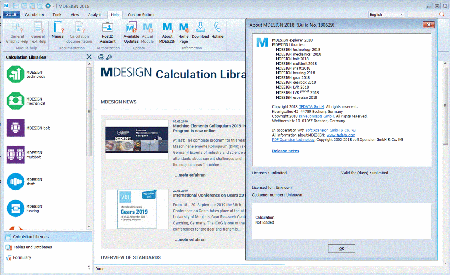
MDESIGN is a family of software applications and libraries for technology, construction and design in mechanical, vehicle and plant engineering. MDESIGN consists of the workplace environment MDESIGN explorer and extensive calculation libraries, such as MDE-SIGN mechanical for machine element design and MDESIGN gearbox for gearbox analysis. Beyond are more specialized applications available. MDESIGN author is also available as an authoring system, which transforms easily your specific calculation, formulas and know-how into an easily usable, standardized application.

The MDESIGN user interface is designed for easy application handling during calculation and design of mechanical elements. It is tailo-red to calculation, intelligent catalogs, database access and technical documentation. Thereby it is guide and gate to information and calculation of the technical department. The main advantage is the over every calculation and information application, database and catalog identical user interface. This ensures a fast and easy usability, even if the numerous modules are used in different frequency. All knowledge objects, documents and standardized database accesses can be entered into a multi-level classification and managed from there.

The plain screen layout is remarkable of all MDESIGN application for many years. It contributes significantly to the success of MDE-SIGN, because the multiple MDESIGN solutions are used for many years on several thousand workstations.The product liability law as well as the EG-machinery-directive and the quality criteria of ISO have burden even higher risks of liability to the companies and their employees. Only those who make proper documentation through the development of a product coherent to a third party can come up his responsibility to minimize risks.

To assure this proof MDESIGN generates automatic and individually configured calculation documents. Therefore transparent and traceable decision-making processes are fully ensured for future modifications and investigations.

MDESIGNexplorer - information system for construction and engineering
The MDESIGN explorer integrates access to online and offline information, standards, databases and contact opportunities in research and development into the workspace. The MDESIGN explorer includes an integrated formulary as well as a reference work with tables, databases and manufacturer information.
MDESIGNtechnology - Material values and general proof of strength
MDESIGN technology contains the extensive material database of MDESIGN. The general component strength verification enables a machine element independent strength test for welded and non-welded components according to the FKM guideline.
MDESIGNmechanical - Large calculation and design library for mechanical engineering
Calculation software for mechanical design and product development with more than 120 programs based on DIN, EN, ISO, VDI and other established methods. The focus is on drive, connection and spring technology.
MDESIGNbolt - advanced bolt calculation based on VDI 2230 part 1
Safety aspects make the design of bolted joints to a highly sensible task in the construction. MDESIGN has adopted the basics developed by the VDI in MDESIGN bolt and supplemented numerous of useful helps.
MDESIGNmultibolt - Calculation of multibolt joints based on VDI 2230 Part 2
MDESIGN multibolt extends MDESIGN bolt (calculation of single screw joints) to multi-screwed joints. It's based on the new VDI 2230 part 2 and calculates the necessary boundary conditions and loads by the FE-method. MDESIGN has automated this process for selec-ted multi-screw designs, thereby an individual use of complex FE-Systems is not necessary.
MDESIGNshaft - Advanced shaft calculation with stress analysis based on DIN 743
MDESIGN shaft provides a useful extension module for the professional use of a whole series of additional functions based on DIN 743
MDESIGNbearing - Design and calculation of roller bearings
While MDESIGN mechanical is addressed to basic users, MDESIGN bearing provides the consideration of bearings combinations, nominal and modified reference lifetime based on DIN 26281 and ISO/TS 16281 and the interpretation of the results and documen-tation extension by result charts.
MDESIGNauthor - Authoring system for individual calculation and product-catalogues
MDESIGN author enables companies to create easily their own calculation and catalogues based on formula, related notes, graphics and data tables. The authoring system allows to provide specialized knowledge in form of professional standard programs to a large user group.
MDESIGNgear - Extended calculation of splines
While the MDESIGN mechanical is available to the basic users, MDESIGN gear supports further calculations for plastic toothed gears according to VDI, for bevel gears according to AGMA and DNV, for micropitting capacity and for internal gears with elastic rim influence.
MDESIGNgearbox - Design and calculation of entire transmissions
By condition of a few main-parameters, the program creates mass-, size- or space-optimized gear-solutions and document compo-nents as gears, shafts and bearings in a single pass.
MDESIGNLVR - Design and optimization of load distribution in multistage spur-gears
Under use of analytic methods for calculation allows a fast computation and serial calculations. It is taken account to all necessary deformations influences from the environment
MDESIGNLV Rplanet - Stress analysis of epicyclical gears
This program is totally new developed and allows load-distribution-calculation of spur or helical gearwheels in an epicyclical gear by taking account to all relevant deformations.
MDESIGNespresso - provides a calculation of pressure vessels
MDESIGN provides a calculation of pressure vessels (cylindrical shells, semi-spherical bottoms with torispherical clip, ring and reinforced openings, flat bottoms, flanges), under external and internal pressure. These calculations are based on the two standards: DIN (AD-Merkblatt) and EN (EN-13445).
MDESIGNPDF/A - Automatic generation of ISO compliant document formats
MDESIGN supports the rapid and automatic provisioning of the calculation results in ISO compliant format PDF/A and is thus ensures according to the prescribed quality criteria of long-term archiving
MDESIGN allows you to create comprehensive calculation documentation at the press of a button. It provides you with proof of the conformity of your calculations with current rules and technical regulations and contributes to improving your legal compliance.


Die neuen Features in MDESIGN multibolt 2018 helfen Ihnen, Mehrschraubenverbindungen nach VDI 2230 Blatt 2 noch einfacher und intuitiver zu analysieren und zu berechnen - ganz ohne FE-Kenntnisse.


The TEDATA GmbH is the leading provider of digital tools for the product development. Since more than 35 years our solutions support engineers and designers with the effective application of technical content during engineering. Worldwide more than 35.000 users in the industry and about 500 education institutions are using our products and services.

Product: MDesign
Version: 2018 Build 180629
Supported Architectures: 32bit / 64bit
Language: english, deutsch
System Requirements: PC *
Supported Operating Systems: *
Size: 471.7 mb


-:DOWNLOAD FROMLINKS:-
RapidGator
Код:
https://rapidgator.net/file/566090723cbb4597b931e1d2314759bd/MDesign.2018.rar.html

NitroFlare
Код:
https://nitroflare.com/view/75DD8A57B61BDE4/MDesign.2018.rar

​
 
Alien Skin Blow Up 3.1.3.259 (x64)


357fddd889590c7055c81f94b0c8c8a4.jpg


Windows x64 | Languages: English | File Size: 37.33 MB
​
Sharp Photo Enlargement at Any Size. Blow Up keeps photos crystal clear during enlargement. Especially in large prints hung on a wall, the difference between Blow Up and Photoshop is astounding. Version 3 makes pictures even sharper without computer artifacts.

Image Quality
In Blow Up 3 we found ways to make edges even sharper without introducing computery artifacts. The images below show the difference between Blow Up 3 and the traditional bicubic photo resizer used by Photoshop and other image editors.

New! Simplicity
Blow Up's interface is deceptively simple. Just set your paper size as you would in Photoshop and optionally set a crop region. In version 3 we kept all the rocket science under the hood.

New! Speed
Blow Up 3 runs faster on both Macintosh and Windows computers.

Huge Images
You can resize up to 300,000 pixels per side, the maximum Photoshop can handle. Of course, Photoshop would choke on a square image that big, but if you are making a billboard that Photoshop can handle, so can Blow Up!

CMYK
Blow Up can handle CMYK images used in offset printing and 16-bit/channel images used by professional photographers.

Presets
Blow Up has presets for common paper sizes, including photo papers and standard US, European, and Japanese sizes.

Output Sharpening
Just choose your paper type and Blow Up sharpens the right amount to compensate for ink diffusion.Release Notes:- Release notes were unavailable when this listing was updated. System Requirements:
- Microsoft Windows: Windows 7 64-bit or newer
- An Intel Core 2 processor or compatible
- A monitor with 1280x768 resolution or greater

-:DOWNLOAD FROMLINKS:-
RapidGator
Код:
https://rapidgator.net/file/305acad2b21f83854e776ebd5da4bc77/Blow.Up.3.1.3.259.rar.html

NitroFlare
Код:
https://nitroflare.com/view/609E0FA0923FC68/Blow.Up.3.1.3.259.rar

​
 
Alien Skin Snap Art 4.1.3.257 (x64)


70af823e39e8e1c9ba649ad5705a6dc8.jpg


Windows x64 | Languages: English | File Size: 44.02 MB
​
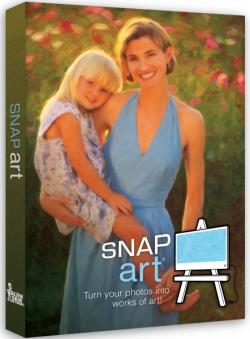
Expand your palette of creative tools with Snap Art. Transforming your photographs into beautiful works of art has never been easier than with Snap Art 4. By analyzing the visual elements and techniques of artists through the centuries, we have designed Snap Art to produce images that look they were made by a human, not a computer.

Snap Art 4 lets you experiment with multiple artistic styles via a simple, sleek user interface. The refreshed design and layout reduces distractions and provides fast visual browsing of a wide array of presets so you can achieve perfect results quicker than ever. Snap Art works everywhere you do, including as a standalone application that provides easy batch processing.

Artistic Expression Made Simple
With Snap Art, no hand-eye coordination or technical training is required. You make the creative choices to turn your artistic vision into reality and leave the brushwork to Snap Art.

Select a style from one of Snap Art's many presets such as oil painting, pencil sketch, crayon and watercolor, and Snap Art will take care of everything for you. You can then use Snap Art's detail mask to hone and refine the individual nuances of specific areas of interest on your canvas. The end product is a finished piece of art worthy of printing on canvas and hanging in a gallery.

Find Your Own Style
Snap Art comes loaded with a wide variety of presets, but they are just starting points for your own unique style. If you discover a preset that sparks an idea, it's easy to mold it to fit your needs. Save your new look as a preset with a name, category, and even include notes. Later, you can apply it to a photo (or batches of photos) with a single click.

New in Snap Art 4:

The Right Looks in a Flash
Choosing your look is the focus of Snap Art, so the preset browser now uses thumbnails for a more visual experience. You can quickly filter by categories like Impasto, Crayon or Watercolor. Find specific styles with fast searching by name or description. In Snap Art you can tag your favorites so you can get back to them later. Your most recently applied effects are automatically remembered too.

Snap Art 4 User Interface
Snap Art's updated user interface lets you work with fewer distractions. The darker theme helps you focus on your image and matches other tools in a professional workflow. The new Lightroom-style collapsible panels allow you to see only the controls you care about. Tools that get out of the way provide more space for your image. Snap Art now provides support for Apple Retina Displays and other HiDPI screens so your image previews look even better!

Quick On The Draw
Snap Art 4 renders your images quicker than ever so you can get the desired look in the minimum amount of time. The entire user experience has been streamlined so you can get back to taking photos rather than sitting in front of a computer screen.Release Notes:- Release notes were unavailable when this listing was updated. System Requirements:
- Microsoft Windows: Windows 7 64-bit or newer
- An Intel Core 2 processor or compatible
- A monitor with 1280x768 resolution or greater

-:DOWNLOAD FROMLINKS:-
RapidGator
Код:
https://rapidgator.net/file/542754e3520a448b4f7eff2affe035e5/Snap.Art.4.1.3.257.rar.html

NitroFlare
Код:
https://nitroflare.com/view/F092BF5A575ABFB/Snap.Art.4.1.3.257.rar

​
 
Exposure X5 Bundle 5.0.1.96 (64bit)


7574ea1611f4492f6c0c84a4e36c597a.jpg

Exposure X5 Bundle 5.0.1.96 (x64) | 587 Mb
​
Exposure X5 Bundle is the best photo editor for creative photographers who want to create artistic images. Its large library of gorgeous looks provides inspiring starting points that you can customize. Unique creative tools not found in other photo editors help your photos stand out. And Exposure's efficient workflow keeps you in the creative zone.


Exposure X5 Bundle:
- Exposure X5 non-destructive RAW photo editor
- Integrated Snap Art natural media
- Integrated Blow Up high-quality photo enlargement
- Exposure X5, Snap Art, and Blow Up plug-ins for Lightroom and Photoshop

Highlighted Features of Exposure X5:
- New masking tools enable adjustments in areas selected by hue, saturation, and luminance.
- Improved lens correction tools, including chromatic aberration and vignette correction
- Customizable camera profiles for precise tuning of RAW processing
- New black and white film, complementary color, and season inspired presets
- Horizontal and vertical flipping transformations
- Support for grayscale TIFF and JPEG images
- Additional camera and lens support

Gorgeous Looks
An extensive selection of beautiful film presets puts the history of photography at your fingertips. Carefully researched with the help of experienced film photographers, Exposure has the largest and most accurate selection of film looks available. Exposure's creative looks go beyond film simulation, offering you new creative styles such as clean modern looks. You can customize each of Exposure's built-in looks, then save it as a unique look that expresses your own style. Reuse your customized presets to achieve consistent looks across all your work with a single click.

Unique Creative Tools
Exposure has creative tools you won't find in any other photo editor. These tools include realistic film grain, creative lens focus and tilt-shift effects, and a huge number of creative overlays - light effects, textures, and borders. Exposure's design encourages you to work creatively. Apply effects selectively to specific areas of your image with brushing and masking tools. Non-destructive layers enable you to blend presets and adjustments for an endless variety of looks.

Focus on your Art
Exposure's intuitive design helps you focus on creativity. Its workflow is reliable, efficient, and respectful of your hard drive space. This helps you spend less time managing files and more on creating beautiful images. Exposure puts everything you need onscreen in a single user interface that can be customized to suit your workflow preferences. Transition seamlessly between organizing and editing without having to switch between modules.

Features:
- 500+ customizable presets
- (New) 3D Color Masking
- Complete non-destructive RAW photo editor
- Photoshop and Lightroom plug-in support included
- Black-and-white processing
- Non-destructive layers
- Keywords, collections, and smart collections
- Virtual copies
- Portrait retouching

System Requirements:
- Microsoft Windows: Windows 7 64-bit or newer
- An Intel Core 2 processor with SSE4 support or compatible
- A monitor with 1280x768 resolution or greater

The plug-in requirements are as follows:
- Adobe Photoshop CS6 or Adobe Photoshop CC 2015 or newer
- Adobe Lightroom 6 or Adobe Lightroom CC 2015 or newer

Home Page -
Код:
https://exposure.software/


-:DOWNLOAD FROMLINKS:-

RapidGator
Код:
https://rapidgator.net/file/dce7a2954a5970ac9c770f496a864a8f/X5_Bundle_5.0.1.96.rar.html

NitroFlare
Код:
https://nitroflare.com/view/B5846A1789FCE5B/X5_Bundle_5.0.1.96.rar

​
 
Exposure X5 5.0.1.91 (64bit)


8ebe193cfc6b0e3d45846a856cc05587.jpg

Exposure X5 5.0.1.91 (64bit) | 553.2 Mb
​
Exposure is the best photo editor for creative photographers who want to create artistic images. Its large library of gorgeous looks provides inspiring starting points that you can customize. Unique creative tools not found in other photo editors help your photos stand out. And Exposure's efficient workflow keeps you in the creative zone.


Exposure X5:
- Exposure X5 non-destructive RAW photo editor
- Exposure X5 plug-in for Lightroom and Photoshop

Highlighted Features of Exposure X5:
- New masking tools enable adjustments in areas selected by hue, saturation, and luminance.
- Improved lens correction tools, including chromatic aberration and vignette correction
- Customizable camera profiles for precise tuning of RAW processing
- New black and white film, complementary color, and season inspired presets
- Horizontal and vertical flipping transformations
- Support for grayscale TIFF and JPEG images
- Additional camera and lens support

Gorgeous Looks
An extensive selection of beautiful film presets puts the history of photography at your fingertips. Carefully researched with the help of experienced film photographers, Exposure has the largest and most accurate selection of film looks available. Exposure's creative looks go beyond film simulation, offering you new creative styles such as clean modern looks. You can customize each of Exposure's built-in looks, then save it as a unique look that expresses your own style. Reuse your customized presets to achieve consistent looks across all your work with a single click.

Unique Creative Tools
Exposure has creative tools you won't find in any other photo editor. These tools include realistic film grain, creative lens focus and tilt-shift effects, and a huge number of creative overlays - light effects, textures, and borders. Exposure's design encourages you to work creatively. Apply effects selectively to specific areas of your image with brushing and masking tools. Non-destructive layers enable you to blend presets and adjustments for an endless variety of looks.

Focus on your Art
Exposure's intuitive design helps you focus on creativity. Its workflow is reliable, efficient, and respectful of your hard drive space. This helps you spend less time managing files and more on creating beautiful images. Exposure puts everything you need onscreen in a single user interface that can be customized to suit your workflow preferences. Transition seamlessly between organizing and editing without having to switch between modules.

Features:
- 500+ customizable presets
- (New) 3D Color Masking
- Complete non-destructive RAW photo editor
- Photoshop and Lightroom plug-in support included
- Black-and-white processing
- Non-destructive layers
- Keywords, collections, and smart collections
- Virtual copies
- Portrait retouching

System Requirements:
- Microsoft Windows: Windows 7 64-bit or newer
- An Intel Core 2 processor with SSE4 support or compatible
- A monitor with 1280x768 resolution or greater

The plug-in requirements are as follows:
- Adobe Photoshop CS6 or Adobe Photoshop CC 2015 or newer
- Adobe Lightroom 6 or Adobe Lightroom CC 2015 or newer

Home Page -
Код:
https://exposure.software/


-:DOWNLOAD FROMLINKS:-

RapidGator
Код:
https://rapidgator.net/file/b5888896ba8a02709a1461f3f722a6e3/Exposure_X5_5.0.1.91.rar.html

NitroFlare
Код:
https://nitroflare.com/view/A801D8C611CB6DA/Exposure_X5_5.0.1.91.rar

​
 
QuarkXPress 2019 v15.0.2 (x64)


db61f81a6c75bf97f4430c8c29c2005c.jpg

QuarkXPress 2019 v15.0.2 Multilingual | 553 MB
​
QuarkXPress is the leading graphic design and page layout software for creative professionals. It's used by hundreds of thousands of users around the world who value quality and performance in their daily production of print and digital products.


QuarkXPress is the new version that raises the bar for design and productivity. With non-destructive graphics and image editing directly within your layout, you no longer have to choose between efficiency and output quality. Create responsive HTML5 Publications as well as "unlimited"* single iOS apps and more. QuarkXPress is driven by five initiatives:

- Introducing new graphics and image editing capabilities
- Enhancing and extending text and typography features
- "Wish list" features requested by our users
- Continued digital publishing innovation
- Retaining the perpetual lifetime license model

Images and Vectors
- Non-destructive image editing (adjustments and filters)
- Transparency blend modes
- New shape tools
- More multi-color gradients
- Gradients for frames
- Item format painter

Typography and Text
- Text stroking
- Text shading
- Column spanning/splitting
- Non-breaking text attribute
- Merge text boxes
- Automatic line between columns
- Proportional leading
- Additional smart quotes
- Smart text linking
- Word import enhanced
- Footnotes enhanced

Digital Publishing
- "Unlimited"* iOS single apps
- Adaptive layout conversion
- Automatic table-of-content
- Responsive HTML5 Publications
- (multi device output)

General
- Adaptive layout conversion
- Convert to Native Objects
- Mac and Win UI enhancements
- Cursor key can control increments/decrements
- List most recent fonts
- Find/Change enhanced
- Cross References enhanced
- Built-in cache cleaner
- XTensions Manager enhanced

System Requirements:

Windows:

- Microsoft Windows 7 SP1 (64 Bit)
- Windows 8.1 (64 Bit) with April 2014 update rollup update (KB2919355) and March 2014 servicing stack update (KB2919442)
- Windows 10 Version 1607 (64 Bit)
- Microsoft .NET Framework 4.0 or later
- An update for Universal C Runtime is required on Windows 7 and 8.x.

Home Page -
Код:
http://www.quark.com

Language: Multilingual


-:DOWNLOAD FROMLINKS:-

RapidGator
Код:
https://rapidgator.net/file/bc4514d268a7b371a0008644536b11f8/QX.15.0.2.rar.html

NitroFlare
Код:
https://nitroflare.com/view/4BE577CC7871313/QX.15.0.2.rar

​
 
SILKYPIX Developer Studio Pro for Panasonic v9.3.13.0 (64bit)


41e371a63377213af37a41ee2a9fd306.jpg

SILKYPIX Developer Studio Pro for Panasonic v9.3.13.0 (64bit) | 140 Mb
​
"SILKYPIX Developer Studio Pro9 for Panasonic" has many functions such as "Partial correction" and "The highlight/shadow individual brightness correction" installed in "SILKYPIX Developer Studio Pro9." Finish your photo as you imagined. Only existing Panasonic cameras are compatible, and the sales period is also limited, affordable price has been realized


Ideal finish with simple tasks
- "Automatic adjustment button" that can be adjusted with one click.
- Equipped with adjustable HDR function with 1 photo.
- Fine color controller which can be used to adjust each specific color.
- Easy remove unwanted objects using the Spotting Tool, such as dust that may appear.
- Images to be adjusted can be searched from "shooting information" such as shooting date.

We strongly support your work creation
SILKYPIX Developer Studio Pro9 for Panasonic is for a Panasonic camera limited special edition. This product is available only with Panasonic cameras released by June 18, 2019. This product will not correspond to the new camera in the future.
Panasonic LUMIX:
AG-GH4(*2), DC-FZ80(*2), DC-FZ81(*2), DC-FZ82(*2), DC-FZ83(*2), DC-FZ85(*2), DC-FZ10002(*2), DC-FZ1000M2(*2), DC-G9(*2), DC-G90(*2), DC-G90D(*2), DC-G91(*2), DC-G91D(*2), DC-G95(*2), DC-G99(*2), DC-GF9(*2), DC-GF10(*2), DC-GF90(*2), DC-GH5(*2), DC-GH5S(*2, *4), DC-GX7MK3(*2), DC-GX800(*2), DC-GX850(*2), DC-GX9(*2), DC-LX100M2(*2), DC-S1(*2), DC-S1R(*2), DC-TX2(*2), DC-TZ200(*2), DC-TZ202(*2), DC-TZ220(*2), DC-TZ90(*2), DC-TZ91(*2), DC-TZ92(*2), DC-TZ93(*2), DC-TZ95(*2), DC-TZ96(*2), DC-TZ97(*2), DC-ZS200(*2), DC-ZS220(*2), DC-ZS70(*2), DC-ZS80(*2), DMC-CM1(*2), DMC-CM10(*2), DMC-L1, DMC-L10, DMC-LC1, DMC-LF1, DMC-LX1, DMC-LX2, DMC-LX3, DMC-LX5, DMC-LX7, DMC-LX9(*2), DMC-LX10(*2), DMC-LX15(*2), DMC-LX100(*2), DMC-FZ8, DMC-FZ18, DMC-FZ28, DMC-FZ30(*1), DMC-FZ35, DMC-FZ38, DMC-FZ40, DMC-FZ45, DMC-FZ50(*1), DMC-FZ70, DMC-FZ72, DMC-FZ100, DMC-FZ150, DMC-FZ200, DMC-FZ300(*2), DMC-FZ330(*2), DMC-FZ1000(*2), DMC-FZ2000(*2), DMC-FZ2500(*2), DMC-FZH1(*2), DMC-FX150, DMC-FX180, DMC-G1, DMC-G2, DMC-G3, DMC-G5, DMC-G6(*2), DMC-G7(*2), DMC-G8(*2), DMC-G10, DMC-G70(*2), DMC-G80(*2), DMC-G81(*2), DMC-G85(*2), DMC-GF1, DMC-GF2, DMC-GF3, DMC-GF5, DMC-GF6(*2), DMC-GF7(*2), DMC-GF8(*2), DMC-GH1, DMC-GH2, DMC-GH3(*2), DMC-GH4(*2), DMC-GM(*2), DMC-GM1S(*2), DMC-GM5(*2), DMC-GX1, DMC-GX7(*2), DMC-GX7MK2(*2), DMC-GX8(*2), DMC-GX80(*2), DMC-GX85(*2), DMC-TX1(*2), DMC-TZ60(*3), DMC-TZ61(*3), DMC-TZ70(*3), DMC-TZ71(*3), DMC-TZ80(*2), DMC-TZ81(*2), DMC-TZ85(*2), DMC-TZ100(*2), DMC-TZ101(*2), DMC-TZ110(*2), DMC-ZS40(*3), DMC-ZS50(*3), DMC-ZS60(*2), DMC-ZS100(*2), DMC-ZS110(*2)

System Requirements:
- Microsoft® Windows® 10 / 8.1 / 7 (Service Pack 1 or later) 64-bit version
- * It does not correspond to the Windows® 10 tablet mode.
- * It does not correspond to 32-bit version OS.
- CPU: Intel® Pentium 4 or later / AMD Athlon 64 or later
- Memory: 4GB or more RAM (8GB or higher recommended)
- HDD: 10GB of available hard-disk space or more
- Display: XGA (1024x768) or higher

Homepage -
Код:
https://silkypix.isl.co.jp


-:DOWNLOAD FROMLINKS:-

RapidGator
Код:
https://rapidgator.net/file/f6c7b233f53de936409d5ce363475d3b/DS.Panasonic.9.3.13.0.rar.html

NitroFlare
Код:
https://nitroflare.com/view/ED27D116D4900D0/DS.Panasonic.9.3.13.0.rar

​
 
SILKYPIX Developer Studio Pro for FUJIFILM 9.4.13.0 (64bit)


2f246f680e26a2af4acfb80d5e3944ee.jpg

SILKYPIX Developer Studio Pro for FUJIFILM 9.4.13.0 (64bit) | 406 Mb
​
SILKYPIX Developer Studio Pro9 for FUJIFILM is for a FUJIFILM camera limited special edition. "SILKYPIX Developer Studio Pro9 for FUJIFILM" has many functions such as "Partial correction" and "The highlight/shadow individual brightness correction" installed in "SILKYPIX Developer Studio Pro9." Finish your photo as you imagined.


Make the specified area bright and vivid
The partial correction tool changes the brightness and saturation partially in the specified area. It is also equipped with a "brush", so free range specification is possible.

Blur the surroundings and highlight the subject
You are now able to blur the periphery of the specified range and apply sharpness.

Exposure compensation can be done freely
It possible to individually adjust the brightness of light and dark areas in the image.

Clear the Haze
Add the "Dehaze" slider to the adjustment item for the mist removement of hazy images caused by atmospheric moisture or vapor.

Ideal finish with simple tasks
• "Automatic adjustment button" that can be adjusted with one click.
• Equipped with adjustable HDR function with 1 photo.
• Fine color controller which can be used to adjust each specific color.
• Easy remove unwanted objects using the Spotting Tool, such as dust that may appear.
• Images to be adjusted can be searched from "shooting information" such as shooting date.

Dehaze function
Adjusting the hazy image with the "Dehaze" slider removes cloud-like distortions in your image caused by water vapor in the air and leaves the image with just as much clarity as if it were taken on a bright sunny day.

Individual adjustment of brightness of highlight/shadow area of photograph
The Highlight/Shadow sliders in the exposure adjustments allows you to manually adjust the brightness of the bright (highlight) and intensity of dark (shadow) portions of the image. Even when shooting subjects with intense contrast while using exposure compensation, it is sometimes still difficult to control the exposure. Here, simply adjust the "highlight/shadow" individually during RAW development to achieve a result suitable for the image of the Photographer.

Partial correction tool
Partial tone correction can be applied to specified area of the image. For example, brightness and White balance can be partially adjusted. The selection methods of the correction area include "circular correction filter", "gradual correction filter", "brush", etc., and can be corrected by carefully specifying the area.

Blurred / Sharp periphery functions
You can blur or sharpen the periphery of the specified range. Blurred periphery produces a close-up effect by blurring the periphery of your subject. In addition, if the image is shot with the aperture opening value of the lens and the resolution of the peripheral area drops, the "Sharp periphery" can be used to make a good correction.

Auto adjustment button
The Auto adjustment buttons for Auto exposure bias, Auto White Balance Setting, and Automatic Level Correction, which are suitable for the respective images, have been recently added. The Auto adjustment button is recommended for those who are "having a first try at RAW Development" or say "RAW Development has so many adjustment options and don't know what to do." In addition, when making adjustments to a large number of images at a time, you can improve the efficiency of editing workflow by using the Auto adjustment button.

Search in thumbnails
Search in thumbnails is a function for searching and displaying images by specifying a condition such as "shooting info" such as File name or Date, comments, or ratings from specified folders. You can also specify multiple folders at the same time, which is a very useful feature for locating the desired image within a larger collection.

Other
These include the independent placement of initialization buttons for instantaneously returning images to their pre-adjusted states, the addition of user-mark colors for image selection, and the easy transfer of images from the SILKYPIX to retouching software.

System Requirements:
• Microsoft® Windows® 10 / 8.1 / 7 (Service Pack 1 or later) 64-bit version
• It does not correspond to the Windows® 10 tablet mode.
• It does not correspond to 32-bit version OS.
• CPU: Intel® Pentium 4 or later / AMD Athlon 64 or later
• Memory: 4GB or more RAM (8GB or higher recommended)
• HDD: 10GB of available hard-disk space or more
• Display: XGA (1024x768) or higher

Homepage -
Код:
https://silkypix.isl.co.jp


-:DOWNLOAD FROMLINKS:-

RapidGator
Код:
https://rapidgator.net/file/b8af2f40cfd4f4f1a4b03b6ffbaf4bf0/DS.FUJIFILM.9.4.13.0.rar.html

NitroFlare
Код:
https://nitroflare.com/view/8F50C67301F9F05/DS.FUJIFILM.9.4.13.0.rar

​
 
CorelDRAW Graphics Suite 2019 v21.3.0.755 (64bit) Multilingual


70dfd9723ea813b7a2de01ed33569bcb.jpg

CorelDRAW Graphics Suite 2019 v21.3.0.755 (64bit) Multilingual | 904.3 Mb
​
CorelDRAW Graphics Suite 2019 - Dare to design differently. Find all the professional vector illustration, layout, photo editing and design tools you need to work faster, smarter, and in more places with this superior graphic design software.


Graphic design software
- New non-destructive effects for bitmap and vector objects
- More control over your objects, layers and pages
- Improved pixel workflow for pixel-perfect documents

Be in control
Manage your design journey and choose how you purchase. Enjoy premium capabilities developed for your platform-Windows or Mac-and work on the go with CorelDRAW.app.

Be creative
Whether you're designing signage, logos, web graphics, or print projects, you'll enjoy unmatched customization and capabilities that complement your unique style.

Be efficient
Maximize time efficiencies with a comprehensive suite of creative applications that couples intuitive tools with exceptional speed, power and performance.

Innovative & productive
Achieve unsurpassed productivity with new high-caliber features in this versatile graphic design program. You'll appreciate a smoother workflow with industry standard PDF/X-4 support, and an improved content browsing experience. Plus with the all-new CorelDRAW.app, you can access your work anywhere.

Creative & customizable
Produce original illustrations, signage, and logos for both print and web. Create your way with an array of professional document styles, page layout and vector tools. Plus, enjoy new, non-destructive editing functionality when applying effects to vector and bitmap objects. Personalize the user interface, tools, templates and more to make them your own.

Easy to learn & use
This powerful collection of applications is loaded with intuitive tools, tutorials, tips, tricks, learning materials and Discovery files, to ensure you can get started easily and be successful sooner. Try one of the many new templates to quickly create brochures, posters, cards, social media images, and more, without having to start from scratch.

Languages:
- English, Dutch, French, German, Italian, Portuguese (Brazilian), Spanish.

System requirements:
- Windows 10*, 8.1 or Windows 7, in 64-bit, all with latest Updates and Service Packs
- Intel Core i3/5/7 or AMD Athlon 64
- 2 GB RAM
- 2.5 GB hard disk space
- Multi-touch screen, mouse or tablet
- 1280 x 720 screen resolution at 100% (96 dpi)
- Microsoft Internet Explorer 11 or higher
- Microsoft .NET Framework 4.7
- CD drive optional (for box installation). Installation from CD requires a download of up to 800 MB

Home Page -
Код:
https://www.coreldraw.com/


-:DOWNLOAD FROMLINKS:-

RapidGator
Код:
https://rapidgator.net/file/54eb4ae86560029813bc71c20bac767f/CDRAWGS.2019.21.3.0.rar.html
https://rapidgator.net/file/6de71fc17af2b36303a1637c1a5c25e6/CDRAWGS.2019.21.3.0.x64.rar.html

NitroFlare
Код:
https://nitroflare.com/view/0A0041A3D62B025/CDRAWGS.2019.21.3.0.rar
https://nitroflare.com/view/7227E9AA59CE529/CDRAWGS.2019.21.3.0.x64.rar

​
 
Blue Cat's All Plug-Ins Pack 2019.9-WiN


e6d80ea88b55f6decb8ad560e19e16dd.jpg

Blue Cat's All Plug-Ins Pack 2019.9 WiN | 193 Mb
​
A complete professional digital audio processing environment in a single bundle: the Blue Cat's PatchWork standalone application and the complete collection of Blue Cat Audio's commercial audio plug-ins: a total of 20 products, including 6 award-winning unique audio analysis tools, 3 powerful dynamics processors, 4 premium equalizers, and a unique scripting plug-in to build your own effects or virtual instruments.


Included:
Blue Cat's Axiom v1.3.1
Blue Cat's Destructor v1.5.1
Blue Cat's DP Meter Pro v4.2.0
Blue Cat's Dynamics v4.2.0
Blue Cat's FreqAnalyst Multi v2.3.0
Blue Cat's FreqAnalyst Pro v1.9.5
Blue Cat's Late Replies v1.3.1
Blue Cat's Liny EQ v5.1.0
Blue Cat's MB-5 Dynamix v2.1.0
Blue Cat's MB-7 Mixer v3.3.1
Blue Cat's Oscilloscope Multi v2.3.0
Blue Cat's ParametrEQ v3.5.2
Blue Cat's PatchWork v2.4.0
Blue Cat's Plug'n Script v3.2.0
Blue Cat's Protector v2.2.0
Blue Cat's Re-Guitar v1.0
Blue Cat's Remote Control v2.3.2
Blue Cat's StereoScope Multi v2.3.0
Blue Cat's StereoScope Pro v1.9.1


-:DOWNLOAD FROMLINKS:-

RapidGator
Код:
https://rapidgator.net/file/33df5e231d4c21891124abee998c696a/Blue.Cats.All.Plugins.Pack.2019.9.CE.rar.html

NitroFlare
Код:
https://nitroflare.com/view/7FEE9AE0D7493C7/Blue.Cats.All.Plugins.Pack.2019.9.CE.rar

​
 
Mirillis Action! 3.10.1


7e666c11cdf31ac94797036c0782b640.jpg

Mirillis Action! 3.10.1 Multilingual | 78.7 Mb
​
Mirillis Action! screen recorder allows streaming and real-time recording of Windows desktop in a superb HD video quality. With Action! you can record and stream your gameplay, web player videos, record music, capture screenshots, add webcams, microphone commentary and more!


The most user friendly and stylish interface of all screen recorders!
Action! is compact, stylish and user friendly. Built-in screen and gameplay recording manager allows to browse, delete selected items and export recordings to popular formats and devices. Action! screen recorder defines new standard of user experience for games benchmarking, gameplay and Windows desktop real-time recording software.

Greenscreen Mode
Action! gives you Greenscreen Mode. Now you can cut out the background, while recording with your webcam, from your video recording. You don't need to have special camera for that - all you need is Action! screen recorder and any solid color background, what is much cheaper solution and gives the same, if not better, results.

Record webcam or USB/HDMI Capture Devices
Select device recording mode to capture video from gaming consoles, other PC, TV broadcasts, webcams or camcorders. Add your own logo, webcam, microphone commentary and record video to your local disk or live stream to popular services.

Try screen recording with Selected Application recording option.
This brand new recording mode allows you to record your Windows desktop screen in complete privacy! Record only the application you want to show to others on your screen recording, while the rest of your desktop screen will be blackened-out and not recorded on your video.

Record gameplay in HD. Benchmark games performance.
Outstanding screen and gameplay recording performance and GPU utilization allows the smoothest real-time HD gameplay recording ever! Display current and average game framerate (FPS) during gameplay and save your benchmark results.

The outstanding screen recording performance!
Action! defines a new standard of performance for gameplay and desktop recording software. It uses Mirillis ultra-fast, multicore optimized, proprietary video codec (FICV - Fast Intra Compression Video standard) which together with highly optimized application engine provides the ultimate performance of real-time HD video recording. Action! screen recorder also captures video directly to MP4 format utilizing NVIDIA NVENC, AMD APP or Intel® Quick Sync Video hardware acceleration.

Live stream gameplay and desktop activity to popular services!
Action! LIVE Streaming service allows to stream all your gameplays, videos or desktop activity to popular streaming services like Twitch.tv, YouTube, Smashcast (hitbox), Ustream, Livestream, Facebook, Aliez and more! With Action! screen recorder live streaming is easy and fun!

Operating System: Windows Vista, 7, 8/8.1, 10

Home Page -
Код:
https://mirillis.com/


-:DOWNLOAD FROMLINKS:-

RapidGator
Код:
https://rapidgator.net/file/949f29cb7e9853dbfb415607fcb18ec1/MirillisAction3.rar.html

NitroFlare
Код:
https://nitroflare.com/view/E61EA23D689E074/MirillisAction3.rar

​
 
OneSafe PC Cleaner Pro 6.9.10.52


ca7cc38818189d3ac80c03d666533210.jpg

OneSafe PC Cleaner Pro 6.9.10.52 Multilingual | 6.8 Mb
​
OneSafe PC Cleaner finds and deletes junk files and shortcuts that accumulate on your PC over time, taking up space on your hard drive. The software searches for and deletes invalid shortcuts and files left behind by uninstalled programs. OneSafe PC Cleaner also identifies and deletes unnecessary entries in the registry.


Accelerate your computer's startup time
Is your computer taking forever to start up? The OneSafe PC Cleaner Startup Manager makes it easy to identify and delete unwanted programs in your 'Start' menu. Startup and shutdown times can be improved dramatically when just a few programs are deleted from the Start menu.

Your PC's performance will be as good as new thanks to the software's in-depth cleaning operations
Quickly and easily eliminate any problems on your PC thanks to the clear interface and simple usage
Remove malicious files from your PC
Our software guarantees you a fast and effective clean-up so your PC will be as good as new
The clean-up tool removes broken links to your bookmarked sites, so only the most frequently used links remain

Optimize the settings for your security and Internet system
Optimize your computer's settings to ensure that it runs in the fastest and most efficient way possible. With OneSafe PC Cleaner you can choose to follow our recommendations or customize your settings in order to optimize the performance of your computer.

Protect your privacy
Did you know that when you surf the web, information is often collected on your computer which tells people about your location and the sites you have visited? In fact, the history of your files, temporary files, and items left in your Recycle Bin leave a trail of private information for anyone who may be looking for it. OneSafe PC Cleaner detects and eliminates the risks associated with the protection of privacy on your PC and ensures that your private information remains secure.

Operating System: Windows XP, Vista, 7, 8/8.1, 10

Home Page -
Код:
https://onesafesoftware.com/software/onesafe-pc-cleaner


-:DOWNLOAD FROMLINKS:-

RapidGator
Код:
https://rapidgator.net/file/6729ddcd56e0c7dc9cb3dc3de2ca2533/PC.Cleaner.Pro.6.9.rar.html

NitroFlare
Код:
https://nitroflare.com/view/6277E5573143E21/PC.Cleaner.Pro.6.9.rar

​
 
Atomix VirtualDJ 2020 Pro Infinity v8.4.5308-WiN


c158e725dedf0f3f936928c59ef3248d.jpg

Atomix VirtualDJ 2020 Pro Infinity v8.4.5308 WiN | 33 Mb
​
VirtualDJ is a DJ software for PC and MAC. It is used by DJs to replace their turntables and CD players, and use digital music instead of vinyl and CDs. In the same way that the CD players used by DJs have more options than a regular Hi-Fi CD player, VirtualDJ has more options than a simple media player like iTunes.


It lets you "mix" your songs, by playing two or more tracks at the same time, adjust their relative speed so that their tempo will match, apply effects like loops etc, and crossfade from one side to the other. It also lets you scratch your songs, set and recall cues, and all the other regular features DJs expect to find to be able to mix.

It will let you organize your collection of tracks and group them easily in a DJ-friendly way, using filter to find the hot songs, or find compatible bpm or key, access your previous playlists, etc. And if you're missing a track, VirtualDJ will automatically find it on the Internet and stream it directly (*requires an additional subscription). And, using the millions of automatic reports we get every day from other VirtualDJ users around the world, it will give you meaningful advices on which songs other DJs consider to go well after what you just played.


-:DOWNLOAD FROMLINKS:-

RapidGator
Код:
https://rapidgator.net/file/f6b9b10b3b2f7f1e99ab9f76b48c2517/VirtualDJ.2020.rar.html

NitroFlare
Код:
https://nitroflare.com/view/B2D319CD6F4B2BE/VirtualDJ.2020.rar

​
 
FileMaker Pro 18 Advanced 18.0.3.317


7df9d17469598485b10bd121c61c7ce4.jpg

FileMaker Pro 18 Advanced 18.0.3.317 Multilingual | 292.2/304 Mb
​
FileMaker Pro Advanced is the tool you use to create a custom app. You also use FileMaker Pro Advanced to access your app on a Windows or Mac computer. Start by importing data from a spreadsheet or using a built-in Starter app to manage contacts, inventory, meetings, and more. Or even quickly build a new app from the beginning.


FileMaker Pro Advanced includes a set of advanced tools to help you design and develop custom apps faster and easier. Plus, you'll get robust analysis capabilities, powerful diagnostic tools, and much more.

Start quickly
Create precisely the app you want using the intuitive graphical interface, flexible design tools, built-in Starter apps, and ready-to-use themes. Import existing data Bring your existing data into a FileMaker app. Import data types such as .CSV, Tab, XML, ODBC, and Microsoft Excel files.

Built-in reporting tools
Easily make summary reports, colorful charts, and executive dashboards using built-in reporting and charting tools. Save your information in popular Excel and PDF formats.

Out-of-the-box security
Centralize your information and safely access data using proven encryption standards. Manage group or individual user privileges - even for a single field.

Share with your team
Create custom apps that work together seamlessly across iPad, iPhone, Windows, Mac, and the web. Securely share your app with others using FileMaker Cloud or FileMaker Server. Learn more

Integrate with other programs
Connect with other popular apps and web services through powerful REST APIs. And create live, 2-way connections with Microsoft SQL Server, Oracle, MySQL, PostgreSQL, and IBM DB2 data sources.

Advanced Features:

Script Debugger
Instantly pinpoint problem areas in scripts and Script Triggers directly in the Script Workspace. Turn off Script Triggers when debugging to fine tune the troubleshooting process.

Data Viewer
Monitor fields, variables, and calculations while troubleshooting.

Database Encryption
Enable AES 256-bit encryption to protect data on FileMaker Cloud, FileMaker Server, or on a FileMaker client.

Custom Menus
Create, change, or delete specific menu items or entire menu sets.

Custom Functions
Build your own functions and copy, paste, or import them into any FileMaker file.

Database Design Report
Run comprehensive reports on all elements of your database schema.

Kiosk mode
Build applications where all menus are hidden.

System requirements:
OS: Windows 7, 8/8.1, 10
CPU: 1 GHz or faster x86- or x64-bit processor
RAM: 2 GB or more

Home Page -
Код:
https://www.filemaker.com/


-:DOWNLOAD FROMLINKS:-

RapidGator
Код:
https://rapidgator.net/file/ca200300c5532b91dd00ec7011d96b14/FileMakerPro18.0.3.rar.html
https://rapidgator.net/file/2796d2259bb9d27fd1bf152156726ab1/FileMakerPro18.0.3.x64.rar.html

NitroFlare
Код:
https://nitroflare.com/view/C837ED9945AB964/FileMakerPro18.0.3.rar
https://nitroflare.com/view/362789B5113383A/FileMakerPro18.0.3.x64.rar

​
 
Directory List and Print 3.69 Pro


6828da30a42225d95761d6de4da2c8b5.jpg

Directory List and Print 3.69 Pro | 17.2 Mb
​
Directory List & Print is a software tool for Windows and enables listing and printing the content of any directory in a simplest way. By copying to the clipboard the lists can be exported into other programs or opened directly in Word™ and Excel™. The Free Version (Freeware) has all the basic features included, the Pro Version (Shareware) provides interesting additional features.


Features

Pro Version (Shareware) and Free Version (Freeware)

- Selection of directories to be listed by a tree structure.
- Selection of directories by entering the path as a text string.
- Drag & Drop of directories (or a file) from Windows Explorer.
- Integration of "Open in Directory List & Print" in the directory context menu of Windows Explorer.
- Direct selection of important system directories as "My Documents" etc.
- Listing of sub-directories and/or files and looping through sub-directories (recursion).
- Update file list automatically or manually.
- Display of last modification date.
- Display of last modificatione time.
- Display of file size.
- Display of file name with or without directory path.
- Display of file names with or without file extensions.
- Indication of number of entries of files and directories in the list.
- Print directory listing, direct printing of corresponding list.
- Export list into other programs by copying to the clipboard. The corresponding data will be organized in columns and separated by tabs so that the list can be pasted directly into Excel ™ as a table.
- Open the list directly in Microsoft Word™ and Excel™.
- Support for connecting and disconnecting network drives.
- Automatic saving of display options when exiting the program.
- Start program with a directory path as a parameter.
- Portable Application, no installation necessary.

Pro Version only (Shareware)
- Save own directory favorites.
- Set directory recursion depth for subdirectories.
- Display of file attributes such as Read Only, Hidden, System, etc.
- Calculate CRC32 checksums for files.
- Display format of audio/video and image files.
- Display of dimensions like width, height, bit depth or frames/s.
- Display duration and title of audio and video files.
- Display of sampling and bit rates for audio files.
- Display of a continuous numbering of the objects.
- Display of column titles in the first row.
- Show number and sum of size and length of the displayed objects.
- Display of the date in many different international formats.
- Set filter to include or exclude certain file types.
- Set filter to include or exclude files and directories by certain terms.
- Set filter on length of filenames, eg. to analyze the file system when copying it to a new directory structure (path+filename, filename only, >, =, <).
- Output the list directly to the default printer.
- Output the list in comma- or tab-delimited file or CSV file.
- Linking of files and directories in Excel™ for direct open by mouse click.

Operating System: Microsoft Windows XP / Vista / 7 / 8 / 10 (32bit and 64bit).

Home Page -
Код:
http://www.infonautics.ch/


-:DOWNLOAD FROMLINKS:-

RapidGator
Код:
https://rapidgator.net/file/981e2698d6e019be293743c231502470/DirectoryListPrint3.rar.html

NitroFlare
Код:
https://nitroflare.com/view/050F76C9990BFA2/DirectoryListPrint3.rar

​
 
Ziva Dynamics Ziva VFX v1.7 for Maya


3e9b8d3a34fa5b1c572d9fde92a33b1a.png

Ziva Dynamics Ziva VFX v1.7 for Maya 2016-2018 | 599 Mb (Total)
​
ZIVA VFX is a Maya plug-in with an offline FEM anatomy simulator that lets you create lifelike characters at scale. Available for studios, indie creators, and render farms, operating on Windows .


Ziva VFX v1.6 marks the release of the industry's fastest, most scalable creature workflow. One of the largest Ziva releases to date, Ziva VFX 1.6 features the highly-anticipated Ziva Anatomy Transfer (ZAT) functionality. These new transfer and warping tools empower users to rapidly generate entire populations of anatomical creatures, all at hero-character fidelity; tackling speed and scalability head-on.

With ZAT, users can transfer the anatomical geometry from one Ziva character to a secondary creature model. Instantly, the geometry will be warped/re-shaped to fit the mesh of the second, third, tenth, or hundredth additional character. Paired with Ziva's new transfer tools, artists can even carry over all of the Ziva rig settings to the secondary creature, to automatically generate a simulation-ready rig. The new ZAT tools include:

New Ziva Anatomy Transfer (ZAT) deformers for transferring creature geometry from a source creature onto a new creature.
New Python scripts that wrap common zBuilder functionality to transfer Ziva rigs from (parts of a) source creature onto a new creature.
New "Ziva Transfer" menu for faster access to ZAT features.
New option in the "Ziva Menu" for erasing all Ziva rigs in a selected Ziva solver, or from the entire Maya scene.

To implore Ziva VFX users to get started faster with ZAT, all Ziva VFX 1.6 paid customers receive a complimentary, simulation-ready copy of Zeke the Lion, Ziva's flagship quadruped. Zeke has undergone extensive iterations and revisions over the course of the past two years. The asset is complete with over 132 individual muscle tissues and an optimized fat/skin layer with approximately 880,000 collision points. This asset will be provided along with a high-fidelity cheetah model known as Lila the Cheetah. Users will be able to manipulate, warp, and replicate the high-quality Zeke passes and transfer them to Lila. These assets will help users practice and perfect the warping workflow so they can achieve film-quality characters faster.

Operating System:
Windows® 10, Windows® 8 / 8.1, Windows® 7

Home Page -
Код:
http://zivadynamics.com/ziva-vfx


-:DOWNLOAD FROMLINKS:-

RapidGator
Код:
https://rapidgator.net/file/f4d45220eb1ba406ec8e93b780d1c0df/Ziva.VFX.v1.7.for.Maya.2016.5.rar.html
https://rapidgator.net/file/d093abacb04a6f6db109118a2772e75e/Ziva.VFX.v1.7.for.Maya.2016.rar.html
https://rapidgator.net/file/96b80729868f06efd65be6fca4cbb3a5/Ziva.VFX.v1.7.for.Maya.2017.rar.html
https://rapidgator.net/file/6c032ad53e1c5801624c8d1d2e356635/Ziva.VFX.v1.7.for.Maya.2018.rar.html
https://rapidgator.net/file/c0b480427fc555022dd3099dd68b84f4/Ziva.VFX.v1.7.for.Maya.2019.rar.html

NitroFlare
Код:
https://nitroflare.com/view/1EB282A4A9BDA2B/Ziva.VFX.v1.7.for.Maya.2016.5.rar
https://nitroflare.com/view/E0C2DA7F0092295/Ziva.VFX.v1.7.for.Maya.2016.rar
https://nitroflare.com/view/0E247F9DD82AE60/Ziva.VFX.v1.7.for.Maya.2017.rar
https://nitroflare.com/view/E487763F749FFFA/Ziva.VFX.v1.7.for.Maya.2018.rar
https://nitroflare.com/view/3318F1FFCAF78D2/Ziva.VFX.v1.7.for.Maya.2019.rar

​
 
FileMaker Server 18.0.3.319 (64bit) Multilingual


d06c2225be9bfa04915a36d2f2a32751.jpg

FileMaker Server 18.0.3.319 (x64) Multilingual | 251.4 Mb
​
FileMaker Server is fast, reliable server software used to securely share data with groups of FileMaker Pro Advanced, FileMaker Go, and FileMaker WebDirect users. Get 24/7 availability and reliability, remotely manage apps with ease, and save time by automating administrative tasks.


Each client connects to FileMaker Server with a user license. Users can be purchased through the FileMaker Server Admin Console or the FileMaker Store.

New in FileMaker Server 18

FileMaker Server Admin Console
Redesigned to be more lightweight and provide a streamlined user interface for easier administration of your custom apps.

FileMaker Admin API trial
Use the FileMaker Admin API to provide REST API access for managing and administering FileMaker Server.

FileMaker Data API
No longer a trial feature, the improved FileMaker Data API adds support for FileMaker scripts, the ability to upload files to container fields, and includes a more standardized API format.

System requirements:

FileMaker Server 18 supports the following clients:
FileMaker Pro 16
FileMaker Pro 18, 17, and 16 Advanced
FileMaker Go 18, 17, and 16
Apps created using iOS App SDK 18, 17, and 16
FileMaker WebDirect

Note: Windows Server 2008 R2 SP1 Standard and Enterprise Editions are no longer supported.
Windows Server 2016 Datacenter Edition and Standard Edition (with Desktop Experience)
Windows Server 2012 R2 Standard Edition with Update (see Microsoft KB 2919355)

Home Page -
Код:
https://www.filemaker.com/


-:DOWNLOAD FROMLINKS:-

RapidGator
Код:
https://rapidgator.net/file/5278f7c4e66b3d2516c3483c812b12a7/FileMaker.Server.18.0.3.319.rar.html

NitroFlare
Код:
https://nitroflare.com/view/EC270A2BE410600/FileMaker.Server.18.0.3.319.rar

​
 
Vinitysoft Tool & Asset Manager 2.0.7202.23174


006b735e_medium.jpg

Vinitysoft Tool & Asset Manager 2.0.7202.23174 Multilingual | 36.1 Mb
​
Businesses around the world lose an incredible amount of money each year to the replacement of missing equipment, tools, and assets. Whether it's a busy employee who simply forgets to put something back or a dishonest employee stealing for his or her own personal gain, it falls on the company to replace these assets when they are lost.


A solid tool and asset management program backed by high-quality tool management software is key to cutting these losses and ensuring accountability and boosting productivity. An organization that knows where its assets are at all times is an organization that can put tools and assets in the hands of its employees when they need them.

Tool and Asset Manager 2.0 was developed with that specific goal in mind. Using a combination of modern check-in/check-out methods, visual cues such as color coding and employee pictures, asset reservations and calendaring, and automated reminders, our tool management software serves as the hub that ensures that your employees have the resources they need when they need them.

Quick & Easy
Use bar code scanners and RFID tags for simple check in or check out of company tools and assets.

In-app Printing
Save time and print your bar code labels quickly and easily directly from within the application itself.

Reminders & Notifications
Automate your notifications and get the reminders you need to inform you that an asset is overdue, including an automatic daily reminder digest.

Create Reservations
Block out reservation times for an asset for a specific employee to ensure that employee has the tool they need exactly when they need it.

Import & Export
Import existing records straight from Microsoft Excel and export records to Excel for easy report distribution.

In-depth Reporting
Dive deep into company data with immersive, powerful and flexible reporting tools at your fingertips.

Operating System: Windows 7, 8/8.1, 10

Home Page -
Код:
https://www.vinitysoft.com/


-:DOWNLOAD FROMLINKS:-

RapidGator
Код:
https://rapidgator.net/file/ff2fe4b0f3c8ac51e489d1f3500d3f24/tam20.rar.html

NitroFlare
Код:
https://nitroflare.com/view/C667D3B691C3DC4/tam20.rar

​
 
Robot Structural Analysis Professional 2020.1 (x64) Update


84f2613e724c3744837e61c47581cc3d.jpg

Robot Structural Analysis Professional 2020.1 Update | 87.9 mb
​
Autodesk has released an update to Robot Structural Analysis Professional 2020. The update addresses issues with the user interface display on high resolution monitors what enhances reliability and corrects other issues that users may encounter.


Robot Structural Analysis Professional 2020.1 Update:

General:
- Improved the general user interface behavior on high resolution monitors. Dialog layouts, tables contents, graphics have been affected when the size of text and application were scaled.
- Removed "Unregistered version" displayed on the program title bar reported for single-user license installations.
- Corrected the display of load values for American (imperial) units in the moving load vehicle definition.
Reinforced Concrete Design
- Prevents the shift of slab reinforcement manual zones after an element update.
- Corrected the influence of Cm parameter on slenderness and strength calculation for reinforced columns according to ACI 318-14.
- Corrected column slenderness limits according to ACI 318-14.
- Corrected the calculation of crack width for slabs according to EN 1992-1-1.
- Added Eurocode formula 9.3.1.1 (3) for minimal reinforcement calculation in cases of unidirectional reinforcement of slabs.
- Fixed the formula for conditions without drainage for foundation slip resistance according to EN 1997.
- Corrected the calculation of crack width for beams and columns according to EN 1992-1-1.
Steel Connection Design
- Corrected the behavior when a Pinned Beam-to-Beam steel connection is copied and then the angle used is changed to the default.
- Web plate stiffeners are now considered in calculations of Beam-Column connection rigidity.
Steel and Timber Design
- Corrected the calculation of elasticity modulus in fire conditions for timber design code EN 1995-1-1.
- Improved display of stability coefficients according to EN 1993-1-1 for round sections in bidirectional bending.
Revit-Robot Structural Analysis Link Enhancements
- You can send grouped members on selection from Revit.
- Boundary Conditions are updated in Revit.
- Steel design parameters are preserved through a roundtrip.
- Materials parameters are updated during a roundtrip.

Robot Structural Analysis Professional 2020 software provides engineers with advanced BIM-integrated analysis and design tools to understand the behavior of any structure type and verify code compliance. Robot Structural Analysis Professional structural software helps engineers more quickly perform simulation, analysis, and code-based design for any type of structure.

What's new in Autodesk Robot Structural Analysis 2020

Autodesk helps people imagine, design and create a better world. Everyone-from design professionals, engineers and architects to digital artists, students and hobbyists-uses Autodesk software to unlock their creativity and solve important challenges.

Product: Autodesk Robot Structural Analysis
Version: 2020.1 (2020.0.2_ServicePack) Update
Supported Architectures: x64
Website Home Page :
Код:
http://www.autodesk.com
Language: multilanguage
System Requirements: PC *
Supported Operating Systems: *
Software Prerequisites: Robot Structural Analysis Professional 2020
Size: 87.9 mb

Operating system
Microsoft Windows 10 (64-bit edition)
- Microsoft Windows 10 Home
- Microsoft Windows 10 Pro
- Microsoft Windows 10 Enterprise
- Microsoft Windows 10 Education
- Microsoft Windows 10 Enterprise LTSB
- Microsoft Windows 10 Pro Education
Microsoft Windows 7 (64-bit edition)
- Microsoft Windows 7 SP1
- Microsoft Windows 7 SP1 Professional
- Microsoft Windows 7 SP1 Enterprise
- Microsoft Windows 7 SP1 Ultimate
Browser Microsoft Internet Explorer® 11 or later
Processors Detailed list not defined (required support of SSE2 or higher instruction set)
Memory 8 GB RAM, or more
Display At least 1280 x 1024 monitor and display adapter capable of 24-bit color. Dedicated video card with hardware support for OpenGL® spec 1.4 or later and support for DirectX® 9 or later
Disk Space 1 GB free disk space for the installation (5 GB if not installed from DVD) + 5 GB free disk space left after installation
Pointing Device MS-Mouse compliant
Media Electronic download, or installation from DVD
Internet connection Internet connection for registration and cloud licensing/analysis if used
Additional requirements For the Results Connect application: Microsoft Office Excel 2010 or 2013, 32-bit or 64-bit


-:DOWNLOAD FROMLINKS:-

RapidGator
Код:
https://rapidgator.net/file/b8c9e58415e824e4c95c783d2772fcbe/Structural_Analysis_Professional_2020.0.2.rar.html

NitroFlare
Код:
https://nitroflare.com/view/114E71A285EB668/Structural_Analysis_Professional_2020.0.2.rar

​
 
Windows Server LTSC 2019 build 17763.737 (x64)


8865aa442986dcc36aa0f42650eb00e5.jpg

Windows Server LTSC 2019 build 17763.737 | 4 Gb
​
The Microsoft product team is pleased to announce the availability of Windows Server 2019 (Build 17763.737) all versions. This update includes quality improvements.


September 10, 2019 - KB4512578 (OS Build 17763.737)

Highlights

- Updates to improve security when using Internet Explorer, Microsoft Edge, and input devices such as a mouse, keyboard, or stylus.
- Updates for verifying user names and passwords.

Improvements and fixes

This security update includes quality improvements. Key changes include:

- Provides protections against a new subclass of speculative execution side-channel vulnerabilities, known as Microarchitectural Data Sampling, for 32-Bit (x86) versions of Windows (CVE-2019-11091, CVE-2018-12126, CVE-2018-12127, CVE-2018-12130). Use the registry settings as described in the Windows Client and Windows Server articles. (These registry settings are enabled by default for Windows Client OS editions and Windows Server OS editions.)
- Security updates to Microsoft Edge, Internet Explorer, Microsoft Scripting Engine, Windows App Platform and Frameworks, Windows Input and Composition, Windows Fundamentals, Windows Authentication, Windows Cryptography, the Microsoft JET Database Engine, Windows Kernel, Windows Virtualization, and Windows Server.

The current LTSC product is Windows Server 2019. If you want to stay in this channel, you should install (or continue using) Windows Server 2019, which can be installed in Server Core installation option or Server with Desktop Experience installation option.

Windows Server 2019 brings improvements in four key areas, such as Hybrid, Security, Application Platform and Hyper-converged Infrastructure (HCI). Together with Windows Admin Center, Windows Server 2019 becomes a powerful platform to run your workloads on-premise or in the cloud.

Demo-rich overview of major advances coming to Windows Server 2019 including: managing hyper-converged infrastructure; support for storage class memory; the new Storage Migration Service; deduplication coming to ReFS; new Hybrid integration between Windows Server datacenter and Azure with the Windows Admin Center and more.

Microsoft Corporation, leading developer of personal-computer software systems and applications. The company also publishes books and multimedia titles, offers e-mail services, and sells electronic game systems, computer peripherals (input/output devices), and portable media players. It has sales offices throughout the world.

Product: Windows Server LTSC
Version: 2019 build 17763.737 *
Supported Architectures: x64
Website Home Page :
Код:
http://www.microsoft.com
Language: english
System Requirements: **
Size: 10.0 Gb

en_windows_server_2019_updated_sept_2019_x64_dvd.iso

The following are estimated system requirements Windows Server 2019. If your computer has less than the "minimum" requirements, you will not be able to install this product correctly. Actual requirements will vary based on your system configuration and the applications and features you install.

Unless otherwise specified, these minimum system requirements apply to all installation options (Server Core, Server with Desktop Experience, and Nano Server) and both Standard and Datacenter editions.


Minimum:

- 1.4 GHz 64-bit processor
- Compatible with x64 instruction set
- Supports NX and DEP
- Supports CMPXCHG16b, LAHF/SAHF, and PrefetchW
- Supports Second Level Address Translation (EPT or NPT)
- 512 MB (2 GB for Server with Desktop Experience installation option)
- ECC (Error Correcting Code) type or similar technology
- An Ethernet adapter capable of at least gigabit throughput
- Compliant with the PCI Express architecture specification.
- Supports Pre-boot Execution Environment (PXE).


-:DOWNLOAD FROMLINKS:-

RapidGator
Код:
https://rapidgator.net/file/79c484e6465162fc95df2b5018d5a30e/server2019updatedsept2019x64dvd.part01.rar.html
https://rapidgator.net/file/c06e21843fd5c8063cced7b9e2d968d1/server2019updatedsept2019x64dvd.part02.rar.html
https://rapidgator.net/file/9292106891ffe48f6ece231af920be8b/server2019updatedsept2019x64dvd.part03.rar.html
https://rapidgator.net/file/79ecd14c6f8dcabcd57d34874f6be535/server2019updatedsept2019x64dvd.part04.rar.html
https://rapidgator.net/file/08b4a0f8bec2eab0d513ddebb4c4f6ad/server2019updatedsept2019x64dvd.part05.rar.html
https://rapidgator.net/file/4d313f44b3d52ac29112b4f6c61043ab/server2019updatedsept2019x64dvd.part06.rar.html
https://rapidgator.net/file/66b648cc7c06ef35c93dfef5301a4f5f/server2019updatedsept2019x64dvd.part07.rar.html
https://rapidgator.net/file/e3989610c0bf09b49e1cf4f31379bd03/server2019updatedsept2019x64dvd.part08.rar.html
https://rapidgator.net/file/8bf5020547b18f2c3454dc845ff0543f/server2019updatedsept2019x64dvd.part09.rar.html
https://rapidgator.net/file/75738d1267e68083930a33b047b76ee3/server2019updatedsept2019x64dvd.part10.rar.html
https://rapidgator.net/file/64b76fe6c6d130108f7c0115452f223f/server2019updatedsept2019x64dvd.part11.rar.html
https://rapidgator.net/file/b005c61fee496b30e80425063f120a9c/server2019updatedsept2019x64dvd.part12.rar.html
https://rapidgator.net/file/eb7f4351f9addc74e6faa21d968a0c2f/server2019updatedsept2019x64dvd.part13.rar.html
https://rapidgator.net/file/b4f2c7ad34fc2ab534fa1de332f89ba0/server2019updatedsept2019x64dvd.part14.rar.html
https://rapidgator.net/file/f843966cc400b18f6a8baf12111b5e17/server2019updatedsept2019x64dvd.part15.rar.html
https://rapidgator.net/file/541c4bd4733261c4d6d951a3021e144b/server2019updatedsept2019x64dvd.part16.rar.html

NitroFlare
Код:
https://nitroflare.com/view/DD31B96B84C5F77/server2019updatedsept2019x64dvd.part01.rar
https://nitroflare.com/view/9B31D8A37D5DC15/server2019updatedsept2019x64dvd.part02.rar
https://nitroflare.com/view/EE219F747D20DB2/server2019updatedsept2019x64dvd.part03.rar
https://nitroflare.com/view/A6A06B5D135BBF7/server2019updatedsept2019x64dvd.part04.rar
https://nitroflare.com/view/41D91C4A8189D58/server2019updatedsept2019x64dvd.part05.rar
https://nitroflare.com/view/29E4F26C00F1C65/server2019updatedsept2019x64dvd.part06.rar
https://nitroflare.com/view/09A64D885061772/server2019updatedsept2019x64dvd.part07.rar
https://nitroflare.com/view/E8DAAB957B795DB/server2019updatedsept2019x64dvd.part08.rar
https://nitroflare.com/view/9BF0B00807C8820/server2019updatedsept2019x64dvd.part09.rar
https://nitroflare.com/view/D9916C9A508E832/server2019updatedsept2019x64dvd.part10.rar
https://nitroflare.com/view/EF6B5440AB724AB/server2019updatedsept2019x64dvd.part11.rar
https://nitroflare.com/view/D7BF9B87801C9A5/server2019updatedsept2019x64dvd.part12.rar
https://nitroflare.com/view/38197A43053F050/server2019updatedsept2019x64dvd.part13.rar
https://nitroflare.com/view/D6E0A9C1D4DFA8B/server2019updatedsept2019x64dvd.part14.rar
https://nitroflare.com/view/33EF0722DAAD921/server2019updatedsept2019x64dvd.part15.rar
https://nitroflare.com/view/33EF7247DFE7C21/server2019updatedsept2019x64dvd.part16.rar

​
 
Назад
Сверху