• Здравствуйте. Скоро заработает в архивном режиме форум www.old.nado.in

Dl4ever Software

Remote Desktop Manager Enterprise v2019.2.14.0


53d3135343e85b2ae485f615915b2b74.jpg

Remote Desktop Manager Enterprise v2019.2.14.0 Multilingual | 160.2 Mb
​
Remote Desktop Manager is a small application used to manage all your remote connections and virtual machines. Add, edit, delete, shared, organize and find your remote connection quickly. Compatible with Microsoft Remote Desktop, Terminal Services, VNC, LogMeIn, Team Viewer, Ftp, SSH, Telnet, Dameware, X Window, VMware, Virtual PC, PC Anywhere, Hyper-V, Citrix, Radmin, Microsoft Remote Assistance, Sun Virtual Box and more.


Enterprise Edition
• Share your remote connection settings inside a company database.
• Save your credentials and passwords in a database.
• Monitor user activities with the database logs.
• Faster and more secure solution.
• Available in single license, multiple licenses pack, global license or site license.

Features:
• Microsoft Remote Desktop (RDP)
• Microsoft Remote Assistance
• VNC (UltraVNC, TightVNC, RealVNC and embedded)
• LogMeIn
• Team Viewer
• FTP (Explorer, Filezilla and WinSCP)
• X Window
• Putty (SSH, Telnet, RAW and rLogin)
• Dameware Mini Remote Control
• Radmin Viewer
• Citrix XenApp (ICA)
• Symantec PC Anywhere
• Microsoft Hyper-V
• Microsoft Virtual PC
• Microsoft Virtual Server
• Microsoft Windows Virtual PC
• Sun VirtualBox
• VMware Player, VMware Workstation, VMware ESXi and VMware vSphere
• Cisco VPN client
• SonicWall Global VPN client

Requirements & Informations
Minimum Requirements
Windows Vista SP2, 7 SP1, 8, 8.1 or 10
Windows Server 2008 SP2, 2008 R2 SP1, 2012, 2012 R2 or 2016
Microsoft .NET Framework 4.6
1 Ghz processor
512MB RAM
1024 x 768 screen resolution
500+ MB hard drive space
64-bit Support
Remote Desktop Manager is compatible with all 64-bit versions of Windows, starting with Windows Vista SP1.

Terminal Services and Thin Client Support
Remote Desktop Manager can be installed on a Terminal Server machine and thin client.

Home Page -
Код:
http://remotedesktopmanager.com/


-:DOWNLOAD FROMLINKS:-

RapidGator
Код:
https://rapidgator.net/file/17ada84301b8100ecccb1c7fce25615c/Dl4EvEr_Remote.Desktop.Manager..2019.2.14.0.rar.html

NitroFlare
Код:
https://nitroflare.com/view/BCA5DB780A77AC3/Dl4EvEr_Remote.Desktop.Manager..2019.2.14.0.rar

​
 
R-Wipe & Clean 20.0 Build 2256


b4513bfcf50f39dd8f909f2c4dd8505f.jpg

R-Wipe & Clean 20.0 Build 2256 | 21 Mb
​
R-Wipe & Clean is a complete R-Tools solution to remove useless files, free up your disk space, and clean various privacy-compromising information on your online and offline activity. This includes internet history and cookies, lists of downloaded files and opened documents, various data caches, temporary files, and many more items, created by the operating system, most contemporary internet browsers and communication programs, and by hundreds of third-party applications.


It is also possible to create specific lists of traces to be cleaned for unsupported applications. All small computer cleaning and file erasing jobs can be combined into large computer cleaning tasks that can be started immediately, or at scheduled time/events.

Computer Cleaning
Traces Selection helper: a tool to quickly select some of the most common traces to clean.
Cleaning Internet activity: removing traces from most contemporary browsers and communication programs.
Cleaning personal traces: removing various lists, logs, caches, temporary files, and other traces of your activity.
Cleaning system traces: removing registry traces, temp files, system history, and various log files.
Cleaning traces from various third-party programs: removing various caches, logs, temporary files, recent file lists, and other traces left by applications.
Cleaning can be performed as a background task and computer can be turn off upon its completion.

Wiping
Support for SSD devices: R-Wipe & Clean correctly recognizes SSD devices and by default wipes only necessary data on the disk preventing them from additional wear.
Strong or fast erase algorithms, including DoD-approved, for wiping files and free disk space.
Support for FAT/exFAT and NTFS file systems.
Wiping files' alternate data streams and cluster "tips", or free parts of file clusters.
Wiping files directly from File Explorer.
Wiping free space on a single disk directly from its shortcut menu.
Wiping unused space of several disks through one single wipe task.
Wipe records of small files stored directly in the NTFS Master File Table.
Predefined wipe lists of files, folders, and Registry keys to be wiped through a single task. Files or folders can be added to a current wipe list directly from File Explorer.

Advanced Features
All separate cleaning and wiping actions can be combined into large wipe and clean tasks to launch them manually or at scheduled times or events (user log-on/log-off, system start-up/shutdown, closing any or all browsers, etc.)
Detailed representation of all trace items on your computer.
Detailed logging of all wipe and clean operations.
Customization: R-Wipe & Clean can hide those items you will never want to clean.
Full system integration: Most wipe and clean operations can be performed directly from Windows.
Password protection.
R-Wipe & Clean Smart: an advanced tool to create and manage very complex wipe lists.
Cleaning and wiping task can be started from a command line.
Boss Key to close a web-browser in emergency.
Stealth mode to hide computer cleaning.
Standby/hibernate control: Your computer will not hibernate until R-Wipe & Clean finishes its long job.
Startup Renaming for files/folders locked by Windows and other programs. They will be renamed and cleaned during the next start-up.

System Requirements
An Intel-compatible platform running Windows 7/8/8.1/10 or Windows Server 2008 R2/2012/2012 R2/2016.
The administrative privileges are required during installation to install R-Wipe & Clean's Windows Explorer shell extensions.

Home Page -
Код:
https://www.r-wipe.com/


-:DOWNLOAD FROMLINKS:-

RapidGator
Код:
https://rapidgator.net/file/1c55967ad421bd4931fb1185f06abb6d/Dl4EvEr_RWipeClean20.rar.html

NitroFlare
Код:
https://nitroflare.com/view/0A3FDBFBE0FB502/Dl4EvEr_RWipeClean20.rar

​
 
NI Vision Development Module 2019 SP1


af7e7b8269357e77b7ce6bbaa1321a49.png


x86,x64 | Languages:English | File Size: 2.61 GB
​

Vision Development Module (VDM) is designed to help you develop machine vision applications using LabVIEW or C/C++ and deploy those applications to Windows or NI Linux Real-Time hardware. With its comprehensive function library, you can access hundreds of image processing algorithms and machine vision functions to enhance images, check for presence, locate features, identify objects, measure parts, and more. VDM also includes the Vision Assistant, which is an algorithm engineering tool that simplifies vision system design by helping you develop algorithms for deployment on either CPUs or FPGAs.

Use the Vision Development Module to take an open and adaptable approach to machine vision software development. You can choose the right hardware for your application and configure cameras, acquire images, and analyze inspection results to build fully customized machine vision systems.

New Features in Vision Development Module 2019:
-Deep Learning OpenVINO™ Support
-Added new Deep Learning API (Under Machine Learning > Deep Learning) to support loading of OpenVINO™ models, Intermediate Representation (IR) format. The new VI added is IMAQ DL Model Create (OpenVINO).
-Added support for executing the OpenVINO™ IR models.
-Added Model Optimizer Support using python. Python scripts for converting models from Deep Learning frameworks like Tensorflow and Caffe to IR are provided. (More details about Model Optimizer and it's usage are available here: %NI_MO_INSTALL_PATH%\Readme.md and %NI_MO_INSTALL_PATH%\Readme.html).
-The OpenVINO™ Inference APIs are supported on Linux RT, Windows.
-Vision FPGA
-Added support for Xilinx® Kintex® UltraScale™ FPGA IPs capable of processing 8 pixels in parallel, using the following VIs:
-IMAQ FPGA AutoBThreshold ICV ROI U8x8_DRAM256x2
-IMAQ FPGA AutoBThreshold ICV U8x8_DRAM256x2
-Video Support Improvements
-AVI Updates: Support for writing AVI files larger than 2 GB.
-New Codecs Installed: VP8, VP9.
-Support for parallel Match Pattern instances with the same template image.
Vision Assistant
-Template Editor improvements
-The Template Editor window is now resizable.
-Template masking improvements - Masks can be modified and not committed immediately, new magic wand tool to mask areas.
-New Auto Mask feature, detecting the object and masking the background automatically.

System Requirements:
OS:Windows 7 SP1 / Windows 8.1 / Windows 10 (x86-x64) Windows Embedded Standard 7 (SP1) / Windows Server 2008 R2 (SP1) 64-bit / Windows Server 2012 R2 64-bit
CPU:Pentium 4/M or equivalent
Memory:512 MB RAM
Display Assistant:1,152 x 864 resolution video adapter with a 24- or 32-bit display
Display for others:1,024 x 768 resolution video adapter with a 24- or 32-bit display
Space:3.2 GBWhats New:Read:Readme.HTML


-:DOWNLOAD FROMLINKS:-
RapidGator
Код:
https://rapidgator.net/file/2d6ce8c768a868450ab8fae8bc8be2ba/Dl4EvEr_VDMD19.5.0.part3.rar.html
https://rapidgator.net/file/3a5f4f8add38562b15dd223f2250b8c2/Dl4EvEr_VDMD19.5.0.part2.rar.html
https://rapidgator.net/file/5012c53e3f2919cfedfb2fce9ed264d5/Dl4EvEr_VDMD19.5.0.part1.rar.html

UploadGIG
Код:
https://uploadgig.com/file/download/15ceEa07E4cB2243/Dl4EvEr_VDMD19.5.0.part1.rar
https://uploadgig.com/file/download/d9c984BAad7e35cd/Dl4EvEr_VDMD19.5.0.part2.rar
https://uploadgig.com/file/download/dDFa8c11d11c9089/Dl4EvEr_VDMD19.5.0.part3.rar

​
 
Autodesk HSMWorks CAM 2020.2 Build 14.2.0.43678 Update


88430137a45740db877c9a43373dadc1.jpg

Autodesk HSMWorks CAM 2020.2 Update | 278.6 mb
​
The Autodesk CAM team has released the next update to HSMWorks CAM 2020, is a powerful CAM software application designed to improve productivity and deliver seamless workflows in manufacturing environments so design teams can easily move components from the design stage through to CNC manufacture.


Milling Toolpaths
- Engrave toolpaths can now be generated over multiple levels in cases where, due to tool geometry, the initial engrave toolpath had to be offset (#15424)
- Fixed an issue in which Order Optimization was not working in 2D Pocket strategies. (#1579)
- Fixed an Internal CAM Kernel error that the 3D Horizontal strategy was returning when predrill points were selected. (#16382, #16256)
- Fixed a crash that could occur in a Parallel operation if a rest tool generated no machining boundary. (#16107)
- Fixed an issue in which a linking move between Contour toolpath cutting moves could gouge through the model. (#15799)
- Fixed an issue for certain profiling toolpaths where the tool was not cutting as much material as it should (#16801)
- Fixed an issue in which a protected toolpath was not re-calculating after a tool change. (#13689)
- Fixed some issues with Preserve Order for the Pocket strategy. (#14967)
- Fixed a problem that could have caused vertical spikes to appear in the toolpath when the filleting option was used.(#13165)
Drilling
- The "Probe" drilling cycle has been renamed to "Custom" to better reflect that this is a mechanism that can be used in conjunction with a post-processor that has custom logic for handling a non-standard cycle.(#16322)
Post Process
- The library of installed posts has been updated with the latest changes.
- Added support in the Post Processor kernel for head configurations and offset table configurations when TCP is not supported. (#11286)
- Fixed an issue where the machine home position was not being output to the NC Code. (#16804)
Templates
- Fixed an issue in which storing multiple operations in one template did not default to storing them in the correct location. (#15440)
API
- Fixed an issue in which the Tool info was not updated when parameters were changed via the API. (#16776)
Documentation
- Help content has been updated. (#14230)
SolidWorks 2020
- This version of HSMWorks enables running with SolidWorks 2020. Note: Limited testing has been done with the pre-release, but not with the final release.
Autodesk HSM software bundle provides the best value in integrated CAM software available. Included are HSM add-ons for SOLIDWORKS and Autodesk Inventor. Integrated CAM helps CNC programmers, designers, and engineers rapidly produce machined parts in one seamless workflow, while maintaining model associativity for quick updates to part changes. Whether you are working with multiple CAD formats or starting from pencil sketches, Integrated CAM with your design software is the simplest and fastest way to machine your parts.

HSMWorks is designed from the ground up to work inside SolidWorks, providing a logical extension of the parametric SolidWorks assembly environment into the CAM world. Experienced SolidWorks users will feel right at home working with HSMWorks and will be able to create high-quality toolpaths within minutes. New users will benefit from the comprehensive 2D and 3D CAD capabilities of SolidWorks mechanical design solutions and quickly extend any knowledge gained to the CAM process, resulting in improved design quality and reduced product development time.

Autodesk helps people imagine, design and create a better world. Everyone-from design professionals, engineers and architects to digital artists, students and hobbyists-uses Autodesk software to unlock their creativity and solve important challenges.

Product: Autodesk HSMWorks CAM
Version: 2020.2 Build 14.2.0.43678 (Development Builds) Update
Supported Architectures: x64
Website Home Page :
Код:
http://www.hsmworks.com
Language: multilanguage
System Requirements: PC *
Supported Operating Systems: *
Software Prerequisites: *
Size: 278.6 mb

- Autodesk HSMWorks 2020 supports Microsoft Windows 7 64-bit and Windows 10 64-bit.
- HSMWorks 2020 is compatible with the 2017, 2018, and 2019 versions of SOLIDWORKS.
- This is the next update which is being delivered as a patch rather than a full installer, which will minimize download and install time. The same patch can be applied for both Premium and Ultimate installations.


-:DOWNLOAD FROMLINKS:-

RapidGator
Код:
https://rapidgator.net/file/595a3cc3aa4357faed3611e0168cd6a9/Dl4EvEr_HSMWorks_2020.2.0.Update.rar.html

NitroFlare
Код:
https://nitroflare.com/view/48E4E9D7625909B/Dl4EvEr_HSMWorks_2020.2.0.Update.rar

​
 
CyberLink Screen Recorder Deluxe v4.2.3.8860


ec4d547816267ffa6b127acde1205c06.jpg

CyberLink Screen Recorder Deluxe v4.2.3.8860 REPACK Multilingual | 333 Mb
​
CyberLink Screen Recorder 4 delivers robust desktop capture and video streaming in a single application. No longer do game casters and online content creators need to juggle multiple applications or services for multistreaming video, or editing desktop capture to publish on YouTube or Facebook. Screen Recorder couples the easy-to-use editing features of PowerDirector - The No.1 Choice for Video Editors - with responsive, high-quality screen casting and capturing technology, making it the all-in-one solution for recording or streaming gameplay, vlogging, or sharing screen content with an online audience.


For Gamers & Streamers
Go beyond just streaming in-game action and start creating content that engages with your followers on Twitch, YouTube or Facebook. Integrate webcam commentary into livestreams, or record and edit gameplay to focus on the best bits.

For YouTubers & Vloggers
Powered by CyberLink's industry-leading video editing tools Screen Recorder is more than just screen capturing software. Record & edit content to provide your audience with videos that are detailed, high-quality, and informative.

For Work & Business
Make presentations more interactive with screen sharing through livestreams. Record video conferences, or create more effective training material by recording your presentations and editing them quickly with easy-to-use tools.

Livestream to Twitch, YouTube and Facebook (Enhanced!)
Using Screen Recorder you can connect directly to the platform of your choice and stream video in up to Full HD quality. Livestreaming gameplay to Twitch, YouTube or Facebook is a great way to share your love of gaming with the world.

Use a Custom Streaming Server (NEW!)
Not only does Screen Recorder let you stream to your favorite platforms like Twitch, Facebook & YouTube Live, it also lets you use custom streaming servers to reach your audience.

Multistream to Twitch, YouTube, Facebook and Custom Servers (NEW!)
Screen Recorder lets you multistream to up to five different services. This means you can simultaneously livestream to Twitch, YouTube, and Facebook, plus up-to two additional custom servers. It's an easy to reach a wider audience without the need for additional relay servers.

Reduced System Footprint
We understand that CPU and GPU processing power is vital for smooth gameplay and streaming. While other screen capturing solutions consume far too much of the precious processing power that gamers require, we've taken every step possible to ensure Screen Recorder minimizes CPU & GPU load as much as possible for your gameplay.

Integrate Your Webcam into Livestreams (Enhanced!)
Share more than just your gameplay. Share your gaming secrets, reactions and commentary with your viewers by integrating webcam & microphone audio and video on top of your in-game footage, even when you're streaming from a gaming console. You can also use chroma key to apply a custom background.

Record with Chroma Key (NEW!)
Get creative when adding webcam footage to your screen recordings. Remove the background from your webcam footage thanks to a powerful chroma key engine, and replace it with your own cool, creative background image.

Add Overlay Objects to Recordings (NEW!)
Overlay objects to your desktop and webcam recordings. It's an easy way to brand your videos, promote a sponsor, or add a unique watermark to your recordings.

Customizable Hotkey Support (Enhanced!)
Get recordings started quicker, mute and unmute instantly, pause without having to touch your mouse, and quicklt take screenshots by setting customized hotkeys for recording and streaming.

Record from PC or Connected Device
Whether you're a vlogger, gamer, or how-to expert, Screen Recorder will have you producing high-quality, detailed videos in next to no time. Record your whole screen, just a window, or lock to a specific app. For gamers, you can record gameplay from your PC even in exclusive mode, and also capture directly from your gaming console!

Easy-to-use Editing Tools (Enhanced!)
Don't spend hours figuring out how to edit your footage. Screen Recorder comes with a remarkably simple editing interface that allows you to quickly import and trim your footage, add titles and transitions, and also now add two unique audio tracks.

Real-time Webcam & Mic Preview (NEW!)
Setup recordings faster with real-time webcam & mic previews. See exactly what you'll look like before you hit record using the preview window, and quickly adjust resolution and settings. The microphone preview allows you to quickly adjust volume and preview audio levels.

Record & edit presentations
Allow staff to review presentations by recording, editing, and publishing them online. Perfect for visually explaining things to collegues, creating tutorials or interactive visual training guides for your teams.

Livestream directly to your audience
It's the easiest way to hold interactive presentations and connect with customers and staff.

System Requirements:
- Microsoft Windows 10, 8.1, 7 SP1 (Windows 10 64-bit recommended)
- Intel Core™ i-series or AMD Phenom® II and above
- Desktop recording: 1GB VGA VRAM or higher
- Game recording: 3GB VGA VRAM or higher
- 2GB Memory
- 600MB for product installation
- Windows compatible sound card is required

Home Page -
Код:
https://www.cyberlink.com/products/screen-recorder/features_en_US.html


-:DOWNLOAD FROMLINKS:-

RapidGator
Код:
https://rapidgator.net/file/140576a34398dbefedecb57d6451bdd2/Dl4EvEr_Screen_Recorder_Deluxe_4.2.3.8860.rar.html

NitroFlare
Код:
https://nitroflare.com/view/459C9118DB38BF7/Dl4EvEr_Screen_Recorder_Deluxe_4.2.3.8860.rar

​
 
Toon Boom Harmony Premium v17.0.1 Build 15085


8031cb92ada676c680ea2dc17eee964f.jpg

Toon Boom Harmony Premium v17.0.1 Build 15085 (x64) | 464.9 Mb
​
Your Animation, Any Style. The most powerful software ever created for animation production. Used by top studios all over the world, Harmony lets you work fast and animate in any style. Harmony has all the tools you need for traditional paperless, cut-out and hybrid animation productions.


Accelerate Your Art
- Ink, paint, rig and animate
- Compositing and effects
- All the tools you need to create your entire project in one tool

Sketch, Draw, and Paint
- Bitmap and vector tools for creating art
- Create any style with advanced tools that
- Speed up production
- Combine 3D imported models with 2D for
- Hybrid productions

Enhance the Look
- Create multiplane scenes using Z-depth
- Introduce occlusion and 3D camera moves
- Animate in any style, apply effects and composite in 3D

Harmony Features:

Brush Engine
Revolutionary vector/bitmap drawing technology with unlimited artistic potential.

Palettes and Painting
Advanced colour palettes provide efficient control over texture and colour on every frame.

Traditional Paperless Animation
Access to a complete toolset for traditional frame-by-frame animation.

2D/3D Integration
Animate 3D models and their individual parts directly in Harmony Premium for more creative control when integrating 3D elements with 2D characters.

Deformers
Powerful tools to create cut-out animation from rubber hose to hand drawn looks.

Cut-Out Animation
Build simple to advanced rigs with specialized tools. Master controllers save time when animating sophisticated rigs.

Effects and Compositing
Add special effects, camera angles and composite scenes seamlessly. Add volume and lighting effects to characters with automatic tones and highlights that can be animated.

Export to Game Engine
Create 2D animation for your game that is lightweight and compatible with game engines like Unity.

Pipeline Integration
Harmony is designed to integrate with other software in a production pipeline. Import multilayer PSD and PSB files, Illustrator, PDF, bitmaps and audio.

System requirements:
Windows 10 (64-bit)
Windows 8.1 (64-bit)
Windows 7 (64-bit, excluding Starter and Home Basic)

Home Page -
Код:
https://www.toonboom.com/


-:DOWNLOAD FROMLINKS:-

RapidGator
Код:
https://rapidgator.net/file/5acfeab9dcc8e1578feb8ac94bf2b3da/Dl4EvEr_Toon.Boom.17.0.1.rar.html

NitroFlare
Код:
https://nitroflare.com/view/232C3128835A497/Dl4EvEr_Toon.Boom.17.0.1.rar

​
 
MagiCAD 2019 UR-2 (x64)


95173ed76c6b6016fa28ad7a89053ec0.jpg

MagiCAD 2019 UR-2 | 1.9 Gb
​
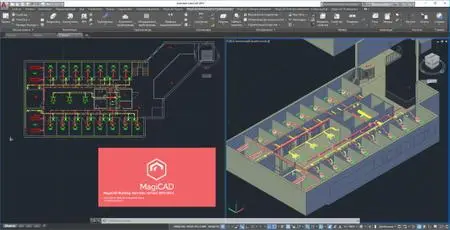
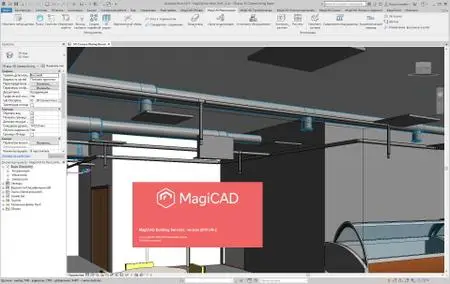
The MagiCAD Group is pleased to announce the availability of MagiCAD 2019 UR-2 for Revit and AutoCAD. The 2019 version offers an extensive selection of new functions and improved workflows for making Mechanical, Electrical and Plumbing (MEP) design faster and easier.


MagiCAD 2019 - Release notes

MagiCAD 2019 supports the latest Autodesk platforms Revit 2019 and AutoCAD 2019.

Among the highlights of the new release, MagiCAD 2019 for Revit introduces MagiCAD's own Clash Detection tool on Revit platform, enabling live and on-demand detection of hard and soft clashes in your entire Revit project. In ventilation design, the new version enables air devices to be connected to the network using rectangular ducts. Further, the length of the final duct segment can now be automatically corrected in BOMs to the nearest longer standard length and equipped with a loose flange.

The new MagiCAD for Revit also offers extended standards support for domestic hot water calculations and enables sprinklers to be connected to the network using flexible pipes. For electrical design, MagiCAD 2019 for Revit offers multiple improvements, including summarisation of power loads from spaces to switchboards and calculation of wire lengths based on the Revit model.

MagiCAD 2019 for AutoCAD provides more advanced automation for Running Index based on user-defined validity settings, and at the same time introduces the upgraded Change Properties tool which enables improved property search, object filtering and editing of multiple properties simultaneously. The new option of hiding underlying objects behind dimension texts provides the user with more control over the readability of plan drawings. In electrical design, the number of devices and the longest branch can now be calculated also in low-voltage (LV) and extra-low voltage (ELV) circuits.

MagiCAD automates many complex and time-consuming design tasks, saving time in day-to-day design work, and shortening the total project run-through times on average by 30% or more.


MagiCAD 2019 Update Release 2 - what's new

all the new and updated features and also bug fixes that are available in MagiCAD 2019 UR-2 for Autodesk Revit.
This file lists all the new and updated features and also bug fixes that are available in MagiCAD 2019 UR-2 for Autodesk AutoCAD.

006eac0b_medium.jpg

006eac0a_medium.jpg
MagiCAD for Revit and AutoCAD is the number one BIM solution for Mechanical, Electrical and Plumbing (MEP) design used by thousands of companies in over 80 countries worldwide. Our fully integrated software enables powerful modelling capabilities, produces a more streamlined working environment, and offers localised content, standards and engineering calculations. MagiCAD makes the design of accurate BIM models easier, more flexible and less time-consuming. With MagiCAD, you design with over 1,000,000 data-rich intelligent manufacturer-verified real MEP BIM objects from leading globally renowned international manufacturers.


MagiCAD Group specialises in software and services for the building industry. Our popular Building Information Modelling (BIM) software, MagiCAD, offers powerful Mechanical, Electrical and Plumbing (MEP) design functions and integrated engineering calculations for Revit and AutoCAD. It is used by thousands of companies in over 80 countries around the world. Our online BIM library enables access to over 1,000,000 manufacturer-verified BIM objects from 280 globally renowned manufacturers. Each BIM object is complete with accurate dimensions and comprehensive technical data of real manufacturer products.MagiCAD Group is a Glodon Group company.

Product: MagiCAD
Version: 2019 UR-2 *
Supported Architectures: x64
Website Home Page :
Код:
http://www.magicad.com
Language: english
System Requirements: PC **
Supported Operating Systems: **
Software Prerequisites: **
Size: 1.9 Gb

MagiCAD 2019 UR-2 for Autodesk AutoCAD
MagiCAD 2019 UR-2 for Autodesk Revit
MagiCAD for AutoCAD

MagiCAD 2019 UR-2 for AutoCAD operates on Windows 10, Windows 8, and Windows 7 operating systems.

MagiCAD for AutoCAD runs on AutoCAD software which is developed by Autodesk, Inc. MagiCAD 2019 UR-2 for AutoCAD requires a 64-bit AutoCAD version 2016-2019, or the corresponding software (for example, AutoCAD Architecture or AutoCAD MEP).

The system requirements for MagiCAD for AutoCAD are the same system requirements as those stated for the 64-bit AutoCAD version that MagiCAD for AutoCAD is compatible with and will be installed onto. The MagiCAD installation requires at least 1 GB of free disk space.

MagiCAD for Revit

Note: MagiCAD 2019 UR-2 is compatible with Revit versions 2017-2019 including Revit update packages 2019.1 and 2019.2.
Note: If the computer has an existing installation of the Schneider Electric Ecodial plugin for AutoCAD, and MagiCAD Electrical for Revit is then installed on the computer, the Schneider Electric electrical calculation component included in the MagiCAD Electrical for Revit installation package will override the calculation engine of the Ecodial plugin for AutoCAD. As a result, the Ecodial Plugin for AutoCAD may not function anymore.

MagiCAD 2019 UR-2 for Revit operates on Windows 10, Windows 8, and Windows 7 operating systems.

MagiCAD for Revit runs on Revit software which is developed by Autodesk, Inc.

MagiCAD 2019 UR-2 for Revit 2019 requires a 64-bit version of Revit 2019.
MagiCAD 2019 UR-2 for Revit 2018 requires a 64-bit version of Revit 2018.
MagiCAD 2019 UR-2 for Revit 2017 requires a 64-bit version of Revit 2017.

MagiCAD for Revit requires an Internet connection. Accessing the product database with MagiCAD for Revit requires an Internet connection because the product database is available online. While we aim to keep the product database available at all times, there may be occasional limitations to its availability such as maintenance-related service breaks.

The system requirements for MagiCAD for Revit are the same system requirements as those stated for the 64-bit Revit version that MagiCAD for Revit is compatible with and will be installed onto. The MagiCAD installation requires at least 1 GB of free disk space.

With Network License option, MagiCAD 2019 UR-2 modules for Revit are compatible with the Citrix XenApp 7.6 virtual platform.


-:DOWNLOAD FROMLINKS:-

RapidGator
Код:
https://rapidgator.net/file/887b5a18d512d56e12800d7477db7c90/Dl4EvEr_MagiCAD_2019_UR-2_for_Autodesk_AutoCAD_2016-2019_x64.rar.html

NitroFlare
Код:
https://nitroflare.com/view/0E82787626CF970/Dl4EvEr_MagiCAD_2019_UR-2_for_Autodesk_AutoCAD_2016-2019_x64.rar

​
 
Bubble Expert v4.0.1.1


6d1b9085342061ec7db3ef42e209e97c.jpg

Bubble Expert v4.0.1.1 | 59.8 Mb
​
Bubble Expert is the most effective solution specifically developed to bubble / ballon PDF documents. In minutes you can quickly open PDF documents, add new bubbles / balloons or edit existing bubbles / balloons and save to PDF or JPEG.


System Requirements:
Runs on Windows 7,8, and 10
32 or 64 bit Min: Pentium II 300 mHz
30 MB free space.

Home Page -
Код:
http://bubbleexpert.com/


-:DOWNLOAD FROMLINKS:-

RapidGator
Код:
https://rapidgator.net/file/d540afd43726890d4250eb46a08cc90d/Dl4EvEr_Bubble.Expert.v4.0.1.1.rar.html

UploadGIG
Код:
https://uploadgig.com/file/download/9f2f03D3415949b4/Dl4EvEr_Bubble.Expert.v4.0.1.1.rar

​
 
Charles v4.5.2 (x64)


4f13883b34bf3f7e52c7e42d7f5bd3d4.jpg

Charles v4.5.2 (x64) | 56.8 Mb
​
Charles is a web debugging proxy that enables a developer to view all of the HTTP and SSL/HTTPS traffic between their machine and the internet. This includes deep inspection of requests, responses, headers, TLS information, compression and performance, and binary protocols such as Protobuf for both HTTP 1.1 and 2. Charles is perfect for debugging and measuring your web or mobile app's API requests and responses.


Charles Features
The following features are what I believe to be the key features of Charles. The best way to explore these features and to discover others is to download the free trial.

SSL Proxying
Charles can act as a man-in-the-middle for HTTP/SSL communication, enabling you to debug the content of your HTTPS sessions.

Bandwidth Throttling
Charles simulates modem speeds by effectively throttling your bandwidth and introducing latency, so that you can experience an entire website as a modem user might (bandwidth simulator).

AJAX
Charles is useful for XML development in web browsers, such as AJAX (Asynchronous Javascript and XML) and XMLHTTP, as it enables you to see the actual XML that is flowing between the client and the server. Charles natively supports JSON, JSON-RPC and SOAP; displaying each in a simplified tree format for easy viewing and debugging.

Flash
Charles is great for Adobe Flash developers as you can view the contents of LoadVariables, LoadMovie and XML loads. Charles also has native support for Flash Remoting (AMF0 and AMF3).

Browser & System Configuration
In order for any browser (or any application) to use Charles it must be configured to use Charles as its proxy server. Most browsers will have a way to configure this manually, but configuring manually is annoying because you have to configure and reconfigure everytime you start and stop Charles.

Fortunately Charles can autoconfigure the proxy settings in many cases including:
Windows / Internet Explorer proxy settings - used automatically by most Windows applications

Windows Proxy Settings
Charles can automatically configure the Windows proxy settings so that Internet Explorer and other Windows applications automatically start using Charles. By default Charles will configure and then reconfigure the Windows proxy settings whenever Charles is started or quit.

Charles proxy configuration behaviour can be changed in Charles in the Proxy Menu, Proxy Settings dialog.

The Windows proxy settings are configured in the Internet Options control panel on the Connections tab if you want to look at them yourself.

Microsoft Edge has an additional setting that you may need to make by browsing to about:flags and enabling Allow localhost loopback. This is required in order to connect to Charles Proxy running on localhost.

Home Page -
Код:
https://www.charlesproxy.com/


-:DOWNLOAD FROMLINKS:-

RapidGator
Код:
https://rapidgator.net/file/5201011094e7ceaeadca3e2856f4ac84/Dl4EvEr_charles-proxy-4.5.2.rar.html


UploadGIG
Код:
https://uploadgig.com/file/download/6224ce6Cf73b54cf/Dl4EvEr_charles-proxy-4.5.2.rar

​
 
EarthView version 6.2.0


298fc006d2a308f29f04bb6f6c3722f6.jpg

EarthView version 6.2.0 | 20 Mb
​
EarthView is a dynamic desktop wallpaper and screen saver, which displays beautiful views of the earth with daylight and night shadows. It produces colorful, high quality, high resolution images for every screen resolution - even beyond 3840x2160.


The program supports map and globe views, urban areas, city lights, atmospheric effects, clouds, weather information, local time display and much more. EarthView supports different maps that show our planet earth in different ways, including seasonal changes of vegetation, snow cover and ocean ice. Many options allow total customization of all view parameters. EarthView has won countless awards for its absolutely breathtaking images.

EarthView supports five different beautiful maps of the earth, starting at 10 km resolution, which means that at 100% zoom level, 1 pixel on your screen equals 10 kilometers on earth. If you purchase the full version, you'll get the possibility to download even more detailed versions of some maps, which have higher resolution. This means, they have much more detail, so you can zoom in even further!

Key Features
High detail view of the earth
Day and night view
Atmospheric effects
Urban areas and city lights
Clouds (internet download of current cloud data)
Weather data (temperature, humidity, wind, pressure, etc.)
Map and globe projection
Seasonal maps showing changes of vegetation, snow cover and ocean ice
Several other beautiful maps to choose from
Location and local time of more than 120.000 cities worldwide
Wallpaper and screen saver support
Multiple monitor support
Many options for full customization
Now with Windows 10 support!

System requirements
Supported operating systems (32 and 64 bit):
Windows XP
Windows Vista
Windows 7
Windows 8
Windows 10
Windows Home Server
Windows Server 2003
Windows Server 2008
Windows Server 2012

Home Page -
Код:
http://desksoft.com/


-:DOWNLOAD FROMLINKS:-

RapidGator
Код:
https://rapidgator.net/file/cc4c5737ce13cda44cdb932f2bc56c98/Dl4EvEr_EarthView6.rar.html


UploadGIG
Код:
https://uploadgig.com/file/download/989C0b389d6668cd/Dl4EvEr_EarthView6.rar

​
 
NetPlay Instant Demo version 10.00.08


03c1182da69a597238233d687984c945.jpg

NetPlay Instant Demo version 10.00.08 | 29.6 Mb
​
Screen Recorder Software for Presentations, Training and Support. Using a very simple interface you can create animated Flash demos quickly and easily. Most controls to edit and annotate are contained in just one window! Using our unique smart capture technology, you can record smooth mouse movement and visual changes to any application on your desktop.


Screen Recorder Software for Presentations, Training and Support
- Record your Windows desktop activity in real time.
- Screen recorder is quick, simple and easy to use.
- Ideal for web based product demonstrations.
- Enhance your on-line help documentation.
- Add a professional edge to your customer support.
- Create effective training material in minutes.

Instant Demo Main Features
- Create interactive presentations in HTML5 and Adobe Flash formats.
- Automatically creates HTML5 web pages for your presentation.
- SCORM 1.2 compliant for use with E-Learning management systems.
- Record all visual and audio activity on your computer in real time.
- Capture the entire screen, a selected region or an individual window.
- Zoom and Pan the captured video with TrakMouse(TM).
- Automatically records mouse movement and appearance.
- Record live sound during capture.
- Export your movie to any popular video format including HTML5, YouTube, Flash, AVI and MP4.
- Record or insert sound files when editing.
- Add customized playback controls to your demo.
- Simple yet powerful editing using only two windows.
- Add callouts and headings.
- Add mouse hotspots for interactive non-linear demonstrations and tutorials.
- Add in-movie hyperlinks for full integration with your website.
- Add individual frame effects: fade-in/out, cross fade and highlight.
- Combine multiple recording sessions into one project.

Operating System: Windows 2000, XP, Vista, 7, 8 and Windows 10

Home Page -
Код:
http://www.instant-demo.com/


-:DOWNLOAD FROMLINKS:-

RapidGator
Код:
https://rapidgator.net/file/fb88738d66f4d73c56c4a67e4e297dea/Dl4EvEr_ID10.0.81.0.rar.html


UploadGIG
Код:
https://uploadgig.com/file/download/8e13516c6331d941/Dl4EvEr_ID10.0.81.0.rar

​
 
Office Tool Plus v7.0.1.2 Multilingual


ce83bb6f72e3b6da34cd71b761519778.jpg


File size: 6.0 MB
​
Office Tool Plus is a tool for managing, downloading and installing Office.Office Tool Plus is based on Microsoft's Office Deployment Tool. You can customize configure your Office installation and download installation files to install Office without Internet.

Opportunities:
1. Configure the Office installation, as well as customize the installed C2R products, such as adding and removing components, language packs, etc.
2. Download the Office installation package or the language pack, which can be downloaded using the official programs Thunder, Aria or Microsoft.
3. Configure your current Office, change the update channel, delete the product language, or delete the product, or use the built-in scripts or tools to clean the Office
4. Activate your office. Easily set the product key and configure your KMS server address or convert the Office version. (PS: the tool does not have a built-in KMS activation, it simply provides the ability to configure a KMS server.)

Supported products:
• MS Office 2016 -> Standard, Pro Plus, Mondo, Professional, Personal, Home Business, Home Student, O365 ProPlus, O365 Business, O365 Small Business, O365 Home Premium
• MS Office 2019 -> Standard, Pro Plus, Professional, Standard 2019 Volume, ProPlus 2019 Volume, Office 365, Home Business, Home Student


-:DOWNLOAD FROMLINKS:-
RapidGator
Код:
https://rapidgator.net/file/bc24f76e1d487e6870f98de872986878/Dl4EvEr_Office_Tool.v7.0.1.rar.html


UploadGIG
Код:
https://uploadgig.com/file/download/E8704E3968995A1f/Dl4EvEr_Office Tool.v7.0.1.rar

​
 
ReefMaster v2.1.46


eda03ecbc35460de66b7a7842f76d2e9.jpg

ReefMaster v2.1.46 | 66.3 Mb
​
With ReefMaster you can create your own maps, view sonar recordings, manage waypoints, and produce stunning high-resolution sidescan mosaic images. ReefMaster is a Windows PC application that uses data from sonar log files to create 3D underwater maps, combined with a multi-channel sonar viewer and graphical waypoint management.


Features

Underwater Mapping
The depth sounder on your boat can detect how deep the water underneath you is. Your GPS knows where you are. ReefMaster puts this depth and position data together to build a highly detailed underwater map.

Create contour maps from sonar log files and view them in 2D and 3D, with a range of base-map options.
Combine mapping data from a wide range of sources, including native Lowrance and Humminbird sonar logs, GPX files, NMEA 0183, ESRI Shapefiles and text files.
Create maps of the sea or lake bed hardness using the optional Bottom Composition add-on module.
Calculate water volumes using the optional Volumes and Areas add-on module.
Create, drag and drop waypoints in both the 2D and 3D map views.
View and export maps in a range of pre-defined palettes, or create your own colour scheme.
Adjustable contour intervals in metric or US units.
Create maps up to 400km² in size.

Create maps in real-time with NMEA 0183 data:
Log depth and position data via NMEA 0183.
Create maps in real time, with a split screen (live-track/map) display.
Receive GPS and depth from up to two separate NMEA sources, with adjustable latency.
Show the live boat position on any ReefMaster screen.

Save your maps in a range of formats, including:
Single click export for a range of Lowrance and Google Earth Preset Map Styles.
Generate stunning AT5 vector or shaded-relief maps for Lowrance and Simrad GPS units.
Create contour maps as track files for display on Humminbird devices.
Export full-colour contour maps in Google Earth's KML format for display within Google Earth and mobile devices.
Save geo-referenced, high-resolution map images for use in documents and websites.
Save contour maps in ESRI Shapefile format and 3D bathymetry in ESRI grid format for use in other GIS applications.

Multi-channel Sonar Viewer
Compatible with Humminbird and Lowrance sonar log files.
Multi-channel, split-screen display with smooth playback up to 30x.
Adjustable brightness, contrast and colour palettes.
Create waypoints in the sonar viewer.
Measure distance and estimate object height or depth using shadow length.
Adjust track-point depths in the sonar viewer to correct bottom-lock errors.

Waypoint Management
View and edit waypoints, with drag and drop in 2D and 3D.
Import and export waypoints in a range of formats, including native Lowrance, Humminbird and GPX, with automatic duplicate elimination.
Support for multiple waypoint sets, with easy, graphical copying and moving of waypoints across sets.
Attach any number of notes and images to waypoints.
Track Management
Store your past tracks in ReefMaster, with easy access via the Asset Library.
View tracks over world base-maps.
Crop, split and merge tracks, and save the results back to your GPS unit.
Adjust track-point depths for lake-level or tide variations.
Log data from NMEA data sources.
Export raw track data in a range of formats, including comma-separated text files for use in other GIS applications.

System Requirements:
1GB RAM (4 GB recommended, 8GB and 64 bit OS recommended when running the Sidescan Mosaic module or creating maps larger than 15km across).
850MB free disk space.
Windows 7/8/8.1/10
Hardware graphics support for Microsoft DirectX 10.1 or later is required for some sonar and sidescan rendering features. These features will be disabled if this hardware support is not available.
An internet connection is required for the display of background maps.

Home Page -
Код:
http://reefmaster.com.au/index.php/products/reefmaster


-:DOWNLOAD FROMLINKS:-

RapidGator
Код:
https://rapidgator.net/file/9c21808e824c216423d77ab12873d0af/Dl4EvEr_Reefmaster.v2.1.46.rar.html

NitroFlare
Код:
https://nitroflare.com/view/E4400A2E6C64650/Dl4EvEr_Reefmaster.v2.1.46.rar

UploadGIG
Код:
https://uploadgig.com/file/download/f98c0c504f1Bf899/Dl4EvEr_Reefmaster.v2.1.46.rar

​
 
Smadav Pro v2019 13.2.1


561f94ff9eae7f8699807b2e770890ca.jpg


File size: 2.0 MB
​
Smadav Pro is antivirus for additional protection of your computer, USB stick total protection and thoroughly cleaning widespread virus.it stops apps from being running in background (Without your permisions). Just check this app as its one of the awesome apps.

Key Features of PRO:
Automatic Update Online - SmadAV Pro can perform an automatic update with an internet connection whenever there is a new revision. SmadAV will install new revisions automatically without user command. Unlike the Free SmadAV, you still have to do the update manually by downloading the new revision in Smadav.net and open the program first SmadAV to update SmadAV on your computer.
Faster Scanning - Smad-Turbo can be activated to speed up the scanning process. SmadAV perform filtering by file type so SmadAV only scan the files were most likely infected with a virus. This feature is very effective in accelerating the process of scanning without compromising the ability of detection.
Exception List - SmadAV Exception List Pro has a feature that can be used to ignore (ignore) scanning the file, folder, or a specific registry that you consider safe and should be ignored. Once a file, folder, or registry added to the Exception List, then he will be ignored and will no longer be detected by SmadAV as viruses.
Maximize / Resize Display - If you feel the look SmadAV still less extensive, you can click the Maximize button or by changing (resize) SmadAV size manually. Or if you feel SmadAV look too big, you can click the Hide Panel which will automatically make SmadAV smaller by eliminating the right panel.
Changing the Color Theme - SmadAV Pro has the ability to change the color theme originally SmadAV green became the color of your choice. In the theme color settings you can find your own choice of colors for the theme SmadAV. Once you change the theme color, the color of all SmadAV display will automatically turn into the color of your choice.
Profit Use Permit - SMADAV Free version only allowed for non-profit use as computer / personal laptop at home or non-profit organization. While SmadAV Pro version is used for members SmadAV or institution / organization profit (companies, cafes, shops, rentals, computer services, studio, etc..)
Admin Password - If you are an Admin on a computer network (such as cafes, companies, etc..), Should limit the use SmadAV by adding a password to access the full features of SmadAV. Users can still perform virus scanning and cleaning but will not be able to access the quarantine feature, updates, tools, and settings on SmadAV except having an Admin password that you have set.


-:DOWNLOAD FROMLINKS:-
RapidGator
Код:
https://rapidgator.net/file/c608448fb036d35a10aec0157fa7809a/Dl4EvEr_smadav2019rev132.rar.html

NitroFlare
Код:
https://nitroflare.com/view/EF68646A9643FF4/Dl4EvEr_smadav2019rev132.rar

UploadGIG
Код:
https://uploadgig.com/file/download/775950bfad40D199/Dl4EvEr_smadav2019rev132.rar

​
 
TT SUbD v2.1.3 for Sketchup 2019


efd84120b48cf72e8a423e97ca73547d.jpg


File size: 8.0 MB
​
Subdivide quads in SketchUp.Parametric subdivision.Optimized for quad-meshes. Perfect for organic modelling.

Why Work with Quads?
When you have a mesh based on quads it add a lot of benefits. The mesh becomes more regular and predictable. The grid structure that comes from quads provide meshes with directions of flow.
Tools can follow an edge and select loops in a predictable order.
Or they can select every opposite edge, making a ring selection.
UV mapping is also easier - the grid makes the mesh easier to map seamless texture mapping.

Working with Quads in SketchUp
When working with quad based meshes you quickly discover the need for quads where the vertices aren't coplanar.
In SketchUp this can be a challenge because SketchUp's Auto-Fold feature will break a quad into two triangles once it's vertices isn't coplanar any more.
To allow extensions to work with quads that are not coplanar they need to be able to determine which pair of triangles represent a quad. There is no official standard for this, but the de-facto standard is the QuadFace Tools type of quads.
The definition of a QuadFace Tools quad is that two triangles share an edge which is soft and smooth - with Cast Shadows turned off.
It is highly recommended that you also install QuadFace Tools to assist in creating quad based meshes for subdividing with SUbD. I is a core tool for creating ideal geometry that subdivide well.

Whats New:
Updates: official site does not provide any info about changes in this version.

-:DOWNLOAD FROMLINKS:-
RapidGator
Код:
https://rapidgator.net/file/f73dc7460f9824165ff0ee70275b02c7/Dl4EvEr_TT_SUbDv213.rar.html

NitroFlare
Код:
https://nitroflare.com/view/5771A8094ABAB07/Dl4EvEr_TT_SUbDv213.rar

UploadGIG
Код:
https://uploadgig.com/file/download/4B05947132382e65/Dl4EvEr_TT_SUbDv213.rar

​
 
TriSun Windows Explorer Tracker v2.0 Build 015


fad68446120d33fba9a45037a4ea3438.gif

TriSun Windows Explorer Tracker v2.0 Build 015 | 1.2 Mb
​
Windows Explorer Tracker is used to trace/monitor and record the operations for Windows automatically, such as 'Delete', 'Rename', 'Create', 'Insert', 'Add' and 'Remove' actions of files, folders, drives and storage media, you can also use it to track and record operations on remote host via the mapped network drives.


It logs the original operations in some .log files, and names them by date so as to manage them conveniently.

You can quickly load the history logs by specifying the start and end date on its main interface, manage the log files in Windows Explorer, find the specific operations and permanently delete history operations in log files. At last, you can set the display format of operation date and time on the Options interface.

As above, if you need to retrace the Windows steps on a regular basis might find it useful.

Operating System: Windows XP, Vista, 7, 8/8.1, 10

Home Page -
Код:
https://www.trisunsoft.com/


-:DOWNLOAD FROMLINKS:-

RapidGator
Код:
https://rapidgator.net/file/a2e4cb894789f77ed2a3a1a4de24f66e/Dl4EvEr_windows-explorer-tracker2.0.rar.html

NitroFlare
Код:
https://nitroflare.com/view/900217DFE755245/Dl4EvEr_windows-explorer-tracker2.0.rar

UploadGIG
Код:
https://uploadgig.com/file/download/f8f70C84a6e5b6F8/Dl4EvEr_windows-explorer-tracker2.0.rar

​
 
3D Youtube Downloader - Batch 2.10.14 + Portable


d0ce54b543d2a66d6c83a8e0a1e40b09.jpg


File Size: 18.28 | 25.58 MB
​
3D Youtube Downloader - Batch is an advanced tool for batch downloading multiple clips and entire playlists. Clipboard monitor, output presets and several ways to add URLs make it easy to add multiple clips. Properties pane provides great capabilities for further tuning and control on per clip basis.

Main features:

support for a variety of sites including Vimeo, Liveleak, Dailymotion and others
support for Youtube Adaptive Streams
support for Youtube and Dailymotion feeds (playlists, channels etc)
possibility to select quality manually
converting downloaded clips to various video and audio formats
subtitles support for Youtube and Dailymotion
search on Youtube within the program
clipboard monitor
possibility to specify multiple URLs at once
fast processing (using multipart download for files and HTTP compression for pages)
multi language supportWhats New:improvement for proxy support
few fixes for Youtube

-:DOWNLOAD FROMLINKS:-
RapidGator
Код:
https://rapidgator.net/file/3f750320e825ae5431064293f5d12550/Dl4EvEr_Port.3D.Youtube.Downloader.Batch.2.10.14.rar.html
https://rapidgator.net/file/3c8a9815565a51a3fd0835aeb82ea274/Dl4EvEr_3D.Youtube.Downloader.Batch.2.10.14.rar.html

NitroFlare
Код:
https://nitroflare.com/view/CAC45331E93AAF0/Dl4EvEr_3D.Youtube.Downloader.Batch.2.10.14.rar
https://nitroflare.com/view/6CC3EB7BD1E9368/Dl4EvEr_Port.3D.Youtube.Downloader.Batch.2.10.14.rar

UploadGIG
Код:
https://uploadgig.com/file/download/79f7CaF23619276F/Dl4EvEr_3D.Youtube.Downloader.Batch.2.10.14.rar
https://uploadgig.com/file/download/835b4CddD2eE6C0d/Dl4EvEr_Port.3D.Youtube.Downloader.Batch.2.10.14.rar

​
 
e-World Tech PHPMaker v2020.0.6


d56077f1b43c10a205a75ad187f8460d.jpg

e-World Tech PHPMaker v2020.0.6 | 43.3 Mb
​
PHPMaker is a powerful automation tool that can generate a full set of PHP quickly from MySQL, PostgreSQL, Microsoft Access, Microsoft SQL Server, Oracle and SQLite databases. Using PHPMaker, you can instantly create web sites that allow users to view, edit, search, add and delete records on the web. PHPMaker is designed for high flexibility, numerous options enable you to generate PHP applications that best suits your needs.


The generated codes are clean, straightforward and easy-to-customize. The PHP scripts can be run on Windows servers or Linux servers (except Microsoft Access). PHPMaker can save you tons of time and is suitable for both beginners and experienced develpers alike.

Highlights
Advanced Security
User registration system
Export to CSV/HTML/Excel/Word/XML/PDF/Email
File uploading to database or folder
Master/Detail-Add/Edit/View
Custom template

System Requirements:
Windows Vista/2008/2012/2016/7/8/10

Home Page -
Код:
https://www.hkvstore.com/


-:DOWNLOAD FROMLINKS:-

RapidGator
Код:
https://rapidgator.net/file/8c52c0fbbd9afe2d81b74cae2a37130a/Dl4EvEr_PHPMaker2020.rar.html

NitroFlare
Код:
https://nitroflare.com/view/DDD52530947AE8B/Dl4EvEr_PHPMaker2020.rar

UploadGIG
Код:
https://uploadgig.com/file/download/7346c678fC66debf/Dl4EvEr_PHPMaker2020.rar

​
 
Ueberschall Elastik v3.1.1


06018297cc65c1474600616f126be619.jpg


File size: 56.8 MB
​
Elastik 3, developed in cooperation with zplane.development, is the most powerful sample player that we have ever created. It provides a complete toolkit for modern music producers working with audio loops. Loops can be an essential part of many musicians creative process and, with Elastik, you get a fast, efficient and flexible set of tools.

With its intuitive Loopeye editing environment, the high-quality pitch, key, scale and tempo manipulation algorithms and the huge collection of Elastik-ready sample libraries spanning almost every conceivable musical genre, Elastik is a powerful workstation for loop-based music creation. It can be used either as a stand-alone application or as plugin within almost any DAW on both Windows and macOS platforms.

The Elastik-Engine
The new ReTune tab in the Loopeye editor gives you complete control over the scale and key of any tonal loop and can even work with polyphonic material.

The ReTune algorithm, developed by zplane.development, analyzes polyphonic and monophonic sound material in realtime and transform it to the desired key and scale while retaining high audio quality. Enter custom scales via the matrix or chose from preset scales to adjust any loop to your project. ReTune can also be used as a creative tool for sounddesign with parameters like sensitivity, transients, smoothing and pitch correction as well as a Dry / Wet control.

If you want complete control over the time and pitch stretching process, the Time tab within the Loopeye editor allows you to choose between six different algorithms, from the simple and super efficient PitchSpeed to the high quality ProV3 which gives you the maximum scope for varying pitch and tempo while minimizing audio artifacts. This tab also includes new stretching FX for additional creative options. The engine is also very efficient and CPU-friendly.

In addition to the pitch and tempo manipulation, Elastik's central Loopeye forms a detailed loop-editing tool. A large number of parameters can be adjusted, including slice-based pitch-shifting, volume and pan, reverse, formant, filter and resample. Elastik even includes a random sound replacement function called INSPIRE: one click on the Inspire button and Elastik will select an alternative loop, providing just that bit of additional inspiration when you need it. All this can be done on the fly and without leaving the Elastik environment. You can define which soundbanks will be used in the Inspire tool with the new Inspire browser.

Creative Tool
While Elastik is a hugely creative tool, it also provides an extremely efficient workflow. The streamlined browser means that no matter how large your Elastik loop library becomes, you can always find just the right loop in an efficient fashion. Elastik also includes advanced features such as tagging and filtering, making it easy to narrow down any search. The browser allows you to easily audition loops in BPM, key and scale sync with your project. And if you want to add new loop libraries from the Ueberschall range, the authorization process is fast and secure.

Once you have identified loops to use within your project, they can be mapped to Elastik's virtual keyboard or pads ready to be triggered from within Elastik, via your MIDI keyboard or from your host sequencer. A range of different triggering methods are available so you can ensure that your loops stay locked in sync with your project. Elastik's sophisticated time, pitch, key and scale shifting algorithms - featuring zplane's cutting edge audio processing technology - maximize audio quality and you have independent control over all parameters and maximum flexibility when it comes to matching loops to the tempo and key of any project.

Elastik's key Features include
+ innovative Loopeye functions
+ Retune: polyphonic scale and key shifting
+ timestretch and pitchshift in best quality
+ fast browser features (multiple filter search, tagging)
+ prelisten in BPM, key and scale sync
+ sequence mode (loads of editing features per slice)
+ random sound replacement via Inspire
+ parameter automation
+ realtime sync to host
+ multiple outs
+ bounce of original and modified loops
+ resizable window format
+ multiple soundbank management

Ueberschall's Elastik player and Elastik loop libraries; an essential and extremely flexible combination in the studio for the creation of professional music productions.

Requirements:
Windows: recommended WIN 8 or later

Platform: WiN32/64 - EXE/VST/VST3/AAX(MODiFiED)


-:DOWNLOAD FROMLINKS:-
RapidGator
Код:
https://rapidgator.net/file/650a1db333d0be0575375e6f09486071/Dl4EvEr_Ueberschall.Elastik.3.v3.1.1.rar.html

NitroFlare
Код:
https://nitroflare.com/view/9033635D56BCA1C/Dl4EvEr_Ueberschall.Elastik.3.v3.1.1.rar

UploadGIG
Код:
https://uploadgig.com/file/download/9C613b52348329b6/Dl4EvEr_Ueberschall.Elastik.3.v3.1.1.rar

​
 
FonePaw Android Data Recovery 3.0.0


ddd4857a9d2ea4a4c022f33f21e0958e.png

FonePaw Android Data Recovery 3.0.0 Multilingual | 42.5 Mb
​
FonePaw Android Data Recovery is a user-friendly program that can help you out in this situation, as it is designed to perform a thorough scan and retrieve various types of deleted items.


Straightforward utility that requires no specialized knowledge
The recovery process is greatly simplified, which means that this application can be used even by novices who have no prior experience with similar software. There is no need to perform advanced configurations, as you are only required to follow a series of simple steps.

A brief user guide is also available, and it may be wise to consult it if you are not certain how to enable USB debugging on your Android device.

Perform a custom scan and recover important items
Once a connection between your PC and Android device has been established, you can specify which types of files should be taken into consideration. FonePaw Android Data Recovery can scan for contacts, messages, call logs, attachments and media files.

After the scan has been completed, the program lists all the recovered items and lets you preview images before they are saved on your computer. You also have the option of only displaying hidden files, and the handy search function enables you to find the items you are interested in more easily.

Useful recovery tool for Android users
When it comes down to it, FonePaw Android Data Recovery is a great choice for those who own Android devices and wish to ensure they can retrieve files that have been deleted by accident.

The application can also function as a simple backup and recovery solution, as it enables you to save all your data locally, and it is very novice-friendly thanks to its intuitive layout and minimalistic UI.

System Requirements:
Windows OS: Windows 10/8.1/8/7/Vista/XP (32 bit or 64 bit)
CPU: 1GHz Intel/AMD CPU or above
Hard Disk Space: 1G and above free space
RAM: 1G RAM or more
Android Version: 2.1 - 8.0

Home Page -
Код:
https://www.fonepaw.com/


-:DOWNLOAD FROMLINKS:-

RapidGator
Код:
https://rapidgator.net/file/fd117e46d117f6d7d66d127e7f649048/Dl4EvEr_android-data-recovery3.0.rar.html

NitroFlare
Код:
https://nitroflare.com/view/1A774F23A51BCA6/Dl4EvEr_android-data-recovery3.0.rar

UploadGIG
Код:
https://uploadgig.com/file/download/18e386041fb9C440/Dl4EvEr_android-data-recovery3.0.rar

​
 
Назад
Сверху