• Здравствуйте. Скоро заработает в архивном режиме форум www.old.nado.in

Dl4ever Software

SiNi Software Plugins 1.12.3 (3ds Max) 2020


9fb5c442ebbb28600e2322f05828f751.jpg

SiNi Software Plugins 1.12.3 (3ds Max) 2020 | 134.6 mb
​
The SiNi Software product team is pleased to announce the availability of SiNi Software Plugins 1.12.3 is that minimise your time doing the tedious and boring stuff allowing you to focus on the creative work you enjoy.


SiNi Software is a build of Autodesk 3ds Max plugins that minimise your time doing the tedious and boring stuff allowing you to focus on the creative work you enjoy. Plugin products can be divided into two groups, Utility plugins and Object plugins.

The utility plugins are grouped into our IgNite toolset and includes more than 200 tools and features with an expanding collection of bespoke plugins. These plugins allow you to optimise and repair 3D models, automate the setup HDRI lighting, relink projects, asset management library, MAXScript loader, SiNiScript, spline tools and much more.


Springboard - daily workflow tools located in one UI, including camera and display settings, MAXScript loader, SiNi configuration settings and much more.
Forensic - inspects your scene for issues and fix them before working on a scene. 5* rated by 3DWorld Magazine.
Scribe - spline tools, repair, cleanup, optimise any CAD imported drawing.
Sculpt - mesh tools, repair, cleanup, optimise any 3D, BIM model (Revit, Rhino, Sketchup etc).
Unite - relink and archive projects, including over 45 3rd party file types you may use in your work.
Jumble - random object transforms.
Illumi - HDRI setup wizard.
SiNiScript - Build your own MAXScripts adding SiNi tools and functions.
PREFLIGHT - Utility checklist tool to run-through and check-off before exporting to Unreal Studio.

The object plugins include;

SiClone - Parametric modeller that allows you to build simple repetitive assets or complex models, with an easy to use UI.
Disperse - 3D paint and object replace tool.
ProxSi - Universal proxy with round-trip editing and asset lock.
Scatter - Random scattering of objects. (Beta).
SiNi Software - ProxSi 3DS Max Plugin Introduction.

SiNi Software is the only 3D software company resolving complex architectural visualisation workflow issues adding multi-threading functions to dramatically increase computational power to handle working on massive BIM models.

Our founding directors bring more than 50 years of industry expertise across many sectors including, broadcast and film visual effects, architectural CGI visualisation and AAA games.

Product: SiNi Software Plugins
Version: 1.12.3
Supported Architectures: x64
Website Home Page :
Код:
http://www.sinisoftware.net
Language: english
System Requirements: PC *
Supported Operating Systems: *
Software Prerequisites: Autodesk 3ds Max 2020
Size: 134.6 mb
Autodesk 3ds Max 2020 software is supported on the following 64-bit operating systems and at a minimum, requires a system with the following 64-bit hardware:

Operating System
Microsoft Windows 7 (SP1), Windows 8, Windows 8.1, and Windows 10 Professional operating system
Browser Autodesk recommends the latest version of the following web browsers for access to online supplemental content:
Microsoft Edge
Google Chrome
Microsoft Internet Explorer
Mozilla Firefox
Hardware
CPU 64-bit Intel or AMD multi-core processor with SSE4.2 instruction set
Graphics Hardware Refer to 3ds Max Certified Hardware for a detailed list of recommended systems and graphics cards
RAM 4 GB of RAM minimum (8 GB or more recommended)
Disk Space 9 GB of free disk space for install
Pointing Device Three-button mouse


-:DOWNLOAD FROMLINKS:-

RapidGator
Код:
https://rapidgator.net/file/2a5e3e2b72ea35fada712874558a7a6a/Dl4EvEr_SiNiSoftware_3DSMax_V1.12.3.rar.html

NitroFlare
Код:
https://nitroflare.com/view/D1BD81ABFE06256/Dl4EvEr_SiNiSoftware_3DSMax_V1.12.3.rar

UploadGIG
Код:
https://uploadgig.com/file/download/E65101e8761c363b/Dl4EvEr_SiNiSoftware_3DSMax_V1.12.3.rar

​
 
ApowerEdit v1.5.4.6


d5a480e4527287a735fd3ec22c53dc58.jpg

ApowerEdit v1.5.4.6 Multilingual | 54.9 Mb
​
ApowerEdit makes it a breeze to create your own professional videos or entertaining home movies of any complexity involving various visual and audio effects. Videos created with this tool can be used for teaching, presentation, sharing and just plain fun. It takes a pinch of fantasy to trim, cut, split, merge, rotate, mix video clips, apply stylish video effects, accelerate/slow down your video speed, and many more.


Transform Your Everyday Videos/Photos into Final Creation
What you can see is what you can create. This video editing program facilitates you to import any media files from PC disk or videos shot by camcorders, DV cameras, vidicons, webcams, cell phones, etc. That being said, every element in your daily life can be turned into the personal masterpiece. Those fantastic and memorable moments will be recorded frame by frame.

Make Your Own Edits with Fantasy, Make Magic
Add clarity and style to your story with vivid titles. Simply make text animations, choose cool text background, set stylish fonts, rotate captions and much more as per your need.

Bring Your Personal Creation to Life
This movie editor allows you to create video contents for different situations. You are free to make education content, software program overviews, class training material, publicity film, marketing videos and more. Simply choose from classic and creative visual effects to apply color and motion filters to your video.

Show off Your Masterpiece to Friends, Family, World
After you finish editing videos, you can create and share your video masterpieces with all your family and friends. Simply let them feel what it was like to be in life. The video editing software offers the option to export the edited movie to any format so as to be played in iPhone 7s, iPhone 7, iPad, Samsung Galaxy, HTC or other devices. You can also burn videos to DVD or directly upload your video to YouTube, Facebook, Twitter, etc.

Operating System:
Windows® 10, Windows® 8 / 8.1, Windows® 7

Homepage -
Код:
https://www.apowersoft.com


-:DOWNLOAD FROMLINKS:-

RapidGator
Код:
https://rapidgator.net/file/3db1d8179ae53192164aed6e94c2d155/Dl4EvEr_ApowerEdit.1.5.4.6.rar.html

NitroFlare
Код:
https://nitroflare.com/view/5C408C62D899F48/Dl4EvEr_ApowerEdit.1.5.4.6.rar

UploadGIG
Код:
https://uploadgig.com/file/download/31e2f596002Ad6E1/Dl4EvEr_ApowerEdit.1.5.4.6.rar

​
 
Amyuni PDF Converter / PDF Suite Desktop v6.0.2.5


96ea14356e6f4721373655fcce58eabb.jpg


Languages: English | File Size: 79.4 MB
​
The Amyuni PDF Suite is comprised of the Amyuni PDF Converter and PDF Creator. The Amyuni PDF Converter is a virtual printer driver that quickly converts documents from any Windows® application to PDF. The PDF Creator is a PDF editor that enables you to modify, annotate, merge, and print PDF documents. The Amyuni PDF Converter is a virtual printer driver that quickly converts documents from any Windows® application to PDF.

Low-cost Licensing and Quality Technical Support
Unlike the high licensing costs of popular PDF tools or the lack of support for many open-source alternatives, the Amyuni PDF Suite is uniquely positioned. It comes with low-cost licensing options that are advantageous not only for single end-users, but also for large corporate distributions. And with easy-to-reach North American technical support services, any questions you may have about the Amyuni PDF Creator or Converter are just a call away. Easy to distribute, easy to use, and competitively priced, we invite you to explore the Amyuni PDF Suite.

Hassle-free Distribution
Whether installed on one or several workstations, deploying the Amyuni PDF Converter is hassle-free and because it is Microsoft-certified, Windows system compatibilities are a non-issue.

Simple and Intuitive
The Amyuni PDF Converter's simple interface enables you to quickly convert documents to PDF. Without unnecessary or complicated options, you can spend more time converting documents and less time configuring software.

Main Features:
- Save PDF files from virtually any Windows application
- Microsoft certified Windows 7 and Windows 8 PDF printer
- Create PDFs that fully comply with the PDF/A ISO standard or with PDF/X-1 and PDF/X-3 industry standards
- Support for a wide range of PDF files such as the PDF 1.7 format and compressed XRef tables
- High performance and reliability: Create PDF documents in a fraction of the time needed with other tools
- Simplified, more intuitive PDF editing user interface
- Free OCR plug-in with up to 98% accuracy
- Merge, append and watermark PDF documents
- Generate CMYK-colored PDF files for printing purposes
- Create multiple configuration profiles for commonly used printer settings
- Automatically convert PDFs; advanced users can automate the conversion process using VBA macros from any application that supports VBA
- Powerful graphical editor that allows full page editing of PDF files with paragraph reflow capabilities
- Enhanced functions for adding, inserting, deleting, and moving pages
- Create and fill-out PDF forms
- Work with PDF form field objects such as check-boxes, radio-buttons, text fields, list-boxes and combo-boxes
- Comment and annotate PDFs with sticky notes, highlighters, stamps, lines, frames and more
- Text search and replace capabilities
- Insert objects from external applications such as Microsoft Word or Excel® through OLE embedding
- Load, create, and view layered PDFs
- Documents containing images can be compressed using a variety of image compression techniques such as JPEG2000, JPEG, 256-color compression, CCITT Fax, greyscale, down sampling, removal of duplicate images, and more
- Remove duplicate fonts or images to optimize PDF structure and reduce document size
- Multi-national character sets are supported. These include Eastern-European, Middle-eastern, and Far-eastern (CJK) languages
- Fully or partially embed TrueType® and Type1® fonts to ensure document portability while optimizing file size
- Automatic generation of hyperlinks and bookmarks by analyzing document content
- Include PDF metadata or document properties such as title, subject, author, etc
- Watermark PDF documents with either a simple text string or another PDF file
- Distribute PDFs directly with any MAPI- or SMTP-compliant emailing system. SMTP authentication is supported in version 4.5
- Export PDF documents to a wide range of formats such as XPS, Excel, HTML, RTF, TXT, TIFF, JPEG or BMP
- Prevent the display, modification or printing of PDFs with 40-bit, 128-bit or 256-bit AES encryption
- PDF documents can be digitally signed using any valid certificate installed on the end-user's system. Support for both Ansi and Unicode digital signatures
- Optimize PDF documents for viewing through the Web, also known as PDF LinearizationRelease Notes:New in PDF Converter v6.0:
- Microsoft WHQL Certified for all Windows releases
- Improved Windows 10 support, no need to reinstall after each Windows 10 update
- Generate PDF 2.0 compliant files in addition to PDF 1.3 to 1.7
- Produce smaller PDF files with the use of compressed XRefs and compressed PDF objects
- New 256-color compression algorithm reduces image size and improves compression quality
- New generation of our Postscript engine improves memory management and pattern generation
- Auto-rotation of pages keeps the text in natural reading orientation
- Plus a number of other rendering and security enhancements which have been gradually introduced in the past two years

New in PDF Creator v6.0:
- Generate PDF 2.0 compliant files in addition to PDF 1.3 to 1.7
- Produce smaller PDF files with the use of compressed XRefs and compressed PDF objects
- New JavaScript interpreter allows processing of more complex PDF forms containing JS scripts
- New DOCX export module enables saving PDF files to editable Word© format
- New 256-color compression algorithm reduces image size and improves compression quality
- Plus a number of other rendering and security enhancements which have been gradually introduced in the past two yearsSupported Platforms:
- Windows 10, Windows 8.1, Windows 8, Windows 7, Vista, XP
- Server 2012, Server 2008, Server 2003

-:DOWNLOAD FROMLINKS:-
RapidGator
Код:
https://rapidgator.net/file/5a66ab352156044d187f62708679e74e/Dl4EvEr_PDF.Suite.Desktop.6.0.2.5.rar.html

NitroFlare
Код:
https://nitroflare.com/view/AC28ED8D45D1DDE/Dl4EvEr_PDF.Suite.Desktop.6.0.2.5.rar

UploadGIG
Код:
https://uploadgig.com/file/download/bB46aBc31887e920/Dl4EvEr_PDF.Suite.Desktop.6.0.2.5.rar

​
 
Amyuni Datatract Desktop v1.0.1


5b8c2dcc6cbde5a5e2985d02419fec72.jpg

Amyuni Datatract Desktop v1.0.1 | 27.1 Mb
​
Automate data entry and account reconciliation in your favorite accounting package. Quickly and efficiently process bank and credit card statements. Automatic data extraction from bank and credit card statements or any other PDF document. Define the rules for extracting the data and let Datatract extract the data and store it into XML or directly into your accounting package. Create automatic correspondances between entries on your statement and your accounts plan.


Main Features:
- Automatic extraction of data from PDF documents; Other formats such images or Office documents are also supported
- Automatic integration of extracted data into Sage 50 Accounting. Contact us for support of other accounting packages.
- Multi-currency support, automatic extraction of exchange rates
- Export data to XML for transfer to Microsoft Excel or any application that can read XML files
- Adaptable to any type of document through the use of data extraction profiles

Account Reconciliation Features:
- Automatic reconciliation of bank and credit card statements
- Matching of a single statement entry to multiple accounting entries, e.g. for credit card sales or payroll direct deposits

Additional Features:
- Support for statements covering multiple date periods
- Extract data from scanned documents or images within PDF documents using OCR technology
- Automatic update to the latest Sage Accounting quarterly releases
- Two levels of User Interfaces, one for advanced users (Administrators) and a simplified version for every day use
- Advanced users can write custom code in VB.Net to customize the data extraction

Supported Platforms:
- Windows 10, Windows 8.1, Windows 8, Windows 7, Vista, XP
- Server 2012, Server 2008, Server 2003

Homepage -
Код:
https://www.amyuni.com


-:DOWNLOAD FROMLINKS:-

RapidGator
Код:
https://rapidgator.net/file/4258c1a3c181169fd015fa5aa53ab1c9/Dl4EvEr_Datatract.Desktop.1.0.1.rar.html

NitroFlare
Код:
https://nitroflare.com/view/602963D87DB288F/Dl4EvEr_Datatract.Desktop.1.0.1.rar

UploadGIG
Код:
https://uploadgig.com/file/download/e47Bbfd2Ea747cAd/Dl4EvEr_Datatract.Desktop.1.0.1.rar

​
 
Mentor Graphics Xpedition Enterprise VX.2.6 (x64)


bdffc665485c6e5c31ecb1ff0476e4ca.jpg

Mentor Graphics Xpedition Enterprise VX.2.6 | 11.9 Gb
​
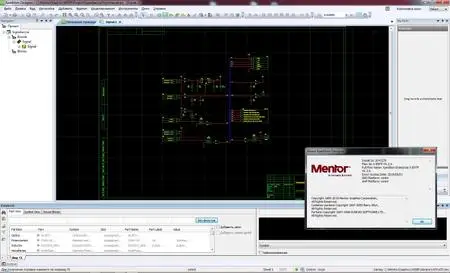
Mentor Graphics Corporation, a Siemens business, is pleased to announce the availability of Xpedition Enterprise VX.2.6. The latest releases of Xpedition address the increasing complexity of today's advanced system designs through an emphasis on both ease-of-use and team productivity.


Multi-board System Design

Automation/scripting
Automation in System Designer can be used to add new objects, read properties and write reports. Custom rule checks can be used to minimize manual inspections. This also further extends Xpedition's support for automation/scripting across the flow.
Interface control document
An interface control document (ICD) can be created or imported. An ICD is a structured definition of the interfaces between domains (e.g. electrical wiring). Using an ICD establishes a digital thread, streamlining change management and minimizing the chance of system-level errors.

Schematic Capture

User defined layers
User defined layers are available for schematic documentation, enabling improved team collaboration. Variant-specific documents can also be created.
Color by net
Objects in the schematic, constraints and layout can be colored by net, net class or constraint class. This provides a flow-wide, consistent way to quickly identify groups of nets.

FPGA/PCB

Floorplan improvements
The FPGA I/O optimization floorplanner now locks and visually identifies components that are already locked in layout. Netline unravelling has also been improved for several use cases, including differential pairs.
Symbol wizard
The symbol wizard automatically creates fractured symbols leveraging a large library of availalble FPGA devices and corporate documentation standards. This process dramatically reduces the time to create accurate symbols.

Data Management

Searching and Filtering
Xpedition now has the ability to easily find design, component, library, and supply chain data. With EDM's web portal, users can quickly search for anything using the search bar or select a category and use facet filtering to simplify locating content. Predefined filters can also be created to reduce time to find common items. Filters can also be customized by groups or user roles so users are not overwhelmed with options that are not pertinent to their job.
Library Distribution
Managing library content for distributed design groups now has built-in automation for export and importing. Import and export queues provides process controls for automatic import of new content and export control for design, model, component, and library data. In addition, task management allows library export to be scheduled for low usage times providing minimal impact to users.

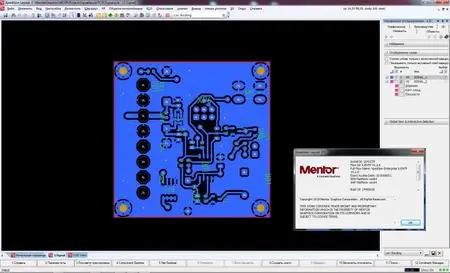
Layout

Improved MCAD collaboration
The MCAD collaboration interface has been streamlined, including color-coded pending vs. applied changes, and automatic notification of change requests. Component models can be incrementally exchanged, and additional information like copper and user draft layers can be communicated. This optimized process ensures optimal form-fit, and simplifies mechanical modeling and analysis.
Daughter card netlines
A daughter card can be imported into 3D layout, enabling a quick check of connector pin mapping.
Shield and stitch sketch plans
Sketch planning with shielding has been improved to enable routing with shielding and via stitching already in place.
Sketch route control
Sketch routing as it crosses a rule area boundary has been improved, enabling better user control of the path.
Diff pair routing quality
Differential pairs are now routed by centerline, enabling improved control and route quality particularly as they transition over a rule edge. Other use cases also have improved route quality, including glossing, and routing through a dense pin field.
Complex via support
Updates to complex vias are now greatly simplified, enabling modifications to be propogated to all instances or just selected ones. Complex vias can also now be used as RF transitions, with RF route meanders automatically snapped to via connection points. This is just part of major changes to RF editing for improved usability.

Design Verification

AVL for schematic analysis
Approved vendor list libraries can be easily created by importing a database or spreadsheet with mappings between internal part numbers and manufacturer part numbers. This simplifies selection of parts from Xpedition Valydate's online database.
Model template for schematic analysis
New additions have been added to the model template, including transformer pin types, ranges on pin treatments, and a flag for intentional errors. These changes increase the range and accuracy of schematic analysis.
Reusable profiles for schematic analysis
Analysis profiles can be saved, allowing a consistent set of preferences to be run across multiple projects.
Modeling PCB parasitics for analog / mixed-signal simulation
PCB parasitics can be a crucial factor in modern analog / mixed-signal designs, but their effects on circuit behavior are usually ignored during design simulations. This can result in designs that miss their performance targets or have to be manually tuned after manufacture. Integration between Xpedition AMS and HyperLynx Advanced 3D EM Solvers allows PCB parasitics to be accurately modeled and included in AMS simulations before PCB fabout, so that design adjustments can be made quickly and accurately, greatly increasing chances of first pass design success.
006ee7ab_medium.jpg

006ee7aa_medium.jpg
Xpedition Enterprise is the industry's most innovative PCB design flow. Its unique, patented technologies can reduce design cycles by 50 percent or more while significantly improving overall quality and resource efficiency.

Xpedition Enterprise provides integration from system design definition, electronics design, electro-mechanical co-design, simulation and verification, all the way to PCB manufacturing. This video provides a tour of the unique patented technologies within Xpedition.


The Xpedition Enterprise advantage
Xpedition Enterprise delivers a complete portfolio of best in class solutions for engineering, design, analysis, manufacturing, and data management including:

Full data integrity throughout the entire design and IP management process
- Significantly improve project schedules, reduce risks and eliminate error-prone manual data manipulation
Flow-wide concurrent engineering
- Reduce cycle time by 30 to 60 percent; decrease integration effort up to 80 percent
- Enable geographically dispersed engineers to work in parallel at any stage of the design process
Correct-by-design methodology and flow automation
- Reduce error rate and eliminate time-consuming batch post-processes
- Increase engineering productivity by 40 percent or more
Virtual prototyping
- Reduce costly and time-consuming physical prototypes
- Gain time for cost and quality optimization
- Improve electrical, thermal and electromechanical quality and reliability
Integrated design-for-manufacturing
- Eliminate new product introduction risks
- Reduce design spins by 60 percent or more
- Optimize first-pass yield by integrating the design chain with the extended supply chain
- Expedition Enterprise empowers organizations to maintain a competitive edge and future-focused strategic positioning

Mentor Graphics Corporation, a Siemens business, is a world leader in electronic hardware and software design solutions, providing products, consulting services, and award-winning support for the world's most successful electronic, semiconductor, and systems companies. Corporate headquarters are located at 8005 S.W. Boeckman Road, Wilsonville, Oregon 97070-7777.

Product: Mentor Graphics Xpedition
Version: Enterprise VX.2.6
Supported Architectures: x64
Website Home Page :
Код:
http://www.mentor.com
Language: english
System Requirements: PC *
Supported Operating Systems: *
Size: 11.9 Gb
Beginning with the release of X-ENTPVX.2.5, 32-bit operating systems wereno longer supported. Only Windows 64-bit operating systems are supported.

Microsoft Windows 7 SP1
Microsoft Windows 7 (64 bit versions), Professional Edition, Ultimate Edition, and Enterprise Edition are supportedwith SP1. While there is no known issue with running Microsoft Windows 7 Starter Edition and Microsoft Windows 7 Home Premium Edition, the product has not been tested with these editions, and therefore is not supported.
Kernel Configuration: N/A
Processor: Dual-core Intel or AMD processor minimum.
Memory: 4GB Minimum, 8GB recommended
Swap Space: 2x the amount of RAM

Microsoft Windows 8.1
Microsoft Windows 8.1(64 bit versions), Professional Edition, Ultimate Edition, and Enterprise Edition are supported.
Kernel Configuration: N/A
Processor: Dual-core Intel or AMD processor minimum.
Memory: 8GB recommended
Swap Space: 2x the amount of RAM

Microsoft Windows 10
Microsoft Windows 10(64 bit versions), Enterprise Editionand ProEditionare supported.While there is no known issue with running Microsoft Windows 10.0 Home Edition or Educational Edition, the product has not been tested with these editions, and therefore is not supported.
Kernel Configuration: N/A
Processor: Dual-core Intel or AMD processor minimum.
Memory: 8GB recommended
Swap Space: 2x the amount of RAM

Windows Server 2012 R2
Additional OS Patches (the following 64-bit configurations are supported):
- Microsoft Windows Server 2012 R2, with all current updates via Windows Update
Processor Minimum: Dual-core Intel or AMD processor minimum.
Minimum RAM: 8GB (per simultaneously logged in user)
Virtual Memory: 2X the amount of RAM

Windows Server 2016
Additional OS Patches (the following 64-bit configurations are supported):
- Microsoft Windows Server 2016, with all current updates via Windows Update
Processor Minimum: Dual-core Intel or AMD processor minimum.
Minimum RAM: 8GB (per simultaneously logged in user)
Virtual Memory: 2X the amount of RAM

Windows Server 2019
Additional OS Patches (the following 64-bit configurations are supported):
- Microsoft Windows Server 2019, with all current updates via Windows Update
Processor Minimum: Dual-core Intel or AMD processor minimum.
Minimum RAM: 8GB (per simultaneously logged in user)
Virtual Memory: 2X the amount of RAM


-:DOWNLOAD FROMLINKS:-

RapidGator
Код:
https://rapidgator.net/file/2772d3c71de642ddb8d5a2a962e76ddd/Dl4EvEr_EEVX.2.6.part01.rar.html
https://rapidgator.net/file/91f96066a47293a1593abbc99e34aed6/Dl4EvEr_EEVX.2.6.part02.rar.html
https://rapidgator.net/file/3659a3d0aa14794c7796f7eddc962427/Dl4EvEr_EEVX.2.6.part03.rar.html
https://rapidgator.net/file/cf00c0b09bb528c6560fa3940a347fba/Dl4EvEr_EEVX.2.6.part04.rar.html
https://rapidgator.net/file/83ffe4439efb0c3a8f04ac3ea4109a36/Dl4EvEr_EEVX.2.6.part05.rar.html
https://rapidgator.net/file/9b7f981c463263c4d00dbe05f2f4f008/Dl4EvEr_EEVX.2.6.part06.rar.html
https://rapidgator.net/file/cf250fcedb2cb1d17c0f2295ed0b6fcf/Dl4EvEr_EEVX.2.6.part07.rar.html
https://rapidgator.net/file/fcf181621473376e18ff5fa481f92130/Dl4EvEr_EEVX.2.6.part08.rar.html
https://rapidgator.net/file/f3741da9269ca8ab83977871569b0ea0/Dl4EvEr_EEVX.2.6.part09.rar.html
https://rapidgator.net/file/eec6ea1dcf7ab0335202e07e4a4fcffe/Dl4EvEr_EEVX.2.6.part10.rar.html
https://rapidgator.net/file/97fd2ef3e748e84683f94f2c3d048633/Dl4EvEr_EEVX.2.6.part11.rar.html
https://rapidgator.net/file/e0cc862f9b1beed67ce23cf94eadc625/Dl4EvEr_EEVX.2.6.part12.rar.html

NitroFlare
Код:
https://nitroflare.com/view/6C648C277C78A92/Dl4EvEr_EEVX.2.6.part01.rar
https://nitroflare.com/view/C4DA49262367E81/Dl4EvEr_EEVX.2.6.part02.rar
https://nitroflare.com/view/DAA43DF7F11D1DD/Dl4EvEr_EEVX.2.6.part03.rar
https://nitroflare.com/view/B6549D9A673452C/Dl4EvEr_EEVX.2.6.part04.rar
https://nitroflare.com/view/E34B37EBEE6C23B/Dl4EvEr_EEVX.2.6.part05.rar
https://nitroflare.com/view/707DD25D014FBEE/Dl4EvEr_EEVX.2.6.part06.rar
https://nitroflare.com/view/33F2F434528CAF2/Dl4EvEr_EEVX.2.6.part07.rar
https://nitroflare.com/view/CEFCF84614761DD/Dl4EvEr_EEVX.2.6.part08.rar
https://nitroflare.com/view/DD9744651EF4E35/Dl4EvEr_EEVX.2.6.part09.rar
https://nitroflare.com/view/7AE698DA696762E/Dl4EvEr_EEVX.2.6.part10.rar
https://nitroflare.com/view/E064EFAD3513A86/Dl4EvEr_EEVX.2.6.part11.rar
https://nitroflare.com/view/4293B76B5402D31/Dl4EvEr_EEVX.2.6.part12.rar

UploadGIG
Код:
https://uploadgig.com/file/download/E34F4ae6ca7Bf1b7/Dl4EvEr_EEVX.2.6.part01.rar
https://uploadgig.com/file/download/62898d953febE541/Dl4EvEr_EEVX.2.6.part02.rar
https://uploadgig.com/file/download/24Eb804A198197ea/Dl4EvEr_EEVX.2.6.part03.rar
https://uploadgig.com/file/download/E170138ce4722bC0/Dl4EvEr_EEVX.2.6.part04.rar
https://uploadgig.com/file/download/11e0819Bb7886546/Dl4EvEr_EEVX.2.6.part05.rar
https://uploadgig.com/file/download/c422dc940215cD47/Dl4EvEr_EEVX.2.6.part06.rar
https://uploadgig.com/file/download/669A19010fbb8EDb/Dl4EvEr_EEVX.2.6.part07.rar
https://uploadgig.com/file/download/5ae53738Be0B57F1/Dl4EvEr_EEVX.2.6.part08.rar
https://uploadgig.com/file/download/2b6079593d5072cE/Dl4EvEr_EEVX.2.6.part09.rar
https://uploadgig.com/file/download/7a0666060ebd8Fd2/Dl4EvEr_EEVX.2.6.part10.rar
https://uploadgig.com/file/download/463e7bcfab11bfA2/Dl4EvEr_EEVX.2.6.part11.rar
https://uploadgig.com/file/download/Ce488D70224883f4/Dl4EvEr_EEVX.2.6.part12.rar

​
 
Siemens Solid Edge 2020 MP02 ( x64) Update


2df50d25f2a68adaf4c515e1b1a88a91.jpg

Siemens Solid Edge 2020 MP02 Update | 299.6 mb
​
Languages: 中文 (Simplified), 中文 (Traditional), Čeština, English, Français, Deutsch,

Magyar, Italiano, 日本語, 한국어, Polski, Português-Brazilian, Русский, Español

Siemens Digital Industries Software has released an update (MP02) to Solid Edge 2020. The latest version of Solid Edge software from Siemens Digital Industries provides next-generation technologies that solve today's toughest product development challenges.

===General===
PR 9562554: 3YourMind service page is not able to display

===API===
PR 9578103: Need an API function for a specified ribbon tab activation

===Assembly===
PR 9562441: ST5 Assembly will not open after installing the latest Windows 10 Update
PR 9410937: Assembly file being too large even with no components in it
PR 9593019: Activate command from the ribbon with a large number of parts selected is slow
PR 9604738: Strange faces in KeyShot when converting from Solid Edge

===Draft===
PR 9521310: Impossible to convert a DFT in DWG
PR 9522595: Text box justification/indent settings
PR 9582996: Edge crashes doing forced update on this drawing.
PR 8430769: Unable to make change in text and save - OK is grayed out

===Part/Profile/Sheet Metal===
PR 9534819: slow sketch commands that uses styles
PR 9574007: Bug with Ordered dimension
PR 8420018: Not able to modify driving dimensions
PR 9584163: Cannot Lock and adjust a dimension in the sketch profile as expected

===Teamcenter Integration for Solid Edge===
PR 8428611: Download linked documents causes all FOP members to be downloaded to cache
PR 9577043: ATTI closes when importing assembly
PR 9573746: Need to prevent an empty query on SEEC
PR 9577671: Solid Edge crashes when expanding an assembly opened with Hide All
PR 9539084: Active Workspace 4.2 in SEEC Drag and Drop does not work

===Translators===
PR 9550202: When exporting to DXF with All sheets to same file some dimensions are duplicate
PR 9577689: CAD properties disappear when converted to JT file

--
End
--
Siemens Digital Industries Software announces the availability of the latest version of Solid Edge software, which features numerous enhancements that will enable small and medium-sized manufacturing companies to accelerate product development and manufacturing processes. Through new features such as augmented reality, expanded validation tools, model-based definition and 2D Nesting, Solid Edge 2020 provides next generation technologies to enhance collaboration and fully digitalize the design-to-manufacturing process.

Solid Edge 2020 delivers new augmented reality capabilities that enable users to visualize design intent in new ways, enabling enhanced collaboration internally, as well as with suppliers and customers during the design process. New and powerful validation tools have been integrated for conducting motion and vibration simulation, which can help customers reduce costly prototypes. The addition of Model Based Definition enables customers to completely define parts, assemblies and manufacturing instruction digitally from their 3D model. 2D Nesting capabilities have also been added to optimize cutting patterns, reduce waste and costs, and accelerate manufacturing processes. Solid Edge 2020 also delivers hundreds of core CAD enhancements such as new sheet metal capabilities, 3-10x faster large assembly performance, new data migration tools, and others across the portfolio. These enhancements help facilitate a software application that is easy-to-use, deploy and maintain while also helping advance all aspects of the product development process.

See what the future holds for Solid Edge. The latest version of Solid Edge software from Siemens Digital Industries provides next-generation technologies that solve today's toughest product development challenges.

Siemens Digital Industries (DI) is an innovation leader in automation and digitalization. Closely collaborating with partners and customers, DI drives the digital transformation in the process and discrete industries. With its Digital Enterprise portfolio, DI provides companies of all sizes with an end-to-end set of products, solutions and services to integrate and digitalize the entire value chain. Optimized for the specific needs of each industry, DI's unique portfolio supports customers to achieve greater productivity and flexibility. DI is constantly adding innovations to its portfolio to integrate cutting-edge future technologies. Siemens Digital Industries has its global headquarters in Nuremberg, Germany, and has around 75,000 employees internationally.

Siemens PLM Software is a world-leading provider of product lifecycle management and manufacturing operations management software. We help thousands of companies realize innovation by optimizing their processes, from planning and development through manufacturing, production and support.

Product: Siemens Solid Edge
Version: 2020 MP02 build 220.00.02.010 Update Only
Supported Architectures: x64
Website Home Page :
Код:
https://solidedge.siemens.com/
Language: multilanguage
System Requirements: PC *
Supported Operating Systems: *
Software Prerequisites: Siemens Solid Edge 2020 and above
Size: 299.6 mb
Operating system requirements and information

Solid Edge 2020 has been certified to run on the following:
- Windows 10 Enterprise or Professional (64-bit only) version 1709 or later
- Internet Explorer 11
- Internet Explorer is not required to be the default browser.
- Microsoft Office Professional 2016, or Microsoft Office 365 Business.
Note
- Windows Home and Windows RT are not supported.
- We recommend that you not run Solid Edge on Server operating systems.
- Solid Edge stops certifying new releases against an operating system shortly after Microsoft drops mainstream support for it. Microsoft dropped mainstream support for Windows 7 in January 2015. Microsoft dropped mainstream support for Windows 8.1 in January 2018. Due to limited support from Microsoft and graphics card vendors for older operating systems, installation of Solid Edge on Windows 7 or Windows 8.1 is not recommended. Solid Edge will install and run on these operating systems, but issues determined to be caused by an incompatibility between Solid Edge and an end of life operating system may not be fixed. Due to the potential for critical issues on these older operating systems, Solid Edge 2020 could be the last Solid Edge release that installs on Windows 7 or Windows 8.1.

Hardware system requirements

Recommended system configuration
- Windows 10 Enterprise or Professional (64-bit only) version 1709 or later
- 16 GB RAM or more
- True Color (32-bit) or 16 million colors (24-bit)
- Screen Resolution: 1920 x 1080
Minimum system configuration
- Windows 10 Enterprise or Professional (64-bit only) version 1709 or later
- 8 GB RAM
- 65K Colors
- Screen Resolution: 1920 x 1080
- 7.8 GB of disk space required for installation


-:DOWNLOAD FROMLINKS:-

RapidGator
Код:
https://rapidgator.net/file/6954e67019b24863b90a394edb45ab46/Dl4EvEr_Siemens.Solid.Edge.2020.MP02.rar.html

NitroFlare
Код:
https://nitroflare.com/view/17A38B59BB75975/Dl4EvEr_Siemens.Solid.Edge.2020.MP02.rar

UploadGIG
Код:
https://uploadgig.com/file/download/fb3b927D8cCD1eD3/Dl4EvEr_Siemens.Solid.Edge.2020.MP02.rar

​
 
SolidCAM 2019 SP2 HF4 build 103828


a219ff9cf01a87261d763a6100094f32.jpg

SolidCAM 2019 SP2 HF4 | 4.3 Gb
​
Languages: 中文, Čeština, Dansk, Nederlands, English, Français, Deutsch, עברית, Magyar,Italiano, 日本語, 한국어, Polski, Português, Русский, Español, Türkçe
SolidCAM Inc. is pleased to announce the availability of SolidCAM 2019 SP2 HF4. Empowered with the fastest Toolpaths in the business, this solution is the best Manufacturing Suite for easiest, fastest, most efficient and profitable CNC-Programming done directly inside SolidWorks.

SolidCAM is a CAM software that integrates directly into SolidWorks and Inventor. That does not only mean you can program tooling paths from the comfort of the CAD software you know and love, but it is also advantageous in that all tool paths retain associativity with the original CAD design. In other words, any changes made to the CAD file will instantly be reflected in updated tool paths, saving you time and money.

Take out the guesswork of milling, turning and other processes by using the patented Technology Wizard. The wizard allows you to automatically fine-tune optimized feeds, speeds, depth and width of cuts. What is more, this CAM software automatically recognizes the distinct geometrical features of your design and assigns toolpaths accordingly. Hence, this approach eliminates the need for time-consuming manual geometry definition.

The tool paths created with this CAM software rely on an advanced, patented morphing spiral that gradually conforms to the geometry of the feature being machined rather than an old-fashioned, simple spiral tool path. This increases the amount of time the tool actually works the stock and thus makes your machine more productive.

The optimizations and enhancements for SolidCAM 2019 are exceptionally wide-ranging. In particular, they include the new "Multi-Depth Drilling" job type, new options for face milling, improved synchronization of parts with Smart Face geometries, recognition of machinable features using iMachining 2D, collision protection extended to include STL tool holders, an all-new SolidCAM Simulator and an integrated editor for STL models.

What's New in SolidCAM 2019 | 5 Axis Machining


SolidCAM Inc is a world leader in advanced tool path generation technology (CAM) running directly inside SolidWorks. SolidCAM features a full line of CNC machine programming software solutions ranging from 2 axis lathes and 3 axis mills to extremely complex multi-axis MillTurn machines and Wire Edm. All products run directly inside SolidWorks and provide the user with a true "SolidWorks look and feel" for ease of use and maximum efficiency. Along with the integrated interface and scalability for new machines, SolidCAM also has its patented "iMachining" that powers users to new levels of productivity and profits, through unmatched cycle time reduction and unrivaled tool life.

Product: SolidCAM
Version: 2019 SP2 HF4 build 103828
Supported Architectures: x64
Website Home Page :
Код:
http://www.solidcam.com
Language: multilanguage
System Requirements: PC *
Supported Operating Systems: *
Software Prerequisites: SolidWorks 2012-2020
Size: 4.3 Gb

Microsoft Windows 10 x64 Professional and Enterprise Editions; Microsoft Windows 8.1 x64 Professional and Enterprise Editions (with latest Service Pack); Microsoft Windows 7 x64 Professional and Ultimate Editions (with latest Service Pack)
- Intel Xeon, Intel Core, Intel Core 2 Duo, Intel Core 2 Quad or higher (If you use other processors we assume no responsibility and no support)
- 4 GB RAM (for the processing of large components, we recommend 8 GB RAM (or more)
- 15 GB free disk space for installation
- Hard disk with at least 100 GB of storage
- NVIDIA graphics card of the current Quadro series with min. 512 MB ​​(1024 MB recommended) and current, certified graphics driver (With the use of other and on-board graphics cards, we accept no responsibility and no support)
- 1,280 x 1,024 or higher screen resolution
- Microsoft Direct3D 9 or compatible graphics card (Microsoft Direct3D 11 or higher recommended)
- USB 2.0 interface
- DVD drive


-:DOWNLOAD FROMLINKS:-

RapidGator
Код:
https://rapidgator.net/file/3fe62130c487d5f020d3a8dc020632aa/Dl4EvEr_SolidCAM.2019.SP2.HF4.part1.rar.html
https://rapidgator.net/file/4d96e5dcd68f1f6b38b3ea27bd0fb220/Dl4EvEr_SolidCAM.2019.SP2.HF4.part2.rar.html
https://rapidgator.net/file/8040ba7156fd42cabb51ff5885a69043/Dl4EvEr_SolidCAM.2019.SP2.HF4.part3.rar.html
https://rapidgator.net/file/e5d2e81daffc9c280eaa9b58cbefdee1/Dl4EvEr_SolidCAM.2019.SP2.HF4.part4.rar.html
https://rapidgator.net/file/e477824e7b7abd484e8d7146d92890b8/Dl4EvEr_SolidCAM.2019.SP2.HF4.part5.rar.html

NitroFlare
Код:
https://nitroflare.com/view/BAAA9D44157D68F/Dl4EvEr_SolidCAM.2019.SP2.HF4.part1.rar
https://nitroflare.com/view/0D5A6FF3DBA0DCB/Dl4EvEr_SolidCAM.2019.SP2.HF4.part2.rar
https://nitroflare.com/view/4DADD51AFBF9584/Dl4EvEr_SolidCAM.2019.SP2.HF4.part3.rar
https://nitroflare.com/view/8841D09AE526BB0/Dl4EvEr_SolidCAM.2019.SP2.HF4.part4.rar
https://nitroflare.com/view/B4B790F47A05DB3/Dl4EvEr_SolidCAM.2019.SP2.HF4.part5.rar

UploadGIG
Код:
https://uploadgig.com/file/download/c7ab047EaCf30D82/Dl4EvEr_SolidCAM.2019.SP2.HF4.part1.rar
https://uploadgig.com/file/download/57caa76d69B6ac42/Dl4EvEr_SolidCAM.2019.SP2.HF4.part2.rar
https://uploadgig.com/file/download/Ee5f923eb805e823/Dl4EvEr_SolidCAM.2019.SP2.HF4.part3.rar
https://uploadgig.com/file/download/7e5bf4feb0d0a968/Dl4EvEr_SolidCAM.2019.SP2.HF4.part4.rar
https://uploadgig.com/file/download/6fA0267094c661F9/Dl4EvEr_SolidCAM.2019.SP2.HF4.part5.rar

​
 
NI LabView 2019 SP1 version 19.1.0

b233d5e2611554f685397fefd9e45625.jpg

NI LabView 2019 SP1 | 12.1 Gb
Languages: English, Deutsch, 한국어, 中文, 日本語, Français
​
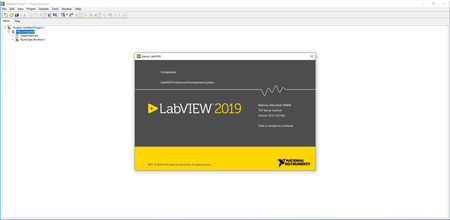
The LabVIEW team, has launched the latest release of software is systems engineering software for applications that require test, measurement, and control with rapid access to hardware and data insights, LabVIEW 2019 SP1.

LabVIEW 2019 Service Pack 1 Readme - Date: September 2019

742093 Maps containing classes cause LabVIEW to crash while probing.
741834 The Compare VI Hierarchies will delete folder named C:\\temp when saving a Microsoft Word report.
741225 LabVIEW crashes when trying to autoindex a Map.
740616 LabVIEW hangs when double-clicking a recursive dynamic dispatch VI in the Choose Implementation diagram preview.
739464 Prompt User for Input Express VI only shows the message to display option.
739174 Error Case structures only designed to handle Error 1 incorrectly handle all errors in error case.
738672 Change To Array and Change To Scalar do not work for elements inside a set or map constant.
738587 Source distribution that would previously fail because of missing commented-out dependencies will now succeed with warnings.
736445 The select function always gives outputs false if nothing is in a While Loop.
735521 Implicit Value (Signaling) Property node does not change type definitions correctly.
733737 CPU Load raises 20% when a front panel with custom style element is shown.
727397 Replacing nodes with Malleable VIs connects wires to unused terminals.
726223 Build Errors when building Malleable VIs into an EXE.
723686 Disabled structures within VIMs are not included in PPL builds, as expected, but the files within these structures are referenced in debugging mode.
686080 Replacing ActorFramework.lvlib with a packed project library causes LabVIEW crash.
678300 Shared/preallocated subVI clones can become locked when called from another VI at the same time.
603576 Channels carrying typedefs/classes create crosslinks when users duplicate projects.
245148 Class Properties dialog sometimes throws timeout error 123 when opening and must be restarted.
006ed359_medium.png
The latest release of LabVIEW 2019 helps increase developer productivity through improved visibility in its IDE, powerful enhancements in debugging and new datatypes for the G-language. Additionally, LabVIEW 2019 addresses a critical pain point for engineers: managing dependencies and versioning with fragmented, non-standardised methods, which perpetuate as challenges in code deployment. With the new distribution option of package installers in LabVIEW 2019, users can now implement a standardised distribution method, with inherent version management and automatic dependency management to confidently replicate and share system software.

As NI builds on its 30-year plus investment in software, last LabVIEW release continue its fast-paced updates aiming to expand engineering capabilities from design to test. Whether engineers are using LabVIEW for the first time or have been on active users for years, LabVIEW 2019 are designed to be immediately accessible and make an immediate impact.


Since 1976, National Instruments has equipped engineers and scientists with tools that accelerate productivity, innovation and discovery. NI's graphical system design approach to engineering provides an integrated software and hardware platform that speeds the development of any system needing measurement and control. The company's long-term vision and focus on improving society through its technology supports the success of its customers, employees, suppliers and shareholders.

Product: NI LabView
Version: 2019 SP1 version 19.1.0
Supported Architectures: 32bit / 64bit (64bit only english)
Website Home Page : www.ni.com
Language: English, Deutsch, 한국어, 中文, 日本語, Français
System Requirements: PC *
Supported Operating Systems: *
Size: 12.1 Gb

Development Environment

Processor
Pentium 4M (or equivalent) or later (32-bit)
Pentium 4 G1 (or equivalent) or later (64-bit)
RAM 1 GB
Screen Resolution 1024 x 768 pixels
Operating System
- Windows 10 (version 1903)/8.1 Update 1**/7 SP1***
- Windows Server 2012 R2**
- Windows Server 2008 R2 SP1***
Disk Space5 GB (includes default drivers)
Color Palette LabVIEW and the LabVIEW Help contain 16-bit color graphics. LabVIEW requires a minimum color palette setting of 16-bit color.
Temporary Files Directory LabVIEW uses a directory for storing temporary files. NI recommends that you have several megabytes of disk space available for this temporary directory.
Adobe Reader You must have Adobe Reader 7.0 or later installed to search PDF versions of all LabVIEW manuals.

** NI software installs VC2015 Runtime and .NET 4.6.2. Windows 8.1 and Windows Server 2012 R2 require Microsoft updates to support these items.
*** NI software is signed with a SHA-256 certificate. Windows 7 SP1, Windows Embedded Standard 7 SP1, and Windows Server 2008 R2 SP1 require Microsoft updates to support SHA-256.

-:DOWNLOAD FROMLINKS:-
RapidGator
Код:
https://rapidgator.net/file/6f1503a336330623626f770811b629b8/Dl4EvEr_LV_2019_SP1_x64_english.part1.rar.html
https://rapidgator.net/file/c4faeca0dff365a9b8cefa6a7f8b1298/Dl4EvEr_LV_2019_SP1_x64_english.part2.rar.html
https://rapidgator.net/file/8a47f5527e66e5c48aaf0e83ca2853a4/Dl4EvEr_LV_2019_SP1_x86_chinese.part1.rar.html
https://rapidgator.net/file/46657702b1185828eb9f4ac107348cba/Dl4EvEr_LV_2019_SP1_x86_chinese.part2.rar.html
https://rapidgator.net/file/8ef856faad229c4598c261eee311e038/Dl4EvEr_LV_2019_SP1_x86_english.part1.rar.html
https://rapidgator.net/file/8236bb11876ed6948b41b56e570e911a/Dl4EvEr_LV_2019_SP1_x86_english.part2.rar.html
https://rapidgator.net/file/2072b0515b3ea416b6a33acdfa2c74d0/Dl4EvEr_LV_2019_SP1_x86_french.part1.rar.html
https://rapidgator.net/file/cfc48b40efa666a7fe9c921e6c9481df/Dl4EvEr_LV_2019_SP1_x86_french.part2.rar.html
https://rapidgator.net/file/08ed7a2b4dfb90fccd8100f040a5ebf1/Dl4EvEr_LV_2019_SP1_x86_german.part1.rar.html
https://rapidgator.net/file/08ded8e20e20059e89f601eaaa838b64/Dl4EvEr_LV_2019_SP1_x86_german.part2.rar.html
https://rapidgator.net/file/cbb2cd16c1f4682c86d9d0d7a799f0c7/Dl4EvEr_LV_2019_SP1_x86_japanese.part1.rar.html
https://rapidgator.net/file/f42d8fde571530b2dc961f592daef8de/Dl4EvEr_LV_2019_SP1_x86_japanese.part2.rar.html
https://rapidgator.net/file/953e61d4c6baa863297415ae48a470e7/Dl4EvEr_LV_2019_SP1_x86_korean.part1.rar.html
https://rapidgator.net/file/e135afe9902d038b6ae20f32a75e4cb4/Dl4EvEr_LV_2019_SP1_x86_korean.part2.rar.html

NitroFlare
Код:
https://nitroflare.com/view/B1AD3E968065571/Dl4EvEr_LV_2019_SP1_x64_english.part1.rar
https://nitroflare.com/view/13E194674E35F69/Dl4EvEr_LV_2019_SP1_x64_english.part2.rar
https://nitroflare.com/view/48FB00C8D30CC3C/Dl4EvEr_LV_2019_SP1_x86_chinese.part1.rar
https://nitroflare.com/view/0793386CE454B41/Dl4EvEr_LV_2019_SP1_x86_chinese.part2.rar
https://nitroflare.com/view/FE49F113C1C3270/Dl4EvEr_LV_2019_SP1_x86_english.part1.rar
https://nitroflare.com/view/55522ED25E711A8/Dl4EvEr_LV_2019_SP1_x86_english.part2.rar
https://nitroflare.com/view/A9EC51E20AFCFA1/Dl4EvEr_LV_2019_SP1_x86_french.part1.rar
https://nitroflare.com/view/7822B6A3ED4B20F/Dl4EvEr_LV_2019_SP1_x86_french.part2.rar
https://nitroflare.com/view/8DE49972370D10E/Dl4EvEr_LV_2019_SP1_x86_german.part1.rar
https://nitroflare.com/view/AB062B1BD5E586C/Dl4EvEr_LV_2019_SP1_x86_german.part2.rar
https://nitroflare.com/view/CC1B97EE7F845D9/Dl4EvEr_LV_2019_SP1_x86_japanese.part1.rar
https://nitroflare.com/view/B2DE80FC8446105/Dl4EvEr_LV_2019_SP1_x86_japanese.part2.rar
https://nitroflare.com/view/A3E4F9906810C45/Dl4EvEr_LV_2019_SP1_x86_korean.part1.rar
https://nitroflare.com/view/6F1710F7B09D230/Dl4EvEr_LV_2019_SP1_x86_korean.part2.rar

UploadGIG
Код:
https://uploadgig.com/file/download/5Ac3D9aA8aeb140F/Dl4EvEr_LV_2019_SP1_x64_english.part1.rar
https://uploadgig.com/file/download/688255707156fE5E/Dl4EvEr_LV_2019_SP1_x64_english.part2.rar
https://uploadgig.com/file/download/a9a2aC1Eab830fD4/Dl4EvEr_LV_2019_SP1_x86_chinese.part1.rar
https://uploadgig.com/file/download/f8c43991A3428439/Dl4EvEr_LV_2019_SP1_x86_chinese.part2.rar
https://uploadgig.com/file/download/75ac1e4E73913b14/Dl4EvEr_LV_2019_SP1_x86_english.part1.rar
https://uploadgig.com/file/download/34937Fcad870d4d3/Dl4EvEr_LV_2019_SP1_x86_english.part2.rar
https://uploadgig.com/file/download/fe4c8Ed43F550B3a/Dl4EvEr_LV_2019_SP1_x86_french.part1.rar
https://uploadgig.com/file/download/E4395957E90836ac/Dl4EvEr_LV_2019_SP1_x86_french.part2.rar
https://uploadgig.com/file/download/b40b13420Cc1c7c5/Dl4EvEr_LV_2019_SP1_x86_german.part1.rar
https://uploadgig.com/file/download/Dfb8eAe1c51C80ea/Dl4EvEr_LV_2019_SP1_x86_german.part2.rar
https://uploadgig.com/file/download/ea037f69599fb56a/Dl4EvEr_LV_2019_SP1_x86_japanese.part1.rar
https://uploadgig.com/file/download/25ed6Bf4074374B8/Dl4EvEr_LV_2019_SP1_x86_japanese.part2.rar
https://uploadgig.com/file/download/0838F41Bfd0c4e1a/Dl4EvEr_LV_2019_SP1_x86_korean.part1.rar
https://uploadgig.com/file/download/9ae0925842da17F9/Dl4EvEr_LV_2019_SP1_x86_korean.part2.rar

​
 
Microsoft Visual Studio 2019 Enterprise 16.3.7 (16.3.29424.173)


db2a6feb6428d3323ee5d6a0043f10e9.jpg

Microsoft Visual Studio Enterprise 2019 version 16.3.7 | 27.7 Gb

Languages: English, Français, German , Italian
​
The Microsoft team is pleased to announce the availability of Visual Studio 2019 version 16.3.7. The 2019 release includes AI-assisted code completion with Visual Studio IntelliCode. Separately, real-time collaboration tool Visual Studio Live Share has also hit general availability, and is now included with Visual Studio 2019.

About Microsoft Visual Studio 2019. The release 2019 includes Microsoft's Visual Studio Live Share coding-collaboration service installed by default. The studio features a new start window to help users get coding faster; improved search capabilities; overall performance improvements, Visual Studio IntelliCode AI assistance; better Python virtual and conda support; and support for .NET Core 3.0 projects, including WinForms and WPF, among other features.

About Microsoft. Microsoft Corporation, leading developer of personal-computer software systems and applications. The company also publishes books and multimedia titles, offers e-mail services, and sells electronic game systems, computer peripherals (input/output devices), and portable media players. It has sales offices throughout the world.

Visual Studio 2019 version 16.3.7 New release
C++ Linux project - Remote header sync is broken in Visual Studio 16.3
Visual Studio 16.3 opens some files with notepad
Fixed an issue with the Show Output window either closing too quickly.
Fixed an issue where Visual Studio 2019 stops responding in several scenarios, including opening a solution, changing solution configuration, and closing a solution.

Product: Microsoft Visual Studio
Version: 16.3.7 (16.3.29424.173) Enterprise
Supported Architectures: 32bit / 64bit
Website Home Page :
Код:
http://www.visualstudio.com
Language: English, Français, German , Italian
System Requirements: PC

Instruction:
1)Download the ISO
2)mount it or extract
3)run vs_enterprise.exe
5)choose Your language From Language Pack


-:DOWNLOAD FROMLINKS:-

RapidGator
Код:
https://rapidgator.net/file/d0969a8bfe69cc4c02608ba6ff9446ac/Dl4EvEr_VS2019ENT6.3.7.part01.rar.html
https://rapidgator.net/file/22c5c404360f117c19452c53de6058d0/Dl4EvEr_VS2019ENT6.3.7.part02.rar.html
https://rapidgator.net/file/12ce8b25ee70353011552918b26e4145/Dl4EvEr_VS2019ENT6.3.7.part03.rar.html
https://rapidgator.net/file/a50b3f939d49459b29a8239b85e54700/Dl4EvEr_VS2019ENT6.3.7.part04.rar.html
https://rapidgator.net/file/54f240549eb6304627ebd34ab876cd42/Dl4EvEr_VS2019ENT6.3.7.part05.rar.html
https://rapidgator.net/file/b838f34f2f9a82bc3504df4068ce0595/Dl4EvEr_VS2019ENT6.3.7.part06.rar.html
https://rapidgator.net/file/a4325d486e62f8e1134f6e431fbe5b05/Dl4EvEr_VS2019ENT6.3.7.part07.rar.html
https://rapidgator.net/file/d3b92ded7f7c0ee8ec2e57c7729d7630/Dl4EvEr_VS2019ENT6.3.7.part08.rar.html
https://rapidgator.net/file/4d9f9732143a87bb59124a454e5f63ce/Dl4EvEr_VS2019ENT6.3.7.part09.rar.html
https://rapidgator.net/file/cc745c94eda359b6a5849b696071319c/Dl4EvEr_VS2019ENT6.3.7.part10.rar.html
https://rapidgator.net/file/f99fbc1b7ad08de4e6760600f3990906/Dl4EvEr_VS2019ENT6.3.7.part11.rar.html
https://rapidgator.net/file/88495b33640a0c8e032531e87f18a29d/Dl4EvEr_VS2019ENT6.3.7.part12.rar.html
https://rapidgator.net/file/ec811a523197e902ab893175b54cb71c/Dl4EvEr_VS2019ENT6.3.7.part13.rar.html
https://rapidgator.net/file/759df5ab1a78df1da10429f1c6c1d31e/Dl4EvEr_VS2019ENT6.3.7.part14.rar.html
https://rapidgator.net/file/b2cecce5fb9c6e7dac2319b656a48c61/Dl4EvEr_VS2019ENT6.3.7.part15.rar.html
https://rapidgator.net/file/77d71e934a37c42134121e3295ea915b/Dl4EvEr_VS2019ENT6.3.7.part16.rar.html
https://rapidgator.net/file/3acbfa61c3d45271e488d3257adf4caa/Dl4EvEr_VS2019ENT6.3.7.part17.rar.html
https://rapidgator.net/file/b54dc1eaacea92492cf66d57254c7ee7/Dl4EvEr_VS2019ENT6.3.7.part18.rar.html
https://rapidgator.net/file/dfa51b2551314f8145db8b6c3545ea5c/Dl4EvEr_VS2019ENT6.3.7.part19.rar.html
https://rapidgator.net/file/34f15cecf02cb6de01e950ce166402dc/Dl4EvEr_VS2019ENT6.3.7.part20.rar.html
https://rapidgator.net/file/70806806fa94238dab682269f96696c5/Dl4EvEr_VS2019ENT6.3.7.part21.rar.html
https://rapidgator.net/file/2e6ce2ab58288c7ceb346e4e8d160bb4/Dl4EvEr_VS2019ENT6.3.7.part22.rar.html
https://rapidgator.net/file/30c0b6a712eac479b01ca80108fb0765/Dl4EvEr_VS2019ENT6.3.7.part23.rar.html
https://rapidgator.net/file/d665df1a1b45948f368149e106be15ec/Dl4EvEr_VS2019ENT6.3.7.part24.rar.html
https://rapidgator.net/file/325d0453c34c838bb8dbc24f466873ee/Dl4EvEr_VS2019ENT6.3.7.part25.rar.html
https://rapidgator.net/file/5c0d156b3d7dae7e958527a14f714173/Dl4EvEr_VS2019ENT6.3.7.part26.rar.html
https://rapidgator.net/file/e5fc40483b76f6a6754529e037a92484/Dl4EvEr_VS2019ENT6.3.7.part27.rar.html
https://rapidgator.net/file/6a2d7810eecc374b553d97ac3205935d/Dl4EvEr_VS2019ENT6.3.7.part28.rar.html

NitroFlare
Код:
https://nitroflare.com/view/CE217DB766E6B35/Dl4EvEr_VS2019ENT6.3.7.part01.rar
https://nitroflare.com/view/1762C6535363BAA/Dl4EvEr_VS2019ENT6.3.7.part02.rar
https://nitroflare.com/view/39CED85A19DAD75/Dl4EvEr_VS2019ENT6.3.7.part03.rar
https://nitroflare.com/view/AB3CCCEF427180F/Dl4EvEr_VS2019ENT6.3.7.part04.rar
https://nitroflare.com/view/89D95B27529B8EA/Dl4EvEr_VS2019ENT6.3.7.part05.rar
https://nitroflare.com/view/24A6F8AF24833ED/Dl4EvEr_VS2019ENT6.3.7.part06.rar
https://nitroflare.com/view/5AF4BE336E7AB25/Dl4EvEr_VS2019ENT6.3.7.part07.rar
https://nitroflare.com/view/F124029B9110CF4/Dl4EvEr_VS2019ENT6.3.7.part08.rar
https://nitroflare.com/view/93E13497189D88B/Dl4EvEr_VS2019ENT6.3.7.part09.rar
https://nitroflare.com/view/BA35C4A64DEA765/Dl4EvEr_VS2019ENT6.3.7.part10.rar
https://nitroflare.com/view/F6041BBA6D5E89D/Dl4EvEr_VS2019ENT6.3.7.part11.rar
https://nitroflare.com/view/D6F6E085D714462/Dl4EvEr_VS2019ENT6.3.7.part12.rar
https://nitroflare.com/view/93440642C7B720C/Dl4EvEr_VS2019ENT6.3.7.part13.rar
https://nitroflare.com/view/EC2B5A8EFE0EC2E/Dl4EvEr_VS2019ENT6.3.7.part14.rar
https://nitroflare.com/view/C03547FA9B9BEB0/Dl4EvEr_VS2019ENT6.3.7.part15.rar
https://nitroflare.com/view/82AF314CEA6E68D/Dl4EvEr_VS2019ENT6.3.7.part16.rar
https://nitroflare.com/view/E93CDD42D63C19A/Dl4EvEr_VS2019ENT6.3.7.part17.rar
https://nitroflare.com/view/428778C493D0CB3/Dl4EvEr_VS2019ENT6.3.7.part18.rar
https://nitroflare.com/view/205814E67815AC7/Dl4EvEr_VS2019ENT6.3.7.part19.rar
https://nitroflare.com/view/75C6C8A51029315/Dl4EvEr_VS2019ENT6.3.7.part20.rar
https://nitroflare.com/view/03AF81664067AE3/Dl4EvEr_VS2019ENT6.3.7.part21.rar
https://nitroflare.com/view/417221F8BAB6AE9/Dl4EvEr_VS2019ENT6.3.7.part22.rar
https://nitroflare.com/view/F416136A7E29970/Dl4EvEr_VS2019ENT6.3.7.part23.rar
https://nitroflare.com/view/D0F924FD98954F0/Dl4EvEr_VS2019ENT6.3.7.part24.rar
https://nitroflare.com/view/C637B4F5E4C4CC5/Dl4EvEr_VS2019ENT6.3.7.part25.rar
https://nitroflare.com/view/7BE79A48D364937/Dl4EvEr_VS2019ENT6.3.7.part26.rar
https://nitroflare.com/view/953264320B1999F/Dl4EvEr_VS2019ENT6.3.7.part27.rar
https://nitroflare.com/view/41C3CE95813E268/Dl4EvEr_VS2019ENT6.3.7.part28.rar

UploadGIG
Код:
https://uploadgig.com/file/download/297AbC9977314762/Dl4EvEr_VS2019ENT6.3.7.part01.rar
https://uploadgig.com/file/download/df0886b0610c5bf2/Dl4EvEr_VS2019ENT6.3.7.part02.rar
https://uploadgig.com/file/download/84e6Dac21793655C/Dl4EvEr_VS2019ENT6.3.7.part03.rar
https://uploadgig.com/file/download/92D49fbCfE4c37ca/Dl4EvEr_VS2019ENT6.3.7.part04.rar
https://uploadgig.com/file/download/35c8Fa374c025672/Dl4EvEr_VS2019ENT6.3.7.part05.rar
https://uploadgig.com/file/download/ccd5Beb85c662377/Dl4EvEr_VS2019ENT6.3.7.part06.rar
https://uploadgig.com/file/download/4611Fe00afC8FfEd/Dl4EvEr_VS2019ENT6.3.7.part07.rar
https://uploadgig.com/file/download/5dbfF1e4459e4339/Dl4EvEr_VS2019ENT6.3.7.part08.rar
https://uploadgig.com/file/download/20605cC5F29F3465/Dl4EvEr_VS2019ENT6.3.7.part09.rar
https://uploadgig.com/file/download/12Dbe2BFa0583591/Dl4EvEr_VS2019ENT6.3.7.part10.rar
https://uploadgig.com/file/download/03270cCb00bAf465/Dl4EvEr_VS2019ENT6.3.7.part11.rar
https://uploadgig.com/file/download/3847e6c7dAf66ae9/Dl4EvEr_VS2019ENT6.3.7.part12.rar
https://uploadgig.com/file/download/41309bE08dbf5501/Dl4EvEr_VS2019ENT6.3.7.part13.rar
https://uploadgig.com/file/download/462fd2ec31a5FdD3/Dl4EvEr_VS2019ENT6.3.7.part14.rar
https://uploadgig.com/file/download/F00413fbdB892845/Dl4EvEr_VS2019ENT6.3.7.part15.rar
https://uploadgig.com/file/download/98513177D1fe7a92/Dl4EvEr_VS2019ENT6.3.7.part16.rar
https://uploadgig.com/file/download/ab67dbb07F6753AA/Dl4EvEr_VS2019ENT6.3.7.part17.rar
https://uploadgig.com/file/download/bc5ef4e7d0b2C112/Dl4EvEr_VS2019ENT6.3.7.part18.rar
https://uploadgig.com/file/download/1969d1Ccbde9752c/Dl4EvEr_VS2019ENT6.3.7.part19.rar
https://uploadgig.com/file/download/2e3b7fFD36aea4e9/Dl4EvEr_VS2019ENT6.3.7.part20.rar
https://uploadgig.com/file/download/F1b8Db7dbb885fA4/Dl4EvEr_VS2019ENT6.3.7.part21.rar
https://uploadgig.com/file/download/32fbbD774d2f71ab/Dl4EvEr_VS2019ENT6.3.7.part22.rar
https://uploadgig.com/file/download/5C16fE3c18cB0E83/Dl4EvEr_VS2019ENT6.3.7.part23.rar
https://uploadgig.com/file/download/d51afF8Fc794e92d/Dl4EvEr_VS2019ENT6.3.7.part24.rar
https://uploadgig.com/file/download/D1b8e112Ec70997d/Dl4EvEr_VS2019ENT6.3.7.part25.rar
https://uploadgig.com/file/download/06Fe3a1EBf4c5a36/Dl4EvEr_VS2019ENT6.3.7.part26.rar
https://uploadgig.com/file/download/7Faa90338274880b/Dl4EvEr_VS2019ENT6.3.7.part27.rar
https://uploadgig.com/file/download/7454fC3603919653/Dl4EvEr_VS2019ENT6.3.7.part28.rar

​
 
Advanced SystemCare Pro v13.0.2.171 Multilingual


2ce7c2505a59a5ad44617d9091923583.jpg

Advanced SystemCare Pro v13.0.2.171 Multilingual | 53.5 Mb
​
Advanced SystemCare PRO provides an always-on, automated, the all-in-one PC optimization utility. It specializes in ONE-Click solutions to detect, clean, repair, speed up and eventually protect PC. Advanced SystemCare is a PC maintenance program that's incredibly easy to use, the World's Top System Utility for Superior PC Health! With the novel system technology, Advanced SystemCare empowers you to run your computer faster. Ensures more stably and more efficiently than with any other system utilities.


In most of old and slow PCs, there might be lots of troubles to slow them down. Equipped with Advanced SystemCare, your PC will stay error-free and smoother than ever.

IObit Advanced SystemCare has the New Performance Monitor, that can release memory by one click to smooth PC running within seconds.

To better protect users' online privacy with Advanced SystemCare, "Protect" tab is newly added. It provides quick access to protect browsing frombeing tracked by automatically cleaning privacy traces once browser closed. Also it detects and resists the attack of malicious plugin or toolbar by Browser Anti-Tracking and Plugin/Toolbar Cleaner in this tab.

Toolbox is always offering effective tools, such as new Startup Manager, a 1-click solution to conspicuously diminish system startup time by optimizing unnecessary Startup and Service.

Advanced SystemCare Key Benefits:
Keeps your PC running at peak performance. Fully optimizes Windows for ultimate system performance and top Internet speed. It turns your PC into a business PC, a productive workstation, an entertainment center, a game machine, or a scientific computing PC.
Defends PC security with extra protection. Detects and analyzes Windows security environment. Scans and removes spyware and adware using up-to-date definition files. In conclusion, it prevent spyware, hackers and hijackers from installing malicious programs on your computer. Erases and updates your PC's activity histories.
One click to solve as many as 10 common PC problems. With one click, it scans and repairs ten PC problems and protects your PC from hidden security threats.
Real-time optimization with ActiveBoost function. This technology actively runs in the background intelligently managing system resources in real-time. And constantly detects inactive resources and optimizes CPU and RAM usage.
Cloud technology to keep database up-to-date. The new "Cloud" technology ensures the database is kept updated at all times. So that you can benefit from the latest definitions and configurations.
More than 20 dedicated smart tools. The Toolbox feature has tools for system cleaning, optimizing and repairing, tools for security enhancement. Also the tools for full control over the PC system.

Other Features:
Boost your PC for working and gaming. You now have two Turbo Boost options, Work Mode and Game Mode. In addition, you can now adjust the configuration of each mode from the main screen.
Next-generation registry deep clean and optimizer. Safely cleans registry junk, compacts registry bloats. Also defragments the whole registry for maximum performance. Finds and fixes the registry errors that other utilities miss with "Deep Scan" technology.
Automatically works in the background. This powerful utility works continuously, automatically and quietly in the background on your PC. You can set the program on a regular schedule or just let it work automatically when your PC is idle.
Improved Care module. The new developments in the "Care" module include features such as "Start-up Optimization", which will scan and clean your PC much more effectively.
Powerful hard drive defragmentation. Fast, powerfully and incredibly effective Disk Defrag function to defragment hard drives. Up to 10 times faster than other defragmentation tools.

Languages: English, Arabic, Belarusian, Bulgarian, ChineseSimp, ChineseTrad, Czech, Danish, Dutch. Finnish, French, German, Greek, Hungarian, Italian, Japanese, Korean, Nederlands. Polish, Portuguese (PT-BR), Portuguese (PT-PT), Russian, Serbian (cyrillic). Serbian (latin), Slovenian, Spanish, Swedish, Turkish, Vietnamese.

Supported Operating Systems: Windows XP, Vista, Windows 7, 8, 8.1, 10 (32-bit, 64-bit).

Home Page -
Код:
http://www.iobit.com/


-:DOWNLOAD FROMLINKS:-

Код:
[url=http://warez-pk.com/apps/15347-advanced-systemcare-pro-1302171-multilingual.html][color=#ff6600][b]RapidGator[/b][/color][/url]


Код:
[url=http://warez-pk.com/apps/15347-advanced-systemcare-pro-1302171-multilingual.html][color=#1261d0][b]NitroFlare[/b][/color][/url]


Код:
[url=http://warez-pk.com/apps/15347-advanced-systemcare-pro-1302171-multilingual.html][color=#257BA4][b]Upload[/b][/color][color=#747474][b]GIG[/b][/color][/url]


​
 
CyberLink ColorDirector Ultra 8.0.2228.0


7545a8fdea22f82284e0ffefa58e5b5e.jpg


Windows x64 | Languages: Multilingual | File Size: 148.34 MB
​
ColorDirector makes it possible for you to apply Lightroom-like color grading and color correction to video projects, producing amazing transitions in a few, quick steps. Seamless integration with PowerDirector's video editing workflow makes ColorDirector a must-have application for professional video makers wanting to add the right finishing touches to their productions.

What's New:

Color Replacement with Keyframe Control (NEW!)
Completely change the look of objects in your footage by remapping their color to give them an entirely different feel. With keyframe control, you can now apply multiple color changes to objects in a video clip.

Color Match (NEW!)
Scenes filmed with different cameras can have very different exposure and color looks. Color Match lets you standardize color through different clips with the click of a button.

Split Tone for Video (ENHANCED!)
Applying split tone effects to video clips allows you to give scenes a truly distinctive look. Just like Lightroom for your videos, ColorDirector gives you the ability to control and adjust highlights, mid tones & shadows.

Color Splash
Quickly add drama and focus to your videos by turning them to black and white while retaining selected parts of the clip in color.

Color Shift
The easy-to-use Color Wheel slider gives you the ability to completely change the color of objects that appear in your video clips.

Motion Tracking
Intelligent motion tracking algorithm makes frame-by-frame object tracking a breeze. Precision selection tools, now including Bezier Curve, let you select, isolate and track multiple objects through your footage.

Automatic Noise Reduction & Dehaze
Noise Reduction minimizes extraneous visible artifacts including luminance (grain) and color noise, that degrade video quality.

Import & Export LUTs (ENHANCED!)
Import and export Look-up Tables (LUTs) for professional color grading control. Match footage from one source to another in order to achieve a particular effect throughout a video.

Adjustable Presets with Keyframe Support (ENHANCED!)
Take more control when color grading your projects, even when you use one of our pre-made templates. Control the intensity of each effect with as much granularity as you desire, using keyframe editing support.

360º Video Color Grading
Import, preview, edit and export 360-degree video footage. Launch ColorDirector directly from PowerDirector's interface for color grading, then send the footage back to PowerDirector for video rendering and production. You'll be hard pressed to find an easier 360º video editing workflow.

Global & Regional Adjustment Tools
Change the look of your entire clip with adjustable Global Tone Level presets, or precisely tune colors from selected parts of your video footage with regional adjustment tools.Release Notes:- Fixes the issue that Trim dialogue disappears when trying to trim specific video clips.
- Fixes the issue that saved projects can't be opened if the project's name contains certain characters.
- Fixes the video preview issue that shows a green edge after ticking/unticking the Split Toning feature.
- Other minor bug fixes.System Requirements:
- Microsoft Windows 10, 8/8.1, 7 (64 bit OS only)
- Intel Core™ i-series or AMD Phenom® II
- 128 MB VGA VRAM (1 GB or higher VRAM and OpenCL capable are recommended)
- 4 GB memory required (8 GB or above recommended)
- 1024 x 768, 16-bit color or above

Language Support:
- English
- French
- German
- Italian
- Spanish (European)
- Chinese Simplified
- Chinese Traditional
- Japanese
- Korean

-:DOWNLOAD FROMLINKS:-
Код:
[url=http://warez-pk.com/apps/15348-cyberlink-colordirector-ultra-8022280-multilingual.html][color=#ff6600][b]RapidGator[/b][/color][/url]


Код:
[url=http://warez-pk.com/apps/15348-cyberlink-colordirector-ultra-8022280-multilingual.html][color=#1261d0][b]NitroFlare[/b][/color][/url]


Код:
[url=http://warez-pk.com/apps/15348-cyberlink-colordirector-ultra-8022280-multilingual.html][color=#257BA4][b]Upload[/b][/color][color=#747474][b]GIG[/b][/color][/url]


​
 
CyberLink AudioDirector Ultra 10.0.2228.0


44edad055f5f6d0b8a559bea37faff0f.jpg


Windows x64 | Languages: Multilingual | File Size: 142.78 MB
​
Precision Audio Editing for Videos. Proper audio is critical for setting the right mood for any video or movie. AudioDirector contains high-end tools to edit and fix audio tracks for professional results. Seamless integration with PowerDirector's video editing workflow makes AudioDirector a must-have application for professional video makers.

What's New:

AI Wind Remove (NEW!)
Recording outdoors will never be the same again! With just one click you can use the power of AI to remove wind gusts from audio clips, bringing clarity to dialogue and ambient sounds.

Punch & Roll Recording (NEW!)
Quickly record lengthy voiceovers or podcasts, and seamlessly make corrections to your dialogue tracks.

Restoration Adjustment Tools (ENHANCED!)
- Dialogue Contour NEW - Change dialogue's inflections
- Plosive Removal - Remove distracting breathy sounds in speech
- Noise Reduction - Clear unwanted static and background noise
- Declip - Remove distortion caused by clipping
- Declick - Clear track of clicks, pops and crackles
- Hiss Removal - Eliminate hissing sounds from audio tracks
- Hum Removal - Get rid of low frequency audio artifacts

Visual Spatial Audio Editing (NEW!)
Edit audio tracks for 360˚ videos in a visual preview window to precisely tune audio direction and elevation.

360º Video Support (ENHANCED!)
Preview 360˚ video, import & edit multi-channel audio clips and export in 360˚ formats for a smoother workflow.

Vocal Transformer
Alter existing vocals through a number of natural-sounding filters. Choose from five existing presets including phone, gender, robot, and more, or create your own.

Multi-Channel Device Recording
Record from multiple audio channels at the same time directly into AudioDirector. You don't need to spend time syncing channels, so you can start editing right away.

Track Alternatives in Mixer Room
Sample different effects and recordings on a single track with Track Alternatives. Add multiple tracks to the same timeline and preview different styles without having to individually mute and unmute them.

Ambience Creator
Maintain a constant ambience through your audio tracks by choosing a background sound sample and using it consistently in the entire clip.

Surround Sound Panner
Create sophisticated surround sound projects using dynamic panning technology.

Auto-Fit Background Music
Automatically adjust background music tracks to fit the length of your video. AudioDirector analyzes the music and seamlessly remixes it to fit the length of your video clip.

Batch Processing
Apply your favorite effects to multiple audio files simultaneously, saving hours of tedious editing time and repetition.

Codec Preview
Preview the final result and identify any artifacts from lossy encoding before you produce, so you can make smart processing decisions and create better sounding audio tracks.Release Notes:- Add tutorials for new features in the program.
- Fixes the undo/redo feature issue that does not work correctly in the Dialogue Contour tool.
- Fixes the 360° video preview issue that doesn't locate at the spatial audio object after it has been opened in the Spatial Audio Panner.
- Other minor bug fixes. System Requirements:
- Microsoft Windows 10, 8/8.1, 7 (64-bit OS only)
- Multi-core Intel processor with 64-bit support
- 128 MB VGA VRAM or higher
- 4 GB memory required (8 GB or above recommended)
- 1 GB hard disk space GB required
- Windows compatible sound card is required

Language Support:
- English
- French
- German
- Italian
- Spanish (European)
- Chinese Simplified
- Chinese Traditional
- Japanese
- Korean

-:DOWNLOAD FROMLINKS:-
Код:
[url=http://warez-pk.com/apps/15349-cyberlink-audiodirector-ultra-10022280.html][color=#ff6600][b]RapidGator[/b][/color][/url]


Код:
[color=#1261d0][b]NitroFlare[/b][/color][url=http://warez-pk.com/apps/15349-cyberlink-audiodirector-ultra-10022280.html]
[/url]

Код:
[url=http://warez-pk.com/apps/15349-cyberlink-audiodirector-ultra-10022280.html][color=#257BA4][b]Upload[/b][/color][color=#747474][b]GIG[/b][/color][/url]


​
 
Corel Painter 2020 v20.1.0.285 (x64)


a6721114a99829c523c0cc7b85dae5f9.jpg

Corel Painter 2020 v20.1.0.285 (x64) Multilingual | 818.2 Mb
​
Painting software custom-built for serious artists. Why not try the original, time-tested, digital painting software built by artists, for artists? Our virtual art studio has exceeded the creative expectations of illustrators, concept, fine, photo and manga artists for over 25 years! We know that Painter® 2020 will make you a passionate artist too.


Digital art & painting software
- NEW Brush Accelerator™
- NEW Interface advancements
- NEW Improved Brush Selector
- NEW Color Harmonies
- NEW GPU enhanced brushing

Make a natural transition from traditional to digital
Painter 2020 offers realistic Natural-Media® and unique digital art brushes that dynamically respond to stylus movements and canvas textures, resulting in magnificently authentic brushstrokes. Best of all, there's no waiting for paint to dry, no limit to media mixing, no running out of supplies, no toxins and no mess!

An unparalleled photo art experience
Let the intuitive tools within Painter guide you through the transformation from a photo to a painted masterpiece. Rapidly paint a photo using the technology of SmartStroke™ Auto-Painting. Or grab a brush and hand paint the canvas using your photo as a clone source, while Painter magically pulls the photo colors through the bristles. Whatever your approach, the result will be momentous.

Vast amounts of brushes and customization capabilities
Unleash your creativity with 900+ brushes! Create with Painter's revered traditional media and experience proprietary Dab Stencils, Dynamic Speckles, Particles and Pattern Pens brushes, plus so much more. Bring that extra special something to your artwork. Don't stop there! You can also import brushes from other artists and create your own brush variations that produce a singular result.

Time-saving performance
Painter will keep up with every brushstroke, saving you valuable time! The Brush Accelerator™ utility scores your system and automatically applies the optimal Painter performance settings allowing GPU and CPU to ensure Painter can move at lightning speed. Benefit from the bonus functionality that tells you how to strategically upgrade your system to further improve Painter's performance.

System Requirements:
- Windows 10* (64-Bit) or Windows 7 (64-Bit), with the latest updates
- Intel Core 2 Duo or AMD Athlon 64 X2 processor
- 4 physical cores/8 logical cores or higher (recommended)
- AVX2 instruction set support (recommended)
- OpenCL 1.2 capable video card (recommended)
- 8 GB RAM or higher (recommended)
- 1.2 GB hard disk space for application files**
- Solid-state drive (recommended)
- 1280 x 800 @ 100% (or higher) screen resolution
- 1920 x 1200 @ 150% (or higher) (recommended)
- Mouse or tablet
- DVD drive (required for box installation)
- Microsoft Internet Explorer 11 or higher, with the latest updates

Supported Languages:
- English, German, French, Japanese, Chinese.

Home Page -
Код:
https://www.painterartist.com/


-:DOWNLOAD FROMLINKS:-

Код:
[url=http://warez-pk.com/apps/15350-corel-painter-2020-v2010285-x64.html][color=#ff6600][b]RapidGator[/b][/color][/url]


Код:
[url=http://warez-pk.com/apps/15350-corel-painter-2020-v2010285-x64.html][color=#1261d0][b]NitroFlare[/b][/color][/url]


Код:
[url=http://warez-pk.com/apps/15350-corel-painter-2020-v2010285-x64.html][color=#257BA4][b]Upload[/b][/color][color=#747474][b]GIG[/b][/color][/url]


​
 
DxO PhotoLab 3.0.1 Build 4247 Elite (x64)


fb5f88fbe321511cd8021619451c25ba.jpg

DxO PhotoLab 3.0.1 Build 4247 Elite (x64) Multilingual | 347.3 Mb
​
DxO PhotoLab 3 - Designed by and for photographers with exacting standards and a love for beautiful images. DxO PhotoLab 3's new HSL (Hue, Saturation, and Luminance) Tool is an exciting and superbly visual way to manage color that can help you produce more creative and natural-looking images. The new DxO ColorWheel is a fantastic new color adjustment tool that you can use to select color ranges from eight separate channels, including orange and purple.


A totally new approach to managing and adjusting color (NEW!)
The DxO ColorWheel can fine-tune color values, select replacement colors, and it can even adjust transitions and tints for truly distinctive effects. The new Uniformity Slider helps you standardize color variations within a specific range, while the Saturation and Luminance Sliders now work independently of each other, making them perfect tools for converting color to black and white without the use of complex masks. The new tools are ideal for partially desaturating images.

DxO ClearView Plus local contrast optimization (Exclusive!)
DxO ClearView brightens the horizon in your images by removing any haze from your landscapes or smog from your urban photos. This exclusive feature increases local contrast after thoroughly analyzing the colormetric components of your image. This technology makes your image more radiant without creating a halo effect around drastic transitions.

DxO PRIME, the ultimate denoising technology (Exclusive!)
Push your equipment to the limit thanks to DxO's industry-leading denoising technology, DxO PRIME. Remove noise from your high ISO images without loosing any details or colors.

Unparalleled optical corrections & Tailor-made lens profiles (Exclusive!)
During the 15 years DxO has been active, over 42,000 lens/camera combinations have been precisely analyzed in our laboratories. Their characteristics have been thoroughly studied to understand how these chains affect the image and to develop corrective profiles specifically for your equipment. Optical flaws like a lack of sharpness, vignetting, chromatic aberrations, and distortion are automatically and effectively corrected.

Unrivaled U Point technology for perfect local adjustments (Exclusive!)
U Point selection assistance technology is fully integrated with DxO PhotoLab via its multi-setting equalizer interface, allowing you to make intuitive and effective local adjustments to complement the software's automatic corrections.

Local Adjustments Masks Manager (NEW!)
Applying Local Adjustment Masks to photos is now easier than ever with the new DxO PhotoLab 3. A special new palette lists the local adjustments that have already been applied to your image. With one click you can see all the settings for the local edits applied. You can choose to display the adjustments or else hide them instantly as a Photoshop Mask, all with a single click.

Inverts Adjustment Masks (NEW!)
The Local Adjustment Masks feature is extremely flexible and non-destructive, enabling you to flex your creative muscles fearlessly. With the new Opacity slider, you can adjust exactly how much your local edits show, all without going back to adjustments. There's also a brilliant new function that inverts adjustment masks with just one click, making this an even more versatile and creative tool.

Graduated Filter
Apply Graduated Filters to balance the exposure in your image, add depth to the sky, or draw the eye to your subject by darkening or blurring surrounding areas. Just like the Control Points used with U Point technology, you can also use the multi-setting equalizer.

Brush
The Brush tool lets you create a retouching mask and correct a specific area with a high degree of precision by adjusting its opacity. The Automatic Mask can even automatically detect colors that are similar to the ones you initially selected.

Automatic Repair
Are features like a mote of dust, a pebble, or a bird in the sky drawing attention away from your subject and breaking up your image? The smart Automatic Repair tool replaces these elements with a matching area in the image, such as a part of the sky or sand.

Redesigned Repair Tool with a new Clone Mode (NEW!)
There will always be something in a photo you might want to erase, such as a bird, a person, or a piece of rubbish. DxO PhotoLab 3 can make them disappear with the redesigned Repair Tool, with big improvements to the 'Repair' mode and a brand new 'Clone' mode.

The Repair mode works as a retouching brush that samples pixels from one part of an image for you to use in an area you want to reconstruct or repair. It's the perfect way to cover up unwanted objects and it adjusts pixels to match the color and lightness levels of the area you're repairing. Areas can be manually selected and you can even use another image as your source. The brand new Clone mode is the ideal way to replace areas of an image with an exact copy of another part of a photo. Opacity and Feather settings can be adjusted in both modes, making repairs look completely natural without harsh edges or visible transitions.

DxO Smart Lighting
Use the full range of your sensor by revealing new details in underexposed or overexposed areas in your RAW files-even with significant backlighting. Adjust the effect to suit your taste and your vision for the balance between light and dark. In addition, the Selective Tone tool lets you independently adjust different brightness ranges ranging from the darkest to the brightest levels, thereby giving you more freedom and precision when lightening shadows or recovering details in bright areas.

Spot Weighted Corrections
With Spot Weighted Corrections, you can adjust your corrections depending on the areas of interest in your photos, such as faces. DxO Smart Lighting analyzes and accounts for these areas before applying corrections to the entire image. As a result, your backlit portraits will look brighter while still looking natural.

PhotoLibrary, everything you need for perfect asset management (NEW!)
If you have a large image library you'll know how difficult it can be to find the image you're looking for. Thankfully, DxO PhotoLab 3 makes searching for photos much easier thanks to the new DxO PhotoLibrary new features. Keywords now pop up as tooltips whenever you hover your mouse pointer over images in the File Explorer tab. Keywords are also displayed directly in the Metadata palette, plus you can directly add, delete,rename keywords or assign them to a batch of images (macOS version only, soon available in the Windows version).

If you're importing images into DxO PhotoLab 3 that already have keywords attached, including data written by other XMP-format software, these will be imported automatically. With its new and improved PhotoLibrary feature, DxO PhotoLab 3 is seamlessly compatible with other photo-editing packages on the market and makes for a faster and more efficient workflow.

System Requirements:
- Intel Core® 2 or AMD Athlon™ 64 X2 or higher (Intel Core® i5 or higher recommended)
- 4 GB of RAM (8 GB recommended)
- 4 GB or more of available hard-disk space
- Microsoft® Windows® 8.1 (64-bit), or Microsoft® Windows® 10 version 1607 or higher (64-bit, and still supported by Microsoft®)
- DirectX 9.0c-capable system
- OpenCl 1.2-capable graphic card with 1GB of video memory to handle OpenCL acceleration

Home Page -
Код:
https://www.dxo.com/


-:DOWNLOAD FROMLINKS:-

Код:
[url=http://warez-pk.com/apps/15351-dxo-photolab-301-build-4247-elite-x64.html][color=#ff6600][b]RapidGator[/b][/color][/url]


Код:
[url=http://warez-pk.com/apps/15351-dxo-photolab-301-build-4247-elite-x64.html][color=#1261d0][b]NitroFlare[/b][/color][/url]


Код:
[img]http://warez-pk.com/apps/15351-dxo-photolab-301-build-4247-elite-x64.html[/img]


​
 
The Foundry MODO 13.2v1


bb6382d0d74e775c311cc77264ab4ee6.jpg


File size: 880 MB
​
MODO is your starting point for creative exploration. Whether you're creating addictive real-time experiences, innovative product designs, compelling advertising images, or engaging film and video content, MODO's artist-friendly tools let you iterate freely to realize your ideas' full creative potential.

Modo features:
Modeling
Modo® offers a unique combination of best-in-class direct modeling tools working hand-in-hand with a highly robust and flexible procedural modeling system. Additionally, Modo features the award-winning MeshFusion Boolean tools, integrated sculpting and retopology functionality.

UV workflows
Take the drudgery out of tedious UV creation tasks, with a highly efficient built-in toolset that offers many automated options, supports UDIM workflows, and-unlike some other 3D content creation tools-integrates fully with modeling and selection workflows.

Sculpting
Bring your artistic expression to 3D modeling, as you use Modo's integrated brush-based sculpting tools to intuitively rough out volumes and add multiple levels of fine detail with speed.

Shading
Streamline your workflow with fast, flexible layer-based and nodal shading systems for building sophisticated, convincing materials with ease. Drag-and-drop presets let you quickly develop the look you want, or simply select from a huge library of highly realistic physically-based materials.

Rendering
Enjoy photorealistic rendering at amazing speeds and limitless resolutions-even network rendering is free. Modo's production-proven, physically-based renderer offers a rare blend of speed and quality.

Baking
Review textures as you bake and watch them refine progressively. Modo also allows you to tweak settings and make surface changes without waiting for a final render, and it accurately bakes to Unity or Unreal standards with no extra tools required.

Rigging
Featuring a non-destructive, non-linear toolset and fully-integrated modular workflow, Modo's flexible node-based rigging system lets you easily create, edit, manage and reuse complex character rigs.

Animation
Incorporating traditional animation techniques applied in innovative ways, Modo's 3D animation framework is highly customizable to meet the most demanding of production challenges.

Effects
Modo's rule-based, directable particles work together with the fully-integrated rigid and soft bodies, and procedural shattering, to let you create compelling dynamic simulations in less time.

Hair and Fur
Modo lets you create and manipulate realistic hair, fur, grass, feathers and other fiber-based effects as actual geometry that can be sculpted, shaded and rendered directly in your scene.
and more...

MODO 13 New Features:
Offline GPU Rendering with AMD's Radeon™ ProRender
AMD's GPU accelerated path-tracer, the Radeon™ ProRender, is now part of Modo's collection of powerful rendering options and the beginning of increased rendering flexibility and improved APIs in Modo. In its first iteration for Modo 13.0, this hardware-agnostic, offline rendering solution gives artists the option of leveraging hardware that was once limited to real-time viewports.
AMD's powerful denoising technology has also been added in 13.0. This provides users with additional options to reduce render times by accessing one of two options available: Bilateral and Median. Much like the Radeon™ ProRender, AMD's denoiser is not vendor-specific and further expands the rendering options available to all users on Windows and OSX.

MeshFusion adds Kit Fusing
Modo's direct modeling toolset remains the most intuitive experience for 3D artists with new features including Relax Edge and Find Shortest Path Selection to enhance and accelerate creation workflows.
Building on our award-winning MeshFusion toolset, Modo 13.0 introduces Kit Fusing, allowing artists the ability to define only a portion of a mesh to be used for creating boolean operations. This powerful enhancement makes it easier to leverage complex meshes and allows for holes to create the impression of complex negative forms like fan grills with mechanical components that are visible inside a surface.

Elevated Animation Workflows with Layering Systems
The world's leading riggers and character artists use Modo for games, film, and TV. Using their feedback and driving Modo in production environments, we've been able to engineer solutions that target animation workflows. Modo's 12 Series included huge advancements to the schematic viewport, providing a cleaner and easier-to-manage artistic experience with features such as Notes to enhance collaborative pipelines. Modo 13 adds non-destructive editing of specific actions through the new Animation Layers feature, where each layer can be controlled to override or apply additively in a top-down format.
Masking with the new Animation Layer system allows for individual aspects of an animation to be isolated and uniquely defined.

Arrays Elevate Modo's Procedural Modeling Capabilities
Modo is unique in how it enables users to create customized workflows tailored to the needs of an artist or project. Arrays are a new addition to Modo's rigging system that allows for advanced storage, manipulation, and output of data in a variety of forms, further enabling what technical artists can engineer in Modo. Arrays help you construct complex relationships that can be leveraged across Modo's many systems including, rigging, procedural modeling, particles, and more to create the specific tools and behaviors you need to realize your creative vision, whether it's a custom modeling tool or an advanced motion graphics system.

Modo Bridge adds Unity Support
Modo Bridge for Unity adds similar functionality that was present in the Unreal Bridge, now through a shared interface to streamline interaction with real-time scene creation. Users can transfer Meshes, Instances, Textures, Materials, and Cameras between Modo and Unity with bilateral communication, allowing artists to move items back and forth between either application.

UV Enhancements
The UV toolset in Modo 13.0 has been further simplified to dramatically reduce the time required to generate clean UV maps. The new UV Cut Map allows artists to define sets of selections that are color-coded and displayed on the model in the 3D viewport. Enhancements to the UV Split, Wireframe Display, Packing, and the Edge and Vertex Slide bolster the Modo UV arsenal, allowing more control of the unwrapping and utilization of complex UV maps.

Supported operating systems:
Windows 7, Windows 8 and Windows 10 (64-bit only)


-:DOWNLOAD FROMLINKS:-
Код:
[url=http://warez-pk.com/apps/15352-the-foundry-modo-132v1.html][color=#ff6600][b]RapidGator[/b][/color][/url]


Код:
[url=http://warez-pk.com/apps/15352-the-foundry-modo-132v1.html][color=#1261d0][b]NitroFlare[/b][/color][/url]


Код:
[url=http://warez-pk.com/apps/15352-the-foundry-modo-132v1.html][color=#257BA4][b]Upload[/b][/color][color=#747474][b]GIG[/b][/color][/url]


​
 
Adobe XD CC v24.1.22 (x64)


8637c78cb7b1bdbb7aca40092d7c1a6d.png

Adobe XD CC v24.1.22 (x64) Multilingual REPACK | 337 MB
​
Adobe XD CC is the complete solution for design, prototyping and sharing user experiences for all products and services.


Interactive prototypes
Go to Prototyping with a click of Design. Combine drawing surfaces with each other to visualize navigation within large apps. Link design elements across the drawing area, B. Cells from repetition screens. Add interactions using visual controls to test and validate the experience.

Publish prototypes and get feedback
Generate weblinks to your designs that you can share with others to get feedback. Or embed it into a web page, For example on Behance. Comments can be attached directly to the prototype or to specific components of your design. You will be notified as soon as a comment has been added. To see your changes, checkers simply need to reload the link in the browser.

Liquid working with drawing surfaces
Whether you work with one or hundreds of workspaces, it does not matter: You can rely on the performance of XD. Create any number of designs for different screens and devices within a project. Pan and zoom without jerking or stuttering. Choose a template or define your own drawing area. Copy design elements between drawing faces while the layout is preserved.

repeating grid
Select an item in your design, Such as a contact list or a photo gallery, and duplicate it as often in the horizontal or vertical direction. All styles and distances are preserved. When you edit the item, the changes are applied to the entire design.
Platform-wide support

Control panel "Elements"
Colors and character formats are handy and reusable when you add them to the "Elements" panel (formerly "Symbols"). This panel also contains the icons. When you edit a color or format in the panel, the change is automatically performed throughout the document.

Next generation symbols
Work with time-saving symbols. The ready-to-use design components make it unnecessary to search for and edit each instance of an item in a document. When you edit an instance, all other instances are automatically updated. Overwriting certain entities is also possible. The symbols can be vector graphics, raster images or text objects, which you can also use as objects within repeating screens.

Creative Cloud libraries
With integration with Creative Cloud libraries, Adobe XD CC lets you access colors and character formats created in Photoshop CC, Illustrator CC, or any other Creative Cloud application, and use them in your design.

System Requirements:
OS:Windows 10 Creators Update OR higher
CPU:Multicore Intel processor with 64-bit support with 1.4 GHz
Display:1280 x 800
RAM:4 GB of RAM of which 2 GB of available hard-disk space for installation; more free space required during installation
Graphics:Minimum Direct 3D DDI Feature Set: 10. For Intel GPU, drivers released in 2014 or later are necessary. To find this information, launch "dxdiag" from the Runmenu and select the "Display" tab.

HomePage -
Код:
http://www.adobe.com/products/xd.html


-:DOWNLOAD FROMLINKS:-

Код:
[url=http://warez-pk.com/apps/15353-adobe-xd-cc-v24122-x64-multilingual.html][color=#ff6600][b]RapidGator[/b][/color][/url]


Код:
[url=http://warez-pk.com/apps/15353-adobe-xd-cc-v24122-x64-multilingual.html][color=#1261d0][b]NitroFlare[/b][/color][/url]


Код:
[url=http://warez-pk.com/apps/15353-adobe-xd-cc-v24122-x64-multilingual.html][color=#257BA4][b]Upload[/b][/color][color=#747474][b]GIG[/b][/color][/url]

​
 
PTC Creo 4.0 M110 + HelpCenter


6d78a36047358b18e7818fd2d8d3a22c.jpg

PTC Creo 4.0 M110 + HelpCenter | 5.9 Gb
​
PTC is pleased to announce the availability of Creo 4.0 M110 3D CAD software, is enables smarter design and greater productivity with a vast array of core modeling enhancements and new functionality that allow designers to create the products of the future. Creo 4.0 introduces new capabilities for Internet of Things (IoT), additive manufacturing, augmented reality, and model based definition (MBD).


The launch of Creo 4.0 now means that engineers and designers have access to software that equips them with the tools they need to face the latest product design challenges. With this latest release, PTC have added many new capabilities including design for additive manufacturing, model-based definition and much more.

Key updates in the Creo 4.0 release:

- Model based enterprise - This update is aimed at providing help to model-based enterprises. These include improved authoring of model-based designs and the ability to analyse your enterprises consumption.
- Productivity improvements - An advanced rendering extension and app and improved concept design tools are all aimed at improving the productivity of engineers.
- Design for IoT - The digital prototypes in this update are designed to be more reliable and accessible. Engineers can now predict more closely how the prototype will perform in real-life scenarios, and the results are produced so that they can be understood by non-CAD users.
- Design for Additive Manufacturing - There are many improved processes for 3D printing, particularly for 3D and 2.5D lattice structures. Simulation and product performance analysis has also been improved.

PTC has the most robust Internet of Things technology in the world. In 1986 we revolutionized digital 3D design, and in 1998 were first to market with Internet-based PLM. Now our leading IoT and AR platform and field-proven solutions bring together the physical and digital worlds to reinvent the way you create, operate, and service products. With PTC, global manufacturers and an ecosystem of partners and developers can capitalize on the promise of the IoT today and drive the future of innovation.

Product: PTC Creo
Version: 4.0 M110 with Help Center
Supported Architectures: x64
Website Home Page :
Код:
http://www.ptc.com
Language: multilanguage
System Requirements: PC
Supported Operating Systems: Windows 7even or newer / Server 2012 R2
Size: 5.9 Gb


-:DOWNLOAD FROMLINKS:-

RapidGator
Код:
https://rapidgator.net/file/28642f456463921fb3a766dfba22f504/Dl4EvEr_Creo.4.0.M110.part1.rar.html
https://rapidgator.net/file/5898faeeebb24c7df90faf80cacc148d/Dl4EvEr_Creo.4.0.M110.part2.rar.html
https://rapidgator.net/file/f9a2489ca990e0b0d91fd6f871e203ea/Dl4EvEr_Creo.4.0.M110.part3.rar.html
https://rapidgator.net/file/ae4cb064ec5af3de506308aab181fd62/Dl4EvEr_Creo.4.0.M110.part4.rar.html
https://rapidgator.net/file/5c968f67597f9047d26a20326c116842/Dl4EvEr_Creo.4.0.M110.part5.rar.html
https://rapidgator.net/file/35c61b8fc6eeead2322050a0aca8fe49/Dl4EvEr_Creo.4.0.M110.part6.rar.html

NitroFlare
Код:
https://nitroflare.com/view/A9F765AABC7E064/Dl4EvEr_Creo.4.0.M110.part1.rar
https://nitroflare.com/view/EE1A212B36EFED4/Dl4EvEr_Creo.4.0.M110.part2.rar
https://nitroflare.com/view/2D07386F39241F3/Dl4EvEr_Creo.4.0.M110.part3.rar
https://nitroflare.com/view/206C650162BD356/Dl4EvEr_Creo.4.0.M110.part4.rar
https://nitroflare.com/view/FCF3F317134C56B/Dl4EvEr_Creo.4.0.M110.part5.rar
https://nitroflare.com/view/934AE2872089FFA/Dl4EvEr_Creo.4.0.M110.part6.rar

UploadGIG
Код:
https://uploadgig.com/file/download/4248c8059fA3572c/Dl4EvEr_Creo.4.0.M110.part1.rar
https://uploadgig.com/file/download/3fAee84b623D8f12/Dl4EvEr_Creo.4.0.M110.part2.rar
https://uploadgig.com/file/download/84E89a6f9f82bc18/Dl4EvEr_Creo.4.0.M110.part3.rar
https://uploadgig.com/file/download/530b73e8616E2060/Dl4EvEr_Creo.4.0.M110.part4.rar
https://uploadgig.com/file/download/66c7527b1Bdc6937/Dl4EvEr_Creo.4.0.M110.part5.rar
https://uploadgig.com/file/download/d9Cc5518A65026c0/Dl4EvEr_Creo.4.0.M110.part6.rar

​
 
Program4Pc Video Converter Pro v10.5.0 Multilingual


5fec80364a79fdf84f444b37a3e6a776.jpg

Program4Pc Video Converter Pro v10.5.0 Multilingual | 102 Mb
​
Easy, fast, and reliable video converter which supports and converts a huge array of video formats. This video converter is unique because you can do more than just convert videos, you can change screen resolution, audio codec, and frame rate so that you really are master of what you watch. Personalize video by doing trim, crop, adjust colors and applying effects, extract audio from video and save it separately to various formats, even convert video specifically to major Web standard formats.


Work with 4K Ultra HD video and enjoy the absolute best and finest picture quality today. All the most popular codecs are supported here so you need not worry about whether or not your video can be read by Program4Pc Video Converter Pro.

Fast, Powerful and Reliable Video Converter
Ability to auto-detect CPU and optimize video conversion speed will reduce process time exceptionally. Batch procedure is another tool which has been implemented in Video Converter Pro to perform video conversion process faster on a large number of files. You may convert several different types of video files in just few minutes. And supporting more than 300 video formats and codecs will bring you peace of mind that all your videos can be converted perfectly and completely without quality loss.

Convert Video to Nearly any Format
Read various videos including 3GP, 3GPP, 3GP2, 3G2, 3GPP2, AVI, AMV, IVF, DIV, DIVX, MTS, M2TS, DV, VOB, FLV, F4V, FLC, FLI, M4V, MKV, MPG, MPEG, MPA, DAT, MP4, MXF, DVR-MS, NSV, OGV, MOV, QT, RM, RMVB, H264, TIVO, TS, TP, TRP, VRO, WMV, ASF, WTV, WEBM, DVD and Blu-ray files and convert them to many different video formats: MP4, M4V, AVI, MPG, WMV, 3GP, 3G2, SWF, MOV, FLV, WEBM, M2TS, MTS, RM, MKV, OGV, TS, DV, ASF, Animated GIF, VOB, and etc. We assure you Video Converter Pro will read and convert all your multimedia formats including 4K Ultra HD video (the best picture quality) quick and easy.

Trim, Crop and Merge Video Files
Personalizing video files has never been easier with built-in Trim and Crop functions, simply select your desire area and remove unwanted parts in just couple of clicks. Enhance video file cannot be completed without Merge, so enjoy your video collections differently by merging several of them together. Convert them to a single-unified video or audio format and watch it everywhere.

Apply Effect and Touch Up Video File
Providing 11 pre-defined effects will give you extra flexibility to touch up video files and bring additional joy. It is simple, easy and fun to customize video files and make them unique with special effects for various moods, all available to be applied on videos with just one click.

Convert to iPhone and Samsung Galaxy
Catching up with Apple and Samsung's latest products including iPhone 6 Plus and Galaxy S 5 is an advantage of Video Converter Pro. Now you can convert and watch videos with best quality and 100% compatible with your smart phones, tablets and any portable devices. Whether iPhone or iPod, iPad, Apple TV, Android, Samsung, BlackBerry, Nokia, LG, HTC, Google, Motorola, Amazon Kindle, PSP, Play Station 4, Xbox One, Wii, Palm, Windows Mobile, Zune, Creative Zen, iriver, Archos, TV and Windows Movie Maker; Video Converter Pro supports all of them perfectly.

Extract and Convert Audio from Video
Convert audio from video (extract audio) and save it to all major audio formats including: MP3, WAV, OGG, WMA, M4A, AAC, AMR, MP2, RA, AC3, FLAC, MKA, AU, AIFF, M4B, and M4R. The process of extract and convert audio from video is fast, easy and does absolutely no damage to either the original file or the converted file.

Converting Video to Web Formats
You may convert video files specifically to major Web standard formats such as YouTube, Facebook, Twitter, Vimeo, Flickr, Dropbox, and Dailymotion. Converted video files are ready to upload and you can be rest assure they have the best compatible resolution for that website without loss of quality.

Minimum System Requirements
Supported OS: Windows 10, 8, 7
Processor: 1 GHz or higher Intel or AMD compatible CPU
.NET Framework 4.0
Memory: 1 GB RAM
Free Hard Disk Space: 100 MB or more

Home Page -
Код:
https://www.program4pc.com/


-:DOWNLOAD FROMLINKS:-

Код:
[url=http://warez-pk.com/apps/15358-program4pc-video-converter-pro-1050-multilingual.html][color=#ff6600][b]RapidGator[/b][/color][/url]

Код:
[url=http://warez-pk.com/apps/15358-program4pc-video-converter-pro-1050-multilingual.html][color=#1261d0][b]NitroFlare[/b][/color][/url]


Код:
[url=http://warez-pk.com/apps/15358-program4pc-video-converter-pro-1050-multilingual.html][color=#257BA4][b]Upload[/b][/color][color=#747474][b]GIG[/b][/color][/url]


​
 
Native Instruments Reaktor 6 v6.3.1 (WiN)


57a57a17df207f388bb0230462689cf6.jpg

Native Instruments Reaktor 6 v6.3.1 (WiN) | 103 Mb
​
REAKTOR 6 makes advanced sonic experimentation more accessible than ever. Primary and Core Macro libraries are refined for ease of use with new categories and intuitive folder structure. Workflows are now more efficient thanks to a modernized interface, improved structure editing, and a revised property and navigation. Plus, new features like Table Framework, Bundles, and Scoped Buses unlock a new level of power to REAKTOR builders.


Blocks is a new framework that turns REAKTOR 6 into a fully-equipped, rack-style modular synth. Over 30 Blocks - including oscillators, filters, effects, modulators, and sequencers - come with REAKTOR 6. Among these Blocks are components from acclaimed NI synths such as ROUNDS and MONARK - all you need to start creating elaborate modular synth patches.

REAKTOR's trademark sound quality is unmistakable. From anti-aliased oscillators and ZDF (zero delay feedback) filters to granular synthesis engines, a team of leading developers build every component in REAKTOR from the core level up using the most elegant algorithms. Their relentless pursuit of DSP excellence keeps this sonic toolkit at the head of its class. And everything inside is organized for immediate use in REAKTOR's macro libraries for fast, creative building sessions.

Newcomers can quickly start playing with over 70 REAKTOR Factory instruments, each loaded with presets to get you started. Or download one of over 4,000 free instruments created by the REAKTOR user community. Once the REAKTOR environment becomes familiar, patching with Blocks unlocks a world of on-the-fly sonic experimentation. And for those who want to dig deeper into the creative process, REAKTOR lets you build complete instruments from the ground up.


-:DOWNLOAD FROMLINKS:-

Код:
[url=http://warez-pk.com/apps/15359-native-instruments-reaktor-6-v631-win.html][color=#ff6600][b]RapidGator[/b][/color][/url]

Код:
[url=http://warez-pk.com/apps/15359-native-instruments-reaktor-6-v631-win.html][color=#1261d0][b]NitroFlare[/b][/color][/url]


Код:
[url=http://warez-pk.com/apps/15359-native-instruments-reaktor-6-v631-win.html][color=#257BA4][b]Upload[/b][/color][color=#747474][b]GIG[/b][/color][/url]


​
 
SketchFX Ex 2.1.2 for (SKetchup 2019)


461e4aa9c35edd2b02855f76dd435db8.jpg


File size: 72 MB
​
SketchFX - SketchUp Artistic Rendering in 1-Click. SketchFX, SketchUp Artistic Rendering, adds artistic rendering to SketchUp. No learning required. In just one click, you will create beautiful previews of your models, choosing among a wide range of customizable presets (watercolor, pencil, depth-of-field, motion-blur and many more).

SketchFX Pro:
extensive list of predefined custom rendering effects;
AmbientOcclusion integration;
tons of filters to create your own effect: hue-saturation-value, brightness-contrast, gamma-exposure, blur, radial blur, bloom, fog, depth of field, vignette, artistic paint, image from file, scene, style and constant color, scene transition, masks.

SketchFX Ex
Fast visualization effects and animation for SketchUp.
all SketchFX Pro features
render animations
support for Animator by Fredo6;
extensive list of predefined custom rendering effects;
AmbientOcclusion integration;
tons of filters to create your own effect: hue-saturation-value, brightness-contrast, gamma-exposure, blur, radial blur, bloom, fog, depth of field, vignette, artistic paint, image from file, scene, style and constant color, scene transition, masks.

Whats New:
Updates: official site does not provide any info about changes in this version.

-:DOWNLOAD FROMLINKS:-
RapidGator
Код:
https://rapidgator.net/file/d017a1f23f7a50b1dd0a6c30254d85e8/Dl4EvEr_SketchFXEx2.1.2.rar.html

NitroFlare
Код:
https://nitroflare.com/view/A95C0398F083EDC/Dl4EvEr_SketchFXEx2.1.2.rar

UploadGIG
Код:
https://uploadgig.com/file/download/cf0d993b34e22E2d/Dl4EvEr_SketchFXEx2.1.2.rar

​
 
Назад
Сверху