• Здравствуйте. Сайт заработал в архивном режиме форум www.old.nado.in

Dl4ever Software

DriverMax Pro 141408 Multilingual

Driver-Max-Pro-14-14-0-8.png


File Size: 6.9 MB
​


DriverMax - utility that allows to download the latest driver updates for your computer. In addition, DriverMax collects information about installed drivers in system and prints a list of devices that use them. Provides information about the driver version, date, developer, number of files and you have a digital signature. Then you can just export them to a separate folder or packed in ZIP-archive, and after reinstalling Windows to install everything you need from one source. With the Import Wizard can install all the saved drivers just 5 minutes. Thus, you no longer have to have at hand a lot of drives to different devices.
DriverMax is a new tool that allows you to download the latest driver updates for your computer. No more searching for rare drivers on discs or on the web or inserting one installation CD after the other. Just create a free account, log in, and start downloading the updates that you need.
DriverMax determines the drivers installed on your system and allows you to archive them in case of system reinstall. The program is very easy to use and allows to quickly install the system drivers stored in the archive.
Perhaps you think that will reset all the stuffing, which was on the disk, for example, with a sound card. But this is not the case - will be reinstalled just the driver itself, and multimedia applications, diagnostic programs, and so on - it leaves the program for you. Therein lies the problem. On the other hand, not everybody needs these many programs, and this category of people is familiar with the program, at least for the sake of interest. The program's interface, as well as its organization of work, very simple and ergonomic. Deal with it is not difficult.
The program will help you easily and quickly pereutanovit all device drivers that are needed for the correct operation of the devices on your computer in Windows. Just export them to a folder or file, and after reinstalling Windows to install everything necessary from a single source.
Key features
- Gives details of all drivers, including the version, release date, etc.
- Create a detailed report (TXT / HTM) of the drivers.
- Make a backup copy of all the drivers installed in the specified folder.
- Ability to create an archive with the backups of drivers.
- Import Wizard to install the drivers from the saved copy.
- Ability to check for the presence of the more recent versions of the drivers.
Whats New
official site does not provide any info about changes in this version

HomePage:
Код:
http://www.innovative-sol.com

-:DOWNLOAD FROM LINKS:-​
Download From RapidGator
Код:
https://rapidgator.net/file/07700dbbfe5c17c2447c5fe6241e867b/DriverMax.Pro.14.14.0.8..rar

Download From NitroFlare
Код:
https://nitroflare.com/view/803C4A5BADEC45C/DriverMax.Pro.14.14.0.8..rar
 
eBook Converter Bundle 32210802441


e-Book-Converter-Bundle-3-22-10802-441.jpg


File size: 107 MB
​


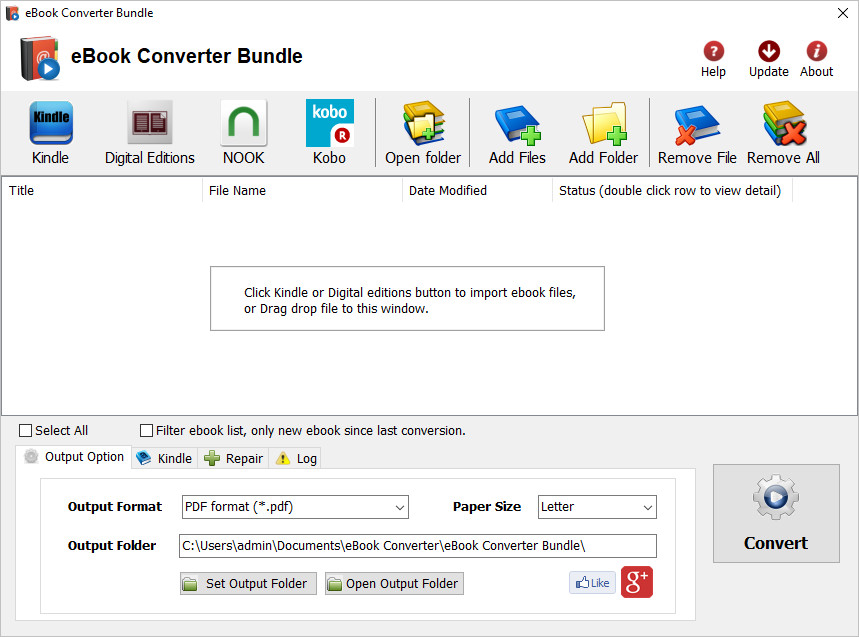
eBook Converter Bundle is tools decrypt and convert eBooks purchased from Kindle, Nook, Google Play, Sony, Kobo and other online eBook stores in batch with 1-click. it is the most easy-to-use eBook conversion software ever, convert ebook to PDF / ePub / Kindle / Word / Html / Text format with 1-click, it is award-winning and a "must-have" tool for all eBook reader.
Support all DRM ebooks download in Adobe Digital Editions
Support purchased ebooks in amazon, Google Play, Sony ebook store, Kobo ebook store, Public library ePub PDF acsm files.
Remove DRM and Convert eBooks
Integrate both DRM decryption and format conversion features, remove protection and conversion with 1-click, read your purchased ebook in any device anywhere.
Auto Import eBook Library
Import Adobe digital editions,Kindle, Barnes & Noble, Nook, Sony books automatically.
Features
Decrypt and convert Kindle, Adobe digital editions, NOOK eBook.
Support Kindle, Adobe ADE, NOOK DRM protection.
Support Google ebook, Kobo eBook, Sony eBook.
Support Public library eBook.
Convert eBook to PDF, ePub,Kindle, Word, HTML, Text
Easy to use, 1-click converter.
Whats New
Updates: official site does not provide any info about changes in this version

HomePage:
Код:
http://www.ebook-converter.com/

-:DOWNLOAD FROM LINKS:-​
Download From RapidGator
Код:
https://rapidgator.net/file/5fee62f5cc4154449d30a05bf14eb722/eBook.Converter.Bundle.3.22.10802.441.rar

Download From NitroFlare
Код:
https://nitroflare.com/view/B082FC82C073F71/eBook.Converter.Bundle.3.22.10802.441.rar
 
eBook DRM Removal Bundle 32210802436


e-Book-DRM-Removal-Bundle-3-22-10802-436.jpg


File size: 106 MB
​


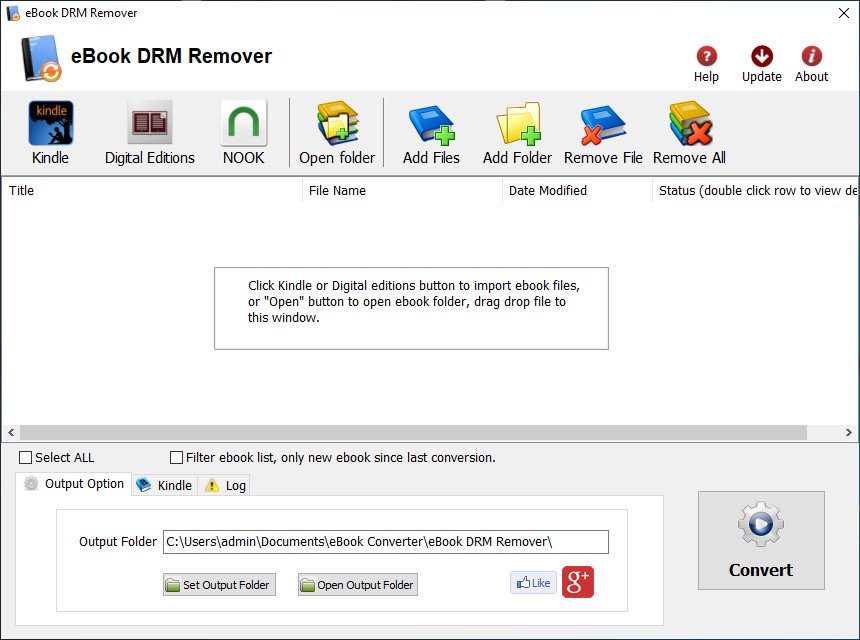
DRM Removal Bundle is all in one tools to remove ebook DRM protection, it support Adobe Digital editions drm ADEPT, Kindle and Barnes Noble ebooks. it is easy to use and drag drop to work. user can view non-drm ebook on iPad, NOOK, Sony Reader or other device without limitation, convert ebook to pdf/doc format in Calibre to print and share ebook with friends.
Features
Drag Drop and fly.
No quality lost, just remove drm protection, the same quality as source ebook files.
No change to source files, no need to backup the source files.
Remove ebook DRM.
iBook epub doesn't support.
OverDrive eBooks, Public library ebook.
Purchased Google books.
Kindle ebooks.
Barnes Noble ebook
All other epub ebook opened in digital editions.
itunes ibooks doesn't support.
Whats New
Updates: official site does not provide any info about changes in this version

HomePage:
Код:
https://www.ebook-converter.com/

-:DOWNLOAD FROM LINKS:-​
Download From RapidGator
Код:
https://rapidgator.net/file/9ff7ec3894089853d7255870ed9bff06/eBook.DRM.Removal.Bundle.3.22.10802.436.rar

Download From NitroFlare
Код:
https://nitroflare.com/view/A6BAB3D92B28CA6/eBook.DRM.Removal.Bundle.3.22.10802.436.rar
 
EZ CD Audio Converter 10121 (x64) Multilingual


EZ-CD-Audio-Converter-10-1-2-1-x64.jpg


File size: 41 MB
​


EZ CD Audio Converter (formerly Easy CD-DA Extractor) is all-in-one software: Audio CD Ripper, Audio Converter, Metadata Editor, and Disc Burner. It is easy to use and provides best audio quality. The software can rip audio CDs, make copies of discs, convert mp3, convert audio files, and burn audio CDs, MP3 CDs, and data discs. EZ CD Audio Converter is easy to use, fast, and has best audio quality.
EZ CD Audio Converter supports all popular audio file formats. Such as 3G2, 3GP, MP1, MP2, MP3, Windows Media Audio (WMA), Ogg Vorbis (OGG), MP4, M4A (AAC and Apple Lossless), AAC, aacPlus (HE-AAC, AAC+, HE-AAC+PS, eAAC+). Also supports FLAC, Musepack (MPC), WavPack (WV), WAV, AIFF, Monkey's Audio (APE), CUE and M3U.
Furthermore, the Nero Digital (Nero AAC) is supported if you have the Nero Burning ROM installed on your computer.
State-of-the-art audio encoding technology. EZ CD Audio Converter includes the most advanced audio codec available, the aacPlus from the Coding Technologies. In addition, EZ CD Audio Converter also supports command line (.exe) encoders.
Key features
Easy to use
Reliable
Best audio quality
Secure audio CD ripping with error detection
Converts between all audio formats with metadata preservation
Burn audio CDs, mp3 discs, and data discs
Best audio codecs are included
Automatic updates (free lifetime updates also included)
Automatic high-quality cover art downloads
Features ReplayGain, normalization, silence removal
Convert audio from video files
Makes 1:1 copies of CDs and DVDs
Power features
Fast audio converter, can convert up to 8 files in parallel
Automatically download metadata with high quality cover art from multiple services (GD3, MusicBrainz, Freedb)
Utilizes multi-core processors and special processor multimedia instructions (SSE, MMX) for best performance
Gapless audio conversion, gapless sample rate conversion
Supports Cue Sheets (.cue), all types
Full ReplayGain support
Rips hidden audio tracks (HTOA)
CD-Text, ISRC, pre-gap, and pre-emphasis detection
Whats New
Код:
https://www.poikosoft.com/help/history

HomePage:
Код:
https://www.poikosoft.com

-:DOWNLOAD FROM LINKS:-​
Download From RapidGator
Код:
https://rapidgator.net/file/b0a76402d3e09e8e0eaf4c00f06a41d5/EZ.CD.Audio.Converter.10.1.2.1.x64..rar

Download From NitroFlare
Код:
https://nitroflare.com/view/49D5311C8174600/EZ.CD.Audio.Converter.10.1.2.1.x64..rar
 
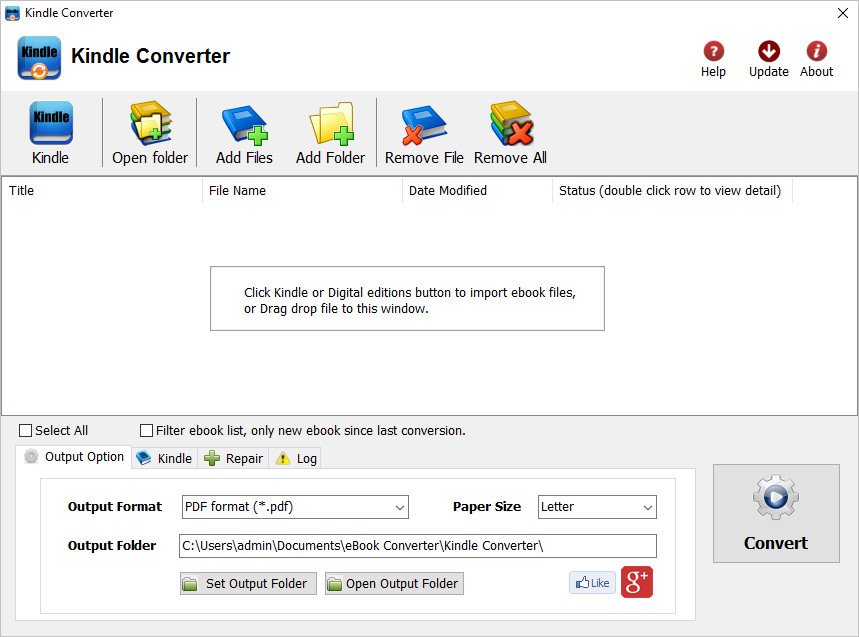
Kindle Converter 32210802391


Kindle-Converter-3-22-10802-391.jpg


File size: 118 MB
​


Kindle Converter easily convert Kindle DRM / DRM-free ebook to PDF ePub Word formats. user can view Kindle ebook on other computer or device, user also can print Kindle ebook without DRM limitation, it support Kindle DRM file downloaded in Kindle for Pc and nodrm mobi files, convert to PDF ePUB Word Text Html format file with 1-click, read your purchased Kindle ebooks in any device.
Key Features
- easy use, drag-drop support, One-click converter.
- support Kindle DRM ebook downloaded from Kindle for Pc.
- Output format support PDF ePub, WORD rtf, HTML, Text.
- High quality conversion, no quality loss.
What's New
Код:
https://www.ebook-converter.com/kindle-pc-converter.htm

HomePage:
Код:
http://www.ebook-converter.com

-:DOWNLOAD FROM LINKS:-​
Download From RapidGator
Код:
https://rapidgator.net/file/b548b81f2528f59c44f2a5d6be992f17/Kindle.Converter.3.22.10802.391.rar

Download From NitroFlare
Код:
https://nitroflare.com/view/3828EF6D1682E01/Kindle.Converter.3.22.10802.391.rar
 
Luminar Neo 121 (10104)


Luminar-Neo-1-2-1-10104.png


File size: 4.48 GB
​


Luminar Neo is an AI-driven creative image editor. A creative image editor to bring your ideas to life. Have you ever wanted to achieve more with your images? Luminar Neo is an innovative image editor powered by AI technologies of the future that simplifies complex editing routines and enables creators to bring their boldest ideas to life. And enjoy it.
Control the light in 3D space with RelightAI
Relight backlit photos or darkened images in a click with the RelightAI feature. Luminar Neo calculates the depth of a photo and creates a 3D map, making it possible to spread light naturally in 3D space across a 2D image. You can also relight the background and foreground separately - meaning you can darken parts of the image as well. This opens up an opportunity for creative relighting in order to bring your artistic vision to life.
Remove messy powerlines with AI
Automatically remove distracting elements in your cityscapes, urban landscapes or travel photos. Get a clear sky with no cluttered phone or power lines.
Unleash your creativity with Layers and AI Masking
Use both MaskAI and Layers for limitless creativity. MaskAI automates the masking process by identifying objects in the image and creating precise masks. You can always manually refine those masks with a brush if you choose to. Layers open up a whole new level of creative expression, with endless possibilities for adding objects, textures, watermarks, and any other graphics to your images.
Replace the sky in one click
Cutting-edge sky replacement technology with water reflections, sky positioning, and human-aware relighting to match the new sky.
Lightning-fast creative editing with an all-new image engine.
Designed as a module system its parts now can be optimized separately, for the best performance.
→What is Luminar Neo?
Have you ever wanted to achieve more with your images? Luminar Neo is an innovative image editor powered by AI technologies of the future that simplifies complex editing routines and enables creators to bring their boldest ideas to life. And enjoy it.
• Get speed and flexibility in your editing with our brand-new core engine and layers workflow.
• The new engine we built for Luminar Neo is based on all the best solutions from our combined and evolved experience for maximum performance and creativity and is developed for achieving complex creative results.
• Adjust the light in your photo for creative control over the lighting in a scene. You can control the exposure of an image based on the distance from the lens to independently adjust the background and foreground exposure.
• Automatically remove spots on your images caused by dust and dirt on your lens and sensor.
• Clean up unwanted power lines from the skies in your cityscapes.
• Experiment with infinite creative possibilities by effortlessly combining two or more images in a shot.
• ...And much more.
The new technologies and innovative user experience in Luminar Neo make creative image editing simple and fun.
→What's New in Luminar Neo?
Luminar Neo is a giant leap forward to more innovative, AI-based editing that targets the pains of photographers. Its goal is high-quality, fast, easy, and enjoyable results for anyone who wants to edit their images and channel their creativity in new ways.
The collection of AI-powered tools take a significant jump forward in function and performance with Luminar Neo. The application expands its toolbox with more groundbreaking AI-powered tools. The new tools are joined by additional options to solve even more problems and unleash creativity.
Speed up your editing workflow with our new fast core engine.
It's based on unique technologies developed by Skylum and works on a module system, which means that different parts of the application can now be optimized separately for the best results. Thanks to the independent modules engine, Luminar Neo will be updated more frequently. Luminar Neo has a more flexible editing process, which means less memory is required to edit photos. The new engine has many small background optimizations of memory use, which increases the speed of all processes inside the application, from uploading to applying editing effects, using layers, and exporting.
Completely transform your photos with new relighting options.
Luminar Neo analyzes each image to recognize the depth of a scene and its subject allowing for unique control over exposure and tone.
Easily remove distracting image blemishes caused by a dirty camera sensor or lens.
There are also new tools to clean up unwanted elements in the background of a photo.
Explore creativity with an effortless layers workflow and combine a photograph with other visual elements.
Discover a collection of textures, overlays, and visual effects to add creativity to an image and personalize it. This addition unlocks new creative options for compositing images and visuals to create a custom style. You can add an infinite number of Layers, move Layers on top of each other, use blending modes and masking modes, make collages, add double exposure effects, and do more on each layer.
Skylum is also excited to announce that a new mobile app is in development.
It will allow easy transfer of photos between a mobile device and a computer. This will make it easier to add pictures captured on a mobile device to your Luminar library. Once edited in Luminar Neo, results can be sent back to the portable device for easy social sharing or viewing on the go.
The powerful AI tools and the convenient and fresh design that helps photographers effortlessly access all the features give anyone the ability to transform photos easily and achieve satisfying results. We'll treat you to even more cutting-edge features that will ship as free updates after the official release.
Supported Operation System
• macOS 10.14.6 or later
• Apple Silicon or Intel Core processor

HomePage:
Код:
http://skylum.com/luminar-neo

-:DOWNLOAD FROM LINKS:-​
Download From RapidGator
Код:
https://rapidgator.net/file/edefcb2a943a2dcda6bb3c891dfeb387/Luminar.Neo.1.2.1.10104.part1.rar
https://rapidgator.net/file/4611a83f6e7f450c845102cd3caa7af5/Luminar.Neo.1.2.1.10104.part2.rar

Download From NitroFlare
Код:
https://nitroflare.com/view/B5B2ADD14A2AD44/Luminar.Neo.1.2.1.10104.part1.rar
https://nitroflare.com/view/8826C355540D9A7/Luminar.Neo.1.2.1.10104.part2.rar
 
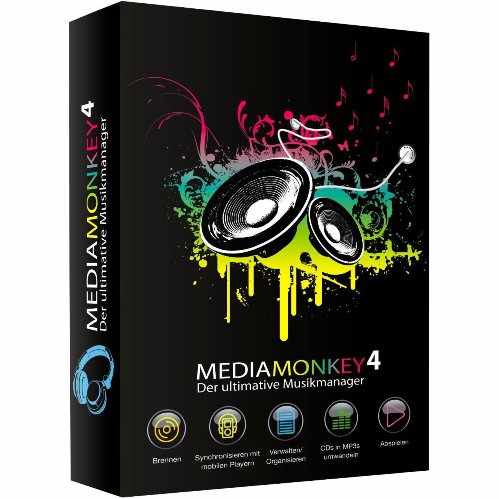
MediaMonkey Gold 5042659 Beta Multilingual


Media-Monkey-Gold-5-0-4-2659-Beta.jpg


File size: 92 MB
​


MediaMonkey is a music manager and media jukebox for serious music collectors and iPod users. It catalogs your CDs, OGG, WMA, MPC, FLAC, APE, WAV and MP3 audio files. It looks up missing Album Art and track information via Freedb and the web, and includes an intelligent tag editor and an automated file and directory renamer to organize your music library.
Its player automatically adjusts volume levels so that you don't have continually fiddle with the volume control and supports hundreds of Winamp plug-ins and visualizations; or if you prefer, it can use Winamp as the default player.
MediaMonkey includes a CD ripper, CD/DVD Burner, and audio converter for saving music, and manual or automated playlist editors for creating music mixes. It also includes portable audio device synchronization that allows you to synch tracks and play lists with devices such as the iPod and other portable audio devices.
Gold FEATURES
- Find music with advanced search functionality that digs through your collection to find tracks according to almost any criteria that you can think of. Search for Composer, Year, Beats per minute; find Lyrics, etc. and stop pulling your hair out trying to find music you know you have.
- Customize your library by setting filters to display only Artists or Albums that match criteria that you set. For example, set a filter that causes Artists to appear in the tree only if they contain Albums that are currently available, and are of any genre other than 'Children'.
- Encode unlimited MP3s without having to manually install a new MP3 encoder (the free version of MediaMonkey includes a time-limited LAME MP3 encoder. If you're so inclined, you can manually replace it with the free LAME encoder, or you can just upgrade to MediaMonkey Gold).
- Catalog your physical CDs and use the Virtual CD feature to keep track of what CDs you own and at the same time see which subset of tracks from those CDs are copied to your hard drive. Instead of tracking your CDs and tracks separately, the virtual CD function gives you an integrated view...
- Import and save audio tracks from Audio CDs and MP3 CDs with unprecedented flexibility using the Virtual CD. It allows you to sample tracks from various sources, select which ones you want to import, and then import and save the files in a single operation.
- Create Previews, short samples of audio tracks, that you can use when trying to decide which audio files you want to add to your collection.
- Use a Sleep Timer to play your music, gradually fade it over a set period of time, and then turn off your PC - perfect for listening to tunes before you go to sleep.
- Burn CDs at the maximum speed permitted by your hardware.
All MediaMonkey Gold Features
- Audio / Music Manager
- Media Player (play MP3, OGG, WMA etc.)
- Equalizer / DSP Effects / Volume Leveler
- Party Mode & Auto-DJ
- CD Ripper: Encode MP3, OGG, WMA, FLAC
- Audio Converter
- Auto Renamer / File Organizer
- Auto Tag Editor with Album Art Lookup
- Find Duplicate Tracks and Missing Tags
- Playlist Manager (auto music mixes)
- Generate reports and statistics
- Customization via scripts
- iPod and MP3 Player Synchronization
- Integrated CD/DVD Burner (Audio & Data) (up to 48x) (up to 4x)
- File Monitor (automatically updates library)
- Advanced Searches and AutoPlaylists
- Advanced Portable Device Synchronization with on-the-fly format conversion
- Unlimited MP3 encoding
- Virtual CD / Previews
- Advanced Filters
- Sleep Timer
Whats New
Код:
https://www.mediamonkey.com/information/changelog/

HomePage:
Код:
http://www.mediamonkey.com/

-:DOWNLOAD FROM LINKS:-​
Download From RapidGator
Код:
https://rapidgator.net/file/c57780de64c60e1710459174c94bb2ad/MediaMonkey.Gold.5.0.4.2659.Beta..rar

Download From NitroFlare
Код:
https://nitroflare.com/view/EEEB4EAF8B33DE7/MediaMonkey.Gold.5.0.4.2659.Beta..rar
 
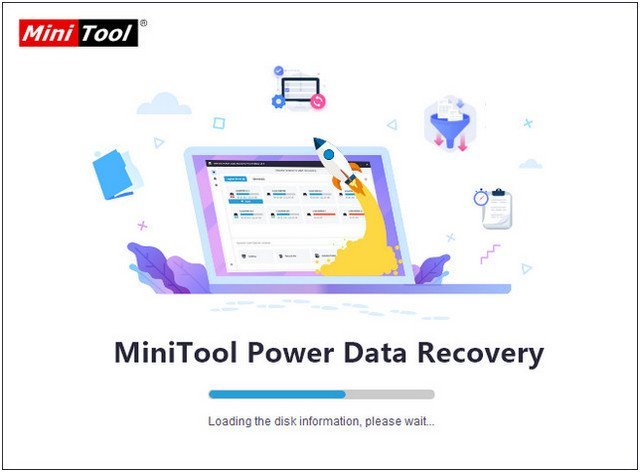
MiniTool Power Data Recovery Business Deluxe 113 (x64) WinPE Multilingual


Mini-Tool-Power-Data-Recovery-Business-Deluxe-11-3-x64-Win-PE.jpg


File size: 295 MB
​


MiniTool Power Data Recovery is a read-only File Recovery Software and Data Recovery Software. Power data recovery software could help you recover all your data no matter the data is lost by accidental deletion, format, re-partition, system crash or virus attack. Power data recovery is able to scan your device sector by sector to recover what ever left on your device. Power Data Recovery provide deep scan module which can scan and analyze raw data format including Microsoft Office files, digital graphics/pictures, audio/video files. Please visit deep scan page for complete raw file format list.
Feature
Recover data after accidental deletion
Recover data after an accidental format
Recover data from an inaccessible volume (logical drive)
Recover data after FAT corruption
Recover data after repartition (fdisk)
Recover data from a crashed physical device
Recover data after an MBR corruption
Recover data from a hard disk drive, camera card, USB drive, Zip, floppy disk
Recover data for any error except physical damage
Supports FAT 12/16/32
Supports NTFS
Supports NTFS compressed and encrypted files
Supports Dynamic Volume including Simple Volume, Spanned Volume, Stripe Volume, Mirror Volume and Raid Volume.
Supports RAW data recovery
Built-in preview function
Built-in resume recovery function
Built-in Recovery Wizard
Whats New
Код:
https://www.minitool.com/data-recovery-software/upgrade-history.html

HomePage:
Код:
https://www.minitool.com/

-:DOWNLOAD FROM LINKS:-​
Download From RapidGator
Код:
https://rapidgator.net/file/568b86832d283198430ff83f0898e798/MiniTool.Power.Data.Recovery.Business.Deluxe.11.3.x64.WinPE..rar

Download From NitroFlare
Код:
https://nitroflare.com/view/262DBA7A55C247F/MiniTool.Power.Data.Recovery.Business.Deluxe.11.3.x64.WinPE..rar
 
PassFab for Excel 85134 Multilingual


Pass-Fab-for-Excel-8-5-13-4-Portable.jpg


File size: 41.86 MB
​


Excel Password Recovery. Instantly recover or remove password in Excel Workbook with GPU Acceleration. Unprotect encrypted Excel workbooks, spreadsheets or cells with a single click regardless of the password complexity.
Simplest Method to Decrypt Excel Workbook
Unprotect encrypted Excel workbooks, spreadsheets or cells with a single click regardless of the password complexity.
3 Powerful Attack Types Wrapped in Excel Password Recovery
Brute-force Attack
It attempts all possible combinations of passwords until the correct password is found. The password recovery engine is highly optimized, thus short password can be recovered immediately.
Brute-force with Mask Attack
If you remember the password partially, you can set a mask with the mask symbols for those parts you can't remember, it will help you effectively shorten the recovery time compared with brute-force attack.
Dictionary Attack
Since many people use regular words or phrases for password, perform a dictionary attack by trying each word from the dictionary will save your precious time.
Fast & Effective Multi-Core CPU and GPU Acceleration
Support multi-core CPU and GPU acceleration technology to speed up the recovery process efficiently. The more CPU cores you have, the faster recovery speed you will enjoy.
System Requirements
- Windows 11/10 / Windows 8.1 / Windows 8 / Windows 7 / Vista / Windows XP (32-bit/64-bit)
- 1GHz (32 bit or 64 bit)
- 256 MB or more of RAM (1024MB Recommended)
- 200 MB free space and above
- VIDIA G80+ (GT8600 to GTX1080 TI)
- Excel 2016, 2013, 2010, 2007, 2003, XP, 2000 and 97
What's new
Updates: official site does not provide any info about changes in this version.

HomePage:
Код:
https://www.passfab.com

-:DOWNLOAD FROM LINKS:-​
Download From RapidGator
Код:
https://rapidgator.net/file/a7c3e50d519fec15a14eae69bde5e66b/PassFab.for.Excel.8.5.13.4..rar

Download From NitroFlare
Код:
https://nitroflare.com/view/06C8051DC8648A0/PassFab.for.Excel.8.5.13.4..rar
 
PDF Annotator 800837 (x64) Multilingual


PDF-Annotator-8-0-0-837-x64.png


File size: 72.6 MB
​


PDF Annotator lets the user open any PDF file and add annotations, using the mouse or a Tablet PC pen, directly on the PDF file's pages. The annotated documents can then be saved directly back to PDF format. In this way, anyone can read or print the annotated PDF documents. Annotated documents can also be easily attached to emails.
Previously, annotating, commenting or proofreading a document received for review in PDF file format was possible only by using multiple software products in a row--or only by printing the document and adding comments manually. With PDF Annotator, annotations can also be added in a natural way--using a pen--but everything remains in digital format. PDF Annotator allows commenting of PDF files in a single step.
Annotation Manager in the Sidebar
• Get a quick overview of all annotations in a document.
• Navigate to any annotations quickly.
• Perform operations on any selection of annotations.
Filter Annotations
• Only display a filtered subset of your annotations in the new Annotations sidebar.
• Filter by type, color, or page number.
Print Annotations Overviews
• Print a detailed list with small previews of every single annotation in a document.
• Print an overview only outlining the pages containing annotations.
What's New
Код:
http://www.pdfannotator.com/pdfannotator/std/en/History.txt

HomePage:
Код:
http://www.pdfannotator.com

-:DOWNLOAD FROM LINKS:-​
Download From RapidGator
Код:
https://rapidgator.net/file/47805e1471282c2bf3a921eecf5445f0/PDF.Annotator.8.0.0.837.x64..rar

Download From NitroFlare
Код:
https://nitroflare.com/view/B8B1C50C58C5015/PDF.Annotator.8.0.0.837.x64..rar
 
Perfectly Clear QuickDesk & QuickServer 4122317 Multilingual


Perfectly-Clear-Quick-Desk-Quick-Server-4-1-2-2317-x64-Portable.png


File size: 226 MB
​


Perfectly Clear QuickDesk is designed for labs that process 100's to 1,000's photos per day. It can be totally automatic or allow individual review and adjustment to get the highest quality output from every image. It can automate your basic color and exposure correction workflow, and dramatically speed up retouching and more detailed corrections.
One of the key features in Workbench is the ability to "export to API" when saving a Preset. This allows you to make image corrections in Workbench and tune the settings to match your style and correction needs. Then, you can quickly export these settings to a text file - ready to be copy / pasted into your source code with our image correction SDK.
Easily implement into any workflow - DP2, ROES & more!
Setting QuickDesk up is easy and can be done in a matter of minutes- simply run our automated installer.
Speed up your
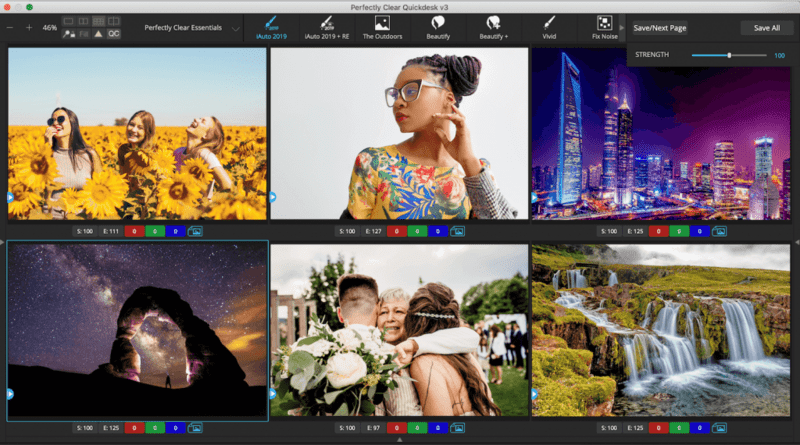
Our automatic photo retouching and correction software was designed to speed up your photo editing process. You can view our corrections six images at a time so you can get through them in record time, much faster than other software options in the market.
Take full control
If there's a photo or two that you need to fine tune, it's no problem! You can zoom in to edit individual photos if needed, or apply custom tweaks to the thumbnail and sync with the rest of the job, giving you full control over your photo correction workflow.
QuickDesk's visual interface allows you to review, approve, and fine tune each image. Many high volume pro photographers use this batch processing software for photos to quickly get through editing their shoots, and labs across the world use it to edit photos for print.
Six Image View
Automatically save and process in the background while you're working on the next batch of six.
Viewing Options
View single images on screen or pull up a side by side image for better perspective.
Batch Work
Explore options with batch processing and save all images automatically without viewing.
Product Features
• QuickDesk offers the best of both worlds- you can automate your workflow while keeping as much control as you would like. This batch processing software for photos includes several preset groups for ease of use. These include Perfectly Clear Essentials, Perfect Lifestyle, The Great Outdoors, Perfect Portraiture, and Perfect Exposure. You also have the option to create your own preset!
• Open a folder of photos quickly, then see the corrected image nearly instantly.
• Each photo is individually corrected according to your preset, giving you great, custom results with zero user interaction.
• Preview six photos at a time to speed through manual quality review.
• Need to tweak? Zoom in on individual images for detailed retouching.
→ Unique Corrections with Full Control
Tone
Achieve perfect exposure with depth, done automatically pixel by pixel to ensure zero clipping, zero color shift, and zero artifacts.
Color
Showcase the intended color the eye can see, remove unwanted tint and properly recreate purple that cameras can't capture.
Details
Preserve the integrity of the details through crisp sharpening and powerful noise removal.
Eyes
Automatically remove red-eye, dark circles, and enhance and enlarge eyes with ease.
Face
Expertly define features with contouring and touch up smiles with teeth whitening.
Skin
Create smooth skin by removing blemishes, wrinkles or extra redness from flash.
Makeup
Enhance beauty with the application of blush or color to support skin tones.
Uber Strength
A quick way to adjust all image corrections at once with a single slider bar
Image Ambulance
Rescue a good image in bad lighting on even the darkest of shots
Neutral Density Filter
Reduce the intensity of the natural light without purchasing an expensive neutral density filter
→ Even More Corrections
Sync
One easy click to apply changes to all images or all remaining images
Quick Correct
Easy buttons found under every image: Strength, Perfect Exposure, Red, Green, and Blue
Integrations
Integrate our batch processing software for photos with 36Pix, ROES, Dakis, Photo Finale, DP2, and more. We also added functionality to open a photo with Photoshop.
Shortcuts
Every button has a hotkey so you can fine tune your photos quicker than ever
Hot Folder Solution
Add QuickServer to your QuickDesk interface for a hot folder solution
→ Background Balancing
Our latest innovation balances the backgrounds of school portraits
One of the biggest complaints we have gotten from the school portrait photography market is that balancing the backgrounds of yearbook portraits is time consuming and costly. Our Background Balancing feature does this automatically for just ten cents an image!
Supported Operation System
• Windows 8, 10 and 11 (64-bit only)
What's New
Код:
http://eyeq.photos/business/perfectly-clear-applications/quickdesk-quickserver-version-history

HomePage:
Код:
http://www.athentech.com

-:DOWNLOAD FROM LINKS:-​
Download From RapidGator
Код:
https://rapidgator.net/file/c9864926af5e2059455e3afcd4d7eac5/Perfectly.Clear.QuickDesk..QuickServer.4.1.2.2317..rar

Download From NitroFlare
Код:
https://nitroflare.com/view/C731066FBE9747E/Perfectly.Clear.QuickDesk..QuickServer.4.1.2.2317..rar
 
Perfectly Clear WorkBench 4122317 Multilingual


Perfectly-Clear-Work-Bench-4-1-2-2317-x64-Portable.png


File size: 183 MB
​


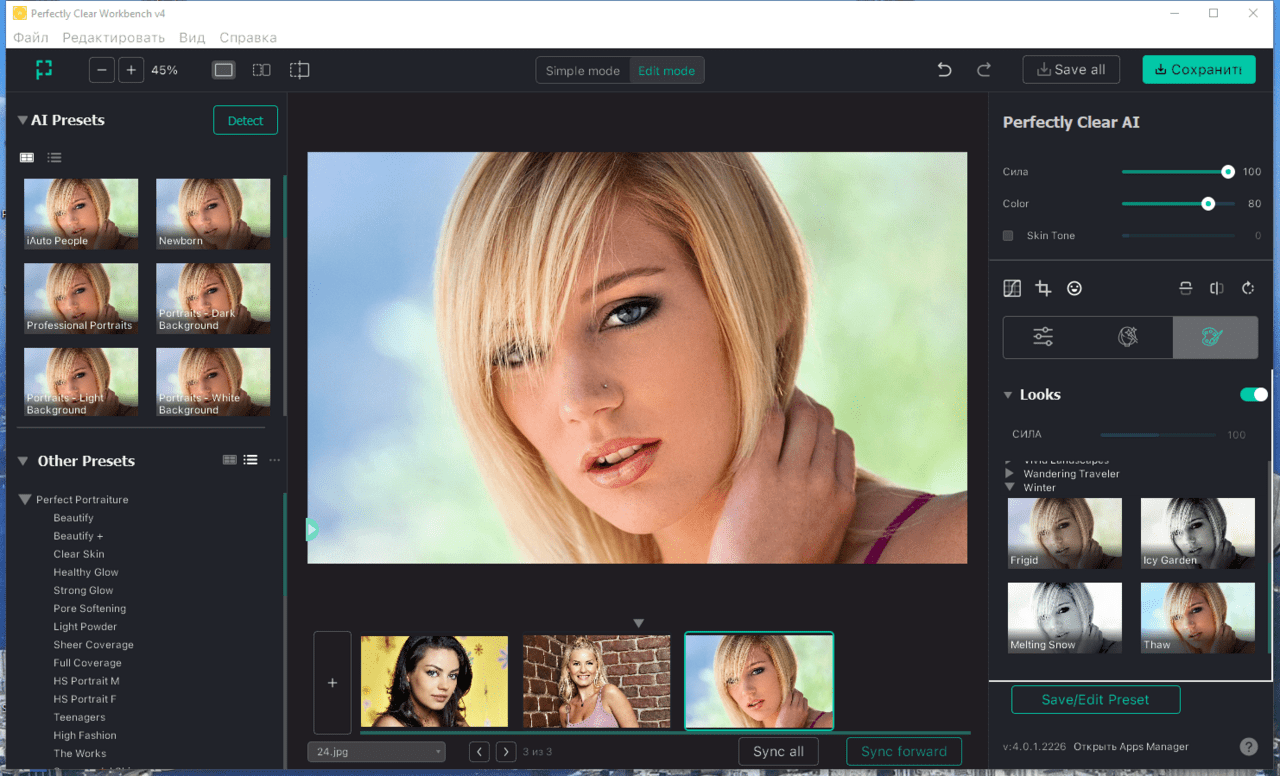
Perfectly Clear Workbench is an application that uses Athentech's Perfectly Clear image correction libraries and is made available to demonstrate the capabilities of the Perfectly Clear processing libraries, face detection library and to allow a quick export of the processing settings for use.
One of the key features in Workbench is the ability to "export to API" when saving a Preset. This allows you to make image corrections in Workbench and tune the settings to match your style and correction needs. Then, you can quickly export these settings to a text file - ready to be copy / pasted into your source code with our image correction SDK.
What's New in Perfectly Clear WorkBench 4
1. Beautiful new interface
2. New image correction tools
a. Preprocessing section for Input Looks and "Image Ambulance" for manual exposure corrections
b. "Face Aware" exposure for more accurate auto-exposure corrections in portraits and group photos
c. Black Point tool to deepen blacks
d. New Color Vibrancy tool to complement our previous "Vibrancy" control (now renamed to Color Restoration)
e. Sky and Foliage enhancements
3. Existing tools have been improved
a. Added strength sliders to Light Diffusion and Vibrancy for better control
b. Better 'color pickers' for Skin Tone and Blush adjustments
4. Manually identify faces that are not detected automatically
5. One-click to zoom to individual faces
6. Modify facial regions to provide the best corrections
7. Histogram
8. Much improved preset management
Supported Image Formats
Perfectly Clear requires RGB-formatted images in either 8 or 16-bit color depth. Any image file that Photoshop or Lightroom can open and convert to this format may be used in Perfectly Clear. Monochrome and CMYK images must be converted to RGB before using Perfectly Clear. RAW files must be opened through Adobe Camera RAW and loaded into Photoshop to be accessible to Perfectly Clear.
What's New
Код:
https://eyeq.photos/news
System Requirements
- Windows 8, 10 and 11 (64-bit only)
- 4 GB RAM or more

HomePage:
Код:
http://www.athentech.com

-:DOWNLOAD FROM LINKS:-​
Download From RapidGator
Код:
https://rapidgator.net/file/acf0adf423655a4cf9ffaffc9d66d183/Perfectly.Clear.WorkBench.4.1.2.2317..rar

Download From NitroFlare
Код:
https://nitroflare.com/view/9AA74DD553BEFDC/Perfectly.Clear.WorkBench.4.1.2.2317..rar
 
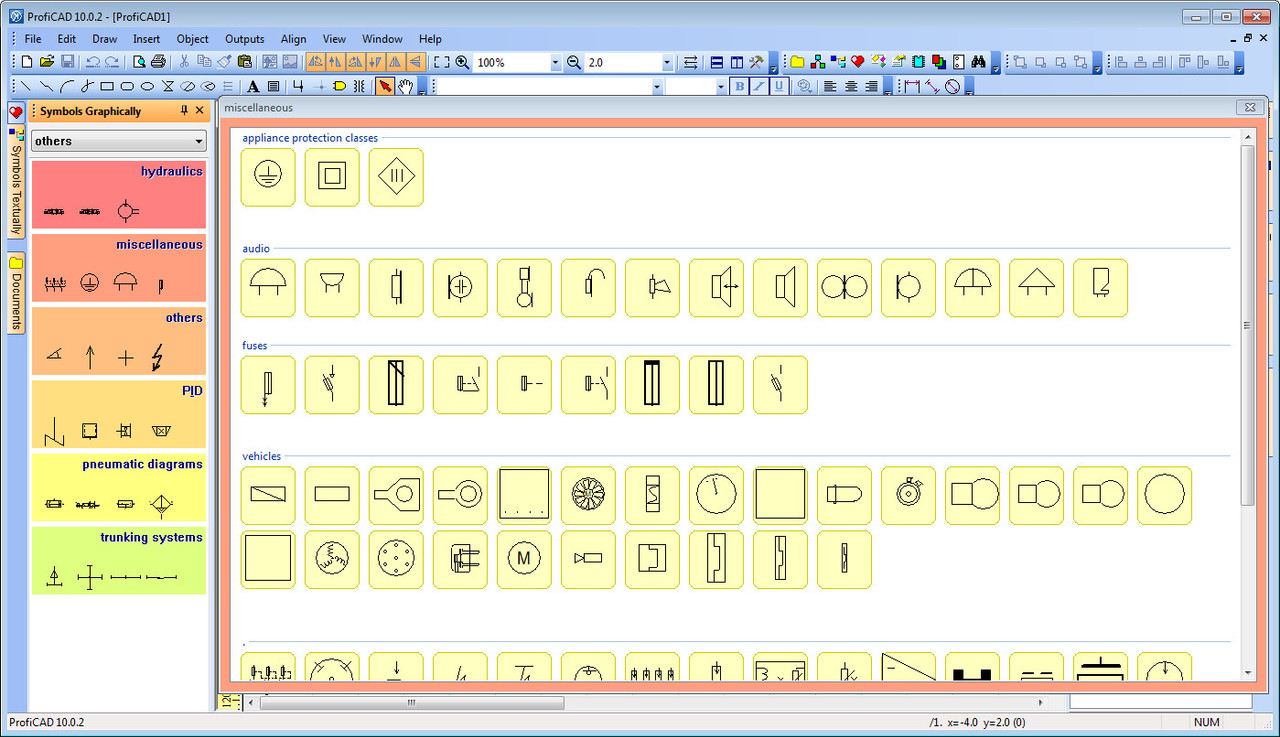
ProfiCAD 12000 Multilingual + Portable


Profi-CAD-12-0-0-0-Portable.jpg


File Size: 12 MB
​


ProfiCAD is designed for drawing of electrical and electronic diagrams, schematics, control circuit diagrams and can also be used for pneumatics, hydraulics and other types of technical diagrams.
Features
The easiest CAD for electrical circuits. Maximum care was paid to ergonomics and ease of use. Just place electrical symbols into the drawing and attach the wires.
Ships with more than one thousand symbols. You can easily create your own symbols in the symbols editor or have them drawn for you for a fee.
Supports automatic numbering of symbols, generation of netlists, lists of wires, bills of material, drawing of striped wires and further advanced features.
The program supports cross references between wires and between symbols belonging to one component (e.g. relay coil + contacts). A linked symbol on a different page can be accessed by clicking on the cross reference.
Whats New
Код:
https://www.proficad.com/news.aspx
Credits: @ByTESRam/TSRh

HomePage:
Код:
https://www.proficad.com

-:DOWNLOAD FROM LINKS:-​
Download From RapidGator
Код:
https://rapidgator.net/file/71c4eb8e0d5f7896d79598f145e011f1/ProfiCAD.12.0.0.0.._.Portable.rar

Download From NitroFlare
Код:
https://nitroflare.com/view/6E6A5D30AD2FD5B/ProfiCAD.12.0.0.0..%2B.Portable.rar
 
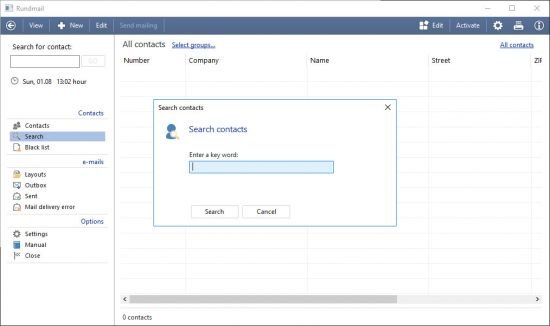
SoftwareNetz Mailing 158 Multilingual


Software-Netz-Mailing-1-58.jpg


File size: 11.54 MB
​


Create professional newsletters and mailings and send the mailing with just one click of the mouse to your customers and contacts.
Create professional e-mails
With the integrated e-mail editor you can create profession e-mail in HTML-format. In order to create an attractive mailing you can use graphical files, colors, different fonts, links, tables and you can use our default design templates. The program is userfriendly and you can work with it without any IT-knowledge.
Integrated contact management
Softwarenetz Mailing contains a complete contact- and customer management. You can import existing contacts into the program. Softwarenetz Mailing is compatible with Softwarenetz Addresses2 and Softwarenetz Invoice4. You have direct access to the customers and contacts within these two programs and send your e-mails.
Sending directly via SMTP
You send your mailing directly over the SMTP-connection of your mail server. Therefore you don't need any additional e-mail program to send your mailing. You can set the amount of e-mails per connection or per time limit. Depending on your provider you could have different limitions.
Design layouts
Default design layouts for different events, e.g. Christmas, birthdays or newsletters are integrated. Just select a default design layout and write your e-mail.
Automatic evaluation of bounce-mails
After sending out a mailing you always receive bounce-mails, e.g. the e-mail address doesn't exist anymore. In this case you receive a 'Mail delivery failed.' message from your mail server. Softwarenetz Mailing is able to recognise these bounce-mails and will block this contact for future mailings.
Personal e-mail including variables
With the help of variables you are able to create personal e-mails. E.g. insert the variable 'heading' and your e-mail will start with 'Dear Mr. Example' or 'Hello Edward.'.
Whats New
Updates: official site does not provide any info about changes in this version

HomePage:
Код:
http://www.softwarenetz.de

-:DOWNLOAD FROM LINKS:-​
Download From RapidGator
Код:
https://rapidgator.net/file/0c606058bb168e67f518a684e16c70c6/SoftwareNetz.Mailing.1.58..rar

Download From NitroFlare
Код:
https://nitroflare.com/view/34138FA76EC90E5/SoftwareNetz.Mailing.1.58..rar
 
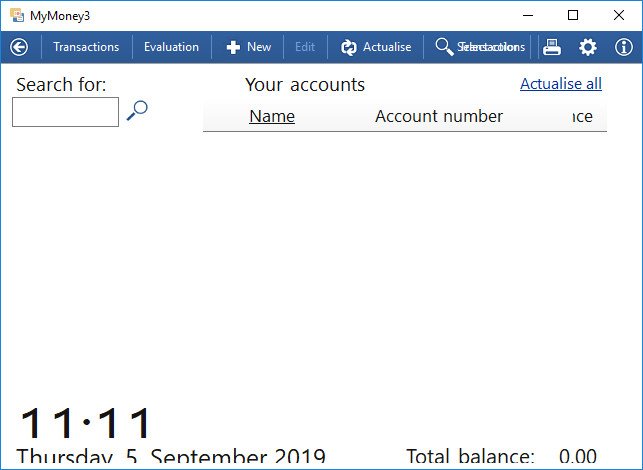
SoftwareNetz MyMoney 345 Multilingual


Software-Netz-My-Money-3-45.jpg


File size: 16.5 MB
​


With MyMoney it is easy and simple to manage and archive your finances. The program offers you evaluations and statistics with regard to your bank transactions with just a click of the mouse.
Text- and CSV-import
MyMoney supports Paypal accounts, text-/CSV-import and HBCI-Banking Pin/Tan (only available in Germany). Transactions from your Paypal account can be retrieved directly from the Paypal server. With HBCI-Banking you can retrieve your transactions of almost every German bank, directly over the internet. For all other financial accounts you can import CSV- or text files.
Foreign currencies
Bank transactions with foreign currencies can be loaded without problems.
Automatic recognition with the help of rules
With the help of rules you can book your transactions automatically into a destinated group, e.g. 'Rent' or 'Insurance'. Graphical statistics and overviews will evaluate your transactions per group. This way it is easy to see how high the montly costs are, for exemple for the group 'Insurance'.
To every group you can assign the VAT-%. At the end of each month MyMoney will provide you with an estimated amount of VAT.
History
MyMoney will archive all transactions. This enables you to search for transactions in the past.
Compatible to Invoice and Purchase Journal
MyMoney is compatible with the programs Invoice and Purchase Journal.
The integrated interface will transfer your transactions automatically. Invoice is able to recognise payments of customers and will assign those payments to the right invoice.
The Purchase Journal will find your outgoing payment and will mark the purchase invoice as paid.
What's new
Updates: official site does not provide any info about changes in this version.

HomePage:
Код:
http://www.softwarenetz.de

-:DOWNLOAD FROM LINKS:-​
Download From RapidGator
Код:
https://rapidgator.net/file/43c250bfe968289d18079b6e88f0b2e3/SoftwareNetz.MyMoney.3.45..rar

Download From NitroFlare
Код:
https://nitroflare.com/view/45B07F8269D9CFD/SoftwareNetz.MyMoney.3.45..rar
 
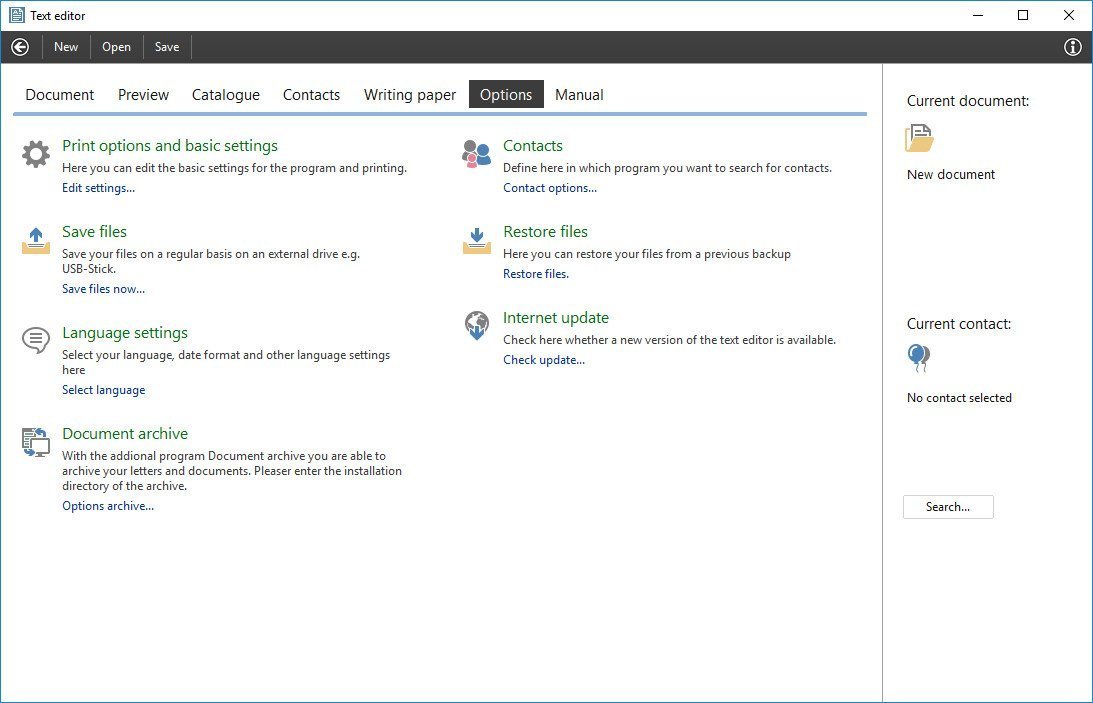
Softwarenetz Text editor 130 Multilingual


Softwarenetz-Text-editor-1-30.jpg


File size: 12.26 MB
​


The Softwarenetz text editor is a simple and user friendly program for your private and business letters. Create your personal or business writing paper within the text editor program.
Features
Insert images and photos into your text. The Text editor supports all common formats (jpg, gif, bmp, png).
Including interactive spelling in five languages, which will check your documents for spelling errors.
The catalogue will sort all documents into different groups. This way you quickly have access to all your documents.
The text editor program of course contains standard options like: search for text, replace text, font sizes, bold, underlined etc.
In combination with our programs Addresses2 or Invoice3 you can create and print mailings for your contacts or customers.
The text editor program supports variables. You can insert the addresses of your contacts with just one mouseclick and print your letter.
What's new
Updates: official site does not provide any info about changes in this version.

HomePage:
Код:
http://www.softwarenetz.de

-:DOWNLOAD FROM LINKS:-​
Download From RapidGator
Код:
https://rapidgator.net/file/a65cb4aeff7951288c31dc8d7ed2cba9/Softwarenetz.Text.editor.1.30..rar

Download From NitroFlare
Код:
https://nitroflare.com/view/D526D77C0F111DB/Softwarenetz.Text.editor.1.30..rar
 
Tenorshare UltData for Android 67813 Multilingual


Tenorshare-Ult-Data-for-Android-6-7-8-13.jpg


File size: 135 MB
​


Android Data Recovery - your Best Choice to Recover Android Data. Recover photos, contacts, messages, videos and everything you lost. Highest data recovery success rate in the industry. Support with most Android phones and tablets.
Main Features
- Recover up to 8 file types like contacts, photos, SMS, call history, WhatsApp messages
- Recover deleted data on Android SD card and internal memory
- 2 Ways to connect your Android device: via Wi-Fi or via a USB cable
- Support all Android phones and tablets, like Samsung, HTC, Motorola, LG etc.
- Preview and selective recover lost files before recovery
When Need Android Data Recovery?
- You delete some important data mistakenly.
- You lost data after rooting your device.
- Corrupted your OS through a software update.
- Wiped all files after restoring to factory settings.
- Lost files after a ROM flash.
- Lost files after Unlocking Bootloader.
- Can't access data on your device when it is broken.
Recover up to 8 Types of Android Files
- Contacts: Recover all your important contacts including the name, number and type. They will be export as TXT, XML, or XLS.
- Messages: Retrieve lost sent & received messages including content, phone numbers and sending date.
- Photos: Recover photos captured with built-in camera, as well as your downloaded ones.
- Call history: Retrieve your incoming and outgoing calls and save them on your computer.
- Videos and audios: Lost videos and audios on Android device can also be retrieved in their original formats.
- WhatsApp: WhatsApp chats history and contacts can be restored as well.
- Other Files: Recover archives, emails, database, apps, documents in DOC/XLS/PPT/PDF/HTML/PST/DBX/EMLX/EPS formats, and more.
Recover Android Data in 2 Modes
- Quick Recovery: Quickly scan lost contacts, call history, messages, photos and videos on your Android phone, and preset them in original name and folder structure. The whole process only takes several minutes.
- Deep Recovery: Deeply scan both lost and existing contacts, call history, messages, photos, videos and other documents on your Android phone. It can find more data but will take relatively longer time for scanning.
Support all Android Devices
- Work well with all Android devices
- Support various kinds of tablets
- Be compatible with all Android versions
Preview and Selectively Recover
- Display all your recoverable contacts, texts, pictures and more for you to preview before recovery.
- Selectively recover the files you need, instead of all of them.
- Mark the lost files in red, which make sure you find them more easily.
Whats New
Updates: official site does not provide any info about changes in this version.

HomePage:
Код:
http://www.tenorshare.com/

-:DOWNLOAD FROM LINKS:-​
Download From RapidGator
Код:
https://rapidgator.net/file/627d1b7a52d27f7d376c1f8561c00dfd/Tenorshare.UltData.for.Android.6.7.8.13..rar

Download From NitroFlare
Код:
https://nitroflare.com/view/6E3E63C9A59CD94/Tenorshare.UltData.for.Android.6.7.8.13..rar
 
Virtual Display Manager 33244783 Multilingual


Virtual-Display-Manager-3-3-2-44783.jpg


File size: 7.52 MB
​


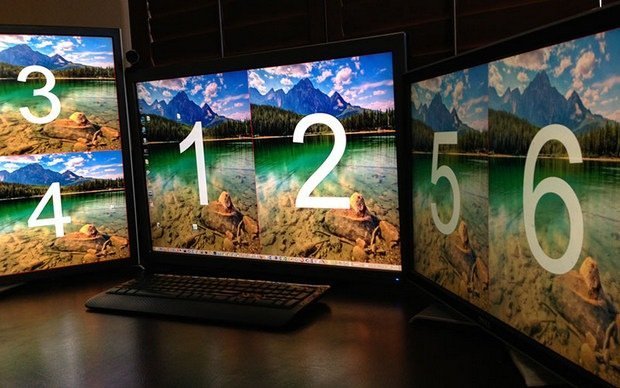
Virtual Display Manager complements your existing single or multi-monitor system with the convenience of additional virtual displays that can share existing physical screens using existing hardware, along with the ability to call up different monitor configurations at the push of a button.
Many recent studies, including Microsoft Research, show that multi-monitor systems as well as larger monitors can improve user productivity by 10-50%. However, several factors are driving the rise in the use of multiple monitors along with large-screen displays
The cost of purchasing additional equipment (monitors and updated video cards)
Desktop space required for additional or large monitors
App compatibility where most apps are not designed to work with larger screen sizes.
Power consumption and therefore additional costs
Features
Works with any number of physical monitors and is configurable for each physical monitor.
You can divide each physical monitor into 16 separate virtual displays.
The virtual displays can be the same size or individually scaled to suit the user's requirements, i.e. evenly spaced layouts and asymmetric configurations are supported. This is important when using monitors of different sizes and aspect ratios.
Supports local login and remote connections - Microsoft RDP and Citrix ICA sessions, VNC and Radmin are just a few examples.
Allows you to switch between local and remote login without losing the configuration and placement of the system window, which does not depend on the number or size of the monitor.
Provides control over the placement of icons when changing to a different geometry or monitor configuration.
What's New
Код:
https://www.ishadow.com/vdm-version-history/

HomePage:
Код:
https://www.ishadow.com/

-:DOWNLOAD FROM LINKS:-​
Download From RapidGator
Код:
https://rapidgator.net/file/83718ead0a69948ea8330ea1cc5ab5ca/Virtual.Display.Manager.3.3.2.44783..rar

Download From NitroFlare
Код:
https://nitroflare.com/view/7AD4440FB7647F8/Virtual.Display.Manager.3.3.2.44783..rar
 
Wondershare Filmora 1147358 (x64) Multilingual


Wondershare-Filmora-11-4-7-358-x64.jpg


File size: 445 MB
​


Wondershare Filmora X - Hit play on your imagination. Create at the Speed of Simple. Filmora simplifies advanced features to save you time and effort. It's simple in Filmora X. Work Less, Create More. Filmora cuts out repetition so you can move on to your next creative breakthrough.
Keyframing
Create custom animations to elevate visual engagement.
Motion Tracking
Level up your editing with intuitive object tracking that's accessible to everyone.
Audio Ducking
Quickly fade your music so your dialogue stands out.
Color Match
Save time by applying color correction settings across multiple clips at once.
Keyboard Shortcut
Edit faster using hotkey commands.
Find Fun in Every Click
Editing should be a creative adventure, and Filmora has the tools to make your journey enjoyable.
Video Effects
Discover creative transitions, filters, titles, and motion elements that are exclusive to Filmora.
Green Screen
Reimagine your world by changing backgrounds and creating special effects.
Split Screen
Multiply your fun with multiple screens for a unique way to tell your story.
Speed Control
Fast forward to the good part or slow down a special moment.
Color Grading
Give your videos a Hollywood feel and personalize your creation.
Whats New
Код:
https://filmora.wondershare.com/whats-new-in-filmora-video-editor.html
System Requirements
- Supported OS: 7 / Windows 8.1 / Windows 10 / Windows 11 (64-bit)
- CPU: Intel i5 or better, 2GHz+. (Intel 6th Gen or newer recommended)
- RAM: 4 GB RAM (8GB required for HD and 4K videos)
- GPU: Intel HD Graphics 5000 or later; NVIDIA GeForce GTX 700 or later; AMD Radeon R5 or later. Please keep your graphics driver updated.
- Disk: 10GB free hard-disk space (SSD recommended)

HomePage:
Код:
https://filmora.wondershare.com/video-editor/

-:DOWNLOAD FROM LINKS:-​
Download From RapidGator
Код:
https://rapidgator.net/file/9674964156646f15e1e579723e998506/Wondershare.Filmora.11.4.7.358.x64..rar

Download From NitroFlare
Код:
https://nitroflare.com/view/5A40D242DF25DC6/Wondershare.Filmora.11.4.7.358.x64..rar
 
Windows 11 22H2 Build 22621382 -18in1- Non-TPM 20 Compliant PreActivated August 2022


th-b-LLy-Tu-Szmfe-L7-QD4em-NHup-BLQMc-YIcs-B.png

x64 | Language: English | File Size: 5.6 GB
​
At a time when the PC is playing a more central role in our lives, Windows 11 is designed to bring you closer to what you love.

This is the latest version of Windows OS releases, with new interface and other new features like new Microsoft Store, a new personalized feed powered by AI and best-in-class browser performance from Microsoft Edge, Chat from Microsoft Teams integrated in the taskbar and many more!
Unlocked means you can install Windows 11 on PC without Secure Boot and TPM.
Editions
- Windows 11 Home China (China version)
- Windows 11 Home
- Windows 11 Home N (EU version)
- Windows 11 Pro
- Windows 11 Pro N (EU version)
- Windows 11 Home Single Language
- Windows 11SE
- Windows 11 SE N (EU version)
- Windows 11 Pro Education
- Windows 11 Pro N Education (EU version)
- Windows 11 Pro for Workstations
- Windows 11 Pro N for Workstations (EU version)
- Windows 11 Pro Single Language
- Windows 11 Pro China Only (China version)
- Windows 11 Education
- Windows 11 Education N (EU version)
- Windows 11 Enterprise
- Windows 11 Enterprise N (EU version)
- Windows 11 Enterprise multi-session
- Windows 11 IoT Enterprise
What's new in Windows 11
- Windows 11 will receive a completely new design. Microsoft clearly needs a good reason to reverse its past claims and still ditch Windows 10 by introducing a new operating system number. And a completely new design is great for that. The Redmond giant has long been preparing a redesign for an update with the code name Sun Valley ("Sun Valley") - apparently, under this naming it was Windows 11. The Sun Valley project flashed on the network for a long time - Microsoft regularly disclosed details of the new interface style, insiders shared the unknown previously information, and popular designers in their circles drew realistic concepts based on all this data.
- Start and system elements will float above the bottom bar. Start is the calling card and face of every recent version of Windows. Not surprisingly, in Windows 11, developers will transform it again, but not so much in functional as in visual terms - the Start window will hover above the bottom bar. We have to admit that this small change makes the appearance of the system much fresher. Judging by information from the network, Microsoft will not radically change the "insides" of this menu - the innovations will affect only the design of the window itself. The control panel will also float, and its design will be exactly the same as that of the "Start". The action center will be combined with the control buttons together - a similar one has long been used in some other operating systems. Almost all mentions of this new menu indicate that it will be island - the control buttons will be located on one separate panel, notifications will be on another, and specific elements (like a player) on another separate one.
- Right angles will disappear, they will be replaced by fillets. In truth, insiders and concept designers disagree on this point - some are confident that Microsoft will not change its traditions and will keep right angles, while others are convinced that in 2021 Microsoft will follow the fashion for fillets. The latter fits better with the definition of "completely new Windows" - just hovering menus are not enough for a new design to be considered truly new. Fillets are expected to affect virtually everything in the system, from context menus and system panels to all application windows. True, even on this issue, the opinions of concept designers differ - some draw fillets in all possible interface elements, others combine them with right angles.
- There will be a translucent background with blur everywhere. There is disagreement on the web about the island style of displaying windows, the design of the corners and the levitation effect of the menu, but almost everyone is unanimous about the transparency of the windows. The vast majority of leaks and design renders show transparency and blur in all windows, be it at least the Start menu or Explorer. Moreover, these effects are even in the assembly of the canceled Windows 10X operating system, which Microsoft was developing for devices with two screens and weak gadgets in parallel with the Sun Valley project. The so-called acrylic transparency implies the use of new effects when hovering over elements, as well as increased spacing between elements - those areas of the interface with which the user interacts will certainly become larger, and page titles will be thickened.
- New font that has already been shown. Windows 11 will most likely use the default responsive Segoe UI Variable font, which has already appeared in Windows 10 Build 21376 for Insiders. Its advantage is that it is equally well suited for small texts and large inscriptions. This distinguishes it from standard fonts, which are initially created for either small size or large size. For example, the stable version of Windows 10 currently uses the Segoe UI font, designed for 9pt. In smaller inscriptions, it becomes poorly legible, and in large inscriptions it looks expressionless.
- Windows 11 will have new icons, and Windows 95 icons will disappear. Yes, they are still in use today. Microsoft will finally transform the icons that are used throughout the system. It's not just about shortcuts to folders, trash cans and other icons found in Explorer. We are talking about all the icons available in the Shell32 directory. There are still icons from the days of Windows 95, and only recently Microsoft updated their design in one of the insider assemblies - of course, they will migrate to Windows 11.
- Windows 11 will have functional innovations - there are many of them, but they are all small. Much less is known about the features of the upcoming update than about its design. But since Windows 11 and Windows 10X (the canceled OS for weak and foldable devices, the image of which has leaked to the network) were developed in parallel, we can safely assume that all the functions from the latter will appear in Windows 11. For example, Windows 11 will show when the camera is in use computer - the corresponding indicator will be displayed in the system tray.
Assembly features
- Integrated updates for August 9, 2022;
- .Net Framework 3.5 included (including 2.0 and 3.0);
- Integrated SmartFix 2.4.7, Microsoft DaRT in winre.wim and boot.wim;
- Disabled check during installation and update (TPM, Security boot, CPU, Storage and RAM-memory);
- The systems were not in audit mode.
System Requirements
- Processor:1 GHz or faster with 2 or more cores on a compatible 64-bit processor. (Microsoft provides a list of compatible processors on its website).
- RAM:4 gigabytes or more
- Storage:64 GB or larger storage device (such as a hard drive or SSD)
- System Firmware:UEFI and Secure Boot capable
- TPM:Trusted Platform Module 2.0 (common on motherboards manufactured after 2016)
- Graphics Card:Compatible with DirectX 12 or later with WDDM 2.0 driver
- Display:An HD display at least 720p (1280x720) resolution larger than 9″ diagonal, 8-bits per color channel
WHAT'S NEW?- Integrated updates for August 9, 2022;
- .Net Framework 3.5 included (including 2.0 and 3.0);
- Integrated SmartFix 2.4.7, Microsoft DaRT in winre.wim and boot.wim;

-:DOWNLOAD FROM LINKS:-​
Download From RapidGator
Код:
https://rapidgator.net/file/7c0e718594c72e503ad5dc8b7f8de6d3/windows_11_version_22h2_with_update_22621.382_aio_18in1_x64_v22.08.10.part1.rar.html
https://rapidgator.net/file/63e38e61784a7f8c119993185ead809a/windows_11_version_22h2_with_update_22621.382_aio_18in1_x64_v22.08.10.part2.rar.html
https://rapidgator.net/file/3ffd6bfc57806d0e7ffb522f5bc2cf0d/windows_11_version_22h2_with_update_22621.382_aio_18in1_x64_v22.08.10.part3.rar.html
https://rapidgator.net/file/b7dc33d52534470f3e5b700db4aec909/windows_11_version_22h2_with_update_22621.382_aio_18in1_x64_v22.08.10.part4.rar.html
https://rapidgator.net/file/f05fedf43928653a9a6d2b6a5a1035ea/windows_11_version_22h2_with_update_22621.382_aio_18in1_x64_v22.08.10.part5.rar.html
https://rapidgator.net/file/0568b2433b14506b17f30cf1001729be/windows_11_version_22h2_with_update_22621.382_aio_18in1_x64_v22.08.10.part6.rar.html

Download From NitroFlare
Код:
https://nitroflare.com/view/F9FDE557C18D79B/windows_11_version_22h2_with_update_22621.382_aio_18in1_x64_v22.08.10.part1.rar
https://nitroflare.com/view/A60389A73BA2A95/windows_11_version_22h2_with_update_22621.382_aio_18in1_x64_v22.08.10.part2.rar
https://nitroflare.com/view/4450496A7114978/windows_11_version_22h2_with_update_22621.382_aio_18in1_x64_v22.08.10.part3.rar
https://nitroflare.com/view/17E16EA408470F7/windows_11_version_22h2_with_update_22621.382_aio_18in1_x64_v22.08.10.part4.rar
https://nitroflare.com/view/83CAE85AFEC1B07/windows_11_version_22h2_with_update_22621.382_aio_18in1_x64_v22.08.10.part5.rar
https://nitroflare.com/view/9A395412C9A51DE/windows_11_version_22h2_with_update_22621.382_aio_18in1_x64_v22.08.10.part6.rar
 
Назад
Сверху