






• Форум работает в архивном режиме www.old.nado.in

All mitsumi'1s Applications !! (updated daily)

  • Автор темы Автор темы mitsumi1
  • Дата начала Дата начала
SmartFTP Professional 10.0.3010 (x64) Multilingual

33ac4164e13cb1bfe443288e7d0d09ff.jpeg


File Size: 15.8 MB​

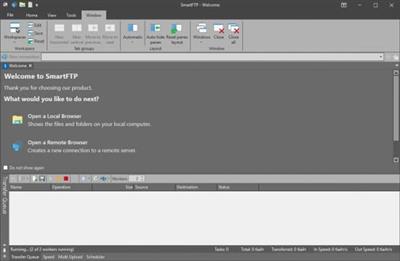
SmartFTP is an FTP (File Transfer Protocol), FTPS, SFTP, WebDAV, Amazon S3, Backblaze B2, Google Drive, OneDrive, SSH, Terminal client. It allows you to transfer files between your local computer and a server on the Internet. With its many basic and advanced Features SmartFTP also offers secure, reliable and efficient transfers that make it a powerful tool.

SmartFTP can be used for
- Web site publishing and maintenance
- Upload and download of images, documents, movie and music files
- Managed file transfers. Automate file transfer processes.
- Backup and synchronize local and remote files
Features
• Protocols
• FTP and FTPS (Secure FTP)
• SFTP over SSH
• WebDAV
• Amazon S3 (Enterprise Edition)
• Google Drive (Ultimate Edition)
• Google Cloud Storage (Enterprise Edition)
• Backblaze B2 Cloud Storage (Enterprise Edition)
• Microsoft OneDrive (Ultimate Edition)
• Terminal Emulator (Ultimate Edition)
• Integrated Editor
• HIPAA 5010 compliant
• FIPS 140-2, 186-4 compliant
• Modern Graphical User Interface (GUI)
• High DPI support
• File/Folder Synchronization
• Multilingual (more than 20 languages)
• Thumbnails View and Preview
• Visual Compare
• Advanced Schedule
• IPv6
• On-the-fly Compression (MODE Z)
• UTF-8 Support
• Support for KeePass, LastPass, 1Password password manager
• Multiple Connections
• Auto reconnect and resume of broken transfers
• Transfer Integrity
• Verified Transfers (XCRC, XMD5, XSHA)
• FXP (Server-To-Server Transfer) support
• Remote Edit of files
• Search for files and folders on the server
• Local Browser
• Bulk Rename
• Software Development Kit (SDK)
• Enhanced NAT/UPnP Support
• UPnP (Universal Plug and Play), ICS, ICF
• Transfer Queue
• Scheduling (Enterprise Edition)
• Uploads/Downloads/FXP
• Unlimited simultaneous threads
• International Domain Names (IDN)
• Proxy / Firewall support
• SOCKS5, SOCKS4, SOCKS4A, HTTP Proxy
• Wingate, Winproxy, CSM, Checkpoint FW-1, Raptor
• URL Watcher
• FTP command line
• Custom Commands
• CHMOD (Properties)
• Section 508 compliant
• and much more ...

Homepage:
Код:
https://www.smartftp.com

Download link

rapidgator.net:
У Вас недостаточно прав для просмотра ссылок. Войдите или зарегистрируйтесь.


uploadgig.com:
У Вас недостаточно прав для просмотра ссылок. Войдите или зарегистрируйтесь.


nitroflare.com:
У Вас недостаточно прав для просмотра ссылок. Войдите или зарегистрируйтесь.


1dl.net:
У Вас недостаточно прав для просмотра ссылок. Войдите или зарегистрируйтесь.
 
VideoProc Converter 5.0 Multilingual


fa4babb6977918dc3cf46d9e818fad8c.jpeg


File Size: 67.6 MB​

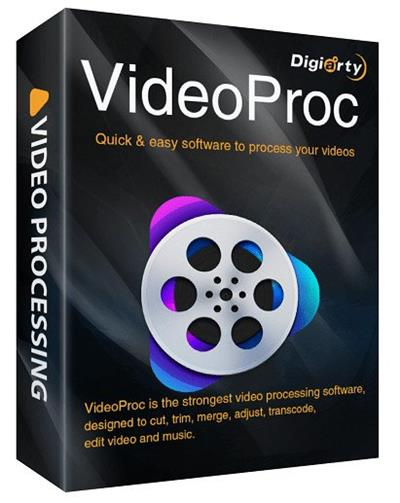
VideoProc comes as the No.1 fast video processing software that peaks Level-3 Hardware Acceleration fully powered by Intel, AMD and NVIDIA GPUs, delivering buttery smooth (4K) video editing and transcoding without compromising quality.

CPU Only
39% of video programs lack support for GPU acceleration.
GPU Acceleration
GPU acceleration can speed up video encode / decode greatly.
Full Hardware Acceleration
Up to 47x real-time faster! VideoProc's unique technology can further expedite video transcoding and processing while optimizing file size and output video quality.
Cut
Cutting is very common in video editing. By cutting, you can shorten a video, chop away any unwanted segments, rearrange clips in new sequence and reduce file size for YouTube, etc. In VideoProc, 'Cut' can be very flexible and can go with any other editing operation.
Merge
'Merge' helps join multiple video files, whether they are in different formats (MP4, MKV, AVI, MOV) or from different gadgets. You can merge videos while changing video lengths, aspect ratios, playback speeds, resolutiosns and file formats, without worrying about A/V sync problem. The unique "MKV Multi-Track" feature will allow you to combine different video/audio/subtitle tracks in one MKV file.
Crop
You can crop a video to eliminate black bars, remove distracting portions, zoom in and highlight the focal point and improve the image composition. You can change or expand aspect ratio to meet the requirement of YouTube, Instagram, Widescreen TV, etc.
Subtitle
VideoProc has diverse subtitle features: enable, disable or export subtitle from a movie, choose subtitle (language) track, add (hardcode or softcode) external subtitle files (.ass, .ssa, .srt) to videos, search subtitles online for movies and TV episodes.
Effect
VideoProc allows you to apply preset visual effects and filters, such as Grayscale, Mirror, Edge, Painting and Sharpen to your video tracks; quick moulds to artify and stylize your videos; fine-tune colors, image brightness, contrast, hue, gamma and saturation.
Rotate / Flip
You can rotate your video left or right (clockwise or counter-clockwise) 90 degrees, 180 degrees or 270 degrees in one click, or mirror flip video vertically or horizontally.
Whats New
official site does not provide any info about changes in this version.

Homepage:
Код:
https://www.winxdvd.com

Download link

rapidgator.net:
У Вас недостаточно прав для просмотра ссылок. Войдите или зарегистрируйтесь.


uploadgig.com:
У Вас недостаточно прав для просмотра ссылок. Войдите или зарегистрируйтесь.


nitroflare.com:
У Вас недостаточно прав для просмотра ссылок. Войдите или зарегистрируйтесь.


1dl.net:
У Вас недостаточно прав для просмотра ссылок. Войдите или зарегистрируйтесь.
 
WinNc 10.3.1.0 (x86) Multilingual


e74b5bfdab2087b60403ebaa55045fe9.jpeg


Windows x86 | File size: 17.77 MB​

WinNc is a tabbed file manager especially developed for Windows 10. WinNc is still downwards compatible with Windows 8 and 7 and uses the modern flat interface. This NC clone file manager is inspired on the dual panel idea of the old file manager Norton Commander. It has shortcuts to all the Windows 10 special folders and the tabbed interface allows you to organize your data by project.

Projects can include virtual links to files and folders from all over the disk that are related to that project tab. With a new Windows 10 flat interface WinNc can do all the basic tasks you expect from a file manager like copy, move, delete, compress, uncompress and create links. But WinNc also converts audio, burns files on dvd and cd, creates iso files and you are able to synchronize your files. From zip files it allows the creation of self extraction .exe files.
WinNc, a tabbed file manager like Norton Commander
It also works on the older versions of Windows. This NC clone file manager is inspired on the dual panel idea of the old file manager Norton Commander. It has shortcuts to all the Windows 7 and 8 special folders and the tabbed interface allows you to organize your data by project. Projects can include virtual links to files and folders from all over the disk that are related to that project tab. With a new Windows 8 interface WinNc can do all the basic tasks you expect from a file manager like copy, move, delete, compress, uncompress and create links. But WinNc also converts audio, burns files on dvd and cd, creates iso files and you are able to synchronize your files. From zip files it allows the creation of self extraction .exe files.
File actions in WinNc
WinNc uses logical colors for the file actions so you can see if a file is being copied (Green), being moved (Orange) or being packed (Yellow). WinNc allows you to perform multiple tasks by setting the maximum parallel tasks to more than one task. Otherwise WinNc will wait to start the new action until the previous action has finished. There is a built in file viewer supporting all the popular formats. It has a built in slideshow viewer, an audio player and a video player for quickly browsing through your media.

System Requirements
- Windows 11
- Windows 10
- Windows 8
- Windows 7
- 32-bit and 64-bit are supported.

Homepage:
Код:
https://www.winnc.com/

Download link

rapidgator.net:
У Вас недостаточно прав для просмотра ссылок. Войдите или зарегистрируйтесь.


uploadgig.com:
У Вас недостаточно прав для просмотра ссылок. Войдите или зарегистрируйтесь.


nitroflare.com:
У Вас недостаточно прав для просмотра ссылок. Войдите или зарегистрируйтесь.


1dl.net:
У Вас недостаточно прав для просмотра ссылок. Войдите или зарегистрируйтесь.
 
WinNc 10.3.1 (x64) Multilingual


214ecc453422170b1d274ccccc286c64.jpeg


File Size: 22 MB​

Windows Explorer has stopped meeting the needs of power users a long time ago, and people started looking for alternatives. One of the options is called WinNc and is the modern successor of Norton Commander, a highly popular application from more than 30 years ago.

Dual-panel file manager
The GUI is user-friendly and intuitive and, due to its dual panel approach, you can open two different folders side by side so you can explore their contents and compare them. Multiple tabs are also supported, so you can create as many as you need.
You can even enable WinNc to display an overview of each directory, including the total number of files and sub-folders, and their total size.
Extensive hotkey support
Moreover, you can also perform a wide range of operations with your files and directory, using either the provided buttons, or preferably the associated hotkeys.
This way, you can copy, move, rename, edit, or view your documents, as well as delete or compress them. You can effortlessly create a new sub-folder or examine the attributes of a certain item.
Extra settings for each action
A great thing about WinNc is that each of these operations comes with several additional settings you can configure. For example, you can compress and create a ZIP, TAR or 7Z archive of your selected file(s) using the password you prefer.
You can also convert items to other formats, and depending on the source and target extensions, you can change the audio channel or video quality.
Your documents can also be split or merged, and you also get to easily synchronize two folders.
Conclusion
All in all, WinNc might look like your typical file explorer that only allows you to move files from one location to another. Yet, its packs numerous goodies under the hood, and it is up to you to discover them all.

Homepage:
Код:
http://www.winnc.net/

Download link

rapidgator.net:
У Вас недостаточно прав для просмотра ссылок. Войдите или зарегистрируйтесь.


uploadgig.com:
У Вас недостаточно прав для просмотра ссылок. Войдите или зарегистрируйтесь.


nitroflare.com:
У Вас недостаточно прав для просмотра ссылок. Войдите или зарегистрируйтесь.


1dl.net:
У Вас недостаточно прав для просмотра ссылок. Войдите или зарегистрируйтесь.
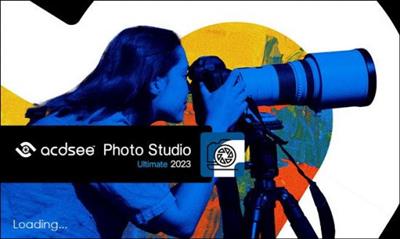
 
ACDSee Photo Studio Ultimate 2023 v16.0.2.3172 (x64)


798ba5ef2874ca419f1cd95a38b7676e.jpeg


File size: 791 MB​

ACDSee Photo Studio Ultimate 2023 is the all-in-one solution for anyone who takes and edits a lot of photos, and wants to keep them organized.

Easily Retouch Faces
There is no one-size-fits-all when it comes to portrait retouching - everyone is unique. That is why Ultimate's new Artificial Intelligence (AI) powered Face Edit analyzes faces and gives you full control over the edits. You can adjust the shape of facial features and much more to enhance your subject's natural beauty. Turn up the drama and push the sliders to the max, or add makeup. Are you retouching the same person on multiple photos? No problem! Save your adjustments as a custom preset and apply it to multiple images at the same time to speed up your workflow.
Simplified Photo Merging
Utilize the Photomerge tools to effortlessly combine multiple images into one. Use the new Panorama Stitching tool to make wide panoramic shots, run High-Dynamic Range (HDR) to produce highly detailed photos, or apply Focus Stack to create an image with unparalleled depth of field.
Select Your Subject, Sky, and More
Photo Studio Ultimate 2023's new AI Actions allow you perform complicated procedures like removing or blurring the background, selecting the subject or the sky, or giving your subject a black and white background with a single click.
Selections, Evolved
With curves like these, what other tool could you need? The Polygon Selection tool has evolved into the Shape Selection tool, giving you more refined selections. You'll be able to perfect curved and cornered selections, making it easier than ever to select and tweak your favorite images.
A Painless Search Pane
Make the challenge of hunting for files a thing of the past with the new Advanced Search feature. Choose from numerous search criteria, including ACDSee Metadata and EXIF & IPTC fields. Built-in logic for AND/OR states let you narrow down results to a microscopic level.
Find Photos Faster
Quick Search's all new search types allow you to quickly perform more complex searches. Select from a variety of search types such as Contains All, Contains Any, or Starts with and Ends with. Look back in your Quick Search history to find a list of all your recent searches, and spend less time waiting with its improved speed.
Layered Editing, Refreshed
With layers, you can easily modify and adjust your images. Place adjustments on different layers, add layer masks, and see changes in real-time by hiding and showing individual layers. Stage changes in a non-destructive way by saving your project as a layered file (.acdc). Get even more out of Edit mode with a whole suite of advanced Artificial Intelligence (AI) features. Make quick work of your editing with the new AI subject and sky detection, or retouch portraits with new AI Face Edit.
Non-Destructive RAW Photo Editing
With Develop mode, non-destructive editing has never been easier. ACDSee's industry-leading Light EQ™, Color and Tone Wheels, Noise Reduction, and local adjustments give you an edge over the competition. Create spectacular new looks in a single click with Develop presets. Choose from the 50+ customizable ACDSee Develop presets or make your own. Learn more about non-destructive parametric editing.

Homepage:
Код:
https://www.acdsee.com/

Download link

rapidgator.net:
У Вас недостаточно прав для просмотра ссылок. Войдите или зарегистрируйтесь.


uploadgig.com:
У Вас недостаточно прав для просмотра ссылок. Войдите или зарегистрируйтесь.


nitroflare.com:
У Вас недостаточно прав для просмотра ссылок. Войдите или зарегистрируйтесь.


1dl.net:
У Вас недостаточно прав для просмотра ссылок. Войдите или зарегистрируйтесь.
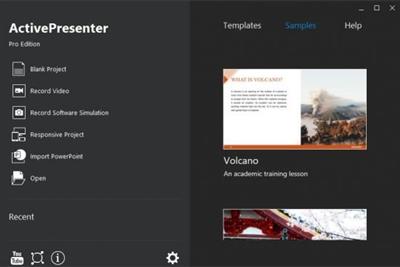
 
ActivePresenter Professional 9.0 (x64) Multilingual Portable


cd7be8df8009ae094d645d8f10d29780.jpeg


File size: 149 MB​

ActivePresenter is a solution for creating screencast videos, handouts, manuals, documentation, and interactive training presentations. With the full-featured editor, ActivePresenter allows you to edit audio/video, tweak the look and feel of content, and define the branched scenarios easily and effectively. Supporting the latest web standard HTML5 and the ability to integrate with Learning Management Systems, the content created with ActivePresenter can be delivered virtually to any devices and platforms.

Quick & Easy
You can even just record the screen and publish to desired output without additional editing thanks to smart capture technology.
Feature-rich
ActivePresenter integrates almost features which are usually used in screencasting making the authoring process become more creative.
Cost effective
Create engaging interactive screencasts, software demos and SCORM-compatible training courses with less time and effort.
Who should use ActivePresenter?
Educators & Students
ActivePresenter can help educators demonstrate and teach the use of software features. Students can record video and audio as they demonstrate the proper procedure to solve a problem on an interactive whiteboard.
Corporate Training Personnels
With SCORM-compliant output, ActivePresenter is suitable for authoring interactive eLearning/eTraining courses which can be easily imported into enterprise training systems. Training personnel can easily track and evaluate learners' performance.
Anyone
It is easy to create screencast videos, presentations, and documents to share on popular video/slide sharing sites such as YouTube, SlideShare, Vimeo.
Release Notes

Homepage:
Код:
https://atomisystems.com/

Download link

rapidgator.net:
У Вас недостаточно прав для просмотра ссылок. Войдите или зарегистрируйтесь.


uploadgig.com:
У Вас недостаточно прав для просмотра ссылок. Войдите или зарегистрируйтесь.


nitroflare.com:
У Вас недостаточно прав для просмотра ссылок. Войдите или зарегистрируйтесь.


1dl.net:
У Вас недостаточно прав для просмотра ссылок. Войдите или зарегистрируйтесь.

 
BarLinks 1.0.8 macOS


784422b6b796bf89e1a9d0235a6a9119.jpeg


File size: 5 MB​

Too many bookmarks saved in your browser can be annoying to find and open. It's a pain to find a bookmark you saved before that's now buried along with 100's of other sites. You don't want to save any more links because it'll make everything more hard to find.

BarLinks let's you store, quickly find and open bookmarks right from your menu bar. It opens any link you save in a new tab using your default browser. You don't have to be using your browser to open bookmarks from BarLinks. It will automatically switch to your browser while you're using any other app on your Mac. Store any extra bookmarks that you wouldn't usually have saved on your browser. Such as a link to the last episode of your favourite show so you can continue where you left off.
or a wishlist of things you want to buy from Amazon.
Features
-You can favorite links and only display them with the click of a button.
-Instantly move any link to the top of a list.
-Set a custom Keyboard shortcut to instantly show BarLinks and quickly open your links .
-Animated theme
- Background themes (Tropical Mix, Strawberry, Tango, Grape)
...And many more features and updates to come for FREE.
Release Notes

Supported Operation Systems
macOS 10.15 or later

Download link

rapidgator.net:
У Вас недостаточно прав для просмотра ссылок. Войдите или зарегистрируйтесь.


uploadgig.com:
У Вас недостаточно прав для просмотра ссылок. Войдите или зарегистрируйтесь.


nitroflare.com:
У Вас недостаточно прав для просмотра ссылок. Войдите или зарегистрируйтесь.


1dl.net:
У Вас недостаточно прав для просмотра ссылок. Войдите или зарегистрируйтесь.

 
BookMacster 3.0.4 macOS


3bdec0f5a7d32c4f007ff15e71df10bf.jpeg


File size: 21 MB​

Organize and manage bookmarks, sync across browsers. BookMacster is a bookmarks manager for your Mac, which plays nicely with iCloud, Sign In to Chrome, and Firefox Sync.

Manage Browser Bookmarks. Add alphabetizing and tagging. Verify, fix dupes, consolidate.
Cross-Browser Syncing. Sync bookmarks of Safari Firefox, Chrome, and more among all your devices.
Directly. Keep your bookmarks in one central store, accessible within web browsers.
Features
- Compatible with iCloud's Safari syncing, Google Chrome's Sign In, and Firefox Sync. Bookmarks added to Safari from BookMacster on your Mac will sync via iCloud to Safari on iOS devices.
- Import/export with Firefox, Chrome, Safari, Opera, Vivaldi, iCab, Roccat, Pinboard, Diigo, and OmniWeb.
- Easily organize with tags, hierarchy, or both.
- Verifies bookmarks, fixes redirects, duplicates, can upgrade insecure bookmarks and remove URL cruft.
- Sort (alphabetize) automatically when bookmarks are changed. You control which folders you want to be sorted or not sorted, how to sort them.
- Supports multiple user profiles in Firefox and Google Chrome.
- Scriptable to collect new bookmarks from NetNewsWire or similar apps.
Release Notes
Release notes were unavailable when this listing was updated.

Supported Operation Systems
macOS 11.0 or later

Download link

rapidgator.net:
У Вас недостаточно прав для просмотра ссылок. Войдите или зарегистрируйтесь.


uploadgig.com:
У Вас недостаточно прав для просмотра ссылок. Войдите или зарегистрируйтесь.


nitroflare.com:
У Вас недостаточно прав для просмотра ссылок. Войдите или зарегистрируйтесь.


1dl.net:
У Вас недостаточно прав для просмотра ссылок. Войдите или зарегистрируйтесь.
 
BurnAware Professional 15.9 Multilingual


feb8d3934bf7cc581487af49806f4171.jpeg


Windows x64 | File size: 95.93 MB​

BurnAware is a full-featured burning software to create CD, DVD and Blu-ray discs of all types. Home users can easily burn bootable discs, multisession discs, high-quality audio CDs and video DVDs, make, copy and burn disc images.

Power users will benefit from BurnAware's advanced options, including control of boot settings, UDF partition and versions, ISO levels and restrictions, session selection, CD text for tracks and discs, data recovering, disc spanning and direct copying.
Support of a wide range of optical disc data storage, including CD, DVD, Blu-ray discs, Double Layer discs, rewritable and extra large capacity Blu-ray media.
BurnAware covers all daily burning tasks such as data disc burning, data backup, disc verification, image creation, copying, erasing, data recovery, audio track extraction.
One of the most noticeable feature is an user interface - clean, effective, easy-to-use and multilingual. Another great benefits are low CPU usage while burning and very stable burning process.
Besides standard options, BurnAware offers many advanced options such as BOOT settings, UDF partition and versions, ISO levels and restrictions, session selection, CD-Text for track and disc, byte by byte verification, direct copying, disc spanning and many more.
BurnAware Features
• Burn your files to CD, DVD or Blu-ray Discs
• Append or update Multisession discs
• Create Bootable CD or DVD
• Copy disc to ISO image
• Create Audio CDs and MP3 discs
• Create DVD-Video and BDMV discs
• Make standard or boot disc images
• Copy CD, DVD or Blu-ray Discs
• Erase or format rewritable disc
• Burn data across multiple discs (disc spanning)
• Extract files from multisession or corrupted discs
• Write ISO to multiple recorders simultaneously
BurnAware Additional Features
• Burns data across multiple CDs, DVDs, Blu-ray discs
• Creates and burns standard / bootable Data CDs, DVDs, Blu-ray
• Burns ISO Image to multiple drives simultaneously
• Creates and burns Audio CDs, MP3 Discs, DVD-Videos, BDMV / AVCHD
• Creates standard / bootable ISO Images, burns various Disc Images
• Copies standard / multimedia CDs, DVDs, Blu-ray to Disc Images
• Erases rewritable Discs, verifies Discs, displays Disc / Drive details
• Copies from Disc to Disc, direct CD, DVD, Blu-ray copying
• Extracts audio tracks in various formats from Audio CDs
• Recovers files from unreadable Discs and separate sessions
• Usage in commercial organizations or with commercial purposes

Work under Windows Vista, 7, 8, 10, 11 (64 bit)

Homepage:
Код:
https://www.burnaware.com/

Download link

rapidgator.net:
У Вас недостаточно прав для просмотра ссылок. Войдите или зарегистрируйтесь.


uploadgig.com:
У Вас недостаточно прав для просмотра ссылок. Войдите или зарегистрируйтесь.


nitroflare.com:
У Вас недостаточно прав для просмотра ссылок. Войдите или зарегистрируйтесь.


1dl.net:
У Вас недостаточно прав для просмотра ссылок. Войдите или зарегистрируйтесь.

 
Camera Bits Photo Mechanic 6.0 Build 6552 (x64)


2efc9a25ba8daf6320bf38235ca99e54.jpeg


File size: 299.5 MB​

Photo Mechanic's super fast browsing enables you to quickly Ingest, Edit and Export, taking the work out of your workflow. Its powerful batch processing, full support for image variables, IPTC and Exif metadata, make it the perfect tool for any digital photographer.

Copy your images off of your memory cards and start working right away.
Ingest is the process of copying files from a memory card to your hard drive. Photo Mechanic supercharges this step by automating other tasks at the same time, making your life much easier.
Start Editing Immediately
Don't wait around. See the thumbnails of your images while they're being copied from your memory card. Cull, rate, and tag them as you go. Photo Mechanic is fast!
Browse Files Faster
Go from image to image quickly - faster than ever before in Photo Mechanic 6. Find your keepers and bring only the files you want to keep into your post-processing workflow.
Multi-Card Ingest
Save time by copying images off several memory cards at the same time when you have multiple card readers.
Add Metadata During Ingest
Save a step by adding copyright and credit information during the copying process.
Edit your photos in Photo Mechanic in a flash!
View all of your images, identify your keepers, tag your alternates, and add crucial metadata and never slow down. Photo Mechanic helps you do it fast!
Editing your photos can be a lot of work. Photo Mechanic makes the process of selecting, organizing and adding metadata to your images so much easier. Here are some of the key features that help you get things done more quickly and accurately.
Contact Sheet
The Contact Sheet is the heart of your workflow. See your image thumbnails, edit and organize quickly and efficiently. Photo Mechanic puts you in control.
View Photos At Full Size
Zoom up to 800% to check for critical sharpness. Quickly toggle between viewing the JPEG preview or the Raw file.
Keywords
Sometimes you need more than one keyword to describe (and find) an image. Photo Mechanic helps you add keywords in many ways. Structured Keyword lists allow you to add related keywords fast.
Variables
Automatically add EXIF camera data to your images like focal length, serial number, or ISO to metadata fields like captions or keywords.
Batch Editing
Work faster when you copy, delete, tag, watermark, rename, resize, and add IPTC metadata to lots of photos at once.
Move, Copy, & Rename
Add capture time to filenames. Create dated folders on the fly. Copy files to multiple destinations at once. Photo Mechanic's file-management tools are incredibly powerful.
Code Replacements
Save time typing long complex text with Code Replacements. A few keystrokes can add entire sentences to your captions.
GPS Coordinates
Geotag your photos by easily applying your saved GPS tracking logs to your photos with Photo Mechanic. Now, in Photo Mechanic 6: Use GPS data to automatically add city, state and country names to your metadata!
Adjust Capture Dates And Times
Take photos from multiple cameras and get them synchronized to the correct date and time. This is great for wedding photographers with second shooters.
Pick The Best Of The Bunch
View and compare images side by side, horizontally or vertically. Spot differences between images that are too subtle to see when viewing one at a time, or simply pick between two top choices.

Homepage:
Код:
https://www.camerabits.com/

Download link

rapidgator.net:
У Вас недостаточно прав для просмотра ссылок. Войдите или зарегистрируйтесь.


uploadgig.com:
У Вас недостаточно прав для просмотра ссылок. Войдите или зарегистрируйтесь.


nitroflare.com:
У Вас недостаточно прав для просмотра ссылок. Войдите или зарегистрируйтесь.


1dl.net:
У Вас недостаточно прав для просмотра ссылок. Войдите или зарегистрируйтесь.
 
Dropbox 158.4.4564


98ba3693c1796ba6d1e7b26622a5b301.jpeg


File Size : 166 Mb​

Dropbox is a free service that lets you bring all your videos, photos and docs anywhere and share them easily. This means that any file you save to your Dropbox will automatically save to all your computers, phones and even the Dropbox website. The program also makes it super easy to share with others, whether you're a student or professional, parent or grandparent. Even if you accidentally spill a latte on your laptop, have no fear! You can relax knowing that Dropbox always has you covered, and none of your stuff will ever be lost. The application works just like any other folder on your computer, but with a few differences. Any files or folders inside Dropbox will get synchronized to Dropbox's servers and any other computer linked to your account.

Features
Synchronization
Once installed, any file you drop into your Dropbox folder will synchronize and be available on any other computer you've installed Dropbox on, as well as from the web. Also, any changes you make to files in your Dropbox will sync to your other computers, instantly.
Backup
Let's say you accidentally delete that 8 page report that you were supposed to have for a meeting tomorrow. A handy Dropbox feature is the ability to undelete files or pull up any previous versions of it.
Sharing
You can also share files and folders with whomever you choose, whether it be music with buddies, docs with colleagues or photos with grandma, even if they're not Dropbox users.
Speed
We obsess over speed, and it shows. Dropbox is very smart about the way it handles files. For example, if you make a change to a huge file, dropbox will only update the piece of the file that changed.
Security
All files are transported over SSL and encrypted using AES-256 (banks use this too)

Download link

rapidgator.net:
У Вас недостаточно прав для просмотра ссылок. Войдите или зарегистрируйтесь.


uploadgig.com:
У Вас недостаточно прав для просмотра ссылок. Войдите или зарегистрируйтесь.


nitroflare.com:
У Вас недостаточно прав для просмотра ссылок. Войдите или зарегистрируйтесь.


1dl.net:
У Вас недостаточно прав для просмотра ссылок. Войдите или зарегистрируйтесь.
 
dslrBooth Professional 6.42.0927.1 (x64) Multilingual


f926922fdf93c32cf689daa1bf68a029.jpeg


File size: 135.6 MB​

Your Own Photo Booth - Running a photo booth shouldn't be complicated or expensive. Run dslrBooth photo booth software on your pc or mac, hook up your Canon, Nikon, Sony dslr, or Webcam and you have a professional photo booth.

User-friendly interface
After you install it on your computer and launch it, the utility requires you to connect your supported camera via USB cable. Also, you need to make sure that the device is set to PTP mode, otherwise, the application cannot provide you with the expected feedback.
Its design is smooth, user-friendly and does not feature hidden menus, buttons or sections whatsoever, making it accessible to numerous users. Unfortunately, no form of local help documentation is provided to you, thus relying on a user guide in case you get stuck is not a viable option.
Manage and process your images
dslrBooth can prove to be an efficient tool if you are looking for a quick way to organize your photo content and process it without great difficulty.
It is possible that you can organize your images, select the desired content and process it in various ways by using this program's built-in tools. For instance, you can use a template manager that enables you to create your own templates, while also providing you with a selection of presets.
More so, the Green Screen function enables you to replace a blue or green background on your pictures with any custom image you want, in a hassle-free manner.
Print or share your photos
Additionally, you can create albums if you want to organize your content in a more efficient manner, print the desired items easily and also share them on various social networks.
The Printing section on the Settings window enables you to toggle automatic printing, automatic rotation and set the maximum amount of prints per session or per event. Furthermore, your photos can be shared through email, Facebook, Twitter, SMS or QR Code, thus providing you with a broad range of capabilities.
Reliable photo booth utility for your DSLR camera
To sum it up, dslrBooth is a handy application that can help you simplify your work as a photographer by offering you a vast selection of relevant tools. You can manage, edit, process, print or share your photos effortlessly, by making use of its intuitive functions. It features a clean, user-friendly layout, multiple adjustable parameters, but, unfortunately, no local help manual is provided to you.
Whats New
Updates: official site does not provide any info about changes in this version.

Homepage:
Код:
https://www.dslrbooth.com

Download link

rapidgator.net:
У Вас недостаточно прав для просмотра ссылок. Войдите или зарегистрируйтесь.


uploadgig.com:
У Вас недостаточно прав для просмотра ссылок. Войдите или зарегистрируйтесь.


nitroflare.com:
У Вас недостаточно прав для просмотра ссылок. Войдите или зарегистрируйтесь.


1dl.net:
У Вас недостаточно прав для просмотра ссылок. Войдите или зарегистрируйтесь.

 
FastScripts 3.2.2 macOS


18c0443b288654548c5cab5162992172.jpeg


File size: 8 MB​

FastScripts is a utility for quickly and elegantly executing AppleScript and shell scripts from within any application. FastScripts is a super-charged replacement for the Apple "Script Menu" menu extra. In addition to the functionality provided by Apple's Script Menu utility, FastScripts offers a number of compelling improvements:

- User-definable keyboard shortcuts for any scripts in the menu
- "SmartSwitching" avoids unnecessary context switches
- Elegant Application-Specific scripts support
- Convenient shortcuts for editing and revealing scripts
Fast!
Release Notes
FastScripts 3.2.1
Fix a bug that caused script task references from "run" commands to sometimes become invalid
FastScripts 3.2
New settings for custom Script Collections allows for arbitrary script folder locations
Built-in script running command now supports specifying script parameters and awaiting a result
Shortuts integration: new "Display Message" action for heads-up display messages
Identically named scripts are now differentiated in search results by showing their containing folder name
Fixed a bug that could caused the wrong color to appear in the menu bar color preference
Fixed a bug that in rare cases prevented changed keyboard shortcuts from showing as expected in the menu
Improved reliability of keyboard shortcuts staying set when scripts are moved
Changed name of "Preferences" to Settings" if running on macOS 13 or greater

Supported Operation Systems
macOS 10.14.6 or later

Download link

rapidgator.net:
У Вас недостаточно прав для просмотра ссылок. Войдите или зарегистрируйтесь.


uploadgig.com:
У Вас недостаточно прав для просмотра ссылок. Войдите или зарегистрируйтесь.


nitroflare.com:
У Вас недостаточно прав для просмотра ссылок. Войдите или зарегистрируйтесь.


1dl.net:
У Вас недостаточно прав для просмотра ссылок. Войдите или зарегистрируйтесь.

 
Google Chrome 106.0.5249.62 Multilingual


a2f8f3e2e2a6f67b469a766a4d610766.jpeg


File Size : 172 Mb​

Google Chrome is a fast and easy to use web browser that combines a minimal design with sophisticated technology to make the web safer. It has one box for everything: Type in the address bar and get suggestions for both search and web pages. Will give you thumbnails of your top sites; Access your favorite pages instantly with lightning speed from any new tab. Google Chrome is an open source web browser developed by Google. Design goals include stability, speed, security and a clean, simple and efficient user interface.

Its software architecture was engineered from scratch (using components from other open source software including WebKit and Mozilla Firefox) to cater for the changing needs of users and acknowledging that today most web sites aren't web pages but web applications.
Sandboxing. Every tab in Google Chrome is sandboxed, so that a tab can display contents of a web page and accept user input, but it will not be able to read the user's desktop or personal files.
Google say they have "taken the existing process boundary and made it into a jail". There is an exception to this rule; browser plugins such as Adobe Flash Player do not run within the boundaries of the tab jail, and so users will still be vulnerable to cross-browser exploits based on plugins, until plugins have been updated to work with the new Chrome security. Google has also developed a new phishing blacklist, which will be built into Chrome, as well as made available via a separate public API.
Privacy. Google announces a so-called incognito mode claiming that it "lets you browse the web in complete privacy because it doesn't record any of your activity". No features of this, and no implications of the default mode with respect to Google's database are given.
Speed. Speed improvements are a primary design goal.
Stability
Multiprocessing.
The Gears team were considering a multithreaded browser (noting that a problem with existing web browser implementations was that they are inherently single-threaded) and Chrome implemented this concept with a multiprocessing architecture. A separate process is allocated to each task (eg tabs, plugins), as is the case with modern operating systems. This prevents tasks from interfering with each other which is good for both security and stability; an attacker successfully gaining access to one application does not give them access to all and failure in one application results in a "Sad Tab" screen of death. This strategy exacts a fixed per-process cost up front but results in less memory bloat overall as fragmentation is confined to each process and no longer results in further memory allocations. To complement this, Google Chrome will also feature a process manager which will allow the user to see how much memory and CPU each tab is using, as well as kill unresponsive tabs.
User interface
Features. Google Chrome has added some commonly used plugin-specific features of other browsers into the default package, such as an Incognito tab mode, where no logs of the user activity are stored, and all cookies from the session are discarded. As a part of Chrome's javascript virtual machine, pop-up javascript windows will not be shown by default, and will instead appear as a small bar at the bottom of the interface until the user wishes to display or hide the window. Google Chrome will include support for web applications running alongside other local applications on the computer. Tabs can be put in a web-app mode, where the omnibar and controls will be hidden with the goal of allowing the user to use the web-app without the browser "in the way".
Rendering Engine. Google Chrome uses the WebKit rendering engine on advice from the Gears team because it is simple, memory efficient, useful on embedded devices and easy to learn for new developers.
Tabs. While all of the major tabbed web browsers (e.g. Internet Explorer, Firefox) have been designed with the window as the primary container, Chrome will put tabs first (similar to Opera). The most immediate way this will show is in the user interface: tabs will be at the top of the window, instead of below the controls, as in the other major tabbed browsers. In Chrome, each tab will be an individual process, and each will have its own browser controls and address bar (dubbed omnibox), a design that adds stability to the browser. If one tab fails only one process dies; the browser can still be used as normal with the exception of the dead tab. Chrome will also implement a New Tab Page which shows the nine most visited pages in thumbnails, along with the most searched on sites, most recently bookmarked sites, and most recently closed tabs, upon opening a new tab, similar to Opera's "Speed Dial" page.

Homepage:
Код:
http://www.google.com/chrome

Download link

rapidgator.net:
У Вас недостаточно прав для просмотра ссылок. Войдите или зарегистрируйтесь.


uploadgig.com:
У Вас недостаточно прав для просмотра ссылок. Войдите или зарегистрируйтесь.


nitroflare.com:
У Вас недостаточно прав для просмотра ссылок. Войдите или зарегистрируйтесь.


1dl.net:
У Вас недостаточно прав для просмотра ссылок. Войдите или зарегистрируйтесь.

 
IconJar 2.11.2 macOS


5f637442718f2de2286e096bd8c8ba3c.jpeg


File size: 9 MB​

Designed to make the life of app developers and designers a little bit easier, IconJar is a lightweight and user-friendly icon organizer for your Mac.

In a few words, IconJar makes it as easy as possible for you to store large collections of icons under one roof and organize them efficiently, so they will always be within arm's reach when you need them.
Everything feels natural and looks top notch thanks to a responsive and native macOS interface, with a Set panel on the left side, a tag panel on the right side, and a search bar on the upper right part of the main window.
Also noteworthy is the fact that IconJar enables you to customize the size of your icons and to view only Bitmap or only Vector types.
The IconJar app enables you to create sets of icons or add icons to already existing sets, and to import sets of icons SVG, PNG, and GIF formats. Not only this but the app can also help you organize your icons with the help of its tagging system.
Release Notes
Release notes were unavailable when this listing was updated.

Supported Operation Systems
macOS 10.14 or later

Download link

rapidgator.net:
У Вас недостаточно прав для просмотра ссылок. Войдите или зарегистрируйтесь.


uploadgig.com:
У Вас недостаточно прав для просмотра ссылок. Войдите или зарегистрируйтесь.


nitroflare.com:
У Вас недостаточно прав для просмотра ссылок. Войдите или зарегистрируйтесь.


1dl.net:
У Вас недостаточно прав для просмотра ссылок. Войдите или зарегистрируйтесь.
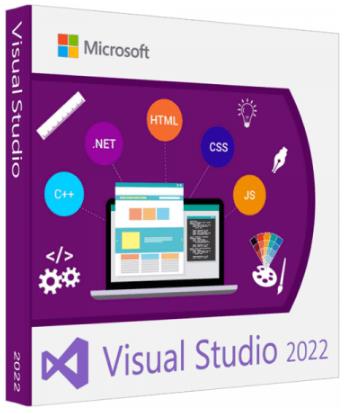
 
Microsoft Visual Studio 2022 Enterprise v17.3.5 Multilingual


f075203bd32f93e82e229cb4898682b6.jpeg


File Size: 36.5 GB​

Visual Studio 2022 is the best Visual Studio ever. Our first 64-bit IDE makes it easier to work with even bigger projects and more complex workloads. The stuff you do every day-like typing code and switching branches-feels more fluid more responsive. And out-of-memory errors? They're about to be a distant memory.

Productive
Scale to work on projects of any size and complexity with a 64-bit IDE. Code with a new Razor editor that can refactor across files. Diagnose issues with visualizations for async operations and automatic analyzers.
Modern
Develop cross-platform mobile and desktop apps with .NET MAUI. Build responsive Web UIs in C# with Blazor. Build, debug, and test .NET and C++ apps in Linux environments. Use hot reload capabilities across .NET and C++ apps. Edit running ASP.NET pages in the web designer view.
Innovative
AI-powered code completions. Work together in real-time with shared coding sessions. Clone repos, navigate work items, and stage individual lines for commits. Automatically set up CI/CD workflows that can deploy to Azure.
Type less, code more
IntelliCode is a powerful set of automatic code completion tools that understand your code context: variable names, functions, and the type of code you're writing. This makes IntelliCode able to complete up to a whole line at once, helping you code more accurately and confidently.
Deep insights into your code
CodeLens helps you easily find important insights, like what changes have been made, what those changes did, and whether you've run unit testing on your method. Essential information-like references, authors, tests, and commit history-is right there to guide you toward the best and most informed decisions about your work.
Share more than screens
Live Share's real-time collaboration sessions speed up your team's edit and debugging cycles, no matter the language or platform. Personalized sessions with access controls and custom editor settings make sure everyone stays code-consistent.
Stop problems before they're problems
Integrated debugging is a core part of every Visual Studio product. You can step through your code and look at the values stored in variables, set watches on variables to see when values change, examine the execution path of your code, and just about anything else you need to check out under the hood.
Instant impact
Analyze how much code you're testing and see instant results in a test suite that's been optimized for efficiency. Know the impact of every change you make with advanced features that test code as you type. With WSL integration, you can test on both Windows and Linux to make sure your app runs everywhere.
Azure deployment
Deploying to the cloud gets even easier. We supply all the templates you'll need for common application types and local emulators. And you can stay right in Visual Studio to provision dependencies, like Azure SQL databases and Azure Storage accounts. You can even diagnose any issues quickly with the remote debugger attached directly to your application.
Integrated version control
Visual Studio 2022 has built-in support for Git version control to clone, create, and open your own repositories. The Git tool window has everything you need for committing and pushing changes to code, managing branches, and resolving merge conflicts. If you have a GitHub account, you can manage those repos directly within Visual Studio.

Homepage:
Код:
https://microsoft.com

Download link

rapidgator.net:
У Вас недостаточно прав для просмотра ссылок. Войдите или зарегистрируйтесь.

У Вас недостаточно прав для просмотра ссылок. Войдите или зарегистрируйтесь.

У Вас недостаточно прав для просмотра ссылок. Войдите или зарегистрируйтесь.

У Вас недостаточно прав для просмотра ссылок. Войдите или зарегистрируйтесь.

У Вас недостаточно прав для просмотра ссылок. Войдите или зарегистрируйтесь.

У Вас недостаточно прав для просмотра ссылок. Войдите или зарегистрируйтесь.

У Вас недостаточно прав для просмотра ссылок. Войдите или зарегистрируйтесь.

У Вас недостаточно прав для просмотра ссылок. Войдите или зарегистрируйтесь.

У Вас недостаточно прав для просмотра ссылок. Войдите или зарегистрируйтесь.

У Вас недостаточно прав для просмотра ссылок. Войдите или зарегистрируйтесь.

У Вас недостаточно прав для просмотра ссылок. Войдите или зарегистрируйтесь.

У Вас недостаточно прав для просмотра ссылок. Войдите или зарегистрируйтесь.

У Вас недостаточно прав для просмотра ссылок. Войдите или зарегистрируйтесь.

У Вас недостаточно прав для просмотра ссылок. Войдите или зарегистрируйтесь.

У Вас недостаточно прав для просмотра ссылок. Войдите или зарегистрируйтесь.

У Вас недостаточно прав для просмотра ссылок. Войдите или зарегистрируйтесь.

У Вас недостаточно прав для просмотра ссылок. Войдите или зарегистрируйтесь.

У Вас недостаточно прав для просмотра ссылок. Войдите или зарегистрируйтесь.

У Вас недостаточно прав для просмотра ссылок. Войдите или зарегистрируйтесь.


uploadgig.com:
У Вас недостаточно прав для просмотра ссылок. Войдите или зарегистрируйтесь.

У Вас недостаточно прав для просмотра ссылок. Войдите или зарегистрируйтесь.

У Вас недостаточно прав для просмотра ссылок. Войдите или зарегистрируйтесь.

У Вас недостаточно прав для просмотра ссылок. Войдите или зарегистрируйтесь.

У Вас недостаточно прав для просмотра ссылок. Войдите или зарегистрируйтесь.

У Вас недостаточно прав для просмотра ссылок. Войдите или зарегистрируйтесь.

У Вас недостаточно прав для просмотра ссылок. Войдите или зарегистрируйтесь.

У Вас недостаточно прав для просмотра ссылок. Войдите или зарегистрируйтесь.

У Вас недостаточно прав для просмотра ссылок. Войдите или зарегистрируйтесь.

У Вас недостаточно прав для просмотра ссылок. Войдите или зарегистрируйтесь.

У Вас недостаточно прав для просмотра ссылок. Войдите или зарегистрируйтесь.

У Вас недостаточно прав для просмотра ссылок. Войдите или зарегистрируйтесь.

У Вас недостаточно прав для просмотра ссылок. Войдите или зарегистрируйтесь.

У Вас недостаточно прав для просмотра ссылок. Войдите или зарегистрируйтесь.

У Вас недостаточно прав для просмотра ссылок. Войдите или зарегистрируйтесь.

У Вас недостаточно прав для просмотра ссылок. Войдите или зарегистрируйтесь.

У Вас недостаточно прав для просмотра ссылок. Войдите или зарегистрируйтесь.

У Вас недостаточно прав для просмотра ссылок. Войдите или зарегистрируйтесь.

У Вас недостаточно прав для просмотра ссылок. Войдите или зарегистрируйтесь.


nitroflare.com:
У Вас недостаточно прав для просмотра ссылок. Войдите или зарегистрируйтесь.

У Вас недостаточно прав для просмотра ссылок. Войдите или зарегистрируйтесь.

У Вас недостаточно прав для просмотра ссылок. Войдите или зарегистрируйтесь.

У Вас недостаточно прав для просмотра ссылок. Войдите или зарегистрируйтесь.

У Вас недостаточно прав для просмотра ссылок. Войдите или зарегистрируйтесь.

У Вас недостаточно прав для просмотра ссылок. Войдите или зарегистрируйтесь.

У Вас недостаточно прав для просмотра ссылок. Войдите или зарегистрируйтесь.

У Вас недостаточно прав для просмотра ссылок. Войдите или зарегистрируйтесь.

У Вас недостаточно прав для просмотра ссылок. Войдите или зарегистрируйтесь.

У Вас недостаточно прав для просмотра ссылок. Войдите или зарегистрируйтесь.

У Вас недостаточно прав для просмотра ссылок. Войдите или зарегистрируйтесь.

У Вас недостаточно прав для просмотра ссылок. Войдите или зарегистрируйтесь.

У Вас недостаточно прав для просмотра ссылок. Войдите или зарегистрируйтесь.

У Вас недостаточно прав для просмотра ссылок. Войдите или зарегистрируйтесь.

У Вас недостаточно прав для просмотра ссылок. Войдите или зарегистрируйтесь.

У Вас недостаточно прав для просмотра ссылок. Войдите или зарегистрируйтесь.

У Вас недостаточно прав для просмотра ссылок. Войдите или зарегистрируйтесь.

У Вас недостаточно прав для просмотра ссылок. Войдите или зарегистрируйтесь.

У Вас недостаточно прав для просмотра ссылок. Войдите или зарегистрируйтесь.


1dl.net:
У Вас недостаточно прав для просмотра ссылок. Войдите или зарегистрируйтесь.

У Вас недостаточно прав для просмотра ссылок. Войдите или зарегистрируйтесь.

У Вас недостаточно прав для просмотра ссылок. Войдите или зарегистрируйтесь.

У Вас недостаточно прав для просмотра ссылок. Войдите или зарегистрируйтесь.

У Вас недостаточно прав для просмотра ссылок. Войдите или зарегистрируйтесь.

У Вас недостаточно прав для просмотра ссылок. Войдите или зарегистрируйтесь.

У Вас недостаточно прав для просмотра ссылок. Войдите или зарегистрируйтесь.

У Вас недостаточно прав для просмотра ссылок. Войдите или зарегистрируйтесь.

У Вас недостаточно прав для просмотра ссылок. Войдите или зарегистрируйтесь.

У Вас недостаточно прав для просмотра ссылок. Войдите или зарегистрируйтесь.

У Вас недостаточно прав для просмотра ссылок. Войдите или зарегистрируйтесь.

У Вас недостаточно прав для просмотра ссылок. Войдите или зарегистрируйтесь.

У Вас недостаточно прав для просмотра ссылок. Войдите или зарегистрируйтесь.

У Вас недостаточно прав для просмотра ссылок. Войдите или зарегистрируйтесь.

У Вас недостаточно прав для просмотра ссылок. Войдите или зарегистрируйтесь.

У Вас недостаточно прав для просмотра ссылок. Войдите или зарегистрируйтесь.

У Вас недостаточно прав для просмотра ссылок. Войдите или зарегистрируйтесь.

У Вас недостаточно прав для просмотра ссылок. Войдите или зарегистрируйтесь.

У Вас недостаточно прав для просмотра ссылок. Войдите или зарегистрируйтесь.
 
NCH Switch Plus 10.43 macOS


c626bc52290de26c4187e2332918d204.jpeg


File size: 4.63 MB

Switch is one of the most stable, easy-to-use, and comprehensive multi format audio file converters available.​

→ Universal audio converter supports all popular formats
→ Convert or compress sound files in seconds
→ Batch audio converter to convert many files at once
→ Extract audio from any media file including video
Switch Audio Converter Features
• Convert between 75+ audio file formats
• Music tags preserved for supporting formats (e.g., MP3, WAV, WMA, FLAC and OGG)
• Import and convert a playlist (M3U and PLS)
• Extract audio from DVDs and video files (e.g., AVI, MOV, MPEG)
• Access online database to add song information
• Listen to tracks prior to conversion
• Batch convert many audio files at once
• Convert from multiple file formats at one time
• Use your right click menu to convert audio files directly from Finder
• Automatically normalize audio while converting
• MP3 encoder for constant or variable bit rates
• WAV encoder and FLAC converter supports a range of sample rates
• Use as a command line plugin for automation with software to convert or compress audio files
• Equalize audio as you convert files
• Apply click/pop reduction and noise reduction to converted audio
• Upload converted audio directly to YouTube, Google Drive, OneDrive and Dropbox
• Edit ID3 metadata tags
• Convert audio files in a couple of clicks
• Update metadata of audio files
Switch Top Features:
→Convert Audio Formats
Supports converting between all popular audio file formats.
→Add Audio Effects
Reduce noise, equalize audio, amplify volume and more.
→Audio Preview
Preview your new audio file to check effects and settings.
→Metadata
Automatically apply metadata to converted files.
→Direct CD and DVD Converter
Easily convert audio CDs and video DVDs to audio files with just a few clicks.
→Supports Batch Conversion
Convert or compress a large number of audio files at once.
Supported Audio File Formats
• WAV, MP3, WMA, M4A, OGG, AVI, from MID, FLAC, MOV, AMR, AAC, AU, AIF, RAW, DVF, VOX, CDA, GSM, DSS, WMV
Audio Converter Power Features
• Extract audio from DVD
• Convert music from MIDI to MP3, WAV, etc.
• Normalize audio levels
• Batch convert thousands of files
Typical Audio Converter Applications
• Convert audio files for your iPod, phone or tablet
• Compress audio files to save hard drive space
• Convert to MP3 or M4R for use as a ringtone
• Convert audio files not supported by other software
• Extract sound bites from video files or DVDs
• Open formats not supported by your sound editor
• Create compressed MP3 files for easy online sharing
• Convert audio files to M4B to create audiobooks
Convert Between All Key Audio Formats
Use one of the best audio file converters on the market for lightning fast, quality conversions.
Convert from
.3GP, .AAC, .ACT, .RCD, .RED, .AIF, .AIFF, .AIFC, .AMR, .APE, .AUP, .AU, .ASF, .AVI, .CAF, .CDA, .DART, .DCT, .DS2, .DSS, .DVF, .FLAC, .FLV, .GSM, .M3U, .M4A, .M4R, .MID, .MOD, .MOH, .MOV, .MP2, .MP3, .MPC, .MPGA, .MPG. .MPEG, .MSV, .OGG, .OPUS, .PLS, .QCP, .RA, .RAR, .REC, .RSS, .SHN, .SPX, .VOC, .VOX, .WAV, .WMA, .WMV, .WPL, .WV
Convert to:.AAC, .AIF, .AIFF, .AIFC, .AMR, .AU, .CAF, .FLAC, .GSM, .M3U, .M4A, .M4R, .MOV, .MP3, .MPC, .OGG, .OPUS, .PLS, .RAW, .RSS, .SPX, .VOX, .WAV, .WMA, .WPL

Supported Operation System
• OS X 10.7 or later
• Intel Core processor

Homepage:
Код:
http://www.nch.com.au/switch/index.html

Download link

rapidgator.net:
У Вас недостаточно прав для просмотра ссылок. Войдите или зарегистрируйтесь.


uploadgig.com:
У Вас недостаточно прав для просмотра ссылок. Войдите или зарегистрируйтесь.


nitroflare.com:
У Вас недостаточно прав для просмотра ссылок. Войдите или зарегистрируйтесь.


1dl.net:
У Вас недостаточно прав для просмотра ссылок. Войдите или зарегистрируйтесь.
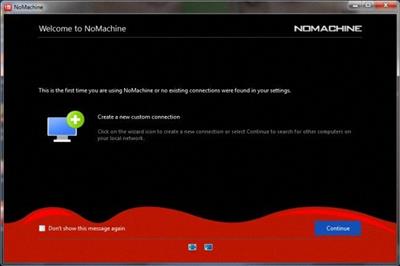
 
NoMachine 8.1.2


9507dc4930d822b28ddfd419cbfc761b.jpeg


File Size : 109 Mb​

NoMachine is an incredibly fast easy-to-use remote desktop allowing you quick access to any computer in the world. Travel from your desktop to any NoMachine-enabled computer at the speed of light. NoMachine is the fastest remote desktop you have ever tried. In just a few clicks you can reach any computer in the world and start working on it as if it was right in front of you. NoMachine can turn your computer into your personal cloud. Take what's important where you go, whether it's at home or at the office. Wherever your desktop and your data is, you can reach it from the other side of the world in a few simple clicks.

NoMachine Features
Your own personal server
Private and secure
Access any time, anywhere
Share with who you want

Homepage:
Код:
https://www.nomachine.com/

Download link

rapidgator.net:
У Вас недостаточно прав для просмотра ссылок. Войдите или зарегистрируйтесь.

uploadgig.com:
У Вас недостаточно прав для просмотра ссылок. Войдите или зарегистрируйтесь.


nitroflare.com:
У Вас недостаточно прав для просмотра ссылок. Войдите или зарегистрируйтесь.


1dl.net:
У Вас недостаточно прав для просмотра ссылок. Войдите или зарегистрируйтесь.
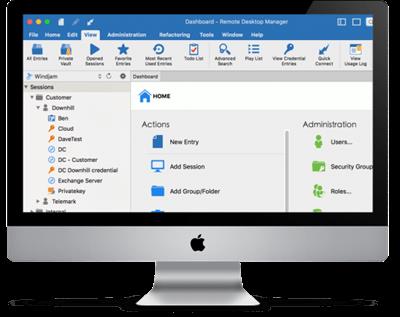
 
Photo Mechanic Plus 6.0 Build 6552 (x64)


5c9ab38e1ab3e4a2f06b25f9e070e026.jpeg


File size: 303.1 MB​

Photo Mechanic Plus includes all the speed and features that are in Photo Mechanic with the premium addition of a powerful image database. All the functions and features of Photo Mechanic are just as you've always used them, with the new feature of catalogs for indexing every photo you've ever taken.

Scroll A Million Photos Without A Pause
Photo Mechanic Plus takes performance to a new level. Browse a million photos without stopping.
Powerful Search Box
Search gives you the power of simple or complex searches to find what you're looking for across multiple drives
Saved Searches
Craft exact advanced searches and then save them to always be able to find exactly what you need
Filters
Browse by date, camera, lens, rating, color class . anything you need!
Multiple Catalogs
Use, search, or browse multiple catalogs at once. Keep yourself organized among several projects or search through everything!
Collections
Use collections to combine images from multiple folders or drives into cohesive units to keep yourself organized or present to clients.
Whats New
• Fixed: Browsing keywords that contain a quotation mark fail to produce results.
• Fixed: Anchored substring searches (start ^) not working correctly.
• Fixed: Image containing keyword starting, containing, or ending with backslash \ character not returnable in Filter or Browse tab.
• Fixed: Country Code and ISO Country Code fields no longer save variables when Metadata Template is closed and reopened.
• Added: Pagination to upload templates.
• Added: Variable {kelvin} returns Kelvin temperature in AWB (certain Nikon cameras).
• Added: Handle EXIF data with type 13 (TIFF_IFD_TYPE).
• Fixed: Box.com uploader fails to verify authentication code.
• Fixed: "Save Photos As" window always loads 'Use embedded JPEG' for "When using RAW" option from snapshot.
• Fixed: Default values for Caching and Render Cache Preferences should match suggestions.
• Fixed: Uploaders save a copy of the photos regardless of whether or not the transmission was successful.
• Fixed: Metadata update corrupts some TIFF files.
• Fixed: Retouchup uploader does not connect.
• Fixed: Contact sheets do not start at the top when replacing an existing contact sheet.
• Fixed: Print Settings - Contact Sheet: portions of labels not appearing.

Homepage:
Код:
https://home.camerabits.com/tour-photo-mechanic-plus/

Download link

rapidgator.net:
У Вас недостаточно прав для просмотра ссылок. Войдите или зарегистрируйтесь.


uploadgig.com:
У Вас недостаточно прав для просмотра ссылок. Войдите или зарегистрируйтесь.


nitroflare.com:
У Вас недостаточно прав для просмотра ссылок. Войдите или зарегистрируйтесь.


1dl.net:
У Вас недостаточно прав для просмотра ссылок. Войдите или зарегистрируйтесь.
 
Remote Desktop Manager Enterprise 2022.2.12.0 Multilingual macOS


129d5bc6de4f1ed7b194c488d7310675.jpeg


File size: 116 MB​

Remote Desktop Manager is a small application used to manage all your remote connections and virtual machines. Add, edit, delete, shared, organize and find your remote connection quickly. Compatible with Microsoft Remote Desktop, Termfinal Services, VNC, LogMeIn, Team Viewer, Ftp, SSH, Telnet, Dameware, X Window, VMware, Virtual PC, PC Anywhere, Hyper-V, Citrix, Radmin, Microsoft Remote Assistance, Sun Virtual Box and more.

Remote Connections
Connect any session type, such as: RDP, SSH, Web, VNC, Telnet, Apple Remote Desktop, TeamViewer, LogMeIn and many more
Increase productivity and efficiency with all the integrated applications
Securely connect to more than multiple VPN types
Password Management
Save and manage all your passwords
Input credentials and automatically login everywhere
Import or integrate existing password managers, such as 1Password and many more
Documents & Information
Protect sensitive data, such as credit card numbers, serial numbers and bank accounts
Store, share and link documents and contacts
Create templates to simplify management
TeamTeam Solution
Share and centralize all of your connections and passwords within the organization
Access your data when offline
Manage and restrict user access
View connection logs and track all remote access details
Security
Secure the organization via the best encryption algorithm
Generate strong passwords and identify weak passwords
U.S. federal government approved encryption
User Interface & Organization
Intuitive interface for all types of users
Easy to deploy and use in an Enterprise environment
No extensive training required
New Features and Improvements in version 4
Multi-Repositories
SQL Server DB Login
Role-Based Security
Root Entry
Proxy Tunnel (HTTP, SOCKS4, SOCKS4a, SOCKS5)
WebDAV File Browser
SCP File Browser
Native SFTP File Browser
VPN Mac Specific Settings
Requirements
•macOS Sierra (10.12)
•1 GHz or faster processor
•512MB RAM
•1440 x 900 screen resolution
•500+ MB hard drive space

Homepage:
Код:
http://mac.remotedesktopmanager.com/

Download link

rapidgator.net:
У Вас недостаточно прав для просмотра ссылок. Войдите или зарегистрируйтесь.


uploadgig.com:
У Вас недостаточно прав для просмотра ссылок. Войдите или зарегистрируйтесь.


nitroflare.com:
У Вас недостаточно прав для просмотра ссылок. Войдите или зарегистрируйтесь.


1dl.net:
У Вас недостаточно прав для просмотра ссылок. Войдите или зарегистрируйтесь.
 
Назад
Сверху