• Форум работает в архивном режиме www.old.nado.in

All mitsumi'1s Applications !! (updated daily)

  • Автор темы Автор темы mitsumi1
  • Дата начала Дата начала
Zoom Player MAX 16.0 Build 1600 Portable

a61fe9bbebfa2077298da779a4eb413d.jpeg


Zoom Player MAX 16.0 Build 1600 Portable | 60 Mb​
Zoom Player is the most Powerful, Flexible and Customizable Media Player application for the Windows PC platform. Based on our highly-touted Smart Play technology, more media formats play with less hassle, improved stability and greater performance.

Behind Zoom Player's classic media player look, hides a powerful Media Center application designed with a simple 5-Key (up/down/left/right/select) fullscreen navigation interface. The 5-Key system provides simple navigation with advanced interfaces. Interface such as the Media Library, File Browser, Playlist, Color Control, Audio Equalizer, Bookmarks, Play History and many more. Zoom Player's media center simplicity makes it ideal for users with no previous computer experience.

With Zoom Player, you can instantly Convert any PC into a Home Entertainment Center (HTPC) with no specialized hardware requirement or operating system. Zoom Player runs with every version of Windows.

Utilizing Zoom Player's modular design and flexibility, you can easily design a safe viewing environment, limiting or extending functionality, making it ideal for both newbies and professionals.

Zoom Player is fully scalable, supporting the latest media formats and interfaces. New features are incorporated constantly with release schedules and feature integration clearly announced on our support Forum, Twitter and Facebook pages.

Install Center:
Zoom Player's Install Center quickly scans your system for missing or outdated media components and automatically present you with an installation list of recommended updates, keeping your system up to date with the latest technology.

Supported Video Formats:
DVD, BluRay (Decrypted Main Movie playback), Matroska (MKV), MPEG2 Transport (TS/TP/TSP/TRP/M2T/M2TS/MTS/PVA/TOD), H.264 & AVCHD (MPEG4 AVC), XVID, DIVX, AVI, Flash Video (FLV), Windows Media (WMV/ASF), QuickTime (MOV/HDMOV), Ogg Movie (OGM), Theora (OGV), Real Media (RM/RMVB), VideoCD (VCD), Super VideoCD (SVCD), MPEG (MPG), MPEG2 Program (M2V/VOB/MOD), MPEG4 (SP/ASP), MPEG4 ISO (MP4), Media Center DVR (DVR-MS), CamCorder (MOD/TOD), Digital Video (DV), VP3, VP6, VP7, Motion JPEG (MJPEG), Flash (SWF), Cellphone 3GPP (3GP/3G2), FLIC (FLI/FLC) and more . . .

Supported Audio Formats:
MP3, Free Lossless Audio CODEC (FLAC), Advanced Audio Coding (AAC), Windows Media (WMA), OGG Vorbis (OGG), CD-Audio (CDA), Dolby Digital (AC3), Digital Theatre Surround (DTS), Matroska (MKA), Wave Audio (WAV), SHOUTcast (Streaming), Cell Phone (AMR), Monkey Audio (APE), Real Media (RA), MusePack (MPC), OptimFROG (OFR), Shorten (SHN), True Audio (TTA), WavPack (WV), Apple Lossless Audio Coding (ALAC), LPCM, MIDI, AIFF, MO3, IT, XM, S3M, MTM, UMX and more . . .

Supported Interactive Formats:
DVD, Hypertext Markup Language (HTML), Flash (SWF).

Supported Image Formats:
JPEG (JPG), PNG, GIF, BMP, ICO, WMF, EMF, JFIF, RLE, WIN, VST, VDA, TGA, ICB, TIFF, FAX, EPS, PCX, PCC, SCR, RPF, RLA, SGI, BW, PSD, PDD, PPM, PGM, PBM, CEL, PIC, PCD, CUT, PSP, PN and more . . .

Operating System:Windows Vista, XP, 7, 8/8.1, 10

Home Page-
У Вас недостаточно прав для просмотра ссылок. Войдите или зарегистрируйтесь.


Download link:​
Код:
[center][b]rapidgator_net[/b]:
https://rapidgator.net/file/d0687a41bda0ba5b7ab74ac3e878c19c/4pazb.Zoom.Player.MAX.16.0.Build.1600.Portable.rar.html

[b]nitroflare_com[/b]:
https://nitroflare.com/view/C8FE0686CFCA782/4pazb.Zoom.Player.MAX.16.0.Build.1600.Portable.rar

[b]uploadgig_com[/b]:
https://uploadgig.com/file/download/e4685f9c9c4AAc06/4pazb.Zoom.Player.MAX.16.0.Build.1600.Portable.rar[/center]

Links are Interchangeable - No Password - Single Extraction​
 
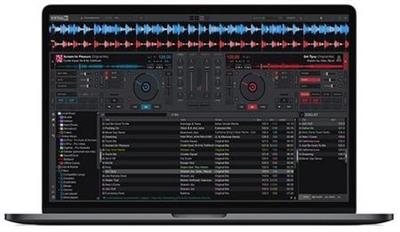
VirtualDJ 2021 Pro Infinity 8.5.6444 + Portable

b9e92ed23dbeaa964049982f155aa887.jpeg


VirtualDJ 2021 Pro Infinity 8.5.6444 (x64) Multilingual + Portable | 715/631 Mb​
VirtualDJ 2021 uses advanced technology and the power of modern computers to revolutionize what DJs can do. With this new version you can mix in real-time the various components of your tracks (vocals, instruments, kicks, hihats, etc). This opens the door to new ways of mixing that were simply not possible before, and will forever change the way DJs mix.

With real-time stem separation on any track, perfect live mashups and seamless transitions are now the new normal:
- ModernEQs can achieve a much more accurate separation than traditional frequency-based equalizers, and help achieve perfect transitions like never before.
- The new Stem pads will let you create live mash-ups and remixes in real-time easily. Let your creativity fly free.
- The new waveforms give a clearer than ever view of your tracks, where you can easily see beats and vocals to avoid clashes and breaks.

#1 Most Popular DJ Software
VirtualDJ is by far the most used DJ software on the planet, with over 100,000,000 downloads. There's a reason why everybody starts with VirtualDJ.

Powerful, yet easy to use
Packing the most advanced smart DJ technology, and intuitive features, VirtualDJ is easy to learn and master for any starter DJ. And it's free for non-professional use.

Empower Your Controller
For professional DJs, by using VirtualDJ instead of the limited software that comes with your controller, you will have the most advanced technology at your fingertips and perform even better mixes.

Stand-Alone DJ Mixer
VirtualDJ lets you start mixing as a DJ right away, with just your computer. To practice & learn, or prepare sets & playlists. VirtualDJ works for for every type of DJ, with or without hardware.

Library Management
Superior song library management with fast search, smart folders, playlists, and more. And with AI-suggestions, requests, and online catalogs.

Video & Audio Mixing
VirtualDJ supports a multitude of audio-, video- and karaoke formats. Entertain your guests with stunning visuals, video mixing or host karaoke events.

Effects & Samples
Built-in professional audio- and video- effects to enhance your sound and mix. And unlimited sampler with easy control of sound and/or video loops.

Rock Solid Performance
Independent studies show that VirtualDJ has the lowest crash-ratio in the industry! Using highly optimized, reliable, and well-tested code, VirtualDJ runs smoother and faster than any competitor's software, and can be trusted for your gigs.

Extensive Hardware Support
VirtualDJ supports more DJ controllers and hardware than any other software. With plug & play support for over 300+ controllers, the choice of gear is all yours. From easy to use entry-level controllers to advanced club mixers, simply connect your controller and you are ready to mix. Detection and setup is automatic, and the powerful built-in mapper lets you customize everything easily to set your controller to work exactly as you want it to.

Stream Millions of Songs
VirtualDJ lets you stream tracks from our partner catalogs directly within the software. Play anything from the millions of songs available, discover new tracks from tailored charts, and create your own playlists with ease. From mainstream to underground, everything is available right at your fingertips. All in high-quality formats.

Industry Leading Feature Set
VirtualDJ stacks more features than any other software, and new ground-breaking technology comes in VirtualDJ first. With VirtualDJ you are always ahead of the curve with the latest technology and innovative features.

Supported Operating systems:
- Windows 7*
- Windows 8*
- Windows 8.1*
- Windows 10

Recommended Hardware requirements:
- Intel® i5™ or better
- Windows 10
- Multi-channel soundcard
- 4 GB RAM
- 200MB free on the hard drive

Additional for Video mixing:
- AMD™, ATI™ or NVIDIA® video card
- Dual-screen output for second monitor

Additional for stems isolation:
- Windows 10 64-bit
- NVIDIA® video card (9xx or above)

Home Page-
У Вас недостаточно прав для просмотра ссылок. Войдите или зарегистрируйтесь.


Download link:​
Код:
[center][b]rapidgator_net[/b]:
https://rapidgator.net/file/4f7d36fdd1bff215b2317bf474d7060b/bi9a1.VirtualDJ.2021.Pro.Infinity.8.5.6444.Port.rar.html
https://rapidgator.net/file/b2d99872b113ca06203534a1cf2356cf/bi9a1.VirtualDJ.2021.Pro.Infinity.8.5.6444.rar.html

[b]nitroflare_com[/b]:
https://nitroflare.com/view/0BC24B531A4CAFC/bi9a1.VirtualDJ.2021.Pro.Infinity.8.5.6444.Port.rar
https://nitroflare.com/view/B42DD5F79BBDA11/bi9a1.VirtualDJ.2021.Pro.Infinity.8.5.6444.rar

[b]uploadgig_com[/b]:
https://uploadgig.com/file/download/1D38b00C5Ce5be7e/bi9a1.VirtualDJ.2021.Pro.Infinity.8.5.6444.Port.rar
https://uploadgig.com/file/download/9C141541ece263aE/bi9a1.VirtualDJ.2021.Pro.Infinity.8.5.6444.rar[/center]

Links are Interchangeable - No Password - Single Extraction​
 
PDF Pro 10.10.16.3694 Multilingual + Portable

4213d65c0e9066124ef9f765192a9eff.jpeg


PDF Pro 10.10.16.3694 Multilingual + Portable | 44/44.6 Mb​
PDF Pro is the easy to use alternative to Adobe Acrobat, allowing you to view, create, edit, secure, revise, or collaborate on a PDF document. PDF Pro's intuitive interface makes it easy to take advantage of the full versatility of any Portable Document Format file!

Create, Edit & Review PDF files With the All-New PDF Pro 10
- Create PDF
- Edit PDF
- Secure PDF
- Review PDF
- Export to Word

Create & Convert:
- Create PDF from Word, Excel, PowerPoint
- Create PDF from any application that prints
- Convert/Export PDF to Word
- Always 100% industry standard PDF files

Edit & Secure:
- Modify images: Insert, delete, move, resize and rotate graphics
- Edit text: Fix typos, change font size, style and color
- Enhance: Add watermarks, hyperlinks, attachments etc.
- Protect your content: Apply passwords & restrictions

Read & Review:
- Open & scroll any PDF file, e-book, or presentation
- Zoom and rotate pages within your PDF for optimal viewing
- Highlight, use sticky notes & stamps
- Attach any supporting file to your PDF

Loaded with features, use PDF Pro 10's intuitive interface to grasp all of the flexibility and power of PDF.
The all-new PDF Pro 10 will revolutionize the way you work with PDF files. PDF Pro 10 makes it easier than ever before to create and edit PDF files, enabling you to distribute high-impact and engaging communications. Its refined collaborative tools will streamline the document review process and help you collect feedback efficiently. PDF Pro 10 includes advanced features that allow you to create and edit interactive PDF forms, accurately convert PDF to Word, and share all your documents more securely.

Of course, PDF Pro 10 still contains all the most common PDF functions you depend on:
- Create PDF files straight from the toolbar of all your favourite MS Office applications like Word, Excel, PowerPoint and Outlook.
- Create PDF files from any application that prints with one click
- Add, remove, and edit text and graphics within all your PDF files
- Apply passwords to prevent unwanted viewers and permissions to restrict functions like editing and printing
- Adjust the file size of your PDF for easy email distribution

All PDF documents created with PDF Pro 10 will be 100% industry standard. That means they will open with any PDF viewer and on any operating system.

Minimum System Requirements:
- 100% PC compatible
- Pentium II, 300 mHz
- 128 Mb RAM
- 30 MB free disk space

Home Page-
У Вас недостаточно прав для просмотра ссылок. Войдите или зарегистрируйтесь.


Language:Multilingual

Download link:​
Код:
[center][b]rapidgator_net[/b]:
https://rapidgator.net/file/b8c499e2032e32a3d598cd4eeafc0ee7/0x5gq.PDF.Pro.Portable.rar.html
https://rapidgator.net/file/df4d96664c352bc83f2d13e88747e68e/0x5gq.PDFPro10.10.16.3694.Multilingual.rar.html

[b]nitroflare_com[/b]:
https://nitroflare.com/view/C3609772DAEFB6A/0x5gq.PDF.Pro.Portable.rar
https://nitroflare.com/view/A4F837FCF9F36E5/0x5gq.PDFPro10.10.16.3694.Multilingual.rar

[b]uploadgig_com[/b]:
https://uploadgig.com/file/download/73de93f5baD21B9e/0x5gq.PDF.Pro.Portable.rar
https://uploadgig.com/file/download/7Cd3eB9Dfe85649A/0x5gq.PDFPro10.10.16.3694.Multilingual.rar[/center]

Links are Interchangeable - No Password - Single Extraction​
 
PVsyst 7.2.2 Pro

e37002791a829f75a6db5aa8c3050e0c.jpeg


PVsyst 7.2.2 Pro | 247.2 mb​
The PVsyst development team is pleased to announce the availability of PVsyst 7.2.2 is an energy modelling tool that helps in analyzing how much solar energy can be harvested into an electrical energy from a particular site or location.

New features:
- Shadings: completely reviewed the 3D fields definition dialogs. The fields should now be defined (preferably) according to the number of modules, in landscape or portrait. The field sizes and the number of modules are now defined simultaneously
- Shadings: definition of the partition in rectangles and strings (for electrical shadings) now within the 3D field dialog. This dialog includes now tools for analyzing or extending the definitions to other fields of the scene
- Shadings: new pedagogic tool for calculating and viewing angles between planes. This tool is also useful to understand the modifications of the orientation of the plane according to the base slope
- Reports: you can now compare two reports side by side with a highlight on the differences
- Backtracking: new dialog for the management of the pitch between independent tables, and choosing the reference pair of trackers. This dialog allows now the analysis of the pitches in the whole scene, and identifies the possible incompatibilities
- Meteo data: implemented new Meteonorm 8 meteorological database
- Meteo data: integration of SOLCAST as meteorological data source
- Language: complete software translation into Japanese and Chinese.

Improvements:
- Bifacial: modified and updated 2D model acceptability conditions
- Module layout: check of the suitability of the PV module (number of diodes, submodule layout should be "In Length" or "TwinHalfCut")
- PV module: in submodules layout definition, added a category "Exotic" for diverse not standard modules
- Simulation performance: with trackers, the integrals for diffuse values are now saved with the variant file
- Help: update pages about partition in strings of modules, AC losses, inverter limits and current limitation
- Components database update.

Corrections:
- Module Layout: fixed numerical finding of maxima in PV-curves. This may slightly change the results of Module Layout calculations
- Grid limitation losses: fixed a bug in the accounting of the grid limitation losses. Does not change the final results of the simulation
- Shadings: fixed bugs in Polygonal fields definitions
- Simulation for tracking big systems: optimized the calculation of the integrals for diffuse
- Meteo import: solved an issue with the filenames.
- Losses: fixed the accounting for array losses whenever the array power is almost null.

Patch 7.2.2 - 06/05/2021

Improvements:
- Help: new pages about backtracking.
Corrections:
- Simulation: fixed the not calculated diffuse values during simulation
- Simulation: solved a calculation issue with backtracking
- Report: fixed loss diagram truncated when projects simulated with 7.2.1 are imported in 7.1
- Report: fixed displayed tracking stroke limits
- Report: increased precision of AC losses fractions (2 decimal places)
- Shadings: fixed buttons sometimes not appearing in "Zone editing" panel
- Shadings: fixed a display issue in backtracking management
- Shadings: fixed crash when entering values with a comma in the group edit window
- Shadings: fixed table dimension issues when importing Helios3D or PVC files
- Shadings: correction of the electrical loss curve on the shadings animation Description
- Shadings: fixed trackers origin axis issue when editing
- Shadings: fixed string partitioning for tracker fields
- In batch mode, Pitch and Tilt where not changed correctly when limit angle was involved
- Meteorological data: displaying the parameter 'Albedo' if present in the data source
- Orientation: fixed a display issue in multi-orientation
- Preliminary design: fixed an issue when reading old pre-sizing projects files.

PVsystis the solar industry's preferred software simulation tool for bankability analyses and acceptance testing. This incumbent status is both a function of the platform's capabilities and stakeholder confidence in its results. Accurate energy modeling is essential to photovoltaic system financial models, capacity tests, and performance reports. However, accuracy is not innate to a specific software, but rather is a function of how that software is used. In this context, confidence is earned over time via repetition, experience, and accrued knowledge.

From the perspective of a power user, PVsyst is uniquely capable of providing a granular analysis of irradiance losses, array losses, and system losses. The granularity and control in PVsyst allows users to account for, among other things, module quality losses; string mismatch losses; soiling losses (including snow); ohmic wiring losses in the DC collection system; inverter losses; transformer losses; and auxiliary losses. The software is also unique in its ability to simulate system degradation and aging effects, which are essential for understanding energy production and economic performance over time.

PVsyst includes a large weather database and allows users to import meteorological data from other sources. The solar simulation platform also supports probabilistic assessments such as P50 and P90 analysis, which are statistical approaches used to increase confidence in the predicted solar resource and resulting energy yield.

In late May 2020, PVsyst released Version 7.0, which supports 64-bit processors. This release enables larger project capacities, more complex shading analyses, bifacial system modeling, and more advanced economic evaluations. While these increasingly powerful capabilities make PVsyst an ideal tool for engineers, the most powerful software tool is not necessarily the best tool for all users

Tutorials - Project

The industry's relatively long history with PVsystis one of the primary reasons that the solar project investment community has largely standardized around PVsyst energy models. In 1992, André Mermoud, a PhD physicist from the University of Geneva, began developing Windows-based PV simulation software. Mermoud rewrote PVsyst in its entirety in 1999, enabling graphical interface capabilities. For more than 20 years, the developers behind PVsyst have supported U.S.-based project sites and provided periodic software and database updates.

Product:PVsyst
Version:7.2.2 (Build 21175) Professional
Supported Architectures:x64
Website Home Page :
У Вас недостаточно прав для просмотра ссылок. Войдите или зарегистрируйтесь.

Language:english
System Requirements:PC *
Size:247.2 mb

Required computer configuration

Operating System:
- All Windows client versions currently supported by Microsoft: Windows 8, Windows 10 (32-bit or 64-bit)
- Up-to-date Windows 7 systems
- Other OS may support PVsyst installation and execution but no guarantee can be provided. This effectively depends on many parameters....

OS not supported:
- Windows servers, Application servers (Citrix, ZenDesktop, ZenApp,...)

Other requirements:
- At least 1 GB of RAM
- At least 1 GB of free hard drive space
- Minimal screen resolution of 1280 x 720 pixels
- .NET 4.8 framework (for Meteonorm)
- Graphics card supporting OpenGL 2.0 or higher
- PVsyst workspace does not support shared or remotely synced drives / folders (including OneDrive, Google Drive, Dropbox, etc...). Files and workspaces can be synced as a separate task, once PVsyst has been closed.

Download link:​
Код:
[center][b]rapidgator_net[/b]:
https://rapidgator.net/file/0910b4528ea5557a747aae954bfa3bd2/wixxb.PVsyst.7.2.2.Pro.rar.html

[b]nitroflare_com[/b]:
https://nitroflare.com/view/E58C8E7ACAFCB22/wixxb.PVsyst.7.2.2.Pro.rar

[b]uploadgig_com[/b]:
https://uploadgig.com/file/download/5dfc2eD833d8C2a8/wixxb.PVsyst.7.2.2.Pro.rar[/center]

Links are Interchangeable - No Password - Single Extraction​
 
Siemens Simcenter FloEFD 2021.1.0 v5312 for NXSeries

b5c7f171260577aa4350efbb3ae37b94.jpeg


Siemens Simcenter FloEFD 2021.1.0 v5312 for NXSeries | 963.7 mb
Language: English, Deutsch, Français, 中文, 日本語, Русский​
Siemens Digital Industries Software announces the new release of its Simcenter FLOEFD software for NX series, a CAD-embedded computational fluid dynamics (CFD) tool. This new release provides a range of new features and enhancements, as well as 2 new add-on modules.

Simcenter FLOEFD 2021.1: What's New

c3a5c8630b750d6c32a23e6c2d020c78.jpeg

Simcenter FLOEFD is a CAD-embedded computational fluid dynamics (CFD) solution and supports NX, Solid Edge, CATIA V5 and Creo. Due to its unique technology, it can reduce the overall simulation time by up to 75%.

This new release provides a range of new features and enhancements, as well as 2 new add-on modules. The new capabilities featured in this version range from electromagnetic simulation and structural simulation, to joule heating in PCBs by co-simulation with HyperLynx from Siemens EDA and many other new capabilities.

Simcenter FLOEFD EMAG Module
With this new module in Simcenter FLOEFD 2021.1, you can now simulate alternating current (AC) and electromagnetic (EM) (low frequency) effects. This module is based on the Simcenter MAGNET mesher and solver technology and allows for increased accuracy of thermal simulations by taking into account Ohmic and iron (core) losses due to AC and EM phenomena such as proximity, skin effect, etc. Transient and Time-harmonic (sinusoidal waveform) analysis is supported as well as permanent magnets. An electromagnetics analysis is defined together with a CFD analysis and a CFD-EM co-simulation takes place by exchanging the power (Ohmic and iron losses) and temperature fields. To access this functionality, you will need the "Simcenter FLOEFD EMAG" module.

bfb31c887fb6c46cb679961a5bc03ef5.jpeg

Simcenter FLOEFD Structural Module
With this new module in Simcenter FLOEFD 2021.1, you can perform linear static stress analyses and modal-frequency analyses. The range of analysis types in the FE solver includes: static response to loads, thermal expansion, and enforced deformation as well as determination of eigenvalues. A special Smart PCB FE model allows for accurate and time effective stress analysis of a PCB taking all the details of the PCB's internal structure from an original EDA file into account, traces and vias are resolved without any simplification and without creating the explicit geometry in CAD. Direct integration of structural analysis and CFD allows you to carry out complicated simulations for structural analysis by using the CFD results automatically, which does not require additional conversion of CFD results to external finite element analysis (FEA) software. Simcenter FLOEFD pressure and temperature results are automatically applied as loads for structural analysis, thus minimizing effort and time. In addition, a Simcenter FLOEFD Structural project can be saved as a Simcenter Nastran project for further simulation of complex structural analysis not available in Simcenter FLOEFD. To access this functionality, you will need the "Simcenter FLOEFD Structural" module.

New Electronics Cooling Specific Functionality
Simcenter FLOEFD 2021.1 has a handful of new features specifically for electronics cooling applications:
Joule Heating in PCBs: Simcenter FLOEFD-HyperLynx Co-Simulation
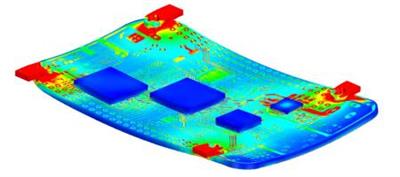
The Smart PCB model can now simulate Joule heating via the Simcenter FLOEFD-HyperLynx (v2.8 Update 1 and newer) co-simulation. Simcenter FLOEFD can take a power map from a HyperLynx DC drop simulation and perform a thermal analysis. Then it can return a temperature map to HyperLynx to update the electrical simulation and update the power map for Simcenter FLOEFD. Alternatively, you can just import a power map exported from a HyperLynx DC drop simulation into Simcenter FLOEFD for one-way data exchange.
This functionality allows you to not only calculate joule heating in wires, switches, or manually defined conditions of detailed imported PCBs but leverage the accuracy of HyperLynx's DC drop simulations and achieve more accurate thermal simulations of PCBs.

Smart PCB: Material Definition for Each Layer
You can now set dielectric, conductor and via-filling materials for each layer separately. This ability increases flexibility in material choice and therefore aligns more closely with the real PCB design and provides more accurate thermal simulations.
Smart PCB: Update on Demand and Minimum Node Size
You can update the evaluated number of nodes on demand. This prevents an auto-update and can dramatically save editing time for extremely complicated PCBs. The minimum node size is displayed providing information about the resolution of a PCB.
Simcenter FLOEFD EDA Bridge Saves PCB Parts into a Folder for NX
Parts generated by Simcenter FLOEFD EDA Bridge can be saved into a specific folder. Under Tools, Options you can specify to use either the default folder or a custom folder. By default, all parts are saved into the model folder. Using the specific folder requires adjusting some NX settings. Leaving the specific folder empty will put all parts into the project folder. This feature is only available in "Simcenter FLOEFD for NX".
Network Assembly (DELPHI Model) Heating Power Dependency
We have added time, goal and parameter dependency for Network Assembly heating power. The Network Assembly is a DELPHI compact model representation of a semiconductor and this new capability allows for more control and interconnectivity to other boundary conditions.
BCI-ROM FMU Export on Linux
Now a BCI-ROM FMU model can be exported on a Linux computer as well, with the Results_Exporter.exe command.
BCI-ROM export to VHDL-AMS
The BCI-ROM models can now also be exported in the IEEE Standard 1076.1 VHDL-AMS format. This format makes Simcenter FLOEFD compatible with many 1D and functional schematic circuit simulation tools such as SystemVision Cloud from Siemens EDA. You can also find more information in the blog post on The future of thermal design - earlier electrothermal analysis.
Improved Solving Time for Electronics Cooling Simulations
The default stopping criteria and computational domain size are optimized for electronics cooling applications. The default number of travels used for the goal analysis is optimized to avoid over-calculating due to an unnecessarily high maximum travel requirement. Also, the default computational domain size is decreased to fit typical electronics cooling external analyses. Both changes shorten calculation time while maintaining high accuracy if default settings are used. An electronics cooling application is defined as a task with conduction and gravity, and with initial velocity set to zero.

New Lighting Specific Functionality
Simcenter FLOEFD 2021.1 has a handful of new features specifically for lighting applications:
LED Pulse-Width Modulation
Pulse-width modulation can be modeled for thermal-electrical-optical LED models. Pulse-width modulation is widely used in lighting to control the brightness of LEDs. You can set the duty cycle in percentage which allows for an easier and more accurate definition of the LED boundary condition which in turn results in more accurate simulations.
LED Forward Current Goal
You can now set the Forward Current as an LED specific goal to use the driving current as a parameter for other equation goals. This allows for more complex interdependencies of boundary conditions and more advanced goal definitions.
Phosphor Particles for Photoluminescence and Mie Scattering
Photoluminescence and Mie scattering of phosphor particles can now be simulated. Phosphor particles are often used to manufacture white LEDs, as they allow the conversion of blue light to yellow light. As some blue light passes the phosphor unchanged, the yellow and blue light creates white light (additive mixing). Photoluminescence is the process during which light of a specific spectral range is absorbed by a material and is then re-emitted with a different spectral range of longer wavelengths. Temperature dependency of the luminous efficiency is taken into account. This allows you to model more detailed LED models as well as LASER lights where originally blue light gets converted to white light. Hence this capability increases simulation capability for such lighting applications as well as the accuracy of results.

Far-Field Description with Multiple Angle Output
Luminous intensity can now be output for many user-defined Azimuth angles. This makes post processing a lot easier when considering various angles.
Near-Field Description in Candela
The candela (cd) unit is added for the luminous intensity.

New Pre-Processing Specific Functionality
Simcenter FLOEFD 2021.1 has a handful of new features specifically for pre-processing:
Check Geometry Improvement
For the "Improve Geometry Handling" mode you can now create solid and fluid bodies. (Not available for the Simcenter FLOEFD for CATIA V5 version.)
Heat Source Dependency on Cell Temperature
It is now possible to specify the specific power [W/m3] dependent on the local (cell) temperature as an F(T) definition representing a table/graph or as a formula. This capability makes it possible to define even more detailed heat loads and expands the definition of complex dependencies for heat sources.
Lost or Suppressed References can be Deleted
You are now able to decide if lost or suppressed reference geometry (bodies, faces, edges, points) should be automatically removed from the selection hence enabling you to resolve errors in boundary conditions from such missing references faster.

New Solver Enhancement
Improved SmartCell "Thin Channels" Technology
The Thin Channel technology is one of the empirical models used in Simcenter FLOEFD to overcome high mesh count requirements in narrow channels such as pipes and between heat sink fins. The technology has now been improved in the laminar-turbulent transition areas. Thereby leading to more accurate results than before and even faster than detailed mesh resolution in such thin channels.

New Post-Processing Specific Functionality
Simcenter FLOEFD 2021.1 has a handful of new features specifically for post-processing:
RANGE Function for Equation Goals
The new RANGE function allows you to get goal values at any moment of a calculation. This allows you to model complex behavior of a transient system, for example power derating based on a temperature sensor. Check out the Online-Help for more information on how to apply the RANGE function.
Scene Descriptions in the Result Tree
A new Scene Description remembers all displayed Descriptions, model orientation, zoom and part visibility. Switching between scenes, displays the Descriptions saved in the scene and sets the corresponding model display, zoom and orientation. This new functionality enables faster post-processing operations and lets you save favorite scene settings.
Merged Descriptions in the Compare Tool
You can merge compared Descriptions (in the Compare tool) from different projects into one image to see critical results immediately. Contour Descriptions made for several design cases or several power modes can be merged. For example, a merged Description based on maximum value which shows the maximum temperature for all design cases in one picture. The difference Description graphically shows the difference from one particular case to the reference case. This allows for a faster and direct comparison of various projects and designs to help facilitate decision making of which design path to follow.
Results Summary in the Compare Tool
Results Summary is now added to the Compare tool and Parametric Study. This will allow inclusion of mesh count information of the different cell types.
Flux Description in the Transient Explorer
You can now visualize the Flux Description in Transient Explorer animation. This allows you to see how the heat values and directions change over time between the different components or into the environment.
Adding Equation Goals after the Calculation run
Add an equation goal based on defined goals and boundary condition parameters after a calculation run. This allows you to do goal calculations without the need to re-run or continue to run the simulation. So, if you have forgotten to define the pressure loss or drag coefficient equation goal before running the simulation, you can now do it afterwards as well. You can also modify the equation in case you made a mistake in its definition.
Crop Region applied to Surface Parameters
The Crop Region is now taken into account when evaluating surface parameters. This enables you to use Crop Region to evaluate parameters only for a portion of a surface you are interested in and gives more flexibility in the post processing.
Named Views and Default Settings for the Save As Function
Now Named Views are supported in Save As view orientation. You can also adjust the default settings for the background color of the saved images under Tools, Options thus allowing for easier post processing.
Export to FLD Format
You can now also export Simcenter FLOEFD steady-state and transient results to Simcenter 3D as a data field using the field (FLD) format for performing advanced thermo-structural analyses in Simcenter 3D such as non-linear visco-plastic creep analysis. With this more direct link to Simcenter 3D file types, you can take advantage of smoother links to Simcenter 3D simulations.
Solver Info Log Improvements
The solver info log (.info) file is reorganized. It now has mesh information and can be created for Linux runs and when the CAD-System is closed as well.

Other Enhancements and Product Support
And some more enhancements on licensing, MS Office as well as new CAD system and PLM support in Simcenter FLOEFD 2021.1:
Licensing Timeout Option
For the Siemens EDA Standard Licensing Simcenter FLOEFD supports FlexLM timeout option, so the server automatically releases a license after a defined time (in seconds) of license client inactivity. Please have a look at the licensing and product documentation or more details on these settings. The timeout capability is not available for Simcenter FLOEFD for CATIA V5 due to CATIA limitations.
Feature Licensing Update
The "Membrane" feature is now also added to the "Simcenter FLOEFD Power Electrification" module and the "DO radiation" feature is added to the "Simcenter FLOEFD Advanced" module. With these additions, membranes can now be used for battery thermal simulations and the DO radiation model can be used in combustion simulations for gas radiations. This extends the capabilities of these modules with existing features from other modules.
Improve CATIA V5 to NX Converter
The existing CATIA-to-NX model and project converter can now optionally skip the conversion of the CAD models, assuming the models were already converted by other means, and you just need to re-apply the projects. This allows for an improved model conversion from CATIA V5 to Siemens NX.
New Microsoft Office Support
The newer MS Office 365, Office 2019 and 2016 are now supported and the support for the older MSOffice 2010 and 2007 versions are discontinued.
Teamcenter Support
Now Simcenter FLOEFD for NX supports the TcSim CAE Model to manage Simcenter FLOEFD projects and results within Teamcenter.
New CAD System Support
- Support of Siemens NX versions 1957, 1961, and 1965.
- Support of PTC Creo 7.
- Support of CATIA V5 R30 (CATIA V5-6 R2020).

Simcenter FLOEFD 2021.1.0 for NX Release Notes - Date: April 2021

- PBI-3917, PBI-8295 - Volume around body up to the Computational domain is treated as Solid for an internal task (documentation)
- PBI-5728 - Error message "5% error The IPC file is missing the XML elements)" when importing IPC-2581 model (model specific)
- PBI-6423 - Not stored defined Parameter for Default reference parameters
- PBI-6701 - Crash at 0 iteration of the calculation in case of using transferred Ptotal boundary condition
- PBI-7126 - Flow rate five times less after using transferred boundary condition Ptotal
- PBI-7489 - Surface Parameters for the Cut Description with cropped region shows parameters for the whole region
- PBI-7644 - Problem of a stationary calculation with Non-Newtonian fluid (specific)
- PBI-8096 - Increasing the Refinements number in finish conditions doesn't work after the calculation has been finished
- PBI-7903 - Strange unbounded viscosity for table defined non-Newtonian liquid with quadratic approximation when the temperature is outside of the defined region
- PBI-8308 - Derating preview Description shows incorrect numbers on x-axis if the volume flow rate units differ from units in the fan definition
- PBI-8412 - Rays cannot be visualized for LED with non-zero Resolution parameter
- PBI-8414 - Crash at start if concentrations of both components are set to zero in IC and BC
- PBI-8411 - Locked Part families
- PBI-8420 - An error in the technical reference on page 111
- PBI-8277 - Transient Explorer - Not able to create a Description with a Film Thickness parameter
- PBI-8573 - Report. Incorrect info is output for Global Mesh and Local Mesh settings
- PBI-8555 - No mesh in Cut Description at the solid-solid boundary ("Medium to Display" option has been implemented)
- PBI-8618 - Holes in mesh (model specific)
- PBI-8588 - Refinement level is not shown for .cpt file inside solid ("Medium to Display" option has been implemented)
- PBI-NA - Mesh Refinement Level Description cannot be created with failed to complete message appearing ("Medium to Display" option has been implemented)
- PBI-4472 - Natural convection with perforated plates turns flow upside-down
- PBI-8974 - API VBScript GetLocationofParameterMaximum"(GetParameterMinMax)
- PBI-9308 - Transient heat source is interpreted incorrectly in some conditions (model specific)
- PBI-9411 - From Component - Update All doesn't work properly
- PBI-9459 - Geometry error in Parametric Study (model specific)
- PBI-9460 - PDML import: heatsink clearance parts are not suppressed and air is defined for them
- PBI-9523 - SmartPCB inserted by Add from components is coming with incorrect materials (specific)
- PBI-9544 - CutDescription and Flow Trajectories look weird if calculation was performed on Linux Remote Solver
- PBI-9562 - Fan operating point cannot be displayed when calculation has been performed with activated solution adaptive meshing
- PBI-9561 - Crash when load result file with SAR (model specific)
- PBI-9557 - Loss of project in case of Material priority change (specific)
- PBI-9733 - Simcenter FLOEFD EDA Bridge: Absent holes after "Material Map" export
- PBI-9766 - Documentation: Default outer wall thermal condition sign and direction
- PBI-10017 - Online users guide: incorrect information about Delta calculation (convergence information)
- PBI-NA - Simcenter FLOEFD EDA Bridge does not support Japanese character of the folder name

44249db214f40b53fe94cc6ebbe27722.jpeg


97b1ab7c12f6ed7dc0382101f6c894c9.jpeg

FloEFD for NXis a powerful computational fluid dynamics (CFD) analysis tool that is embedded into Siemens NX. It enables design engineers to frontload CFD by moving simulation early into the design process where it is more cost effective to identify and fix problems.

Extend the power of Siemens NX to optimize product performance and reliability for fluid flow and heat transfer effects. With its unique combination of intuitive interface, and fast as well as accurate technology, Simcenter FLOEFD for NX can be inserted into your current design process without any disruption, streamlining your workflow and improving productivity by 40x.

The award-winning Simcenter FLOEFD for NX frontloads computational fluid dynamics (CFD) simulation where it is faster and more cost-effective to evaluate your ideas. Gain insight into the real-life behavior of a wide range of fluids in even the most complex geometries. Evaluate the digital twin with the help of what-if testing and assess the results with the help of numerical values, graphs, images and animations. Use the power of Simcenter FLOEFD for NX with its direct interface to HEEDS Design Space Exploration software to select the most optimal choice.

When needed, Simcenter FLOEFD Flexx, enables you to access multiple CAD systems for simulation - useful for dealing with legacy data or using multiple CAD systems on the same project. With Simcenter FLOEFD for NX the power of CFD simulation is finally in your hands

Simcenter FloEFD for NX

Siemens Digital Industries Softwareis driving transformation to enable a digital enterprise where engineering, manufacturing and electronics design meet tomorrow. The Xcelerator portfolio helps companies of all sizes create and leverage digital twins that provide organizations with new insights, opportunities and levels of automation to drive innovation.

Product:Siemens Simcenter FloEFD
Version:2021.1.0 v5312 for NXSeries / Simcenter 3D
Supported Architectures:x64
Website Home Page :
У Вас недостаточно прав для просмотра ссылок. Войдите или зарегистрируйтесь.

Language:multilanguage
System Requirements:PC *
Size:963.7 mb

Supported Platform

- Microsoft Windows 7 Professional, Ultimate or Enterprise 64-bit edition
- Microsoft Windows 10 Pro or Enterprise 64-bit (tested with v1909)
- For solver: Microsoft Windows 2019 Server x64, Microsoft Windows 2012 Server x64, Windows 2012 Server R2 x64, Windows Server 2016, Windows Server 2016 with HPC Pack 2016
- Microsoft Office 365, Microsoft Office 2019, Microsoft Office 2016, Microsoft Office 2013

Siemens NX 9.0.1.3, 9.0.2.5, 9.0.3.4
Siemens NX 10.0.0.24, 10.0.2.6, 10.0.3.5
Siemens NX 11.0.0.33, 11.0.1.11, 11.0.2.7
Siemens NX 12.0.0.27, 12.0.2.9
Siemens NX 1847 series (tested versions 1855, 1867)
Siemens NX 1872 series (tested versions 1872, 1876, 1880, 1884, 1888, 1892)
Siemens NX 1899 series (tested versions 1899, 1903, 1907, 1911, 1915). The update
option must not be used to install NX1899. Use of update option leads to missing files required for FLOEFD. An installation from scratch is required.
Siemens NX 1926 series (tested version 1934)
Siemens NX 1953 series (tested versions 1953, 1957, 1961, 1965)
Siemens Simcenter 3D 1899 Series
Siemens Simcenter 3D 1926 Series
Siemens Simcenter 3D 1953 Series

- Teamcenter (tested version 11.2.3)
- 8GB RAM minimum, more recommended
- 2GB of free hard disk space, more required for simulation models

Download link:​
Код:
[center][b]rapidgator_net[/b]:
https://rapidgator.net/file/3632e543693349478ff913b5a142b88a/o6tuv.Siemens.Simcenter.FloEFD.2021.1.0.v5312.for.NXSeries.rar.html

[b]nitroflare_com[/b]:
https://nitroflare.com/view/B1782507E70DD8E/o6tuv.Siemens.Simcenter.FloEFD.2021.1.0.v5312.for.NXSeries.rar

[b]uploadgig_com[/b]:
https://uploadgig.com/file/download/d4b15B5D54abcD6D/o6tuv.Siemens.Simcenter.FloEFD.2021.1.0.v5312.for.NXSeries.rar[/center]

Links are Interchangeable - No Password - Single Extraction​
 
Siemens Tecnomatix Plant Simulation 16.0.5 Update

23785e553177ce8c1b9d1dd35c477263.jpeg


Siemens Tecnomatix Plant Simulation 16.0.5 Update | 417.1 mb
Languages: Deutsch, English, 日本語, 中文, Русский, Magyar​
The Tecnomatix development team is pleased to announce the availability of Plant Simulation 16.0.4 is maintenance release that corrects customer-reported issues and adapts the product to a changed environment. A maintenance release can also include new software functionality.

Maintenance Notes for Tecnomatix Plant Simulation 16.0.5

Fixed Bugs of the Material Flow Objects
- We fixed a bug which sometimes prevented the object from being set up often enough after the last part, when Set- up after n parts was activated when a Worker was only requested for setting-up and when Common resources was deactivated.
- We fixed a bug that occurred when you used several non-accumulating Conveyors arranged so that they follow one another, with Acceleration on or off and that caused overlapping MUs. (PR 10029367)
- We fixed a bug of the attribute FillWholeLayer of the Container. When you changed the attribute with SimTalk or in the dialog Show Attributes and Methods , the new value was not propagated to derived Containers.
- We fixed a bug which caused the error message that the length of the MU is greater than the MU distance to be shown several times. (PR 10049113)
- We fixed a bug which allowed to schedule MethCall- events with an invalid time. Events with an invalid time could cause the event list to be redrawn continuously. (PR 10049757)
- We fixed a crash that could occur when you moved an MU from a length-oriented to a point-oriented object and deleted the length-oriented object before the event C heckMUPosition was executed. (PR 10050457)

Fixed Bugs of the Information Flow Objects
- We fixed a bug which occurred when you saved a DataTable, which contained sub-tables with activated but empty column index, as an XML file. Then it could occur that the XML file was wrongly considered as being corrupt and thus was not imported all the way. (PR 10013383)
- We fixed a bug which prevented that the content was redrawn when you added a column to a DataTable or changed the column width. (PR 10046841)
- We fixed a bug which prevented, common format to be set for existing subtables when you activated common for- mat for a column of data type table in a DataTable.
- We fixed a crash which occurred when you clicked the right mouse button on a non-existing object in the second column of data type object in a DataTable which the method getObserver returned. (PR 10025882)
- We fixed a crash of the DataTable. It occurred when you searched for an object in a column of data type object with the method findCeil.
- We prevented that you can sort the Items table according to the first column for the object PLCSIM_Advanced. As the values were still shown in the previous rows, the values would not match the identifiers after sorting. (PR 10013383)
- We fixed a bug of the object Socket that caused the attribute ClientPort to return the Server port

6250c8e437dc6569034295996b232111.jpeg

Tecnomatix Plant Simulationallows you to model, simulate, explore and optimize logistics systems and their processes. These models enable analysis of material flow, resource utilization and logistics for all levels of manufacturing planning from global production facilities to local plants and specific lines, well in advance of production execution.

Use the power of discrete event simulation for production throughput analysis and optimization to improve your manufacturing system performance.

Tecnomatix Plant Simulation Application 16.0

Siemens PLM Softwareis a world-leading provider of product lifecycle management and manufacturing operations management software. We help thousands of companies realize innovation by optimizing their processes, from planning and development through manufacturing, production and support.

Product:Tecnomatix Plant Simulation
Version:16.0.5 Update Only
Supported Architectures:x64
Website Home Page :
У Вас недостаточно прав для просмотра ссылок. Войдите или зарегистрируйтесь.

Language:multilanguage
System Requirements:PC *
Software Prerequisites:Tecnomatix Plant Simulation 16.0.0 and above
Size:417.1 mb

System Requirements for Tecnomatix Plant Simulation 16.x

Minimum PC Configuration
Supported operating systems:Windows 8.1 64-bit or Windows 10 64-bit
Hardware:
2 GB of free disk space
4 GB RAM

Recommended PC Configuration
- Operating system: Windows 10 64-bit
- Intel Core i5 or i7 processor or comparable product
- 2 GB of free disk space
- 16 GB RAM
- For working with Plant Simulation 3D: Graphics card with at least 2GB RAM. We recommend graphics cards with NVidia GeForce chips. Graphics cards which have been optimized especially for CAD applications are not required. For 3D Navigation, we support the SpaceNavigator by 3Dconnexion.
- Graphics resolution of 1920 x 1080 pixels or higher
- Internet Explorer 11

Download link:​
Код:
[center][b]rapidgator_net[/b]:
https://rapidgator.net/file/8ce4ced2d4f44934c62df4a244086fbb/7z1kc.Siemens.Tecnomatix.Plant.Simulation.16.0.5.Update.rar.html

[b]nitroflare_com[/b]:
https://nitroflare.com/view/E23FAE0409A7810/7z1kc.Siemens.Tecnomatix.Plant.Simulation.16.0.5.Update.rar

[b]uploadgig_com[/b]:
https://uploadgig.com/file/download/45898849B747ec9d/7z1kc.Siemens.Tecnomatix.Plant.Simulation.16.0.5.Update.rar[/center]

Links are Interchangeable - No Password - Single Extraction​
 
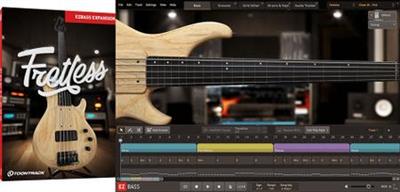
Toontrack Fretless EBX v1.0.0 SOUNDBANK

802758fbcf127719e23eea96dc6b7247.jpeg


Toontrack Fretless EBX v1.0.0 SOUNDBANK | 208 Mb​
At first glance, no one would have thought that removing the seemingly insignificant metal rods separating the notes on the bass guitar fretboard would open up a whole new harmonic panorama and turn it into an almost completely new instrument. But it really is.

Sublime and high-pitched violin character, almost weightless glissando, rich, full and hearty sustain and incredibly unique overall expressiveness are qualities that make it impossible to confuse it with traditional bass. It is produced by a subtle vibrato or just a beat of one note.

The Fretless EBX comes with a carefully selected instrument sampled with maximum detail to capture all of these unique characteristics. Besides sounds, it also includes a wide selection of presets, as well as customizable MIDI content tailored for fretless playing styles. Perpetuated by musicians such as Sting, Les Claypool, Bernard Odum, Pino Palladino, Gary Willis and, of course, Jaco Pastorius, the fretless has truly become a mythical creature in the bass world - respected for his tone but feared for his deep complexity. No matter what style you want to write in, welcome to bass that encompasses all the dynamic and tonal range needed to overcome both ends. This is the bass that allows you to draw with sound - outside the lines. Literally.

Download link:​
Код:
[center][b]rapidgator_net[/b]:
https://rapidgator.net/file/08c4c4aa6511e7446f6056df3fcddcba/ubbuw.Toontrack.Fretless.EBX.v1.0.0.SOUNDBANK.rar.html

[b]nitroflare_com[/b]:
https://nitroflare.com/view/2259590D69CD6F2/ubbuw.Toontrack.Fretless.EBX.v1.0.0.SOUNDBANK.rar

[b]uploadgig_com[/b]:
https://uploadgig.com/file/download/1e3b6e6c2a4b14f4/ubbuw.Toontrack.Fretless.EBX.v1.0.0.SOUNDBANK.rar[/center]

Links are Interchangeable - No Password - Single Extraction​
 
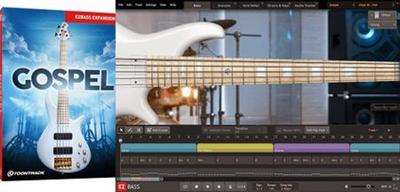
Toontrack Gospel EBX v1.0.0 SOUNDBANK

61a21adff454f83fcae4e377dd079a83.jpeg


Toontrack Gospel EBX v1.0.0 SOUNDBANK | 681 Mb​
The Gospel EBX is an expansion for EZbass designed to provide the perfect combination of bass, presets and MIDI for gospel-inspired music.With an instrument that represents the literal definition of extreme clarity, balance and nuance, expect mix-ready tones that cover the entire range needed to cut through in any song of this highly diverse genre.

Warm, round, growly, pristine, mid-focused, lush, bright, articulate - the list of adjectives that can be used to describe the sound of the Gospel EBX is near-infinite. If just a few of these tick any of your boxes for what a great bass tone is, you're in for a treat. Add to all that the MIDI library coupled with the intuitive features of EZbass and you have a powerhouse of creative possibilities. Welcome to the new holy grail in your arsenal of instruments for EZbass.

FEATURE SPOTLIGHT
A meticulously captured high-end bass
Sampled with finger and slap articulations in two different positions: bridge and neck
Includes a wealth of presets for a broad range of gospel-inspired tones - from warm and round to bright and edgy
Comes with a 'Clean DI' (direct input) preset option for both the bridge and neck samples
Includes a custom MIDI library inspired by traditional and modern gospel music

Download link:​
Код:
[center][b]rapidgator_net[/b]:
https://rapidgator.net/file/a486b0acb6b9000a815305ddfabfdfa3/owkky.Toontrack.Gospel.EBX.v1.0.0.SOUNDBANK.rar.html

[b]nitroflare_com[/b]:
https://nitroflare.com/view/37BDD2F25457995/owkky.Toontrack.Gospel.EBX.v1.0.0.SOUNDBANK.rar

[b]uploadgig_com[/b]:
https://uploadgig.com/file/download/0a2E1c03725f9DA7/owkky.Toontrack.Gospel.EBX.v1.0.0.SOUNDBANK.rar[/center]

Links are Interchangeable - No Password - Single Extraction​
 
Algoriddim djay Pro AI 3.1.1 macOS

d2ec8a0c8fc80d818c53e4d10e45a3e1.jpeg

Language: Multilingual | File size: 249 MB​
djay - DJ App & AI Mixer. djay Pro's all-new, modern interface is built around a sophisticated integration with your music library, giving you instant access to millions of tracks. Pristine sound quality and a powerful set of features including live production tools, four decks, high-definition waveforms, video mixing and hardware integration give you endless creative flexibility to reinvent your DJ sets.

Welcome to djay Pro AI! Algoriddim's acclaimed DJ software and winner of multiple Apple Design Awards has been rebuilt from the ground up using groundbreaking AI technology - NEURAL MIX™.

NEURAL MIX™ allows you to isolate instrumentals and acappellas of your favorite tracks in real-time and redefines the boundaries of creative mixing. You can crossfade drums, bass lines, and melodies of two songs independently, apply audio effects to individual components of music, and even loop the beat while the melody of the same track continues playing.

In-App Purchases:Full Version - included
Release Notes
Release notes were unavailable when this listing was updated

Supported Operation Systems:
macOS 10.14 or later

Download link:​
Код:
[center][b]rapidgator_net[/b]:
https://rapidgator.net/file/bdb0ef90ddf083ee0b35da517a1cf8ac/zwvg0.Algoriddim.djay.Pro.AI.3.1.1.macOS.part1.rar.html
https://rapidgator.net/file/de6a7990c0ebf987039345d6aeb0abd3/zwvg0.Algoriddim.djay.Pro.AI.3.1.1.macOS.part2.rar.html
https://rapidgator.net/file/14c49c8818967be81853154190b22e88/zwvg0.Algoriddim.djay.Pro.AI.3.1.1.macOS.part3.rar.html

[b]uploadgig_com[/b]:
https://uploadgig.com/file/download/80d6bce500D5C0ca/zwvg0.Algoriddim.djay.Pro.AI.3.1.1.macOS.part1.rar
https://uploadgig.com/file/download/3f1e300F0b51BF25/zwvg0.Algoriddim.djay.Pro.AI.3.1.1.macOS.part2.rar
https://uploadgig.com/file/download/a831816fc8e53F7A/zwvg0.Algoriddim.djay.Pro.AI.3.1.1.macOS.part3.rar

[b]nitroflare_com[/b]:
https://nitroflare.com/view/34A85E8550780A7/zwvg0.Algoriddim.djay.Pro.AI.3.1.1.macOS.part1.rar
https://nitroflare.com/view/24C2EF69368313B/zwvg0.Algoriddim.djay.Pro.AI.3.1.1.macOS.part2.rar
https://nitroflare.com/view/EA8713338A3FDB2/zwvg0.Algoriddim.djay.Pro.AI.3.1.1.macOS.part3.rar[/center]

Links are Interchangeable - No Password - Single Extraction​
 
AnyTrans for iOS 8.8.1.202010511 Multilingual

b64f1f9fc95ffff0c48d0effeabe5bd4.jpeg

Windows (x64) | Languages: Multilingual | File size: 212 MB​
Update Your iPhone Experience with More Possibilities. Unlock more possibilities in managing and transferring your iPhone, iPad, iPod, even iTunes and iCloud content. Experience an easier and happier i-Life now. AnyTrans breaks the sync boundaries to bring you full-way transfer across iPhone, iPad, iPod, iTunes, iCloud and computer. Now it takes one step further to get it done by simple drag and drop or one quick click. Your data and files can fly straight to anywhere you want without a hassle.

Be The Master of Your Music
Set yourself free from iTunes restrictions, and transfer music freely between iPhone, iPad, iPod, computer and iTunes. You can export songs from iPhone to computer or iTunes library. Drag music you like to iPhone without erasing anything existing. Take your favorite playlists to your new iPhone. Everything that's impossible with iTunes is now easy in one click.

Take Care of Your iPhone Photos
iPhone photos record your life moments, and AnyTrans keeps them safe for you. In a single click, it smartly and rapidly exports photos to computer by category, like Live Photos, Selfies, or albums you created - even converts photos from HEIC to JPG if you need. You can then batch remove photos that are safely backed up from your iPhone, and make room for more memories.

Personal Info
Remove old contacts and messages to keep your list clear. Export important ones for backup. Or, move them to new iPhone and ensure your connections are always at your fingertips.

Apps
It's a breeze to download, install, update, remove and manage iPhone/iPad apps and app data from computer. You can even share app files between iPhone and computer seamlessly.

Messaging Apps
AnyTrans keeps WhatsApp/LINE/Viber chats and files right within your reach. Whether you want to move them to new iPhone, or create a backup to avoid accidents, it's a click away.

Files & Documents
Turn your iPhone into a USB flash drive to store files and documents. Using AnyTrans iOS app, you can then browse these files by category, and preview or share them directly from iPhone.

Warm Your New iPhone with Sweet Memories
Got a new iPhone? Warm it up with your sweet memories. No matter you're upgrading from an old iPhone or Android phone, AnyTrans migrates all your essentials in one simple click - photos you shot, music you enjoyed, contacts you kept, messages you saved, or anything you need. You can even move apps and app data at one go. Don't have to download apps one by one manually any more. What about the old phone? AnyTrans can permanently wipe everything on it, keeping your private info safe from falling into the wrong hands.

Never Worry About Data Loss Any More
Keeping a complete and up-to-date backup is the best way to protect you from unexpected data loss. Now AnyTrans provides a more complete iPhone backup solution, as well as a more flexible restore solution. It makes sure you can get back your valued data in an easy, quick and preferred way.

Use Your iCloud Easily and Securely
As the innate partner of iOS devices, iCloud is indispensable but complicated for most of us. Now no worries. AnyTrans lets you manage iCloud files easily as you do locally with Windows Explorer or Mac Finder. You can view and extract iCloud backups, delete old files to save precious iCloud storage, batch save photos to computer, move files seamlessly between iCloud accounts, etc. Every access is protected by Apple's encryption algorithm to keep your privacy absolutely private.

Update iTunes Experience As Well
AnyTrans breaks iTunes restrictions to give you better sync experience. With its 2-way transfer, you can not only transfer music and videos from iTunes library to iPhone, but also rebuild damaged iTunes library by exporting songs and playlists from iPhone, iPad or iPod. Also, never worry about losing current data on iPhone after iTunes sync, as the transfer can be done without erasing anything. So, feel free to enrich your iPhone music library from multiple iTunes libraries as you want.

System Requirements:
- Windows OS: Windows 10, 8, 7, Vista (both 32bit and 64bit)
- iOS: iOS 13, 12, 11, 10, 9, 8, 7, 6, 5
- Resolution: 1024x768 display or above
- CPU: Pentium IV 2.4 GHz or above
- RAM: 512MB system memory
- Display Card: Accelerated 3D graphics - 64MB RAM
- Sound Card: Windows-compatible sound card
- Hard Disk: 100 MB hard drive space
- Others (iOS): iTunes 9.0 or above; iTunesMobileDevice driver installed

Download link:​
Код:
[center][b]rapidgator_net[/b]:
https://rapidgator.net/file/39290cb751859e93b872fb11902ea4c0/yxagn.AnyTrans.for.iOS.8.8.1.202010511.Multilingual.rar.html

[b]uploadgig_com[/b]:
https://uploadgig.com/file/download/1bf2010A0d661b47/yxagn.AnyTrans.for.iOS.8.8.1.202010511.Multilingual.rar

[b]nitroflare_com[/b]:
https://nitroflare.com/view/8001026E1D341D6/yxagn.AnyTrans.for.iOS.8.8.1.202010511.Multilingual.rar[/center]

Links are Interchangeable - No Password - Single Extraction​
 
Ashampoo WinOptimizer 19.00.11 Multilingual

46389f1c07f4dc18d4e2c27d997fa795.jpeg

File Size: 27 MB​
Windows is good - but it could be better and faster! Ashampoo® WinOptimizer 19 does this for you, also automatically! Over time, operating systems become slow, buggy and accumulate junk data. Important setting options are missing or are hidden deep in the system. Privacy is also threatened, with Windows 10 in particular transmitting more data than users would like. WinOptimizer 19 intervenes here - quickly, precisely and powerfully. Without prior knowledge or spending a lot of time, your computer can work again quickly and without any problems, as if it had just been installed! Let the WinOptimizer protect, clean and optimize your system too. Treat your PC to a fast, slim Windows with secured privacy!

Greatly reduced memory consumption of numerous modules
Windows recycle bin will now be emptied automatically
Duplicate Finder with new filters for better results
State-of-the-art cleaner modules
Accelerated hard drive analysis in the Disk Doctor module
Practical tool tips with assistance and explanations of important functions
Internet cleaner with new direct access to cookie management
More extensions can be found in the current Browser Extension Manager
Dynamic dashboards with new functions and settings
Process Manager with new detailed queries for professionals
Extended system analysis for quick optimization of all important areas
Completely new one-click optimization
Powerful privacy manager module for total privacy control
View all Windows tasks conveniently and deactivate them if necessary
Autostart module with display of the start time of individual programs and system apps
Boot Center for analyzing and accelerating the system start

For up to 10 PCs in one household
If you use Ashampoo® WinOptimizer 19 privately, you can equip 10 of your computers with one license! Buy just one license and your whole family will benefit from a slim, fast and secure Windows! Only for commercial use applies: One license per device.

More privacy for Windows 10, 8 and 7
Everything your privacy needs can be found in the new Privacy Manager. This module combines the strengths of the popular AntiSpy and Windows 10 Privacy and adds new features such as the deactivation of the controversial telemetry. Can Windows share your passwords? Do you want Cortana to analyze your handwriting? You decide! Thirteen extensive categories give you all-round protection from overly informative apps and Windows components. And although the Privacy Manager is just one of many modules in WinOptimizer, you can intervene in the system at 73 important points!

The perfect system start with the Boot Center
What happens when a computer starts, which programs and tasks start - and isn't it faster? The Boot Center shows you in detail how long the system start takes, where there are delays and which processes are responsible. Take a look at the programs in the autostart and disable unnecessary programs, even native apps! For the first time, the Tasks area clearly shows all Windows tasks and, if desired, even orphaned tasks such as uninstalled software. Simply remove what is not needed and accelerate the system start and thus your Windows!

New, beautiful and gripping: our cleaners!
The cleaners are perhaps the most popular modules of the WinOptimizer. This is exactly why the One Click Optimizer has been completely redesigned! Look forward to a fantastic look, new practical functions and, last but not least, improved performance! Easily manage your cookies in the Internet Cleaner or take a look at the details to see the results. Find more browser traces, hunt for garbage data even more successfully and discover orphaned registry entries with the registry cleaner! Gain more hard drive space, more privacy and a lean, high-performance registry with just one click!

System optimization at full throttle
The start shows you the full power of the optimization possibilities of Ashampoo® WinOptimizer 19! Eight major problem areas of Windows can be analyzed in depth with a click of the mouse and then solved immediately. Whether data garbage such as browser traces are swept from the hard drive, unnecessary registry entries, shortcuts or services are deleted - the extensive analysis makes your Windows faster, leaner and safer. Optimize security settings, system settings, the autostart and empty the trash with one click! With a clean system start and more free memory, your computer simply runs better and faster.

Need more tips?
In the new WinOptimizer you will find tool tips in many crucial places. Simply leave the mouse on the function for approx. 2 seconds and you will see relevant information. Or maximize the program when you start the One Click Optimizer, the dashboards or the analysis on the start page. The program reacts immediately and displays more information for you! And particularly practical: In the "All modules" overview, you can choose at the top right whether you want to see the names of the modules or their functions!

The Swiss Army Knife for your PC
Ashampoo® WinOptimizer 19 is much more than "just" cleaning and tuning software: there are over 30 powerful modules in this program. Whether you want to improve security and privacy or take a closer look at your system with smart analyzes - the WinOptimizer is the best choice. How can you restore data, securely delete it or largely silence the chatty Windows 10? That's all inclusive! All modules are updated every year and perfectly adapted to new Windows updates. No system optimization software has such an enormous wealth of useful and helpful functions!

System analysis at a glance or in detail
Ashampoo® WinOptimizer always shows you comprehensively and always up to date what is going on on your computer. If the health of your hard drives changes, you will be warned immediately and can act in good time. Easily recognize bottlenecks and sources of error in your system and find potential for improvement. If you want a general overview, it is worth taking a look at the "Inform" dashboard. If you want to know in detail which hardware is actually installed, which drivers or codecs are installed or which components your network is running with, the system information provides all the data!

Live overview with dashboards
Dashboards (German: instrument panels) show you the most important overviews and functions - always up to date! Under Tidy up, optimize and inform you get current overviews of the most important data of these areas - and have the fastest access to details and functions! Look forward to valuable information, perfectly prepared. Is the registry clean? Are there superfluous services or is privacy threatened? You can see it all at a glance! With one click you are in the module that offers even more information. Our tip: Maximize the size of the WinOptimizer, use the dashboards to show you even more exciting information!

Detect and delete unwanted browser extensions
The browser is not only your window to the Internet, it is also threatened by extensions that slow it down or spy on data. Everyone knows toolbars, less known are the countless extensions that are of no real use to you, but threaten performance and privacy. Many are not even shown as installed by browsers and are therefore invisible to you! The Browser Extension Manager puts an uncompromising end to this. Without exception, you see all the extensions that are installed on your browsers and then decide for yourself! Which extension do you need, where do you find unknown or unwanted extensions? Unnecessary extensions are deleted with one click and your browser is a good deal cleaner again!

Defragment without a system brake
Our Defrag does not slow down your computer, but works very effectively in the background! To do this, we use the Windows algorithm and add functions that are otherwise not available! Merge free space, start defrag and analysis automatically and let the processes with lower priority work imperceptibly. You can use the computer completely undisturbed. And SSD hard disks are also provided: With the SSD retrim, the full capacity of the disk is used and performance and service life are noticeably increased!

Save time and effort automatically
With three automatic functions, the WinOptimizer 19 does a lot of work for you! Simply activate and off you go! With Auto-Clean, the garbage is not only cleaned - it does not arise in the first place. When you close your browser or another program, the automatic broom swirls around and any remnants like temporary files from the hard drive. The live tuner cleverly accelerates the start of applications and can also be adjusted individually in order to give applications a special priority (and thus more performance). If necessary, the game booster closes everything that the system does not need to play, i.e. full power for the game! Especially when resources are running out, an enormous advantage! When you quit the game, all background services are restarted and you can continue working normally.

Up-to-date for every update
Microsoft Windows always gets new updates and functions - and so does Ashampoo® WinOptimizer! Our development team ensures that your computer works optimally even if it has just received an update. Windows 10 received more than a dozen updates within a year and we analyze each one meticulously. Thanks to continuous updates, your WinOptimizer is always up to date and works optimally, whatever changes with Windows. Problems resulting from current updates are also found and eliminated, because the WinOptimizer not only cleans, it also repairs Windows.

Simply create maintenance plans - and then it works!
For more than a decade, customers have loved the One Click Optimizer and system maintenance as indispensable cleaning and maintenance modules. The WinOptimizer finds surf traces, hidden data garbage, superfluous registry entries and system settings in need of improvement. But who always thinks about starting the functions regularly? With the practical task planning, you can have these functions carried out automatically at freely selectable intervals. Easily keep your computer in top shape!

Download link:​
Код:
[center][b]rapidgator_net[/b]:
https://rapidgator.net/file/e9b8865918ab4cd7988edd89f79b74cf/6yzsu.Ashampoo.WinOptimizer.19.00.11.Multilingual.rar.html

[b]uploadgig_com[/b]:
https://uploadgig.com/file/download/abe035f7F7ff728c/6yzsu.Ashampoo.WinOptimizer.19.00.11.Multilingual.rar

[b]nitroflare_com[/b]:
https://nitroflare.com/view/03893B9E02E69ED/6yzsu.Ashampoo.WinOptimizer.19.00.11.Multilingual.rar[/center]

Links are Interchangeable - No Password - Single Extraction​
 
Asmwsoft PC Optimizer 2021 v12.40.3212

a7abcbb6e073e44a5c8048dda93fa2b3.jpeg

File size: 10.07 MB​
Asmwsoft PC Optimizer is a collection of over 20 system-maintenance and optimization utility to tune up windows performance.

Optimization Tools:
- Internet Connection booster Tool
- unnecessary Dll
- Startup Manager
- Process Manager
- Ram Optimizer

Fixing Tools:
- Fix Registry Problems
- Fix invalid Installation Information
- Fix Invalid Shortcuts

Analyzing Tools:
- System Information Tool
- Fonts Utilities
- Analyze Disk Drive

Cleaning Tools:
- Clean Junk Files
- Internet Tracks Eraser
- Asmwsoft OneClick Optimizer

File Tools:
- Files Encrypt and Decrypt tool
- Files Shredder tool
- Large Files Splitter tool

General Tools:
- Registry Backup and Restore Tool
- Registry Editor Tool
- Task Planner
- Plug-ins Maker Tool

What's new
* official site does not provide any info about changes in this version

Download link:​
Код:
[center][b]rapidgator_net[/b]:
https://rapidgator.net/file/d721f962e65e7658a649c8ee0e7a6ae2/kgftj.Asmwsoft.PC.Optimizer.2021.v12.40.3212.rar.html

[b]uploadgig_com[/b]:
https://uploadgig.com/file/download/D9A096703beE3354/kgftj.Asmwsoft.PC.Optimizer.2021.v12.40.3212.rar

[b]nitroflare_com[/b]:
https://nitroflare.com/view/1D4A26ACC041026/kgftj.Asmwsoft.PC.Optimizer.2021.v12.40.3212.rar[/center]

Links are Interchangeable - No Password - Single Extraction​
 
AudioSwitcher 3.08 MAS

46139592533665252fa0eb7f12ff8137.jpeg

File size: 3.18 MB​
AudioSwitcher is a menu bar that allows you to switch quickly between all available input and output devices. In addition you can change the volume and other properties of each device without having to change your current input / output.

You can quickly change the sample rate or output to multiple devices at the same time.

AudioSwitcher supports any device directly attached to the host system: USB, DisplayPort, HDMI, Thunderbolt and Bluetooth.

It does not support AirPlay or AirPlay 2 devices.

AudioSwitcher is ideal if you have multiple sound devices attached to your Mac and want to be able to switch between them without having to use System Preferences.

Things to be aware of:
* If you have headphones physically plugged in then your internal speakers are disabled for some Apple hardware.
* Apple no longer allows 3rd party apps to see or view AirPlay devices
* HDMI contains no volume information: volume control is the responsibilty of the device that renders audio, eg, the monitor, TV etc. This is why you can't adjust volume via software
Release Notes

* Release notes were unavailable when this listing was updated.

Supported Operation System:
* 64-bit processor
* macOS 11.0 or later

Download link:​
Код:
[center][b]rapidgator_net[/b]:
https://rapidgator.net/file/0c70489a99024efc4ef2c310c6ba6926/2c665.AudioSwitcher.3.08.MAS.rar.html

[b]uploadgig_com[/b]:
https://uploadgig.com/file/download/41c4cAd5103eE8A8/2c665.AudioSwitcher.3.08.MAS.rar

[b]nitroflare_com[/b]:
https://nitroflare.com/view/EC26F015D6F01C9/2c665.AudioSwitcher.3.08.MAS.rar[/center]

Links are Interchangeable - No Password - Single Extraction​
 
AweCleaner Professional 4.9 macOS

e9ab02beb1fb1d52c914da8cbd1572db.jpeg

File size: 5 MB​
AweCleaner is an all-in-one Mac cleaner which not only can help Mac users to easily and quickly clean up all junk files, but it also can uninstall applications, find/remove large files, find/remove duplicate files, free up memory, manage hard disks, etc.

This comprehensive cleaning software also can help in cleaning up internet traces by permanently shredding data. It is very easy-to-use; the interface is clean and simple.
Features
Mac Cleaner - AweCleaner can deeply scan your Mac system and find all junk files, such as app junk, system junk, iTunes junk, trash bin junk, etc. You can remove all junk files from your Mac by only 1-click.
Mac Uninstaller - AweCleaner can help Mac users uninstall unwanted apps, plug-ins, one by one or in batches. It also will remove all leftovers of uninstalled applications to get more free disk space.
Duplicate Finder - The smart duplicate finder will help Mac users easily find and remove duplicate files on Mac.
Large-File Finder - AweCleaner also can find large files on Mac. Users can easily and securely delete useless large files on Mac.
File Shredder - AweCleaner can help Mac users permanently shred files and folders on Mac, beyond the scope of data recovery.
Other powerful tools - managing disk, managing startup items, cleaning up internet privacy, etc.
Release Notes

Release notes were unavailable when this listing was updated.

Supported Operation Systems:
macOS 10.9 or later

Download link:​
Код:
[center][b]rapidgator_net[/b]:
https://rapidgator.net/file/4048ed8038323024dd66053b89db33fa/5lp2c.AweCleaner.Professional.4.9.macOS.rar.html

[b]uploadgig_com[/b]:
https://uploadgig.com/file/download/5519b61fC38addD7/5lp2c.AweCleaner.Professional.4.9.macOS.rar

[b]nitroflare_com[/b]:
https://nitroflare.com/view/0457A378311A632/5lp2c.AweCleaner.Professional.4.9.macOS.rar[/center]

Links are Interchangeable - No Password - Single Extraction​
 
Backgrounds 9.1 macOS

972452724725c9bf24a79deadf9ccb86.jpeg

File size: 95 MB​
Backgrounds makes your desktop dynamic with 6 themes: iTunes, Parallax, Quartz, Video, System and Time. It is designed for Mac users who want to make the backgrounds of their computer screens more attractive, stylish, and dynamic.

This can be done by adding brand new features and helpful widgets to your screen to achieve an exquisite and original desktop appearance.
1) iTunes Theme:
Shows the artwork of iTunes' current track as a wallpaper. Or a music video
- Play a video that matches the current track, excellent for playing music videos.
- Use the track's first artwork, a random one, the one that best matches the current display or all artworks changing every 20 seconds.
- Activates automatically when music is playing.
- Fullscreen mode available.

2) Parallax Theme:
Give depth to your desktop by moving the cursor.
- Uses the user desktop image or images.
- Flip the x or y axis movement direction.

3) Video Theme:
Play any video as your desktop wallpaper.
- Express yourself with your own videos and live wallpapers
- Add your own video loop to make it even better.
- Add multiple files and play everything as a playlist.

4) Quartz Theme:
Run any Quartz Composition as a wallpaper.
- Make your own Quartz Compositions or download them.
- Access to iTunes current track info.

5) System Theme:
Monitor the CPU and Network usage.
- Get a glance of your system from Notification Center with the included widget.
- Set your own bandwidth speed limits or leave it as 0 for dynamic mode.
- Set it as transparent for combining it with your Desktop Image.
- Adjust the pointer speed and the update frequency.
- Set the size and position that you like the most.
- Measure your connection as bits or bytes.
- Stack gauges vertically.

6) Time Theme:
Know the time from your Desktop.
- Customise attributes like the Font, Size, Position, Color and Shadow.
- Show or hide the day, month and seconds.

- Supports Multiple Monitors with different preferences each.

- You can even combine them. Set the System and Time themes to be present always, either when you are using or not other themes like iTunes, Parallax, Video or Quartz.
Release Notes
MBackgrounds 9 brings full support for macOS Big Sur, expands Scripting support, includes new features for pausing playback in the Video theme, ability to add multiple URLs, reorder items and video playback options for the Web theme and more. This update also includes improvements and bug fixes.

Supported Operation Systems:
macOS 10.13 or later

Download link:​
Код:
[center][b]rapidgator_net[/b]:
https://rapidgator.net/file/cd5744c251a38d2edcd0d6a8f0b0acac/6968s.Backgrounds.9.1.macOS.rar.html

[b]uploadgig_com[/b]:
https://uploadgig.com/file/download/758cb5aDDd9e1757/6968s.Backgrounds.9.1.macOS.rar

[b]nitroflare_com[/b]:
https://nitroflare.com/view/227A83DA94D7C89/6968s.Backgrounds.9.1.macOS.rar[/center]

Links are Interchangeable - No Password - Single Extraction​
 
Camera Bits Photo Mechanic 6.0 Build 5820 (x64)

091ed246dd2a380688ca1a8742403a10.jpeg

File size: 200.9 MB​
Photo Mechanic's super fast browsing enables you to quickly Ingest, Edit and Export, taking the work out of your workflow. Its powerful batch processing, full support for image variables, IPTC and Exif metadata, make it the perfect tool for any digital photographer.

Copy your images off of your memory cards and start working right away.
Ingest is the process of copying files from a memory card to your hard drive. Photo Mechanic supercharges this step by automating other tasks at the same time, making your life much easier.

Start Editing Immediately
Don't wait around. See the thumbnails of your images while they're being copied from your memory card. Cull, rate, and tag them as you go. Photo Mechanic is fast!

Browse Files Faster
Go from image to image quickly - faster than ever before in Photo Mechanic 6. Find your keepers and bring only the files you want to keep into your post-processing workflow.

Multi-Card Ingest
Save time by copying images off several memory cards at the same time when you have multiple card readers.

Add Metadata During Ingest
Save a step by adding copyright and credit information during the copying process.

Edit your photos in Photo Mechanic in a flash!
View all of your images, identify your keepers, tag your alternates, and add crucial metadata and never slow down. Photo Mechanic helps you do it fast!

Editing your photos can be a lot of work. Photo Mechanic makes the process of selecting, organizing and adding metadata to your images so much easier. Here are some of the key features that help you get things done more quickly and accurately.

Contact Sheet
The Contact Sheet is the heart of your workflow. See your image thumbnails, edit and organize quickly and efficiently. Photo Mechanic puts you in control.

View Photos At Full Size
Zoom up to 800% to check for critical sharpness. Quickly toggle between viewing the JPEG preview or the Raw file.

Keywords
Sometimes you need more than one keyword to describe (and find) an image. Photo Mechanic helps you add keywords in many ways. Structured Keyword lists allow you to add related keywords fast.

Variables
Automatically add EXIF camera data to your images like focal length, serial number, or ISO to metadata fields like captions or keywords.

Batch Editing
Work faster when you copy, delete, tag, watermark, rename, resize, and add IPTC metadata to lots of photos at once.

Move, Copy, & Rename
Add capture time to filenames. Create dated folders on the fly. Copy files to multiple destinations at once. Photo Mechanic's file-management tools are incredibly powerful.

Code Replacements
Save time typing long complex text with Code Replacements. A few keystrokes can add entire sentences to your captions.

GPS Coordinates
Geotag your photos by easily applying your saved GPS tracking logs to your photos with Photo Mechanic. Now, in Photo Mechanic 6: Use GPS data to automatically add city, state and country names to your metadata!

Adjust Capture Dates And Times
Take photos from multiple cameras and get them synchronized to the correct date and time. This is great for wedding photographers with second shooters.

Pick The Best Of The Bunch
View and compare images side by side, horizontally or vertically. Spot differences between images that are too subtle to see when viewing one at a time, or simply pick between two top choices.

OS: Windows 7, Windows 8 or Windows 10 (64-bit versions)

Download link:​
Код:
[center][b]rapidgator_net[/b]:
https://rapidgator.net/file/84f324c2d183a247348ead8b7343f712/k6imu.Camera.Bits.Photo.Mechanic.6.0.Build.5820.x64.rar.html

[b]uploadgig_com[/b]:
https://uploadgig.com/file/download/9481aDd4173dc53d/k6imu.Camera.Bits.Photo.Mechanic.6.0.Build.5820.x64.rar

[b]nitroflare_com[/b]:
https://nitroflare.com/view/A74B0270B763C64/k6imu.Camera.Bits.Photo.Mechanic.6.0.Build.5820.x64.rar[/center]

Links are Interchangeable - No Password - Single Extraction​
 
capella-software capella 8.0.16.0

a577dce7a99df3c48670bc8ba961277d.jpeg

File size: 141 MB​
With capella you can instantly create complete scores ... No other notation program will take you by the hand and gently guide you towards your first own score in the manner in which capella does it. There is no need to be fully computer literate - you just follow your musical imagination and capella does the rest. Within no time you will have completed your first score sheet.

capella is everywhere
In the country of Beethoven, Bach and Reger, capella has become the de facto standard for notation editors amongst musicians from all walks of life.

Unique concept
While beginners will immediately be able to record their creative ideas, professionals will continue to enjoy the immense depth of features and possibilities.

Professional print results
... as good as they came from traditional notation craftsmen.

Affordability
capella's value for money is unsurpassed.

User-friendly operation
Edit area to the right: All elements are displayed in a clear layout depending on the context.

The start screen...
... welcomes the user with information and latest news. Simple navigation to the next work step.

Adding graphics to the score
Graphic objects are selected from pre-defined pallets using the mouse. Experts can define their own individual pallets from the symbols available in capella's character set.

Download link:​
Код:
[center][b]rapidgator_net[/b]:
https://rapidgator.net/file/aa9b72b107db767d1995a78fa0cc2d17/p8u5k.capellasoftware.capella.8.0.16.0.rar.html

[b]uploadgig_com[/b]:
https://uploadgig.com/file/download/b90212799489Dcb5/p8u5k.capellasoftware.capella.8.0.16.0.rar

[b]nitroflare_com[/b]:
https://nitroflare.com/view/A526BD35C2C7770/p8u5k.capellasoftware.capella.8.0.16.0.rar[/center]

Links are Interchangeable - No Password - Single Extraction​
 
CPU-Z 1.96.1

39e7347339213d820f1b9910529b10aa.jpeg

File Size : 2 Mb​

CPU-Z is a software that gathers information on some of the main devices of your system. Find out everything about your computer you ever wanted to know with this program that gives you information such as processor name and vendor, core stepping and process, processor package, internal and external clocks, clock multiplier, partial overclock detection, and processor features including supported instructions sets. This program supports detection of the processor's core voltage, L2 bus width, support for two processors (in Windows NT/2000 only), and memory timing (CAS Latency, RAS to CAS, RAS Precharge).

CPU
* Name and number.
* Core stepping and process.
* Package.
* Core voltage.
* Internal and external clocks, clock multiplier.
* Supported instructions sets.
* Cache information.

Mainboard
* Vendor, model and revision.
* BIOS model and date.
* Chipset (northbridge and southbridge) and sensor.
* Graphic interface.

Memory
* Frequency and timings.
* Module(s) specification using SPD (Serial Presence Detect) : vendor, serial number, timings table.

Download link:​
Код:
[center][b]rapidgator_net[/b]:
https://rapidgator.net/file/1f703615c109b214f0fdd700dcf09c27/ym3hx.CPUZ.1.96.1.rar.html

[b]uploadgig_com[/b]:
https://uploadgig.com/file/download/Ef40667a542b7961/ym3hx.CPUZ.1.96.1.rar

[b]nitroflare_com[/b]:
https://nitroflare.com/view/00533A4EBC79AC6/ym3hx.CPUZ.1.96.1.rar[/center]

Links are Interchangeable - No Password - Single Extraction​
 
Emurasoft EmEditor Professional 20.7 Multilingual

de0d5371d70138e61a448155d6efc41f.jpeg

File Size: 40.5 MB​
EmEditor Professional - professional version of the powerful text editor for programmers, Web developers and ordinary users with the illumination of syntax and Unicode support. Editor features such as search and replace in files using regular expressions, auto-detection coding, highlighting the links and email addresses, block selection mode, configure the button bar, menu, font and color elements. For each language, you can create a separate configuration. The program also has the support of powerful macros written in javascript or VBScript, allowing you to capture virtually any action, used often or occasionally.

This editor is an ideal tool for editing HTML, PHP, JSP and XML files. When you specify a web browser as an external application, you will be able to view HTML files during editing. Supports syntax highlighting ASP, C #, C, CSS, HTML, Java, javascript, JSP, Pascal (Delphi), Perl, Python, PHP, SQL, VBScript and other programming languages, function Drag & Drop, opening files size up to 248 GB the possibility of connecting additional external applications and plug-ins. In addition, the program allows to work with macros written in javascript or VBScript, and based on the Windows Scripting Host (WSH) engine, allows you to automate virtually any action. Adjustable backlight HTML and scripting languages makes it easy to detect spelling errors and typos.

Features:
* Support for file sizes up to 248 GB
* Edit binary files
* Optimized search and relocation
* Improved design plug-ins
* Ability to display panel functions
* Optimized speed when each row has a greater length
* Auto-panning by clicking the mouse wheel
* Supports Drag and drop
* Specify the temporary folder in the program settings
* Import INI files in the registry
* Unicode
* Syntax highlighting for ASP, C, CSS, HTML, javascript, JSP, Pascal, Perl, Python, PHP, SQL, VBScript and other
* User-friendly interface with customizable toolbar

EmEditor Professional Features List:
* Large File Support
* Unicode Support
* Macros
* Vertical Selection Editing
* Tabbed Windows, Drag and Drop
* Lightweight Design
* Regular Expressions
* Binary Editing
* Crash Recovery
* Grab Text

Download link:​
Код:
[center][b]rapidgator_net[/b]:
https://rapidgator.net/file/a9edd34e17eb97240d928e8a86edce69/aux30.Emurasoft.EmEditor.Professional.20.7.Multilingual.rar.html

[b]uploadgig_com[/b]:
https://uploadgig.com/file/download/0bFfeDf1a614C9ac/aux30.Emurasoft.EmEditor.Professional.20.7.Multilingual.rar

[b]nitroflare_com[/b]:
https://nitroflare.com/view/898805CAE8D4B90/aux30.Emurasoft.EmEditor.Professional.20.7.Multilingual.rar[/center]

Links are Interchangeable - No Password - Single Extraction​
 
Etcher 1.5.1120

7575bc1f506ed42e2a9e697e49cc3b94.jpeg

File Size : 140 Mb​

Creating installation media for the operating system of choice should be a quick and straightforward task, especially if you are burning the image on bootable Flash drive or SD card. Etcher is an application that allows you to burn OS images to SDcards and removable drives as directly as possible and hence, helps you avoid having to deal with sophisticated procedures.

Sleek and user-friendly interface
The program comes with a modern and stylish interface that consists of a single window where you can specify the image you want to burn and the drive. You should know that the application supports only a handful of images, namely ISO, IMG or ZIP file formats.

You will be happy to learn that the app does most of the operations automatically and that your only assignments entail selecting the OS image and the card. In case you have multiple cards connected to your computer, then the tool allows you to pick the one you prefer for processing.

Once it is done burning, the app offers you the possibility to load a new image or burn the same one on another drive. As a side note, the app does not display the local drives, a feature that can help first-time users avoid a lot of inconveniences and confusion. Most importantly, you can avert very unpleasant situations, such as wiping your hard disk, for example.

Allows you to create a bootable image in 3 easy steps
The advantage of the program comes from the way it simplified an operation that is not recommended for beginners. Simply put, creating installation media can be summarized to choosing the image and the device.

Unfortunately, the application does not come with too many configuration options. Then again, you can set the utility to auto-unmount on success and toggle the error reporting tool, a feature that can aid you to analyze potential issues that prevented the process.

An efficient image burning tool
If you are looking for a hassle-free solution that allows you to burn the operating system of choice to an SDcard or other removable drives fast and without any complications, then perhaps Etcher might come in handy.

Download link:​
Код:
[center][b]rapidgator_net[/b]:
https://rapidgator.net/file/94567e9acf0586b510afb24c97c087b8/f6dtf.Etcher.1.5.1120.part1.rar.html
https://rapidgator.net/file/0ff4f406ebb4e47b45231cf29df8679d/f6dtf.Etcher.1.5.1120.part2.rar.html

[b]uploadgig_com[/b]:
https://uploadgig.com/file/download/894559039b68c497/f6dtf.Etcher.1.5.1120.part1.rar
https://uploadgig.com/file/download/bA7f425725c19289/f6dtf.Etcher.1.5.1120.part2.rar

[b]nitroflare_com[/b]:
https://nitroflare.com/view/902C937A0B66E71/f6dtf.Etcher.1.5.1120.part1.rar
https://nitroflare.com/view/7DEFEBC7139D71D/f6dtf.Etcher.1.5.1120.part2.rar[/center]

Links are Interchangeable - No Password - Single Extraction​
 
Назад
Сверху